
14 Best Toggl Alternatives in 2026

Toggl Alternatives Shortlist
Here’s my shortlist of Toggl alternatives:


A strong Toggl alternative offers reliable time tracking, flexible reporting, and features that fit your team’s workflow—without adding complexity. If you’re searching for the best Toggl alternatives, you’re likely looking for a time tracking solution that handles shifting project needs, supports accurate billing, and keeps distributed teams accountable.
With so many options available, it’s tough to know which platforms actually deliver on these essentials. This list breaks down the top Toggl alternatives for 2026, including powerful productivity tools like Hubstaff, TimeCamp, and Everhour. We’ve compared their time tracking features so you can spot key differences and choose the right fit for your team’s project management needs.
What is Toggl?
Toggl (now commonly referred to as Toggl Track) is a time-tracking software designed to help individuals and small teams log work hours, monitor productivity, and generate detailed reports. It offers features like one-click timers, manual input for time entry, project and client tracking, and a robust API for integrations with popular tools.
Toggl is widely used by remote teams, freelancers, and businesses that need accurate time records for billing, payroll, or project analysis. While there is a version for free time tracking, many users eventually upgrade to paid plans to access advanced reporting features and team insights.
Best Toggl Alternatives Summary
This comparison chart summarizes pricing details for my top Toggl alternative selections to help you find the best one for your budget and business needs.
| Tool | Best For | Trial Info | Price | ||
|---|---|---|---|---|---|
| 1 | Best with AI-powered time tracking | Free 14-day trial + free demo available | From $9/user/month (billed annually) | Website | |
| 2 | Best for client billing management | Free 14-day trial + free plan + free demo available | From $4/user/month (billed annually) | Website | |
| 3 | Best for unlimited users on free plans | Free 7-day trial + free plan + free demo available | From $5.49/user/month (billed annually) | Website | |
| 4 | Best for payroll integration | Free trial + free demo available | From $20/month + $8/user/month (billed annually) | Website | |
| 5 | Best for team collaboration features | Free plan + free demo + 14-day free trial available | From $3.75/user/month (billed annually) | Website | |
| 6 | Best for small business HR functions | Free trial + free plan + free demo available | From $4.40/user/month (billed annually) | Website | |
| 7 | Best for invoicing and expense tracking | Free 30-day trial + free plan available | From $9/seat/month (billed annually) | Website | |
| 8 | Best with automatic screenshot capture | Free plan available | From $9/user/month | Website | |
| 9 | Best for compliance and audit needs | 14-day free trial | From $6/month | Website | |
| 10 | Best for remote employee monitoring | Free plan + 10-day free trial + free demo available | From $4.50/user/month (billed annually) | Website |
Why You Can Trust Us
We’ve been testing and reviewing project management software since 2012. As project managers ourselves, we know how critical and difficult it is to make the right decision when selecting software.
We invest in deep research to help our audience make better software purchasing decisions. We’ve tested more than 2,000 tools for different project management use cases and written over 1,000 comprehensive software reviews. Learn how we stay transparent & our software review methodology.
-

Insightful
Visit WebsiteThis is an aggregated rating for this tool including ratings from Crozdesk users and ratings from other sites.4.8 -
Accelo
Visit WebsiteThis is an aggregated rating for this tool including ratings from Crozdesk users and ratings from other sites.4.4 -
Wrike
Visit WebsiteThis is an aggregated rating for this tool including ratings from Crozdesk users and ratings from other sites.4.2





Toggl Alternatives Reviews
Below are my detailed summaries of the Toggl alternatives that made it onto my shortlist. My reviews offer a detailed look at the features, best use cases, and integrations of each tool to help you find the best one for you.

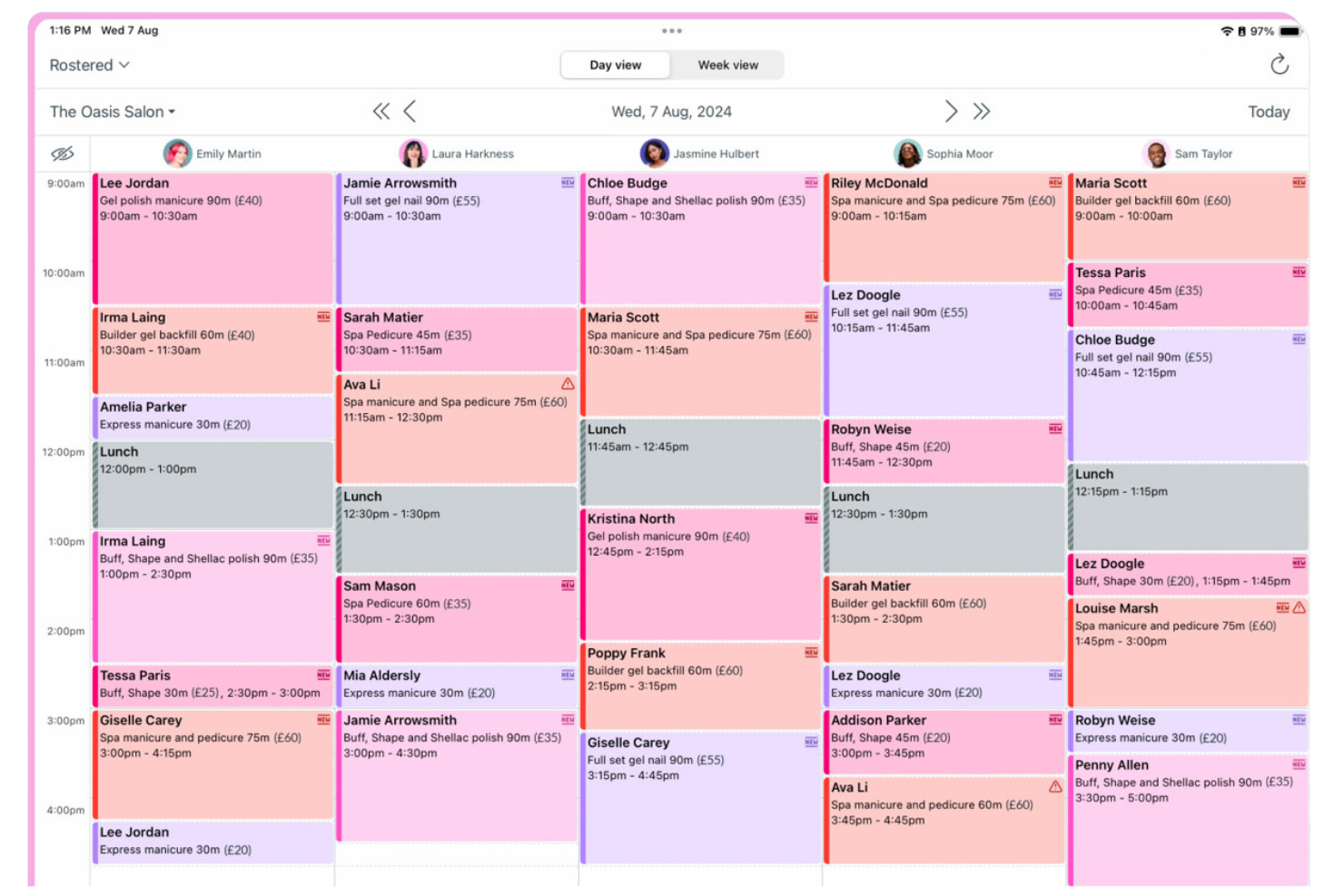
Timely uses AI to automatically track work activity, making it a strong fit for teams that want to reduce manual time entry. It’s especially useful for agencies, consultancies, and remote teams that need accurate, real-time records of billable hours without constant user input. Unlike Toggl, Timely captures work across apps and devices in the background, so you get a complete timeline with less effort.
Why It’s a Good Toggl Alternative
What sets Timely apart is its use of AI to automate time tracking, which is especially valuable for teams that want to avoid manual timers and timesheets. I picked Timely because it records work activity in the background, capturing time spent across apps, documents, and meetings without user intervention.
The Memory Tracker feature creates a private timeline of your workday, so you can review and log hours with accuracy. This approach helps teams get a more complete and reliable record of billable time compared to traditional manual tracking tools.
Timely Key Features
Some other features that make Timely appealing for time-tracking teams include:
- Project Budgeting: Set project budgets and monitor tracked hours against them in real time.
- Team Dashboards: View team activity, capacity, and logged hours from a centralized dashboard.
- Billable vs Non-Billable Tracking: Categorize time entries as billable or non-billable for accurate client invoicing.
- Calendar Integration: Sync with Google Calendar or Outlook to automatically pull in meetings and events.
Timely Integrations
Integrations include Asana, ClickUp, monday.com, Trello, Gmail, Google Calendar, Zoom, Microsoft Teams, Jira, and QuickBooks.
Pros and Cons
Pros:
- Catches hidden billable hours
- Beautiful visual calendar UI
- High employee privacy focus
Cons:
- Complex billing setup
- Can drain laptop battery

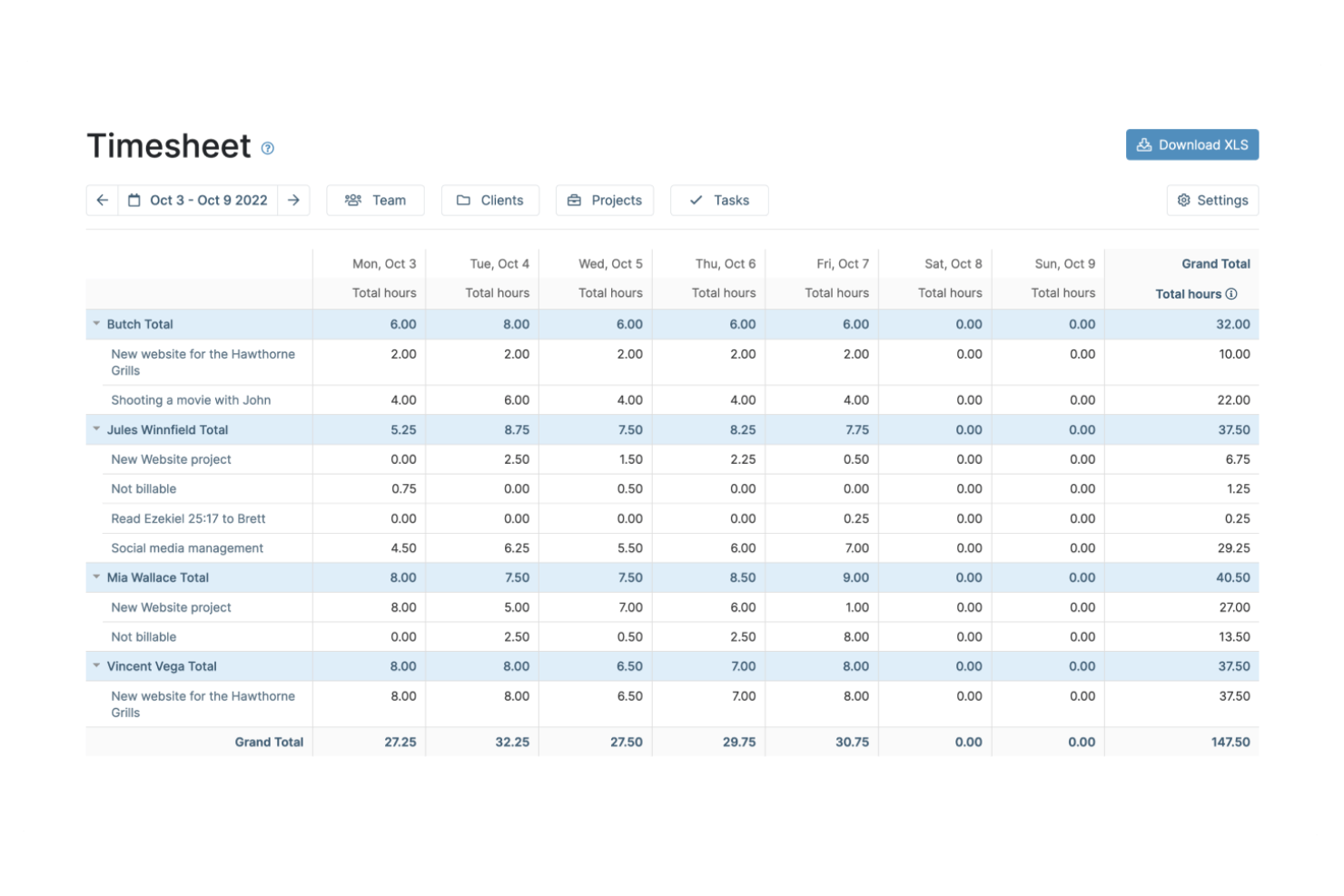
If you’re looking for time-tracking software with advanced client billing features, My Hours is worth a closer look. It’s designed for freelancers, agencies, and service-based businesses that need to manage billable hours, invoicing, and project budgets in one place. My Hours stands out from Toggl by offering built-in tools for tracking billable rates, generating invoices, and handling detailed client billing workflows.
Why It’s a Good Toggl Alternative
Unlike many time-tracking tools, My Hours is built with client billing management at its core. I picked My Hours because it lets you assign billable rates to different projects or clients and generate invoices directly from tracked time.
The platform also supports detailed reporting on billable versus non-billable hours, which helps you keep client billing accurate and transparent. For teams or freelancers who need more than just time tracking, these billing features make My Hours a strong Toggl alternative.
My Hours Key Features
Some other features in My Hours that are useful for project-based teams include:
- Task Organization: Break down projects into tasks and sub-tasks for more granular tracking.
- Customizable Reports: Generate and export detailed reports based on projects, clients, or team members.
- Team Management: Assign roles and permissions to control access and responsibilities within your team.
- Mobile App: Track time and manage projects on the go with dedicated iOS and Android apps.
My Hours Integrations
Integrations include QuickBooks Online, Xero, Trello, Asana, and Jira.
Pros and Cons
Pros:
- Generous free tier limits
- Clean project cost tracking
- Good client reporting tools
Cons:
- No automated idle detection
- Not meant for large teams

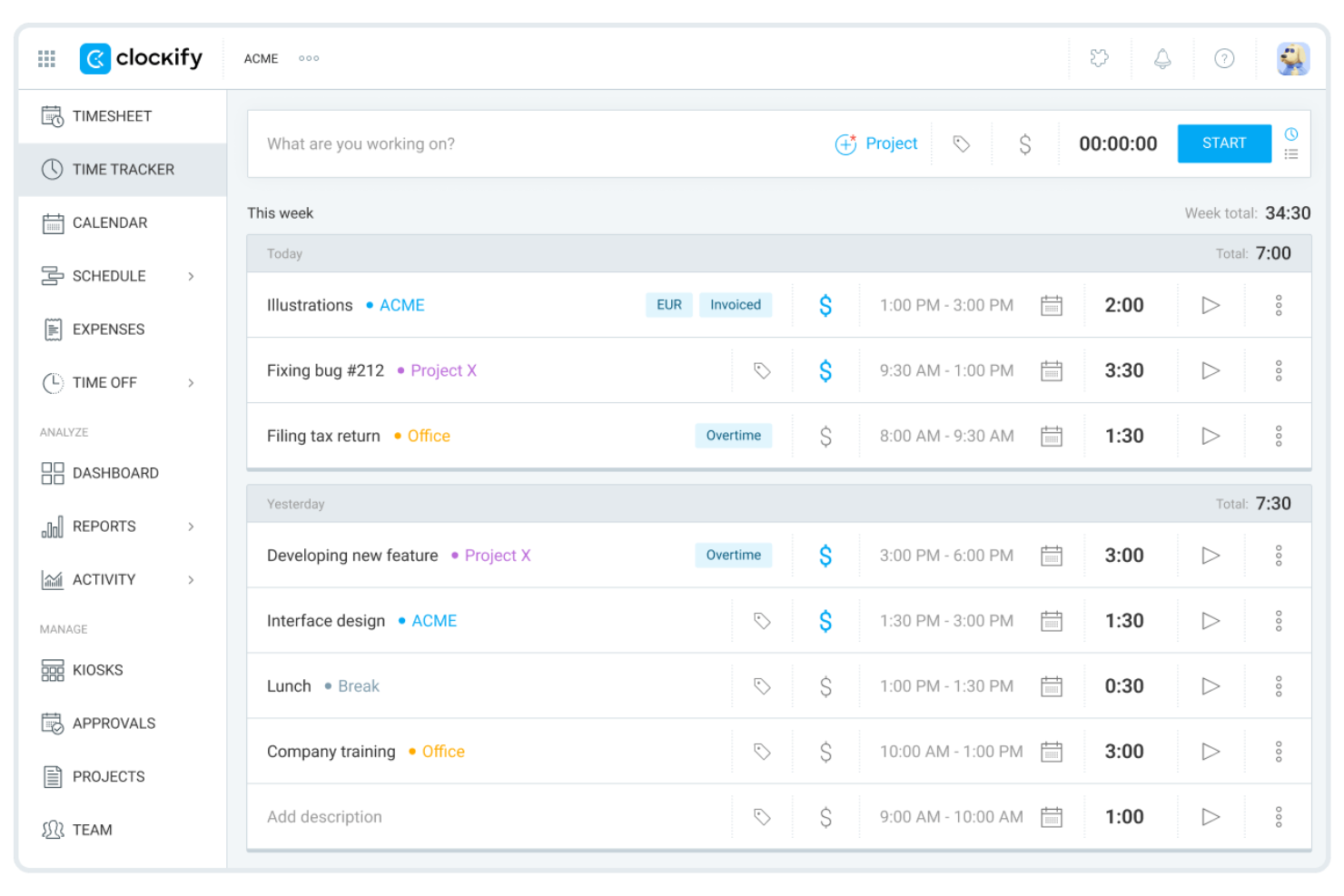
Clockify is a time-tracking tool designed for teams that need unlimited users without extra costs. It’s a strong fit for growing businesses, agencies, or organizations managing multiple projects and clients. If you want simple time tracking with flexible reporting and no user limits, Clockify stands out from Toggl and many other options.
Why It’s a Good Toggl Alternative
What sets Clockify apart is its ability to support unlimited users on its free plan, making it ideal for teams that are scaling or have fluctuating headcounts. I picked Clockify for this list because you can add as many team members as you need without worrying about extra costs.
The platform includes project-based time tracking and detailed reporting, so you can monitor hours across multiple projects and clients. This flexibility is especially useful for agencies or businesses managing several teams at once.
Clockify Key Features
Some other features in Clockify that stand out for time-tracking teams include:
- Timesheet Approvals: Managers can review and approve submitted timesheets before they’re finalized.
- Time Off Tracking: Track employee leave, holidays, and absences directly within the platform.
- Billable Rates: Assign different hourly rates to users or projects for accurate client billing.
- Kiosk Mode: Set up a shared device for on-site teams to clock in and out using a PIN code.
Clockify Integrations
Integrations include Jira, Asana, Trello, QuickBooks, Google Calendar, Outlook, GitHub, GitLab, Basecamp, and Monday.
Pros and Cons
Pros:
- Self-hosting option available
- Great Chrome extension
- Simple visual reports
Cons:
- Syncing issues across devices
- Lacks deep invoice features

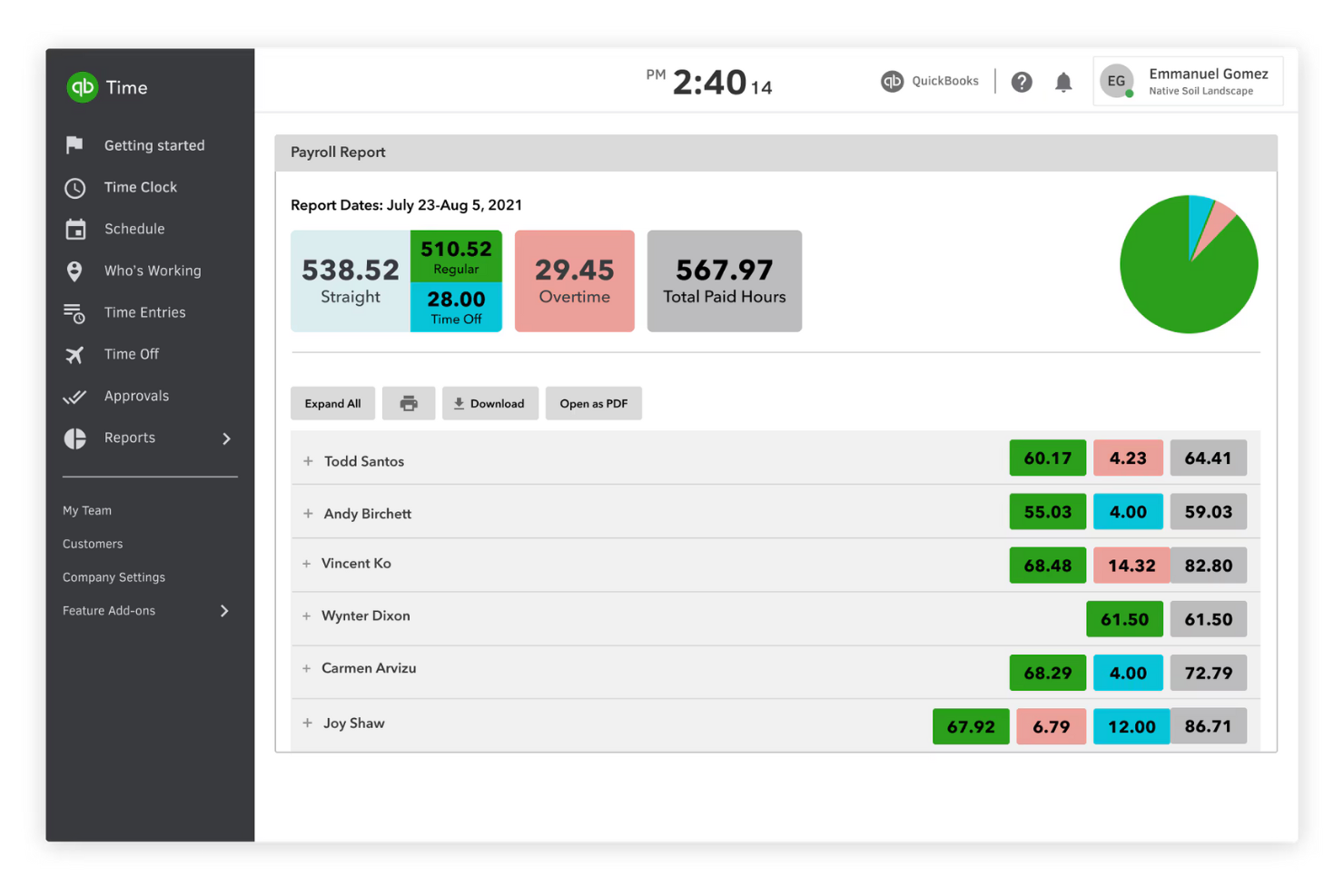
QuickBooks Time is built for businesses that need to connect time tracking directly to payroll and accounting. It’s especially useful for companies with hourly workers, field teams, or anyone who needs to manage timesheets and pay runs in sync. Unlike Toggl, QuickBooks Time integrates natively with QuickBooks Payroll and accounting, making it easier to handle payroll processing and compliance.
Why It’s a Good Toggl Alternative
If you need time tracking that connects directly to payroll, QuickBooks Time is a strong choice. I picked it because it syncs timesheets with QuickBooks Payroll, so you can run payroll and manage compliance without manual data entry.
The platform also supports GPS tracking and mobile clock-in, which helps businesses with field teams or remote workers. These features make QuickBooks Time especially useful for companies that want to tie time tracking closely to payroll processing.
QuickBooks Time Key Features
Some other features that make QuickBooks Time useful for time-tracking teams include:
- Job and Shift Scheduling: Assign shifts and jobs to employees and view schedules in a calendar format.
- Geofencing: Set location-based reminders for employees to clock in or out when entering or leaving a job site.
- Project Tracking: Track time against specific projects or clients for more detailed reporting.
- Customizable Alerts: Set up notifications for missed clock-ins, overtime, or schedule changes.
QuickBooks Time Integrations
Integrations include QuickBooks, Gusto, ADP, Paychex, Xero, and Sage.
Pros and Cons
Pros:
- Strong audit trail history
- Handles complex payroll ops
- Easy shift scheduling tools
Cons:
- Customer support is lacking
- Geared toward field workers

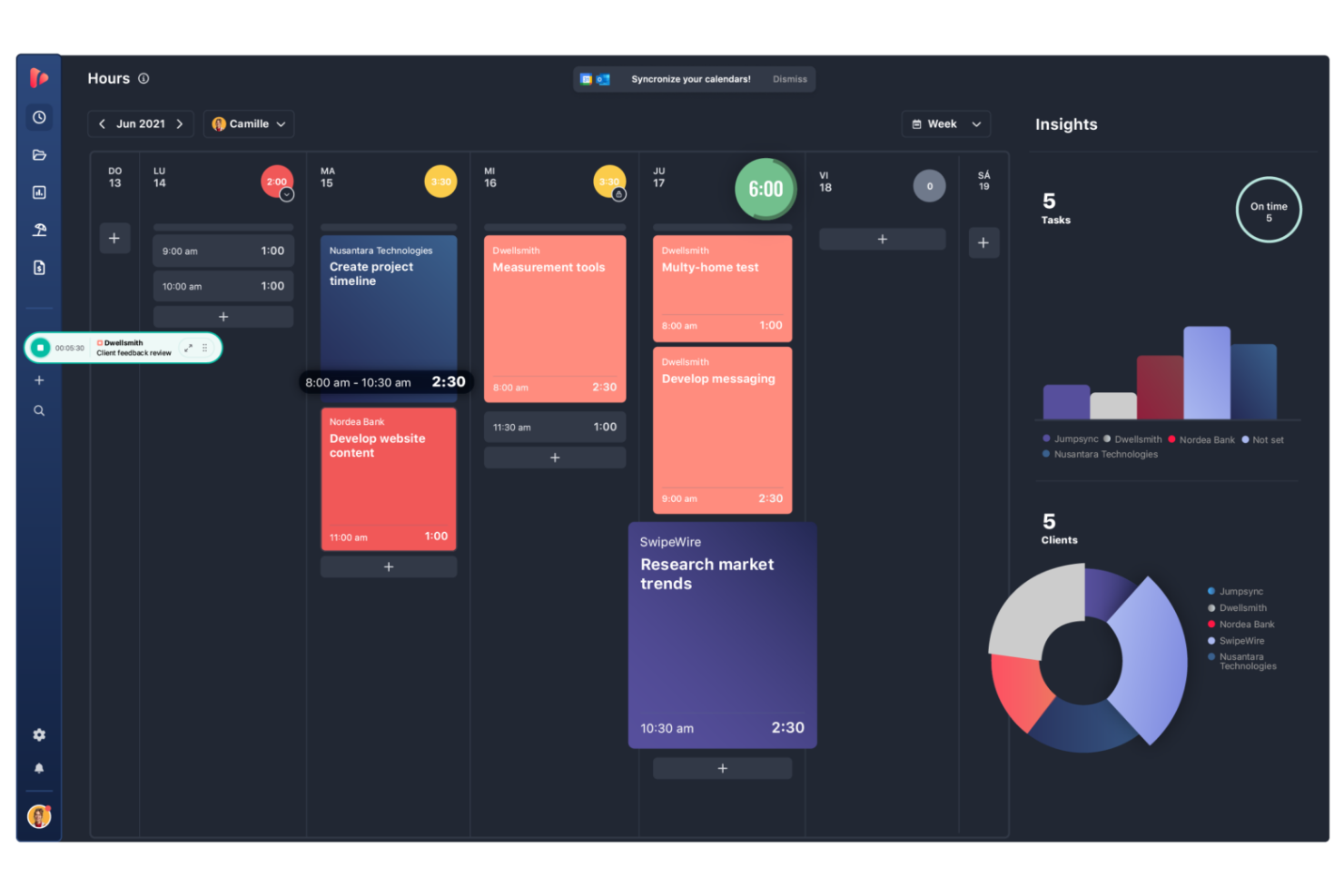
If your team needs to coordinate projects and track time together, TrackingTime puts collaboration at the center of its platform. It’s a strong fit for creative agencies, consultancies, and distributed teams that need shared task management and real-time visibility into workloads. Unlike Toggl, TrackingTime emphasizes features like shared timelines, team dashboards, and collaborative task tracking to keep everyone aligned.
Why It’s a Good Toggl Alternative
For teams that need to work closely together, TrackingTime offers collaboration features that go beyond what you’ll find in Toggl. I picked TrackingTime because it lets users assign tasks, share project timelines, and monitor team workloads in real time.
The platform’s shared dashboards and group time entries help everyone stay on the same page and make it easier to coordinate project work. These features make TrackingTime a strong choice for teams that value transparency and collective progress tracking.
TrackingTime Key Features
Some other features that make TrackingTime useful for teams include:
- Automated Time Tracking: The platform can automatically track time based on activity and app usage.
- Customizable Reports: Generate detailed reports filtered by client, project, or team member.
- Calendar Integration: Sync tracked time with Google Calendar and Outlook.
- Billable Hours Tracking: Mark tracked time as billable or non-billable for client invoicing.
TrackingTime Integrations
Integrations include Asana, Trello, Jira, GitHub, Slack, Microsoft Teams, and Basecamp.
Pros and Cons
Pros:
- Flexible reporting options
- Highly affordable pricing
- Tracks time inside other apps
Cons:
- Syncing issues occur often
- Interface can feel cluttered


Timesheets.com is especially useful for small businesses looking for time tracking with built-in HR features. The platform combines time tracking, PTO management, and expense tracking in one place, making it a fit for owners and managers who handle HR tasks themselves. Unlike Toggl, Timesheets.com includes HR-focused tools like time-off approvals and compliance-ready recordkeeping.
Why It’s a Good Toggl Alternative
If your business needs time tracking with HR support, Timesheets.com brings both together in one platform. I picked Timesheets.com because it offers PTO tracking, time-off request workflows, and digital document storage for HR compliance.
The tool also lets you manage employee profiles and track expenses alongside hours worked. These features make it a strong choice for small businesses that want to handle HR tasks without juggling multiple systems.
Timesheets.com Key Features
Some other features that make Timesheets.com stand out include:
- GPS Location Tracking: Track where employees clock in and out using GPS data.
- Project-Based Time Tracking: Assign hours to specific projects or clients for more detailed reporting.
- Customizable User Permissions: Set different access levels for managers, supervisors, and employees.
- Payroll Export Tools: Export time data directly to payroll systems like QuickBooks and ADP.
Timesheets.com Integrations
Integrations include QuickBooks, ADP, Paychex, SurePayroll, and Gusto.
Pros and Cons
Pros:
- Simple flat rate pricing
- IP locking for secure punches
- Handles mileage and expenses
Cons:
- Not built for fast workflows
- Lacks fluid task switching

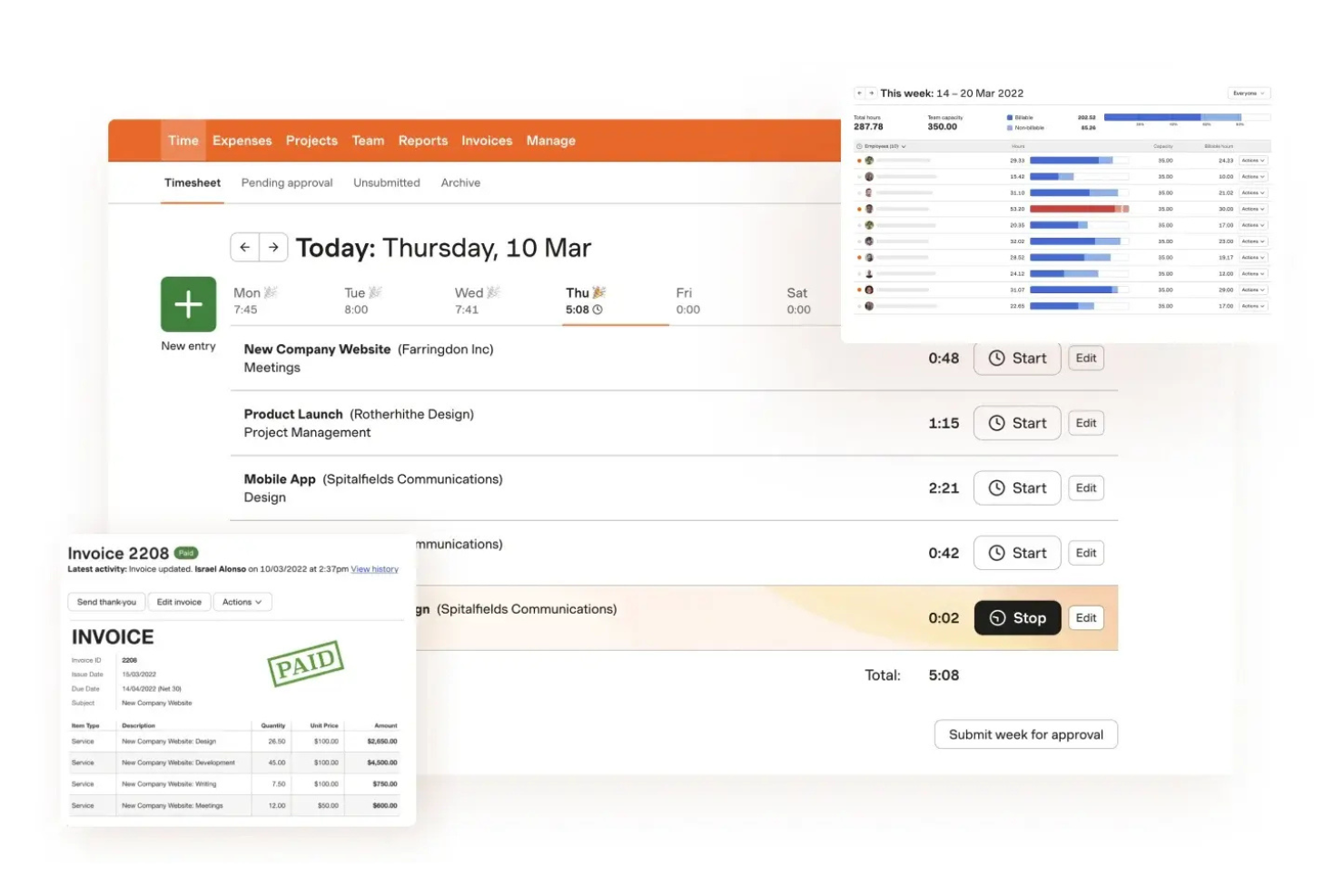
Harvest is worth a look if you need time tracking that connects directly to invoicing and expense management. The tool is designed for agencies, consultancies, and service-based teams that want to turn tracked hours and expenses into invoices without extra steps. Harvest stands out from Toggl by offering built-in invoicing, expense tracking, and payment collection features.
Why It’s a Good Toggl Alternative
Unlike Toggl, Harvest combines time tracking with invoicing and expense management in one platform. I picked Harvest because it lets you generate invoices directly from tracked hours and logged expenses, which is especially useful for client-facing businesses.
You can also attach receipts to expenses and track payments, making it easier to manage billing and reimbursement workflows. If you need a time-tracking tool that handles invoicing and expense tracking without extra add-ons, Harvest is a strong choice.
Harvest Key Features
Some other features that make Harvest useful for time-tracking include:
- Project Budget Tracking: Set and monitor project budgets to avoid overruns.
- Team Capacity Planning: View team member availability and allocate hours accordingly.
- Automated Reminders: Send reminders to team members to submit timesheets.
- Detailed Time Reports: Generate reports that break down hours by client, project, or task.
Harvest Integrations
Integrations include Asana, Trello, Basecamp, Jira, QuickBooks, Xero, and Slack.
Pros and Cons
Pros:
- Better reporting than Toggl
- Easy team capacity planning
- Integrates with accounting
Cons:
- Strict project structures
- Interface feels slightly old
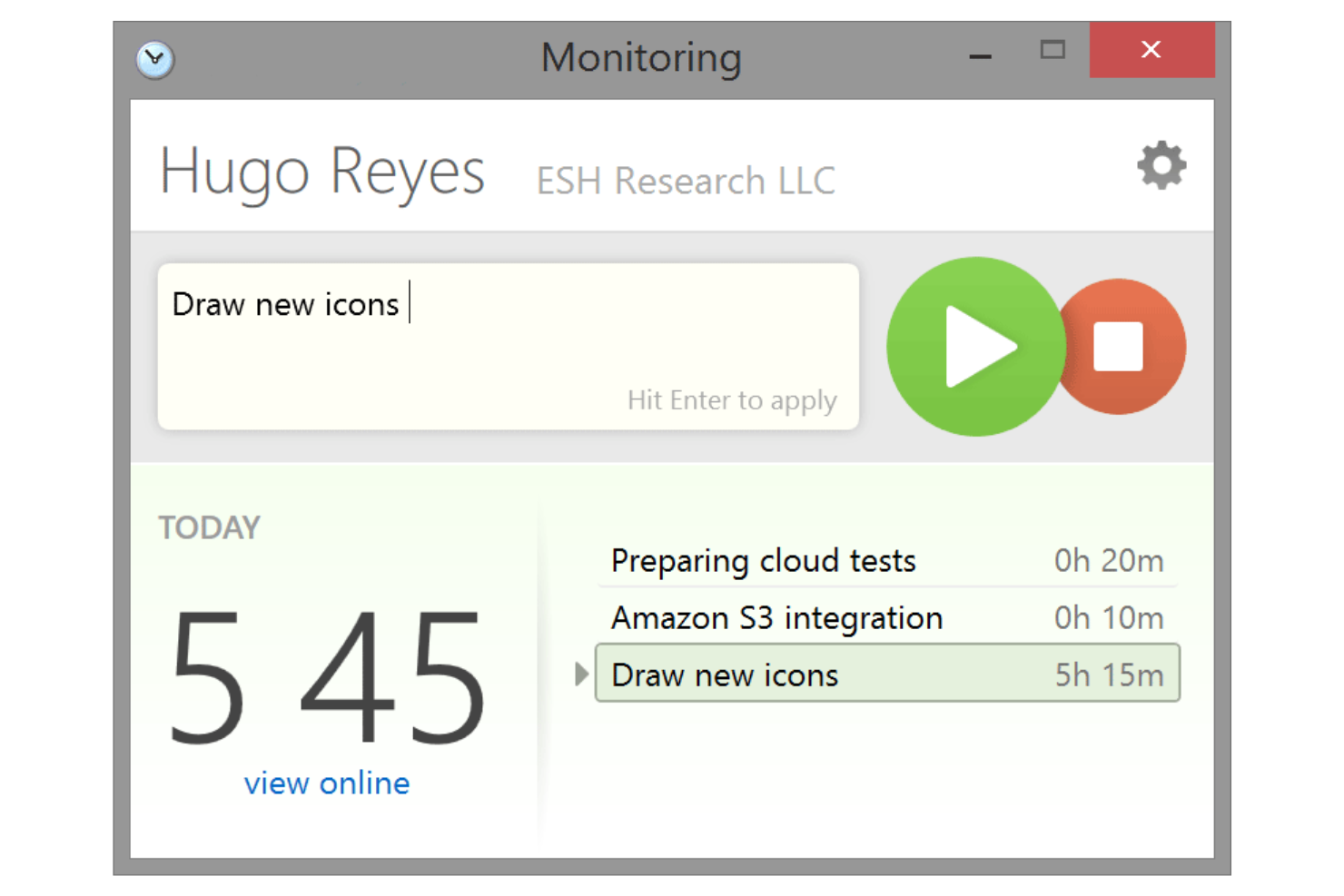
Screenshot Monitor is often used by teams that need visual proof of work through automatic screenshot capture. The tool is especially useful for remote teams, agencies, and organizations that require detailed activity records for client reporting or compliance. Unlike Toggl, Screenshot Monitor captures periodic screenshots and activity levels, giving managers a clear view of how time is spent.
Why It’s a Good Toggl Alternative
For teams that need more than just time logs, Screenshot Monitor offers automatic screenshot capture to document work in real time. I picked Screenshot Monitor because it takes periodic screenshots and tracks activity levels, giving managers a visual record of how time is spent on tasks.
The tool also allows you to set screenshot intervals and monitor keyboard and mouse activity, which helps verify productivity for remote or distributed teams. If you’re looking for time-tracking software that provides visual accountability, Screenshot Monitor is a strong alternative to Toggl.
Screenshot Monitor Key Features
Some other features that make Screenshot Monitor useful for time-tracking include:
- Project and Task Assignment: Assign tracked time to specific projects and tasks for detailed reporting.
- Manual Time Entry: Add or edit time entries manually when automatic tracking isn’t possible.
- Employee Timesheets: Review and approve timesheets submitted by team members.
- Idle Time Detection: Automatically detects and flags periods of inactivity during tracked sessions.
Screenshot Monitor Integrations
Integrations include Asana, Trello, Jira, GitHub, GitLab, and Redmine.
Pros and Cons
Pros:
- Lightweight desktop client
- Offline time tracking works
- Great for remote freelancers
Cons:
- No built in invoicing tools
- Lacks project management
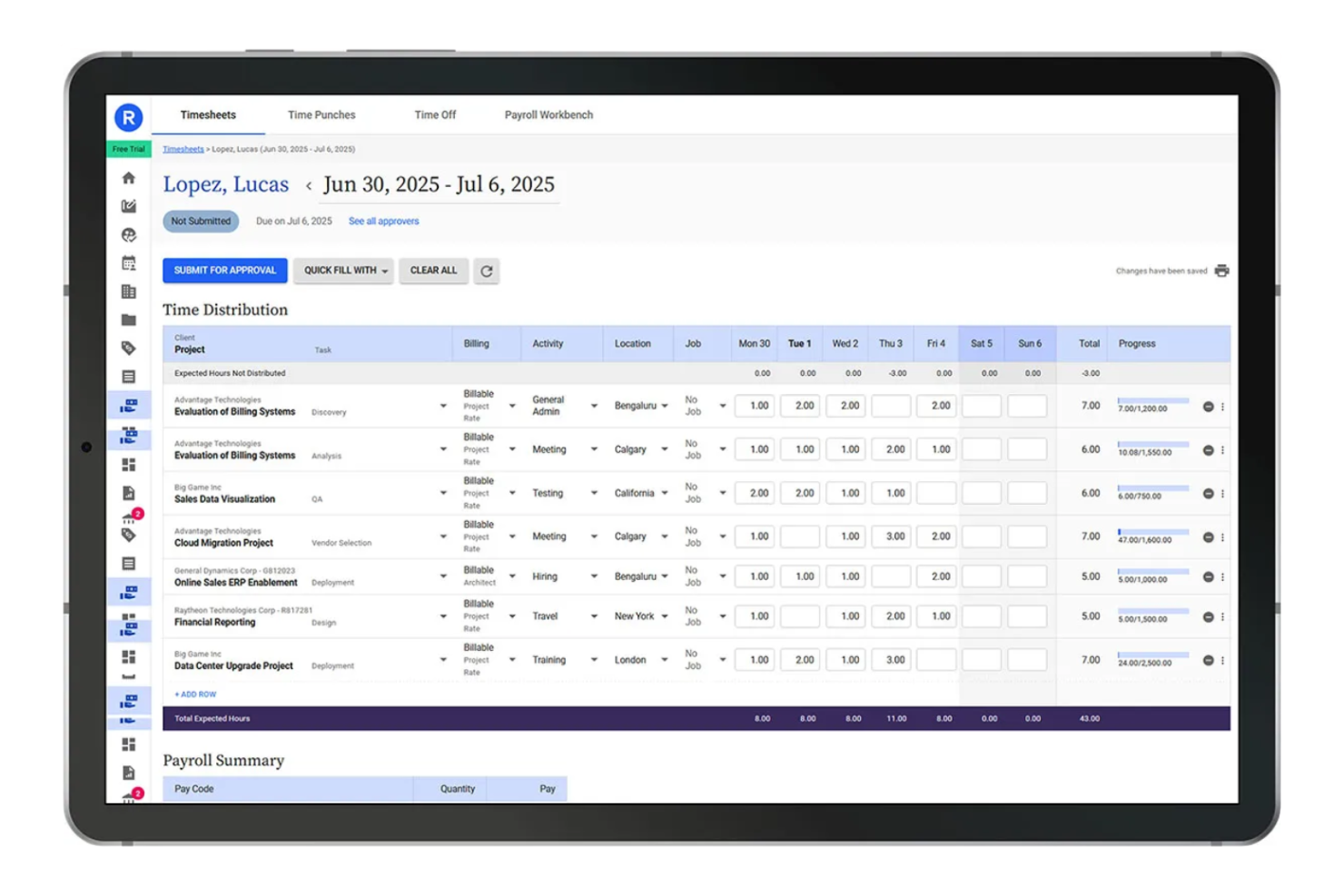
Replicon offers advanced time tracking with built-in controls for organizations that need to meet strict compliance and audit requirements. It’s designed for teams in regulated industries or those managing complex labor laws and audit trails. Replicon stands out from Toggl by providing configurable compliance rules, detailed audit logs, and support for global labor regulations.
Why It’s a Good Toggl Alternative
When compliance and audit readiness are top priorities, Replicon offers features that go beyond basic time tracking. I picked Replicon because it lets you set up custom compliance rules and automate policy enforcement, which is essential for businesses facing strict labor regulations.
The platform also provides detailed audit trails and real-time validation of timesheet data, making it easier to prepare for audits or internal reviews. These capabilities make Replicon a strong choice for organizations that need to demonstrate compliance and maintain accurate records.
Replicon Key Features
Some other features that make Replicon useful for time-tracking teams include:
- Mobile Timesheet App: Employees can submit and manage timesheets from their smartphones.
- Multi-Currency Support: Track and manage time and expenses in different currencies for global teams.
- Resource Management: Allocate and monitor resources across projects with built-in planning tools.
- Customizable Reporting: Build and export detailed reports tailored to your organization’s needs.
Replicon Integrations
Integrations include SAP, Oracle, Workday, ADP, Salesforce, Jira, and ServiceNow.
Pros and Cons
Pros:
- Highly secure data storage
- Deep enterprise integrations
- Strong audit and approvals
Cons:
- Long deployment timelines
- Time entry is highly rigid

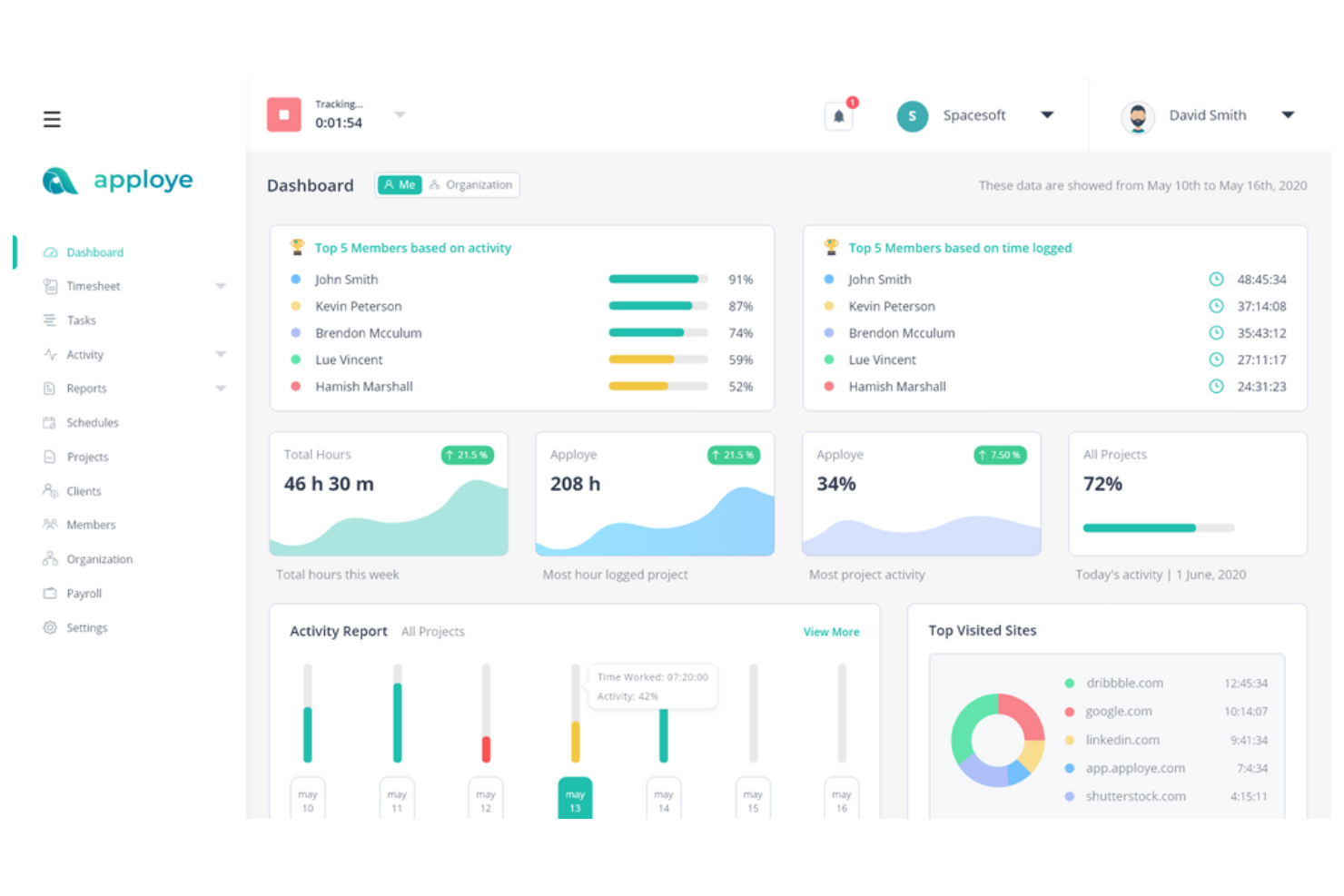
Apploye is built for you if you’re managing a distributed or remote team and need more than just time tracking. The tool combines time tracking with advanced employee monitoring features like screenshots, app usage, and activity levels. Apploye stands apart from Toggl by giving managers deeper visibility into remote work habits and productivity.
Why It’s a Good Toggl Alternative
For teams that need more oversight than Toggl provides, Apploye offers robust remote employee monitoring alongside time tracking. I picked Apploye because it captures periodic screenshots, tracks app and website usage, and measures activity levels, giving managers a clearer picture of how remote employees spend their work hours.
These monitoring features help address concerns about accountability and productivity in distributed teams. If you’re looking for a time-tracking tool that also supports detailed remote work oversight, Apploye is a strong option.
Apploye Key Features
Some other features that make Apploye useful for time-tracking include:
- GPS Location Tracking: Monitor where remote or field employees are working in real time.
- Payroll Calculation: Automatically calculate payroll based on tracked hours and pay rates.
- Project and Task Management: Assign projects and tasks to team members and track progress.
- Idle Time Detection: Detect periods of inactivity and prompt users to confirm their work status.
Apploye Integrations
Integrations include Asana, ClickUp, Trello, and Jira.
Pros and Cons
Pros:
- Affordable team pricing
- GPS location tracking sync
- Built in payroll calculation
Cons:
- Basic third party syncs
- Clunky mobile application
Other Toggl Alternatives
Here are some additional Toggl alternative options that didn’t make it onto my shortlist, but are still worth checking out:
- Paymo
For task and project workflows
- Scoro
For integrated business management
- Time Doctor
With distraction monitoring features
- Timeproof
For tracking remote freelancers in the Philippines


Toggl Alternatives Selection Criteria
When selecting the best Toggl alternatives to include in this list, I considered common buyer needs and pain points related to time tracking app products, like tracking billable hours accurately and managing attendance tracking. I also used the following framework to keep my evaluation structured and fair:
Core Functionality (25% of total score) To be considered for inclusion in this list, each solution had to fulfill these common use cases:
- Track time for projects and tasks
- Generate timesheets for payroll
- Export or report on tracked hours
- Support manual and automatic time entry
- Allow team and individual user management
Additional Standout Features (25% of total score) To help further narrow down the competition, I also looked for unique features, such as:
- GPS or location-based tracking
- Built-in expense management
- PTO and leave request workflows
- Compliance and audit trail tools
- Payroll system integrations
Usability (10% of total score) To get a sense of the usability of each system, I considered the following:
- Simple and intuitive user interface
- Clear navigation and labeling
- Minimal clicks to start or stop timers
- Mobile app availability and quality
- Dashboard clarity and customization
Onboarding (10% of total score) To evaluate the onboarding experience for each platform, I considered the following:
- Step-by-step product tours
- Access to training videos and guides
- Pre-built templates for quick setup
- Availability of live chat or chatbot support
- Webinars or onboarding sessions offered
Customer Support (10% of total score) To assess each software provider’s customer support services, I considered the following:
- Live chat or phone support availability
- Response time to support requests
- Quality of help documentation
- Access to community forums or FAQs
- Multichannel support options
Value For Money (10% of total score) To evaluate the value for money of each platform, I considered the following:
- Transparent and flexible pricing plans
- Features included at each price tier
- Free trial or free plan availability
- No hidden fees or surprise charges
- Discounts for annual billing or nonprofits
Customer Reviews (10% of total score) To get a sense of overall customer satisfaction, I considered the following when reading customer reviews:
- Consistency of positive feedback
- Frequency of complaints about bugs
- Praise for specific features or support
- Reports of successful implementation
- Feedback on updates and improvements
Why Look For a Toggl Alternative?
While Toggl is a good choice of time-tracking software, there are a number of reasons why some users seek out alternative solutions. You might be looking for a Toggl alternative because…
- You need built-in payroll or HR features
- Your team requires GPS or location tracking
- You want deeper project management capabilities
- You need more advanced reporting options
- Your organization must meet strict compliance standards
- You prefer a tool with native invoicing
If any of these sound like you, you’ve come to the right place. My list contains several time-tracking software options that are better suited for teams facing these challenges with Toggl and looking for alternative solutions.
Toggl Key Features
Here are some of the key features of Toggl, to help you contrast and compare what alternative solutions offer:
- One-click timer for tracking work hours
- Manual time entry and editing
- Project and client organization
- Detailed reporting and analytics
- Billable rates and labor cost tracking
- Browser extension for quick access
- Team member management and roles
- Calendar integration for scheduling
- Mobile apps for iOS and Android
- Offline time tracking capability