

10 Best SOP Software Reviewed in 2026

Best SOP Software Shortlist


Managing projects can be challenging—you have to track tasks, keep the team aligned, and prevent anything from falling through the cracks. SOP software can help by organizing processes, keeping instructions clear, and making it easier for the team to follow them consistently.
I’ve tested and reviewed these tools independently, focusing on what truly helps you and your team. In my experience, using reliable SOP software saves time, reduces errors, and makes managing day-to-day operations more manageable.
In this article, you'll find unbiased, well-researched reviews of the top SOP software. I’ll cover key features, strengths, and weaknesses to help you make an informed decision that fits your team’s workflow.
Why Trust Our Software Recommendations
Our team has been testing and reviewing software since 2012. As project managers ourselves, we know how difficult—and important—it is to choose the right software.
For this guide, we evaluated tools using hands-on testing and independent research, scoring tools using our selection criteria. We also draw on insights from industry thought leaders and practicing project management experts.
Our reviews reflect our human editorial judgment, not a sales pitch.
Expert reviewers:
SOP Software Comparison Table
This comparison table summarizes pricing details for my top SOP software selections:
| Tool | Best For | Trial Info | Price | ||
|---|---|---|---|---|---|
| 1 | Best for browser-based workflow guidance | Free plan + free demo available | From $39/creator/month (billed annually) | Website | |
| 2 | Best for knowledge management | Free demo available | Pricing upon request | Website | |
| 3 | Best for automatic process capture | Free plan + free demo available | From $12/seat/month (billed annually) | Website | |
| 4 | Best for employee onboarding | Free 7-day trial | From $249/month (billed annually) | Website | |
| 5 | Best for centralized team workflows | Free demo available | Pricing upon request | Website | |
| 6 | Best for process automation | Free demo available | From $10/month | Website | |
| 7 | Best for small businesses | Free demo + free 14-day trial available | From $82.50/month (billed annually) | Website | |
| 8 | Best for training consistency | Free demo available | From $99/10 users/month | Website | |
| 9 | Best for visual SOP creation | Free plan available | From $10/seat/month (billed annually) | Website | |
| 10 | Best for compliance tracking | Free 14-day trial + free demo available | From $99/10 users/month | Website |
Best SOP Software Reviews
Below are my detailed summaries of the best SOP software that made it onto my shortlist. My reviews offer a detailed look at the key features, pros and cons, integrations, and ideal use cases of each tool to help you find the best one for you.

Best for browser-based workflow guidance

Guideless is an SOP creation tool that records browser-based workflows through a Chrome extension and automatically converts them into AI-narrated, step-by-step video guides complete with captions, smart zooms, and annotations.
Who Is Guideless Best For?
Guideless is a good fit for small to mid-sized teams that need to document browser-based processes quickly without dedicated instructional designers or video editors.
Why I Picked Guideless
Guideless is one of my top picks because I love how it captures browser workflows directly as they happen, turning live clicks and navigation into structured SOPs without any manual scripting. I use the Chrome extension to record a process once, and Guideless automatically generates the narration, applies smart zooms on key actions, and adds captions. What I find especially useful is that when a workflow changes, I can update the guide without re-recording the entire thing from scratch.
Guideless Key Features
- AI voice selection: Choose from 50+ AI voices to narrate your SOPs, so guides sound consistent across your entire library.
- Guide sharing and export: Publish guides via shareable URL, embed code, or downloadable MP4 to distribute SOPs across any channel or platform.
- Branding and annotation customization: Add your logo, custom colors, and on-screen annotations to keep guides aligned with your organization's style.
- Viewer analytics: Track views, completion rates, and drop-off points to see exactly where people stop following a process.
Guideless Integrations
Guideless primarily works through a Chrome extension that captures browser-based workflows and lets you share or embed guides via link or embed code.
Pros and Cons
Pros:
- Guides update without full re-recording
- Captures browser workflows with zero setup
- AI narration included on every guide
Cons:
- Free plan limited to three guides
- Only captures browser-based workflows

Best for knowledge management
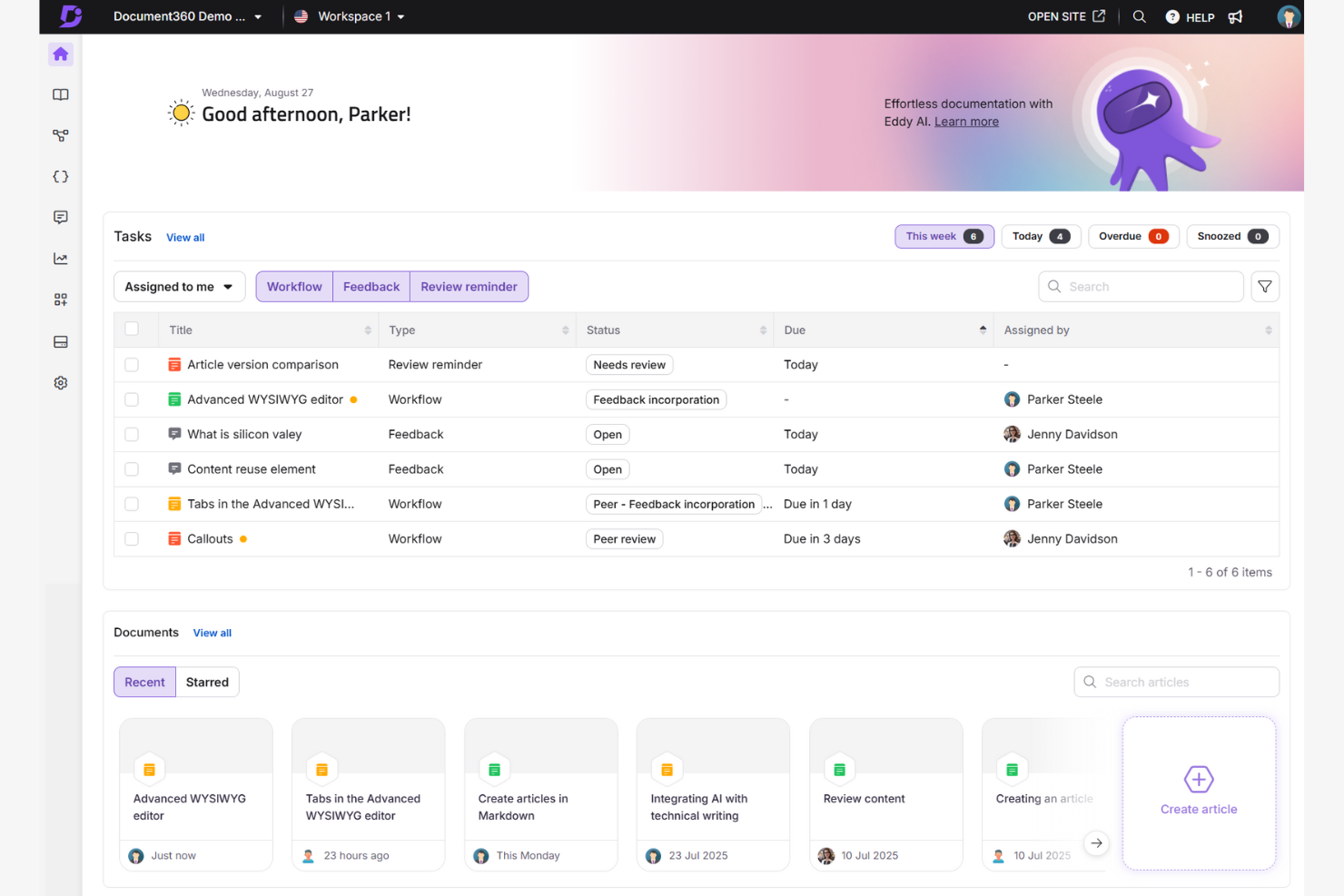
Document360 is a knowledge base software designed for teams needing organized and accessible document management. It's popular among customer support and IT departments for its ability to manage and share knowledge efficiently.
Why I picked Document360: It offers a structured way to create and maintain documentation. You can use its AI-powered editor to create SOPs and training documents. Its version history lets you track changes over time. This makes it ideal for teams that need precise control over their document management system.
Standout Features and Integrations:
Features include an editor that makes it simple to create, edit, and categorize SOP documentation. The version history feature allows you to track and revert changes, maintaining accuracy in your documentation.
Integrations include Microsoft Teams, Slack, Google Analytics, and more.
Pros and Cons
Pros:
- Suitable for multiple languages
- Customizable branding options
- Detailed version history
Cons:
- Some integrations may have limited functionality
- Requires regular updates
New Product Updates from Document360

Document360 Adds Drive and Eddy AI Workflow Updates
Document360 adds Drive file renaming, Eddy AI email ticket notifications, and Drive image support in AI Capture. These updates simplify file management, support escalation, and visual content editing. For more information, visit Document360’s official site.
 .
.
Scribe
Best for automatic process capture

Scribe is a documentation tool used by teams to create step-by-step guides quickly. It's popular among HR, IT, and customer support teams for documenting processes and creating employee training materials.
Why I picked Scribe: It specializes in automatic process capture, allowing you to generate guides quickly and document complex workflows. You can use the platform's Workflow AI to automate the documentation process. This is an option for teams looking to improve their training and onboarding processes for new employees.
Standout Features and Integrations:
Features include a resource gallery that provides templates and examples to assist you in creating guides. You can also customize guides and docs to fit your specific needs, making them more relevant for your team and stakeholders.
Integrations include Slack, Microsoft Teams, Confluence, Salesforce, Zendesk, and more.
Pros and Cons
Pros:
- Suitable for various departments
- Workflow AI capabilities
- Automatic process capture
Cons:
- Basic reporting features
- Not ideal for highly complex workflows

Trainual
Best for employee onboarding

Trainual is an onboarding and training tool designed for small to medium-sized businesses. It helps organize company processes and training materials to maintain consistency and clarity for new hires.
Why I picked Trainual: It focuses on employee onboarding by offering structured training modules. You can create detailed manuals that guide your new team members through company policies and procedures. The templates make it simple to set up training paths for different roles. This is ideal for businesses looking to simplify and improve their onboarding process.
Standout Features and Integrations:
Features include customizable templates that help you create training manuals specific to your business needs. You can track progress to make sure your team members complete their training on time. The platform also offers quizzes to test knowledge retention, which helps reinforce learning.
Integrations include Slack, Zapier, BambooHR, Gusto, QuickBooks Payroll, and more.
Pros and Cons
Pros:
- Includes quizzes for learning
- Progress tracking tools
- Customizable training templates
Cons:
- The content library may become cluttered
- Limited advanced features

Best for centralized team workflows
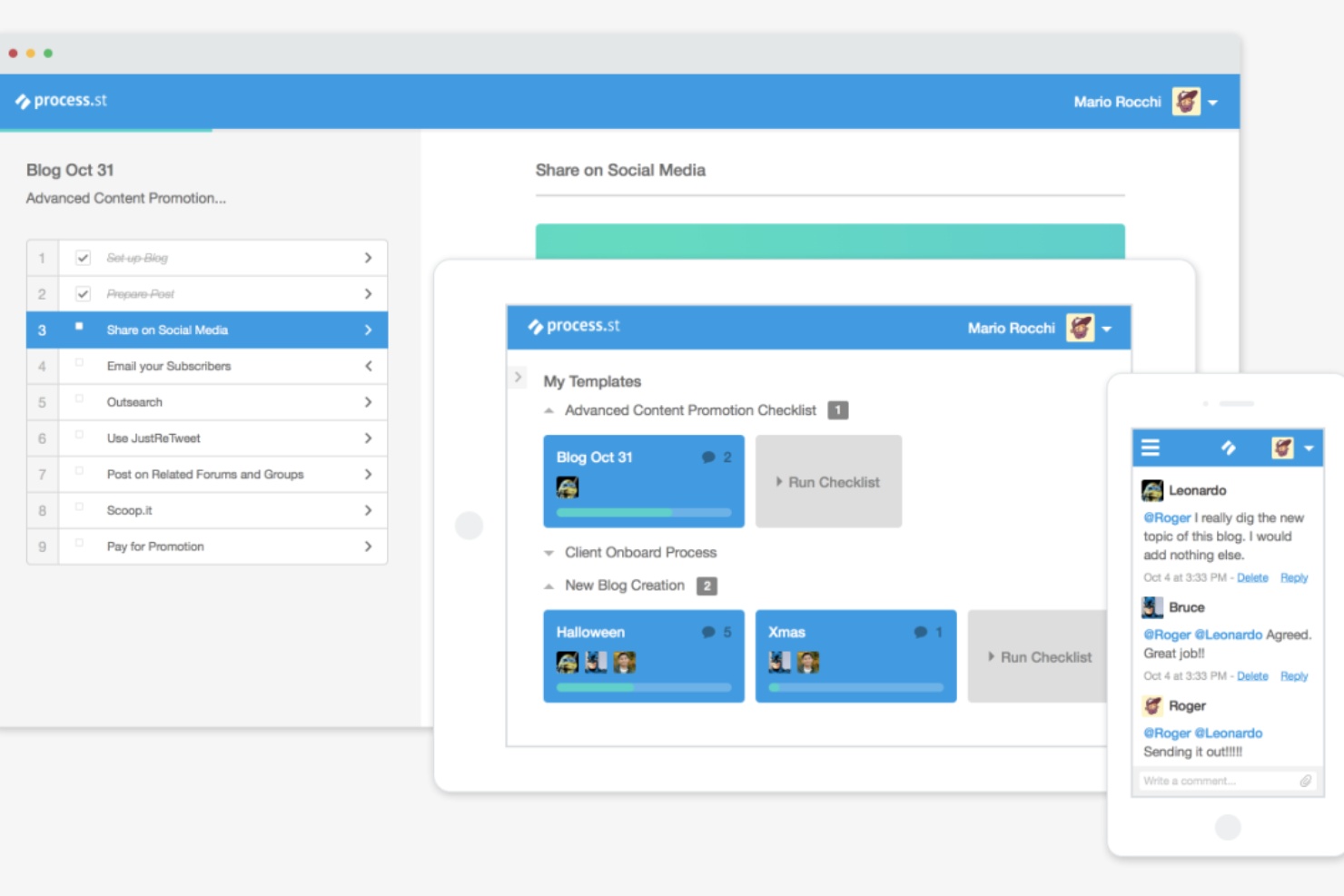
Process Street Docs is a document management feature designed for teams to create, organize, and maintain standard operating procedures. It's ideal for operations, HR, and project management teams looking to centralize SOPs and maintain consistency across processes.
Why I picked Process Street Docs: It excels in SOP creation and management by providing a structured platform for writing and updating procedures. You can link Docs to workflows so team members have access to instructions while executing tasks. This makes it easy for teams to keep SOPs up-to-date and aligned with evolving processes.
Standout Features and Integrations:
Features include a rich text editor for detailed SOP documentation, version control to track updates over time, and the ability to organize documents into categories and folders for easy access. You can also link Docs to workflow checklists, so team members reference the right SOPs while completing tasks.
Integrations include Slack, Zapier, Salesforce, Jira, Google Sheets, DocuSign, and more.
Pros and Cons
Pros:
- Suitable for complex workflows
- Versatile API
- Supports conditional logic
Cons:
- Limited mobile app functionality
- Requires initial setup time

Tallyfy
Best for process automation
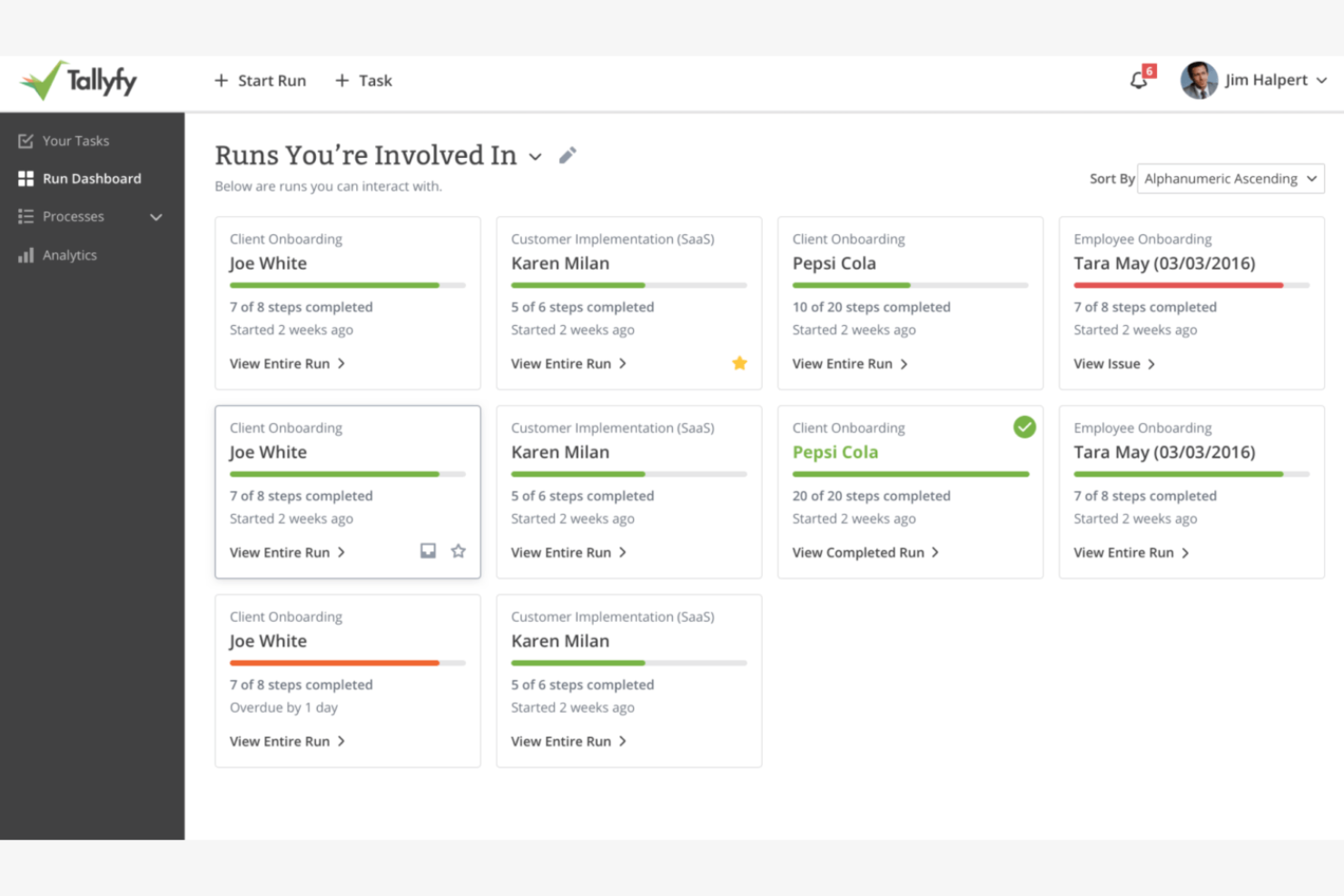
Tallyfy is a process management tool designed for automating and managing workflows. It's used by operations and project management teams to help processes run smoothly.
Why I picked Tallyfy: It excels in process automation, allowing your team to automate routine workflows with ease. You can create detailed process maps that visualize each step and decision point. The platform's automation features help reduce manual tasks, saving you time and effort.
Standout Features and Integrations:
Features include the ability to create detailed process maps that help you visualize workflows clearly. You can use automation triggers to reduce manual intervention in repetitive tasks. The platform also offers real-time tracking, so you can monitor the progress of processes and make adjustments as needed.
Integrations include Slack and more.
Pros and Cons
Pros:
- Suitable for complex workflows
- Real-time tracking available
- Process mapping tools
Cons:
- Few integrations
- Limited advanced conditional logic
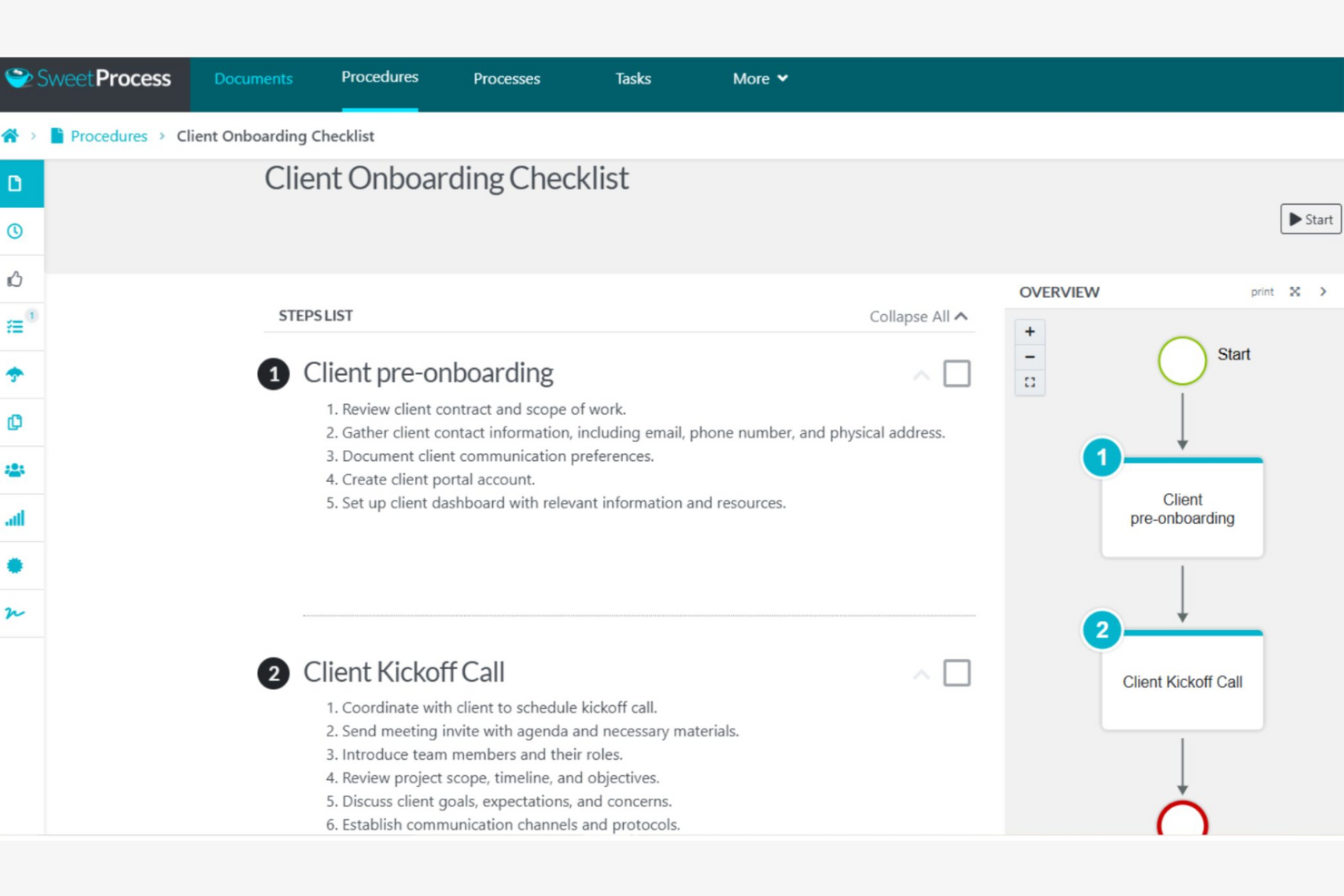
SweetProcess is a process documentation tool designed for small businesses to document and optimize their procedures. It helps teams create clear SOPs and keeps everyone following the same steps for consistency.
Why I picked SweetProcess: It focuses on small businesses by providing straightforward tools for documenting processes. You can create step-by-step procedures that are simple for your team to follow. SweetProcess allows you to assign tasks and set deadlines, helping to keep everyone on track. This makes it a valuable resource for small teams looking to improve their operational efficiency.
Standout Features and Integrations:
Features include an interface that makes creating and editing procedures simple for your team. You can attach files and images to your SOPs to provide visual aids that can improve understanding. The task management feature allows you to assign responsibilities and track progress, maintaining accountability.
Integrations include Zapier, Dropbox, Google Drive, Box, OneDrive, Salesforce, Slack, Microsoft Teams, and more.
Pros and Cons
Pros:
- Suitable for small teams
- Task management features
- Tools to produce visual aids
Cons:
- Basic version control features
- Limited reporting and analytics

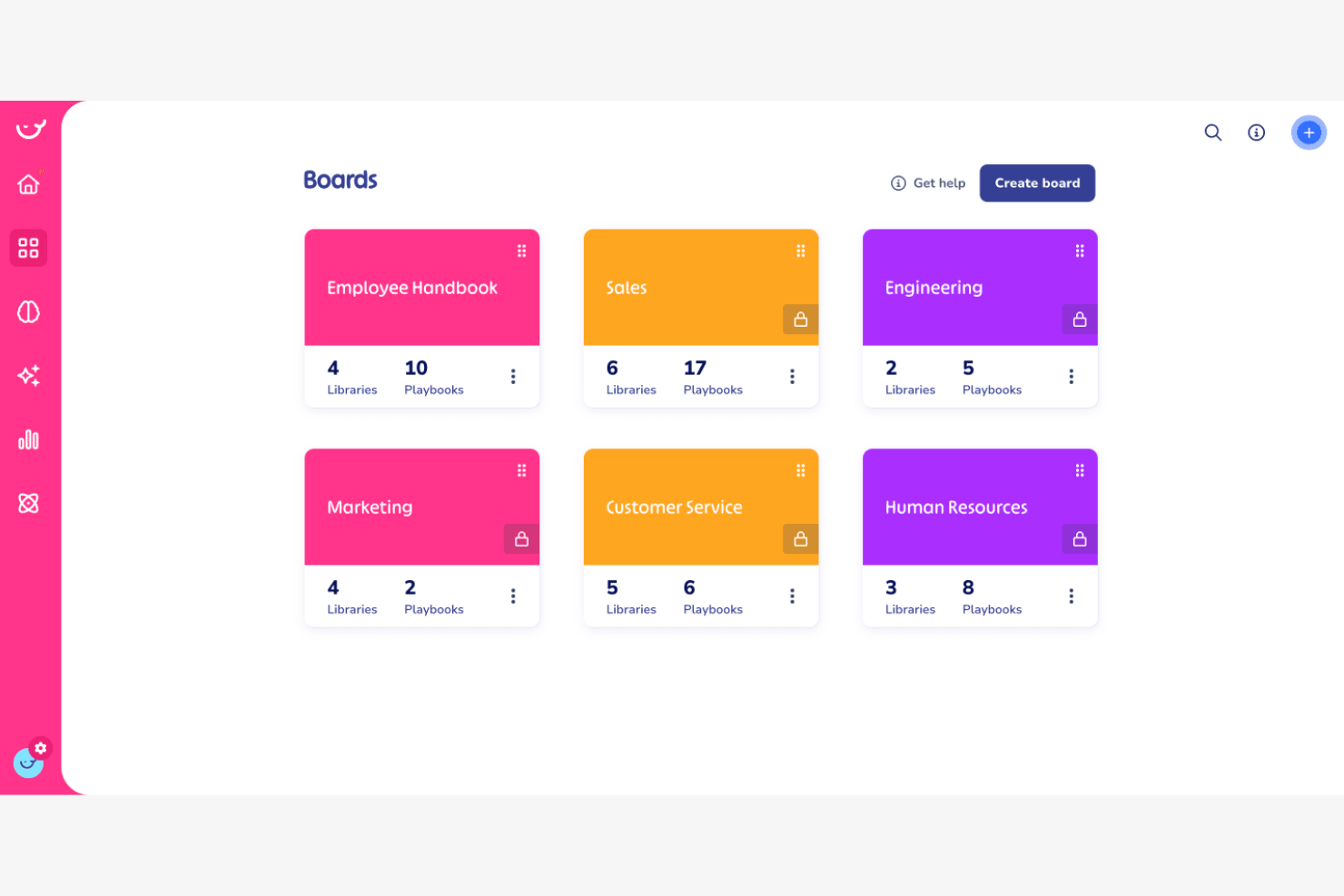
Whale is a knowledge-sharing and training platform designed to maintain consistent training and process documentation. It's popular among businesses that need to maintain uniformity in training materials and standard operating procedures.
Why I picked Whale: It focuses on training consistency, providing tools to create and distribute training content effectively. The platform allows for updates and sends notifications to remind team members to complete training tasks. This standard operating procedure software is ideal for businesses aiming to improve their training consistency across departments.
Standout Features and Integrations:
Features include a user-friendly editor that lets you create and update training content. You can use the quiz builder to test your team's understanding and reinforce learning. The analytics feature provides insights into training effectiveness, helping you identify areas for improvement.
Integrations include Slack, Google Drive, YouTube, Microsoft OneDrive, and more.
Pros and Cons
Pros:
- Suitable for various industries
- Tools for analytics
- Quiz builder
Cons:
- Basic reporting features
- Limited customization options

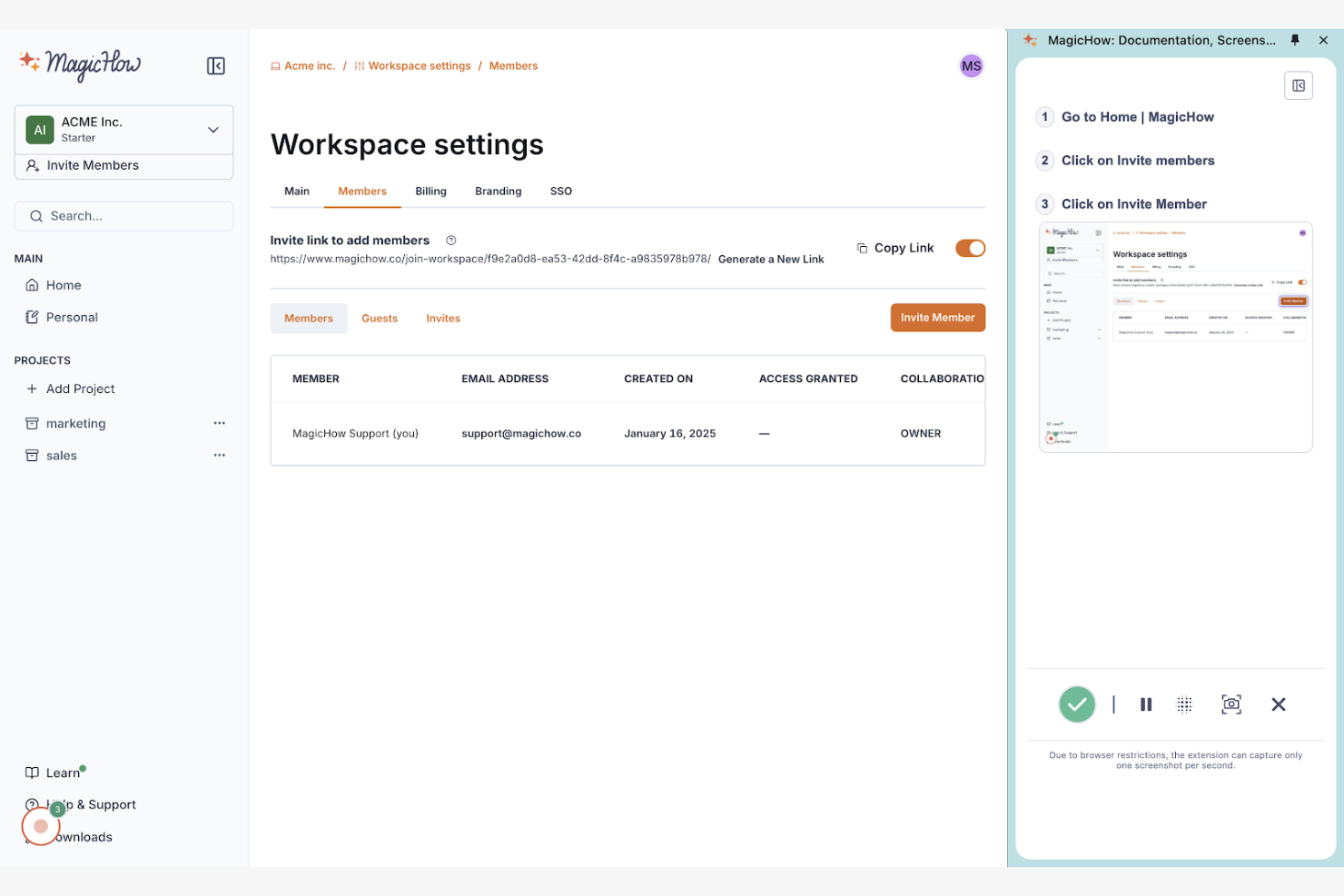
MagicHow is a tool designed for creating step-by-step guides, SOPs, and training manuals. It's primarily used by teams in HR, customer support, and operations.
Why I picked MagicHow: It excels in visual SOP creation, making it simple for you to document procedures. You can record actions, which the tool compiles into editable guides for training programs. Sharing guides in various formats, such as PDF and HTML, improves accessibility for your team.
Standout Features and Integrations:
Features include a simple recording process and customizable templates for different documentation needs. Your team can include annotations, screenshots, and graphics on slides and embed their training manuals in other tools for easy access.
Integrations include Google Drive, Slack, Confluence, Notion, and more.
Pros and Cons
Pros:
- Suitable for various industries
- Flexible guide formats
- Quick setup process
Cons:
- Basic design customization
- Limited advanced features

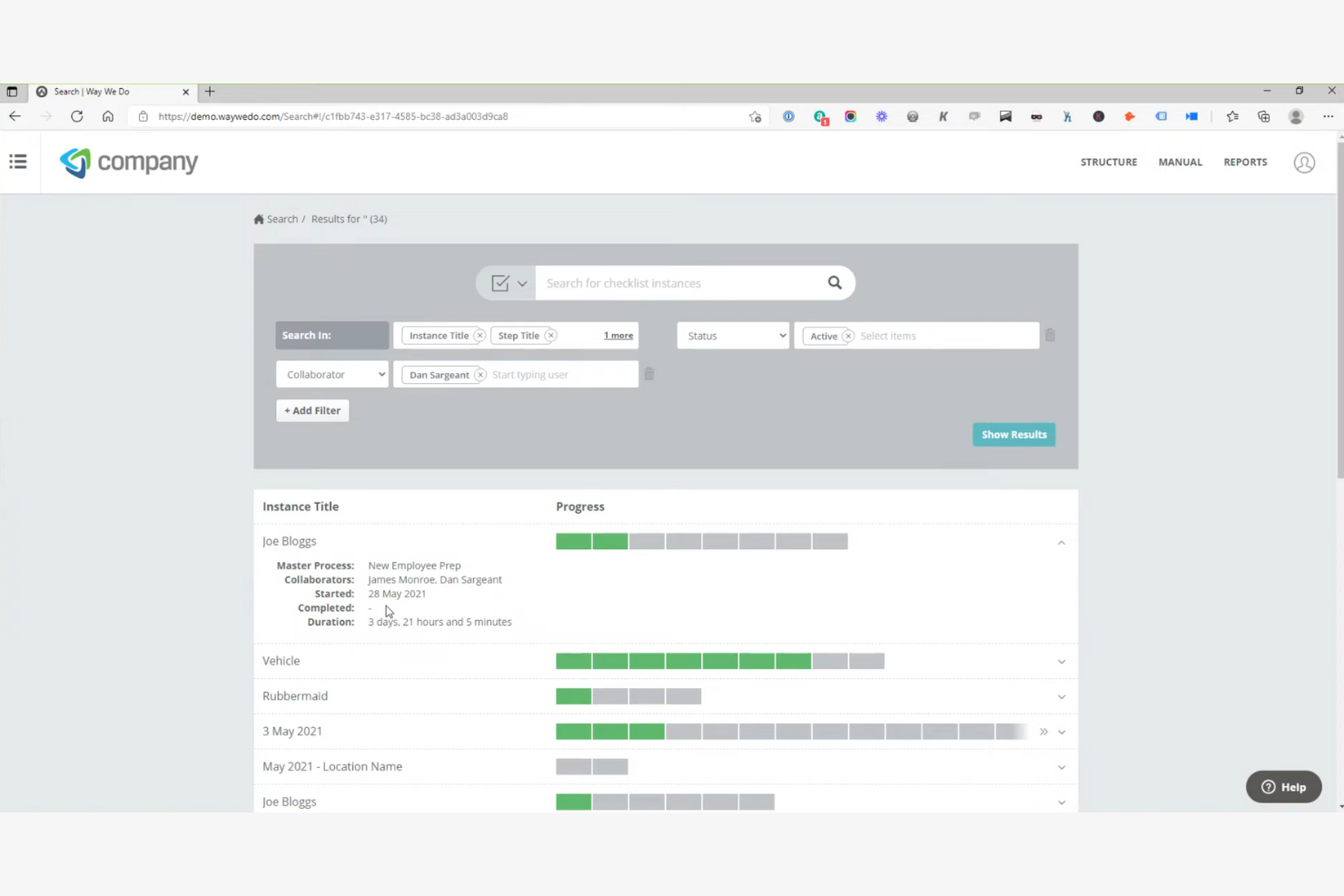
Way We Do is a cloud-based SOP management tool. Its main user base includes teams that require strict adherence to policies and procedures for industry compliance.
Why I picked Way We Do: It excels in compliance tracking, helping your team adhere to regulatory standards. The tool offers policy and procedure management to keep everyone on the same page. This is perfect for businesses that need to maintain compliance in their daily operations.
Standout Features and Integrations:
Features include the ability to create active checklists that guide your team through processes step-by-step. You can manage policies and procedures to communicate updates effectively. The platform also offers auditing features, which help you track compliance and identify areas for improvement.
Integrations include Google Drive, Salesforce, Microsoft OneDrive, and more.
Pros and Cons
Pros:
- Auditing features available
- Policy management tools
- Interactive checklists
Cons:
- Less suited for small teams
- Limited templates


How I Evaluate Standard Operating Procedure Software
I evaluate SOP tools across two layers: the baseline must-haves—like version control and approval workflows—and the differentiators that reveal which tools actually fit a PMO's delivery environment.
Core Functionality (Table Stakes For This List)
When I'm selecting tools for my list, I rank each one on a scale from 0 (does not offer the functionality) to 5 (excels in this area) for each core functionality listed below. Then, I calculate the tool's total score into a percentage. Each tool needs to achieve a minimum total score of 65% to be considered for inclusion.
- SOP Authoring & Templates: I look for structured editors and template libraries that let you build project-specific SOPs—like sprint retrospective procedures or change request workflows—without starting from scratch.
- Version Control & History: Every SOP evolves, so I check whether the tool tracks revisions, supports rollback, and shows who changed what—especially useful when audit season hits.
- Approval Workflows: I evaluate how each tool handles review routing, whether that's a single sign-off from a project lead or a multi-stage approval chain across PMO leadership and compliance.
- Centralized SOP Repository: A searchable, organized library matters when your team is distributed. I look for tagging, folder structures, and permission filters that help people find the right SOP fast.
- Task & Process Assignment: The best SOP tools let you turn documented procedures into assignable checklists or tasks—like tying a deployment SOP to a release milestone so nothing gets skipped.
- Collaboration & Access Controls: I evaluate multi-user editing, commenting, and role-based permissions to make sure teams can co-author SOPs while keeping sensitive procedures locked to the right groups.
Once I have a list of tools that meet the criteria, I consider what sets each platform apart.
Differentiating Factors (What Sets Vendors Apart)
Here's how I compare and contrast different vendors:
Standout Features
AI-assisted SOP generation is a major differentiator—I look for tools that can draft procedures from prompts or existing docs, which saves hours when you're documenting a new delivery framework. Process analytics also matter. Dashboards that show completion rates and adherence trends give PMO leads real visibility into whether teams actually follow procedures. I also check for automation triggers that launch SOPs based on project milestones, like kicking off a go-live checklist when a release task moves to "ready."
Beyond Features
Integrations with your PM ecosystem are one of the first things I check. An SOP tool that connects to Jira, Asana, or Monday means your documented procedures live alongside active project work instead of in a silo. Security and compliance certifications like SOC 2 or ISO 27001 also weigh heavily, especially for teams handling client-facing delivery where audit trails and data residency matter. I also evaluate pricing models to see whether per-user costs stay reasonable as a PMO scales from a pilot team to a full portfolio rollout.
How To Choose SOP Software
It’s easy to get bogged down in long feature lists and complex pricing structures. To help you stay focused as you work through your unique software selection process, here’s a checklist of factors to keep in mind:
| Factor | What to Consider |
|---|---|
| Scalability | Can the tool grow with your team? Consider future needs and whether the software can handle increased users and processes without major upgrades or costs. |
| Integrations | Does it work with your existing tools? Look for compatibility with your CRM tool, project management software, and other key systems you rely on. |
| Customizability | Can you tailor it to fit your workflows? Check if the software allows adjustments in templates, processes, and user roles to match your unique requirements. |
| Ease of use | Is it user-friendly? A steep learning curve can hinder adoption. Look for intuitive interfaces and simple navigation so team members can use it easily. |
| Implementation and onboarding | How quickly can you get started? Evaluate the setup time, available training resources, and support during the onboarding phase to minimize disruptions. |
| Cost | Is it within your budget? Compare pricing models, consider hidden fees, and check if the cost aligns with the features and benefits you need. |
| Security safeguards | Are your data protected? Confirm the software offers encryption, access controls, and compliance with data protection regulations relevant to your industry. |
| Support availability | Will you have help when needed? Look for 24/7 support options, response times, and the availability of live chat or phone assistance to resolve issues quickly. |
What Is SOP Software?
SOP software is a tool that helps organizations create, manage, and store standard operating procedures. Professionals such as project managers, HR teams, and operations managers use these tools to maintain consistency and compliance in their processes.
Document creation, template customization, and version control features help with organizing and maintaining procedures effectively. Overall, these tools provide clarity and efficiency in managing business operations.
Features
When selecting SOP software, keep an eye out for the following key features:
- Document creation: Allows you to easily draft and organize standard operating procedures for clarity and consistency in your operations.
- Template customization: Provides options to tailor templates to fit your specific process needs, maintaining relevance and accuracy.
- Version control: Enables tracking of changes and reverting to previous versions, maintaining the integrity of your documents.
- Collaboration tools: Facilitate real-time communication and teamwork.
- Integration capabilities: Support connectivity with other business tools such as CRM systems and project management software to simplify workflows.
- Security safeguards: Offer encryption and access controls to protect sensitive data and comply with regulations.
- Task management: Allows assignment and tracking of tasks within SOPs, maintaining accountability and timely completion.
- Real-time updates: Keep documents current so everyone has access to the latest information.
- Analytics and reporting: Provides insights into the usage and effectiveness of SOPs to help identify areas for improvement.
- Mobile accessibility: Enables access to SOPs on-the-go so team members can follow procedures anywhere.
Benefits
Implementing SOP software provides several benefits for your team and your business. Here are a few you can look forward to:
- Consistency: Confirm all team members follow the same procedures, reducing errors and improving quality control.
- Efficiency: Simplifies process management with features like task management and real-time updates, saving time and resources.
- Collaboration: Encourages teamwork through real-time collaboration tools, improving communication and productivity.
- Compliance: Helps maintain adherence to standards and regulations with security safeguards and version control.
- Scalability: Supports growth by allowing expansion and adaptation of processes as your business evolves.
- Accessibility: Provides mobile access to SOPs, enabling team members to follow procedures from anywhere.
- Insight: Offers analytics and reporting to track SOP usage and effectiveness, guiding continuous improvement efforts.
Costs and Pricing
Selecting SOP software requires an understanding of the various pricing models and plans available. Costs vary based on features, team size, add-ons, and more. The table below summarizes common plans, their average prices, and typical features included in SOP software solutions:
Plan Comparison Table for SOP Software
| Plan Type | Average Price | Common Features |
|---|---|---|
| Free Plan | $0 | Basic document creation, limited storage, and community support. |
| Personal Plan | $10-$25/user/month | Document creation and editing, template customization, and email support. |
| Business Plan | $22-$90/user/month | Advanced collaboration tools, integration capabilities, and version control. |
| Enterprise Plan | $80-$300+/user/month | Customizable security safeguards, dedicated account management, and advanced analytics features. |
SOP Software FAQs
Here are some answers to common questions about SOP software:
How do I know if my team needs SOP software?
If your team struggles with maintaining consistency in processes or spends too much time managing documentation manually, SOP software can help. It provides a centralized platform for creating, managing, and updating procedures, keeping everyone following the same steps. Consider your team size and the complexity of operations to determine if it’s a fit.
How does SOP software improve onboarding for project teams?
SOP software makes onboarding faster by providing step-by-step guides, checklists, and videos in one place. New team members access clear, consistent procedures right away, reducing training time and errors. You can track progress and quickly update SOPs as your processes change.
Can SOP software integrate with other tools my team uses?
Yes, most SOP software offers integration capabilities with popular tools such as CRM systems, project management software, and communication platforms. Check the specific integrations available for each software to confirm compatibility with the tools your team already uses. This helps maintain a smooth workflow without needing to switch between different systems.
Is SOP software scalable as my business grows?
Yes, many SOP software solutions are designed to scale with your business. They offer different pricing tiers and features that can accommodate more users and complex processes as your team expands. Evaluate the scalability options of each software to confirm it can support your growth without significant disruptions.
How secure is SOP software for storing sensitive information?
SOP software typically includes security measures like data encryption, access controls, and compliance with industry standards. Always review the security features of the software to confirm it meets your company’s requirements for protecting sensitive information. Look for software that regularly updates its security protocols to stay ahead of potential threats.