

10 Best RescueTime Alternatives for Productivity in 2026

Best RescueTime Alternatives Shortlist


As a project manager, you know that tracking time and productivity is essential for your team's success. But maybe you've found that RescueTime isn't quite meeting your needs. Whether it's missing features, lacking customization capabilities, or simply not fitting your workflow, you're not alone in seeking alternatives.
In my experience testing and reviewing software, I've seen how the right tool can make a difference. You need something that aligns with your business goals and addresses your unique challenges.
In this article, I'll share my top picks for RescueTime alternatives. I'll give you an unbiased look at each option, so you can find the best fit for your team. Let's dive into time-tracking solutions that can help you manage your projects more effectively.
What Is RescueTime?
RescueTime is a time-tracking and productivity software that helps you monitor how you spend your work hours. It's used by freelancers, remote workers, and teams looking to enhance their productivity. It provides insights into your daily habits, enabling you to make informed decisions about time management.
Features such as automatic time tracking, detailed reports, and goal setting help with understanding your work patterns and improving efficiency. Overall, RescueTime offers users valuable data to optimize their workday and boost productivity.
RescueTime Alternatives Comparison Table
This comparison table summarizes pricing details for my top RescueTime alternative selections:
| Tool | Best For | Trial Info | Price | ||
|---|---|---|---|---|---|
| 1 | Best for billing and project time attribution | 14-day free trial + free demo available | From $3.99/user/month (billed annually) | Website | |
| 2 | Best for cross-platform team timekeeping | Free plan + 7-day free trial available | From $4.99/user/month | Website | |
| 3 | Best for automatic time logging | Free 14-day trial + free demo available | From $9/user/month (billed annually) | Website | |
| 4 | Best for one-click time tracking | 14-day free trial + free plan + free demo available | From $3.99/user/month (billed annually) | Website | |
| 5 | Best for budgeting and reporting | Free plan + 14-day free trial available | From $8.50/user/month (billed annually) | Website | |
| 6 | Best for detailed workday tracking | Free plan available + 14-day free trial | From $5.83/user/month (billed annually) | Website | |
| 7 | Best for remote team productivity | 14-day free trial | Pricing upon request | Website | |
| 8 | Best for private time tracking | 14-day free trial | From $14/month (billed annually) | Website | |
| 9 | Best for freelancers and agencies | Free demo + 7-day free trial | From $9/user/month (billed annually) | Website | |
| 10 | Best for integrated invoicing | Free trial + free plan available | From $9/user/month (billed annually) | Website |

Why Trust Our Software Recommendations
Our team has been testing and reviewing software since 2012. As project managers ourselves, we know how difficult—and important—it is to choose the right software.
For this guide, we evaluated tools using hands-on testing and independent research, scoring tools using our selection criteria. We also draw on insights from industry thought leaders and practicing project management experts.
Our reviews reflect our human editorial judgment, not a sales pitch.
Expert reviewers:
Best RescueTime Alternatives Reviews
Below are my detailed summaries of the best RescueTime alternatives that made it onto my shortlist. My reviews offer a detailed look at the key features, pros and cons, integrations, and ideal use cases of each tool to help you find the best one for you.

Best for billing and project time attribution
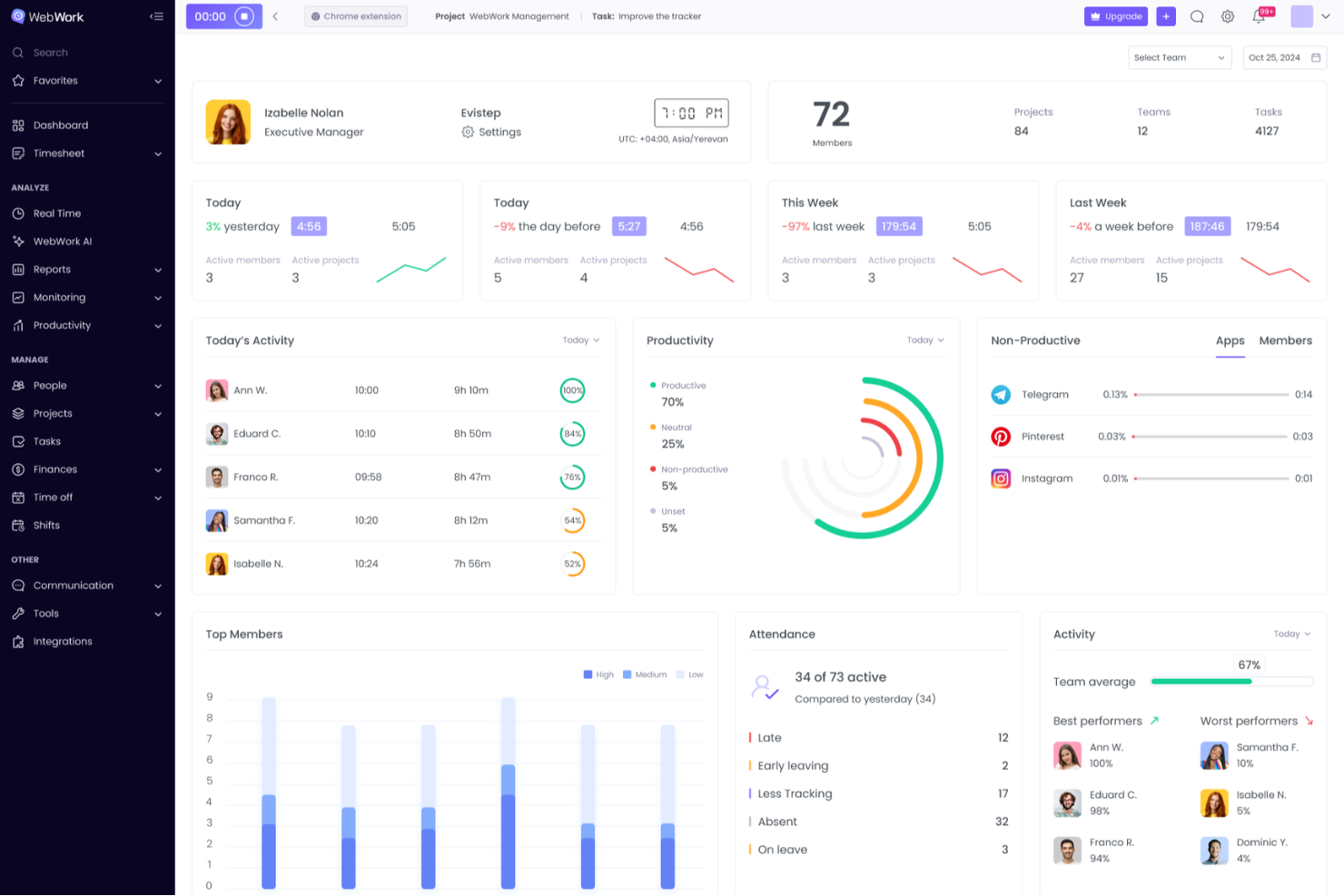
WebWork Time Tracker is time tracking software for agencies, freelancers, and distributed teams that need clearer work visibility, project oversight, and accurate records for client work.
Who Is WebWork Time Tracker Best For?
WebWork Time Tracker suits agencies, freelancers, and distributed teams that need accurate billable hours tied to client projects.
Why I Picked WebWork Time Tracker Is a Good Best RescueTime Alternatives Reviewed
I picked WebWork Time Tracker for its focus on billing and project time attribution. I use project-based timers, billable rates, and detailed time reports to connect work hours with specific client deliverables. That helps my team separate billable and non-billable activity before preparing client invoices or reviewing project profitability.
WebWork Time Tracker Key Features
- Screenshots: Captures periodic screenshots during tracked work sessions.
- App and website usage: Records time spent across applications and websites.
- Activity levels: Measures keyboard and mouse activity during work periods.
- Attendance tracking: Records clock-ins, breaks, and clock-outs.
WebWork Time Tracker Integrations
WebWork Time Tracker offers native integrations with Slack, Trello, Asana, Jira, ClickUp, Teamwork, Todoist, Wrike, Zoho Projects, and Bitbucket, plus Zapier. It also connects with Make and provides an API and webhooks for custom integrations.
Pros and Cons
Pros:
- Screenshots document activity during tracked sessions
- Reports support client invoicing and profitability reviews
- Billable rates connect hours to projects
Cons:
- Activity tracking may feel intrusive to employees
- Screenshot monitoring can raise privacy concerns

Clockify
Best for cross-platform team timekeeping
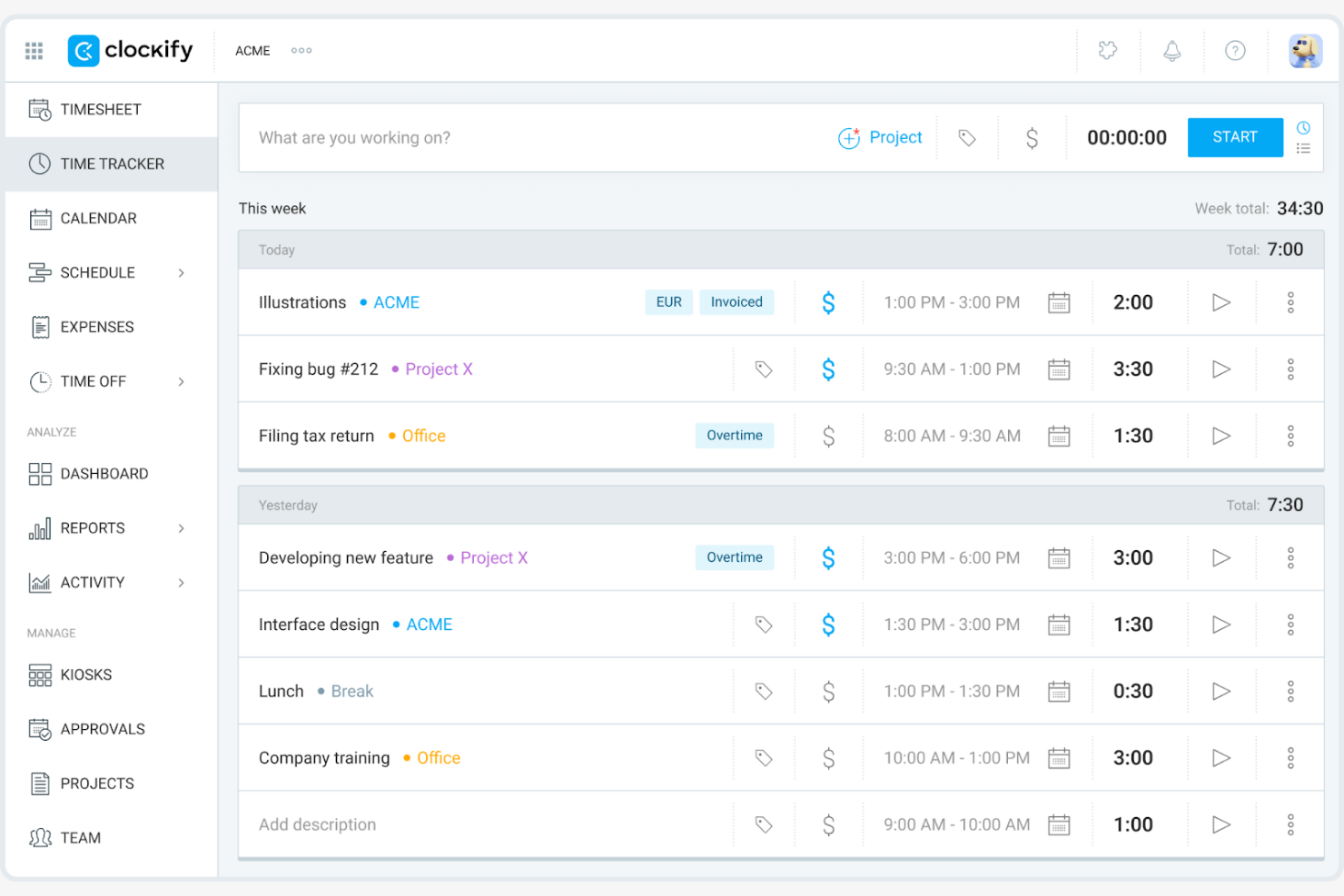
Clockify is a time-tracking software that serves freelancers, small businesses, and large teams by providing tools to track work hours and manage projects. It helps you monitor productivity, allocate resources, and generate reports.
Why it's a good RescueTime alternative: I selected Clockify because it gives you complete visibility into team time entries across any operating system or device. It addresses cross-platform timekeeping needs by offering native apps for Windows, Mac, Linux, iOS, Android, and web browsers, complete with offline tracking support. This ensures your distributed team can log hours accurately, monitor real-time project progress, and keep client deliverables on schedule regardless of their preferred operating environment.
Standout features and integrations:
Features include organization tools to help you categorize and prioritize tasks efficiently. You can set billable rates for different projects and generate invoices based on tracked hours. Clockify also offers a visual dashboard that provides an overview of time usage and productivity trends.
Integrations include Asana, Trello, Jira, QuickBooks Online, monday.com, GitHub, and more.
Pros and Cons
Pros:
- Flexible project management
- Supports large teams
- Supports five free users
Cons:
- Weak dashboard configuration features
- Basic notification customization

Timely
Best for automatic time logging
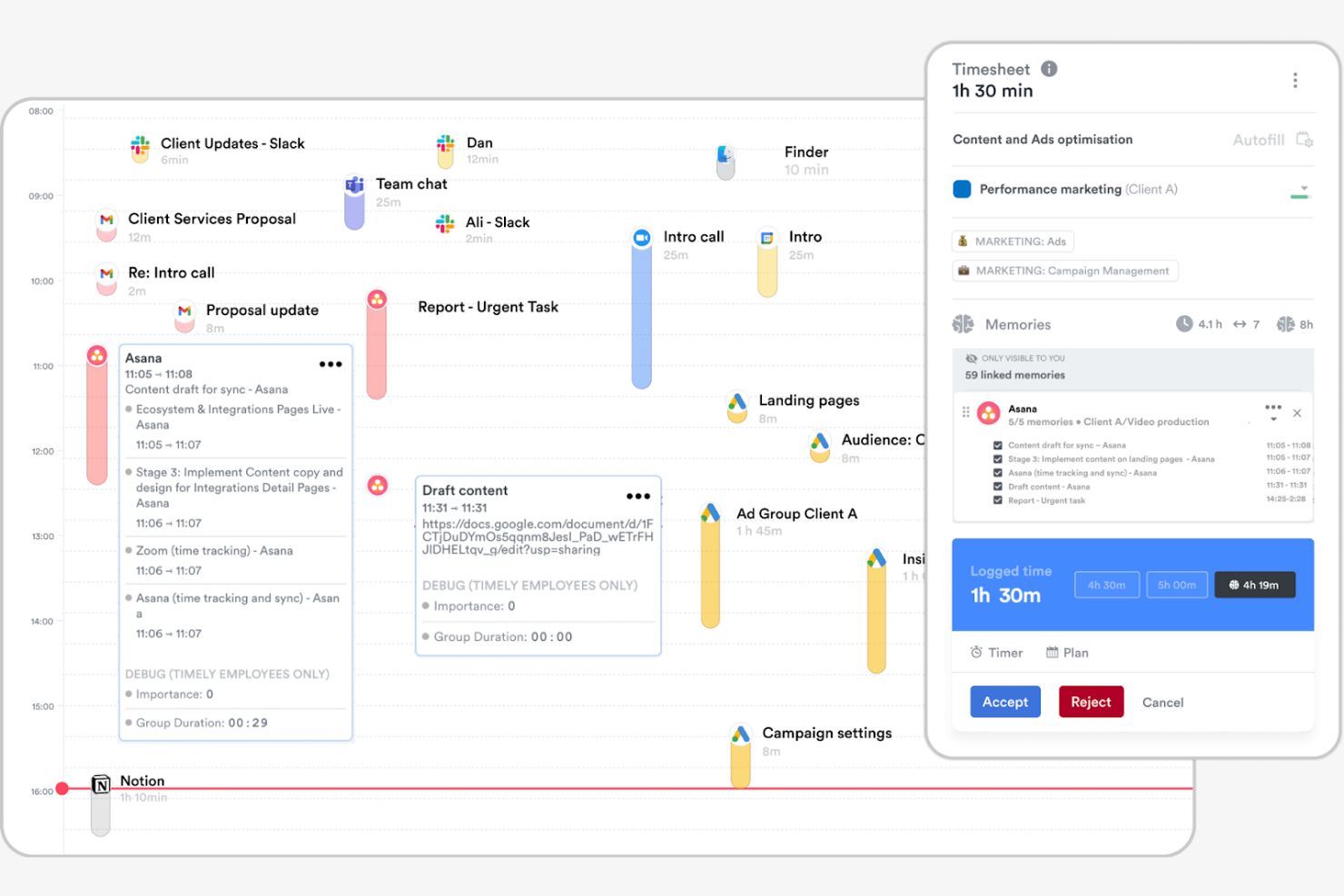
Timely is a time-tracking software that uses AI to automatically log hours, catering to professionals and teams who prioritize accurate and simple tracking. It can help you manage projects, track productivity, and allocate resources.
Why it's a good RescueTime alternative: Timely offers a Memory tracker, which records your work activities without manual input. This feature helps you capture all billable hours and reduces the risk of missing entries. Timely also provides a project dashboard, helping you understand how time is distributed between tasks and across projects. Its focus on automation and accuracy makes it suitable for those who want to minimize manual tracking efforts.
Standout features and integrations:
Features include visual project timelines to help you map out specific tasks for a project. The app offers detailed reporting to analyze time usage and productivity trends. You can also set project budgets and track progress in real time, ensuring you stay on target.
Integrations include Asana, Trello, Slack, Google Calendar, QuickBooks Online, Xero, and more.
Pros and Cons
Pros:
- Real-time budget tracking
- Visual project timelines
- Automatic time tracking with AI
Cons:
- No task dependency features
- Limited report customization

TimeCamp
Best for one-click time tracking
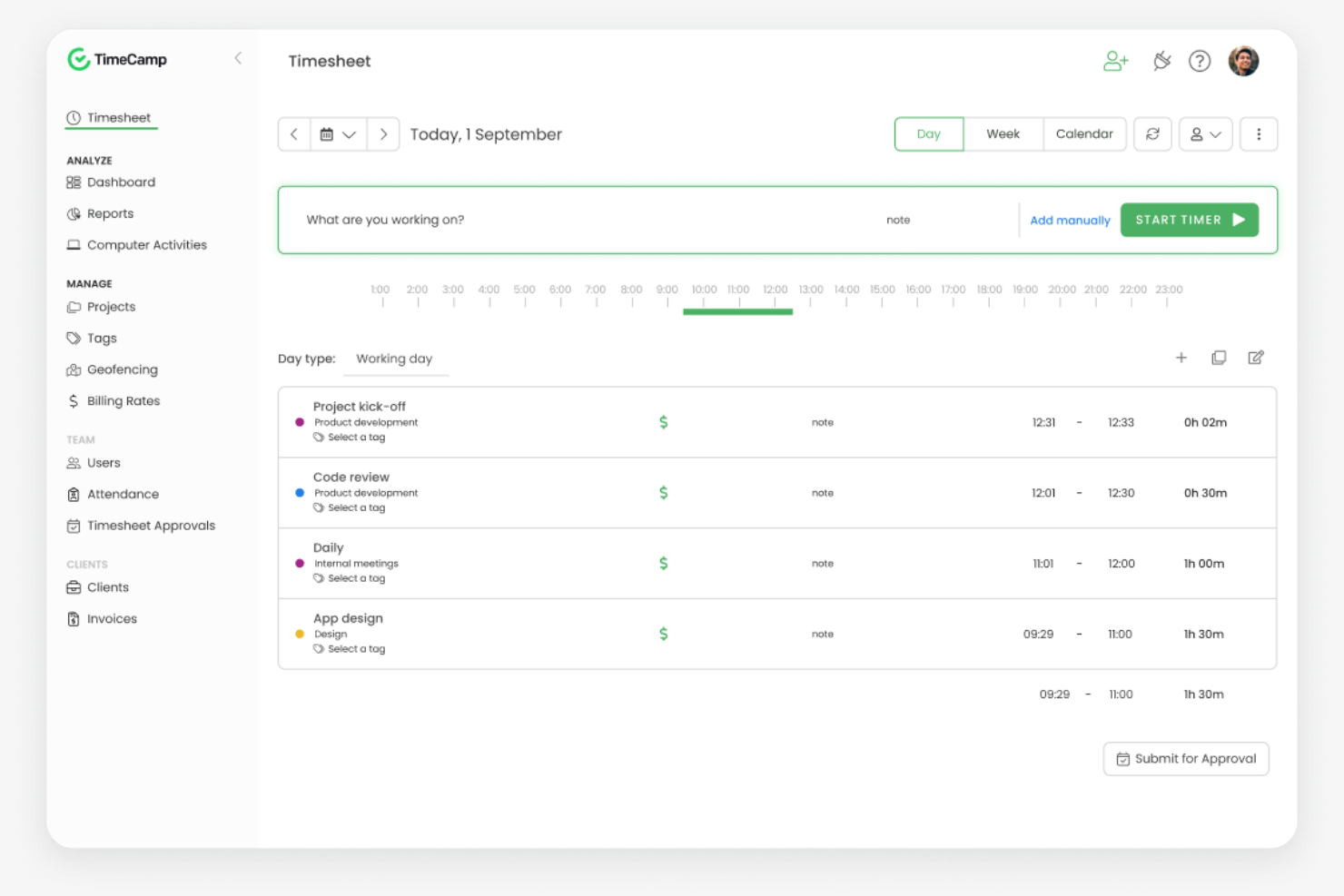
TimeCamp is a time-tracking and project management software designed for freelancers, small businesses, and larger teams. It helps you track work hours, manage projects, and analyze productivity.
Why it's a good RescueTime alternative: TimeCamp offers one-click time tracking, making it easy for you to start and stop timers. It provides automatic time tracking with computer activity monitoring, giving you detailed insights into how your time is spent. You can also generate detailed reports to analyze productivity and project progress. TimeCamp's focus on ease of use and detailed tracking makes it a good fit for teams looking for straightforward time management.
Standout features and integrations:
Features include custom invoice templates to help streamline the billing process. You can set project budgets and track expenses to support financial control. TimeCamp also offers attendance tracking, allowing you to monitor employee presence and time off.
Integrations include Asana, Trello, Slack, Jira, QuickBooks Online, Xero, monday.com, and more.
Pros and Cons
Pros:
- Easy setup and use
- Automatic activity monitoring
- One-click time tracking
Cons:
- Limited project scheduling capabilities
- Limited timer alerts

Everhour
Best for budgeting and reporting

Everhour is a time-tracking and project management tool designed for teams that need detailed budgeting and reporting capabilities. It helps you track time, manage budgets, and generate timesheets.
Why it's a good RescueTime alternative: Everhour offers advanced budgeting and reporting features that are suitable for project-based teams. You can set and monitor project budgets, ensuring you stay within financial limits. Everhour's reporting tools provide insights into team performance and project progress, which can help you make informed decisions. Its focus on financial management makes it a good choice for teams that need comprehensive budgeting solutions.
Standout features and integrations:
Features include invoice generation from tracked time to help streamline billing processes and PTO calculations that display how much time team members have accrued. You can track cost and billable rates for different projects and tasks to manage diverse client needs. Everhour also offers a visual dashboard that provides an overview of time usage and budget status.
Integrations include Asana, Trello, Jira, Slack, Basecamp, GitHub, ClickUp, and more.
Pros and Cons
Pros:
- Visual dashboard for time usage
- Helps manage financial limits
- Supports project-based teams
Cons:
- Basic project budget alerts
- No GPS or location tracking

TMetric
Best for detailed workday tracking
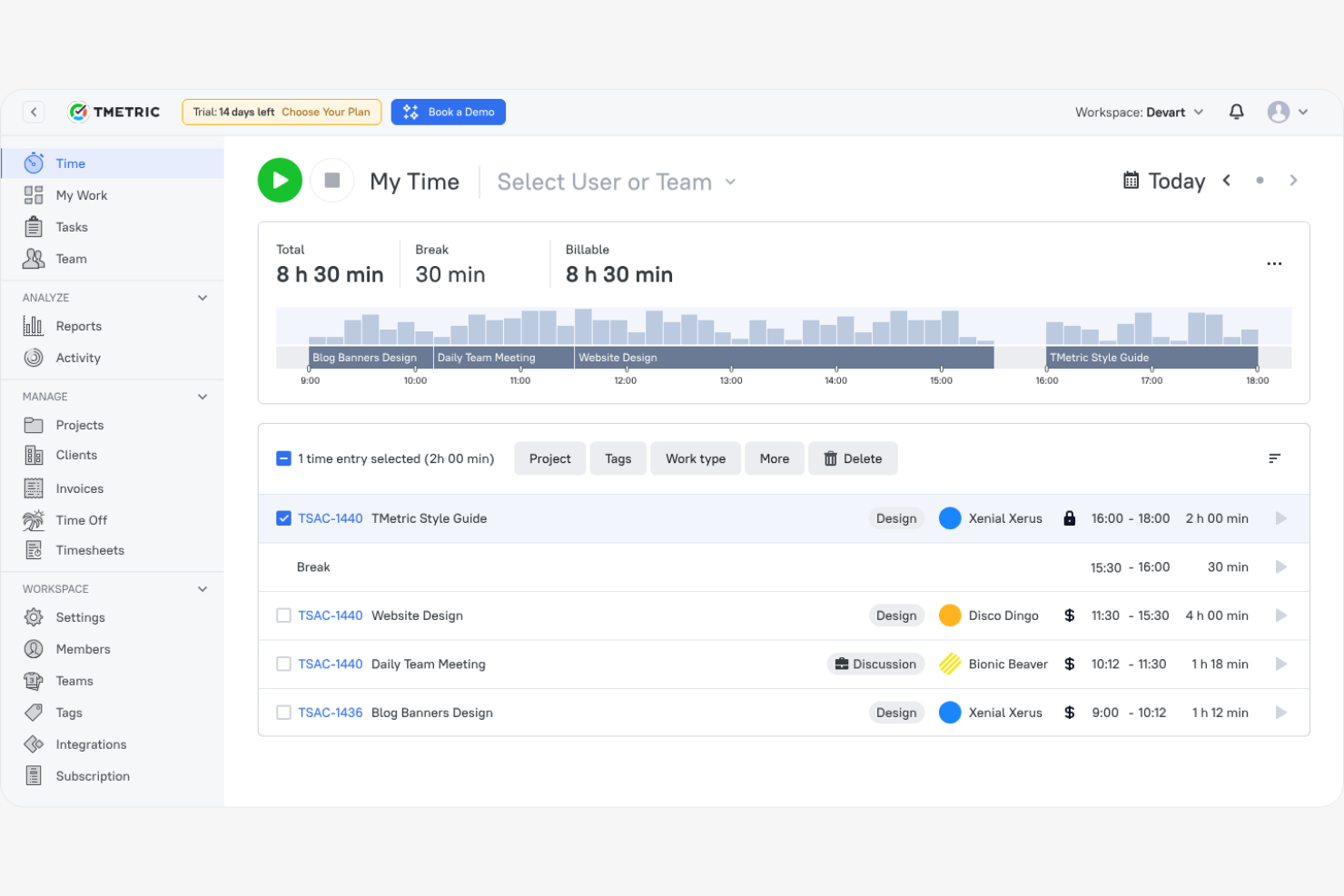
TMetric is a time-tracking software designed for freelancers, small businesses, and large teams to manage work hours and productivity. It helps you track time, manage projects, and generate detailed reports.
Why it's a good RescueTime alternative: TMetric offers detailed workday tracking with features such as billable time tracking and task management. You can easily manage your team's work hours and assign tasks, providing visibility into project progress. TMetric's reporting capabilities allow you to analyze productivity and support informed decision-making.
Standout features and integrations:
Features include project budgeting features and expense monitoring to support financial management. TMetric also offers attendance tracking, allowing you to monitor employee presence and manage time off, and a team productivity dashboard that can help you optimize workload assignments.
Integrations include Asana, Trello, Jira, Slack, QuickBooks Online, GitHub, monday.com, and more.
Pros and Cons
Pros:
- Flexible for different team sizes
- Supports task management
- Detailed workday tracking
Cons:
- Limited offline mode
- Lacks advanced analytics

Best for remote team productivity
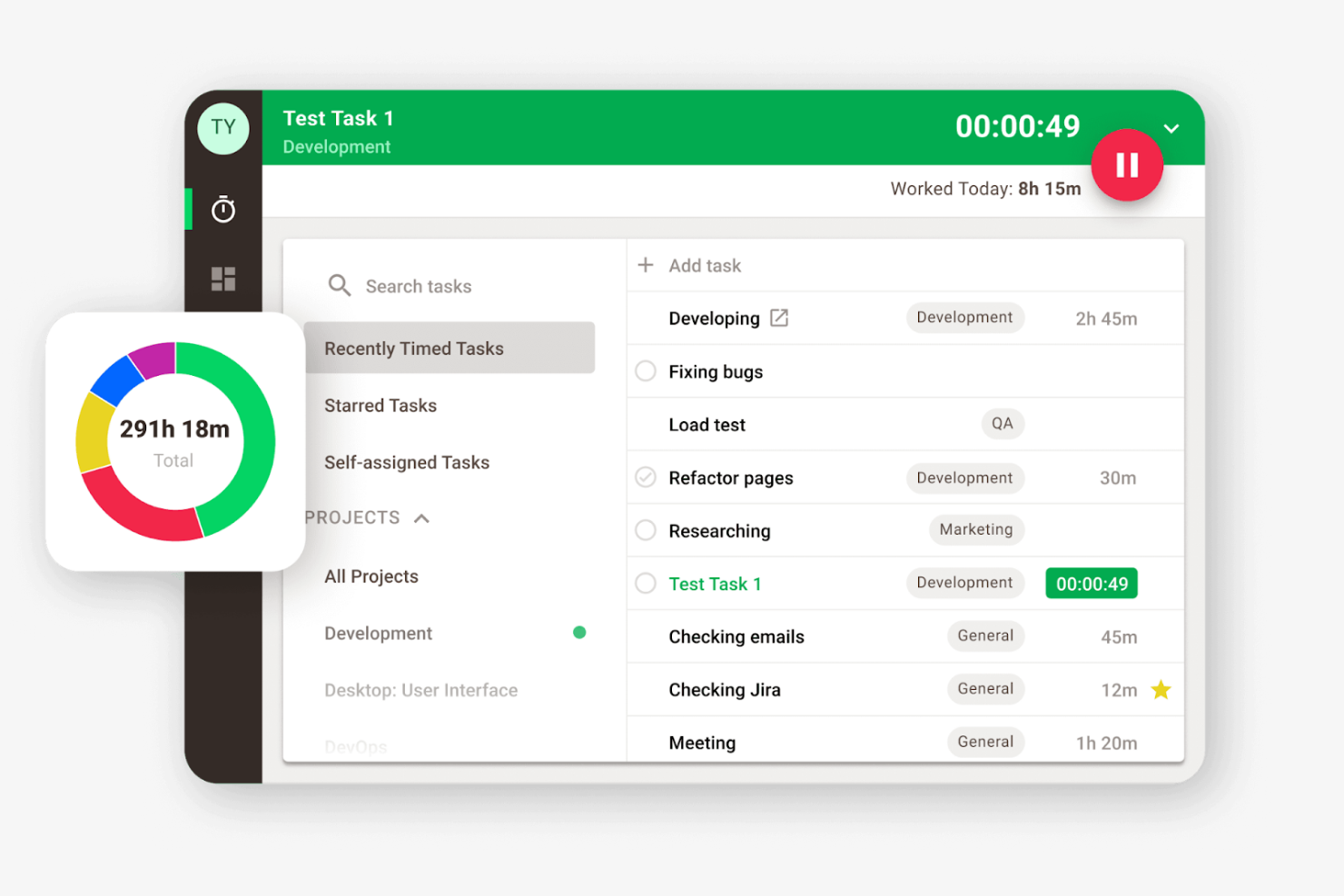
Time Doctor is a time-tracking and productivity software designed for remote teams and businesses looking to enhance productivity and accountability. It can help you monitor work hours, manage tasks, and analyze productivity.
Why it's a good RescueTime alternative: Time Doctor offers detailed employee monitoring features, including screenshots and activity tracking, which help you oversee remote team performance. You can track project time and set productivity goals, allowing for better workload management.
Standout features and integrations:
Features include distraction alerts to keep your team focused by notifying them when they veer off task. The software also offers payroll management, making it easier to handle payments based on tracked hours.
Integrations include Asana, Trello, Jira, Salesforce, Basecamp, GitHub, and more.
Pros and Cons
Pros:
- Payroll management features
- Supports productivity goal setting
- Distraction alerts improve focus
Cons:
- Dashboard can be overwhelming with data
- Limited shift-based scheduling tools

Memtime
Best for private time tracking
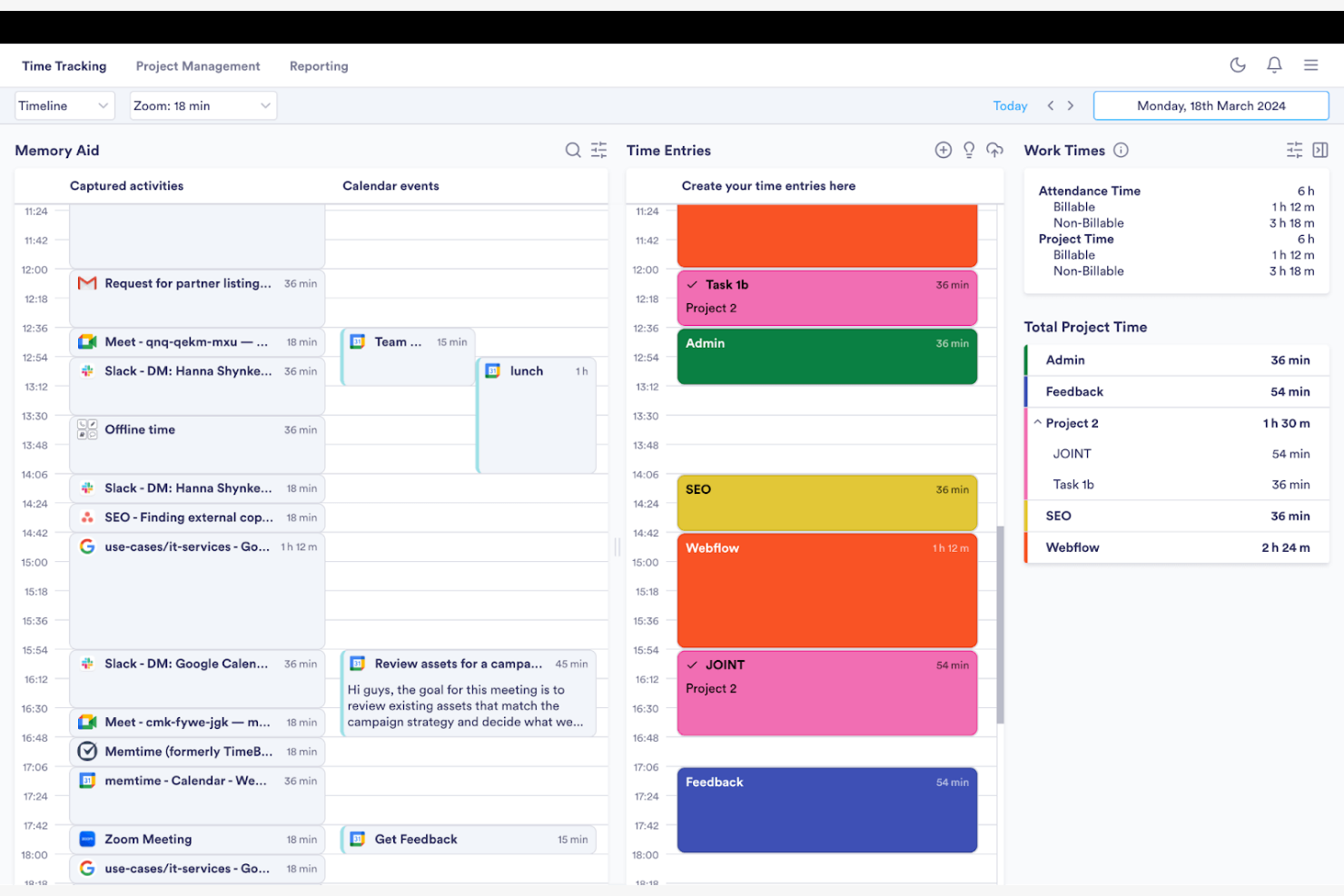
Memtime is a time-tracking software designed for professionals and teams who want to capture work hours without manual input. It helps you track time automatically and analyze productivity.
Why it's a good RescueTime alternative: Memtime focuses on automatic time capture, eliminating the need for manual entries. It runs in the background as it records your activities and time in programs, then generates detailed reports, providing insights into how your time is spent.
Standout features and integrations:
Features include passive time tracking that captures your activities as you work. You can generate custom timesheets with unlimited historical data to understand your productivity patterns and identify areas for improvement.
Integrations include Google Calendar, Microsoft Teams, Asana, Jira Cloud, ClickUp, and more.
Pros and Cons
Pros:
- Simple report exporting system
- Strong integration coverage
- Passive time capture
Cons:
- Basic export formatting
- Limited project integration

Bonsai
Best for freelancers and agencies
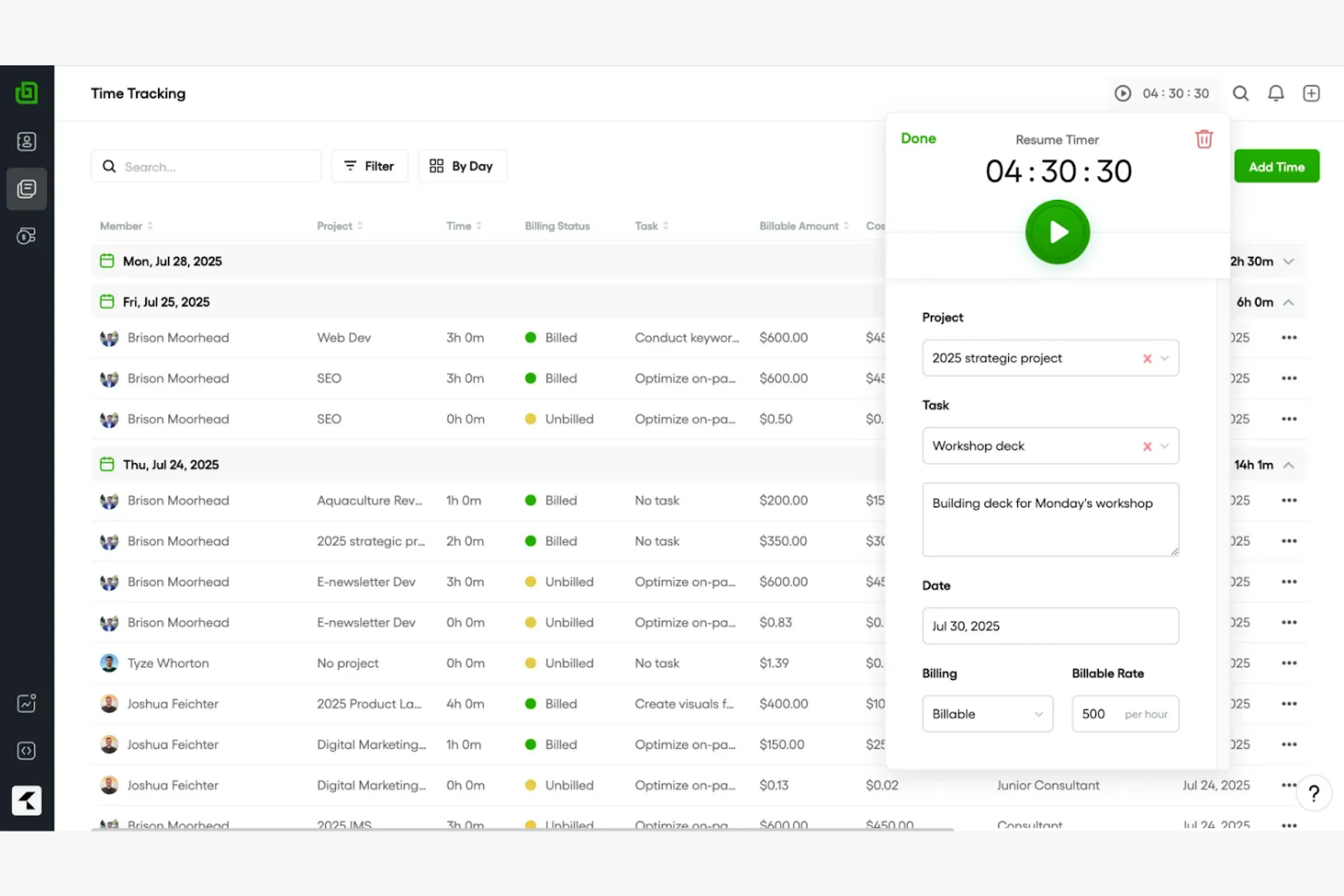
Bonsai is an all-in-one business management tool that helps with contracts, proposals, time tracking, and invoicing. It is designed for freelancers and agencies looking to streamline their workflows and manage projects efficiently.
Why it's a good RescueTime alternative: Bonsai offers comprehensive tools for managing client relationships, including contract templates and proposal creation. It provides integrated invoicing and payment processing, making it easy for you to handle billing. Bonsai's time-tracking feature allows you to log billable hours and generate timesheets.
Standout features and integrations:
Features include automated reminders to help you keep track of deadlines and client communications. You can create and customize templates for forms, quotes, and invoices, which can save you time on paperwork. Bonsai also offers kanban, Gantt, and calendar features that enable you to track project timelines.
Integrations include QuickBooks Online, Zapier, Calendly, Xero, HiBob, and more.
Pros and Cons
Pros:
- Customizable document templates
- Versatile task management features
- Supports freelancers and agencies
Cons:
- Task dependencies not supported
- Limited advanced project management

Harvest
Best for integrated invoicing
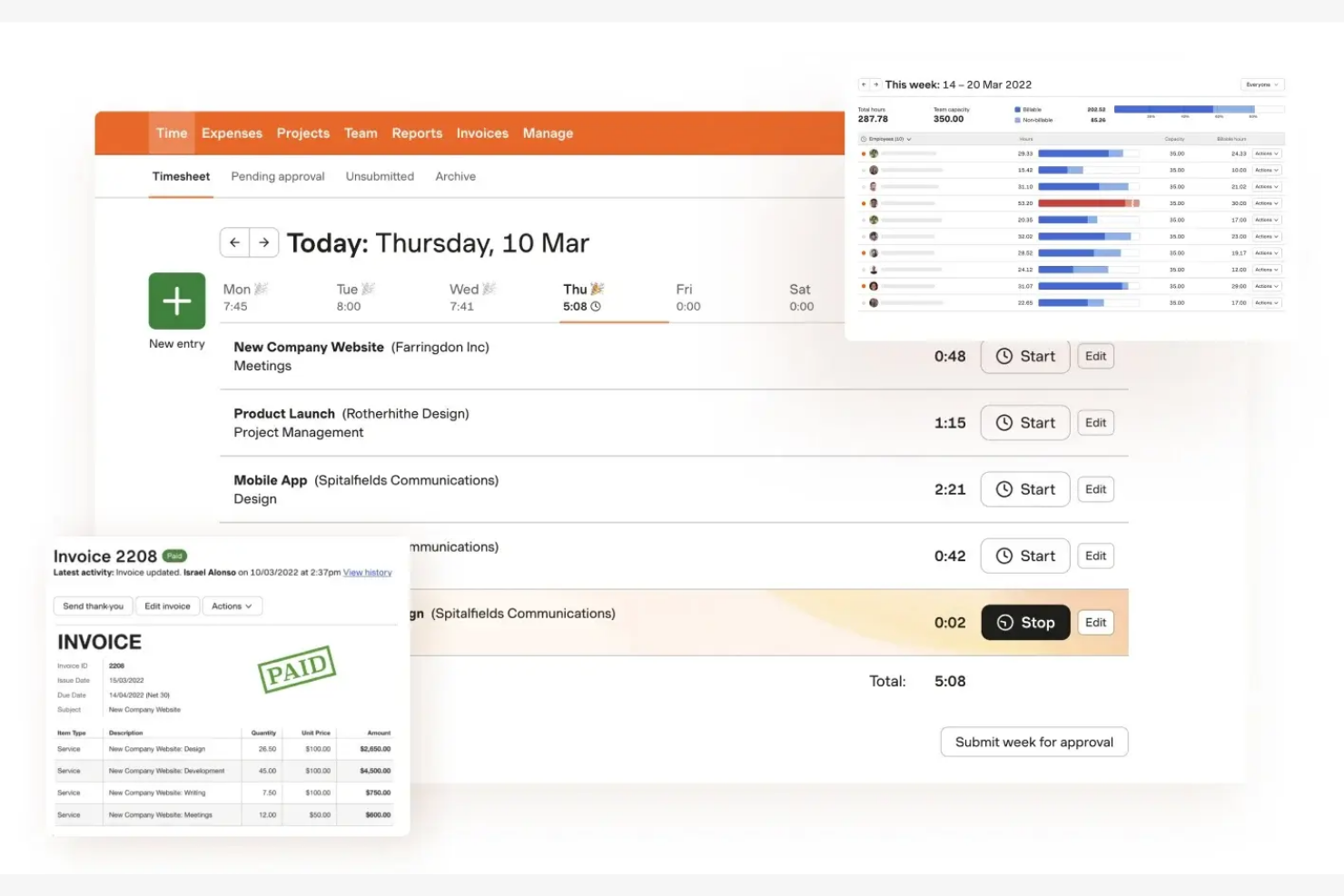
Harvest is a time-tracking and invoicing software that caters to freelancers, small businesses, and teams looking to manage projects and billing. It can help you track time, generate invoices, and analyze project costs.
Why it's a good RescueTime alternative: Harvest offers integrated invoicing, simplifying the billing process by allowing you to create and send invoices directly from the tracked time entries. Harvest also provides reports to analyze project profitability, helping you make informed financial decisions.
Standout features and integrations:
Features include expense tracking to capture project costs and generate accurate invoices. You can set project budgets and track progress in real time, ensuring you stay within financial limits.
Integrations include Asana, Slack, QuickBooks Online, Xero, Trello, Basecamp, and more.
Pros and Cons
Pros:
- Simple project cost analysis
- Expense-tracking capabilities
- Integrated invoicing feature
Cons:
- Limited team activity logs
- Limited advanced project management tools
Other RescueTime Alternatives
Here are some additional RescueTime alternatives that didn’t make it onto my shortlist but are still worth checking out:
- Rize
For focus and productivity analytics
- Toggl
For intuitive time tracking
- Connecteam
For mobile workforce management
- Paymo
For team collaboration
- Timesheets.com
For flexible pricing
- Hubstaff
For multi-device monitoring
- QuickBooks Time
For payroll integration
- DeskTime
For startups
- My Hours
For task-level time tracking
- ManyRequests
For client management


How I Evaluate RescueTime Alternatives
I look at these tools in two layers: the baseline requirements—like passive app tracking and project attribution—that get a tool in the list, and the differentiators that separate them.
Core Functionality (Table Stakes For This List)
When I'm selecting tools for my list, I rank each one on a scale from 0 (does not offer the functionality) to 5 (excels in this area) for each core functionality listed below. Then, I calculate the tool's total score into a percentage. Each tool needs to achieve a minimum total score of 65% to be considered for inclusion.
- Automatic Time Tracking: I check whether the tool passively logs app, website, and document usage—so a PM reviewing their day sees actual data, not what they remember doing.
- Productivity Categorization: Each tool should let you classify activities as productive or distracting and adjust those labels per role, since Slack may be core work for one team and a distraction for another.
- Project & Task Attribution: I evaluate how tracked time maps to specific projects or clients, which matters most for consultants and agency teams reconciling hours against deliverables.
- Reporting & Analytics Dashboards: The reports need to surface trends at both individual and team levels—things like weekly focus time patterns or time-per-project breakdowns that PMs actually present to leadership.
- Distraction & Focus Management: I look for built-in tools like site blockers, focus sessions, or nudge alerts that help contributors protect deep work windows during the day.
- Team & Multi-User Visibility: Manager-level dashboards with role-based access matter here, especially for remote team leads who need aggregated views without crossing into surveillance territory.
Once I have a list of tools that meet this criteria, I consider what sets each platform apart.
Differentiating Factors (What Sets Vendors Apart)
Here's how I compare and contrast different vendors:
Standout Features
Calendar integration is a big one for me—I want to see meetings from Google or Outlook overlaid on tracked time so PMs can reconcile scheduled hours against actual deep work. AI-powered timesheet suggestions also stand out, especially for consultants who'd otherwise spend Friday afternoons manually drafting weekly entries from memory. I evaluate goal-setting features too, looking for tools that let you define daily focus targets and send alerts when you're trending off track.
Beyond Features
I check how well each tool connects to PM platforms like Jira, Asana, or ClickUp—because tracked time only helps if it flows back into the tools where your team already manages work. Privacy controls matter just as much. Rolling out a tracking tool to a distributed team goes smoother when contributors can see their own data and pause tracking during personal time. I also evaluate pricing structures, looking for per-seat models that scale predictably as your PMO or agency grows from a handful of contributors to dozens.
Why Look for a RescueTime Alternative?
While RescueTime is a good choice of time-tracking and productivity software, there are a number of reasons why some users seek out alternative solutions. You might be looking for a RescueTime alternative because…
- You need more customization options
- Your team requires offline functionality
- You want integrated invoicing features
- Your business needs advanced analytics
- You require better integration capabilities
- You need a tool for larger teams
If any of these sound like you, you’ve come to the right place. My list contains several software options that are better suited for teams facing these challenges with RescueTime and looking for alternative time-tracking tools.
RescueTime Key Features
Here are some of the key features of RescueTime to help you contrast and compare them with what alternative solutions offer:
- Automatic time tracking: Tracks time spent on applications and websites to give you an accurate overview of your day.
- Detailed reports: Provides insights into which applications, websites, and files you worked on and how your productivity trends over time.
- Website and app blocking: Helps you stay focused by blocking distracting websites and apps during work sessions.
- Goal tracking: Allows you to set custom goals and track your progress with real-time updates and weekly reports.
- Focus sessions: Let you set a timer to block distractions and concentrate on work.
- Smart fill hints: Suggests time entries based on your activity to simplify tracking.
- Flexible reporting: Offers customizable reports to fit your specific needs.
- Role-based access control: Provides different access levels for team members to manage projects and tasks efficiently.
- Daily pattern report: Shows patterns in productivity and focus to help you optimize your workday.