


TMetric vs. Timely: Comparison and Expert Reviews for 2026



Tracking time becomes a problem when forgotten hours, incomplete timesheets, and scattered work records make it harder to understand where the day actually went. The real question is whether your team needs more control over every entry or less manual effort spent logging time.
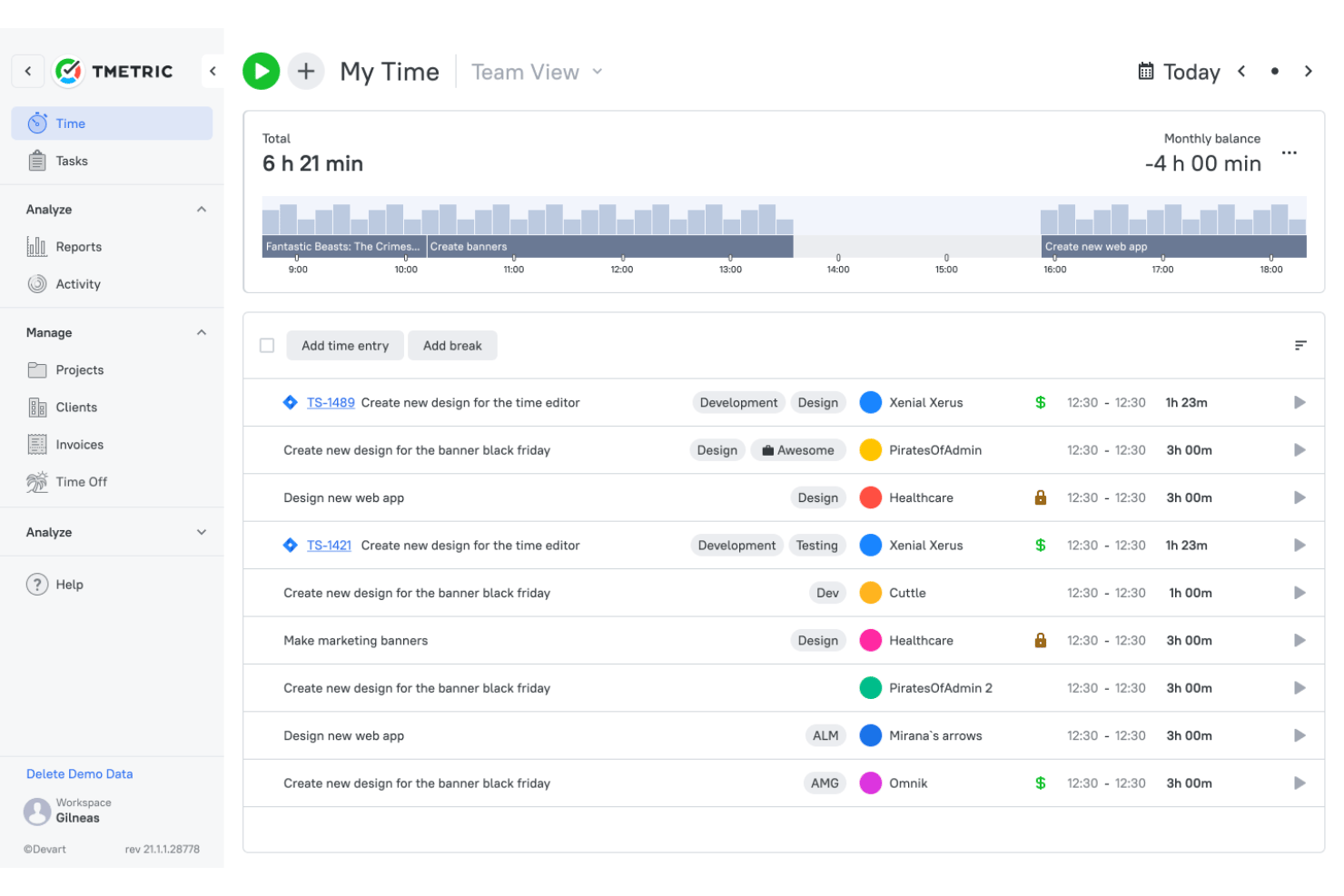
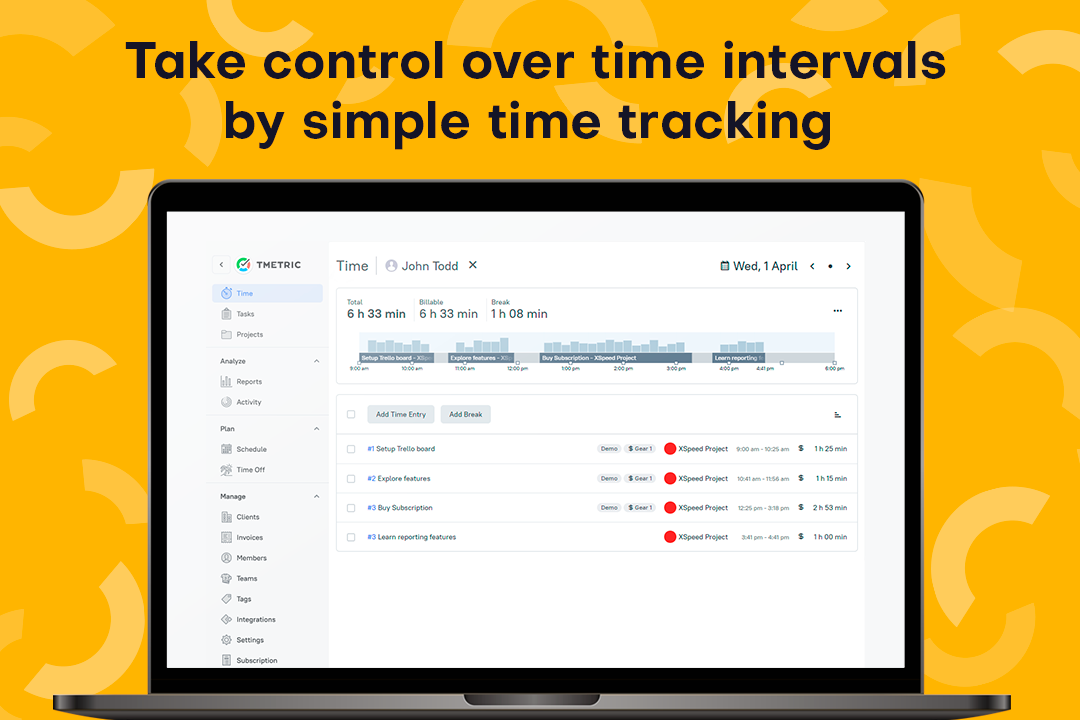
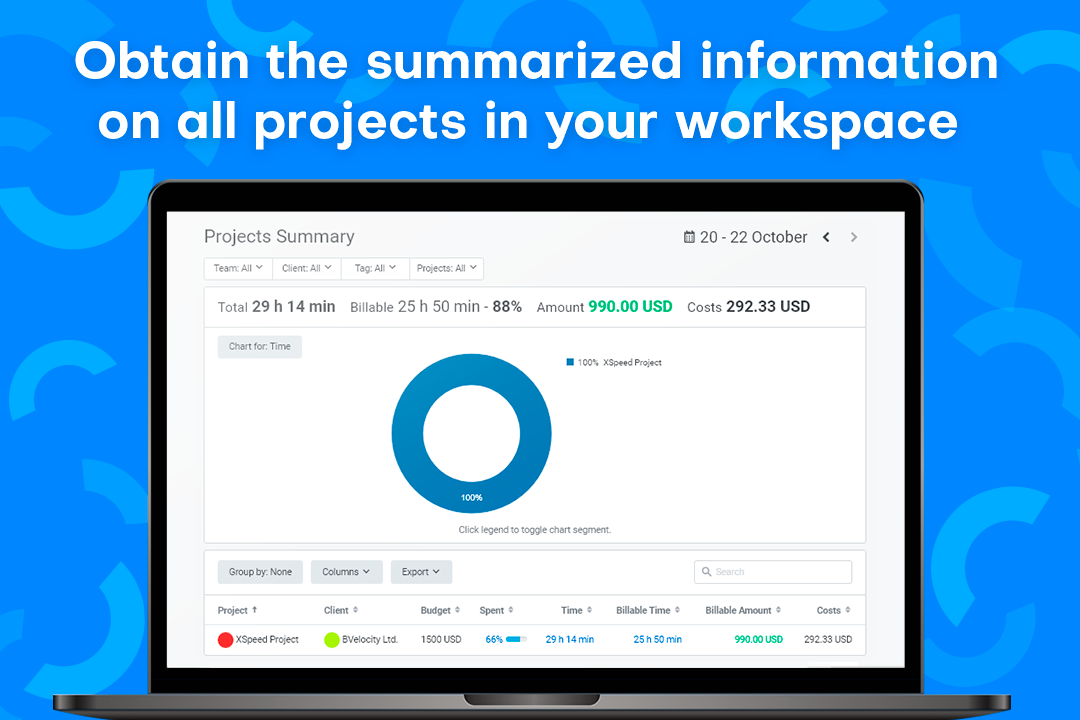
TMetric and Timely are time tracking software tools designed to improve time management and productivity in different ways. TMetric focuses on user-controlled tracking, approvals, reporting, and project profitability, while Timely uses AI to capture work automatically and draft timesheets with less input.
In this comparison, I’ll help you decide which approach better fits your team’s workflow.
TMetric vs. Timely: An Overview
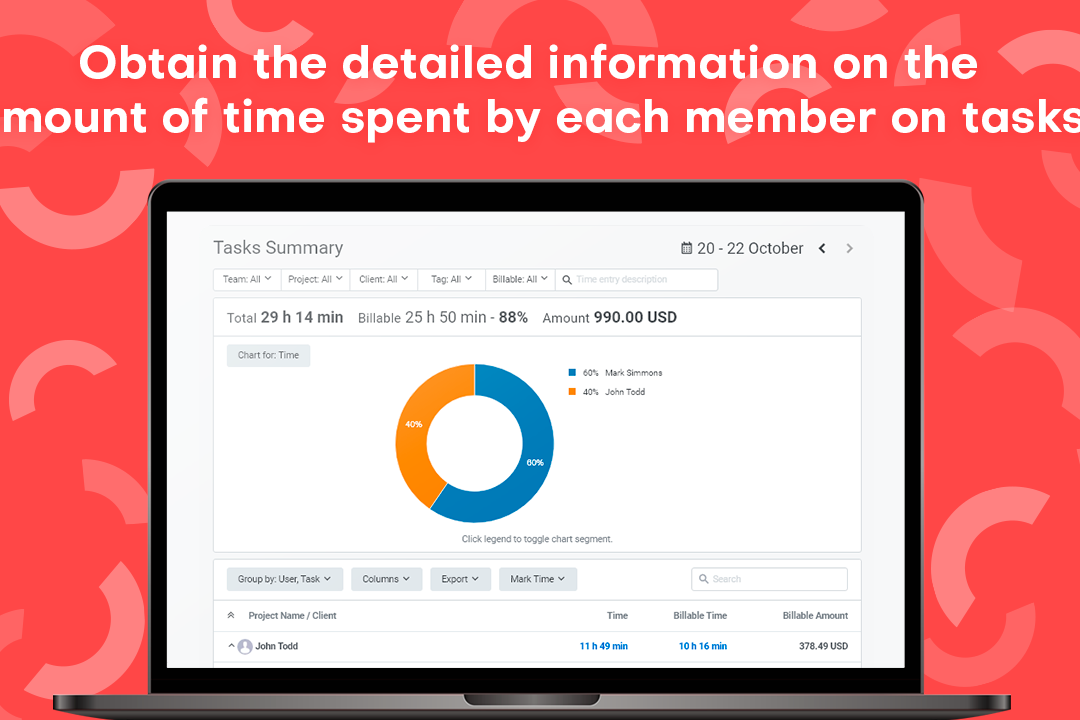
TMetric


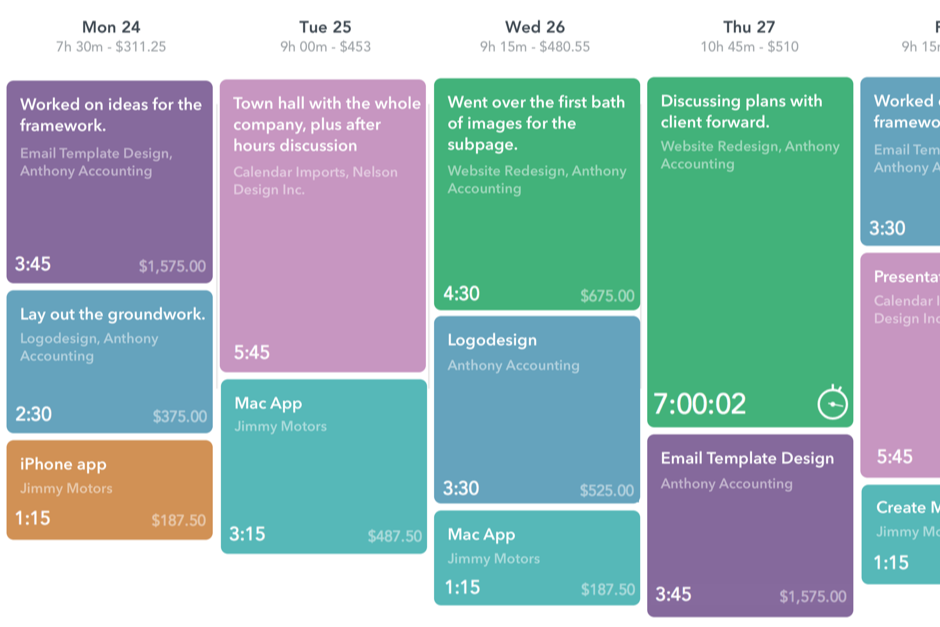
Timely


Why Trust Our Software Recommendations
Our team has been testing and reviewing software since 2012. As project managers ourselves, we know how difficult—and important—it is to choose the right software.
For this guide, we evaluated tools using hands-on testing and independent research, scoring tools using our selection criteria. We also draw on insights from industry thought leaders and practicing project management experts.
Our reviews reflect our human editorial judgment, not a sales pitch.
Expert reviewers:
TMetric vs. Timely Pricing Comparison
| TMetric | Timely | |
|---|---|---|
| Free Trial | Free plan available + 14-day free trial | Free 14-day trial + free demo available |
| Pricing | From $5.83/user/month (billed annually) | From $9/user/month (billed annually) |
TMetric vs. Timely Pricing & Hidden Costs
TMetric offers more flexibility across its free and paid tiers, but teams need to check where features such as invoicing, approvals, attendance, PTO, and monitoring become available. In addition, the workspace owner counts as a paid seat. By contrast, Timely’s entry plan limits both users and projects, while integrations, team management, budgeting, capacity planning, and Azure user management sit on higher tiers. Its Tasks feature also costs extra per user, so the tidy starting price can grow once your workflow becomes more ambitious.
Ultimately, compare the plan your team will realistically need, not the cheapest one that gets you through the door. TMetric may suit teams that want to choose their feature level, while Timely’s AI automation can justify the higher cost for teams trying to reduce manual tracking. However, project limits, user caps, add-ons, and future upgrades should all be included in your total cost before signing up.
TMetric vs. Timely Feature Comparison
| TMetric | Timely | |
|---|---|---|
| API | ||
| Analytics | ||
| Calendar Management | ||
| Dashboard | ||
| Data Export | ||
| Data Import | ||
| Data Visualization | ||
| External Integrations | ||
| Forecasting | ||
| Multi-User | ||
| Notifications | ||
| Scheduling |
TMetric vs. Timely Integrations
| Integration | TMetric | Timely |
|---|---|---|
| Asana | ✅ | ✅ |
| Trello | ✅ | ✅ |
| Jira | ✅ | ✅ |
| Slack | ✅ | ✅ |
| GitHub | ✅ | ✅ |
| QuickBooks | ✅ | ✅ |
| Google Calendar | ✅ | ✅ |
| Outlook | ✅ | ✅ |
| Notion | ✅ | ✅ |
| monday.com | ✅ | ✅ |
| API | ✅ | ✅ |
| Zapier | ✅ | ✅ |
TMetric and Timely both connect with the project management, accounting, calendar, and collaboration tools most teams already use. In addition, each supports API and Zapier access for less common workflows. However, connection depth varies: TMetric commonly adds timers to external tools, while Timely combines automatic activity capture with deeper synchronization for selected platforms. As a result, integration coverage alone is unlikely to decide the contest.
TMetric vs. Timely Security, Compliance & Reliability
| Factor | TMetric | Timely |
|---|---|---|
| Data Encryption | Encrypts off-site backups and stores service data in Microsoft Azure’s West Europe region. Payment details are handled by Verifone rather than stored on TMetric’s servers. | Encrypts customer data in transit and at rest, with TLS 1.2 or higher protecting web traffic, API calls, and integrations. |
| Compliance | Supports GDPR rights covering access, restriction, portability, objection, and deletion. A GDPR-compliant DPA is also available for EU customers. | Holds ISO 27001:2022 certification and supports GDPR requirements through its DPA, privacy policies, and data protection controls. |
| Infrastructure Security | Uses Microsoft Azure for databases, import files, and encrypted backup archives. It also anonymizes IP addresses by suppressing the final octet. | Runs on EU-based AWS infrastructure with isolated customer environments, DDoS protection, continuous monitoring, and VPN- and MFA-restricted infrastructure access. |
| Access & Privacy Controls | Workspace admins can configure app and website tracking, activity levels, keyboard and mouse activity status, and optional screenshots. TMetric records activity, not what users type. | Uses role-based access, least-privilege controls, MFA, and SSO options. Meanwhile, automatically captured Memory data remains private to each user, with no screenshots or covert monitoring. |
| Reliability | Keeps encrypted and compressed backups for 30 days, with deleted personal data removed once the related backup copies expire. | Uses automated encrypted backups, integrity checks, multi-zone redundancy, and automatic failover to reduce disruption and support recovery. |
Both tools take security seriously, but the difference goes beyond a generic GDPR checkmark. TMetric gives administrators configurable oversight of employee activity, making it better suited to teams that need monitoring controls alongside time records. By contrast, Timely draws a firmer privacy line by keeping AI-captured activity private to each user, while also backing its security approach with ISO 27001 certification, EU data residency, and multi-zone infrastructure. Ultimately, TMetric favors adjustable workforce visibility, while Timely makes the stronger case for privacy by design and formally audited security.
TMetric vs. Timely Ease of Use
| Factor | TMetric | Timely |
|---|---|---|
| User Interface | Keeps timers, projects, timesheets, reports, billing, attendance, and team activity in a straightforward workspace. Its familiar layout makes it easy to move from daily tracking to approvals and financial reporting. | Uses a modern timeline-based interface centered on reviewing automatically captured activity and completing AI-generated timesheets. |
| Onboarding | Uses a self-serve setup where teams create a workspace, add clients and projects, invite members, configure rates and permissions, and install the apps they need. Guides, videos, sample data, and demos help teams get settled. | Requires users to install its tracking app, connect work tools, and teach the system how captured activities should be assigned to projects and tasks. |
| Mobile App | Supports mobile time entry, editing, reminders, project access, and GPS-based location capture. However, its mobile apps are no longer actively developed, and its main automatic tracking experience remains desktop-focused. | Supports mobile time entry, editing, reminders, project access, and GPS-based location capture, while its main automatic tracking experience remains desktop-focused. |
| Support | Provides 24/7 live chat and email support, alongside a help center, user guides, video tutorials, and optional product demos. Higher plans also receive priority assistance. | Provides in-app support and documentation, while higher plans add customer success support, training, and priority assistance. |
| Workflow Simplicity | Gives users direct control over task, project, client, and billing labels, with offline syncing, editable entries, approvals, and invoicing from approved time. It requires more active input, but the resulting records are easier to verify. | Reduces routine logging through automatic activity capture and AI-generated timesheet suggestions, although users still need to review and categorize the results. |
TMetric takes a more hands-on approach, but that is not necessarily a bad thing. Its structured setup gives service teams clearer control over how time is labeled, approved, billed, and reflected in project margins. By contrast, Timely removes more of the daily remembering through AI, which can make it quicker to adopt for users who dislike timers. Ultimately, TMetric is easier for teams that value precise, verifiable records, while Timely suits those willing to trade some control for automation.
TMetric vs Timely: Pros & Cons
TMetric
- Tracks billable and non-billable time across web, desktop, mobile, and browser extensions.
- Shows project revenue, labor costs, budgets, and margins in profitability reports.
- Creates invoices from billable time entries and syncs invoice data with QuickBooks and Xero.
- Manual tracking depends on users consistently starting timers or adding entries.
- The mobile app offers fewer reporting and management features than the web app.
- Payroll tools calculate labor costs but do not process payments or taxes.
Timely
- Auto-track time spent on apps, meetings, and documents
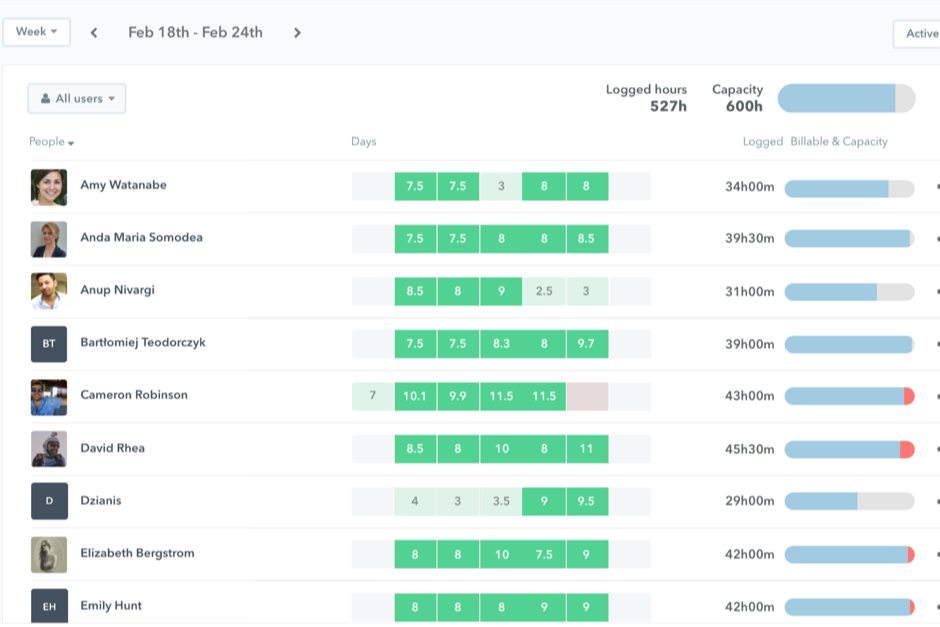
- Visual project timelines make capacity planning much clearer
- AI memory tool fills timesheets without manual data entry
- Reporting options are limited for advanced analytics needs
- No built-in expense or invoice management system
- Pricing can be steep for large teams or freelancers
Best Use Cases for TMetric and Timely
TMetric
- Small and Mid-Sized Service Teams TMetric fits teams of roughly 5 to 200 people that need time tracking, approvals, attendance, PTO, billing, and project reporting in a self-serve platform.
- Software Development Teams Development teams can track time by task, project, and client while connecting TMetric with tools such as Jira, GitHub, GitLab, Redmine, and ClickUp.
- Professional Services Firms Professional services firms can approve billable hours, apply different rates, create invoices, and monitor the profitability of each engagement.
- Consulting Teams Consultants can organize time across clients and engagements while using configurable rates to support different contracts, roles, and work types.
- Marketing and Media Teams Marketing and media teams can track time by campaign, client, and task to compare delivery hours with budgets and project margins.
- Legal Service Teams Legal teams can use TMetric for client- and matter-based time tracking and invoicing, though it does not replace legal practice management or trust accounting software.
Timely
- Creative Agencies Timely’s automatic tracking and project dashboards help creative teams accurately capture time spent across multiple projects and clients.
- Consulting Firms AI-generated logs and granular project reporting make detailed client billing effortless for consultants handling diverse projects.
- Engineering Teams Timely’s background tracking and privacy model allow developers to stay focused without manual timesheets or oversight concerns.
- Remote Workforces Distributed teams benefit from clear workload visibility and private, user-approved activity tracking.
- Project Managers The project and team dashboards offer instant clarity on resource allocation, budgets, and potential overruns.
- Freelancers Solo professionals appreciate the hands-off time capture and simple export for invoicing clients.
Who Should Use TMetric, and Who Should Use Timely?
If you’re looking for time tracking software that gives service teams tighter control over billable hours, approvals, invoicing, labor costs, and project profitability, TMetric is likely the better fit. It works especially well for agencies, consultancies, software teams, legal firms, and other client-facing businesses that need accurate records they can verify before those hours reach reports or invoices.
By contrast, Timely is better suited to creative agencies, consulting firms, engineering teams, freelancers, and remote workforces that want time capture to happen with less daily effort. Its AI-powered tracking, private activity records, visual dashboards, and workload insights make it appealing for teams that value automation and project visibility. Put simply, choose TMetric for hands-on control and structured billing workflows, or Timely if your team would rather let AI handle most of the remembering.
Differences Between TMetric and Timely
| TMetric | Timely | |
|---|---|---|
| Billing Workflow | Connects approved time entries to configurable billing rates, invoices, labor costs, budgets, revenue, and project margins. | Focuses more on billable time, project budgets, cost rates, and accounting sync, with fewer built-in approval and invoicing steps. |
| Employee Data & Privacy | Supports configurable activity levels, app and website usage, idle detection, and optional screenshots for teams that need closer oversight. | Keeps automatically captured Memory data private to each user and avoids screenshots, making its tracking model less focused on employee monitoring. |
| Pricing Structure | Uses a free plan and multiple paid tiers, with billing, approvals, attendance, PTO, and monitoring divided across plans. | Uses user and project limits across its tiers, while integrations, planning, advanced security, and capacity tools require higher plans. Task management is also sold as an add-on. |
| Time Capture Approach | Emphasizes user-controlled timers and time entries across web, desktop, mobile, and browser extensions. Offline records sync automatically, while users decide how each entry is categorized. | Uses AI-powered Memory to capture activity across apps, meetings, documents, and emails. Users review the suggested entries before adding them to their timesheets. |
| Workforce Management | Includes timesheet approvals, attendance tracking, PTO management, and payroll cost calculations alongside project time. | Places more emphasis on workload and capacity planning, including planned hours, overtime, undertime, and team availability. |
| Visit TMetricOpens new window | Read Timely ReviewOpens new window |
Similarities Between TMetric and Timely
| Apps and Integrations | Both offer web, desktop, and mobile access and connect with widely used project management, calendar, accounting, and collaboration tools. API and Zapier support also help teams cover less common workflows. |
|---|---|
| Billable Time Management | Both separate billable and non-billable hours and support user-specific rates. This helps teams understand what can be charged to clients and what counts as internal work. |
| Project-Based Tracking | Both let teams assign recorded hours to projects and clients, making it easier to compare time spent with budgets, deadlines, and billable work. |
| Reporting and Exports | Both provide reports covering time, projects, clients, and team activity, with export options for sharing results with clients, finance teams, or other stakeholders. |
| Team Administration | Both support multiple users, permissions, team dashboards, and centralized management. Managers can review work across the team without giving every user access to sensitive financial or administrative data. |
| Visit TMetricOpens new window Read Timely ReviewOpens new window | |