


TMetric vs. Clockify: Comparison and Reviews for 2026



When every team member tracks time differently, even a simple productivity question can turn into a reporting headache. Missing entries, inconsistent labels, and scattered project records make it harder to see where hours are going and whether workloads are being managed well.
TMetric and Clockify are time tracking software tools built to bring more structure to daily work. TMetric focuses on controlled time records, approvals, billing, attendance, and project profitability, while Clockify offers a broader mix of tracking, scheduling, kiosk, GPS, and workforce management tools.
In this comparison, I’ll help you decide which approach better fits your team’s workflow.
TMetric vs. Clockify: An Overview
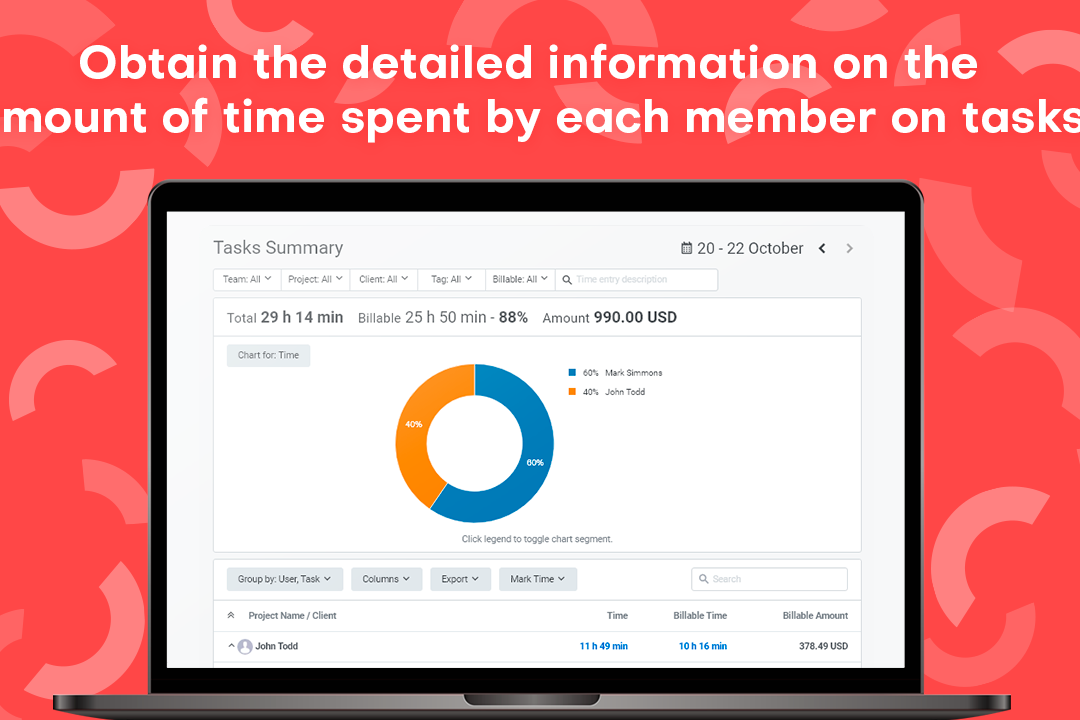
TMetric


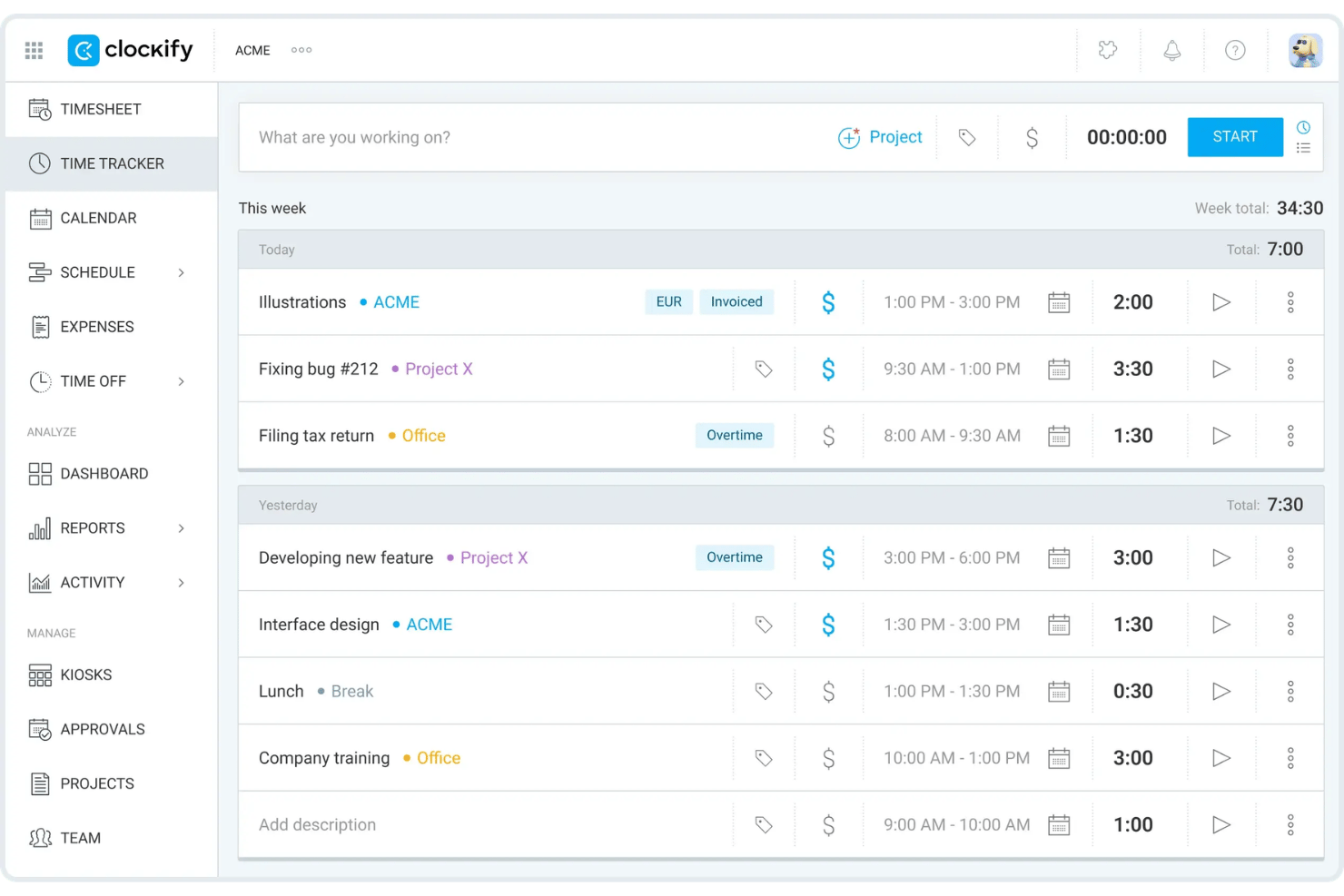
Clockify
Why Trust Our Software Recommendations
Our team has been testing and reviewing software since 2012. As project managers ourselves, we know how difficult—and important—it is to choose the right software.
For this guide, we evaluated tools using hands-on testing and independent research, scoring tools using our selection criteria. We also draw on insights from industry thought leaders and practicing project management experts.
Our reviews reflect our human editorial judgment, not a sales pitch.
Expert reviewers:
TMetric vs. Clockify Pricing Comparison
| TMetric | Clockify | |
|---|---|---|
| Free Trial | Free plan available + 14-day free trial | Free plan available |
| Pricing | From $5.83/user/month (billed annually) | From $4.99/user/month |
TMetric vs. Clockify Pricing & Hidden Costs
TMetric keeps its pricing fairly straightforward, but its most useful team features are split across paid tiers. Invoicing, approvals, attendance, PTO, and monitoring may require an upgrade, and the workspace owner still counts as a paid seat. Meanwhile, Clockify offers a generous free plan, but approvals, invoicing, scheduling, GPS, screenshots, profitability tools, and advanced controls sit higher up. In other words, the free tier can look generous until your workflow gets serious.
Ultimately, compare the plan your team will actually need, not the one with the nicest entry price. TMetric may be easier to assess if billing and profitability are your priorities, while Clockify gives you more room to add workforce tools over time. Either way, factor in paid seats, feature upgrades, and future admin needs before the “free” option starts sending you an invoice.
TMetric vs. Clockify Feature Comparison
| TMetric | Clockify | |
|---|---|---|
| API | ||
| Analytics | ||
| Approval Workflows | ||
| Attendance Tracking | ||
| Batch Permissions & Access | ||
| Billing/Invoicing | ||
| Budgeting | ||
| Calendar Management | ||
| Dashboard | ||
| Data Export | ||
| Data Import | ||
| Data Visualization | ||
| Expense Tracking | ||
| External Integrations | ||
| Forecasting | ||
| Multi-User | ||
| Notifications | ||
| Project Management | ||
| Resource Management | ||
| Scheduling | ||
| Task Scheduling/Tracking | ||
| Time Management | ||
| Timesheets | ||
| Vacation & Absence Calendar |
TMetric vs. Clockify Integrations
| Integration | TMetric | Clockify |
|---|---|---|
| Asana | ✅ | ✅ |
| Trello | ✅ | ✅ |
| Jira | ✅ | ✅ |
| GitHub | ✅ | ✅ |
| QuickBooks | ✅ | ✅ |
| Salesforce | ✅ | ✅ |
| Google Calendar | ✅ | ✅ |
| ClickUp | ✅ | ✅ |
| Slack | ✅ | ❌ |
| Nifty | ✅ | ❌ |
| API | ✅ | ✅ |
| Zapier | ✅ | ✅ |
TMetric and Clockify support many of the same project management, accounting, and productivity tools, so most teams should find their core stack covered. However, TMetric pulls slightly ahead for collaboration and project workflows with direct support for Slack and Nifty, while both platforms offer API and Zapier access for anything less standard. Integrations are unlikely to decide the contest, but TMetric may fit more naturally into teams that rely on these additional tools.
TMetric vs. Clockify Security, Compliance & Reliability
| Factor | TMetric | Clockify |
|---|---|---|
| Data Handling & Storage | Stores project, time, task, and activity data in Microsoft Azure’s West Europe region. It anonymizes IP addresses and processes payments through Verifone, so card details are not stored on TMetric’s servers. | Uses AWS infrastructure and encrypts data in transit and at rest. Monitoring data is collected only when the relevant features are enabled. |
| Compliance | Supports GDPR rights covering access, restriction, portability, objection, and deletion. A GDPR-compliant Data Processing Addendum is also available for EU customers. | Supports GDPR and holds ISO 27001 and SOC 2 Type II certifications. |
| Infrastructure Security | Uses Microsoft Azure for databases, import files, and encrypted backup archives. Workspace data remains private between accounts and is not shared without permission. | Offers regional data hosting and additional enterprise security controls on eligible plans. |
| Access Controls | Workspace roles restrict access to projects, reports, billing data, and settings. Admins can configure activity levels, app and website usage, and optional screenshots without recording what employees type. | Supports user roles, audit logs, SSO, enforced two-factor authentication, and user provisioning on higher plans. |
| Reliability | Keeps encrypted and compressed off-site backups for 30 days. Deleted personal data is removed once the related backup copies expire. | Maintains regular infrastructure backups, although recovery of accidentally deleted account data may be limited. |
Both tools provide solid security foundations, but their priorities differ. TMetric gives teams clearer control over activity monitoring, payment handling, IP privacy, and backup retention. Meanwhile, Clockify places more emphasis on formal certifications, regional hosting, and enterprise identity controls. Ultimately, TMetric suits teams that value transparent privacy settings alongside workforce visibility, while Clockify may appeal more to organizations with stricter compliance and access-management requirements.
TMetric vs. Clockify Ease of Use
| Factor | TMetric | Clockify |
|---|---|---|
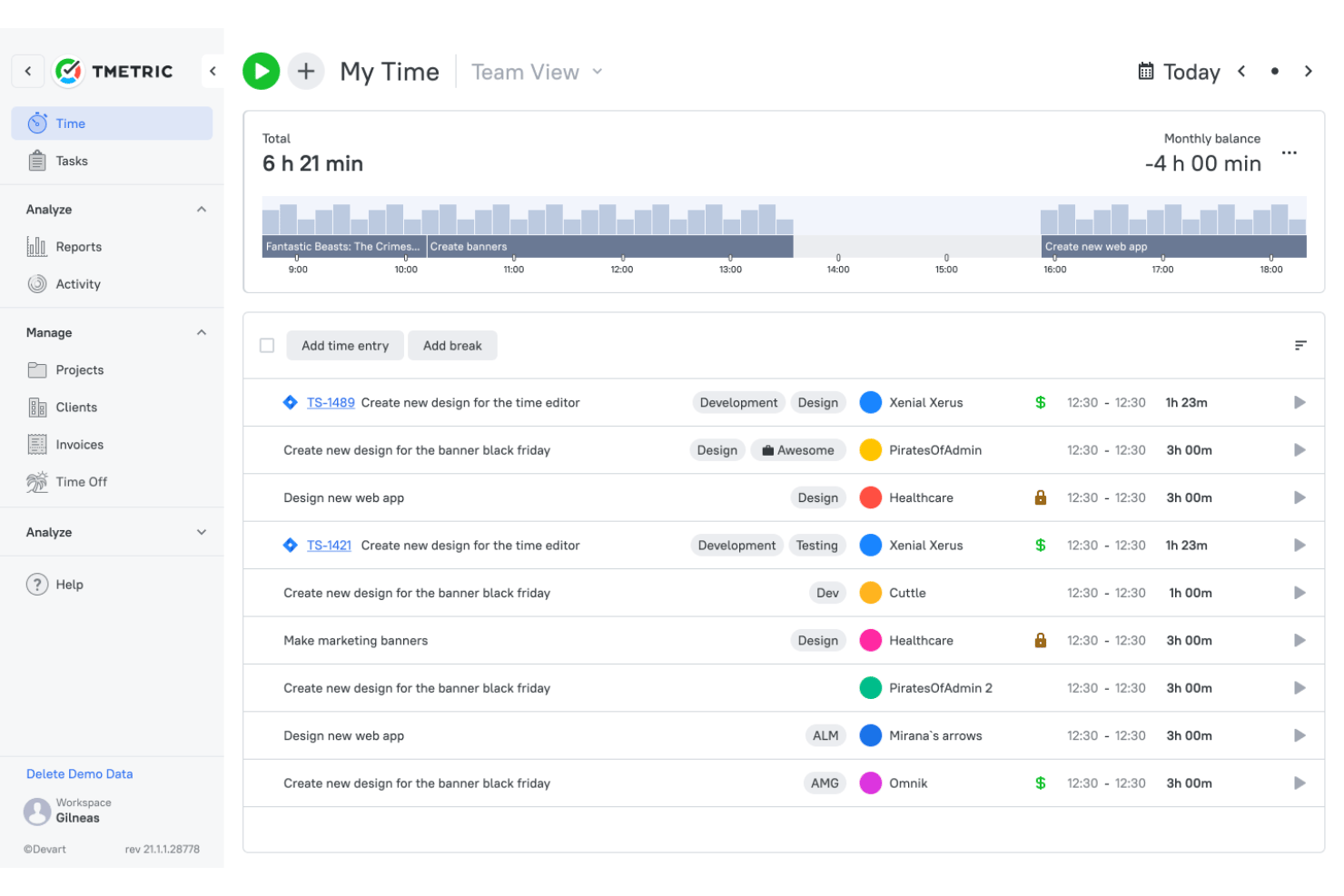
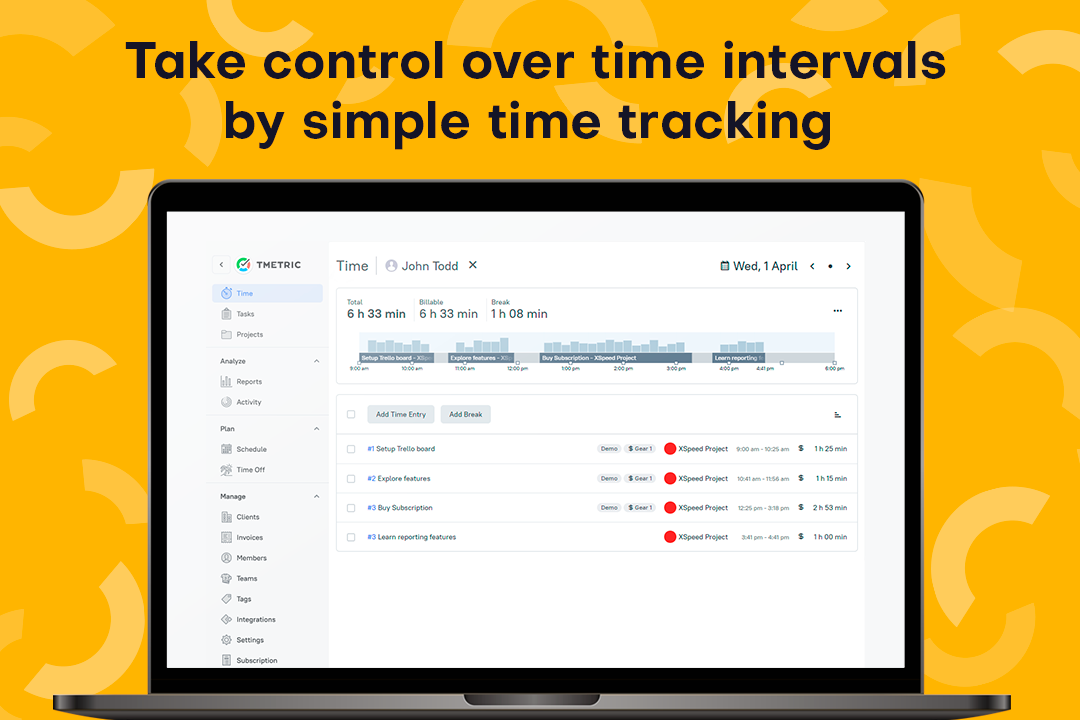
| User Interface | Keeps timers, projects, timesheets, reports, billing, attendance, and team activity within a straightforward workspace. Its familiar layout makes it easy to move from tracking hours to reviewing approvals and project finances. | Uses a clean interface that separates timers, timesheets, calendars, reports, and team tools into dedicated views. |
| Onboarding | Uses a self-serve setup where teams create a workspace, add clients and projects, invite members, configure rates and permissions, and install the apps they need. Guides, videos, sample data, and demos provide extra help. | Provides role-based onboarding resources for workspace owners, managers, and regular users, with more personalized assistance available to qualifying larger accounts. |
| Mobile Experience | Supports timers, manual entries, recent activity, and project selection on iOS and Android. However, reporting, billing, and team administration remain more complete on web or desktop. | Supports timers, timesheets, expenses, calendar entries, and offline syncing, giving mobile users a broader set of on-the-go tools. |
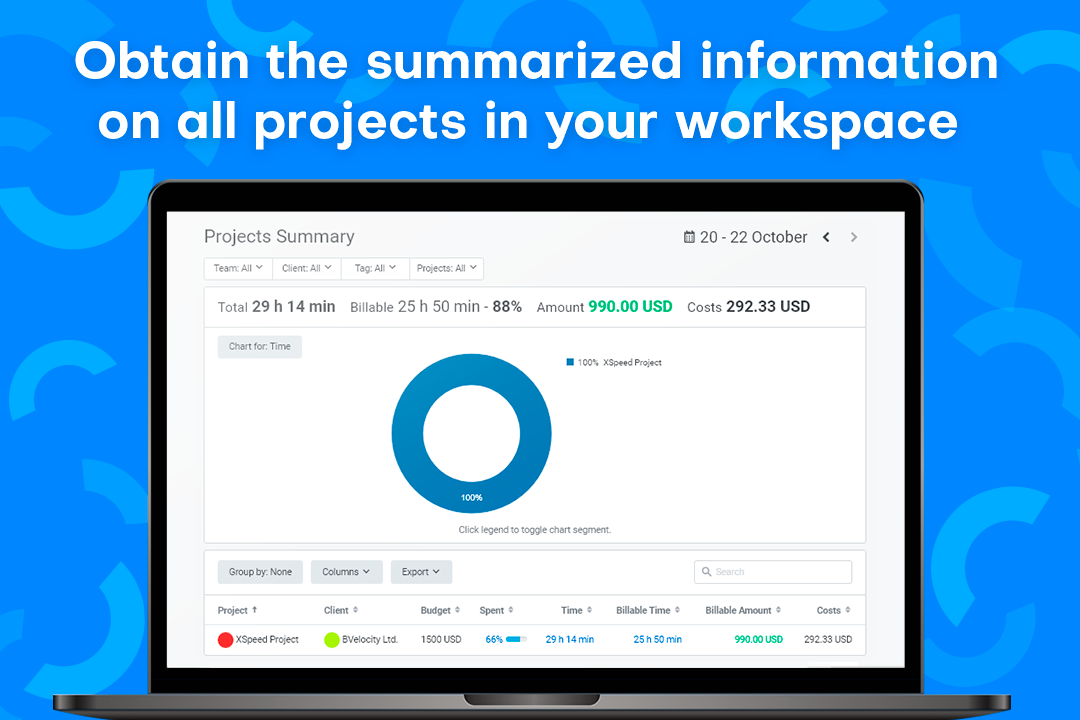
| Reporting Tools | Provides Summary, Detailed, Activity, and Profitability reports with filters for users, projects, clients, tags, and dates. Reports can be exported for client updates or further analysis. | Offers structured time, team, project, and profitability reports, with available filters and exports varying by plan. |
| Customer Support | Provides 24/7 live chat and email assistance, alongside a help center, user guides, video tutorials, and optional product demos. | Offers 24/7 support through chat, email, and phone, plus a detailed help center and onboarding resources. |
TMetric takes a more structured approach, giving service teams a clear path from daily tracking to approvals, billing, and profitability analysis. Meanwhile, Clockify offers a broader mobile experience and a familiar setup for teams that want several tracking methods to choose from. Ultimately, TMetric is easier for teams that value controlled, financially useful time records, while Clockify suits those who prefer a wider toolkit for different work environments.
TMetric vs Clockify: Pros & Cons
TMetric
- Tracks billable and non-billable time across web, desktop, mobile, and browser extensions.
- Shows project revenue, labor costs, budgets, and margins in profitability reports.
- Creates invoices from billable time entries and syncs invoice data with QuickBooks and Xero.
- Manual tracking depends on users consistently starting timers or adding entries.
- The mobile app offers fewer reporting and management features than the web app.
- Payroll tools calculate labor costs but do not process payments or taxes.
Clockify
- You can track time easily with its intuitive interface.
- Your team benefits from excellent customer support.
- It's great for managing time across multiple projects seamlessly.
- Some advanced features might be missing compared to paid tools.
- You may find the mobile app less responsive at times.
- Reporting options can be limited for complex projects.
Best Use Cases for TMetric and Clockify
TMetric
- Small and Mid-Sized Service Teams TMetric fits teams of roughly 5 to 200 people that need time tracking, approvals, attendance, PTO, billing, and project reporting in a self-serve platform.
- Software Development Teams Development teams can track time by task, project, and client while connecting TMetric with tools such as Jira, GitHub, GitLab, Redmine, and ClickUp.
- Professional Services Firms Professional services firms can approve billable hours, apply different rates, create invoices, and monitor the profitability of each engagement.
- Consulting Teams Consultants can organize time across clients and engagements while using configurable rates to support different contracts, roles, and work types.
- Marketing and Media Teams Marketing and media teams can track time by campaign, client, and task to compare delivery hours with budgets and project margins.
- Legal Service Teams Legal teams can use TMetric for client- and matter-based time tracking and invoicing, though it does not replace legal practice management or trust accounting software.
Clockify
- Freelancers Clockify lets you track billable hours easily, ensuring accurate invoicing for your clients.
- Small Businesses Your team can manage projects and time effectively without the cost, thanks to Clockify’s free features.
- Marketing Teams Organize campaigns and track time spent on tasks, helping you stay on schedule.
- Creative Agencies You can manage multiple projects seamlessly, keeping track of hours across different clients.
- Remote Teams Clockify’s excellent customer support ensures your team can resolve issues quickly, even from afar.
- IT Departments Track time on various tasks and projects, helping you allocate resources efficiently.
Who Should Use TMetric, and Who Should Use Clockify?
If you’re looking for time tracking software that gives service teams tighter control over billable hours, approvals, invoicing, attendance, PTO, and project profitability, TMetric is likely the better fit. It’s ideal for agencies, consultancies, software teams, legal firms, and other client-facing businesses that need accurate records, clear financial visibility, and a structured path from tracked time to approved invoices.
If, instead, you want a flexible tracker with a generous free plan and several ways to record time across different work environments, Clockify may suit you better. It’s a strong choice for freelancers, small businesses, marketing teams, creative agencies, remote teams, and IT departments that value easy onboarding, broad tracking options, and workforce tools such as calendars, kiosks, GPS, and scheduling.
Differences Between TMetric and Clockify
| TMetric | Clockify | |
|---|---|---|
| Client Billing Workflow | Connects approved time entries to configurable rates, invoices, labor costs, budgets, revenue, and project margins. This creates a clearer path from recorded work to client billing. | Supports billable rates, invoicing, expenses, labor costs, and profit analysis, although these capabilities are spread across several paid tiers. |
| Feature Packaging | Groups billing, budgeting, profitability, approvals, PTO, and monitoring across two paid plans, making the upgrade path easier to follow. | Spreads administrative, billing, workforce, profitability, and enterprise controls across more paid tiers, giving teams more flexibility but requiring closer plan comparison. |
| Organizational Scale | Is built primarily for self-serve service teams of roughly 5 to 200 people that can configure rates, approvals, and monitoring independently. | Extends further into enterprise administration through SSO, audit logs, user provisioning, data-region options, and more advanced account controls. |
| Tracking Experience | Tracks time across web, desktop, mobile, and browser extensions, with offline entries syncing automatically. Users can assign each entry to a task, project, client, and billing status. | Offers more tracking modes, including timers, timesheets, calendars, auto tracking, kiosks, GPS, and offline apps for different work environments. |
| Workforce Management Focus | Combines attendance, PTO, activity levels, app and website usage, idle detection, and optional screenshots for teams that want time and productivity records together. | Leans more toward workforce deployment, with scheduling, kiosks, GPS tracking, screenshots, time off, and location-based oversight. |
| Visit TMetricOpens new window | Read Clockify ReviewOpens new window |
Similarities Between TMetric and Clockify
| Integrations and API Access | Both connect with widely used project management, accounting, development, and collaboration tools. API and Zapier access also help teams cover workflows that are not supported natively. |
|---|---|
| Project Organization | Both organize time by projects, tasks, clients, and billable status. This gives managers enough context to see not only how long work took, but also where those hours belong. |
| Reporting and Exports | Both provide filterable reports across users, projects, clients, tasks, and date ranges. Teams can export the results for client updates, finance reviews, or further analysis. |
| Roles and Permissions | Both use workspace roles and permissions to control who can manage projects, edit time, approve records, or view financial information. This becomes more important as the account grows beyond a handful of users. |
| Timesheet Approvals | Both let employees submit time for manager review and approval. This creates a useful checkpoint before hours are used for billing, payroll preparation, or internal reporting. |
| Visit TMetricOpens new window Read Clockify ReviewOpens new window | |