

10 Best Proposal Software in 2026

Top Proposal Software Shortlist


Proposal software helps your team create, send, and manage business proposals in one place. If you’re searching for the best proposal software, you’re likely looking to reduce manual work, keep proposals organized, and improve how you collaborate with clients or stakeholders. Choosing the right tool can help you handle shifting requirements, track proposal status, and keep everyone aligned—especially when deadlines are tight. In this guide, you’ll find expert-vetted options that fit a range of workflows, so you can confidently select the right solution for your business in 2026.
Why Trust Our Software Recommendations
Our team has been testing and reviewing software since 2012. As project managers ourselves, we know how difficult—and important—it is to choose the right software.
For this guide, we evaluated tools using hands-on testing and independent research, scoring tools using our selection criteria. We also draw on insights from industry thought leaders and practicing project management experts.
Our reviews reflect our human editorial judgment, not a sales pitch.
Expert reviewers:
Best Proposal Software Summary
This comparison chart summarizes pricing details for my top proposal software selections to help you find the best one for your budget and business needs.
| Tool | Best For | Trial Info | Price | ||
|---|---|---|---|---|---|
| 1 | Best guided sales process customizations | Free demo available | Pricing upon request | Website | |
| 2 | Best for AI-drafted RFP and bid responses | 30-day money-back guarantee | From $899/month (billed annually) | Website | |
| 3 | Simple, modern proposal creation with digital signatures | 14-day free trial | From $19/user/month | Website | |
| 4 | Customizable templates and analytics for proposal management | 14-day free trial + free demo available | From $19/user/month (billed annually) | Website | |
| 5 | Enterprise RFP and proposal automation with advanced collaboration | Free demo available | Pricing upon request | Website | |
| 6 | Proposal templates and e-signature for freelancers and agencies | Free demo + 7-day free trial | From $9/user/month (billed annually) | Website | |
| 7 | Quote and proposal automation for sales teams | Free trial available | From $45.83/user/month (billed annually) | Website | |
| 8 | Client engagement and workflow management for accounting professionals | 30-day free trial | Pricing upon request | Website | |
| 9 | Proposal software for creative businesses | 14-day free trial + free demo available | From $29/month | Website | |
| 10 | Digital proposal and presentation platform for client engagement | Free plan available | From $83/month/seat (billed annually) | Website |
Best Proposal Software Reviews
Below are my detailed summaries of the best proposal software that made it onto my shortlist. My reviews offer a detailed look at the features, integrations, and pricing of each software to help you find the best one for you.
Best guided sales process customizations

Built for B2B sales teams, DealHub AI is a proposal and CPQ platform for quoting, document generation, buyer collaboration, and contract execution—all in one place.
Who Is DealHub AI Best For?
DealHub AI serves mid-market and enterprise B2B sales teams that handle complex, multi-stakeholder deals with structured pricing and approval workflows.
Why I Picked DealHub AI
I've included DealHub AI in my top picks because its guided selling engine is one of the most flexible I've seen for controlling how reps navigate a deal. You can build a master playbook inside your CRM opportunity stage, then layer in a question-and-answer process that adapts based on the rep's answers. That means every proposal starts from the right product configuration, with the right pricing logic applied automatically. What I especially like is the ability to segment guidance by user group, so enterprise reps and mid-market reps can follow different paths through the same catalog.
DealHub AI Key Features
- DealRoom: A branded digital room where buyers can view proposals, pricing, and supporting documents in one shared space.
- Built-in eSignature (DealSign): Native electronic signature for buyers to sign contracts directly within the proposal, without a third-party tool.
- Buyer engagement tracking: Real-time signals showing which sections of a proposal a buyer opened, viewed, and how much time they spent on each one.
- Contract redlining: CLM tools that allow legal and sales teams to mark up, negotiate, and approve contract language in one place.
DealHub AI Integrations
DealHub AI offers native integrations with Salesforce CRM, Microsoft Dynamics 365, HubSpot CRM, DocuSign, Gong, Slack, and more. An API is also available for custom integrations, including connecting to additional CRM and ERP systems.
Pros and Cons
Pros:
- CPQ, CLM, and billing combined in a single platform
- No-code approval workflows
- Guided selling playbooks prevent quoting errors
Cons:
- Documentation gaps make admin onboarding difficult
- Loads slowly with large deal volumes
New Product Updates from DealHub AI

DealHub AI Expands Bundle Attribute Automation
DealHub AI introduces Assignment Rules for child proposal attributes and numeric aggregation for bundles. These updates give admins more control over bundle attribute automation and configuration. For more information, visit DealHub’s official site.
 .
.
Best for AI-drafted RFP and bid responses
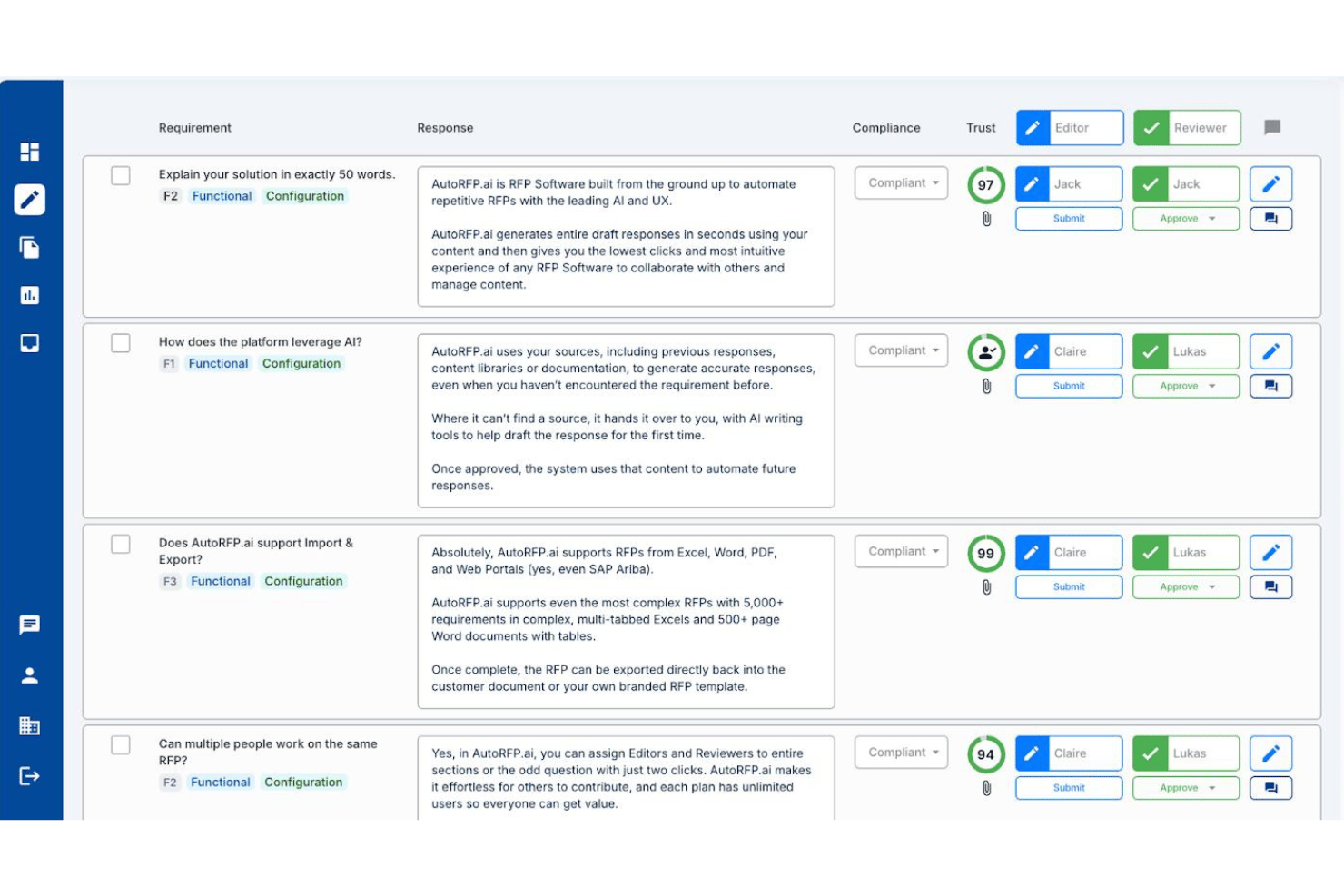
AutoRFP.ai is an AI-native RFP response platform that drafts answers to buyer-issued RFPs, RFIs, DDQs, and security questionnaires by pulling from your team's past responses and approved content.
Who Is AutoRFP.ai Best For?
AutoRFP.ai is a strong fit for proposal managers and bid teams at IT services, consulting, and professional services firms that regularly respond to formal RFPs, RFIs, and security questionnaires.
Why I Picked AutoRFP.ai
AutoRFP.ai earns its spot on my shortlist because no other tool I've tested handles AI-drafted RFP and bid responses with this level of accuracy. When a 500-question RFP lands in your inbox, the platform pulls from your team's past approved responses to generate a cited first draft, complete with Trust Scores flagging how confident the AI is in each answer. I also like that it responds directly inside procurement portals like SAP Ariba via browser extension, which removes a frustrating copy-paste bottleneck from the response cycle.
AutoRFP.ai Key Features
- Role-based access control: Assign Editor, Reviewer, or Admin roles at the section or question level across unlimited users.
- Multi-format import: Ingest RFP documents in Word, Excel, and PDF formats, including multi-tab Excel workbooks with thousands of requirements.
- Browser extension for portal responses: Answer questions directly inside procurement portals like SAP Ariba without copying content between platforms.
- AI Trust Scores: Each AI-generated answer displays a confidence score and source citation so reviewers can prioritize edits.
AutoRFP.ai Integrations
AutoRFP.ai advertises 18+ integrations, including native two-way Salesforce connectivity plus HubSpot, Microsoft Dynamics 365, SharePoint, Google Drive, Slack, and Microsoft Teams. An open API and webhooks support custom integrations.
Pros and Cons
Pros:
- Generates cited answers with confidence scores
- Unlimited users for collaborative RFP workflow
- AI drafts responses using approved content
Cons:
- Lacks interactive client proposal features
- No visual proposal templates or scoping

Simple, modern proposal creation with digital signatures

Better Proposals offers a streamlined platform for creating, sending, and tracking digital proposals. It’s a strong fit for small businesses and agencies that want modern, visually engaging documents with built-in e-signatures.
Who Is Better Proposals Best For?
Freelancers and small agencies that need to send polished, interactive proposals with digital signatures.
Why I Picked Better Proposals
I picked Better Proposals because its simple, modern editor lets my team create visually appealing proposals without design skills. I like that digital signatures are built in, so clients can sign instantly from any device. The platform’s templates help us maintain a consistent, professional look across all our documents. This combination of simplicity and digital signing makes it easy to close deals quickly.
Better Proposals Key Features
- Payment integrations: Connect Stripe or PayPal to collect payments directly from proposals.
- Proposal analytics: Track when proposals are opened, read, and signed.
- Custom branding: Add your logo, colors, and domain for a branded experience.
- Content library: Store and reuse proposal sections, images, and fees.
Better Proposals Integrations
Integrations include HubSpot, Zoho, Stripe, PayPal, GoCardless, Asana, Trello, Basecamp, Teamwork, and Capsule.
Pros and Cons
Pros:
- Integrated e-signature for faster deal closure
- Custom roles and permissions for team management
- Built-in analytics for proposal engagement tracking
Cons:
- Occasional delays in document loading speed
- Limited offline access to proposals

Customizable templates and analytics for proposal management

Proposify is designed for sales teams and agencies that need to manage high volumes of proposals with consistency and control. Its workflow tools help you keep proposals organized, track progress, and maintain brand standards across your documents.
Who Is Proposify Best For?
Sales teams and agencies that need customizable templates and analytics for managing a large volume of proposals.
Why I Picked Proposify
I picked Proposify because its customizable templates let my team quickly tailor proposals for different clients without starting from scratch. I appreciate the built-in analytics, which show when prospects view or interact with our documents. This helps us prioritize follow-ups and refine our approach. The combination of template flexibility and actionable insights makes it a strong fit for managing high-volume proposal workflows.
Proposify Key Features
- Content library: Store reusable proposal sections, images, and fees for quick access.
- Approval workflows: Set up internal review and approval steps before sending proposals.
- E-signatures: Collect legally binding electronic signatures directly within proposals.
- Client notifications: Automatically notify clients when a proposal is sent, viewed, or signed.
Proposify Integrations
Integrations include 20+ tools, including HubSpot, Salesforce, Pipedrive, QuickBooks, Stripe, Google Drive, Dropbox, Slack, Microsoft Teams, and more.
Pros and Cons
Pros:
- Integrated e-signature for faster deal closure
- Automated approval workflows for compliance needs
- Centralized content library for reusable assets
Cons:
- Template editor can be slow with large files
- No built-in CRM functionality

Enterprise RFP and proposal automation with advanced collaboration
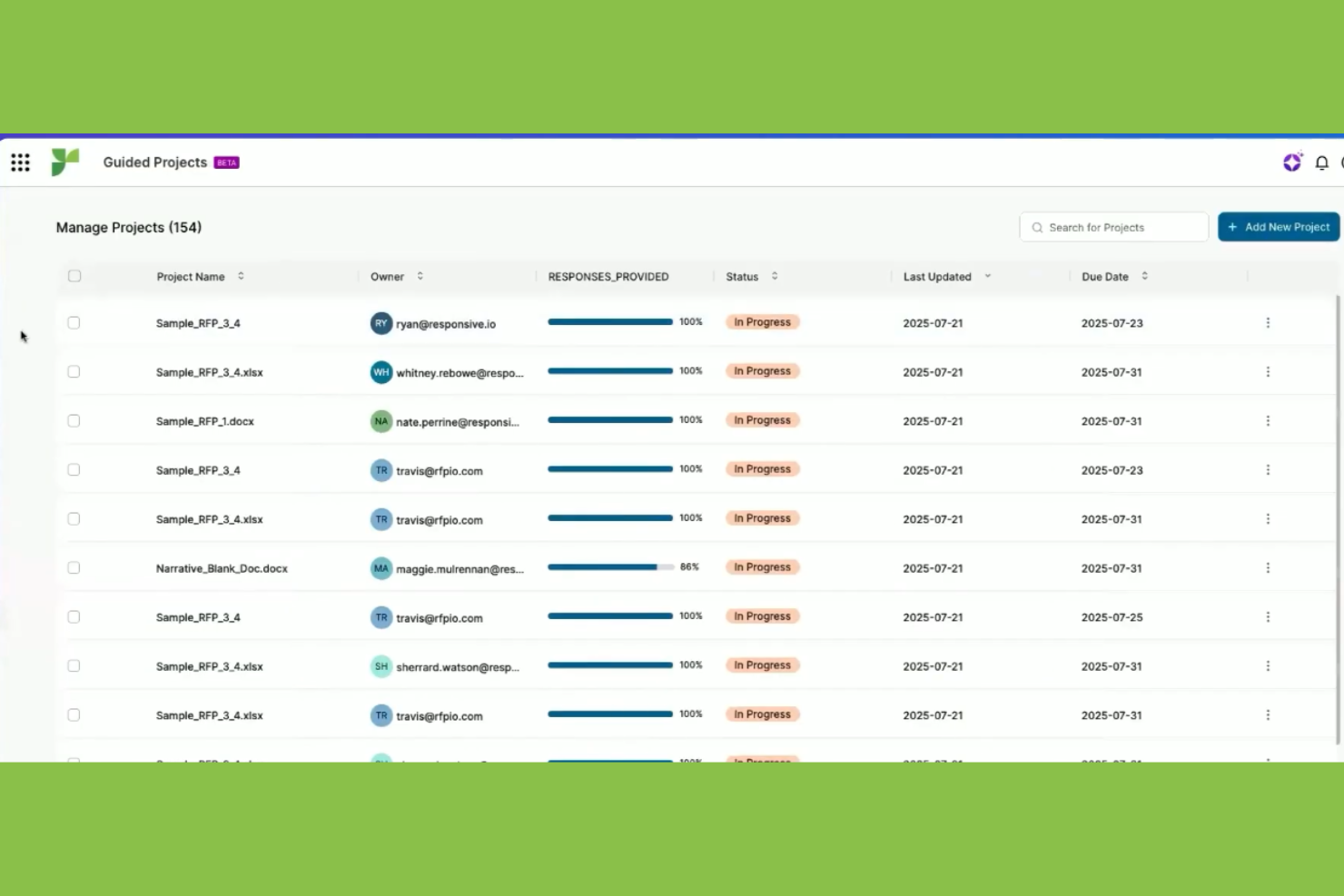
Responsive is a proposal management platform designed for large organizations and enterprise teams handling complex RFPs and security questionnaires. It helps streamline collaboration, automate responses, and manage high-volume proposal workflows.
Who Is Responsive Best For?
Large enterprise teams managing high-volume RFPs and complex proposal processes across multiple departments.
Why I Picked Responsive
I picked Responsive because it handles enterprise RFP and proposal automation at a scale my team needs. I rely on its advanced collaboration tools to coordinate input from multiple departments on complex responses. The platform’s workflow automation and content library help us manage high volumes of proposals without losing consistency. This lets us respond faster and more accurately to demanding RFP requirements.
Responsive Key Features
- AI-powered answer library: Automatically suggests relevant responses from past proposals.
- Granular user permissions: Control access and editing rights for each team member.
- Audit trails: Track every change and action taken on a proposal.
- Customizable templates: Build and reuse branded proposal templates for different use cases.
Responsive Integrations
Integrations include Google Chrome, Slack, Microsoft Teams, Highspot, Door, and Google Hangouts, and an API is available for custom integrations.
Pros and Cons
Pros:
- Centralized content library for reusable assets
- Custom roles and permissions for team management
- Built-in analytics for proposal engagement tracking
Cons:
- Occasional delays in document loading speed
- Limited offline access to proposals

Bonsai
Proposal templates and e-signature for freelancers and agencies

Bonsai is an all-in-one business platform designed for freelancers, consultants, and small agencies who need to create, send, and manage professional proposals. It helps streamline client onboarding and project workflows with integrated contracts, invoicing, and CRM tools.
Who Is Bonsai Best For?
Freelancers and small agencies looking for proposal templates and integrated e-signature tools.
Why I Picked Bonsai
I picked Bonsai because its proposal templates and built-in e-signature tools are tailored for freelancers and agencies who need to move quickly. My team uses Bonsai to generate polished proposals in minutes and send them for client approval without leaving the platform. The e-signature feature lets us close deals faster and track client engagement in real time. In practice, this keeps our project pipeline moving and reduces delays in client onboarding.
Bonsai Key Features
- Client CRM: Manage client contact details and project history in one place.
- Automated reminders: Send automatic follow-ups for unsigned proposals.
- Proposal analytics: Track when clients view and interact with proposals.
- Template library: Access a range of pre-built proposal templates for different services.
Bonsai Integrations
Integrations include Stripe, QuickBooks, Zapier, Calendly, Google Calendar, Slack, Gmail, Xero, PayPal, and an API is available for custom integrations.
Pros and Cons
Pros:
- Automated reminders for unsigned proposals
- Proposal analytics show client engagement activity
- Built-in e-signature for instant client approval
Cons:
- Limited formatting options for proposals
- No advanced proposal version control

Quote and proposal automation for sales teams
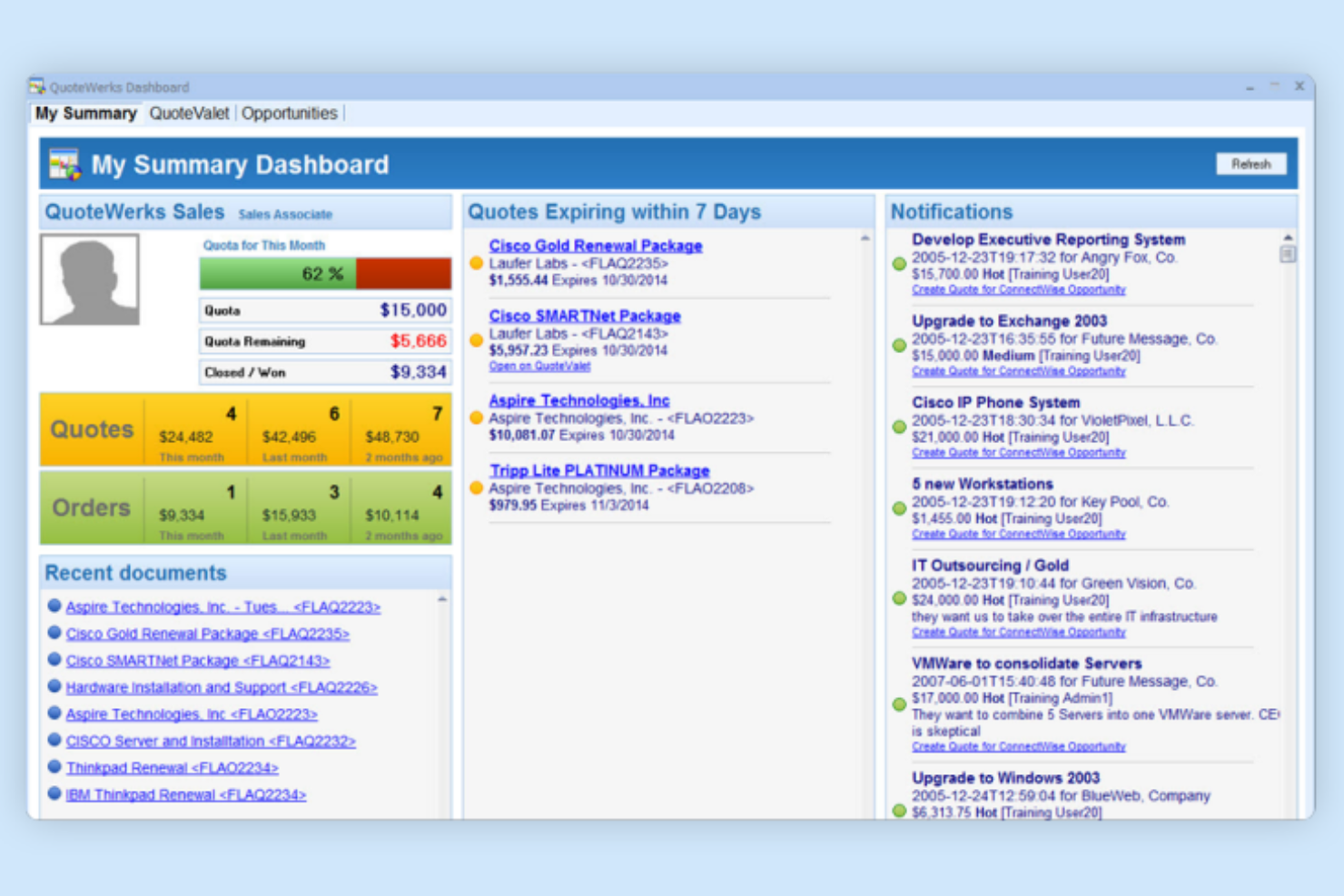
QuoteWerks is a quoting and proposal solution built for sales teams that need to generate, manage, and track quotes efficiently. It appeals to businesses looking for advanced pricing tools, product catalog integration, and detailed quote tracking.
Who Is QuoteWerks Best For?
Sales teams in IT, manufacturing, and distribution companies that need advanced quoting and proposal automation.
Why I Picked QuoteWerks
I picked QuoteWerks because it automates the quoting and proposal process for sales teams that handle complex pricing and product catalogs. My team uses its real-time product sourcing and price comparison to build accurate, competitive proposals quickly. The built-in workflow tools let us track quote revisions and approvals without leaving the platform. In practice, this helps us deliver consistent, professional proposals while reducing manual errors.
QuoteWerks Key Features
- Customizable templates: Create and reuse branded proposal templates for consistency.
- Electronic signature capture: Collect client approvals directly within proposals.
- Quote delivery tracking: Monitor when recipients view or interact with sent quotes.
- CRM integration: Sync proposal data with popular CRM platforms for unified records.
QuoteWerks Integrations
Integrations include Salesforce, HubSpot CRM, QuickBooks Online, Microsoft Dynamics, Zoho CRM, ConnectWise PSA, Autotask, Pipedrive, Sage 50, and Amazon Business.
Pros and Cons
Pros:
- Provides customizable, reusable proposal templates
- Tracks recipient activity on sent quotes
- Offers electronic signature capture in proposals
Cons:
- Steep setup process for new users
- Occasional sync issues with some integrations

Client engagement and workflow management for accounting professionals
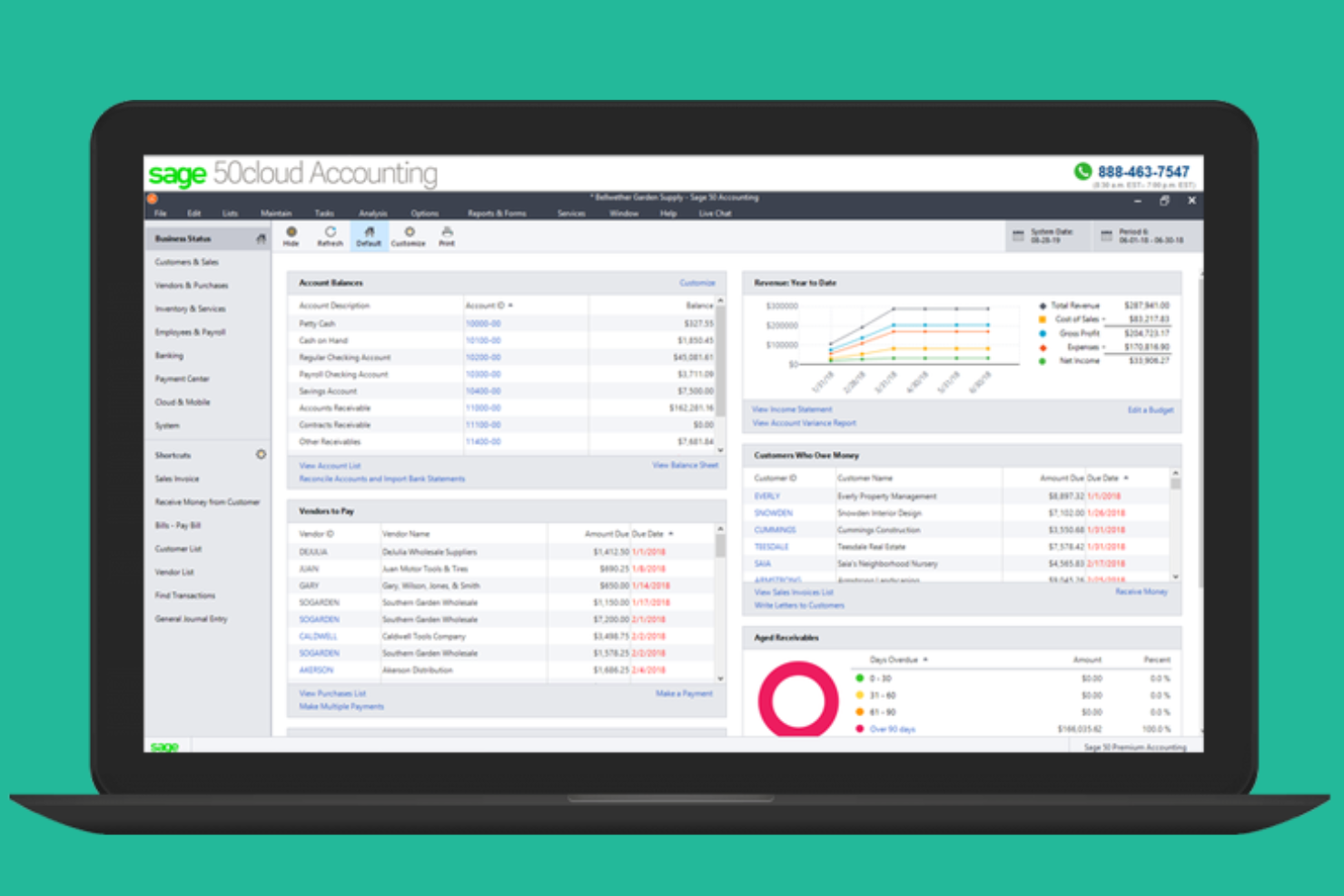
Sage for Accountants is designed for accounting professionals and firms seeking to manage client engagements and proposals in one place. The platform helps streamline proposal creation, engagement tracking, and client communication for accounting teams.
Who Is Sage for Accountants Best For?
Accounting firms and professionals in Canada who need to manage client engagements and proposals.
Why I Picked Sage for Accountants
I picked Sage for Accountants because it’s built for accounting professionals who need to manage client engagement and workflow in one place. My team uses its engagement letter templates and automated approval tracking to keep our proposal process compliant and organized. The centralized dashboard lets us monitor proposal statuses and deadlines across all clients. In practice, this helps us deliver consistent, audit-ready proposals while staying on top of every engagement.
Sage for Accountants Key Features
- Document library: Store and reuse proposal templates and engagement letters.
- Customizable proposal builder: Create tailored proposals with editable fields and sections.
- Client portal: Share proposals and documents securely with clients online.
- Automated notifications: Receive alerts for proposal views, approvals, and outstanding actions.
Sage for Accountants Integrations
Integrations include Sage Accounting, Sage Payroll, GoProposal by Sage, OverSuite, GoCardless, and more.
Pros and Cons
Pros:
- Centralized dashboard for proposal status monitoring
- Automated approval tracking for proposals
- Built-in engagement letter templates for accountants
Cons:
- No real-time collaborative editing on proposals
- Limited proposal formatting and design options
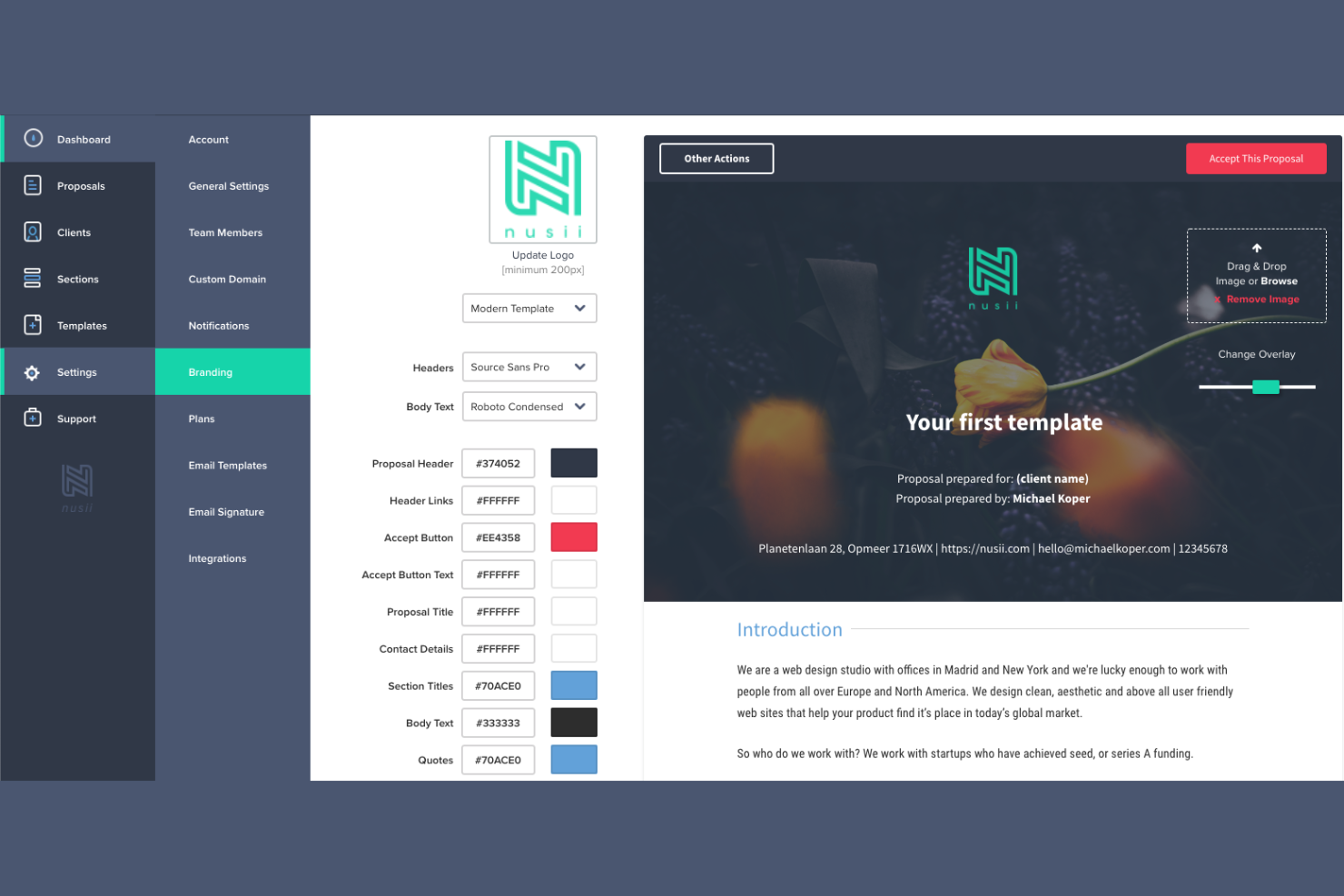
Nusii is a proposal software platform designed for creative agencies and freelancers who want to send polished, branded proposals quickly. It helps teams manage proposal workflows, track client engagement, and maintain a consistent client experience.
Who Is Nusii Best For?
Creative agencies and freelancers who need to send branded proposals and manage client communications.
Why I Picked Nusii
I chose Nusii because it’s built specifically for creative businesses that need to send visually appealing, branded proposals. My team uses Nusii’s customizable templates and content library to keep our proposals consistent and on-brand. The client feedback and approval workflow helps us move projects forward without endless email threads. In practice, Nusii lets us focus on creative work while keeping our proposal process organized and professional.
Nusii Key Features
- Proposal analytics: Track when clients open and interact with proposals.
- Reusable content blocks: Save and insert frequently used sections into new proposals.
- Client management dashboard: Organize and view all client proposals and statuses in one place.
- Automated reminders: Send scheduled follow-ups to clients for unsigned proposals.
Nusii Integrations
Integrations include HubSpot, Pipedrive, Less Annoying CRM, Highrise, Stripe, Xero, QuickBooks, Trello, Typeform, and Make (formerly Integromat). An API and webhooks are also available for custom integrations.
Pros and Cons
Pros:
- Pre-built templates for various service types
- Proposal analytics show client engagement activity
- Built-in e-signature for instant client approval
Cons:
- No built-in contract negotiation tools
- Integrations require higher-tier plans

ClientPoint offers a digital proposal and presentation platform designed for sales teams and client-facing professionals. It helps businesses create, deliver, and track interactive proposals to improve client engagement and streamline deal workflows.
Who Is ClientPoint Best For?
Sales and account management teams in mid-sized to large B2B organizations seeking interactive proposal and presentation tools.
Why I Picked ClientPoint
I picked ClientPoint because it lets my team deliver digital proposals and presentations in a single, interactive platform. We use its live meeting rooms and embedded video features to engage clients directly within the proposal. The platform’s tracking tools show us exactly when and how clients interact with our materials. In practice, this helps us manage the entire client engagement process from proposal to close.
ClientPoint Key Features
- Template library: Access a collection of pre-built proposal and presentation templates.
- Document version control: Track changes and maintain a history of proposal revisions.
- Role-based permissions: Set user access levels for editing, viewing, or sending proposals.
- CRM integration: Connect proposal workflows with Salesforce, HubSpot, and other CRM platforms.
ClientPoint Integrations
Integrations include Salesforce, HubSpot, Microsoft Dynamics 365, Zoho CRM, Google Workspace, Microsoft Outlook, DocuSign, Dropbox, Box, and OneDrive.
Pros and Cons
Pros:
- Offers reusable proposal and presentation templates
- Tracks client engagement with detailed analytics
- Supports live video meetings within proposals
Cons:
- Limited real-time collaboration on documents
- Interface feels dated compared to competitors
Other Proposal Software
Here are some additional proposal software options that didn’t make it onto my shortlist, but are still worth checking out:
- SmartDocs by Pipedrive
Document management and e-signature inside your CRM
- Loopio
RFP response platform with collaborative content management
- Docusign
Secure electronic signatures and agreement management
- Qwilr
Interactive, web-based proposals with analytics
- HoneyBook
Clientflow management for creative professionals and freelancers


How I Evaluate Proposal Software
I split my evaluation into two layers: the baseline every proposal tool must hit—think scoped pricing tables, e-signature flows, and template libraries—and the differentiators for project teams.
Core Functionality (Table Stakes For This List)
When I'm selecting tools for my list, I rank each one on a scale from 0 (does not offer the functionality) to 5 (excels in this area) for each core functionality listed below. Then, I calculate the tool's total score into a percentage. Each tool needs to achieve a minimum total score of 65% to be considered for inclusion.
- Templates & Content Library: I check whether you can build proposals from categorized templates and pull in saved content blocks—like standard project phases, team bios, or case studies—instead of starting from scratch.
- Scope, Pricing & Estimate Builder: Structured pricing tables with line items, optional add-ons, and resource rates matter here. I look for tools that let you break costs down by project phase or role.
- Collaborative Editing & Approvals: Most proposals pass through multiple hands before they reach a client. I evaluate whether teams can co-edit in real time, leave comments, and route drafts through approval steps.
- E-Signature & Client Acceptance: I look for native e-signature support that lets clients review, accept, and countersign proposals without switching to a separate signing tool like DocuSign or Adobe Sign.
- Proposal Tracking & Analytics: Knowing when a client opened your proposal—and which sections they spent time on—gives your follow-up real context. I evaluate the depth of engagement data each tool surfaces.
- PM Tool Integrations: I check for native connections to tools like Asana, monday.com, or Jira that let you convert an accepted proposal into a live project with tasks, milestones, and assigned owners.
Once I have a list of tools that meet the criteria, I consider what sets each platform apart.
Differentiating Factors (What Sets Vendors Apart)
Here's how I compare and contrast different vendors:
Standout Features
Interactive client pricing is a real differentiator. Tools that let clients toggle optional deliverables or service tiers directly in the proposal cut down on revision cycles. I also evaluate AI content generation, where a tool can draft scope descriptions or tailor language based on past winning proposals. Automated SOW and contract assembly matters too. I look for tools that pull accepted proposal content into structured statements of work with conditional clauses, so your team isn't duplicating effort across documents.
Beyond Features
I consider how well a tool fits the buyer's team size and industry. A solo consultant running a marketing agency has very different needs than an enterprise PMO managing dozens of concurrent proposals. Implementation speed matters too—I evaluate how quickly a team can migrate existing templates and build out a content library without heavy onboarding. Pricing structure also shapes long-term fit. Some vendors charge per user while others charge per proposal sent, and the right model depends on your team's volume.
How to Choose Proposal Software
It’s easy to get bogged down in long feature lists and complex pricing structures. To help you stay focused as you work through your unique software selection process, here’s a checklist of factors to keep in mind:
| Factor | What to Consider |
|---|---|
| Scalability | Will the software support your team as you grow, add users, or expand to new business units? |
| Integrations | Does it connect natively with your CRM, payment processor, or other core systems you already use? |
| Customizability | Can you tailor templates, workflows, and branding to match your company’s processes and identity? |
| Ease of use | Will your team adopt it quickly, or will training and support be needed to get everyone on board? |
| Implementation and onboarding | How long will it take to get up and running, and what resources or support does the vendor provide? |
| Cost | Are pricing tiers clear, and do they align with your usage needs and budget over time? |
| Security safeguards | Does the tool offer encryption, access controls, and compliance with relevant data regulations? |
| Support availability | What support channels are offered, and are they available during your business hours or globally? |
What is Proposal Software?
Proposal management software helps sales reps and teams create, manage, and track sales documents in one place. It reduces bottlenecks in the proposal process by organizing content, improving collaboration, and giving visibility into metrics like engagement and win rate. These proposal tools are designed to save time, reduce manual work, and support faster sign-offs across projects.
Features
When selecting proposal software, keep an eye out for the following key features:
- Template library: Access a collection of pre-designed proposal templates that can be customized for different clients and projects, saving time and ensuring consistency.
- Electronic signatures: Allow clients to sign proposals digitally, speeding up approval processes and reducing paperwork.
- Custom branding: Add your company’s logo, colors, and fonts to proposals to maintain a professional and consistent brand image.
- Content blocks: Reuse saved sections such as case studies, pricing tables, or terms and conditions across multiple proposals for efficiency and accuracy.
- Collaboration tools: Enable multiple team members to work on proposals simultaneously, leave comments, and track changes in real time.
- Analytics and tracking: Monitor when a proposal is opened, viewed, or signed, giving insight into client engagement and follow-up timing.
- Integration capabilities: Connect with CRM, payment, and document management systems to streamline workflows and reduce manual data entry.
- Permission controls: Set user roles and access levels to manage who can view, edit, or send proposals within your organization.
- Export options: Download proposals as PDFs or other formats for offline sharing or record-keeping.
- Payment collection: Include payment options directly within proposals, allowing clients to pay upon acceptance and simplifying the sales process.
Common proposal software AI features
Beyond the standard proposal software features listed above, many of these solutions are incorporating AI with features like:
- Content generation: Automatically draft proposal sections or entire documents based on client data, previous proposals, or prompts, reducing manual writing time. Teams that want to focus on this capability can use AI proposal generation tools to speed up the drafting process.
- Smart recommendations: Suggest relevant templates, pricing options, or content blocks based on the client’s industry, deal size, or past interactions.
- Automated language optimization: Analyze and refine proposal language for clarity, tone, and persuasiveness, helping teams create more compelling documents.
- Predictive deal scoring: Use historical data and engagement signals to estimate the likelihood of proposal acceptance, guiding follow-up priorities.
- AI-driven personalization: Tailor proposal content and messaging to individual recipients by analyzing CRM data and previous communications.
- Automated compliance checks: Scan proposals for missing legal clauses or inconsistent terms, flagging issues before sending to clients.
Benefits
Implementing proposal software provides several benefits for your team and your business. Here are a few you can look forward to:
- Faster proposal turnaround: Pre-built templates, content blocks, and e-signatures help your team create and send proposals quickly.
- Improved collaboration: Real-time editing and commenting features allow multiple team members to contribute and review proposals together.
- Greater visibility into client engagement: Analytics and tracking tools show when proposals are opened, viewed, or signed, helping you time your follow-ups.
- Consistent branding and messaging: Custom branding and reusable content ensure every proposal reflects your company’s identity and standards.
- Simplified approval and payment processes: Integrated e-signature and payment collection features make it easy for clients to accept and pay for proposals in one place.
- Reduced manual errors: Automated compliance checks and permission controls help prevent missing information and unauthorized changes.
- Seamless integration with existing tools: CRM and payment integrations reduce manual data entry and keep your workflows connected.
Costs & Pricing
Selecting proposal software requires an understanding of the various pricing models and plans available. Costs vary based on features, team size, add-ons, and more. The table below summarizes common plans, their average prices, and typical features included in proposal software solutions:
Plan Comparison Table for proposal software
| Plan Type | Average Price | Common Features |
|---|---|---|
| Free Plan | $0 | Basic templates, limited proposals per month, simple e-signatures, and basic analytics. |
| Personal Plan | $10-$25/user/month | Custom branding, unlimited proposals, content library, and email support. |
| Business Plan | $30-$60/user/month | Team collaboration, advanced analytics, CRM integrations, workflow automation, and payment collection. |
| Enterprise Plan | $70-$150/user/month | Custom roles and permissions, advanced security, API access, dedicated support, and onboarding assistance. |
Proposal Software FAQs
Here are some answers to common questions about proposal software:
Can proposal software integrate with my CRM and other business tools?
Yes, most proposal software offers integrations with popular CRM, payment, and document management systems. This helps you sync client data, automate workflows, and reduce manual data entry. Always check if your preferred tools are supported before making a decision.
How secure is proposal software for handling sensitive client information?
Most proposal software includes encryption, access controls, and compliance with data protection regulations. Look for solutions that offer role-based permissions and audit trails to ensure only authorized users can access or modify sensitive documents.
What should I consider when migrating from manual proposals to software?
Plan for time to import templates, train your team, and set up integrations. Choose a solution with onboarding resources like product tours, templates, and responsive support to help your team adapt quickly and minimize disruption.
Is proposal software suitable for small businesses or freelancers?
Yes, many proposal software platforms offer affordable plans and simple interfaces designed for individuals and small teams. Look for options with flexible pricing and essential features like templates, e-signatures, and basic analytics.
How do analytics and tracking features help my sales process?
Analytics and tracking show when a proposal is opened, viewed, or signed. This insight helps you follow up at the right time, understand client engagement, and prioritize deals more effectively.