

10 Best Qwilr Alternatives in 2026

Best Qwilr Alternatives Shortlist


Great Qwilr alternatives give you flexible document creation, easy e-signatures, real client tracking, and collaboration features you can count on. If you’re searching for Qwilr alternatives, you’re probably tired of template limitations, pricing changes, or missing functionality that holds your team back. The right proposal software should combine document management, intuitive docs editing, and a user-friendly experience that fits your workflow and lets you move fast—while helping you close deals, impress clients, and support your sales process. This list compares the top proposal management tools, highlighting features like document analytics, customer support, and customer success resources, so you can find a solution that offers excellent ease of use and makes it easy to reuse templates, branding, and even custom fonts across proposals.
What Is Qwilr?
Qwilr is proposal software that lets you create, share, and track interactive web-based professional proposals, sales proposals, and other sales documents. It replaces traditional PDFs with customizable templates, built-in e-signatures, and analytics features. Teams use Qwilr to streamline proposal creation, present content in a polished digital format, and see when recipients view documents. Qwilr is designed for sales, marketing, and client-facing teams that need modern proposal workflows.
Qwilr Alternatives Comparison Table
This comparison table summarizes pricing details for my top Qwilr alternative selections:
| Tool | Best For | Trial Info | Price | ||
|---|---|---|---|---|---|
| 1 | Best for service providers managing contracts | 30-day free trial | From $29/month (billed annually) | Website | |
| 2 | Best for integrated billing and client onboarding | 14-day free trial + free demo available | From $39/month | Website | |
| 3 | Best all-in-one for freelancers and small teams | 7-day free trial | From $9/user/month (billed annually) | Website | |
| 4 | Best for automating client onboarding flows | Free trial + free demo available | From $28/month (billed annually) | Website | |
| 5 | Best for creating interactive proposal experiences | 14-day free trial + free demo available | From $237.60/year (billed annually) | Website | |
| 6 | Best for fast client approvals with tracking | 14-day free trial | From $19/user/month | Website | |
| 7 | Best template controls for brand consistency | 14-day free trial + free demo available | From $19/user/month (billed annually) | Website | |
| 8 | Best for workflows with built-in e-signatures | Free plan + 14-day free trial + free demo available | From $19/user/month | Website | |
| 9 | Best for sales teams needing video engagement | 14-day free trial + free demo available | From $25/user/month (billed annually) | Website | |
| 10 | Best for simple proposals and agency use | 14-day free trial | From $29/month | Website |
Why Trust Our Software Recommendations
Our team has been testing and reviewing software since 2012. As project managers ourselves, we know how difficult—and important—it is to choose the right software.
For this guide, we evaluated tools using hands-on testing and independent research, scoring tools using our selection criteria. We also draw on insights from industry thought leaders and practicing project management experts.
Our reviews reflect our human editorial judgment, not a sales pitch.
Expert reviewers:
Best Qwilr Alternatives Reviews
Below are my detailed summaries of the best Qwilr alternatives that made it onto my shortlist. My reviews offer a detailed look at the features, best use cases, and integrations of each proposal software to help you find the best one for you.

Best for service providers managing contracts
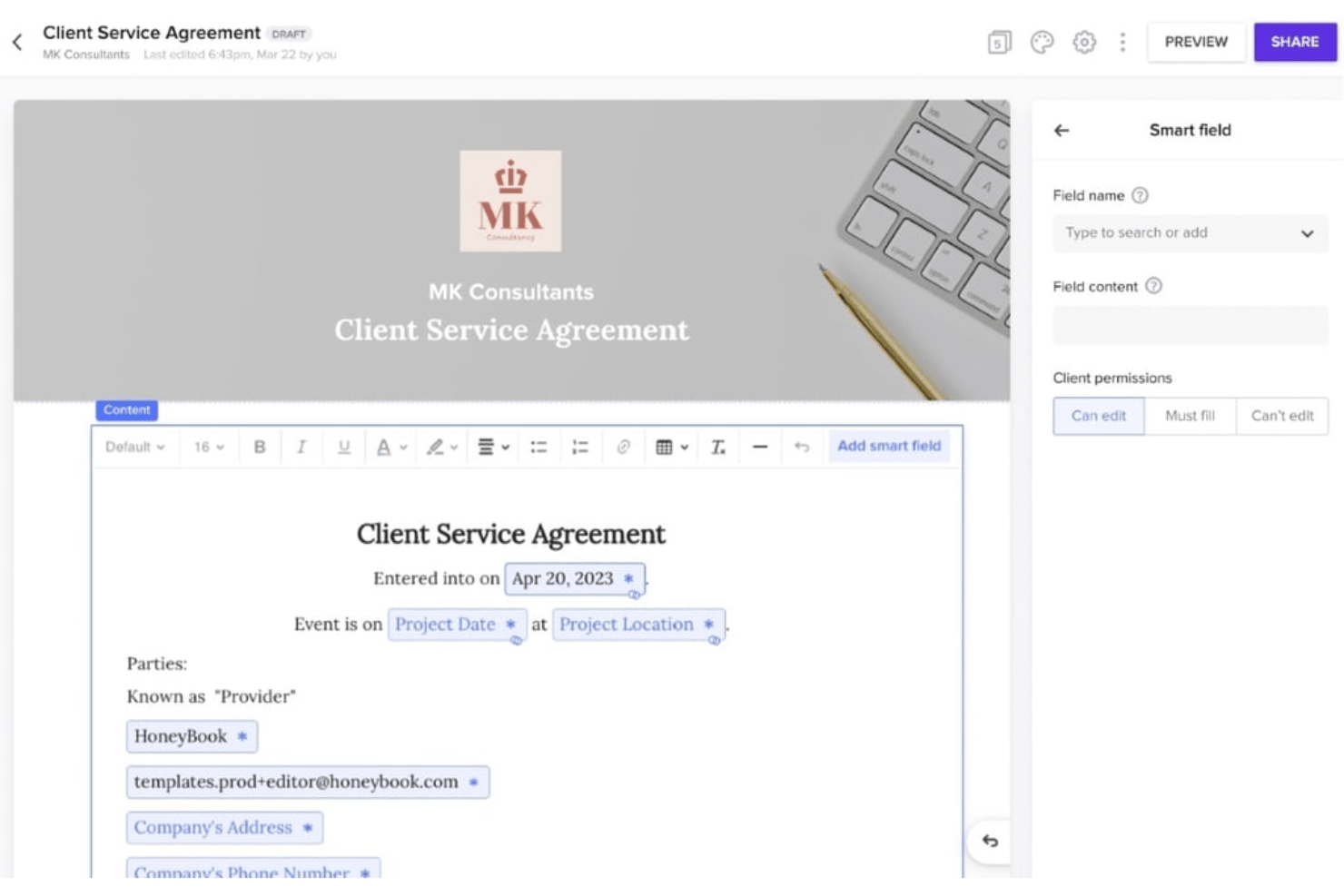
HoneyBook is a clientflow platform built for independent service professionals who need proposals, contracts, and payment collection managed in one place rather than spread across multiple tools.
Who Is HoneyBook Best For?
HoneyBook fits solo freelancers and small creative service businesses who handle client management, contracts, and billing without a dedicated admin or sales team.
Why HoneyBook Is a Good Qwilr Alternative
I picked HoneyBook as one of the best Qwilr alternatives because of how it handles the proposal-to-contract handoff. HoneyBook's smart files let me combine service selection, contract terms, and payment collection into a single document that clients sign and pay from in one sitting. I especially like the legally vetted contract templates, which I can customize with project details and pricing without starting from scratch each time.
HoneyBook Key Features
- Client portal: Give clients one dashboard for all proposals, contracts, invoices, and conversations.
- Automated workflows: Set up task sequences that auto-send files, emails, and reminders during each project stage.
- Scheduler integration: Let clients book meetings directly through your HoneyBook proposals and correspondence.
- QuickBooks Online integration: Sync invoices and payments with your accounting system for seamless bookkeeping.
HoneyBook Integrations
HoneyBook offers native integrations with QuickBooks Online, Calendly, and Zapier. An API is available for custom integrations.
Pros and Cons
Pros:
- Client portal centralizes files and messages
- Legally vetted contract templates built in
- Combines proposals, contracts, and payments natively
Cons:
- No viewer engagement tracking on proposals
- Proposal design customization is fairly limited

Ignition
Best for integrated billing and client onboarding
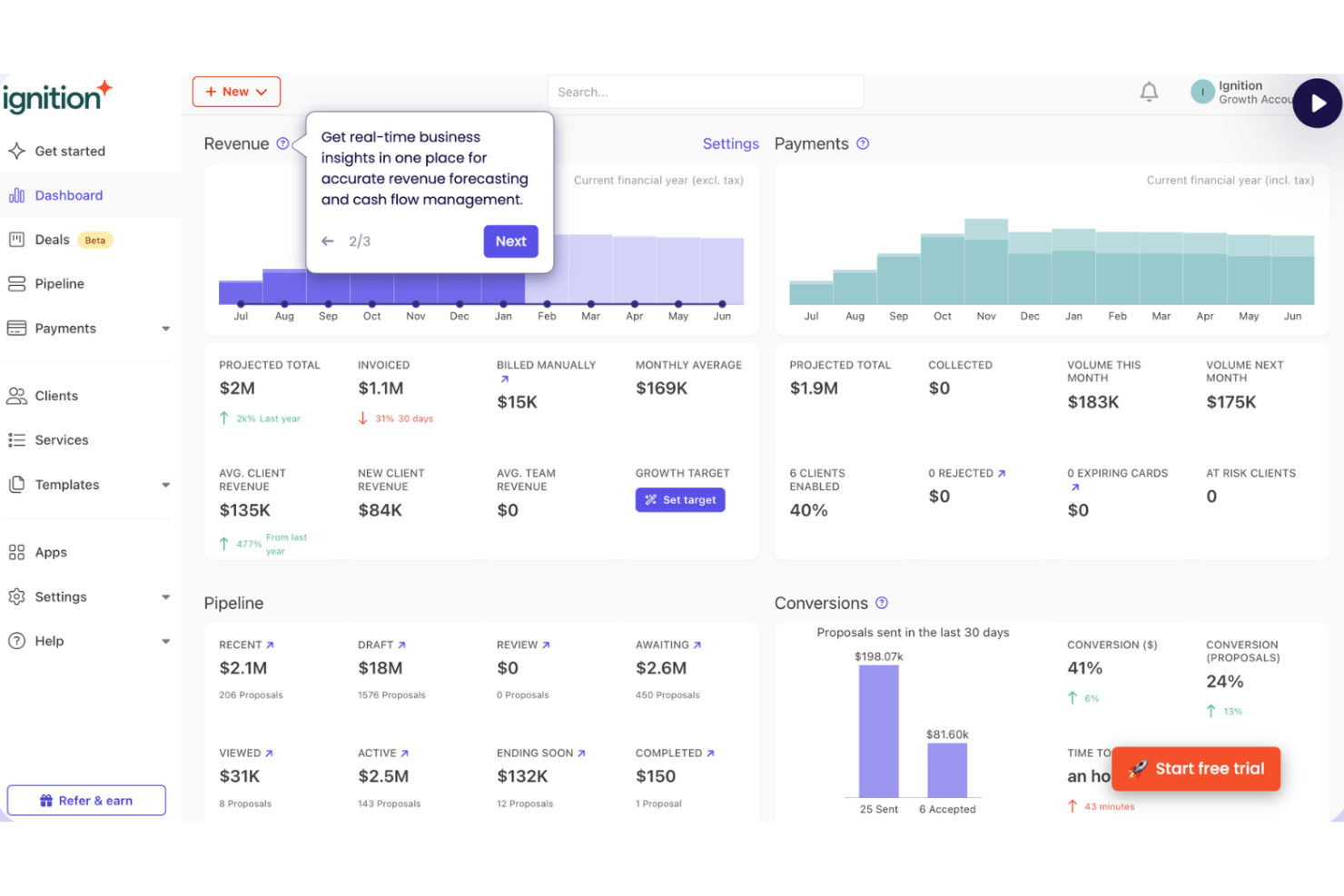
Ignition is a client engagement platform built for professional services firms—like agencies and consultants—that combines proposal creation, e-signatures, and automated billing in a single workflow.
Who Is Ignition Best For?
Ignition is a strong fit for small to mid-size accounting, bookkeeping, and consulting firms that bill clients on a recurring basis.
Why Ignition Is a Good Qwilr Alternative
I've included Ignition in my top picks because it's the only proposal tool I've used that automatically triggers billing the moment a client signs. Once a client accepts, Ignition collects their payment details and initiates billing without any manual follow-up. I also appreciate that you can combine upfront fees with recurring billing on a single proposal, which is genuinely difficult to configure in most proposal tools, including Qwilr.
Ignition Key Features
- Bulk proposal actions: Create, send, and renew multiple proposals at once from a single dashboard.
- Branded proposal templates: Use ready-made, professional templates with your logo, custom colors, and personalized email branding.
- Custom domain links: Share proposals via unique links that display your own domain rather than a generic vendor URL.
- Automated proposal reminders: Automatically send timely follow-ups to clients if a proposal hasn't been viewed or accepted.
Ignition Integrations
Ignition offers native integrations with Xero, QuickBooks Online, Karbon, Zapier, and provides an API for custom integrations.
Pros and Cons
Pros:
- Upfront payment collection reduces unpaid invoices
- Combines recurring and one-off fees in one proposal
- Billing triggers automatically on client signature
Cons:
- No multicurrency support within a single account
- ACH payments can take 5–7 business days to clear

Bonsai
Best all-in-one for freelancers and small teams
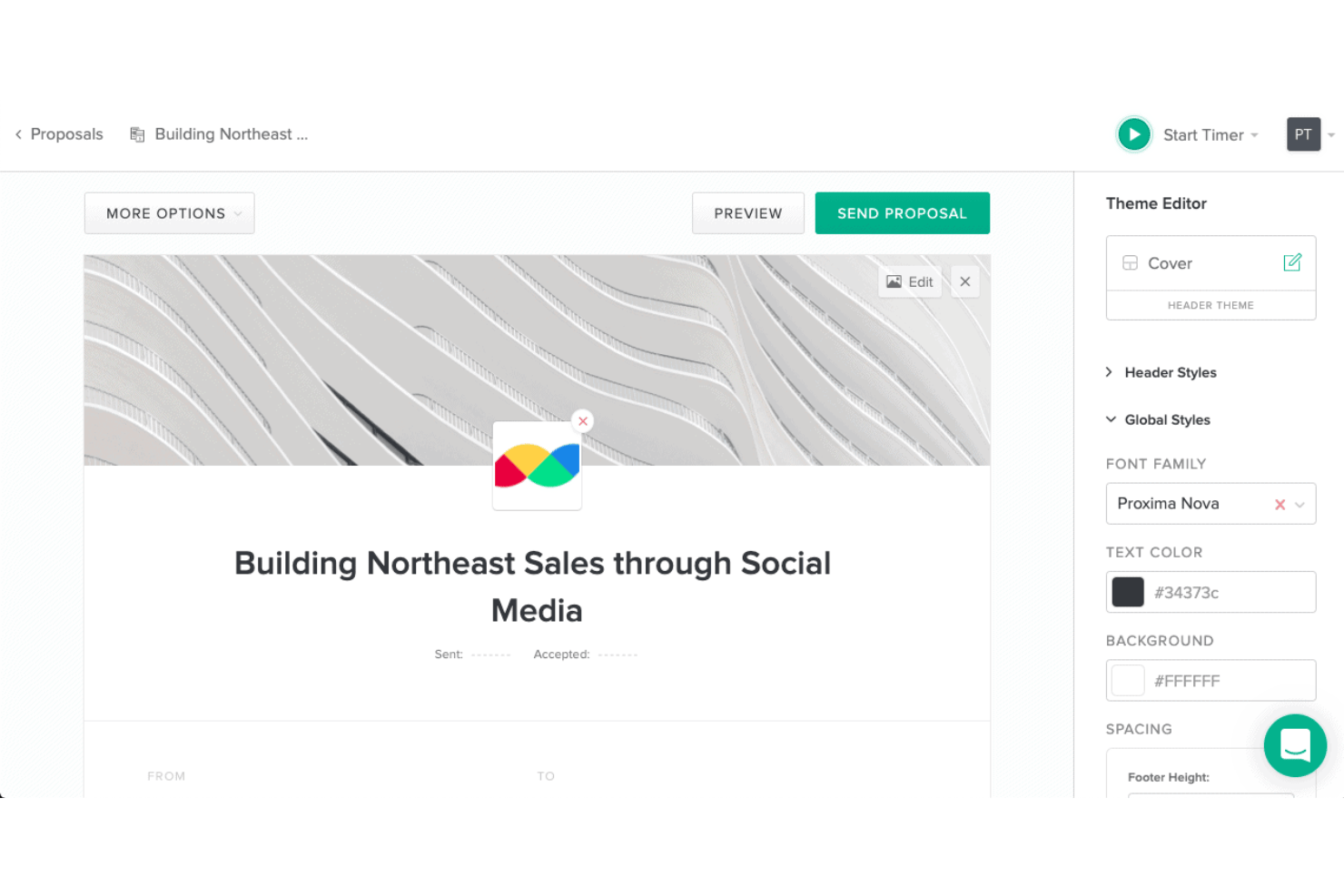
Bonsai is an all-in-one business management platform for freelancers and small agencies that wraps proposals, contracts, e-signatures, invoicing, and project tracking into a single connected workflow.
Who Is Bonsai Best For?
Bonsai suits solo consultants and small agencies who need to send proposals, collect signatures, and manage client billing without juggling separate tools for each step.
Why Bonsai Is a Good Qwilr Alternative
I picked Bonsai as one of the best because it does something Qwilr can't: when a client approves your proposal, Bonsai automatically kicks off the project, contract, and invoice in one motion. I love that you can include multiple service packages directly in the proposal, letting clients choose their own tier before signing. The deposit capture feature means you collect payment at the moment of approval, not days later chasing a separate invoice.
Bonsai Key Features
- Template library: Choose from pre-built proposal, quote, and scope of work templates to quickly launch new projects.
- Integrated time tracking: Track billable hours on projects and link them directly to invoices in the same platform.
- Client portal: Share deliverables, collect approvals, and communicate with clients in a secure, branded space.
- Forms and questionnaires: Build custom intake forms that gather client information at the start of each engagement.
Bonsai Integrations
Bonsai offers native integrations with Slack, HubSpot, Xero, QuickBooks Online, and more.
Pros and Cons
Pros:
- Manages projects, billing, and proposals together
- Built-in deposit collection at proposal acceptance
- Proposals connect directly to contracts and invoices
Cons:
- Proposal analytics are limited compared to rivals
- No interactive, web-based proposal formatting
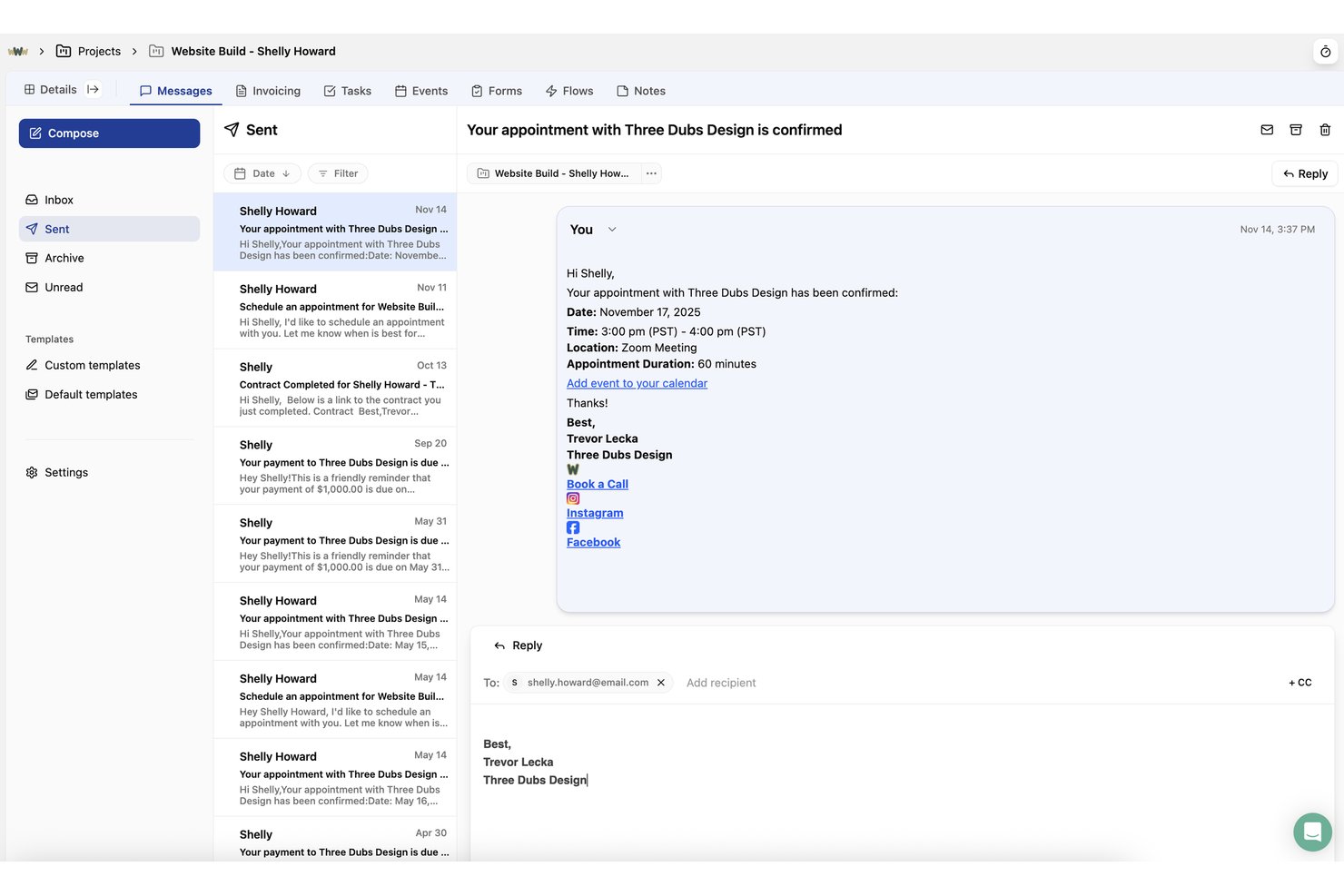
Dubsado is a client management platform built for freelancers and small service businesses that combines proposals, contracts, e-signatures, and invoicing into a single automated client workflow.
Who Is Dubsado Best For?
Dubsado suits independent creative professionals and solo consultants who manage the full client lifecycle without a dedicated sales or operations team.
Why Dubsado Is a Good Qwilr Alternative
I've included Dubsado in my top picks because it collapses proposal, contract, and invoice into a single client-facing link, so a client can select a package, sign, and pay without ever leaving the page. What I really like is the Flows builder: once a proposal is accepted, it automatically triggers the next onboarding step, whether that's sending a welcome questionnaire or scheduling a kickoff call. That proposal-to-kickoff automation is something Qwilr doesn't natively offer.
Dubsado Key Features
- Customizable form templates: Build branded proposals, contracts, and questionnaires using flexible drag-and-drop editing.
- Client portal: Provide clients a secure hub to view documents, invoices, and messages in one place.
- Recurring invoice schedules: Set up payment plans and automatic reminders for deposits and milestone payments.
- Native calendar integration: Sync appointments with Google Calendar to manage project meetings and deadlines.
Dubsado Integrations
Dubsado offers native integrations with Stripe, PayPal, Square, and QuickBooks. It connects with Zapier and provides an API for custom integrations.
Pros and Cons
Pros:
- Clients sign and pay within the proposal
- Proposals, contracts, and invoices connect natively
- Proposal acceptance automatically triggers onboarding sequences
Cons:
- Proposal design templates are fairly basic
- No proposal engagement or view analytics

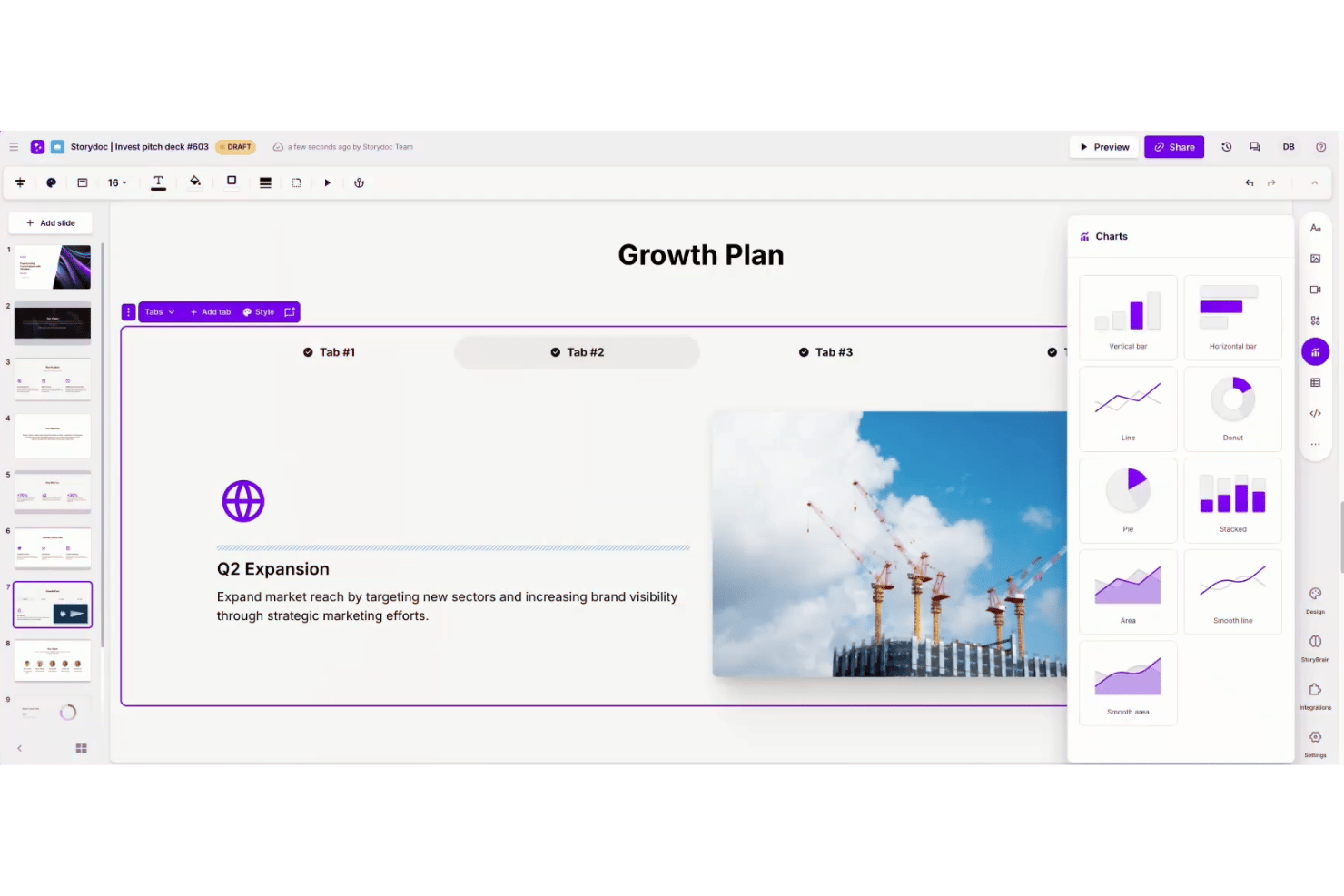
Storydoc is an AI-powered document platform built for sales and client-facing teams who want to replace static PDFs with interactive, web-based proposals that capture engagement data and personalize content at scale.
Who Is Storydoc Best For?
Storydoc suits B2B sales and marketing teams at growth-stage companies who need to produce polished, branded client-facing documents without a dedicated design team.
Why Storydoc Is a Good Qwilr Alternative
I picked Storydoc as one of the best because it goes further than Qwilr in turning a proposal into an actual experience. Instead of a static web page, I can embed live Calendly scheduling, video, and interactive CTAs directly inside the narrative flow of the document. What I really appreciate is the section-level engagement analytics, which show me exactly where a client paused, scrolled back, or dropped off, so I know what's landing before I follow up.
Storydoc Key Features
- AI-powered content generation: Automatically create and structure proposal narratives with AI suggestions for text and design blocks.
- CRM and automation integrations: Sync contact data and personalize proposals at scale using connections to HubSpot, Salesforce, Pipedrive, and Zapier.
- Centralized template management: Organize, edit, and control reusable branded templates and content blocks in one library across your team.
- Multi-format asset embedding: Add videos, forms, calendars, or charts directly into proposals for varied client engagement.
Storydoc Integrations
Storydoc offers native integrations with HubSpot, Salesforce, Pipedrive, and Zapier. An API is also available for custom integrations.
Pros and Cons
Pros:
- Embedded scheduling and video in proposals
- AI-generated content speeds up proposal drafting
- Granular section-level engagement analytics included
Cons:
- Limited offline or PDF export options
- No built-in payment collection feature

Best for fast client approvals with tracking
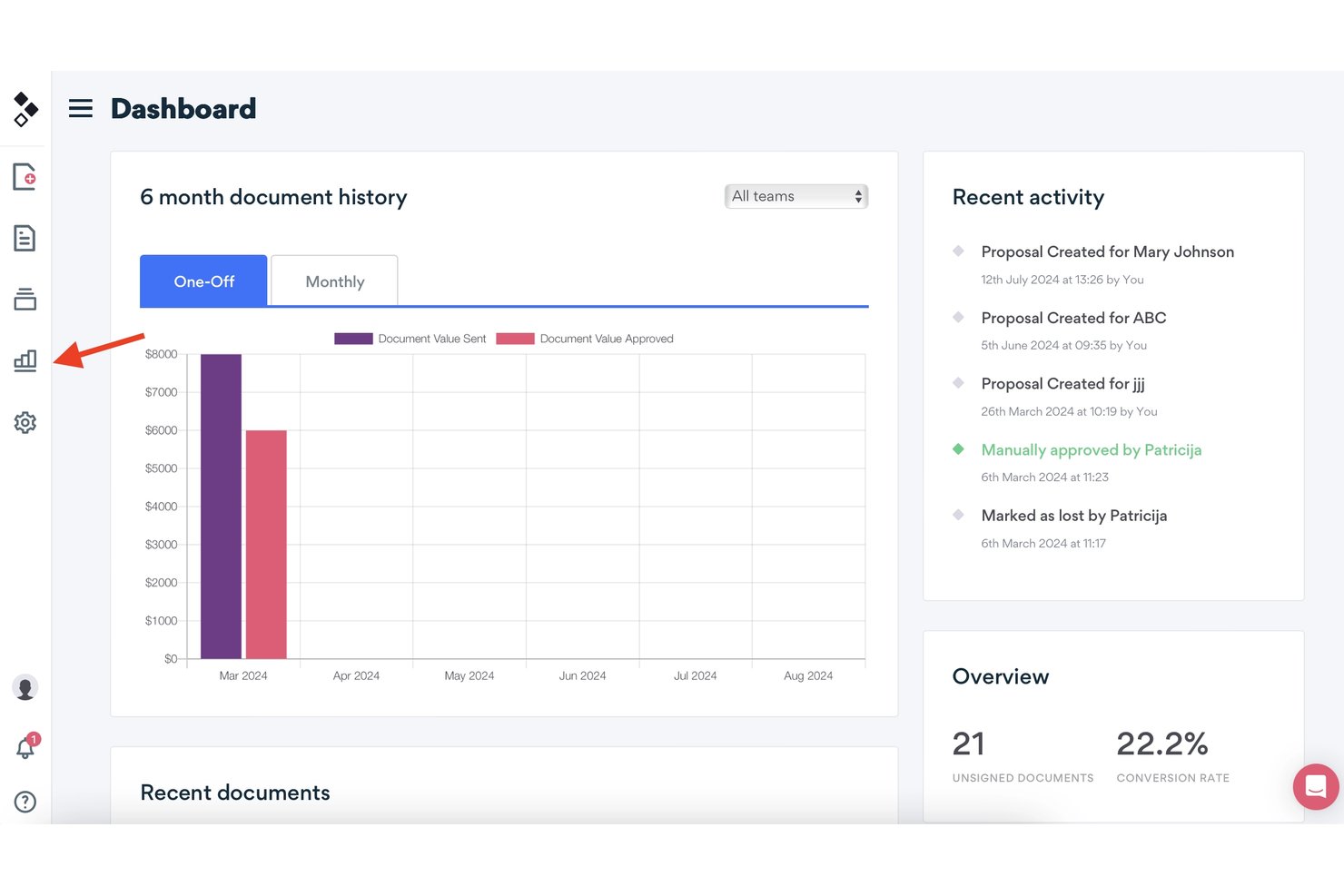
Better Proposals is a web-based proposal builder for agencies and professional services teams who need to create branded, interactive client documents with built-in e-signatures, payment collection, and real-time engagement tracking.
Who Is Better Proposals Best For?
It's a strong fit for freelancers and small-to-mid-sized agencies that send proposals frequently and need a faster path from first draft to signed deal.
Why Better Proposals Is a Good Qwilr Alternative
I picked Better Proposals as one of the best because of how much visibility it gives me into where a deal actually stands. The section-level engagement analytics show me exactly how long a client spent on each part of the proposal, so I know whether they read the pricing section or skipped it entirely. When they're ready to move forward, multiple signers with a configurable signing order keep the approval on track, and a custom onboarding flow triggers automatically the moment the document is signed.
Better Proposals Key Features
- Content library and template folders: Build, store, and organize unlimited templates and content blocks for fast proposal assembly.
- Custom domain and white labeling: Use your own URL and branding, removing all Better Proposals references on higher plans.
- Multi-currency support: Send proposals and pricing in different currencies to handle international clients.
- Section-level permissions and manager approvals: Set editing controls and require managerial sign-off before proposals go out.
Better Proposals Integrations
Better Proposals offers native integrations with HubSpot, Salesforce, Pipedrive, Zoho CRM, Stripe, PayPal, GoCardless, and Zapier. An API is available for custom integrations.
Pros and Cons
Pros:
- Onboarding flow auto-triggers after client signs
- Built-in payment collection on acceptance
- Real-time open and view notifications
Cons:
- No offline access to sent proposals
- Limited design flexibility for proposal layouts

Best template controls for brand consistency
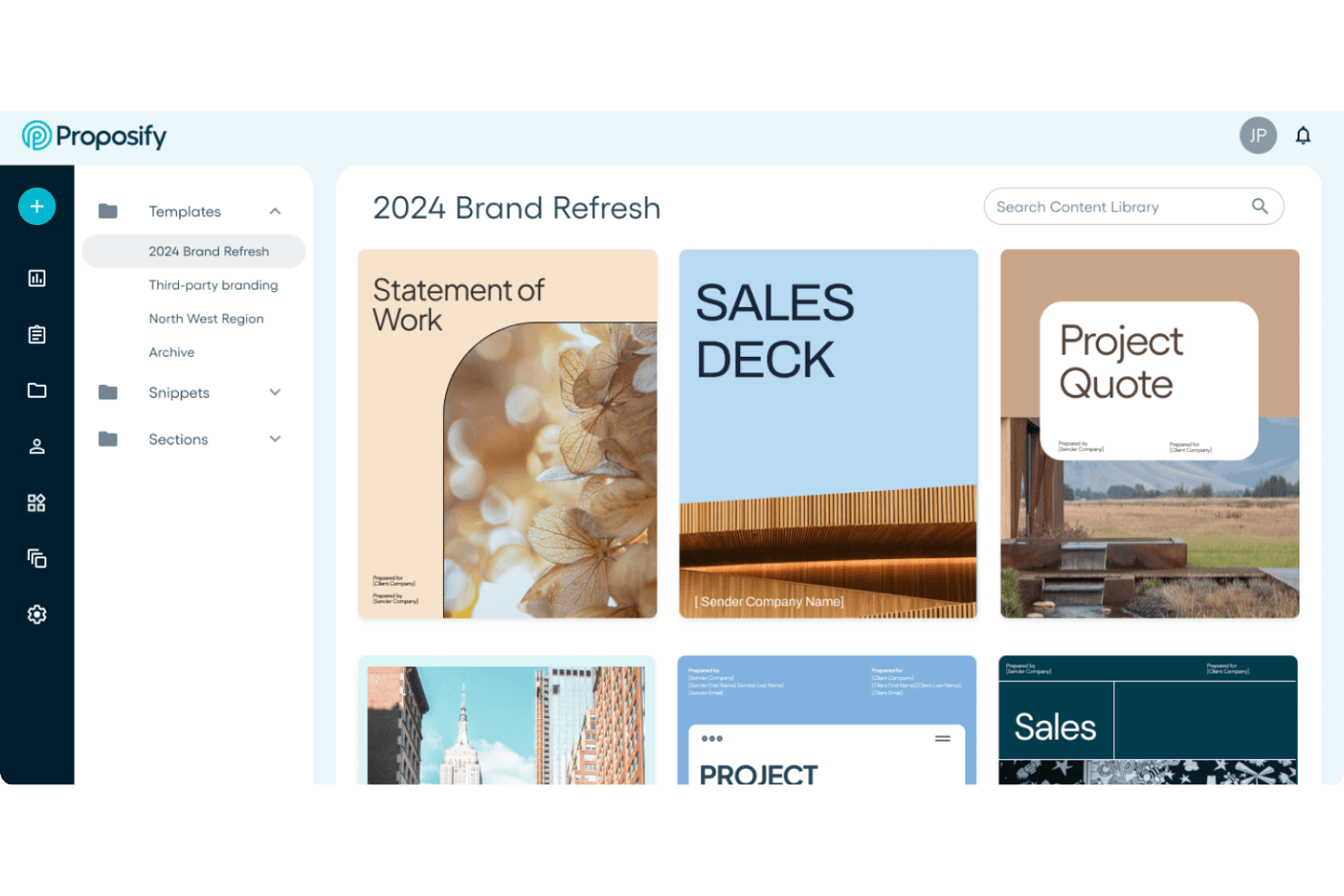
Proposify is a proposal creation and management platform built for sales and professional services teams who need to control brand consistency, standardize approval workflows, and track how clients engage with proposals before signing.
Who Is Proposify Best For?
Proposify fits agencies and consulting teams that need multiple people creating proposals without drifting off-brand or bypassing approval steps.
Why Proposify Is a Good Qwilr Alternative
I picked Proposify as one of the best because the template governance features go well beyond a basic template library. Locking individual page elements means reps can personalize their section of a proposal without touching pricing tables, legal copy, or branded headers. The reusable content library lets teams store pre-approved case studies, team bios, and service descriptions, so building a compliant proposal takes minutes, not a review cycle.
Proposify Key Features
- CRM data sync: Automatically pulls deal or contact information from connected CRMs to populate proposals with accurate details.
- Approval workflows: Routes proposals for multi-step approval before sending, supporting compliance and management oversight.
- Multi-workspace management: Lets agencies and franchises organize proposals, users, and templates under distinct business units within one account.
- Section-level analytics: Tracks views, time spent, and engagement with each section of a live proposal in real time.
Proposify Integrations
Proposify offers native integrations with HubSpot, Salesforce, Pipedrive, Stripe, QuickBooks, Slack, and Zapier. An API is available for custom integrations.
Pros and Cons
Pros:
- Built-in approval routing before proposals are sent
- Section-level analytics reveal buyer engagement patterns
- Locks brand elements across all team templates
Cons:
- Mobile proposal viewing experience lacks polish
- Editor feels rigid for complex custom layouts
PandaDoc
Best for workflows with built-in e-signatures
PandaDoc is a document workflow platform built for sales and professional services teams who need to move from proposal to signed contract to payment without juggling separate tools.
Who Is PandaDoc Best For?
PandaDoc suits agencies and consultancies running structured sales pipelines where proposals, contracts, and sign-off happen in a defined sequence.
Why PandaDoc Is a Good Qwilr Alternative
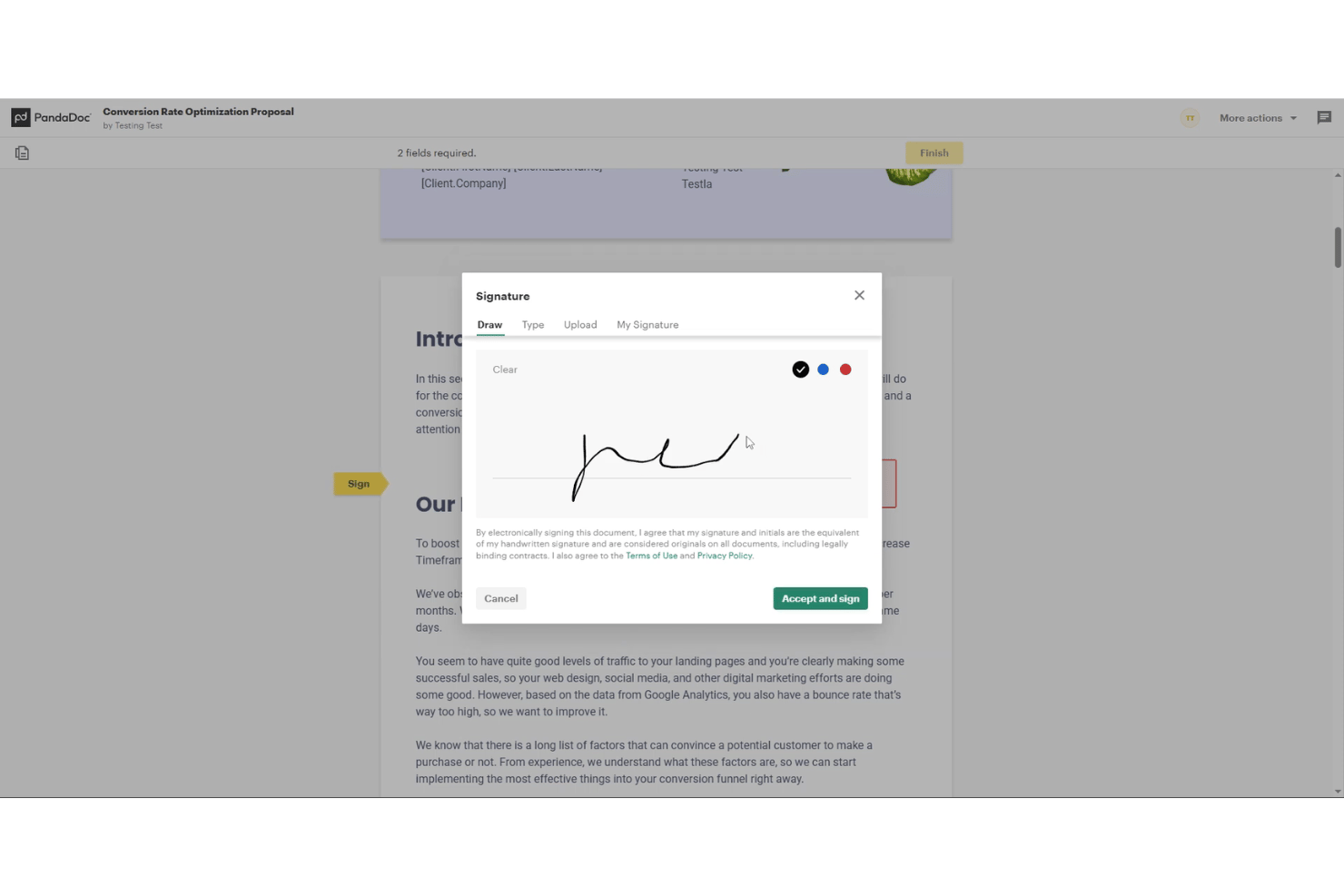
PandaDoc earns its spot on my shortlist because the e-signature workflow goes well beyond a simple "sign here" button. I appreciate that you can set a signing order so the right stakeholders sign in sequence, and layer in KBA or SMS authentication when the deal demands it. The full audit trail is baked in, giving you a timestamped record of every view, signature, and approval without any extra configuration.
PandaDoc Key Features
- Content library: Store approved templates, snippets, and reusable blocks for quick assembly of on-brand proposals.
- Deal rooms: Create secure, interactive spaces for sharing documents and collaborating with clients throughout the sales process.
- Pricing table builder: Configure dynamic tables where clients can adjust quantities and select optional items before accepting.
- CRM integrations: Sync proposals and status directly with Salesforce, HubSpot, Pipedrive, and other popular CRM systems.
PandaDoc Integrations
PandaDoc offers native integrations with Salesforce, HubSpot, Pipedrive, Slack, QuickBooks, PayPal, Stripe, and Zapier. An API is available for custom integrations.
Pros and Cons
Pros:
- Full audit trail on every signed document
- Approval workflows route documents before client delivery
- Built-in signing order for multi-party deals
Cons:
- Template editor is rigid for design-heavy teams
- Less visually immersive than web-native proposal tools

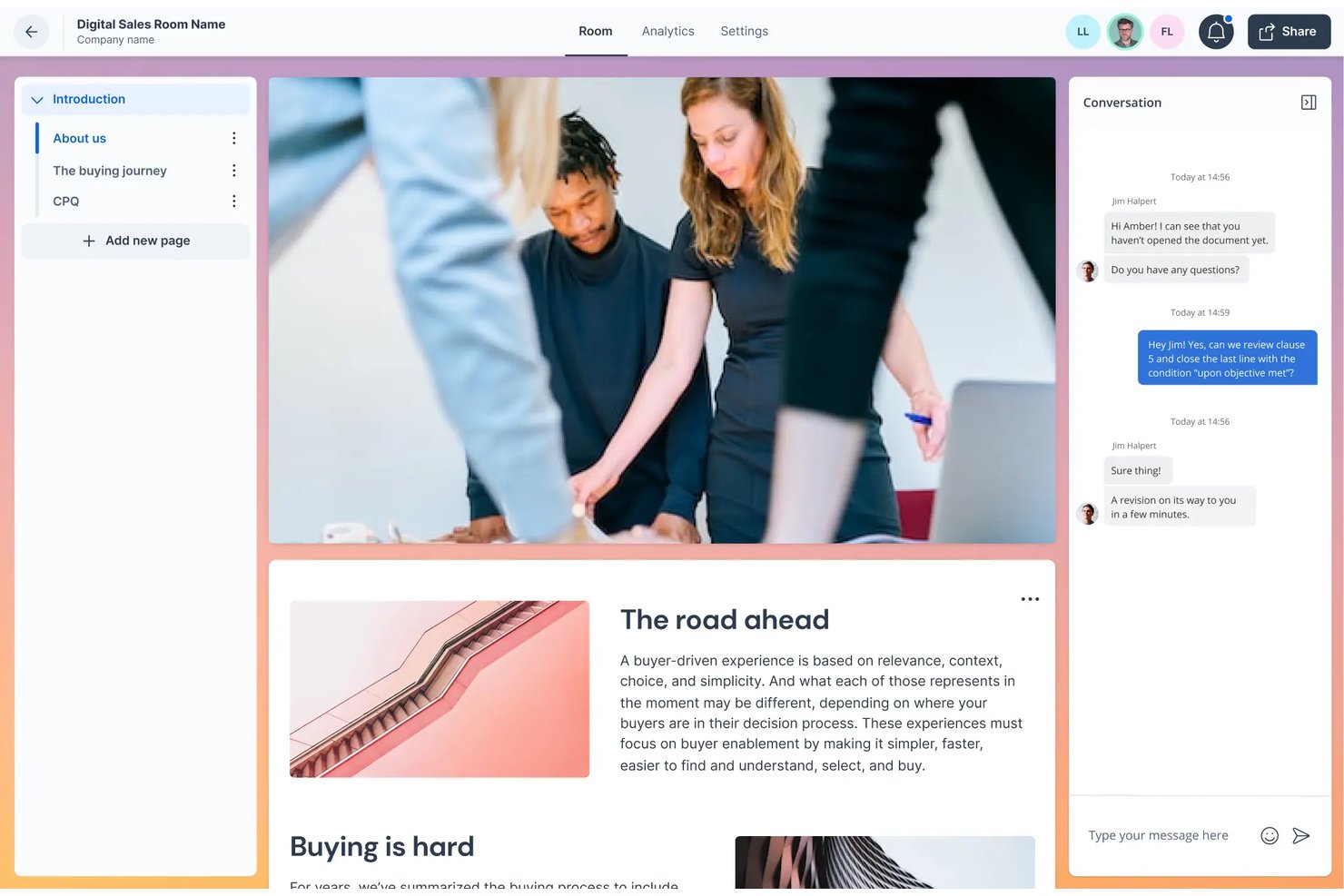
GetAccept is a digital sales room platform that lets sales teams build media-rich proposals with embedded video, real-time engagement tracking, e-signatures, and CPQ tools—all in one place.
Who Is GetAccept Best For?
GetAccept suits small to mid-market sales teams that send high volumes of client-facing proposals and need visibility into how prospects engage before following up.
Why GetAccept Is a Good Qwilr Alternative
I've included GetAccept in my top picks because of how it handles video within the proposal itself. I can embed a personal video introduction or record section-by-section explainers directly inside the document, so prospects get context without a separate follow-up call. I pair that with section-level engagement tracking and stakeholder mapping to see exactly who watched the video, for how long, and which pricing section got the most attention.
GetAccept Key Features
- Mutual action plans: Collaborate on shared timelines, deliverables, and steps directly in the proposal.
- Approval workflows: Route proposals for internal review and sign-off before sending to clients.
- CRM-native proposal generation: Create and send proposals right inside Salesforce or HubSpot with auto-filled deal data.
- Role-based template library: Give specific teams access to branded, reusable proposal templates and content snippets.
GetAccept Integrations
GetAccept has native integrations with Salesforce, HubSpot, Pipedrive, Copper, Microsoft Dynamics 365, Stripe, Authorize.net, and Google Drive. Zapier and an API are available for custom integrations.
Pros and Cons
Pros:
- Built-in e-signature without third-party tools
- Stakeholder engagement tracking across proposal sections
- Embedded video recording directly inside proposals
Cons:
- Video storage limits on lower-tier plans
- Template editor less design-flexible than Qwilr

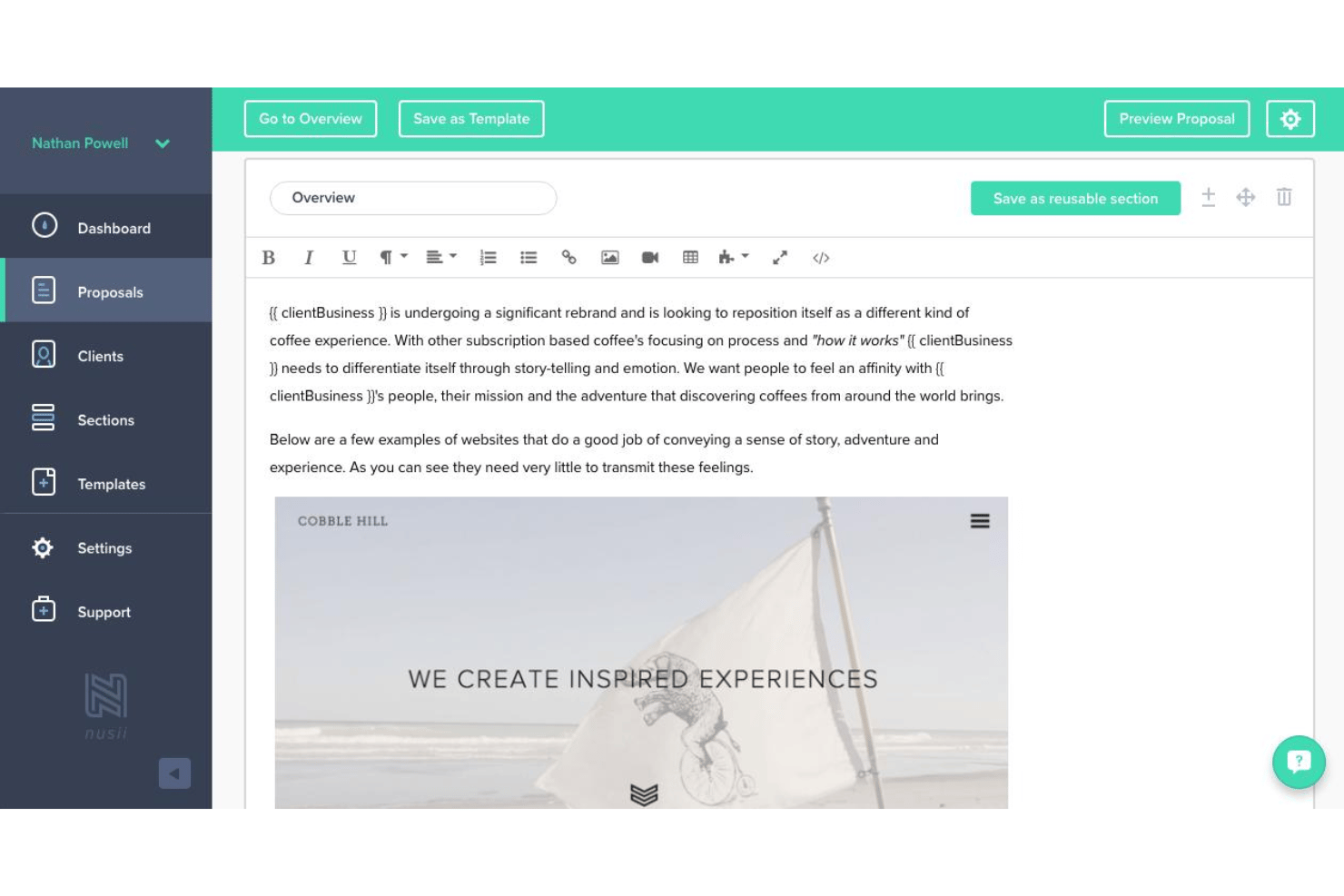
Nusii is a proposal tool built for agencies and freelancers who need to create, send, and close client proposals quickly—without getting bogged down in complex design or steep learning curves.
Who Is Nusii Best For?
Nusii is a strong fit for small agencies and independent consultants who send proposals regularly and need a straightforward, low-overhead system for doing it.
Why Nusii Is a Good Qwilr Alternative
I've included Nusii in my top picks because it strips proposal creation down to exactly what agencies actually need. I love the reusable content blocks and dynamic variables that auto-fill client details across proposals, which means I can send a polished, branded proposal the same day a new project comes in. The interactive pricing tables let clients select optional add-ons directly in the proposal, cutting out the back-and-forth that slows down close rates.
Nusii Key Features
- In-browser e-signature: Collect legally binding client signatures directly within each proposal.
- Multi-currency and tax support: Generate proposals with localized currencies and taxes for international clients.
- Granular proposal analytics: Filter and review proposals by status, opens, acceptance, and downloads.
- Custom domain for proposals: Send proposals from your own branded domain for a professional client experience.
Nusii Integrations
Nusii offers native integrations with HubSpot, Zapier, and Stripe. An API is available for custom integrations.
Pros and Cons
Pros:
- Clean editor focused on proposal workflow
- Section-level view tracking on every proposal
- Reusable content blocks speed up drafting
Cons:
- Limited visual design control compared to Qwilr
- No web-page style proposal output
Other Qwilr Alternatives
Here are some additional Qwilr alternatives options that didn’t make it onto my shortlist, but are still worth checking out:
- Bidsketch
For quick customizable proposal assembly
- Moxie
For solo consultants and repeat client work
- DocSend
For safe proposal sharing with access control
- Responsive
For enterprise-level compliance requirements
- Proposable
For real-time proposal tracking
- Loopio
For RFP-driven proposal responses
- Fresh Proposals
For drag-and-drop proposal design flexibility
- Oneflow
For workflow automation with collaboration
- DealHub
For integrated configure-price-quote offering
- Prospero
For custom-branded client proposals


How I Evaluate Qwilr Alternatives
I first check for core capabilities Qwilr provides—web-based proposal creation, e-signatures, and engagement tracking. Then I evaluate differentiators like CRM integrations, approval workflows, and payment options that separate one tool from another.
Core Functionality (Table Stakes For This List)
When I'm selecting tools for my list, I rank each one on a scale from 0 (does not offer the functionality) to 5 (excels in this area) for each core functionality listed below. Then, I calculate the tool's total score into a percentage. Each tool needs to achieve a minimum total score of 65% to be considered for inclusion.
- Interactive Proposal Builder: I evaluate whether the editor supports rich media embeds and interactive blocks, not just static text and image layouts.
- E-Signature & Acceptance: Each tool should offer legally binding e-signatures with audit trails so clients can sign off without leaving the proposal.
- Reusable Template Library: I look for custom template saving, reusable content blocks, and brand controls that help teams standardize proposals across accounts.
- Analytics & View Tracking: Engagement data matters—I check for section-level tracking that shows who viewed a proposal and how long they spent on it.
- Pricing & Quote Configuration: The tool should let clients interact with pricing tables, toggle quantities, and select add-ons rather than just read a flat quote.
- Payment Collection: I look at whether the tool connects to payment processors like Stripe so clients can pay deposits directly from a signed proposal.
Once I have a list of tools that meet the criteria, I consider what sets each platform apart.
Differentiating Factors (What Sets Vendors Apart)
Here's how I compare and contrast different vendors:
Standout Features
Deal room analytics go beyond open notifications—I look for section-level tracking that shows which parts of a proposal a buyer spent time on. That insight helps you prioritize follow-ups around what actually interested the client. Approval workflows also matter when proposals involve custom pricing or discount requests that need manager sign-off before reaching the prospect. I evaluate interactive pricing tables too, where buyers can toggle quantities and select add-ons themselves, since that cuts back-and-forth during the quoting stage.
Beyond Features
CRM integration depth matters a lot—I check whether a tool syncs bidirectionally with platforms like Salesforce or HubSpot so proposal status flows back to your pipeline without manual updates. Pricing structure is another key factor, since some vendors gate e-signatures or analytics behind higher tiers, which changes the real cost for your team. I also evaluate e-signature compliance with standards like ESIGN and eIDAS, plus audit trails and tamper-evident sealing, since proposals often serve as binding agreements.
Why Look For A Qwilr Alternative?
While Qwilr is a good choice of proposal software, there are a number of reasons why some users seek out alternative solutions. You might be looking for a Qwilr alternative because…
- Needing deeper CRM or payment integrations
- Wanting more flexible template customization
- Requiring in-depth client engagement analytics
- Outgrowing plan limits or facing rapid price increases
- Needing stronger support for multi-language documents
- Seeking more transparent or predictable pricing
If any of these sound like you, you’ve come to the right place. My list contains several proposal software options that are better suited for teams facing these challenges with Qwilr and looking for alternative solutions.
Qwilr Key Features
Here are some of the key features of Qwilr, to help you contrast and compare what alternative solutions offer:
- Interactive proposal builder: Create web-based proposals with embedded images, video, and interactive elements, moving beyond static PDFs to deliver a more engaging experience.
- E-signature and acceptance: Obtain legally binding electronic signatures directly within the proposal, simplifying approval workflows and eliminating the need for third-party tools.
- Reusable templates library: Store, create, and customize branded proposal templates and content sections to ensure consistency and reduce time spent on manual assembly across projects.
- Analytics and view tracking: Gain detailed insights into when and how long clients view each section of your proposals, identifying areas of interest and following up more strategically.
- Interactive pricing tables: Allow clients to adjust quantities, select add-ons, or customize package options in real time with dynamic pricing calculations, streamlining the quoting process.
- Payment collection: Collect payments, deposits, or invoices right from within the proposal once accepted, connecting directly with payment processors for a seamless handoff from quote to cash.
- Approval workflows: Set up internal review processes for pricing, legal, or discount approvals before proposals are sent to prospects, improving governance and accountability.
- Deal room analytics: Track stakeholder engagement, see who viewed or forwarded proposals, and map buyer involvement to improve follow-up and forecasting.
- Content library and snippets: Access a central repository of pre-approved messaging, reusable case studies, and content blocks to quickly assemble on-brand proposals.
- CRM integrations: Sync proposal data bidirectionally with platforms like Salesforce or HubSpot to automate updates, keep sales pipelines current, and reduce manual data entry.