

10 Best HoneyBook Alternatives in 2026

Best HoneyBook Alternatives Shortlist


HoneyBook is a proposal and client management software platform built for small businesses and creative professionals. If you’re searching for proposal software and project management tools that go beyond HoneyBook’s features or pricing, you want options that adapt to your unique process, support branded client experiences, and let you manage deals from the first message through project wrap-up.
Here, you’ll find a roundup of 10 top alternatives, each offering different strengths for teams ready to upgrade their proposal and client management platforms this 2026.
What is HoneyBook?
HoneyBook is a proposal and client management platform built for small businesses and creative professionals. It combines proposal creation, contract management, invoicing, and client communication into a single workspace. HoneyBook gives you tools to automate workflows, accept online payments, and track projects from the first inquiry through final deliverables. Teams use it to optimize the sales process and deliver a branded, organized client experience.
HoneyBook Alternatives Comparison Table
This comparison table summarizes pricing details for my top HoneyBook alternative selections:
| Tool | Best For | Trial Info | Price | ||
|---|---|---|---|---|---|
| 1 | Best for all-in-one portal for client branding | 14-day free trial | From $19/month | Website | |
| 2 | Best for white-label client portal option | Free trial + free demo available | From $39/month (billed annually) | Website | |
| 3 | Best for native booking with payment at scheduling | 7-day free trial | From $7/month (billed annually) | Website | |
| 4 | Best for integrated invoicing with accounting sync | Free plan available | From $24/month (billed annually) | Website | |
| 5 | Best for photographers' booking workflows | 7-day free trial | From $16/month | Website | |
| 6 | Best for all-in-one freelancer tools | 7-day free trial | From $9/user/month (billed annually) | Website | |
| 7 | Best for automating solo business routines | 7-day free trial | From $60/month | Website | |
| 8 | Best for customizable client workflows | Free trial + free demo available | From $28/month (billed annually) | Website | |
| 9 | Best for multi-business workspace management | 7-day free trial | From $19/month | Website | |
| 10 | Best for built-in lead capture forms | Free demo + 14-day free trial available | From $10/month (billed annually) | Website |
Why Trust Our Software Recommendations
Our team has been testing and reviewing software since 2012. As project managers ourselves, we know how difficult—and important—it is to choose the right software.
For this guide, we evaluated tools using hands-on testing and independent research, scoring tools using our selection criteria. We also draw on insights from industry thought leaders and practicing project management experts.
Our reviews reflect our human editorial judgment, not a sales pitch.
Expert reviewers:
Best HoneyBook Alternatives Reviews
Below are my detailed summaries of the best HoneyBook alternatives that made it onto my shortlist. My reviews offer a detailed look at the features, pricing, and best use cases of each platform to help you find the best one for you.

Best for all-in-one portal for client branding
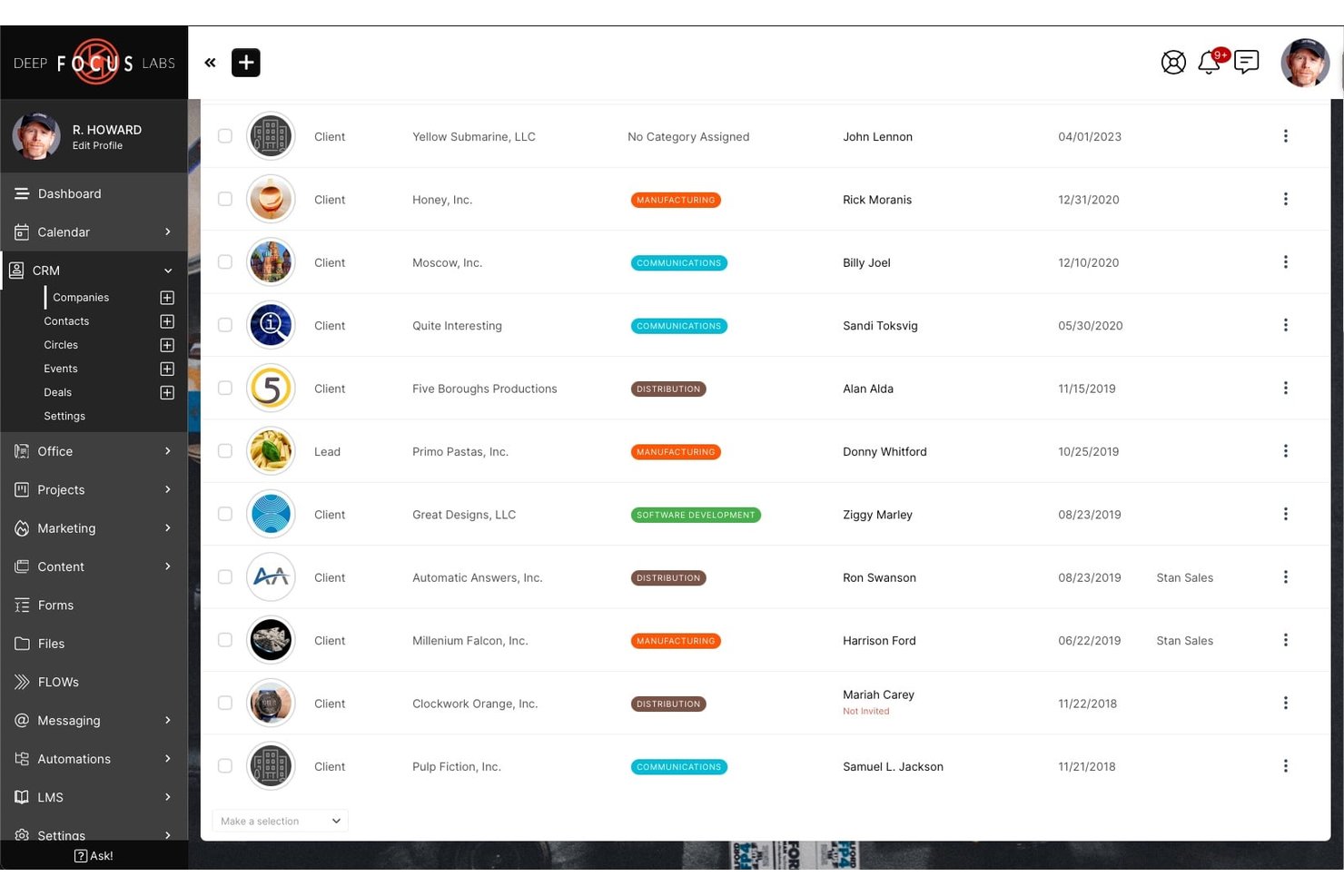
SuiteDash is an all-in-one business management platform for consultants, coaches, and boutique agencies who want to run client projects, proposals, contracts, invoicing, and communication from a single white-labeled workspace.
Who Is SuiteDash Best For?
SuiteDash suits small service businesses that need to scale client capacity without paying per-seat fees as their team and client list grow.
Why SuiteDash Is a Good HoneyBook Alternative
I picked SuiteDash because no other HoneyBook alternative matches its depth of white-label client branding. Clients log into a portal at your custom domain, see your logo, and interact through a mobile app branded entirely to your business. I also love that dynamic proposals auto-generate invoices on acceptance, keeping billing tied directly to the client journey inside the same branded environment.
SuiteDash Key Features
- Deal stage pipelines: Drag-and-drop visual pipelines let you track client projects from inquiry to completion.
- Task dependencies: Set tasks to unlock only after previous tasks are completed, keeping projects on track.
- Support ticketing: Create custom inboxes so client service requests are managed from inside their project portal.
- Learning management system (LMS): Build and deliver courses or training modules to clients directly in their portal.
SuiteDash Integrations
SuiteDash offers native integrations with Google Calendar, Stripe, PayPal, and QuickBooks Online, Twilio, Zoom, WordPress, and more, and connects with Zapier. It also provides an API for custom integrations.
Pros and Cons
Pros:
- Built-in LMS for client course delivery
- Flat-rate pricing with unlimited clients
- White-label client portal on custom domain
Cons:
- Interface feels dated compared to HoneyBook
- Steeper setup time than most competitors

Assembly
Best for white-label client portal option
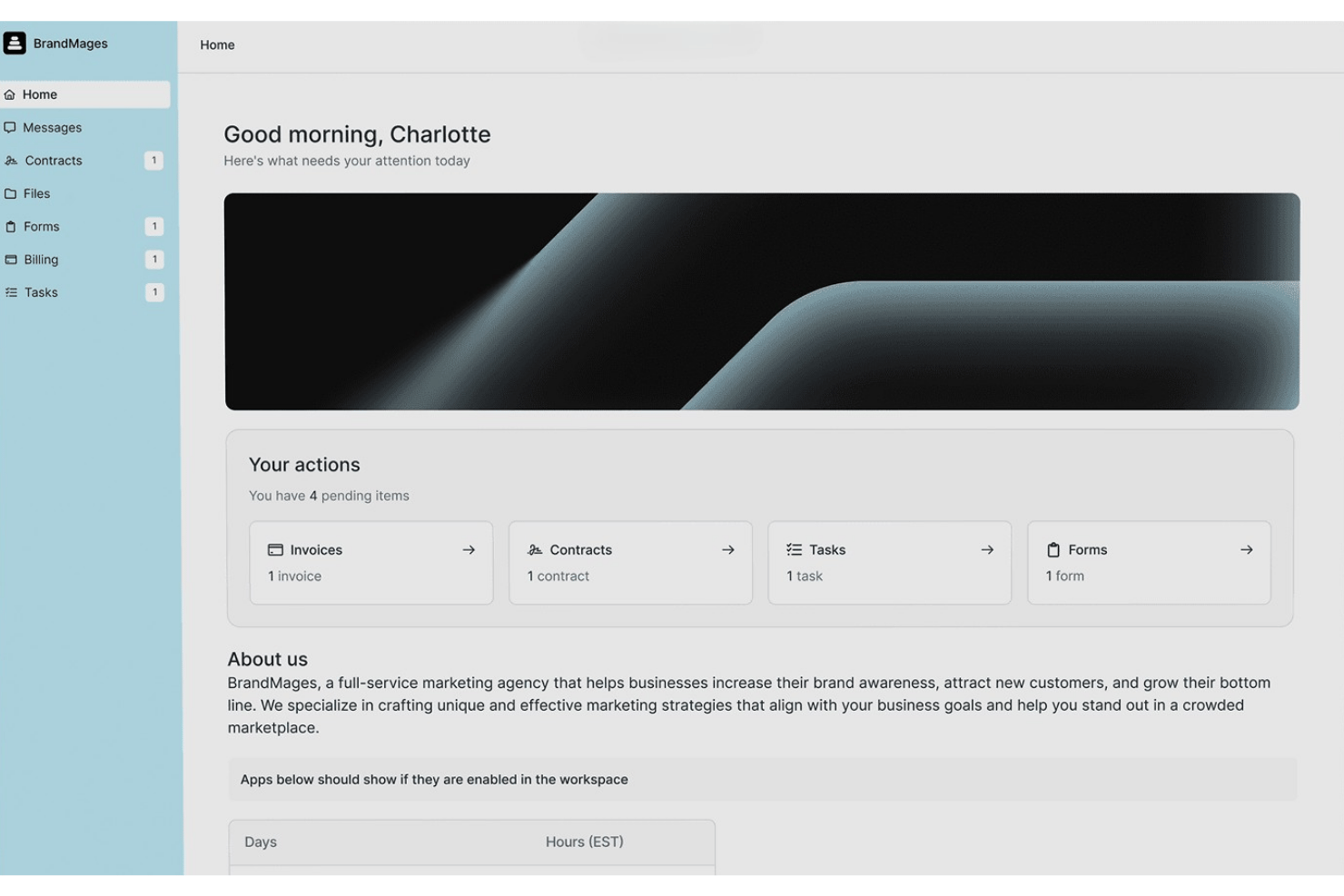
Assembly is a client portal platform built for freelancers, consultants, and boutique agencies who need a single workspace to manage proposals, contracts, invoices, and client communication.
Who Is Assembly Best For?
Assembly is a strong fit for small service businesses that want to deliver a polished, branded client experience without building a custom tech stack.
Why Assembly Is a Good HoneyBook Alternative
I picked Assembly as one of the best because of how far the white-labeling actually goes. On the Advanced plan, my team can remove "Powered by Assembly" from every client touchpoint, including sign-in pages, emails, and payment checkout, then serve it all from a custom domain. Clients interact with a portal that's entirely branded to us, covering messaging, file-sharing, contracts, and invoices in one place.
Assembly Key Features
- Client project CRM: Track leads, clients, and project status with customizable fields and notes in your workspace.
- Proposals and contracts: Create, send, and e-sign branded documents within the same platform.
- File-sharing and intake forms: Share files securely and collect client info or assets through drag-and-drop forms.
- QuickBooks and Stripe integrations: Sync invoices and payments with your accounting software for improved financials.
Assembly Integrations
Assembly offers 100+ integrations including Databox, Airtable, Trello, Jotform, Figma, Calendly, Looker Studio, and Typeform. An API is available for custom integrations.
Pros and Cons
Pros:
- Modular setup fits varied service business types
- Native scheduling removes the need for Calendly
- White-label portal runs on your custom domain
Cons:
- Workflow automation is limited compared to Dubsado
- Fewer prebuilt proposal templates than competitors

Bloom
Best for native booking with payment at scheduling
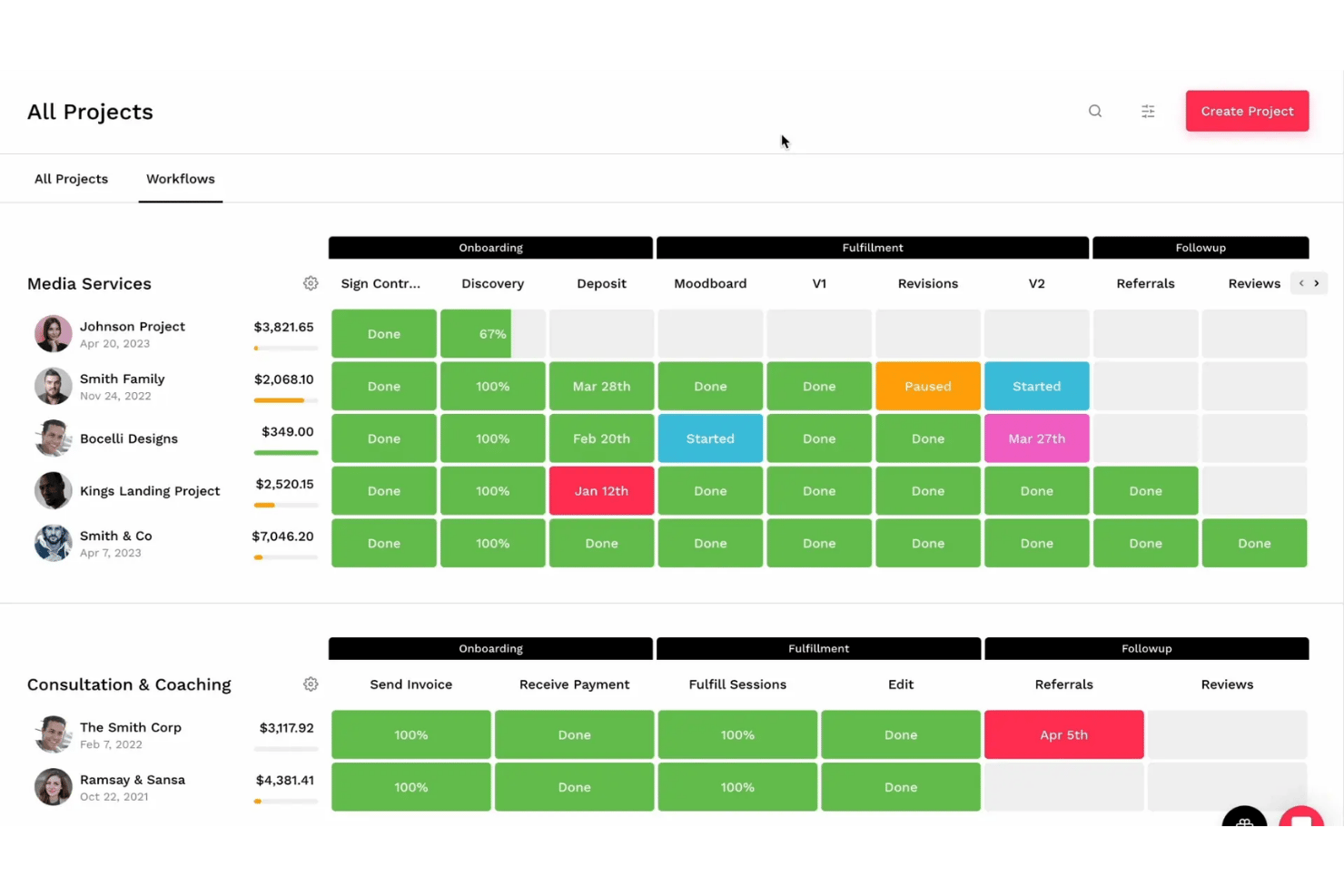
Bloom is an all-in-one CRM and client management platform built for freelance creatives and independent service providers who need to handle leads, contracts, invoicing, and client communication without stitching together separate tools.
Who Is Bloom Best For?
Bloom is a natural fit for solo photographers, videographers, and creative coaches running appointment-based client businesses.
Why Bloom Is a Good HoneyBook Alternative
I picked Bloom as one of the best because its Instant Booking module genuinely collapses what's usually a multi-step back-and-forth into a single client-facing link. A prospective client can browse packages, select add-ons, sign a contract, and pay in one sitting, before you've sent a single follow-up email. I also appreciate that the widget is embeddable directly on your own site, so the booking experience feels on-brand rather than like a third-party redirect.
Bloom Key Features
- Branded client portal: Clients can access invoices, contracts, files, galleries, and project communication from a dedicated portal.
- Lead management pipeline: Visual workflow for tracking each lead from inquiry through to project completion.
- Contract templates with e-signature: Create, send, and manage legally binding contracts directly within the platform.
- Image gallery delivery: Share downloadable, feedback-enabled galleries without using separate photo delivery tools.
Bloom Integrations
Bloom offers native integrations with Google Calendar, Apple Calendar, Stripe, Xero, Square, Zoom, and QuickBooks, and connects with Zapier. An API is available for custom integrations.
Pros and Cons
Pros:
- White-labeled portal runs on your domain
- Built-in gallery delivery for photo clients
- Native booking collects payment at scheduling
Cons:
- Financial reporting lacks depth for growth
- Multi-user team features are limited
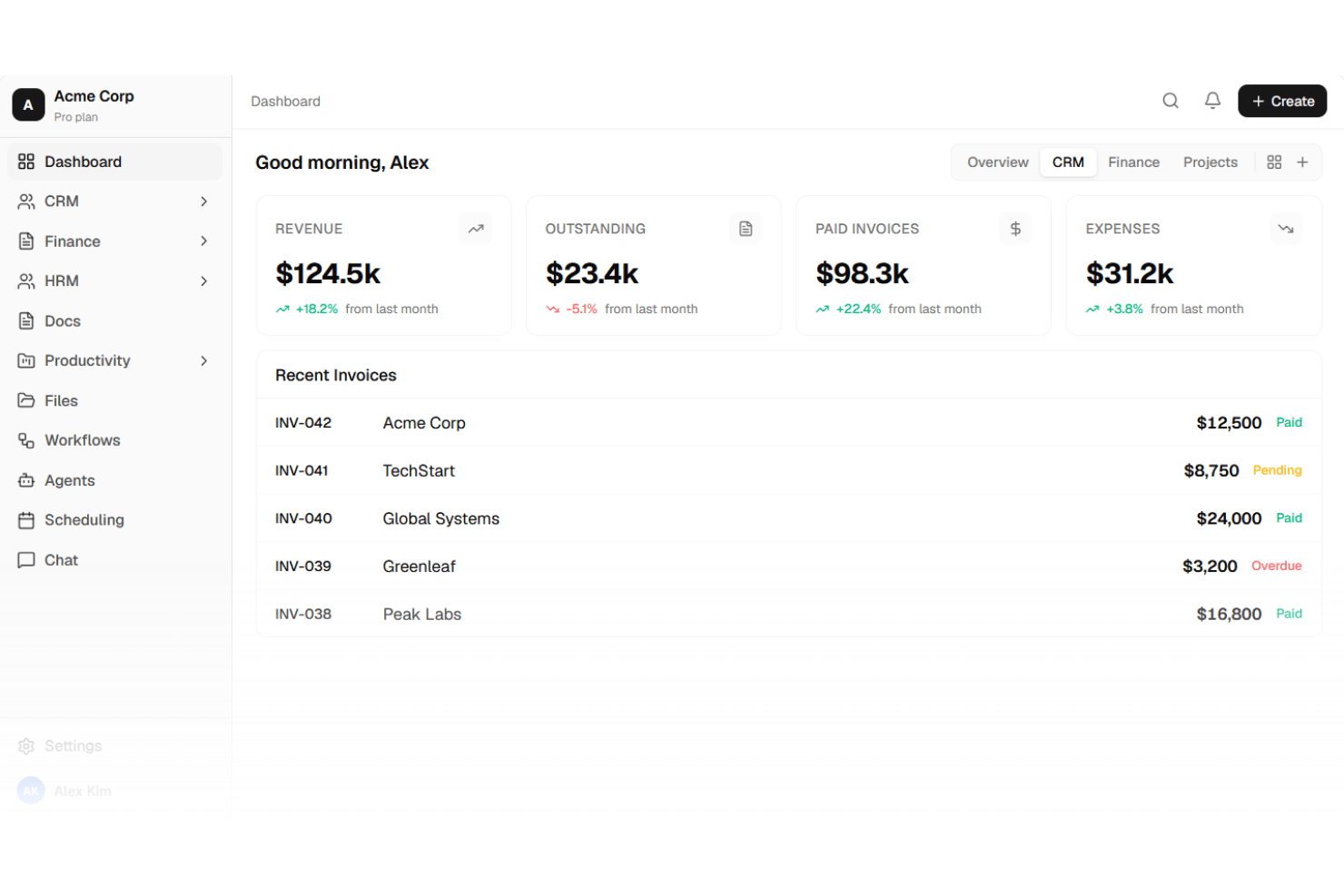
Agiled is an all-in-one client management platform built for freelancers and small agencies who need CRM, proposals, contracts, project management, and invoicing in a single workspace instead of across multiple disconnected tools.
Who Is Agiled Best For?
Agiled is a strong fit for service-based solopreneurs and small teams who've outgrown standalone invoicing tools and need client work and billing managed in one place.
Why Agiled Is a Good HoneyBook Alternative
I picked Agiled as one of the best HoneyBook alternatives because its billing setup goes well beyond what HoneyBook offers. I can convert tracked project time directly into an invoice in one click, set milestone-based payment schedules, and sync everything with QuickBooks automatically. HoneyBook has no native accounting sync, so billable time and expenses tracked in Agiled flow straight to your books without any manual reconciliation.
Agiled Key Features
- Customizable workflow automation: Build multi-step automated sequences triggered by client actions and stage transitions.
- Visual project pipelines: Track clients through distinct pipeline stages from inquiry to completion with drag-and-drop boards.
- Branded client portal: Share documents, collect approvals, and manage communication in a portal using your own domain and branding.
- Template-based contracts and proposals: Generate legally binding e-signature documents using pre-built, customizable templates.
Agiled Integrations
Agiled offers native integrations with QuickBooks, Google Calendar, Zoom, and Stripe, and connects with Zapier. An API is available for custom integrations.
Pros and Cons
Pros:
- White-labeled portal with custom domain support
- All-in-one CRM, projects, and billing
- Invoicing syncs directly with QuickBooks
Cons:
- UI looks dated next to HoneyBook
- Mobile app experience feels limited
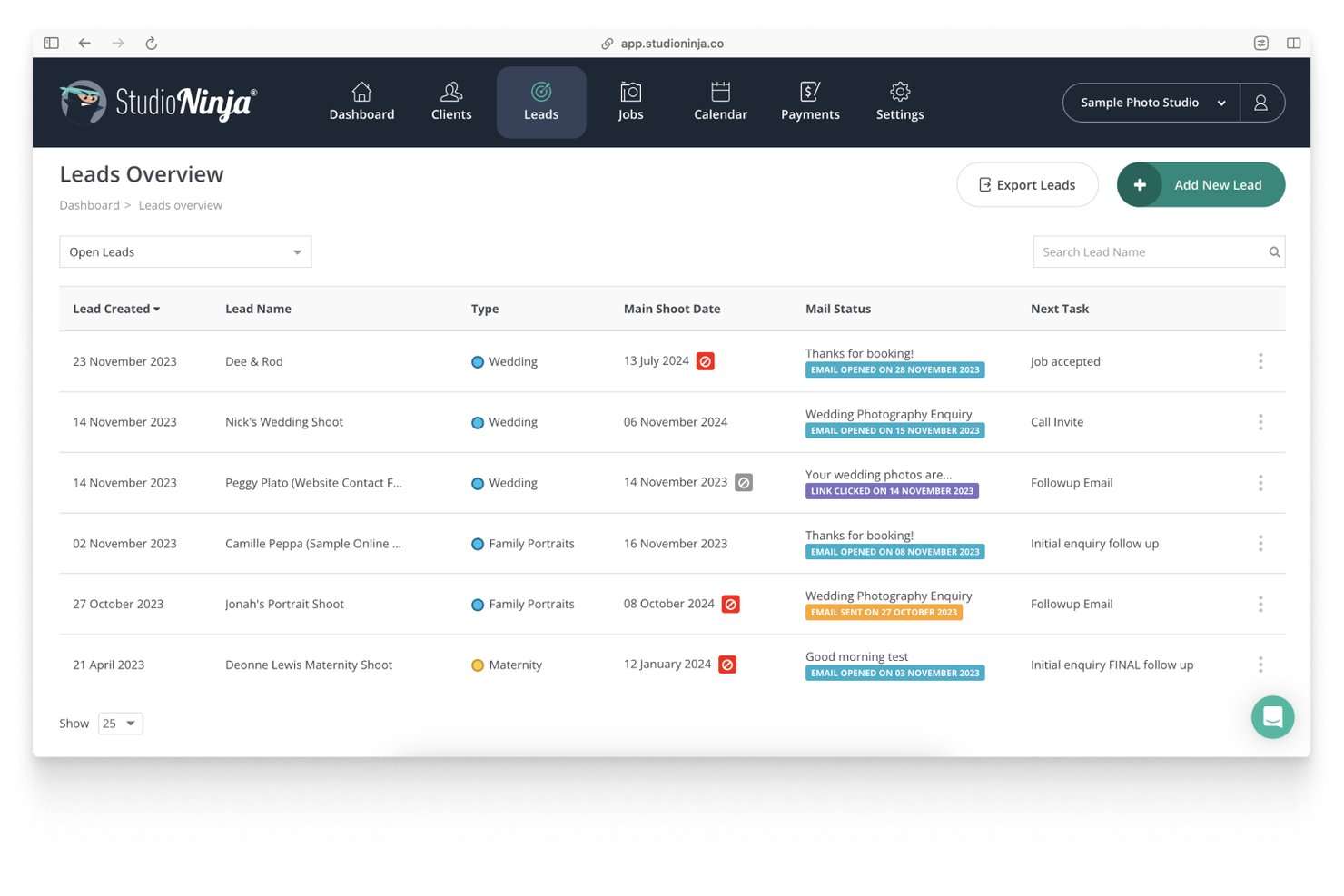
Studio Ninja is a photography-specific client management platform that handles leads, contracts, invoicing, and booking workflows in one place—built specifically for photographers who need a dedicated alternative to general-purpose client management tools.
Who Is Studio Ninja Best For?
Studio Ninja is a strong fit for solo photographers and small photography studios who want a dedicated tool built around their specific client and booking workflows.
Why Studio Ninja Is a Good HoneyBook Alternative
I've included Studio Ninja in my top picks because it's built entirely around how photographers actually book and manage clients. Unlike HoneyBook, which serves a broad range of creatives, Studio Ninja's online booking forms let clients select packages, sign contracts, and pay deposits in a single flow. Its workflow automation then triggers follow-up emails and task reminders tied directly to shoot dates, keeping the booking process moving without manual intervention.
Studio Ninja Key Features
- Client portal branding: Create a fully branded portal where clients can view documents, sign contracts, and access invoices.
- Job pipeline tracking: Manage leads and projects through visual stages from inquiry to completion in one dashboard.
- Xero and QuickBooks integration: Sync client, invoice, and payment data with leading accounting platforms for easier bookkeeping.
- Multi-brand management: Support multiple photography brands or studios from a single account, each with unique branding and contact forms.
Studio Ninja Integrations
Studio Ninja offers native integrations with Xero, QuickBooks, Gmail, Google Calendar, Pic-Time, Fundy Designer, Shootproof, and Stripe.
Pros and Cons
Pros:
- Booking forms collect signatures and payments together
- Automated booking workflows reduce manual admin
- Built exclusively for photography businesses
Cons:
- Limited reporting compared to broader CRM tools
- Not suitable for non-photography service businesses

Bonsai
Best for all-in-one freelancer tools
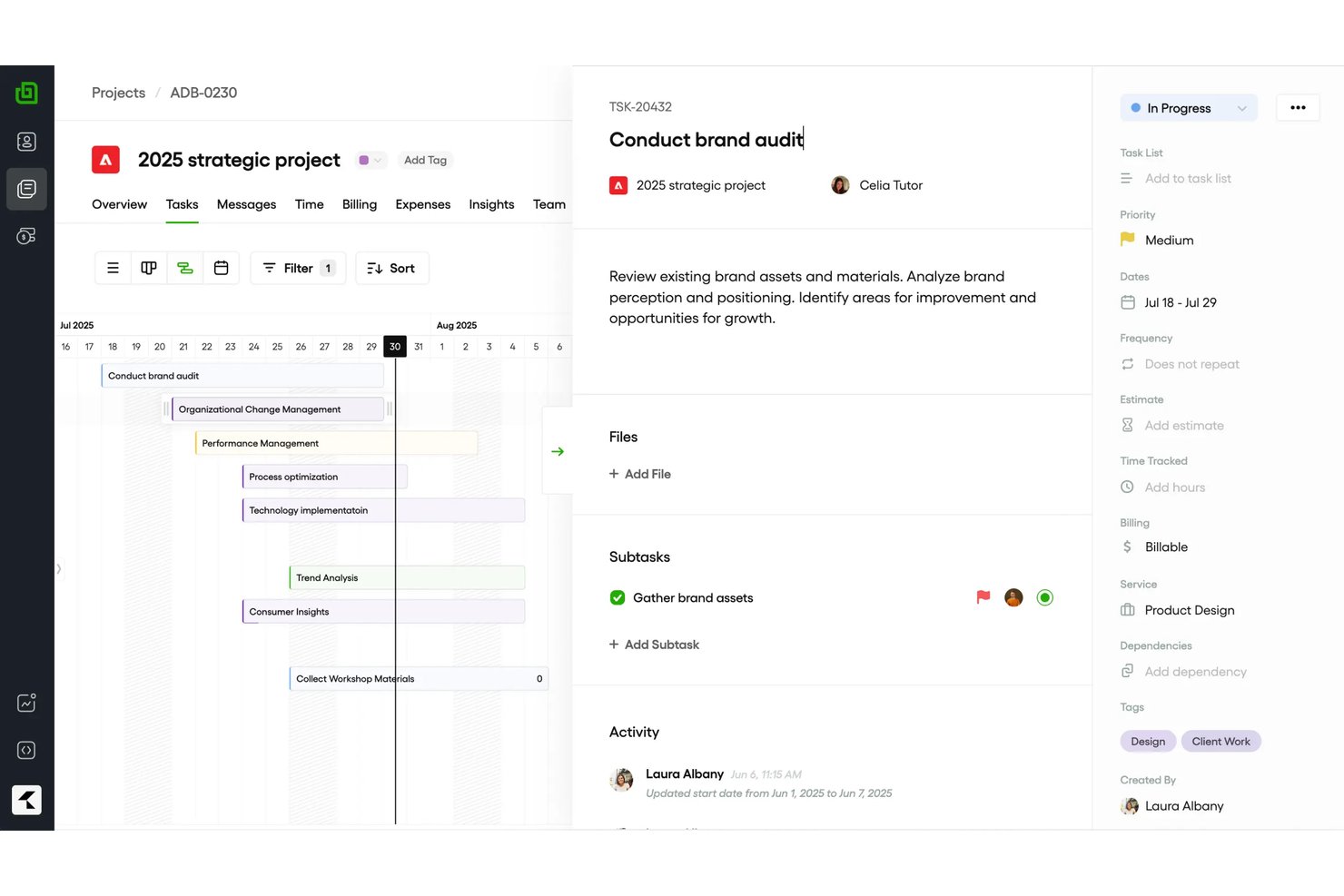
Bonsai is a business management platform for freelancers and small agencies that handles the full client lifecycle—proposals, contracts, invoicing, project tracking, and payments—without the need to piece together separate tools.
Who Is Bonsai Best For?
Bonsai is a strong fit for solo freelancers and independent service providers who need an all-in-one solution to replace a separate contract, invoicing, and project tracking setup.
Why Bonsai Is a Good HoneyBook Alternative
I've included Bonsai in my top picks because it genuinely covers the full freelance workflow in a single platform. The attorney-vetted contract templates with e-signature are a real standout: I can pick a template, customize clauses, and have a signed contract back within the same session. What I appreciate most is how time tracking feeds directly into invoicing, so billable hours show up on an invoice automatically rather than requiring manual entry.
Bonsai Key Features
- Deals pipeline: Visualize and manage leads, prospects, and active clients in a customizable pipeline view.
- Branded client portal: Offer clients a branded space to view project details, share files, and review deliverables.
- Expense tracking: Record, categorize, and mark up expenses tied to client projects for accurate billing.
- Native scheduling: Let clients book meetings directly through Bonsai with integrated calendar sync.
Bonsai Integrations
Bonsai offers native integrations with QuickBooks, Xero, Stripe, PayPal, Google Workspace, Slack, and HubSpot. It also connects with Zapier, and an API is available for custom integrations.
Pros and Cons
Pros:
- Covers the full client lifecycle in one place
- Attorney-vetted contract templates included
- Built-in time tracking tied to invoices
Cons:
- Reporting features are fairly basic
- Client portal branding has limited customization

17hats
Best for automating solo business routines
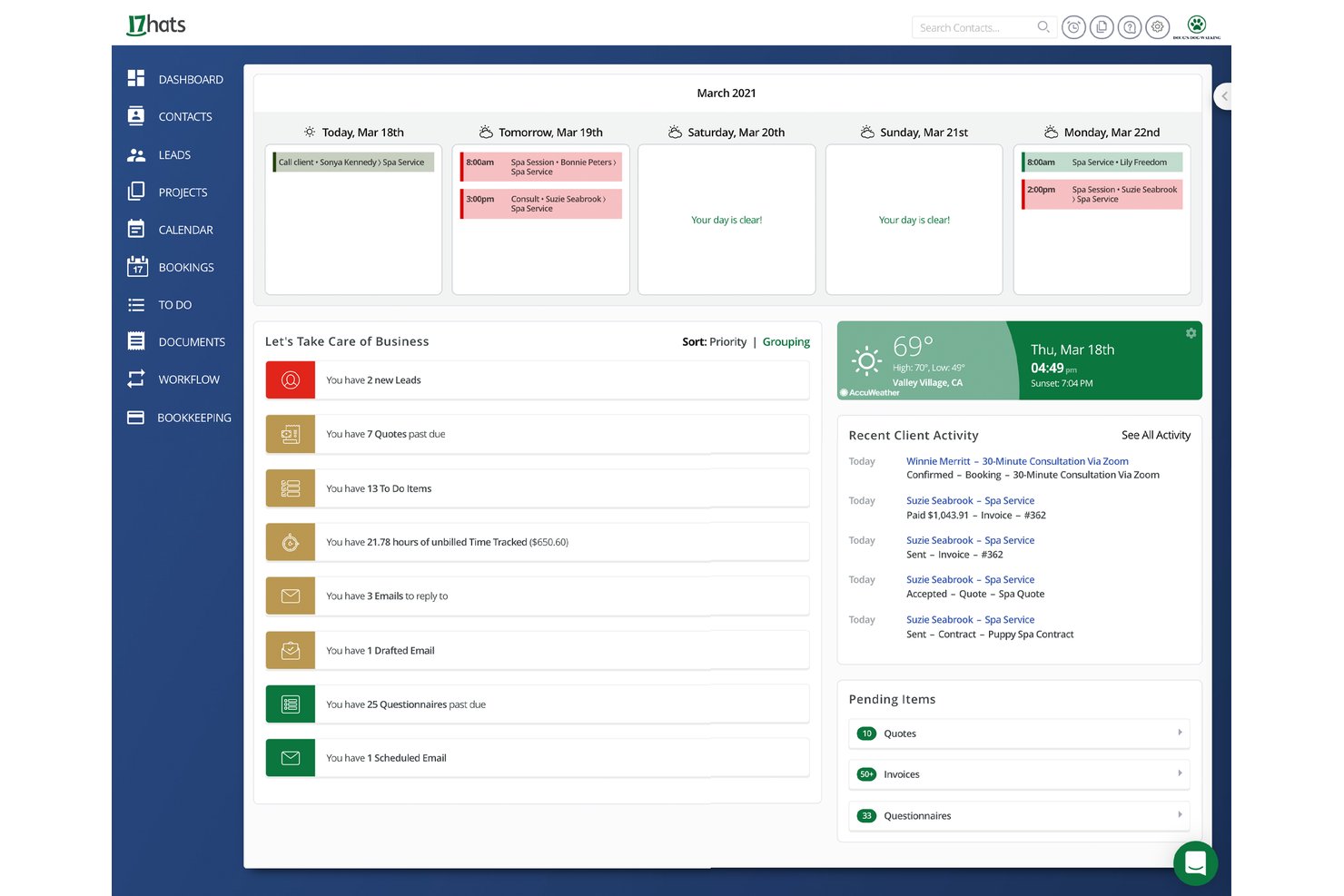
17hats is a solopreneur-focused CRM that covers full client business operations — from lead capture and proposals to contracts, invoicing, and scheduling — all built in-house so every piece connects without third-party workarounds.
Who Is 17hats Best For?
17hats suits solo service providers — photographers, coaches, and independent creatives — running a one-person business who need a single system to handle clients, documents, and payments.
Why 17hats Is a Good HoneyBook Alternative
I picked 17hats as one of the best because its workflow automation is built specifically around how a solo business actually runs. I love the Advanced Workflows feature, which lets me chain together emails, tasks, and document sends in a single automated sequence triggered by a lead form submission or a signed contract. The 3-in-1 Document (quote, contract, and invoice combined) means I'm not manually tracking three separate steps. One send covers the full client commitment.
17hats Key Features
- Multi-brand management: Run multiple businesses or brands from a single account with separate pipelines and documents.
- Two-way email sync: Sync all incoming and outgoing client emails directly inside project records without using external email apps.
- Custom lead capture forms: Embed branded inquiry forms on your website that create new projects and start workflows automatically.
- Bookkeeping and reporting: Track payments, generate profit and loss reports, and manage sales tax within the same platform.
17hats Integrations
17hats offers native integrations with Google Calendar, Apple Calendar, Stripe, QuickBooks, Zoom, Fundy, ProSelect, and more, and connects with Zapier. An API is available for custom integrations.
Pros and Cons
Pros:
- Multi-brand support from one account
- Automated workflows trigger from client actions
- Built-in bookkeeping without third-party software
Cons:
- Client portal feels dated compared to competitors
- No team collaboration or multi-user features
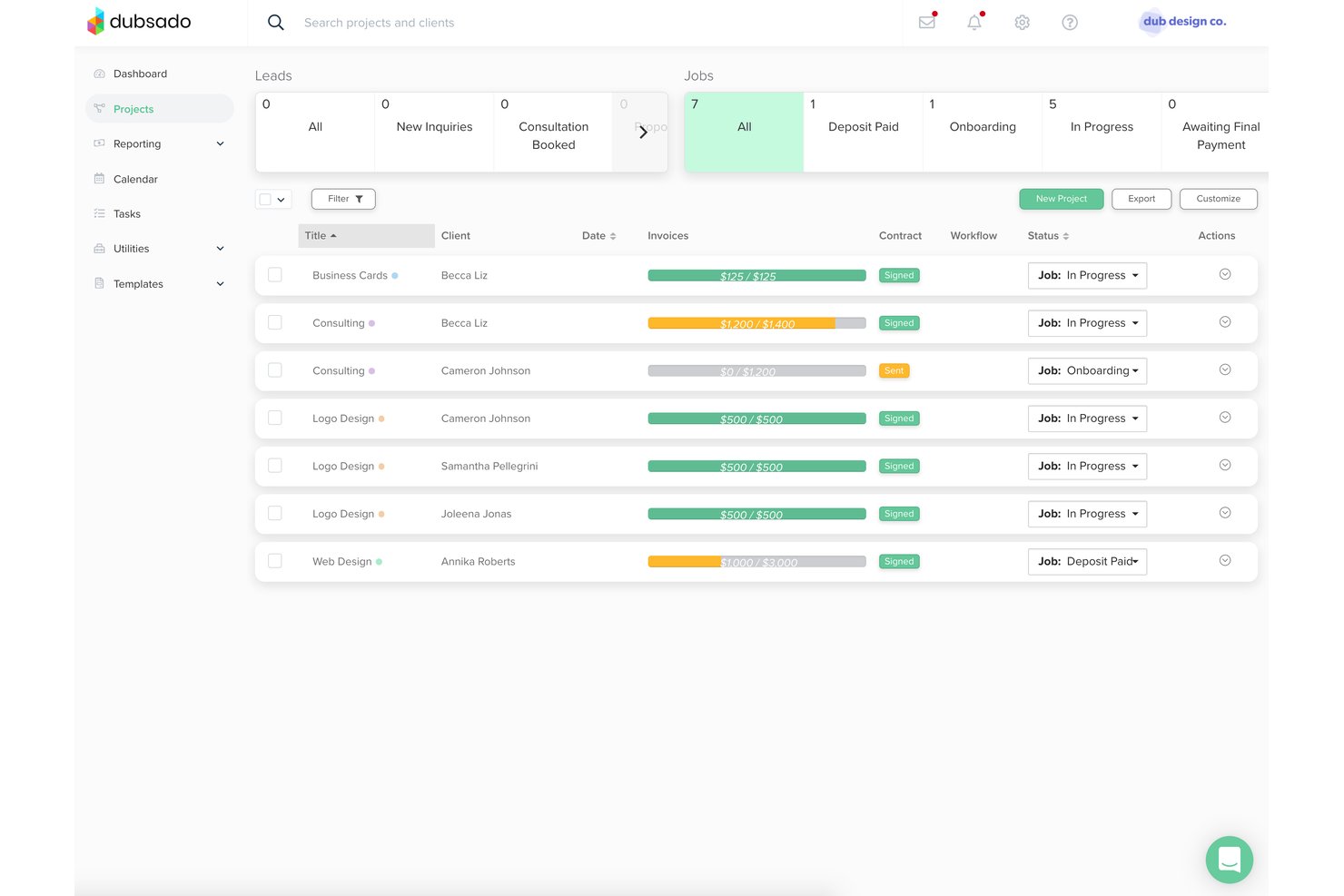
Dubsado is a business management platform built for small business owners and creative teams who need to handle client proposals, contracts, invoicing, and automated workflows without switching between tools.
Who Is Dubsado Best For?
Dubsado is widely used by freelance photographers, designers, coaches, and consultants who need to manage client relationships without a dedicated admin team.
Why Dubsado Is a Good HoneyBook Alternative
I picked Dubsado as one of the best because the depth of workflow and task management customization genuinely sets it apart. The node-based Flows builder lets you map every client touchpoint visually using advanced features, from the initial inquiry form through contract signing and invoicing. I also appreciate that forms, emails, and client portals are fully brandable, so every automated touchpoint feels deliberate rather than templated.
Dubsado Key Features
- Client portal branding: Create a fully branded, white-labeled client portal under your custom domain.
- Lead capture forms: Embed inquiry forms on your website that trigger automated workflows and project creation.
- Multi-currency payment support: Accept payments in 135+ currencies through Stripe, Square, PayPal, and ACH transfers.
- Team management permissions: Add multiple users with configurable permissions and manage client projects as a team.
Dubsado Integrations
Dubsado offers native integrations with Google Calendar, Google Contacts, QuickBooks Online, Stripe, Square, Xero, and PayPal. It connects with Zapier and provides an API for custom integrations.
Pros and Cons
Pros:
- Highly customizable client-facing forms and templates
- Dedicated scheduler removes the need for Calendly
- Smart Files combine proposals, contracts, and invoices
Cons:
- Mobile app lacks full desktop functionality
- Initial setup is notoriously time-consuming

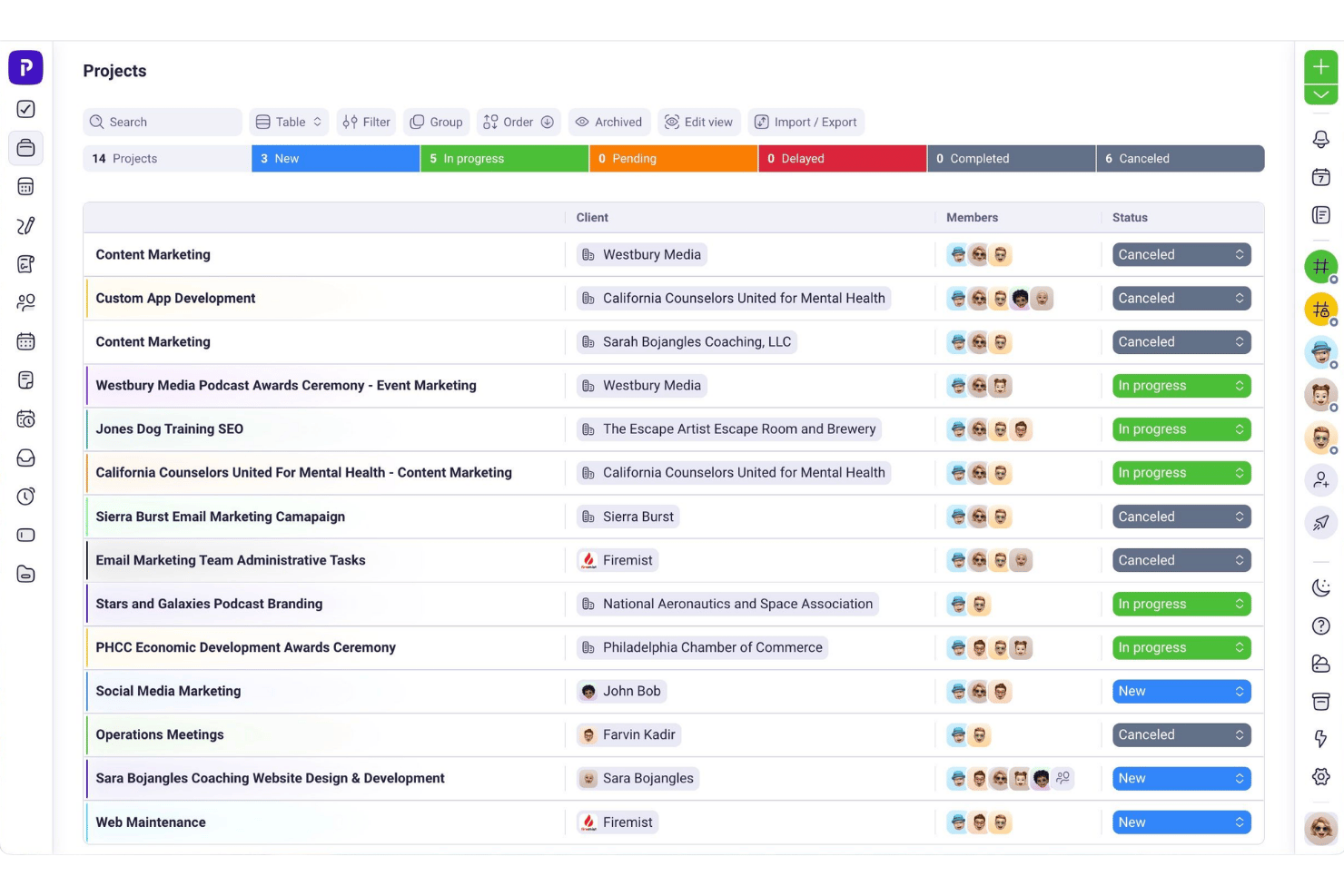
Plutio is an all-in-one client management platform built for freelancers and small agencies who need proposals, contracts, invoicing, project tracking, and client portals without managing a stack of separate tools.
Who Is Plutio Best For?
Plutio suits independent consultants and solopreneurs managing multiple client workstreams who need one configurable workspace instead of several subscriptions.
Why Plutio Is a Good HoneyBook Alternative
I picked Plutio as one of the best HoneyBook alternatives because it's built around the idea that each client engagement is its own self-contained workspace, with proposals, contracts, project tasks, and invoicing all connected. Once a client signs, the proposal auto-converts into a live project record, so there's no manual setup on your end. I also like that Plutio supports multiple independent business workspaces under one login, each with its own branded client portal and billing.
Plutio Key Features
- Gantt chart project timelines: Plan and visualize project tasks, deadlines, and dependencies on an interactive Gantt chart.
- Customizable intake forms: Build branded forms to capture leads and client details, routing new contacts directly into your workflows.
- Integrated time tracking: Log billable and non-billable hours within each project and instantly convert tracked time into invoices.
- Native multi-language and multi-currency support: Serve clients globally with built-in translation options and multiple currency settings for proposals and invoices.
Plutio Integrations
Plutio offers native integrations with ActiveCampaign, Asana, ClickUp, DocuSign, HubSpot, Intercom, Notion, Typeform, Pipedrive, and more. It also connects with Zapier and Make, and provides an API for custom integrations.
Pros and Cons
Pros:
- Proposals auto-convert into live project records
- White-labeled client portals with custom domains
- Multiple business workspaces under one login
Cons:
- Fewer pre-built industry-specific workflow templates
- Mobile app lags behind the desktop version

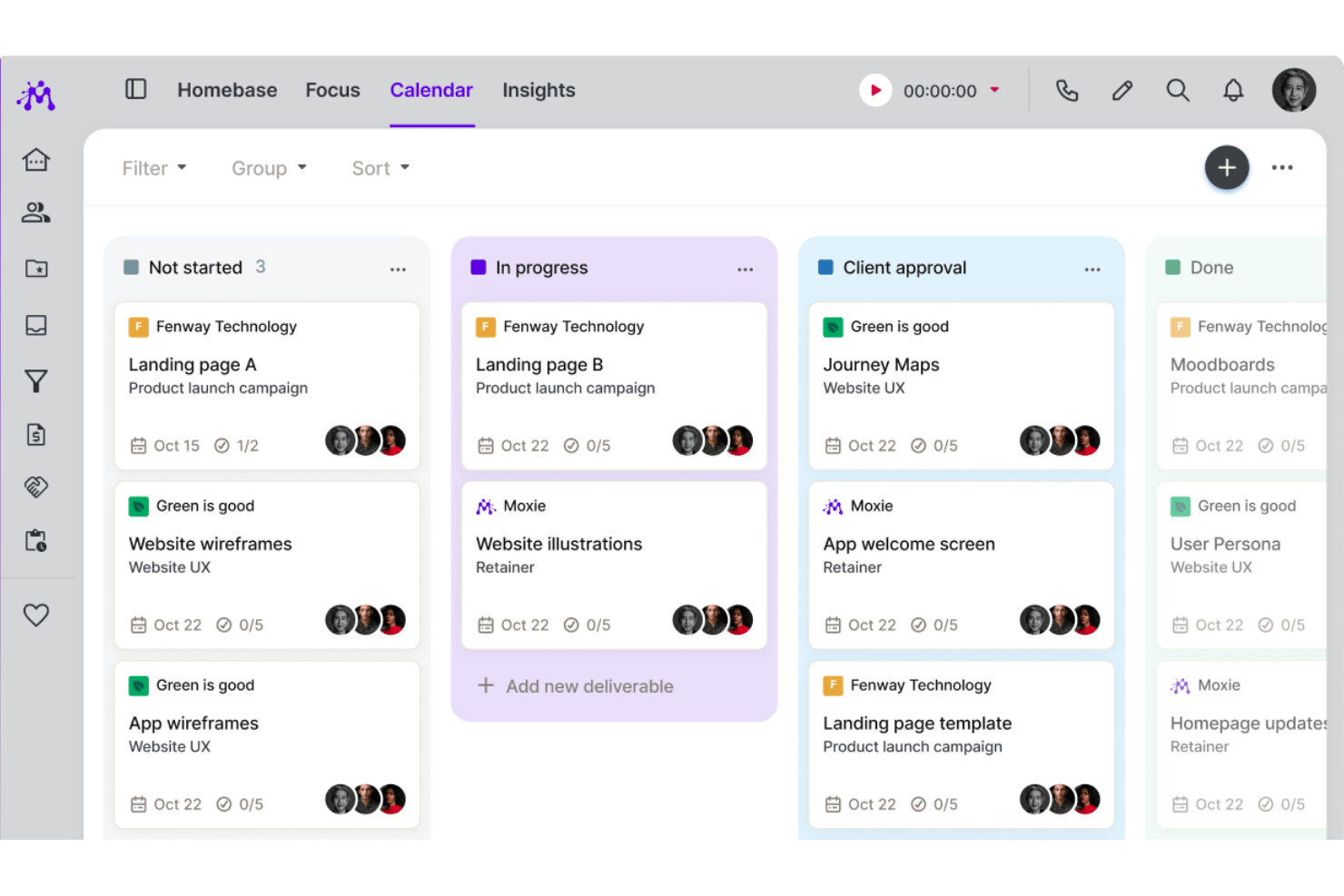
Moxie is an all-in-one freelance business platform built for solopreneurs and small agencies who need proposals, contracts, invoicing, and client management without paying HoneyBook prices or juggling multiple tools.
Who Is Moxie Best For?
Moxie is a strong fit for freelancers and solo creatives who need a client-to-payment workflow without the cost of a platform like HoneyBook.
Why Moxie Is a Good HoneyBook Alternative
I picked Moxie as one of the best because its custom form builder is one of the most practical lead capture tools I've seen in this category. You can embed forms directly on your website, set up conditional paths based on how a contact responds, and map fields straight into your onboarding flow. When a lead submits a form, it feeds directly into the sales pipeline, so the handoff from inquiry to active project requires almost no manual work.
Moxie Key Features
- Client project pipeline: Track leads and active projects through customizable pipeline stages tied to client data.
- Proposals and contracts: Send branded proposals and legally binding e-signature contracts from within the workflow.
- Recurring invoicing: Automate recurring invoices, milestone billing, and online payments via Stripe or PayPal.
- Branded client portal: Give clients access to a white-labeled portal with messaging, approvals, and file sharing.
Moxie Integrations
Moxie offers native integrations with Google Calendar, Outlook, Zoom, PayPal, Stripe, and connects with Zapier. An API is available for custom integrations.
Pros and Cons
Pros:
- White-labeled client portal with custom domain
- Native scheduling removes need for Calendly
- Built-in lead capture forms on website
Cons:
- Reporting and analytics features are basic
- Limited template library compared to HoneyBook
Other HoneyBook Alternatives
Here are some additional HoneyBook alternatives that didn’t make it onto my shortlist, but are still worth checking out:
- Sprout Studio
For creative proposal and gallery integration
- VSCO Workspace
For visual project collaboration
- Flowlu
For integrated CRM and finance management
- Indy
For independent contractor billing tools
- Ignition
For automated proposal acceptance workflows
- Hubflo
For team-centric client tracking dashboards
- Clientary
For simple project-billing integration
- Pixifi
For event business workflow templates


How I Evaluate HoneyBook Alternatives
When a client goes from inquiry to signed contract to paid invoice, I evaluate whether each tool covers that cycle—HoneyBook's core functionality. From there, I look at the differentiators that separate one tool from another.
Core Functionality (Table Stakes For This List)
When I'm selecting tools for my list, I rank each one on a scale from 0 (does not offer the functionality) to 5 (excels in this area) for each core functionality listed below. Then, I calculate the tool's total score into a percentage. Each tool needs to achieve a minimum total score of 65% to be considered for inclusion.
- Client project pipeline: I check whether the tool offers a stage-based view—like a kanban board—so you can track each client from inquiry through delivery.
- Proposals and contracts: I evaluate whether you can send branded proposals with e-signatures, similar to how Dubsado and Bloom bundle these into one flow.
- Invoicing and payments: I look for milestone billing, recurring invoices, and support for multiple payment methods tied directly to project stages.
- Workflow automation: A good tool lets you auto-send emails, create tasks, or move clients between stages based on triggers like a signed contract.
- Client communication hub: I look at how each tool centralizes messages, shared files, and project history so nothing gets buried in a separate inbox.
- Scheduling and booking: Built-in booking with session types and calendar sync matters—especially if you're replacing a standalone tool like Calendly.
Once I have a list of tools that meet the criteria, I consider what sets each platform apart.
Differentiating Factors (What Sets Vendors Apart)
Here's how I compare and contrast different vendors:
Standout Features
Interactive proposals that bundle contracts, package selectors, and invoices into one client-facing document make a real difference. Tools like Dubsado and Bonsai handle this differently, so I evaluate how clients move from selecting a package to signing and paying. Client portal branding also matters—a white-labeled portal with your own domain builds trust that a generic login page won't. I look at lead capture forms too, since embeddable inquiry forms that auto-create projects save you from manually entering every new lead.
Beyond Features
Pricing structure matters a lot here—flat monthly pricing works differently than per-user tiers if you're a solopreneur versus a growing agency. I also evaluate payment processing flexibility, like whether you can connect Stripe or PayPal instead of being locked into a single native processor, and whether the tool syncs with QuickBooks or Xero for bookkeeping. Scalability is another factor I check: team permissions, multi-business support, and Zapier or API access tell you how far a platform can grow with you.
Why Look for a HoneyBook Alternative?
While HoneyBook is a good choice of proposal software, there are a number of reasons why some users seek out alternative solutions. You might be looking for a HoneyBook alternative because…
- You need more customization in client portals and branding
- You’re seeking better automation or workflow flexibility
- You want native integrations with different accounting tools
- You need a platform that scales with multi-user teams and roles
- You handle clients in regions where HoneyBook isn’t supported
- You want more control over payment processing or lower transaction fees
If any of these sound like you, you’ve come to the right place. My list contains several proposal software options that are better suited for teams facing these challenges with HoneyBook and looking for alternative solutions.
HoneyBook Key Features
Here are some of the key features of HoneyBook to help you contrast and compare what alternative solutions offer:
- Client project pipeline: Organize every client project in a customizable, stage-based pipeline that shows progress from inquiry to completion, making it easy to track every client at a glance.
- Proposals and contracts: Create and send branded proposals and legally binding e-signature contracts in just a few steps, allowing clients to review, sign, and pay all in one place.
- Invoicing and payments: Generate invoices automatically, accept online payments by card or bank transfer, and schedule payments tied to project milestones, so you always know what’s been paid and what’s outstanding.
- Workflow automation: Set up automated task sequences and emails to save time on repetitive client onboarding steps, appointment reminders, and follow-ups.
- Client communication hub: Keep all client conversations, shared files, and updates neatly centralized within each project, so nothing gets lost in your inbox or scattered across tools.
- Scheduling and booking: Offer clients real-time scheduling links tied to your calendar, letting them book meetings or sessions directly, with automated notifications, confirmations, and reminders.
- Lead capture forms: Embed web inquiry forms on your site that auto-create client projects and kick off workflows, capturing leads smoothly and moving them right into your pipeline.
- Branded client portal: Let clients access a secure portal under your own brand to view files, pay invoices, book services, and stay in touch throughout the project lifecycle.
- Template library: Use pre-built templates for proposals, contracts, emails, and workflows tailored to your specific service niche, reducing setup time and improving consistency.
- Reporting and financial tracking: Get real-time dashboards and reports to monitor your project pipeline, revenue, client activity, and outstanding payments, helping you stay on top of business trends and make informed decisions.