
20 Best OneDrive Alternatives for 2026

Best OneDrive Alternatives Shortlist
Here’s my shortlist of OneDrive alternatives:


A strong OneDrive alternative offers secure file sharing, flexible cloud storage, and reliable collaboration features that fit your team’s workflow. If you’re searching for options beyond OneDrive, you’re likely weighing privacy, integration, or pricing concerns—or you need tools that better match your organization’s requirements. This list will help you quickly compare leading OneDrive alternatives, so you can find a solution that aligns with your storage, sharing, and collaboration needs in 2026.
What Is OneDrive?
OneDrive is Microsoft’s cloud storage and file sharing platform that lets users store, access, and collaborate on files from any device. It integrates with Microsoft 365 apps, making it easy for teams to share documents, manage permissions, and sync files across devices. OneDrive is widely used by businesses and individuals who need secure, accessible storage and real-time collaboration within the Microsoft ecosystem.
Best OneDrive Alternatives Summary
This comparison chart summarizes pricing details for my top OneDrive alternative selections to help you find the best one for your budget and business needs.
| Tool | Best For | Trial Info | Price | ||
|---|---|---|---|---|---|
| 1 | Best for hybrid backup and sync | Free plan available | From $1.95/month (billed annually) | Website | |
| 2 | Best for lifetime storage plans | Free plan available | From $49.99/year | Website | |
| 3 | Best for granular access controls | Free trial available | From $22/user/month (billed annually) | Website | |
| 4 | Best for self-hosted deployment options | Free trial + free demo available | From $6/user/month (billed annually) | Website | |
| 5 | Best for generous free storage allocation | Free plan available | From $5.89/month (billed annually) | Website | |
| 6 | Best for zero-knowledge encryption | 30-day free trial | From $6/user/month (billed annually) | Website | |
| 7 | Best for Apple ecosystem integration | Free plan available | Pricing upon request | Website | |
| 8 | Best for open-source customization | 1-hour free trial available | From $74.50/user/year (billed annually) | Website | |
| 9 | Best for creative asset management | Free trial available | From $99/month | Website | |
| 10 | Best for privacy-focused organizations | Free plan available | From $3.99/month (billed annually) | Website |
Why You Can Trust Us
-

Insightful
Visit WebsiteThis is an aggregated rating for this tool including ratings from Crozdesk users and ratings from other sites.4.8 -
Accelo
Visit WebsiteThis is an aggregated rating for this tool including ratings from Crozdesk users and ratings from other sites.4.4 -
Forecast
Visit WebsiteThis is an aggregated rating for this tool including ratings from Crozdesk users and ratings from other sites.4.6




Best OneDrive Alternatives Reviews
Below are my detailed summaries of the best OneDrive alternatives that made it onto my shortlist. My reviews offer a detailed look at the features, integrations, and best use cases of each platform to help you find the best one for you.
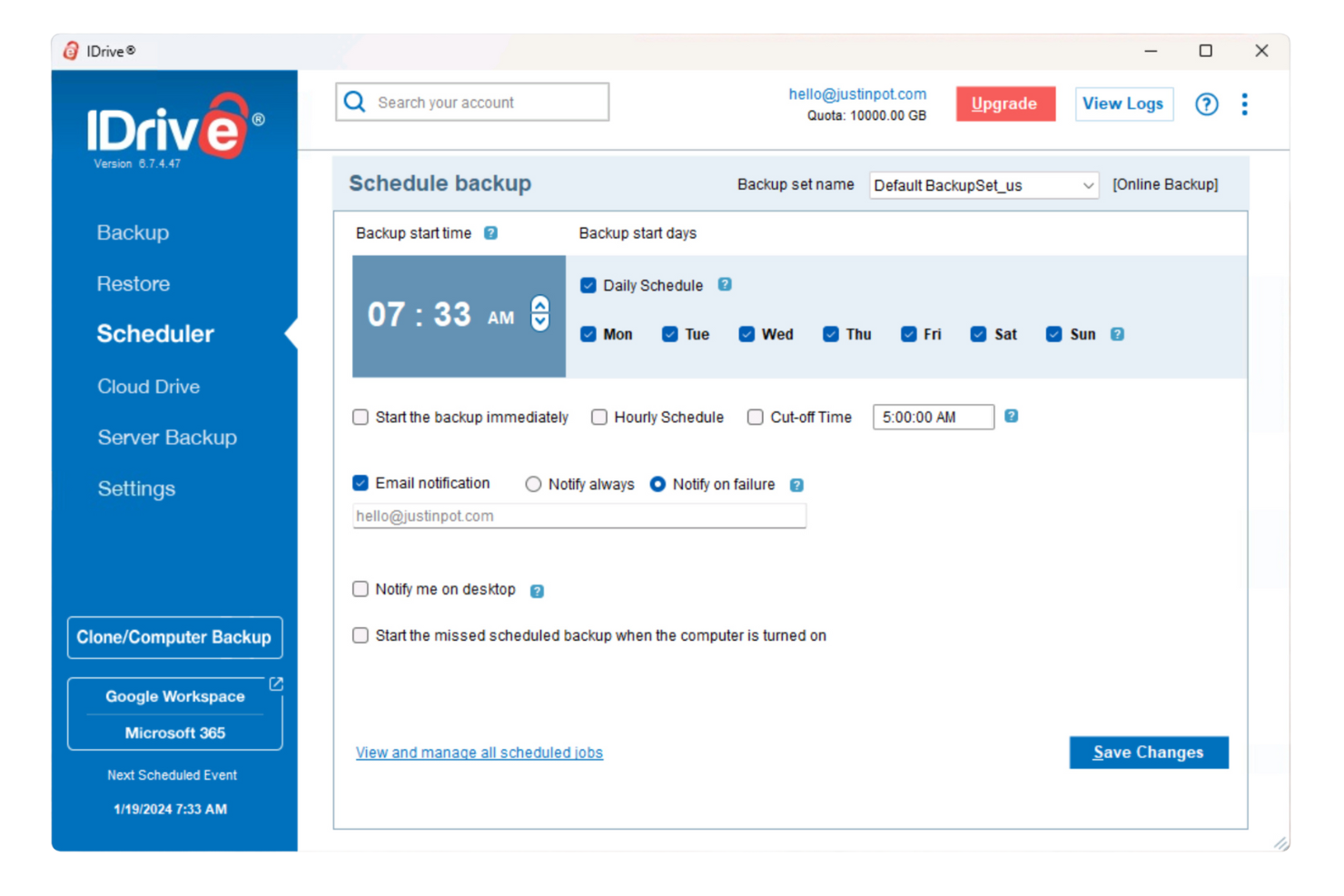
Unlike most cloud storage platforms, IDrive combines both cloud and local backup in a single solution. It’s a strong fit for IT teams, small businesses, and anyone who needs to protect data across multiple devices and locations. If you’re looking for a OneDrive alternative that supports hybrid backup, disk imaging, and continuous syncing, IDrive covers those needs directly.
Why IDrive Is a Good OneDrive Alternative
IDrive stands out for organizations that need both cloud and on-premises backup in one platform. I picked IDrive because it lets you back up data to the cloud and to local drives at the same time, which is something OneDrive doesn’t offer. The platform also supports disk image backups and continuous syncing across unlimited devices. If your team needs flexible backup options beyond standard cloud storage, IDrive is a strong alternative.
IDrive Key Features
Some other features in IDrive that help teams manage and protect files include:
- File Versioning: Access and restore up to 30 previous versions of any file.
- Real-Time File Sync: Sync files instantly across all connected devices without impacting your backup storage quota.
- Remote Management Console: Monitor backups, manage devices, and configure settings from a centralized dashboard.
- Snapshot and Recovery: Capture point-in-time snapshots for quick data recovery after ransomware or accidental deletion.
IDrive Integrations
Integrations include Microsoft Office 365, Google Workspace, Salesforce, Dropbox, Box, Synology, QNAP, VMware, Hyper-V, and Oracle Server.
Pros and Cons
Pros:
- Supports physical drive shipping
- Retains deleted files well
- Very cheap first year plans
Cons:
- Price jumps after first year
- App can be a resource hog

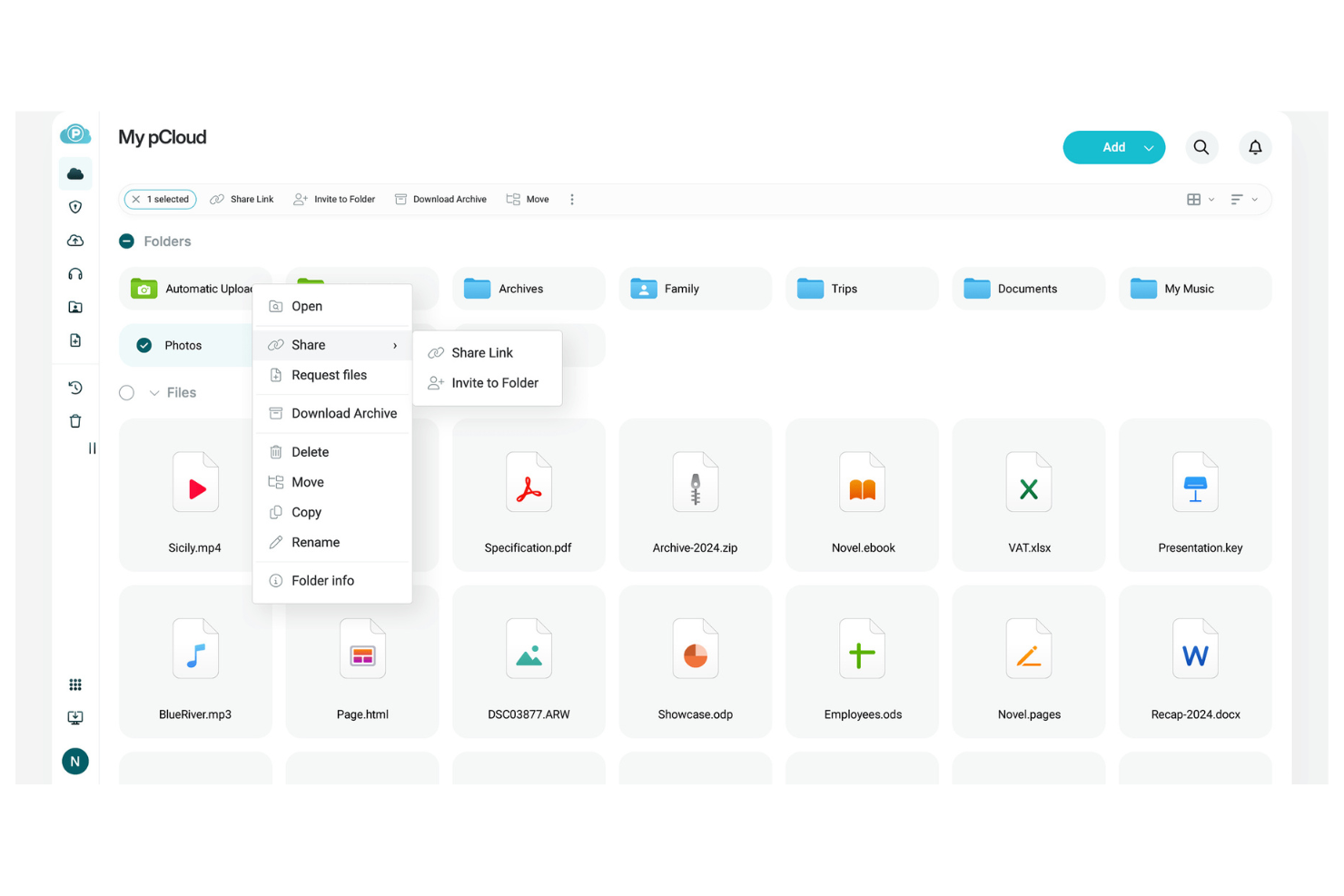
If you’re looking for a cloud storage solution with a one-time payment option, pCloud stands out for its lifetime storage plans. This makes it especially appealing to freelancers, creative teams, and small businesses that want to avoid ongoing subscription fees. Unlike OneDrive, pCloud lets you secure long-term storage without recurring costs, making budgeting for cloud storage much simpler.
Why pCloud Is a Good OneDrive Alternative
Unlike most cloud storage providers, pCloud offers lifetime storage plans, which means you can pay once and use your storage indefinitely. I picked pCloud for its unique approach to long-term file storage, which is especially useful for teams or individuals who want to avoid ongoing subscription fees. The platform also includes features like file versioning and built-in media playback, so you can manage and access your files over the long term without extra costs. For anyone seeking predictable, one-time payments for secure cloud storage, pCloud is a practical alternative to OneDrive.
pCloud Key Features
Some other features in pCloud that are useful for managing and sharing files include:
- pCloud Drive Virtual Drive: Access and manage your cloud files directly from your desktop without using local storage space.
- Shared Link Branding: Customize download links with your own branding, including logos and background images.
- pCloud Crypto Add-On: Add an extra layer of client-side encryption for sensitive files with a separate paid add-on.
- Automatic Photo and Video Backup: Sync photos and videos from your mobile device to the cloud automatically.
pCloud Integrations
Integrations include Apple Files, Google Drive, Dropbox, OneDrive, and Facebook.
Pros and Cons
Pros:
- Swiss data privacy laws
- Customizable public links
- Great media streaming tools
Cons:
- Smaller free tier than Mega
- Lacks default zero knowledge


If your team needs precise control over who can access, edit, or share files, Egnyte is worth a close look. This platform is designed for organizations with strict data governance needs, such as those in finance, healthcare, or legal fields. Egnyte stands out from OneDrive by offering advanced permission settings and detailed audit trails for sensitive content.
Why Egnyte Is a Good OneDrive Alternative
Unlike many file sharing platforms, Egnyte gives you highly granular access controls that go beyond what OneDrive offers. I picked Egnyte because it lets you set permissions at the folder, subfolder, and even file level, so you can tailor access for every user or group. The platform also provides detailed audit logs and real-time alerts for unauthorized access attempts, which helps teams meet strict compliance requirements. If your organization needs to tightly manage who can view or edit sensitive files, Egnyte is a strong alternative to OneDrive.
Egnyte Key Features
Some other features in Egnyte that help teams manage files and collaborate securely include:
- Ransomware Detection: The platform monitors for suspicious activity and alerts you to potential ransomware threats.
- File Versioning: Users can access and restore previous versions of files directly from the platform.
- Mobile Access App: Egnyte offers dedicated mobile apps for iOS and Android to manage files on the go.
- Data Lifecycle Management: Set automated retention and deletion policies for files based on compliance needs.
Egnyte Integrations
Integrations include Google Workspace, Microsoft 365, Salesforce, Google Cloud, Microsoft Azure, AWS, Slack, DocuSign, Trello, and Zoom.
Pros and Cons
Pros:
- Strong audit and reporting
- Ransomware detection built in
- Great for massive file sizes
Cons:
- Not meant for individual users
- Takes time to deploy fully


Organizations that need full control over their data often turn to FileCloud for its self-hosted deployment options. This platform is a strong fit for IT teams, regulated industries, and businesses with strict compliance or data residency requirements. Unlike OneDrive, FileCloud lets you deploy on your own infrastructure, giving you direct oversight of security, privacy, and customization.
Why FileCloud Is a Good OneDrive Alternative
For teams that need to host their own data, FileCloud stands out with its self-hosted deployment options. I picked FileCloud because it gives organizations the ability to run their file sharing and storage environment on-premises or in a private cloud, which is something OneDrive doesn’t offer. Features like granular admin controls and custom data retention policies help IT teams meet strict compliance and security requirements. If your business needs to keep sensitive files within your own infrastructure, FileCloud is a strong alternative to OneDrive.
FileCloud Key Features
Some other features in FileCloud that help teams manage files and collaborate securely include:
- Document Collaboration Tools: Multiple users can co-author and comment on documents in real time.
- Custom Branded Client Portal: Create a branded portal for clients to access and share files securely.
- Automated Workflow Engine: Set up custom workflows for document approvals and notifications.
- Device Management Console: Monitor and control access from desktops, laptops, and mobile devices.
FileCloud Integrations
Integrations include Microsoft 365, Outlook, Teams, Collabora, Google Docs, OKTA, AWS S3, Dell ECS, Oracle Cloud, and Azure.
Pros and Cons
Pros:
- Deep granular access control
- Endpoint backup capabilities
- Custom branding options
Cons:
- Overkill for personal use
- Interface feels highly corporate

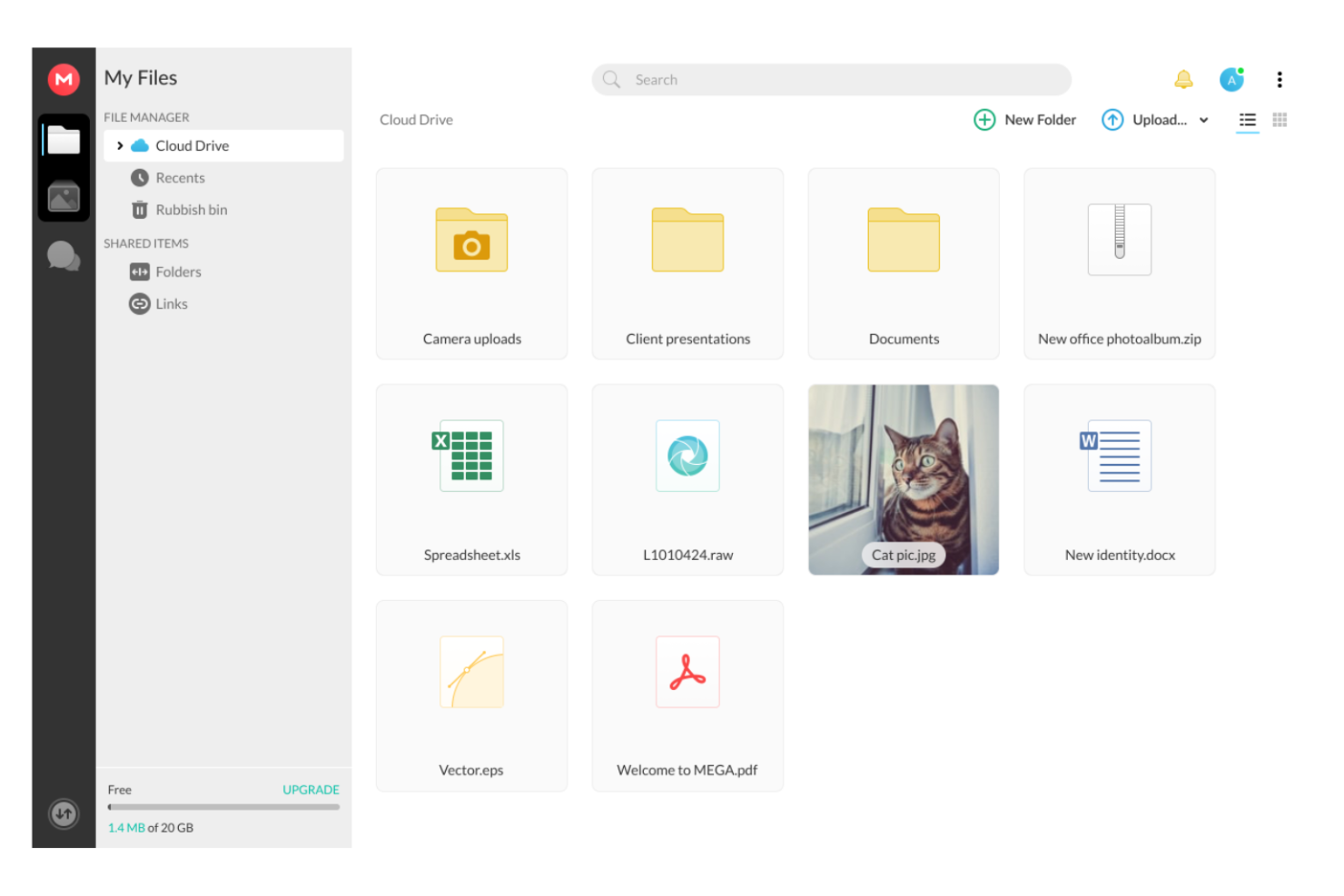
Teams and individuals who need a large amount of free cloud storage often turn to MEGA for its generous allocation. MEGA appeals to creative professionals, startups, and small businesses that regularly share or store large files without wanting to pay upfront. Unlike OneDrive, MEGA offers end-to-end encrypted storage with one of the largest free storage quotas available, making it a practical choice for those with heavy storage needs.
Why MEGA Is a Good OneDrive Alternative
What sets MEGA apart from OneDrive is its unusually generous free storage allocation, which is ideal for users who need to store or share large volumes of data without immediate costs. I picked MEGA because it offers 20 GB of free storage right from the start, with opportunities to earn even more through achievements. The platform also provides end-to-end encryption for all files, so your data stays private and secure. For anyone who regularly manages large files or wants to avoid hitting storage limits, MEGA’s free tier is hard to match.
MEGA Key Features
Some other features in MEGA that are useful for file sharing and storage include:
- Secure Chat and Video Calls: Communicate with team members using encrypted chat and video features built directly into the platform.
- File Versioning: Restore previous versions of files to recover from unwanted changes or deletions.
- Granular Permission Controls: Set detailed access levels for shared folders and files to manage who can view, edit, or upload.
- Mobile and Desktop Apps: Access, upload, and sync files across devices with dedicated apps for Windows, macOS, Linux, Android, and iOS.
MEGA Integrations
Integrations include Windows File Explorer, macOS Finder, Linux file managers, and Thunderbird.
Pros and Cons
Pros:
- Clean mobile and desktop apps
- Fast file transfer speeds
- Zero knowledge encryption
Cons:
- Past corporate controversies
- Bandwidth limits on free tier
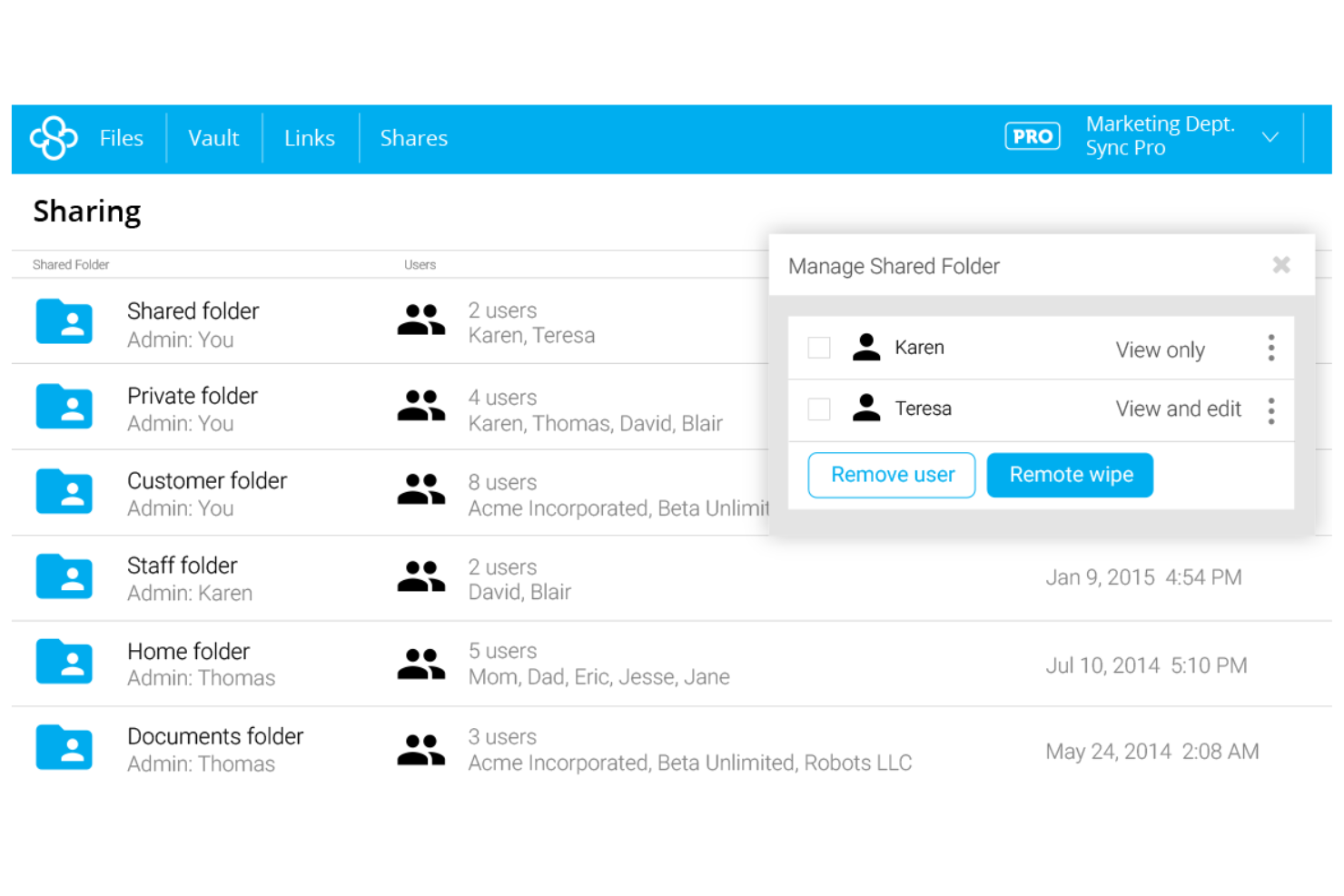
Security-focused teams looking for strict privacy controls may want to consider Sync.com for their file sharing and cloud storage needs. This platform appeals to legal, healthcare, and finance professionals who require zero-knowledge encryption to keep sensitive data private—even from the service provider. Unlike OneDrive, Sync.com ensures only you and your collaborators can access your files, making it a strong choice for compliance-driven organizations.
Why Sync.com Is a Good OneDrive Alternative
If you need airtight privacy for your files, Sync.com stands out with its zero-knowledge encryption approach. I picked Sync.com because it ensures that only you and those you authorize can ever access your data—not even Sync.com’s staff can decrypt your files. The platform also supports granular permission controls and password-protected sharing links, which help teams manage sensitive information securely. For organizations with strict compliance or confidentiality requirements, Sync.com offers a level of data privacy that OneDrive doesn’t match.
Sync.com Key Features
Some other features in Sync.com that are useful for file sharing and storage include:
- Offline Access: Access and edit files without an internet connection, with changes syncing once you’re back online.
- Remote Device Wipe: Remotely delete Sync.com data from lost or stolen devices to protect sensitive information.
- File Requests: Collect files from anyone, even if they don’t have a Sync.com account, using secure upload links.
- Activity Logs: Track file activity and user actions with detailed audit trails for compliance and oversight.
Sync.com Integrations
Integrations include Microsoft 365, Slack, Windows File Explorer, and macOS Finder.
Pros and Cons
Pros:
- Great file versioning tools
- No third party data tracking
- HIPAA compliant file storage
Cons:
- Cannot preview many file types
- Lacks third party app sync


If your team relies on Apple devices, iCloud offers a cloud storage solution built for seamless integration across macOS, iOS, and iPadOS. It’s a strong fit for creative professionals, design teams, or businesses deeply invested in the Apple ecosystem who need automatic syncing and easy file sharing between devices. iCloud stands out from OneDrive by providing native support for Apple apps and services, making cross-device collaboration simple for Apple users.
Why iCloud Is a Good OneDrive Alternative
What sets iCloud apart is its deep integration with Apple hardware and software, making it a natural choice for teams using Macs, iPhones, and iPads. I picked iCloud for its ability to automatically sync files, photos, and documents across all Apple devices without manual setup. Shared folders and collaborative editing in native Apple apps like Pages and Numbers make real-time teamwork easy for Apple users. If your workflow depends on Apple’s ecosystem, iCloud delivers a unified experience that OneDrive can’t fully match.
iCloud Key Features
Some other features in iCloud that are useful for file sharing and storage include:
- File Version History: Restore previous versions of files stored in iCloud Drive, which helps recover from accidental changes or deletions.
- Family Sharing: Share storage space and files with up to six family members, each with their own private access.
- Find My Integration: Locate lost Apple devices and share locations with team members directly from the iCloud platform.
- iCloud Keychain: Store and sync passwords, credit card information, and secure notes across all Apple devices for easy access.
iCloud Integrations
Integrations include Mail, Photos, Notes, Reminders, Calendar, Contacts, Find My, Pages, Numbers, and Keynote.
Pros and Cons
Pros:
- Cheap lower storage tiers
- Shared photo libraries work well
- Great background photo backup
Cons:
- Poor Microsoft Office sync
- Web interface is very basic

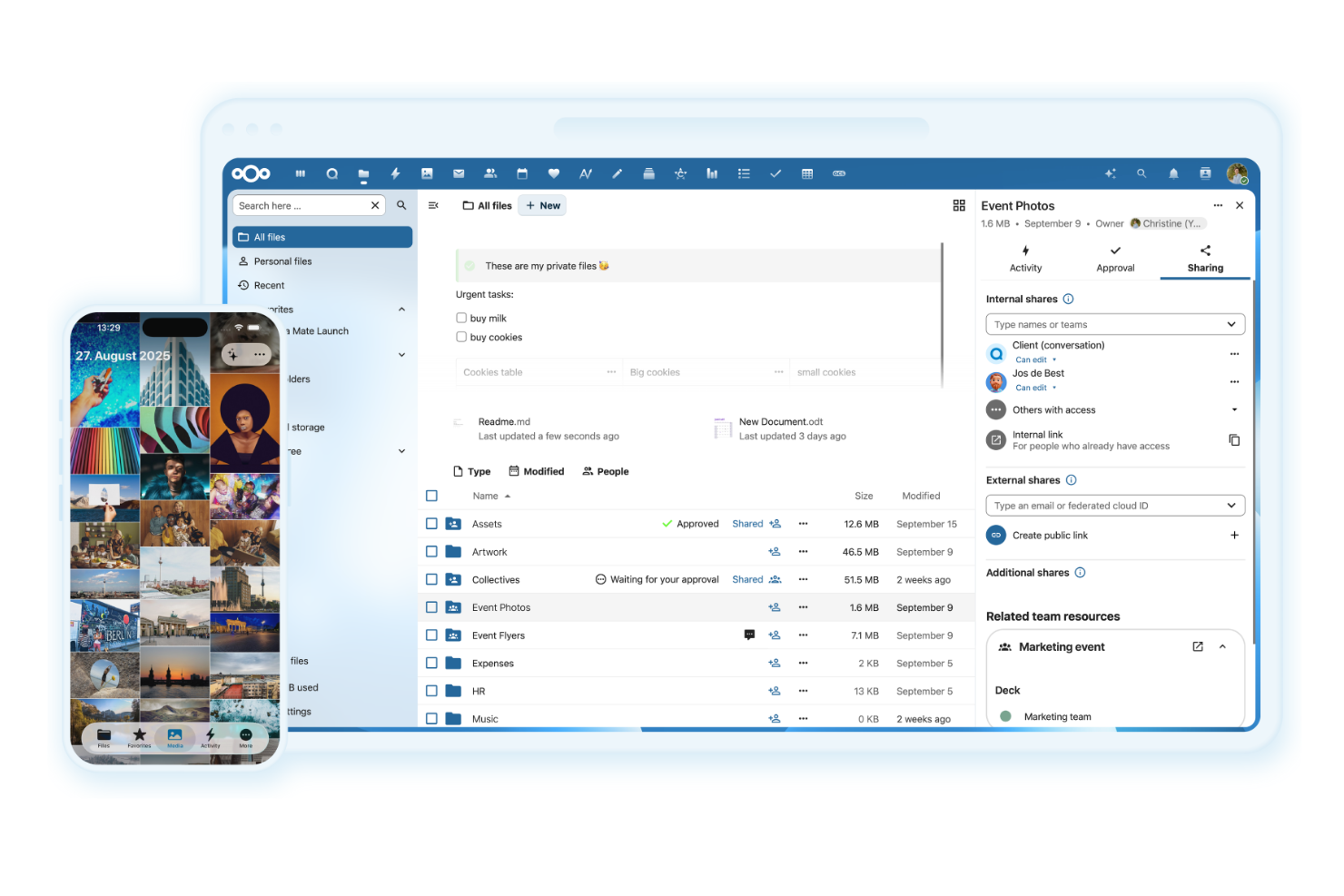
For teams that want full control over their file sharing environment, Nextcloud offers a self-hosted, open-source platform. It’s a strong fit for IT departments, privacy-focused organizations, and anyone who needs to customize workflows or integrate unique tools. Unlike OneDrive, Nextcloud lets you tailor every aspect of your cloud storage and even host it on your own infrastructure.
Why Nextcloud Is a Good OneDrive Alternative
If you’re looking for a file sharing solution you can fully customize, Nextcloud stands out from OneDrive and most other cloud storage platforms. I picked Nextcloud because it’s open-source and lets you modify the source code, install custom apps, and build workflows that fit your organization’s exact needs. You can self-host Nextcloud on your own servers or choose a managed provider, giving you total control over data residency and security. For teams with strict privacy requirements or unique integration needs, Nextcloud offers a level of flexibility that OneDrive can’t match.
Nextcloud Key Features
Some other features in Nextcloud that help teams collaborate and manage files include:
- End-to-End Encryption: Files can be encrypted on the client side before they’re uploaded to the server.
- Integrated Office Suite: Users can create, edit, and collaborate on documents, spreadsheets, and presentations directly within the platform.
- Federated Sharing: Share files and folders securely with users on other Nextcloud instances.
- Activity Stream: Track file changes, comments, and shares in a unified activity feed.
Nextcloud Integrations
Integrations include Collabora, OnlyOffice, Moodle, Zimbra, BigBlueButton, and Microsoft Outlook.
Pros and Cons
Pros:
- Highly customizable UI
- No monthly storage limits
- Massive community plugins
Cons:
- Speed depends on your host
- Maintenance takes time

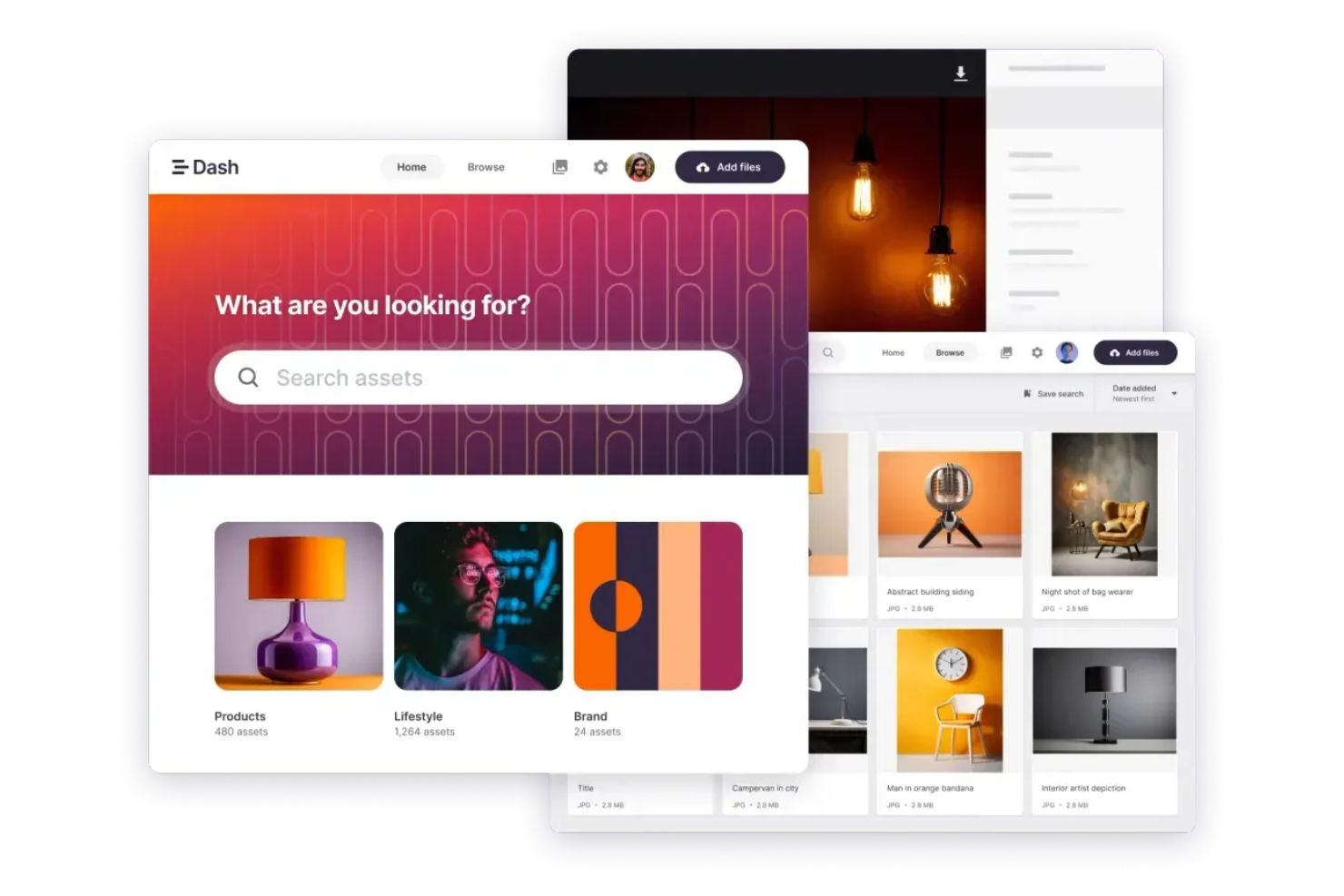
Creative teams looking for a purpose-built solution to manage images, videos, and design files will find Dash tailored to their needs. Unlike OneDrive, Dash is designed specifically for organizing, tagging, and sharing creative assets with visual search and custom metadata fields. It’s a strong fit for marketing teams, agencies, and in-house creatives who need to keep brand assets accessible and easy to find.
Why Dash Is a Good OneDrive Alternative
For teams managing large volumes of creative assets, Dash offers a focused approach that OneDrive doesn’t match. I picked Dash because it’s built around features like visual search, custom tagging, and automated metadata extraction, which make it easy to organize and retrieve images, videos, and design files. The platform also supports advanced sharing controls, so you can create branded portals or collections for clients and collaborators. If your workflow centers on creative content, Dash provides specialized tools that go beyond standard file storage.
Dash Key Features
Some other features in Dash that help creative teams manage their assets include:
- Bulk Upload and Tagging: Upload multiple files at once and apply tags to all of them in a single step.
- Customizable Download Presets: Set up preset formats and sizes for users to download assets in the right specifications.
- User Permissions Management: Control who can view, edit, or share specific folders and files.
- Asset Expiry Dates: Set automatic expiration dates for assets to manage licensing and usage rights.
Dash Integrations
Integrations include Adobe Creative Suite, Canva, Figma, Google Drive, Dropbox, Shopify, WooCommerce, Hootsuite, WordPress, and Microsoft Office.
Pros and Cons
Pros:
- Auto tags images with AI
- Fast portal sharing tools
- Easy custom metadata tags
Cons:
- Niche marketing focus only
- No local folder syncing
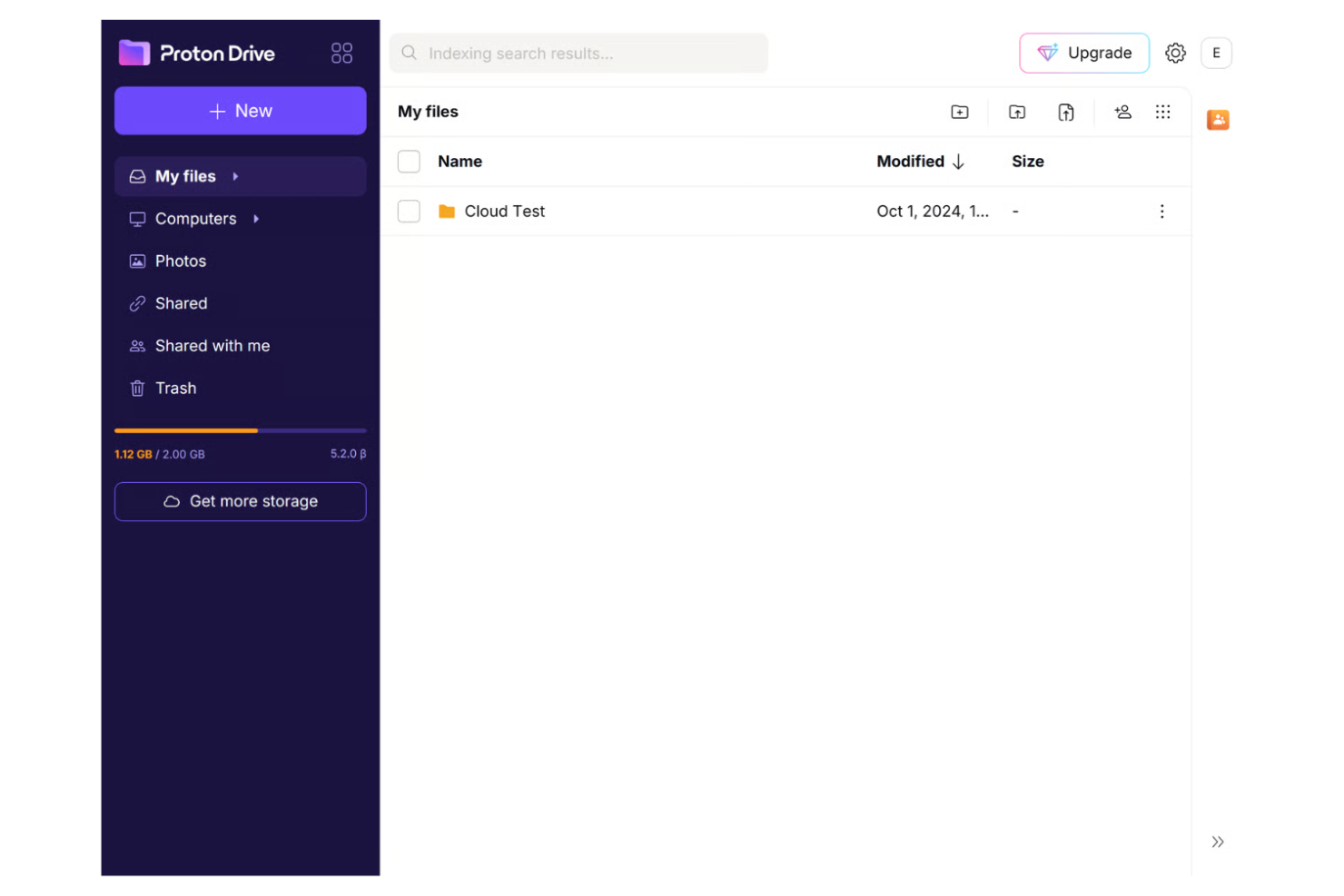
If your organization needs strict privacy and data protection, Proton Drive is built with end-to-end encryption at its core. It’s a strong choice for legal teams, healthcare providers, and any business handling sensitive information that can’t risk exposure to third parties. Unlike OneDrive, Proton Drive never has access to your files, making it a top pick for privacy-focused teams.
Why Proton Drive Is a Good OneDrive Alternative
For teams that treat privacy as non-negotiable, Proton Drive offers a level of data protection that’s hard to match. I picked Proton Drive because it uses end-to-end encryption for every file, ensuring that only you and your collaborators can ever access your data. The platform is based in Switzerland, which means it benefits from some of the world’s strongest privacy laws. If your organization needs to guarantee that files remain confidential—even from your storage provider—Proton Drive is a strong alternative to OneDrive.
Proton Drive Key Features
Some other features in Proton Drive that help teams manage and share files securely include:
- File Versioning: Restore previous versions of files directly from your account.
- Password-Protected Links: Set passwords for shared file links to control access.
- Cross-Platform Access: Use Proton Drive on web, desktop, and mobile devices.
- Proton Account Integration: Access Proton Mail, Proton Calendar, and Proton VPN with a single login.
Proton Drive Integrations
Integrations include Proton Mail, Proton Calendar, Proton VPN, Proton Pass, Proton Docs, Proton Sheets, Proton Authenticator, and Proton Meet.
Pros and Cons
Pros:
- Clean integration with Mail
- Highly secure sharing links
- Open source cryptography
Cons:
- No built in document editors
- No block level syncing
Other OneDrive Alternatives
Here are some additional OneDrive alternative options that didn’t make it onto my shortlist, but are still worth checking out:
- kDrive
For European data residency
- Filen
For unlimited device connections
- Box
For workflow automation tools
- Google Drive
For real-time document collaboration
- Backblaze
For automated backup scheduling
- Dropbox
For third-party app integrations
- NordLocker
For end-to-end encrypted vaults
- Amazon Photos
For photo organization features
- HiDrive
For GDPR-compliant storage
- Twake Workplace
For integrated team chat functionality


OneDrive Alternatives Selection Criteria
When selecting the best OneDrive alternatives to include in this list, I considered common buyer needs and pain points related to file sharing and cloud storage software products, like secure external sharing and granular permission controls. I also used the following framework to keep my evaluation structured and fair:
Core Functionality (25% of total score)
To be considered for inclusion in this list, each solution had to fulfill these common use cases:
- Upload and store files in the cloud
- Share files and folders with others
- Sync files across devices
- Set user permissions and access levels
- Restore deleted files or previous versions
Additional Standout Features (25% of total score)
To help further narrow down the competition, I also looked for unique features, such as:
- Visual search for images and videos
- Built-in workflow automation
- End-to-end encryption
- Custom branding for shared links
- Asset expiry and licensing management
Usability (10% of total score)
To get a sense of the usability of each system, I considered the following:
- Simple and intuitive navigation
- Clean and modern interface design
- Fast file upload and download speeds
- Clear organization of files and folders
- Mobile app experience and functionality
Onboarding (10% of total score)
To evaluate the onboarding experience for each platform, I considered the following:
- Availability of training videos and tutorials
- Access to setup guides and documentation
- Interactive product tours or walkthroughs
- Pre-built templates for common use cases
- Responsive onboarding support or chatbots
Customer Support (10% of total score)
To assess each software provider’s customer support services, I considered the following:
- Multiple support channels like chat and email
- Fast response times to inquiries
- Access to a searchable help center
- Availability of onboarding webinars
- Community forums or user groups
Value For Money (10% of total score)
To evaluate the value for money of each platform, I considered the following:
- Transparent and flexible pricing plans
- Free trial or free plan availability
- Storage limits compared to price
- Included features at each pricing tier
- Discounts for annual billing or nonprofits
Customer Reviews (10% of total score)
To get a sense of overall customer satisfaction, I considered the following when reading customer reviews:
- Positive feedback on reliability and uptime
- Reports of helpful customer support
- Comments on ease of use and adoption
- Critiques of pricing or feature gaps
- User stories about real-world use cases
Why Look For a OneDrive Alternative?
While OneDrive is a good choice of file sharing and cloud storage software, there are a number of reasons why some users seek out alternative solutions. You might be looking for a OneDrive alternative because…
- You need more advanced creative asset management
- Your team requires end-to-end encryption for files
- You want more granular permission controls
- You need better integration with non-Microsoft tools
- Your organization operates in regions with limited Microsoft support
- You want built-in workflow automation features
If any of these sound like you, you’ve come to the right place. My list contains several file sharing and cloud storage software options that are better suited for teams facing these challenges with OneDrive and looking for alternative solutions.
OneDrive Key Features
Here are some of the key features of OneDrive, to help you contrast and compare what alternative solutions offer:
- Real-time document collaboration with Microsoft 365 apps
- Automatic file syncing across devices
- Version history and file recovery
- Secure sharing with password-protected links
- Integration with Microsoft Teams and Outlook
- Personal Vault for sensitive files
- Offline file access and editing
- Mobile apps for iOS and Android
- Built-in ransomware detection and recovery
- Granular user and folder permission controls