
20 Best Mega Alternatives in 2026

10 Mega Alternatives Shortlist
Here's my pick of the 10 best software from the 20 tools reviewed.


A strong Mega alternative offers secure cloud storage, flexible sharing options, and privacy controls that match or exceed what Mega provides. If you’re searching for alternatives to Mega, you’re likely weighing concerns about data privacy, collaboration features, or integration with your team’s existing tools.
This list will help you compare the top Mega alternatives for 2026, so you can find a solution that fits your workflow, security standards, and collaboration needs—whether you’re managing sensitive files or supporting a distributed team.
What Is Mega?
Mega is a cloud storage and file-sharing platform known for its end-to-end encryption and generous free storage allowance. Users can upload, store, and share files securely, with encryption keys managed by the user for added privacy. Mega supports web, desktop, and mobile access, making it a popular choice for individuals and teams who prioritize data security and easy file sharing across devices.
Mega Alternatives Summary
This comparison chart summarizes pricing details for my top Mega alternatives to help you find the best one for your budget and business needs.
| Tool | Best For | Trial Info | Price | ||
|---|---|---|---|---|---|
| 1 | Best for real-time document collaboration | 14-day free trial available | From $7/user/month (billed annually) | Website | |
| 2 | Best with extensive third-party integrations | Free plan available | From $9.99/month (billed annually) | Website | |
| 3 | Best for lifetime storage plans | Free plan available | From $4.99/month | Website | |
| 4 | Best for strict data residency options | 30-day free trial | From $6/user/month (billed annually) | Website | |
| 5 | Best for advanced workflow automation | 14-day free trial + free demo available | From $24/user/month (billed annually) | Website | |
| 6 | Best for built-in virtual drive access | Free plan available | From $2.49/month (billed annually) | Website | |
| 7 | Best with zero-knowledge encryption | Free plan available | From $2.99/month (billed annually) | Website | |
| 8 | Best for open-source privacy controls | Free plan available | From $4.49/month (billed annually) | Website | |
| 9 | Best with native Apple ecosystem support | Free plan available | Pricing upon request | Website | |
| 10 | Best for seamless Microsoft 365 integration | 1-month free trial | From $6.00/user/month (billed annually) | Website |
Why You Can Trust Us
We’ve been testing and reviewing project management software since 2012. As project managers ourselves, we know how critical and difficult it is to make the right decision when selecting software.
We invest in deep research to help our audience make better software purchasing decisions. We’ve tested more than 2,000 tools for different project management use cases and written over 1,000 comprehensive software reviews. Learn how we stay transparent & our software review methodology.
-

Accelo
Visit WebsiteThis is an aggregated rating for this tool including ratings from Crozdesk users and ratings from other sites.4.4 -
Wrike
Visit WebsiteThis is an aggregated rating for this tool including ratings from Crozdesk users and ratings from other sites.4.2 -
Forecast
Visit WebsiteThis is an aggregated rating for this tool including ratings from Crozdesk users and ratings from other sites.4.6




Mega Alternatives Reviews
Below are my detailed summaries of the best Mega alternatives that made it onto my shortlist. My reviews offer a detailed look at the features, security options, and integrations of each platform to help you find the best one for you.

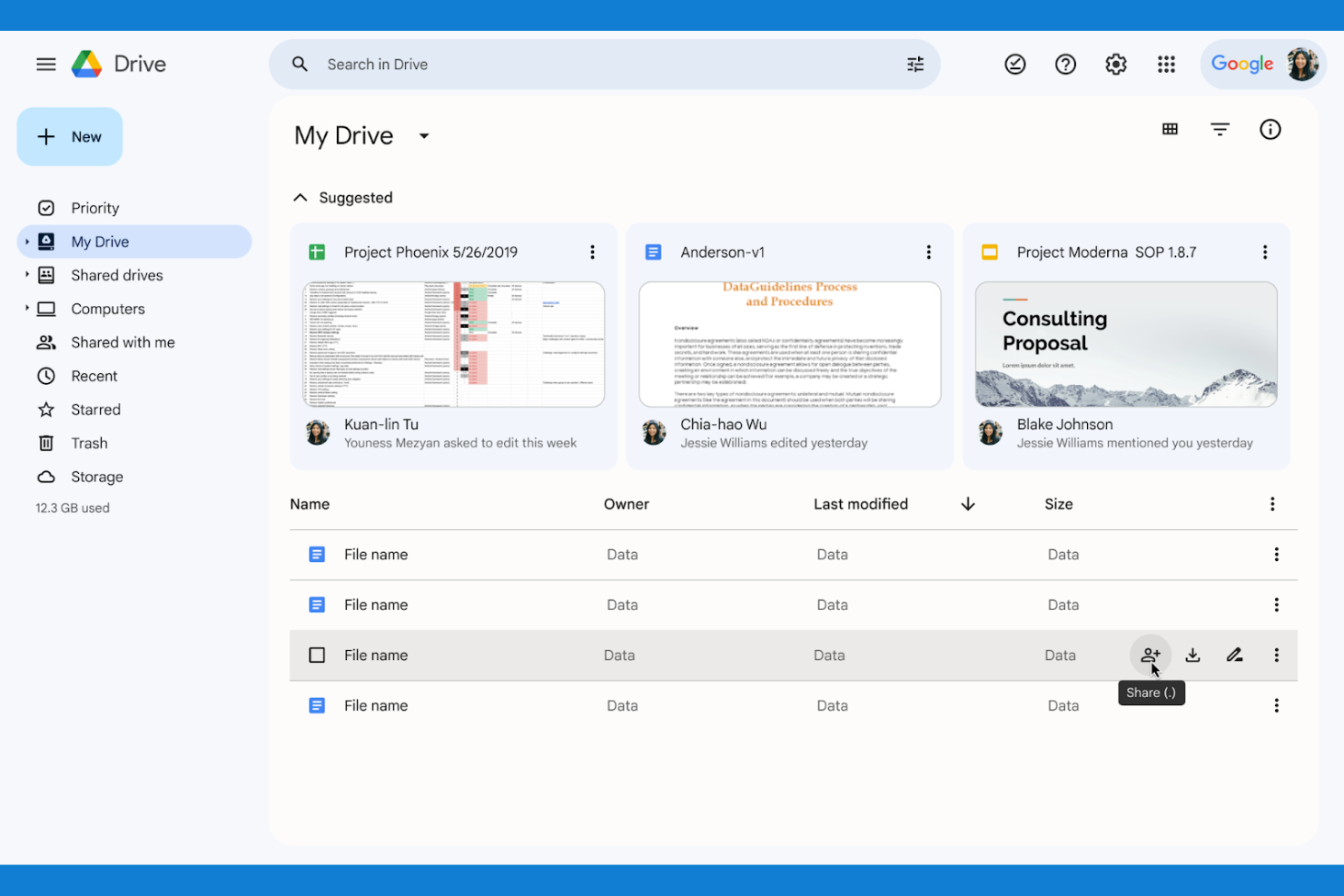
If your team needs to collaborate on documents in real time, Google Drive is a top choice. It’s built for organizations that want to create, edit, and share files simultaneously without version confusion. Unlike Mega, Google Drive’s integration with Docs, Sheets, and Slides makes live collaboration and feedback part of your everyday workflow.
Why Google Drive Is a Good Mega Alternative
Unlike Mega, Google Drive is built for teams that need to work together on documents at the same time. I picked Google Drive because its real-time editing in Docs, Sheets, and Slides lets multiple users make changes and leave comments without file conflicts. The built-in version history means you can always track edits or restore previous versions if needed. If your projects depend on fast, collaborative feedback, Google Drive’s live document tools are hard to match.
Google Drive Key Features
Some other Google Drive features that may be helpful for your team include:
- Shared Drives: Create team-based folders with centralized ownership and management.
- Advanced Search Filters: Locate files quickly using filters for type, owner, and date.
- Offline Access: View and edit files without an internet connection.
- Two-Step Verification: Add an extra layer of security to your account.
Google Drive Integrations
Integrations include Gmail, Google Meet, Google Chat, Google Calendar, Google Docs, Google Sheets, Google Slides, Salesforce, Slack, and Zoom.
Pros and Cons
Pros:
- Universally used platform
- Incredible search engine
- Flawless Google app sync
Cons:
- Privacy policies vary
- Cluttered file organization


Teams that rely on a wide range of business apps often turn to Dropbox for its unmatched integration capabilities. Dropbox is designed for organizations that need to connect cloud storage with tools like Slack, Zoom, and Microsoft 365 to keep workflows unified. Unlike Mega, Dropbox’s extensive third-party integrations make it easier to centralize files and automate processes across your existing tech stack.
Why Dropbox Is a Good Mega Alternative
For teams that depend on a connected workflow, Dropbox stands out because of its deep integration ecosystem. I picked Dropbox as a Mega alternative since it natively connects with tools like Slack, Zoom, Microsoft 365, and Google Workspace, allowing you to manage files directly within those platforms. Dropbox also supports automated file actions through integrations with tools like Zapier and Trello, which helps reduce manual work. If your business needs to keep files in sync across multiple apps, Dropbox’s integration options make it a strong choice.
Dropbox Key Features
Some other Dropbox features that may be useful for your team include:
- File Request Tool: Collect files from anyone, even if they don’t have a Dropbox account.
- Granular Folder Permissions: Assign view, edit, or comment access at the folder level.
- Document Scanning: Scan and upload physical documents directly from the mobile app.
- File Version History: Restore or review previous versions of files for up to 180 days.
Dropbox Integrations
Integrations include Google Workspace, Microsoft, Adobe, HubSpot, Autodesk, Canva, AWS, Slack, Zoom, and Trello.
Pros and Cons
Pros:
- Built in document signing
- Great team folder sharing
- Block level file transfers
Cons:
- Expensive premium plans
- Tiny 2GB free storage tier

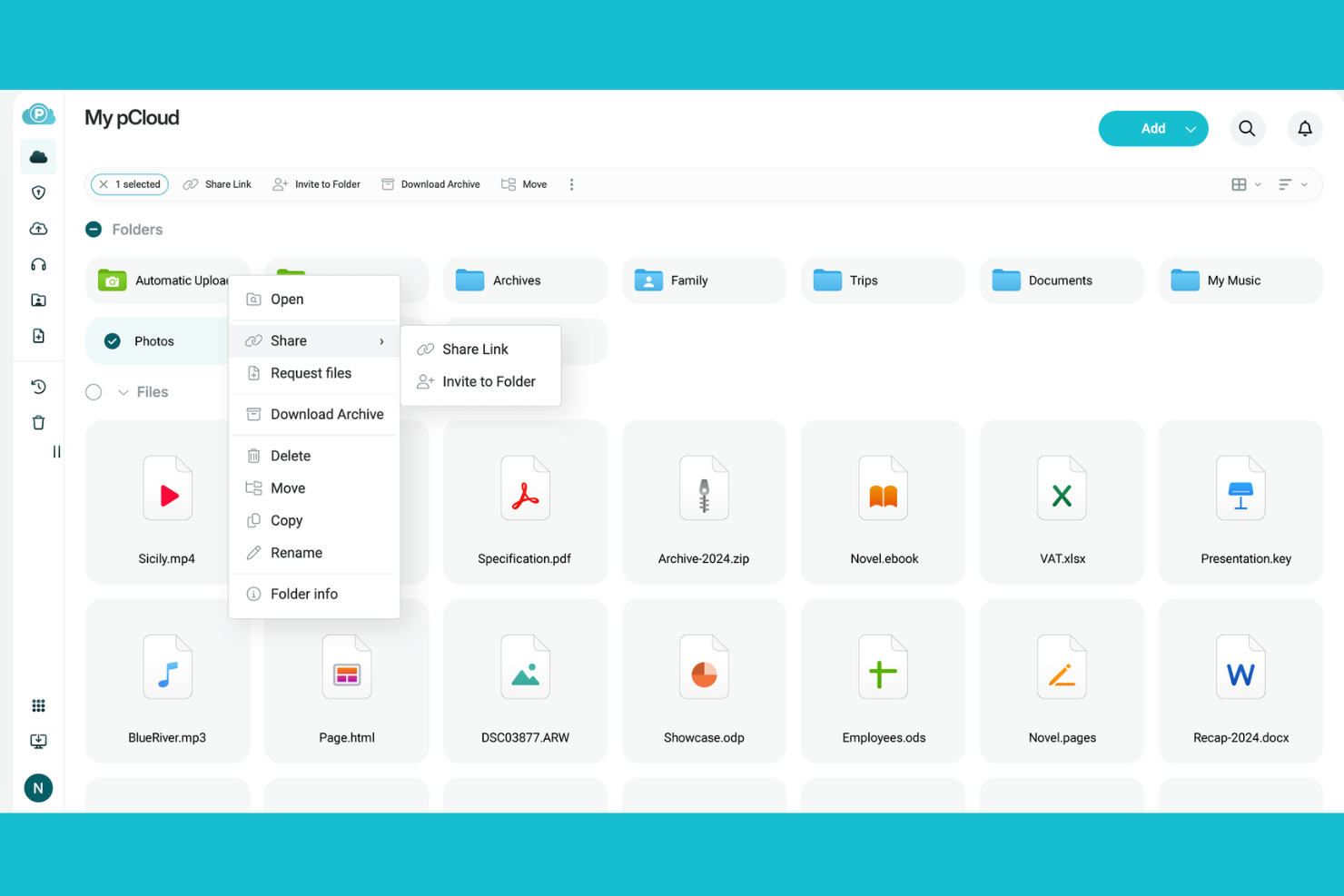
If you’re looking for a cloud storage platform with a one-time payment option, pCloud stands out with its lifetime storage plans. This solution is a good fit for freelancers, small businesses, or anyone who wants to avoid ongoing subscription fees. pCloud also appeals to users who want flexible file sharing and strong privacy controls without recurring costs.
Why pCloud Is a Good Mega Alternative
What sets pCloud apart from Mega is its unique lifetime storage plan, which lets you pay once for permanent access. I picked pCloud for users who want to avoid ongoing subscription fees while still getting secure cloud storage. The platform offers file versioning and built-in media playback, making it easy to manage and access your files long-term. With client-side encryption available as an add-on, pCloud also appeals to those who prioritize privacy without monthly costs.
pCloud Key Features
Some other features in pCloud that may interest you include:
- Public Folder Sharing: Create public links to share files or folders with anyone, even if they don’t have a pCloud account.
- Rewind Function: Restore your entire account or specific folders to a previous state from up to 30 days in the past.
- Cross-Platform Sync: Sync files across Windows, macOS, Linux, iOS, and Android devices for consistent access.
- Backup Integrations: Back up content directly from other platforms like Google Drive, Dropbox, or OneDrive into your pCloud account.
pCloud Integrations
Integrations include Apple Files, Google Drive, Dropbox, OneDrive, and Facebook.
Pros and Cons
Pros:
- Great public sharing links
- Swiss data privacy laws
- Virtual drive saves space
Cons:
- No native document editors
- Smaller free tier than Mega
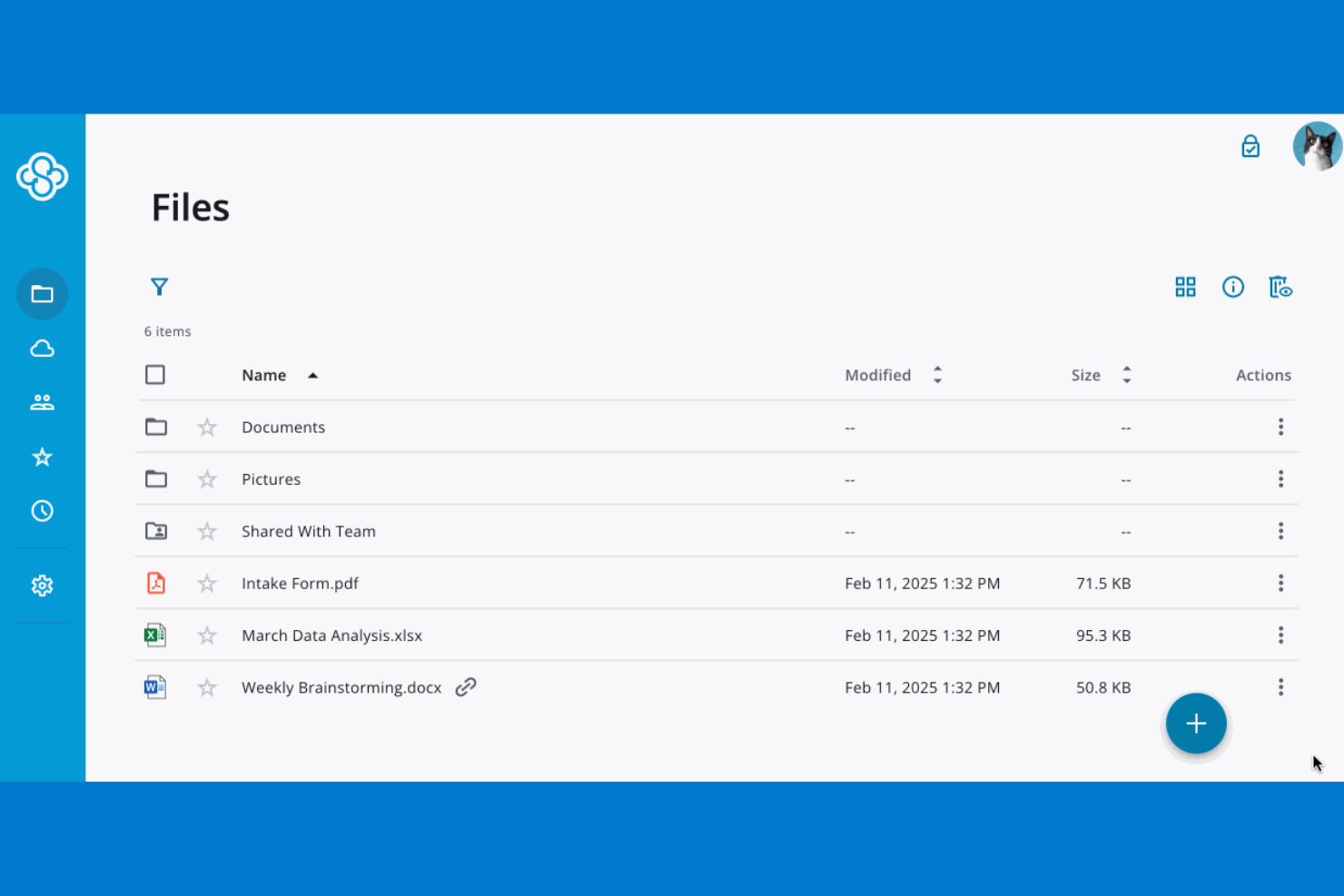
If your organization needs to control exactly where its data is stored, Sync.com offers strict data residency options that go beyond what most cloud storage providers deliver. This platform is a strong fit for businesses in regulated industries or those with compliance requirements tied to specific geographic regions. Unlike Mega, Sync.com lets you choose your data storage location, helping you meet legal and policy obligations around data sovereignty.
Why Sync.com Is a Good Mega Alternative
Unlike many cloud storage providers, Sync.com gives you the ability to select where your data is physically stored, which is essential for organizations with strict data residency or sovereignty requirements. I picked Sync.com because it offers Canadian data centers and clear controls for meeting compliance standards in regulated industries. The platform also provides end-to-end encryption, ensuring that your files remain private and protected no matter where they’re stored. If your business needs to align with regional data laws or client mandates, Sync.com offers a level of control that Mega doesn’t match.
Sync.com Key Features
Some other Sync.com features that may interest you include:
- Granular User Permissions: Set detailed access levels for files and folders across your team.
- Remote Device Wipe: Remove Sync.com data from lost or stolen devices remotely.
- File Version History: Restore previous versions of files for up to 365 days.
- Password-Protected Sharing Links: Add password protection to shared links for extra security.
Sync.com Integrations
Integrations include Microsoft 365, Slack, Windows File Explorer, and macOS Finder.
Pros and Cons
Pros:
- Affordable team pricing
- No third party tracking
- Great file versioning
Cons:
- Cannot preview many files
- Lacks third party app sync


For teams that need more than just file storage, Box offers advanced workflow automation built into its cloud platform. It’s a strong fit for organizations with complex approval chains, document lifecycles, or compliance requirements. Unlike Mega, Box lets you automate multi-step processes and integrate content workflows directly with your business apps.
Why Box Is a Good Mega Alternative
Box stands out for teams that want to automate document workflows and approvals directly within their cloud storage platform. I picked Box because its workflow automation tools let you build custom, multi-step processes for tasks like contract reviews, onboarding, and compliance sign-offs. You can trigger notifications, assign tasks, and set up conditional logic without leaving the platform. For organizations that need more than basic file sharing, Box’s automation features help keep content moving through complex business processes.
Box Key Features
Some other Box features that may be valuable for your team include:
- Granular Access Controls: Set detailed permissions for users, groups, and external collaborators.
- Box Notes: Create and edit notes collaboratively within the platform.
- eSignature Integration: Collect legally binding electronic signatures directly on documents.
- Data Loss Prevention (DLP): Monitor and restrict sensitive data sharing with built-in DLP tools.
Box Integrations
Integrations include Microsoft 365, Google Workspace, Salesforce, Slack, Adobe, Okta, Zoom, Oracle NetSuite, ServiceNow, and DocuSign.
Pros and Cons
Pros:
- Built in e signature tools
- Strong admin data controls
- Great workflow automation
Cons:
- UI feels highly corporate
- Steep learning curve

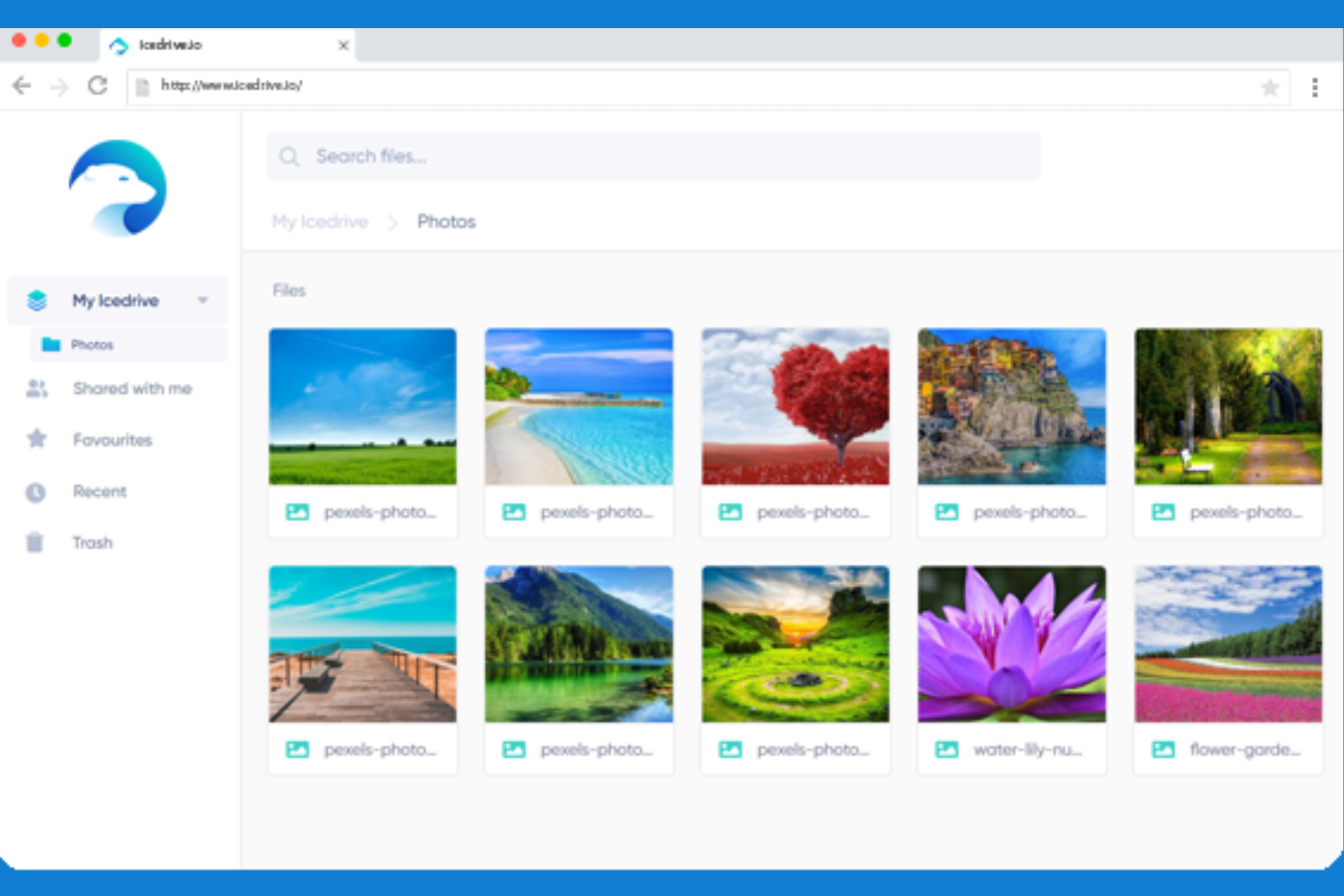
If you’re looking for cloud storage that feels like a native part of your desktop, Icedrive offers a built-in virtual drive that mounts directly to your operating system. This approach is especially useful for creative professionals, engineers, or anyone who wants to work with cloud files as if they’re stored locally. Icedrive stands apart from Mega and similar tools by letting you open, edit, and save files in the cloud without syncing or downloading them first.
Why Icedrive Is a Good Mega Alternative
What sets Icedrive apart is its built-in virtual drive, which lets you access cloud files directly from your desktop as if they’re on a local hard drive. I picked Icedrive for users who want to work with large files or complex folder structures without the hassle of manual syncing. The virtual drive feature means you can open, edit, and save files in real time, with changes reflected instantly in the cloud. This makes Icedrive a strong choice for anyone who needs seamless access to cloud storage within their existing desktop workflow.
Icedrive Key Features
Some other features in Icedrive that may interest you include:
- Twofish Encryption: All stored data is protected with client-side Twofish encryption for added security.
- Web-Based File Management: Manage, preview, and share files directly from a web browser without installing software.
- File Versioning: Restore previous versions of files to recover from unwanted changes or deletions.
- Public and Private Link Sharing: Generate both public and password-protected links for sharing files and folders.
Icedrive Integrations
Integrations include Windows File Explorer, macOS Finder, and WebDAV.
Pros and Cons
Pros:
- Affordable lifetime plans
- Generous free storage tier
- Beautiful modern interface
Cons:
- Limited sharing options
- No block level file sync

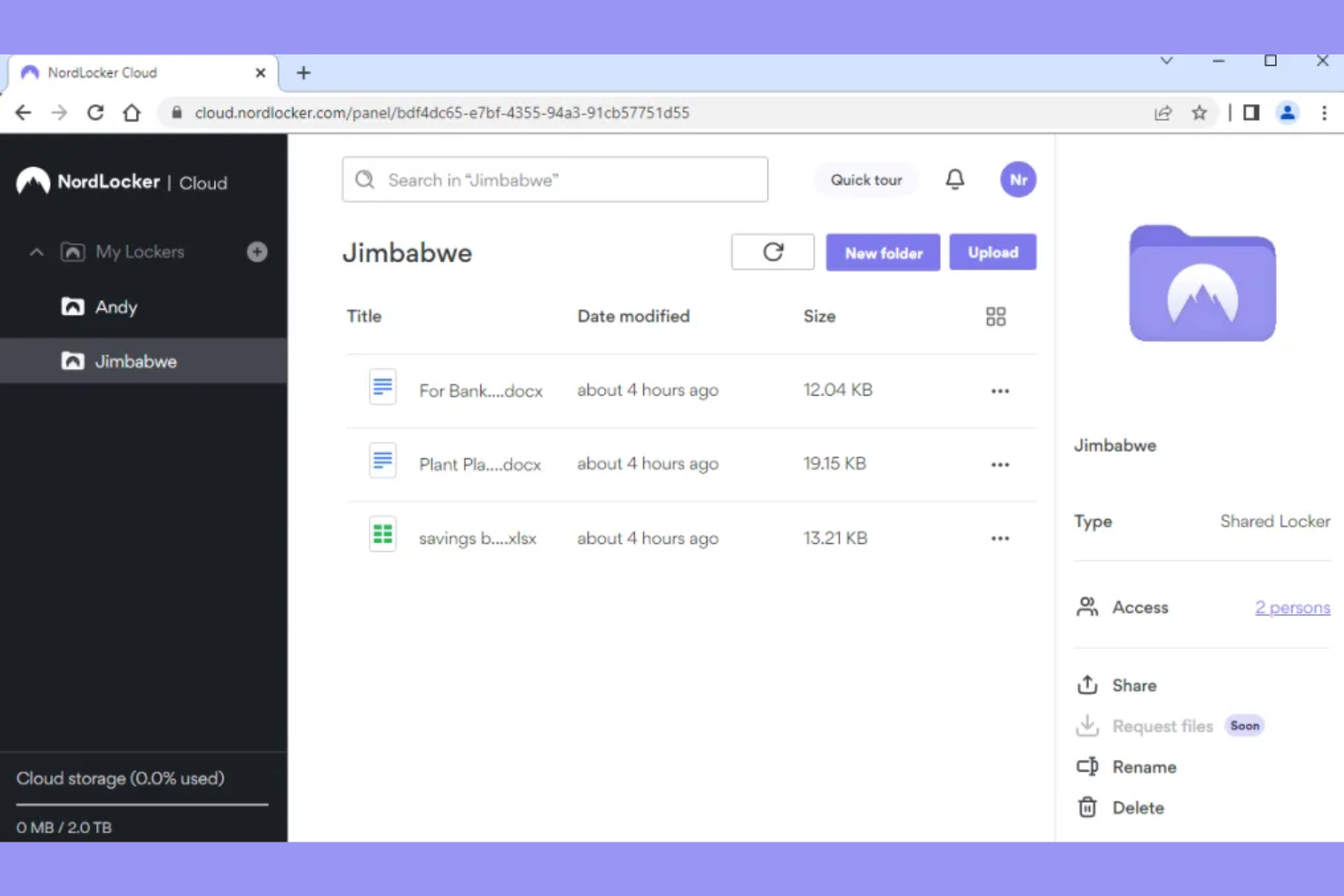
For teams and individuals who need airtight privacy, NordLocker offers cloud storage with zero-knowledge encryption by default. This platform is a strong fit for legal, healthcare, or finance professionals who handle sensitive files and want to ensure only they can access their data. NordLocker stands out from Mega and other options by making end-to-end encryption the core of its service, not just an add-on.
Why NordLocker Is a Good Mega Alternative
Unlike many cloud storage providers, NordLocker uses zero-knowledge encryption as its foundation, meaning only you hold the keys to your data. I picked NordLocker for anyone who needs to guarantee that even the service provider can’t access their files. The platform encrypts files locally before upload and supports secure sharing with other NordLocker users. This approach makes it especially appealing for professionals who need to meet strict compliance or privacy requirements.
NordLocker Key Features
Some other features in NordLocker that may interest you include:
- Drag-and-Drop Locker Creation: Create encrypted folders by simply dragging and dropping files into the NordLocker app.
- Multi-Device Sync: Access and manage your encrypted files across Windows, macOS, Android, and iOS devices.
- Granular Access Controls: Set permissions for shared files and folders to control who can view or edit content.
- Offline File Access: Open and work with encrypted files even when you’re not connected to the internet.
NordLocker Integrations
Integrations include Windows File Explorer, macOS Finder, and Google Drive.
Pros and Cons
Pros:
- Trusted security brand
- Highly secure sharing links
- Local vault file protection
Cons:
- Slower upload speeds
- Lacks collaboration tools

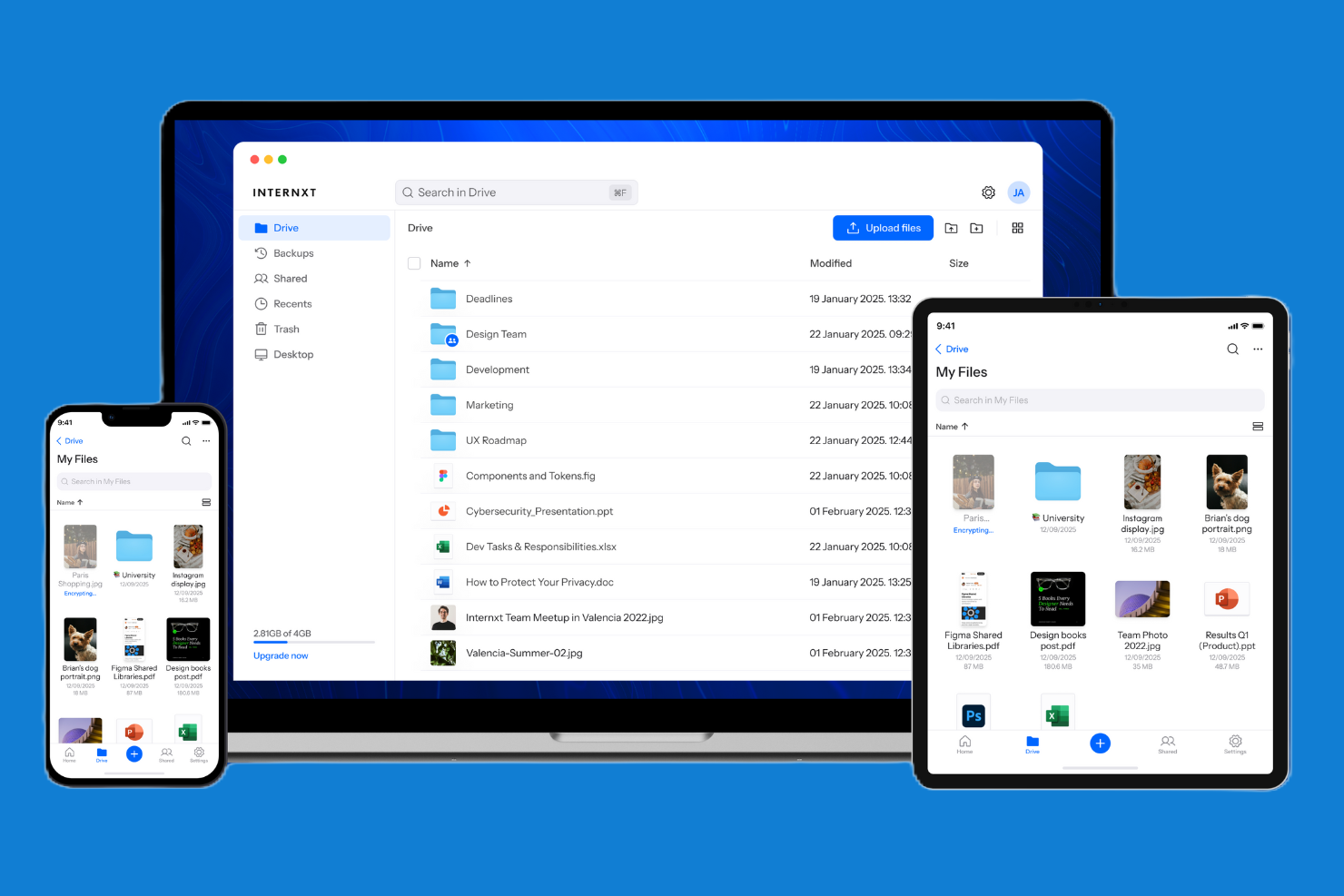
For teams and individuals who prioritize privacy and transparency, Internxt offers open-source cloud storage with strict privacy controls. This platform appeals to organizations handling sensitive data or anyone who wants full visibility into how their files are managed and encrypted. Unlike Mega and most competitors, Internxt’s open-source codebase and zero-knowledge encryption give you more control over your data’s security and compliance.
Why Internxt Is a Good Mega Alternative
Internxt stands out for its open-source privacy controls, which give you more transparency and oversight than most cloud storage providers. I picked Internxt because its zero-knowledge encryption ensures that only you can access your files, not even the service itself. The platform’s open-source codebase allows anyone to audit its security practices, which is especially important for teams with strict compliance needs. If you want to verify how your data is handled and stored, Internxt offers a level of trust and control that Mega and many other alternatives don’t match.
Internxt Key Features
Some other features in Internxt that may interest you include:
- Cross-Platform Apps: Access files from Windows, macOS, Linux, Android, and iOS devices.
- File Sharing with Expiry Dates: Set expiration dates for shared links to control access duration.
- Photo and Video Backup: Automatically back up photos and videos from your mobile device.
- Granular Folder Permissions: Assign specific access levels to collaborators on shared folders.
Internxt Integrations
Integrations include Windows File Explorer, macOS Finder, and Linux file managers.
Pros and Cons
Pros:
- Clean minimalist interface
- Free tier is easy to earn
- Extremely high privacy
Cons:
- No file version history
- Missing advanced sharing

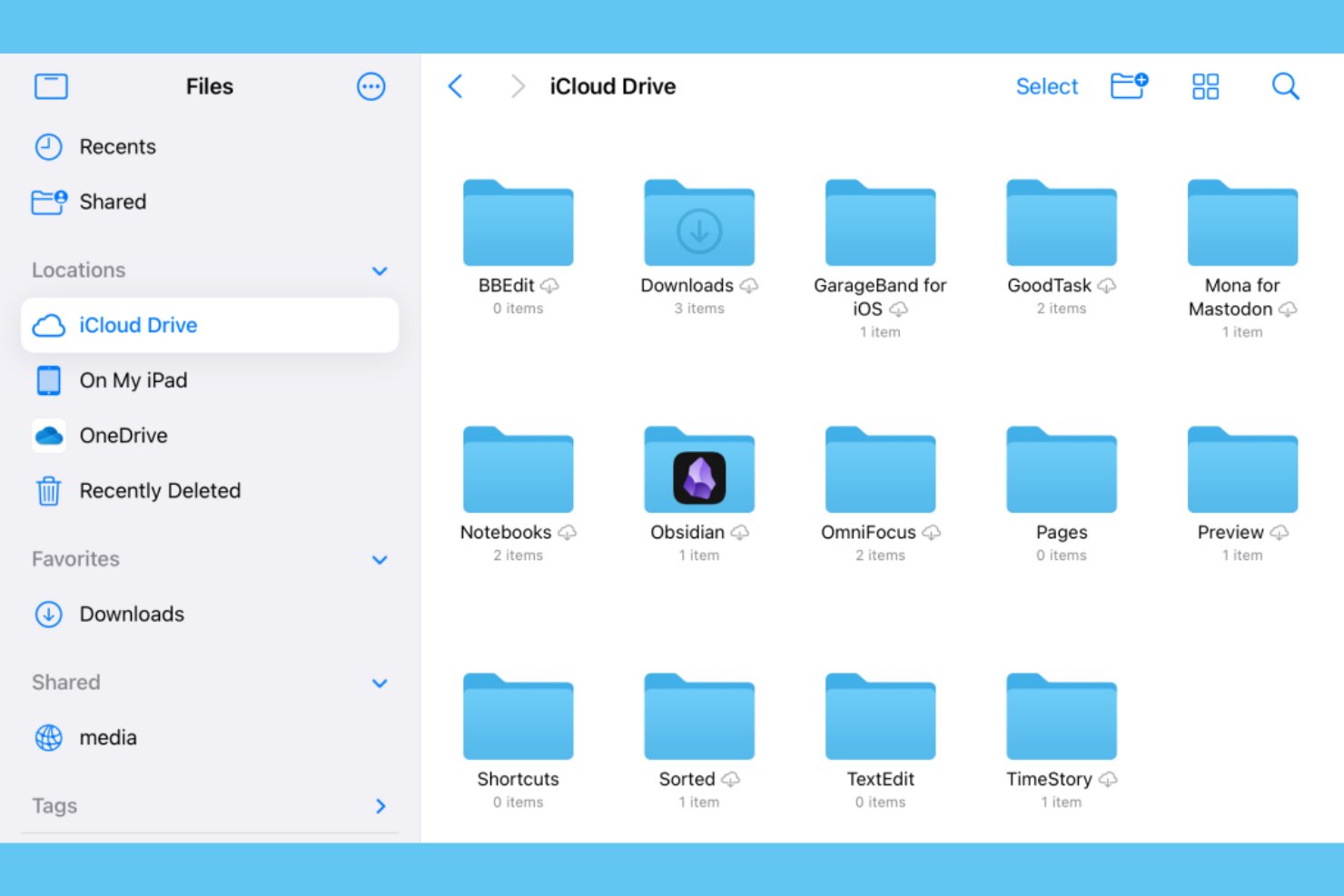
Apple users who want cloud storage that’s tightly woven into their devices will find iCloud a natural fit. It’s designed for individuals and teams who rely on the Apple ecosystem and need automatic syncing across iPhone, iPad, and Mac. Unlike Mega, iCloud offers seamless integration with native Apple apps and services, making file access and sharing feel like a built-in part of your workflow.
Why iCloud Is a Good Mega Alternative
For anyone deeply invested in the Apple ecosystem, iCloud offers a level of native integration that Mega can’t match. I picked iCloud because it automatically syncs files, photos, and documents across all Apple devices without any extra setup. Features like iCloud Drive and shared folders make it easy to collaborate and access files from anywhere within the Apple environment. If your workflow depends on seamless connectivity between your Mac, iPhone, and iPad, iCloud delivers a unified experience that feels like an extension of your devices.
iCloud Key Features
Some other features that make iCloud appealing include:
- Family Sharing: Share storage and purchases with up to six family members under one plan.
- Find My Integration: Locate lost Apple devices and share locations with trusted contacts.
- iCloud Keychain: Store and autofill passwords, credit card details, and secure notes across devices.
- Automatic Photo Backup: Back up and sync your entire photo library across all Apple devices.
iCloud Integrations
Integrations include Mail, Photos, Drive, Notes, Calendar, Reminders, Contacts, Find My, Keychain, and HomeKit.
Pros and Cons
Pros:
- Native iOS file app sync
- Cheap lower storage tiers
- Automatic device backups
Cons:
- Locked to Apple hardware
- File sharing is very basic

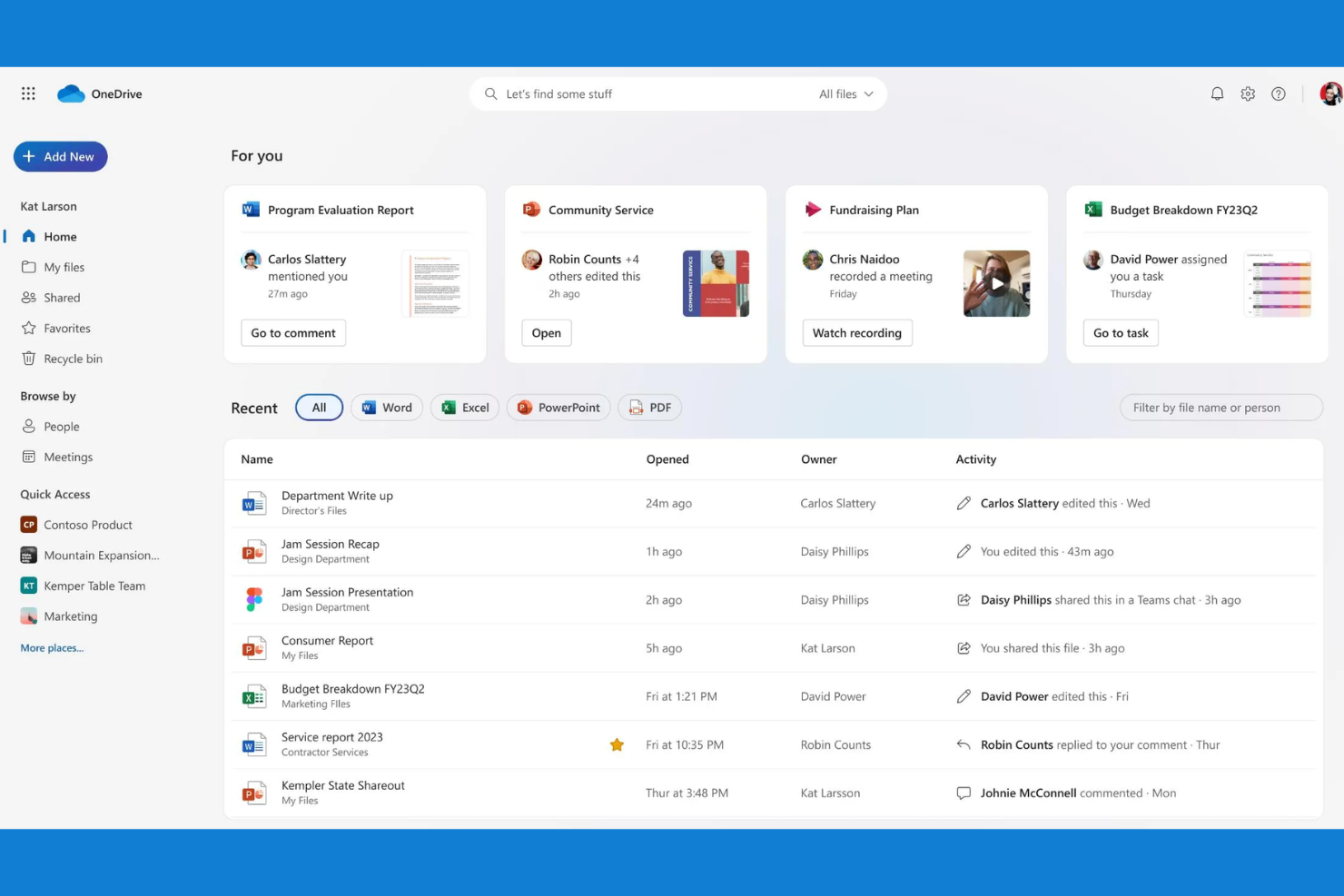
Teams that rely on Microsoft 365 apps often turn to Microsoft OneDrive for cloud storage and file sharing. It’s designed for organizations that want to keep files, emails, and collaboration tightly connected within the Microsoft ecosystem. Unlike Mega, OneDrive lets you co-author and manage documents directly from familiar tools like Word, Excel, and Teams.
Why Microsoft OneDrive Is a Good Mega Alternative
If your team already uses Microsoft 365, OneDrive is the natural choice for cloud storage and file sharing. I picked OneDrive because it lets you save, sync, and co-author files directly from Word, Excel, PowerPoint, and Teams without leaving those apps. Version history and real-time collaboration are built in, so you can track changes and work together on documents without file confusion. For organizations that want storage to feel like a seamless part of their daily workflow, OneDrive’s integration with Microsoft 365 stands out.
Microsoft OneDrive Key Features
Some other Microsoft OneDrive features that may be useful for your organization include:
- Personal Vault: Store sensitive files in a protected area with identity verification.
- File Request: Collect files from anyone directly into a specified folder.
- Ransomware Detection and Recovery: Get alerts and restore files if suspicious activity is detected.
- Block Download for Shared Files: Prevent recipients from downloading shared documents.
Microsoft OneDrive Integrations
Integrations include Microsoft Teams, Microsoft Outlook, Microsoft Word, Microsoft Excel, Microsoft PowerPoint, Microsoft SharePoint, Windows, Samsung, Azure, and Dynamics 365.
Pros and Cons
Pros:
- Files on demand feature
- Very cheap with Office plan
- Seamless Office 365 sync
Cons:
- Confusing business setups
- Scans data for policy flags
Other Mega Alternatives
Here are some additional mega alternatives options that didn’t make it onto my shortlist, but are still worth checking out:
- Nextcloud
For self-hosted deployment flexibility
- Proton Drive
For end-to-end encrypted sharing
- IDrive
For multi-device backup management
- Zoho WorkDrive
For team-based document organization
- Filen
With unlimited file versioning
- Amazon Photos
For automatic photo backup
- Progress ShareFile
For granular access permissions
- TeraBox
For generous free storage allocation
- kDrive
For Swiss data center hosting
- MediaFire
For quick large file uploads


Mega Alternatives Selection Criteria
When selecting the best Mega alternatives to include in this list, I considered common buyer needs and pain points related to cloud storage and file-sharing software products, like secure file sharing and cross-device syncing. I also used the following framework to keep my evaluation structured and fair:
Core Functionality (25% of total score)
To be considered for inclusion in this list, each solution had to fulfill these common use cases:
- Upload and store files in the cloud
- Share files and folders with others
- Sync files across multiple devices
- Access files from web and mobile apps
- Restore deleted files or previous versions
Additional Standout Features (25% of total score)
To help further narrow down the competition, I also looked for unique features, such as:
- End-to-end encryption for all files
- Built-in document editing or previewing
- Granular permission controls for sharing
- Automated backup scheduling
- Integration with productivity suites
Usability (10% of total score)
To get a sense of the usability of each system, I considered the following:
- Simple and intuitive user interface
- Clear navigation and folder organization
- Fast upload and download speeds
- Minimal setup required for syncing
- Consistent experience across devices
Onboarding (10% of total score)
To evaluate the onboarding experience for each platform, I considered the following:
- Step-by-step setup guides or wizards
- Availability of training videos or tutorials
- Access to pre-built templates or sample files
- Interactive product tours or walkthroughs
- Responsive onboarding support or chatbots
Customer Support (10% of total score)
To assess each software provider’s customer support services, I considered the following:
- Multiple support channels available
- Fast response times to inquiries
- Helpful and knowledgeable support staff
- Access to a searchable help center
- Community forums or user groups
Value For Money (10% of total score)
To evaluate the value for money of each platform, I considered the following:
- Transparent and flexible pricing plans
- Features included at each price tier
- Storage limits compared to competitors
- Free plan or trial availability
- Discounts for annual billing or teams
Customer Reviews (10% of total score)
To get a sense of overall customer satisfaction, I considered the following when reading customer reviews:
- Positive feedback on reliability and uptime
- Reports of data loss or security issues
- Satisfaction with sharing and collaboration
- Comments on mobile and desktop app quality
- Experiences with customer support responsiveness
Why Look For A Mega Alternative?
While Mega is a good choice of cloud storage and file-sharing software, there are a number of reasons why some users seek out alternative solutions. You might be looking for a Mega alternative because…
- You need more advanced collaboration tools
- You want native integration with Apple or Microsoft products
- You require stronger compliance with regional data laws
- You need better support for large teams or organizations
- You want more flexible sharing options with non-users
- You prefer a provider with more transparent business practices
If any of these sound like you, you’ve come to the right place. My list contains several cloud storage and file-sharing software options that are better suited for teams facing these challenges with Mega and looking for alternative solutions.
Mega Key Features
Here are some of the key features of Mega, to help you contrast and compare what alternative solutions offer:
- End-to-end encrypted file storage
- Secure link sharing with customizable permissions
- Built-in encrypted chat and messaging
- File versioning and recovery options
- Cross-platform apps for desktop and mobile
- Large file upload and transfer support
- Two-factor authentication for account security
- Collaboration through shared folders
- Bandwidth usage tracking and controls
- Automatic camera uploads from mobile devices
What’s Next:
If you're in the process of researching Mega alternatives, connect with a SoftwareSelect advisor for free recommendations.
You fill out a form and have a quick chat where they get into the specifics of your needs. Then you'll get a shortlist of software to review. They'll even support you through the entire buying process, including price negotiations.