
20 Nextcloud Alternatives Picked for 2026 With Top Features and Uses

Nextcloud Alternatives Shortlist
Here’s my shortlist of Nextcloud alternatives:


A strong Nextcloud alternative offers secure file sharing, flexible deployment options, and collaboration features that fit your team’s workflow. If you’re searching for alternatives to Nextcloud, you’re likely weighing privacy, integration needs, or scalability as your priorities.
With so many platforms available, it’s tough to know which solution will actually support your project delivery and keep your files accessible and protected. This list breaks down the top Nextcloud alternatives for 2026, so you can compare features, understand each tool’s strengths, and confidently choose the right platform for your team.
What Is Nextcloud?
Nextcloud is an open-source file-sharing platform that lets teams store, sync, and collaborate on documents from any device. It supports self-hosted and cloud deployments, giving organizations control over data privacy and security. Nextcloud includes features like file versioning, user access controls, and integration with productivity tools. IT teams, project managers, and distributed teams often use Nextcloud to manage files and simplify collaboration while meeting compliance requirements.
Why You Can Trust Us
We’ve been testing and reviewing project management software since 2012. As project managers ourselves, we know how critical and difficult it is to make the right decision when selecting software.
We invest in deep research to help our audience make better software purchasing decisions. We’ve tested more than 2,000 tools for different project management use cases and written over 1,000 comprehensive software reviews. Learn how we stay transparent & our software review methodology.
Best Nextcloud Alternatives Summary
This comparison chart summarizes pricing details for my top Nextcloud alternative selections to help you find the best one for your budget and business needs.
| Tool | Best For | Trial Info | Price | ||
|---|---|---|---|---|---|
| 1 | Best for compliance-driven organizations | 15-day free trial + free demo available | From $22/user/month (billed annually) | Website | |
| 2 | Best for large-scale enterprise deployments | 30-day free trial | Pricing upon request | Website | |
| 3 | Best for granular access controls | Free plan + free trial available | From 3280€/year (50 users) | Website | |
| 4 | Best for lightweight, real-time document co-editing in a self-hosted environment | Fee demo available | Free forever | Website | |
| 5 | Best with multi-protocol integrations | Free plan available + 20-day free trial | From $50/month | Website | |
| 6 | Best for flexible photo and video sharing | Free demo available | Pricing upon request | Website | |
| 7 | Best for European data residency | Free demo + free plan available | Pricing upon request | Website | |
| 8 | Best for Git-based file syncing | Free plan available | Completely free and open-source software | Website | |
| 9 | Best with advanced file versioning | 30-day free trial available | From $8/user/month (on cloud and billed annually) | Website | |
| 10 | Best for chat, tasks, and file sharing in one workspace | Free plan available | From €4.00/month | Website |
-

Accelo
Visit WebsiteThis is an aggregated rating for this tool including ratings from Crozdesk users and ratings from other sites.4.4 -
Wrike
Visit WebsiteThis is an aggregated rating for this tool including ratings from Crozdesk users and ratings from other sites.4.2 -
Forecast
Visit WebsiteThis is an aggregated rating for this tool including ratings from Crozdesk users and ratings from other sites.4.6




Nextcloud Alternatives Reviews
Below are my detailed summaries of the best Nextcloud alternatives that made it onto my shortlist. My reviews offer a detailed look at the features, best use cases, and integrations of each platform to help you find the best one for your team.

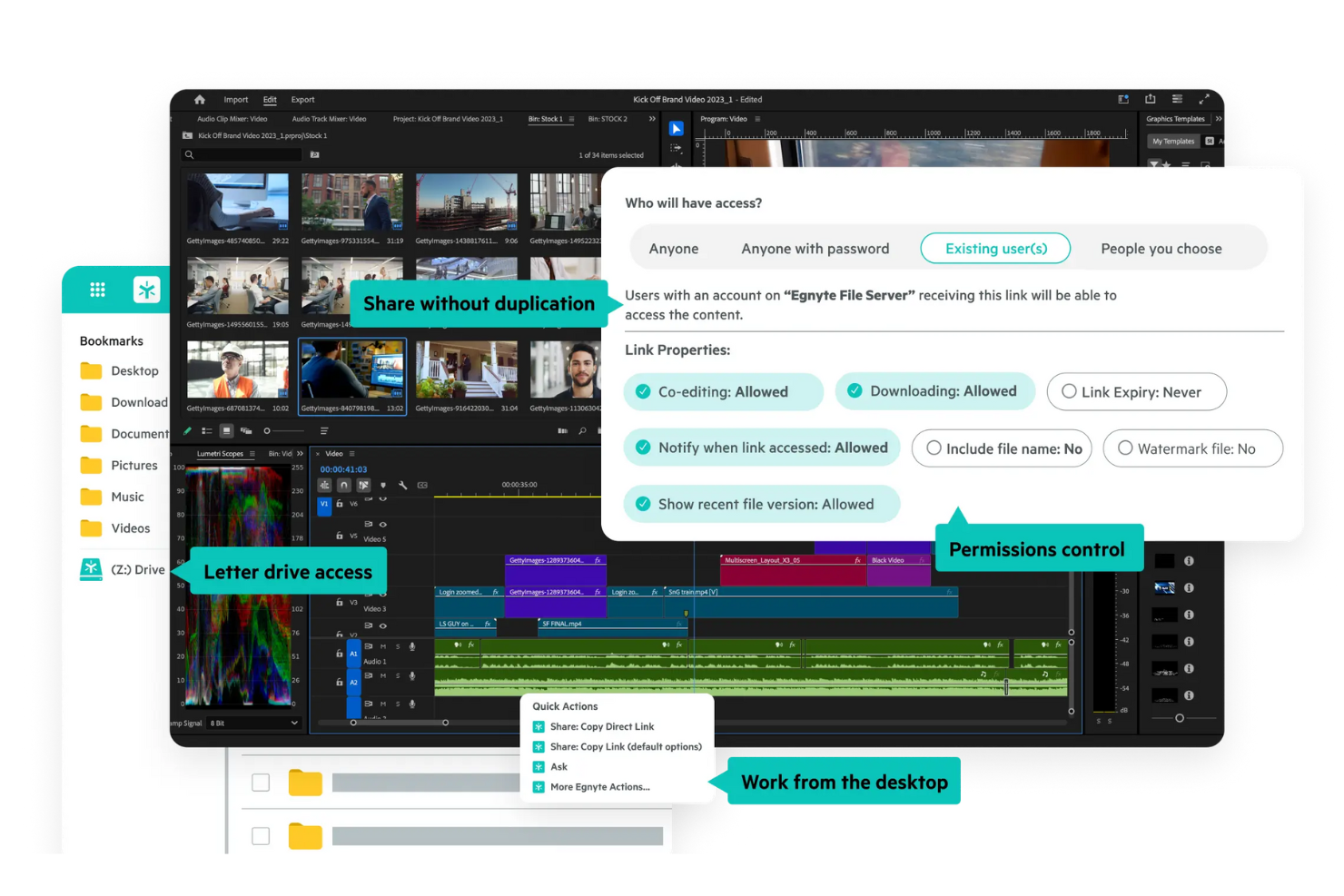
Egnyte is built for organizations that need to meet strict compliance and data governance requirements. If you work in a regulated industry like healthcare, finance, or legal, Egnyte offers advanced controls for secure file sharing and auditing. Unlike Nextcloud, Egnyte provides built-in compliance monitoring and automated risk detection to help your team manage sensitive data confidently.
Why Egnyte Is a Good Nextcloud Alternative
For teams that need to prioritize compliance, Egnyte offers a level of control and oversight that goes beyond what Nextcloud provides. I picked Egnyte because it includes built-in compliance monitoring tools, automated risk detection, and detailed audit trails for every file action.
These features help organizations in regulated industries maintain strict data governance and meet standards like HIPAA, GDPR, and FINRA. If your business faces regular audits or must demonstrate compliance, Egnyte’s specialized controls make it a strong alternative to Nextcloud.
Egnyte Key Features
Some other features that make Egnyte appealing include:
- Hybrid Cloud Storage: Lets you store files both on-premises and in the cloud for flexible access and redundancy.
- Granular User Permissions: Allows you to set detailed access controls for users and groups at the folder and file level.
- Mobile File Access: Provides secure file access and sharing from iOS and Android devices.
- File Link Expiration: Enables you to set expiration dates for shared file links to control external access.
Egnyte Integrations
Integrations include Google Workspace, Microsoft 365, Salesforce, Google Cloud, Microsoft Azure, AWS, Docusign, Slack, Trello, and Okta.
Pros and Cons
Pros:
- Hybrid cloud and on-premises storage options
- Detailed audit logs for every file action
- Automated compliance monitoring for sensitive data
Cons:
- Minimum user requirement increases entry cost
- No self-hosted deployment for full control
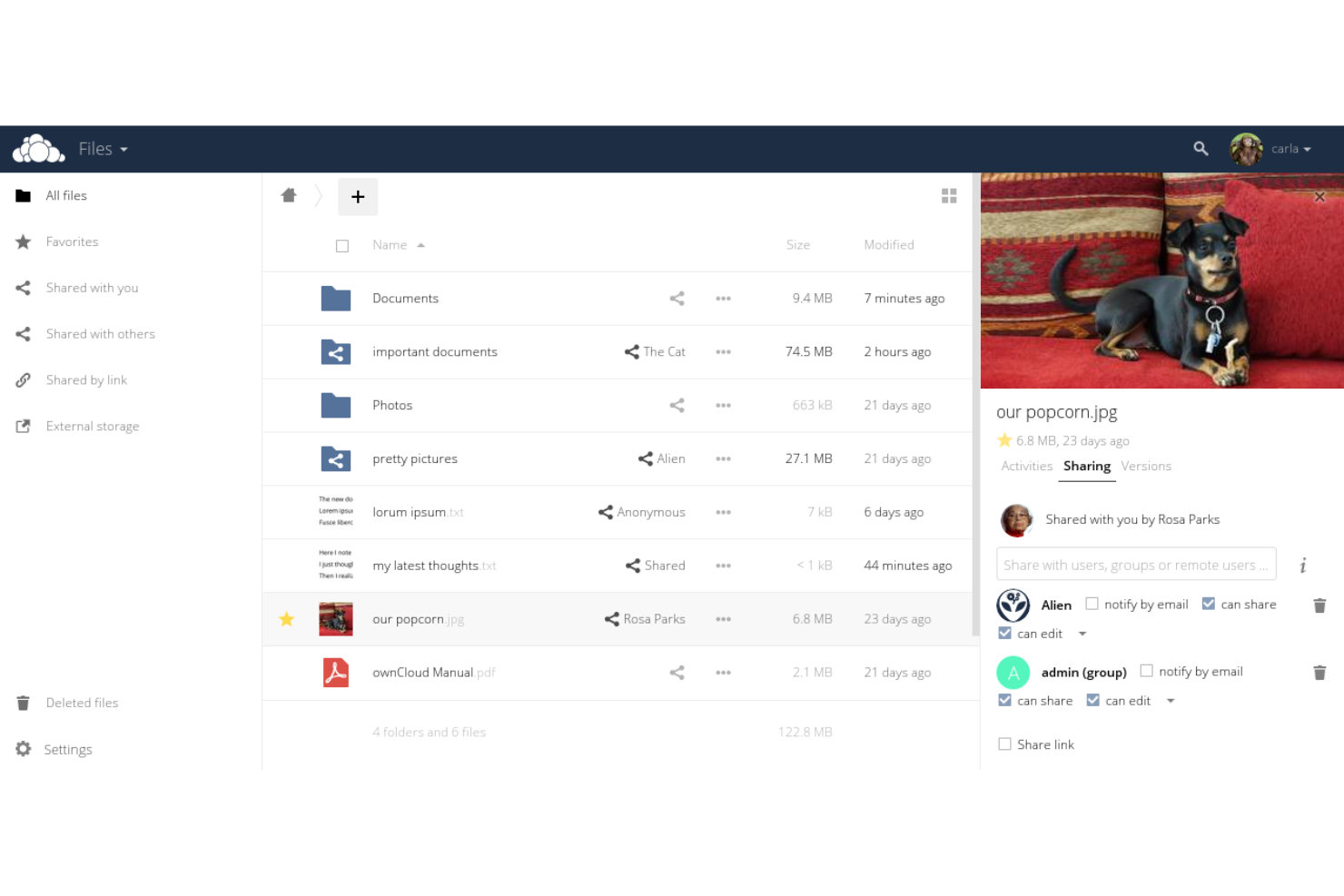
If your organization needs a file-sharing platform built for scale, ownCloud is worth a close look. It’s designed for enterprises that require advanced data control, custom integrations, and support for complex IT environments. Teams managing sensitive information or large user bases will find ownCloud’s deployment flexibility and security features especially useful compared to Nextcloud.
Why ownCloud Is a Good Nextcloud Alternative
For organizations managing large-scale deployments, ownCloud stands out with its enterprise-grade scalability and control. I picked ownCloud because it supports clustered setups and multi-tenancy, which are essential for businesses with thousands of users or complex organizational structures.
Its advanced file lifecycle management and customizable security policies help IT teams maintain compliance and data governance at scale. These features make ownCloud a strong choice for enterprises that need more than what Nextcloud typically offers for large environments.
ownCloud Key Features
Some other features in ownCloud that may interest teams considering a file-sharing platform include:
- End-to-End Encryption: Files are encrypted on the client side before upload, ensuring only authorized users can access sensitive data.
- Integrated Document Editing: Users can edit documents directly within the platform using built-in office suite integrations.
- Federated Cloud Sharing: Share files and folders securely across different ownCloud instances without leaving the platform.
- Mobile and Desktop Sync Clients: Dedicated apps for Windows, macOS, Linux, iOS, and Android keep files accessible and up to date across devices.
ownCloud Integrations
Integrations include Microsoft Office Online Server, Microsoft 365, Microsoft Teams, Microsoft Outlook, Microsoft Windows Network Drive, Collabora Online, and ONLYOFFICE.
Pros and Cons
Pros:
- Integrates natively with Microsoft 365 and Teams
- Offers end-to-end encryption for files
- Supports clustered deployments for high availability
Cons:
- Mobile apps can be less stable than desktop
- Limited workflow automation compared to competitors
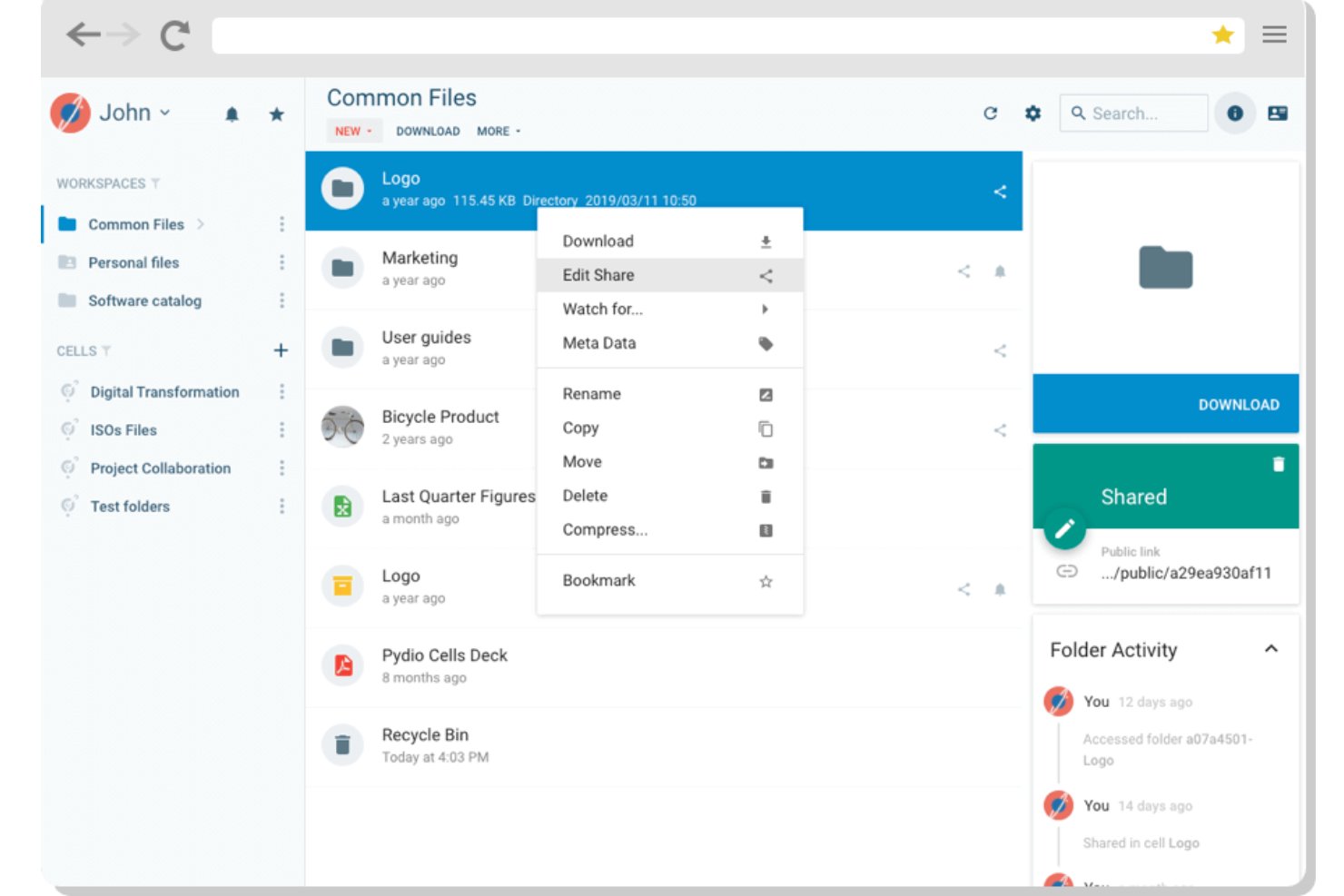
Organizations that need strict control over file access often look to Pydio for its detailed permission settings. This platform is especially useful for IT teams, legal departments, and enterprises with complex compliance requirements. Pydio stands out from Nextcloud and similar tools by offering highly customizable access controls down to the file and folder level.
Why Pydio Is a Good Nextcloud Alternative
For teams that need precise control over who can access, edit, or share files, Pydio offers more granular access controls than Nextcloud. I appreciate how Pydio lets you set permissions at the user, group, folder, and even file level, making it easier to enforce strict data governance.
Its policy engine allows you to define custom rules for sharing, downloading, and editing, which is especially useful for organizations with complex compliance needs. These features make Pydio a strong choice for businesses that can’t compromise on security or access management.
Pydio Key Features
In addition to its detailed access controls, I also found these features worth noting:
- Activity Stream: Track all user actions and file events in a centralized activity log.
- Integrated File Preview: View documents, images, and videos directly in the browser without downloading.
- Custom Branding: Apply your organization’s logo, colors, and domain for a tailored user experience.
- REST API: Connect Pydio to other business systems or automate workflows using its robust API.
Pydio Integrations
Integrations include Zapier, IFTTT, REST APIs via webhooks and HTTP requests, FTP servers, SCP servers, and external systems triggered through scheduled flows.
Pros and Cons
Pros:
- Built-in document preview for multiple formats
- Native integration with enterprise storage providers
- Granular permissions for files and folders
Cons:
- Upgrades can require manual intervention
- Fewer collaboration plugins than Nextcloud
Erugo
Best for lightweight, real-time document co-editing in a self-hosted environment
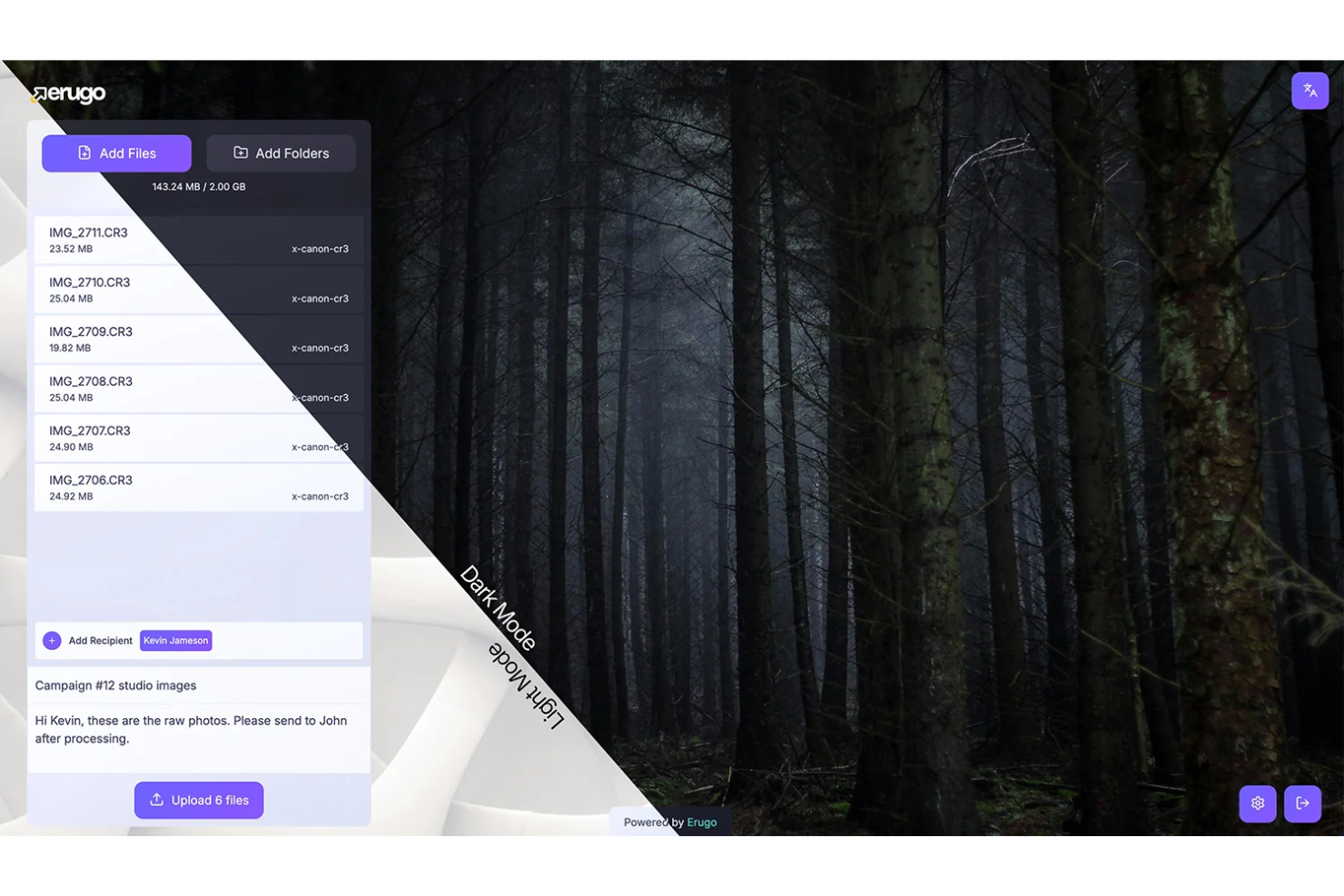
If your team needs to edit documents together in real time, Erugo is designed for you. This platform supports instant collaborative editing, making it a strong fit for creative teams, agencies, and distributed groups who need to work on files simultaneously. Unlike Nextcloud, Erugo centers its experience around live co-authoring and immediate updates, so everyone stays on the same page.
Why Erugo Is a Good Nextcloud Alternative
Unlike Nextcloud, Erugo is built specifically for teams that need real-time collaborative editing as a core feature. I picked Erugo because it lets multiple users edit the same document at once, with changes appearing instantly for everyone involved.
The platform also includes live cursors and in-document chat, so your team can communicate and coordinate edits without switching tools. If your projects depend on fast, collective input, Erugo’s real-time editing capabilities make it a strong alternative to Nextcloud.
Erugo Key Features
Some other features that make Erugo stand out include:
- Version History: Lets you view and restore previous versions of any document.
- Role-Based Access Controls: Allows you to assign different permissions to users based on their roles.
- Document Locking: Prevents conflicting edits by letting you lock files when needed.
- Direct File Sharing Links: Enables you to generate secure links for sharing documents outside your organization.
Erugo Integrations
Integrations include Docker for deployment on various infrastructures.
Pros and Cons
Pros:
- Free plan available for unlimited collaborators
- In-document chat for instant team communication
- Real-time editing supports multiple simultaneous users
Cons:
- No built-in workflow automation features
- Lacks on-premises or self-hosted deployment option
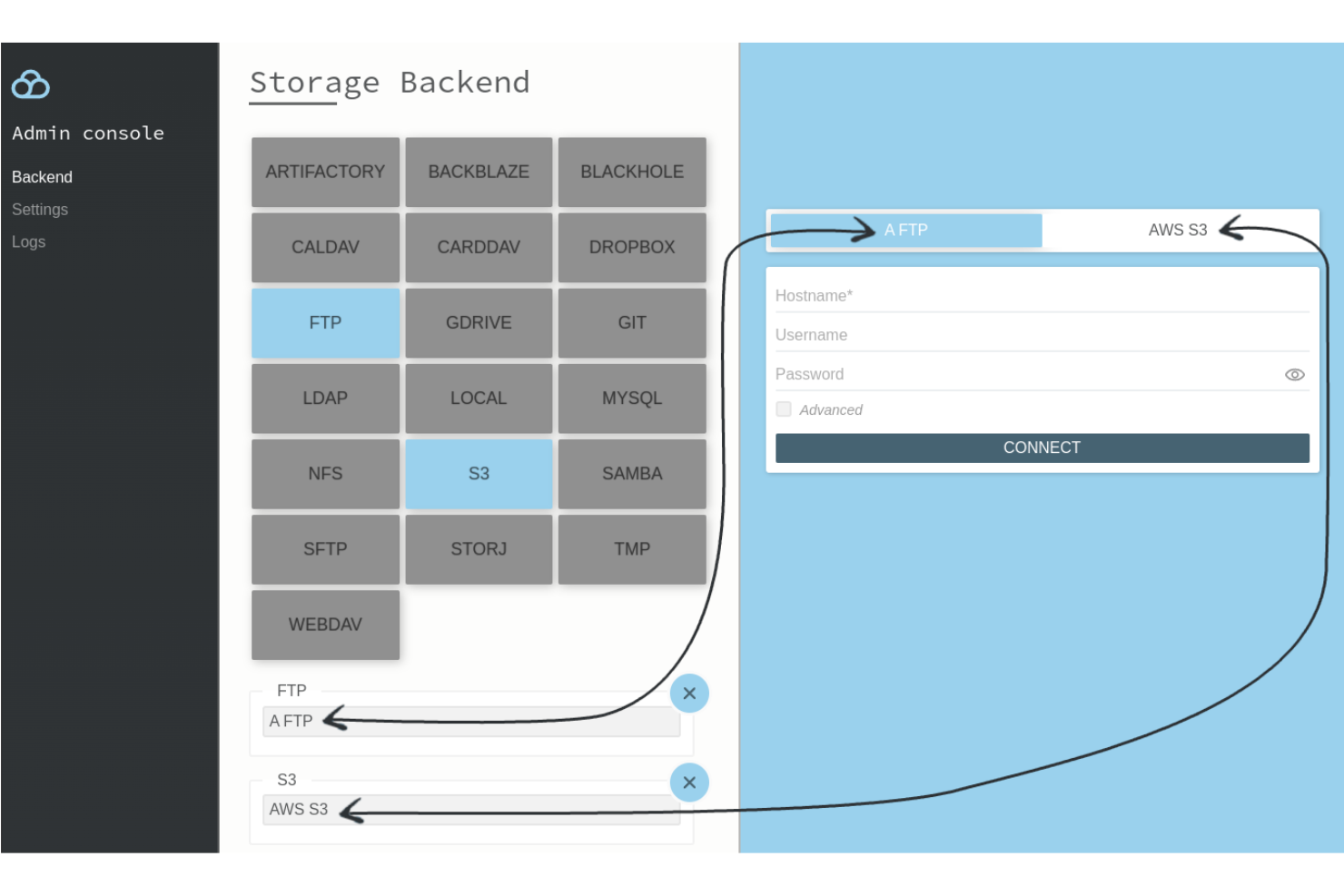
Filestash stands out for teams that need to connect with a wide range of storage protocols and backends. This platform is a strong fit for IT departments, managed service providers, and technical teams who work across FTP, SFTP, WebDAV, Git, and cloud storage services. If you’re looking for a file-sharing solution that unifies access to multiple storage systems in one interface, Filestash offers flexibility that goes beyond what Nextcloud provides.
Why Filestash Is a Good Nextcloud Alternative
Unlike most file-sharing platforms, Filestash is built to connect with a wide variety of storage protocols and backends from a single dashboard. I picked Filestash because it supports direct connections to FTP, SFTP, WebDAV, Git, MinIO, and even cloud storage like Google Drive and S3, all in one place. This flexibility
means you can manage files across legacy servers, developer repositories, and modern cloud services without switching tools. If your team needs to bridge multiple storage systems, Filestash offers a level of protocol support that Nextcloud doesn’t natively provide.
Filestash Key Features
Some other features that make Filestash appealing include:
- File Preview and Editing: View and edit documents, images, and code files directly in the browser.
- User and Group Management: Assign permissions and manage access for individual users or groups.
- Bookmarking: Save frequently accessed folders or files for quick navigation.
- Audit Logging: Track user activity and file access events for security and compliance.
Filestash Integrations
Integrations include Google Drive, Dropbox, S3, MinIO, Azure Blob, Backblaze, GitHub, GitLab, SharePoint, and Artifactory.
Pros and Cons
Pros:
- In-browser file preview for multiple formats
- Supports direct integration with cloud storage
- Connects to FTP, SFTP, WebDAV, and Git
Cons:
- Lacks native office document collaboration
- No built-in calendar or contacts management

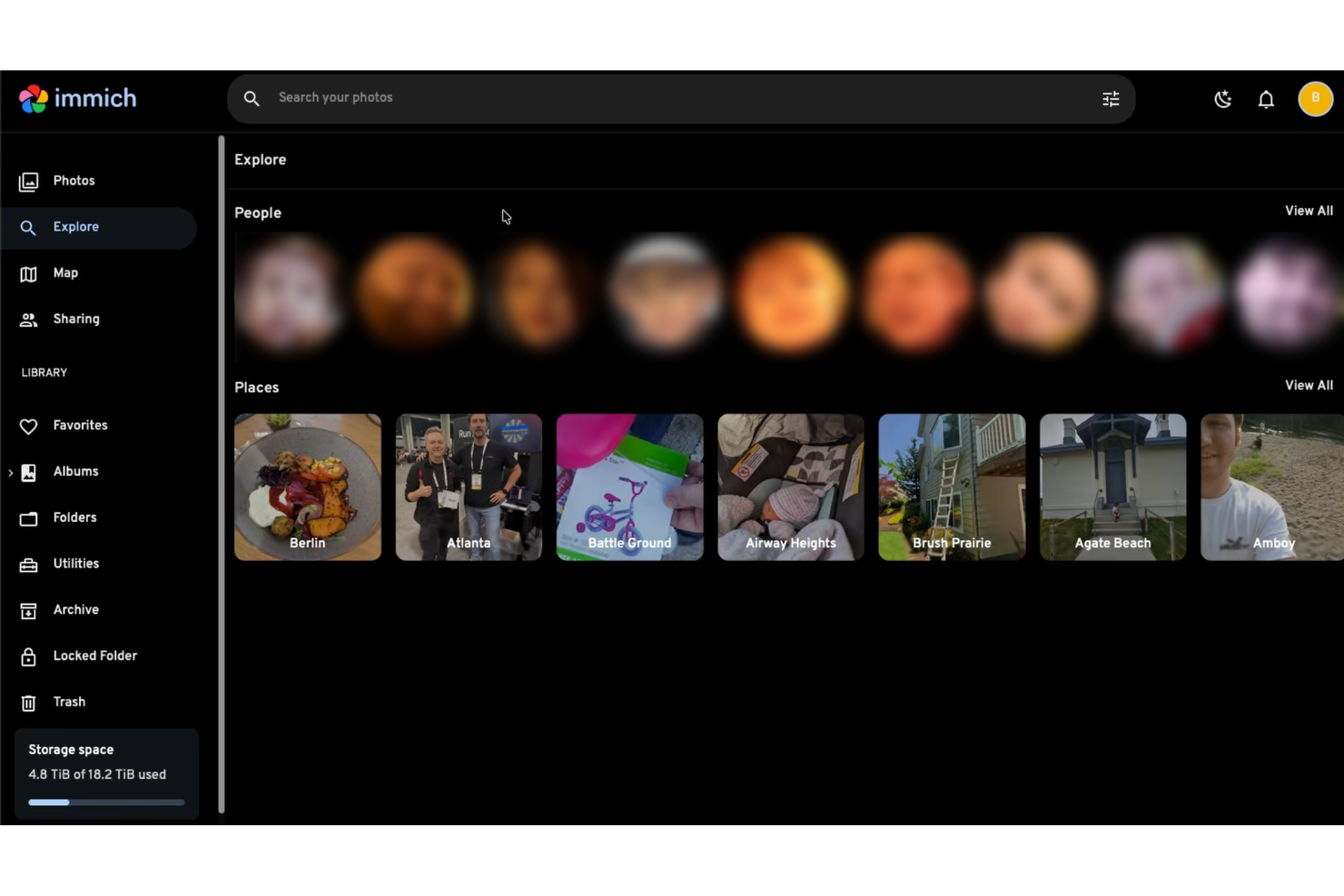
Immich provides a sharing solution for self-hosted media libraries. It lets users share albums with other people on the same Immich instance, share an entire library with selected partners, and create public links for albums or selected photos and videos. The platform is designed for people who want more control over how their media is shared without relying on a hosted consumer photo service.
Why Immich Is a Good Nextcloud Alternative
If you need more control over how you share personal or team media, Immich offers capabilities that go beyond basic link sharing. It supports local sharing with users on the same instance, including album permissions that can be set to editor or viewer. It also supports partner sharing, which allows another user to view your entire library and download assets.
Its public sharing tools also make it easier to share media with people who do not have an Immich account. Public links can be customized with settings such as expiration dates, password protection, and allowed actions on shared assets. The docs also note that public links use a random URL to help prevent unwanted guessing.
ownCloud Key Features
Some of the features in Immich that may interest users looking for a media-sharing platform include:
- Shared albums: Share albums with other users on the same Immich instance and let them view or add their own photos and videos.
- Permission controls: Assign shared album users as editors with read-write access or viewers with read-only access.
- Partner sharing: Share your entire library with selected users so they can browse and download assets.
- Custom public links: Create public links for albums or selected assets with options like password protection, expiration dates, and upload support.
Immich Integrations
Integrations are not publicly listed.
Pros and Cons
Pros:
- Public links with controls
- Album permission settings
- Multiple sharing modes
Cons:
- Some sharing features work only with users on the same Immich instance
- Sharing details shown are feature-focused, not integration-focused on this page
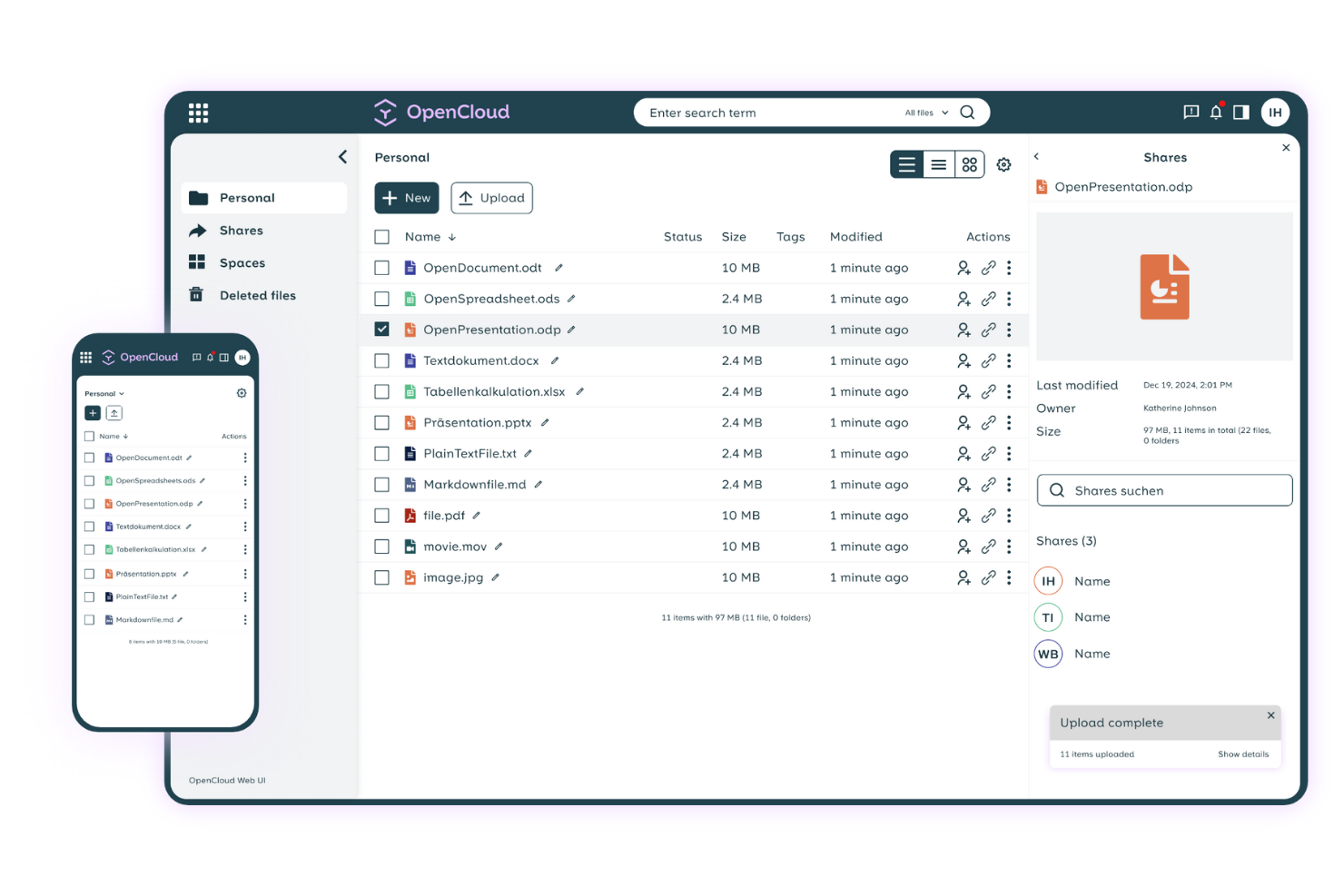
Organizations that need strict European data residency often turn to OpenCloud for file sharing and collaboration. This platform is designed for businesses and public sector teams that must comply with EU data protection laws and want to keep all files within European borders. OpenCloud addresses concerns around GDPR compliance and local hosting, setting it apart from global providers like Nextcloud.
Why OpenCloud Is a Good Nextcloud Alternative
For teams that require all data to remain within the European Union, OpenCloud offers a level of data residency assurance that’s hard to match. I picked OpenCloud because it guarantees that files are stored exclusively in certified European data centers, which is essential for organizations with strict GDPR or local compliance needs.
The platform also provides detailed data sovereignty controls, letting you specify exactly where your information is hosted. If your business or agency can’t risk data leaving the EU, OpenCloud is a strong alternative to Nextcloud’s more globally distributed hosting options.
OpenCloud Key Features
Some other features that make OpenCloud appealing include:
- Granular User Permissions: Assign specific access levels to users and groups for better control over shared files.
- Integrated Collaboration Tools: Use built-in document editing and team messaging within the platform.
- Audit Logging: Track all file access and changes with detailed logs for compliance and security.
- Multi-Factor Authentication: Add an extra layer of security to user logins with MFA options.
OpenCloud Integrations
Integrations are not listed.
Pros and Cons
Pros:
- Detailed audit logs for file activity
- GDPR compliance features built into the platform
- All data stored exclusively in the EU
Cons:
- Fewer collaboration features than Nextcloud
- Limited public documentation for technical setup
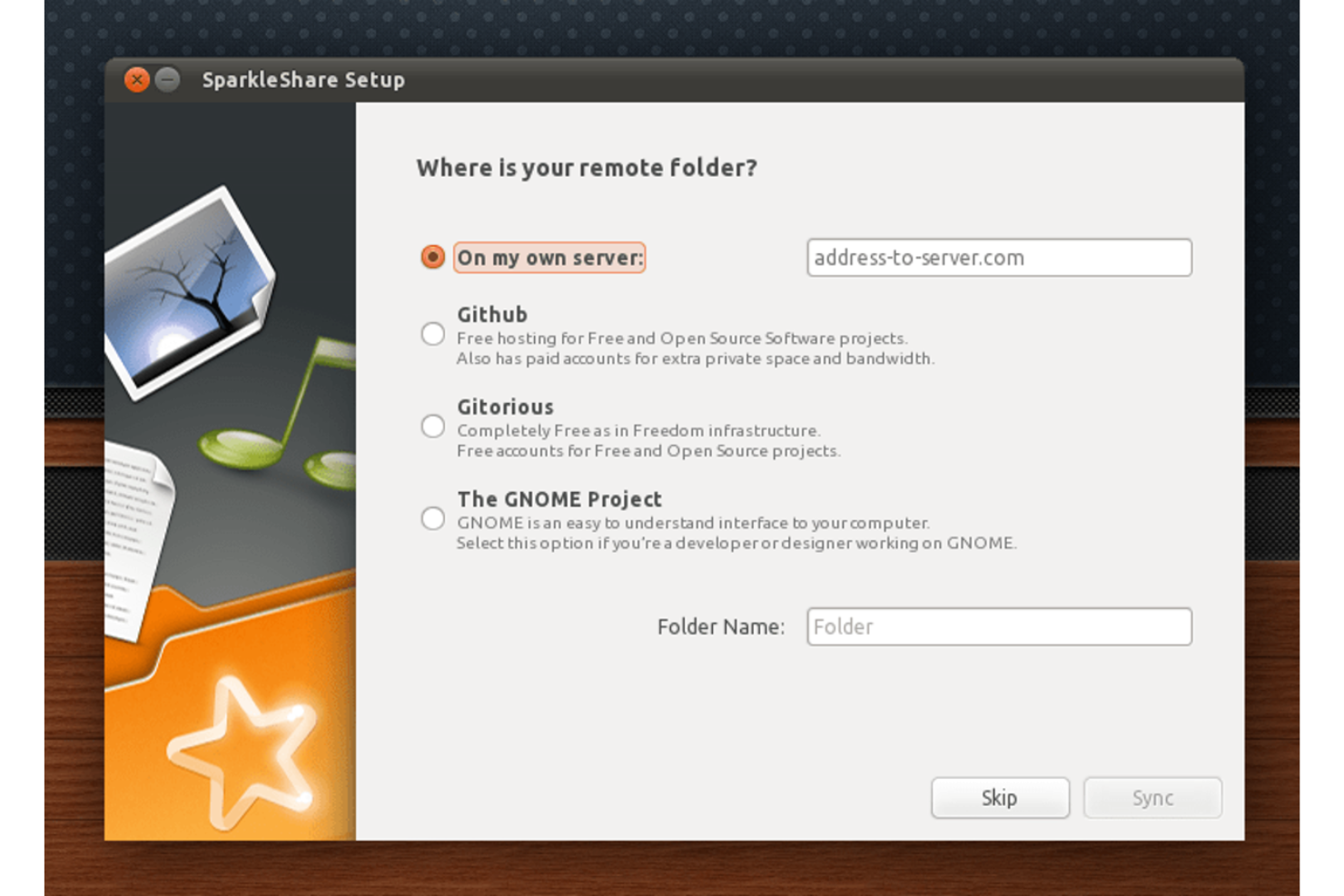
If your team prefers version-controlled file syncing, SparkleShare offers a Git-based approach that stands apart from typical file-sharing platforms. This tool is especially appealing to software developers, technical teams, and anyone who wants to track changes and collaborate on files using familiar Git workflows. SparkleShare solves the challenge of maintaining file history and resolving conflicts by leveraging distributed version control for every shared folder.
Why SparkleShare Is a Good Nextcloud Alternative
Unlike most file-sharing platforms, SparkleShare uses Git repositories as the foundation for syncing and sharing files. This approach is especially valuable for teams that need version control, detailed change tracking, and the ability to roll back to previous file states.
I like that SparkleShare automatically creates a full history of every file change, making it easy to audit or recover work. For technical users who want Git-style collaboration on documents and assets, SparkleShare offers a unique alternative to Nextcloud’s more traditional file sync model.
SparkleShare Key Features
Some other features that make SparkleShare appealing include:
- Cross-Platform Clients: Use SparkleShare on Windows, macOS, and Linux desktops.
- Self-Hosting Support: Set up your own server for full data control and privacy.
- Automatic File Syncing: Keep files updated across all connected devices without manual uploads.
- Notification System: Receive desktop notifications when files are added or changed in shared folders.
SparkleShare Integrations
Integrations include Git, GitHub, GitLab, Bitbucket, and GNOME.
Pros and Cons
Pros:
- Cross-platform desktop clients for all major OS
- Supports self-hosted and private repositories
- Git-based syncing preserves full file history
Cons:
- Lacks integrated calendar or contacts features
- No built-in web interface for file access

Teams that need precise control over document changes often turn to Seafile for its advanced file versioning capabilities. This platform is a strong fit for organizations in research, legal, or engineering fields where tracking, restoring, and auditing file histories is essential. Seafile’s granular version management and efficient storage approach set it apart from Nextcloud and other file-sharing solutions.
Why Seafile Is a Good Nextcloud Alternative
If your team needs advanced file versioning, Seafile offers capabilities that go beyond what you’ll find in Nextcloud. I picked Seafile because it lets you configure detailed version retention policies and restore previous file states with just a few clicks.
Its snapshot feature allows you to capture the state of entire libraries at specific points in time, making it easier to recover from accidental changes or data loss. These tools are especially valuable for organizations that require strict audit trails and reliable document history management.
Seafile Key Features
Some other features in Seafile that may interest teams looking for a file-sharing platform include:
- Selective Sync: Users can choose specific folders or libraries to sync to their devices, reducing unnecessary data transfer.
- Built-In File Encryption: Files are encrypted before they leave the client, adding an extra layer of security for sensitive data.
- Role-Based Access Control: Admins can assign granular permissions to users and groups for better data governance.
- Integrated Online Document Editing: Collaborate on documents in real time using built-in office suite integrations.
Seafile Integrations
Integrations are not publicly listed.
Pros and Cons
Pros:
- Built-in client-side file encryption
- Efficient syncing for large libraries
- Advanced file versioning with configurable retention
Cons:
- Limited calendar and contact management features
- Fewer collaboration tools than Nextcloud
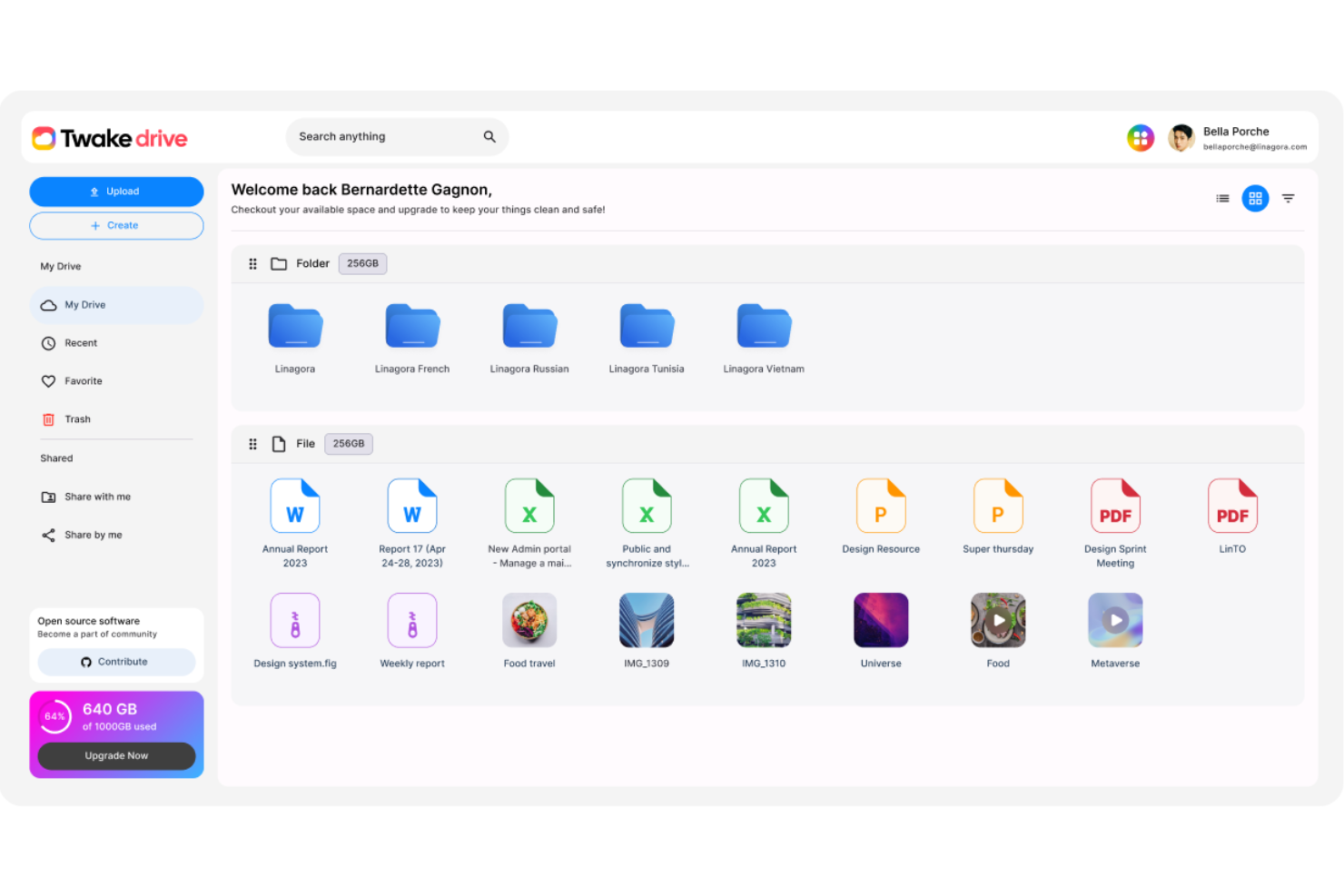
If your team needs a workspace that combines file sharing with chat, calendars, and collaborative editing, Twake Workplace is worth a look. This platform is designed for organizations that want to centralize communication and document management in one place. Twake Workplace stands out from Nextcloud by offering integrated team messaging, project planning, and real-time document collaboration alongside its file-sharing features.
Why Twake Workplace Is a Good Nextcloud Alternative
Unlike many file-sharing platforms, Twake Workplace brings together file management, team chat, and collaborative editing in a single workspace. I picked Twake Workplace because it’s built for teams that want to keep conversations, documents, and project planning tightly integrated.
The platform includes shared calendars, real-time document editing, and threaded messaging, so your team can coordinate work without switching between multiple tools. If you’re looking for more than just file storage, Twake Workplace offers a unified environment for collaboration that Nextcloud doesn’t natively provide.
Twake Workplace Key Features
Some other features that make Twake Workplace appealing include:
- Granular Access Controls: Lets you set detailed permissions for files and folders across teams and projects.
- Version History: Tracks changes to documents and allows you to restore previous versions when needed.
- Task Boards: Provides Kanban-style boards for organizing and tracking project tasks.
- External File Sharing: Enables secure sharing of files and folders with people outside your organization.
Twake Workplace Integrations
Integrations include Microsoft Teams, Google Drive, Dropbox, Slack, Trello, Zoom, GitHub, GitLab, Microsoft Office, and Asana.
Pros and Cons
Pros:
- Document versioning with restore options
- Kanban boards for project task management
- Built-in team chat for real-time discussions
Cons:
- No built-in email or calendar sync
- Mobile app features lag behind the desktop version
Other Nextcloud Alternatives
Here are some additional Nextcloud alternatives that didn’t make it onto my shortlist, but are still worth checking out:
- ProjectSend
For client-specific file portals
- M-Files
For metadata-driven organization
- Box
For workflow automation features
- Google Drive
For seamless Google Workspace integration
- FileCloud
For private self-hosted deployments
- Resilio
For high-speed, large-scale file syncing using BitTorrent technology
- Syncthing
For peer-to-peer file syncing without a central server
- Microsoft OneDrive
For Microsoft 365 collaboration
- Zoho WorkDrive
For teams needing structured cloud file management with built-in workflow controls
- Triofox
With Windows file server integration


Nextcloud Alternatives Selection Criteria
When selecting the best Nextcloud alternatives to include in this list, I considered common buyer needs and pain points related to file-sharing platform products, like secure document sharing and real-time collaboration. I also used the following framework to keep my evaluation structured and fair:
Core Functionality (25% of total score)
To be considered for inclusion in this list, each solution had to fulfill these common use cases:
- Upload and store files securely
- Share files and folders with others
- Set user permissions and access controls
- Sync files across devices
- Preview and download files
Additional Standout Features (25% of total score)
To help further narrow down the competition, I also looked for unique features, such as:
- Real-time collaborative editing
- Built-in document versioning
- In-app chat or commenting
- Workflow automation tools
- Advanced search with filters
Usability (10% of total score)
To get a sense of the usability of each system, I considered the following:
- Clean and intuitive user interface
- Simple navigation and menu structure
- Minimal clicks to complete core tasks
- Responsive design for all devices
- Clear labeling and helpful tooltips
Onboarding (10% of total score)
To evaluate the onboarding experience for each platform, I considered the following:
- Step-by-step product tours
- Availability of training videos and guides
- Pre-built templates for common workflows
- In-app chatbots for onboarding support
- Access to live or recorded webinars
Customer Support (10% of total score)
To assess each software provider’s customer support services, I considered the following:
- Multiple support channels available
- Fast response times to inquiries
- Knowledgeable and helpful support staff
- Access to a searchable help center
- Community forums or user groups
Value For Money (10% of total score)
To evaluate the value for money of each platform, I considered the following:
- Transparent and flexible pricing plans
- Features included at each pricing tier
- Free plan or trial availability
- Discounts for annual billing or nonprofits
- No hidden fees or surprise charges
Customer Reviews (10% of total score)
To get a sense of overall customer satisfaction, I considered the following when reading customer reviews:
- Positive feedback on reliability and uptime
- Reports of helpful customer support
- Comments on ease of use and adoption
- User experiences with collaboration features
- Feedback on pricing and overall value
Why Look For a Nextcloud Alternative?
While Nextcloud is a good choice of file-sharing platform, there are a number of reasons why some users seek out alternative solutions. You might be looking for a Nextcloud alternative because…
- Needing real-time collaborative editing features
- Wanting more built-in integrations with other tools
- Requiring a fully managed cloud solution
- Facing challenges with self-hosting or maintenance
- Looking for more advanced workflow automation
- Needing better support for large distributed teams
If any of these sound like you, you’ve come to the right place. My list contains several file-sharing platform options that are better suited for teams facing these challenges with Nextcloud and looking for alternative solutions.
Nextcloud Key Features
Here are some of the key features of Nextcloud, to help you contrast and compare what alternative solutions offer:
- Self-hosted file storage and sharing
- Granular user and group permissions
- End-to-end encryption for files
- Integrated calendar and contacts management
- Real-time document editing with Collabora or OnlyOffice
- File versioning and recovery
- Mobile and desktop sync clients
- Activity tracking and audit logs
- Built-in video and audio chat
- App marketplace for extending functionality
What’s Next:
If you're in the process of researching Nextcloud alternatives, connect with a SoftwareSelect advisor for free recommendations.
You fill out a form and have a quick chat where they get into the specifics of your needs. Then you'll get a shortlist of software to review. They'll even support you through the entire buying process, including price negotiations.