
20 Best Notion Alternative Picks in 2026

10 Best Notion Alternatives Shortlist
Here are the best Notion alternatives that I’ve reviewed in detail below.


The best Notion alternatives offer you project management tools that make planning, collaboration, and organization easier, especially if Notion isn’t clicking with your team or feels too complex. With the right alternative to Notion, you'll be able to execute projects with features tailored to your workflows and an interface that fits your needs.
I’ve used my experience running an agency and 3+ years of testing software to review dozens of tools and curate my list of the best Notion alternatives. Each of my recommendations will help you better manage and track your projects, meet key objectives, and deliver impactful work for your clients.
What are Notion Alternatives?
Notion alternatives are tools that let you manage notes, tasks, databases, and projects in one place, similar to the way Notion does. Like Notion, they offer a central spot to plan, track, and work together, but might have a more user-friendly interface, additional features that Basecamp lacks, or more customization to fit your needs.
Alternatives to Notion are popular with project managers, business owners, and remote teams that want simple ways to organize work your way and keep everything in sync.
Why Trust Our Software Reviews
We’ve been testing and reviewing project management software since 2012. As a project manager, I know how critical and difficult it is to make the right decision when selecting software.
We invest in deep research to help our audience make better software purchasing decisions. We’ve tested more than 2,000 tools for different project management use cases and written over 1,000 comprehensive software reviews. Learn how we stay transparent & our review methodology.
Best Notion Alternative Summary
Compare pricing and other specs for each of my picks for top alternatives to Notion.
| Tool | Best For | Trial Info | Price | ||
|---|---|---|---|---|---|
| 1 | Best for customizable task boards | Free plan available | From $9/user/month (billed annually) | Website | |
| 2 | Best for tracking work time | Free plan + free demo available + 15-day free trial | From $4/user/month (billed annually) | Website | |
| 3 | Best for custom task statuses | Free plan + free demo available | From $7/user/month (billed annually) | Website | |
| 4 | Best for visual project management | Free plan available | From $8/user/month (billed annually) | Website | |
| 5 | Best for automating repetitive tasks | Free plan + free demo + 14-day free trial available | From $10/user/month (billed annually) | Website | |
| 6 | Best for progress visualization | Free plan available | From $7/user/month (billed annually) | Website | |
| 7 | Best for doc-centric projects | Free plan + free demo available | From $10//month (billed annually) | Website | |
| 8 | Best for data visualization | 14-day free trial + free plan available | From $8/user/month (billed annually) | Website | |
| 9 | Best for remote team coordination | Free plan available | From $4/user/month (billed annually) | Website | |
| 10 | Best for faster decision-making | 30-day free trial + free plan available | From $4.50/user/month (billed annually) | Website |


-

Insightful
Visit WebsiteThis is an aggregated rating for this tool including ratings from Crozdesk users and ratings from other sites.4.8 -
Accelo
Visit WebsiteThis is an aggregated rating for this tool including ratings from Crozdesk users and ratings from other sites.4.4 -
Wrike
Visit WebsiteThis is an aggregated rating for this tool including ratings from Crozdesk users and ratings from other sites.4.2




Best Notion Alternative Reviews
Here’s my detailed analysis and overview of each Notion alternative. I review pros and cons, key features, and best use cases.


monday.com offers a flexible, visual workspace that can make project tracking, task assignment, and workflow organization easier for teams that want more structure than a free-form note app. If you manage a marketing squad, a development team, or just juggle multiple projects at once, monday.com gives you a clear board, timeline or Kanban-style view to see who’s doing what and when — without wrestling with complex settings.
Why I Picked monday.com
I picked monday.com because it delivers strong workflow automation and task-tracking features that match what many users look for in a Notion alternative. With its customizable boards and built-in automations, you can reduce repetitive work. For example, automatically change task statuses or notify teammates when deadlines approach. The platform also offers multiple ways (Kanban, timeline, list) to visualize work, which helps teams with different work styles stay aligned.
monday.com Key Features
In addition to its visual project management tools, monday.com offers several other features that enhance its utility as a Notion alternative.
- Templates for different workflows: Pre-built templates for marketing campaigns, product roadmaps, CRM pipelines, content calendars and more — so you don’t need to build everything from scratch.
- Time-tracking and work logs: Allows you to track how much time is spent on tasks directly within boards — useful if you bill by hour or want to analyze workload.
- File and update management on items: You can attach files, add comments or updates on tasks, and keep all related info — documents, notes, status history — in one place.
- Collaboration Tools: Use in-app chat and comment features to facilitate real-time communication among team members.
monday.com Integrations
Integrations include Slack, Gmail, Microsoft Teams, Zoom, Salesforce, Google Calendar, Trello, Dropbox, Outlook, and HubSpot. An open API is also available for custom integrations.
Pros and Cons
Pros:
- Easy to set up boards and drag-and-drop tasks for quick organization
- Visual project views (Kanban, timeline, charts) help track progress clearly
- High flexibility in structuring workflows across teams
Cons:
- Mobile app offers fewer capabilities (e.g., limited document collaboration) compared to desktop
- Some advanced features (like time tracking, automations) require paid plans
New Product Updates from monday.com

monday.com Adds Microsoft Teams Messaging In Workflows
monday.com introduces Microsoft Teams messaging within workflows. This update allows users to send messages to specific individuals directly from workflows, improving collaboration and communication. For more information, visit monday.com’s official site.

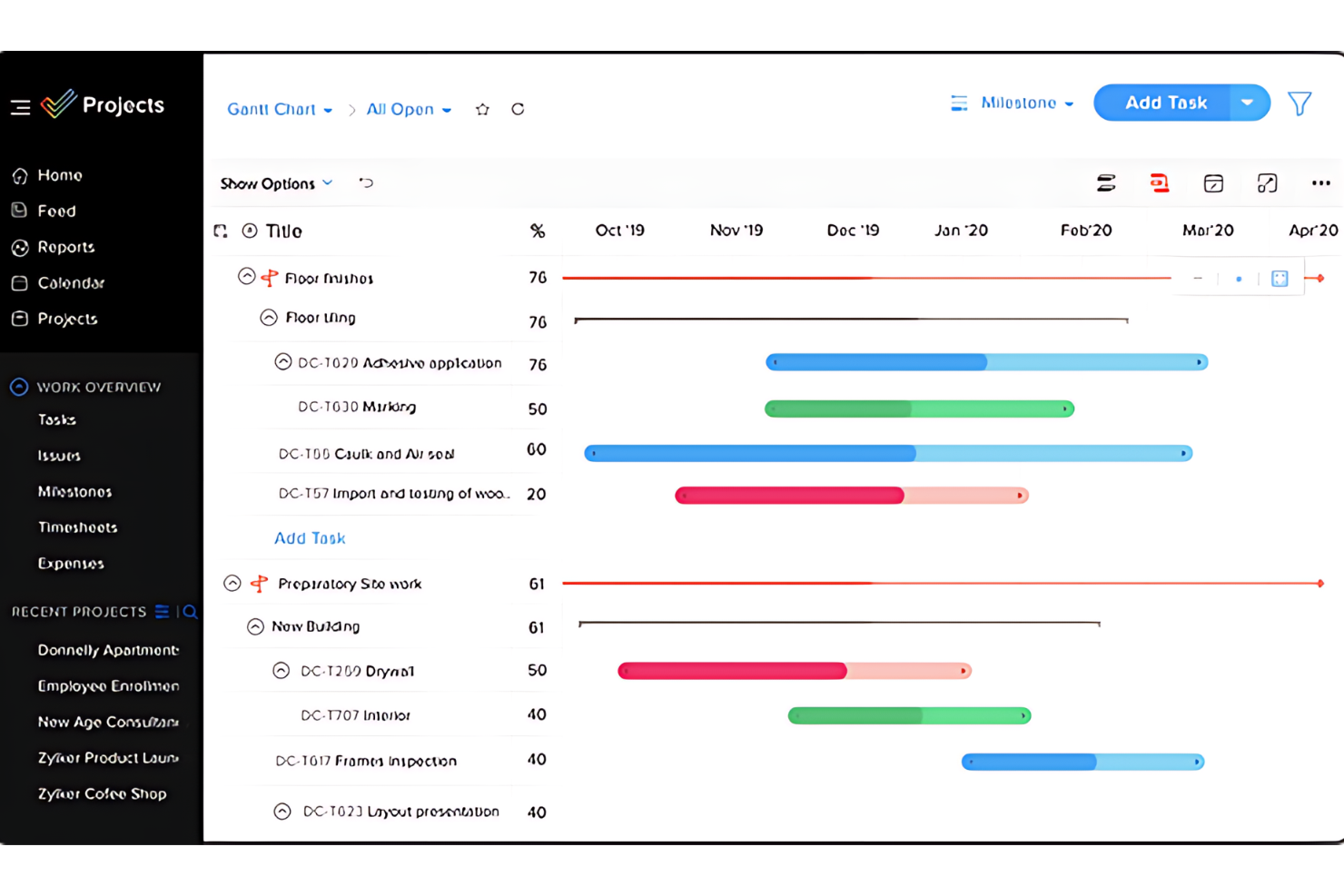
Zoho Projects is project management software that tracks and manages work time and tasks. It offers a suite of tools for planning, tracking, and collaborating on projects. This resource planning tool is ideal for teams that must carefully monitor work hours and progress.
Why it's a good Notion Alternative:
I chose Zoho Projects because it specializes in time tracking and project scheduling. Unlike general-purpose tools like Notion, Zoho Projects provides more detailed tracking capabilities and built-in time logging features, making it superior for precise work time management.
Standout Features & Integrations:
Features include time-tracking capabilities, which allow for detailed logging and reporting of work hours. The platform also includes interactive Gantt charts for visual project scheduling. Zoho Projects also include resource allocation, progress tracking, and task automation tools.
Integrations include various Zoho applications, such as Zoho CRM and Zoho Books. It also supports integrations with Google Workspace and Microsoft Office.
Pros and Cons
Pros:
- Integrations with Zoho suite and other popular tools
- User-friendly interface with project visualization tools
- Detailed time tracking and reporting features
Cons:
- The number of features can be overwhelming for some users
- Steeper learning curve for advanced features


ClickUp is a project management software that allows teams of various sizes to customize their workflows and improve productivity across tasks and projects. It allows users to create and manage custom task statuses that fit their specific processes and team dynamics.
Why it's a good Notion Alternative:
I chose ClickUp because it offers specificity and adaptability that Notion doesn't. While Notion is excellent for organizing and sharing information, ClickUp provides customization options for project management. This makes it ideal for teams that must tailor project tracking to precise specifications. ClickUp also offers multiple project views, like lists, boards, calendars, and more advanced options like Gantt charts, mind maps, and timeline views.
Standout Features & Integrations:
Features include customizable task statuses, dashboards tracking project progress, document management, reporting and analytics, collaboration tools, time management tools, resource management, and automation features.
Integrations include Slack, GitHub, GitLab, Webhooks, HubSpot, Everhour, Toggl, Harvest, Google Drive, OneDrive, Dropbox, Outlook, Google Calendar, and Figma.
Pros and Cons
Pros:
- Highly customizable task statuses and workflows
- Comprehensive dashboards and reporting tools
- Effective automation and time management features
Cons:
- Most security features are limited to higher-tier plans
- Extensive features may take time to learn
New Product Updates from ClickUp

ClickUp Enhances Task Management and Introduces AI Notetaker
ClickUp introduces an AI Notetaker for meetings and improves task type management in views. These updates help teams capture meeting insights automatically and organize work more efficiently. For more information, visit ClickUp’s official site.


Miro is a visual project management and collaboration platform that helps teams brainstorm, plan, and execute projects. It also offers visual tools to help teams define and understand task relationships and dependencies.
Why it's a good Notion alternative:
I chose Miro for this list because, compared to other tools like Notion, Miro's ability to integrate visual aids such as Kanban boards, flow charts, and dynamic visualizations stands out. Miro also helps teams collaborate, allowing teams to visualize complex systems, ideas, and organizational structures. This capability is enhanced by Miro's support for real-time data visualization, workshops, and asynchronous collaboration.
Standout Features & Integrations:
Features include its visual project management, diagramming, process mapping capabilities, and ability to support content and data visualization. It also offers workshops and asynchronous collaboration.
Integrations include Microsoft Teams, Webex, Zoom, Atlassian, Slack, Google Workspace, Jira, Azure DevOps, Airtable, Figma, InVision, Adobe XD, Slack, Zoom, Google Meet, Smartsheet, monday.com, Asana, ClickUp, Jira, and Azure DevOps.
Pros and Cons
Pros:
- Intuitive and easy-to-use
- Easily accessible from mobile devices and tablets
- Extensive library of shapes, icons, and images
Cons:
- Lack of advanced project management features
- May be expensive for larger teams
New Product Updates from Miro

Miro Enhances AI Workflows and Tables for Task Planning
Miro enhances AI workflows and Tables with AI-generated planning boards and web-aware automation. These updates help teams organize tasks faster and analyze external content within workflows. For more information, visit Miro’s official site.


Wrike is a project management tool designed to boost team collaboration and efficiency. It offers a wide range of features that help automate routine tasks, allowing teams more time to focus on critical projects.
Why it's a good Notion Alternative:
I picked Wrike as a good alternative to Notion because of its ability to automate repetitive tasks, which helps streamline high-priority projects. Its customizable request forms implify project initiation by generating tasks and workflows automatically. Wrike also stands out for its centralized data access, which integrates information from various sources into a single, actionable hub. This feature enhances decision-making and collaboration across teams, making it easier to manage complex projects. Additionally, Wrike's mobile accessibility means you and your team can stay updated and manage tasks from anywhere, whether you're in the office or on the go.
Standout Features & Integrations:
Features include customizable request forms that automatically generate tasks and workflows, saving you time at the start of a project. The centralized data access feature integrates data from various sources, providing a single source of actionable information for all users. Wrike also offers mobile apps for Android and Apple devices, allowing your team to manage tasks effectively, no matter where they are.
Integrations include Klaxoon, Intuit/QuickBooks, Skyvia, Power BI, Google Sheets, Miro, Salesforce, Tableau, Wrike for Microsoft Teams, MediaValet, Zoom, and Adobe Creative Cloud.
Pros and Cons
Pros:
- Features and scalability cater well to medium to large enterprises
- Google Drive and Slack integrations facilitate in-task discussions and file sharing
- Excellent task and project management features
Cons:
- Can feel overwhelming due to the number of features and options available
- Can be complex to navigate initially
New Product Updates from Wrike

Streamlining Workspaces with New Updates
Wrike announces custom space templates, AI Agents in Wrike Labs, and a new Guage widget to improve project management. For more information, visit Wrike's official site.


Nifty is a project management tool designed to simplify team collaboration and enhance the visualization of project progress. It combines task management, document sharing, and communication tools in a single platform, making it easier for teams to stay aligned.
Why it's a good Notion alternative:
I chose Nifty mainly because of its progress visualization capabilities. While Notion offers a versatile environment for note-taking and project management, Nifty offers project milestones and visual timelines. These features provide a clear overview of progress and deadlines, keeping projects on track.
Standout Features & Integrations:
Features include milestone-based project timelines, interactive Gantt charts, and a unified dashboard aggregating tasks, discussions, and documents.
Integrations include Google Drive, Dropbox, Slack, and GitHub.
Pros and Cons
Pros:
- Detailed dashboard that centralizes information
- Seamless integration with popular productivity tools
- Effective visualization of project milestones and timelines
Cons:
- Template options are limited
- May require a learning curve for new users unfamiliar with project management software

Coda blends the functionalities of documents, spreadsheets, and databases into a unified platform, making it ideal for managing doc-centric projects where detail and organization are important.
Why it's a good Notion Alternative:
I chose Coda because it offers a unique approach to integrating text, data, and workflow management in a single document. Unlike Notion, which is broader in its offerings but less focused on documents, Coda stands out with its ability to transform static documents into interactive tools, which is essential for document-based workflows.
Standout Features & Integrations:
Features include creating interactive docs that function like apps, automation capabilities, and customizable templates.
Integrations include Slack, Google Calendar, and Zapier.
Pros and Cons
Pros:
- Seamless integration with key productivity tools
- Strong automation and template options
- Highly customizable and interactive documents
Cons:
- May have some scalability issues
- May require a learning curve to leverage its features fully


Zenkit is a project management tool emphasizing data visualization to help teams analyze their work. It offers a range of views and tools to make complex data accessible and actionable.
Why it's a good Notion alternative:
I chose Zenkit because of its data visualization capabilities, which lets teams quickly analyze and interpret complex information. Notion has broad functionality, while Zenkit offers customizable views and charts, making it ideal for data-driven teams.
Standout Features & Integrations:
Features include multiple data views, such as Kanban, table, list, and mind map. It also provides reporting tools and customizable fields.
Integrations include Trello, Asana, Google Calendar, and Zapier.
Pros and Cons
Pros:
- User-friendly interface to accommodate both beginners and experienced users
- Solid integration capabilities with major productivity and workflow tools
- Highly customizable views for diverse data visualization needs
Cons:
- Fewer automation features compared to some other tools
- The number of features can be overwhelming for some users

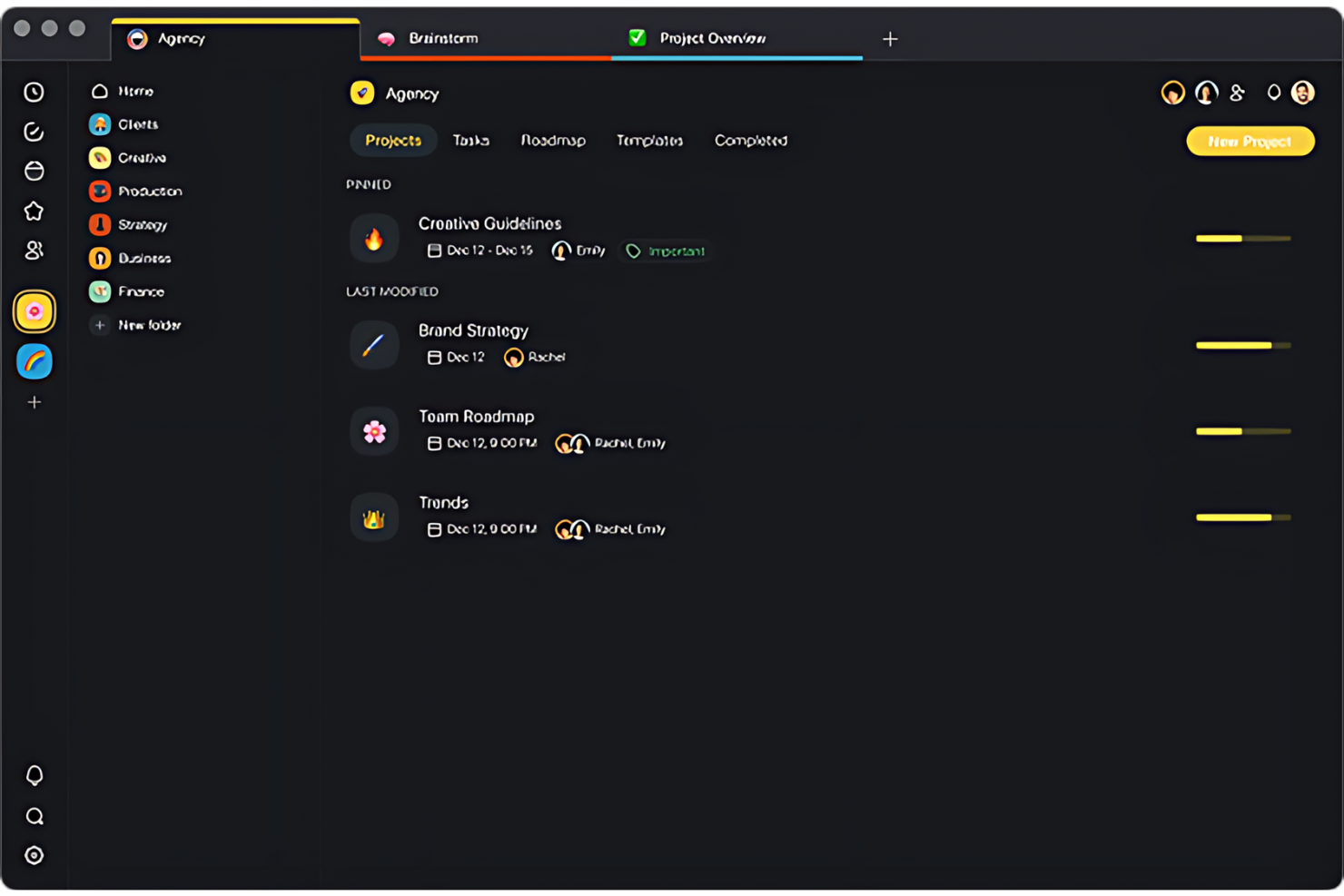
Taskade is a collaborative workspace that aims to improve the productivity and communication of remote teams. It combines task management, real-time collaboration, and video conferencing in one platform.
Why it's a good Notion alternative:
I chose Taskade because it focuses on the specific needs of remote teams, such as real-time synchronization and communication tools. While Notion is versatile for information storage and project planning, Taskade provides live collaboration and helps team members coordinate, regardless of location.
Standout Features & Integrations:
Features include built-in video conferencing, customizable workflow templates, and real-time editing and commenting.
Integrations include Google Calendar, Slack, and Dropbox.
Pros and Cons
Pros:
- Real-time editing and updates facilitate quick decision-making
- Customizable templates speed up workflow setup
- Integrated video conferencing enhances real-time collaboration
Cons:
- Advanced features locked behind higher pricing tiers
- May require a learning curve for new users


Flock is a communication and collaboration platform that aims to accelerate decision-making within teams and organizations. It offers direct messaging, group chats, and video calls, which are all important for team interactions.
Why it's a good Notion alternative:
I chose Flock because it emphasizes real-time communication and quick decision-making. Unlike Notion, which is structured more for content management and asynchronous collaboration, Flock provides an environment where immediate feedback and rapid issue resolution are prioritized.
Standout Features & Integrations:
Features include integrated to-dos and reminders, channel-based discussions, video conferencing, and a shared notes and files feature.
Integrations include Google Drive, Trello, Asana, and Zapier.
Pros and Cons
Pros:
- User-friendly interface for efficient team collaboration
- Complete integration with other productivity tools
- Streamlined communication for quick decision-making
Cons:
- Some users report having a learning curve
- Limited customization options for more complex workflows
Other Notion Alternatives
Below is a list of additional Notion alternatives that didn’t make my top list, but which are worth a look if you didn’t find a fit above.
- ProofHub
For unified project management
- Confluence
For content collaboration
- Jira Service Management
For issue tracking
- Guru
For advanced knowledge search
- Evernote Teams
For note-taking capabilities
- Pneumatic Workflow
For AI-powered workflow creation
- Document360
For structured knowledge bases
- Slack
For team communication
- Quire
For breaking down complex projects
- GoodDay
For Agile methodology support


Related Project Management Software Reviews
If you still haven't found what you're looking for, check out these related project management tools we've tested and reviewed.
- Project Management Software
- Resource Management Software
- Workflow Automation Software
- Task Management Software
- Collaboration Tools
- Gantt Chart Maker
- AI Task Managers
Notion Alternatives Selection Criteria
When selecting the best Notion alternatives to include in this list, I considered common buyer needs and pain points related to project management software tools, like difficulty in scaling collaboration and the need for native automation features that will help improve workflows.
I used the following framework to keep my evaluation structured and fair:
Core Functionality (25% of total score)
To be considered for inclusion in this list, each solution had to fulfill these common use cases:
- Task and project management
- Team collaboration and communication
- File and document sharing
- Workflow automation
- Calendar and scheduling integration
Additional Standout Features (25% of total score)
To help further narrow down the competition, I also looked for unique features, such as:
- AI-powered task and document management
- Advanced permission and access controls
- Custom workflow automation builders
- Built-in time tracking and invoicing
- Seamless third-party integrations
Usability (10% of total score)
To get a sense of the usability of each system, I considered whether each tool has the following:
- Intuitive and modern user interface
- Minimal learning curve for new users
- Customizable dashboards and views
- Responsive performance across devices
- Accessibility and mobile-friendliness
Onboarding (10% of total score)
To evaluate the onboarding experience for each platform, I considered whether each tool had the following available:
- Interactive product tours
- Access to pre-built templates for quick setup
- In-depth training videos and documentation
- Live chat and chatbot assistance for new users
- Webinars and community forums for support
Customer Support (10% of total score)
To assess each software provider’s customer support services, I considered whether each tool offered the following:
- 24/7 live support
- Quick responses for email and ticket-based support
- Access to a comprehensive knowledge base
- Dedicated account managers for enterprise users
- Community forums and peer support options
Value For Money (10% of total score)
To evaluate the value for money of each platform, I considered whether each tool offered the following:
- A free plan or trial
- Transparent and flexible pricing tiers
- Key features within lower-tier plans
- Scalability of pricing for growing teams
- Discounts for annual commitments or nonprofits
Customer Reviews (10% of total score)
To get a sense of overall customer satisfaction, I considered whether customer reviews highlighted the following:
- Overall ease of use and adoption
- Performance and reliability of the platform
- Quality of customer support interactions
- Value delivered for the price paid
- Common pain points or frustrations shared by users
Why Look for a Notion Alternative?
You might consider an alternative to Notion if you need the following.
- Expanded features: You might require more advanced functionalities that Notion currently lacks.
- Intuitive user interface: You prefer a more user-friendly interface for you and your team.
- Superior collaboration tools: You need more options for team communication and collaboration.
- Better security: You need stronger measures to protect sensitive data.
- Cost-effectiveness: You need a more affordable solution that still offers the essential features.
Notion Alternative Key Features
Here are some key features of Notion that your alternative software should replicate or improve upon to be a good fit.
- Task board view: Visualize workflows with a Kanban-style board.
- Gantt and timeline view: Plan and track progress with a timeline view.
- Reporting & statistics: Analyze data with reporting tools and statistics.
- AI assistant: Use an AI assistant for content creation and productivity.
- Integrations: Connect with other tools, such as Google Drive and Google Calendar, to simplify your workflows.
- Collaboration: Work with other team members live, in real-time.
- Heavy customization: Tailor the workspace to your specific needs for personal or professional use.
- Note-taking: Jot down and organize your notes (even better if it replicates Notion's AI feature set for effective note-taking)
- Automation: The use of technology to perform tasks without human intervention.
- Knowledge base/wiki: A repository of information that can be easily accessed and searched.
- Templates: Pre-designed structures or formats that can be used as a starting point for new documents or projects.
- Workspace: A collaborative digital environment where team members can work on projects and tasks.
- Kanban boards: Visual tools for managing work at various process stages using cards and columns.
- Knowledge management: Features that help organize, manage, and share knowledge. Find a list of specific knowledge management software here.
- Task management: Managing a task through its life cycle, including planning, testing, tracking, and reporting.
- Dashboards: Interfaces that display key performance indicators and metrics in a consolidated view.
- Plugins: Add-on software components that add specific capabilities to a larger software application.
- To-do lists: Lists of tasks that must be completed, often used for personal or project management.
- Mobile app: Software designed for mobile devices like smartphones and tablets.
- Time tracking: Recording the amount of time spent on tasks or projects.
- Checklists: Tools for creating lists of items to be completed or checked.
- Customizable databases: Create databases with customizable views like tables, lists, calendars, and Kanban boards.
What’s Next?
Want to connect with other digital project managers to share resources and best practices? Join our membership community and get access to 100+ templates, samples, and examples, and connect with 100s of other digital project managers in Slack.