
13 Best Looker Studio Alternatives Reviewed in 2026

Best Looker Studio Alternatives Shortlist
Here’s my shortlist of the best Looker Studio alternatives:


If you’re managing projects, you know the pressure of making data-driven decisions. In those tough situations, Looker Studio might not always fit your needs, especially if you’re dealing with specific industry requirements or need better integration with existing tools.
In my experience, the right Software-as-a-Service Business Intelligence (SaaS BI) tool can ease your workload by offering tailored solutions. It’s about finding what works best for you and your team.
In this article, I’ll share my top picks for Looker Studio alternatives. I’ve tested and reviewed each one to help you find a tool that aligns with your business needs. You’ll get insights into features, usability, and unique advantages, making your decision smoother.
What Is Looker Studio?
Looker Studio is a business intelligence tool that helps organizations turn data into actionable insights. It’s generally used by data analysts, business managers, and IT professionals who need to analyze large datasets and make informed decisions. You and your team can benefit from its data visualization, collaborative dashboards, and real-time analytics features, which help with making data-driven decisions and improving collaboration. Overall, Looker Studio offers a valuable BI platform for transforming complex, powerful data into clear, actionable insights.
Best Looker Studio Alternatives Summary
This comparison chart summarizes pricing details for my top Looker Studio alternatives to help you find the best one for your budget and business needs.
| Tool | Best For | Trial Info | Price | ||
|---|---|---|---|---|---|
| 1 | Best for visual storytelling | Free trial available | From $75/user/month (billed annually) | Website | |
| 2 | Best for AI-powered data integration | 30-day free trial available | From $300/10 users/month (billed annually) | Website | |
| 3 | Best for enterprise planning | Free demo available | Pricing upon request | Website | |
| 4 | Best for Microsoft integration | Free plan available | From $14/user/month (billed annually) | Website | |
| 5 | Best for open-source flexibility | 14-day free trial + free plan + free demo available | From $100/month + $6/user/month | Website | |
| 6 | Best for embedded analytics | 7-day free trial available | From $399/month | Website | |
| 7 | Best for AI-driven insights | 14-day free trial + free demo available | From $25/user/month (billed annually) | Website | |
| 8 | Best for AI-enabled interactive dashboards | Free 30-day trial + free demo available | Pricing upon request | Website | |
| 9 | Best for no-code solutions | Free trial available | Pricing upon request | Website | |
| 10 | Best for end-to-end BI and analytics | 15-day free trial + free plan + free demo available | From $48/2 users/month (billed annually) | Website |
Why You Can Trust Us
-

Accelo
Visit WebsiteThis is an aggregated rating for this tool including ratings from Crozdesk users and ratings from other sites.4.4 -
Forecast
Visit WebsiteThis is an aggregated rating for this tool including ratings from Crozdesk users and ratings from other sites.4.6 -
Wrike
Visit WebsiteThis is an aggregated rating for this tool including ratings from Crozdesk users and ratings from other sites.4.2





Best Looker Studio Alternatives Reviews
Below are my detailed summaries of the best Looker Studio alternatives that made it onto my shortlist. My reviews offer a detailed look at the key features, pros and cons, native integrations, and ideal use cases of each tool to help you find the best one for you.


Tableau is a data visualization tool designed for business intelligence and analytics. Data analysts and business professionals primarily use it to create interactive and shareable dashboards.
Why Tableau is a good Looker Studio alternative: Tableau excels in visual storytelling, making it ideal for users who need to present data in an engaging way. You can also dynamically explore data and uncover insights quickly. Tableau’s focus on intuitive design helps you communicate your data’s story effectively.
Standout Features and Integrations:
Features include a drag-and-drop interface that simplifies the process of creating visualizations. Additionally, Tableau’s real-time analysis tools enable your team to make insights as soon as your data is ready. You also get interactive dashboards that let users explore data and gain insights on the fly.
Integrations include Salesforce, Google Analytics, Microsoft Excel, Amazon Redshift, Google BigQuery, Microsoft SQL Server, Oracle, SAP HANA, Dropbox, Box, and more.
Pros and Cons
Pros:
- Engaging storytelling capabilities
- Intuitive drag-and-drop interface
- Advanced visualization features
Cons:
- Complex data preparation process
- Weak data modeling

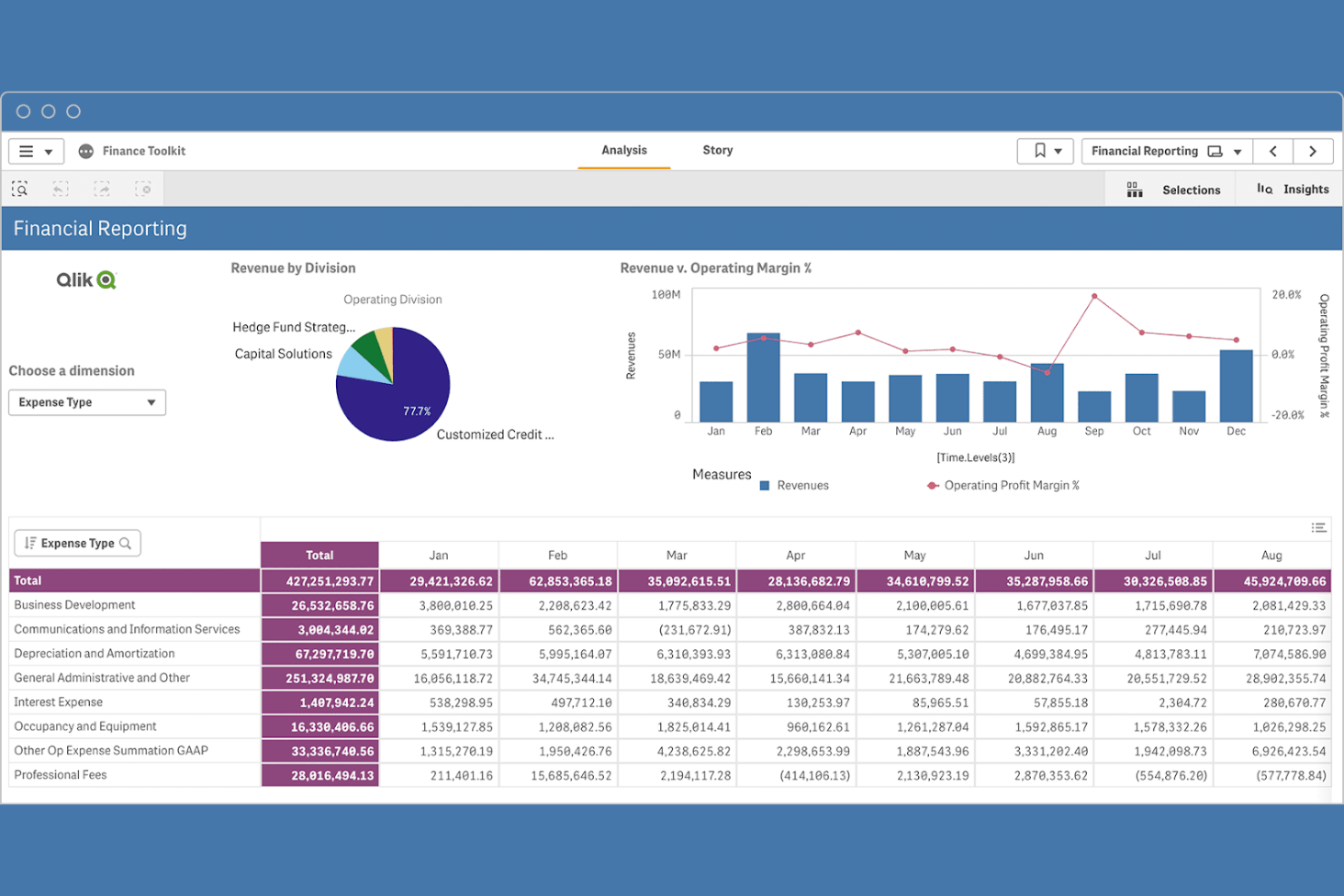
Qlik is a data analytics platform designed for creating interactive visualizations and dashboards. Business users and data teams use it to explore and analyze data.
Why Qlik is a good Looker Studio alternative: Qlik offers strong data integration capabilities, making it ideal for teams that need to connect multiple data sources. You can also build customized dashboards that help uncover insights. The platform’s AI-powered analytics capabilities support both guided and self-service analysis.
Standout Features and Integrations:
Features include an associative data engine that helps you see connections in your data. In addition, its self-service analytics empower your team to make data-driven decisions without relying on IT. The platform supports both cloud and on-premises deployment, offering flexibility for your business needs.
Integrations include Microsoft Office and more.
Pros and Cons
Pros:
- Customizable dashboards
- Flexible deployment options
- Supports self-service analytics
Cons:
- Fragile extensions
- Specific scripting language for data preparation

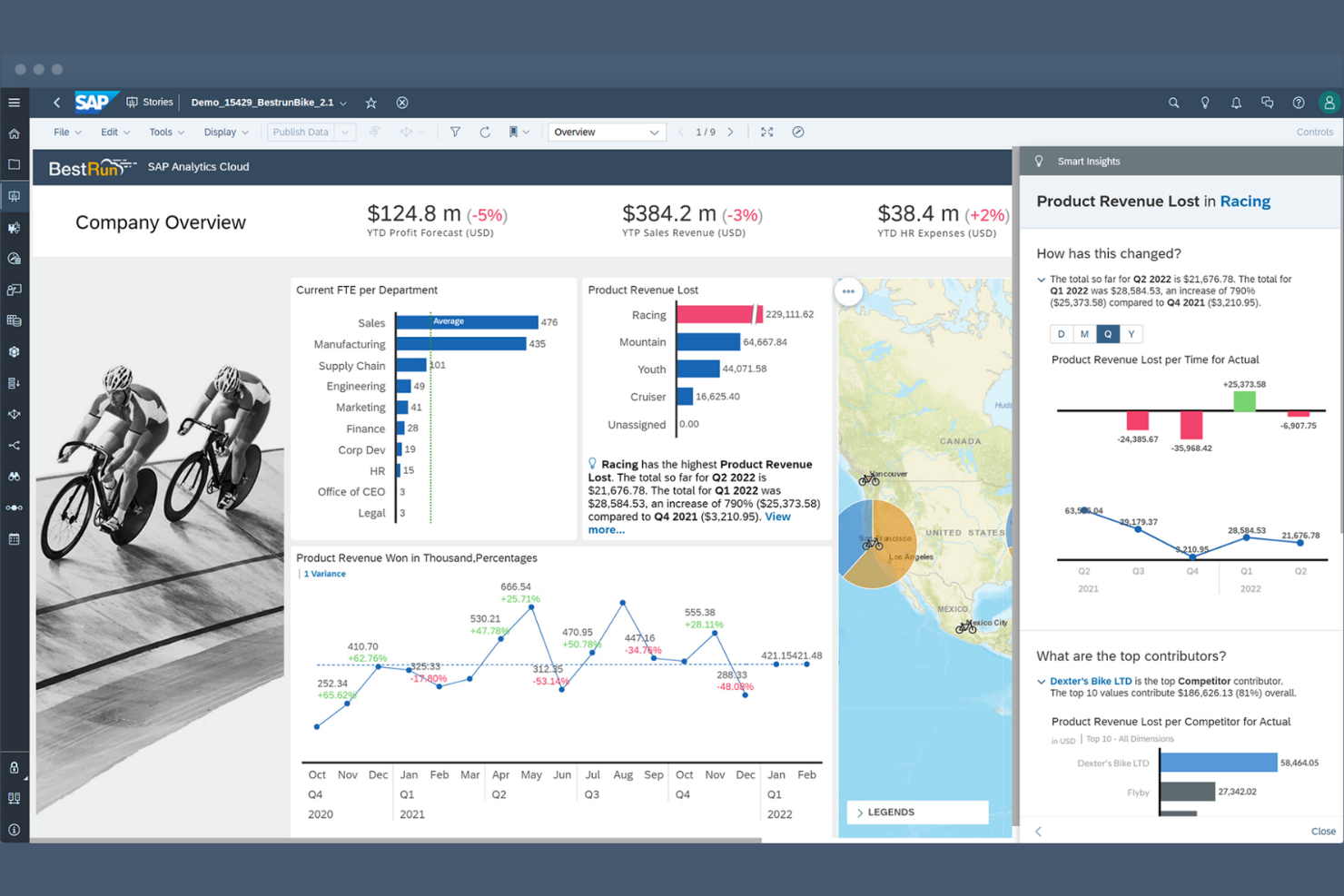
SAP Analytics Cloud (SAC) is a next-generation cloud solution that unifies business intelligence, augmented analytics, and collaborative planning in a single interface. Unlike traditional tools that only show the past, SAC is designed to help leadership teams model the future through integrated "what-if" scenarios and financial forecasting.
Why SAP Analytics Cloud is a good Looker Studio alternative: SAC moves beyond simple dashboards by allowing users to act on data—enabling teams to perform budgeting, forecasting, and predictive modeling directly within their reports. It is the gold standard for organizations that need a "single source of truth" across their SAP and non-SAP data landscapes.
Standout Features and Integrations:
Features include Integrated Planning & Analysis (xP&A), which allows you to combine financial, operational, and HR planning to create unified enterprise budgets. Its Augmented Analytics capabilities use "Smart Discovery" and "Smart Predict" to automatically identify key business drivers and forecast future trends using machine learning. Additionally, Live Data Connection enables you to connect directly to SAP S/4HANA, BW/4HANA, and Datasphere without moving data, providing real-time security and compliance.
Integrations include S/4HANA, SuccessFactors, Ariba, Google BigQuery, Salesforce, Snowflake, Microsoft Outlook, OData, and more.
Pros and Cons
Pros:
- Fully merges BI and financial planning
- Secure via live connection
- Built-in AI tools that don't require training
Cons:
- SAP ecosystem lock-in
- Performance lags
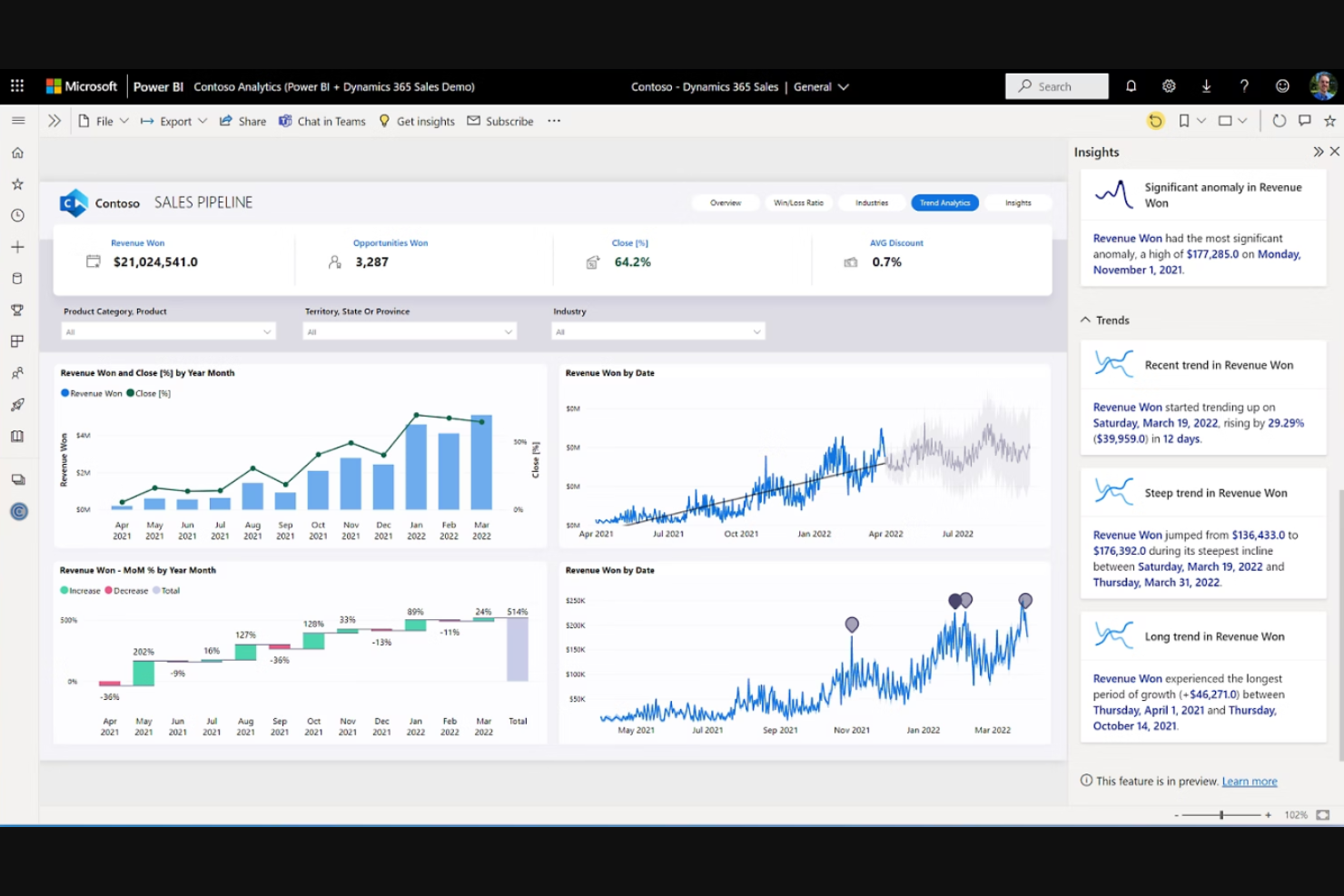
Microsoft Power BI is a business analytics service that provides interactive visualizations and business intelligence capabilities. Business analysts and IT professionals mainly use it to build dashboards, graphs, and reports.
Why Microsoft Power BI is a good Looker Studio alternative: Microsoft Power BI’s integration with Microsoft products makes it ideal for teams already using Microsoft services. You can also readily connect it to various data sources, including spreadsheets, and share insights across your organization. This makes it a suitable choice for large or small businesses looking for a familiar and integrated data solution.
Standout Features and Integrations:
Features include data visualization tools that help you create in-depth reports. Additionally, real-time analytics allow your team to access up-to-date data insights. The user-friendly interface also makes it easy for team members to adopt and use.
Integrations include Microsoft Dynamics 365, SharePoint, Google Analytics, GitHub, and more.
Pros and Cons
Pros:
- Wide data source connectivity
- Real-time data analytics
- Easy Microsoft ecosystem integration
Cons:
- Rigid table interactivity
- Windows dependency

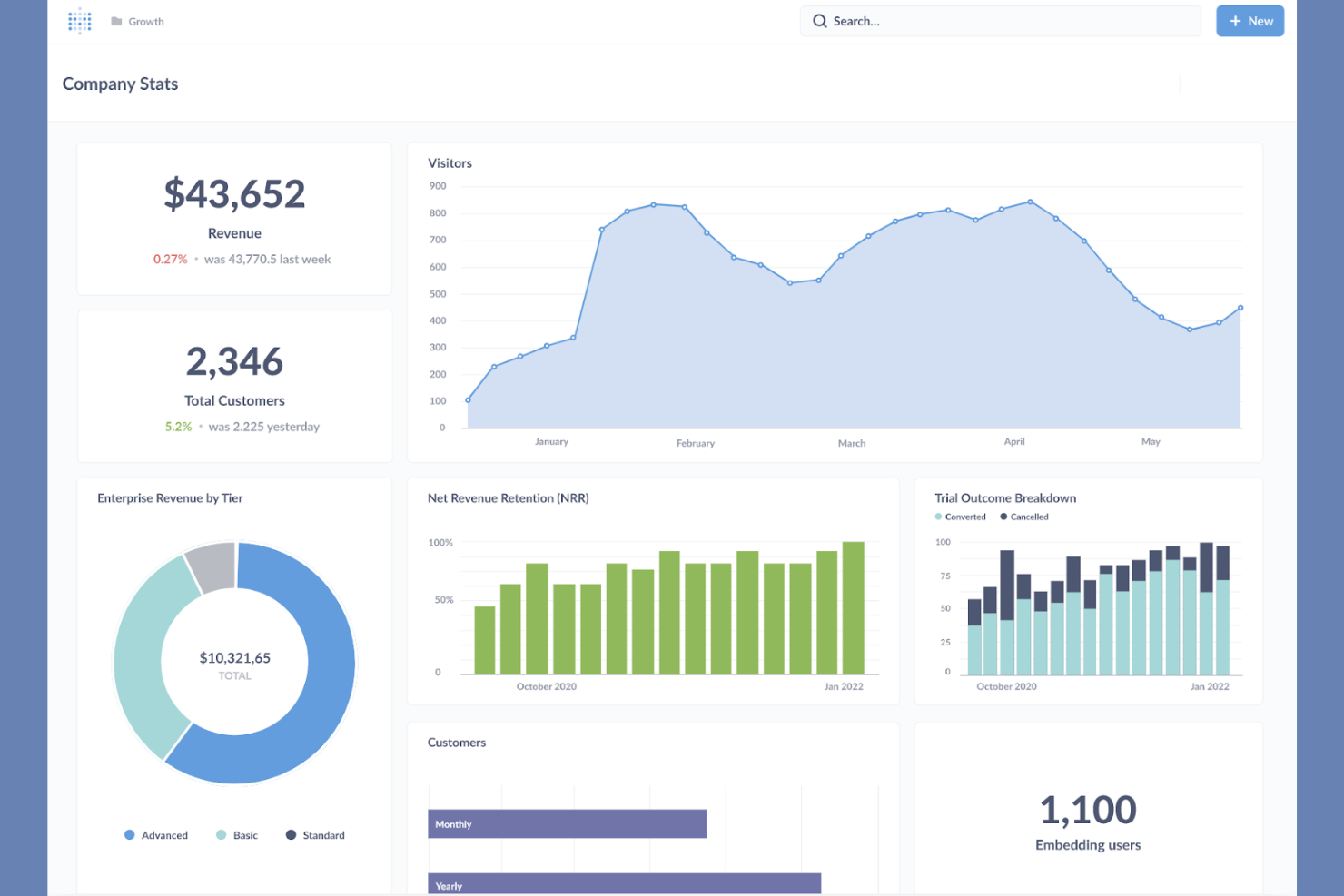
Metabase is an open-source business intelligence tool designed for simple data analysis and visualization. Data analysts, startups, and businesses use Metabase to create reports and dashboards without the need for complex coding.
Why Metabase is a good Looker Studio alternative: Metabase offers open-source flexibility, which is perfect for teams seeking customizable solutions. Its intuitive interface lets you create queries and visualizations, and you can set up dashboards to share insights across your organization. The platform supports self-service analytics, allowing your team to explore data independently.
Standout Features and Integrations:
Features include custom dashboard layouts that let you tailor data presentations to your needs. Additionally, the query builder helps you create data questions without SQL knowledge. Metabase can also schedule and share reports using email or Slack to help your team stay up to date on the latest insights.
Integrations include MySQL, DuckDB, Databricks, Google BigQuery, and more.
Pros and Cons
Pros:
- Supports self-service analytics
- Intuitive interface
- Open-source flexibility
Cons:
- No built-in ESL
- Weak enterprise governance


Sisense is a business intelligence software that specializes in data analytics and visualization. It’s used by data analysts and developers to create interactive dashboards and reports.
Why Sisense is a good Looker Studio alternative: Sisense offers strong capabilities in embedded analytics, allowing you to integrate analytics into your applications. The platform supports complex data modeling and offers flexibility in deployment. These features make it suitable for businesses looking to increase their applications with analytics.
Standout Features and Integrations:
Features include In-Chip technology that accelerates data processing. Additionally, its advanced data modeling tools let your team handle complex datasets efficiently. The platform also supports cloud, on-premises, and hybrid deployment formats.
Integrations include Google Maps, Microsoft Excel, and more.
Pros and Cons
Pros:
- Flexible deployment options
- Fast data processing
- Strong embedded analytics
Cons:
- Documentation gaps
- Not a "plug-and-play" tool


ThoughtSpot is an analytics platform designed to perform searches on and provide insights into large datasets. Data analysts and business professionals who need quick access to data insights use this software.
Why ThoughtSpot is a good Looker Studio alternative: ThoughtSpot’s AI-powered insights make it ideal for teams looking to leverage advanced analytics. Furthermore, you can uncover insights without needing extensive technical skills, and the platform’s user-friendly interface supports easy data exploration and visualization.
Standout Features and Integrations:
Features include a natural language search functionality that lets your team query data intuitively. You also get automated insights that help you discover trends and anomalies. The platform’s scalable architecture supports large datasets and complex queries.
Integrations include Google Cloud, VitaraCharts, Snowflake, Fivetran, and more.
Pros and Cons
Pros:
- Cost-effective and scalable architecture
- Natural language search
- AI-driven insights
Cons:
- Heavy setup required
- Designed for search, not layout design

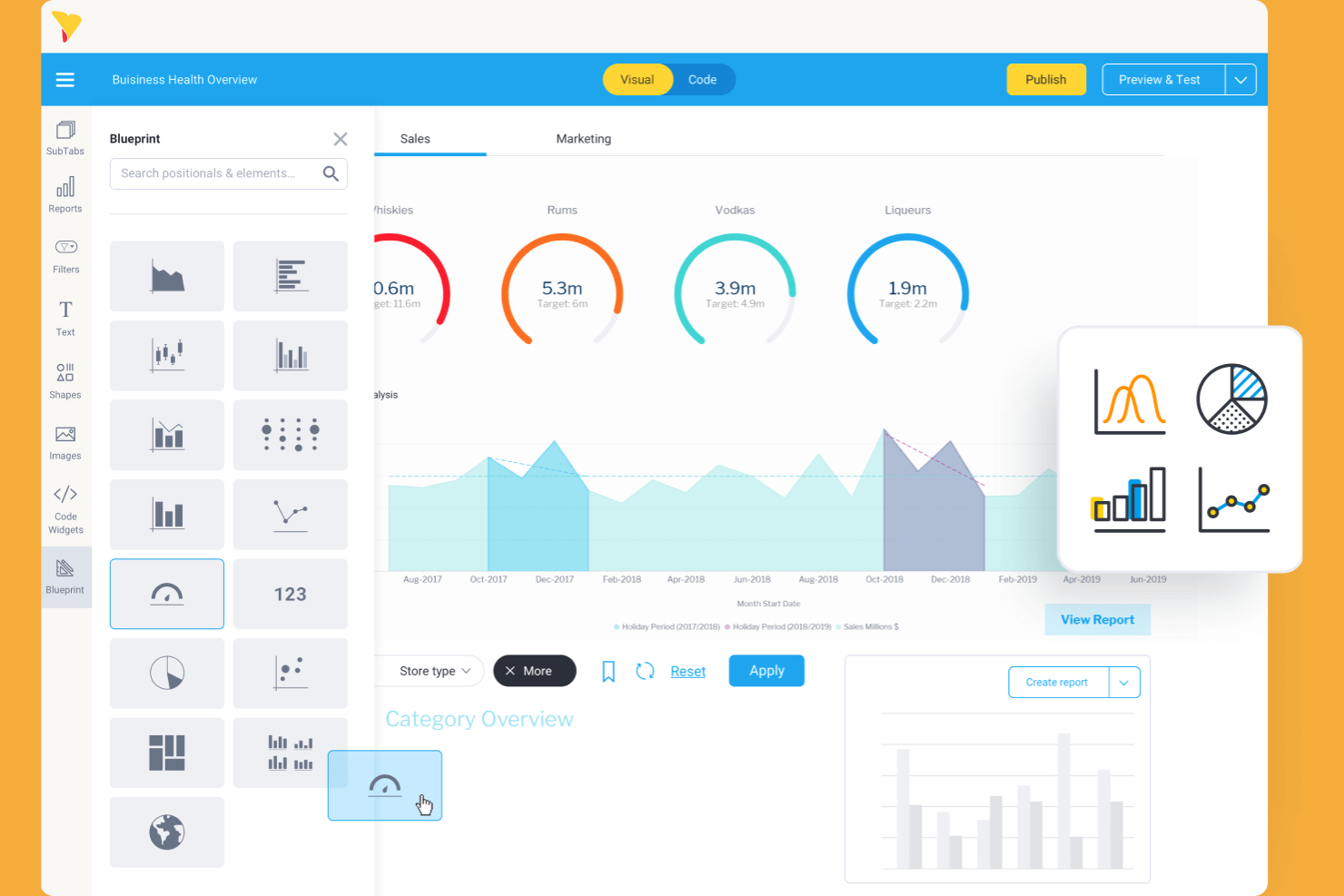
Yellowfin is a business intelligence and analytics platform that provides data visualization and data transformation tools. Business professionals and data analysts utilize it to find actionable insights from their data.
Why Yellowfin is a good Looker Studio alternative: Yellowfin focuses on interactive dashboards with AI features, helping your team quickly identify and act on insights. The platform’s flexibility supports a range of business needs and use cases.
Standout Features and Integrations:
Features include storytelling capabilities that let you build narratives around your data. Yellowfin also has collaboration tools that enable your team to discuss insights directly within the platform.
Integrations include Salesforce, Google Analytics, and more.
Pros and Cons
Pros:
- Collaborative tools
- Storytelling capabilities
- Interactive dashboards
Cons:
- Difficulty processing complex, multi-layered dashboards
- Authoring or editing complex reports on a mobile device can be difficult


Grow is a business intelligence platform that helps teams visualize data and track performance metrics. Small- and medium-sized businesses use this tool to make data-driven decisions.
Why Grow is a good Looker Studio alternative: Grow offers no-code workflows, making it ideal for teams that want to create dashboards without programming skills. Its intuitive interface also allows you to efficiently build and customize dashboards.
Standout Features and Integrations:
Features include real-time data tracking that helps your team stay updated with the latest metrics. The drag-and-drop interface simplifies dashboard creation and customization. Its data blending capabilities let you combine data from multiple sources for a holistic view.
Integrations include HubSpot, Google Sheets, QuickBooks, Salesforce, Shopify, Zendesk, and more.
Pros and Cons
Pros:
- Data blending capabilities
- Real-time data tracking
- No-code solutions
Cons:
- Complex cleaning may still require SQL
- Limited metric types

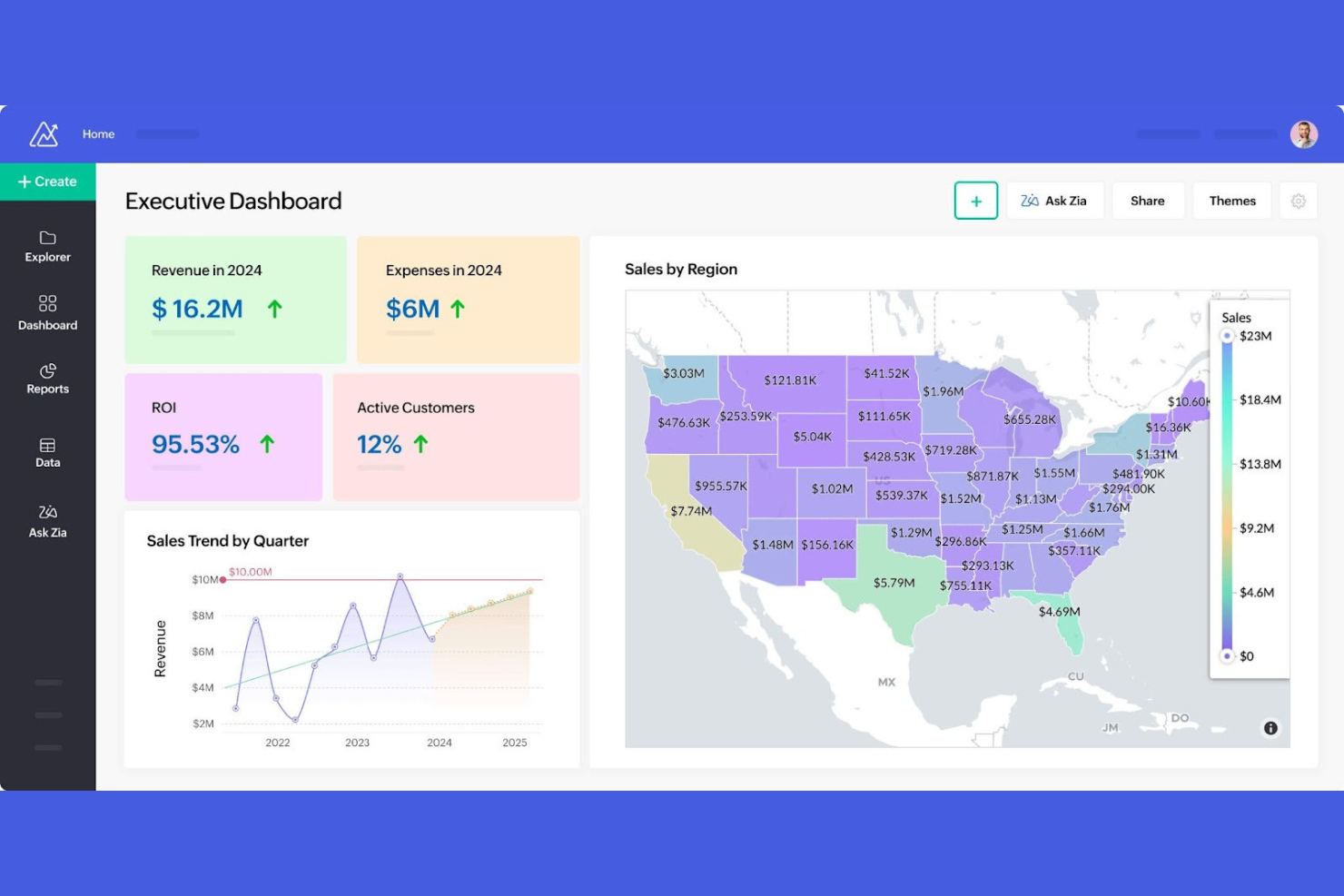
Zoho Analytics is an all-in-one self-service business intelligence and analytics platform. It’s used by business users and stakeholders to create visual reports and dashboards from their data.
Why Zoho Analytics is a good Looker Studio alternative: Zoho Analytics can blend data from a variety of sources, eliminating silos and making it an end-to-end BI solution. With its tools, you can create visualizations with ease. The platform also has a built-in AI agent that responds to your natural-language input.
Standout Features and Integrations:
Features include dashboards that provide a detailed view of your data. Non-technical users can also use the drag-and-drop interface to build visualizations quickly. In addition, the AI-powered assistant provides automated insights, helping your team with forecasting and trends.
Integrations include Zoho CRM, Salesforce, Microsoft Dynamics, HubSpot, Google Analytics, and more.
Pros and Cons
Pros:
- Easy drag-and-drop interface
- AI-powered assistant
- Data blending capabilities
Cons:
- Non-standard APIs require manual workarounds
- Basic predictive tools
New Product Updates from Zoho Analytics

Zoho Analytics Enhances Analysis, Reporting, and Real-Time Data
Zoho Analytics brings richer PDF exports, smarter multi-table auto analysis, and real-time data connections. These updates help teams generate deeper insights, preserve report accuracy, and analyze data in real time with less manual effort. For more information, visit Zoho Analytics’ official site.
 .
.Other Looker Studio Alternatives
Here are some additional Looker Studio alternatives that didn’t make it onto my shortlist but are still worth checking out:
- KNIME
For open-source analytics
- Jaspersoft
For embedded reporting
- Strategy
For enterprise analytics


Looker Studio Alternatives Selection Criteria
When selecting the best Looker Studio alternatives for this list, I considered common buyer needs and pain points related to BI products, such as data visualization and integration capabilities. I also used the following framework to keep my evaluation structured and fair:
Core Functionality (25% of total score)
To be considered for inclusion in this list, each solution had to fulfill these common use cases:
- Data visualization
- Dashboard creation
- Reporting and analytics
- Data integration
- Real-time data updates
Additional Standout Features (25% of total score)
To help further narrow down the competition, I also looked for unique features, such as:
- AI-driven insights
- Natural language processing
- Embedded analytics
- Mobile access
- Customizable alerts
Usability (10% of total score)
To get a sense of the usability of each system, I considered the following:
- Intuitive interface
- Easy navigation
- Customization options
- Speed and performance
- Accessibility
Onboarding (10% of total score)
To evaluate the onboarding experience for each platform, I considered the following:
- Availability of training videos
- Interactive product tours
- Onboarding templates
- Webinars and workshops
- Chatbots for assistance
Customer Support (10% of total score)
To assess each software provider’s customer support services, I considered the following:
- 24/7 support availability
- Multiple support channels
- Response time
- Help center resources
- Dedicated account manager
Value for Money (10% of total score)
To evaluate the value for money of each platform, I considered the following:
- Pricing transparency
- Feature-to-cost ratio
- Scalability options
- Discounts for long-term use
- Trial or demo availability
Customer Reviews (10% of total score)
To get a sense of overall customer satisfaction, I considered the following when reading customer reviews:
- User satisfaction
- Feedback on features
- Experience with support
- Ease of use
- Overall value perception
Why Look for a Looker Studio Alternative?
While Looker Studio is a good business intelligence tool, there are a number of reasons why some users seek out alternative solutions. You might want to look for a Looker Studio alternative for the following reasons:
- You need better data visualization options
- Your team requires smoother integration with existing tools
- You’re seeking more affordable pricing plans
- Your organization demands improved data privacy
- You need a tool that supports larger datasets
- Your team wants improved mobile accessibility
If any of these sound like you, you’ve come to the right place. My list contains several BI Tools options that are better suited for teams facing these challenges with Looker Studio and looking for alternative solutions.
Looker Studio Key Features
Here are some of the key features of Looker Studio to help you contrast and compare what alternative solutions offer:
- User-friendly interface: An intuitive design with drag-and-drop functionality helps your team quickly create reports.
- Report templates: Customizable templates allow you to visualize data for your specific needs.
- Data connectors: Over 800 connectors make it simple for you to integrate with various data sources without coding.
- API access: Automation and management through the API lets you handle assets within Google Workspace or Cloud Identity.
- Report embedding: Embedding reports in web pages or intranets helps improve sharing and collaboration across your organization.
- Real-time data updating: Keep your dashboards and reports current with automatic refreshing.
- Custom metrics: Create specific metrics to meet your team’s reporting needs.
- Calculated fields: Add new insights by creating fields from existing data without altering the source data.
- Data blending: Combine data from different sources to provide a detailed view of business metrics.
- Interactive dashboards: Engage with your data through interactive elements that allow you to filter for deeper insights.
What’s Next:
If you're in the process of researching business intelligence tools, connect with a SoftwareSelect advisor for free recommendations.
You fill out a form and have a quick chat where they get into the specifics of your needs. Then you’ll get a shortlist of software to review. They’ll even support you through the entire buying process, including price negotiations.