

10 Best Free Proposal Software in 2026

Best Free Proposal Software Shortlist


Free proposal software is a tool with a free plan or trial for creating, sending, tracking, approving, and signing client proposals. The right option helps you present scope, timelines, deliverables, and pricing clearly without adding another costly subscription. I’ve compared 12 tools across interactive proposals, branded documents, engagement tracking, invoicing, specialized quotes, and electronic signatures. Use this shortlist to match your project workflow with the software’s actual free-plan limits.
Why Trust Our Software Recommendations
Our team has been testing and reviewing software since 2012. As project managers ourselves, we know how difficult—and important—it is to choose the right software.
For this guide, we evaluated tools using hands-on testing and independent research, scoring tools using our selection criteria. We also draw on insights from industry thought leaders and practicing project management experts.
Our reviews reflect our human editorial judgment, not a sales pitch.
Expert reviewers:
Comparison Table: Free Proposal Software
Compare specs side by side for the free proposal software that made it onto my shortlist.
| Tool | Best For | Trial Info | Price | ||
|---|---|---|---|---|---|
| 1 | Best for tracking proposal engagement end-to-end | 14-day free trial | From $19/user/month | Website | |
| 2 | Best for interactive, web-based sales proposals | 14-day free trial | From $35/user/month (billed annually) | Website | |
| 3 | Best for Zoho ecosystem proposal signing workflows | Free plan available | From $25/month | Website | |
| 4 | Best for MSP-specific hardware quoting at scale | Free demo available | From $299/month (billed annually) | Website | |
| 5 | Best for legally binding e-signatures on proposals | Free plan available | From $34/user/month (billed annually) | Website | |
| 6 | Best for visually branded proposal design | Free trial + free plan available | From $144/user/year (billed annually) | Website | |
| 7 | Best for legally binding e-sign on a free plan | Free plan available | From $19/user/month (billed annually) | Website | |
| 8 | Best for proposal-to-invoice flow for freelancers | 7-day free trial | From $19/month | Website | |
| 9 | Best for freelancers managing proposals and invoices | Free plan available | From $24/month (billed annually) | Website | |
| 10 | Best for SaaS pricing quotes with built-in e-signatures | Free plan available | From $65/user/month | Website |





Free Proposal Software Reviews
Below are my detailed summaries of the free proposal software on my shortlist. Each review covers features, free-plan limits, and best use cases to help you find the right tool for your workflow.

Best for tracking proposal engagement end-to-end
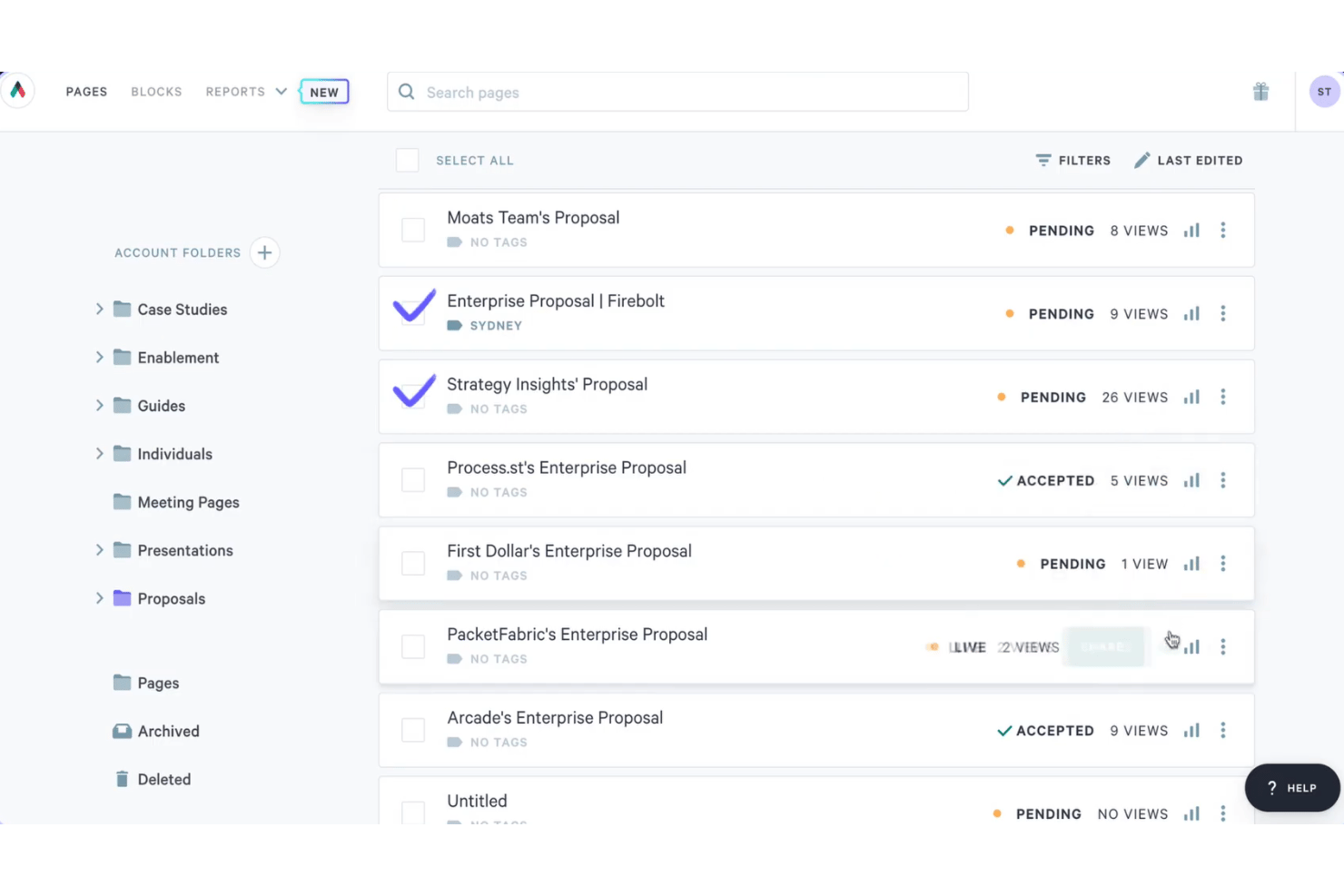
Better Proposals is proposal software with editable templates, interactive pricing tables, e-signatures, payment connections, and engagement analytics, available through a 14-day trial rather than a free-forever plan.
Who Is Better Proposals Best For?
Better Proposals suits freelancers, consultants, and small sales teams that need branded proposals with e-signatures, payment options, and engagement tracking.
Why I Picked Better Proposals
I picked Better Proposals because it is best for tracking proposal engagement end-to-end, even though it offers a 14-day trial rather than a free-forever plan. I use open tracking, section-level time data, live notifications, and signature tracking to see where prospects engage or stop reading. Its interactive pricing tables also show which options clients select.
Better Proposals Key Features
- Editable templates: Choose from 260+ templates across 25+ industries.
- Payment connections: Accept payments through Stripe, PayPal, or GoCardless.
- PDF export: Download proposals as PDFs or share them through unique links.
- CRM integrations: Connect Premium plans with HubSpot, Salesforce, Pipedrive, and other CRMs.
Better Proposals Integrations
Better Proposals integrates with Stripe, PayPal, GoCardless, HubSpot, Salesforce, Pipedrive, Asana, Trello, Teamwork, and Wrike. Premium plans also include an API and Zapier.
What's Free?
Better Proposals offers a 14-day free trial rather than a free-forever plan. After the trial ends, you’ll need a paid plan to continue using the software.
Pros and Cons
Pros:
- E-signatures included across all plans
- Interactive pricing tables support client choices
- Detailed section-level engagement tracking
Cons:
- PDF exports can misalign layouts
- No free-forever plan available

Qwilr
Best for interactive, web-based sales proposals
Qwilr is proposal software for interactive, web-based sales proposals, combining templates, dynamic quote tables, e-signatures, engagement analytics, PDF export, and a 14-day trial instead of a free-forever plan.
Who Is Qwilr Best For?
Qwilr suits sales representatives, agencies, and small businesses that need interactive proposals, configurable quotes, e-signatures, and engagement analytics.
Why I Picked Qwilr
I picked Qwilr for its interactive, web-based sales proposals, which combine responsive pages, configurable quote tables, embedded media, and e-signatures. I use its analytics to see which sections clients view before following up. Qwilr offers a 14-day trial, but no free-forever plan.
Qwilr Key Features
- AI proposal generator: Creates a proposal template from your company website.
- Saved Blocks: Stores reusable content for future proposals.
- Access controls: Adds passwords, expiry dates, and view limits to shared pages.
- QuickBooks Online integration: Creates draft invoices after clients accept proposals.
Qwilr Integrations
Qwilr offers native integrations with HubSpot, Zoho, Pipedrive, Microsoft Dynamics 365, Salesforce, QuickBooks Online, Stripe, and Slack. It also provides an API and Zapier connectivity.
What's Free?
Qwilr offers a 14-day free trial rather than a free-forever plan. After the trial ends, you’ll need a paid plan to continue using the platform, starting at $35 per user per month when billed annually.
Pros and Cons
Pros:
- Unlimited signers receive audit trails
- Detailed analytics show section engagement
- Interactive pages support configurable proposals
Cons:
- Client comments aren’t available
- No free-forever access after testing
Best for Zoho ecosystem proposal signing workflows
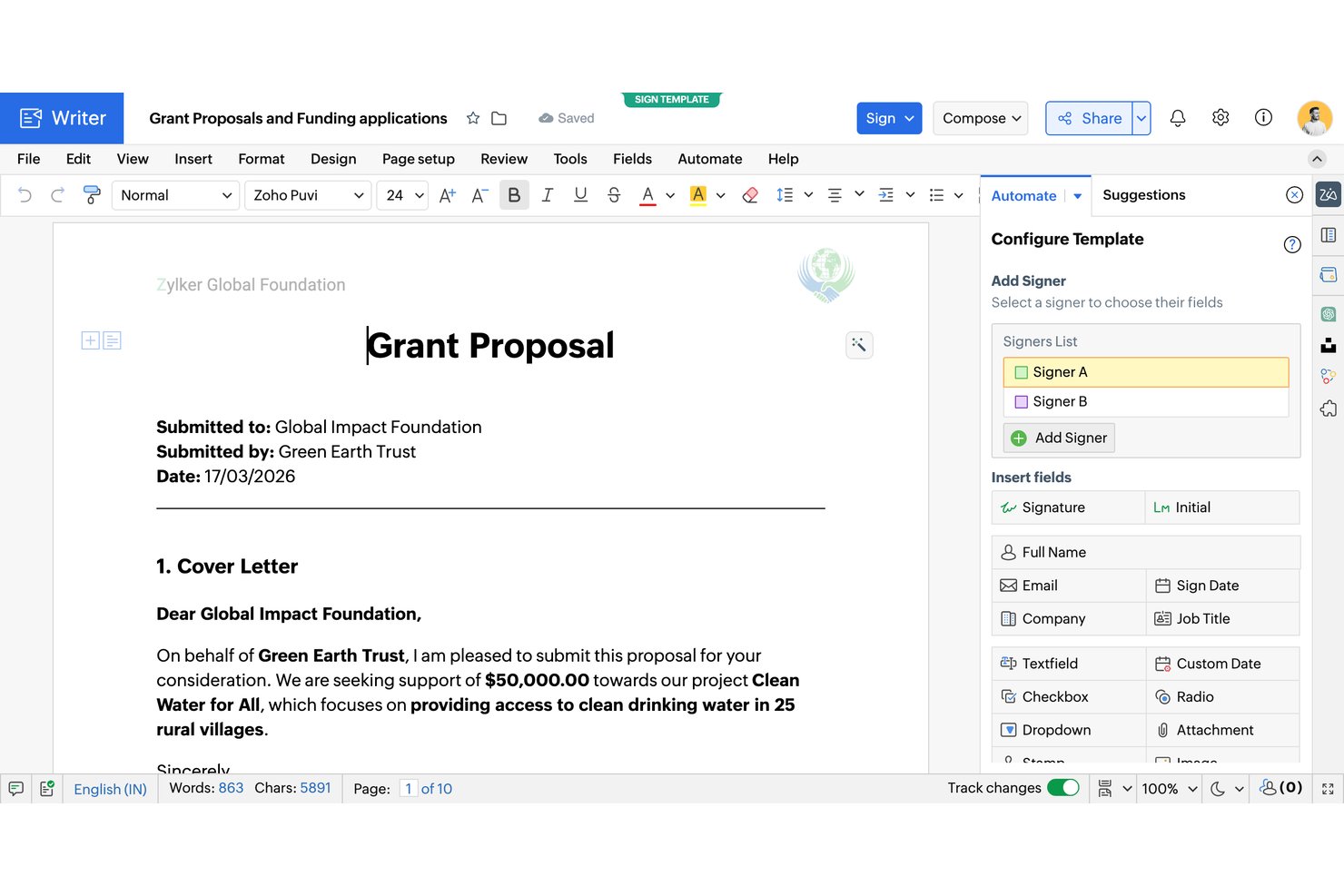
Zoho Writer is a free proposal document editor with AI-generated templates, data-driven mail merge, fillable forms, e-signatures, approval workflows, and secure sharing.
Who Is Zoho Writer Best For?
Small businesses and agencies already using Zoho can create branded proposals, automate document workflows, and collect signatures in one ecosystem.
Why I Picked Zoho Writer
I picked Zoho Writer for free proposal software because it supports Zoho ecosystem proposal signing workflows. I use AI-generated proposal templates, merge CRM or Sheets data into quote tables, then route documents through approval and multi-signer workflows. OTP verification, signing order, reminders, and bulk signing cover practical client-approval scenarios.
Zoho Writer Key Features
- Full document editor: Format proposals with tables, images, charts, headers, footers, and custom styles.
- Fillable forms: Add text, lookup, file attachment, and signature fields to client documents.
- Protected PDF export: Export PDFs with passwords and restrictions on copying, printing, and exporting.
- Secure sharing links: Set passwords, expiration dates, access permissions, and OTP verification.
Zoho Writer Integrations
Zoho Writer has native integrations with Zoho CRM, Zoho Books, Zoho Sheets, Zoho Forms, Zoho Sign, and Zoho Checkout. It also supports custom integrations through its REST API and Zapier.
What's Free?
Zoho Writer offers a free-forever plan with unlimited document creation, editing, and core features. Document automation includes a monthly quota of credits, while high-volume generation requires paid add-on credits.
Pros and Cons
Pros:
- Merge-driven quote tables support itemized proposals
- Built-in signing order and OTP verification
- Unlimited document creation and AI proposal templates
Cons:
- Automation limits constrain frequent signing workflows
- Proposal engagement tracking stops at email opens

Quoter
Best for MSP-specific hardware quoting at scale
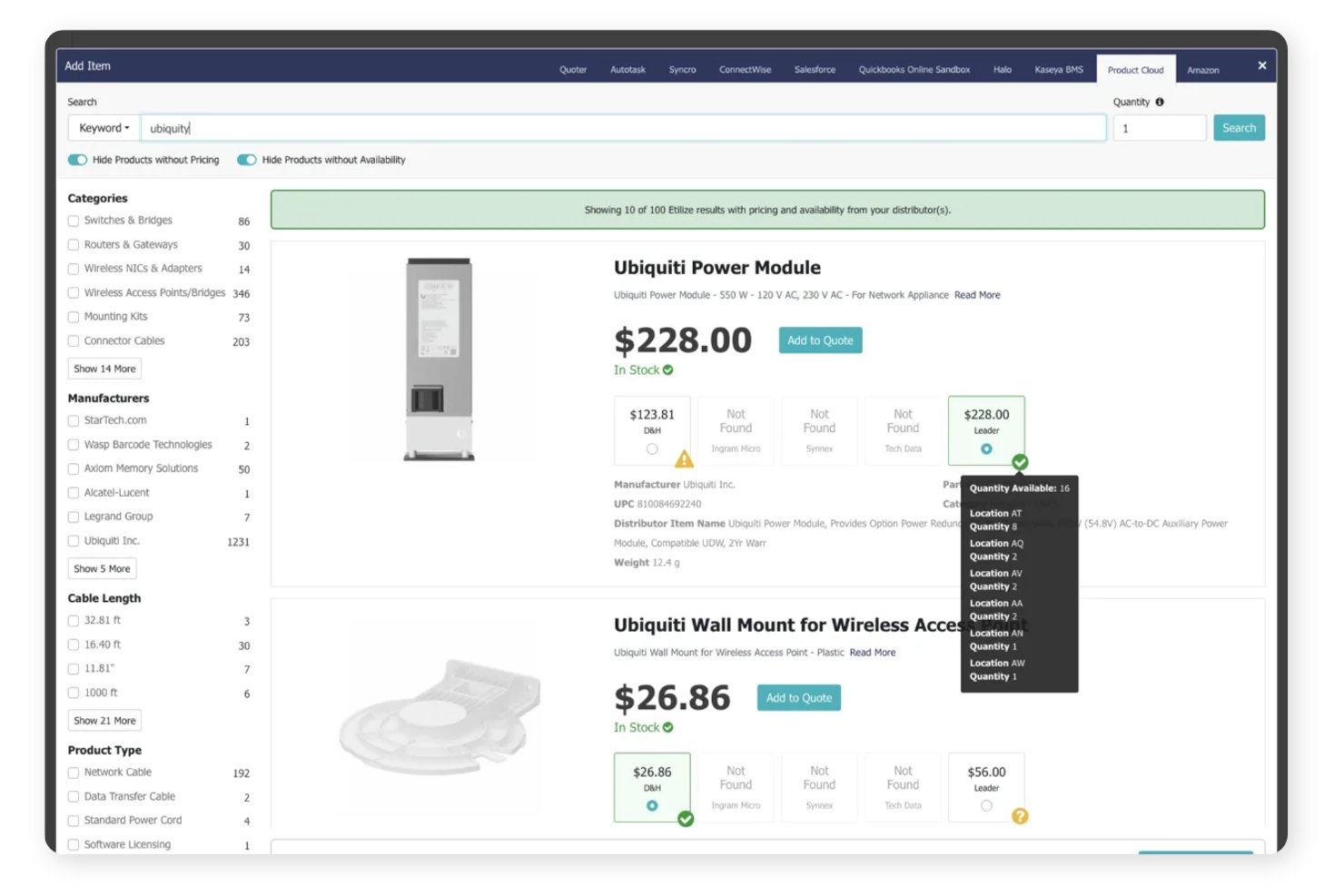
Quoter is an MSP-focused proposal and quoting platform with branded templates, itemized pricing, bundles, e-signatures, contracts, payments, and quote tracking.
Who Is Quoter Best For?
Quoter suits managed service providers that quote hardware, services, and recurring support at scale.
Why I Picked Quoter
I picked Quoter for Best for MSP-specific hardware quoting at scale because it organizes hardware, services, labor, and recurring items into structured quote sections. I use bundles, optional items, and good/better/best packages for MSP proposals, then collect signatures and payments in the same quote. It isn’t free, though, with plans starting at $299 per month on a 12-month term.
Quoter Key Features
- Email open tracking: See when clients open a quote.
- Automated reminders: Schedule up to three custom follow-up emails.
- Quote history log: Review timestamps for revisions, statuses, and payments.
- CSV export: Export quote lists for external reporting.
Quoter Integrations
Quoter lists 36 integrations, including HubSpot, Salesforce, ConnectWise PSA, Autotask, Stripe, PayPal/Braintree, Authorize.net, Avalara, and Datagate. Its API and MCP support custom integrations.
What's Free?
Quoter doesn’t offer a free-forever plan. It provides a free demo, while paid plans start at $299 per month when billed annually.
Pros and Cons
Pros:
- Open tracking and automated reminders
- Native signatures and payment acceptance
- MSP-specific hardware and service sections
Cons:
- Built narrowly for MSP sales teams
- No free plan or trial

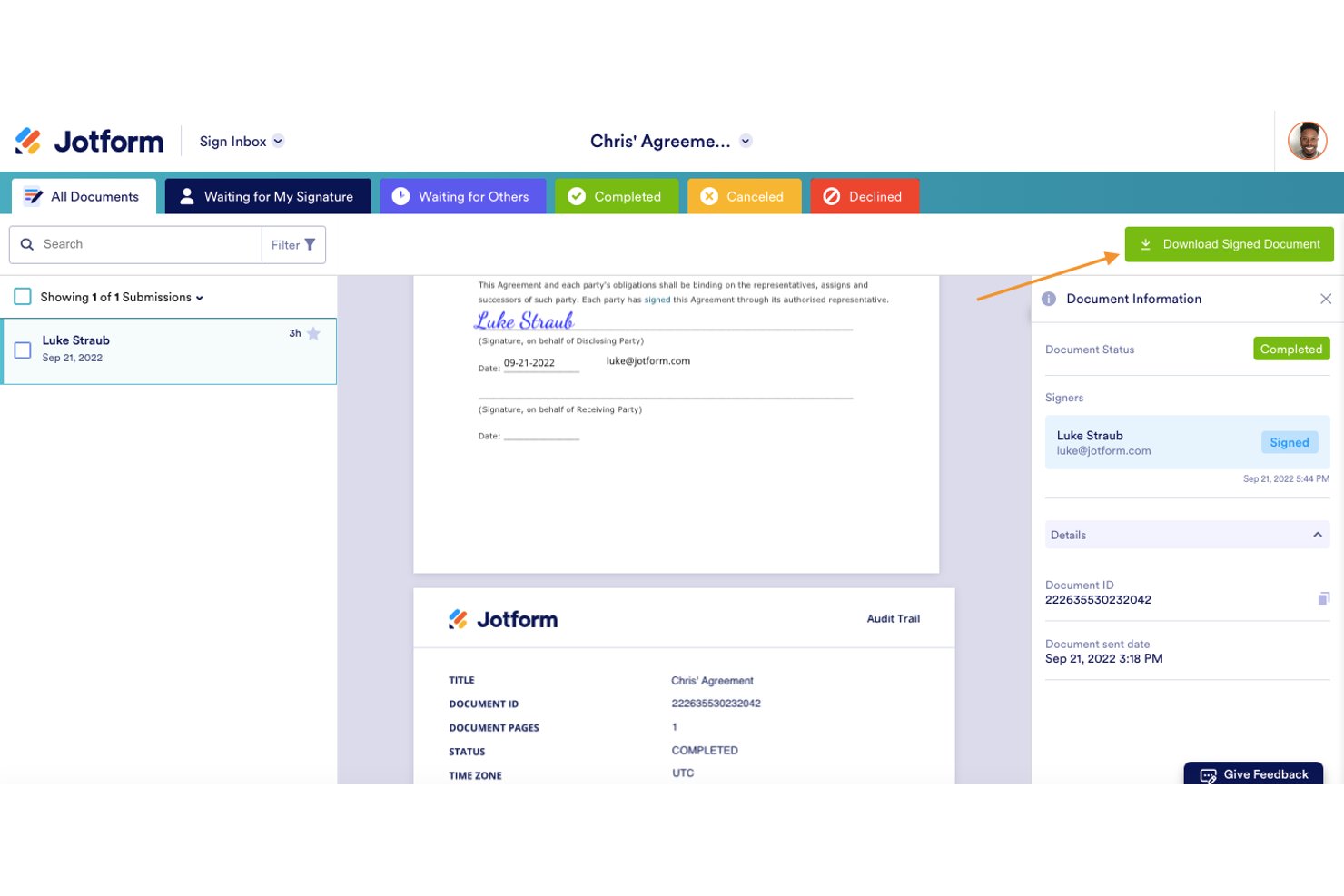
Jotform Sign is a free e-signature platform for proposal documents, with templates, drag-and-drop fields, multi-signer workflows, audit trails, document tracking, and shareable links, but no native quote tables or invoicing.
Who Is Jotform Sign Best For?
Freelancers and consultants who need reusable proposal templates and legally binding e-signatures without built-in quote tables or invoicing.
Why I Picked Jotform Sign
I picked Jotform Sign because it’s best for legally binding e-signatures on proposals. I use reusable proposal templates, sequential or parallel signing, and time-stamped audit trails with digital certificates for client-ready documents. Its free Starter plan fits occasional proposals, although the 10-document monthly cap and missing quote tables limit recurring sales workflows.
Jotform Sign Key Features
- Shareable links: Send proposal documents through public or private links, email invitations, or embed code.
- Access codes: Require a security code before recipients can view shared documents.
- Automatic reminders: Send reminder emails for unsigned documents and approaching due dates.
- Mobile signing: Let recipients view and sign documents in a mobile browser without an account.
Jotform Sign Integrations
Jotform lists 150+ integrations across its platform, including Salesforce, HubSpot, Pipedrive, Google Drive, Google Sheets, Dropbox, Asana, ClickUp, Trello, and Zapier. Payment integrations such as Stripe apply to Jotform Forms and Smart PDF Forms, not Sign Documents.
What's Free?
Jotform Sign offers a free-forever Starter plan for occasional proposals. It includes a 10-document monthly limit, and payment integrations such as Stripe apply to Jotform Forms and Smart PDF Forms, not Sign Documents.
Pros and Cons
Pros:
- Mobile signing without recipient accounts
- Reusable proposal templates support repeat sending
- Legally binding signatures with audit trails
Cons:
- Free tier limits documents and retains branding
- No native quote or pricing tables
Canva
Best for visually branded proposal design
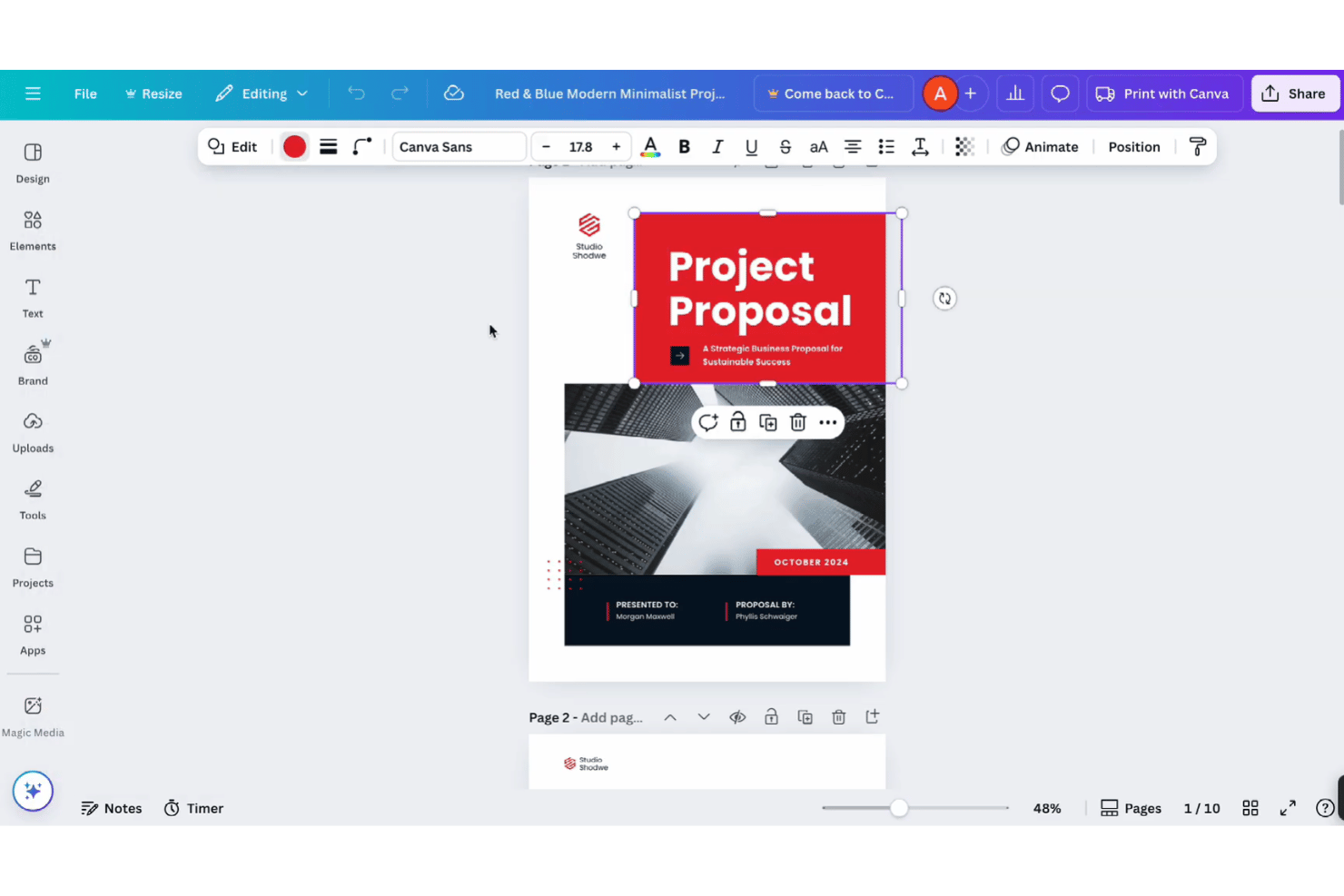
Canva is a free proposal design platform with proposal templates, drag-and-drop editing, Docs and Sheets, static pricing tables, PDF export, shareable links, and comments.
Who Is Canva Best For?
Canva suits freelancers, consultants, and small teams that need polished, branded proposal PDFs and share links without signing or deal tracking.
Why I Picked Canva
I picked Canva for visually branded proposal design because I can turn a project brief into a polished client document with proposal templates and drag-and-drop editing. I use Canva Docs for structured sections, tables, comments, and PDF export, then share a mobile-friendly view link. It fits design-led proposals, but I move signature collection elsewhere because clients can’t sign inside Canva.
Canva Key Features
- Canva Sheets: Import and export CSV or XLSX files and use over 60 spreadsheet functions.
- Self-signature tool: Draw, type, or upload a signature for placement in designs, Docs, or PDFs.
- PayPal Payment Links: Add PayPal payment links and QR codes to proposal designs.
- AI writing tools: Use up to 20 free Magic Write and other AI actions.
Canva Integrations
Canva offers marketplace integrations with HubSpot and PayPal Payment Links. It also provides a REST API for custom apps, with availability varying by plan.
What’s Free?
Canva offers a free-forever plan with proposal templates, drag-and-drop editing, PDF export, shareable links, and comments. Some premium templates, assets, and features require a paid plan, while free users receive up to 20 free Magic Write and other AI actions.
Pros and Cons
Pros:
- Shareable links enable client comments
- Docs and Sheets support static quotes
- Free templates create polished branded proposals
Cons:
- No proposal pipeline or open alerts
- Clients cannot request signatures inside Canva

PandaDoc
Best for legally binding e-sign on a free plan
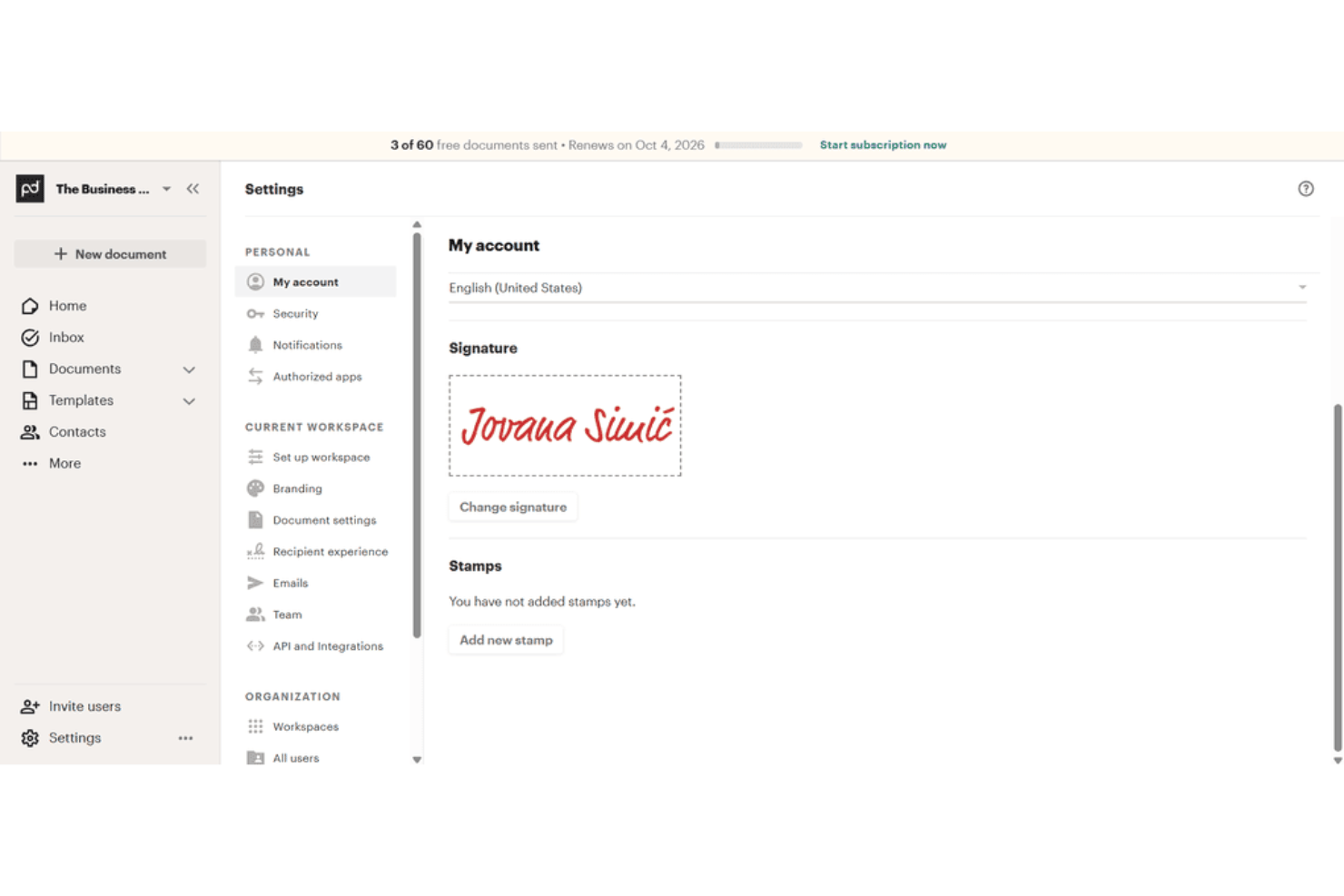
PandaDoc is free proposal software with a drag-and-drop editor, templates, document tracking, legally binding e-signatures, PDF downloads, and shareable links.
Who Is PandaDoc Best For?
PandaDoc suits freelancers and small teams that send occasional client documents requiring legally binding e-signatures and basic tracking.
Why I Picked PandaDoc
I picked PandaDoc because its Free eSign plan includes legally binding signatures, an audit trail, and PDF downloads without an expiration date. I use its drag-and-drop editor and templates to prepare client documents, then share them by email or link. The five-send monthly limit and two-recipient cap suit occasional, simple agreements.
PandaDoc Key Features
- Unlimited users: Add users to the free workspace without a user limit.
- Unlimited storage: Organize files with folders, tags, and search.
- Inline comments: Add comments directly within documents.
- Mobile app: Access and manage documents from mobile devices.
PandaDoc Integrations
PandaDoc lists 30+ integrations, including HubSpot, Salesforce, Google Sheets, Microsoft Word, and Zapier. Its API supports custom integrations, with Free eSign accounts limited to five sends and 25 document creations monthly.
What's Free?
PandaDoc offers a free plan rather than only a time-limited trial, with legally binding e-signatures, PDF downloads, and audit trails. The plan allows five sends, two recipients per document, and 25 document creations monthly, while users and storage remain unlimited.
Pros and Cons
Pros:
- Real-time tracking shows recipient activity
- Unlimited users and storage support occasional teams
- Legally binding signatures include audit trails
Cons:
- No pricing tables limit quote creation
- Five monthly sends restrict recurring proposals
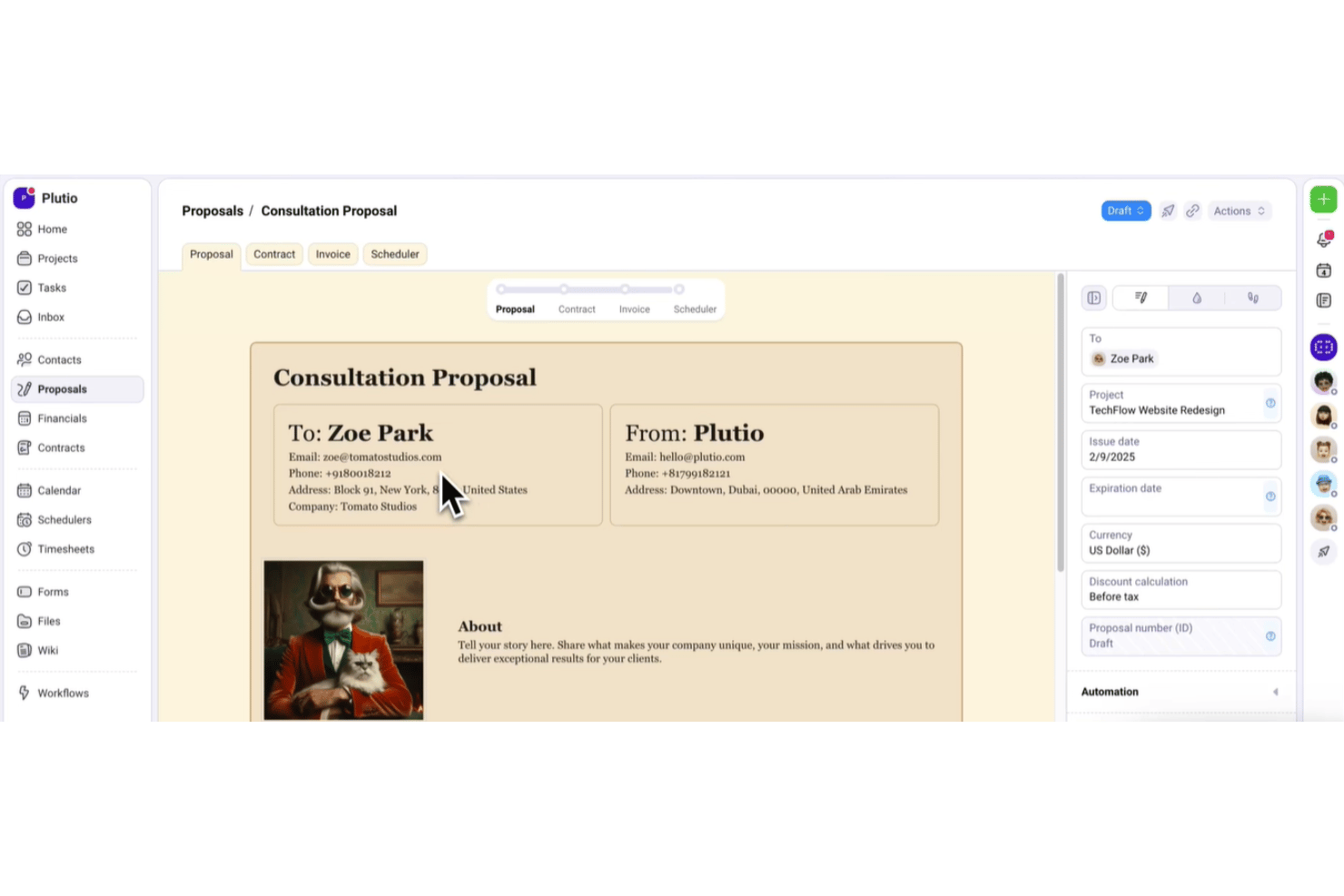
Plutio is an all-in-one proposal software platform for freelancers, combining branded proposals, quote tables, e-signatures, contracts, invoicing, and client portals with a free trial.
Who Is Plutio Best For?
Freelancers and small agencies that need branded proposals, e-signatures, contracts, and invoices in one workspace.
Why I Picked Plutio
I picked Plutio for its proposal-to-invoice flow for freelancers. During the free trial, I can build branded proposals with itemized packages, collect in-document signatures, and trigger an invoice when a client accepts. The workspace also links signed proposals to contracts and projects, keeping client handoff in one place.
Plutio Key Features
- Drag-and-drop editor: Arrange content, image, video, HTML, and canvas blocks.
- Proposal templates: Save reusable proposals or install templates from the community library.
- View tracking: Record proposal views with timestamps and status updates.
- Follow-up automations: Send reminders for pending proposals after three days, one week, and two weeks.
Plutio Integrations
Plutio offers native integrations with Stripe, PayPal, Square, Google Calendar, Outlook, Google Meet, Zoom, QuickBooks, and FreshBooks. It also supports Gmail, Zapier, an open API, and webhooks for custom integrations.
What's Free?
Plutio offers a 7-day free trial rather than a free-forever plan. After the trial, paid plans start at $19 per month.
Pros and Cons
Pros:
- Native signatures include audit details and PDFs
- Branded templates support polished, repeatable proposals
- Proposal-to-invoice workflow keeps client handoffs connected
Cons:
- Trial workspaces become read-only after expiration
- No free-forever plan for ongoing proposal access
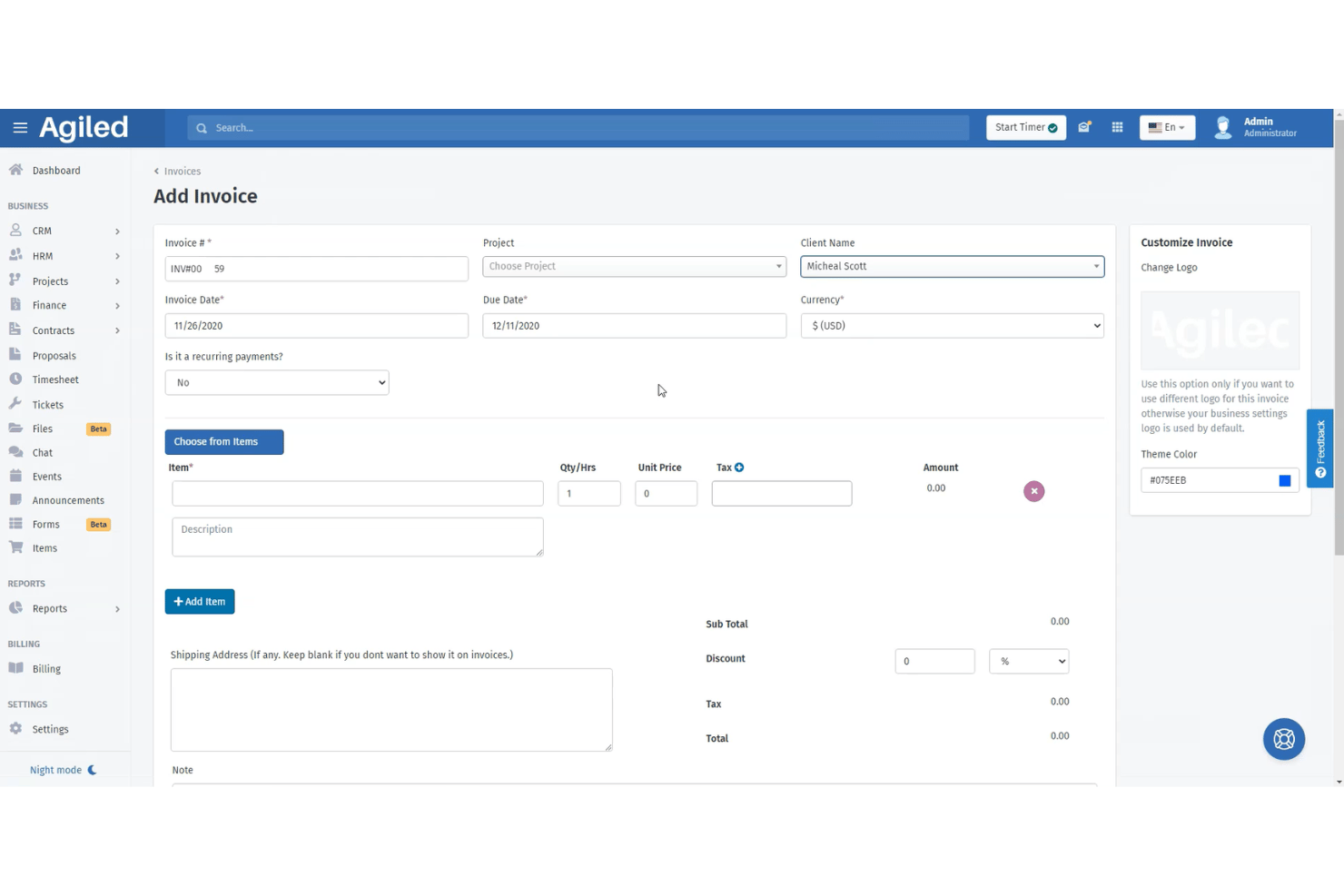
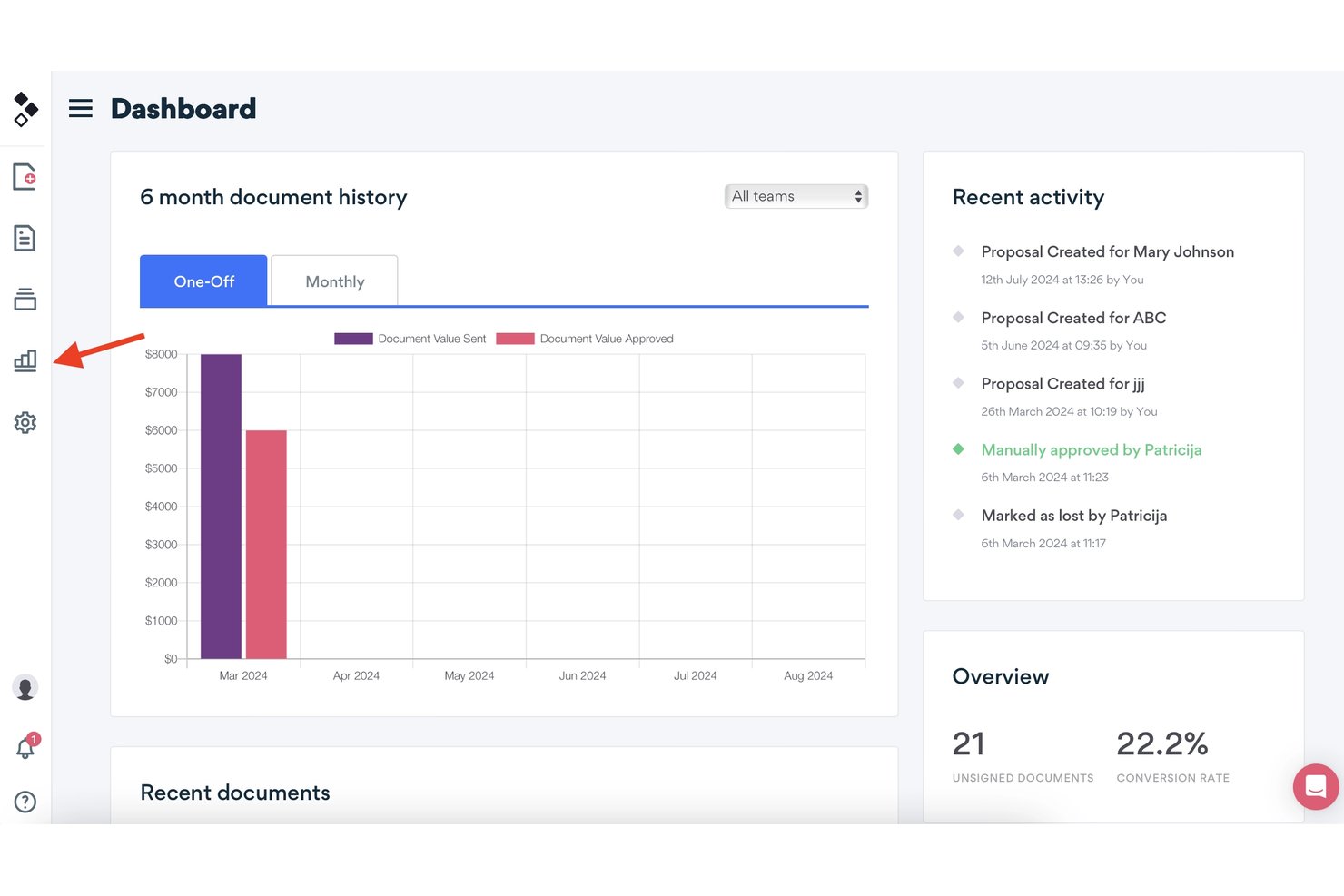
Agiled is an all-in-one proposal software platform with drag-and-drop templates, reusable content blocks, estimates, e-signatures, client tracking, and direct proposal-to-contract or invoice conversion.
Who Is Agiled Best For?
Freelancers and solo consultants who need to connect client proposals with estimates, e-signatures, contracts, and invoices.
Why I Picked Agiled
I picked Agiled for freelancers managing proposals and invoices because its reusable blocks and drag-and-drop builder help me assemble client-ready proposals quickly. I can collect signatures from multiple recipients, then convert accepted proposals into contracts or invoices. Its CRM deal records also prefill scope, pricing, and client details.
Agiled Key Features
- Proposal status tracking: Monitor draft, sent, viewed, and signed statuses with read-time details.
- Secure sharing links: Add passwords and expiration dates to shared proposal links.
- Pricing and estimate tables: Include line items, discounts, taxes, terms, and expiry dates.
- PDF export: Download completed contracts as PDF documents.
Agiled Integrations
Agiled lists 44 integrations, including Stripe, PayPal, QuickBooks, Xero, HubSpot, Asana, Trello, and Slack. It also supports custom connections through its REST API and webhooks, plus Zapier.
What's Free?
Agiled offers a free-forever plan rather than only a time-limited trial. The available plan information doesn't specify user limits, integration restrictions, or other free-plan conditions, so check Agiled's current plan details before subscribing.
Pros and Cons
Pros:
- Tracks views, signatures, and read times
- Converts accepted proposals into contracts
- Supports ordered and parallel e-signatures
Cons:
- Starter documents have restrictive limits
- Free proposal access remains unclear

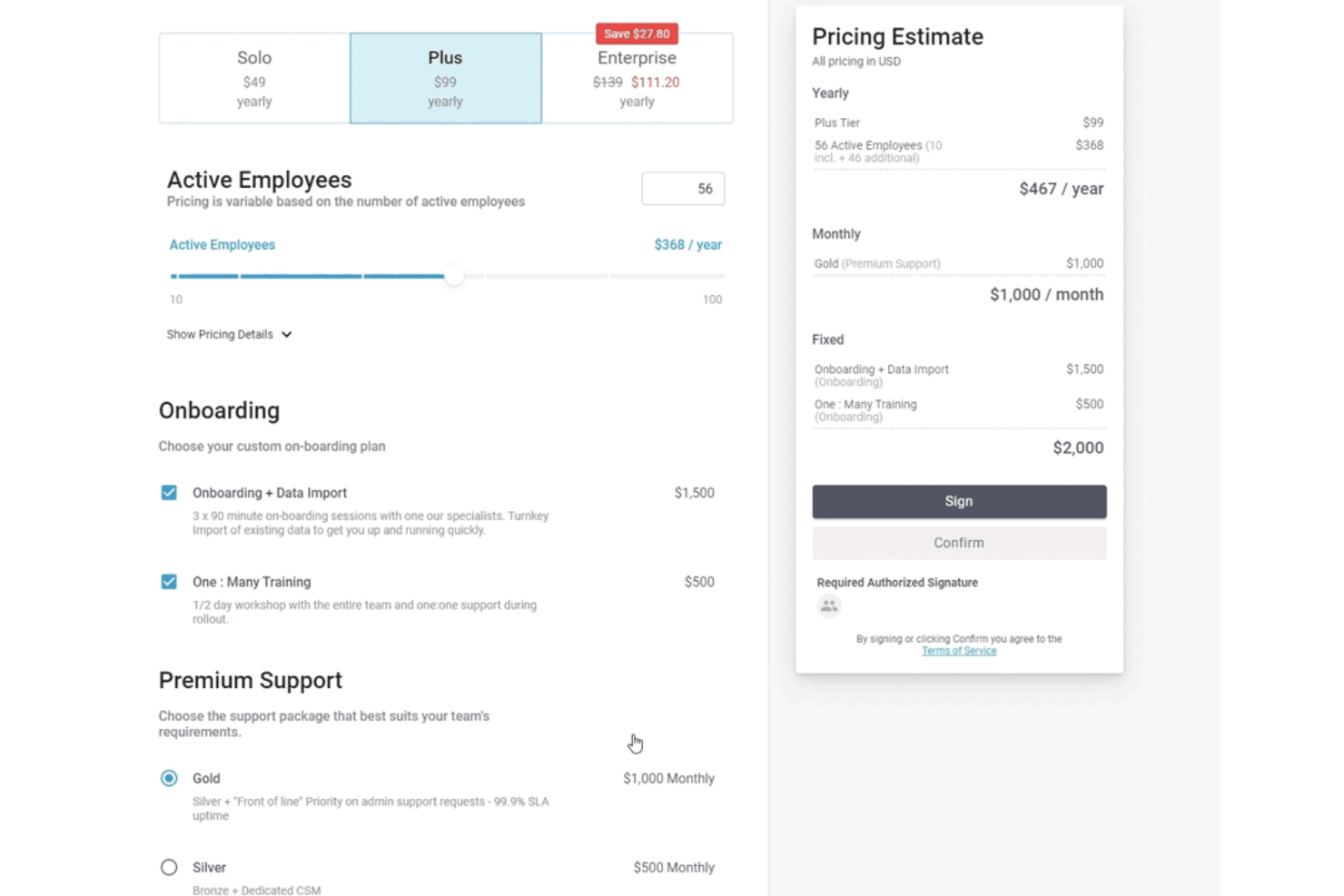
FastSpring IQ is a proposal software platform for SaaS quotes, with interactive pricing tiers, add-ons, e-signatures, engagement analytics, and HubSpot integration.
Who Is FastSpring IQ Best For?
FastSpring IQ suits SaaS sales teams that need interactive pricing quotes, built-in e-signatures, and detailed buyer engagement tracking.
Why I Picked FastSpring IQ
I picked FastSpring IQ because it’s best for SaaS pricing quotes with built-in e-signatures. I use its interactive tiers, quantity-based pricing, and add-ons to present software packages that recalculate totals as buyers configure them. Multiple signers, locked post-signing quotes, and audit-trail PDFs support a clear approval process.
FastSpring IQ Key Features
- Custom templates: Create reusable templates with custom themes and accent colors.
- Discount controls: Apply percentage, fixed-amount, or final-price discounts.
- Quote security: Protect shared quotes with passwords, visit limits, and expiry dates.
- HubSpot integration: Link quotes to deals and log quote activity in HubSpot.
FastSpring IQ Integrations
FastSpring IQ offers native integrations with HubSpot, Salesforce, FastSpring Payments, and Drift. It also provides an API and webhooks for custom integrations.
What's Free?
FastSpring IQ offers a free-forever plan at $0 with no credit card required. It includes unlimited quotes, interactive pricing, real-time analytics, eSignatures, HubSpot integration, and FastSpring Payments, but limits access to two users.
Pros and Cons
Pros:
- Multiple signers with audit-trail PDFs
- Detailed buyer engagement analytics
- Interactive pricing recalculates tiers and add-ons
Cons:
- Quote export remains link-based
- Narrative proposal sections are absent
Other Free Proposal Software
Here are a few additional options that didn’t make my top list but are still worth checking out:
- Docspo
For webpage-style proposals with reusable blocks
- Proposal.biz
For solo users sending branded proposals free
- Google Docs
For drafting proposals in a tool you already use
- Bitrix24
For CRM-linked quotes with free e-signature
- Indy
For freelancers with a proposal-to-client workflow
- Bonsai
For freelancers converting proposals to invoices
- Signaturely
For signing proposals sent outside the app
- DocHipo
For design-led proposals with pricing tables
- Wethos
For freelancers quoting with peer pricing data


How I Evaluate Free Proposal Software
First, I define what counts as free. A free-forever plan must support ongoing proposals, not just a trial, despite user or feature limits. From there, I evaluate creating proposals and capturing e-signatures, client comments, and how well the free plan scales toward paid upgrades.
Core Functionality (Table Stakes For This List)
In addition to my free plan requirements, I use a scoring system to select tools for my list. I score each one on a scale from 0 (does not offer the functionality) to 5 (excels in this area) for each core functionality listed below, based on what's available on the free plan. I then convert the total into a percentage to help assess each tool's overall fit, with extra weight on any functionalities I've deemed essential.
- Proposal Creation & Templates (Essential): I look for editable templates, branding, images, and reusable sections for presenting scope, milestones, and deliverables.
- E-Signature Capture (Essential): I check whether clients can approve and sign inside the proposal, with completion records suitable for a project handoff.
- Pricing & Quote Tables: Itemized services, quantities, options, and totals should be clear enough for clients to review before approval.
- Proposal Tracking & Notifications: I assess alerts for opens, views, repeat visits, and engagement that help account managers time follow-ups.
- PDF/Document Export & Sharing: I look for shareable links or downloadable files that clients can open across devices and retain for their records.
Once I have a list of tools that meet the criteria, I consider what sets each platform apart.
Differentiating Factors (What Sets Vendors Apart)
Here's how I compare and contrast different vendors:
Standout Features
I look for a content library that lets you save approved text blocks, case studies, and pricing modules to reuse across proposals. This matters when you're sending similar scopes repeatedly and need consistency without rebuilding from scratch. I also evaluate whether recipients can leave comments directly inside a proposal before signing, since that cuts down on email threads and speeds up approvals. Tools like Better Proposals and Qwilr handle this differently, so I check how each one surfaces client feedback alongside signature workflows.
Beyond Features
I check whether a free plan connects to payment processors like Stripe or PayPal, since turning a signed proposal into an immediate invoice or payment request cuts days off your close-to-cash cycle. Onboarding speed matters too—I look for guided setup and drag-and-drop editors that let a solo consultant send a polished proposal within minutes, not hours. I also evaluate audit trails for signatures, because both you and your client need defensible proof that an agreement was accepted.
How to Choose Free Proposal Software
Choose free proposal software by testing whether its limits support your complete workflow from draft to signed approval.
| If your priority is | Look for |
|---|---|
| Sending polished proposals repeatedly | Reusable templates, branded sections, and saved pricing content |
| Capturing signed approvals | In-proposal signatures with a downloadable completion record |
| Managing changing project scope | Client comments, revision history, and editable quote tables |
| Following up at the right time | Open alerts, view tracking, and repeat-visit notifications |
| Moving from approval to payment | Payment requests or invoicing within the same workflow |
How to Vet Your Shortlist
- Run a defined trial task: Create one proposal with scope, milestones, three line items, a revision, and a signature request within 30 minutes.
- Request the free-plan terms: Ask for a current limits document covering proposal volume, templates, storage, signatures, exports, and expiration dates.
- Test the client handoff: Send the proposal to two test recipients, add a comment, complete the approval, and download the final record within one business day.
- File a support ticket: Ask how deleted proposals, failed signatures, and exported records are handled, then save the written response as a support artifact.
- Choose your tradeoff: Decide whether you need a visually interactive proposal experience or a document-first workflow with simpler signing and export.
What Is Free Proposal Software?
Free proposal software is a tool with a free plan or trial for creating, sharing, tracking, approving, and signing client proposals. It helps you present project scope, deliverables, timelines, pricing, and terms in one client-facing document. Features vary by plan, so check proposal limits, templates, electronic signatures, comments, exports, tracking, and payment options before choosing a tool.
Features Of Free Proposal Software
Here’s a breakdown of the features you can often get in free proposal software plans and those you usually have to pay for.
Typically Free Features
- Proposal templates: Prebuilt layouts give you a starting point for presenting services, deliverables, timelines, and pricing. You can usually edit the text, sections, and visual elements for each client.
- Proposal editor: A drag-and-drop or text-based editor lets you create proposals without designing every page from scratch. You can arrange sections, add content, and adjust the proposal before sharing it.
- Basic branding: Free plans often let you add a business name, logo, colors, and contact details. These elements help clients identify who sent the proposal.
- Pricing tables: Itemized tables show services, quantities, rates, discounts, and totals. They give clients a clear way to review the proposed project cost.
- Shareable links: You can send a proposal through a client-facing link instead of attaching a large file to an email. Recipients can open the proposal from a browser on different devices.
- PDF export: Export tools create a downloadable copy for clients who need to save, print, or circulate the proposal internally. Check whether the free plan adds platform branding to exported files.
- Basic e-signatures: Some free plans let clients sign proposals electronically after reviewing the terms. The software usually records the signer, date, and completion status.
- View tracking: Basic tracking shows whether a recipient opened a proposal. This information helps you decide when to follow up after sending the document.
- Client comments: Comment fields let clients ask questions or request changes within the proposal. This keeps feedback connected to the relevant scope or pricing section.
Typically Paid Features
- Reusable content library: A content library stores approved service descriptions, case studies, terms, and pricing blocks. You can insert these sections into new proposals without recreating them.
- Advanced engagement analytics: Paid tracking can show time spent on pages, repeat visits, link activity, and recipient engagement. These details help you identify which sections received attention.
- Custom domain: A custom domain replaces the vendor’s web address with a URL connected to your business. It gives recipients a consistent link when they review proposals online.
- Payment collection: Payment features connect signed proposals with payment requests through supported processors. Clients can pay deposits or project fees after accepting the proposal.
- CRM integrations: Integrations connect proposal activity with customer relationship management records. They can associate proposals, contacts, deal stages, and follow-up activity in one system.
- Team permissions: Permission controls define who can create, edit, send, approve, or view proposals. This helps larger teams separate authoring rights from administrative access.
- Approval workflows: Approval workflows route proposals through internal reviews before they reach a client. They can require sign-off from a manager, legal reviewer, or finance stakeholder.
- Detailed audit trails: Audit trails record proposal events such as edits, views, signatures, and approvals. These records provide a clearer history when teams need to verify what happened.
- Custom integrations: API access and automation tools connect proposal software with internal systems. Teams can pass proposal data to project management, billing, or reporting tools.
Benefits
While free versions have limitations, you can still expect several practical benefits from using free proposal software:
- Faster proposal creation: Templates, drag-and-drop editors, and reusable sections give you a starting point for presenting scope, milestones, deliverables, and terms.
- Clearer client-facing pricing: Itemized pricing tables organize services, quantities, rates, discounts, and totals in one proposal.
- Simpler approval collection: Electronic signatures let clients review and sign proposals online while recording the signer, date, and completion status.
- More focused client communication: Comment fields keep questions and requested changes connected to the relevant proposal sections.
- Better follow-up timing: Open and view tracking shows when recipients access a proposal, helping you decide when to send a follow-up.
- Flexible document sharing: Shareable links let clients open proposals across devices, while PDF exports provide downloadable copies for their records.
- A lower-risk way to test workflows: Free plans let you evaluate proposal creation, client handoffs, signatures, exports, and upgrade limits before committing to a paid plan.
Costs and Pricing
Although you’re looking at free options for now, free plans offer limited features. If you need to upgrade later, here’s what you can typically expect:
Plan Comparison Table for Proposal Software
| Plan Type | Average Price | Common Features |
|---|---|---|
| Free Plan | $0 | Basic proposal templates, limited proposals, shareable links, and basic e-signatures. |
| Personal Plan | $10-$30/user/month | More templates, branding controls, PDF exports, pricing tables, and basic tracking. |
| Business Plan | $30-$80/user/month | Reusable content libraries, advanced tracking, client comments, payment collection, and team permissions. |
| Enterprise Plan | $75-$200/user/month | Custom workflows, detailed audit trails, CRM integrations, custom branding, and dedicated support. |
FAQs
Some answers to common questions about free proposal software:
Can I use free proposal software for multiple clients?
Yes, most free-forever plans support proposals for multiple clients, but they often limit volume. Check whether the provider limits active proposals, sent proposals, templates, storage, or recipients. Some plans also archive older documents or add vendor branding. Before choosing a tool, create proposals for two different clients and test the full workflow. Confirm that both documents remain accessible after signing. This matters when you manage several projects and need a reliable record of each client’s approved scope and pricing.
Are electronic signatures in free proposal software legally valid?
Yes, electronic signatures can be legally valid, but requirements vary by jurisdiction and agreement type. Choose a tool that records the signer’s identity, consent, timestamp, and document version. A completion certificate or audit record provides stronger evidence than a signature image alone. Ask the vendor how it stores signature records and whether clients can download them. For regulated work, high-value contracts, or agreements with unusual terms, have your legal adviser confirm that the signing process meets your requirements.
Can I move my proposals if I outgrow the free plan?
Usually, yes, but export options vary by provider and plan. Check whether the free tier supports PDF downloads, data export, or access to completed proposals after an upgrade. Save signed proposals, completion records, and important attachments outside the platform before changing plans. You should also check whether exported files include vendor branding or preserve comments and signature details. Run this test before adopting the tool for a major client workflow. Migration becomes harder when your proposal history stays locked inside one account.
What should I check before sending a free proposal to a client?
Check the final scope, pricing calculations, approval settings, signature fields, and recipient permissions before sending it. Open the client view on both a desktop browser and a mobile device. Confirm that the proposal displays your contact details, terms, images, and totals correctly. Send yourself a test proposal if the platform supports it. After delivery, verify that view notifications work and that you can download the signed record. This review catches broken links, missing sections, and incorrect pricing before your client sees them.