

10 Best FileMaker Alternatives for Custom Apps in 2026

FileMaker Alternatives Shortlist


A strong FileMaker alternative gives your team low-code tools to build applications, customize interfaces, and manage database-driven web applications—without locking you into a single vendor’s ecosystem. If you’re searching for Claris FileMaker alternatives, you’re likely looking for platforms that offer flexible deployment, modern integrations, and support for evolving workflows across product, engineering, and design teams. This list will help you compare leading low-code platforms, so you can find the right fit for your application development needs, technical requirements, and collaboration style.
What is FileMaker?
FileMaker is a low-code development platform and IDE from an Apple subsidiary for building custom database applications that run on desktop, web, and mobile devices. Teams use it to create, manage, and automate workflows, prioritizing ease of use for the end-user without a steep learning curve. It supports rapid app development, integrates with other systems, and allows for flexible deployment options. FileMaker is often used by businesses that need tailored solutions for data management, process automation, and cross-functional collaboration.
FileMaker Alternatives Comparison Table
This comparison table summarizes pricing details for my top FileMaker alternative selections:
| Tool | Best For | Trial Info | Price | ||
|---|---|---|---|---|---|
| 1 | Best for on-premises deployment flexibility | 30-day free trial | From $12/user/month (billed annually) | Website | |
| 2 | Best for spreadsheet-style database building | Free plan + free demo + 14-day trial available | From $20/user/month | Website | |
| 3 | Best for complex app development needs | Free plan available | Pricing upon request | Website | |
| 4 | Best for open-source customization options | 15-day free trial + free plan + free demo | From $15/user/month | Website | |
| 5 | Best for collaborative database editing | Free plan available | From $10/user/month (billed annually) | Website | |
| 6 | Best for no-code database-driven applications | Free trial available | From $100/month | Website | |
| 7 | Best for enterprise-grade integrations | Free plan available | From $1,090/month | Website | |
| 8 | Best for rapid app deployment across teams | 15-day free trial | From $8/user/month (billed annually) | Website | |
| 9 | Best for custom workflow automation | 14-day free trial | From $19/month | Website | |
| 10 | Best for IT service process automation | Free demo available | Pricing upon request | Website |
Why Trust Our Software Recommendations
Our team has been testing and reviewing software since 2012. As project managers ourselves, we know how difficult—and important—it is to choose the right software.
For this guide, we evaluated tools using hands-on testing and independent research, scoring tools using our selection criteria. We also draw on insights from industry thought leaders and practicing project management experts.
Our reviews reflect our human editorial judgment, not a sales pitch.
Expert reviewers:
FileMaker Alternatives Reviews
Below are my detailed summaries of the FileMaker alternatives that made it onto my shortlist. My reviews offer a detailed look at the features, best use cases, and integrations of each platform to help you find the best one for you.

Ninox
Best for on-premises deployment flexibility
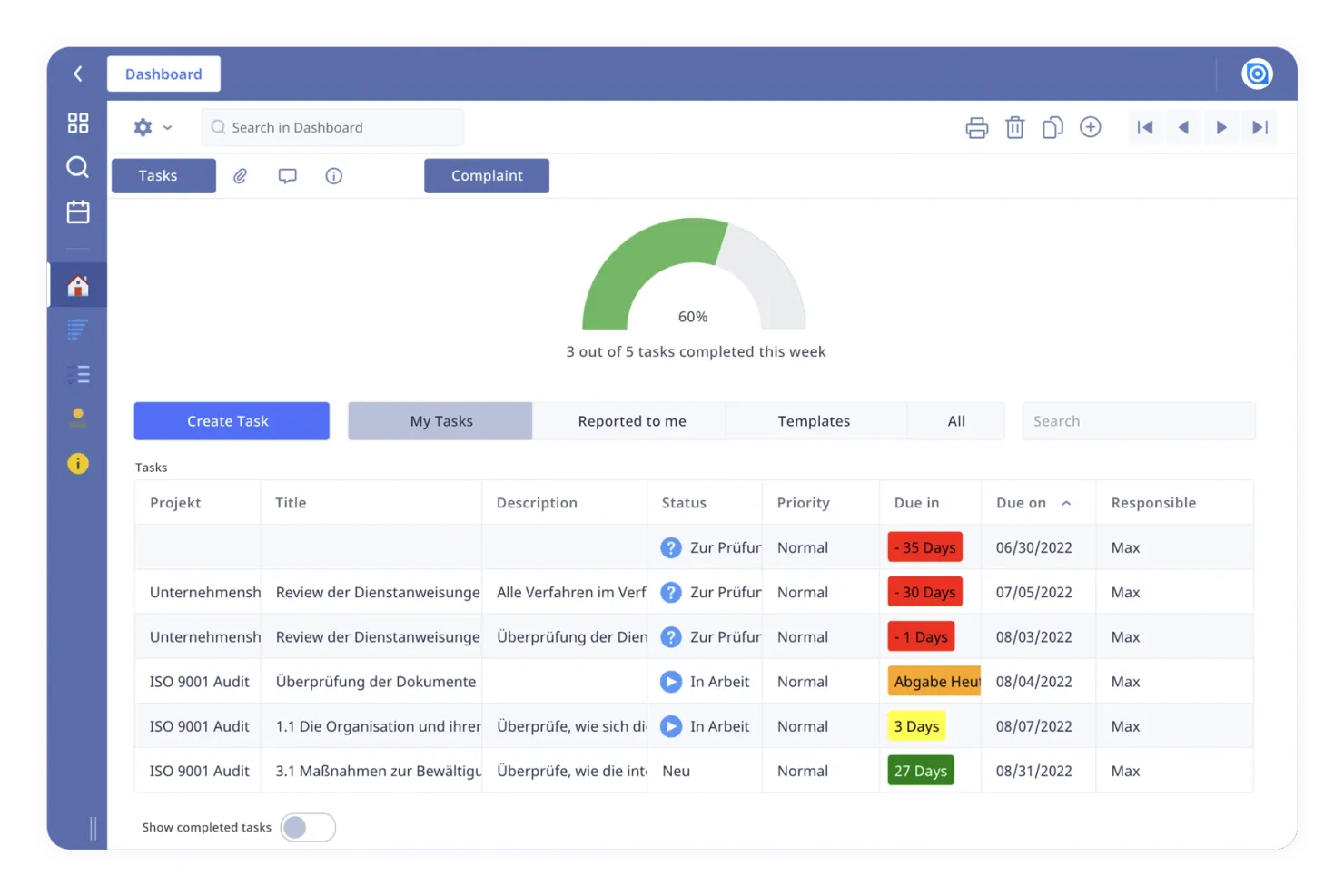
If your team needs a low-code platform with true on-premises deployment flexibility, Ninox is worth a close look. It’s especially useful for organizations in regulated industries or those with strict data residency requirements. Unlike FileMaker and many cloud-first tools, Ninox lets you deploy and manage your databases entirely on your own infrastructure.
Why Ninox Is a Good FileMaker Alternative
Unlike many low-code platforms that are cloud-only, Ninox stands out for its on-premises deployment flexibility. I picked Ninox because it gives teams full control over where and how their data is stored, which is essential for organizations with strict compliance or security needs. You can install Ninox on your own servers, manage user access locally, and keep sensitive information within your own infrastructure. This level of deployment control makes Ninox a strong alternative to FileMaker for businesses that can’t compromise on data residency or privacy.
Ninox Key Features
Some other Ninox features help teams customize and automate their workflows:
- Custom Scripting Language: Build advanced logic and automation using Ninox’s built-in scripting capabilities.
- Template Library: Access a collection of ready-made templates for common business processes and use cases.
- Role-Based Permissions: Set granular access controls for different users and groups within your organization.
- Mobile App Support: Use dedicated mobile apps to access and update databases from iOS and Android devices.
Ninox Integrations
Integrations include DATEV, Carbone.io, 3CX, Make, Integrately, and a native REST API for custom integrations.
Pros and Cons
Pros:
- Strong relational linking
- Affordable pricing tiers
- Very fast data processing
Cons:
- Smaller user community
- Basic web app capabilities

Airtable
Best for spreadsheet-style database building
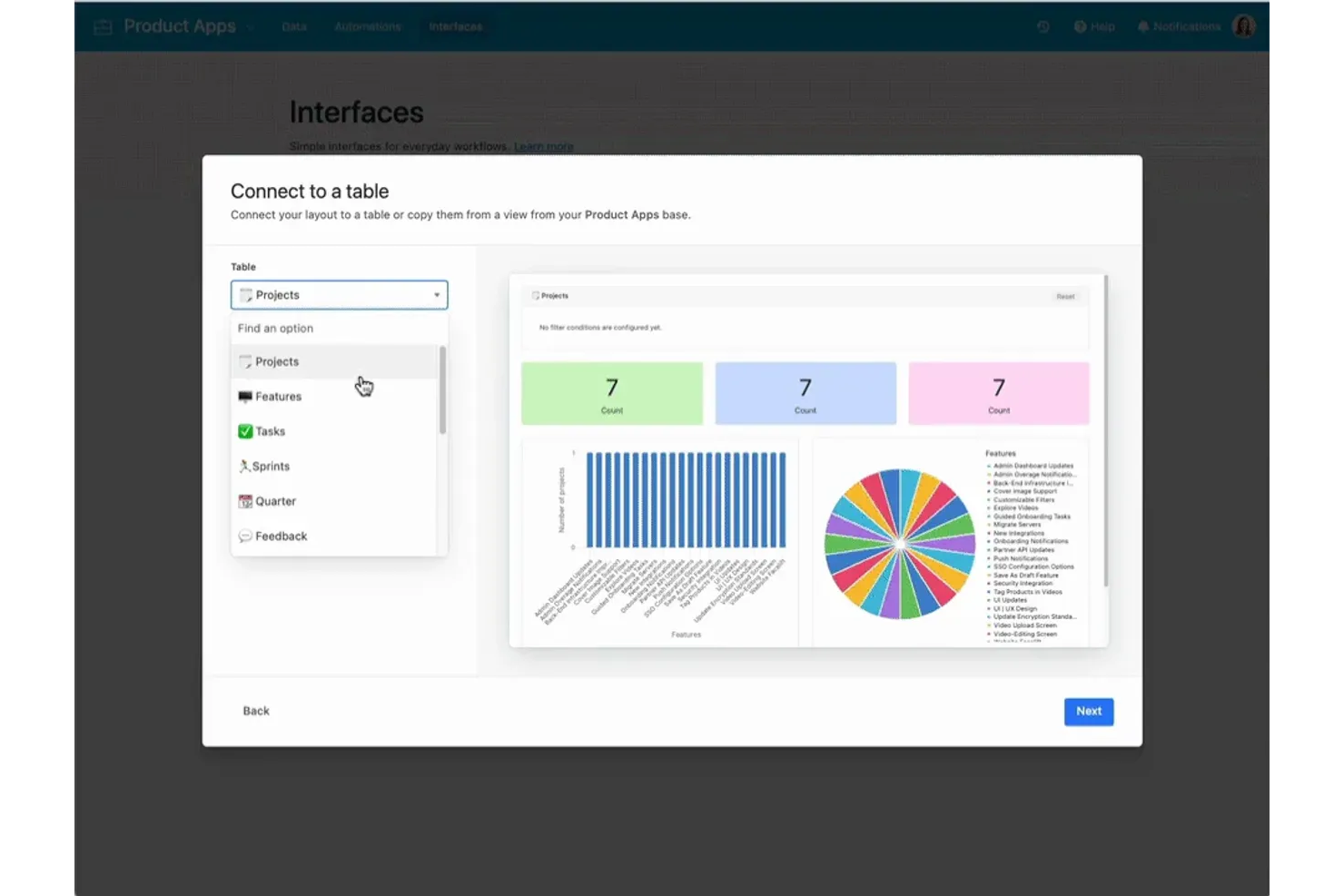
If you want a low-code platform that feels instantly familiar to spreadsheet users, Airtable stands out. It’s a strong fit for teams in marketing, product, or operations who need to organize, link, and visualize data without a complex setup. Airtable’s flexible database structure and intuitive interface make it easy to build custom workflows that go beyond what traditional spreadsheets or FileMaker layouts can offer.
Why Airtable Is a Good FileMaker Alternative
Airtable’s spreadsheet-style database building is what sets it apart from other low-code platforms. I picked it for teams that want to design relational databases using a familiar grid view, but with the added ability to link records and create custom data types. Airtable also lets you switch between grid, kanban, calendar, and gallery views, so you can visualize and manage your data in the way that fits your workflow. Its drag-and-drop interface and field customization options make it easy to build and adapt databases without writing code.
Airtable Key Features
Some other features in Airtable make it a flexible choice for low-code projects:
- Automations: Set up custom triggers and actions to automate repetitive tasks across your workflows.
- Form Builder: Create shareable forms that feed data directly into your databases for easy data collection.
- Apps Marketplace: Add pre-built or custom apps to extend Airtable’s functionality within your workspace.
- Role-Based Permissions: Control access to bases, tables, and views with granular user permissions.
Airtable Integrations
Integrations include Slack, Google Drive, Salesforce, Jira, Zendesk, Box, Dropbox, GitHub, Gmail, and Outlook Calendar.
Pros and Cons
Pros:
- Replaces basic FileMaker
- Strong real time collab
- Great built in templates
Cons:
- Lacks complex scripting
- Weak offline capabilities
Best for complex app development needs
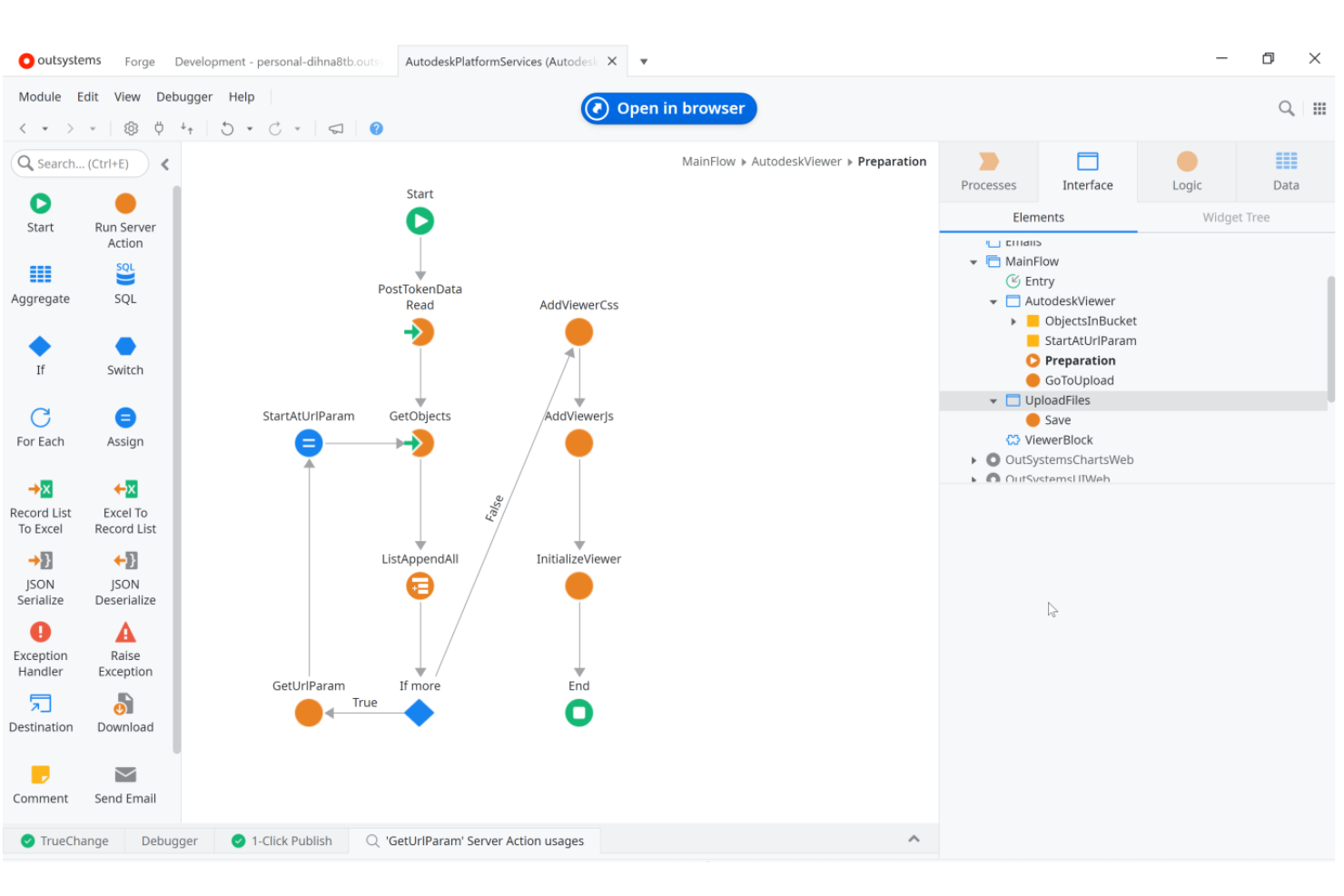
OutSystems is designed for teams that need to build and maintain highly complex, scalable applications. It’s a strong fit for enterprise IT departments and software development teams that want advanced automation, security, and deployment controls. Unlike FileMaker, OutSystems supports full-stack development with built-in DevOps, advanced integration options, and support for mission-critical workloads.
Why OutSystems Is a Good FileMaker Alternative
For organizations tackling complex app development needs, OutSystems brings a level of depth that FileMaker doesn’t match. I picked OutSystems because it supports full-stack development, letting teams build both front-end and back-end components within a single platform. Its visual development environment includes advanced automation, reusable components, and built-in DevOps tools for managing the entire application lifecycle. These features make OutSystems a strong choice for teams that need to deliver sophisticated, scalable solutions beyond the capabilities of traditional low-code platforms.
OutSystems Key Features
Some other OutSystems features help teams deliver and manage applications at scale:
- AI-Powered Workflow Builder: Automate process design and optimization using built-in AI guidance.
- Role-Based Security Controls: Assign granular permissions to users and groups for each application.
- Built-In Performance Monitoring: Track application health and usage with real-time analytics dashboards.
- One-Click Cloud Deployment: Deploy applications to public or private cloud environments with a single action.
OutSystems Integrations
Integrations include SAP, Salesforce, Oracle, Microsoft Dynamics, AWS, Azure, and Zendesk.
Pros and Cons
Pros:
- Visual logic flow mapping
- Deep legacy system sync
- Strong offline mobile apps
Cons:
- Not for citizen developers
- Complex deployment setups

Appsmith
Best for open-source customization options
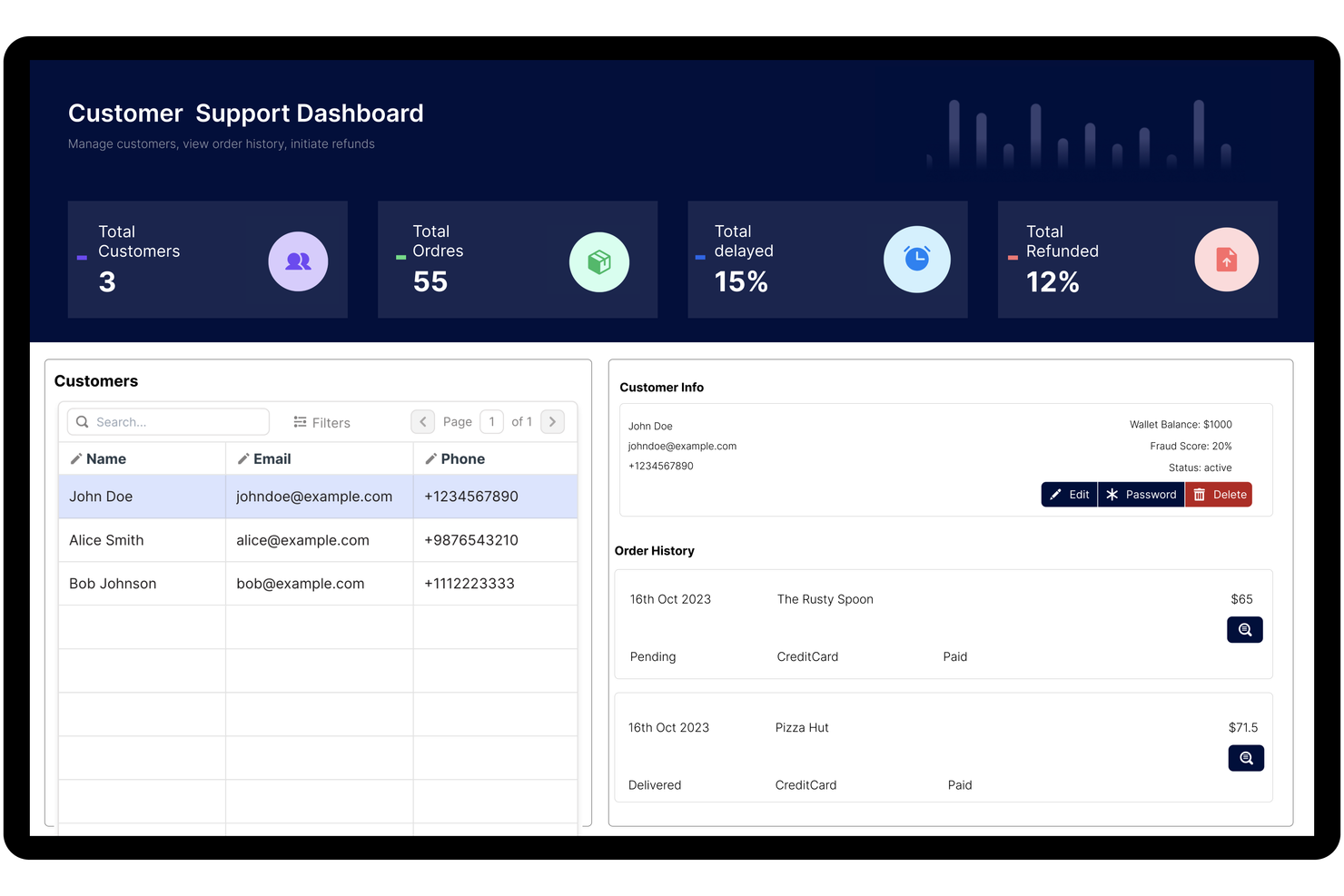
For teams that want full control over their low-code platform, Appsmith offers a flexible open-source approach. It’s a strong fit for developers and IT teams who need to customize, self-host, or extend their internal tools beyond what most commercial platforms allow. Unlike FileMaker, Appsmith’s open-source model lets you modify the source code and tailor the platform to your exact requirements.
Why Appsmith Is a Good FileMaker Alternative
If you’re looking for a low-code platform that’s truly open to customization, Appsmith is hard to match. I picked Appsmith because its open-source codebase lets you self-host, modify, and extend the platform to fit unique business needs. You can build custom widgets, connect to any data source, and even contribute to the platform’s ongoing development. This level of flexibility makes Appsmith a strong alternative for teams that want more control than FileMaker or other proprietary tools allow.
Appsmith Key Features
Some other Appsmith features help teams build and manage internal tools more efficiently:
- Drag-and-Drop UI Builder: Design interfaces quickly using a visual editor with pre-built widgets.
- Version Control Integration: Connect to Git repositories to manage app versions and collaborate on changes.
- Role-Based Access Control: Assign permissions to users and groups for secure app management.
- Audit Logs: Track user actions and changes within the platform for compliance and troubleshooting.
Appsmith Integrations
Integrations include Airtable, Asana, AWS Lambda, Dropbox, Freshdesk, Github, Google Sheets, HubSpot, Salesforce, and Slack.
Pros and Cons
Pros:
- Free self hosted option
- Great internal tool builder
- Highly developer friendly
Cons:
- Basic mobile responsiveness
- Not a true database host
Baserow
Best for collaborative database editing
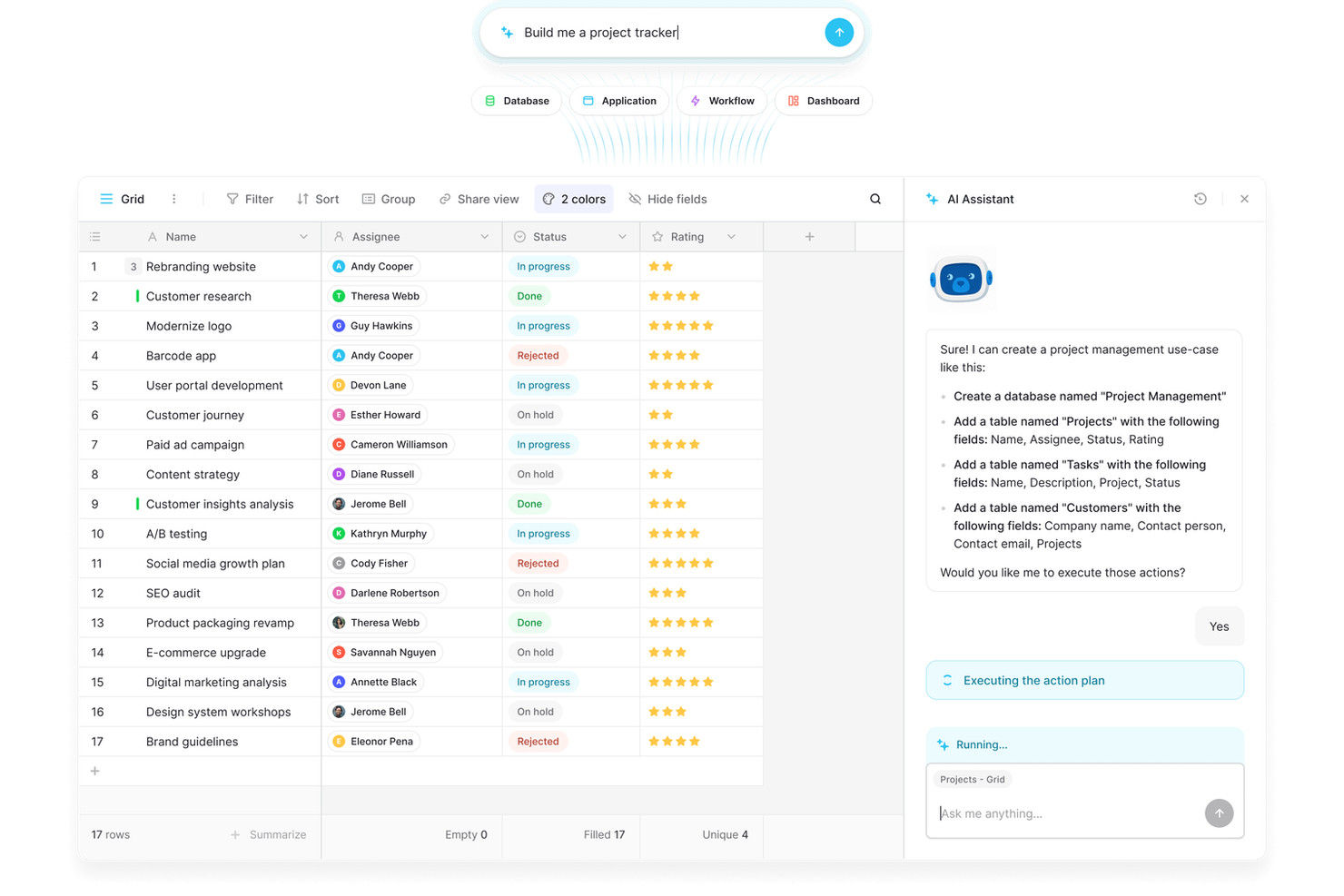
Teams that need real-time collaboration on databases will find Baserow especially useful. It’s designed for product managers, operations teams, and anyone who needs to build, edit, and share databases together without technical barriers. Unlike FileMaker, Baserow’s web-based platform emphasizes multi-user editing and transparent change tracking for collaborative workflows.
Why Baserow Is a Good FileMaker Alternative
For teams that need to edit databases together in real time, Baserow offers a collaborative approach that FileMaker doesn’t match. I picked Baserow because it lets multiple users work on the same database simultaneously, with changes reflected instantly for everyone. Features like granular permission controls and detailed change history help teams manage access and track edits across projects. This makes Baserow a strong choice for organizations where shared database editing is a core requirement.
Baserow Key Features
In addition to collaborative editing, Baserow includes several features that support flexible database management:
- API Generation: Instantly create a REST API for any database without extra configuration.
- Custom Field Types: Choose from a variety of field types, including file, link, and formula fields.
- Kanban and Gallery Views: Visualize data in multiple formats to suit different workflows.
- Self-Hosting Option: Deploy Baserow on your own infrastructure for greater control over data and security.
Baserow Integrations
Integrations include Jira, HubSpot, GitHub, GitLab, iCal, PostgreSQL, OpenAI, Anthropic, S3, and Google Cloud Storage.
Pros and Cons
Pros:
- Great API first structure
- Very fast database engine
- No artificial record limits
Cons:
- Smaller template library
- Needs IT to self host well

Caspio
Best for no-code database-driven applications
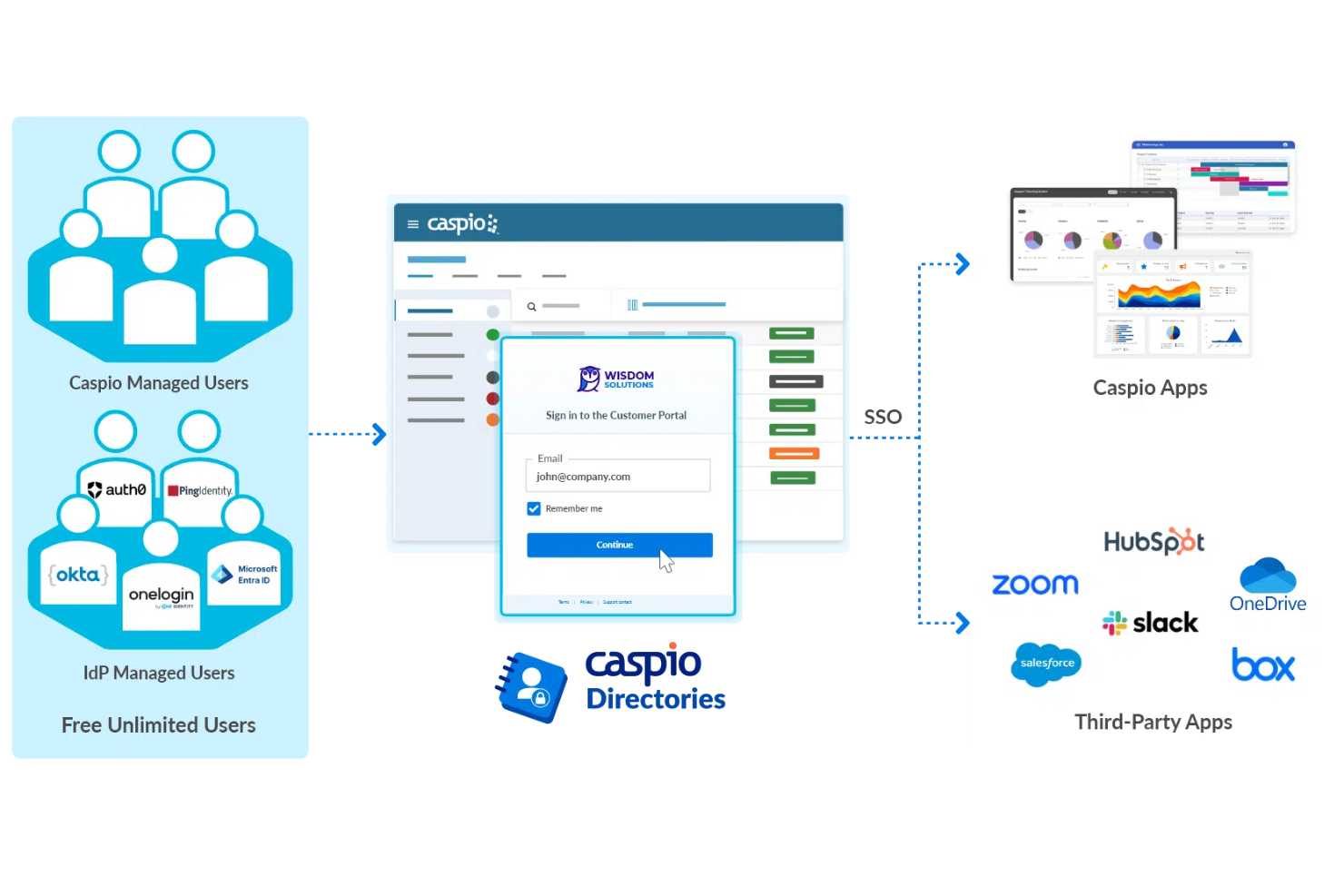
If you need to build database-driven applications without writing code, Caspio is purpose-built for that job. It’s a strong fit for operations managers, IT teams, and business analysts who want to centralize data and automate workflows without relying on developers. Caspio stands out from FileMaker and other low-code tools by offering a visual database builder and scalable cloud hosting for data-heavy business apps.
Why Caspio Is a Good FileMaker Alternative
For teams that want to launch database-driven applications without coding, Caspio offers a true no-code experience. I picked Caspio because its visual database builder lets you design tables, relationships, and forms entirely through a drag-and-drop interface. You can also automate data workflows and set up user access controls without writing scripts. This makes Caspio especially useful for organizations that need to centralize and manage complex data processes quickly.
Caspio Key Features
Some other features in Caspio help teams extend and secure their applications further:
- White-Labeling: Customize the platform’s branding to match your organization’s identity.
- Built-In Authentication: Add user login, registration, and password management to your apps.
- Scheduled Data Import/Export: Automate regular data transfers between Caspio and external sources.
- Responsive Web App Deployment: Publish apps that automatically adjust to different device screens.
Caspio Integrations
Integrations include PayPal, Twilio, DocuSign, Microsoft Power BI, Google Maps, Microsoft Office 365, Salesforce, QuickBooks, Mailchimp, and Dropbox.
Pros and Cons
Pros:
- True relational database
- Easy embed on any site
- Strong HIPAA compliance
Cons:
- Data record limits apply
- Steep platform learning
Mendix
Best for enterprise-grade integrations
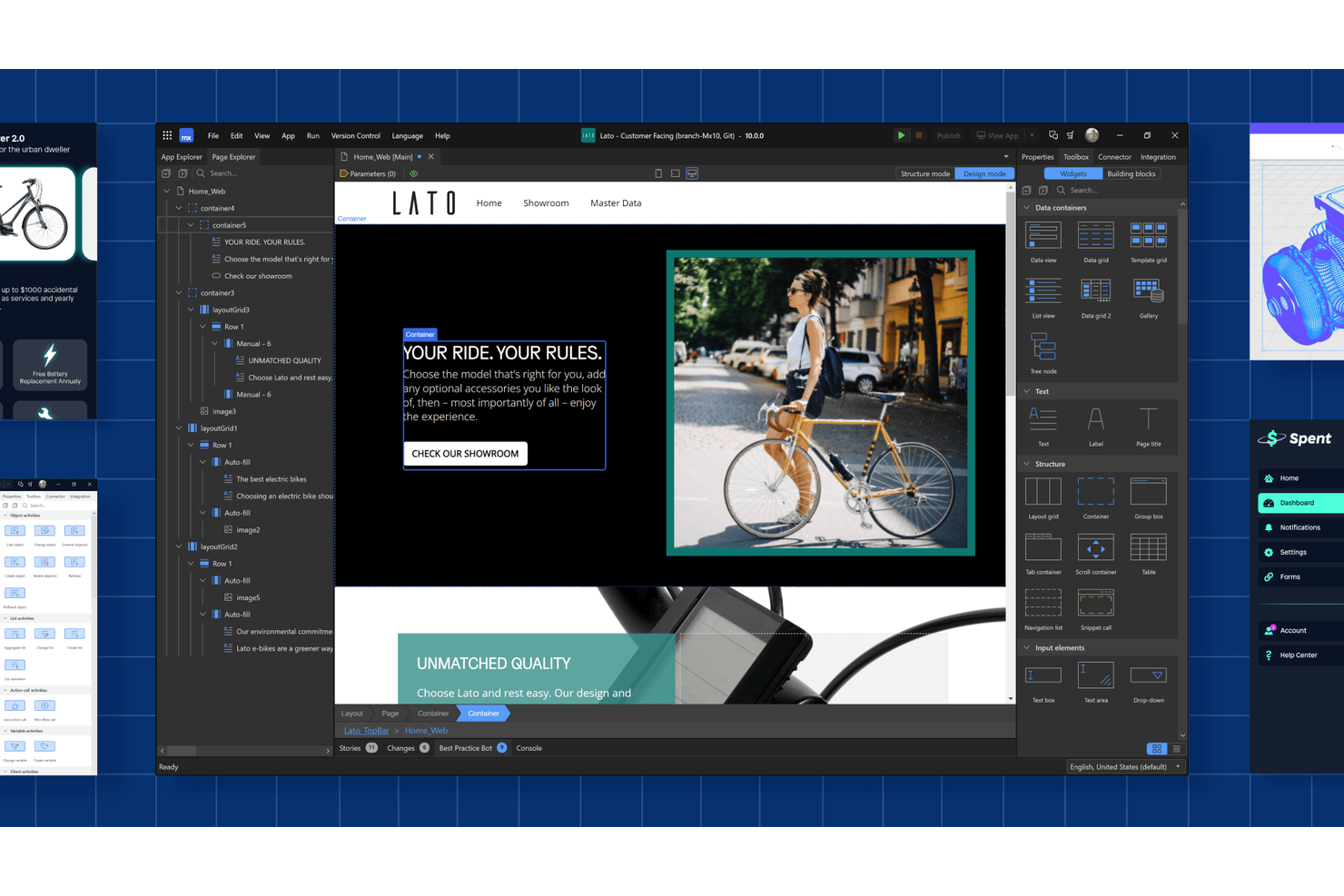
Mendix stands out for organizations that need to connect complex systems and data sources across the enterprise. It’s especially useful for IT teams and solution architects in sectors like finance, insurance, and manufacturing that require secure, large-scale integrations. Unlike FileMaker, Mendix offers built-in connectors and advanced integration tools for orchestrating workflows across cloud, on-premises, and legacy environments.
Why Mendix Is a Good FileMaker Alternative
When you need a low-code platform that can handle enterprise-grade integrations, Mendix is built for the job. I picked Mendix because it offers out-of-the-box connectors for SAP, Salesforce, and other core business systems, making it easier to unify data and processes. Its visual integration builder lets you orchestrate workflows across cloud, on-premises, and legacy environments without heavy coding. These features make Mendix a strong choice for organizations that need to modernize and connect complex IT landscapes beyond what FileMaker can support.
Mendix Key Features
Some other Mendix features help teams build and manage applications at scale:
- AI-Assisted Development: Get real-time suggestions and code generation from built-in AI tools.
- Multi-Channel App Deployment: Deploy applications to web, mobile, and tablet from a single project.
- Role-Based Access Controls: Set granular permissions for users and groups within each app.
- Automated Testing Suite: Run automated tests on your applications before deployment.
Mendix Integrations
Integrations include SAP, Salesforce, Microsoft Dynamics 365, AWS, IBM Watson, Oracle, Snowflake, Twilio, DocuSign, and Siemens Teamcenter.
Pros and Cons
Pros:
- Visual logic flow mapping
- Deep legacy system sync
- Strong offline mobile apps
Cons:
- Not for citizen developers
- Complex deployment setups

Best for rapid app deployment across teams
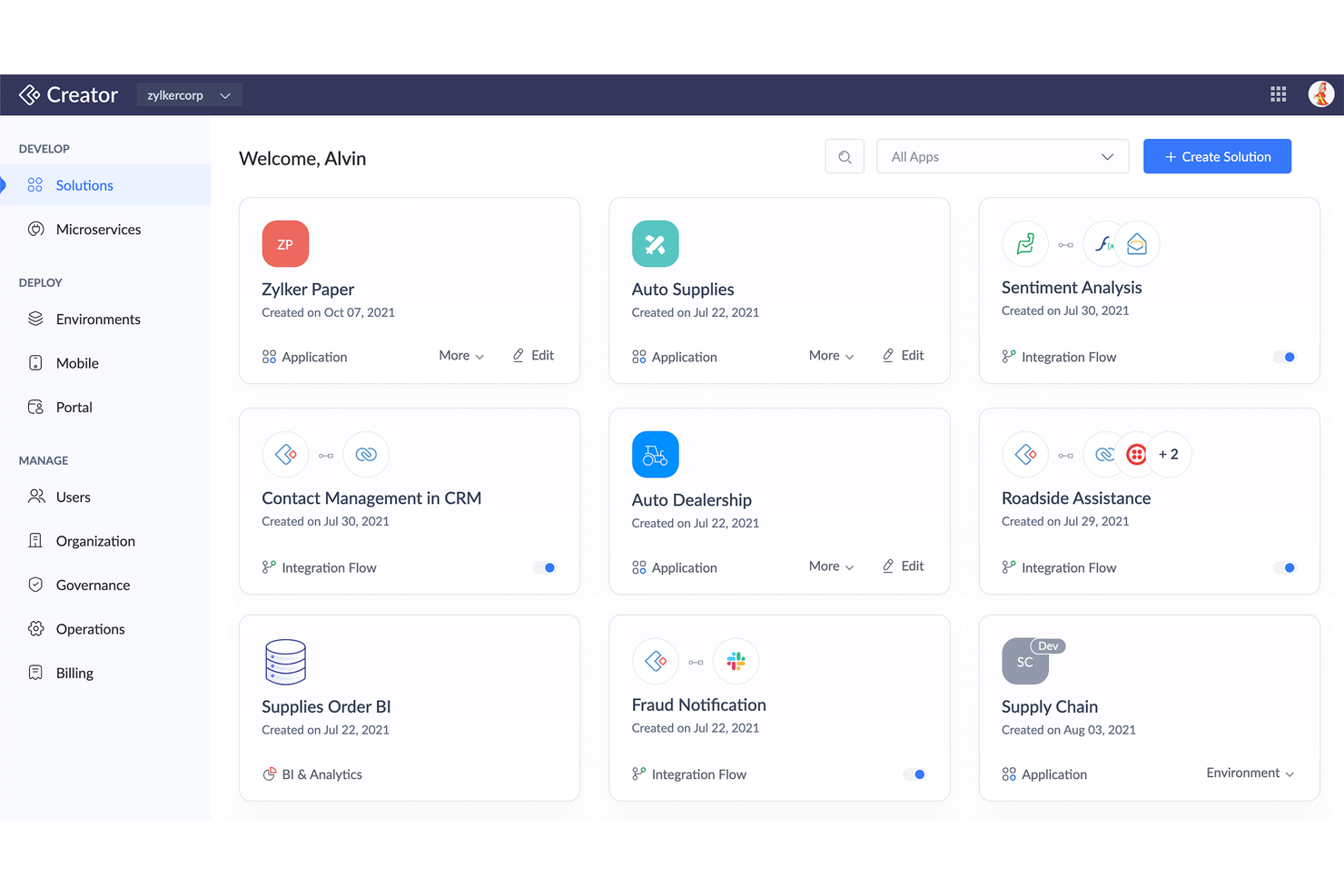
For teams that need to launch custom apps quickly, Zoho Creator offers a focused approach to rapid deployment. It’s especially useful for IT departments, operations leads, and business analysts who want to build and roll out apps across multiple teams without heavy coding. Zoho Creator’s prebuilt templates, multi-platform publishing, and workflow automation help you deliver solutions faster than most traditional low-code platforms, including FileMaker.
Why Zoho Creator Is a Good FileMaker Alternative
When you need to deploy custom apps across multiple teams without delay, Zoho Creator is built for speed. I picked it because its drag-and-drop builder and ready-made app templates let you launch solutions in hours, not weeks. Zoho Creator also supports instant publishing to web and mobile, so your teams can access new tools wherever they work. Its workflow automation tools help you standardize processes and reduce manual steps right from the start.
Zoho Creator Key Features
Some other features in Zoho Creator help teams manage and extend their apps with more control:
- Custom Scripting (Deluge): Build advanced logic and workflows using Zoho’s proprietary scripting language.
- Multi-Language Support: Publish apps in multiple languages for global teams.
- Analytics and Reporting: Generate custom reports and dashboards from your app data.
- Role-Based Access Controls: Set granular permissions for users and groups within each app.
Zoho Creator Integrations
Integrations include Zoho CRM, Zoho Books, Zoho Analytics, Zoho Desk, Zoho Projects, Salesforce, QuickBooks, Google Workspace, PayPal, and Stripe.
Pros and Cons
Pros:
- Deluge script is powerful
- Cheaper than FileMaker
- Strong mobile app parity
Cons:
- Performance lags at scale
- Complex integration setup

Knack
Best for custom workflow automation
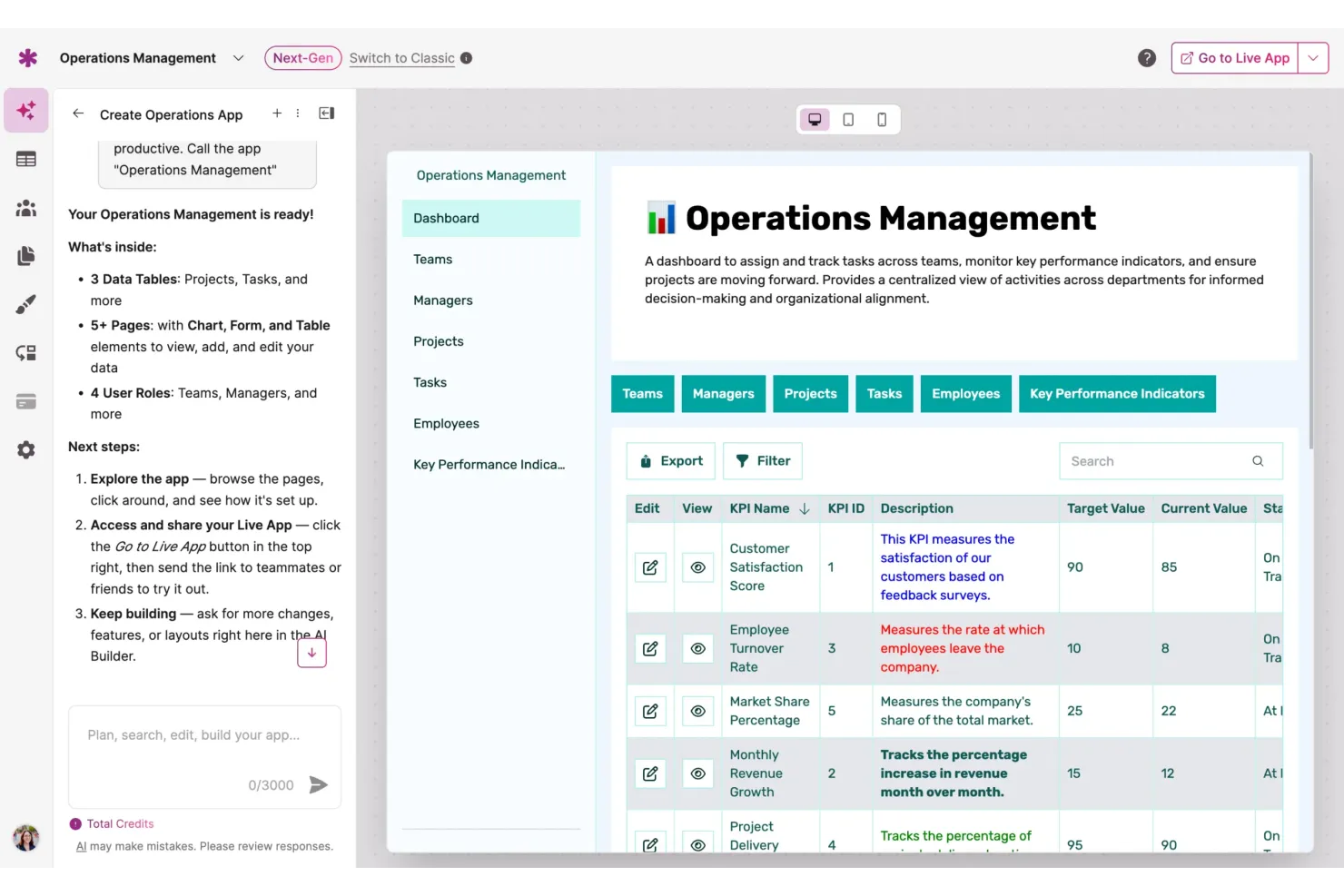
Knack gives teams a way to build custom workflow automation without writing code. It’s especially useful for operations leads, project managers, and IT teams who need to automate multi-step processes and manage complex data relationships. Unlike FileMaker, Knack lets you design conditional workflows and automate actions directly within your database apps.
Why Knack Is a Good FileMaker Alternative
If you need to automate custom workflows without code, Knack is built for that purpose. I picked Knack because it lets you create conditional logic and trigger automated actions based on data changes or user input. You can design multi-step workflows that update records, send notifications, or move data between tables—all from a visual interface. This makes Knack a strong choice for teams that want to replace manual processes with automated, rules-based workflows.
Knack Key Features
Some other features in Knack help teams manage and present their data more flexibly:
- Customizable Data Views: Build tables, calendars, and lists to display data in different formats.
- User Roles and Permissions: Set granular access controls for different user groups.
- File Storage and Attachments: Upload and manage documents, images, and other files within your apps.
- API Access: Connect Knack apps to external systems or custom integrations using a RESTful API.
Knack Integrations
Integrations include WordPress, Google Slides, DocuSign, Google BigQuery, Salesforce, Mailchimp, Dropbox, HubSpot, Slack, and QuickBooks.
Pros and Cons
Pros:
- Fast ecommerce sync tools
- Great custom portal UI
- Easy user role management
Cons:
- Custom CSS requires skill
- Record limits on pricing
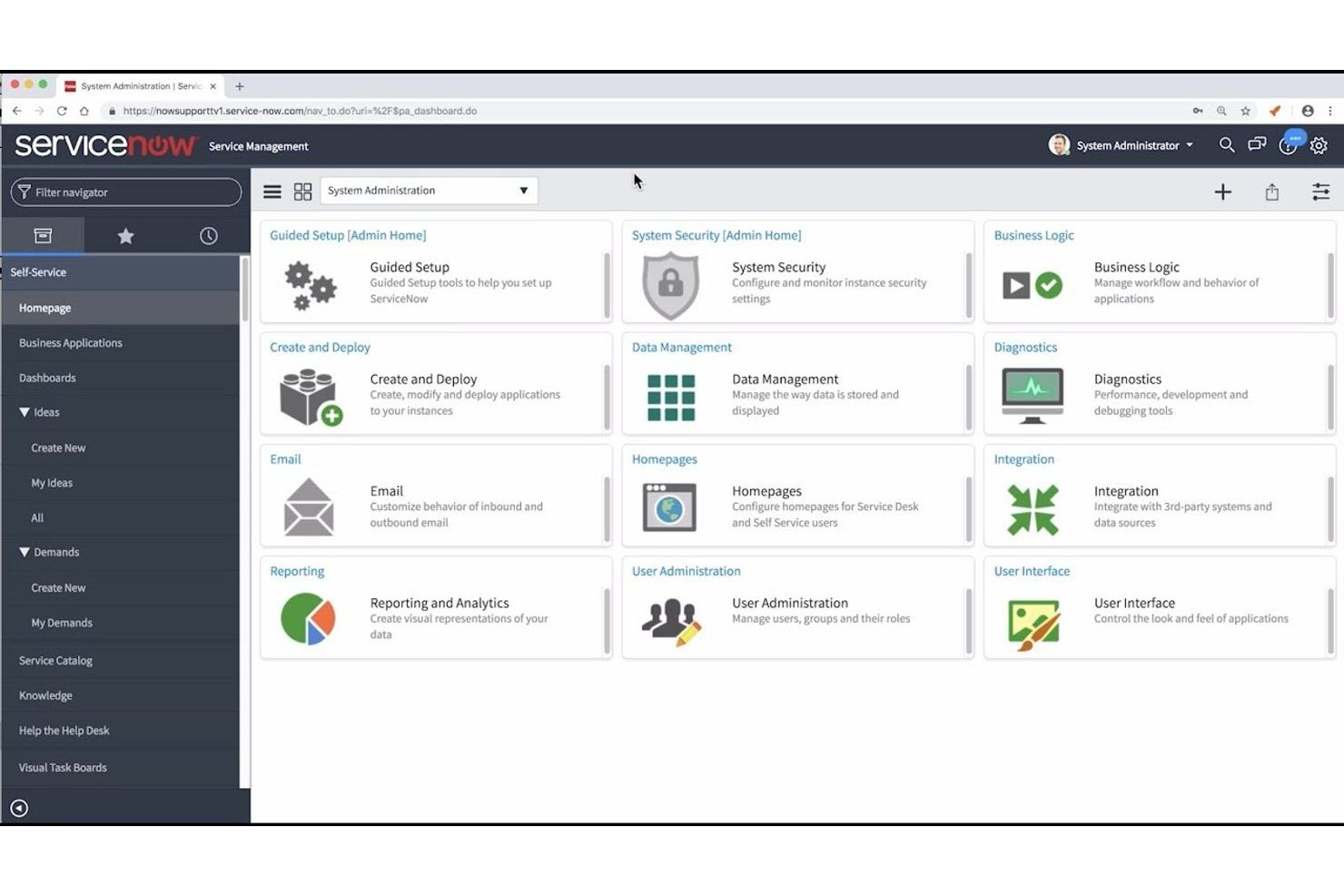
For IT teams looking to automate complex service processes, ServiceNow App Engine offers a low-code platform built specifically for enterprise-scale workflows. It’s especially useful for organizations that need to orchestrate IT service management, automate approvals, and enforce compliance across departments. Unlike FileMaker, ServiceNow App Engine provides native integration with ITSM tools and advanced workflow automation tailored for large, regulated environments.
Why ServiceNow App Engine Is a Good FileMaker Alternative
For organizations focused on automating IT service processes, ServiceNow App Engine offers capabilities that go far beyond what FileMaker provides. I picked ServiceNow App Engine because it lets you design, deploy, and manage complex IT workflows using visual tools and reusable components. Features like drag-and-drop process modeling and built-in governance controls help IT teams standardize service delivery and maintain compliance. This makes it a strong choice for enterprises that need to automate and scale IT operations across multiple departments.
ServiceNow App Engine Key Features
Some other features that set ServiceNow App Engine apart include:
- App Templates: Start new projects quickly with pre-built templates for common IT and business workflows.
- AI-Powered Virtual Agents: Deploy conversational bots to handle routine IT service requests and support tasks.
- Performance Analytics: Track workflow metrics and visualize trends with built-in analytics dashboards.
- Mobile App Builder: Create and deploy custom mobile apps for field teams and remote users.
ServiceNow App Engine Integrations
Integrations include Microsoft 365, Salesforce, Workday, SAP, Oracle, Jira, and Slack.
Pros and Cons
Pros:
- Strong governance controls
- Highly scalable data model
- Enterprise grade security
Cons:
- Only for huge enterprises
- Rigid deployment models
Other FileMaker Alternatives
Here are some additional FileMaker alternatives options that didn’t make it onto my shortlist, but are still worth checking out:
- NocoDB
For connecting to existing SQL databases
- Quickbase
For scalable process management
- Kintone
For team-based project tracking
- Microsoft Power Apps
With Microsoft 365 ecosystem integration
- Budibase
For self-hosted deployment options
- Agentforce 360 Platform
For CRM-driven application building
- SAP Build
For SAP system process extensions
- Servoy
For cross-platform business app delivery
- Oracle APEX
For leveraging Oracle database environments


How I Evaluate FileMaker Alternatives
I look at FileMaker alternatives in two layers: the baseline every tool must clear—like relational data modeling—and the differentiators that make a migration worth the effort.
Core Functionality (Table Stakes For This List)
When I'm selecting tools for my list, I rank each one on a scale from 0 (does not offer the functionality) to 5 (excels in this area) for each core functionality listed below. Then, I calculate the tool's total score into a percentage. Each tool needs to achieve a minimum total score of 65% to be considered for inclusion.
- Custom Data Modeling: I evaluate whether a platform lets you build relational tables, custom field types, and linked records—like tying a project tracker to a client database with lookup fields.
- Project & Task Management: Each tool should offer task assignment, dependencies, and status tracking so teams can plan sprints or manage deliverable timelines without a separate PM tool.
- Multiple Project Views: I check for view variety—Kanban, Gantt, calendar, and timeline at minimum—since different stakeholders need different ways to read the same project data.
- Workflow Automation: Tools earn higher marks when they support multi-step, conditional automations, like auto-assigning a QA reviewer when a task moves to "ready for review."
- Collaboration & Sharing: Real-time co-editing, commenting on records, role-based permissions, and guest access all factor in—especially for teams sharing project data with external clients.
- Integrations & API Access: I look at native connectors to tools like Slack, Google Workspace, and Microsoft 365, plus whether there's a public API for teams that need custom data pipelines.
Once I have a list of tools that meet this criteria, I consider what sets each platform apart.
Differentiating Factors (What Sets Vendors Apart)
Here's how I compare and contrast different vendors:
Standout Features
A formula or scripting layer matters because FileMaker users often rely on calculated fields and scripts to drive project logic. I look for platforms that let you replicate that—like auto-calculating budgets or flagging overdue milestones with custom expressions. Custom app interfaces tell me a lot too. Tools that let you build tailored forms and dashboards give teams a way to mirror how they actually work. I also check for AI features that generate formulas or summarize project data from plain-language prompts.
Beyond Features
Migration path is the first thing I evaluate. Moving years of FileMaker databases into a new platform is a real project in itself, so I check whether a vendor offers import tools for FMP12, CSV, or XML files and documented migration guides. Pricing structure matters just as much—FileMaker's licensing model is specific, and I look at whether per-user or per-app pricing makes more sense as your team scales. I also consider community size, since an active ecosystem of templates and consultants makes onboarding and troubleshooting far easier long-term.
Why Look For a FileMaker Alternative?
While FileMaker Pro is a good choice of a low-code platform, there are a number of reasons why some users seek out alternative solutions. You might be looking for a FileMaker alternative to streamline processes because…
- You need more advanced workflow automation
- Your team requires enterprise-grade security features
- You want better integration with existing IT systems
- Your small business needs better scalability for global deployments
- Your organization prefers cloud-based or SaaS solutions
- You want more flexible pricing or licensing options
If any of these sound like you, you’ve come to the right place. My list contains several low-code platform options that are better suited for teams facing these challenges with FileMaker and looking for alternative solutions.
FileMaker Key Features
Here are some of the key features of FileMaker, to help you contrast and compare what alternative solutions offer:
- Visual drag-and-drop app builder
- Cross-platform deployment for Windows, Mac, iOS, and web
- Built-in database management and scripting tools
- Customizable layouts and user interface design
- Integration with SQL, ODBC, and REST APIs
- Role-based access and security controls
- Pre-built templates for common business use cases
- Automated workflow and task scripting
- Native mobile app support for iPhone and iPad
- Centralized data storage and sharing across teams