


Pics.io Review: Pros, Cons, Features and Pricing



Pics.io is digital asset management software for teams that need to organize and review creative assets across projects. Compared with Google Drive, it’s a better fit when your team needs asset-focused workflows rather than general-purpose file storage.
Pics.io Evaluation Summary
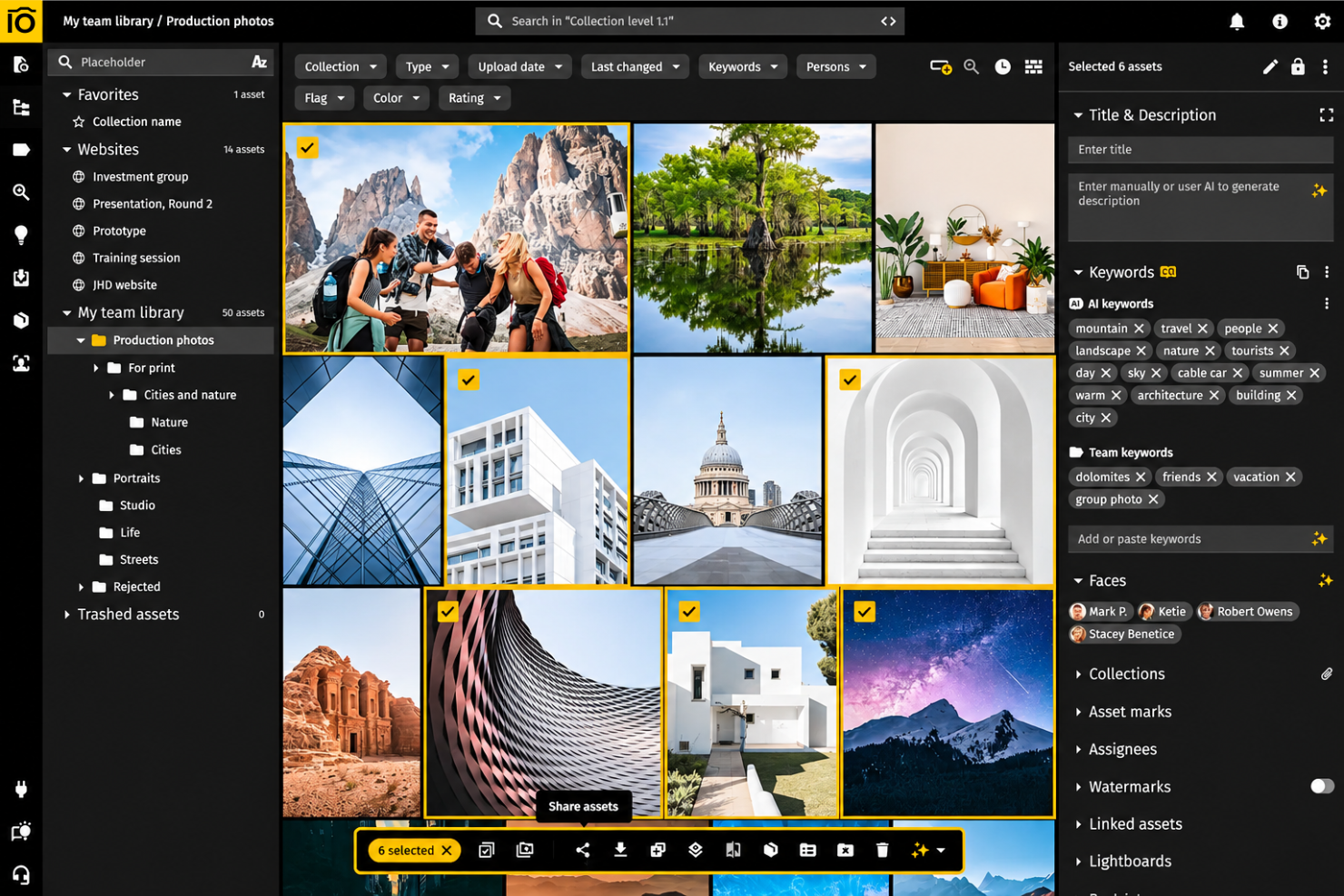
- From $100/month
- 7-day free trial + free demo available
Why Trust Our Software Recommendations
Our team has been testing and reviewing software since 2012. As project managers ourselves, we know how difficult—and important—it is to choose the right software.
For this guide, we evaluated tools using hands-on testing and independent research, scoring tools using our selection criteria. We also draw on insights from industry thought leaders and practicing project management experts.
Our reviews reflect our human editorial judgment, not a sales pitch.
Expert reviewers:
Pics.io Overview
Pics.io is a strong choice when your team needs asset review, metadata search, version control, and branded sharing in one browser-based library. I’d select it over a general cloud drive when approvals, time-coded video comments, or previews for 236 file types matter, though its $100 monthly starting price is steep for solo users. Its Google Drive and Amazon S3 storage options, integrations, seven-day trial, and migration help make onboarding flexible, while AI tools add useful search options at extra cost. I’d judge it best for growing creative teams; smaller teams may find setup and pricing more than they need.
pros
-
Metadata search, filters, and custom fields make large libraries searchable.
-
Version history, visual comparisons, and approvals keep revisions traceable.
-
Time-coded video comments tie creative feedback to specific footage.
cons
-
The $100 monthly Solo plan is steep for individual users.
-
Video notes can take longer than specialist review tools.
-
AI tagging can miss keywords, while advanced AI costs extra.
-

Smartsheet
Visit WebsiteThis rating combines scores from multiple user review sites to reflect overall customer sentiment about the product.4.4 -
Celoxis
Visit WebsiteThis rating combines scores from multiple user review sites to reflect overall customer sentiment about the product.4.5 -
Accelo
Visit WebsiteThis rating combines scores from multiple user review sites to reflect overall customer sentiment about the product.4.4




Our Review Methodology
How We Test & Score Tools
We’ve spent years building, refining, and improving our software testing and scoring system. The rubric is designed to capture the nuances of software selection and what makes a tool effective, focusing on critical aspects of the decision-making process.
Below, you can see exactly how our testing and scoring works across seven criteria. It allows us to provide an unbiased evaluation of the software based on core functionality, standout features, ease of use, onboarding, customer support, integrations, customer reviews, and value for money.
Core Functionality (25% of final scoring)
The starting point of our evaluation is always the core functionality of the tool. Does it have the basic features and functions that a user would expect to see? Are any of those core features locked to higher-tiered pricing plans? At its core, we expect a tool to stand up against the baseline capabilities of its competitors.
Standout Features (25% of final scoring)
Next, we evaluate uncommon standout features that go above and beyond the core functionality typically found in tools of its kind. A high score reflects specialized or unique features that make the product faster, more efficient, or offer additional value to the user.
We also evaluate how easy it is to integrate with other tools typically found in the tech stack to expand the functionality and utility of the software. Tools offering plentiful native integrations, 3rd party connections, and API access to build custom integrations score best.
Ease of Use (10% of final scoring)
We consider how quick and easy it is to execute the tasks defined in the core functionality using the tool. High scoring software is well designed, intuitive to use, offers mobile apps, provides templates, and makes relatively complex tasks seem simple.
Onboarding (10% of final scoring)
We know how important rapid team adoption is for a new platform, so we evaluate how easy it is to learn and use a tool with minimal training. We evaluate how quickly a team member can get set up and start using the tool with no experience. High scoring solutions indicate little or no support is required.
Customer Support (10% of final scoring)
We review how quick and easy it is to get unstuck and find help by phone, live chat, or knowledge base. Tools and companies that provide real-time support score best, while chatbots score worst.
Customer Reviews (10% of final scoring)
Beyond our own testing and evaluation, we consider the net promoter score from current and past customers. We review their likelihood, given the option, to choose the tool again for the core functionality. A high scoring software reflects a high net promoter score from current or past customers.
Value for Money (10% of final scoring)
Lastly, in consideration of all the other criteria, we review the average price of entry level plans against the core features and consider the value of the other evaluation criteria. Software that delivers more, for less, will score higher.
Core Features
Asset Organization And Metadata
Pics.io organizes files into collections and lets you add keywords, custom fields, and EXIF or XMP metadata. Your team can record details such as campaign, product, or usage rights alongside each asset.
Metadata Search And Filters
Search the library by keywords, metadata, and filters to find specific assets without browsing folders manually. For example, a designer can narrow results to approved product images tagged for a campaign.
File Previews
Pics.io previews 236 file types, including images, video, PSD files, and 3D models, in the browser. That lets users inspect creative files without opening each one in its original application.
Version Control
Pics.io keeps version history and lets you compare revisions side by side or restore an earlier version. Your team can check which logo or design changed and return to a previous file when needed.
Review And Approvals
Team members can comment on assets, add visual markers, and track approval statuses; video comments can include timecodes. A reviewer can point to an exact moment in a clip or mark a design change before approving it.
Sharing And Access Controls
Pics.io offers branded sharing portals, secure links, and role-based permissions for internal and external collaborators. You can share approved campaign files while limiting whether recipients can view, edit, or download them.
Ease of Use
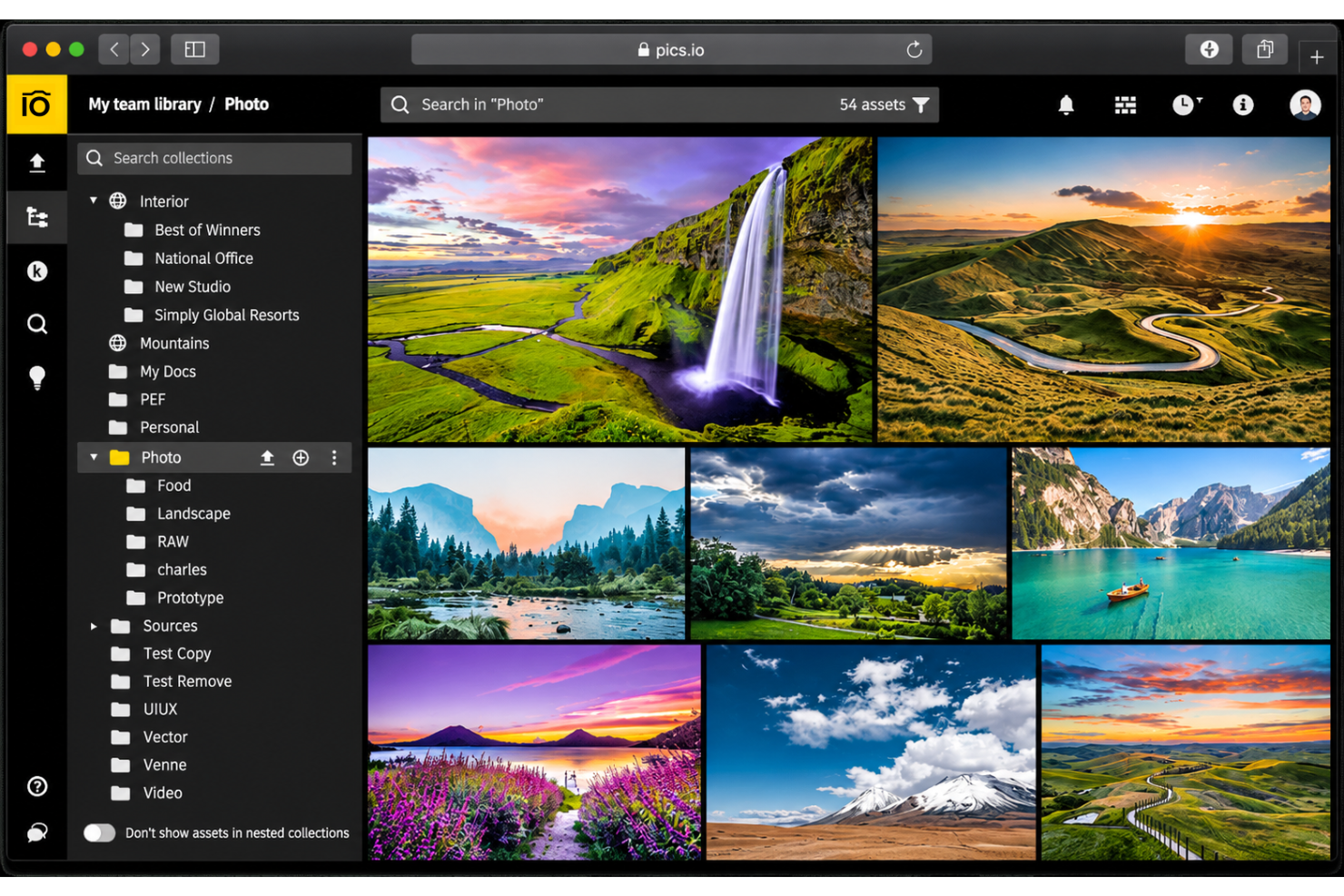
Pics.io feels approachable for teams that need asset search and review without a complex workflow suite. Users praise its setup with existing cloud storage and its navigable interface. I like having metadata, filters, previews, version history, and approval comments in one asset-focused library. Still, some users found the interface unintuitive at first, and search syntax or lag with very large libraries can frustrate daily use.
Integrations
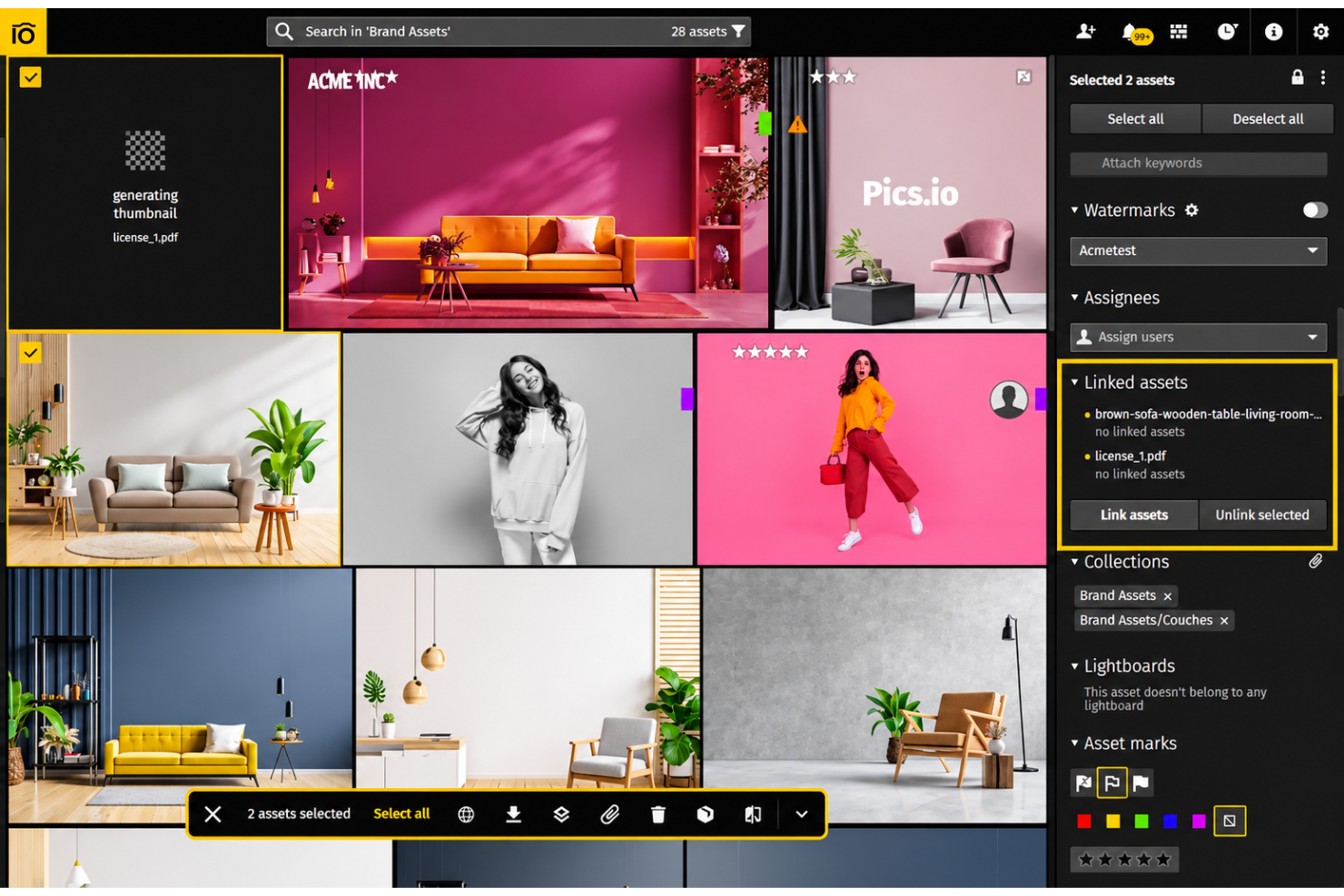
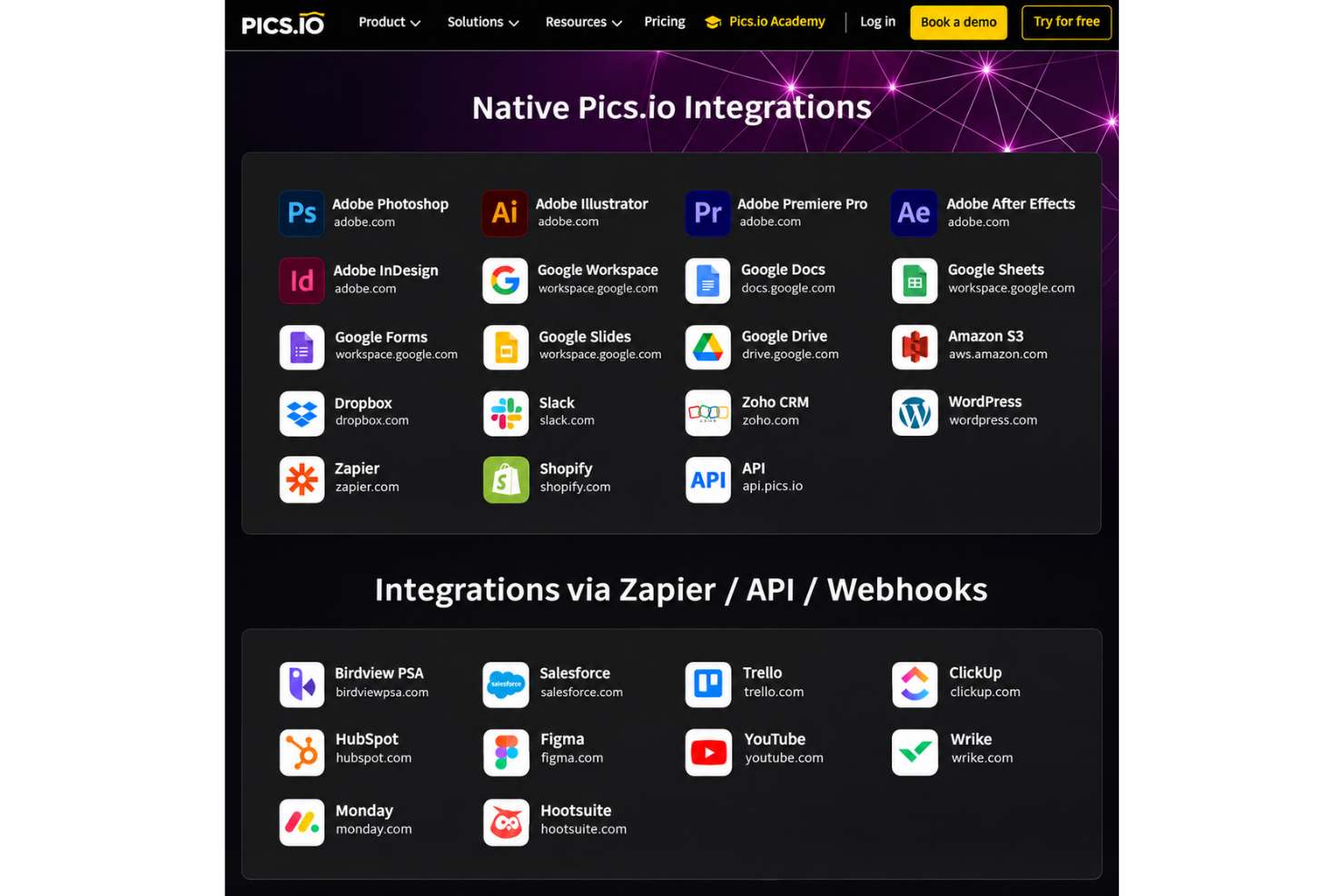
Pics.io integrates with Google Drive, Amazon S3, Dropbox, Slack, Shopify, Zoho CRM, WordPress, Adobe Photoshop, Adobe Illustrator, and Adobe Premiere Pro, among others.
Pics.io also offers an API and connects with third-party apps through Zapier and webhooks.
New Product Updates from Pics.io
Pics.io Adds Filtered Audit Trail CSV Exports
Pics.io now lets users export Audit Trail logs to CSV. Applied filters carry into the export, making it easier to review specific activity records. Highlights include:
- CSV Export: Export Audit Trail activity to a CSV file.
- Filtered Exports: Apply filters before exporting activity logs.
- Activity Analysis: Review selected audit records outside Pics.io.
- Shareable Records: Use exported logs for reporting or further analysis.
Visit Pics.io’s official site for more details.
 for more details.
Pics.io Adds AVIF File Support
Pics.io has expanded its supported image formats by adding AVIF. This helps teams work with newer, high-efficiency image files without needing to convert them before uploading or organizing assets. Highlights include:
- AVIF Support: Upload and manage AVIF image files directly in Pics.io.
- Expanded Format Coverage: Work with an additional modern image format inside the platform.
Visit Pics.io’s official site for more details.
Pics.io Syncs CSV Metadata Updates to Google Drive
Pics.io can now replicate metadata changes from CSV imports to the corresponding Google Drive files. The update applies when the Metadata Writer add-on is enabled. Highlights include:
- CSV Metadata Sync: Writes imported metadata updates back to original Google Drive files.
- Google Drive Support: Keeps Drive file metadata aligned with changes made in Pics.io.
- Metadata Writer Integration: Uses the Metadata Writer add-on to apply updates.
- Consistent Asset Data: Reduces mismatches between Pics.io and Google Drive metadata.
- Import Workflow: Extends CSV imports beyond Pics.io by updating the source files too.
Visit Pics.io’s official site for more details.
Pics.io Adds Video Intelligence Search Filters
Pics.io now lets users search Video Intelligence data directly from the filter panel. Teams can refine video searches using AI-generated summaries, detected actions, chapters, OCR text, and keywords. Highlights include:
- AI Summary Search: Finds videos using generated summary data.
- Action Filters: Searches detected actions within video content.
- Chapter Search: Filters videos using generated chapter information.
- OCR Text Search: Finds assets based on text detected inside videos.
- AI Keyword Filters: Uses generated keywords to narrow video searches.
Visit Pics.io’s official site for more details.
Pics.io Removes Inbox File Size Limits
Pics.io removes Inbox upload size limits and improves upload performance for large files and videos. These changes make media transfers faster and more flexible for teams handling high-volume or large-format assets. Highlights include:
- Unlimited Inbox Upload Size: Removes the previous file size restriction for Inbox uploads.
- Faster Large-File Transfers: Improves upload performance for large media files.
- Video Upload Improvements: Speeds up video transfers through the Inbox.
Visit Pics.io’s official site for more details.
Pics.io Adds Editable Color Labels for Assets
Pics.io adds editable color labels with controls to rename, recolor, add, delete, and reorder labels. These options make it easier for teams to customize asset organization and maintain consistent labeling. Highlights include:
- Editable Color Labels: Lets teams rename and recolor labels to match their asset organization needs.
- Custom Label Management: Allows users to add, delete, and reorder labels for more flexible categorization.
Visit Pics.io’s official site for more details.
Pics.io Adds MCP Server for AI Assistants
Pics.io has introduced the MCP Server (MVP) to let AI assistants interact with your digital asset library in a controlled, read-only way. This improves discoverability and speeds up getting the right files and context, while keeping access aligned with existing workspace permissions. Highlights include:
- Asset Search: Allow AI assistants to search digital assets within the workspace.
- Asset Details: Retrieve metadata and information for individual assets.
- Asset Previews: Generate previews to support AI-assisted workflows.
- Permission-Based Access: Enforce existing workspace permissions for secure, read-only access.
Visit Pics.io's official site for more details.
Pics.io Adds AI Keyword Asset Filtering
Pics.io adds AI-generated keyword filtering to improve digital asset management workflows. This update helps users narrow search results and manage asset libraries using automatically generated keywords. Visit Pics.io’s official site for more details.

Pics.io Improved Saved Searches
Pics.io has refined Saved Searches to make organizing and maintaining frequently used queries simpler and more reliable. The update improves day-to-day navigation of search structures, especially when working with more complex, nested setups. Highlights include:
- Nested Search Collection Support: Teams can now manage nested search collections more effectively within Saved Searches.
- Simplified Search Duplication: Saved search duplication workflows have been streamlined for faster management.
- Improved Rename Handling: Search renaming workflows are now easier and more consistent.
- Cleaner Search Management: Deletion and organization improvements help teams maintain more structured search collections.
Visit Pics.io’s official site for more details.

Pics.io's New Asset Comment Permissions
Pics.io introduced new asset comment permissions to improve collaboration management across teams. The update gives admins more control over comment visibility and participation within asset workflows. Highlights include:
- Comment Viewing Controls: Admins can now decide which teammates can view asset comments.
- Commenting Permissions: Teams can control who is allowed to add comments to assets.
- Improved Collaboration Management: Organizations can better manage communication and feedback workflows.
- More Flexible Team Access: Permission settings help teams customize collaboration access based on roles and responsibilities.
Visit Pics.io’s official site for more details.
Pics.io Specs
- Access Management
- API
- Asset Tagging
- Automatic Transcription
- Batch Permissions & Access
- Brand Asset Creation
- Brand Management
- Dashboards
- Database Search
- Document Comparison
- Document Sharing
- Downloading
- External Integrations
- File Format Conversion
- File Sharing
- File Transfer
- History/Version Control
- Keyword Tracking
- Materials Library
- Metadata Management
- Multi-User
- Product Catalog
- Reports
- Review Monitoring
- Template Designer


