

10 Top Digital Asset Management Software For Archives 2026

10 Best Digital Asset Management Software for Archives Shortlist


Digital asset management software can be a secure solution for organizing, managing, and preserving your digital archives. It can help you catalog, store, and retrieve your archival digital assets, saving time, reducing errors, and improving accessibility. However, with so many DAM tools available on the market, finding just one that best fits your needs can be frustrating and time-consuming.
In this post, I draw from my extensive experience managing digital projects and using various digital productivity tools to explore your options for you. Here, I have shortlisted the best tools on the market, outlining their features and best use cases to make finding the right DAM platform for your team quick and easy.
Why Trust Our Software Recommendations
Our team has been testing and reviewing software since 2012. As project managers ourselves, we know how difficult—and important—it is to choose the right software.
For this guide, we evaluated tools using hands-on testing and independent research, scoring tools using our selection criteria. We also draw on insights from industry thought leaders and practicing project management experts.
Our reviews reflect our human editorial judgment, not a sales pitch.
Expert reviewers:
Digital Asset Management Software For Archives Comparison Table
This comparison table summarizes pricing details for my top digital asset management software for archives selections:
| Tool | Best For | Trial Info | Price | ||
|---|---|---|---|---|---|
| 1 | Best for cost-effective digital asset management | Free demo available | Pricing upon request | Website | |
| 2 | Best for granular access control | 30-day free trial | From $29/user/month | Website | |
| 3 | Best for advanced asset search | Free demo available | Pricing upon request | Website | |
| 4 | Best for AI image organization | 14-day free trial | From $213/month | Website | |
| 5 | Best for integrated marketing delivery | Free trial + demo available | From $300/user/month | Website | |
| 6 | Best for custom metadata fields | Free demo available | Pricing upon request | Website | |
| 7 | Best for indexing and tagging | Free demo available | From $899/month plus set-up fees | Website | |
| 8 | Best for enterprise-level content management | Not available | Pricing upon request | Website | |
| 9 | Best for visual media management | Not available | Pricing upon request | Website | |
| 10 | Best for scalable, cloud-native content services | 30-day free trial | Pricing upon request | Website |
Best Digital Asset Management Software for Archives Reviews
Below are my detailed summaries of the best digital asset management software for archives that made it onto my shortlist. My reviews offer a detailed look at the key features, pros & cons, integrations, and ideal use cases of each tool to help you find the best one for you.

Pics.io
Best for cost-effective digital asset management
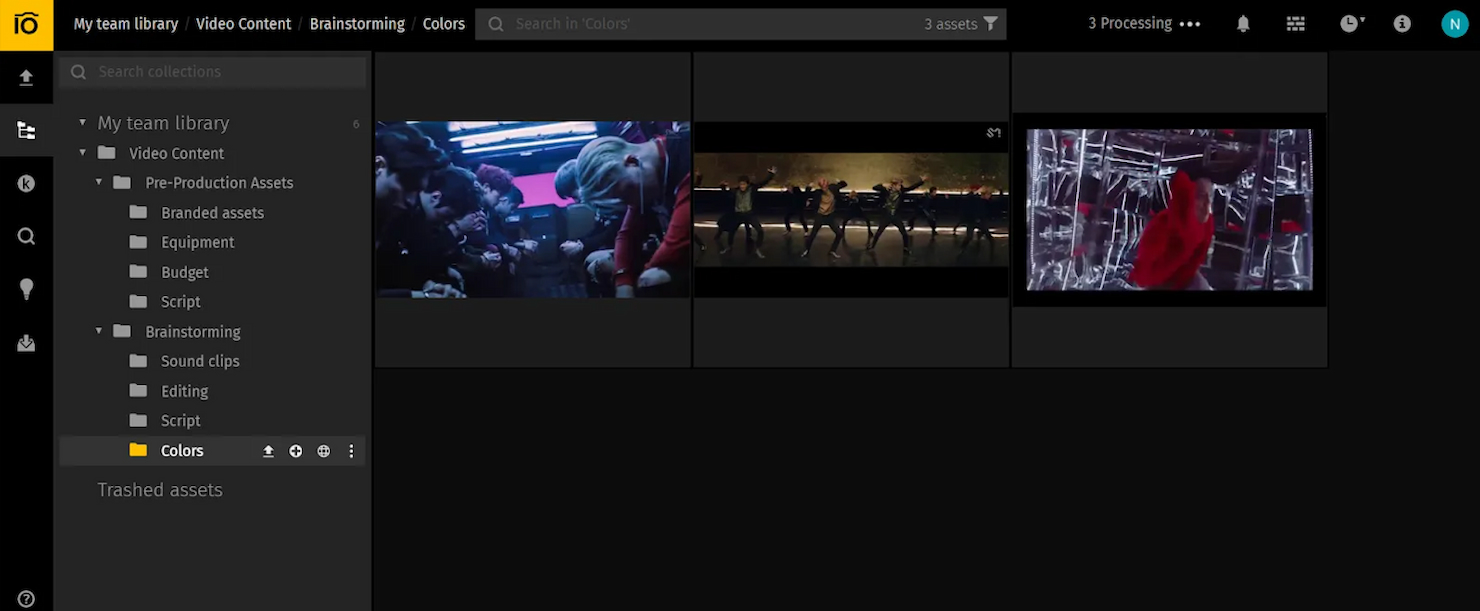
Pics.io is a digital asset management software that offers a centralized digital library, easy file organization, and effortless content sharing. It is best for cost-effective digital asset management because it leverages existing cloud storage solutions like Google Drive and Amazon S3, reducing the need for additional storage costs.
Why I picked Pics.io: I chose Pics.io for the list because it stands out as a cost-effective solution that integrates with existing cloud storage services, utilizing existing storage solutions and minimizing extra expenses. This makes it an excellent choice for organizations looking to manage digital assets without incurring high additional storage costs. The platform’s collaborative features and version control also enhance team productivity and asset management efficiency.
Standout Features & Integrations:
Features include version control, visual comparison for images and videos, and integration with various platforms. Pics.io also offers an unlimited digital library, metadata and keyword search, analytics and reporting, and AI and automation capabilities (including face recognition and speech-to-text transcription).
Integrations include Google Drive, Amazon S3, Slack, Adobe After Effects, Adobe Illustrator, Adobe Photoshop, Adobe Premiere Pro, ClickUp, Easy Projects, and Google Workspace.
Pros and Cons
Pros:
- AI features
- Impeccable cloud integration
- Cost-effective
Cons:
- Basic user interface
- Requires existing cloud storage
New Product Updates from Pics.io
Pics.io Adds AVIF File Support
Pics.io now supports AVIF files, expanding the image formats you can upload and manage in the platform. This gives teams more flexibility when working with modern image assets. For more information, visit Pics.io’s official site.
 .
.
Filecamp
Best for granular access control

Filecamp is a digital asset management platform designed to help professionals in various industries, like marketers, creatives, and archivists efficiently organize, manage, and share digital files such as images, videos, and brand guidelines.
Why I picked Filecamp: Filecamp offers granular access control, ensuring that only authorized personnel can access specific files, which is crucial for maintaining the integrity and confidentiality of archives. Additionally, the software supports custom labeling and AI-powered auto-tagging, which improves the efficiency of retrieving files. This feature is particularly beneficial for professionals who work with archives, where the ability to quickly locate and access historical documents can save time and resources.
Standout Features & Integrations:
Features include version control, online proofing tools to review, comment, and approve files, custom branding, file sharing with public download links, drag-and-drop uploads, audit trails, WebDAV access, asset expiration management, customizable pages, real-time commenting and approvals, favorites management, and custom SSL certificates.
Integrations are not currently listed on Filecamp's website.
Pros and Cons
Pros:
- Secure file sharing
- Strong file organization and searchability features
- Customizable branding options
Cons:
- Lack of advanced analytics tools
- Limited integrations
New Product Updates from Filecamp
Filecamp Adds More Flexible Link Files
Filecamp adds editable Link file targets, new opening options, and support for internal Filecamp destinations. These updates make Link files more flexible for navigation and shortcuts. For more information, visit Filecamp’s official site.
 .
.
Bynder
Best for advanced asset search
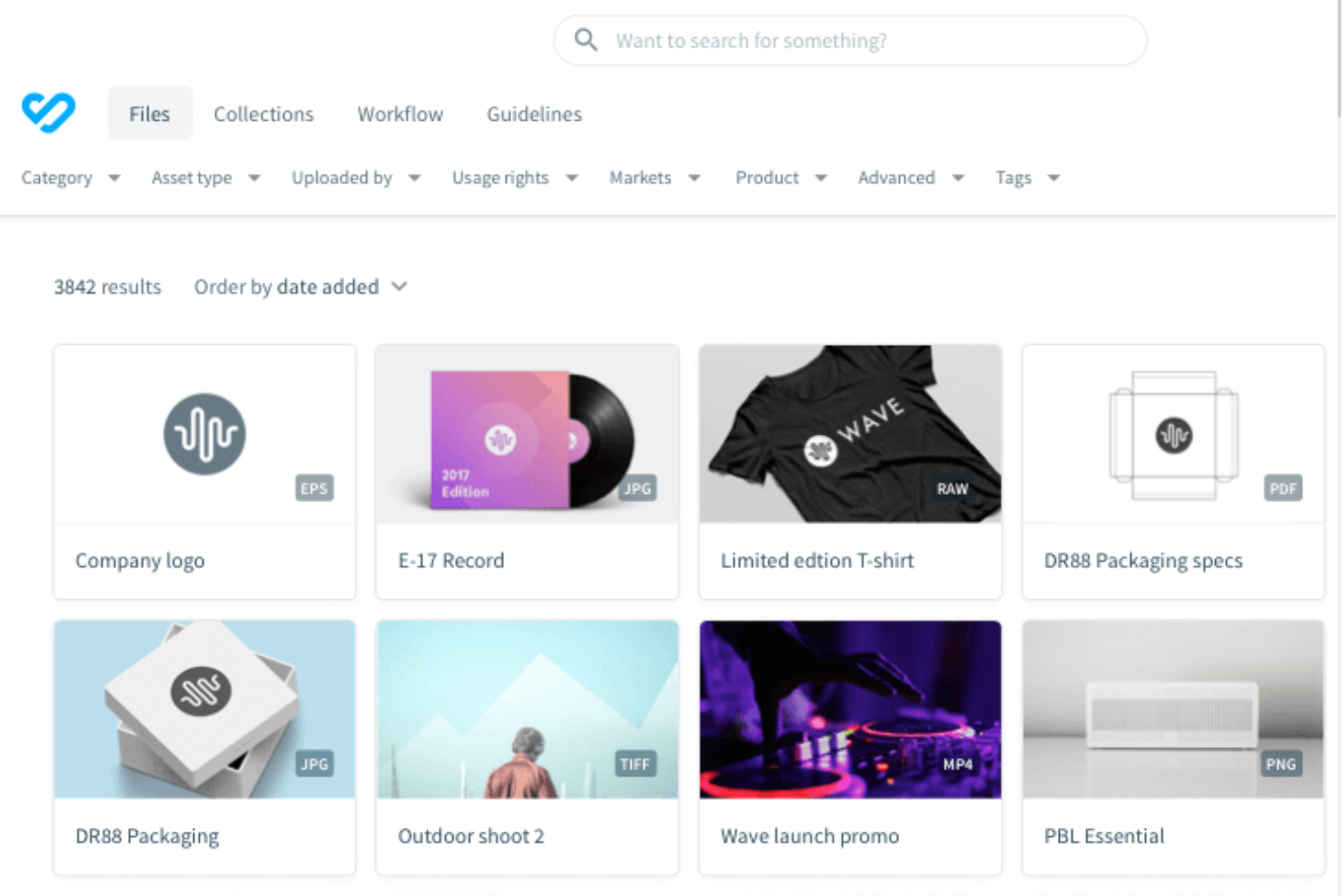
Bynder is a cloud-based digital asset management (DAM) platform designed to help teams store, organize, and access their digital content. It offers a centralized hub where you can manage various media assets, ensuring they're easy to find and use when needed.
Why I picked Bynder: I chose Bynder because of its advanced search functionality. Bynder uses AI-powered features to help you organize and locate files. This means you can quickly find specific assets without sifting through countless folders. It also has robust user permissions management. You can control who has access to particular assets, ensuring that sensitive or critical files are only available to authorized personnel. This level of control is essential for maintaining the integrity and security of your digital archives.
Standout Features & Integrations:
Features include asset versioning, customizable metadata fields, automated workflows, brand guidelines management, digital brand templates, creative project management, product information management, web-to-print capabilities, analytics and reporting, and AI-powered asset tagging.
Integrations include Salesforce, Salsify, Sanity, SAP Commerce Cloud, Sprout Social, SharePoint, Asana, Adobe Creative Cloud, Contentful, and Contentstack.
Pros and Cons
Pros:
- Efficient search functionality allows quick access to assets
- Robust analytics and reporting
- Ability to approve assets
Cons:
- Time-consuming initial setup
- Limited customization options for certain functionalities

Best for AI image organization

Scaleflex is a digital asset management solution designed to help you organize, optimize, and share your media files, including images and videos.
Why I picked Scaleflex: I like its advanced media optimization capabilities. It offers features like image compression and format conversion, which are essential for managing large volumes of digital assets. This ensures your media files are stored efficiently without compromising quality. Additionally, Scaleflex provides AI-powered tagging, making it easier to categorize and retrieve assets, which is particularly beneficial when dealing with extensive archives.
Standout Features & Integrations:
Features include AI-powered automation, built-in editing tools, robust security measures, performance analytics, 360° interactive views, scalable APIs, customizable workflow integration, enhanced collaboration tools, multilingual metadata taxonomies, adaptive streaming for video delivery, and advanced permissions and file sharing.
Integrations include WordPress, Filerobot, Cloudimage, Shopify, Magento, Prestashop, Drupal, Prismic, Amazon S3, Azure, Angular, and React.js.
Pros and Cons
Pros:
- AI-powered automation
- The platform integrates well with various tools
- Efficient media optimization
Cons:
- Lower-tier plans are limited to one project
- Some users find the interface complex initially

Best for integrated marketing delivery
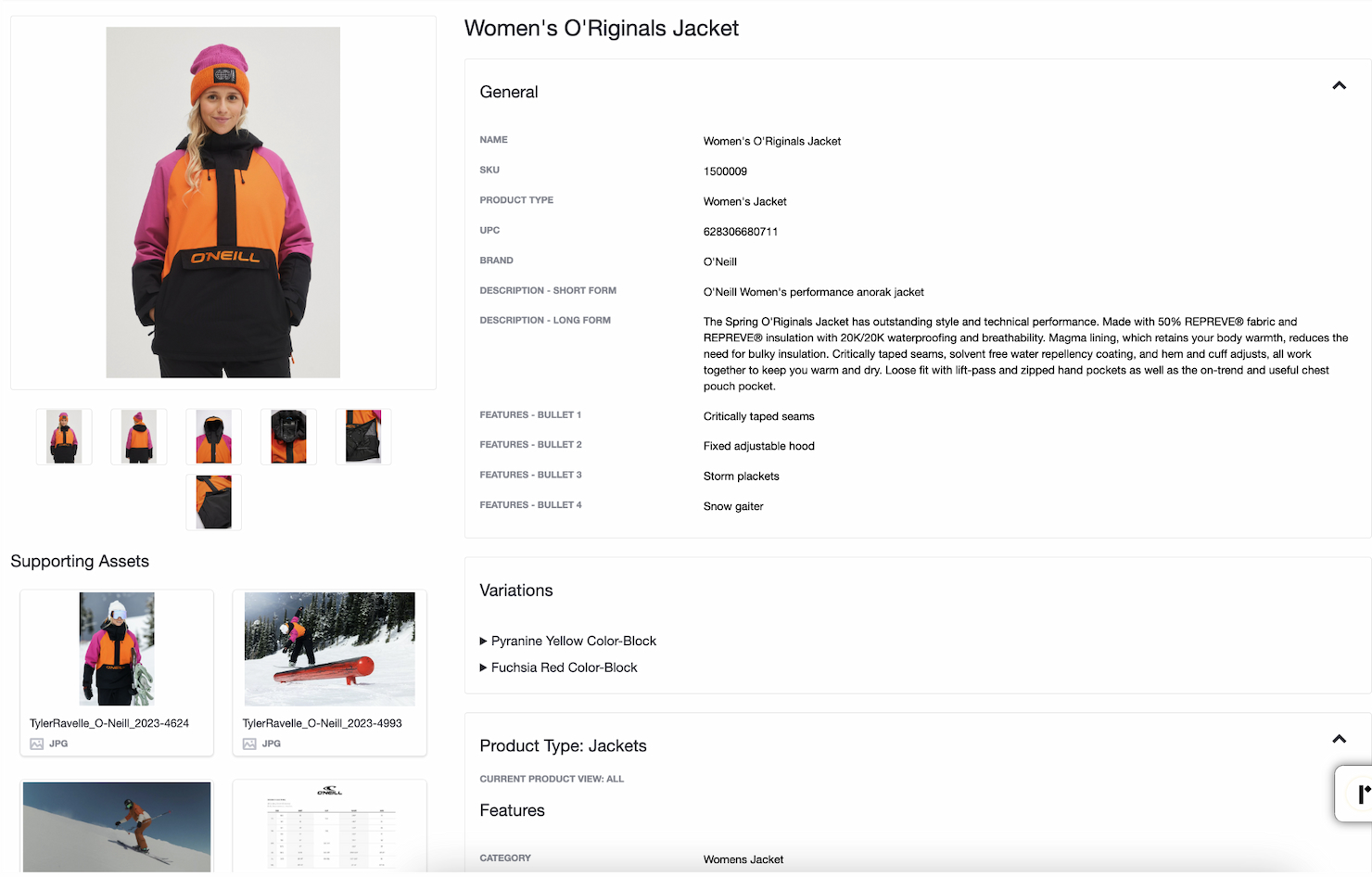
Image Relay is a digital asset management platform that combines digital asset management (DAM) and product information management (PIM) into one platform, ensuring brand consistency and streamlined workflows.
Why I picked Image Relay: I chose Image Relay for its unique combination of DAM and PIM capabilities, which sets it apart from other digital asset management tools. This integration makes it particularly effective for marketing teams that need to manage both digital brand assets and product information. I believe it is the best tool for integrated marketing delivery because it simplifies the process of managing and distributing marketing content, ensuring that all teams work from approved and up-to-date assets.
Standout Features & Integrations:
Features include a folder-based Asset Library for organizing digital assets, a Product Hub for managing product information, and digital proofing tools for content approval. The platform also supports integrations with various external tools to enhance its functionality.
Integrations include Shopify, Canva, Adobe Suite, Slack, Microsoft Dynamics, Google Drive, Salesforce, Hootsuite, HubSpot, and Trello.
Pros and Cons
Pros:
- Strong customer support
- Easy-to-use interface
- Combines DAM and PIM
Cons:
- Relatively expensive for smaller organizations
- Limited customization options
Canto
Best for custom metadata fields

Canto is a leading provider of digital asset management solutions, helping organizations to organize, find, and share their digital content.
Why I picked Canto: For managing archives, Canto offers customizable metadata fields, allowing you to tag assets with specific information pertinent to your collection. This feature ensures that your team can categorize and retrieve archived materials based on tailored criteria, making the management of extensive archives more efficient.
Standout Features & Integrations:
Features include version control, AI-powered search, user permissions and roles, collaboration tools, media delivery cloud, and video enhancements.
Integrations include Adobe Creative Cloud, Google Workspace, Slack, Dropbox, Box, WordPress, Hootsuite, monday.com, Canva, and Salesforce.
Pros and Cons
Pros:
- Media delivery cloud
- User-friendly interface
- AI-powered search
Cons:
- Requires training
- Limited customization

Best for indexing and tagging

Asset Bank is a digital asset management solution that helps users manage, showcase, and share digital content. It's best for lightning-fast asset search due to its AI auto-tagging, autocomplete search suggestions, and advanced search filters.
Why I picked Asset Bank: I chose Asset Bank for its exceptional search capabilities, which stand out in the crowded DAM market. Its AI-powered search features make it the best for quickly finding assets, saving users valuable time. Moreover, Asset Bank's advanced indexing and tagging system ensures that assets are organized and accessible, significantly boosting productivity, and the platform supports a wide range of file types, making it versatile and adaptable to various digital asset needs.
Standout Features & Integrations:
Features include AI auto-tagging, autocomplete search suggestions, search filters, and search within documents. It also includes version control, rights management, and duplicate detection.
Integrations include Adobe Creative Cloud, Microsoft Office 365, WordPress, SharePoint, Figma, Sketch, Shutterstock, Ziflow, We Brand, and Google Workspace.
Pros and Cons
Pros:
- Strong integrations
- AI auto tagging
- Fast search capabilities
Cons:
- Requires setup fee
- Limited customization


Adobe Experience Manager is a comprehensive content management solution that offers extensive features to support large-scale content personalization, multi-site management, and integration with other Adobe products.
Why I picked Adobe Experience Manager: I chose Adobe Experience Manager for its unparalleled capabilities in handling the complex content management needs of large enterprises. It particularly stands out for its integration with Adobe's suite of tools and advanced personalization features. I believe it is the best tool for enterprise-level content management because it offers scalable solutions that can handle vast amounts of content and deliver personalized experiences efficiently.
Standout Features & Integrations:
Features include editable templates, an intuitive WYSIWYG interface, multi-site management, and integration with Adobe Analytics and Adobe Target. It also provides automated product updates, 24/7 monitoring, and disaster recovery.
Integrations include Adobe Creative Cloud, Adobe Analytics, Adobe Target, Adobe Commerce, Adobe Learning Manager, Adobe Experience Manager Screens, Adobe Developer App Builder, Adobe Experience Manager Guides, Marketo, and various third-party applications via APIs.
Pros and Cons
Pros:
- Advanced personalization capabilities
- Adobe integration
- Powerful content management features
Cons:
- Complex setup
- High cost

Libris by PhotoShelter is a digital asset management tool designed to organize, manage, and share visual media. It is best for visual media management due to its features tailored for handling large image and video libraries efficiently.
Why I picked Libris by PhotoShelter: I chose Libris by PhotoShelter for its specialized focus on visual media. Its ability to manage extensive image and video libraries makes it ideal for organizations with significant visual content needs. I believe it is the best tool for visual media management because it offers comprehensive tools for organizing, sharing, and collaborating on visual assets to ensure that media is easily accessible and secure, including metadata tagging and search functionality.
Standout Features & Integrations:
Features include advanced search capabilities, customizable metadata, and secure sharing options. It also provides powerful user permissions and integrates with various creative tools, enhancing workflow efficiency.
Integrations include Drupal, Dropbox, Photo Mechanic, Slate, Google Drive, Microsoft Teams, WordPress, Opendorse, Slack, and Canva.
Pros and Cons
Pros:
- Secure sharing options
- Powerful user permissions
- Excellent visual media management
Cons:
- Search functionality can be complex
- Limited user seats included


Nuxeo is a cloud-native content services platform designed for scalable and efficient digital asset management. It excels in providing a modular, cloud-first architecture that scales horizontally to meet heavy workloads in real time.
Why I picked Nuxeo: I chose Nuxeo for its scalable architecture, which allows it to efficiently manage vast amounts of digital assets, accommodating the growth and complexity of enterprise-level needs. Moreover, the platform’s cloud-native capabilities ensure reliable performance, seamless updates, and easy integration with other enterprise systems, making it ideal for complex DAM requirements. This combination of scalability and cloud-native functionality ensures that Nuxeo can meet the demanding needs of any large organization while maintaining flexibility and efficiency.
Standout Features & Integrations:
Features include adaptable AI for smarter predictions, extensive workflow management, and a modular architecture that scales horizontally. The platform also provides a low-code development environment for rapid deployment.
Integrations include Adobe Sign, Salesforce, SAP, Microsoft Office 365, SharePoint, Google Workspace, Box, Slack, Workday, and Aspera.
Pros and Cons
Pros:
- Extensive workflow management
- Adaptable AI capabilities
- Scalable cloud-native architecture
Cons:
- Requires technical expertise
- Pricing not transparent
Other Digital Asset Management Software for Archives
Here are some additional digital asset management software for archives options that didn’t make it onto my shortlist, but are still worth checking out:
- ResourceSpace
For open-source digital asset management
- Extensis Portfolio
For font and creative asset management
- Wiredrive
For media sharing in creative industries
- OpenAsset
For AEC-focused digital asset management
- Daminion
For diverse media format support
- Cloudinary
For automated media lifecycle management
- Papirfly
For structured archival metadata
- Brandfolder
For intuitive user interface
- Pimcore
For open-source flexibility
- MediaValet
For cloud-based storage and security


How I Evaluate Digital Asset Management Software for Archives
I split my evaluation into baseline criteria—like metadata schemas, retention policies, and audit trails—and differentiating factors that separate good archives tools from great ones.
Core Functionality (Table Stakes For This List)
When I'm selecting tools for my list, I rank each one on a scale from 0 (does not offer the functionality) to 5 (excels in this area) for each core functionality listed below. Then, I calculate the tool's total score into a percentage. Each tool needs to achieve a minimum total score of 65% to be considered for inclusion.
- Long-Term Archival Storage: I evaluate whether the platform offers scalable, durable storage tiers suited to preserving large project files like CAD drawings, video, and high-res imagery over the years.
- Metadata & Tagging: Custom metadata schemas matter here—I look for tools that let you define project-specific taxonomies rather than relying on basic filename and date fields alone.
- Search & Retrieval Capabilities: Finding a single approved deliverable across thousands of archived projects should take seconds, so I check for faceted, metadata-driven, and full-text search options.
- Version Control & Audit History: I look at how each tool tracks revisions and final approvals, especially whether it maintains an immutable audit trail that shows who changed what and when.
- Access Control & Permissions: Archived assets often include sensitive contracts or proprietary designs, so granular role-based permissions and asset-level access restrictions are what I evaluate here.
- Retention & Compliance Management: I check for configurable retention policies and legal hold capabilities—features that help teams meet industry or regulatory obligations without manual tracking.
Once I have a list of tools that meet this criteria, I consider what sets each platform apart.
Differentiating Factors (What Sets Vendors Apart)
Here's how I compare and contrast different vendors:
Standout Features
AI-powered auto-tagging is a major differentiator—tools that classify and tag ingested assets automatically save PMOs hours of manual cataloging across large project backlogs. I also evaluate project lifecycle integration, since archiving works best when deliverables flow directly from tools like Jira or Asana at project closeout. Asset relationship mapping matters when you need to trace how a final deliverable connects to earlier revisions or related files across multiple engagements.
Beyond Features
Compliance and security certifications like SOC 2 Type II and ISO 27001 carry real weight here, especially for teams archiving sensitive project contracts or proprietary designs. I also evaluate deployment flexibility—some organizations require on-premise or hybrid hosting to meet internal IT policies. Migration support is another key factor, since most buyers are moving years of legacy files from shared drives or outdated systems into a new platform.
How to Choose Digital Asset Management Software for Archives
It’s easy to get bogged down in long feature lists and complex pricing structures. To help you stay focused as you work through your unique software selection process, here’s a checklist of factors to keep in mind:
| Factor | What to Consider |
|---|---|
| Scalability | Can the software grow with your organization? Consider if it supports increasing data volumes and users without extra costs or system slowdowns. |
| Integrations | Does it integrate with your existing tools, like project management or content creation software? Check for compatibility with your tech stack. |
| Customizability | Can you tailor the software to fit your workflows? Look for options to modify dashboards, metadata fields, and user permissions. |
| Ease of use | Is the interface intuitive for your team? Consider the learning curve and if it aligns with your team's technical expertise. |
| Implementation and onboarding | How long does it take to set up? Evaluate the resources needed and the support provided for a smooth transition. |
| Cost | Does the pricing fit your budget? Watch for hidden fees and compare what's included in different pricing tiers. |
| Security safeguards | Are your assets protected? Look for encryption, access controls, and compliance with data protection regulations. |
| Support availability | Is help available when you need it? Check for 24/7 support, response times, and the availability of self-service resources like guides or FAQs. |
Trends in Digital Asset Management Software for Archives
Digital asset management (DAM) software evolves rapidly and constantly, driven by technological advancements and changing business needs. Currently, several key trends are shaping the future of DAM for archives, making it more efficient, secure, and user-friendly:
- AI-Powered Tagging and Categorization: Artificial Intelligence (AI) is revolutionizing DAM systems by automating the tagging and categorization of digital assets. This technology enhances searchability and organization, saving time and improving asset discoverability. AI's role also extends to asset categorization, image recognition, and video transcription, making it a crucial tool for archives.
- Integration with Other Business Systems: Integrating DAM systems with other business platforms like Customer Relationship Management (CRM), Content Management Systems (CMS), and Product Information Management (PIM) systems is becoming increasingly common. This integration enables workflows and information exchange, enhancing operational efficiency and ensuring that digital assets are easily accessible across various platforms.
- Cloud-Based Solutions: Cloud-based DAM solutions are gaining traction due to their scalability and accessibility. These solutions allow businesses to store vast amounts of digital assets in the cloud, making them accessible from anywhere, at any time, and from any device. This is particularly advantageous for remote and distributed teams, offering flexibility and collaboration without the constraints of physical infrastructure.
- Blockchain Technology for Enhanced Security: Blockchain technology is starting to make its mark on DAM software, offering novel ways to enhance security and manage digital rights. By leveraging blockchain, digital assets can be securely and transparently tracked, providing a tamper-proof record of asset creation, modification, and distribution. This is particularly beneficial for copyright and licensing management.
- User-Centric Design and Adoption: An effective digital strategy needs people, not just great technologies. As such, user-centric design is gaining prominence in DAM systems, ensuring that they meet user needs, profiles, and preferences. Tailoring DAM systems to be intuitive and user-friendly ensures a smoother adoption process and increased user satisfaction. Overall, organizations are investing more in understanding user behaviors and preferences to make DAM systems more effective.
What is Digital Asset Management Software for Archives?
Digital asset management software for archives is a tool designed to store, organize, and manage digital files such as documents, images, videos, and other media assets. Archivists, librarians, and digital asset managers use this software to ensure that digital assets are easily accessible, properly categorized, and securely stored for long-term digital preservation and retrieval.
The software typically includes components like metadata management, search and retrieval functions, and access control. Metadata management helps in tagging and categorizing assets, making them easier to find. Search and retrieval functions allow users to quickly locate specific assets. Access control ensures that only authorized users can access or modify the assets, maintaining the integrity and security of the archive. These components work together to provide a comprehensive solution for managing and preserving digital archives effectively.
Features
When selecting digital asset management software for archives, it's important to understand the key features that you will need to support the organization, retrieval, and preservation of digital assets. Here are some of the most important features to consider:
- Metadata Management: This feature allows for the detailed tagging and categorization of assets, making it easier to search and retrieve specific items.
- Version Control: This feature ensures that all changes to digital assets are tracked, allowing users to revert to previous versions if necessary.
- Access Control: This feature provides the ability to set permissions and restrict access to sensitive or confidential assets, ensuring that only authorized personnel can view or edit them.
- Search Functionality: Advanced search capabilities enable users to quickly find assets using various criteria such as keywords, dates, or file types.
- File Format Support: The software should support a wide range of file formats to accommodate different types of digital assets, from images and videos to documents and audio files.
- Backup and Recovery: Regular backup and recovery options protect digital assets from data loss due to hardware failures, accidental deletions, or other unforeseen events.
- User-Friendly Interface: An intuitive and easy-to-navigate interface helps users quickly learn how to use the software, reducing the need for extensive training.
- Integration Capabilities: The ability to integrate with other software and systems ensures a smooth workflow and reduces the need for manual data entry.
- Scalability: The software should be able to grow with your organization, accommodating an increasing number of digital assets without compromising performance.
- Reporting and Analytics: These features provide insights into how digital assets are being used, helping to inform decision-making and improve asset management strategies.
Benefits
Digital asset management (DAM) software offers numerous advantages for archives that can help organizations to efficiently manage, store, and retrieve their digital assets. Here are several primary benefits that potential buyers should consider:
- Improved Organization: DAM software allows users to categorize and tag digital assets, making it easier to locate and manage files.
- Enhanced Accessibility: With DAM software, users can access digital assets from any location, ensuring that team members can collaborate effectively, regardless of their physical location.
- Increased Security: The software provides security features, such as user permissions and encryption, to protect sensitive digital assets from unauthorized access.
- Time Savings: By automating repetitive tasks and streamlining workflows, DAM software helps users save time, allowing them to focus on more critical activities.
- Scalability: DAM solutions can grow with your organization, accommodating an increasing volume of digital assets without compromising performance.
Investing in digital asset management software can significantly enhance the efficiency and security of managing digital archives. Overall, DAM software can be a valuable tool for organizations looking to improve their digital asset management processes.
Costs and Pricing
One of the most important aspects of selecting a digital asset management tool for your archives is understanding the different pricing plans available. With so many tools available, plans and prices can vary widely. However, pricing plans for DAM software generally fall into common categories.
As a software expert specializing in project management tools, I've researched common plans and pricing options to help you understand your choices. It's essential to be aware of these options to avoid paying for unnecessary features or overpaying for standard ones.
This guide provides an overview of the different pricing plans available for DAM software, helping you make an informed decision based on your organization's needs and budget:
Plan Comparison Table for Digital Asset Management Software for Archives
| Plan Type | Average Price | Common Features Included |
|---|---|---|
| Free | $0 | - Limited asset storage - Basic search and filter capabilities - File sharing with some restrictions |
| Basic | $0 - $20 per user/month | - Basic asset storage and organization - Basic search functionality - Limited file sharing capabilities |
| Professional | $25 - $100 per user/month | - Advanced search capabilities - Greater storage capacity - Version control - Basic integration options |
| Enterprise | Custom pricing | - Customizable workflows - Unlimited storage - Comprehensive integration options - Advanced security features |
When choosing a DAM software plan, it is important to consider your organization's size, the volume of assets to be managed, and the level of collaboration required. The right DAM solution should not only fit your current needs, but also be able to scale with your organization's growth. As such, understanding both the exact plan you want and your options for scaling the software is essential for making the right decision.
For example, basic or free plans are perfect for individuals or small teams. Standard plans suit businesses requiring detailed reporting and software integration. Professional plans offer extensive features for larger teams managing complex projects. Enterprise plans cater to large organizations needing advanced security and compliance features.
Always look for options that provide the right balance between functionality and cost. It can be a delicate balance, but it is achievable.
Digital Asset Management Software for Archives FAQs
Here are some of the frequently asked questions I get asked about digital asset management software for archives.
Why is DAM software important for archives?
DAM software is important for archives because it ensures the long-term preservation and accessibility of digital assets. Archives often contain vast amounts of historical and cultural information that need to be meticulously organized and protected. DAM software provides robust metadata management, version control, and access permissions, which are essential for maintaining the integrity and usability of archived materials.
How does DAM software improve workflow efficiency in archives?
DAM software streamlines the workflow in archives by automating many manual processes. It allows archivists to quickly upload, tag, and categorize digital assets, reducing the time spent on these tasks. The software’s search and retrieval capabilities enable users to find and access assets swiftly, enhancing productivity. Additionally, DAM software facilitates collaboration by providing a centralized platform where multiple users can work on the same assets simultaneously.
Can DAM software handle different types of digital assets?
Yes, DAM software is designed to manage a wide variety of digital assets, including images, videos, audio files, documents, and more. It supports various file formats and provides tools for previewing, editing, and converting these files. This versatility makes DAM software suitable for archives that house diverse types of digital content.
Is it possible to migrate existing digital assets to a new DAM system?
Migrating existing digital assets to a new DAM system is possible and often necessary when upgrading or changing software. The process typically involves exporting assets from the old system, including their metadata, and importing them into the new DAM system. Many DAM providers offer migration services or tools to facilitate this process, ensuring a smooth transition with minimal data loss.
What are the costs associated with implementing DAM software for archives?
The costs of implementing DAM software for archives can vary widely depending on factors such as the size of the archive, the number of users, and the specific features required. Costs may include software licensing fees, implementation and customization expenses, training for staff, and ongoing maintenance and support. It is essential to evaluate the total cost of ownership and consider the long-term benefits of improved efficiency and asset management.