

10 Best Client Dashboard Software for 2026

Client Dashboard Software Shortlist


Client dashboard software gives your clients a secure, centralized place to view project updates, access shared files, and track key metrics in real time. If you’re searching for the best client dashboard software, you’re likely looking to improve transparency, automate reporting, and keep client communication organized—without adding more manual work for your team.
With so many options, it’s tough to know which tools actually fit your workflow, data sources, and client needs. This list breaks down the top client dashboard platforms for 2026, so you can compare features and find the right fit for your projects and clients.
Why Trust Our Software Recommendations
Our team has been testing and reviewing software since 2012. As project managers ourselves, we know how difficult—and important—it is to choose the right software.
For this guide, we evaluated tools using hands-on testing and independent research, scoring tools using our selection criteria. We also draw on insights from industry thought leaders and practicing project management experts.
Our reviews reflect our human editorial judgment, not a sales pitch.
Expert reviewers:
Best Client Dashboard Software Summary
This comparison chart summarizes pricing details for my top client dashboard software selections to help you find the best one for your budget and business needs.
| Tool | Best For | Trial Info | Price | ||
|---|---|---|---|---|---|
| 1 | Best for all-in-one client portals | 14-day free trial | From $19/month | Website | |
| 2 | Best for custom data visualizations | 14-day free trial | From $120/month (billed annually) | Website | |
| 3 | Best for no-code dashboard creation | Free plan + free demo available | From $19/month (billed annually) | Website | |
| 4 | Best for CRM-connected dashboards | Free plan available | From $20/user/month | Website | |
| 5 | Best for multi-channel data aggregation | 14-day free trial available | From $29/month | Website | |
| 6 | Best for real-time KPI tracking | Free plan + 14-day free trial + free demo available | From $71/month (billed annually) | Website | |
| 7 | Best for accounting workflow integration | Free trial + free demo available | From $49/month (billed annually) | Website | |
| 8 | Best for automated client onboarding | Free trial available | From $134/month (billed annually) | Website | |
| 9 | Best for marketing report automation | 14-day free trial + free demo available | From $44/month (billed annually) | Website | |
| 10 | Best for advanced analytics features | 15-day free trial | From $30/month (billed annually) | Website |
Client Dashboard Software Reviews
Below are my detailed summaries of client dashboard software that made it onto my shortlist. My reviews offer a detailed look at the features, integrations, and best use cases of each platform to help you find the best one for you.

Best for all-in-one client portals
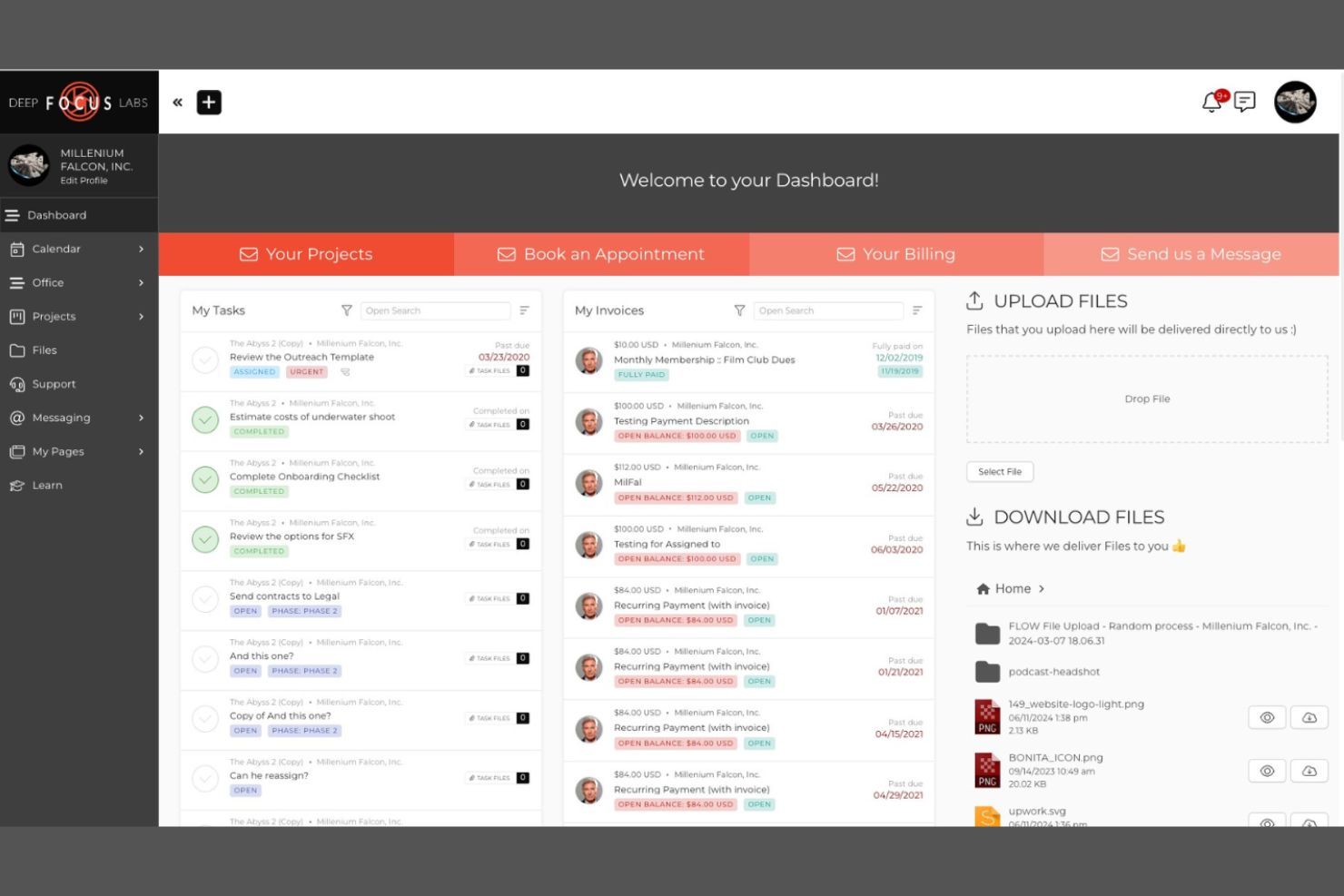
SuiteDash brings together project management, client communication, and billing in a single platform designed for businesses that want an all-in-one client portal. It’s a strong fit for agencies, consultancies, and service providers who need to centralize client interactions, document sharing, and workflow automation. SuiteDash stands out by letting you build custom client experiences with branded portals, integrated forms, and secure file exchange—all under one login.
Why I Picked SuiteDash
For teams looking to consolidate multiple client-facing tools into one platform, SuiteDash offers a true all-in-one client portal solution. I picked SuiteDash because it combines project management, secure file sharing, and invoicing within a single branded environment, so clients and teams don’t have to juggle separate logins or systems. The platform’s customizable dashboards and client-specific portals let you tailor the experience for each client, which is especially useful for agencies and service providers managing diverse accounts. This unified approach helps keep communication, deliverables, and billing organized in one place.
SuiteDash Key Features
In addition to its unified portal approach, SuiteDash includes several other features worth noting:
- Client CRM: Store and manage detailed client records, notes, and contact information in one place.
- Automated onboarding workflows: Set up step-by-step onboarding sequences to guide new clients through forms, tasks, and document uploads.
- Customizable client intake forms: Build branded forms to collect information and documents directly from clients.
- Time tracking: Log billable hours and track time spent on client projects within the platform.
SuiteDash Integrations
Integrations include Stripe, PayPal, Twilio, Google Calendar, Zoom, QuickBooks, Mailchimp, and more.
Pros and Cons
Pros:
- Recurring invoice scheduling for ongoing services
- Client-specific dashboards display unique data sets
- Built-in proposals and contract management tools
Cons:
- Workflow automation setup can be time-consuming
- Email deliverability issues reported by some users

Best for custom data visualizations
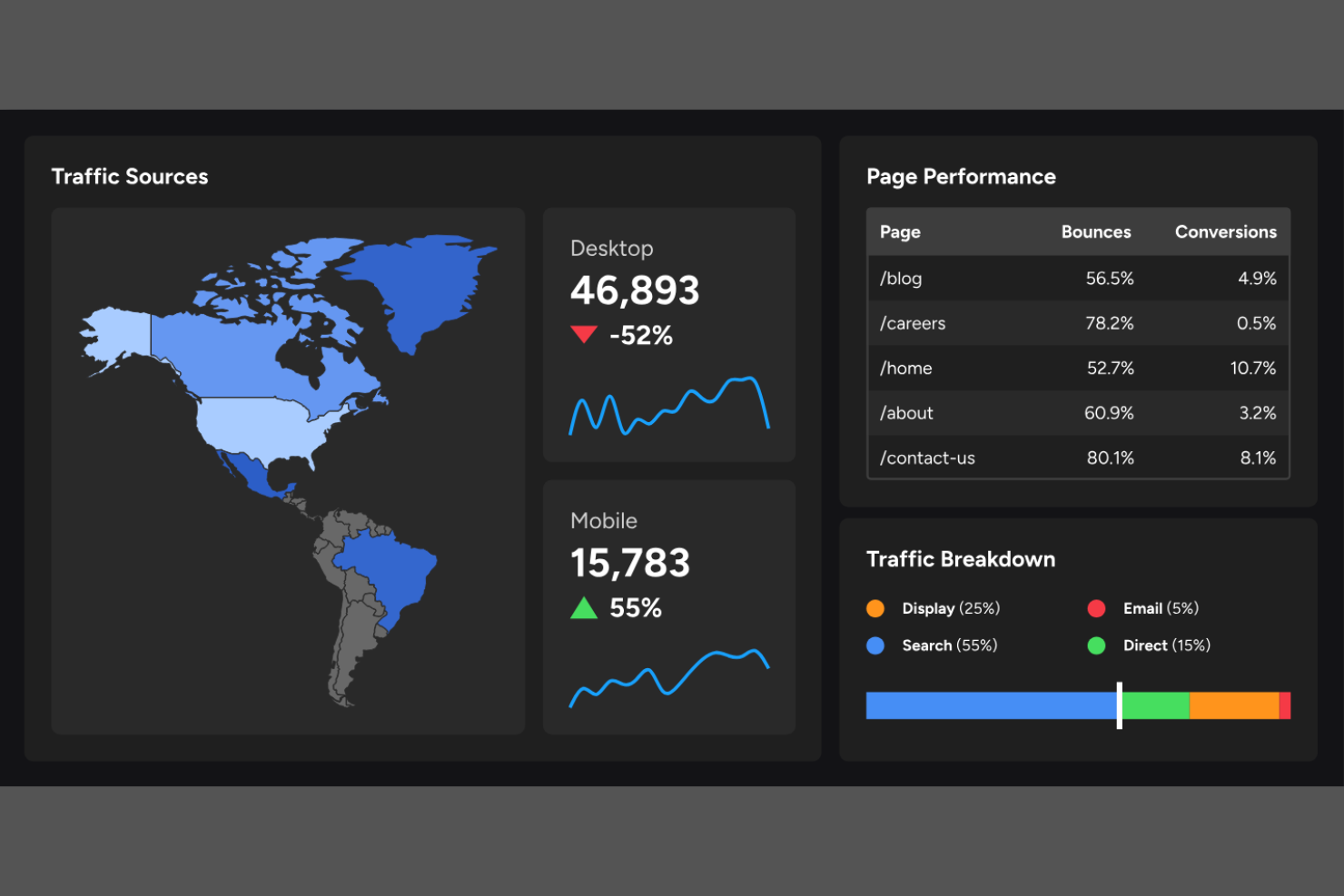
Klipfolio gives data-driven teams and agencies a way to build highly customized dashboards for clients who need more than standard reporting. With its flexible visualization options and deep data connectivity, it’s a strong fit for organizations that want to present complex metrics in a clear, interactive format. If your clients expect tailored data stories and advanced visual analysis, Klipfolio is built to deliver that level of customization.
Why I Picked Klipfolio
What sets Klipfolio apart is its focus on custom data visualizations, which is especially valuable for teams that need to go beyond standard charts and graphs. I picked Klipfolio because it lets you design dashboards with advanced visualization types, custom formulas, and interactive elements that help clients explore their data in detail. The platform’s editor supports pixel-level control and lets you build unique layouts tailored to each client’s needs. For agencies and teams that want to deliver highly personalized, visually rich dashboards, Klipfolio offers the flexibility to make that possible.
Klipfolio Key Features
Some other features that make Klipfolio useful for client dashboard software include:
- Pre-built dashboard templates: Lets you quickly launch dashboards using industry-specific templates.
- Scheduled email reports: Allows you to automatically send dashboard snapshots to clients on a set schedule.
- Role-based access controls: Enables you to manage who can view or edit dashboards within your team or client organizations.
- Mobile dashboard access: Provides clients and team members with real-time dashboard views on mobile devices.
Klipfolio Integrations
Integrations include Google Analytics, Salesforce, HubSpot, Twitter, LinkedIn, Shopify, QuickBooks, Zendesk, and more.
Pros and Cons
Pros:
- Role-based access for client collaboration
- Pixel-level control over dashboard layouts
- Advanced formula editor for custom calculations
Cons:
- Limited offline dashboard access options
- No built-in data source version control

Softr
Best for no-code dashboard creation
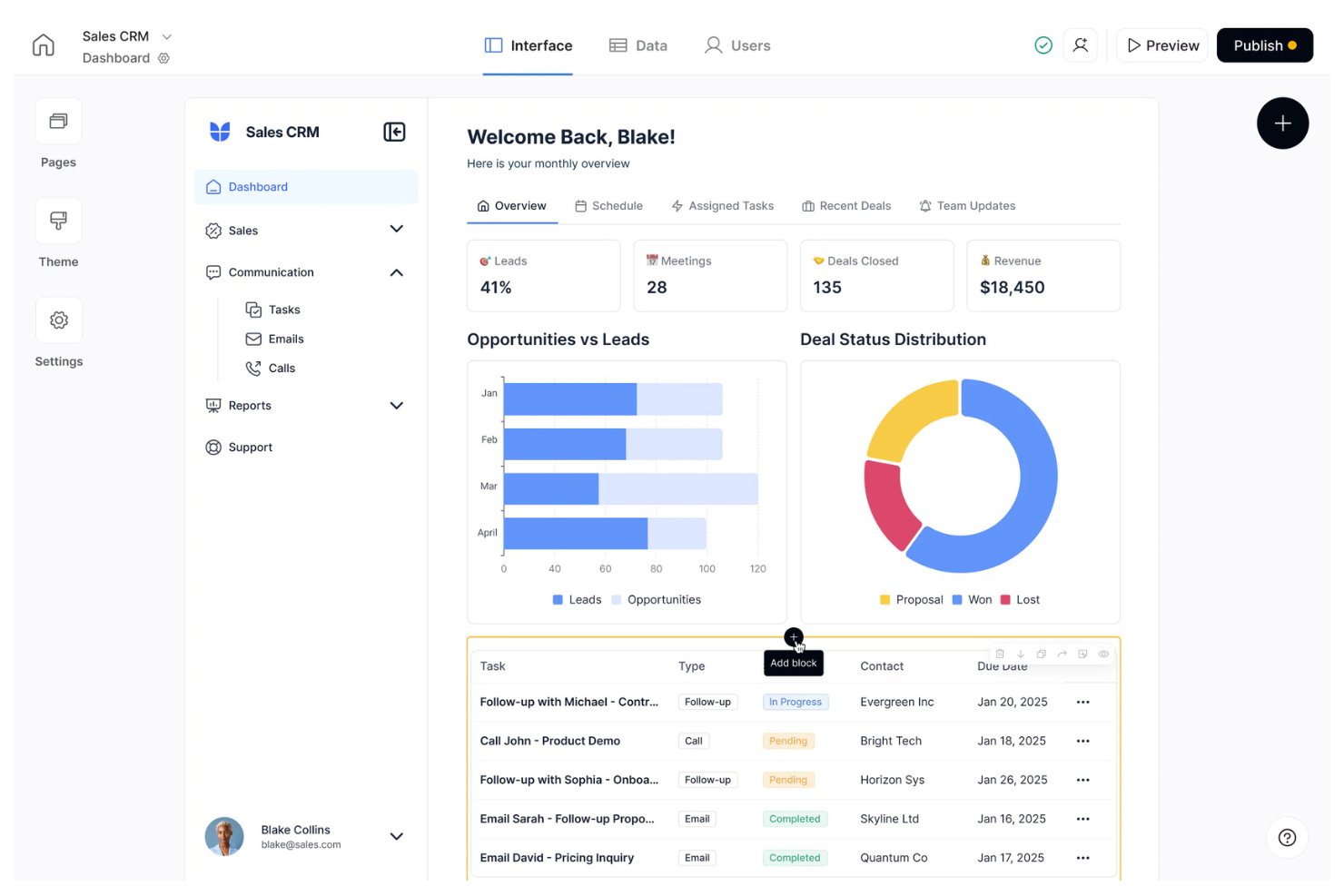
If you want to build client dashboards without writing code, Softr offers a flexible platform for assembling data-driven portals. It’s especially useful for agencies, consultants, and small businesses that need to turn Airtable or Google Sheets data into interactive dashboards for clients. Softr stands out for letting you launch secure, branded dashboards quickly—even if you don’t have a technical background.
Why I Picked Softr
What sets Softr apart is its focus on no-code dashboard creation, making it accessible for teams that don’t have dedicated developers. I picked Softr because it lets you build secure, client-facing dashboards using drag-and-drop blocks and pre-built templates. You can connect live data from Airtable or Google Sheets and control exactly what each client sees with granular permissions. This approach is especially useful if you want to deliver custom dashboards quickly without relying on engineering resources.
Softr Key Features
Some other features in Softr that help with client dashboard creation include:
- Custom domain support: Publish dashboards on your own branded domain for a professional client experience.
- User authentication: Restrict dashboard access with built-in login and user management features.
- Pre-built dashboard layouts: Choose from a library of ready-made layouts to speed up dashboard assembly.
- Native chart and list blocks: Add visualizations and data lists directly to dashboards without third-party plugins.
Softr Integrations
Integrations include Airtable, Google Sheets, Stripe, Zapier, Mailchimp, Slack, HubSpot, Intercom, Google Analytics, and more.
Pros and Cons
Pros:
- Built-in user authentication for client access
- Direct integration with Airtable and Google Sheets
- Drag-and-drop builder for dashboard assembly
Cons:
- Cannot connect to SQL databases directly
- Limited advanced data visualization options

HubSpot
Best for CRM-connected dashboards
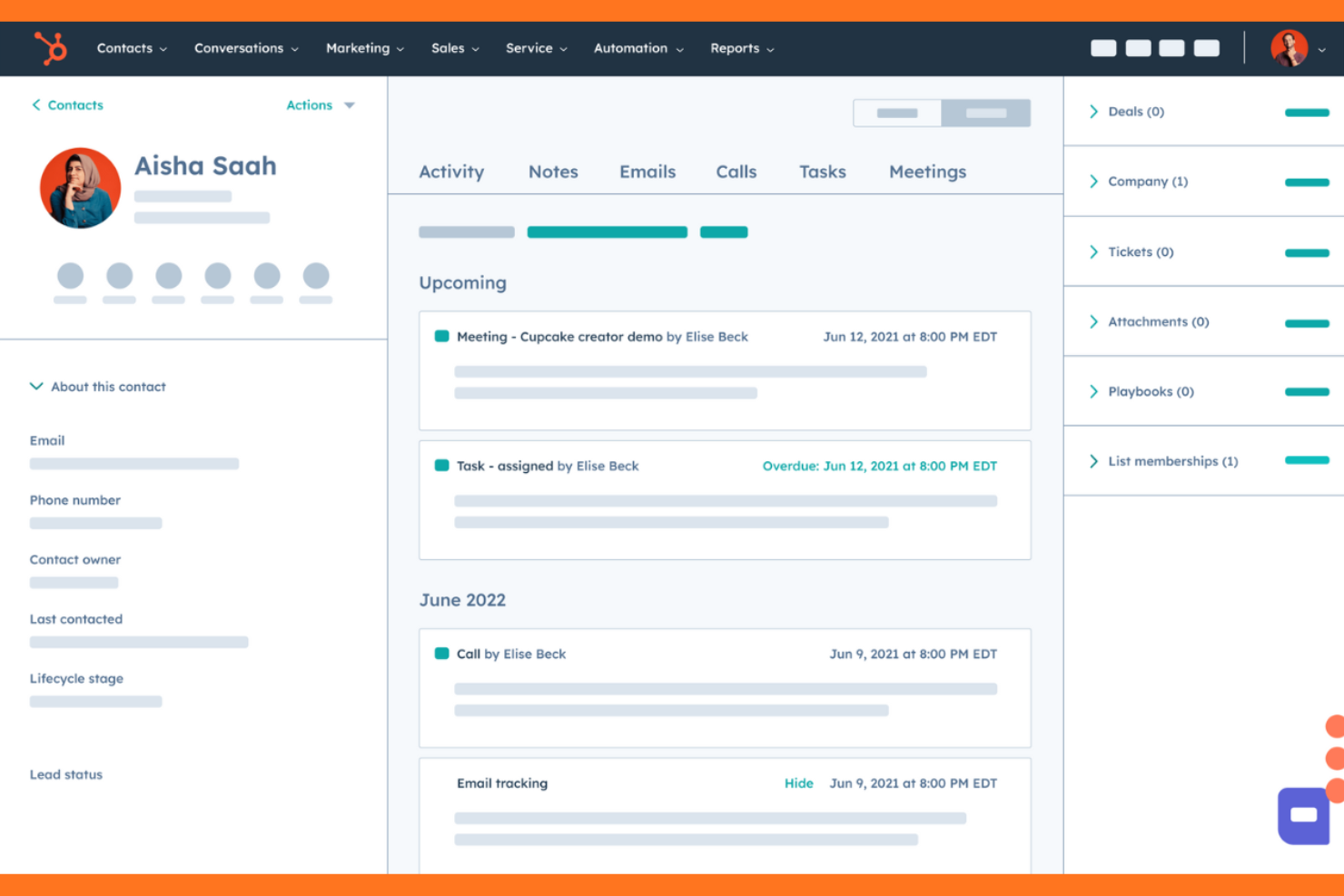
For teams that want client dashboards tightly connected to sales and marketing data, HubSpot offers a unified approach. This platform is especially useful for agencies, sales teams, and service providers who need to track client activity, pipeline, and engagement in one place. Its dashboards pull directly from CRM records, making it easier to present up-to-date client insights without manual data entry.
Why I Picked HubSpot
HubSpot stands out for client dashboard software because it connects dashboards directly to CRM data, giving you real-time visibility into client relationships and sales activity. I picked HubSpot for its ability to automatically pull in deal stages, contact interactions, and marketing campaign results, so your dashboards always reflect the latest client status. The platform’s customizable reporting tools let you build dashboards that highlight pipeline health, revenue forecasts, and client engagement metrics. For teams that want to keep client-facing dashboards in sync with their CRM, HubSpot offers a direct and reliable solution.
HubSpot Key Features
Some other features that make HubSpot useful for client dashboard software include:
- Drag-and-drop dashboard builder: Lets you quickly assemble custom dashboards from a library of pre-built widgets.
- Scheduled dashboard emails: Sends automated dashboard snapshots to clients or team members on a set schedule.
- User permission management: Allows you to control which users or clients can view or edit specific dashboards.
- Integration with HubSpot Marketing and Service Hubs: Enables you to pull in data from marketing campaigns and support tickets for a more complete client view.
HubSpot Integrations
Integrations include Salesforce, Shopify, WordPress, Slack, Zoom, Mailchimp, Microsoft Dynamics 365, Google Workspace, Stripe, and more.
Pros and Cons
Pros:
- Activity timelines show detailed client interactions
- Sharing supports password-protected links
- CRM data updates reflect instantly in dashboards
Cons:
- Dashboard export options are restricted to PDF
- Custom dashboard filters are limited in scope

Cyfe
Best for multi-channel data aggregation
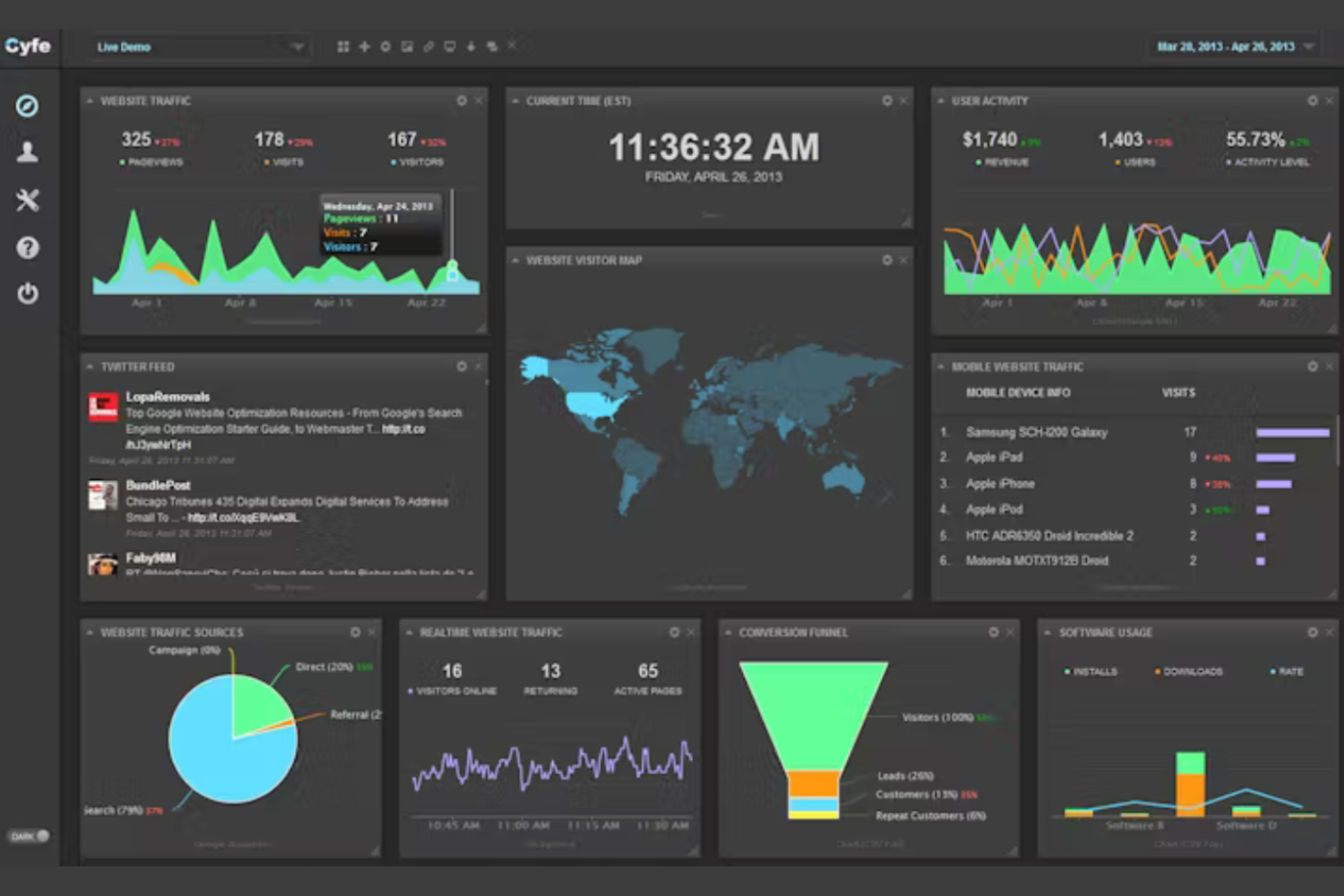
Cyfe is designed for teams and agencies that need to bring together data from many different sources into a single dashboard. If you manage marketing, sales, or operations for clients who expect unified reporting across platforms, Cyfe helps you monitor everything in one place. Its multi-channel aggregation makes it especially useful for businesses juggling analytics from social, web, finance, and more.
Why I Picked Cyfe
Cyfe stands out for its ability to aggregate data from a wide range of channels into unified dashboards, which is essential for client reporting across multiple platforms. I picked Cyfe because it lets you pull in metrics from social media, web analytics, sales, and finance tools, all within a single view. The platform’s widgets make it easy to display live data from each source, so clients can see everything that matters to them at a glance. For teams managing diverse data streams, Cyfe’s multi-channel approach helps keep client dashboards organized and actionable.
Cyfe Key Features
In addition to its data aggregation capabilities, Cyfe offers several other features that support client dashboard needs:
- Custom branded dashboards: Lets you add your own logo and colors for a white-labeled client experience.
- Historical data archiving: Stores past data so you can review trends and performance over time.
- Automated scheduled reporting: Sends dashboard snapshots to clients or stakeholders on a recurring schedule.
- Public and private sharing links: Allows you to control who can access dashboards with secure, shareable URLs.
Cyfe Integrations
Integrations include Google Analytics, Salesforce, Mailchimp, Twitter, Facebook, LinkedIn, Shopify, Zendesk, QuickBooks, and more.
Pros and Cons
Pros:
- Public and private dashboard sharing options
- Historical data retention for trend analysis
- Unlimited dashboards on all paid plans
Cons:
- No built-in client portal authentication
- Limited customization for some widget types

Databox
Best for real-time KPI tracking
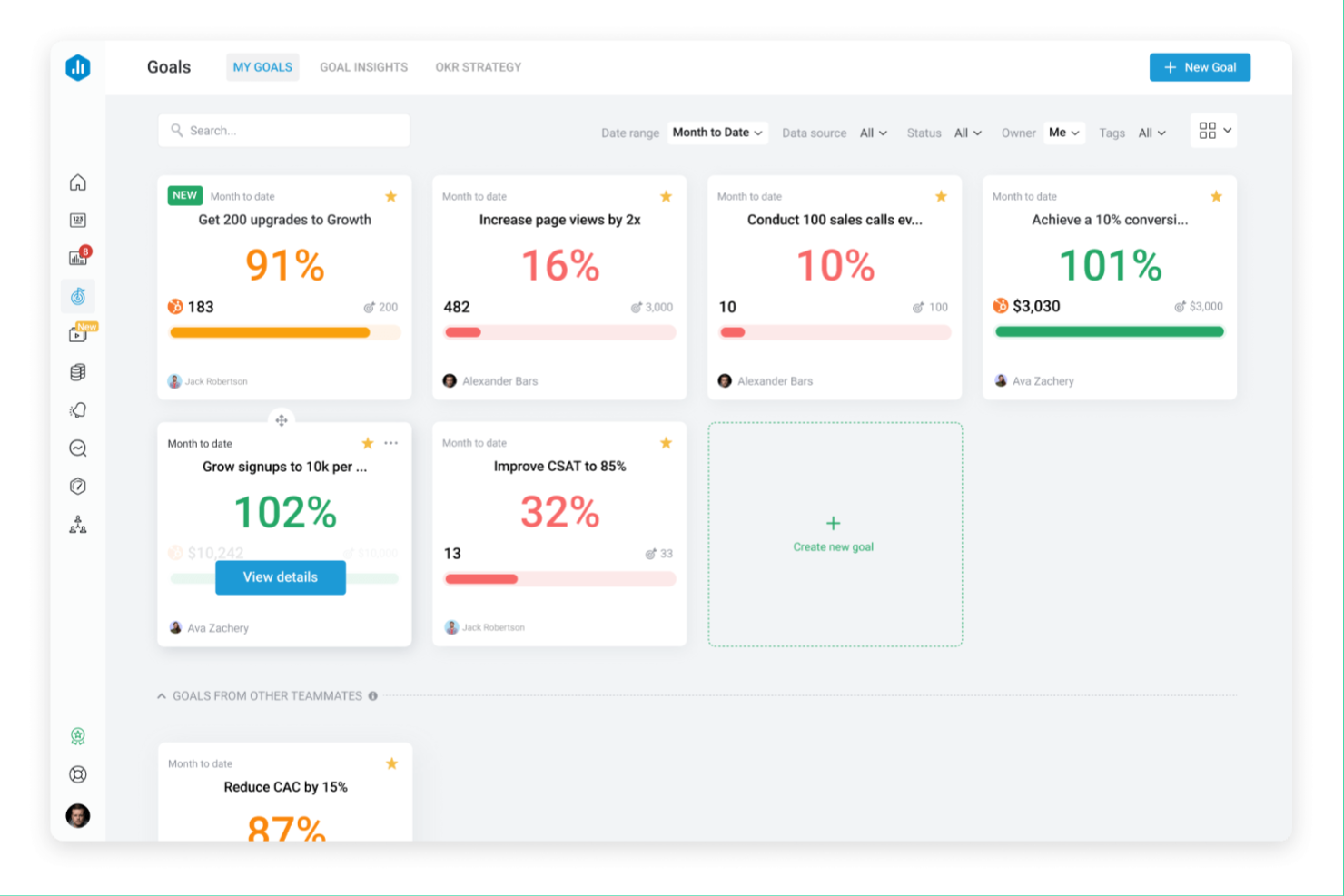
Databox gives teams a way to monitor real-time KPIs from multiple sources in one place. It’s a strong fit for agencies, consultants, and data-driven businesses that need to keep clients updated with live dashboards. If you’re looking to automate client reporting and visualize performance trends without manual data pulls, Databox is worth considering.
Why I Picked Databox
Databox stands out for its ability to deliver real-time KPI tracking, which is essential for teams that need to keep clients informed with up-to-the-minute data. I picked Databox because it connects to a wide range of data sources and updates dashboards automatically, so you don’t have to wait for manual reports. The platform’s live data visualizations and customizable alerts help you and your clients spot trends or issues as they happen. This focus on real-time insights makes Databox a strong choice for client dashboard software where timely performance updates matter.
Databox Key Features
Some other features in Databox that support client dashboard management include:
- White-label dashboards: Customize dashboards with your own branding to create a client-facing experience that matches your business identity.
- Goal tracking: Set and monitor progress toward specific targets directly within the dashboard for both your team and your clients.
- Scheduled reporting: Automate the delivery of dashboard snapshots to clients on a recurring schedule.
- Mobile app access: Give clients and team members the ability to view dashboards and metrics from any device using the Databox mobile app.
Databox Integrations
Integrations include HubSpot, Google Analytics, Salesforce, Shopify, Google Ads, Mailchimp, Stripe, Zendesk, and more.
Pros and Cons
Pros:
- Goal tracking built into dashboard views
- Scheduled automated reporting for clients
- Real-time data updates from multiple sources
Cons:
- No built-in client communication tools
- Limited historical data analysis features
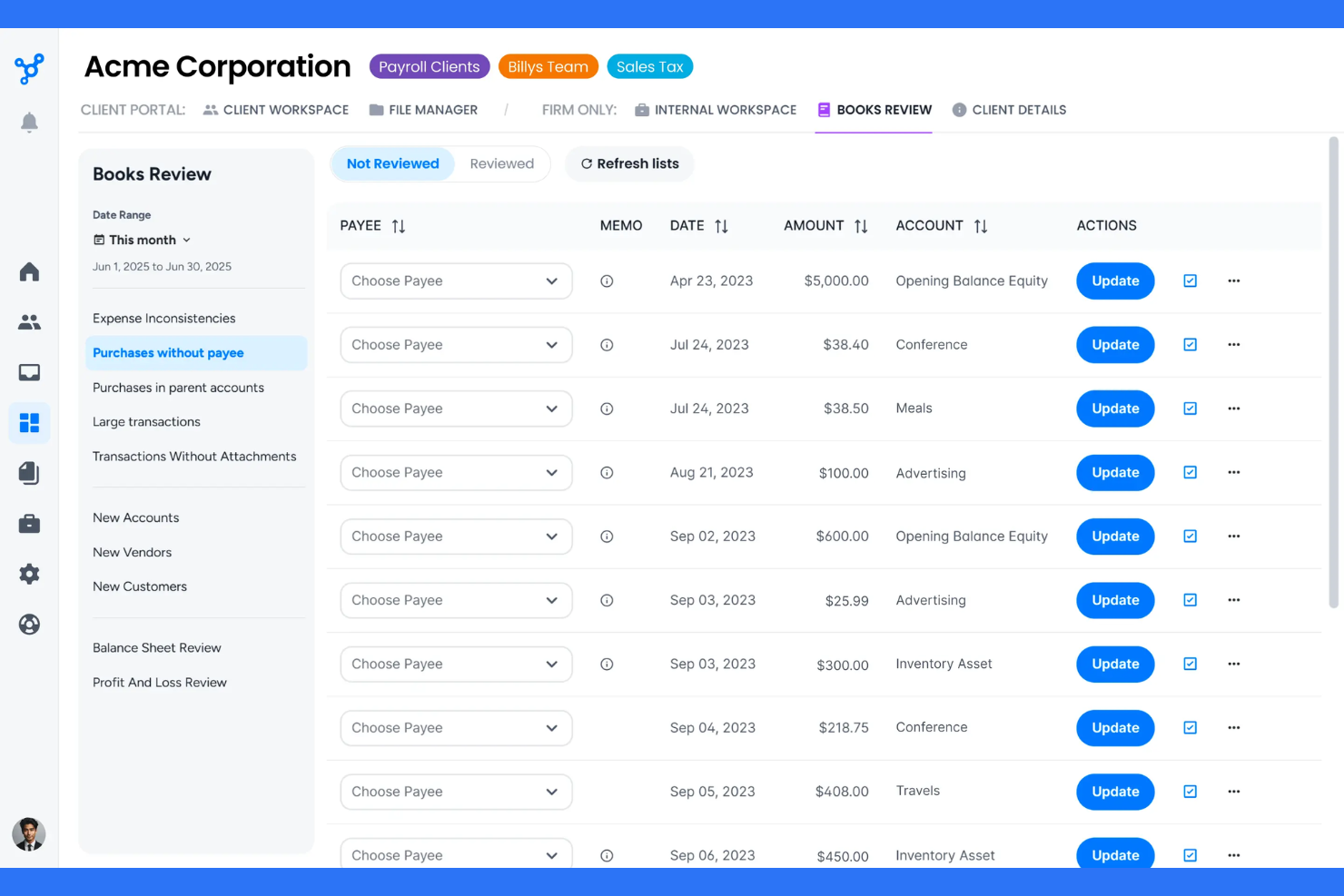
Client Hub is purpose-built for accounting firms and bookkeeping professionals who want to connect client collaboration directly to their workflow. It links client requests, document sharing, and task management with accounting platforms, so you can keep client communication and work tracking in sync. If you need a client dashboard that integrates tightly with your accounting processes, Client Hub is designed to fill that gap.
Why I Picked Client Hub
What sets Client Hub apart is its focus on connecting client collaboration directly to accounting workflows. I picked Client Hub because it lets you assign client tasks, collect documents, and manage requests all within a dashboard that syncs with your accounting software. The platform’s built-in client request system and document management tools help keep client work organized and visible for both your team and your clients. This makes it a strong choice for accounting professionals who want to reduce back-and-forth and keep client work moving efficiently.
Client Hub Key Features
Some other features that make Client Hub stand out include:
- QuickBooks Online integration: Connects directly to QuickBooks Online for real-time syncing of client data and tasks.
- Client chat messaging: Offers a secure, built-in chat feature for direct communication with clients inside the portal.
- Recurring task templates: Lets you set up and automate repeating client tasks to match your firm’s workflow.
- File request links: Allows you to send clients secure links to upload documents directly into their dashboard.
Client Hub Integrations
Integrations include Xero, QuickBooks Online, MYOB, HubSpot, Stripe, PayPal, Google Calendar, Microsoft Outlook, Zoom, and more.
Pros and Cons
Pros:
- File request links for document collection
- Automated client reminders for outstanding tasks
- Built-in secure chat for client messaging
Cons:
- No built-in e-signature functionality
- Limited branding options for client portals

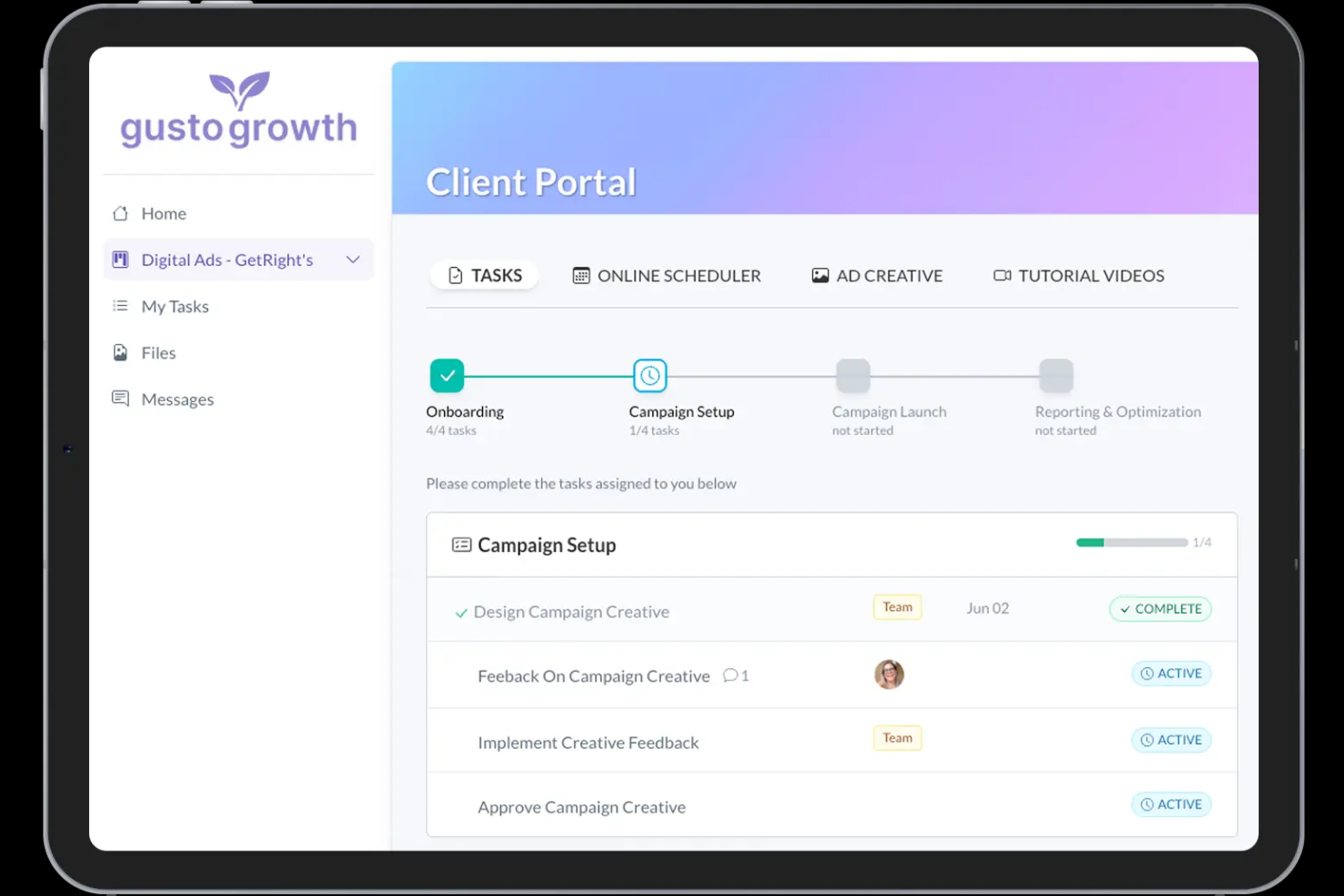
LaunchBay is a client portal and onboarding platform designed for agencies and software teams to manage post-sale delivery. It centralizes task management, file collection, and communication into a single, branded workspace for both internal teams and external clients.
Why I Picked LaunchBay
I chose LaunchBay because it specifically solves the information bottleneck that often stalls new projects. Using "magic links" allows your clients to access their portal without managing yet another password, which significantly increases engagement rates. The platform excels at automating the tedious follow-up requests for logos, assets, and signed contracts through event-driven reminders, making it ideal for project managers who need to scale their capacity and client satisfaction without increasing their administrative headcount.
LaunchBay Key Features
Some other features that make LaunchBay valuable for client dashboard software include:
- Loginless client portals: Clients access their dedicated workspace via secure magic links sent to their email, removing the friction of account creation.
- AI onboarding playbooks: An AI-powered builder that generates complete onboarding workflows and task lists based on a simple description of your process.
- Visual progress tracker: A pizza-tracker style user-friendly interface that gives clients real-time visibility into project milestones and current bottlenecks.
- Embedded app support: The ability to embed third-party tools like Calendly, Google Sheets, or Loom directly into client tasks to keep users inside the portal.
LaunchBay Integrations
Integrations include HubSpot, Pipedrive, Zapier, Stripe, and more.
Pros and Cons
Pros:
- Extremely fast setup for templates
- Professional white-label branding options
- Reduces manual client follow-up work
Cons:
- Limited internal CRM lead management
- No dedicated mobile application

DashThis
Best for marketing report automation
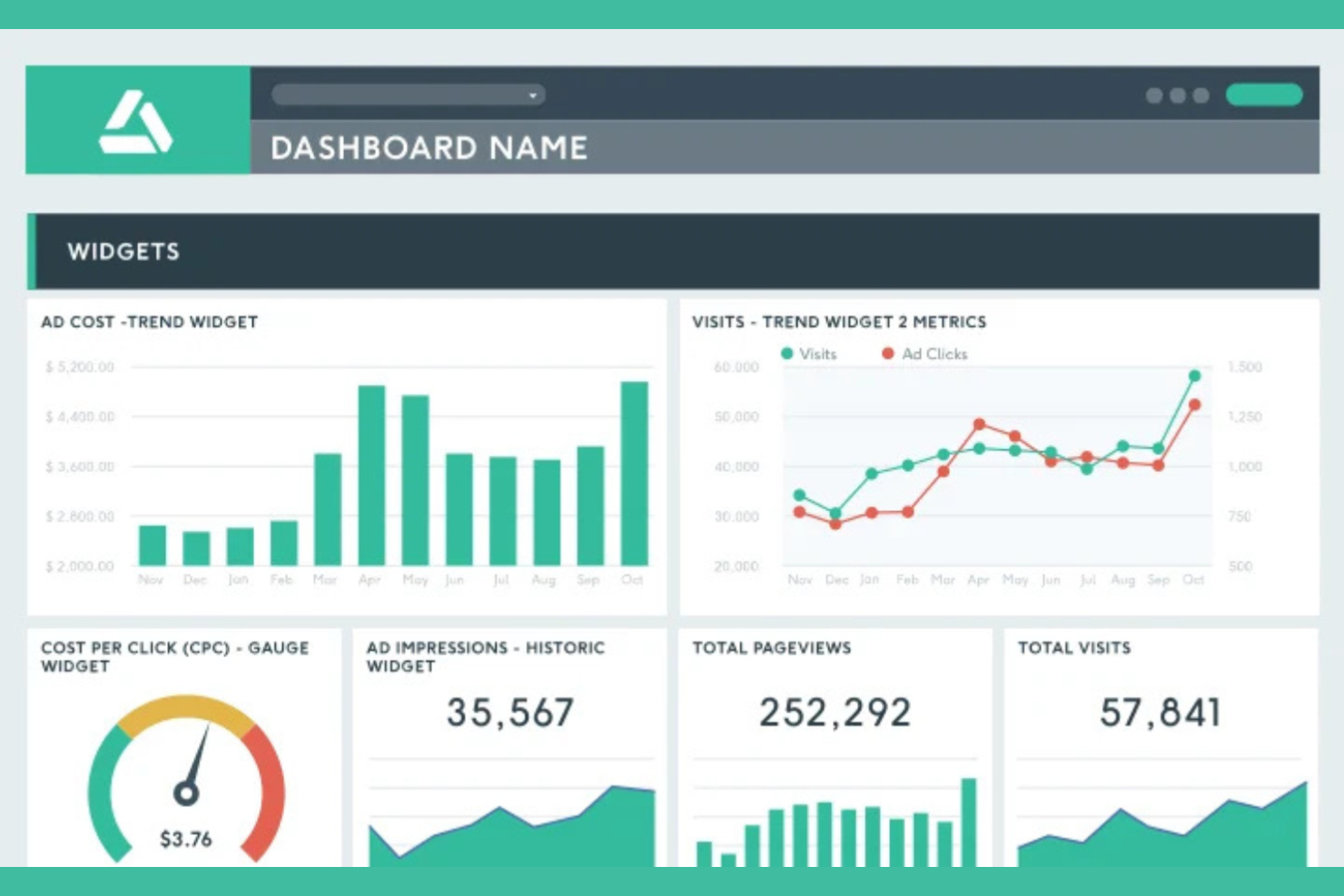
DashThis is designed for marketing agencies and digital teams that need to automate client reporting across multiple channels. It brings together data from dozens of marketing platforms into customizable dashboards, so you can deliver clear, up-to-date reports without manual effort. If you’re looking for a client dashboard tool that specializes in marketing analytics and automated report delivery, DashThis is built for that purpose.
Why I Picked DashThis
DashThis stands out for its ability to automate marketing report creation and delivery, which is a major advantage for agencies managing multiple client accounts. I picked DashThis because it lets you pull data from various marketing channels into a single dashboard, then schedule automated report sharing with clients. The tool’s drag-and-drop dashboard builder and pre-built report templates help you quickly create professional, client-ready reports. For teams that want to reduce manual reporting and keep clients updated with minimal effort, DashThis is purpose-built for that workflow.
DashThis Key Features
Some other features that make DashThis useful for client dashboard reporting include:
- White label dashboards: Lets you add your agency’s branding and custom domain to client dashboards.
- Commenting and notes: Allows you to add context or explanations directly to dashboard widgets for clients.
- CSV file import: Enables you to upload offline or third-party data into your dashboards.
- User access management: Gives you control over who can view or edit each dashboard within your team or client organizations.
DashThis Integrations
Integrations include Google Analytics, Facebook Ads, Google Ads, LinkedIn Ads, Twitter Ads, Mailchimp, HubSpot, and more.
Pros and Cons
Pros:
- Built-in comment and note features
- Unlimited dashboards on all paid plans
- Automated scheduled delivery of client reports
Cons:
- Limited widget customization for advanced users
- No real-time data refresh for dashboards
New Product Updates from DashThis
DashThis Adds Spotify Ads Integration
DashThis adds a Spotify Ads integration for bringing campaign spend, reach, impressions, clicks, and video views into dashboards. This helps teams report on audio campaigns alongside other advertising channels. For more information, visit DashThis’s official site.
 .
.
Best for advanced analytics features
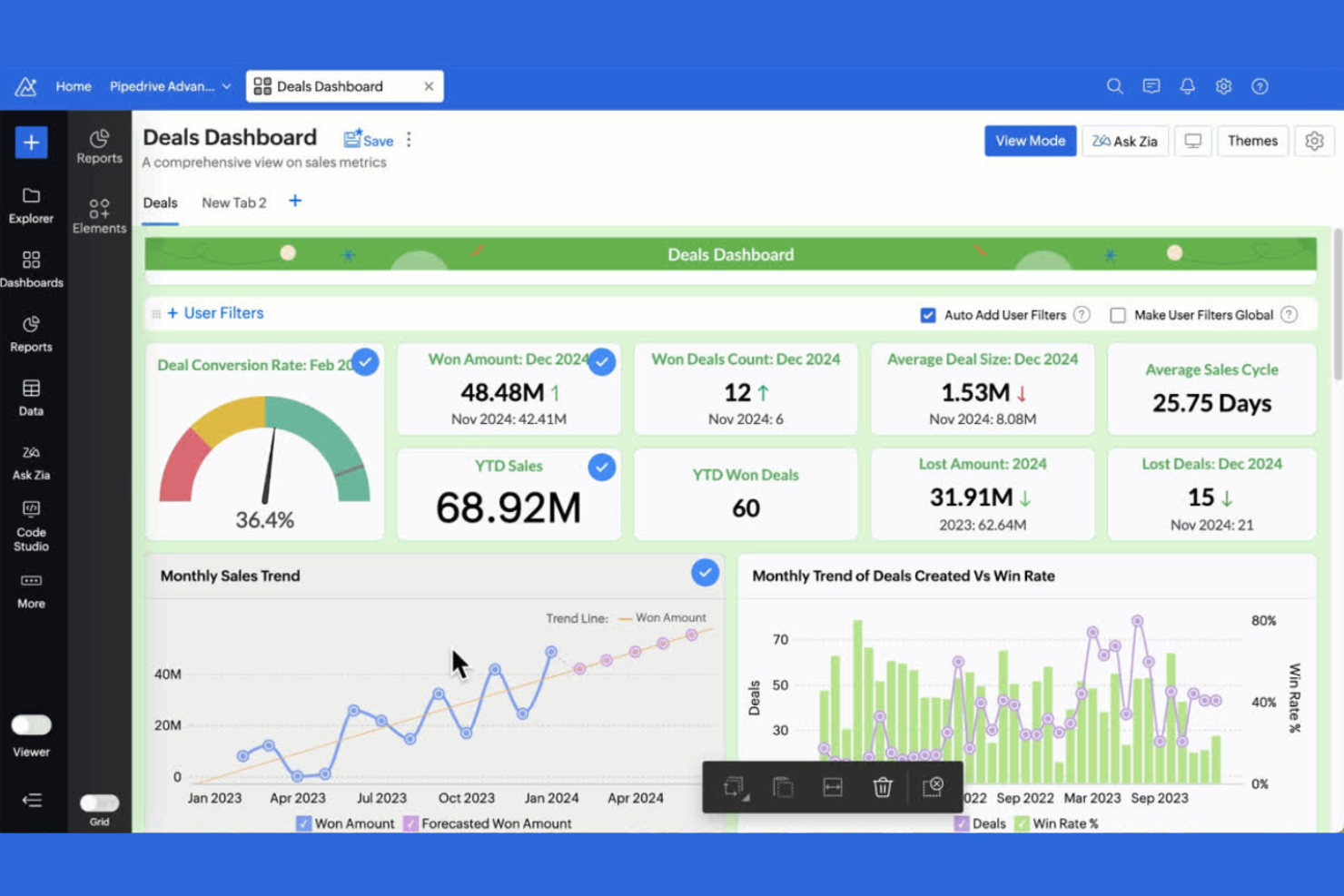
If your clients expect deep analytics and custom reporting, Zoho Analytics brings advanced data analysis to your dashboards. This platform is a strong fit for consultants, agencies, and teams that need to blend, visualize, and drill into complex data from multiple sources. Its AI-powered actionable insights and flexible reporting tools help you deliver more than just surface-level metrics to your clients.
Why I Picked Zoho Analytics
What sets Zoho Analytics apart is its focus on advanced analytics features that go beyond basic dashboard reporting. I picked Zoho Analytics because it offers AI-powered data analysis, allowing you to generate automated insights and forecasts for your clients. The platform’s drag-and-drop report builder and custom formula engine let you create highly tailored dashboards that address complex client needs. For teams that want to deliver deeper, more actionable analytics, Zoho Analytics brings a level of sophistication that’s hard to match in client dashboard software.
Zoho Analytics Key Features
Some other features that make Zoho Analytics useful for client dashboard projects include:
- White-labeling options: Lets you customize dashboards with your own branding for a professional client experience.
- Role-based access controls: Allows you to set granular permissions for different users and clients.
- Scheduled report delivery: Sends automated dashboard updates to clients on a recurring schedule.
- Embedded analytics: Enables you to embed interactive dashboards directly into client portals or websites.
Zoho Analytics Integrations
Integrations include Zoho CRM, Zoho Projects, Zoho Books, Zoho Desk, Google Analytics, Salesforce, QuickBooks, Microsoft Excel, Slack, and more.
Pros and Cons
Pros:
- Role-based permissions for secure client access
- Advanced formula engine for custom metrics
- AI assistant generates automated data insights
Cons:
- Visualization library lacks some modern chart types
- Data import can be slow for large sets
New Product Updates from Zoho Analytics

Zoho Analytics Adds Exogenous Variables to Multivariate Forecasting
Zoho Analytics introduces exogenous variables for multivariate forecasting using the VARX model. This helps forecasts account for external drivers such as marketing spend, discounts, and seasonality. For more information, visit Zoho Analytics’ official site.
 .
.Other Client Dashboard Software
Here are some additional client dashboard software options that didn’t make it onto my shortlist, but are still worth checking out:
- Tableau
With advanced data visualization
- ManyRequests
For managing client service requests


How I Evaluate Client Dashboard Software
I split my evaluation into two layers—baseline requirements like a true client-facing portal with live project data, and the differentiators that separate the strongest options from the rest.
Core Functionality (Table Stakes For This List)
When I'm selecting tools for my list, I rank each one on a scale from 0 (does not offer the functionality) to 5 (excels in this area) for each core functionality listed below. Then, I calculate the tool's total score into a percentage. Each tool needs to achieve a minimum total score of 65% to be considered for inclusion.
- Client-Facing Portal: I check whether the tool offers a truly separated external view—where a client logs into their own space rather than landing inside your team's workspace.
- Real-Time Project Visibility: Dashboards should pull live milestone, timeline, and task data so clients see current progress without waiting for a manually compiled status report.
- Branding & White-Labeling: I evaluate how far customization goes—some tools like Moxo and SuiteDash let you apply a custom domain, while others only support a logo swap.
- Granular Access Permissions: I look for per-client, per-project controls that let you share a creative brief with one stakeholder without exposing budget data to the rest of the team.
- File Sharing & Approvals: The tool should support structured deliverable handoffs—uploading a design comp, collecting annotated feedback, and capturing a formal sign-off in one place.
- Client Communication Tools: I look for contextual messaging tied to specific tasks or deliverables rather than a disconnected general chat that loses thread context.
Once I have a list of tools that meet this criteria, I consider what sets each platform apart.
Differentiating Factors (What Sets Vendors Apart)
Here's how I compare and contrast different vendors:
Standout Features
Automated client notifications matter a lot—tools that send digest emails or milestone alerts cut down on the "quick status check" messages that eat into an account manager's day. I also evaluate multi-client workspace management, since agencies juggling dozens of accounts need the ability to template and clone dashboards at scale. Time and budget transparency is another differentiator: when clients can see retainer usage or billable hours in real time, it reduces billing disputes and builds trust before invoices even go out.
Beyond Features
Pricing model matters here more than in most categories—I check whether a vendor charges per internal user, per client seat, or a flat rate, since agencies that onboard dozens of clients can hit steep costs fast with per-seat models. Integration depth is equally important; the dashboard is only as useful as the data feeding it, so I look for native connections to tools like Jira, Asana, or HubSpot. I also consider target business fit, since a platform built for creative agencies may not suit an IT consultancy managing infrastructure projects.
How to Choose Client Dashboard Software
It’s easy to get bogged down in long feature lists and complex pricing structures. To help you stay focused as you work through your unique software selection process, here’s a checklist of factors to keep in mind:
| Factor | What to Consider |
|---|---|
| Scalability | Will the software handle more clients, data, or users as your business grows? Check for user limits, data caps, and upgrade paths. |
| Integrations | Does it connect natively to your existing tools (CRM, analytics, finance)? Avoid relying on workarounds or third-party connectors. |
| Customizability | Can you tailor dashboards to different client needs, branding, or reporting requirements? Look for flexible layouts and branding options. |
| Ease of use | Will your team and clients find the interface intuitive? Test with non-technical users to spot potential adoption barriers. |
| Implementation and onboarding | How long will setup take, and what resources are required? Ask about migration support, training, and available onboarding services. |
| Cost | Are pricing tiers clear and predictable as you scale? Watch for hidden fees, per-user charges, or required add-ons. |
| Security safeguards | Does the tool offer role-based access, encryption, and audit logs? Ensure it meets your data privacy and client confidentiality needs. |
| Support availability | What support channels are offered, and during what hours? Consider if you need 24/7 help or a dedicated account manager. |
What Is Client Dashboard Software?
Client dashboard software is a digital platform that centralizes and displays key data, metrics, and project updates for clients in a single, accessible interface. These tools help teams share real-time information, track progress, and present reports securely. By providing clients with a clear view of their data and deliverables, client dashboard software supports transparency, collaboration, and informed decision-making throughout the project lifecycle.
Features of Client Dashboard Software
When selecting client dashboard software, keep an eye out for the following key features:
- Customizable dashboards: Build and arrange dashboards to display the most relevant data, metrics, and visualizations for each client or project.
- Data integrations: Connect with external tools and data sources to automatically pull in up-to-date information without manual entry.
- Role-based access controls: Set permissions so clients, team members, and stakeholders only see the data and dashboards relevant to them.
- Real-time data updates: Ensure dashboards reflect the latest information by syncing data at regular intervals or on demand.
- White-labeling options: Apply your own branding, colors, and logos to dashboards for a consistent client experience.
- Export and sharing tools: Allow users to download reports or share dashboards via secure links, PDFs, or scheduled email updates.
- Interactive visualizations: Enable clients to filter, drill down, or explore data directly within the dashboard interface.
- Audit logs and activity tracking: Monitor who accessed, edited, or shared dashboards to maintain transparency and security.
- Notification and alerting: Set up automated alerts to notify users of important changes, deadlines, or anomalies in the data.
Benefits of Client Dashboard Software
Implementing client dashboard software provides several benefits for your team and your business. Here are a few you can look forward to:
- Centralized client information: Access all relevant client data, project updates, and reports in one secure location for easier management and reference.
- Improved transparency: Share real-time dashboards and progress updates with clients, building trust and reducing the need for manual status reports.
- Faster decision-making: Enable clients and teams to act quickly with up-to-date metrics, interactive visualizations, and automated alerts.
- Optimize collaboration: Facilitate communication and feedback by providing a shared platform for clients and internal teams to review data and deliverables.
- Customizable reporting: Tailor dashboards and exports to match each client’s unique needs, branding, and reporting requirements.
- Stronger data security: Control access with role-based permissions and audit logs, ensuring sensitive information is only visible to authorized users.
- Reduced manual work: Automate data syncing, report generation, and sharing, freeing up your team to focus on higher-value tasks.
Costs and Pricing of Client Dashboard Software
Selecting client dashboard software requires an understanding of the various pricing models and plans available. Costs vary based on features, team size, add-ons, and more. The table below summarizes common plans, their average prices, and typical features included in client dashboard software solutions:
Plan Comparison Table for Client Dashboard Software
| Plan Type | Average Price | Common Features |
|---|---|---|
| Free Plan | $0 | Basic dashboards, limited integrations, single user access, and community support. |
| Personal Plan | $5-$25/user/month | Customizable dashboards, more integrations, basic sharing options, and email support. |
| Business Plan | $20-$60/user/month | Team collaboration, advanced permissions, white-labeling, priority support, and automated reporting. |
| Enterprise Plan | $60-$150/user/month | Unlimited users, custom integrations, dedicated account management, enhanced security, and SLAs. |
Client Dashboard Software FAQs
Here are some answers to common questions about client dashboard software:
How do I know if my business needs client dashboard software?
If you manage multiple clients, need to share real-time data, or want to centralize project updates and reporting, client dashboard software can help. It’s especially useful for agencies, consultancies, and service providers who need to keep clients informed and engaged.
Can I customize dashboards for different clients?
Yes, most client dashboard software lets you create and tailor dashboards for each client. You can adjust layouts, data sources, branding, and permissions to match each client’s needs and preferences.
What types of data can be integrated into client dashboards?
You can typically integrate data from project management tools, CRMs, analytics platforms, spreadsheets, and financial systems. Check each software’s integration list to ensure it supports your most important data sources.
How secure is client dashboard software?
Most solutions offer role-based access controls, encryption, and audit logs to protect sensitive information. Always review a vendor’s security documentation and ask about compliance with relevant standards before sharing client data.
What should I consider when migrating to a new client dashboard platform?
Plan for data migration, user training, and client communication. Look for software with onboarding support, import tools, and clear documentation to minimize disruption and help your team and clients adapt quickly.
What’s Next:
If you're in the process of researching client dashboard software, connect with a SoftwareSelect advisor for free recommendations.
You fill out a form and have a quick chat where they get into the specifics of your needs. Then you'll get a shortlist of software to review. They'll even support you through the entire buying process, including price negotiations.