

10 Best AI Knowledge Base Software in 2026

Best AI Knowledge Base Software Shortlist


AI knowledge base software uses artificial intelligence to organize, retrieve, and update company information automatically. If you need a solution that helps your team access answers fast, pulls insights from scattered sources, and keeps content up to date, you’re in the right place.
Adopting the right AI knowledge base helps you cut down on repetitive questions, supports distributed teams, and gives you an edge in today’s dynamic environment. In this list, I’ll show you the top options, highlight what makes each one unique, and help you figure out which AI knowledge base tool matches your team’s needs.
Why Trust Our Software Recommendations
Our team has been testing and reviewing software since 2012. As project managers ourselves, we know how difficult—and important—it is to choose the right software.
For this guide, we evaluated tools using hands-on testing and independent research, scoring tools using our selection criteria. We also draw on insights from industry thought leaders and practicing project management experts.
Our reviews reflect our human editorial judgment, not a sales pitch.
Expert reviewers:
AI Knowledge Base Software Comparison Table
This comparison table summarizes pricing details for my top AI knowledge base software selections.
| Tool | Best For | Trial Info | Price | ||
|---|---|---|---|---|---|
| 1 | Best for granular documentation control | Free demo available | Pricing upon request | Website | |
| 2 | Best for interactive self-serve guides | Free demo + 14-day free trial available | Pricing upon request | Website | |
| 3 | Best for screen-recorded SOP knowledge bases | 10-day free trial + free demo available | From $40/month (billed annually) | Website | |
| 4 | Best for asynchronous team knowledge sharing | Free demo + 14-day free trial available | From $10/user/month (billed annually) | Website | |
| 5 | Best for AI-enhanced workspace notes | Free plan available | From $20/user/month | Website | |
| 6 | Best for multimedia content organization | Free demo available | Pricing upon request | Website | |
| 7 | Best for project documentation within teams | Free trial + free plan available | From $5.42/user/month | Website | |
| 8 | Best for capturing and sharing company expertise | Free demo available | Pricing upon request | Website | |
| 9 | Best customization options for content structure | Free demo + 14-day free trial available | From $249/month | Website | |
| 10 | Best for searching across internal company tools | Free plan + free demo available | From $20/user/month | Website |
Best AI Knowledge Base Software Reviews
Below are my detailed summaries of the best AI knowledge base software that made it onto my shortlist. My reviews offer a detailed look at the features, best use cases, and integrations of each platform to help you find the best one for you.

Best for granular documentation control
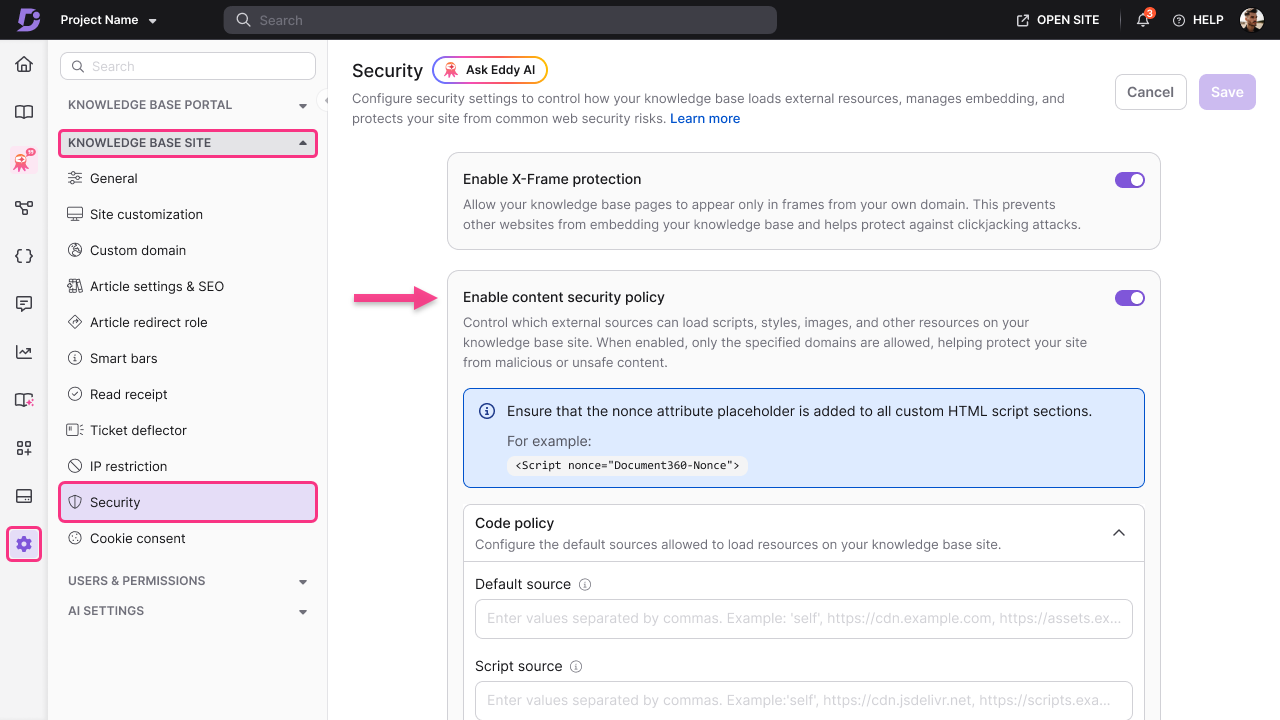
Document360 is an AI-powered knowledge base software built for technical documentation, featuring granular content organization, markdown support, advanced versioning, and customizable category hierarchy.
Who Is Document360 Best For?
Document360 is well-suited for technical writers and documentation teams at software companies who need advanced control over knowledge management.
Why I Picked Document360
I picked Document360 because I can set detailed user permissions, track every change with full version history, and configure granular workflow approvals for sensitive documentation projects. I like having deep control over documentation access and edits.
Document360 Key Features
- Markdown editor: Supports editing and formatting content using markdown syntax.
- AI-powered search: Delivers fast, context-aware results across all documentation.
- Custom branding: Lets you tailor the knowledge base interface to your company’s identity.
- Category manager: Enables users to structure content in a multi-level category tree.
Document360 Integrations
Document360 offers native integrations with Microsoft Teams, Slack, Freshdesk, Intercom, Zendesk, Google Analytics, Segment, Disqus, and Algolia, and provides an API for custom integrations.
Pros and Cons
Pros:
- AI search adapts to content complexity
- Detailed category hierarchy for organizing content
- Advanced version history with rollback
Cons:
- Limited offline or export documentation options
- Lacks real-time co-authoring inside docs
New Product Updates from Document360

Document360 Adds Drive and Eddy AI Workflow Updates
Document360 adds Drive file renaming, Eddy AI email ticket notifications, and Drive image support in AI Capture. These updates simplify file management, support escalation, and visual content editing. For more information, visit Document360’s official site.
 .
.
Stonly
Best for interactive self-serve guides
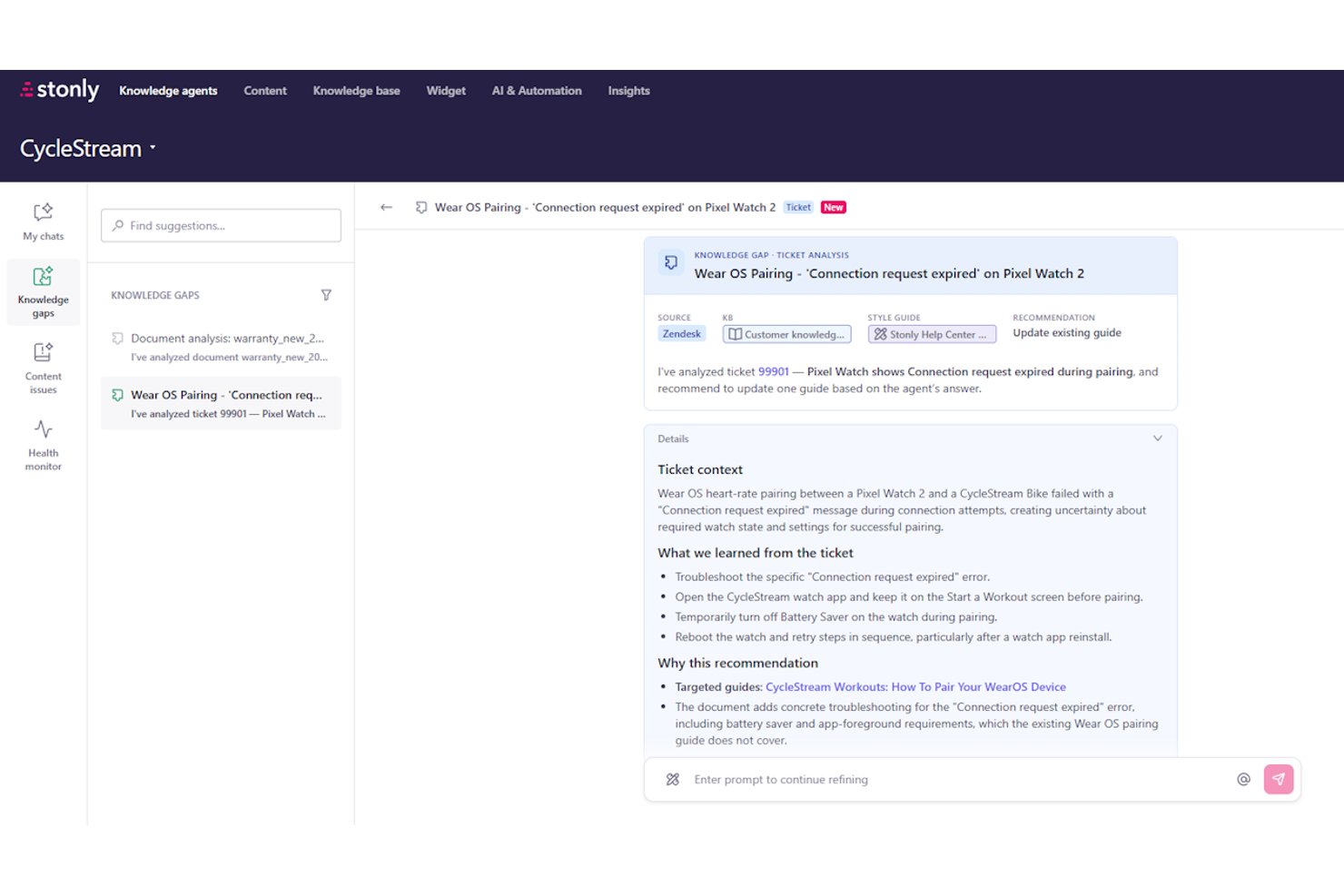
Stonly is a knowledge management platform that combines interactive step-by-step guides, AI-powered search, and automated knowledge curation to help teams build and maintain self-serve support content.
Who Is Stonly Best For?
Stonly is a strong fit for customer service and support teams that want to replace static help articles with interactive, branching guides that adapt to each user's situation.
Why I Picked Stonly
I've included Stonly in my top picks because its interactive, branching guides set it apart from knowledge bases that rely on static articles. Instead of dropping users onto a help page and hoping for the best, Stonly walks each person through a personalized resolution path using conditional logic. I particularly like how its Knowledge Agents monitor content health around the clock, automatically flagging stale guides and drafting updates for review when support tickets reveal gaps.
Stonly Key Features
- AI Agent Assist: Surfaces AI-generated response suggestions and ticket summaries directly inside Zendesk, Salesforce, and other help desks without requiring agents to switch tabs.
- Business Process Agents: Automates multi-step support workflows end-to-end, following documented processes to resolve issues like billing disputes or GDPR requests without agent intervention.
- Full-path analytics: Tracks exactly where users drop off or change course through each guide step, giving you visibility into where content is losing people.
- Multi-source AI ingestion: Pulls knowledge from Stonly content, external knowledge bases, websites, and Google Drive into a single AI layer for unified search and answers.
Stonly Integrations
Stonly integrates with Confluence, Notion, Google Drive, Google Sheets, Zendesk, Salesforce, Freshdesk, ServiceNow, Microsoft Teams, and Jira. It also supports Zapier for additional connections.
Pros and Cons
Pros:
- Business process agents automate complex support tasks
- AI-driven knowledge agents proactively flag stale content
- Interactive branching guides boost self-serve resolution rates
Cons:
- Guide performance declines with very large guides
- Customer support focus limits project documentation use


Trupeer is an AI knowledge base platform that turns screen recordings into searchable video libraries, structured SOPs, and step-by-step documentation.
Who Is Trupeer Best For?
Trupeer is a strong fit for enablement, support, and product teams that need to turn screen recordings into polished SOPs and training content fast.
Why I Picked Trupeer
I picked Trupeer as one of the best because it's the only tool I've seen that turns a raw screen recording into a fully indexed, searchable SOP in minutes. Record a workflow once, and Trupeer auto-generates both a polished video and an annotated step-by-step document simultaneously. What really sets it apart is the AI search, which returns timestamped answers from inside videos so your team jumps straight to the exact moment that answers their question.
Trupeer Key Features
- Dual-format output: A single screen recording automatically generates both a polished video and a structured, annotated step-by-step document at the same time.
- 120+ language translation: Videos and documents can be translated into 120+ languages with matching AI voiceovers, supporting global team distribution.
- Content health checks: Enterprise users get automated alerts flagging potentially outdated content across the knowledge base.
- MCP support: Scale and Enterprise plans let AI agents programmatically access Trupeer's knowledge layer as a live data source.
Trupeer Integrations
Trupeer offers documented embed-based integrations with Confluence, Notion, Coda, Mintlify, and monday AI Workspace, plus MCP support on Scale and Enterprise plans for AI-agent access.
Pros and Cons
Pros:
- Supports 120+ languages with matching voiceovers
- AI search finds exact video answer timestamps
- Converts screen recordings into searchable SOPs instantly
Cons:
- Cannot ingest or search external documentation sources
- No generative assistant for multi-turn Q&A

Slite
Best for asynchronous team knowledge sharing

Slite is a team knowledge base platform for organizing documents, managing wikis, discussing topics, and enabling fast search powered by AI-driven discovery.
Who Is Slite Best For?
Slite suits distributed product and project teams that need a central place to share knowledge and document collaboration asynchronously.
Why I Picked Slite
I picked Slite as one of the best because my team can ask questions directly in the knowledge base and use AI-powered answers. I use threaded discussions in documents to resolve async decisions without endless meetings, and manage company handbooks centrally.
Slite Key Features
- Templates gallery: Access ready-made templates for meeting notes, project plans, and onboarding docs.
- Knowledge base search: Search all documents and spaces using AI-powered quick find.
- Access permissions: Set workspace, folder, and doc-level permissions for granular control.
- Version history: Review or restore previous versions of any page or document.
Slite Integrations
Slite offers native integrations with Slack, Google Drive, GitHub, Figma, Loom, and Asana. It also provides an API for custom integrations.
Pros and Cons
Pros:
- Embedded conversation feedback loops
- Structured spaces for topic-based knowledge hubs
- Fast AI-powered search within documents
Cons:
- Fewer page design customization features
- Limited bulk content import and export options

Best for AI-enhanced workspace notes

Notion AI is an AI-powered workspace knowledge management platform where you can create notes, docs, wikis, and databases, combining advanced AI writing tools with modular content organization.
Who Is Notion AI Best For?
Notion AI suits individuals and teams who want to unify note-taking, documentation, and knowledge sharing within one flexible platform.
Why I Picked Notion AI
I picked Notion AI because I can generate summaries, brainstorm ideas, and automate note-taking directly in my workspace. I like using the AI to draft project docs and quickly transform raw input into polished notes with actionable highlights.
Notion AI Key Features
- Database views: Visualize and filter structured content in tables, boards, calendars, and lists.
- Wiki linking: Connect pages and docs using internal links for fast navigation.
- Permissions management: Restrict or share access for individuals, teams, or external collaborators.
- Custom templates: Build and reuse templates for repeatable documentation and workflows.
Notion AI Integrations
Notion AI offers native integrations with Slack, Google Drive, GitHub, Jira, Figma, and Zoom. It also provides an API for custom integrations.
Pros and Cons
Pros:
- Modular structure supports mixed media documentation
- Workspace search includes AI-powered suggestions
- AI generates summaries from complex notes
Cons:
- Requires consistent cloud synchronization
- Limited advanced control over AI outputs

Best for multimedia content organization
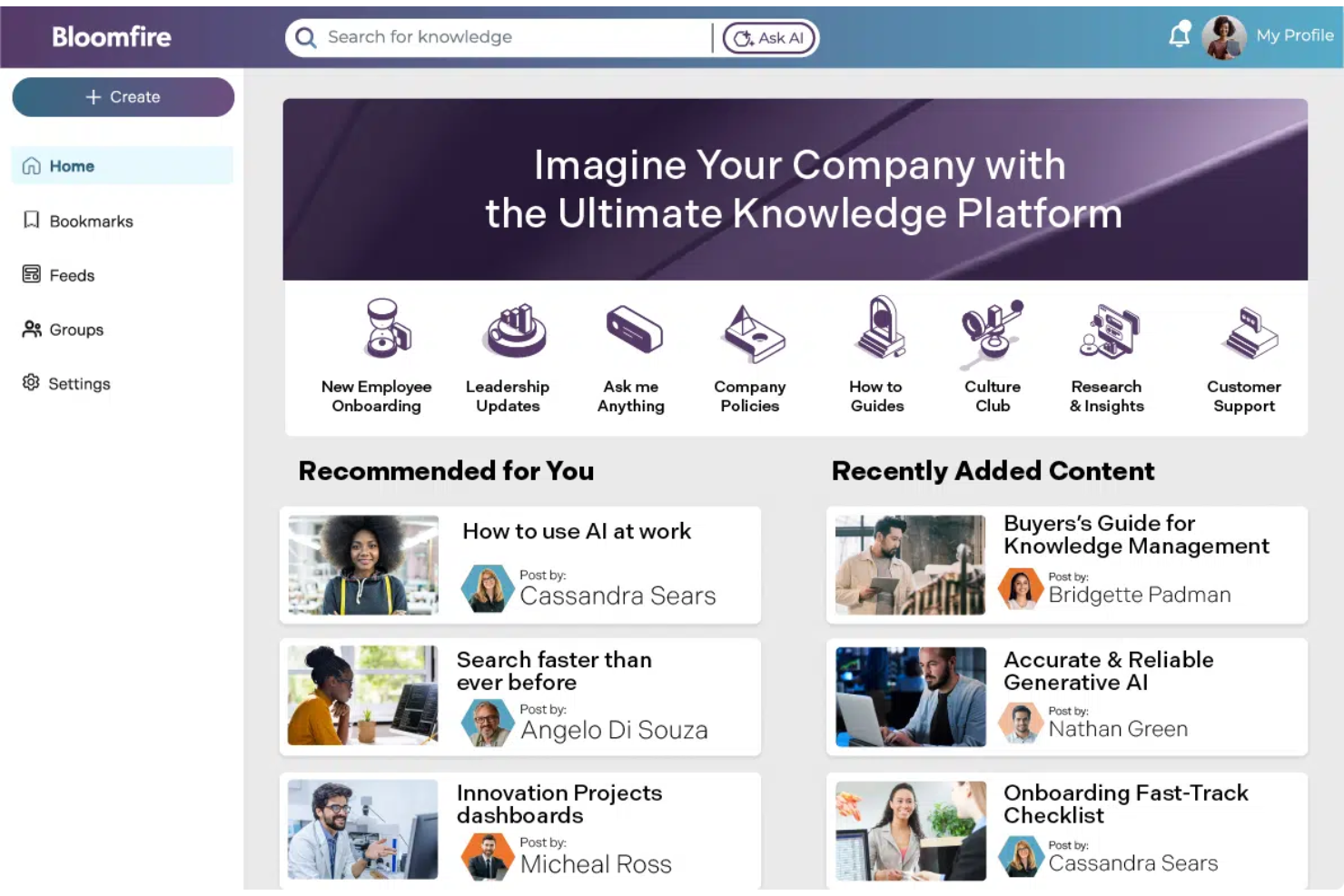
Bloomfire is an AI-powered knowledge base platform that lets you upload, tag, and organize articles, videos, audio, PDFs, and other media in a searchable company hub.
Who Is Bloomfire Best For?
Bloomfire is a great fit for marketing, customer service, or support teams that need to share and organize multimedia content across departments.
Why I Picked Bloomfire
I picked Bloomfire because I can upload and tag images, videos, and audio clips alongside documents, then use AI-powered search to surface content instantly. I like how video transcriptions and embedded multimedia previews keep all knowledge accessible in one place.
Bloomfire Key Features
- Q&A feature: Let users post questions and crowdsource answers from across the organization.
- Custom taxonomy: Enables creation of custom categories and tags for advanced organization.
- Analytics dashboard: Tracks engagement, searches, and content usage over time.
- Content scheduling: Allows admins to schedule content publication or archiving in advance.
Bloomfire Integrations
Bloomfire offers native integrations with Salesforce, Microsoft Teams, Zendesk, Google Drive, Dropbox, Box, and Slack, and provides an API for custom integrations.
Pros and Cons
Pros:
- Q&A feature enables knowledge sharing at scale
- Handles video, audio, and image uploads natively
- AI-powered search improves content discoverability
Cons:
- Limited reporting customization for analytics
- Bulk importing requires manual setup for each type

Best for project documentation within teams

Confluence is a workspace collaboration and documentation platform for creating, organizing, and sharing project knowledge, project plans, requirements, and meeting notes in one searchable hub.
Who Is Confluence Best For?
Confluence fits product, engineering, and cross-functional teams that need a structured space for sharing knowledge and documenting projects collaboratively.
Why I Picked Confluence
I picked Confluence because my team can create structured documentation spaces, use customizable page templates, and organize project wikis with granular permissions. I like embedding Jira issues and action items for tight project documentation within teams.
Confluence Key Features
- Page version history: View, compare, and restore previous page versions for easy tracking.
- Inline comments: Comment directly on any part of a page for contextual discussions.
- Search with advanced filters: Locate documents and pages using detailed filtering options.
- Bulk page management: Move, archive, or delete multiple pages at once from the space directory.
Confluence Integrations
Confluence offers native integrations with Jira, Trello, Slack, Google Drive, Microsoft 365, Dropbox, GitHub, Zendesk, and Salesforce. An API is available for custom integrations.
Pros and Cons
Pros:
- Automation for content review and publishing
- Inline editing for collaborative content creation
- Extensive content organization with spaces
Cons:
- Requires manual migration for large datasets
- Limited AI-powered content suggestions

Guru
Best for capturing and sharing company expertise

Guru is an AI-driven knowledge management platform that centralizes company information, uses intelligent workflows to suggest content, and simplifies capturing expertise within growing teams.
Who Is Guru Best For?
Knowledge managers and support teams at mid-sized to large companies who need to capture and organize internal expertise.
Why I Picked Guru
I picked Guru as one of the best because it uses AI to suggest relevant knowledge cards in real time, verifies the accuracy of shared information, and makes it simple to capture and share expertise across teams right inside your workflow.
Guru Key Features
- Browser extension: Access and capture knowledge from any website or web app without leaving your workflow.
- Card templates: Create structured knowledge cards for consistent documentation across teams.
- Knowledge alerts: Notify users about updated or important information directly within the platform.
- Permission controls: Manage who can view, edit, or publish content based on granular user roles.
Guru Integrations
Guru offers native integrations with Slack, Microsoft Teams, Salesforce, Zendesk, Google Workspace, Chrome, and Zapier. An API is also available for custom integrations.
Pros and Cons
Pros:
- Verification status clearly displayed on content
- In-app browser extension captures info instantly
- AI suggests knowledge cards during workflows
Cons:
- Formatting editor lacks advanced block options
- Search can miss relevant older cards

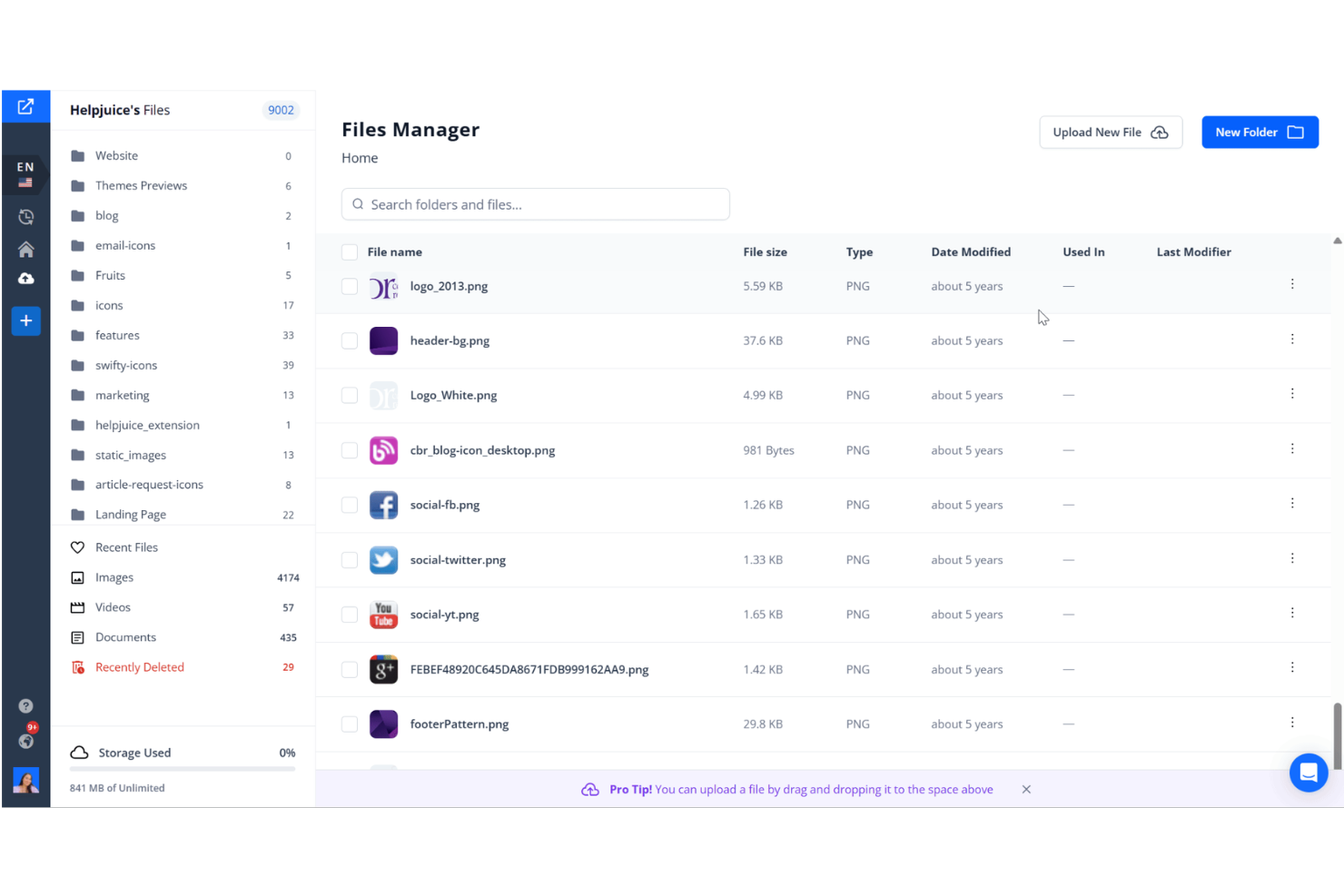
Helpjuice is an AI-driven knowledge base software that lets teams create, organize, search, and analyze internal and external documentation with tailored content structures and a user-friendly editor.
Who Is Helpjuice Best For?
Helpjuice is a strong fit for mid-sized to large organizations that want full control over their internal or external knowledge base structure.
Why I Picked Helpjuice
I picked Helpjuice as one of my favourites because I can customize every aspect of article structure, navigation, and branding. I like how I can build unlimited category levels and apply advanced formatting controls without developer input.
Helpjuice Key Features
- AI-powered search: Surfaces contextually relevant articles and suggestions as users type queries.
- Version history: Tracks every edit on an article and lets you restore previous versions.
- Embeddable widgets: Allow teams to display knowledge articles within external apps or websites.
- Article analytics: Measures searches, views, and engagement for every piece of content.
Helpjuice Integrations
Helpjuice offers native integrations with Slack, Salesforce, Zendesk, Google Chrome, and Freshdesk. An API is available for custom integrations.
Pros and Cons
Pros:
- Multi-language content management included
- AI search understands natural language queries
- Article templates for advanced formatting options
Cons:
- Limited bulk content editing actions
- Permission controls lack granular settings


GoSearch is an AI-powered enterprise search platform that connects to multiple internal company tools and data sources, letting teams find and manage knowledge spanning chat, files, wikis, tickets, and documentation.
Who Is GoSearch Best For?
GoSearch suits distributed teams and growing companies that need to search across tools like Slack, Google Workspace, Notion, and email.
Why I Picked GoSearch
I picked GoSearch as one of the best because I can search and retrieve information from across Slack, Google Drive, Notion, and email with a single query. I like that search results show document previews and highlight answers in context, which saves time when scanning large knowledge bases.
GoSearch Key Features
- AI suggestions: Surfaces related knowledge and resources as you type.
- Access control: Let admins manage user permissions for each data source.
- Search filters: Allows filtering by tool, author, or date range.
- Chrome extension: Enables quick search directly from the browser.
GoSearch Integrations
GoSearch offers native integrations with Slack, Google Workspace, Notion, GitHub, Confluence, Jira, Zendesk, Microsoft 365, Salesforce, and Box. An API is available for custom integrations.
Pros and Cons
Pros:
- Contextual previews help review results faster
- AI-powered suggestions improve over time
- Finds answers from chat, tickets, and docs
Cons:
- Bulk export options are missing
- Limited support for niche or custom tools
Other AI Knowledge Base Software
Here are some additional AI knowledge base software options that didn’t make it onto my shortlist, but are still worth checking out:


How I Evaluate AI Knowledge Base Software
Every tool on this list has to go beyond keyword search with an AI label—I look for platforms where a PM can ask a plain-language question and get a sourced, accurate answer pulled from actual project docs. I split my evaluation into core functionality every tool must have to qualify and differentiating factors that separate good options from great ones.
Core Functionality (Table Stakes For This List)
When I'm selecting tools for my list, I rank each one on a scale from 0 (does not offer the functionality) to 5 (excels in this area) for each core functionality listed below. Then, I calculate the tool's total score into a percentage. Each tool needs to achieve a minimum total score of 65% to be considered for inclusion.
- AI Semantic Search: I check whether the tool can answer a plain-language question like "what was the agreed scope change in Sprint 12?" and return a direct, sourced answer from indexed project docs.
- Generative AI Authoring: I look for built-in AI that can draft a meeting summary or update a project runbook from a prompt, not just suggest edits to existing text.
- Multi-Source Knowledge Ingestion: The tool should pull in content from places where project knowledge already lives, like Confluence wikis, Jira tickets, Google Drive folders, or uploaded PDFs.
- Source Citation & Grounding: Every AI-generated answer should trace back to its source page or document so a PM can verify the response before sharing it with stakeholders.
- Permissions & Access Controls: I evaluate whether the platform supports role-based access at the project or space level, so sensitive program data stays visible only to authorized team members.
- Knowledge Organization Structure: A tool should let you organize content into logical groupings like project spaces, phase-based categories, or tagged collections rather than dumping everything into a flat list.
Once I have a list of tools that meet this criteria, I consider what sets each platform apart.
Differentiating Factors (What Sets Vendors Apart)
Here's how I compare and contrast different vendors:
Standout Features
Content gap detection is a big differentiator. I look for tools that flag when a query has no matching article, so you know exactly where your project wiki needs attention. Auto-generated content matters too, especially when the AI can turn a Zoom transcript or Jira thread into a draft runbook without manual copy-pasting. I also evaluate multi-channel embedding, since the best setups let teammates pull AI answers directly inside Slack or Teams instead of switching to a separate knowledge portal.
Beyond Features
I pay close attention to hallucination controls—especially whether the AI flags low-confidence answers or blocks responses pulled from outdated sources. A PM sharing incorrect scope details with leadership is a real risk. Source connectors also matter. I check whether the tool syncs natively with where your project data already lives, like Confluence, Jira, or SharePoint, so you're not manually re-uploading docs every week. I also consider time-to-value: how fast you can ingest existing content and start getting accurate AI answers after setup.
How to Choose AI Knowledge Base Software
It’s easy to get bogged down in long feature lists and complex pricing structures. To help you stay focused as you work through your unique software selection process, here’s a checklist of factors to keep in mind:
| Factor | What to Consider |
|---|---|
| Scalability | Will the platform support your team as it grows? Check user, storage, and content limits, and evaluate how pricing adjusts at different usage tiers. |
| Integrations | Does the tool connect natively to your main systems—like Slack, Google Workspace, project trackers, or code repos? Gaps can cause duplication and friction. |
| Customizability | Can you adapt structure, templates, and permissions to fit company-specific needs or unique compliance demands? Rigid setups can slow down cross-team adoption. |
| Ease of use | Are workflows intuitive for both technical and non-technical teammates? Look for friction in page creation, editing, and navigation during trials or demos. |
| Implementation and onboarding | How quickly can your whole team start using it? Consider import tools, training resources, and the quality of documentation for setup and migration. |
| Cost | Is pricing predictable over time and appropriate for the scale and usage you expect? Watch for hidden fees or costly upgrades as data or users increase. |
| Security safeguards | Does the software offer encryption, SSO, access controls, and audit logs? Assess whether these measures meet your organization’s security standards. |
| Support availability | Can you get help across your time zones and channels? Assess if live chat, detailed help docs, and fast escalation are available when you need support. |
What Is AI Knowledge Base Software?
AI knowledge base software is a digital platform that combines knowledge management tools with artificial intelligence to organize, search, and deliver answers from a company’s internal documentation. These systems use AI to speed up search, suggest relevant content, and automate content updates, making information access easier for distributed teams.
Features of AI Knowledge Base Software
When selecting AI knowledge base software, keep an eye out for the following key features:
- AI-powered search: Uses artificial intelligence to find relevant information quickly, even from large or complex content libraries, reducing the time spent searching for answers.
- Natural language processing: Let users ask questions or search the knowledge base using everyday language, making it easier to find information without perfect keywords.
- Content organization tools: Provides folders, tags, and categorization features to structure company knowledge for simple browsing and management.
- Automated content suggestions: Recommends articles to update, highlights duplicate or outdated content, and prompts creation of missing documentation based on user activity.
- Permissions and access control: Allows you to set who can view, edit, or manage specific documents or sections, keeping sensitive information secure.
- Collaboration features: Enable comments, mentions, and internal discussions right inside articles or documents, making it easier for teams to work together asynchronously.
- Version history and audit logs: Tracks changes made to each document and lets you restore previous versions, ensuring key knowledge is never lost or accidentally overwritten.
- Analytics and reporting: Delivers insights on article usage, search trends, and content gaps, helping you improve documentation quality and relevance over time.
- Easy import and export: Offers tools to migrate documents from other sources or to save your knowledge base as a backup, simplifying onboarding and transitions.
- Customizable templates: Supplies ready-made page layouts for frequently used document types, helping teams create new content faster and with consistent structure.
Benefits of AI Knowledge Base Software
Implementing AI knowledge base software provides several benefits for your team and your business. Here are a few you can look forward to:
- Faster information retrieval: AI-powered search helps team members find relevant documentation and answers in seconds, reducing time lost to manual searching.
- Improved knowledge consistency: Centralized content organization and version history tools ensure everyone references the most accurate and up-to-date information.
- Reduced repetitive questions: Automated content suggestions and self-service access empower people to find answers without relying on internal experts.
- Seamless collaboration: Built-in commenting and discussion features support asynchronous teamwork, making cross-functional projects more efficient.
- Stronger security and compliance: Granular permissions let you control who can access, edit, or share sensitive content, minimizing the risk of data leaks.
- Actionable insights: Analytics and reporting capabilities help you uncover content gaps, monitor search trends, and continuously improve your documentation.
- Simplified onboarding: Easy import tools, templates, and natural language processing enable faster adoption for new hires, so teams become productive sooner.
Costs and Pricing of AI Knowledge Base Software
Selecting AI knowledge base software requires an understanding of the various pricing models and plans available. Costs vary based on features, team size, add-ons, and more. The table below summarizes common plans, their average prices, and typical features included in AI knowledge base software solutions:
Plan Comparison Table for AI Knowledge Base Software
| Plan Type | Average Price | Common Features |
|---|---|---|
| Free Plan | $0 | Basic document creation, simple search, limited storage, core collaboration tools, and basic permissions. |
| Personal Plan | $5-$15/user/month | Individual workspaces, increased storage, advanced AI search, content organization tools, and priority email support. |
| Business Plan | $15-$35/user/month | Team workspaces, advanced permissions, workflow automation, integrations, analytics, and team onboarding resources. |
| Enterprise Plan | $35-$75/user/month | Custom onboarding, dedicated support, SSO and security controls, compliance features, advanced analytics, and unlimited version history. |
How I Evaluate AI Knowledge Base Software
Every tool on this list has to go beyond keyword search with an AI label—I look for platforms where a PM can ask a plain-language question and get a sourced, accurate answer pulled from actual project docs. I split my evaluation into core functionality every tool must have to qualify and differentiating factors that separate good options from great ones.
Core Functionality (Table Stakes For This List)
When I'm selecting tools for my list, I rank each one on a scale from 0 (does not offer the functionality) to 5 (excels in this area) for each core functionality listed below. Then, I calculate the tool's total score into a percentage. Each tool needs to achieve a minimum total score of 65% to be considered for inclusion.
- AI Semantic Search: I check whether the tool can answer a plain-language question like "what was the agreed scope change in Sprint 12?" and return a direct, sourced answer from indexed project docs.
- Generative AI Authoring: I look for built-in AI that can draft a meeting summary or update a project runbook from a prompt, not just suggest edits to existing text.
- Multi-Source Knowledge Ingestion: The tool should pull in content from places where project knowledge already lives, like Confluence wikis, Jira tickets, Google Drive folders, or uploaded PDFs.
- Source Citation & Grounding: Every AI-generated answer should trace back to its source page or document so a PM can verify the response before sharing it with stakeholders.
- Permissions & Access Controls: I evaluate whether the platform supports role-based access at the project or space level, so sensitive program data stays visible only to authorized team members.
- Knowledge Organization Structure: A tool should let you organize content into logical groupings like project spaces, phase-based categories, or tagged collections rather than dumping everything into a flat list.
Once I have a list of tools that meet this criteria, I consider what sets each platform apart.
Differentiating Factors (What Sets Vendors Apart)
Here's how I compare and contrast different vendors:
Standout Features
Content gap detection is a big differentiator. I look for tools that flag when a query has no matching article, so you know exactly where your project wiki needs attention. Auto-generated content matters too, especially when the AI can turn a Zoom transcript or Jira thread into a draft runbook without manual copy-pasting. I also evaluate multi-channel embedding, since the best setups let teammates pull AI answers directly inside Slack or Teams instead of switching to a separate knowledge portal.
Beyond Features
I pay close attention to hallucination controls—especially whether the AI flags low-confidence answers or blocks responses pulled from outdated sources. A PM sharing incorrect scope details with leadership is a real risk. Source connectors also matter. I check whether the tool syncs natively with where your project data already lives, like Confluence, Jira, or SharePoint, so you're not manually re-uploading docs every week. I also consider time-to-value: how fast you can ingest existing content and start getting accurate AI answers after setup.
AI Knowledge Base Software FAQs
Here are some answers to common questions about AI knowledge base software:
How does AI improve knowledge base search?
AI uses machine learning, generative AI, and natural language processing to understand context and intent, not just exact keywords. This search functionality means your team can search using real questions and get accurate answers, tracking key metrics while pulling relevant results from complex documentation.
Can you migrate content from other knowledge base tools?
Yes, most AI knowledge base software includes import tools or integrations to help transfer existing knowledge base articles from legacy or traditional knowledge bases. This keeps your source of truth intact during the switch, turning scattered documents into a unified knowledge management system with instant answers.
What’s the difference between permissions and access control?
Permissions set who can view, edit, or manage specific content, while access control defines broader rules for system or workspace entry, often backed by security standards like SOC 2. Both help you protect sensitive information and manage collaboration as your organization grows.
Does AI knowledge base software require a lot of IT involvement?
No, most modern solutions are cloud-based and designed for straightforward setup, so business teams can usually deploy, configure, and manage the platform with little IT support. This allows your team to optimize workflows without heavy technical know-how.
How often should you update your AI-powered knowledge base?
You should review and update your AI-powered knowledge management setup regularly—ideally, each quarter or after major product changes. This helps your bot or help desk handle troubleshooting effectively, reducing support ticket volume through better customer self-service in your contact center or crm. Many platforms will suggest updates to these frequently asked questions automatically.