

18 Best AI Knowledge Management Software in 2026

Best AI Knowledge Management Software Shortlist


AI knowledge management software uses artificial intelligence to organize, retrieve, and surface information across your team’s documents, tools, and conversations. If you’re looking for ways to cut through information overload, speed up onboarding, or help teams actually find what they need, these tools are built for you.
With so many solutions promising smarter search and better collaboration, it’s tough to know which platforms really deliver. This guide gives you a clear view of the leading options in 2026, so you can choose the right software to optimize workflows and keep your team connected and informed.
Why Trust Our Software Recommendations
Our team has been testing and reviewing software since 2012. As project managers ourselves, we know how difficult—and important—it is to choose the right software.
For this guide, we evaluated tools using hands-on testing and independent research, scoring tools using our selection criteria. We also draw on insights from industry thought leaders and practicing project management experts.
Our reviews reflect our human editorial judgment, not a sales pitch.
Expert reviewers:
AI Knowledge Management Software Comparison Table
This comparison table summarizes pricing details for my top AI knowledge management software selections.
| Tool | Best For | Trial Info | Price | ||
|---|---|---|---|---|---|
| 1 | Best for capturing and sharing meeting knowledge | Free demo + 14-day free trial available | From $10/user/month (billed annually) | Website | |
| 2 | Best for integrated workspace automation | Free plan available | From $20/user/month | Website | |
| 3 | Best for integrating AI with Microsoft apps | 1-month free trial | From $30/user/month (billed annually) | Website | |
| 4 | Best for task-driven knowledge insights | Free plan available | From $9/user/month | Website | |
| 5 | Best for team-based document collaboration | Free trial + free plan available | From $5.42/user/month | Website | |
| 6 | Best for AI-powered meeting transcription | Free plan + free demo available | From $10/user/month (billed annually) | Website | |
| 7 | Best for real-time knowledge verification | Free demo available | Pricing upon request | Website | |
| 8 | Best for natural language question answering | 30-day free trial | From $20/user/month | Website | |
| 9 | Best for Google Cloud data integration | Free demo available | Pricing upon request | Website | |
| 10 | Best for searching conversations within chat | Free plan available | From $7.25/user/month (billed annually) | Website |
Best AI Knowledge Management Software Reviews
Below are my detailed summaries of the best AI knowledge management software that made it onto my shortlist. My reviews offer a detailed look at the capabilities, integrations, and best use cases of each platform to help you find the best one for you.

Slite
Best for capturing and sharing meeting knowledge
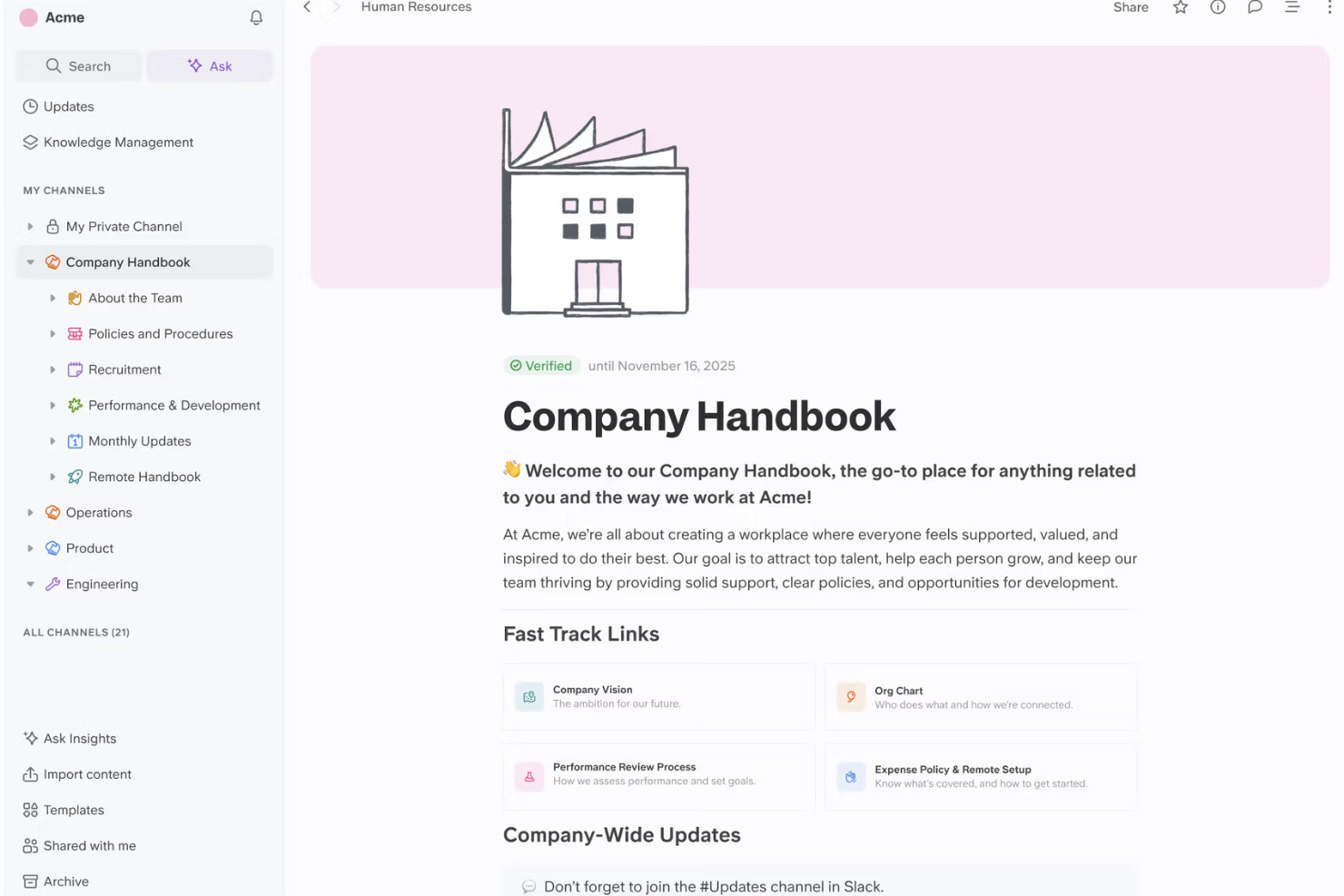
Slite is a collaborative knowledge management platform with meeting note capture, AI-driven search, and document sharing features designed for teams organizing company knowledge.
Who Is Slite Best For?
Slite is a fit for distributed product or project teams who need to capture, organize, and share meeting details and decisions in real time.
Why I Picked Slite
I picked Slite as one of the best because I can capture meeting notes in real time, instantly turn those notes into searchable knowledge, and use AI to summarize or organize key decisions for my team to access later.
Slite Key Features
- AI assistant: Generates answers to questions using workspace content.
- Document verification: Lets you mark content as verified or outdated.
- Knowledge base templates: Provides pre-built templates for guides and documentation.
- Access permissions: Controls who can view or edit specific documents.
Slite Integrations
Slite offers native integrations with Slack, Google Drive, and GitHub, and provides an API for custom integrations.
Pros and Cons
Pros:
- Threaded comments enable focused team discussions
- AI document verification flags outdated knowledge
- Meeting notes sync instantly across team spaces
Cons:
- Lacks granular export options for content
- Limited offline access for documentation
Best for integrated workspace automation
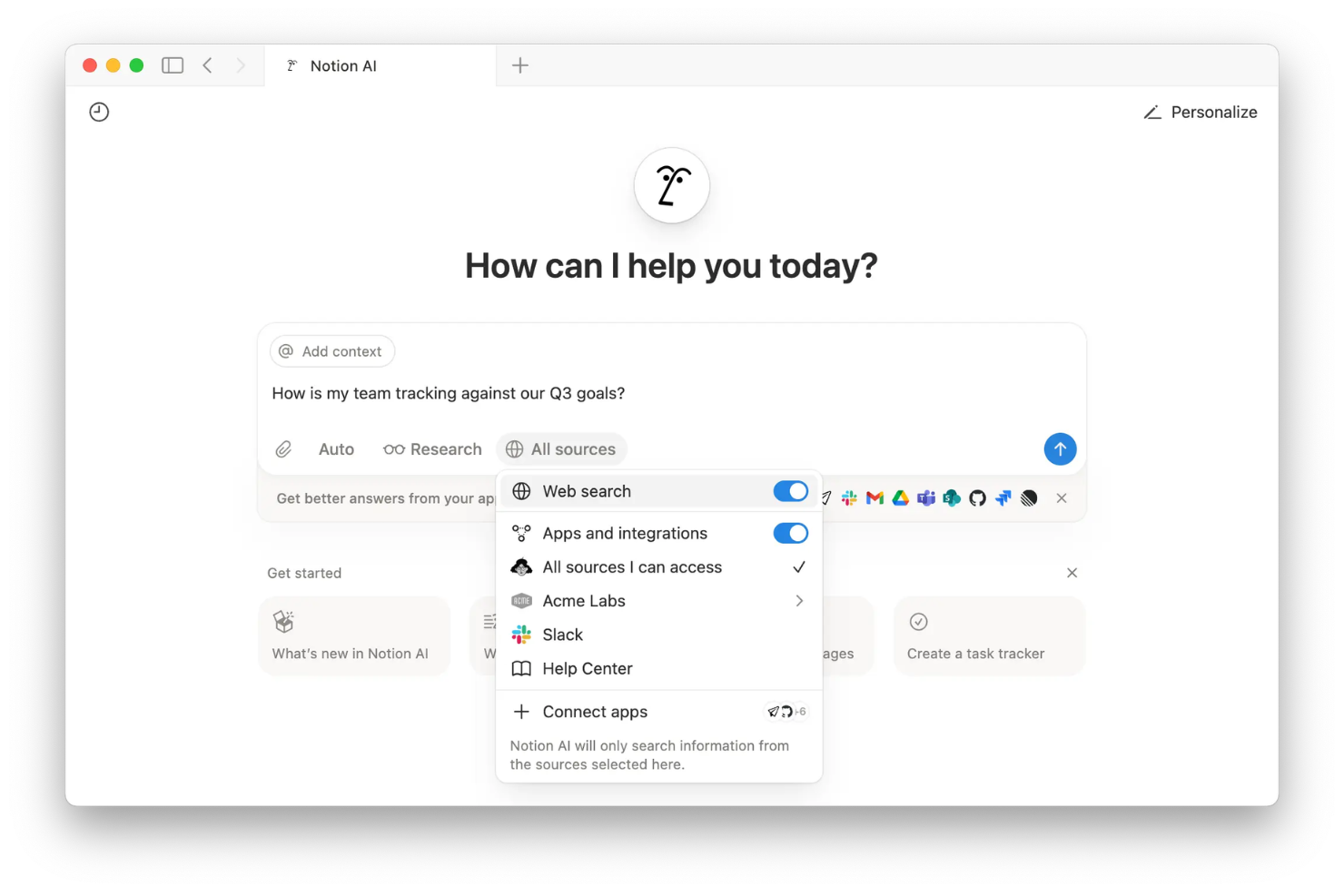
Notion AI is an AI-powered workspace platform that combines document creation, knowledge base management, automated content generation, and collaborative editing into a single environment for your team.
Who Is Notion AI Best For?
Notion AI fits startups and cross-functional teams that need an all-in-one workspace for managing documents, project notes, and organizational knowledge.
Why I Picked Notion AI
I picked Notion AI as one of the best because I use its workspace automations to generate, summarize, and organize documents as we capture knowledge in real time, and connect AI-powered workflows directly to our docs and databases.
Notion AI Key Features
- Database-linked pages: Connect pages directly to databases for unified information management.
- Custom templates: Create reusable templates for meeting notes, knowledge bases, or project specs.
- Inline AI commands: Trigger actions like rewriting or brainstorming directly inside any Notion document.
- Permissions management: Control access and editing rights at the page or workspace level.
Notion AI Integrations
Notion AI offers native integrations with Slack, GitHub, Jira, Asana, Google Drive, Google Calendar, Figma, Zoom, and Microsoft Teams. It connects with Zapier and also provides an API for custom integrations.
Pros and Cons
Pros:
- Workspace automations connect data and documents
- Deeply unifies docs, wikis, and databases
- AI easily summarizes and generates knowledge content
Cons:
- Advanced permissions can be confusing to configure
- AI features require an add-on fee

Best for integrating AI with Microsoft apps
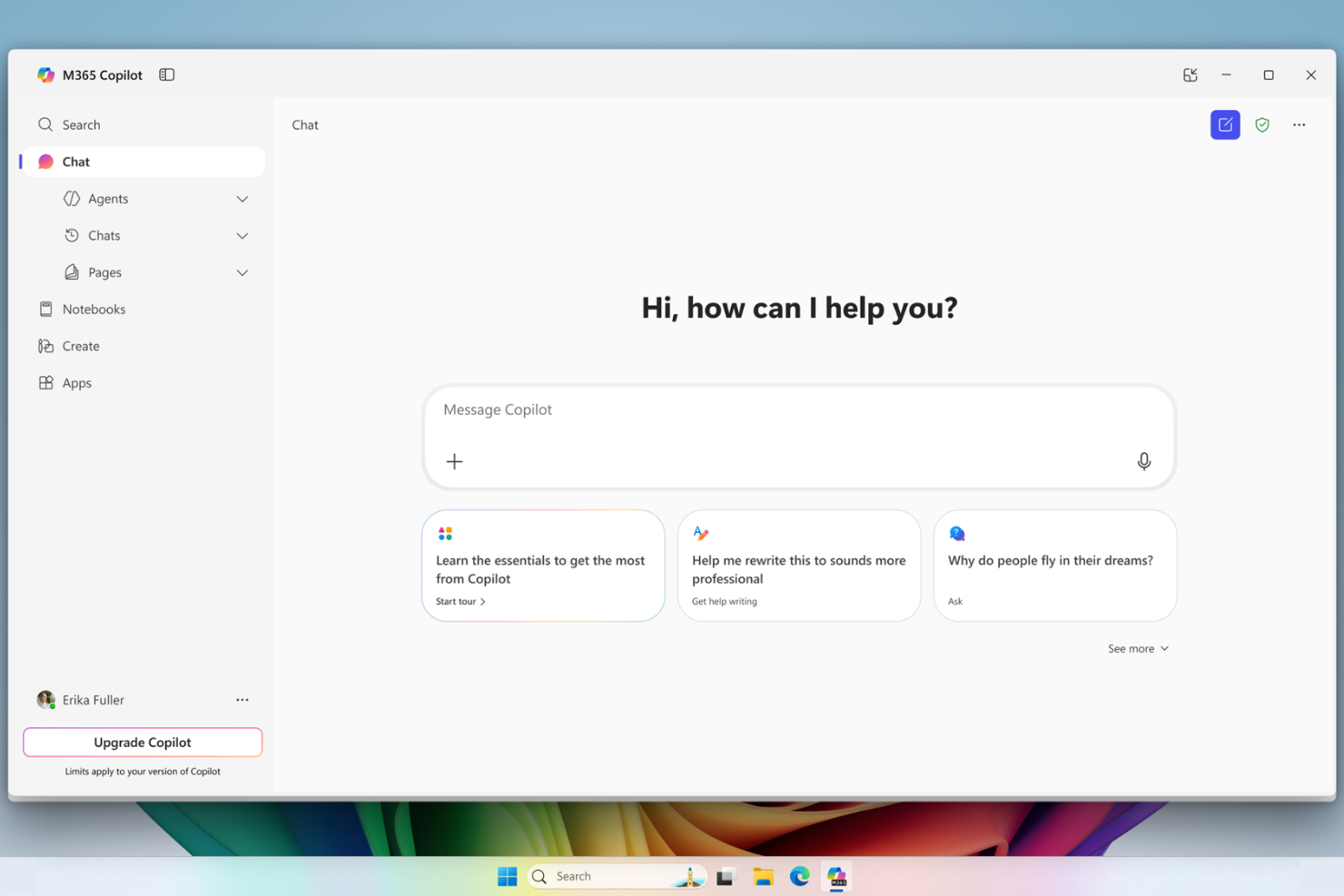
Microsoft 365 Copilot is an AI-powered productivity and knowledge management solution that brings generative AI features and intelligent data retrieval directly into Microsoft 365 apps like Word, Excel, Outlook, Teams, and PowerPoint.
Who Is Microsoft 365 Copilot Best For?
Microsoft 365 Copilot is a strong fit for business users and enterprise teams already working in the Microsoft 365 ecosystem.
Why I Picked Microsoft 365 Copilot
I picked Microsoft 365 Copilot because I regularly use generative AI to summarize emails, generate documents from prompts, and surface context-aware knowledge inside Teams and Outlook, all without leaving Microsoft 365 apps.
Microsoft 365 Copilot Key Features
- Microsoft Graph data integration: Connects securely to your organization’s documents, calendar, and communication data.
- In-app contextual prompts: Lets you ask questions and issue commands directly within Word, Excel, and PowerPoint.
- Automatic meeting recaps: Generates highlights, decisions, and action items after Teams meetings.
- Enterprise-grade data security: Protects data using Microsoft 365 security, compliance, privacy controls, and stricter GDPR frameworks.
Microsoft 365 Copilot Integrations
Microsoft 365 Copilot has native integrations across the Microsoft ecosystem, including Microsoft 365 and Azure. An API is available for custom integrations.
Pros and Cons
Pros:
- Automates meeting recaps and knowledge summaries
- Delivers context-aware insights using organizational data
- Embeds generative AI in Microsoft 365 apps
Cons:
- Limited customization beyond the Microsoft ecosystem
- Requires Microsoft 365 licensing and compliance
Best for task-driven knowledge insights

ClickUp Brain is an AI knowledge management software that brings together task management, document collaboration, and AI-powered search for teams working in ClickUp.
Who Is ClickUp Brain Best For?
ClickUp Brain suits project managers at fast-paced teams or startups who need AI-driven task and knowledge insights alongside robust collaboration tools.
Why I Picked ClickUp Brain
I picked ClickUp Brain because I like how it layers AI into every aspect of task and project management, letting me surface key knowledge directly in tasks and docs. I use its context-aware insights to quickly generate task summaries or get instant answers from workspace content.
ClickUp Brain Key Features
- AI project templates: Offer ready-made frameworks for recurring workflows and documentation.
- Knowledge base search: Lets you query workspace data using natural language prompts.
- AI-powered writing assistant: Helps draft and revise documentation within tasks and docs.
- Custom AI roles: Allows admins to set permissions on who can use AI features.
ClickUp Brain Integrations
ClickUp Brain offers native integrations with Slack, GitHub, Zoom, Google Drive, Microsoft Teams, Dropbox, Outlook, and Calendar. It also connects with Zapier and provides an API for custom integrations.
Pros and Cons
Pros:
- AI assistant works within project docs
- Task summaries update in real time
- AI answers surface directly in tasks
Cons:
- Can be resource-intensive for larger workspaces
- Responses sometimes lack context from custom fields

Best for team-based document collaboration
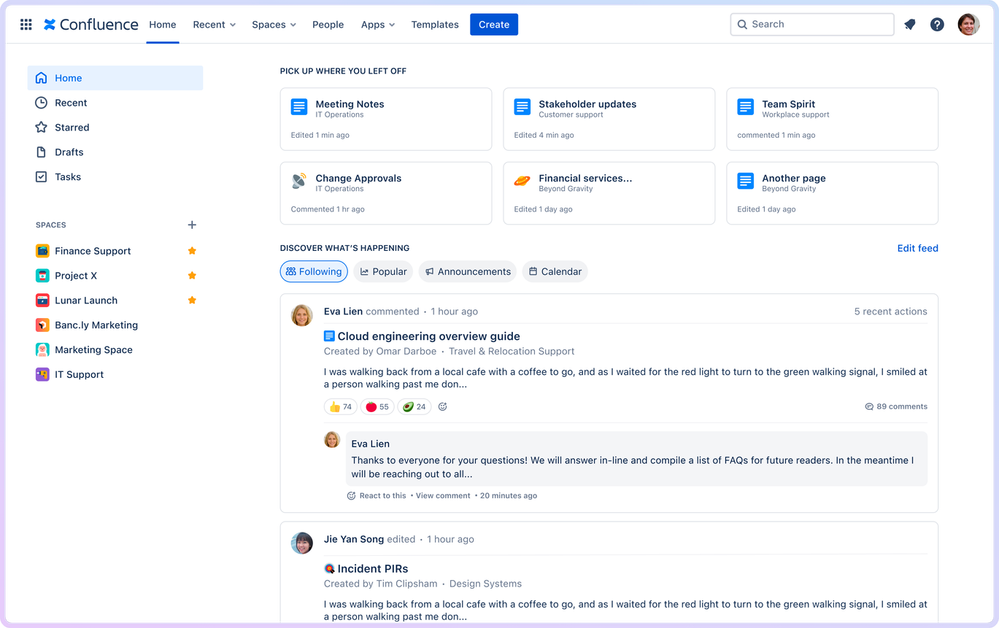
Confluence is a cloud-based collaboration workspace for teams to organize, edit, and share documents, manage meeting notes, and maintain knowledge bases and project information in one centralized platform.
Who Is Confluence Best For?
Confluence suits cross-functional teams and project managers who need a central space for collaborative document editing and organized knowledge sharing.
Why I Picked Confluence
I picked Confluence because my team benefits from real-time collaborative editing, granular permission controls, and structured knowledge spaces that help us organize documentation with page trees, templates, and inline comments for every project.
Confluence Key Features
- AI-powered search: Surface relevant pages and documents using an intelligent search algorithm that understands context.
- Task tracking: Assign and monitor action items directly within pages and meeting notes.
- Page version history: View, compare, and restore past page versions at any time to preserve team operational efficiency.
- Macros library: Add dynamic content like charts, status updates, and calendars to any page.
Confluence Integrations
Confluence offers native integrations with Jira, Trello, Slack, Google Drive, Microsoft 365, Dropbox, GitHub, Salesforce, Zoom, and Figma. An API is available for custom integrations.
Pros and Cons
Pros:
- Page templates for faster documentation creation
- Granular permissions for page and space access
- AI-powered knowledge base content suggestions
Cons:
- Search precision can vary with large spaces
- Limited automation for knowledge curation workflows

Best for AI-powered meeting transcription
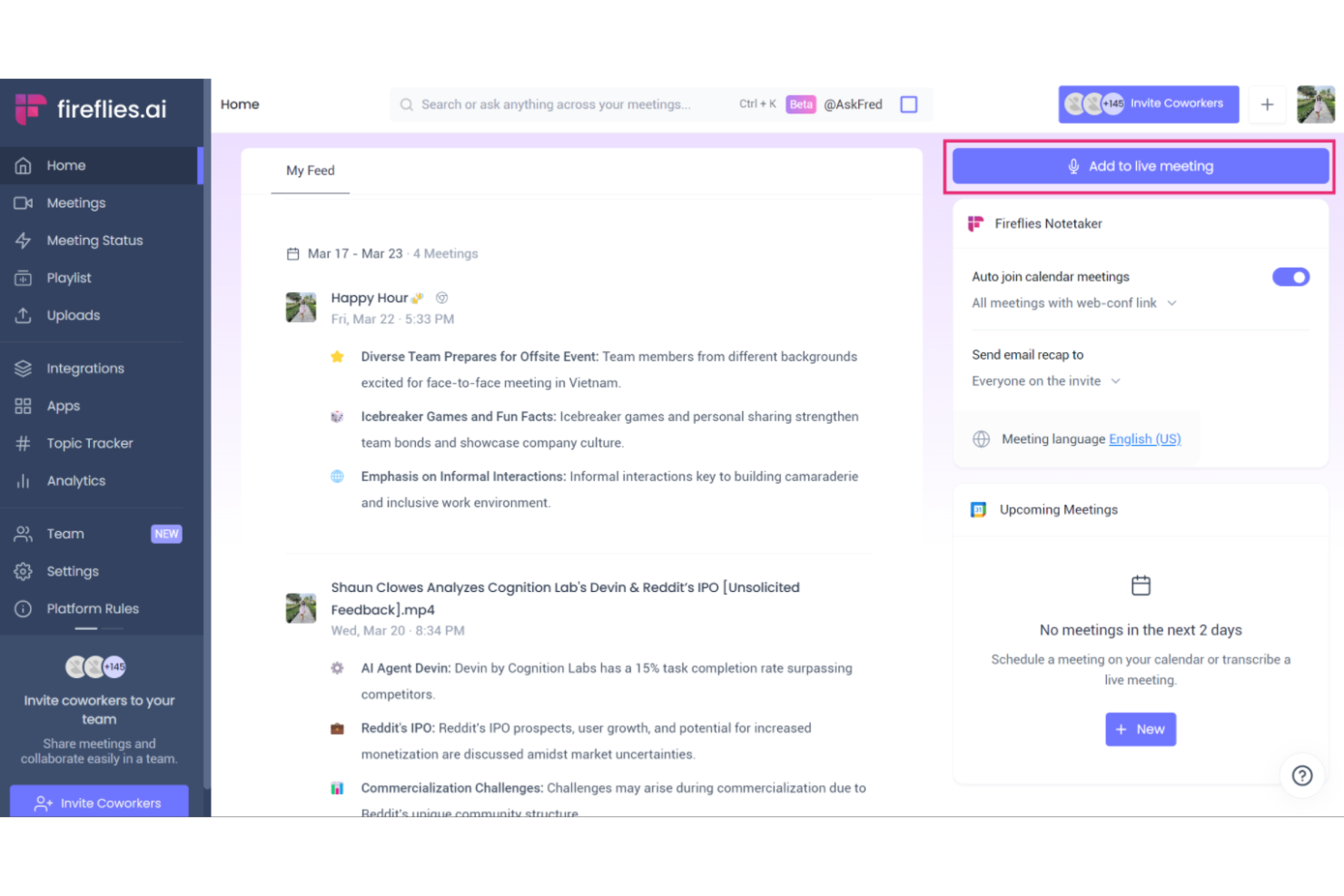
Fireflies.ai is an AI meeting transcription and conversation intelligence platform that records calls, transcribes audio, indexes meeting content, and enables search across meeting data for knowledge management.
Who Is Fireflies.ai Best For?
Sales, customer success, and operations teams that need searchable, AI-generated transcripts of virtual meetings and calls.
Why I Picked Fireflies.ai
I picked Fireflies.ai as one of the best because it automatically records and transcribes meetings with impressive accuracy, tags action items, and lets my team search across past conversations. This is especially valuable for AI-powered meeting transcription.
Fireflies.ai Key Features
- Channel-based workspace organization: Group meeting recordings and transcripts for teams or projects.
- Collaboration tools: Add comments, reactions, and highlights directly on transcript lines.
- Custom topic tracking: Set up keywords or topics to monitor automatically in meeting notes.
- Automatic summary generation: Generate AI-powered summaries of meetings for rapid reference and sharing.
Fireflies.ai Integrations
Fireflies.ai offers native integrations with Google Meet, Zoom, Microsoft Teams, Slack, Salesforce, HubSpot, Asana, Trello, Dropbox, and Zapier. An API is available for custom integrations.
Pros and Cons
Pros:
- Generates AI-driven summaries and topic tracking
- Searchable archive of all recorded conversations
- Transcribes multi-speaker meetings with high accuracy
Cons:
- Limited editing features for generated transcripts
- Occasional errors with technical vocabulary

Guru
Best for real-time knowledge verification
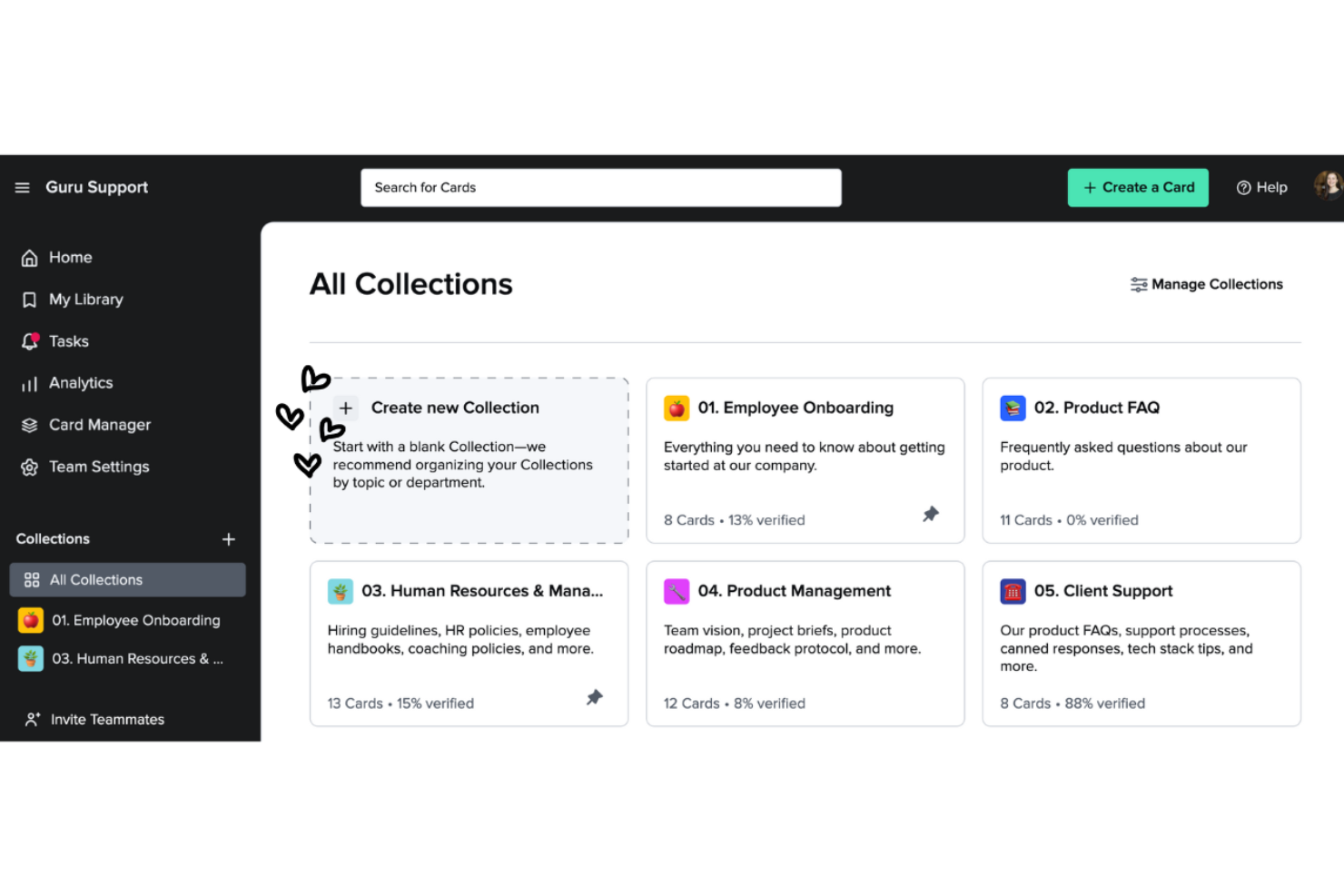
Guru is an AI-powered knowledge management platform designed to help teams capture, organize, verify, and surface company knowledge directly within their daily workflows.
Who Is Guru Best For?
Guru fits distributed customer support, sales, and ops teams who need fast, verified answers while working across multiple tools.
Why I Picked Guru
I picked Guru because I rely on its AI-powered verification that keeps company knowledge accurate and up to date as our experts review content in real time. I also use Guru's browser extension to capture and share answers without leaving Slack or Chrome.
Guru Key Features
- AI search bar: Find company knowledge instantly using an AI-powered search.
- Card organization: Store information in bite-sized, easily managed cards alongside your primary document management processes.
- Knowledge triggers: Surface answers automatically based on user activity.
- Slack integration: Access and update knowledge directly within Slack.
Guru Integrations
Guru offers native integrations with Slack, Microsoft Teams, Chrome, Zendesk, Salesforce, and Zapier. An API is available for custom integrations.
Pros and Cons
Pros:
- Search delivers verified results instantly
- Real-time knowledge alerts and notifications
- AI-driven content verification workflow
Cons:
- AI features require a premium plan
- Formatting options for content feel limited
Best for natural language question answering
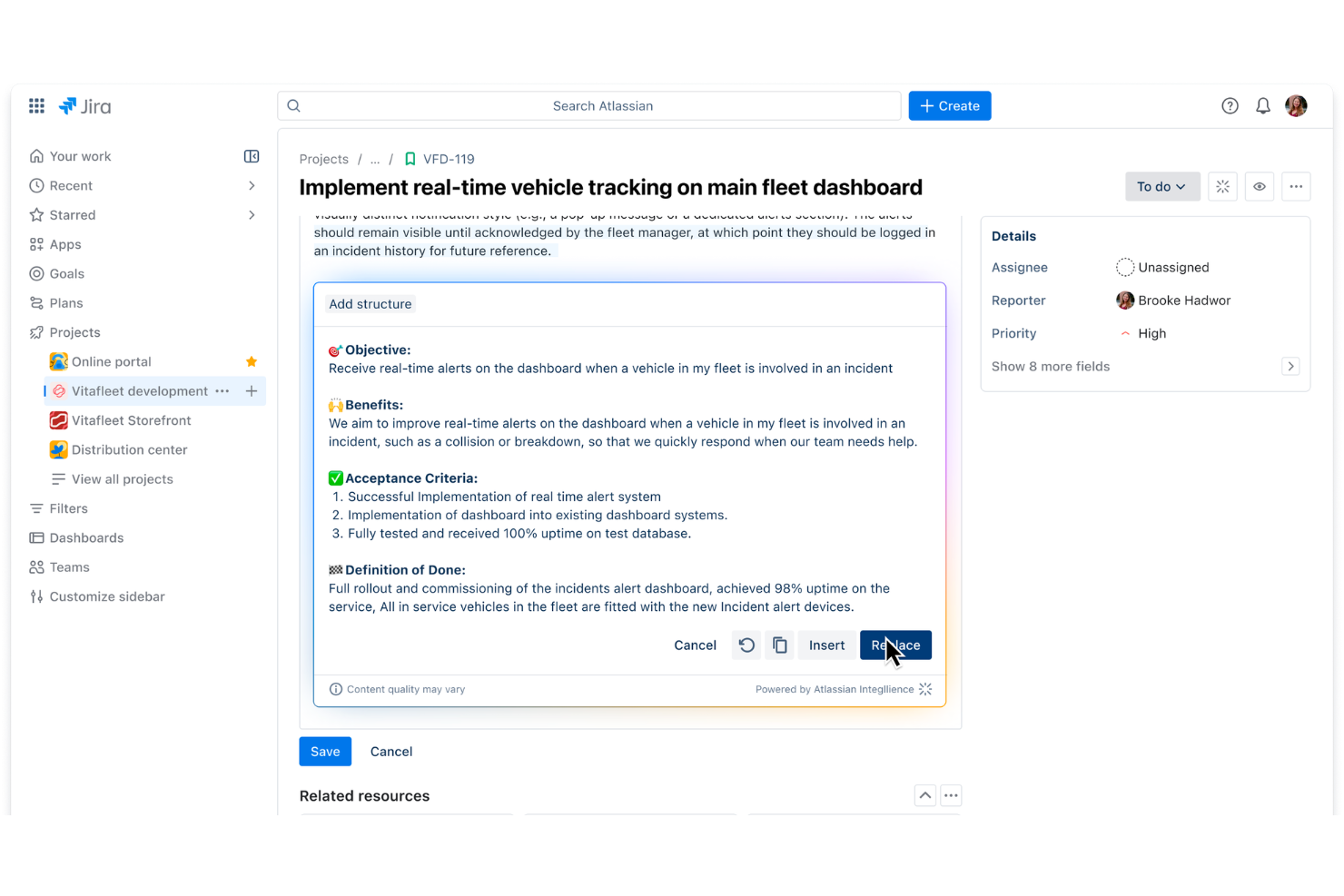
Atlassian Rovo is an AI platform that combines advanced natural language processing search, document understanding, and data connectivity within the Atlassian ecosystem.
Who Is Atlassian Rovo Best For?
Atlassian Rovo suits product and engineering teams at mid-sized and large organizations already using Jira, Confluence, or other Atlassian solutions.
Why I Picked Atlassian Rovo
I picked Atlassian Rovo as one of the best because I use its natural language question answering to search across Jira and Confluence without keywords, and it generates precise, context-aware responses from scattered documentation and tickets.
Atlassian Rovo Key Features
- Automated knowledge curation: Rovo curates and updates knowledge from Jira and Confluence workspaces.
- Secure content permissions: Honors Atlassian's granular permission settings for data access.
- Direct workspace integration: Embeds seamlessly into existing dashboards where AI helps engineers reference historical code changes.
- Continuous learning engine: Improves answer quality to surface relevant knowledge through ongoing team usage and feedback.
Atlassian Rovo Integrations
Atlassian Rovo offers native integrations with Jira, Confluence, Jira Service Management, and Trello within the Atlassian ecosystem. An API is available for custom integrations.
Pros and Cons
Pros:
- Works across Jira, Confluence, and Trello
- Surfaces experts within your organization
- Delivers answers in conversational language
Cons:
- Limited external data source connectivity
- Requires Atlassian products for full functionality
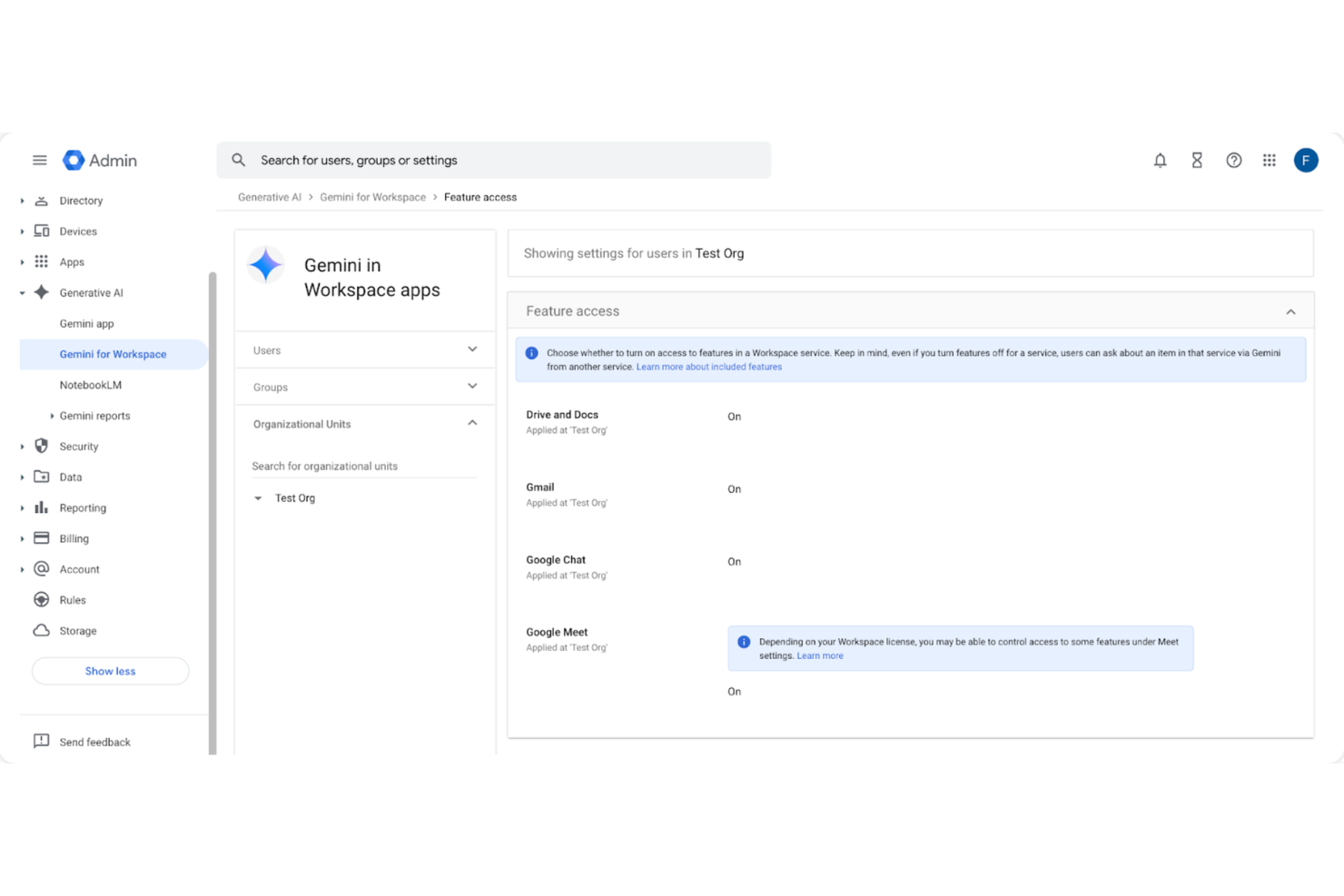
Gemini Enterprise is a generative AI platform for enterprise knowledge management that lets you search, analyze, and automate workflows using Google Cloud’s AI models and integrations.
Who Is Gemini Enterprise Best For?
Gemini Enterprise is a fit for large organizations or technical teams using Google Cloud infrastructure who need integrated AI-powered knowledge management.
Why I Picked Gemini Enterprise
I picked Gemini Enterprise because I can connect Google Cloud datasets directly, apply generative AI to search or summarize documents at scale, and build custom workflows powered by Google’s AI models right inside my existing infrastructure.
Gemini Enterprise Key Features
- Conversational AI interface: Lets users query enterprise data and documents using natural language.
- Data access controls: Offers granular permissions for managing access to sensitive knowledge.
- Multimodal input support: Accepts text, images, and code for diverse content processing.
- Audit and traceability tools: Tracks activity and model outputs for compliance and review.
Gemini Enterprise Integrations
Gemini Enterprise offers native integrations across the Google Cloud ecosystem, including Google Workspace, BigQuery, and Vertex AI. An API is available for custom integrations.
Pros and Cons
Pros:
- Granular access controls for knowledge management
- Handles large-scale document search and analysis
- Connects directly to Google Cloud services
Cons:
- Advanced AI features require deep configuration
- Limited support for non-Google cloud platforms

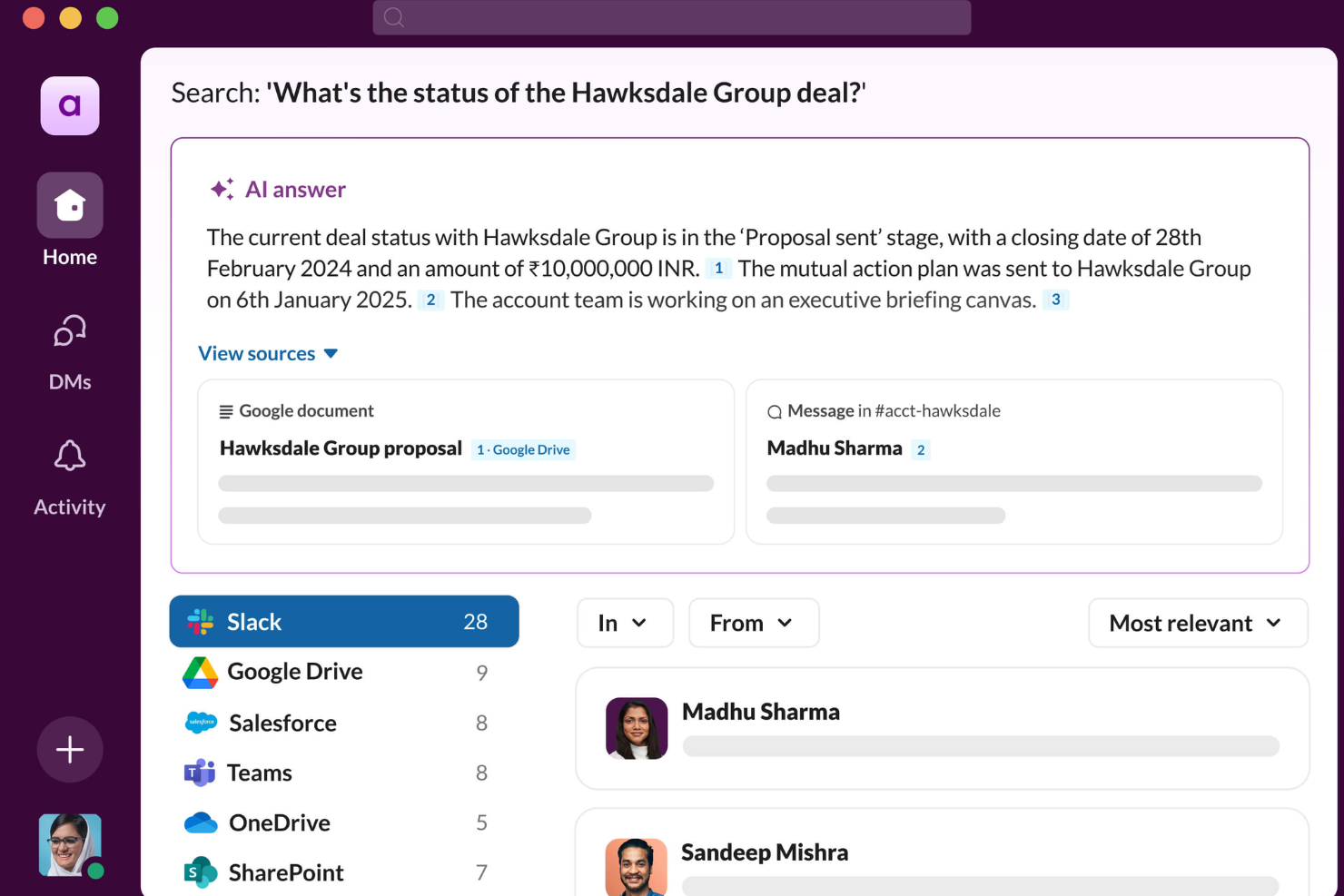
Slack AI is an AI-powered workspace platform that adds search, conversation summaries, and automation features for teams managing company knowledge within chat and channels.
Who Is Slack AI Best For?
Slack AI is a fit for cross-functional teams at mid-size to large organizations that manage high chat volume and depend on fast access to historical conversations.
Why I Picked Slack AI
I picked Slack AI because I rely on its ability to quickly surface information buried in past conversations. Its AI-powered search lets me find context-rich answers in seconds, and I use its automatic conversation summaries to keep my team aligned without manual recaps.
Slack AI Key Features
- Thread summarization: Automatically summarizes long discussion threads in channels.
- Channel recap requests: Lets you generate custom channel recaps on demand.
- Language support: Handles multiple languages for searching and summarizing.
- AI-powered message drafting: Suggests and drafts replies within chat conversations.
Slack AI Integrations
Slack AI offers thousands of native integrations through the Slack App Directory, including Google Workspace, Microsoft Office, Salesforce, HubSpot, Dropbox, Webex Meetings, Zoom, GitHub, Asana, and Trello. An API is available for custom integrations.
Pros and Cons
Pros:
- Works directly in team communication channels
- Summarizes long threads instantly in chat
- AI chat search recognizes contextual questions
Cons:
- Only available on paid Business+ plans
- Misses context from private channels or DMs
Other AI Knowledge Management Software
Here are some additional AI knowledge management software options that didn’t make it onto my shortlist, but are still worth checking out:
- Dust
For custom workflow automation with LLMs
- Glean
For unified enterprise search across apps
- Tettra
For organized internal Q&A management
- Bloomfire
For knowledge sharing with advanced search
- Persana AI
For centralized company knowledge retrieval
- eesel AI
For automatic document categorization
- Coda AI
For AI-powered document templates
- Onyx
For collaborative team workspaces


How I Evaluate AI Knowledge Management Software
Every tool here needs to prove its AI does real work—like pulling the right lessons learned from past sprints without anyone tagging a thing. I evaluate each option on two layers: core functionality needed to make the list and the differentiating factors that separate one tool from the rest.
Core Functionality (Table Stakes For This List)
When I'm selecting tools for my list, I rank each one on a scale from 0 (does not offer the functionality) to 5 (excels in this area) for each core functionality listed below. Then, I calculate the tool's total score into a percentage. Each tool needs to achieve a minimum total score of 65% to be considered for inclusion.
- AI-Powered Search: I check whether the search goes beyond keywords—can a PM ask "what did we decide about the API migration?" and get a grounded, cited answer?
- Automated Content Organization: Tools should auto-tag and categorize docs, meeting notes, and artifacts so teams aren't manually building folder structures mid-sprint.
- Generative Summarization: I look for on-demand summaries across docs, threads, and meetings—like distilling a 40-page project retrospective into key takeaways.
- Project Tool Integrations: I evaluate native connections to platforms like Jira, Asana, and Confluence, since disconnected knowledge bases defeat the purpose for PM teams.
- Contextual Q&A Assistant: A conversational assistant should answer project-scoped questions using ingested data, not generic responses pulled from public training sets.
- Knowledge Governance & Permissions: Access controls matter—I look for permission-aware AI outputs with source citations so sensitive project data stays within the right teams.
Once I have a list of tools that meet this criteria, I consider what sets each platform apart.
Differentiating Factors (What Sets Vendors Apart)
Here's how I compare and contrast different vendors:
Standout Features
Meeting intelligence is a big differentiator—I look for tools that auto-capture decisions, risks, and action items from standups or steering committees without manual note-taking. Proactive knowledge surfacing also adds real value, where the AI pushes relevant past project docs based on your current task or sprint phase. I evaluate analytics dashboards too, especially ones that flag stale content or unanswered queries across a portfolio, since those gaps often signal where teams are losing time.
Beyond Features
Data security matters here more than in most categories—I check whether vendors guarantee customer data isn't used to train their models and whether they hold SOC 2 Type II or ISO 27001 certifications. AI model transparency is closely tied to this; I want to know which LLMs power the tool and whether teams can deploy privately. Time-to-value is another factor I weigh, especially how fast a tool can ingest existing Confluence or SharePoint repos, since a PMO won't wait months to see results from a new platform.
How to Choose AI Knowledge Management Software
It’s easy to get bogged down in long feature lists and complex pricing structures. To help you stay focused as you work through your unique software selection process, here’s a checklist of factors to keep in mind:
| Factor | What to Consider |
| Scalability | Will the platform handle more users, meetings, and files as your team grows? Consider future workload, data growth, and any user or storage limits. |
| Integrations | Does it connect with core tools your team already uses, such as Slack, Zoom, or your existing knowledge base? Check for native vs. third-party options. |
| Customizability | Can you tailor workflows, tags, or dashboards to match your company’s knowledge management needs? Does the tool support custom templates or summaries? |
| Ease of use | How quickly can your team adopt the tool? Look for straightforward interfaces and low training requirements, especially for non-technical staff. |
| Implementation and onboarding | What resources are required for setup? Think about data migration, user access configuration, and the time needed for your team to get up to speed. |
| Cost | Are plans structured to fit your budget and organization size? Review which features are included at each tier and look for hidden fees or add-ons. |
| Security safeguards | Does the software meet your security standards? Ask about data encryption, user permissions, privacy controls, and audit logging. |
| Support availability | Can you get quick support if issues come up? Consider whether live chat, phone, and comprehensive self-serve resources are offered. |
What Is AI Knowledge Management Software?
AI knowledge management software is a digital platform that uses artificial intelligence to capture, organize, and surface information from meetings, documents, and communications. It automates tasks like transcription, categorization, and content retrieval, making it easier for teams to find, share, and apply collective knowledge across workstreams and projects.
Features
When selecting AI knowledge management software, keep an eye out for the following key features:
- Automated transcription: Converts spoken content from meetings and calls into searchable, written text to ensure nothing important is missed or lost in conversation.
- AI-powered search: Uses machine learning to understand context and retrieve relevant information across large volumes of notes, files, and recordings.
- Knowledge base creation: Lets teams store, organize, and categorize documents, FAQs, policies, and project notes in a centralized and structured repository.
- Content tagging and categorization: Automatically identifies and labels topics, keywords, and themes, making it easy to filter and group related knowledge.
- Meeting summary generation: Uses AI to distill long meetings or conversations into concise summaries with key points, action items, and decisions.
- User access controls: Provides permissions and role-based access so sensitive knowledge can be restricted to authorized team members or groups.
- Collaboration tools: Enables team members to comment, annotate, or highlight relevant sections directly within the knowledge base or transcripts.
- Integration with work tools: Connects seamlessly with communication, productivity, and project management apps to pull in data or share knowledge automatically.
- Version history and audit trails: Tracks changes and edits made to documents or notes, helping teams see who updated what and when.
- Customizable templates: Offers pre-built templates for meeting notes, scaling content creation, or technical documentation.
Benefits
Implementing AI knowledge management software provides several benefits for your team and your business. Here are a few you can look forward to:
- Faster information retrieval: AI search and tagging features let users quickly find relevant meeting notes, documents, or discussions without manual digging.
- Automated knowledge capture: Automatic transcription and categorization ensure important insights from meetings and communications are always recorded and stored.
- Enhanced team collaboration: Built-in commenting, tagging, and sharing tools foster information exchange and reduce knowledge silos.
- Consistent meeting documentation: AI-generated summaries, action items, and structured notes provide standardized records for all key discussions.
- Increased knowledge security: Permission-based access controls ensure that only authorized users can view or edit sensitive information.
- Reduced manual workload: Automation of repetitive tasks like note-taking, organizing, and tagging frees up time for higher-value work.
- Improved decision-making: Easy access to organized, up-to-date knowledge empowers teams to make more informed decisions faster.
Costs & Pricing
Selecting AI knowledge management software requires an understanding of the various pricing models and plans available. Costs vary based on features, team size, add-ons, and more. The table below summarizes common plans, their average prices, and typical features included in AI knowledge management software solutions:
Plan Comparison Table for AI Knowledge Management Software
| Plan Type | Average Price | Common Features |
| Free Plan | $0 | Basic transcription, limited storage, single-user access, and core search functionality. |
| Personal Plan | $5-$15/user/month | Automated summaries, increased storage, simple collaboration tools, and priority support access. |
| Business Plan | $20-$40/user/month | Team workspaces, advanced permissions, integrations with popular tools, and analytics dashboards. |
| Enterprise Plan | $50-$100/user/month | Custom security options, dedicated onboarding, API access, premium support, and compliance tools. |
AI Knowledge Management Software FAQs
Here are some answers to common questions about AI knowledge management software:
How does AI knowledge management software improve meeting productivity?
AI knowledge management software automatically transcribes meetings, summarizes discussions, and highlights action items. These features help your team stay aligned, quickly review key points, and reduce the need for manual note-taking or post-meeting follow-up.
Can my team use existing tools with AI knowledge management software?
Yes, most AI knowledge management software offers integrations with tools like Slack, Microsoft Teams, and project management platforms. This means you can connect workflows, share updates across systems, and avoid data silos.
Is my data secure in AI knowledge management software?
Yes, reputable platforms use encryption, secure access controls, and audit logging to protect your data. Always review each vendor’s security practices to ensure they meet your organization’s requirements.
What size team benefits most from AI knowledge management software?
Teams of any size can benefit, but the impact grows with larger or distributed teams that need to organize and surface knowledge quickly. Smaller teams often use basic plans, while bigger organizations look for advanced controls and integrations.
What’s the typical learning curve for these tools?
Most AI knowledge management software is designed for quick adoption, with intuitive interfaces, templates, and guided onboarding. Teams generally get up to speed within a few sessions, even without technical expertise.
Can I migrate existing knowledge into a new platform?
Yes, many solutions support importing documents, meeting transcripts, and existing databases. Look for migration assistance and import guides as you make the switch.