

Write a Project Status Report in 10 Easy Steps (+ Template)


The Power of Status Reports: A well-crafted project status report bridges communication gaps, updating clients, team members, and stakeholders efficiently, keeping you from repeating information repeatedly.
Simplicity vs. Detail: The best status reports are detailed yet simple. They inform thoroughly without overwhelming, ensuring that stakeholders actually read and understand them.
Progress Snapshot: A project status report offers a current snapshot of project status, highlighting completed work, forecasts, budget updates, risks, and actionable items for informed decision-making.
Report Regularity: Choosing the right frequency (weekly, monthly, quarterly) for status reports ensures relevant information is shared at the needed time to keep all parties informed.
Your Audience Matters: Project status reports can be customized for different audiences, such as internal or external stakeholders, ensuring targeted and effective communication.
A good status report helps teams communicate progress clearly, surface issues early, and keep projects aligned without requiring constant meetings or follow-up questions.
The best project status reports are:
- Detailed enough to keep everyone informed
- Simple enough that stakeholders actually read them
In this guide, we’ll show you how to create status reports that hit that sweet spot, plus share a handy template to make your life easier.

What Is A Project Status Report?
A project status report is a document that provides a point-in-time snapshot of where your project is. It includes the business-critical efforts, progress, and risks associated with a project.
Crafting status reports based on best practices for project management helps keep stakeholders informed and projects on track.
To start, here’s a video summary:

Project Status Report Example
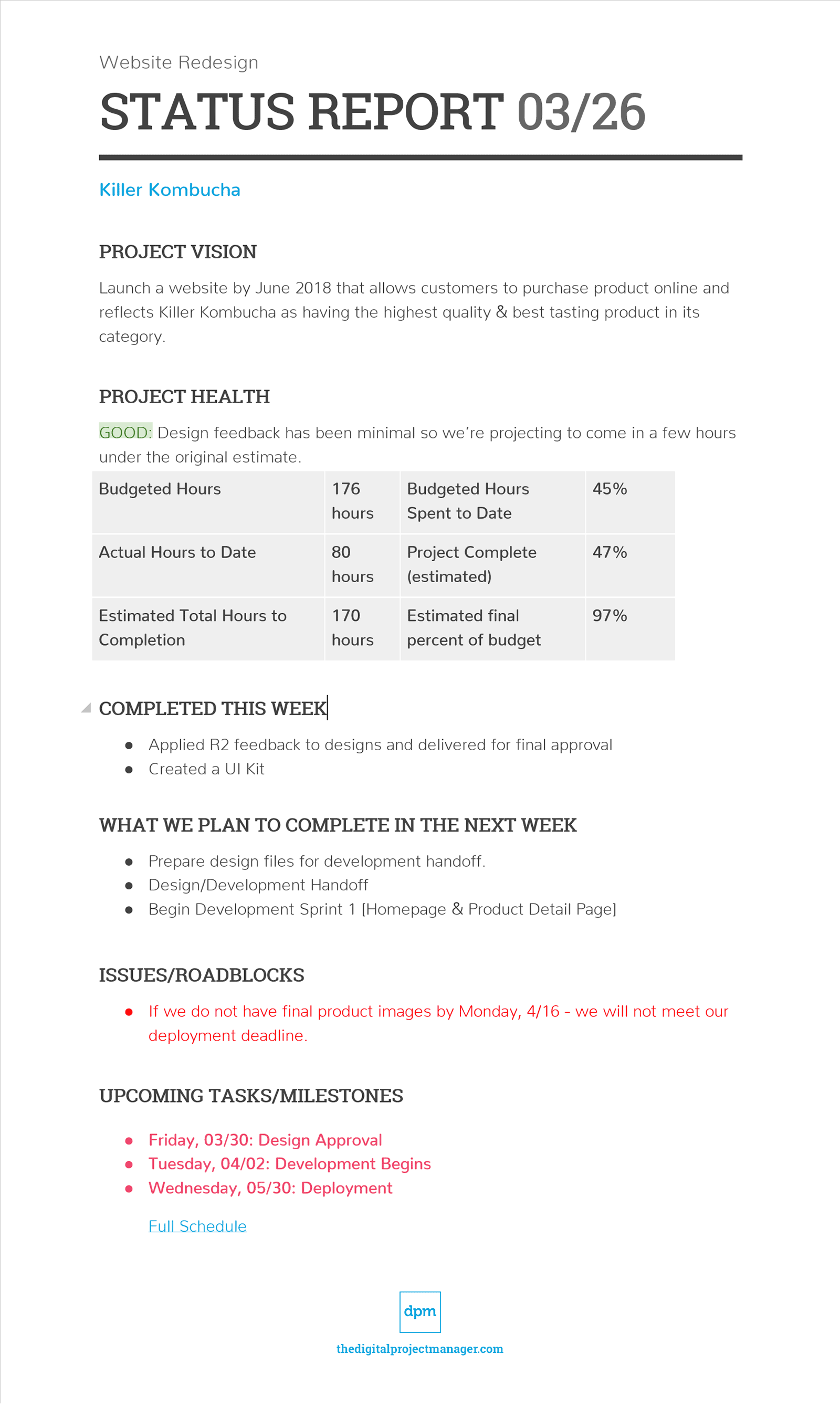
Here's what a successful project status report should look like. Below is a screenshot of the first page of a sample status report. Become a DPM Member to get access to the complete version.

Types of Project Status Reports
Project status reports can vary based on how frequently teams communicate updates. The right reporting cadence depends on project complexity, stakeholder needs, and how quickly project priorities change.
| Project Status Report type | Overview | Best For | Typical Focus |
|---|---|---|---|
| Weekly status report | A short-term operational update shared frequently throughout active project delivery | Fast-moving projects and active delivery work | Completed tasks, upcoming work, blockers, risks, and short-term priorities |
| Monthly status report | A higher-level progress update that summarizes major developments over a longer reporting period | Long-term projects and leadership reporting | Budget health, milestone progress, timeline updates, and high-level risks |
| Quarterly status report | A strategic performance report focused on long-term outcomes, trends, and business impact | Executive or portfolio-level reporting | Strategic goals, KPIs, business outcomes, and long-term performance trends |
Internal vs. External Status Reports
Project status reports should also be tailored to the audience reviewing them. Internal and external stakeholders often need different levels of detail and context.
| Aspect | Internal status reports | External status reports |
|---|---|---|
| Primary audience | Project teams, department leads, and internal stakeholders | Clients, sponsors, executives, or external stakeholders |
| Level of detail | More detailed and operational | More high-level and summarized |
| Main focus | Task management and progress, workflow issues, team coordination, and delivery risks | Milestones, approvals, business impact, and overall project progress |
| Tone | Transparent and team-oriented | Concise, professional, and stakeholder-friendly |
| Risks and issues | Includes detailed blockers, delays, and operational concerns | Focuses on major risks and stakeholder-relevant impacts |
| Reporting purpose | Help teams manage execution and delivery | Keep stakeholders informed and aligned on project status |
What Does A Project Status Report Include?
In your status report, you’ll likely want to include the following information:
| Project status report section | What to include |
|---|---|
| Project name/client name | The project name, client name, reporting period, and basic project details |
| Project vision | A short summary of the project goal, business objective, or desired outcome |
| Project health | The current project status using red, yellow, or green indicators, including budget or timeline concerns |
| Completed work | Key tasks, deliverables, approvals, or milestones completed during the reporting period |
| Upcoming work | Upcoming tasks, priorities, deliverables, or planned work for the next reporting period |
| Issues and roadblocks | Current blockers, risks, delays, dependencies, or issues affecting project progress |
| Upcoming milestones | Important deadlines, reviews, launches, approvals, or major project milestones coming next |
Here’s what the final product looks like:

Optional Items To Include Based On Your Project
- Links to your project schedule
- Links to completed deliverables
- Action items
- Funny gifs, links to team playlists, etc.
- Weekly thank yous or shout-outs to team members and clients
- Links to relevant articles/industry trends
- A RAID log
Don’t Include Any Of This
- Throw shade
- Blabber
- Questions
How to Create a Project Status Report
Here’s a step-by-step guide detailing how to sit down and create a status report.
1. Gather Project Information
Before you write a report, you have to collect the information you need to share. Gather the latest project updates from your timeline, task tracker, budget reports, dashboards, and project documentation. Review:
- Completed work
- Upcoming tasks
- Budget and timeline status
- Project risks and blockers
- Upcoming milestones
- Team updates
Understanding project management software can help you pull this data in real-time from your digital toolkit as you need it.

2. Confirm Updates With Your Team
Validate the information you have collected with your team members for accuracy. See if they have any additional updates or details to add. If you’re doing your job right, you'll have built up trust with your team members to get an honest assessment of where your project is headed.
Use this step to:
- Verify project updates
- Confirm deliverables and deadlines
- Identify missing information
- Surface new risks or blockers
- Align on priorities and next steps
3. Choose A Status Report Format
Select a status report format that matches your audience, reporting cadence, and workflow. Common formats include:
- Google Docs
- Microsoft Word
- Spreadsheets
- Slides
- Dashboards
- Project management software
The best status reports are detailed enough to keep stakeholders informed but simple enough that people actually read them.
4. Add Project Details And Vision
Start the report with the basic project information stakeholders need to identify the report quickly.
Include:
- Project name
- Client name
- Reporting period
- Report date

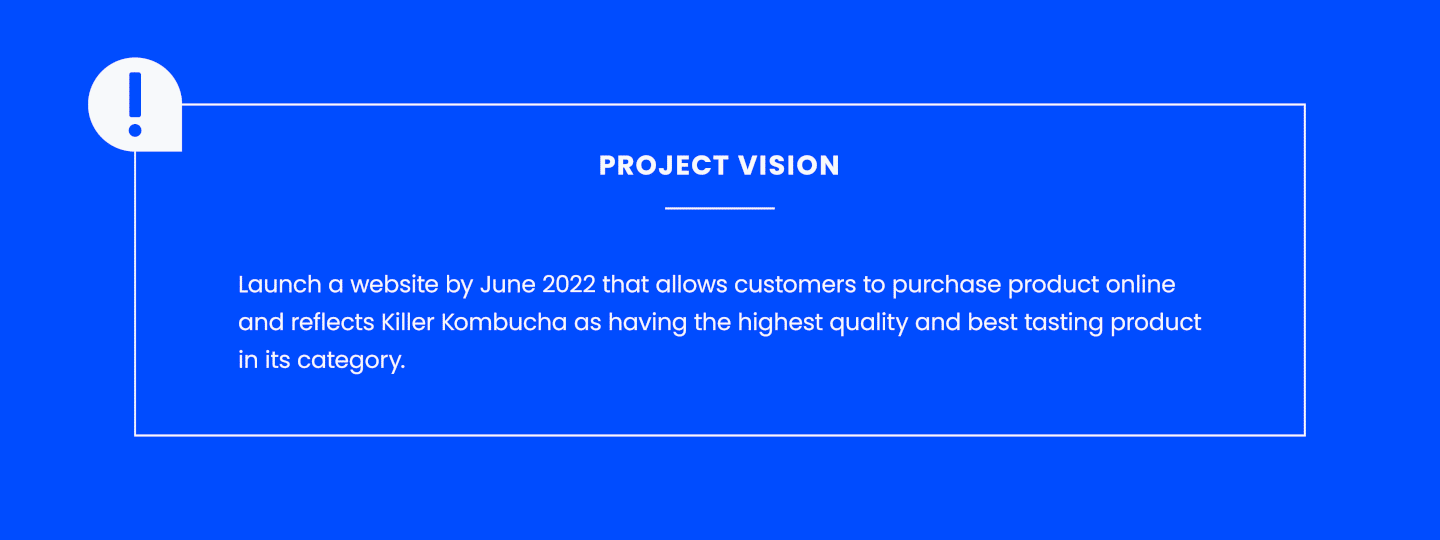
Then add a short project vision statement explaining the purpose or primary goal of the project. This should be a simple sentence defining your project and its primary goal/vision. This section shouldn’t change much over the project life cycle.
Examples:
- Drive qualified customers to “purchase” kombucha via mobile devices based on an improved user interface.
- Increase online kombucha sales by implementing a drip email marketing campaign.
- Launch a website by June 2018 that allows customers to purchase Killer Kombucha and reflects Killer Kombucha as having the highest quality & best-tasting product in its category.
This section provides important context for stakeholders who are not involved in day-to-day project work.
5. Write A Project Summary
Summarize the overall status of the project to give a quick snapshot of the project before diving into the detailed updates below.
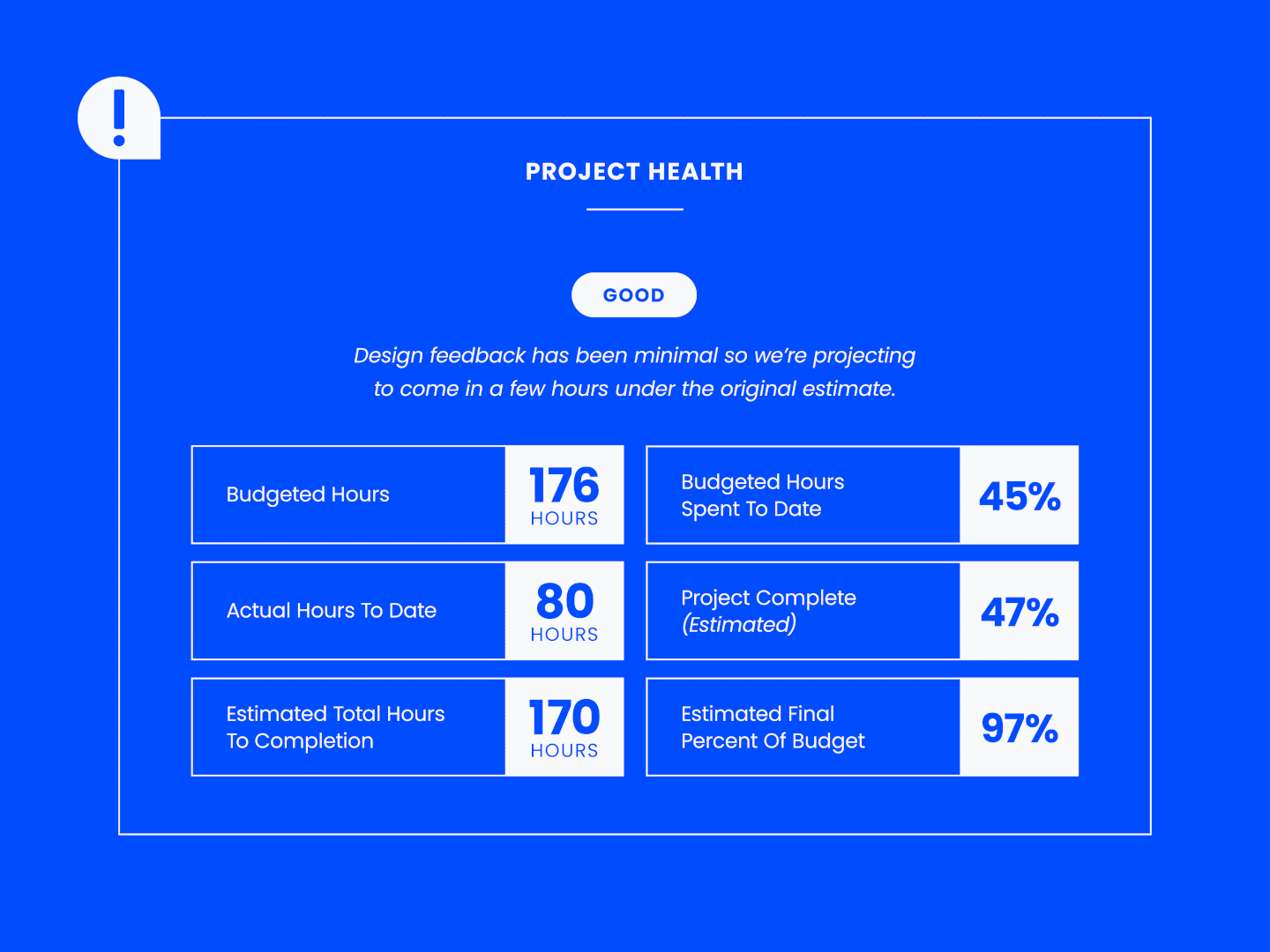
I like the “stoplight” method, where green is on track, yellow means there are some issues, and red signifies something is at risk. Definitions (and supporting notes) are helpful to explain the color coding. (Make sure you use alt text to name the colors!)
Examples:
- Green: We’ve obtained approval on drip email designs. No budget concerns at this time.
- Yellow: The drip email designs need significant revisions based on client feedback; therefore, the final delivery date has been delayed by 1 week.
- Red: The drip email campaign has drastically shifted direction since project kickoff. We’ve set up a meeting next week to realign on project scope.
Include project spend and timeline in the project health section to keep your client and team apprised of performance. Directionally, it helps
6. Document Completed Work
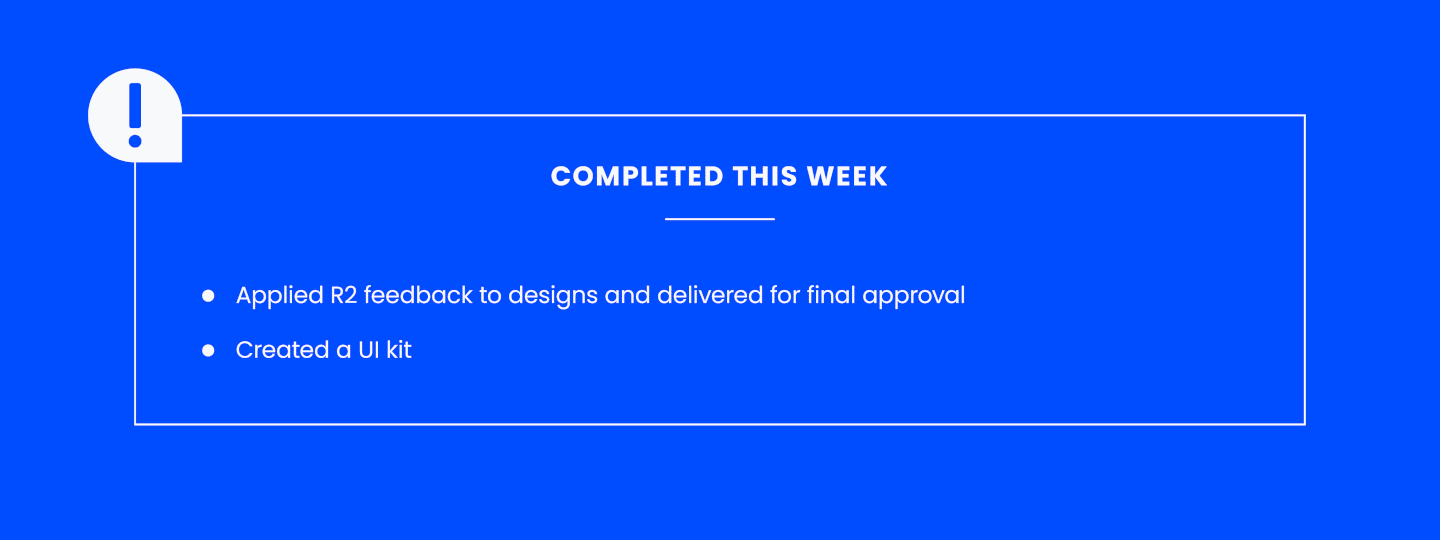
List the tasks, deliverables, approvals, or milestones completed during the reporting period.
Keep updates:
- Short
- Specific
- Easy to scan
Focus on outcomes and progress instead of detailed task descriptions. Example:
- Completed handoff to development team and confirmed delivery timeline
- Obtained approval for 3 drip email designs
7. Outline Upcoming Work
Summarize the work planned for the next reporting period so stakeholders understand current priorities and upcoming deadlines.
Include:
- Upcoming deliverables
- Planned tasks
- Milestones
- Reviews or approvals
- Dependencies affecting future work
Keep this section concise and focused on the most important next steps. Example:
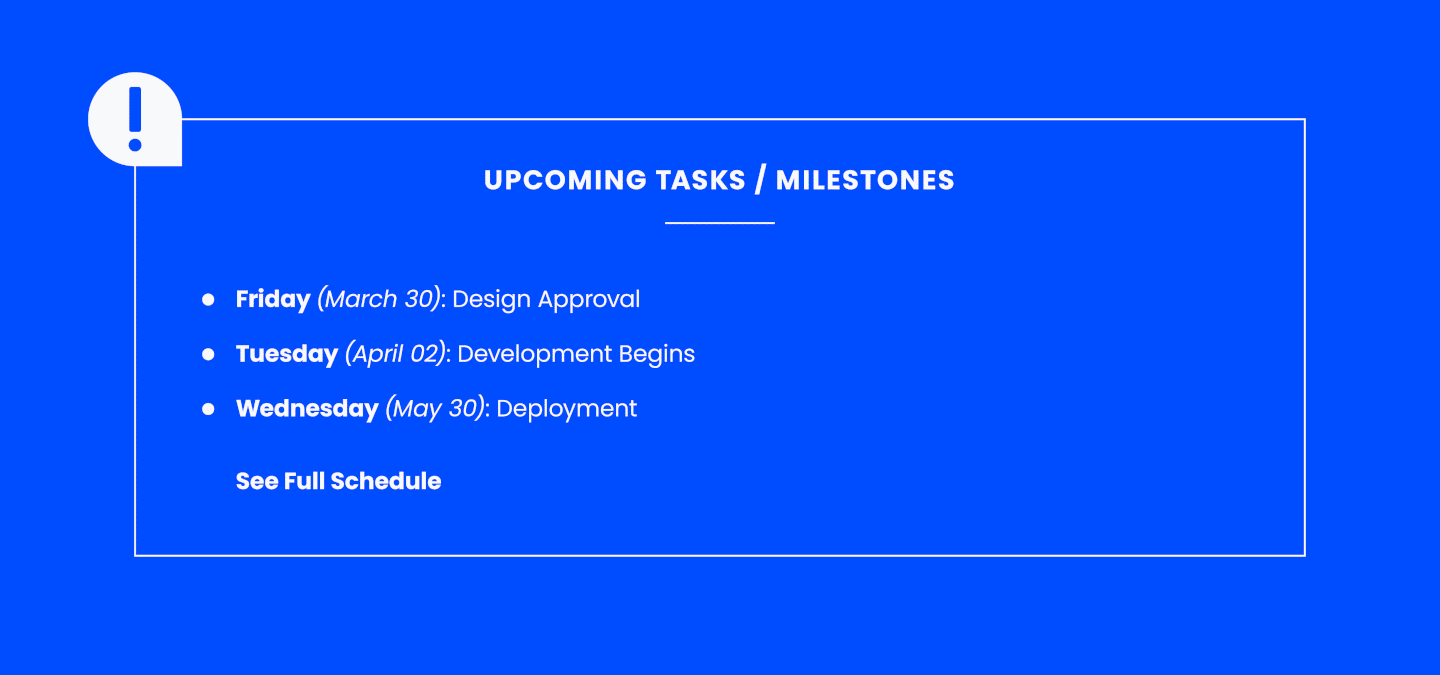
- Develop 3 emails
- Perform internal quality assurance (QA) and testing
- Pass off to client for QA and testing
8. Highlight Risks And Roadblocks
Document any blockers, delays, dependencies, or risks affecting project progress.
For each issue, explain:
- The impact on the project
- What is causing the issue
- What actions are being taken to resolve it
Be direct and transparent. If you raise a problem, include the proposed next step or mitigation plan. Examples:
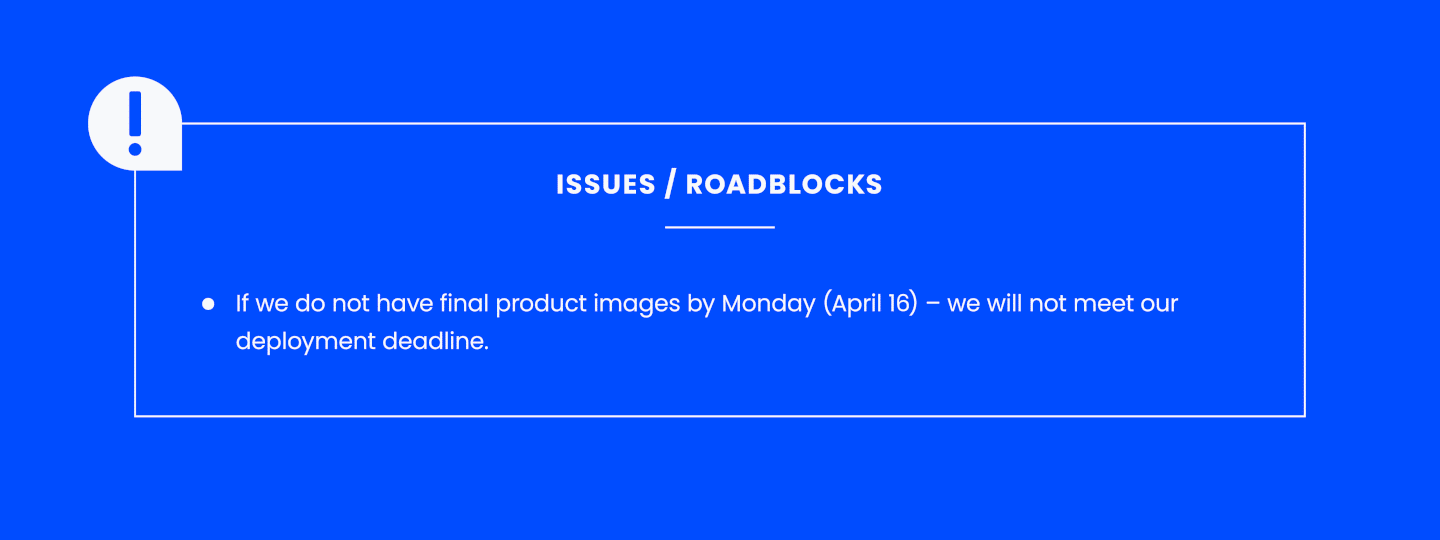
- If we do not obtain client feedback by 2 June, we will be in jeopardy of not being able to send the email to consumers the same day, as the product will be available in stores.
- Delayed approvals impacting launch timelines
- Resource availability affecting delivery capacity
9. Review, Edit, And Share The Report
Before sharing the report, review it for clarity, accuracy, and readability.
Check that the report:
- Reflects the latest project updates
- Uses consistent formatting
- Avoids unnecessary detail
- Highlights important risks and decisions
- Is easy to scan quickly
10. Confirm Receipt and Engagement
Make sure your client and team members review the report so that it remains an effective tool for project communication.
As part of your distribution:
- Ask your audience to acknowledge that they’ve read the report within 24 hours and prompt them to pose any follow-up questions that may warrant a synchronous discussion. A simple “got it” or thumbs-up emoji via Slack is a great way to collect feedback.
- Follow up directly with anyone who doesn’t respond. Avoid calling out stragglers via reply all (this is not the way to promote project engagement)!
- Check in occasionally with your audience to see if there’s anything you can cut, include, or augment in your project status reports to better serve your team members and clients.
Listen to my podcast episode about making status reports useful here:
Project Status Report Template
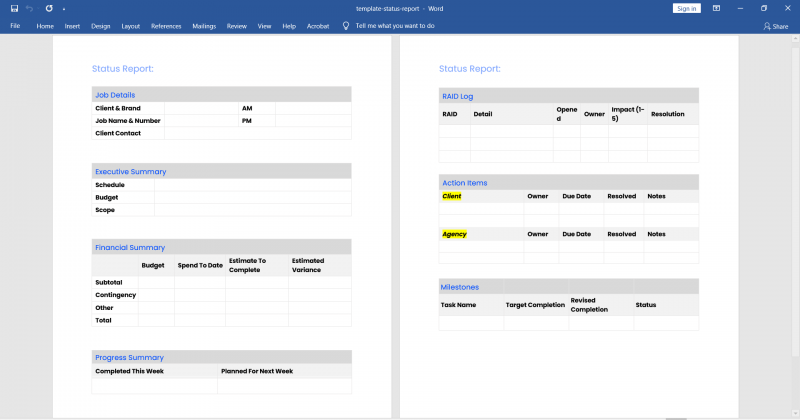
The project status report template in DPM Membership can be used for delivering weekly project status reports or monthly project status reports.
Project Status Report Best Practices
Now that we know what a project status report is, what it includes, and how to make one, here are some do’s and don’ts to help guide you through the process.
- Add sugar: Distribute the report to your team and clients with a little “sugar”. Be complimentary. Be kind. Go out of your way to deliver this status report with a dose of written cheer and avoid sounding like a robot. Including a thoughtful note versus a link to “look here” increases the chance that stakeholders will react positively to your report.
- Deliver alongside a status meeting: It’s common to issue reports concurrently with a meeting. The report is the agenda for the meeting, guarantees that stakeholders review the contents, and becomes a “leave behind” item. While not required, this offers an opportunity for the team and/or client to discuss the project and any challenges or concerns. Reissue the status report if changes are made during the meeting.
- Accommodate different learning styles: Not everyone can read a text-based document and have the messaging stick. Include visuals, like Gantt charts and graphs, and external links in your status report to highlight important topics.
- Keep it simple, stupid! (KISS): Keep the status report simple, for your client’s sake and yours. If a status report is taking way too long to create or read through, you are decreasing its usefulness and the impact it'll have on the project or stakeholders.
- Stay accountable by scheduling recurring status meetings: Schedule recurring status meetings immediately, not as you are ready for them, to hold yourself accountable to a deadline.
- Try to make status meetings more fun: Take a brief moment to catch up on non-work-related things. Break the ice with something casual and memorable, just stay away from “faux pas” topics like gossip or politics. Be an active listener and make an effort to converse in a way that feels natural, not like you have an agenda.
- Keep a status report perpetually in draft: Don’t leave your status report preparations until the last minute. Instead, create an in-progress draft that you can add to as events happen in real time. I keep a draft on my computer in case a client, supervisor, or stakeholder calls out of the blue. This is especially clutch when you're managing multiple projects.
- Ensure the audience knows the method of delivery: Slack, email, Basecamp, Asana—choose a method and stick to it, and make sure to follow professional email etiquette.
Enterprise project management solutions have improved our project tracking and reporting capabilities, so be sure to use them to their fullest.
Project Status Report Tools
If you’re using project management software, the bulk of your key project data should be readily available to use in your report, such as the budget used or the hours spent. Here are a few of the top tools I’d recommend if you’re not using one already:
Clicks on the links below may earn a commission, which supports our independent testing and review of software and services. Learn more about how we stay transparent.


You can also find more specific reporting tools here. If you're on a limited budget, you can also try open source reporting software.
FAQs
What’s the difference between a status report and a progress report?
A project status report provides a high-level overview of the current state of a project, including project health, risks, timelines, upcoming work, and overall progress. On the other hand, a progress report focuses more specifically on completed work and task-level progress during a reporting period.
| Aspect | Status report | Progress report |
|---|---|---|
| Primary focus | Overall project health and current status | Completed work and task progress |
| Scope | Includes timelines, risks, blockers, budget, and upcoming work | Focuses mainly on work completed during a reporting period |
| Audience | Stakeholders, clients, leadership teams, and sponsors | Project teams, managers, or operational stakeholders |
| Level of detail | High-level and summary-focused | More task-oriented and detailed |
| Purpose | Keep stakeholders informed and aligned on overall project performance | Track execution progress and day-to-day project activity |
When should I create project status reports?
Project managers create project status reports after finalizing the project plan, once project work is underway. Typically, you send project status reports on a weekly or monthly basis. You can even send them daily, if necessary.
What format should I use to deliver the status reports?
You can deliver project status reports in a variety of formats, including via Microsoft Excel spreadsheet, Google Docs, slides, or graphical format. I once led a project where we sent a daily status report via WhatsApp.
How often should I update a project status report?
You should update project status reports as often as you deem it necessary to convey important project information without being overly repetitive. This depends on project duration, complexity, and client preference.
-
- If your project changes quickly day-to-day and your clients are constantly pestering you for updates, you’ll probably want to formalize a weekly or even daily status report to communicate progress.
-
- If your project only includes a handful of stakeholders and features 1-2 deliverables per month, a monthly status report is probably sufficient.
-
- If your project changes quickly day-to-day and your clients are constantly pestering you for updates, you’ll probably want to formalize a weekly or even daily status report to communicate progress.
Why are status reports important?
Project status reports help teams communicate project progress, track risks, and keep stakeholders aligned throughout the project life cycle. They give clients, leadership teams, and delivery teams a clear view of what has been completed, what’s coming next, and whether the project is on track.
For clients and external stakeholders, project status reports:
-
- Show progress against project goals and deliverables
-
- Provide visibility into budget and timeline performance
-
- Build confidence that the project is moving forward as planned
-
- Create a documented communication trail for approvals and decisions
For internal teams, project status reports:
-
- Reduce confusion around responsibilities and project status
-
- Improve coordination across departments and contributors
-
- Help teams prioritize upcoming work and dependencies
-
- Highlight operational issues affecting delivery
How do you present bad news in a status report?
Be direct, factual, and solution-oriented. If a project issue affects the timeline, budget, scope, or delivery plan:
- Explain the issue clearly
- Describe the impact on the project
- Identify the root cause
- Outline the mitigation plan or next steps
Avoid hiding risks or minimizing problems. Stakeholders usually respond better to transparent communication paired with a clear action plan.
Who uses project status reports?
Project status reports are used by anyone responsible for managing, reviewing, supporting, or approving project work.
Common stakeholders include:
- Project managers
- Clients and sponsors
- Internal project teams
- Department leads
- Executives
- Operations teams
- External partners or vendors
Can you automate project status report creation?
Yes. Many teams automate parts of the reporting process using project management software, dashboards, or reporting tools.
Automation can help pull:
- Task updates
- Timeline data
- Budget information
- Resource utilization
- Progress metrics
- Dashboard summaries
However, project managers still need to review reports manually to add context, explain risks, and communicate important stakeholder updates clearly.
How long should a project status report be?
Most project status reports should be short enough for stakeholders to review in a few minutes.
For weekly reports, one to two pages is usually enough. Monthly or quarterly reports may be longer if they include budget updates, KPIs, or executive summaries.
What's Next?
Want to connect with other digital project managers to share resources and best practices? Join our membership community and get access to 100+ templates, samples, and examples and connect with 100s of other digital project managers in Slack.


