

8 Resource Management Best Practices & How To Apply Them


These resource management best practices help avoid the scramble of overloaded teams, missed deadlines, and last-minute staffing gaps. With the right processes and the right resource management software you can forecast demand, balance workloads, make smart allocation decisions, and avoid issues that can derail delivery.
I'm breaking down the strategies, tools, and habits I use to keep projects moving and teams productive.
1. Plan Resources Before Work Starts
Start resource planning by mapping the people, equipment, budget, and time you need before work begins. I’ve seen projects run into staffing conflicts because nobody validated resource assumptions early.

Review your plan with stakeholders, especially if you inherit a project midstream. Existing timelines might not reflect current capacity, overlapping priorities, or missing skill sets.
Make sure to complete these documents as well:
- Create a RACI chart to define ownership for each deliverable. This prevents approval bottlenecks and confusion around decision-making later in the project.
- Build a resource breakdown structure (RBS) to organize labor, tools, equipment, and external dependencies. You’ll spot gaps faster when resources are grouped by category or function.
- Use a project plan to map milestones, dependencies, and delivery phases. I’d suggest using project management software instead of spreadsheets once timelines, contributors, and approvals start shifting weekly.
- Add resource loading charts to compare workload against team availability. These charts help you catch overallocated team members before deadlines start slipping.
2. Choose The Right Resource Management Tool
Choose resource management software based on how your team plans, schedules, and delivers work. I think most teams struggle because they buy tools built for enterprise forecasting when they only need workload visibility.
Here are some factors you can use to evaluate resource management software tools:
- Time tracking capabilities: Does it offer this? How granular can you get (i.e. tracking on projects vs specific tasks or sub-tasks)
- Predictive resource management: If you manage a portfolio of complex projects, choose a tool that is forward looking about resources availability and the budgetary implications of staffing decisions (e.g. enterprise resource management software).
- Reporting capabilities: This also comes down to how granular you can get with the reports, and whether you can customize them for different stakeholders or executives.
- UI/UX: Is the tool intuitive and easy to use? What level of effort is required to set it up? Consider adoption and make sure it will be easy for everyone to get on board.
- Integrations: Make sure the tool you choose can integrate with your existing project management software, collaboration tools, or any other key tools you use on your projects.
- Cost: If price is a limiting factor, there are plenty of free resource management tools on the market. You can also use free plans to test out a tool before committing.
According to Morgan Megannety, Traffic Manager at Electronic Arts, finding the right software makes a huge difference, but it's not always easy.
I think it really does make a difference. It is like finding a unicorn, and the dream system is one that ties together your finances, your timesheets, your resource requests, your resource schedule, your project management software—all of it.


3. Build Detailed Schedules Around Capacity
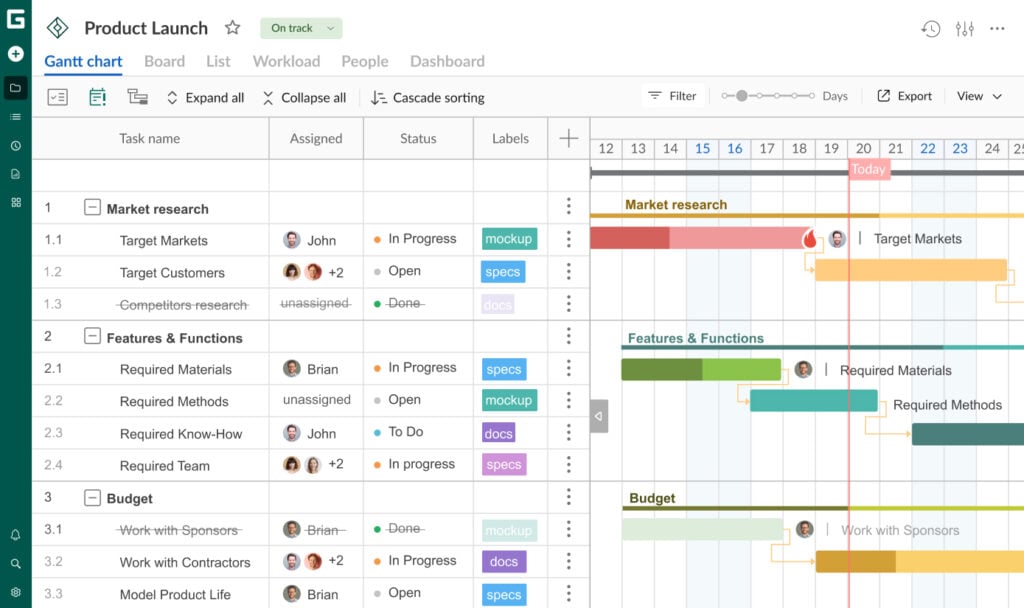
Without a detailed schedule, teams miss dependencies, overload specialists, and lose visibility into delivery risks. Use structured task scheduling for projects with multiple contributors, approvals, or fixed deadlines. Simpler workstreams usually need lightweight task lists instead of heavily managed timelines.
Choose scheduling formats based on project complexity. I use Gantt charts when dependencies, handoffs, and delivery dates need close coordination. Smaller internal projects often work fine with prioritized to-do lists.
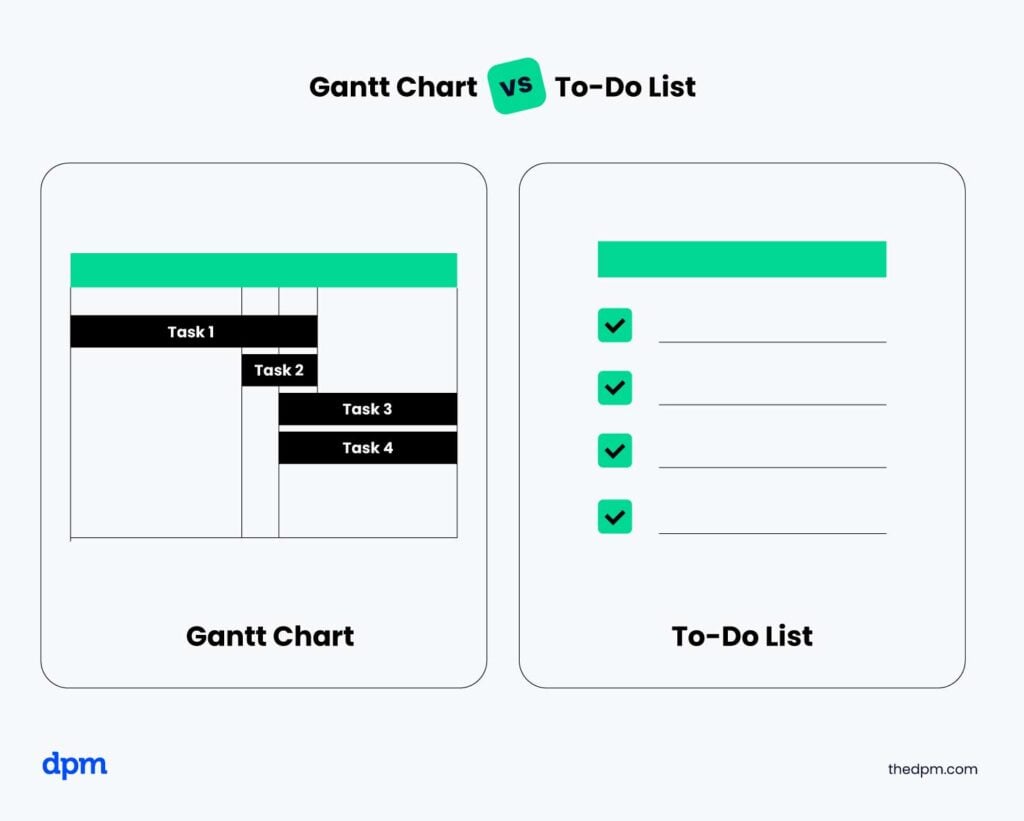
Track actual time against estimated effort throughout the project. This helps you identify inaccurate estimates, hidden workload issues, and recurring delivery delays before they become planning problems.
Resource scheduling software also gives you a clearer view of team allocation across active projects. That visibility matters when priorities shift or new work lands mid-sprint.
Morgan Megannety describes the process of scheduling resources as being like Tetris:
[A] resource schedule…does kind of look like Tetris…it’s putting in the different jobs, with the right people. So if we do have that…gap time, and it’s going to be [for example] that morning is free. Like what other jobs can I fit in there?
4. Build In Flexibility
Assume your project timeline will change at some point. Team availability shifts, priorities change, and dependencies slip even when the original plan looks solid.
Build contingency time and backup coverage into your resource plan from the start. Tightly packed schedules leave teams with no room to recover when one task stalls unexpectedly. Use conservative estimates for specialized work or external dependencies. Design reviews, development handoffs, and stakeholder approvals usually take longer than initial forecasts suggest.
Create backup options for high-risk roles and tasks. If only one developer understands a core integration, your schedule becomes fragile the moment that person gets reassigned or takes leave.
Resource buffers also help protect team morale. Constant schedule compression pushes teams into reactive work and makes long-term planning almost impossible.

5. Balance Your Project Resources
Match resource capacity to actual project demand as closely as possible. Teams lose momentum when workloads swing between idle time and sustained overtime. Use capacity planning to forecast who you need, when you need them, and how much work they can absorb.
Review resource allocation data weekly. Priorities shift fast, especially across shared services teams like design, engineering, or QA. Adjust workloads as bottlenecks appear. Resource leveling helps redistribute work when deadlines conflict, while resource smoothing helps balance workloads without changing delivery dates.
Pay attention to workload patterns over time. Consistent overtime usually points to planning issues, inaccurate estimates, or hidden operational work that never made it into the schedule.
6. Match Work to Skills and Interests
Engaged teams deliver better work and recover faster when projects get messy. If people feel disconnected from the work, deadlines slip and collaboration breaks down. Assign work based on strengths, experience, and development goals, not just availability. I’ve found the fastest available person is rarely the best fit for every task.
Cross-functional projects also need different levels of involvement over time. Designers, developers, analysts, and QA teams rarely contribute evenly across every project phase. Talk with team members before finalizing allocations. You’ll uncover workload conflicts, skill gaps, and career interests that tools won’t show you.
Keep an eye on motivation throughout delivery, not just during kickoff. Repetitive work, unclear priorities, and constant context switching drain focus quickly, especially on long-running projects.
7. Document Decisions
Document the reasoning behind staffing, scheduling, and prioritization decisions throughout the project. Clear records reduce confusion when stakeholders question timelines, workloads, or budget tradeoffs later.
Keep a decision log that tracks changes to resource allocation, delivery dates, and project assumptions. I’ve found this especially useful when leadership asks why priorities shifted halfway through execution.
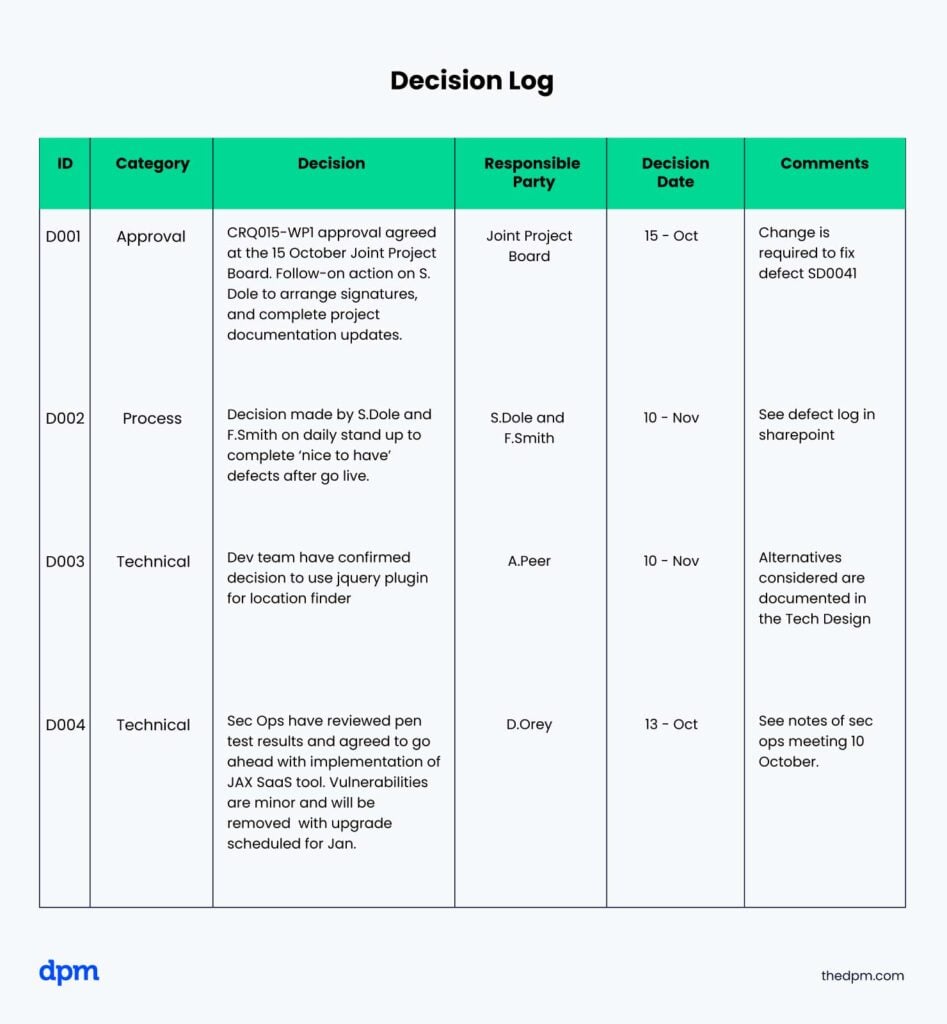
Use standardized templates for meeting notes, approvals, and status updates. Consistent documentation makes it easier to track resource utilization across multiple projects and teams.
Share documentation with stakeholders and department leads. Transparency builds trust, especially when projects face delays or staffing constraints. Documentation also becomes valuable operational data over time. Historical allocation patterns, utilization trends, and delivery outcomes help improve future forecasting and planning accuracy.
8. Create A Communication Plan
Set communication expectations before work begins. Teams lose time when nobody knows where updates, approvals, or risks are shared. Build a communication plan that defines channels, response expectations, meeting cadence, and reporting responsibilities. I’ve seen projects stall because decisions were buried in chat threads.
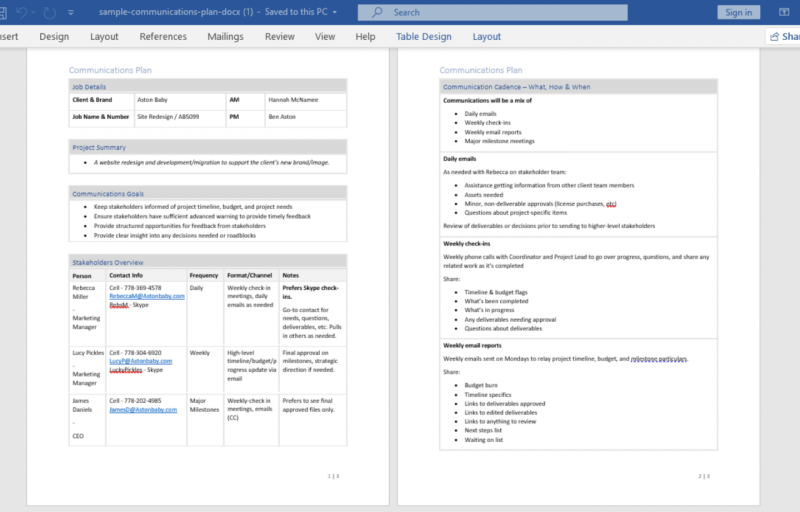
Separate internal collaboration from external stakeholder communication where possible. For example, your delivery team might use Slack for daily coordination while client updates stay inside your project management platform.
Create space for two-way feedback throughout the project. Team members usually identify delivery risks, workload issues, and dependency problems long before they appear in status reports.
Keep communication consistent across the project lifecycle. Frequent changes to reporting structures or communication channels create confusion and make accountability harder to maintain.
Build A Resource Management Process That Scales
Strong resource management practices are much easier to sustain when your tools support forecasting, scheduling, and workload visibility at scale. Choosing the right resource management software can help you turn these best practices into a repeatable system your team will actually use.


