10 beste Trello-alternativer i 2026 (gratis & betalte alternativer)

10 Kortliste over de beste Trello-alternativene


Trello er et populært verktøy for prosjektstyring, men det passer ikke perfekt for alle team. Enten dere har vokst fra de enkle tavlene, trenger mer omfattende rapportering eller ønsker dypere integrasjoner, finnes det mange Trello-alternativer som tilbyr kraftige funksjoner og fleksible arbeidsflyter for å støtte prosjektene deres bedre.
Jeg har testet og gjennomgått de beste plattformene for prosjektstyring med Trello-brukere i tankene – med fokus på brukervennlighet, teamsamarbeid, tilpasning og verdi. Enten du administrerer smidige arbeidsflyter, kundeprosjekter eller interne team, finnes det et verktøy her som kan ta produktiviteten din til neste nivå.
Hva er Trello?
Trello er et visuelt verktøy for prosjektstyring som hjelper enkeltpersoner og team med å organisere oppgaver, følge fremdriften og samarbeide i sanntid.
Med et tavlebasert system med lister og kort gjør Trello det enkelt å planlegge prosjekter, tildele oppgaver og følge med på arbeidsflyter. Det er populært blant prosjektledere, markedsførere og utviklere på grunn av fleksibiliteten, brukervennligheten og evnen til å effektivisere teamsamarbeid.
Hvorfor bruke et Trello-alternativ
Det kan være lurt å se etter et alternativ til Trello hvis du:
- Trenger avansert rapportering og analyse, for eksempel for detaljert prosjektoppfølging og innsikt.
- Krever bedre integrasjonsmuligheter.
- Trenger svært tilpassbare arbeidsflyter og funksjoner.
- Trenger stabil tilgang til programvaren for prosjektstyring uten internettilkobling.
- Krever omfattende sikkerhetsfunksjoner.
Alternativer til Trello tilbyr ofte funksjoner som løser disse begrensningene. De tilbyr avanserte rapporteringsverktøy for grundig analyse, omfattende integrasjonsmuligheter for et bredere utvalg av programvare og større tilpasningsmuligheter for å passe unike arbeidsflyter.
Forbedret funksjonalitet uten nett sikrer tilgang til prosjektinformasjon uten internettilkobling, mens forbedrede sikkerhetsfunksjoner gir bedre beskyttelse av sensitive data. Disse alternativene passer for brukere som ønsker mer omfattende løsninger som i større grad samsvarer med deres spesifikke behov for prosjektstyring og samarbeid.
Why Trust Our Software Recommendations
Our team has been testing and reviewing software since 2012. As project managers ourselves, we know how difficult—and important—it is to choose the right software.
For this guide, we evaluated tools using hands-on testing and independent research, scoring tools using our selection criteria. We also draw on insights from industry thought leaders and practicing project management experts.
Our reviews reflect our human editorial judgment, not a sales pitch.
Expert reviewers:
Sammenligningstabell over Trello-alternativer
Denne sammenligningstabellen oppsummerer prisdetaljene for mine utvalgte Trello-alternativer:
| Tool | Best For | Trial Info | Price | ||
|---|---|---|---|---|---|
| 1 | Best AI-powered project insights | Free plan available | From $9/user/month (billed annually) | Website | |
| 2 | Best for Google Workspace integration | 14-day free trial | From $3/user/month (billed annually) | Website | |
| 3 | Best for nested task hierarchies | Free plan + 30-day free trial available | From $7.65/user/month (billed annually) | Website | |
| 4 | Best price for freelancers and small teams | Free plan + 15-day free trial + free demo available | From $4/user/month (billed annually) | Website | |
| 5 | Best for visual project management | Free plan available | From $6/user/month | Website | |
| 6 | Best combination with a full project management suite | 30-day free trial + free demo available | From $72/month | Website | |
| 7 | Best for automation capabilities | Free trial + free plan + free demo available | From $13/user/month (billed annually) | Website | |
| 8 | Best free plan for a Trello alternative | Free plan available | From $9/user/month (billed annually) | Website | |
| 9 | Best personalized onboarding and training | 2-week free trial; free demo available | From $8/user/month (billed annually) | Website | |
| 10 | Best cross-portfolio Kanban board | 30 days free trial | From $10/user/month | Website |


Anmeldelser av de beste Trello-alternativene
Her er noen av de beste Trello-alternativene og en beskrivelse av hva som gjør dem spesielle.

Best AI-powered project insights
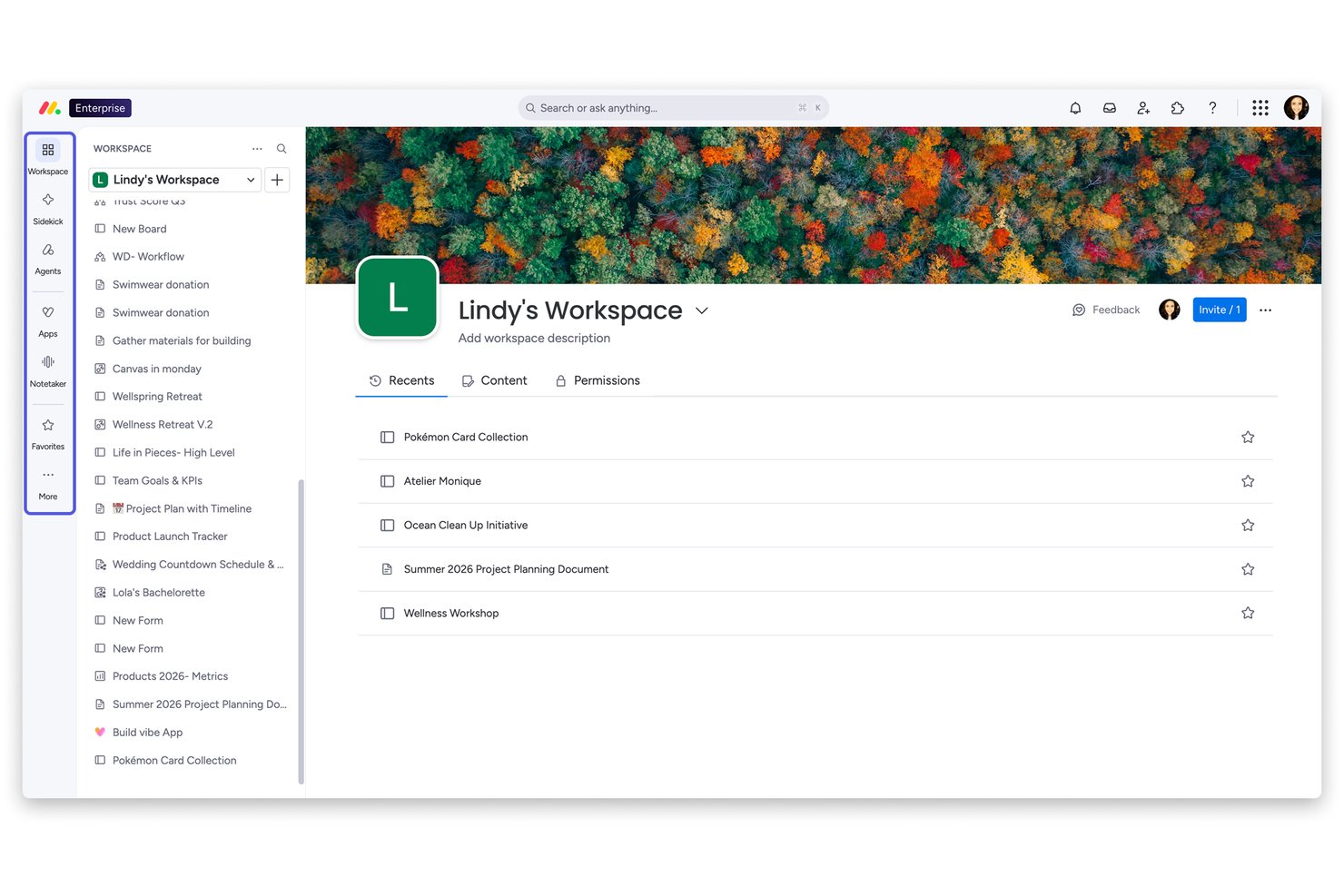
monday AI Workspace is a flexible project management platform built for teams that have outgrown simple Kanban tools and need multi-view project planning, cross-functional collaboration, and AI-driven automation in one place.
Who Is monday AI Workspace Best For?
It's a strong fit for mid-sized to large teams where project managers and PMO leads need portfolio-level visibility across multiple workstreams.
Why monday AI Workspace Is a Good Best Trello Alternatives (Free & Paid Options)
I picked monday AI Workspace as one of the best because its AI layer does something Trello simply can't: actively monitor your projects and surface risks before they derail timelines. The Project Analyzer flags bottlenecks in real time, while AI Blocks automate repetitive work like categorizing tasks and summarizing updates across boards. I also appreciate how live dashboards pull from multiple projects simultaneously, giving full portfolio visibility without manual reporting.
monday AI Workspace Key Features
- Workload view: See team capacity at a glance to balance assignments and avoid overloading anyone.
- Gantt and timeline views: Plan projects visually with drag-and-drop timelines and critical path tracking.
- Docs and whiteboards: Collaborate on documents and brainstorm with integrated whiteboard tools right in your workspace.
- Native time tracking: Log time on tasks and generate reports for billable hours or productivity reviews.
monday AI Workspace Integrations
monday AI Workspace offers hundreds of native integrations, including Slack, Google Workspace, Microsoft 365, Salesforce, HubSpot, Jira, GitHub, Zoom, Dropbox, and Zendesk. It also supports Zapier and provides an API for custom integrations.
Pros and Cons
Pros:
- More project views than Trello offers
- Portfolio dashboards across multiple projects simultaneously
- AI-powered project risk detection built in
Cons:
- Can feel overly complex for small teams
- Automation limits hit quickly on lower tiers
New Product Updates from monday AI Workspace
monday AI Workspace Adds Human Approval Routing
monday AI Workspace adds a human-in-the-loop approval block to AI Workflows, sending approval requests and routing workflow paths based on responses. For more information, visit monday AI Workspace's official site.

GQueues
Best for Google Workspace integration
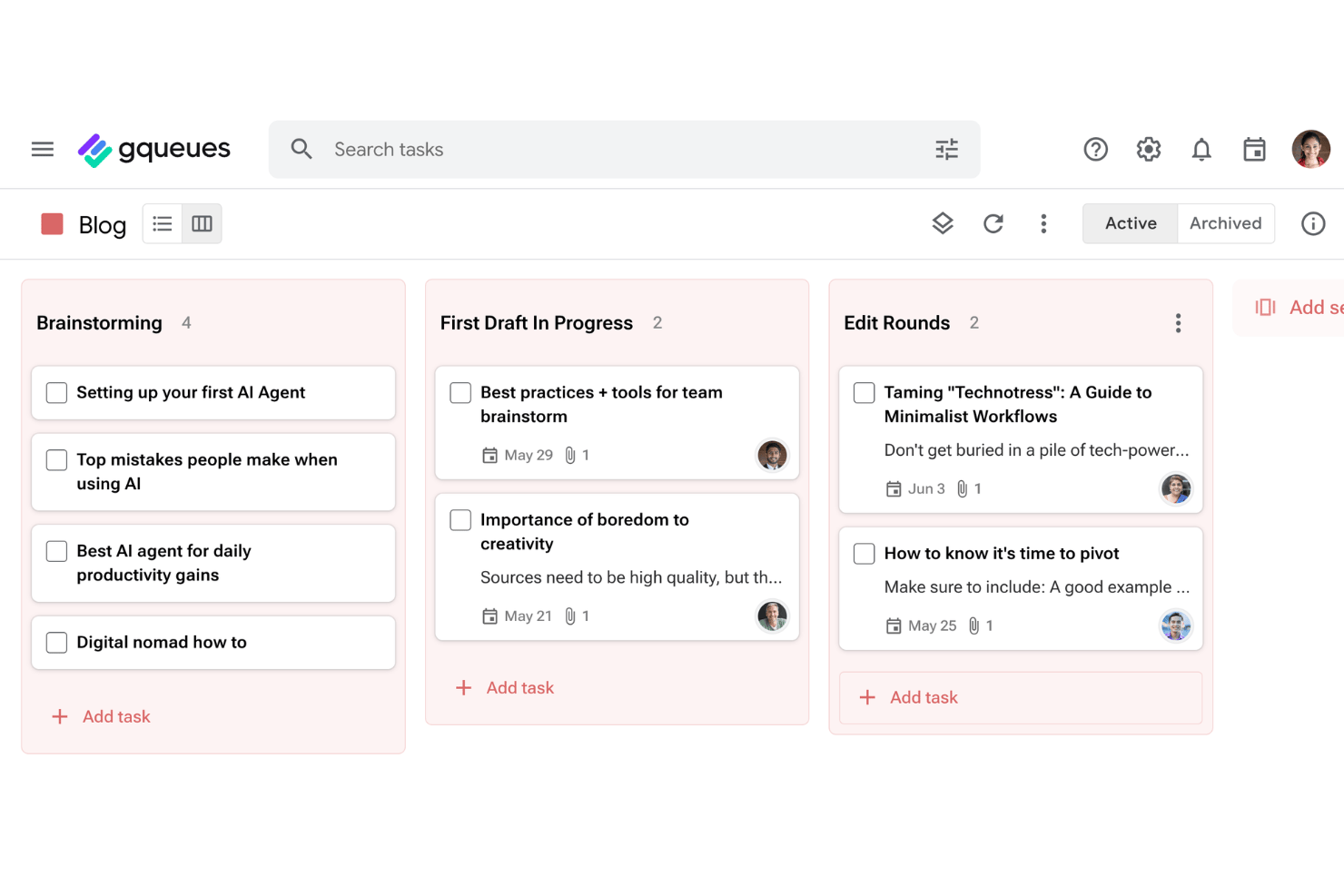
GQueues is a task management tool built for teams and individuals who run their work inside Google Workspace, letting you track tasks, manage projects, and stay organized without leaving the Google tools you already use.
Who Is GQueues Best For?
GQueues suits small teams and solo professionals who already live in Google Workspace and want task management that works with the tools they're already using.
Why GQueues Is a Good Trello Alternative
I picked GQueues because its two-way Google Calendar sync is genuinely useful in practice: reschedule a task in Calendar and it updates in GQueues instantly, keeping your project timeline accurate without manual reconciliation. I also appreciate that separate projects can sync to separate calendars, so I can keep client work, internal projects, and personal tasks cleanly partitioned. The Gmail add-on lets me turn an email thread directly into a task, which cuts out a step I used to do manually every day.
GQueues Key Features
- Smart Queues and advanced search: Build dynamic, auto-updating views of tasks using powerful filters and saved searches.
- Bulk actions and command palette: Make large-scale changes or access commands quickly with bulk edit tools and keyboard shortcuts.
- Gmail and Chrome extension integration: Create tasks from emails or web pages directly without switching between apps.
- Mobile apps and Google Workspace login: Access tasks on iOS or Android and use Google single sign-on for secure, convenient entry.
GQueues Integrations
GQueues offers native integration with Google Workspace, including Google Calendar, Google Drive, Gmail, and Google Contacts.
Pros and Cons
Pros:
- Affordable pricing works well for small teams
- Turning emails into tasks takes one click
- Subtasks with unlimited hierarchical layers
Cons:
- Limited features for non-Google users
- No Gantt or timeline view for complex projects

Quire
Best for nested task hierarchies
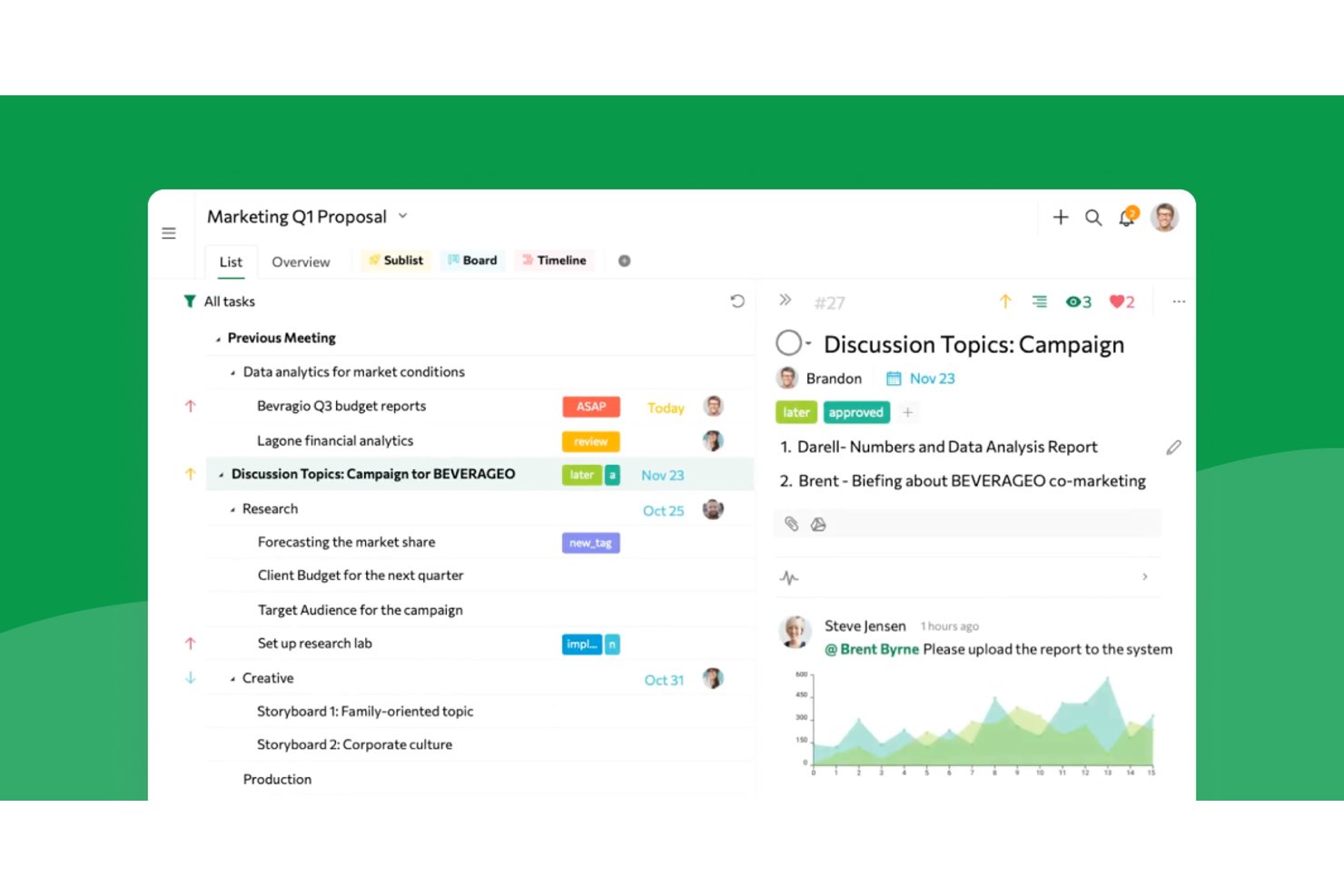
Quire gives product teams, designers, and agencies a visual workspace to manage complex projects, break down tasks, and boost cross-team collaboration without losing track of priorities or deadlines.
Who Is Quire Best For?
Project leaders who need to break down complex initiatives into detailed task hierarchies and keep teams aligned across departments.
Why Quire Is a Good Best Trello Alternatives (Free & Paid Options)
I picked Quire because it handles deep task hierarchies better than almost anything else I've tried. I use its tree and kanban hybrid views to break complex projects into manageable tasks, and keep dependencies clear as teams add, shuffle, and prioritize subtasks across departments.
Quire Key Features
- Multiple project views: Switch between kanban board, timeline, and list views for tailored project tracking.
- Real-time collaborative editing: Edit tasks and notes simultaneously with teammates without version conflicts.
- Automated recurring tasks: Set tasks to repeat on a custom schedule to handle ongoing work with less manual setup.
- Smart folder organization: Group related projects and tasks together into folders for organized workspace management.
Quire Integrations
Quire offers native integrations with Slack, Google Drive, and GitHub, and it's available on Zapier. An API is also available for custom integrations.
Pros and Cons
Pros:
- Supports real-time collaborative editing for teams
- Combines kanban and tree views in one
- Handles deep nested task hierarchies smoothly
Cons:
- Fewer advanced automation features than major rivals
- Limited built-in reporting and analytics options
New Product Updates from Quire
Quire Adds Custom Field Locking and Comment Reaction API Support
Quire adds custom field locking and API support for reading and setting emoji reactions on comments. These updates give teams more control over field data and expand comment interaction options for developers. For more information, visit Quire’s official site.
 .
.
Best price for freelancers and small teams

Zoho Projects is an online project management tool tailored for teams and freelancers to plan, track, and collaborate on projects effectively. It provides an affordable solution for managing tasks, timelines, and team workflows.
Why Zoho Projects is a good Trello alternative: Zoho Projects includes time tracking features that allow your team to monitor work hours and ensure tasks stay on schedule and within budget. Furthermore, the tool's detailed project status reports give you a clear overview of progress, helping you identify delays and optimize workflows. The tool also provides task dependencies that can help your team handle complex project structures more efficiently.
Zoho Projects Standout Features & Integrations:
Features include milestone tracking, which ensures your team stays aligned with project goals and deadlines. The issue tracking module also allows you to log and address problems, improving project delivery. Additionally, time logging is integrated directly into task workflows to simplify the process of tracking hours worked on specific tasks.
Integrations: Being part of the Zoho's ecosystem allows Projects to connect to several of Zoho's own services such as Zoho Books, Zoho CRM and Zoho's finance suite. The new Zoho marketplace allows 3rd party integrations as well. Integrations via Zapier and Zoho Flow are also supported.
Pros and Cons
Pros:
- Affordable for freelancers and small teams
- Integrates well with other Zoho apps and tools
- Includes Gantt charts for timeline adjustments
Cons:
- Dashboard customization is limited in certain areas
- Customizing reports can take extra time
New Product Updates from Zoho Projects
Zoho Projects Adds CodeX Scripts for Custom Modules
Zoho Projects now supports CodeX Scripts for custom modules, enabling conditional logic and rules for creating, updating, and deleting records. For more information, visit Zoho Projects' official site.
 .
.
Best for visual project management
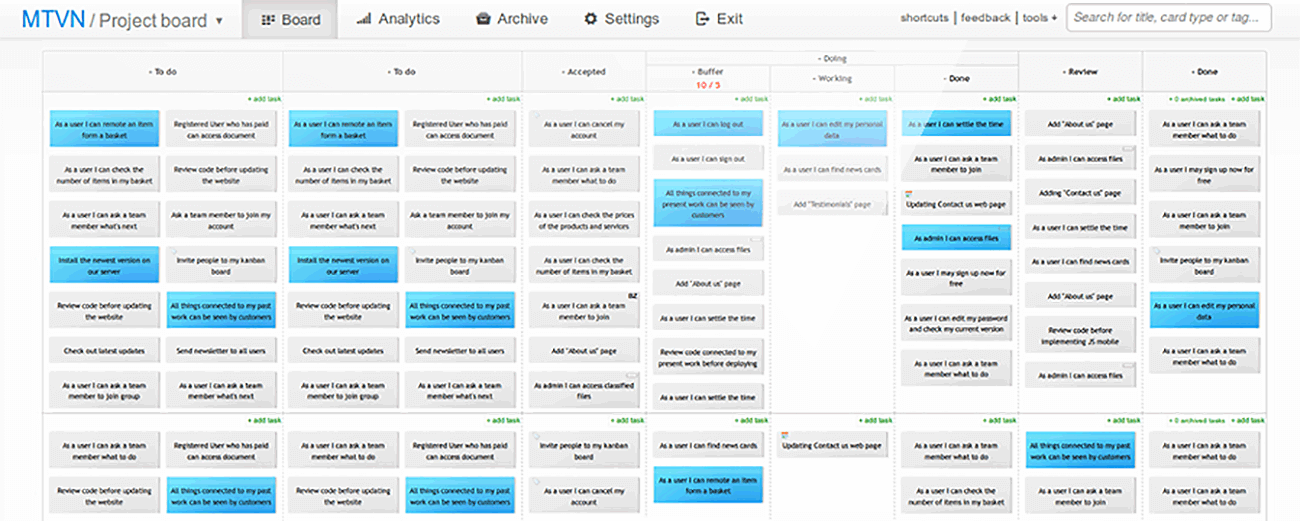
Kanban Tool is a project management platform that helps teams visualize workflows, track progress, and improve productivity. It is ideal for businesses seeking a simple yet effective way to manage tasks and enhance team collaboration.
Why Kanban Tool is a good Trello alternative: Kanban Tool excels in offering intuitive visual boards that simplify task organization and progress tracking. Its time tracking feature helps your team monitor productivity directly from the task board. Additionally, its analytics tools provide actionable insights into team performance and workflow bottlenecks. The platform is also easy to customize, which makes it particularly suitable for teams with unique project requirements.
Kanban Tool Standout Features & Integrations:
Features include a built-in calendar view that provides a clear timeline of tasks and deadlines to help your team plan effectively. The WIP (Work in Progress) limits feature also ensures your team stays focused by preventing task overload on any workflow stage. Additionally, the offline access capability allows your team to update boards even without an internet connection, ensuring work continuity.
Integrations include Slack, Zapier, Dropbox, Google Drive, Microsoft Teams, Jira, GitHub, Trello, Asana, and Salesforce.
Pros and Cons
Pros:
- Suitable for both small teams and large organizations
- Supports task automation to reduce manual work
- Offers swimlanes for detailed task organization
Cons:
- Less flexibility for detailed project portfolio management
- Reporting tools require initial setup and configuration

Breeze
Best combination with a full project management suite

Breeze is a project management tool that helps teams track tasks, manage workflows, and oversee projects efficiently. It is ideal for organizations looking for a comprehensive platform to handle all aspects of project management.
Why Breeze is a good Trello alternative: Breeze combines task management with features like time tracking and resource allocation to give your team more control over projects. Its visual boards help you organize workflows and ensure transparency across tasks. The platform also includes built-in reporting tools to help your team analyze performance and make informed decisions. Additionally, Breeze supports project timelines and budgeting, which makes it a suitable tool for complex and multi-faceted projects.
Breeze Standout Features & Integrations:
Features include advanced project budgeting tools that let your team plan and monitor financial resources. The workload tracking feature additionally ensures that team members aren't overloaded and resources are balanced. Breeze also offers a centralized file management system to keep all your project documents accessible in one place.
Integrations include Slack, Trello, Google Drive, Dropbox, Microsoft Teams, GitHub, Zapier, Salesforce, Asana, and QuickBooks.
Pros and Cons
Pros:
- Provides visual project overviews with Kanban boards
- Enhances collaboration with shared document management
- Supports recurring tasks for consistent workflows
Cons:
- Not ideal for teams without budget management needs
- Limited pre-built templates for quick setup
Best for automation capabilities
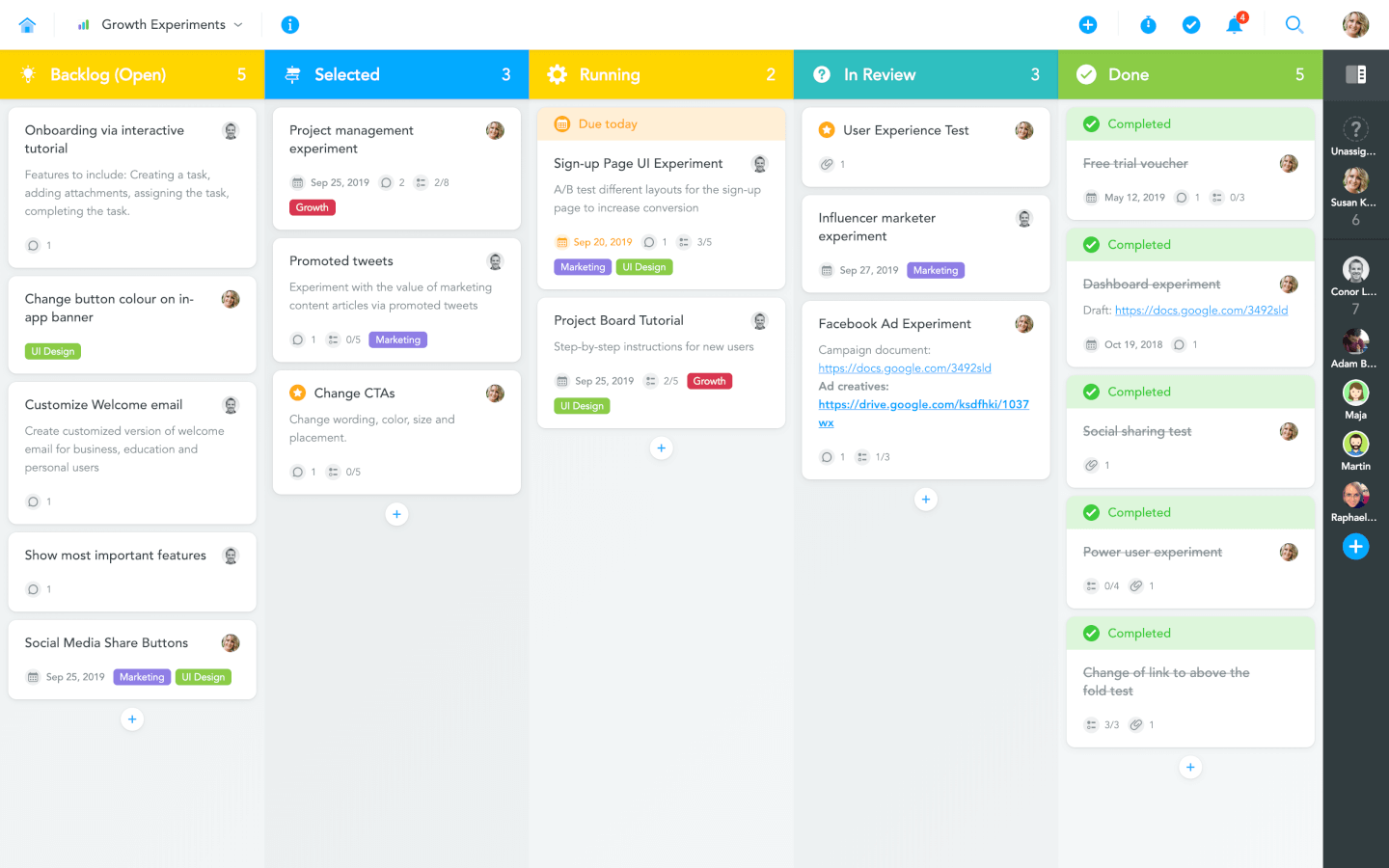
MeisterTask is a project management tool designed to help teams automate workflows and organize tasks effectively. It caters to teams looking for a streamlined approach to managing projects with minimal manual intervention.
Why MeisterTask is a good Trello alternative: MeisterTask simplifies project management with automation capabilities that reduce repetitive manual tasks. Its fully customizable Kanban boards allow your team to tailor workflows to match specific project requirements. Additionally, its progress tracking widgets provide real-time updates on project status, keeping everyone aligned.
MeisterTask Standout Features & Integrations:
Features include role-based permissions that allow your team to control access to tasks and projects for better security and organization. The agenda view can help users manage personal priorities by consolidating tasks from multiple projects in one place. MeisterTask also provides in-task checklists to break down complex tasks into smaller, actionable steps for improved clarity and execution.
Integrations include Slack, Google Drive, Dropbox, Microsoft Teams, GitHub, Zapier, Salesforce, Asana, Trello, and Outlook.
Pros and Cons
Pros:
- Simplifies task creation with templates and automations
- Offers built-in time tracking for monitoring productivity
- Includes task relationships to manage project dependencies
Cons:
- Task relationships may be complex for beginners
- Not ideal for teams using traditional methodologies

ClickUp
Best free plan for a Trello alternative
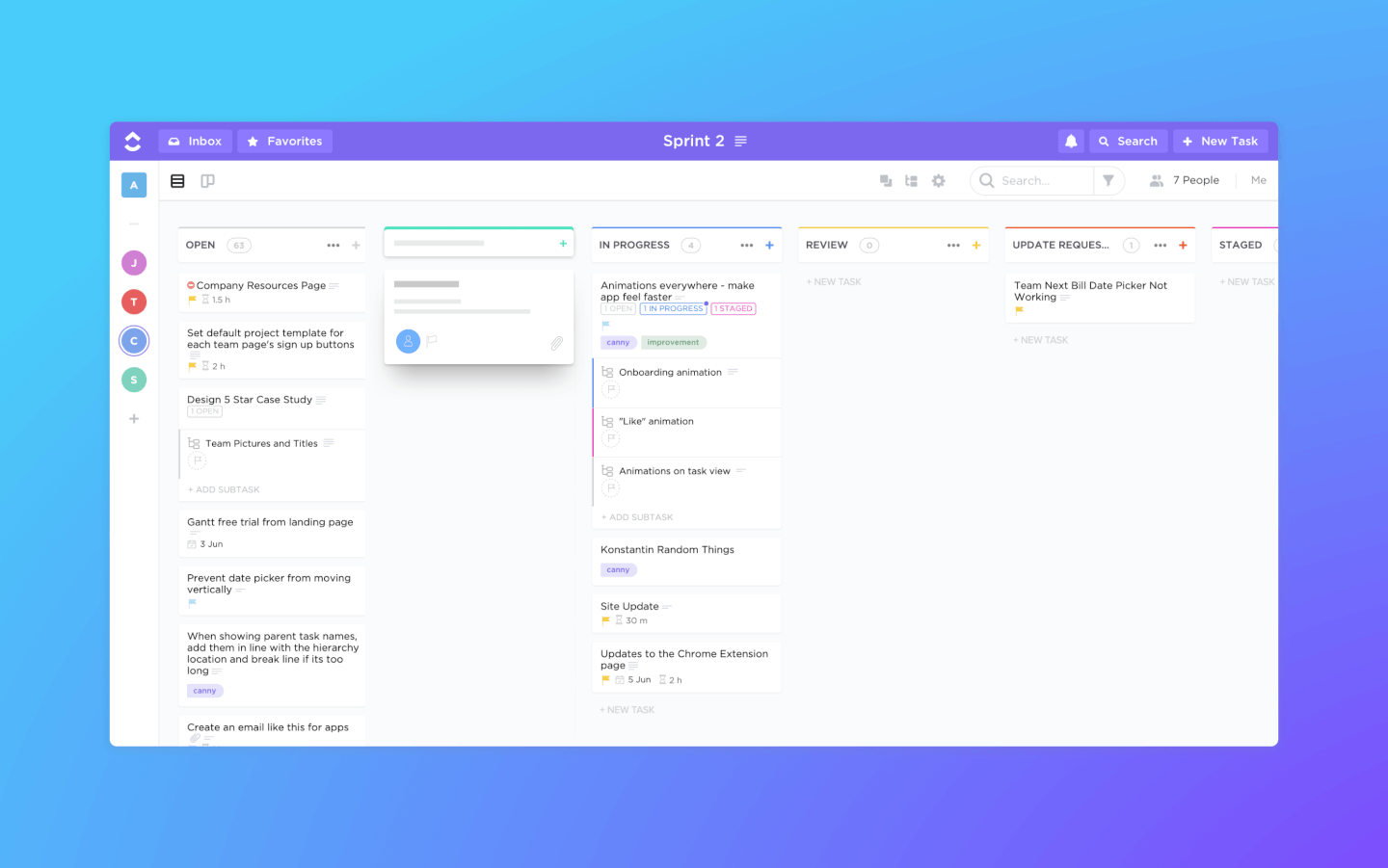
ClickUp is a project management software and Kanban tool with powerful features for managing and completing all your team's projects in one platform. Users can plan projects, schedule tasks, and manage resources in a centralized workspace on Kanban boards, as well as calendars, Gantt charts, timelines, and more.
Task management features include task checklists, subtasks, and task templates, as well as the ability to filter, sort, search for, easily reorder, and view tasks in the manner most convenient for the team. Users can also create Gantt charts, calendars, and timelines to visualize tasks.
ClickUp also includes features for creating, sharing, and collaborative editing for Wikis and documents. Users can comment on documents and tasks, assign comments, and chat with other team members for increased communication and collaboration. Reporting features include the ability to create custom dashboards, as well as six built-in report types for team reporting.
ClickUp offers native integrations with Slack, G Suite, Dropbox, and many more tools, as well as over 1,000+ integrations through Zapier.
ClickUp's free plan is robust and includes all primary features. The unlimited plan starts at $5 a month per user and offers additional functionality.
New Product Updates from ClickUp
ClickUp Adds Meetings Hub, Super Agent Templates, and ZoomInfo Integration
ClickUp adds a searchable Meetings Hub, new ways to clone and template Super Agents, and a ZoomInfo integration through the App Center. These updates improve meeting retrieval, agent reuse, and access to sales intelligence. For more information, visit ClickUp’s official site.
Workzone
Best personalized onboarding and training
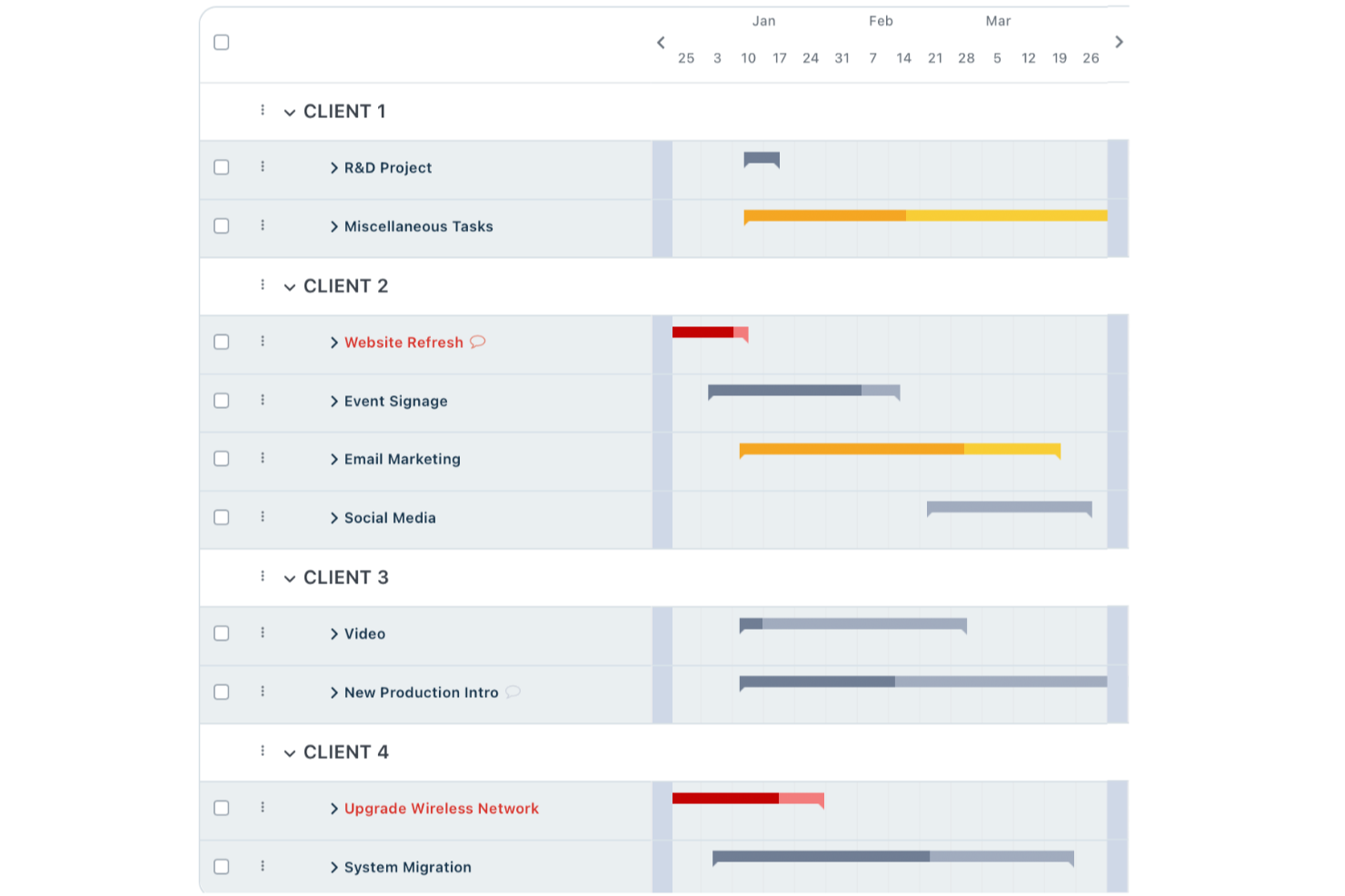
Workzone is a project management platform built for teams who need more structure and control than basic kanban boards provide. It’s a great fit for teams in marketing, operations, or professional services looking to manage complex projects, track progress, and improve cross-team visibility.
Who Is Workzone Best For?
Mid-sized companies in marketing, operations, or creative teams needing project structure and dedicated onboarding support.
Why Workzone Is a Good Trello Alternatives Free Paid Options
I picked Workzone because it goes well beyond what Trello offers teams that need real onboarding support. When my team started using it, we had access to a dedicated onboarding specialist who walked us through setup, workflows, and best practices for our specific use case. I appreciate that this isn't a one-time session—Workzone provides ongoing training resources so new team members can get up to speed without derailing the rest of the team. For teams switching from Trello, that kind of structured support makes adoption far less painful.
Workzone Key Features
- Project request forms: Submit and track incoming work requests through a standardized intake form tied directly to your project pipeline.
- Creative proofing tools: Review and mark up creative assets in real time, with feedback centralized within the task so revision rounds stay organized.
- Project templates: Build reusable project templates to launch consistent workflows without rebuilding the same structure from scratch each time.
- Workload management: View team capacity across active tasks and projects to spot resource conflicts before they affect delivery timelines.
Workzone Integrations
Workzone offers native integrations with Slack, Microsoft Teams, Dropbox, Box, and Google Drive, and provides an API for custom integrations.
Pros and Cons
Pros:
- Strong portfolio and resource management tools
- Detailed project and task reporting options
- Personalized onboarding sessions for new teams
Cons:
- Interface feels dated compared to newer tools
- No free tier for small teams
New Product Updates from Workzone

Workzone Enterprise Adds Multi-Stage Approval Workflows
Workzone Enterprise now includes Approval Workflows, enabling multi-stage document approvals to standardize complex processes and reduce manual effort. For more information, visit Workzone's official site.
 .
.
Kanban Zone
Best cross-portfolio Kanban board

Kanban Zone is a project management tool designed for teams and organizations managing multiple projects across portfolios. It provides visual task tracking to improve workflow efficiency and team collaboration.
Why Kanban Zone is a good Trello alternative: Kanban Zone offers highly customizable Kanban boards that allow your team to track tasks and projects across multiple portfolios. Its card hierarchy feature also enables you to break down complex projects into smaller tasks, making them easier to manage. Furthermore, with flexible board layouts, you can tailor workflows to fit the needs of different teams and projects.
Kanban Zone Standout Features & Integrations:
Features include a dependency mapping tool that helps your team identify and resolve task dependencies to avoid delays. The swimlane functionality lets you categorize tasks by priority, team, or project stage for better visibility. Moreover, real-time collaboration features ensure that updates and changes are instantly reflected across all boards for team alignment.
Integrations include Jira, Slack, Google Drive, Microsoft Teams, GitHub, Trello, Dropbox, Salesforce, Asana, and Zapier.
Pros and Cons
Pros:
- Handles multi-team workflows effectively
- Enables real-time updates for instant collaboration
- Supports highly customizable board layouts
Cons:
- May feel excessive for single-team projects
- Requires time to customize and configure boards
Andre verktøy som kan erstatte Trello
Her er en liste over noen flere alternativer til Trello som er verdt å vurdere.
- Shortcut
For development teams
- Hygger
For software development
- Bonsai Agency Software
For agencies
- Taskworld
For large variety of features
- Kissflow Workflow
Collaborative Kanban tool
- Zenhub
For agile project management within GitHub
- ProjectManager
Kanban board tool with reporting features
- Planview LeanKit
For lean project management
- Businessmap
For agile portfolio management
- Pneumatic Workflow
For streamlining digital projects


Relatert programvare for prosjektstyring
Hvis du fortsatt ikke har funnet det du ser etter her, kan du sjekke ut disse andre relaterte verktøyene som vi har testet og vurdert:
- Programvare for prosjektstyring
- Programvare for oppgavestyring
- Samarbeidsverktøy
- Gantt-diagramverktøy
- Programvare for prosjektoppfølging
- Programvare for prosjektplanlegging
How I Evaluate Trello Alternatives
I look at Trello alternatives in two layers: a baseline every tool must hit, and differentiators—like Gantt views, automation depth, and workload tracking—that determine the right fit for your team.
Core Functionality (Table Stakes For This List)
When I'm selecting tools for my list, I rank each one on a scale from 0 (does not offer the functionality) to 5 (excels in this area) for each core functionality listed below. Then, I calculate the tool's total score into a percentage. Each tool needs to achieve a minimum total score of 75% to be considered for inclusion.
- Visual Task Boards: I evaluate whether a tool offers drag-and-drop Kanban boards with custom columns, card filtering, and grouping options—the kind of board flexibility teams rely on daily.
- Multiple Project Views: Beyond a basic board, I check for list, calendar, Gantt/timeline, and table views so teams can switch perspectives mid-sprint without jumping between tools.
- Task Management Essentials: Every tool should support assignees, due dates, subtasks, dependencies, attachments, and custom fields—core attributes that keep cards from becoming sticky-note placeholders.
- Workflow Automation: I look at whether rule-based triggers handle real scenarios like auto-assigning cards when a column changes or creating recurring tasks for weekly standups.
- Team Collaboration Tools: Shared workspaces, @mentions, activity feeds, and real-time notifications all factor in—especially for distributed teams coordinating across time zones.
- Integrations & API Access: I check native connector lists for tools like Slack, GitHub, Google Workspace, and Figma, and whether the platform offers a public API and supports iPaaS tools like Zapier or Make.
Once I have a list of tools that meet this criteria, I consider what sets each platform apart.
Differentiating Factors (What Sets Vendors Apart)
Here's how I compare and contrast different vendors:
Standout Features
I pay close attention to workload views because they reveal whether a PM can spot overallocation before it derails a sprint. Dashboards and reporting matter just as much—I evaluate whether a tool can surface project health metrics and burndown data without forcing exports to a spreadsheet. Built-in time tracking is another differentiator, especially for teams that need to log hours against tasks for billing or capacity planning purposes.
Beyond Features
Migration experience matters a lot when switching from Trello—I look at whether a platform offers a native Trello import that preserves boards, cards, and attachments without manual rebuilding. Pricing structure is equally important, particularly whether the free tier is genuinely usable or just a demo in disguise. I also evaluate how well a tool scales; a five-person team shouldn't feel overwhelmed, but the same platform should still hold up when projects multiply and headcount grows to fifty or beyond.
Trellos viktigste funksjoner
Her er noen av de viktigste funksjonene i Trello som den alternative programvaren din bør kunne gjenskape eller forbedre for å passe godt:
- Tavler: Trellos visuelle tavler gir en tydelig oversikt over ulike prosjekter og bidrar til å holde oppgaver organisert innenfor bestemte sammenhenger.
- Lister: Lister i tavlene lar brukerne kategorisere oppgaver etter stadier eller typer, noe som gjør det enklere å administrere arbeidsflyter og se hva som krever oppmerksomhet.
- Kort: Hver oppgave representeres av et kort som kan flyttes mellom lister for å vise fremdrift, slik at statusen for hver oppgave kan følges visuelt.
- Etiketter: Etiketter legger til fargekodede merker på kort, slik at brukerne raskt kan identifisere oppgavekategorier, prioriteringer eller involverte avdelinger.
- Sjekklister: Sjekklister i kort deler oppgaver inn i mindre trinn, slik at brukerne ikke går glipp av detaljer og enkelt kan følge opp deloppgaver.
- Forfallsdatoer: Når forfallsdatoer angis på kort, kan brukerne holde oversikt over frister og sørge for at oppgavene fullføres i tide.
- Vedlegg: Ved å legge ved dokumenter og filer på kort holdes all relevant informasjon samlet på ett sted, noe som gjør det enkelt for teammedlemmer å få tilgang til og samarbeide om innholdet.
- Kommentarer: Kommentarfeltet på kort lar teammedlemmer kommunisere direkte om bestemte oppgaver, noe som forbedrer samarbeidet og holder alle diskusjoner i riktig sammenheng.
- Integrasjoner: Trello kan integreres med ulike verktøy som Slack, Google Drive og flere, noe som utvider funksjonaliteten og effektiviserer arbeidsflyten ved å koble til annen programvare du bruker.
- Tilleggsfunksjoner: Disse utvidelsene gir Trello flere muligheter, for eksempel kalendervisninger, automatisering og egendefinerte felt, slik at verktøyet kan tilpasses dine spesifikke behov.
Trello-FAQ
Her er noen vanlige spørsmål om Trello som vi tenkte å svare på.
Hva brukes Trello til?
Her er 10 ting Trello brukes til:
- Prosjektstyring
- Arbeidsflytstyring og automatisering av arbeidsflyt
- Arrangementsplanlegging
- Personlig oppgavestyring
- Tidsregistrering
- Administrasjon av nettsteder og blogger
- Organisering av filer eller digitale samlinger
- Ansettelser og introduksjon av ansatte
- Lagring og deling av filer
- Produktplanlegging og veikart
Er Trello en Windows-app?
Trello fungerer på alle nett- og mobilenheter, og de tilbyr mobilapper for Android og iOS samt skrivebordsapper for macOS og Windows.
Er Trello åpen kildekode?
Nei. Trello er en SaaS-løsning med lukket kildekode. Åpen kildekode-alternativer som ligner på Trello, inkluderer Taiga, Kanboard, Wekan, TaskBoard og Restyaboard.
Hva er Kanban?
Kanban er en prosjektstyrings- og arbeidsflytmetode basert på et arbeidsstyringssystem som ble utviklet ved Toyotas fabrikker på 1960-tallet. Kanban-metoden lar deg minimere multitasking, effektivisere arbeidet som er under utførelse, og forbedre hastigheten og kvaliteten på arbeidet som de samarbeidende og selvstyrende teamene dine produserer.
Er Trello basert på Kanban?
Trellos samarbeidsprogramvare er basert på Kanban-metoden og bruker Kanban-tavler, kort og svømmebanestrukturer som kjennetegner Kanban-metoden.
Hva om jeg ønsker alternativer til andre verktøy?
Hvis du ønsker å finne alternativer til noen av de andre verktøyene dine, kan du se noen av de andre listene våre over alternativer: