


GQueues Review: Pros, Cons, Features and Pricing Explained



When your team already lives in Google Workspace, adding another disconnected tool can create more friction than it solves. The right project management platform should fit naturally into that ecosystem while keeping tasks, schedules, and collaboration easy to manage.
GQueues is a task management software, helping teams manage tasks, schedules, and collaboration directly within Google Workspace. If you need project management software to organize projects, automate scheduling, and keep your team in sync, GQueues stands out with its direct syncing and task management simplicity.
In this review, I’ll cover GQueues’s core features, real-world use cases, pricing structure, and where it shines—or falls short—compared to other options.
GQueues Evaluation Summary
- From $3/user/month (billed annually)
- 14-day free trial
Why Trust Our Software Recommendations
Our team has been testing and reviewing software since 2012. As project managers ourselves, we know how difficult—and important—it is to choose the right software.
For this guide, we evaluated tools using hands-on testing and independent research, scoring tools using our selection criteria. We also draw on insights from industry thought leaders and practicing project management experts.
Our reviews reflect our human editorial judgment, not a sales pitch.
Expert reviewers:
GQueues Overview
If you’re judging task management software on how smoothly it meshes with Google Workspace, GQueues stands out for its intuitive interface and direct two-way calendar syncing. Gmail, Drive, and Docs are wired in just as tightly, and switching them on takes a click rather than an implementation project. I think its pricing is fair for small teams, and onboarding feels quick, especially if you already use Google tools. While it’s not as feature-dense as some alternatives, and advanced workflow automation is not its strong suit, it excels in simplicity, functionality, and responsive support. I’d suggest selecting GQueues if you want calendar-driven task management without an overwhelming learning curve, especially for education, non-profits, or lean teams who already live in Google’s ecosystem.
pros
-
Syncs tasks and due dates directly to Google Calendar
-
Lets users assign and collaborate on shared lists
-
Offers built-in email task creation from Gmail
cons
-
Lacks built-in time tracking or workload management tools
-
Doesn’t offer Gantt chart or timeline views
-
Loses integration depth for teams outside the Google ecosystem
-

Smartsheet
Visit WebsiteThis rating combines scores from multiple user review sites to reflect overall customer sentiment about the product.4.4 -
Celoxis
Visit WebsiteThis rating combines scores from multiple user review sites to reflect overall customer sentiment about the product.4.5 -
Accelo
Visit WebsiteThis rating combines scores from multiple user review sites to reflect overall customer sentiment about the product.4.4





Our Review Methodology
How We Test & Score Tools
We’ve spent years building, refining, and improving our software testing and scoring system. The rubric is designed to capture the nuances of software selection and what makes a tool effective, focusing on critical aspects of the decision-making process.
Below, you can see exactly how our testing and scoring works across seven criteria. It allows us to provide an unbiased evaluation of the software based on core functionality, standout features, ease of use, onboarding, customer support, integrations, customer reviews, and value for money.
Core Functionality (25% of final scoring)
The starting point of our evaluation is always the core functionality of the tool. Does it have the basic features and functions that a user would expect to see? Are any of those core features locked to higher-tiered pricing plans? At its core, we expect a tool to stand up against the baseline capabilities of its competitors.
Standout Features (25% of final scoring)
Next, we evaluate uncommon standout features that go above and beyond the core functionality typically found in tools of its kind. A high score reflects specialized or unique features that make the product faster, more efficient, or offer additional value to the user.
We also evaluate how easy it is to integrate with other tools typically found in the tech stack to expand the functionality and utility of the software. Tools offering plentiful native integrations, 3rd party connections, and API access to build custom integrations score best.
Ease of Use (10% of final scoring)
We consider how quick and easy it is to execute the tasks defined in the core functionality using the tool. High scoring software is well designed, intuitive to use, offers mobile apps, provides templates, and makes relatively complex tasks seem simple.
Onboarding (10% of final scoring)
We know how important rapid team adoption is for a new platform, so we evaluate how easy it is to learn and use a tool with minimal training. We evaluate how quickly a team member can get set up and start using the tool with no experience. High scoring solutions indicate little or no support is required.
Customer Support (10% of final scoring)
We review how quick and easy it is to get unstuck and find help by phone, live chat, or knowledge base. Tools and companies that provide real-time support score best, while chatbots score worst.
Customer Reviews (10% of final scoring)
Beyond our own testing and evaluation, we consider the net promoter score from current and past customers. We review their likelihood, given the option, to choose the tool again for the core functionality. A high scoring software reflects a high net promoter score from current or past customers.
Value for Money (10% of final scoring)
Lastly, in consideration of all the other criteria, we review the average price of entry level plans against the core features and consider the value of the other evaluation criteria. Software that delivers more, for less, will score higher.
Core Features
Task List Organization
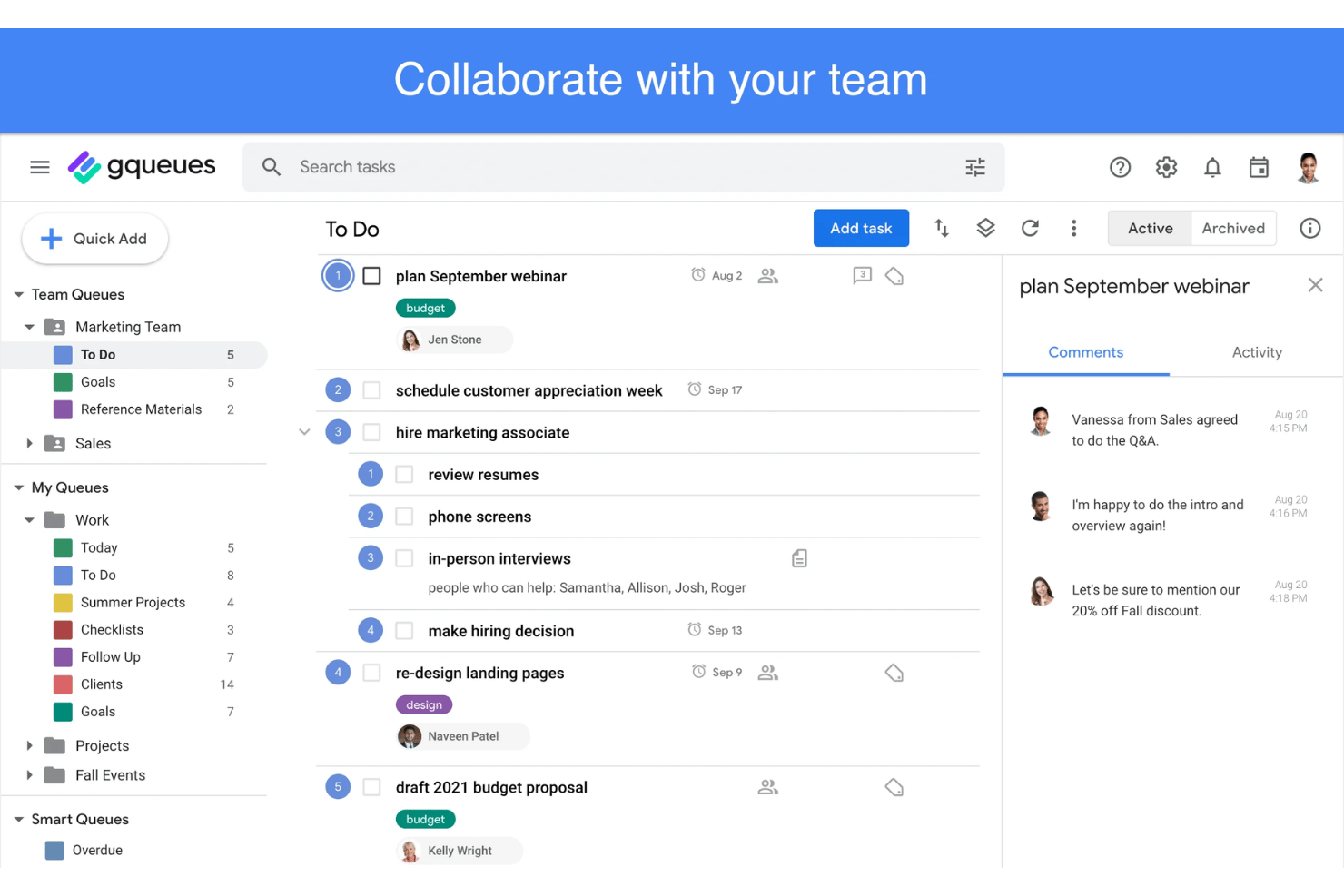
Create queues, sublists, and sections to break down projects, nesting subtasks as deeply as the work requires. Drag and drop moves or reorders anything.
List, Calendar, and Board Views
View the same queues as a to-do list, a calendar, or a Kanban-style board, so individuals can plan their own work while the team tracks status visually.
Two-Way Google Calendar Sync
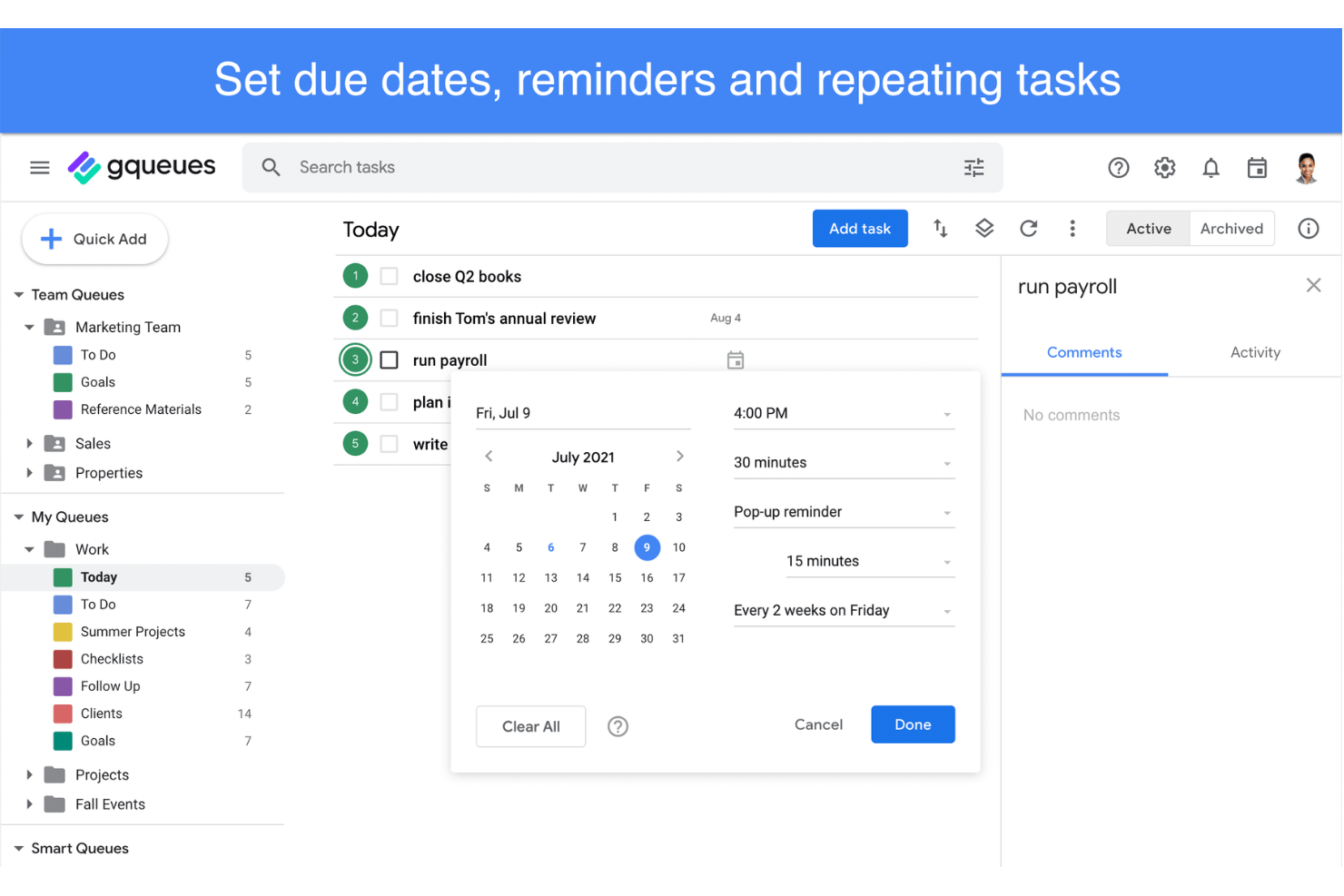
Tasks with due dates appear on your Google Calendar automatically, and edits flow both ways instantly. You can complete tasks from the calendar itself, or split projects across separate calendars.
Assignments and Shared Queues
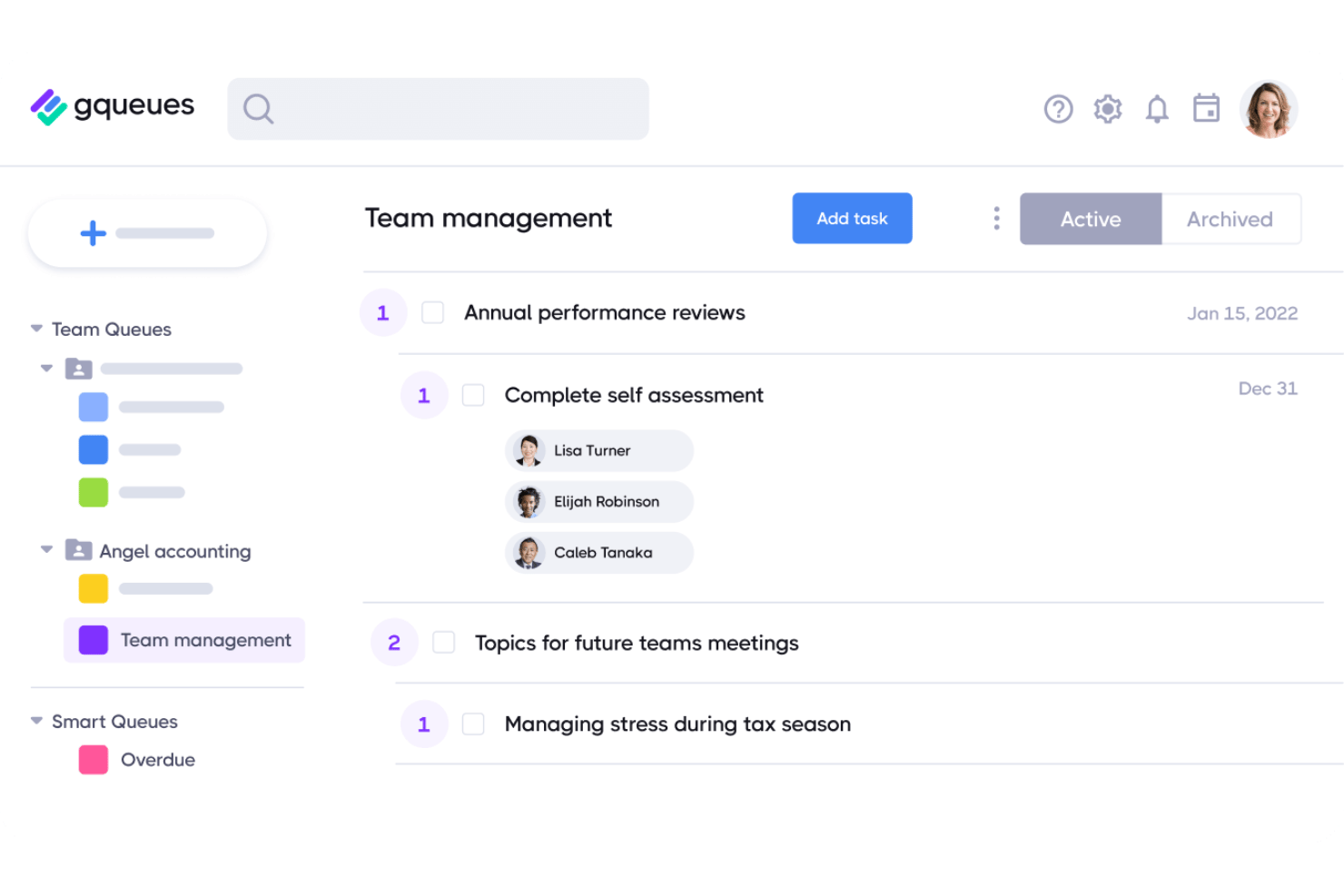
Assign tasks to team members and collaborate in shared queues organized by team, project, or client. Everyone sees updates and completions in real time.
Attachments and Comments
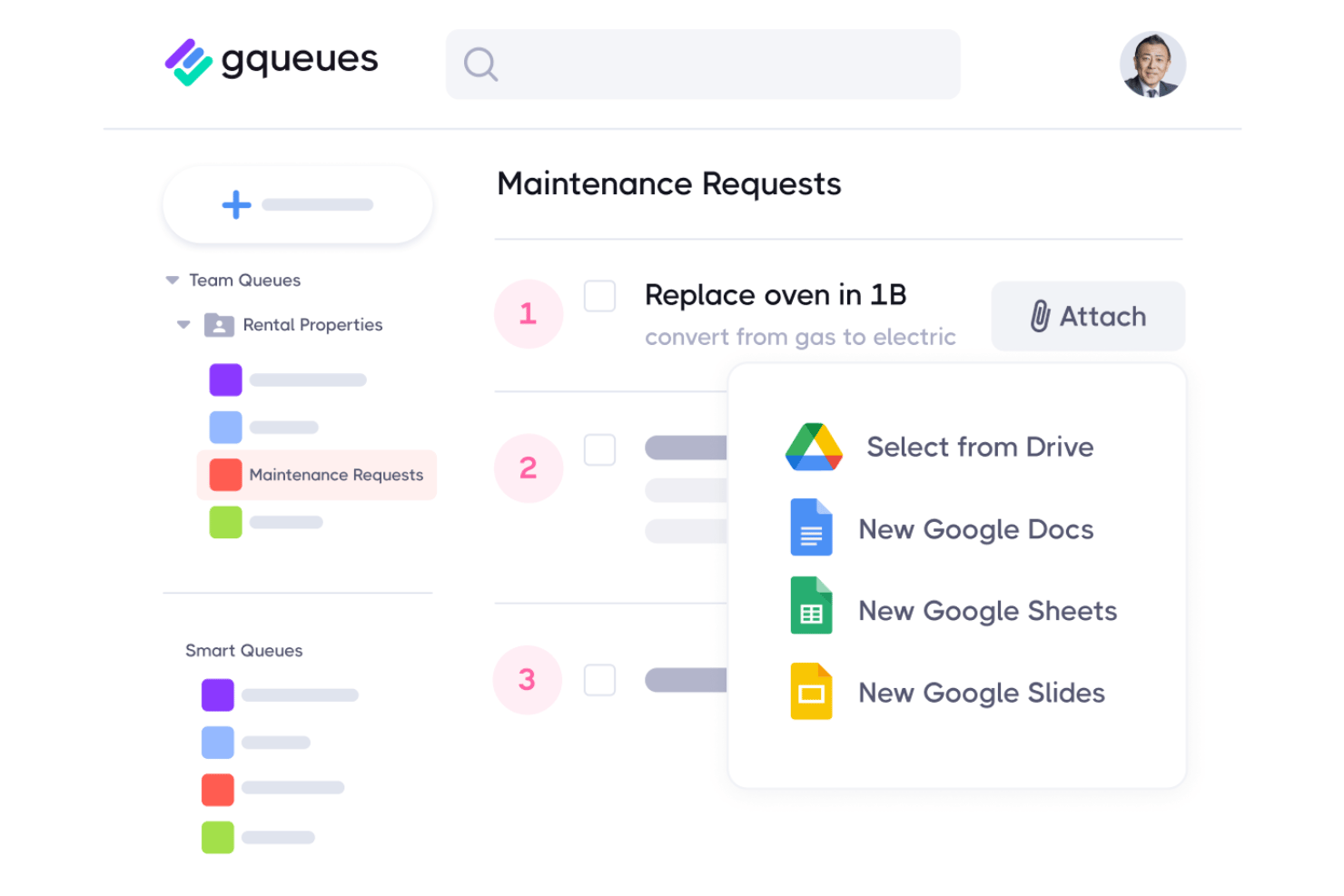
Attach Drive files, links, or images to tasks, or create a Google Doc from one and share it instantly. Permissions update on their own, so nobody waits on access, and comments keep discussion on the task.
Recurring Task Scheduling
Set tasks to repeat daily, weekly, monthly, or on a custom schedule. Reminders arrive by email and calendar so routine operations stay visible.
Email-to-Task Creation
A Gmail add-on turns emails into actionable tasks without leaving the inbox, carrying the message content and a link across so context survives.
Ease of Use
GQueues is probably one of the most user-friendly project management options with Google Calendar integration, thanks to its clean interface and straightforward task workflows. It borrows Google’s own visual conventions, so anyone comfortable in Workspace finds their way around immediately. Users often highlight the drag-and-drop list management and simple task assignment as strengths, while built-in keyboard shortcuts, bulk actions, and a Chrome extension for capturing ideas make day-to-day project handling fast and intuitive. You don’t need much onboarding, and if you use Google Workspace you’ll adapt quickly.
Integrations
GQueues integrates with Google Calendar, Google Drive, Gmail, Google Contacts, Google Cloud, and Google Workspace login.
GQueues offers a public API, giving teams more flexibility to connect the platform with other tools and build custom integrations.
GQueues Specs
- API
- Batch Permissions & Access
- Budgeting
- Calendar Management
- Collaboration Support
- Contact Management
- Contact Sharing
- Customer Management
- Dashboard
- Dashboards
- Data Export
- Data Import
- Data Visualization
- Dependency Tracking
- Document Sharing
- Expense Tracking
- External Integrations
- File Sharing
- Gantt Charts
- Kanban Boards
- Multi-User
- Notifications
- Project Management
- Resource Management
- Scheduling
- Task Scheduling/Tracking
- Third-Party Plugins/Add-Ons
- Time Management
- Travel Management
- Workflow Management


