Shortcut Review: Pros, Cons, Features and Pricing



Shortcut is project management software for software teams that need to coordinate development work, track issues, and plan sprints and roadmaps. If your team wants those workflows in a lightweight workspace, I’d choose Shortcut over Jira.
Shortcut Evaluation Summary
- From $8.50/user/month (billed annually)
- Free plan available
Why Trust Our Software Recommendations
Our team has been testing and reviewing software since 2012. As project managers ourselves, we know how difficult—and important—it is to choose the right software.
For this guide, we evaluated tools using hands-on testing and independent research, scoring tools using our selection criteria. We also draw on insights from industry thought leaders and practicing project management experts.
Our reviews reflect our human editorial judgment, not a sales pitch.
Expert reviewers:
Shortcut Overview
I’d choose Shortcut for software teams that want issue tracking, iterations, roadmaps, objectives, and GitHub or Slack integrations in a focused interface. Compared with broader project tools, its developer workflows and quick setup feel easier to adopt, while custom fields and work-in-progress limits add useful structure. A free plan and per-user paid tiers make it accessible, though I’d compare costs as the team grows. It’s less suited to complex, cross-industry workflows that need extensive customization. Before selecting it, confirm support coverage meets your needs; I’d favor Shortcut for product and engineering teams coordinating sprints and releases.
pros
-
Iterations, Kanban boards, and story points keep sprint work visible.
-
Epics, stories, and dependency views connect plans with delivery.
-
Fast interface and keyboard shortcuts make daily issue updates quick.
cons
-
Reporting offers limited detail on completed work and story-state time.
-
Search relies on syntax, with fewer controls for complex filters.
-
Some reviewers report occasional bugs, slow loading, and cluttered navigation.
-

Smartsheet
Visit WebsiteThis rating combines scores from multiple user review sites to reflect overall customer sentiment about the product.4.4 -
Celoxis
Visit WebsiteThis rating combines scores from multiple user review sites to reflect overall customer sentiment about the product.4.5 -
Accelo
Visit WebsiteThis rating combines scores from multiple user review sites to reflect overall customer sentiment about the product.4.4





Our Review Methodology
How We Test & Score Tools
We’ve spent years building, refining, and improving our software testing and scoring system. The rubric is designed to capture the nuances of software selection and what makes a tool effective, focusing on critical aspects of the decision-making process.
Below, you can see exactly how our testing and scoring works across seven criteria. It allows us to provide an unbiased evaluation of the software based on core functionality, standout features, ease of use, onboarding, customer support, integrations, customer reviews, and value for money.
Core Functionality (25% of final scoring)
The starting point of our evaluation is always the core functionality of the tool. Does it have the basic features and functions that a user would expect to see? Are any of those core features locked to higher-tiered pricing plans? At its core, we expect a tool to stand up against the baseline capabilities of its competitors.
Standout Features (25% of final scoring)
Next, we evaluate uncommon standout features that go above and beyond the core functionality typically found in tools of its kind. A high score reflects specialized or unique features that make the product faster, more efficient, or offer additional value to the user.
We also evaluate how easy it is to integrate with other tools typically found in the tech stack to expand the functionality and utility of the software. Tools offering plentiful native integrations, 3rd party connections, and API access to build custom integrations score best.
Ease of Use (10% of final scoring)
We consider how quick and easy it is to execute the tasks defined in the core functionality using the tool. High scoring software is well designed, intuitive to use, offers mobile apps, provides templates, and makes relatively complex tasks seem simple.
Onboarding (10% of final scoring)
We know how important rapid team adoption is for a new platform, so we evaluate how easy it is to learn and use a tool with minimal training. We evaluate how quickly a team member can get set up and start using the tool with no experience. High scoring solutions indicate little or no support is required.
Customer Support (10% of final scoring)
We review how quick and easy it is to get unstuck and find help by phone, live chat, or knowledge base. Tools and companies that provide real-time support score best, while chatbots score worst.
Customer Reviews (10% of final scoring)
Beyond our own testing and evaluation, we consider the net promoter score from current and past customers. We review their likelihood, given the option, to choose the tool again for the core functionality. A high scoring software reflects a high net promoter score from current or past customers.
Value for Money (10% of final scoring)
Lastly, in consideration of all the other criteria, we review the average price of entry level plans against the core features and consider the value of the other evaluation criteria. Software that delivers more, for less, will score higher.
Core Features
Stories and Issue Tracking
Stories give teams a place to track development work and issues, while epics group related stories into larger efforts. This helps you follow individual tasks without losing sight of a feature or release.
Iterations and Story Points
Assign stories to iterations and use story points to estimate the work planned for each sprint. Your team can review sprint scope and see whether planned work is progressing.
Kanban Boards and Work-in-Progress Limits
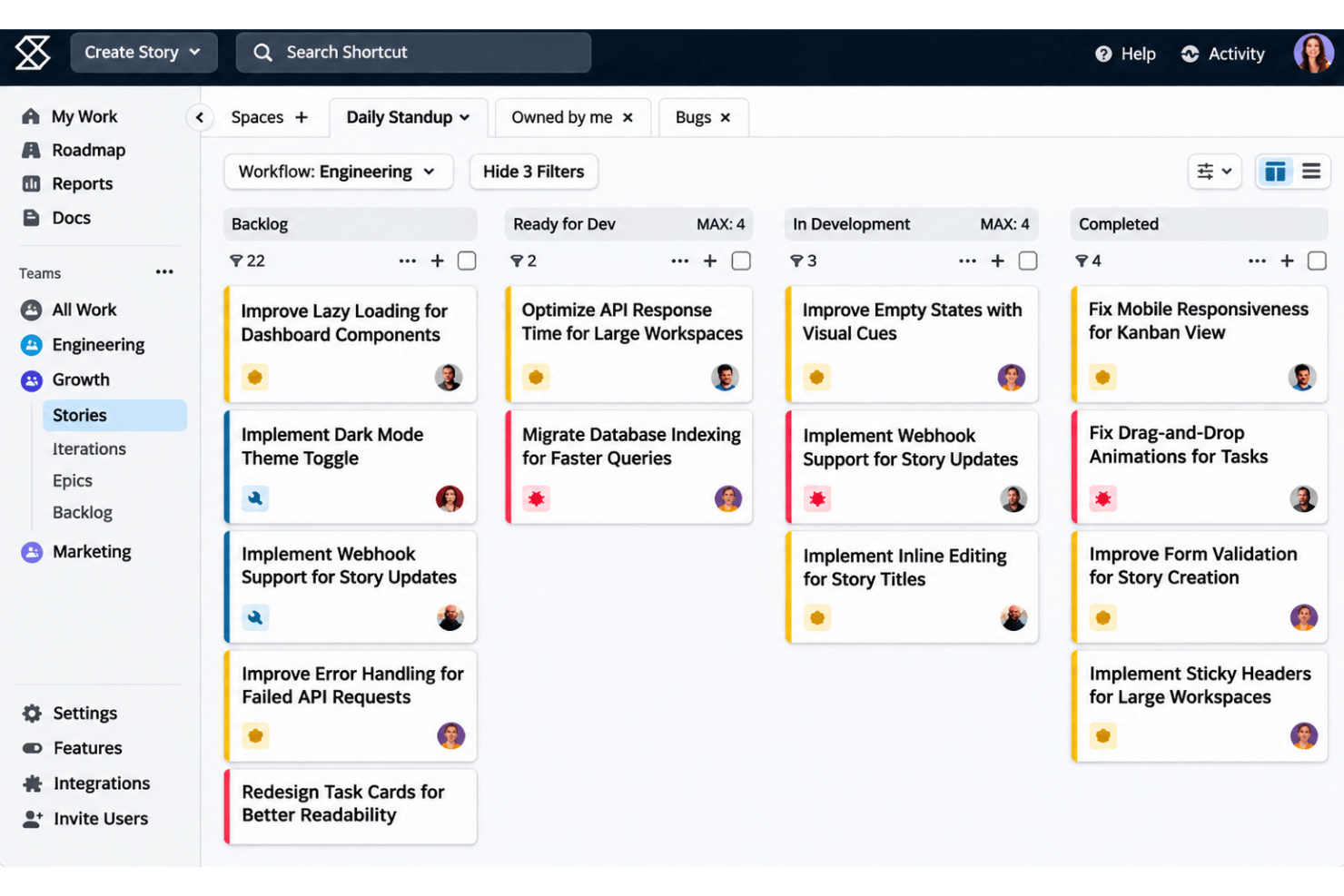
Kanban boards show work in progress, and work-in-progress limits add structure to how much work sits in progress at once. Your team can spot overloaded stages and focus on moving existing stories forward.
Epics and Dependencies
Epics organize related stories, while dependency views show how pieces of work relate. For example, you can see which story needs to finish before another can proceed.
Roadmaps
Roadmaps give teams a view of planned work beyond the current sprint. Product and engineering leads can review upcoming priorities alongside active delivery work.
Objectives
Objectives let teams track goals within Shortcut. They give your team a place to review intended outcomes alongside the work being planned.
Ease of Use
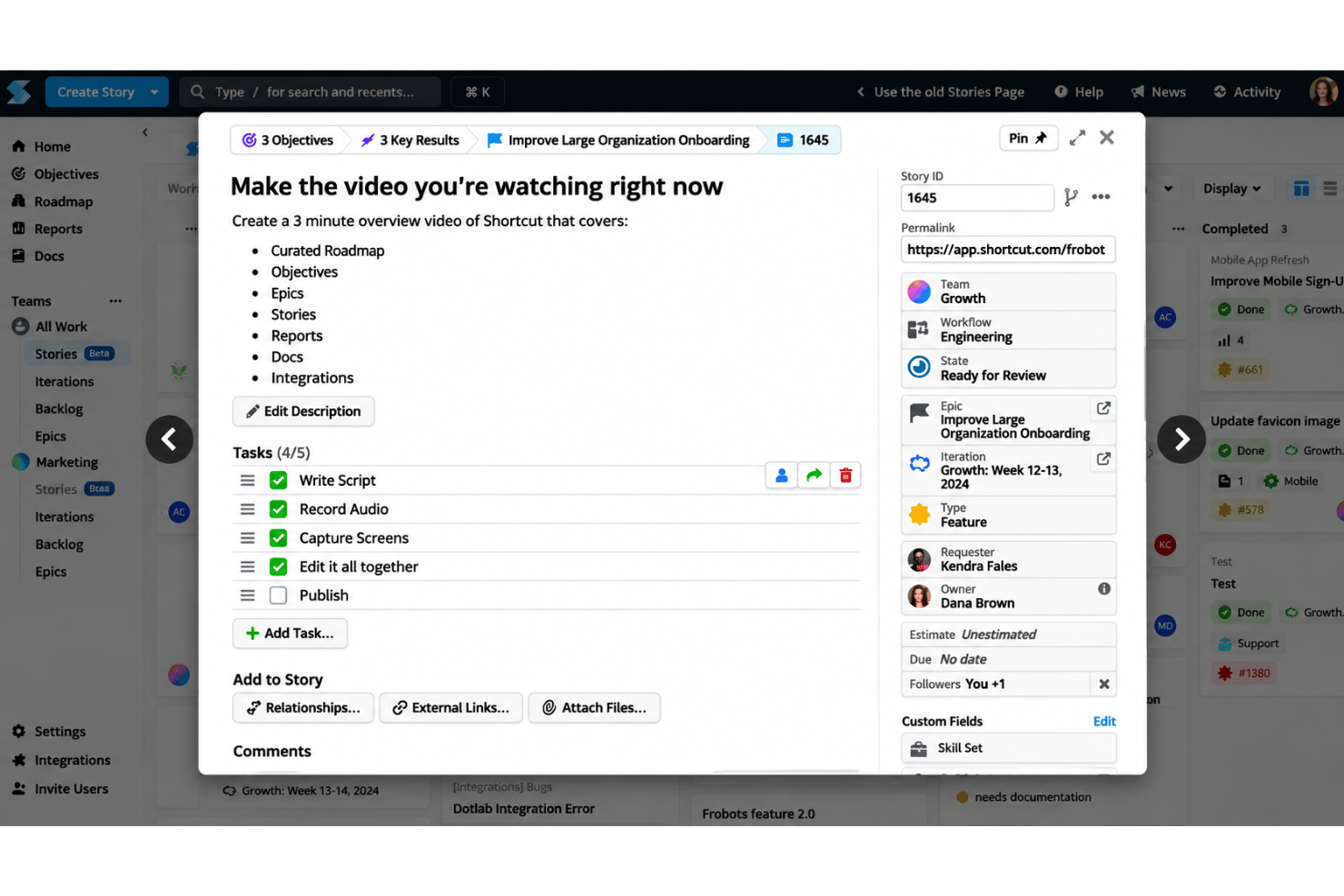
Shortcut offers a clean, intuitive interface designed for software development teams. Its keyboard shortcuts, Stories-to-Epics hierarchy, and focused workflows make daily updates and sprint planning straightforward. However, occasional bugs, cluttered navigation, and advanced search syntax can make certain tasks challenging. Nontechnical team members may also need time to learn the platform, particularly when working with complex filters and reporting.
Integrations
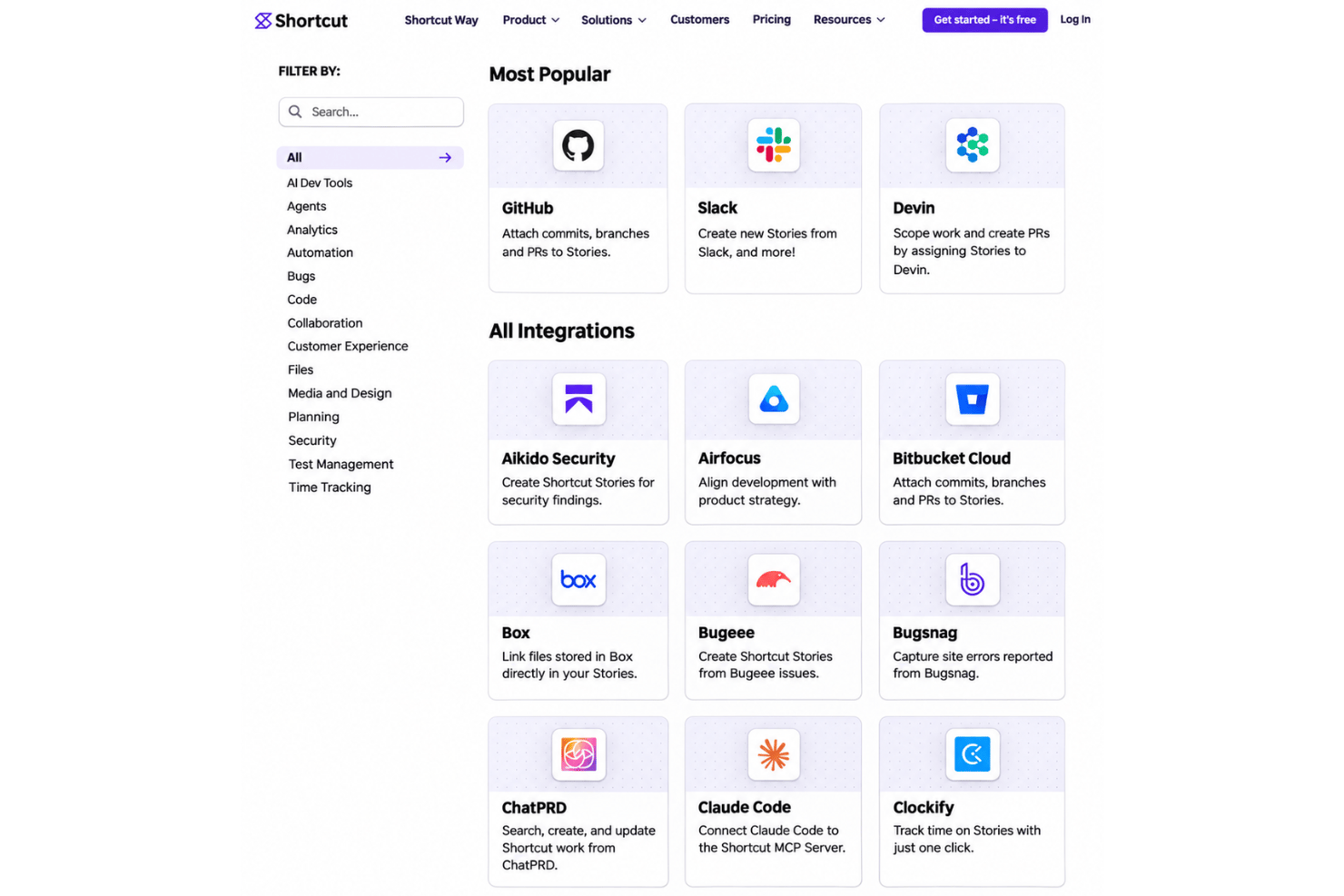
Shortcut integrates with GitHub, Slack, Devin, GitLab, Sentry, Figma, Notion, Bitbucket Cloud, Google Drive, and Zapier, among others.
It also provides a REST API for custom integrations and supports third-party automation platforms such as Zapier, Make, and IFTTT.
Shortcut Specs
- API
- Batch Permissions & Access
- Budgeting
- Calendar Management
- Collaboration Support
- Contact Management
- Contact Sharing
- Customer Management
- Dashboard
- Dashboards
- Data Export
- Data Import
- Data Visualization
- Dependency Tracking
- Document Sharing
- Expense Tracking
- External Integrations
- File Sharing
- Gantt Charts
- Kanban Boards
- Multi-User
- Notifications
- Project Management
- Resource Management
- Scheduling
- Task Scheduling/Tracking
- Third-Party Plugins/Add-Ons
- Time Management
- Travel Management
- Workflow Management