

10 beste alternative verktøy til Nifty for prosjektteam i 2026

Beste alternativer til Nifty – kortliste


Den riktige prosjektstyringsprogramvaren bør gjøre samarbeid enklere, effektivisere arbeidsflyter og sørge for at prosjektene holder seg på sporet. Selv om Nifty er et godt alternativ, passer det kanskje ikke perfekt for alle team – kanskje trenger du mer fleksibilitet, bedre integrasjoner eller en annen prismodell. Med så mange alternativer tilgjengelig kan det imidlertid føles overveldende å finne det riktige.
For å gjøre søket enklere brukte jeg min omfattende erfaring med prosjektstyring til å teste og vurdere flere alternativer til Nifty, og evaluerte styrkene deres innen samarbeid, oppgavehåndtering og generell brukervennlighet.
Hva er Nifty?
Nifty er en prosjektstyringsprogramvare som er utviklet for å hjelpe team med å planlegge, følge opp og administrere prosjekter og oppgaver. Den brukes vanligvis av prosjektledere, teamledere og organisasjoner for å forbedre prosjektsamarbeidet, effektivisere arbeidsflyter og sikre at prosjekter leveres til riktig tid.
Why Trust Our Software Recommendations
Our team has been testing and reviewing software since 2012. As project managers ourselves, we know how difficult—and important—it is to choose the right software.
For this guide, we evaluated tools using hands-on testing and independent research, scoring tools using our selection criteria. We also draw on insights from industry thought leaders and practicing project management experts.
Our reviews reflect our human editorial judgment, not a sales pitch.
Expert reviewers:
Sammenligningstabell for alternativer til Nifty
Denne sammenligningstabellen oppsummerer prisdetaljene for mine beste utvalgte alternativer til Nifty:
| Tool | Best For | Trial Info | Price | ||
|---|---|---|---|---|---|
| 1 | Best for managing multiple projects | 14-day free trial | From $10/user/month (billed annually) | Website | |
| 2 | Best for all-in-one project management solutions | Free plan available | From $12/user/month | Website | |
| 3 | Best for task management and team productivity | Free plan available | From $10.99/user/month (billed annually) | Website | |
| 4 | Best for client-focused project management | Free plan available; 14-day free trial | From $9.99/user/month (billed annually) | Website | |
| 5 | Best for enterprise project management | Free demo available | Pricing upon request | Website | |
| 6 | Best for Microsoft 365 teams managing tasks | 30-day free trial | From $10/user/month (billed annually) | Website | |
| 7 | Best for flat-rate team and client collaboration | 30-day free trial + free demo available | From $25/month (billed annually) | Website | |
| 8 | Best for an all-in-one workspace | Free plan + free demo available | From $10/user/month (billed annually) | Website | |
| 9 | Best for boards, Gantt, and automation at scale | Free trial + free plan available | From $9/seat/month (billed annually) | Website | |
| 10 | Best for complex project tracking and reporting | 30-day free trial | From $12/user/month | Website |


Anmeldelser av de beste alternativene til Nifty
I denne analysen går jeg gjennom fordeler og ulemper ved hvert alternativ til Nifty. Jeg tar for meg funksjonene og de beste bruksområdene deres for å hjelpe deg med å ta en informert beslutning.

Wrike
Best for managing multiple projects

Wrike is an online project management tool that helps teams plan, prioritize tasks, track schedules, and collaborate in real time.
Why Wrike is a good Nifty alternative: I picked Wrike because of its customizable workflows, which let you build project stages to match your team's exact process. It also has solid resource management tools that help balance workloads and track team capacity in real time. Wrike’s automation engine cuts down manual work by linking related tasks and automating steps. These features support better coordination and project tracking. They’re especially helpful for teams managing multiple projects at once.
Standout features & integrations:
Features include task prioritization, time tracking, Gantt charts, workload view, custom fields, dashboards, file sharing, approvals, calendars, request forms, blueprints, and an automation engine.
Integrations include QuickBooks, Skyvia, Power BI, Tableau, Google Sheets, Miro, Salesforce, Microsoft Teams, Google Drive, Microsoft SharePoint, Adobe Creative Cloud, and Slack.
Pros and Cons
Pros:
- Comprehensive project management features
- Effective proofing and approval tool
- Customizable workflows and item types
Cons:
- Learning curve for new users
- Some integrations are only available on higher-tier plans
New Product Updates from Wrike
Wrike Adds Klaxoon MCP Integration
Wrike’s Klaxoon MCP integration is now generally available, enabling AI agents to navigate between Wrike tasks and attached whiteboards, read task context, and manage whiteboard attachments via API. For more information, visit Wrike's official site.

ClickUp
Best for all-in-one project management solutions
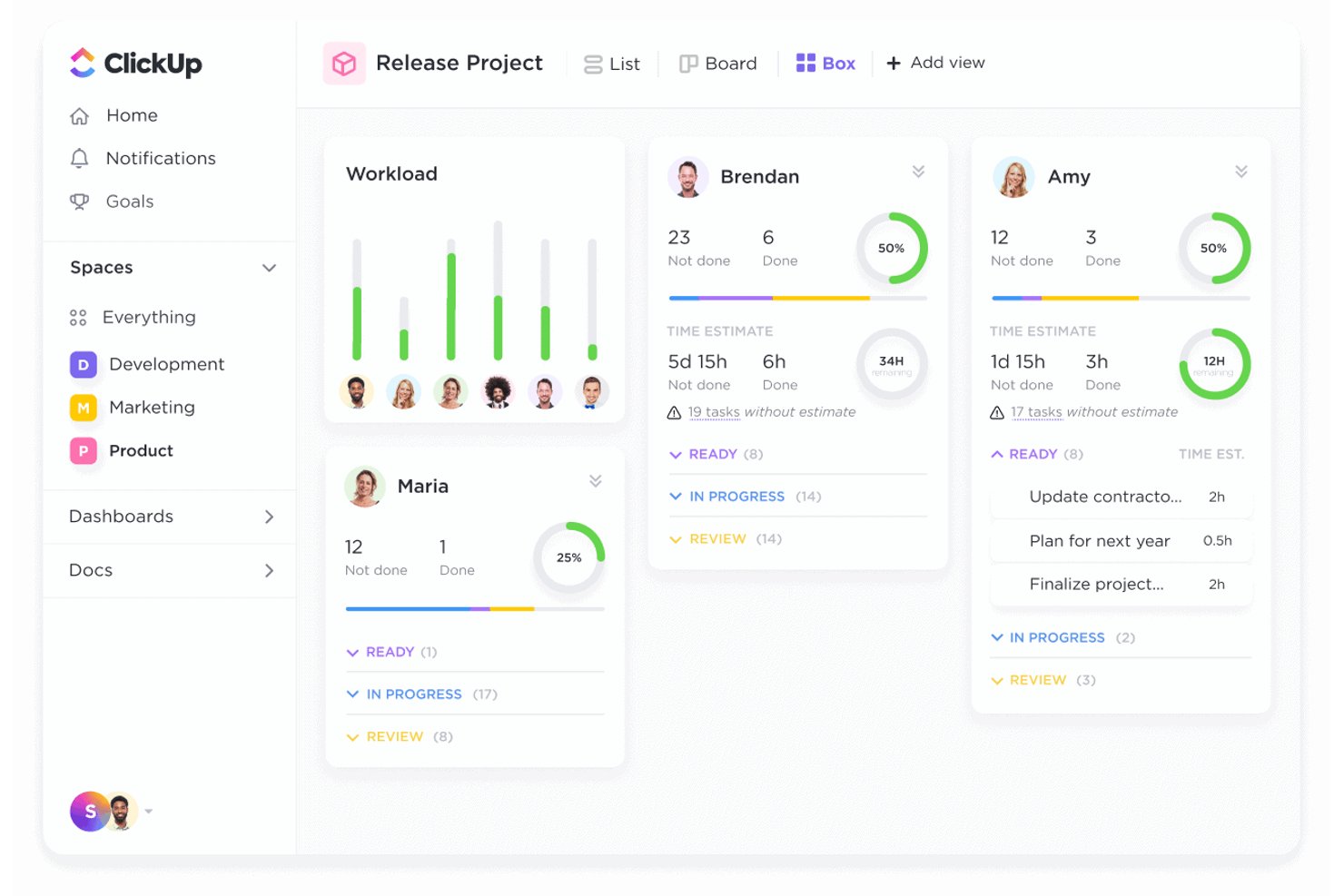
ClickUp is a work management platform that brings together task tracking, multiple project views, Docs, Chat, automations, and portfolio-level reporting in a single workspace.
Who Is ClickUp Best For?
ClickUp works well for cross-functional teams that want tasks, docs, chat, and reporting in one workspace instead of juggling multiple tools.
Why I Picked ClickUp
I picked ClickUp as one of the best because it genuinely consolidates what most teams piece together across multiple tools: tasks, Docs, Chat, and portfolio-level reporting all live in one workspace. What I find most useful is the Portfolio card feature, which automatically tracks progress across multiple projects by counting completed and outstanding tasks, with columns for milestones, time estimates, and time tracked. Pair that with built-in automations and you can run full project lifecycles without leaving the platform.
ClickUp Key Features
- Sprint management: Plan and track sprints with sprint points, reporting, and dedicated sprint views built directly into the workspace.
- Goal tracking: Set measurable targets linked to tasks, numbers, or monetary values, with milestones to mark progress toward each goal.
- Built-in automations: Create rule-based triggers to automatically update task states, assignments, comments, and notifications across workflows.
- 1,000+ integrations: Connect ClickUp to tools like Slack, GitHub, HubSpot, Figma, and Zoom through native integrations, Zapier, or the ClickUp API.
ClickUp Integrations
ClickUp offers 1,000+ integrations, including native integrations with Slack, GitHub, Google Drive, Figma, Zoom, Microsoft Teams, and HubSpot. It also supports API, webhooks, MCP Server, OAuth, and Zapier.
Pros and Cons
Pros:
- Docs and chat keep project context together
- Configurable statuses map varied project workflows
- Portfolio cards roll progress across projects
Cons:
- Client guest access can add seat costs
- Setup can overwhelm teams migrating from Nifty

Asana
Best for task management and team productivity
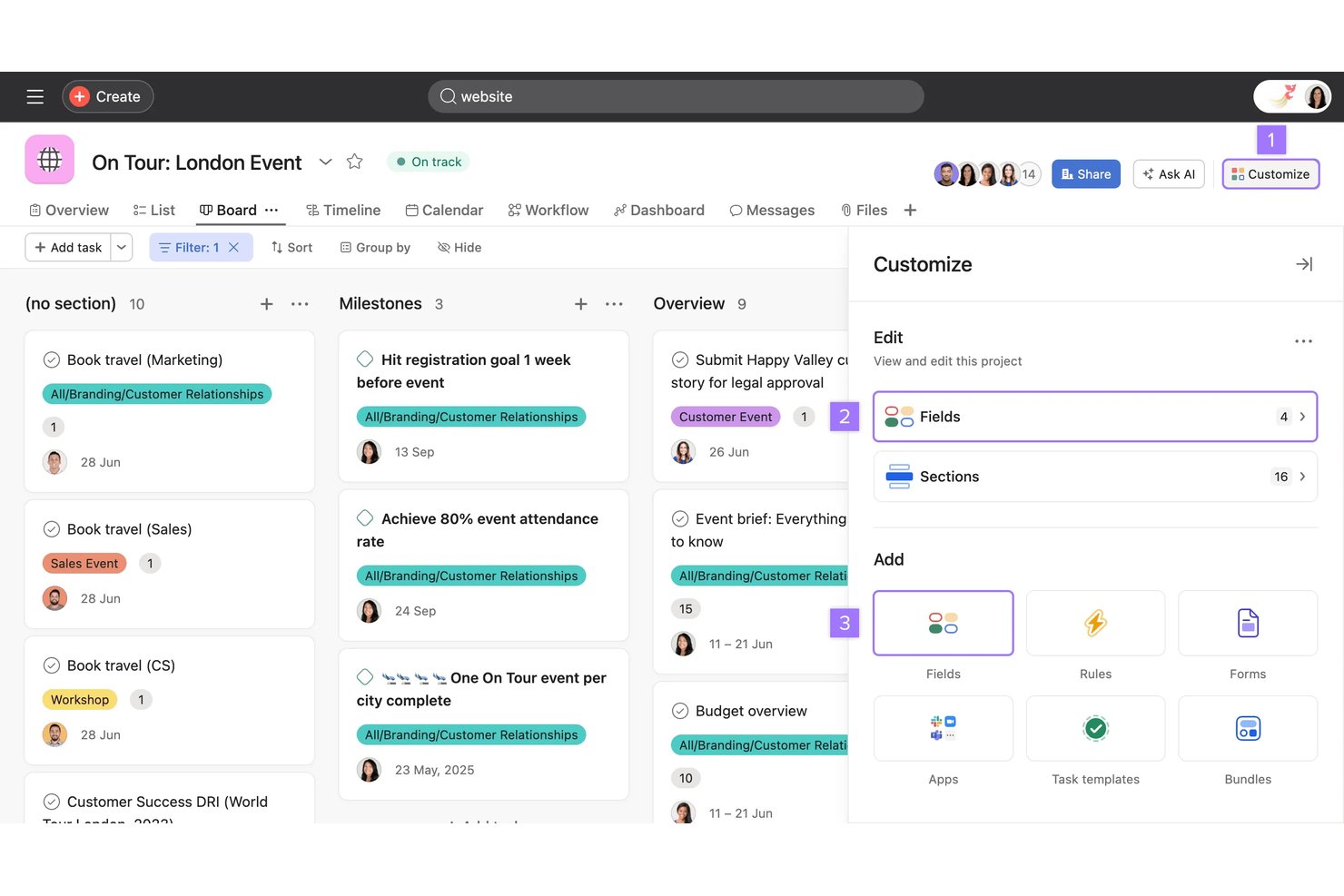
Asana is a work management platform that brings together task tracking, project planning, dependency management, automated workflows, and cross-team visibility in one workspace.
Who Is Asana Best For?
Asana is a strong fit for cross-functional teams that need structured task ownership, clear dependencies, and visibility across multiple projects in one place.
Why I Picked Asana
I picked Asana as one of the best because it handles task management at a level of depth that most tools can't match. I love how multi-homing lets the same task live across multiple projects simultaneously, with every update syncing in real time, so nothing falls through the cracks when work spans teams. Pair that with dependencies that surface blockers before they cause delays, and you get the kind of task ownership and accountability that Nifty users are often searching for.
Asana Key Features
- Multi-homing: Assign the same task to multiple projects simultaneously, with all edits syncing in real time across every project it belongs to.
- Automated rules: Set trigger-and-action rules to handle task assignments, field updates, and work handoffs without manual intervention.
- Reporting dashboards: Build visual dashboards that display project data, team progress, and workload distribution across your work.
- Goals: Connect tasks and projects to company, team, or individual objectives, with progress updating automatically as work is completed.
Asana Integrations
Asana offers hundreds of marketplace integrations, including Jira Cloud, Slack, Google Workspace, Salesforce, Microsoft Teams, GitHub, and Figma. Its REST API, webhooks, SDKs, and MCP server support custom integrations.
Pros and Cons
Pros:
- Automations cut repetitive assignment work
- Synced multi-project tasks expose cross-team blockers
- Tasks keep ownership and deadlines visible
Cons:
- Large projects can make navigation overwhelming
- Task comments don’t replace real-time team chat

Best for client-focused project management
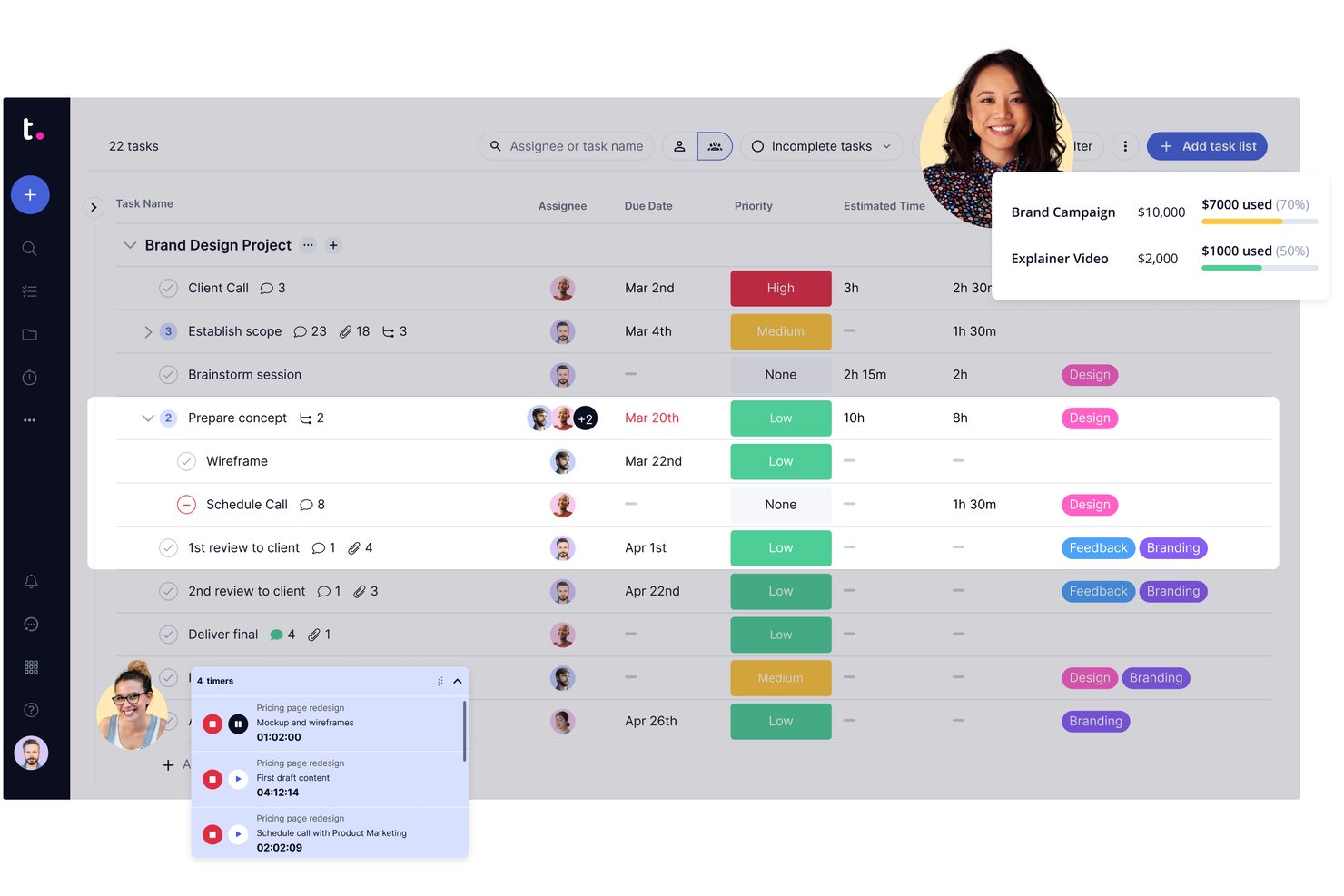
Teamwork.com is a project and resource management platform built around client work, combining task tracking, milestone management, time logging, invoicing, and multi-project portfolio visibility in one place.
Who Is Teamwork.com Best For?
Teamwork.com is a strong fit for agencies and service teams that need to manage client deliverables, track billable time, and generate invoices without switching between tools.
Why I Picked Teamwork.com
I've included Teamwork.com in my top picks because it's purpose-built for client work in a way most project management tools aren't. I love how it connects time logging directly to invoicing, so my team can track billable hours on a project and generate a client invoice from that logged time without touching a separate tool. The client user feature lets me bring clients into specific projects to review files, complete tasks, and leave comments, keeping all feedback in one place.
Teamwork.com Key Features
- Workflow automation: Set up trigger-based automations to move tasks, update statuses, or notify team members without manual intervention.
- Project portfolios: View health, progress, and status across multiple projects from a single portfolio dashboard.
- Resource and workload planning: See team capacity at a glance and reassign tasks to resolve bottlenecks before they affect delivery.
- Planned-vs-actual reporting: Compare original project scope against real task and milestone progress to catch scope drift early.
Teamwork.com Integrations
Teamwork.com supports 150+ integrations, including Slack, Microsoft Teams, Google Drive, Salesforce, HubSpot, QuickBooks, and Microsoft Office. It also offers API, webhook, and MCP connectivity, plus Zapier.
Pros and Cons
Pros:
- Billable time connects directly to project work
- Client feedback stays beside project work
- Clear task ownership and progress tracking
Cons:
- Agile sprint planning may not meet team needs
- Large projects can make navigation feel cluttered

Best for enterprise project management

Adobe Workfront is an enterprise work management platform that combines project tracking, resource planning, portfolio management, and review and approval workflows with multi-methodology support across Agile, Scrum, Kanban, and Waterfall.
Who Is Adobe Workfront Best For?
Adobe Workfront is built for enterprise teams that need to manage complex, cross-functional work at scale—particularly in marketing, creative, and operations-heavy organizations.
Why I Picked Adobe Workfront
Adobe Workfront earns its spot as one of the best on my shortlist because it's built specifically for the kind of cross-functional, large-scale project work where Nifty starts to show its limits. I particularly like the Workload Balancer, which gives resource managers a daily, weekly, or monthly view of team allocations and flags overallocations in red so nothing slips through unnoticed. Workfront's portfolio management tools also let me prioritize competing projects against shared budgets and resources, something Nifty simply doesn't offer at this level.
Adobe Workfront Key Features
- Multi-methodology support: Run projects using Scrum, Agile, Kanban, Waterfall, or hybrid approaches, with visual workboards for each.
- Request queues and intake forms: Capture incoming work through custom forms and auto-routing rules that direct requests to the right team.
- Online proofing and versioning: Review and mark up digital assets, manage versions, and collect sign-offs in a centralized approval workflow.
- Workfront Fusion automation: Connect Workfront to external business systems and build custom automated workflows using a low-code integration platform.
Adobe Workfront Integrations
Adobe Workfront has native integrations with Adobe Creative Cloud, Adobe Experience Manager Assets, Adobe Express, Frame.io, and Adobe GenStudio for Performance Marketing. It also connects with Slack, Microsoft Teams, and Figma through Zapier or iPaaS, with REST APIs and webhooks for custom integrations.
Pros and Cons
Pros:
- Proofing keeps creative approvals tied to work
- Portfolio tools prioritize competing projects
- Workload views flag team overallocations
Cons:
- External users cannot access project tasks
- Workflow configuration can take substantial setup
Best for Microsoft 365 teams managing tasks
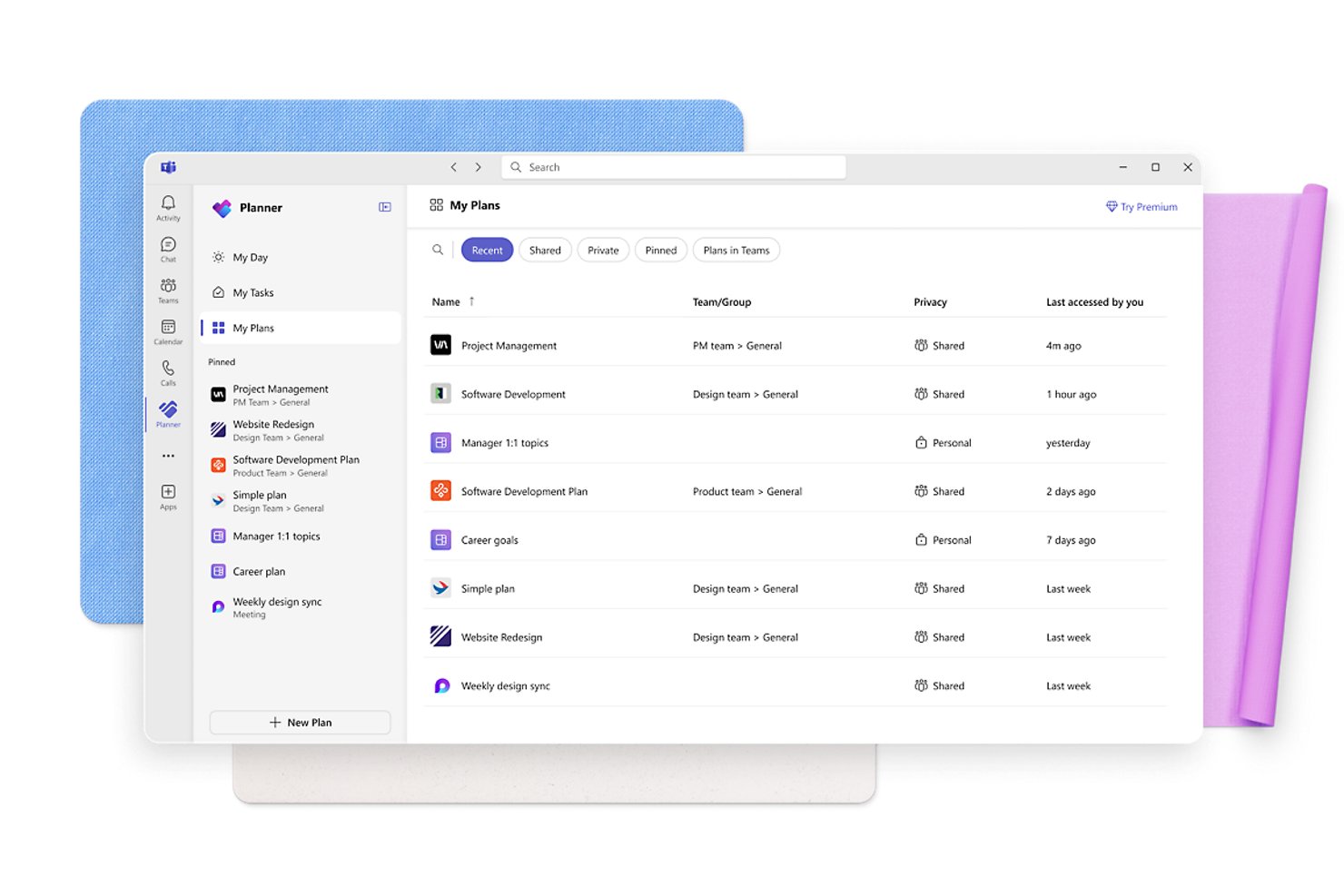
Microsoft Planner is a task and project management tool built into Microsoft 365 that lets teams create plans, assign tasks, track progress across board and timeline views, and collaborate through integrated chat, Teams, and Outlook.
Who Is Microsoft Planner Best For?
Microsoft Planner is a natural fit for teams already running on Microsoft 365 who want task management without adding another tool to their stack.
Why I Picked Microsoft Planner
Microsoft Planner earns its spot on my shortlist because it's already woven into Microsoft 365, which means teams switching from Nifty don't have to adopt a new platform from scratch. I like how Planner centralizes tasks, timelines, and communication in one place: board and timeline views sit alongside Teams chat and SharePoint file storage, so work stays connected without bouncing between apps. For a team running daily standups in Teams and tracking deliverables in Planner, that kind of native integration genuinely cuts down on context-switching.
Microsoft Planner Key Features
- Customizable task buckets: Organize tasks into labeled buckets within a plan to group work by category, stage, or team.
- Excel export: Export a plan's task details—including status, dates, assignments, and priority—to a spreadsheet for analysis across plans.
- Power Automate connector: Trigger automated workflows based on task creation or completion events in Planner.
- Guest access: Invite external collaborators to view and edit tasks, buckets, and plan details within a shared plan.
Microsoft Planner Integrations
Microsoft Planner offers native integrations across the Microsoft ecosystem, including Microsoft Teams, Outlook, SharePoint, Copilot, and Power Automate. The Microsoft Graph Planner API and Planner MCP Server support custom workflows and integrations.
Pros and Cons
Pros:
- Task buckets organize small-team projects
- At-a-glance progress on team boards
- Clear task ownership for everyday work
Cons:
- Cross-project reporting needs manual upkeep
- Complex projects need more dependency planning

Basecamp
Best for flat-rate team and client collaboration
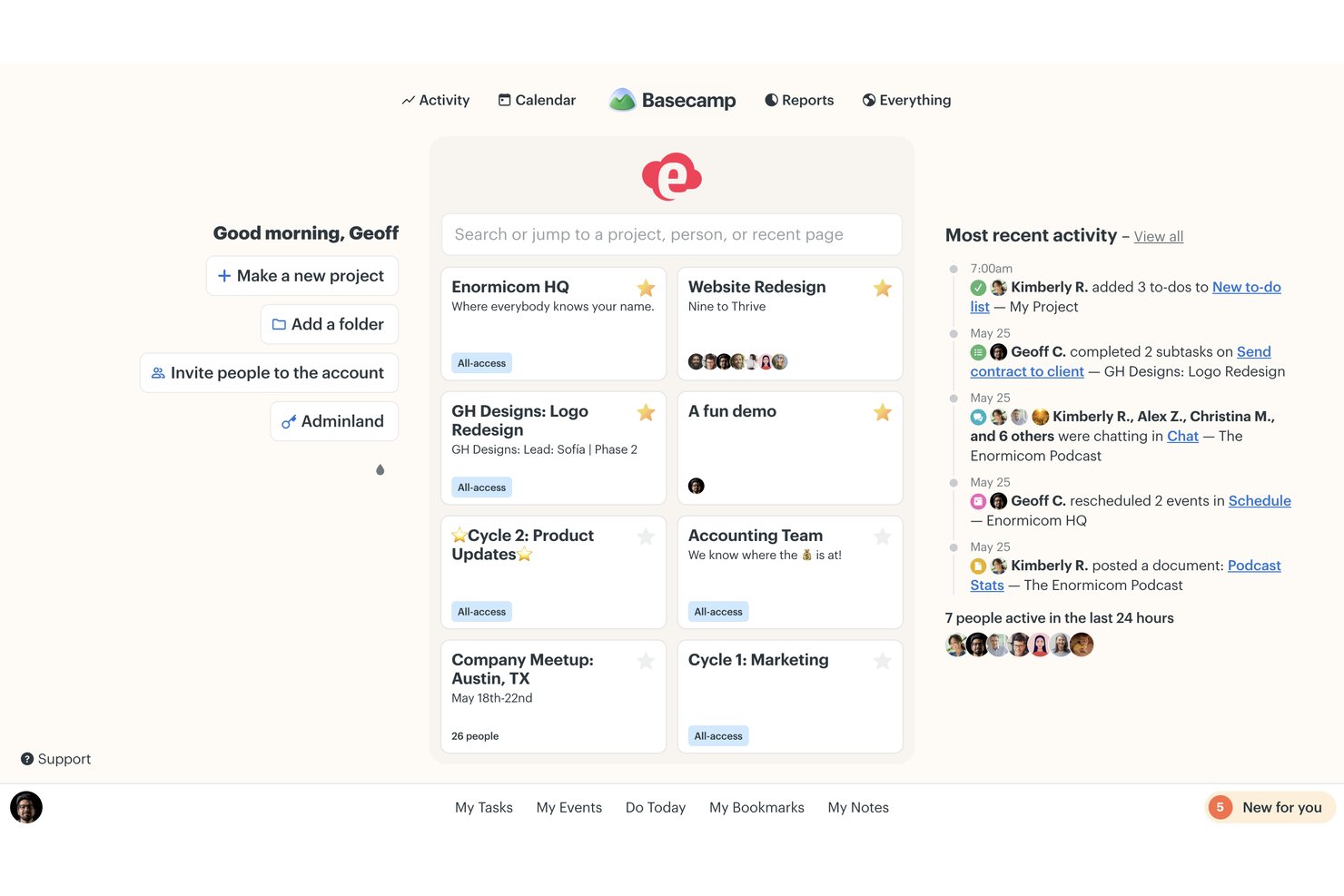
Basecamp is a project management platform from 37signals that brings together task tracking, team messaging, file sharing, and project scheduling in a single workspace.
Who Is Basecamp Best For?
Basecamp works well for small teams and agencies that need a straightforward way to manage client projects without paying per seat.
Why I Picked Basecamp
I've included Basecamp in my top picks because it's one of the few project management tools that bills per account rather than per seat, making it genuinely cost-predictable when you're running client work with external collaborators. I particularly like how project-by-project client visibility controls let you hide unfinished work while still keeping clients looped in through shared to-dos, message boards, and Campfire chat. The Lineup view also gives me a quick read on how multiple projects overlap in time, which helps when juggling several client engagements at once.
Basecamp Key Features
- Campfire chat: Real-time group chat built into each project, letting teams ask quick questions and share files without leaving Basecamp.
- Automatic check-ins: Scheduled recurring questions that collect and organize team responses in one place automatically.
- Hill Charts: A visual progress tracker that shows where each piece of work stands and where momentum may be slowing.
- The Lineup: A timeline view that maps all active projects by start and end date so you can see how they overlap.
Basecamp Integrations
Marketplace integrations include Unito for Jira and GitHub, Zoho Flow for Jira Cloud and Slack, and Git Helpers for GitHub. Basecamp also supports an API, SDK, OpenAPI specification, CLI, webhooks, and Zapier.
Pros and Cons
Pros:
- Threaded discussions preserve decisions alongside work
- Client access keeps deliverables and updates together
- Task assignments keep project status visible
Cons:
- Reports offer little workload or portfolio insight
- No task dependencies for linked work

Notion is a flexible workspace platform that combines project and task databases, docs, wikis, and multi-view project tracking—including boards, timelines, and calendars—in a single connected environment.
Who Is Notion Best For?
Notion works well for teams that want to manage projects, docs, and knowledge in a single workspace without juggling multiple tools.
Why I Picked Notion
I've included Notion in my top picks because it genuinely pulls project work, documentation, and team knowledge into one connected space in a way most tools don't. I love that you can track tasks with subtasks and dependencies in timeline view, then link those tasks directly to a living project doc or wiki, so nothing lives in isolation. Project completion even auto-calculates from task progress, giving you a real-time progress bar without any manual updates.
Notion Key Features
- Multiple database views: Switch between board, timeline, calendar, table, list, and gallery views of the same project data without duplicating any entries.
- Subtasks and dependencies: Break tasks into subtasks, assign them to different team members, and link them with dependencies in timeline view to surface blocked work.
- Database automations: Set up rule-based automations to update task statuses, create database entries, or send Slack notifications when conditions are met.
- Customizable charts and dashboards: Build bar, line, donut, or number charts from your project databases and combine them into dashboards that update automatically.
Notion Integrations
Notion offers native integrations with Google Calendar, Google Meet, Zoom, and Apple Calendar, plus marketplace integrations with Slack, Jira, Linear, GitHub, and Figma. Its API, webhooks, MCP, and SDK support custom integrations.
Pros and Cons
Pros:
- Dependencies and subtasks clarify blocked work
- Project docs stay beside tasks
- Flexible views keep project data aligned
Cons:
- Client access permissions can feel clunky
- Complex projects need more PM depth
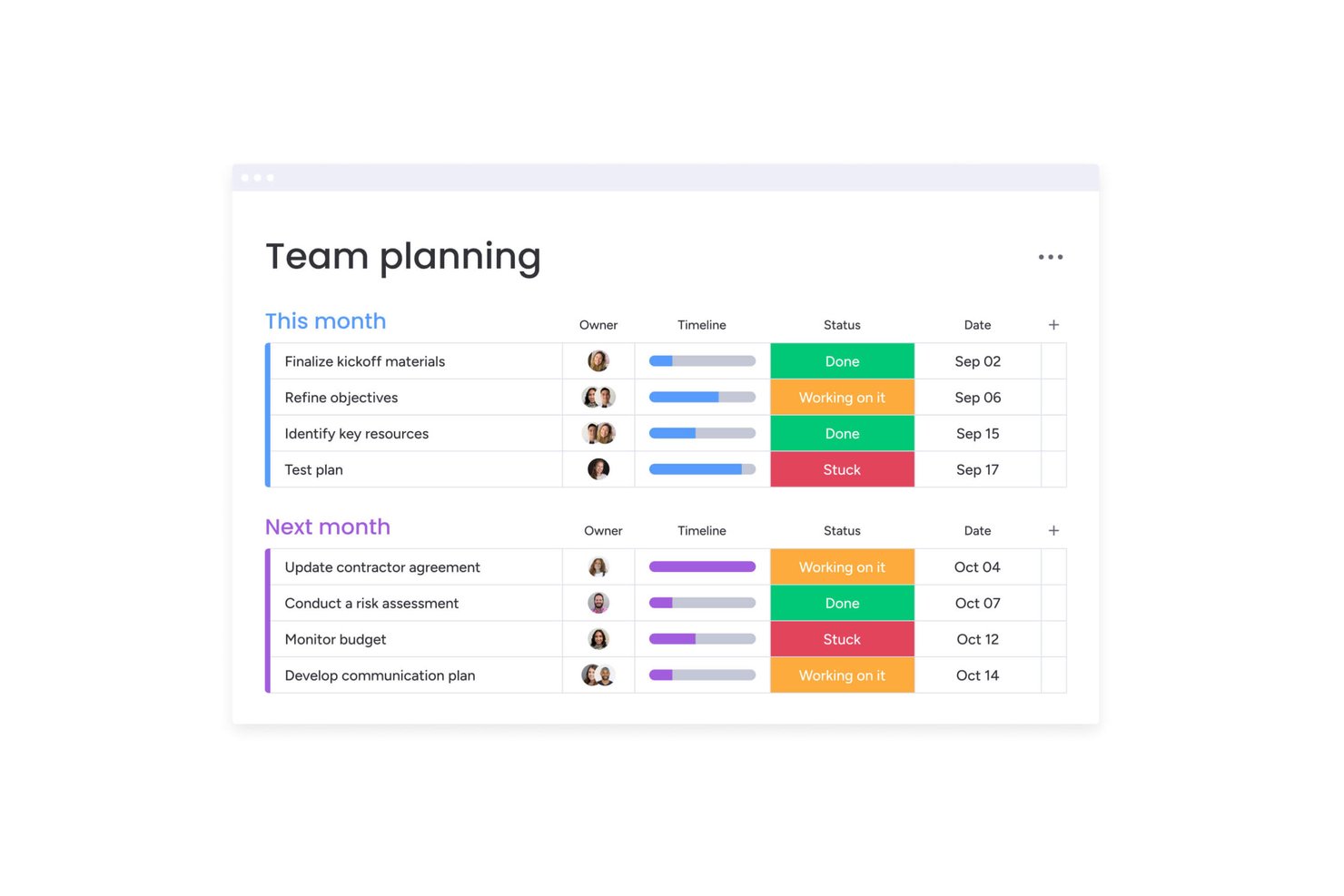
monday work management is a project and work management platform that brings together customizable boards, Gantt and timeline views, workflow automation, and collaborative docs to coordinate tasks and projects across teams.
Who Is monday work management Best For?
monday work management fits teams that need highly visual project tracking across multiple workstreams, especially project managers who want flexible board layouts, Gantt views, and automation without writing a single line of code.
Why I Picked monday work management
I've included monday work management in my top picks because it handles boards, Gantt views, and automation at a scale that most Nifty users will quickly outgrow Nifty trying to match. I particularly like how project boards let you track dependencies, effort, budget, and health status all in one place, with Gantt views that update automatically as work progresses. Layer in automations that handle recurring tasks and status-driven project health updates, and you get a system that actively manages your workflow rather than just displaying it.
monday work management Key Features
- Workdocs: Co-edit documents in real time with teammates, embed live board data, and comment on specific content within the doc.
- Guest and viewer access: Invite external collaborators to shareable boards as guests or grant read-only viewer access without counting them toward your seat count.
- 850+ integrations: Connect monday work management to tools like Slack, GitHub, GitLab, HubSpot, and QuickBooks to pull work into one workspace.
- Automation action workflows: Build rule-based workflows that trigger status changes, assignments, and notifications across boards without manual follow-up.
monday work management Integrations
monday work management lists 850+ integrations and apps, including Slack, Microsoft Teams, Google Calendar, GitHub, GitLab, Salesforce, HubSpot, QuickBooks, and Zendesk. Its GraphQL API and SDKs support custom apps and integrations.
Pros and Cons
Pros:
- Task discussions stay attached to work items
- Project health can update from task statuses
- Boards map dependencies, budgets, and ownership
Cons:
- Reporting can require extra setup
- Complex boards need planning to avoid clutter

Smartsheet
Best for complex project tracking and reporting
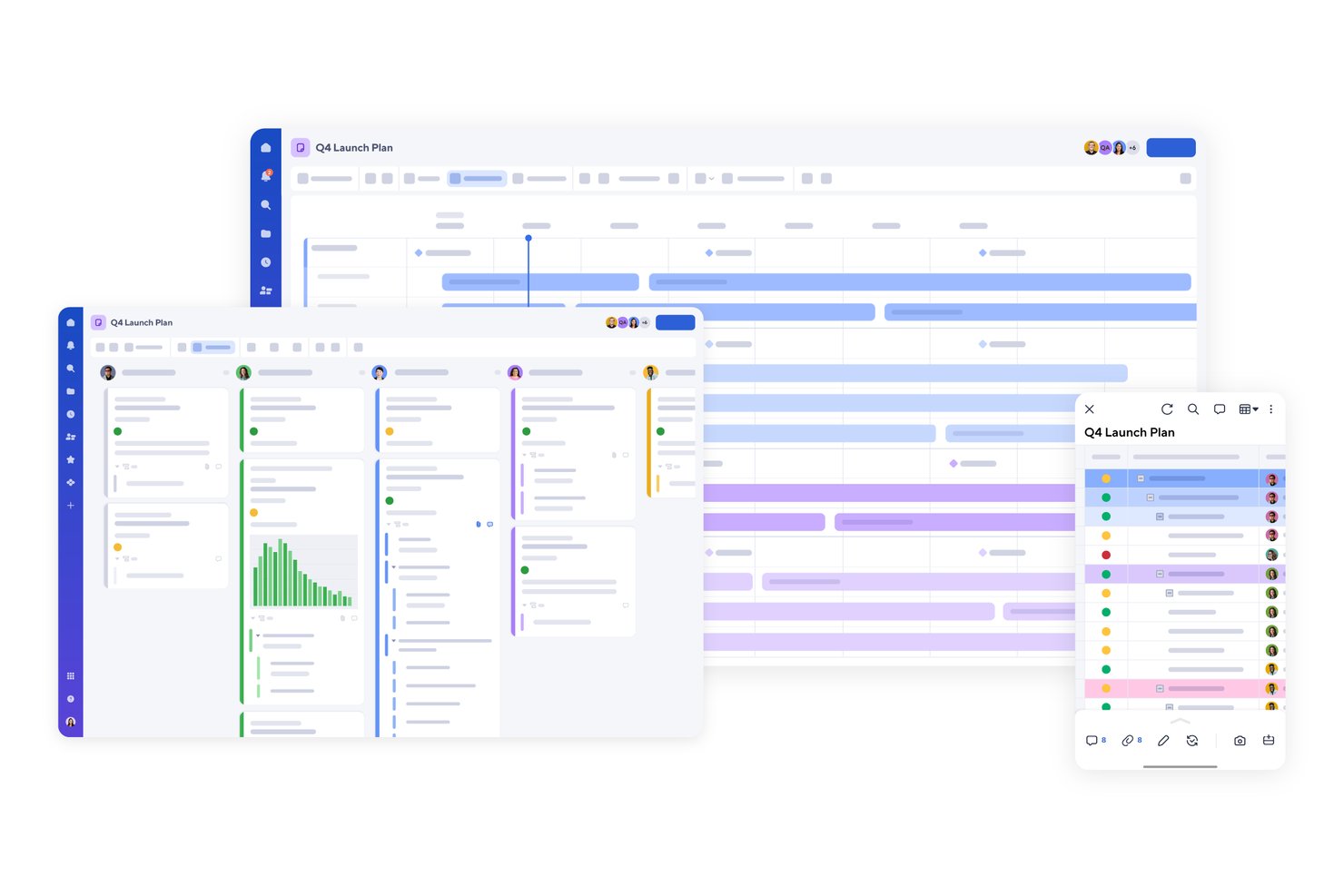
Smartsheet is a spreadsheet-style work management platform that combines multi-view project tracking, cross-sheet reporting, portfolio rollups, workload visibility, and no-code workflow automation.
Who Is Smartsheet Best For?
Smartsheet is a strong fit for project managers and operations teams running multiple concurrent projects who need cross-sheet reporting, portfolio rollups, and workload visibility in one place.
Why I Picked Smartsheet
I picked Smartsheet as one of the best because it's where I'd send any project manager drowning in cross-project complexity. Its cross-sheet reporting pulls live data from dozens of active projects into a single report, and Control Center automatically adds new projects to portfolio summary sheets the moment they're created. I also rely on workload tracking to spot over-allocation before it becomes a problem, not after.
Smartsheet Key Features
- No-code workflow automation: Build trigger-based workflows that automatically assign tasks, send reminders, lock rows, and request approvals without writing any code.
- Multiple project views: Switch between Grid, Gantt, Card, Calendar, Board, and Timeline views, with changes syncing across all views in real time.
- Control Center: Standardize project creation across your portfolio and automatically add new projects to summary sheets the moment they're created.
- Dynamic View: Share filtered slices of a sheet with specific users, controlling exactly which rows and cells they can see or edit.
Smartsheet Integrations
Smartsheet offers over 175 integrations, including Jira Software, Slack, Microsoft Teams, Google Drive, Salesforce, Power BI, and Tableau. Its REST API, MCP server, and JavaScript, Python, Java, and C# SDKs support custom integrations.
Pros and Cons
Pros:
- Multiple views pair with task automations
- Portfolio rollups expose project health and forecasts
- Cross-project reports sync live sheet data
Cons:
- Guest permissions complicate client collaboration
- Formulas and dependencies can need workarounds
New Product Updates from Smartsheet

Smartsheet Adds Non-Plan User Management in Admin Center
Smartsheet adds a Non plan users tab to the Seat types and true-up page in Admin Center. This lets system admins review non-plan users and add them to the plan or remove them from the organization in one place. For more information, visit Smartsheet’s official site.
Andre alternativer til Nifty
Nedenfor finner du en liste over flere alternativer til Nifty som jeg satte opp på kortlisten. Selv om de ikke kom med blant de 10 beste, er de fortsatt verdifulle og verdt å undersøke nærmere.
- Hive
For team collaboration and productivity
- Zoho Projects
For Zoho ecosystem project tracking
- Paymo
For billing clients from tracked time
- Jira
For agile tracking across dev and ops teams
- Kantata
For services firms tracking project financials
- ProofHub
For flat-rate unlimited-user pricing
- Airtable
For database-driven project tracking
- Productive
For agency billing tied to project delivery
- Bonsai Agency Software
For agencies billing from tracked time
- TeamGantt
For Gantt-first timeline scheduling


Relaterte anmeldelser av prosjektstyringsprogramvare
Hvis du fortsatt ikke har funnet det du leter etter her, kan du se nærmere på disse andre relaterte verktøyene som vi har testet og vurdert:
- Programvare for ressursstyring
- Programvare for arbeidsflytautomatisering
- Programvare for tidsregistrering
- Verktøy for å lage Gantt-diagrammer
- Produktivitetsverktøy
- Programvare for prosjektoppfølging
- Programvare for prosjektplanlegging
- Alternativer til Notion
How I Evaluate Nifty Alternatives
I split my evaluation into two layers: the baseline must-haves—task hierarchy, multiple views, and native docs—and the differentiators that set one tool apart for agency PMs or product teams.
Core Functionality (Table Stakes For This List)
When I'm selecting tools for my list, I rank each one on a scale from 0 (does not offer the functionality) to 5 (excels in this area) for each core functionality listed below. Then, I calculate the tool's total score into a percentage. Each tool needs to achieve a minimum total score of 75% to be considered for inclusion.
- Task & Project Management: I check for subtasks, dependencies, and custom fields—the kind of structure you need when a product launch has 40+ tasks across three teams.
- Multiple Project Views: Switching between Kanban, Gantt, calendar, and list views matters when designers think in boards and engineers think in timelines.
- Team Collaboration Tools: I look for threaded comments, mentions, and file sharing directly on tasks so conversations stay tied to the work instead of buried in Slack.
- Milestones & Goal Tracking: Progress tied to task completion is what I evaluate here—sprint milestones or client deliverable deadlines that update automatically as work gets done.
- Docs & Knowledge Management: Tools like ClickUp and Notion blend docs into the project workspace. I look for similar native docs with embedding, templates, and sharing.
- Time Tracking & Reporting: For agency teams billing by the hour, I check whether the tool offers built-in timers, manual entry, and dashboards without requiring a third-party add-on.
Once I have a list of tools that meet this criteria, I consider what sets each platform apart.
Differentiating Factors (What Sets Vendors Apart)
Here's how I compare and contrast different vendors:
Standout Features
No-code automations are a big differentiator. I evaluate whether a tool can auto-assign tasks, shift statuses, or notify stakeholders based on triggers—saving PMs from repetitive admin every sprint. Client and guest access also matters for agencies. I look at how much visibility you can control when sharing a project with an external stakeholder. Portfolio and workload views round things out by showing capacity across projects, helping PMO leads spot overallocation before it derails a timeline.
Beyond Features
Pricing structure is one of the first things I evaluate. A tool that locks milestone tracking or Gantt views behind an enterprise tier isn't a real option for a 10-person agency. I also look at integration depth—especially with Slack, GitHub, and Google Workspace—because a PM tool that sits outside your daily stack creates more friction than it solves. Migration support matters too. Switching from Nifty is far easier when a platform offers direct imports or CSV mapping so you don't lose project history.
Hvorfor se etter et alternativ til Nifty?
Selv om Nifty er en nyttig programvare, kan det hende du ser etter et alternativ hvis du:
- Trenger programvare til en lavere kostnad: Nifty er relativt rimelig programvare. Hvis du driver en liten bedrift eller trenger flere brukere, kan det imidlertid hende at du trenger et mer budsjettvennlig alternativ.
- Ser etter mer avanserte funksjoner: Selv om Nifty tilbyr funksjoner som automatisering og tidsregistrering, kan teamet ditt ha behov for mer avanserte funksjoner, for eksempel sikkerhet og datavisualisering.
- Ønsker et bedre brukergrensesnitt: Nifty har et enkelt brukergrensesnitt, men brukerne kan ha behov for et mer intuitivt og organisert grensesnitt som kan bidra til å effektivisere prosessene.
- Trenger flere kompatible integrasjoner: Nifty tilbyr team flere integrasjoner, men hvis det ikke passer godt med den nåværende teknologistakken din, kan du ha behov for en alternativ løsning.
- Ser etter en skalerbar løsning: Etter hvert som bedriften vokser, trenger du programvare som vokser sammen med deg. Nifty kan ha vært nyttig tidligere, men hvis du har vokst fra løsningen, kan det være på tide å se etter en annen løsning.
Alternativer kan gi unike fordeler som Nifty kanskje ikke tilbyr, for eksempel rimeligere priser, spesialiserte funksjoner eller bedre integrasjonsmuligheter. Med den riktige løsningen kan du maksimere teamsamarbeid, produktivitet og lønnsomhet.
Niftys viktigste funksjoner
Her er noen av Niftys viktigste funksjoner, slik at du kan sammenligne og finne det riktige alternativet for teamets behov:
- Veikart (Gantt-diagram): Hold oversikt over prosjektets tidslinjer med Gantt-diagrammer som gir et tydelig, visuelt veikart. Følg enkelt med på milepæler, angi avhengigheter og sørg for at alle er samkjørte om prosjektmålene.
- Oppgavehåndtering: Hold arbeidet organisert med fleksible oppgavevisninger som Kanban og liste. Tilpass arbeidsflyter, tildel ansvar og følg fremdriften på en måte som passer teamets arbeidsflyt.
- Diskusjoner: Forbedre samarbeidet med chat i sanntid og innebygde videosamtaler. Hold alle prosjektrelaterte samtaler samlet på ett sted for å effektivisere kommunikasjonen og redusere spredte diskusjoner på tvers av flere verktøy.
- Dokumentoppretting: Opprett, rediger og del prosjektdokumenter direkte i Nifty. Med integrasjon med Google Docs kan du samarbeide sømløst om innhold uten å bytte mellom plattformer.
- Skjemaer: Samle inn data uten problemer ved hjelp av egendefinerte skjemaer. Automatiser oppretting av oppgaver basert på skjemasvar, slik at du kan effektivisere mottak av forespørsler, innsamling av tilbakemeldinger og andre arbeidsflytprosesser.
- Rapportering: Få umiddelbar innsikt i prosjektets fremdrift med automatiserte rapporter. Følg med på teamets prestasjoner, identifiser flaskehalser og ta informerte beslutninger med sanntidsdata lett tilgjengelig.
- KI-integrasjon: Øk produktiviteten med Orbit AI, som bidrar til å automatisere arbeidsflyter, foreslå oppgavetildelinger og optimalisere prosessene dine, slik at du sparer tid og krefter.
- Prosjekthjem og porteføljer: Hold alle prosjektene dine organisert i et sentralisert knutepunkt. Enten du administrerer flere prosjekter eller har oversikt over en hel portefølje, får du en overordnet visning av fremdrift, budsjetter og teamets arbeidsbelastning på ett sted.