

10 Best ERP Project Management Software Reviewed in 2026

Best ERP Project Management Software Shortlist


Project management rarely happens in isolation. You’re coordinating people, timelines, budgets, and dependencies, often across multiple teams and systems. When those pieces live in separate tools, things slow down quickly. ERP project management software brings planning, execution, and reporting into one system, making it easier to keep projects moving without constant manual coordination.
From my experience testing these platforms, the right ERP solution can significantly improve visibility, reduce rework, and help teams stay aligned as projects scale. I’ve reviewed a range of options to highlight which tools actually support real project workflows and which ones add unnecessary complexity.
In this article, I’ll walk you through my top picks for ERP project management software, focusing on how each tool supports collaboration, tracking, and operational clarity. Whether you’re managing complex initiatives or simply trying to reduce friction across teams, there’s an option here worth considering.
Why Trust Our Software Recommendations
Our team has been testing and reviewing software since 2012. As project managers ourselves, we know how difficult—and important—it is to choose the right software.
For this guide, we evaluated tools using hands-on testing and independent research, scoring tools using our selection criteria. We also draw on insights from industry thought leaders and practicing project management experts.
Our reviews reflect our human editorial judgment, not a sales pitch.
Expert reviewers:
ERP Project Management Software Comparison Table
This comparison table summarizes pricing details for my top ERP project management software selections.
| Tool | Best For | Trial Info | Price | ||
|---|---|---|---|---|---|
| 1 | Best for connecting project delivery with financial management | 14-day free trial + free demo available | From $10/user/month (billed annually) | Website | |
| 2 | Best for large enterprises | Free demo available | Pricing upon request | Website | |
| 3 | Best for project collaboration | 14-day free trial + free plan available | From $7.25/user/month (billed annually) | Website | |
| 4 | Best for HR-focused solutions | Free demo available | Pricing upon request | Website | |
| 5 | Best for small manufacturers | Free demo available | Pricing upon request | Website | |
| 6 | Best for government contractors | Free demo available | Pricing upon request | Website | |
| 7 | Best for manufacturers | Free demo available | Pricing upon request | Website | |
| 8 | Best for open-source flexibility | Free trial available | From $5/month (billed annually) | Website | |
| 9 | Best for global scalability | Free demo available | Pricing upon request | Website | |
| 10 | Best for remote teams | Free trial available | From $15/user/month (billed annually) | Website |
Best ERP Project Management Software Review
Below are my detailed summaries of the best ERP project management software that made it onto my shortlist. My reviews offer a detailed look at the key features, pros and cons, integrations, and ideal use cases of each tool to help you find the best one for you.

Celoxis
Best for connecting project delivery with financial management
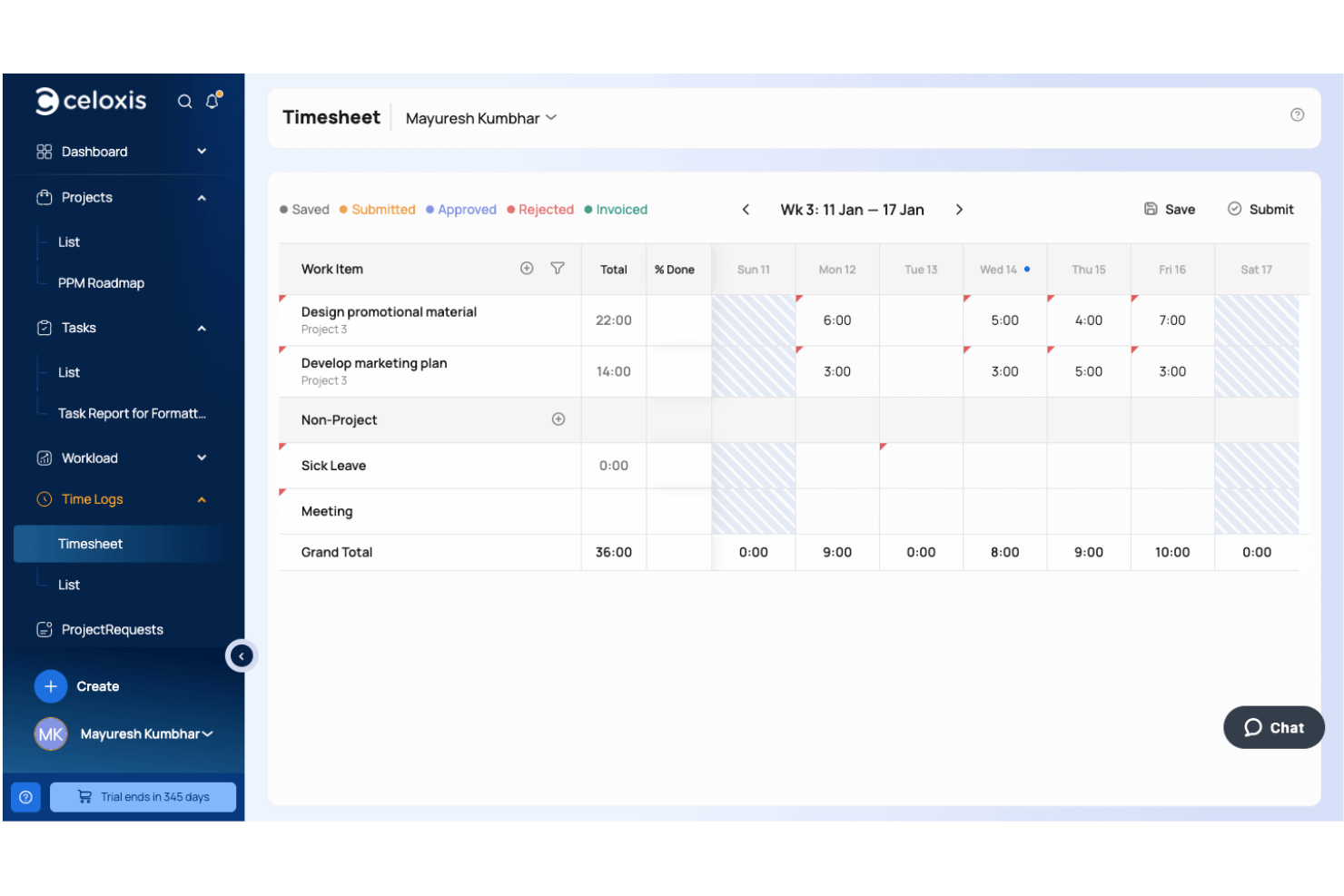
Celoxis is a project portfolio management platform that combines project planning, resource management, budgeting, billing, time tracking, expense management, and financial reporting to help organizations manage project delivery alongside business performance.
Who Is Celoxis Best For?
Celoxis is a strong fit for mid-sized to enterprise organizations, professional services firms, and project-driven businesses that need greater control over project execution, budgets, and financial performance across multiple initiatives.
Why I Picked Celoxis
I picked Celoxis because it brings project execution and financial management together in one platform. Teams can manage budgets, monitor costs, approve time and expenses, and track profitability without moving data between separate systems. I also like that project financials update automatically as work progresses, giving project managers and finance teams a more accurate view of costs, utilization, and overall project health.
Celoxis Key Features
- Resource capacity planning: Monitor team availability, utilization, and workloads across multiple active projects.
- Portfolio dashboards: Track budgets, schedules, risks, and portfolio performance through customizable executive dashboards.
- Custom workflow apps: Create configurable workflows for risks, issues, approvals, change requests, and other project processes.
- Interactive Gantt charts: Plan project schedules with dependencies, baselines, critical path analysis, and drag-and-drop scheduling.
Celoxis Integrations
Celoxis integrates with Google Drive, Microsoft Excel, Microsoft Project, Jira, Azure DevOps, QuickBooks Online, Salesforce, and iCal. It also supports Zapier and provides a REST API for custom integrations.
Pros and Cons
Pros:
- Supports hourly and fixed-price billing
- Strong project budgeting tools
- Advanced portfolio forecasting
Cons:
- Complex templates take time to configure
- Mobile app has fewer features

Oracle
Best for large enterprises
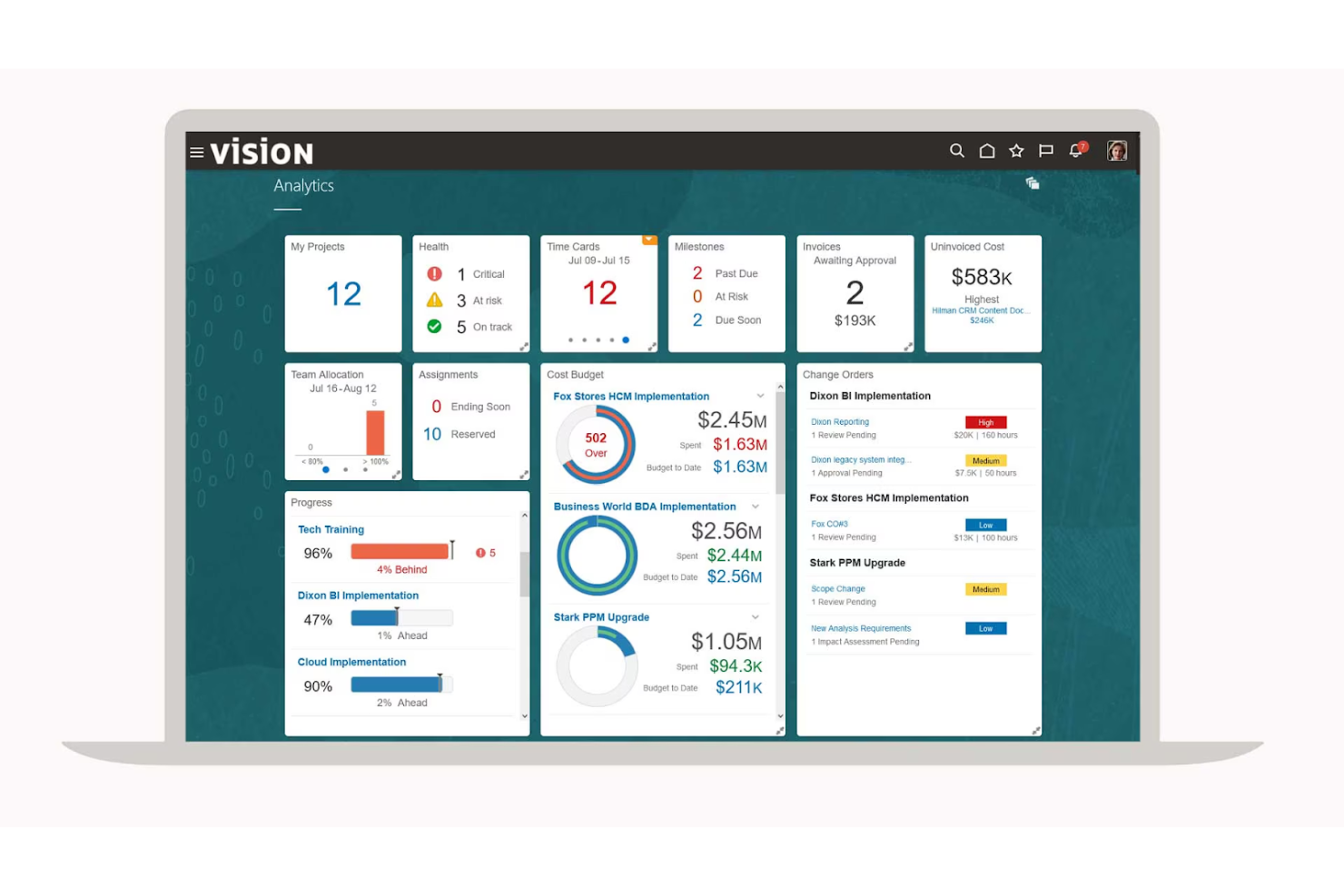
Oracle provides a suite of ERP project management solutions tailored for large enterprises. It offers tools for database management, performance optimization, and analytics. These solutions cater to complex data needs and provide scalable options for enterprise-level operations.
Why I picked Oracle: Its focus on large enterprises makes it unique. Oracle's Autonomous AI Database offers advanced AI capabilities and advanced security features, which are essential for handling vast amounts of data. The platform supports multicloud environments, giving team members flexibility when deploying new products. Teams can create automated workflows that place data in the correct location, reducing the need for manual data entry.
Standout features and integrations:
Features include autonomous management, support for multicloud environments, and advanced AI capabilities. Your team can benefit from their extensive security features and the ability to handle various data types. Oracle also offers low-code technologies to simplify application development.
Integrations include AWS, Microsoft Azure, Google Cloud, SAP, Salesforce, Slack, IBM, Docker, Kubernetes, VMware, and more.
Pros and Cons
Pros:
- Strong security features
- Multicloud support options
- Advanced AI capabilities
Cons:
- Inefficient project management tools
- Complex system requirements

Best for project collaboration
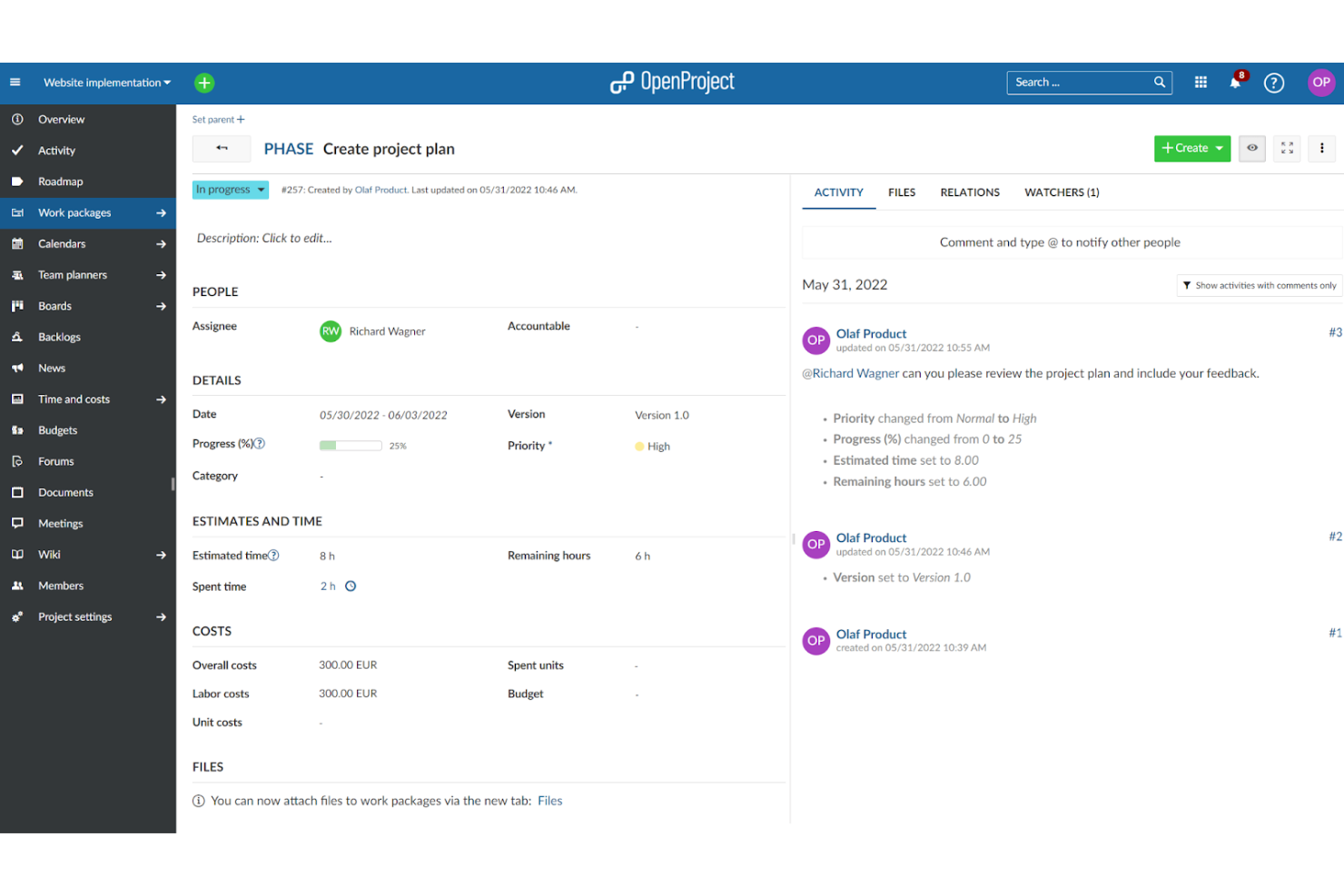
OpenProject is a project management tool aimed at teams looking to enhance collaboration. It provides features for task management, project schedule planning, and document management, making it ideal for project-focused environments seeking effective teamwork.
Why I picked OpenProject: Its focus on project collaboration sets it apart from other tools. The software offers features such as shared timelines and task boards that keep your team aligned. You can manage project documents centrally, ensuring everyone has access to the latest information. In my experience, OpenProject helps teams that prioritize collaboration and communication excel.
Standout features and integrations:
Features include time tracking, release planning, and a meeting management module. Your team can customize workflows to fit project needs. The software also offers strong support for agile project management methodologies.
Integrations include GitHub, GitLab, OneDrive, Slack, Toggl, Jira, Microsoft Excel, Trello, and more.
Pros and Cons
Pros:
- Effective meeting management
- Supports Agile methodologies
- Centralized document management
Cons:
- Hosted on-premises
- The extensive suite of tools may take time to master

Workday
Best for HR-focused solutions
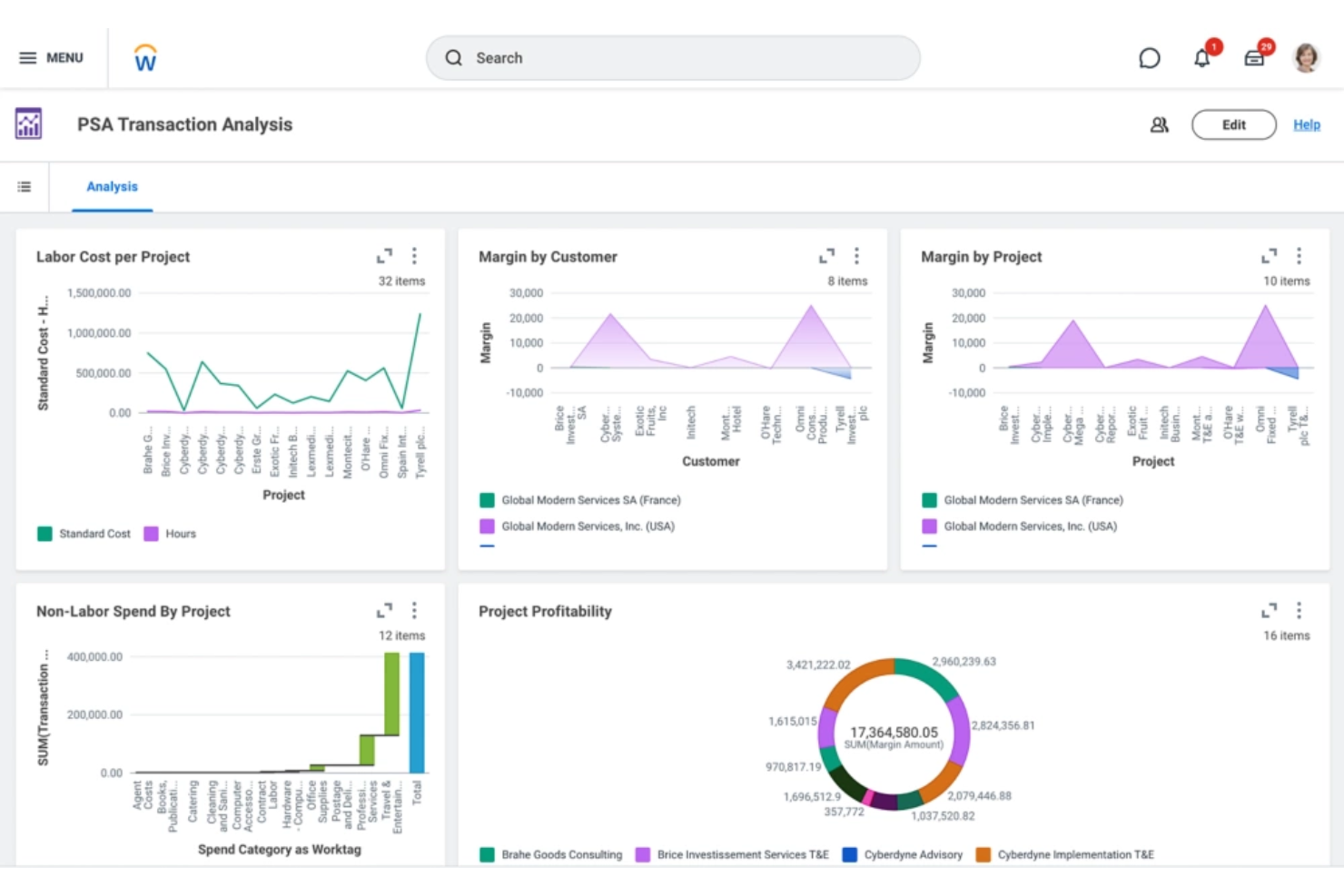
Workday is a cloud-based ERP solution primarily serving human resources and finance teams. It offers tools for workforce planning, talent management, and payroll, making it ideal for organizations looking to enhance their HR operations.
Why I picked Workday: Its focus on HR solutions makes it unique among ERP tools. Workday provides advanced workforce analytics to help your team make informed decisions. The talent and spend management features support procurement, recruitment and employee development. In my experience, Workday's payroll capabilities ensure accurate and timely payments.
Standout features and integrations:
Features include performance management, employee benefits administration, and financial planning. Your team can access real-time data insights to improve decision-making. The software also supports mobile access, allowing teams to work from anywhere.
Integrations include Salesforce, Microsoft Office, Slack, Adobe, Google Workspace, IBM, Jira, ServiceNow, and more.
Pros and Cons
Pros:
- Various payroll features
- Supports mobile access
- Strong HR management tools
Cons:
- Requires dedicated IT support
- Complex user permissions settings

SYSPRO
Best for small manufacturers
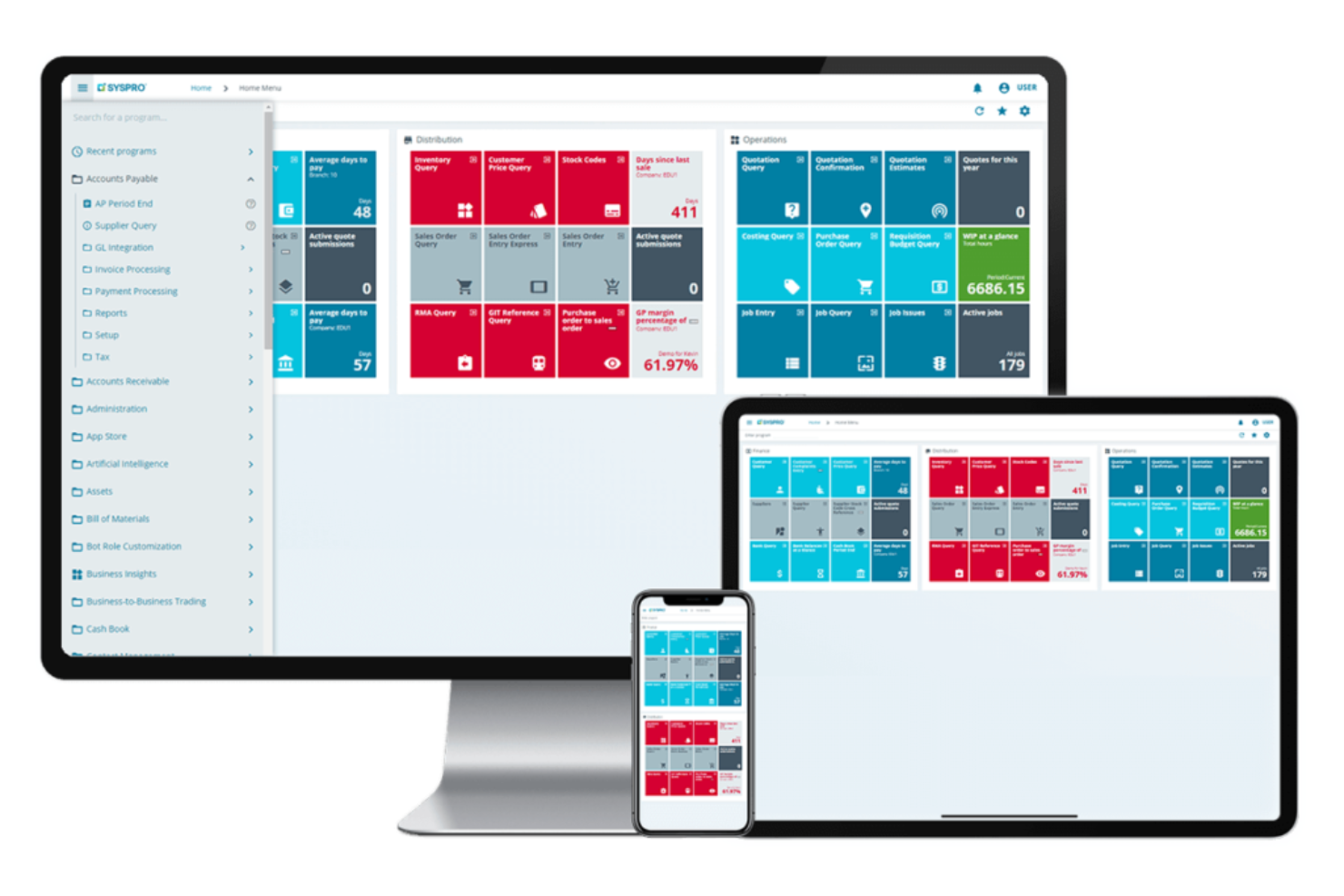
SYSPRO is an ERP software solution tailored for small to medium-sized businesses, such as healthcare, electronics, and manufacturing. It offers tools for inventory management, production planning, and financial management, making it well-suited for manufacturing environments seeking efficiency and control.
Why I picked SYSPRO: It's designed specifically for small manufacturers, offering functionality that supports production and inventory management. The software provides detailed metrics about your supply chain and manufacturing processes. You can manage resources and optimize production with its user-friendly interface. In my experience, SYSPRO's focus on small manufacturing operations makes it a practical choice for businesses looking to improve their operational efficiency.
Standout features and integrations:
Features include inventory control, real-time data analytics, and customizable reporting tools. Your team can track production schedules and manage cash flow. The software also offers a strong focus on supply chain management to ensure smooth project lifecycles.
Integrations include Microsoft Office, Microsoft Outlook, Microsoft Dynamics, Salesforce, Sage, and more.
Pros and Cons
Pros:
- Community of developers
- Detailed inventory control
- Strong supply chain management
Cons:
- Default views require heavy customization
- Reliance on third-party tools or workarounds

Deltek
Best for government contractors
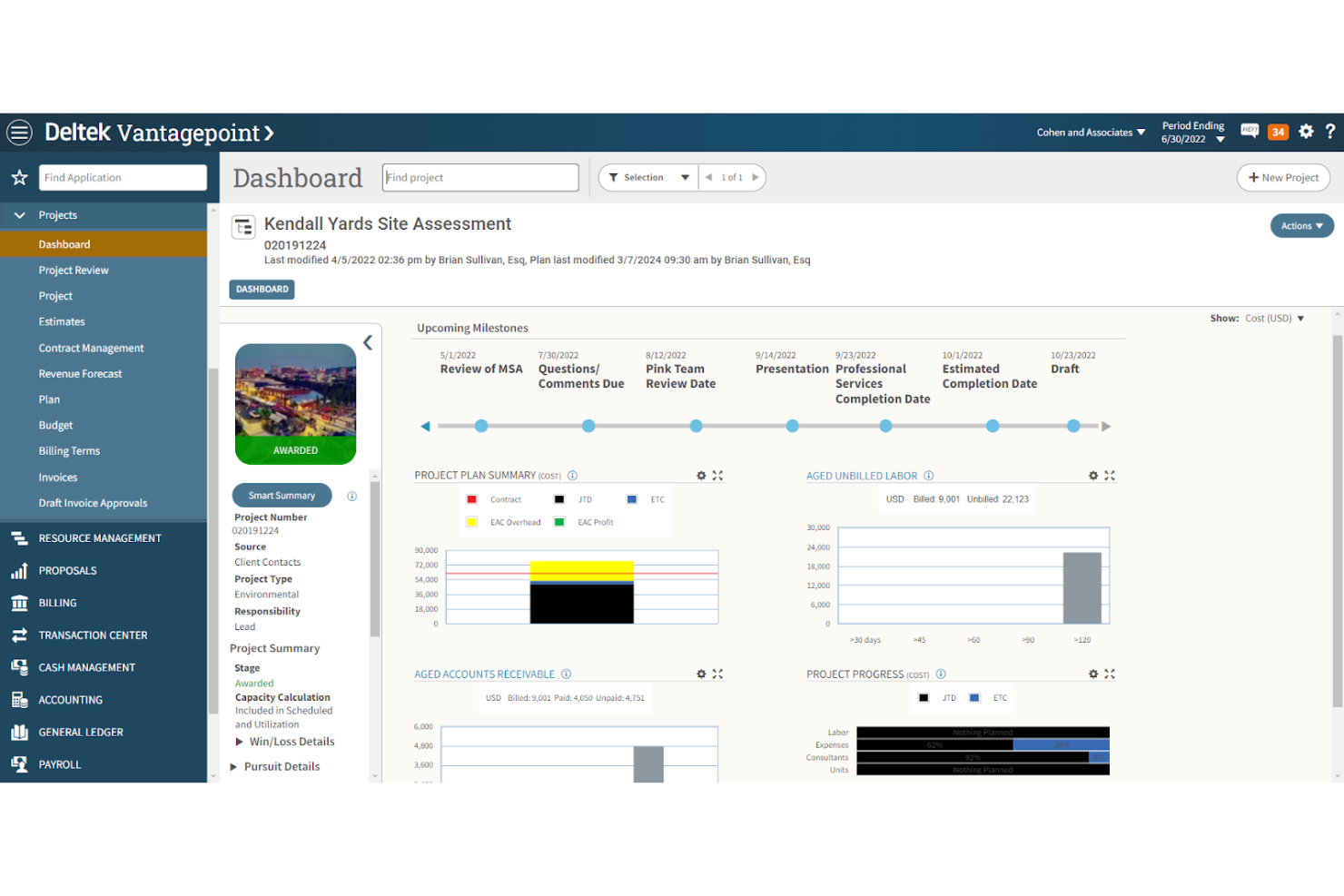
Deltek offers ERP project management software tailored for project-driven industries such as government contracting. It provides tools for project portfolio management, scheduling, cost control, and risk management. Key products include Deltek Vantagepoint and Costpoint, which are designed to enhance project visibility and efficiency.
Why I picked Deltek: Its specialization in government contracting sets it apart. Deltek's Costpoint offers specific functionalities for compliance and financial management, which are important for government projects. Vantagepoint improves project and resource management. The software's integration capabilities ensure a unified user experience across various functions.
Standout features and integrations:
Features include project portfolio management, cost control, and risk assessment tools. Your team can manage resources and ensure compliance with industry standards. Deltek's user interface supports a cohesive experience across different project functions.
Integrations include Microsoft Project, QuickBooks, Salesforce, SAP, Oracle, IBM Cognos, Amazon Web Services, Google Workspace, Slack, Jira, and more.
Pros and Cons
Pros:
- Integrated project portfolio tools
- Excellent resource management
- Tailored for government projects
Cons:
- Requires technical expertise
- Steep learning curve

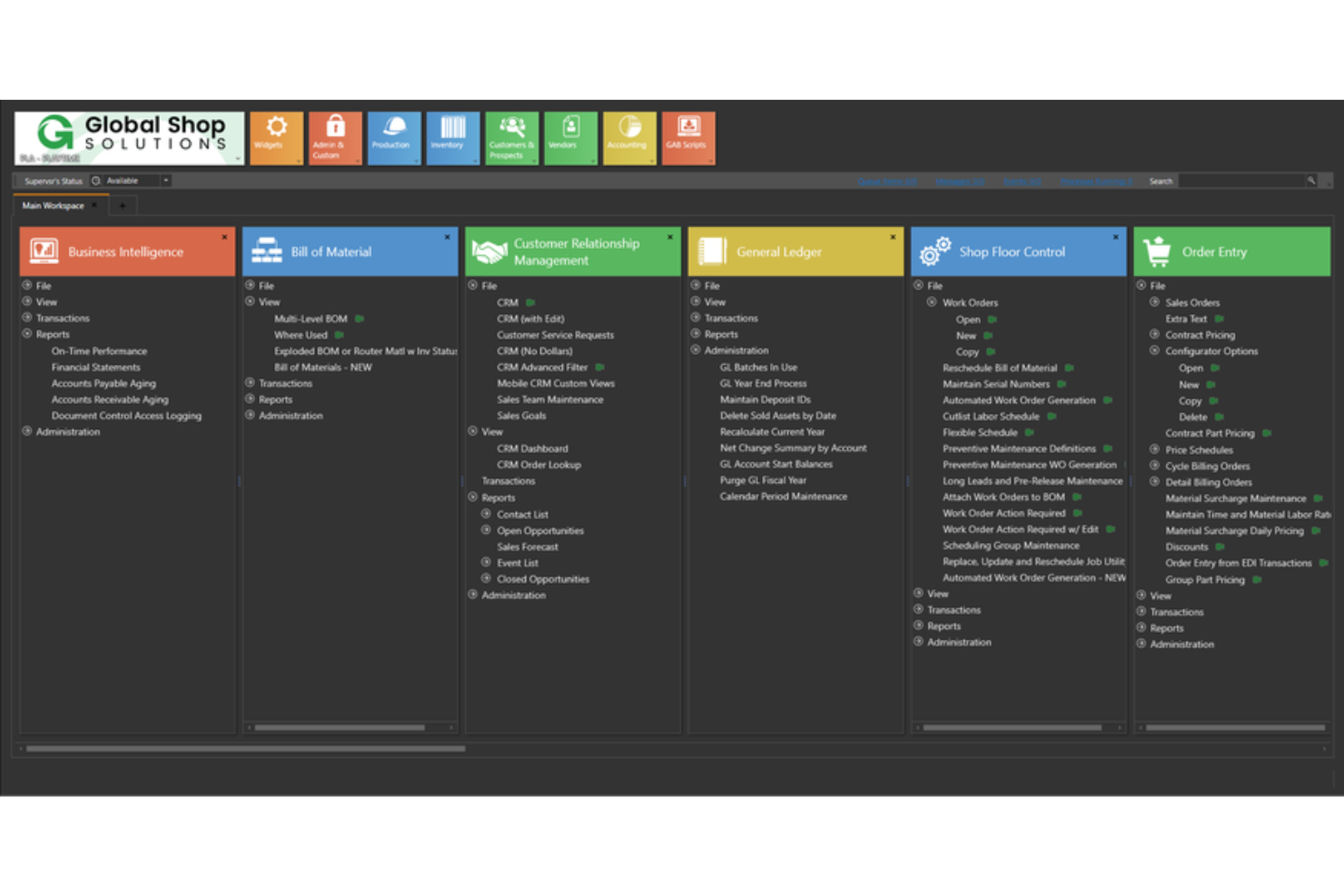
Global Shop Solutions is an ERP software designed specifically for manufacturers. It offers solutions for production, inventory, and quality management, helping manufacturers optimize their operations and improve efficiency.
Why I picked Global Shop Solutions: It's tailored for the manufacturing industry, providing tools that cater to production needs. Its shop management features give you real-time insights into your operations. The software includes quality control modules to ensure your products meet industry standards. It offers both cloud and on-premise solutions, allowing your team to work flexibly.
Standout features and integrations:
Features include advanced scheduling capabilities, inventory control, and real-time job costing. Your team can track production lifecycles and manage resources. The software also offers a quality management system to maintain product standards.
Integrations include Salesforce, Sage, SolidWorks, Inventor, HubSpot, Shopify, and more.
Pros and Cons
Pros:
- Quality control features included
- Real-time production insights
- Tailored for manufacturing processes
Cons:
- Requires manufacturing knowledge
- Requires multiple steps to complete tasks

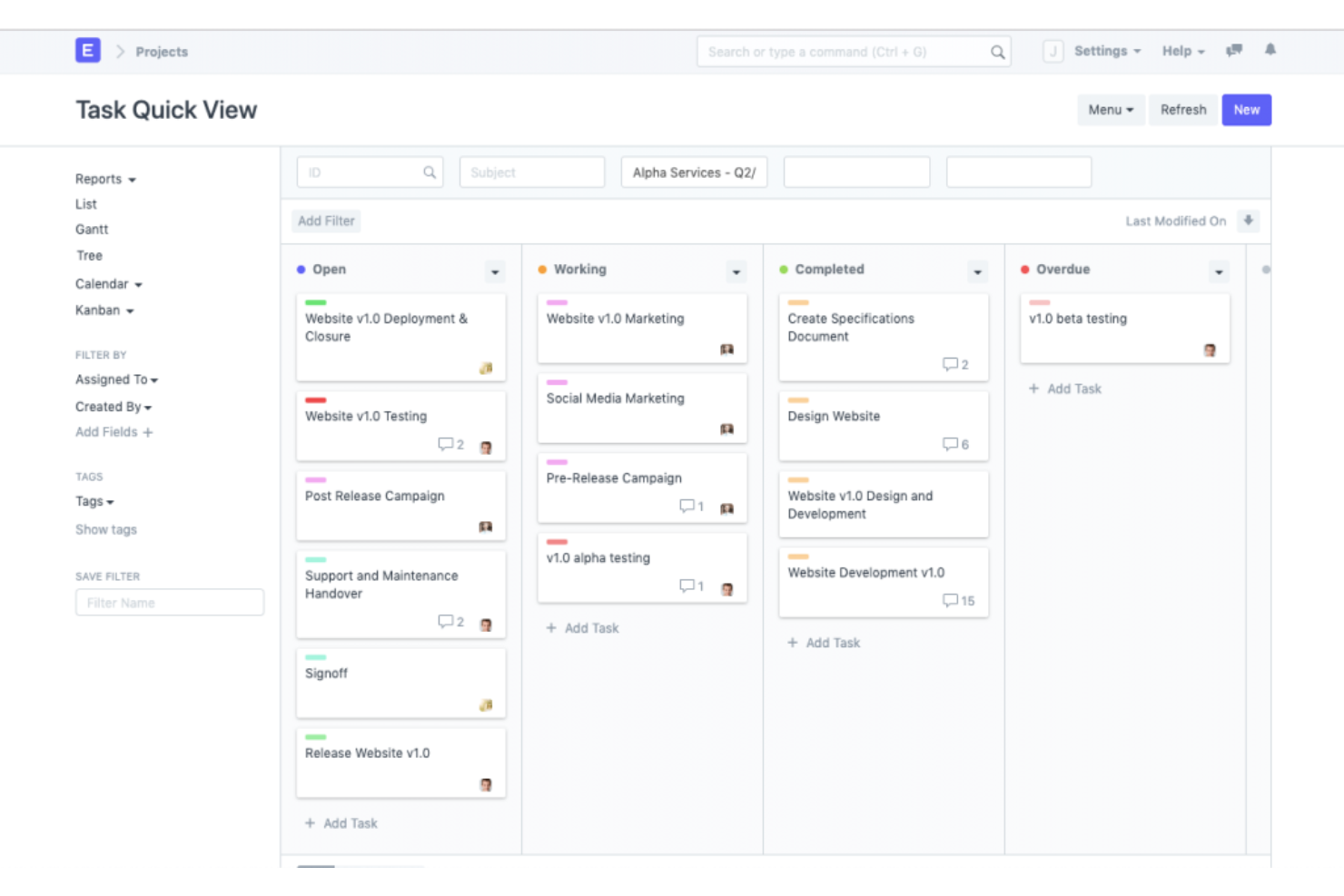
ERPNext is an open-source ERP project management tool designed for small to medium-sized businesses. It offers solutions for accounting, inventory, sales, and purchase management, catering to a wide range of business needs, such as healthcare, education, and manufacturing.
Why I picked ERPNext: ERPNext’s open-source flexibility allows you to customize the software to fit your specific needs. Its various tools, such as accounting software and inventory management, help keep your financial reporting accurate. You can modify workflows and add modules as your business grows, ensuring it adapts to your changing requirements. In my experience, this adaptability is a significant benefit for businesses looking for tailored solutions.
Standout features and integrations:
Features include a built-in website builder, multi-currency support, and a user-friendly reporting interface. Your team can benefit from the automated tax calculations and document management tools. ERPNext also offers a CRM module to manage customer relationships.
Integrations include Shopify, WooCommerce, Adobe Commerce, Dropbox, Google Drive, PayPal, Stripe, Amazon S3, and more.
Pros and Cons
Pros:
- Multicurrency support
- Detailed documentation available
- Suitable for various industries
Cons:
- Poorly organized documentation
- Requires technical expertise for Linux-based hosting and customization
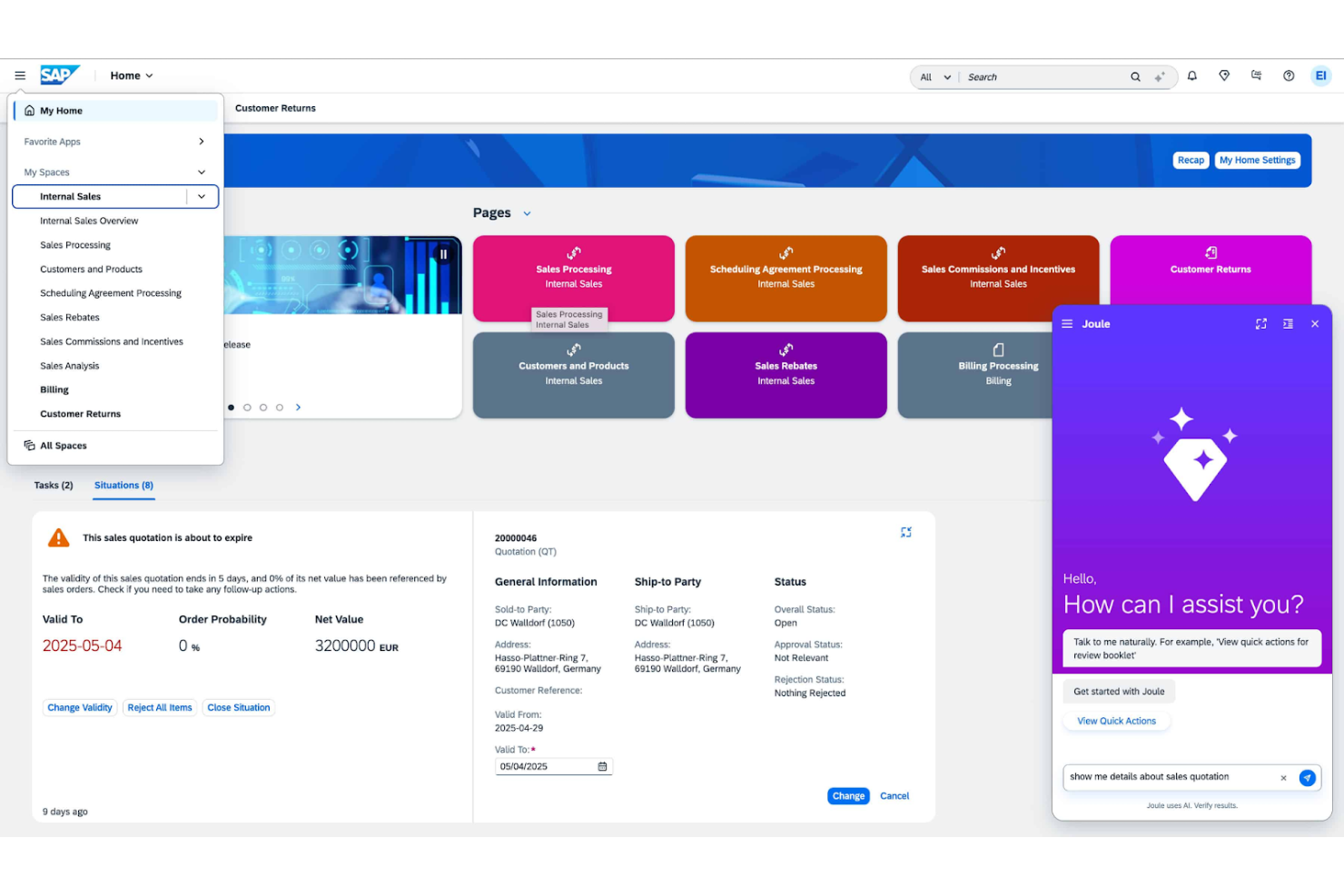
SAP ERP is an enterprise resource planning solution designed for large enterprises. It supports various business functions such as finance, supply chain management, and human resources, offering a unified platform for global operations.
Why I picked SAP ERP: Its ability to scale globally is unmatched, making it ideal for large enterprises. SAP ERP provides robust financial management tools that support complex accounting needs, including cash flow tracking and forecasting. In my experience, its varied functionality ensures all your enterprise needs are covered.
Standout features and integrations:
Features include advanced analytics, real-time data processing, and a centralized platform for managing multiple business processes. Your team can leverage its customizable dashboards to track key performance indicators and deliverables. The software also offers strong compliance management tools to meet global standards.
Integrations include Microsoft Office, Salesforce, Adobe, Oracle, Google Cloud, Amazon Web Services, Dropbox, Slack, Jira, and more.
Pros and Cons
Pros:
- Customizable API
- Strong compliance management
- Supports complex accounting needs
Cons:
- Limited flexibility for small businesses
- Complex licensing structure

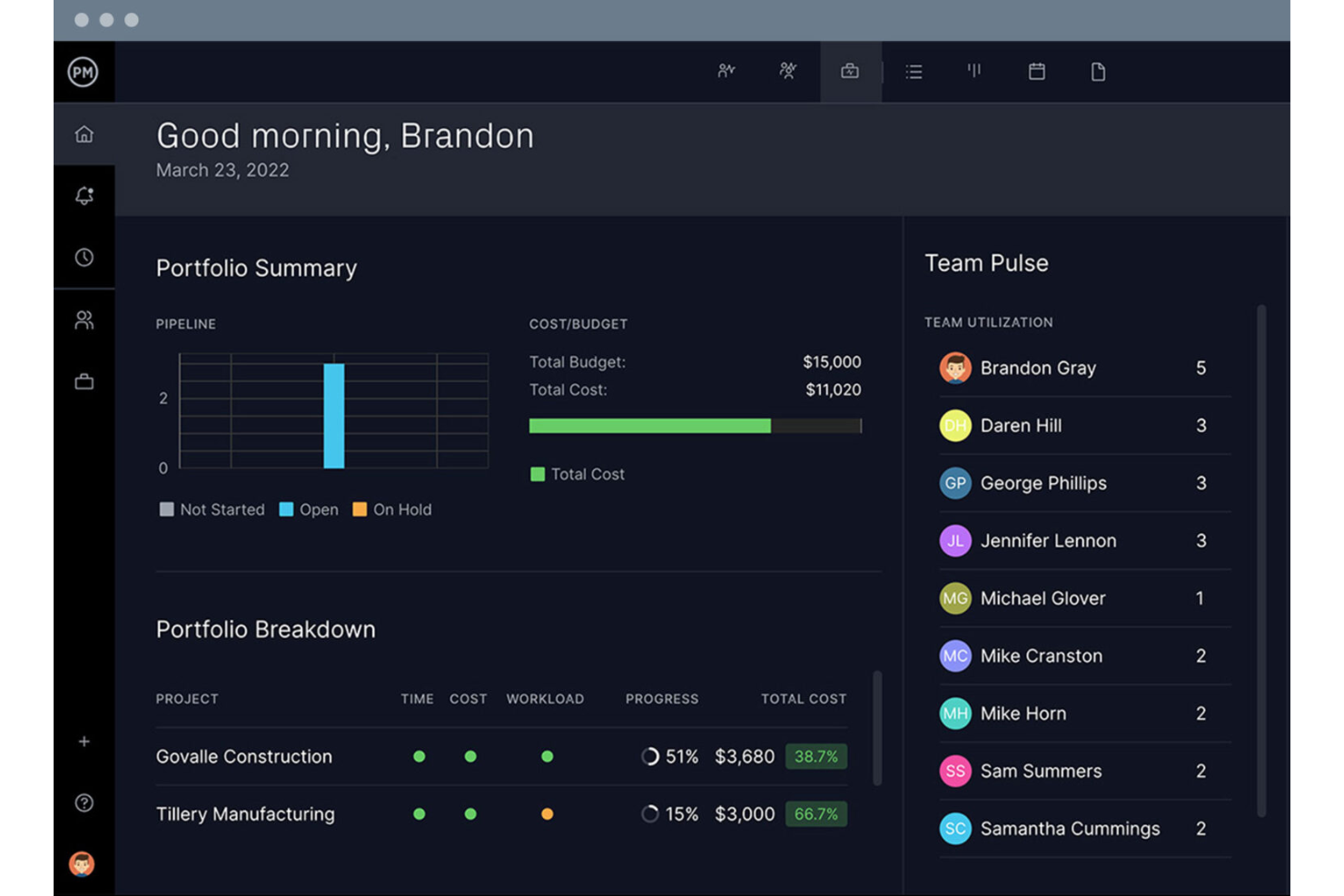
Project Manager is a cloud-based project management tool designed for teams working remotely. It provides tools for task management, scheduling, and real-time collaboration, making it ideal for distributed teams looking to stay connected and productive.
Why I picked Project Manager: Project Manager offers real-time dashboards that give your team instant visibility into project progress. Gantt charts and Kanban boards help organize tasks and workflows. Time tracking features keep team members accountable, supporting productivity across different time zones.
Standout features and integrations:
Features include customizable dashboards, detailed Gantt charts, and time tracking tools. Your team can switch between kanban boards and task lists to manage the project lifecycle. The software also offers file storage and sharing capabilities, enhancing collaboration.
Integrations include Slack, Zapier, Microsoft Office, Dropbox, Salesforce, Jira, Trello, QuickBooks, Evernote, and more.
Pros and Cons
Pros:
- Easy file sharing
- Supports multiple project views
- Efficient task organization
Cons:
- Can be slow with large projects
- May require onboarding time
Other ERP Project Management Software
Here are some additional ERP project management software options that didn’t make it onto my shortlist but are still worth checking out:
- PMAlliance
For project management training
- Acumatica
For growing businesses
- Priority
For mid-sized businesses
- Wrike
For team collaboration
- Oracle NetSuite
For cloud-based ERP solutions
- Scoro
For service-based businesses
- Microsoft Dynamics 365
For integration with Microsoft products


How I Evaluate ERP Project Management Software
I split my evaluation into baseline requirements every tool must meet—like native ERP connectivity and project cost tracking—and differentiators that reveal which tool fits your specific delivery model.
Core Functionality (Table Stakes For This List)
When I'm selecting tools for my list, I rank each one on a scale from 0 (does not offer the functionality) to 5 (excels in this area) for each core functionality listed below. Then, I calculate the tool's total score into a percentage. Each tool needs to achieve a minimum total score of 65% to be considered for inclusion.
- Integrated ERP Modules: I check whether project data shares a single data model with finance, procurement, inventory, and HR—not just a sync between separate systems.
- Project Planning & Scheduling: Gantt charts, dependencies, milestones, and baselines all matter here, especially for teams juggling multi-phase builds or service engagements.
- Project Cost & Budget Control: I look for live budget-vs.-actual tracking, committed cost visibility, and variance reporting that pulls directly from the general ledger.
- Resource & Capacity Management: Assigning people, equipment, and materials across projects with clear utilization and availability views is what I evaluate in every tool.
- Time, Expense & Billing Tracking: Field teams and consultants need time entries and expenses to flow into payroll and invoicing, so I confirm that end-to-end path exists.
- Project Reporting & Analytics: Multi-project dashboards that surface profitability, progress, and KPIs from underlying ERP data are what separate real ERP PM tools from basic trackers.
Once I have a list of tools that meet this criteria, I consider what sets each platform apart.
Differentiating Factors (What Sets Vendors Apart)
Here's how I compare and contrast different vendors:
Standout Features
Portfolio and program management is a big one—I look for tools that let PMO directors roll up financials and risk across dozens of projects into a single executive view. Mobile field access matters just as much for construction and engineering teams who need to log time or flag issues from a job site without waiting to get back to a desktop. I also evaluate how well a platform handles subcontractor workflows like purchase orders and RFIs, since that's where cost leakage tends to hide on complex projects.
Beyond Features
Industry fit is the first thing I evaluate beyond features. A tool built for professional services firms structures billing and revenue recognition differently than one designed for construction—pre-configured cost codes and compliance workflows save months of customization. Integration ecosystem matters too, especially how well a platform connects with CRM, BI, and CAD/BIM tools your teams already rely on. I also consider implementation timelines and total cost of ownership, since ERP rollouts can stretch past a year if the vendor's partner network or accelerator packages aren't mature enough.
How to Choose ERP Project Management Software
It’s easy to get bogged down in long feature lists and complex pricing structures. To help you stay focused as you work through your unique software selection process, here’s a checklist of factors to keep in mind:
| Factor | What to Consider |
|---|---|
| Scalability | Will the software grow with your business? Ensure it can handle increased data, users, and complexity without performance issues. |
| Integrations | Does it connect with your existing tools? Check for compatibility with your current systems, like CRM, accounting, and marketing tools. |
| Customizability | Can you tailor the software to fit your workflows? Look for options to modify dashboards, reports, and user roles to match your team's needs. |
| Ease of use | Is the interface intuitive for your team? Avoid steep learning curves by choosing a tool that's easy to navigate and requires minimal training. |
| Implementation and onboarding | How long will it take to get up and running? Consider the time and resources needed for setup and whether the vendor offers support during this phase. |
| Cost | Is the pricing model transparent and affordable? Compare the cost against your budget and look for hidden fees or long-term contracts. |
| Security safeguards | Does it protect your data? Verify the software's security features like encryption, access controls, and compliance with data protection regulations. |
| Support availability | Is help available when you need it? Ensure the vendor offers reliable customer support through various channels like chat, email, or phone. |
What Is ERP Project Management Software?
ERP project management software is a tool designed to help businesses integrate and manage their core processes. Professionals such as project managers, operations managers, and team leaders use these tools to enhance efficiency and coordination. Planning, resource allocation, and reporting features support better decision-making and operational control. These tools ultimately help organizations improve productivity and manage projects more effectively.
Features
When selecting ERP project management software, keep an eye out for the following key features:
- Project planning: Helps you schedule tasks and allocate resources to meet deadlines.
- Resource management: Allows you to track and manage resources, ensuring optimal use and availability.
- Financial management: Supports budgeting and financial tracking to keep projects on budget.
- Reporting and analytics: Provide insights and data analysis to help with informed decision-making.
- Collaboration tools: Facilitate communication and teamwork among project members to improve efficiency.
- Customization options: Let you tailor the software to fit your specific workflows and business needs.
- Integration capabilities: Connect with existing systems such as CRM and accounting tools for a unified workflow.
- Security features: Protect your data with encryption and compliance with data protection regulations.
Benefits
Implementing ERP project management software provides several benefits for your team and your business. Here are a few you can look forward to:
- Improved efficiency: Automating routine tasks and integrating processes helps your team work faster and more effectively.
- Enhanced collaboration: Communication tools and shared platforms keep your team connected and aligned with project goals.
- Better decision-making: Access to real-time data and analytics supports informed decisions and strategic planning.
- Cost control: Financial management features help you track expenses and stay within budget, reducing financial risks.
- Resource optimization: Effective resource management ensures that your team and materials are not wasted.
- Scalability: The ability to grow with your business means the software can adapt as your needs change.
- Data security: Built-in security features protect your sensitive information and maintain compliance with regulations.
Costs & Pricing
Selecting ERP project management software requires an understanding of the various pricing models and plans available. Costs vary based on features, team size, add-ons, and more. The table below summarizes common plans, their average prices, and typical features included in ERP project management software solutions:
Plan Comparison Table for ERP Project Management Software
| Plan Type | Average Price | Common Features |
|---|---|---|
| Free Plan | $0/user/month | Basic task management, limited storage, and basic reporting. |
| Personal Plan | $5-$54/user/month | Advanced task management, integrations, and basic analytics. |
| Business Plan | $60+/user/month (Custom) | Resource management, advanced analytics, and project templates. |
| Enterprise Plan | $200+/user/month (Custom) | Customization options, dedicated support, and enhanced security features. |
ERP Project Management Software FAQs
Here are some answers to common questions about ERP project management software:
What is the difference between ERP and project management software?
ERP software integrates various business processes into a single system, while project management software focuses on managing specific projects. ERP handles broader functions such as finance, HR, and supply chain, providing a holistic view of your business. If your team needs a tool for specific project tasks, project management software might be better. However, if you want a solution that covers multiple business areas, ERP software is more suitable.
Can ERP software be customized for my business?
Yes, most ERP solutions offer customization options to fit your specific needs. You can tailor modules, dashboards, and reports to align with your workflows. Customization helps you get the most out of the software by focusing on areas that matter to your business. Work with your vendor to understand the customization possibilities and any associated costs.
How long does it take to implement ERP software?
The implementation time for ERP software varies based on the complexity and size of your business. Small businesses may take a few weeks, while larger enterprises might need several months. Planning and clear communication with your vendor can speed up the process. Ensure your team is prepared and allocate resources to manage the transition smoothly.
Do I need technical expertise to use ERP software?
No, you don’t need extensive technical expertise to use ERP software, but basic computer skills are helpful. Many ERP systems offer user-friendly interfaces and provide training resources. Your vendor might offer onboarding support to help your team get started. If you’re concerned about technical challenges, choose a vendor with strong customer support.