



Celoxis vs. Jira: Comparison & Expert Reviews For 2026



Celoxis offers a solution for teams that need comprehensive project management capabilities, while Jira is a go-to tool for agile teams that want to improve their workflows. Celoxis and Jira both provide effective project management solutions, but they cater to different methodologies and team needs.
Read my expert comparison and evaluation of each tool, which I’ve compiled using my extensive experience in project management. I cover key features, pros and cons, and pricing to help you choose the right project management software for your team.
Celoxis vs. Jira: An Overview
Celoxis




Jira

Why Trust Our Software Recommendations
Our team has been testing and reviewing software since 2012. As project managers ourselves, we know how difficult—and important—it is to choose the right software.
For this guide, we evaluated tools using hands-on testing and independent research, scoring tools using our selection criteria. We also draw on insights from industry thought leaders and practicing project management experts.
Our reviews reflect our human editorial judgment, not a sales pitch.
Expert reviewers:
Celoxis vs. Jira Pricing Comparison
| Celoxis | Jira | |
|---|---|---|
| Free Trial | 14-day free trial | Free plan + 14-day free trial available |
| Pricing | From $10/user/month (billed annually) | From $7.91/user/month |
Celoxis vs. Jira Pricing & Hidden Costs
Celoxis’s pricing is structured as a per-user, subscription model, with costs increasing as you add premium functionality, integrations, and support. Jira’s pricing follows a similar tiered subscription model that scales with the number of users, storage, and automation rules you require.
To select the right tool for your needs, evaluate your team's size, desired features, and potential for growth to make sure the pricing model accommodates your future plans.
Celoxis vs. Jira Feature Comparison
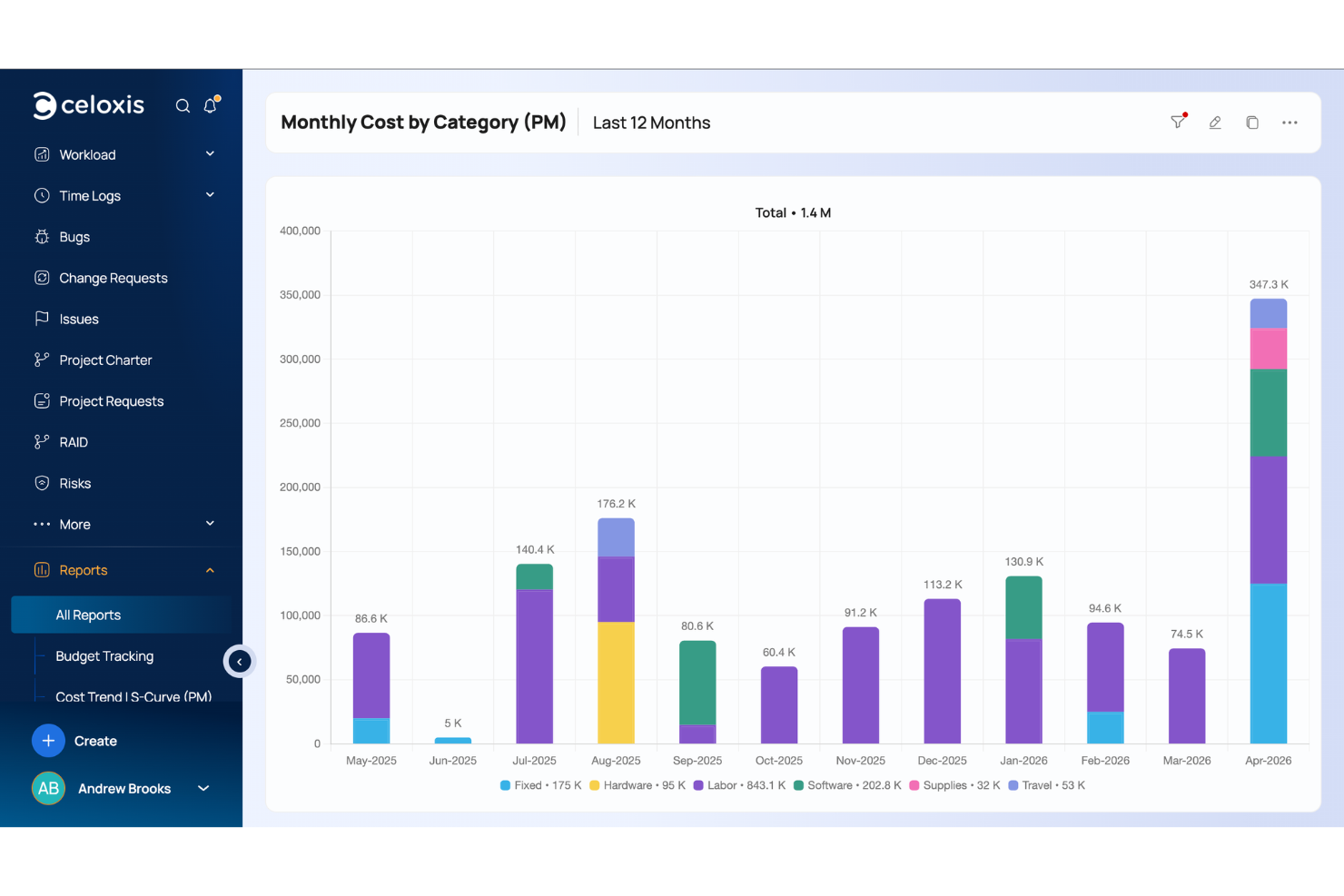
Celoxis’s customizable dashboards are perfect for complex, multi-phase projects, and you can easily track project progress and deadlines. Jira’s drag-and-drop roadmaps are great for agile teams that need to visualize project timelines and adjust tasks quickly.
| Celoxis | Jira | |
|---|---|---|
| API | ||
| Calendar Management | ||
| Collaboration Support | ||
| Dashboards | ||
| Data Export | ||
| Data Import | ||
| External Integrations | ||
| File Sharing | ||
| Gantt Charts | ||
| Kanban Boards | ||
| Multi-User | ||
| Notifications | ||
| Project Management | ||
| Task Scheduling/Tracking | ||
| Time Management |
Celoxis vs. Jira Integrations
| Integration | Celoxis | Jira |
|---|---|---|
| Slack | ✅ | ✅ |
| Microsoft Teams | ✅ | ✅ |
| Google Workspace | ✅ | ✅ |
| Salesforce | ✅ | ❌ |
| Trello | ✅ | ✅ |
| QuickBooks | ✅ | ❌ |
| Dropbox | ❌ | ✅ |
| GitHub | ✅ | ✅ |
| API | ✅ | ✅ |
| Zapier | ✅ | ✅ |
Celoxis's integration with QuickBooks lets you integrate financial management directly into your project workflows. Jira's integration with GitHub is great for development teams that need to connect code management with complex project tracking and maintain team collaboration between developers and project managers.
Celoxis vs. Jira Security, Compliance & Reliability
| Factor | Celoxis | Jira |
|---|---|---|
| Data Privacy | Celoxis maintains data privacy with secure data centers and GDPR and SOC 2 compliance. | Jira provides data privacy and secure data handling through SOC 2 and GDPR compliance. |
| Encryption | Celoxis uses TLS encryption to protect data in transit. | Jira employs TLS encryption to secure data during transmission. |
| Access Control | Celoxis offers role-based access controls that let you manage user permissions. | Jira provides customizable permissions and role-based access controls. |
Both Celoxis and Jira offer robust security and compliance features. Focus on the specific standards and certifications that matter most for your industry, and make sure the vendor provides transparent documentation and support.
Celoxis vs. Jira Ease of Use
| Factor | Celoxis | Jira |
|---|---|---|
| User Interface | Celoxis features a clean, intuitive interface that's easy to navigate with customizable views. | Jira's interface is highly customizable but can be complex for beginners. |
| Onboarding Experience | Celoxis offers comprehensive onboarding with tutorials and guided setups. | Jira provides extensive documentation and community forums for onboarding. |
| Setup | Celoxis requires minimal setup, which allows for quick project initiation. | Jira's setup can be lengthy due to its wide range of customization options. |
| Support | Celoxis provides responsive customer support with direct access to experts. | Jira offers robust support through a vast online community and detailed guides. |
Celoxis is straightforward and easy to get started with, which makes it great for teams that want simplicity and speed in setup. Jira, while powerful in customization, can be overwhelming initially due to its complexity, but it does offer detailed resources and community support for those who need it.
Celoxis vs Jira: Pros & Cons
Celoxis
- Celoxis excels in scheduling and resource management, helping your team stay organized.
- It offers advanced reporting features that give you valuable insights into your projects.
- The intuitive interface makes it easy for your team to adopt and use daily.
- Some users find the customization options overwhelming and time-consuming.
- The initial learning curve can be steep, especially for new team members.
- It may lack some out-of-the-box templates that other tools provide, requiring more setup time.
Jira
- Agile workflow management supports Scrum and Kanban and can improve your teams' productivity.
- Automation rules are easy to set up, which helps your team speed up their work.
- Custom filters can be created and accessed quickly, which improves your team's efficiency.
- Field names can be confusing, which might slow down your team's workflow.
- The interface can be too crowded in Scrum projects, which can make it hard for your team to navigate.
- There's a lack of resource management capabilities, which could limit your team's planning.
Best Use Cases for Celoxis and Jira
Celoxis
- IT Departments Celoxis helps you manage intricate IT projects with its detailed scheduling and resource allocation tools.
- Consulting Firms If you’re juggling multiple clients, Celoxis’s advanced reporting and project tracking features keep your work organized.
- Marketing Teams You can benefit from Celoxis’s ability to handle multifaceted campaigns and track performance metrics.
- Construction Companies Celoxis’s scheduling capabilities are ideal for managing timelines and resources in construction projects.
- Product Development Its features support complex product development cycles, keeping your team aligned and deadlines met.
- Event Planning Celoxis helps you coordinate numerous tasks and vendors, ensuring your events go off without a hitch.
Jira
- Software development Jira’s agile tools like Scrum and Kanban boards make it perfect for managing software projects.
- IT departments Its issue tracking capabilities help your team efficiently handle technical support and bug fixes.
- Tech startups Jira offers customization capabilities that allow your team to scale and adapt as your projects grow.
- Agile teams Sprint planning and backlog management features keep your agile processes organized and effective.
- Large enterprises Jira’s automation rules can streamline your complex workflows and improve team productivity.
- Project managers Its reporting and analytics provide insights that help you make informed decisions quickly.
Who Should Use Celoxis, and Who Should Use Jira?
In my opinion, Celoxis is ideal for teams that want a straightforward project management solution with financial tracking capabilities. It’s perfect for companies running multiple projects in industries like manufacturing and professional services. Jira, from my perspective, is best suited for agile software development teams that need more customization and integration options for complex workflows.
If your team values simplicity and quick setup, I'd recommend Celoxis, but if you're looking for more flexibility and a wide range of features, Jira's the way to go.
Differences Between Celoxis and Jira
| Celoxis | Jira | |
|---|---|---|
| Customization | Celoxis allows for dashboard customization to fit your project needs. | Jira offers extensive customization options for agile project management workflows. |
| Integrations | Celoxis integrates well with financial tools like QuickBooks. | Jira integrates with development tools like GitHub. |
| Onboarding | Celoxis provides guided setup with tutorials for quick onboarding. | Jira offers a wealth of documentation and community support. |
| User Interface | Celoxis has a clean, intuitive interface for easy navigation. | Jira's interface is customizable but can be complex for new users. |
| Read Celoxis ReviewOpens new window | Read Jira ReviewOpens new window |
Similarities Between Celoxis and Jira
| Automation | Celoxis and Jira both support automation for repetitive tasks and can help improve efficiency. |
|---|---|
| Collaboration | They both include collaboration features like task comments and file sharing to keep your team connected. |
| Project Tracking | Both Celoxis and Jira offer robust project tracking capabilities for monitoring timelines and deadlines effectively—Celoxis does this via customizable dashboards and Jira offers boards that are tailored to agile methodologies. |
| Reporting | Both provide comprehensive reporting tools and let you generate detailed reports on project performance. |
| Scalability | Each tool is designed to grow with your team and supports scalability by letting you add more users and features as needed. |
| Read Celoxis ReviewOpens new window Read Jira ReviewOpens new window | |