

10 Best Document Control Software Reviewed in 2026

10 Best Document Control Software Shortlist


The best document control software ensures the right people have access to the right versioned, secure, and audit-ready documents. These tools help you reduce risk, maintain compliance, and eliminate errors caused by outdated or misplaced files.
During my time managing global engineering projects at Hewlett-Packard, document control was critical, whether coordinating technical specs across time zones or aligning teams during infrastructure migrations.
In this guide, I’ve reviewed the top document control software based on hands-on testing. Each one is selected for its ability to organize, secure, and streamline document access across fast-moving teams and projects.
Why Trust Our Software Recommendations
Our team has been testing and reviewing software since 2012. As project managers ourselves, we know how difficult—and important—it is to choose the right software.
For this guide, we evaluated tools using hands-on testing and independent research, scoring tools using our selection criteria. We also draw on insights from industry thought leaders and practicing project management experts.
Our reviews reflect our human editorial judgment, not a sales pitch.
Expert reviewers:
Document Control Software Comparison Table
This comparison table summarizes pricing details for my top document control software selections:
| Tool | Best For | Trial Info | Price | ||
|---|---|---|---|---|---|
| 1 | Best for version control & collaborative editing | Free demo available | Pricing upon request | Website | |
| 2 | Best with FedRAMP-authorized document security | Free demo available | Pricing upon request | Website | |
| 3 | Best for multilingual document management | Free demo available | Pricing upon request | Website | |
| 4 | Best for easy file sharing | Free trial + free plan available | From $9.99/user/month (billed annually) | Website | |
| 5 | Best for policy management | Free demo available | Pricing upon request | Website | |
| 6 | Best for cloud document storage | Free demo available | Pricing upon request | Website | |
| 7 | Best with AI-powered PDF editing tools | 7-day free trial | From $19.99/user/month (billed annually) | Website | |
| 8 | Best for AI-driven document organization | Free demo available | From $65/user/month | Website | |
| 9 | Best for legal document control | Free demo available | Pricing upon request | Website | |
| 10 | Best for Microsoft integrations | 30-day free trial available | From $5.40/user/month (billed annually) | Website |
Best Document Control Software Reviews
Below are detailed summaries of the best document control software that made it onto my shortlist. My reviews offer a detailed look at the key features, pros & cons, integrations, and ideal use cases for each tool to help you find the right one.

Best for version control & collaborative editing

Document360 is an AI-powered documentation platform that helps teams create, manage, and publish internal and external knowledge bases. It’s particularly useful for organizations that need structured control over versioning, user access, and content workflows in a collaborative setting.
Why I Picked Document360
I chose Document360 because of its focus on version control and collaborative editing, which are essential for document accuracy and team productivity. The software also stood out for its AI-powered search, which helps users surface the right content quickly, even in large document libraries. Its robust analytics suite supports compliance by tracking usage patterns and identifying gaps in documentation.
Document360 Key Features
Document360 also offers several other features that help with document management.
- Role-Based Access Control: You can define and manage user roles and permissions to make sure sensitive information is only accessible to authorized personnel within your organization.
- Custom Workflow Builder: You can create bespoke workflows to streamline your team's document approval processes and make sure content is reviewed and published efficiently.
- Support Ticket Deflector: This lets you reduce support load by directing users to relevant documentation through intelligent search suggestions and minimizing the need for direct intervention.
- Interactive Decision Tree: You can guide users through complex decision-making processes with visual decision trees that provide step-by-step assistance and improve user experience.
Document360 Integrations
Integrations include Zendesk, Freshdesk, Intercom, Drift, Slack, GitHub, Make, Salesforce, and Microsoft Teams.
Pros and Cons
Pros:
- Provides robust version control with audit trails
- Offers powerful reporting and analytics
- Smart file management features
Cons:
- Complex features may be overwhelming for new users
- Most integrations are only available on higher-tier plans
New Product Updates from Document360

Document360 Adds Drive and Eddy AI Workflow Updates
Document360 adds Drive file renaming, Eddy AI email ticket notifications, and Drive image support in AI Capture. These updates simplify file management, support escalation, and visual content editing. For more information, visit Document360’s official site.
 .
.
InEight
Best with FedRAMP-authorized document security
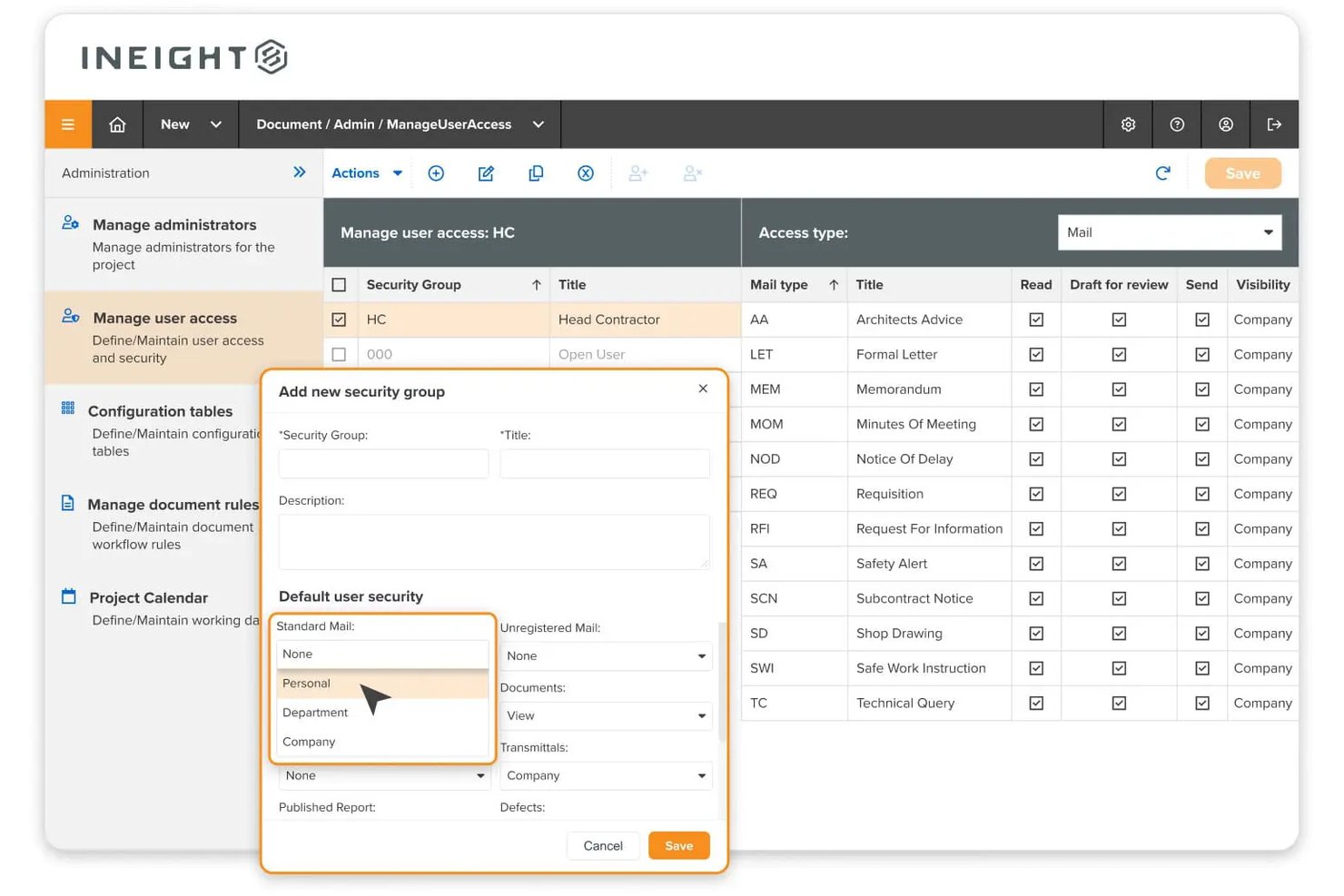
InEight Document is a capital construction-focused document control platform that centralizes project files, manages version and revision control, automates approval workflows, and handles transmittals and correspondence across large-scale engineering and infrastructure projects.
Who Is InEight Best For?
InEight Document is a strong fit for federal agencies and government contractors that need document control software meeting strict U.S. security compliance requirements.
Why I Picked InEight
InEight earns its spot on my shortlist because it's the only document control platform I've come across with FedRAMP Moderate Equivalency Authorization. Federal agencies and their contractors can adopt it without extra compliance hurdles. I like that every document action is captured in an immutable audit trail assessed against 325+ security controls, which carries real weight on federal infrastructure projects where a disputed approval can have serious legal consequences.
InEight Key Features
- Drawing markup and redlining: Annotate and compare drawings or PDFs directly within the platform to track changes.
- Mobile and offline document access: Access and update controlled documents in the field even when internet connectivity is limited.
- Automated numbering conventions: Enforce document coding and naming standards automatically across large projects.
- Native BIM and CAD file support: View and version CAD and BIM models without needing to download or convert files.
InEight Integrations
InEight offers native integrations with SAP, Oracle Primavera P6, Ping Identity, QuickBooks Desktop, Sage 300, Viewpoint Vista, AdobeSign, Autodesk Civil 3D, Navisworks, Revit, and Bluebeam. An API is available for custom integrations.
Pros and Cons
Pros:
- Advanced drawing markup and version comparison
- Automatic revision control and audit trail
- FedRAMP Moderate Equivalency for government projects
Cons:
- Initial configuration for large workflows is complex
- Interface feels dated compared to modern tools
Doxis
Best for multilingual document management
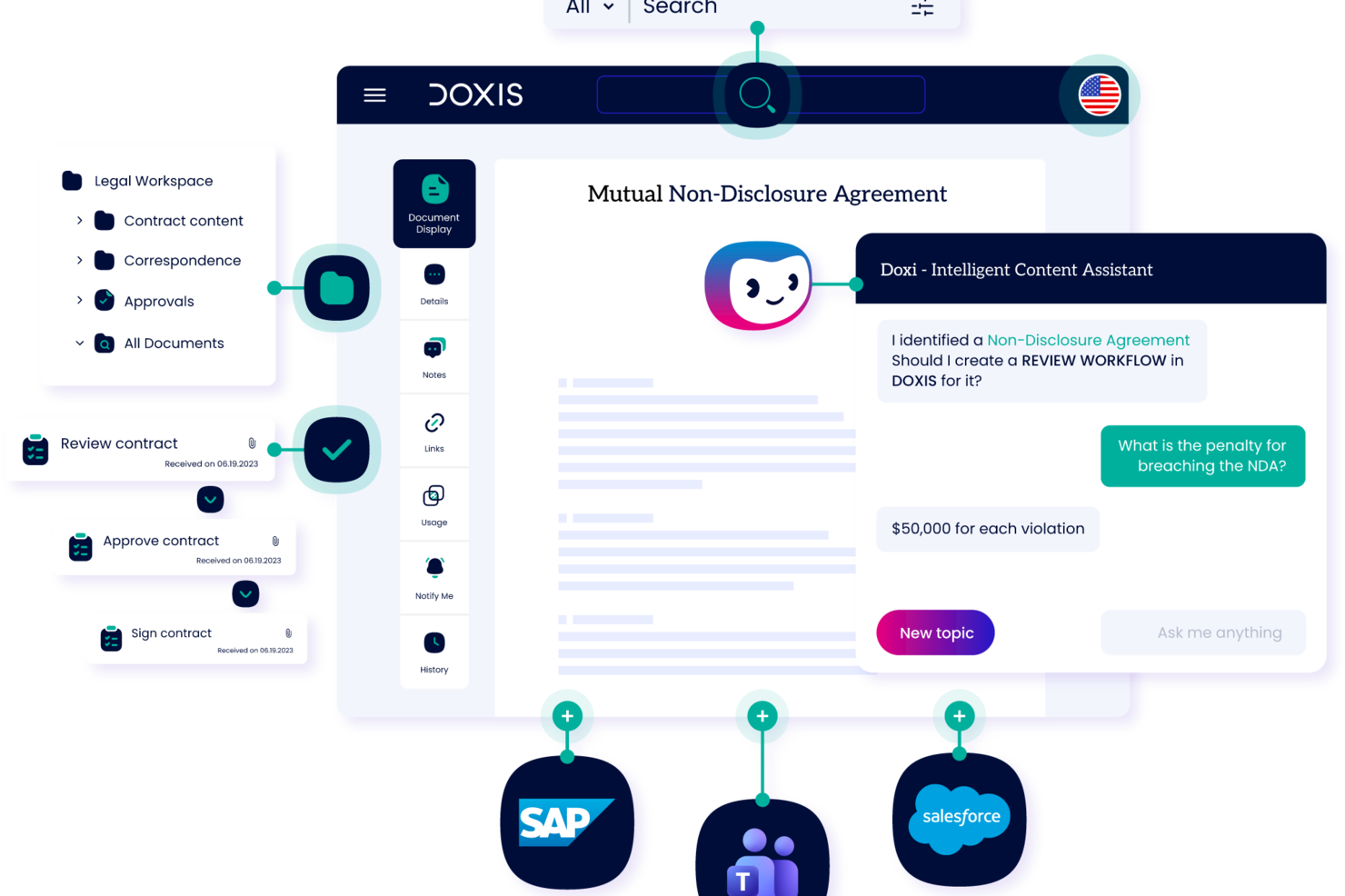
As an enterprise ECM platform, Doxis combines document version control, audit-proof archiving, records management, and AI-powered capture into a single document control system.
Who is Doxis Best For?
Doxis suits enterprise teams in regulated industries that need document control, compliance management, and content governance at scale.
Why I Picked Doxis
I've included Doxis in my top picks because it's one of the few enterprise ECM platforms built from the ground up to operate across language boundaries. The platform is Unicode-capable and supports 12 official languages covering 135 countries, including Arabic, Chinese, Persian, and Russian, which makes it genuinely viable for global teams managing document workflows across regions with very different language requirements. On top of that, Doxis's AI-powered metadata extraction and OCR works across multilingual documents, so classification and indexing don't break down just because a document is in French, Polish, or Turkish.
Doxis Key Features
- Version control: Track every document revision with a full change history, including who made changes, when, and what was modified.
- Multi-stage approval workflows: Route documents through configurable review and sign-off chains, with delegation and alternate responsible users to keep approvals moving.
- Audit-proof archiving: Store finalized documents in tamper-proof archives that meet legal and regulatory retention requirements.
- Role-based access controls: Restrict document visibility and editing rights at the folder, document type, or individual record level.
Doxis Integrations
Doxis offers native integrations with SAP, Salesforce, and the Microsoft ecosystem, including Microsoft 365, SharePoint, Outlook, Teams, and Microsoft Dynamics 365. It is also available on the Salesforce AppExchange. Doxis supports vendor-independent connectors for ERP, CRM, HR, and CAD systems, and uses the CMIS standard for interoperability with other content platforms. An API is available for custom integrations.
Pros and Cons
Pros:
- Supports deployment in over 150 countries
- AI-based classification automates document indexing
- Audit-proof archiving meets global compliance standards
Cons:
- Initial workflow configuration requires admin training
- Suited for large enterprise environments only

Dropbox
Best for easy file sharing

Dropbox is a versatile platform that allows you to store, share, and access files from virtually anywhere. It provides a secure space where you can manage and collaborate on your documents with ease.
Why I Picked Dropbox
Dropbox offers secure file sharing and tracking through DocSend. This feature lets you send documents securely, track their activity, and maintain control over what happens to them. Dropbox also offers a feature that lets you add electronic signatures to documents, which streamlines the process of getting approvals and agreements.
Another reason I picked Dropbox is a feature called Dash, which uses AI to help you organize and protect your company's content. This tool understands the context of your work and helps keep everything in order, so your team stays organized and efficient. The platform's ability to provide previews for over 175 file types means you can quickly access and manage your documents without unnecessary hassle.
Dropbox Key Features
In addition to file sharing, Dropbox also offers a range of other features that can help you improve document control.
- Version Control: This lets you automatically save previous versions of documents and revert to earlier iterations if needed.
- Document Tagging: You can categorize and tag documents for improved searchability and organization.
- Permission Settings: This lets you set specific access permissions for documents and make sure only authorized users can view or edit sensitive files.
- Automatic Backup: You can make sure all documents are continuously backed up and synced across devices for added security and peace of mind.
Dropbox Integrations
Integrations include Google Workspace, Microsoft, Adobe, HubSpot, Autodesk, Canva, and AWS.
Pros and Cons
Pros:
- Easy to use with a simple interface
- Strong version control system
- Built-in secure document sharing
Cons:
- Limited storage capacity on lower-tier plans
- Occasional file sync issues

DocTract
Best for policy management

DocTract is a cloud-based document management software (DMS) designed for organizations that need efficient policy management. It serves businesses that want to improve and speed up their policy creation, approval, and distribution processes.
Why I Picked DocTract
It excels in managing policies and provides tools to handle every stage of policy and document management, from creation to distribution. The platform offers customizable policy templates that simplify document creation for your team. Automated workflows make sure policies are reviewed and approved efficiently. It also supports electronic acknowledgments, so you know exactly when team members have read and understood the policies.
DocTract Key Features
DocTract also offers several other features that can help improve document control for your team.
- AI-Powered Search: You and your team can quickly find policies using natural language, which boosts efficiency and reduces the time spent searching for documents.
- Real-Time Collaboration: This lets multiple users work on a document simultaneously so everyone can contribute without the need for lengthy email exchanges.
- Role-Based Routing: You can automate the approval process by assigning specific roles to make sure documents are reviewed by the right people at the right time.
- Audit-Ready Compliance Binders: This lets you automatically generate comprehensive compliance binders that are ready for audit purposes to save your team time and reduce the risk of non-compliance.
DocTract Integrations
Integrations include Microsoft Office 365, Microsoft SharePoint, Docusign, Salesforce, SAP, Oracle, Google Workspace, Dropbox, Box, and OneDrive.
Pros and Cons
Pros:
- Detailed audit trail features
- Supports electronic acknowledgments
- Customizable policy document templates
Cons:
- May need customization for specific needs
- Limited to policy management functions

DocuWare
Best for cloud document storage

DocuWare is a cloud-based document management solution designed for businesses who want to improve their document storage and accessibility. It serves industries that need secure and efficient document workflows.
Why I Picked DocuWare
This tool excels in providing cloud storage and making sure your documents are secure and easily accessible from anywhere. It offers features like automatic document indexing and workflow automation capabilities, which helps make document handling smoother for your team.
DocuWare Key Features
DocuWare also offers a range of other features for document control and workflow management.
- Digital Editing: You can edit documents without altering the original to maintain document integrity while making necessary changes.
- Versioning: This lets you automatically save new document versions and keep a comprehensive history, as well as track changes and revert if needed.
- Mobile Connectivity: You can access and manage documents on-the-go from any device, which provides flexibility and continuity for your operations.
- Control Dashboard: This lets you monitor workflow progress in real-time and gives you a clear overview of tasks and deadlines to improve decision-making.
DocuWare Integrations
Integrations include Microsoft Office, Microsoft Outlook, SAP, Docusign, QuickBooks, Salesforce, Sage, Google Workspace, Dropbox, and Microsoft OneDrive.
Pros and Cons
Pros:
- Automatic indexing saves time
- Strong document security features
- Cloud access from any location
Cons:
- Limited offline functionality
- Complex setup process

Best with AI-powered PDF editing tools
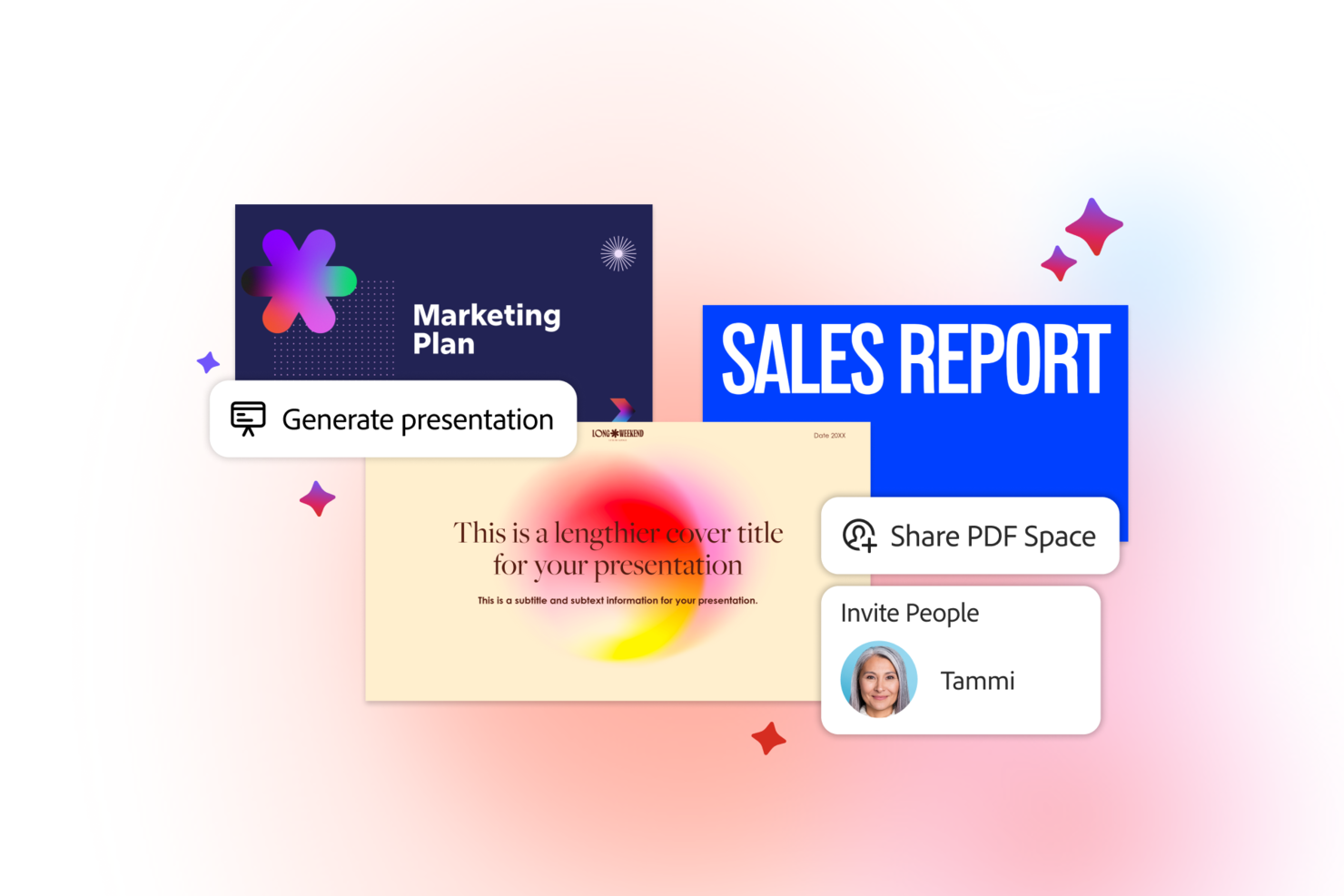
Adobe Acrobat is a document control software platform that lets you create, edit, organize, and manage PDF files with advanced editing, collaboration, and security features.
Who Is Adobe Acrobat Best For?
Adobe Acrobat suits teams in regulated industries or distributed organizations that need secure document management and advanced PDF editing capabilities.
Why I Picked Adobe Acrobat
I picked Adobe Acrobat as one of the best because its AI-powered PDF editing tools let my team quickly convert scanned documents into searchable, editable files. I use features like automatic text recognition and smart form field detection to speed up document review and editing. In practice, that means we can handle large volumes of PDFs without manual rework.
Adobe Acrobat Key Features
- Version history: Track and access previous versions of documents for audit and compliance needs.
- Document e-signatures: Collect legally binding electronic signatures directly within your PDFs.
- Permission controls: Set user roles and restrict access to sensitive documents.
- Centralized document storage: Store and organize files in a secure, searchable workspace.
Adobe Acrobat Integrations
Adobe Acrobat offers native integrations with Microsoft 365, Google Workspace, Microsoft Teams, SharePoint, Box, Salesforce, and Workday. An API is available for custom integrations.
Pros and Cons
Pros:
- Native integration with Microsoft 365 and Google Workspace
- Detailed audit trails for compliance
- Real-time collaboration in shared workspaces
Cons:
- Some integrations need separate enterprise subscriptions
- Limited workflow automation compared to competitors

M-Files
Best for AI-driven document organization

M-Files is a document management system designed for businesses that are looking for AI solutions to improve their document organization. It helps companies manage, organize, and secure their documents.
Why I Picked M-Files
It's ideal for businesses in need of intelligent document organization. M-Files uses AI to classify and organize documents and improve searchability and accessibility. The tool's metadata-driven approach makes sure that your documents are always in the right context. Additionally, its ability to connect to existing data repositories makes it a flexible choice for diverse business environments.
M-Files Key Features
In addition to AI-driven document organization, M-Files offers several other features that make it useful as a document control software.
- Automated Workflows: This feature lets your team automate document-centric processes to reduce manual input and increase efficiency.
- Version Control: You can track document changes and maintain a history of revisions, which helps make sure you're always working with the most current information.
- Mobile Accessibility: You can access and manage your documents from anywhere with mobile access, which makes remote work more seamless and efficient.
- Role-Based Access Permissions: This makes sure only authorized users can access sensitive documents, which improves security and compliance with industry standards.
M-Files Integrations
Integrations include Microsoft Office, Salesforce, Microsoft SharePoint, Dynamics 365, Google Workspace, SAP, Oracle, QuickBooks, Dropbox, and Docusign.
Pros and Cons
Pros:
- Strong permissions management
- Connects to existing data repositories
- AI-driven document organization
Cons:
- Relies heavily on metadata
- Requires initial setup expertise

iManage
Best for legal document control

iManage is a knowledge work platform that focuses on boosting productivity, collaboration, and security for organizations. It helps you manage documents and emails and is a valuable tool for efficient document control.
Why I Picked iManage
One reason I picked iManage is its document and email management capabilities, which allow secure handling and collaborative sharing of files. This feature makes sure your team can access and manage documents from anywhere, which helps maintain control over important information. Additionally, its risk and compliance tools, like the conflicts manager, make it well-suited for law firms and legal teams and help mitigate business risks and navigate regulatory landscapes.
Another reason I picked iManage is its strong focus on security and governance. With multi-level security measures, including a security policy manager and threat manager, iManage protects sensitive information. This level of security is essential for legal organizations looking to safeguard their data and maintain compliance with industry standards.
iManage Key Features
iManage also offers a suite of other features that cater to broader document management needs.
- Knowledge Search and Management: iManage improves information retrieval with advanced search functionalities so your team can access and leverage organizational knowledge efficiently.
- Task & Workflow Management: This facilitates better project management by providing tools for task tracking and checklist management, which help your team stay organized and on track.
- Cloud Platform: Built on a secure and reliable cloud-native platform, iManage integrates with Microsoft tools to support modern work environments and better accessibility.
- AI Services: With built-in AI features, iManage lets you automate document classification and data extraction so you can focus on more strategic tasks instead.
iManage Integrations
Integrations include Power BI, Slack, Microsoft Teams, Docusign, Microsoft Excel, and Microsoft Word.
Pros and Cons
Pros:
- Extensive document storage and organization
- AI tools for advanced document and email management
- Effective document retrieval and management
Cons:
- Needs substantial server infrastructure
- Requires JavaScript for full functionality

Best for Microsoft integrations
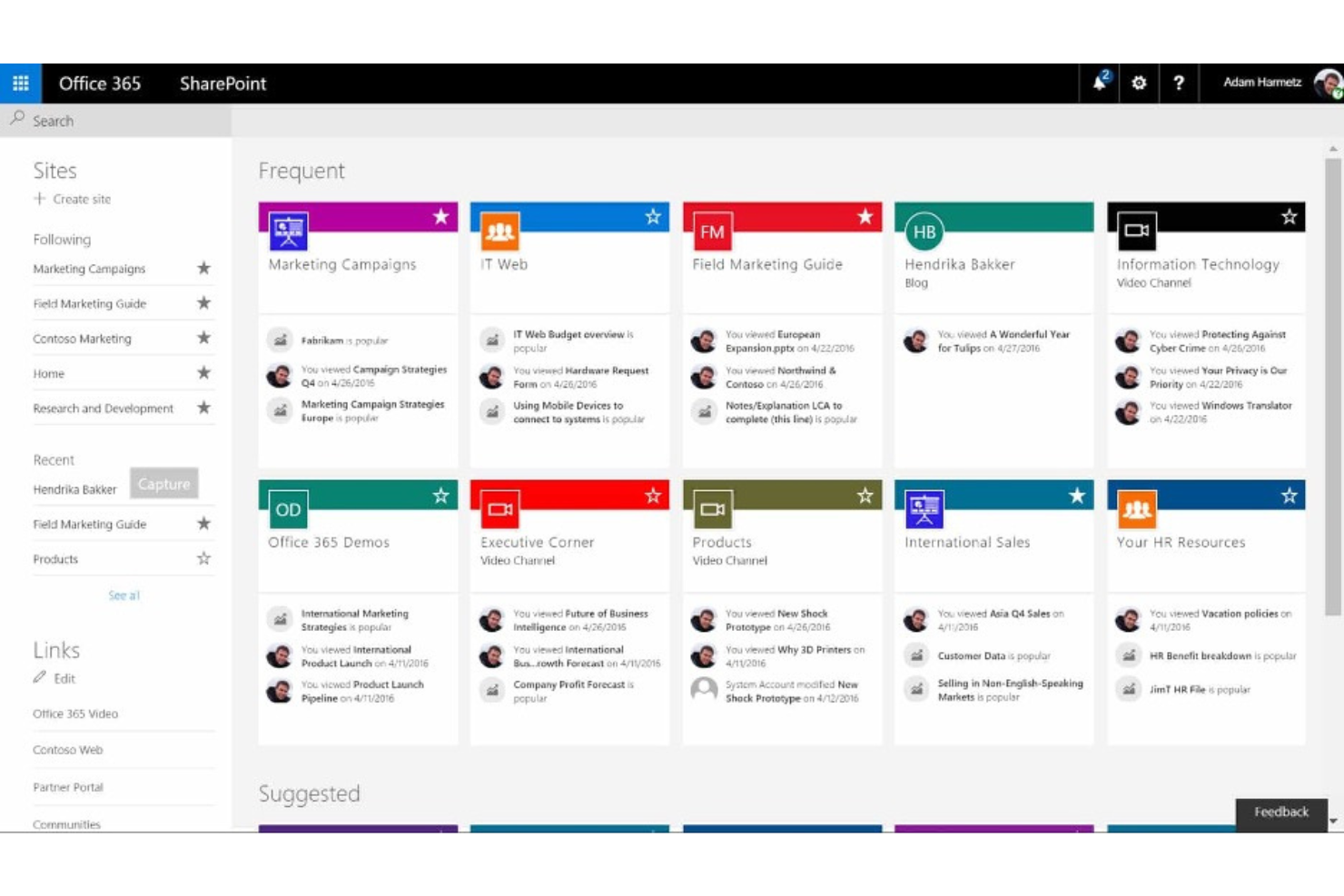
Microsoft SharePoint is a document management and collaboration tool primarily used by businesses already using Microsoft products. It helps with document storage, organization, and team collaboration.
For Michelle Francine, Owner of the digital media company Michelle Francine Productions, SharePoint’s strengths and limitations are clear: “Microsoft SharePoint is excellent at version control, but lacks fluid synchronous collaboration capabilities. I can easily find my team’s previous changes to documents. However, there would be lost information when a colleague and I edited content within the same document on separate computers, despite automatic saving to the cloud.”
Why I Picked Microsoft SharePoint
It's particularly useful for teams already using Microsoft Office applications. SharePoint integrates with other Microsoft tools like Word, Excel, and Outlook, so it’s a natural choice if you're in a Microsoft-centric environment. Despite the occasional sync issues mentioned above, its ability to facilitate collaboration through shared workspaces and document libraries sets it apart.
Microsoft SharePoint Key Features
Microsoft SharePoint offers a range of other features that make it a strong choice for document control.
- Version History: This feature lets you track document changes over time and makes it easy to revert to previous versions if necessary.
- Metadata Tagging: By tagging documents with metadata, you and your team can quickly search and organize files to improve information retrieval.
- Document Check-In/Check-Out: This prevents editing conflicts and makes sure changes are tracked accurately by allowing only one user to edit a document at a time.
- Approval Workflows: You can automate the document approval process to make sure documents are reviewed and approved by the right stakeholders before being finalized.
Microsoft SharePoint Integrations
Integrations include Microsoft Teams, OneDrive, Outlook, Power BI, Dynamics 365, Planner, Power Apps, Azure, and Power Automate.
Pros and Cons
Pros:
- Comprehensive search capabilities
- Strong version control features
- Integrates with the Microsoft Office suite
Cons:
- Relies heavily on the Microsoft ecosystem
- Steep learning curve for new users
When to Use Document Control Software
Document control software gives your team a single, auditable home for every file, version, and approval, so nothing falls through the cracks on complex or compliance-heavy projects. If any of the scenarios below sound familiar, it's probably time to add it to your stack:
- Your team is working off different versions of the same doc: Say your engineers in Chicago are referencing v2 of a spec sheet while contractors in Germany are on v4. Document control enforces one source of truth, so everyone works from the latest approved version.
- Approval cycles are dragging on for weeks: Email-based sign-offs get buried, and follow-ups eat up your time. Automated workflows route docs to the right reviewers and send reminders, cutting approval time significantly.
- You're preparing for a regulatory audit: ISO 9001, HIPAA, or GDPR audits require a clear trail of who touched every document. Audit logs are generated automatically, so you're not rebuilding records from scratch the week before a review.
- Managing multiple contractors or vendors is getting messy: When you're coordinating three or more external teams, controlling who can view, edit, or download sensitive files becomes a real risk. Granular permissions keep the right people in and everyone else out.
- It's taking too long to find the right file: If your team is digging through shared drives, email threads, and Slack to locate the current SOP, you're losing hours weekly. Centralized search and metadata tagging surface the right doc in seconds.
Other Document Control Software
Here are some additional document control software options that didn’t make it onto my shortlist, but which are still worth checking out:
- SuperOps
For IT service management
- Confluence
For AI-powered search
- PandaDoc
For sales document automation
- Conga
For contract life cycle management
- ETQ Reliance
For enterprise quality management
- Interfacing Enterprise Process Center
For document process automation
- SimplerQMS
For the life sciences sector
- QT9 QMS
For mid-sized businesses
- Orcanos
For those in the medical device industry
- Paradigm 3
For document quality management
- PSC Software ACE
For scalability
- ComplianceQuest
For regulatory compliance
- altaFlow
For automated document filling
- Intelex
For environmental compliance
- MasterControl
For FDA compliance
- Templafy
For brand consistency
- Bitrix24
For team collaboration tools
- DocXellent
For secure document storage


How I Evaluate Document Control Software
I split my evaluation into two layers: the baseline a tool must have—version control, approval workflows, audit trails—and the differentiators that distinguish one platform from another.
Core Functionality (Table Stakes For This List)
When I'm selecting tools for my list, I rank each one on a scale from 0 (does not offer the functionality) to 5 (excels in this area) for each core functionality listed below. Then, I calculate the tool's total score into a percentage. Each tool needs to achieve a minimum total score of 65% to be considered for inclusion.
- Version Control & Revision History: I check whether each tool auto-versions documents and lets you compare revisions side by side, like tracking markup changes across drawing submissions.
- Access Permissions & User Roles: Granular, role-based controls matter here—I look for the ability to restrict access by project, folder, or document status for contractors and internal teams.
- Document Approval Workflows: I evaluate whether you can configure multi-step review and approval routing with notifications, e-signatures, and escalation paths for submittals or specs.
- Audit Trail & Compliance Logging: Every document action should be timestamped and traceable. I look for exportable logs that support ISO, FDA, or SOX compliance reporting needs.
- Centralized Document Repository: A searchable, structured repository with metadata tagging is what I look for—teams need to find the right revision of a spec within seconds, not minutes.
- Transmittals & Controlled Distribution: I evaluate how each tool handles formal document transmittals, including recipient acknowledgment tracking and distribution list management across stakeholders.
Once I have a list of tools that meet the criteria, I consider what sets each platform apart.
Differentiating Factors (What Sets Vendors Apart)
Here's how I compare and contrast different vendors:
Standout Features
Mobile and offline access is a major differentiator. Field teams need to pull up the latest drawing set on-site without relying on connectivity. I also look for native markup and redlining tools that let reviewers annotate PDFs and drawings directly in the platform, removing round-trips through external apps. For teams working with complex deliverables, BIM and CAD file support is worth evaluating, since viewing and versioning model files without converting them saves real coordination effort.
Beyond Features
Compliance and certification standards vary widely across verticals. A pharma team needs FDA 21 CFR Part 11 validation, while an AEC firm may prioritize ISO 19650 alignment. I evaluate each vendor's compliance coverage against the industries it claims to serve. Integrations also matter—I check for native connections to tools like Procore, Primavera P6, and DocuSign, since document control rarely lives in isolation. Deployment flexibility is another factor I weigh, especially for organizations that require on-premise or hybrid hosting to meet data residency policies.
How to Choose Document Control Software
It’s easy to get bogged down in long feature lists and complex pricing structures. To help you stay focused as you look for the right software tool, here’s a checklist of factors to keep in mind:
| Factor | What to Consider |
|---|---|
| Scalability | Make sure the software can grow with your business. Look for solutions that can handle increasing document volumes and users without sacrificing performance. |
| Integrations | Check whether the software integrates with the tools your team already uses, like Microsoft Office or Salesforce. This minimizes disruptions and improves your workflow’s efficiency. |
| Customizability | Choose software that lets you tailor features to fit your specific business needs. Customizable dashboards and workflows allow you to make the software more relevant to your team. |
| Ease of Use | Opt for solutions with intuitive interfaces that require minimal training. This helps your team adapt quickly and reduces implementation time. |
| Budget | Evaluate pricing plans to make sure they align with your budget. Consider additional costs such as training or support, and look for software that offers transparent pricing. |
| Security Safeguards | Security is crucial for document control. Look for features like encryption, access controls, and audit trails that can help protect sensitive information. |
| Compliance | If your industry has specific regulations, make sure the software supports compliance with those standards. This can prevent costly violations and improve your credibility as a business. |
| Support Services | Consider the availability and quality of customer support. Reliable support can assist with troubleshooting issues and ensure a smooth user experience. |
Trends in Document Control Software
In my research, I sourced countless product updates, press releases, and release logs from different document control software vendors. Here are some of the emerging trends I’m keeping an eye on:
- AI-driven insights: More vendors are incorporating AI features that can provide insights into document usage patterns and optimize workflows. This helps businesses make data-driven decisions and improve efficiency. M-Files, for example, uses AI to help classify and organize documents.
- Enhanced security features: As data breaches become a major concern, document control software tools are focusing on advanced security measures. Features like encryption, multi-factor authentication, and detailed audit trails are becoming standard to help protect sensitive information.
- Cloud-based accessibility: Cloud technology is making document control more flexible by allowing users to access documents from anywhere. This trend supports remote work and collaboration across dispersed teams, and helps make sure everyone stays connected and productive.
- User-centric design: There's a growing emphasis on user-friendly interfaces that reduce a tool’s learning curve. Vendors are investing in UI/UX improvements to make document management more intuitive and accessible for all users, regardless of their tech skills.
- Regulatory compliance tools: As regulations become more stringent, document control software is adding built-in compliance tools. These tools help businesses adhere to industry-specific standards and reduce the risk of non-compliance and related penalties.
What Is Document Control Software?
Document control software is a tool that manages the creation, review, approval, storage, and versioning of documents throughout a project’s lifecycle. It’s used by engineering, construction, legal, and digital teams to maintain consistency, ensure compliance, and prevent errors caused by outdated files.
These tools centralize access, enforce permissions, and track changes, making them essential for regulated or fast-paced environments.
Features of Document Control Software
When selecting document control software, keep an eye out for the following key features:
- Version control: This tracks every change made to a document so you can see who made edits and when. It prevents confusion and makes sure everyone is working on the most recent version. You can also use document version control software for this.
- Access permissions: You can define who can view, edit, or approve documents, which keeps sensitive information safe and makes collaboration smoother. This way, only the right people can make changes.
- Audit trails: This provides a transparent history of document activity and shows you who approved, edited, or viewed a document.
- Automated workflows: This helps route documents through necessary reviews or approval steps and reduces lengthy email chains. Document automation software helps you stay on top of deadlines and see where things stand in the process.
- Document search: You can easily find the right file by searching via name or keyword. This saves you from combing through dozens of folders or emails.
- Document templates: This lets you use pre-built templates for common documents to save time and avoid starting from scratch every time you need a new form, report, or checklist.
- Mobile access: This lets you review or edit documents when you’re away from your desk and keeps you and your team connected, no matter where everyone is working from. Cloud-based document management tools are also useful for this purpose.
- Notifications and alerts: You'll get instant notifications when documents are updated, assigned, or approved. This keeps everyone in the loop and helps avoid bottlenecks caused by missed updates.
- Document retention policies: You can automate how long documents are stored and when they’re deleted or archived to help you stay compliant and organized.
AI Features in Document Control Software
Modern document control software often includes AI-powered features to boost productivity and streamline processes even further:
- Automated document classification: AI can automatically categorize documents based on their content to save you time on manual sorting and filing.
- Smart search: AI-enhanced search tools can understand context and intent to help you find the right document even if your keywords are vague or incomplete.
- Intelligent data extraction: AI can pull key information from documents (e.g. dates, names, or invoice amounts) so you don’t have to enter data manually.
- Predictive workflow suggestions: Based on your team’s habits, AI can recommend workflow improvements or automatically assign tasks to the right people.
- Anomaly detection: AI can flag unusual document activity, such as unauthorized access or unexpected edits, to help you catch potential security issues early.
- Automated compliance checks: AI can review documents for compliance with regulations or company policies and alert you to potential issues before they become problems.
- Natural language processing (NLP): AI can analyze the language in your documents to summarize content, highlight important points, or suggest edits for clarity and tone.
Teams prioritizing these capabilities can look specifically at AI document control software.
Benefits of Document Control Software
Implementing document control software provides several benefits for your team and your business. Here are a few you can look forward to:
- Improved compliance: Helps your team adhere to industry regulations with features like compliance tracking and audit trails.
- Enhanced security: Keeps documents secure with access permissions and electronic signatures.
- Increased efficiency: Automates workflows and document management tasks in order to save time and reduce manual effort.
- Better collaboration: Cloud-based access allows team members to work together from anywhere, which encourages teamwork.
- Accurate record-keeping: Version control makes sure everyone is using the most up-to-date documents and reduces errors.
- Quick retrieval: Search functionality makes finding documents fast and easy, which improves productivity.
- Informed decision-making: Reporting tools provide valuable insights into document use and compliance, which helps with strategic planning.
Costs and Pricing of Document Control Software
The table below summarizes common plans for document control software, their average prices, and typical features included per plan type:
| Plan Type | Average Price | Common Features |
|---|---|---|
| Free Plan | $0/user/month | Basic document storage, limited version control, and basic search capabilities. |
| Personal Plan | $5-$25/user/month | Document storage, version control, basic access permissions, and basic compliance tracking. |
| Business Plan | $25-$50/user/month | Advanced document storage, version control, comprehensive access permissions, audit trails, and reporting tools. |
| Enterprise Plan | $50-$100/user/month | Scalable document management, strong security features, full compliance tracking, customizable workflows, and integration options. |
Document Control Software FAQs
Here are some answers to common questions about document control software:
Which software is best for document control?
Choosing the best software depends on your needs. Some popular options include M-Files for automatic file organization and Fluix for offline capabilities in fieldwork. Consider your team’s specific requirements, like automation and version control, when making your decision. If version control is a priority and budget is limited, free document version control software is worth considering.
What should a document control checklist include?
Your checklist should cover document creation, revision, and distribution. Include procedures for managing changes and reviewing documents to keep everything accurate. Don’t forget about document retention and disposal for comprehensive control.
How does automation improve document control?
Automation streamlines repetitive tasks like document routing and approvals. It reduces manual errors and speeds up processes, so your team can focus on more important work. Many systems, like DocuPhase, offer automation features for improved workflow.
How do you keep documents compliant?
Use tools that offer compliance tracking and audit trails. These features help you monitor document changes and adhere to industry regulations. Regular audits and updates to your document control processes also support compliance efforts.
Can document control software integrate with project management tools like Asana or Microsoft Teams?
Yes, most modern document control software platforms offer integrations with tools like Asana and Microsoft Teams. These integrations let project teams share, access, and update documents directly within their favorite work platforms, reducing time lost switching between apps and helping everyone stay organized.
What security features should I look for in document control software?
Look for features like:
- Role-based access control
- Encryption (at rest and in transit)
- Detailed audit trails
- Two-factor authentication
Make sure your software is compliant with relevant standards (like ISO 27001) and supports secure sharing, data backup, and document watermarks to protect sensitive project data.
What are common implementation challenges with document control software?
Common challenges include user resistance, poor data migration, unclear document organization, and missed integrations with other tools.
Reduce friction by training your team, cleaning up legacy documents before import, and setting up clear folder structures from the start. Additionally, work with IT or your vendor to fully connect your document control software with your project management tools.