
13 White Label Document Management Systems in 2026

White Label Document Management System Shortlist
Here’s my shortlist of white label document management systems:


A white label document management system is a platform you can rebrand and customize as your own to securely organize, store, and share documents with clients or internal teams. If you’re searching for the best white label document management system, you’re likely looking for a way to deliver a seamless, branded experience while keeping control over document workflows and access.
In this guide, you’ll find options that support everything from granular permissions to custom workflow automation, so you can choose a solution that fits your business’s needs and client expectations.
Why You Can Trust Us
We’ve been testing and reviewing project management software since 2012. As project managers ourselves, we know how critical and difficult it is to make the right decision when selecting software.
We invest in deep research to help our audience make better software purchasing decisions. We’ve tested more than 2,000 tools for different project management use cases and written over 1,000 comprehensive software reviews. Learn how we stay transparent & our software review methodology.
Best White Label Document Management System Summary
This comparison chart summarizes pricing details for my top white label document management systems to help you find the best one for your budget and business needs.
| Tool | Best For | Trial Info | Price | ||
|---|---|---|---|---|---|
| 1 | Best for integrated client portals features | 14-day free trial | From $19/month | Website | |
| 2 | Best for certified compliance management | Free demo available | Pricing upon request | Website | |
| 3 | Best for on-premises deployment flexibility | Free trial + free demo available | From $7/month (billed annually) | Website | |
| 4 | Best for granular workflow automation and role-based access control | Free demo available | Pricing upon request | Website | |
| 5 | Best for metadata-driven document search | 30-day free trial + free demo available | Pricing upon request | Website | |
| 6 | Best for granular access permissions | Free plan available | From $52/month | Website | |
| 7 | Best for custom systems with source code ownership | Free demo available | Pricing upon request | Website | |
| 8 | Best for custom workflow automation options | Free consultation available | Pricing upon request | Website | |
| 9 | Best for AI-powered document organization | Free demo available | Pricing upon request | Website | |
| 10 | Best for multi-format document processing | Free plan available | From $9/user/month | Website |
-

Accelo
Visit WebsiteThis is an aggregated rating for this tool including ratings from Crozdesk users and ratings from other sites.4.4 -
Wrike
Visit WebsiteThis is an aggregated rating for this tool including ratings from Crozdesk users and ratings from other sites.4.2 -
Forecast
Visit WebsiteThis is an aggregated rating for this tool including ratings from Crozdesk users and ratings from other sites.4.6




White Label Document Management System Reviews
Below are my detailed summaries of the white label document management systems that made it onto my shortlist. My reviews offer a detailed look at the features, best use cases, and integrations of each platform to help you find the best one for you.

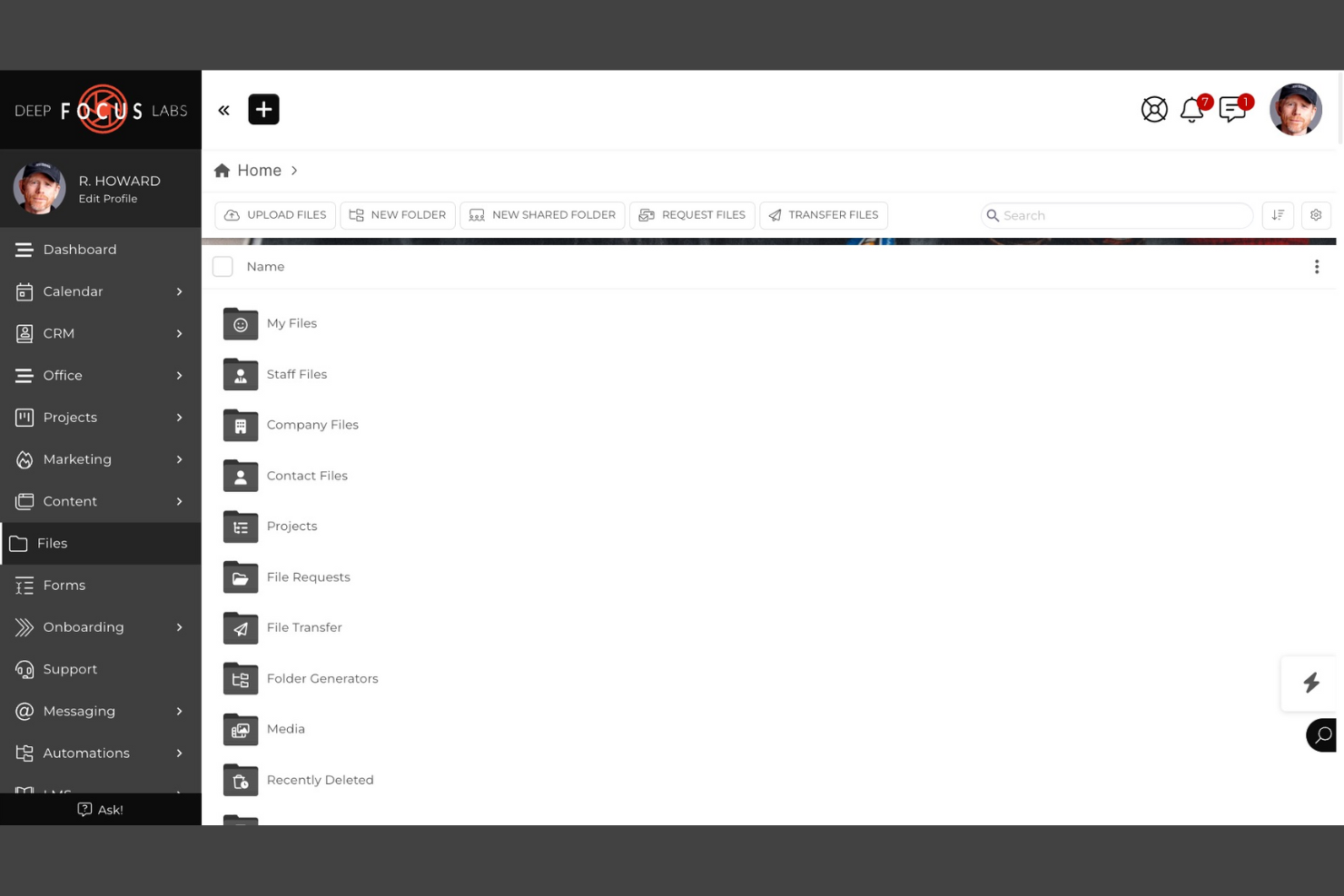
SuiteDash is a white label document management system that combines document sharing, e-signatures, secure file storage, and integrated client portals in one platform.
Who Is SuiteDash Best For?
SuiteDash is a good fit for small businesses and agencies that need to manage client documents and communications in a branded portal.
Why I Picked SuiteDash
I picked SuiteDash as one of the best because I can set up fully branded client portals that let my clients securely access, upload, and sign documents. I like that I can automate document requests and approvals directly inside the portal. My team uses its granular permission controls to manage what each client or team member can see and do.
SuiteDash Key Features
- Document versioning: Track and manage multiple versions of uploaded files.
- Customizable intake forms: Build and embed forms to collect client information and documents.
- Task automation: Set up automated workflows for document-related tasks.
- Granular user roles: Assign detailed permissions to control document access and actions.
SuiteDash Integrations
SuiteDash offers native integrations with Google Workspace, Stripe, PayPal, QuickBooks Online, and Zoom. An API is available for custom integrations.
Pros and Cons
Pros:
- Customizable intake forms for document collection
- Built-in e-signature and document request tools
- Fully white label client and team portals
Cons:
- Limited document editing within the platform
- No native integration with Microsoft 365

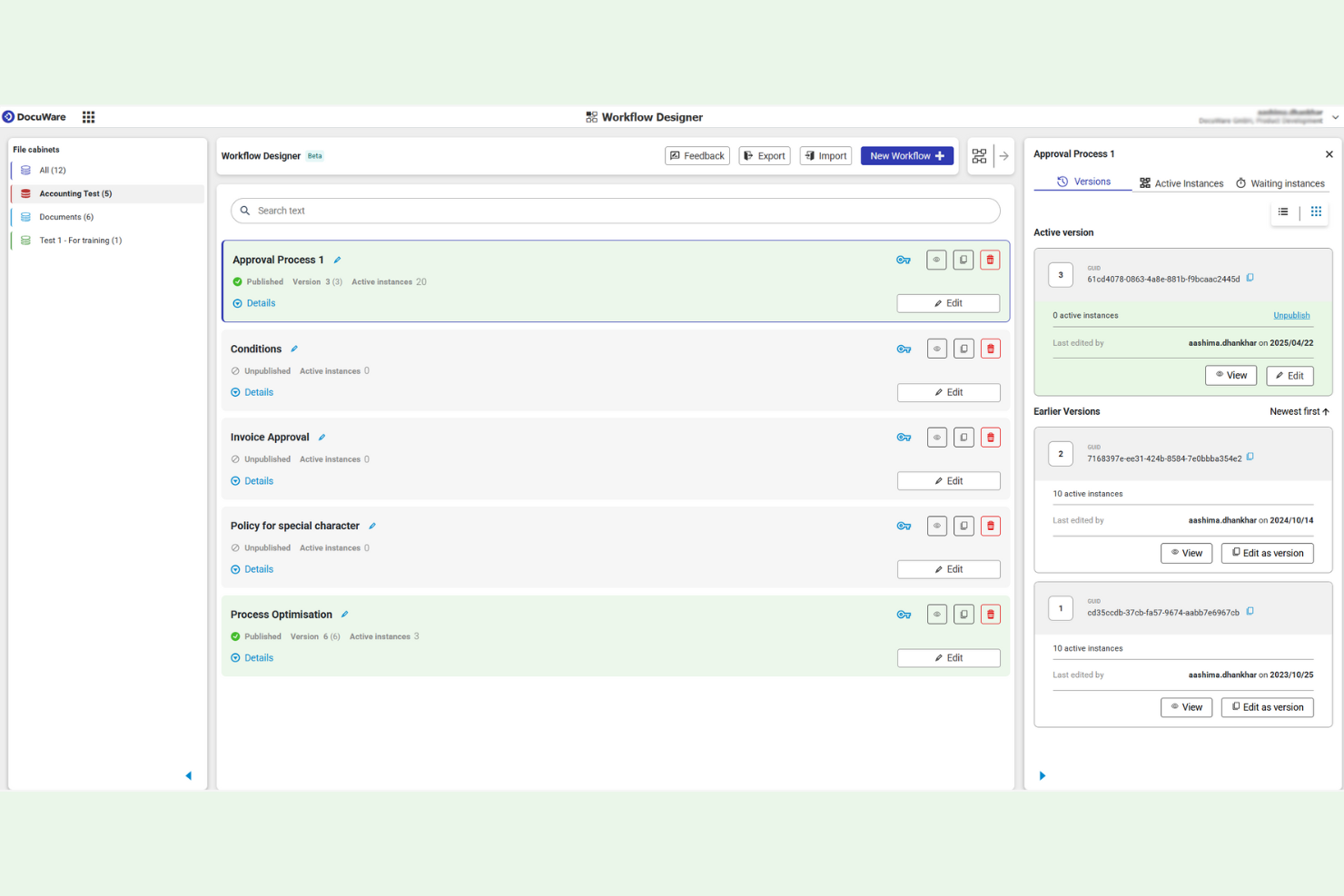
DocuWare is a document management and workflow automation platform designed for teams that need certified compliance, secure file storage, and customizable document processes.
Who Is DocuWare Best For?
DocuWare is a strong fit for compliance-driven teams in regulated industries like healthcare, finance, and government.
Why I Picked DocuWare
I picked DocuWare as one of the best because I can configure document workflows that meet strict compliance standards, including ISO, GDPR, and HIPAA. I like that audit trails and digital signatures are built in, so my team can prove document integrity during audits. I also use its granular access controls to restrict sensitive files by user or department.
DocuWare Key Features
- Custom branding: Apply your organization’s logo and colors to the interface.
- Mobile document access: View, upload, and manage files from iOS and Android devices.
- Automated document capture: Scan and import documents directly into the system.
- Template-based filing: Use predefined templates to standardize document storage and indexing.
DocuWare Integrations
DocuWare offers native integrations with Microsoft 365, Microsoft Teams, SAP, Outlook, and Docusign, and provides an API for custom integrations.
Pros and Cons
Pros:
- Granular user and group permission controls
- Custom branding with white label options
- Certified compliance for ISO, GDPR, and HIPAA
Cons:
- Limited workflow automation templates available
- No native Google Workspace integration

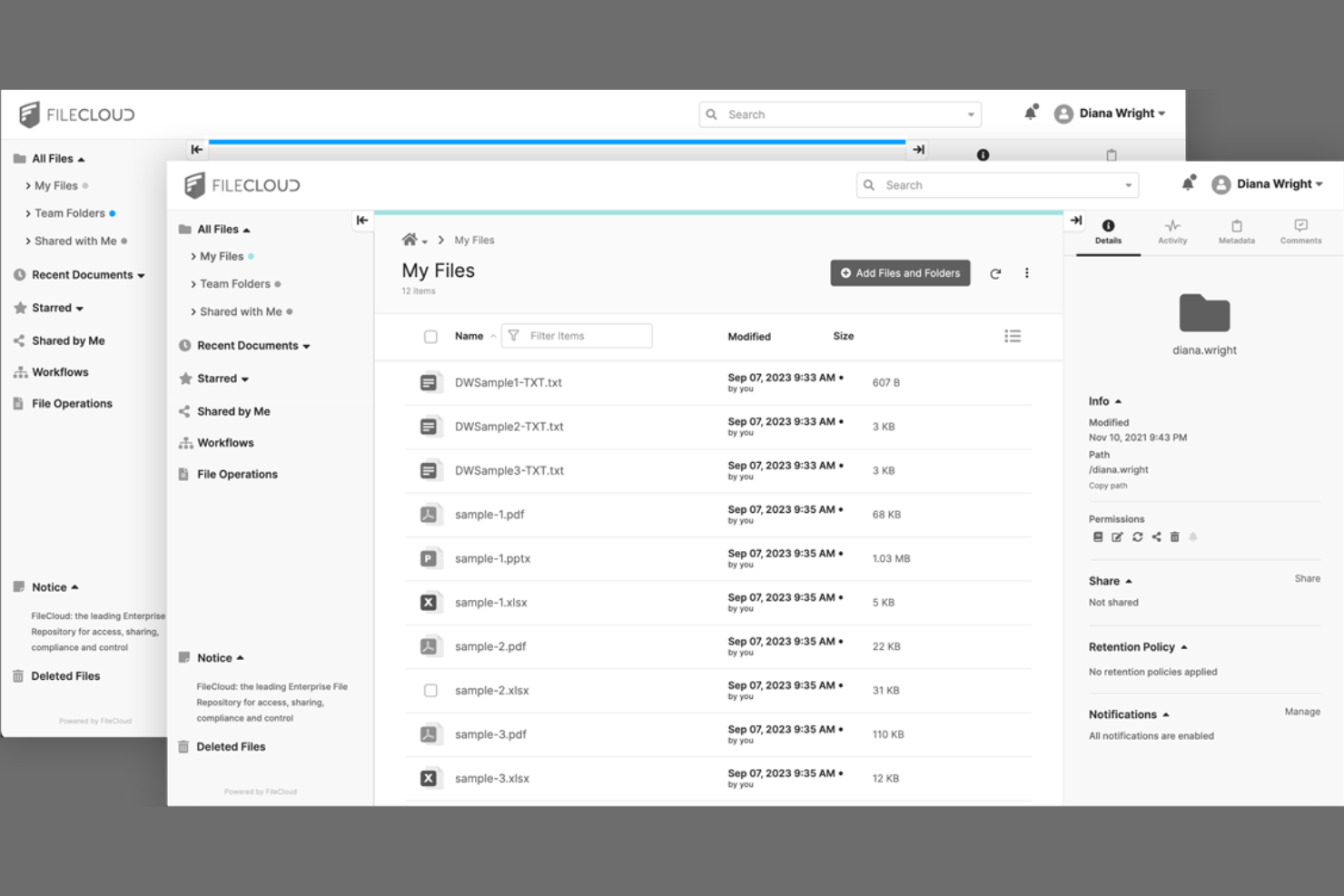
FileCloud is a document management system for teams that need private, branded file sharing, granular access controls, and on-premises or cloud deployment options.
Who Is FileCloud Best For?
FileCloud is a strong choice for IT teams at mid-sized to large organizations that require on-premises or hybrid document management.
Why I Picked FileCloud
I picked FileCloud as one of the best because I can deploy it on-premises or in a private cloud, which is rare among document management systems. I like that the interface is fully white-label, including custom domains and branding. My team uses its granular admin controls to manage user access and compliance across multiple locations.
FileCloud Key Features
- Document versioning: Track, restore, and manage multiple versions of files.
- Granular file sharing controls: Set detailed permissions for file and folder access.
- Automated retention policies: Configure rules for document lifecycle management and compliance.
- Integrated workflow automation: Build custom document approval and review workflows.
FileCloud Integrations
FileCloud offers native integrations with Microsoft 365, Microsoft Teams, Google Workspace, OnlyOffice, and Outlook, and provides an API for custom integrations.
Pros and Cons
Pros:
- Bulk import for large document migrations
- White label branding with custom domain support
- AI auto-tags and organizes uploaded documents
Cons:
- Mobile app lacks advanced document features
- A few prebuilt workflow automation templates

Best for granular workflow automation and role-based access control
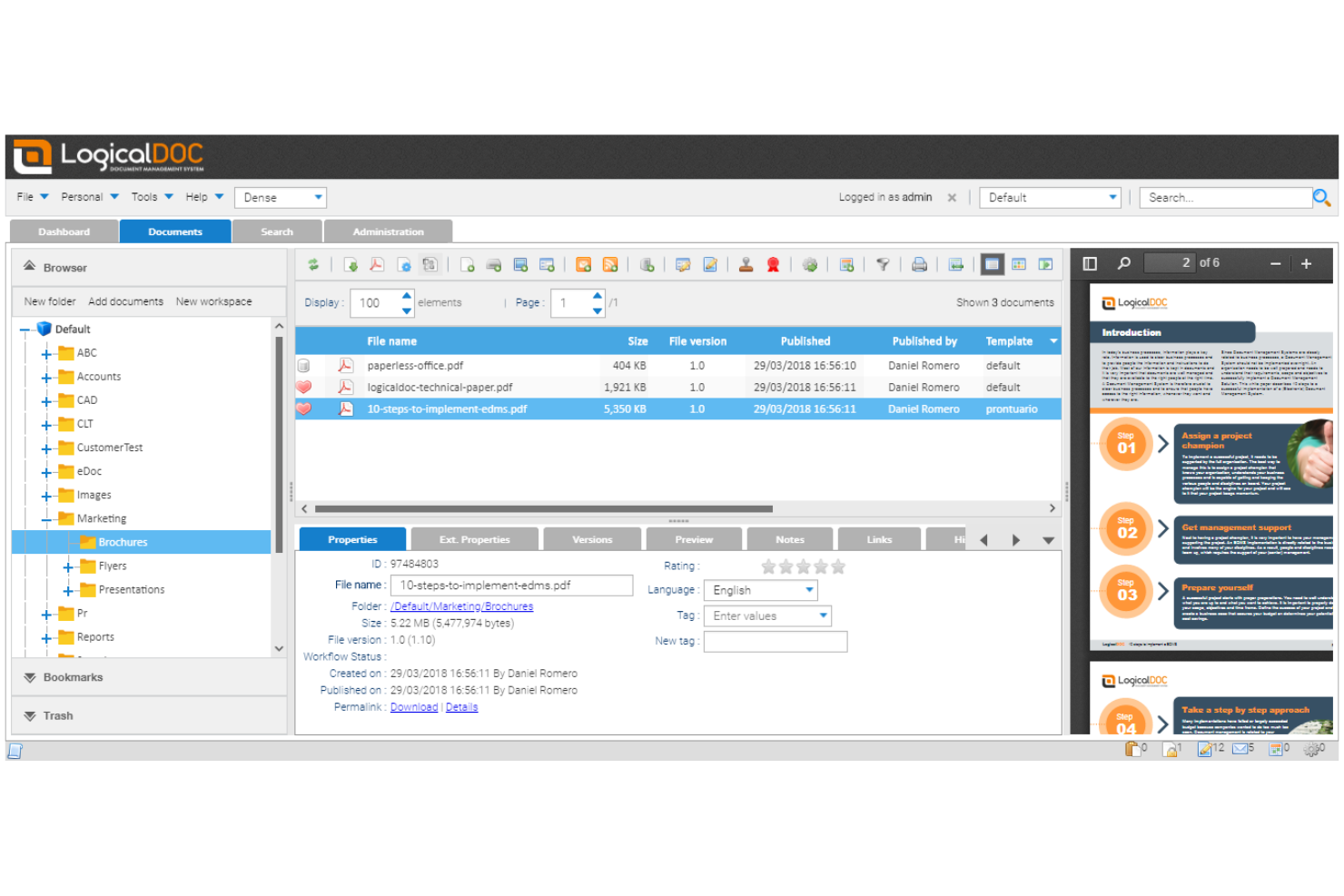
LogicalDOC is a document management system for businesses that need advanced workflow automation, granular role-based access, and customizable document organization features.
Who Is LogicalDOC Best For?
LogicalDOC is a strong choice for mid-sized businesses and enterprises that need strict document control and automated workflows.
Why I Picked LogicalDOC
I picked LogicalDOC as one of the best because I can design multi-step document workflows with granular triggers and actions for each user role. I like that my team can set up detailed access controls, so only specific users or groups can view, edit, or approve documents at each stage. In practice, that means we can automate document routing and approvals while keeping sensitive content tightly controlled.
LogicalDOC Key Features
- Custom branding: Apply your own logo, colors, and interface elements.
- Document versioning: Track, compare, and restore previous document versions.
- Full-text search: Search document content and metadata across repositories.
- Audit trail: Monitor all document actions and user activities.
LogicalDOC Integrations
LogicalDOC Integrations with Microsoft Office, OnlyOffice, ChatGPT and more. It also offers a well-documented API for custom integrations and supports no-code connectivity through automation platforms, allowing teams to send data to other systems.
Pros and Cons
Pros:
- Full-text search across documents
- Role-based permissions for access control
- Highly configurable workflow automation
Cons:
- On-premise setup requires dedicated IT resources
- Limited prebuilt integrations outside core platforms

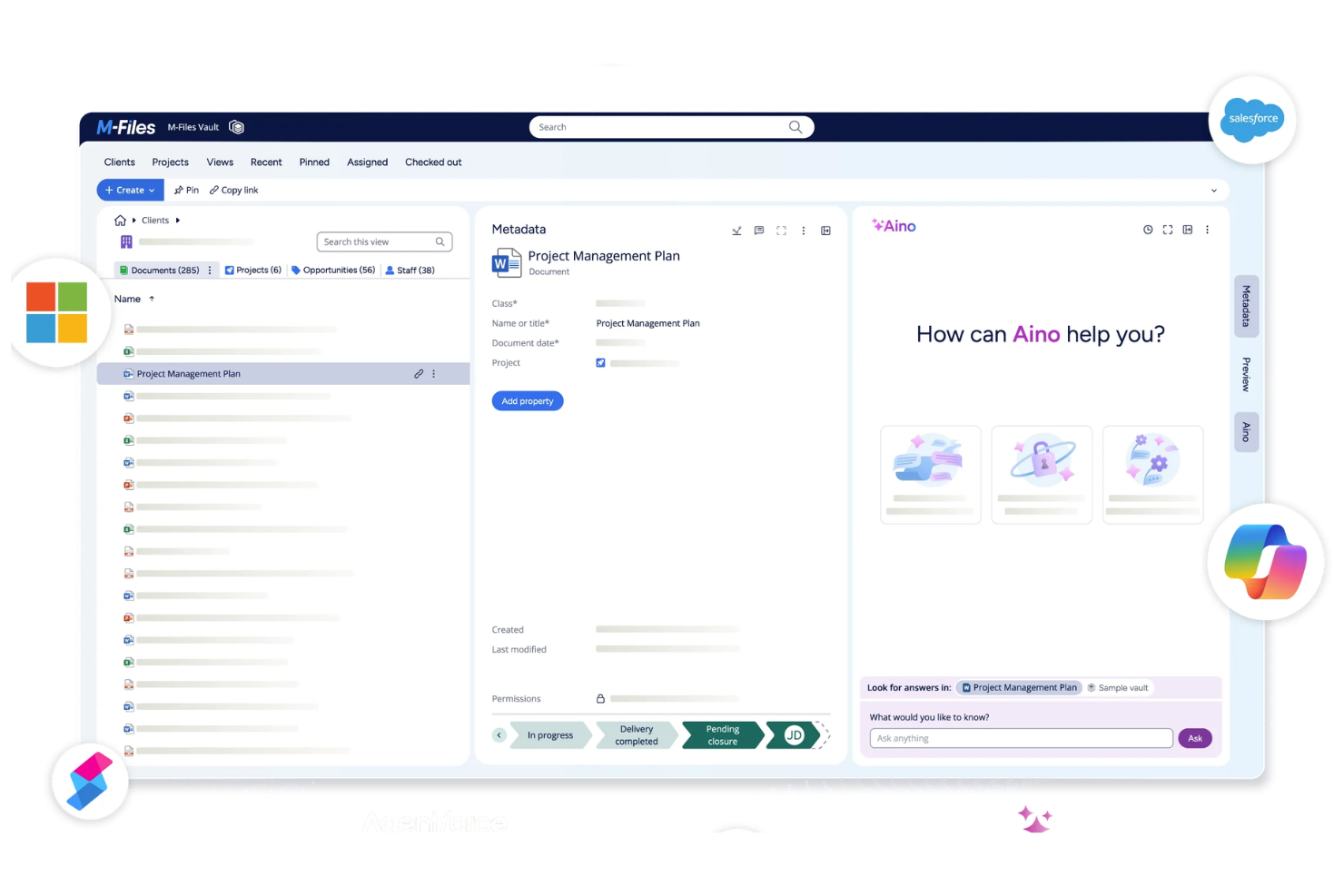
M-Files is a document management platform that organizes, stores, and secures business documents using metadata-driven workflows, version control, and advanced search capabilities.
Who Is M-Files Best For?
M-Files is a strong fit for mid-sized and enterprise organizations that need advanced document search and compliance features.
Why I Picked M-Files
I picked M-Files as one of the best because I can tag, organize, and retrieve documents using metadata fields instead of relying on folder structures. I like that my team can automate document classification and set up custom metadata properties for different document types. In practice, that means we can quickly surface the right files even in large, complex repositories.
M-Files Key Features
- Automated workflow management: Build and manage document approval and review workflows.
- Granular access permissions: Set detailed user and group permissions for document access.
- Version control: Track, compare, and restore previous document versions.
- Audit trail reporting: Monitor document activity and user actions with detailed logs.
M-Files Integrations
M-Files offers native integrations with Microsoft 365, Salesforce, Google Workspace, SharePoint, Docusign, and Adobe Sign, and provides an API for custom integrations.
Pros and Cons
Pros:
- Strong access control for sensitive data
- Advanced workflow configuration options
- Metadata-driven search across repositories
Cons:
- Customization can require setup effort
- Interface may feel outdated

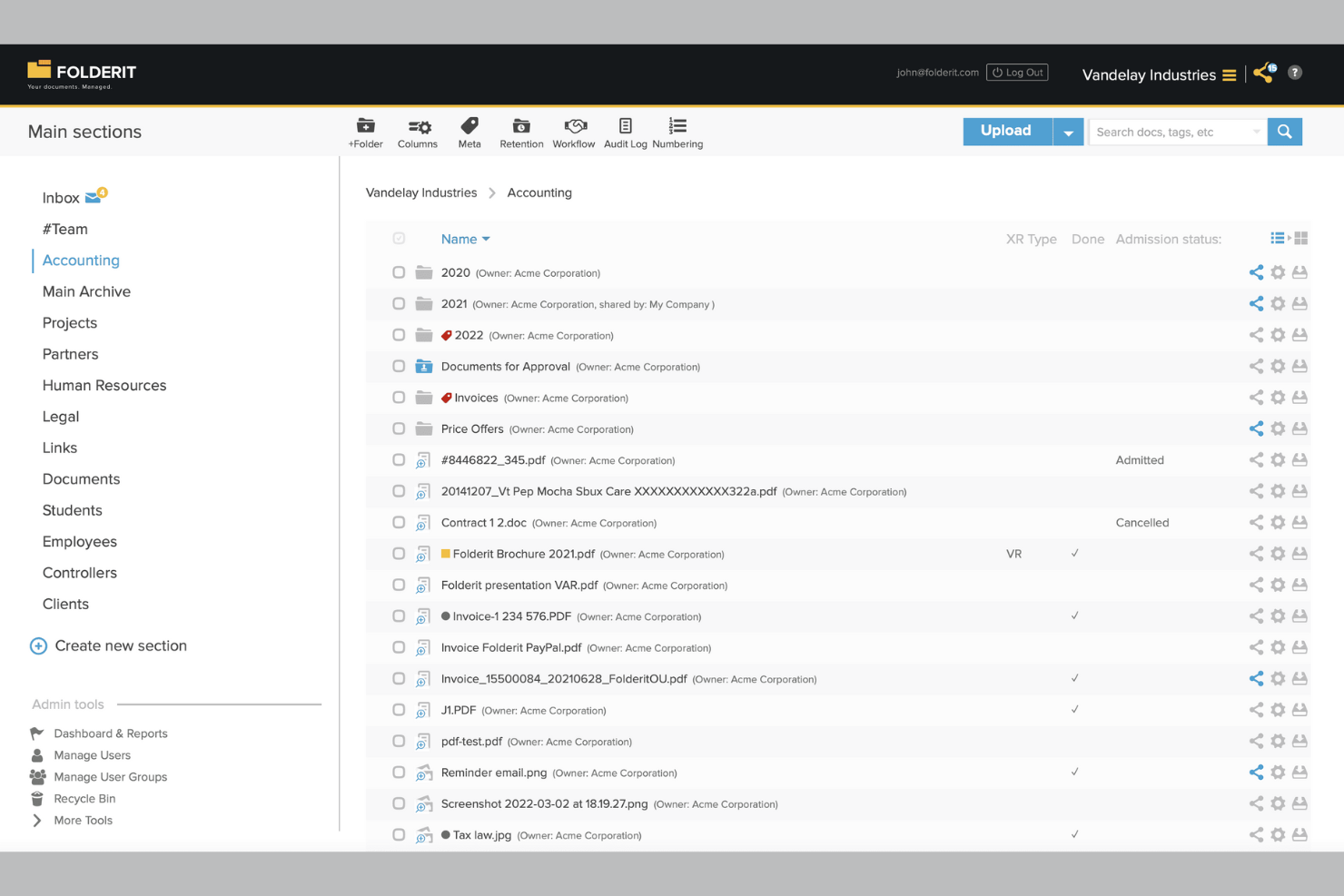
Folderit is a cloud-based document management system designed for teams that need customizable branding, detailed access controls, and secure file storage.
Who Is Folderit Best For?
Folderit is a good fit for small to midsize businesses that need secure, branded document management with detailed user access controls.
Why I Picked Folderit
I picked Folderit as one of the best because I can set up highly detailed access permissions for every folder and document, letting me control exactly who sees or edits what. I like that I can assign user roles and create approval workflows for sensitive files.
My team uses Folderit’s audit trails to track document activity, which is especially useful when managing client-facing portals.
Folderit Key Features
- Custom branding: Add your company logo and colors to the document portal interface.
- Automated document retention: Set rules for automatic archiving or deletion of files based on retention policies.
- Version control: Keep track of document revisions and restore previous versions as needed.
- Metadata tagging: Organize and search documents using custom metadata fields.
Folderit Integrations
Folderit offers native integrations with Microsoft Office 365, Outlook, and DocuSign. An API is available for custom integrations.
Pros and Cons
Pros:
- Automated document retention and archiving rules
- Custom branding for client-facing portals
- Granular user and group permission settings
Cons:
- No built-in e-signature beyond DocuSign
- Limited native integrations with third-party tools
Who Is Suffescom Solutions Best For?
Suffescom Solutions is a good fit for enterprises or consultancies that need a fully custom document management system with source code ownership.
Why I Picked Suffescom Solutions
I picked Suffescom Solutions as one of the best because I can work directly with their team to build a fully custom document management system and retain full source code ownership. I like that I can specify unique workflows, branding, and user roles that match my business requirements.
My team can request custom integrations and features during development, which is rare among white-label DMS vendors.
Suffescom Solutions Key Features
- Document version control: Track and manage multiple versions of documents within the system.
- Granular permission settings: Assign detailed access rights to users and groups.
- Audit trail reporting: Monitor document activity and user actions with detailed logs.
- Customizable dashboard: Configure dashboards to display relevant document and workflow metrics.
Suffescom Solutions Integrations
Native integrations are not clearly documented. An API is available for custom integrations.
Pros and Cons
Pros:
- Flexible deployment options
- Highly tailored workflow configuration
- Full source code ownership for customization
Cons:
- Limited self-serve resources
- Requires vendor involvement for changes

Hyperlocal Cloud is a white label document management system platform that offers custom workflow automation, document storage, user management, and branded client portals.
Who Is Hyperlocal Cloud Best For?
Hyperlocal Cloud is a good fit for mid-sized businesses and agencies that need tailored document workflows and branded client portals.
Why I Picked Hyperlocal Cloud
I picked Hyperlocal Cloud as one of the best because I can design custom workflow automations that match my team’s exact document review and approval processes. I like that I can set up branded client portals and tailor user roles for different departments. My team uses its drag-and-drop workflow builder to automate multi-step document routing and notifications.
Hyperlocal Cloud Key Features
- Document version control: Track, manage, and restore previous versions of documents.
- Role-based access permissions: Assign granular access rights to users and groups.
- Custom branding options: Add your logo, colors, and domain to client-facing portals.
- Audit logs: Monitor all document activity and user actions for compliance.
Hyperlocal Cloud Integrations
Native integrations are not clearly documented. The tool supports integrations via API for custom workflows and connections.
Pros and Cons
Pros:
- Role-based access and permissions control
- White label branding for client portals
- Custom workflow builder for document processes
Cons:
- Limited native integrations
- No built-in document editing tools


Kudra is an AI-powered document management platform that helps teams organize, search, and control access to large volumes of files and data across multiple sources.
Who Is Kudra Best For?
Kudra is a good fit for mid-sized and enterprise teams that need AI-driven organization of complex document libraries.
Why I Picked Kudra
I picked Kudra as one of the best because I can use its AI-powered tagging and search to quickly organize and retrieve documents from massive, messy file collections. I like that I can set up custom metadata fields and automate document classification based on content. My team uses its granular permission controls to manage who can access or edit sensitive files.
Kudra Key Features
- White label branding: Apply your own logo, colors, and domain to the platform.
- Bulk document import: Upload and organize large volumes of files at once.
- Audit trails: Track document access and activity history for compliance.
- Role-based access controls: Assign permissions to users based on roles or teams.
Kudra Integrations
Native integrations are not clearly documented. Kudra offers an API for custom integrations.
Pros and Cons
Pros:
- Bulk import for large document migrations
- White label branding with custom domain support
- AI auto-tags and organizes uploaded documents
Cons:
- Limited in-platform document editing tools
- No native Microsoft 365 integration


DocStudio is a document management system for teams who need to process, convert, and organize documents in multiple formats with customizable workflows and branding options.
Who Is DocStudio Best For?
DocStudio is a good fit for mid-sized businesses and service providers who need to manage and process documents in various digital formats.
Why I Picked DocStudio
I picked DocStudio as one of the best because I can process and convert documents across formats like PDF, Word, Excel, and images without leaving the platform. I like that I can set up custom branding and workflows for each client, making it easy to deliver a true white-label experience. My team uses its batch processing and template-driven automation to handle high volumes of multi-format files for different business units.
DocStudio Key Features
- Role-based access controls: Set granular permissions for users and groups.
- Audit logging: Track all document actions and changes for compliance.
- Custom metadata fields: Add and manage searchable metadata for each document.
- Bulk document import: Upload and organize large volumes of files at once.
DocStudio Integrations
Native integrations are not clearly documented. DocStudio provides an API for custom integrations.
Pros and Cons
Pros:
- Audit logs track all document activity
- Custom branding options for client-facing portals
- Supports editing and viewing multiple file types
Cons:
- Limited workflow automation templates available
- No native Google Workspace integration
Other White Label Document Management System
Here are some additional white label document management system options that didn’t make it onto my shortlist, but are still worth checking out:
- Softr (DMS builder)
For building client-facing document portals on top of Airtable or Google Sheets
- Alfresco
With extensive open-source customization
- OpenKM
For advanced workflow automation


White Label Document Management System Selection Criteria
When selecting the best white label document management system to include in this list, I considered common buyer needs and pain points like the ability to fully customize branding and manage granular user permissions. I also used the following framework to keep my evaluation structured and fair:
Core Functionality (25% of total score)
To be considered for inclusion in this list, each solution had to fulfill these common use cases:
- Upload and store documents securely
- Organize files in folders or categories
- Set user roles and permissions
- Search and retrieve documents quickly
- Track document versions and history
Additional Standout Features (25% of total score)
To help further narrow down the competition, I also looked for unique features, such as:
- Custom branding and white label options
- Advanced workflow automation tools
- Integration with third-party business apps
- Detailed audit trails and compliance tools
- Support for multi-language interfaces
Usability (10% of total score)
To get a sense of the usability of each system, I considered the following:
- Intuitive navigation and dashboard layout
- Clean and modern interface design
- Minimal clicks to complete common tasks
- Responsive design for mobile and desktop
- Customizable user interface elements
Onboarding (10% of total score)
To evaluate the onboarding experience for each platform, I considered the following:
- Step-by-step setup guides or wizards
- Access to training videos and tutorials
- Availability of onboarding webinars
- Prebuilt templates for common workflows
- In-app chatbots or interactive tours
Customer Support (10% of total score)
To assess each software provider’s customer support services, I considered the following:
- 24/7 support availability
- Live chat and phone support options
- Fast response times to inquiries
- Access to a searchable help center
- Dedicated account managers for enterprise
Value For Money (10% of total score)
To evaluate the value for money of each platform, I considered the following:
- Transparent and flexible pricing plans
- Features included at each pricing tier
- Free trial or demo availability
- No hidden fees or surprise charges
- Discounts for annual or volume contracts
Customer Reviews (10% of total score)
To get a sense of overall customer satisfaction, I considered the following when reading customer reviews:
- Positive feedback on reliability and uptime
- Praise for customization and branding options
- Reports of responsive customer support
- Comments on integration capabilities
- User sentiment about ease of adoption
How to Choose White Label Document Management System
It’s easy to get bogged down in long feature lists and complex pricing structures. To help you stay focused as you work through your unique software selection process, here’s a checklist of factors to keep in mind:
| Factor | What to Consider |
|---|---|
| Scalability | Will the system handle your document volume and user growth over time? Ask about storage limits and user caps. |
| Integrations | Does it connect natively to your core tools (e.g., Microsoft 365, Google Drive)? Check for API access if you need custom connections. |
| Customizability | Can you fully brand the interface and tailor workflows to your processes? Look for granular branding and workflow options. |
| Ease of use | Will your team adopt it quickly? Test the interface for clarity and minimal training requirements. |
| Implementation and onboarding | How long will setup and migration take? Ask about data import tools, onboarding support, and available training resources. |
| Cost | Are pricing tiers transparent and predictable as you scale? Watch for hidden fees or required add-ons. |
| Security safeguards | Does it offer encryption, audit trails, and granular access controls? Confirm compliance with your industry’s standards. |
| Support availability | Will you get timely help when issues arise? Check for live chat, phone support, and dedicated account management if needed. |
What Are Document Management Systems?
A white label document management system is a SaaS platform that lets teams store, organize, and control documents under their own brand. These systems support real-time collaboration, improve user experience, and help businesses deliver a consistent, own brand interface for clients or internal teams. While not a dedicated project management tool, many platforms can be used alongside project management workflows to manage files, approvals, and documentation within all-in-one collaboration tools.
Features
When selecting white label document management system, keep an eye out for the following key features:
- Custom branding: Lets you apply your own logo, colors, and domain, so the platform looks and feels like your own product for clients or internal teams.
- Role-based access control: Allows you to set detailed permissions for users or groups, ensuring only authorized people can view, edit, or approve specific documents.
- Document versioning: Tracks changes and maintains a history of document edits, making it easy to revert to previous versions or audit who made updates.
- Workflow automation: Enables you to design and automate document review, approval, and routing processes, reducing manual steps and speeding up collaboration.
- Full-text search: Let users search the content and metadata of documents, so you can quickly find files even in large repositories.
- Audit trails: Records every action taken on documents, providing a transparent log for compliance, security, and troubleshooting.
- Integration capabilities: Connects with other business tools like email, cloud storage, or CRM systems to streamline document sharing and collaboration.
- Multi-language support: Offers interfaces and notifications in multiple languages, making the system accessible for global teams or clients.
- Bulk upload and import: Lets you add large numbers of documents at once, simplifying migration from legacy systems or onboarding new clients.
- Mobile access: Provides secure access to documents and workflows from smartphones or tablets, supporting remote and on-the-go work.
Benefits
Implementing white label document management system provides several benefits for your team and your business. Here are a few you can look forward to:
- Consistent branding: Present a unified, professional experience to clients and users by customizing the platform with your own logo, colors, and domain.
- Enhanced security: Protect sensitive information with role-based access controls, audit trails, and encryption features that help you meet compliance requirements.
- Streamlined workflows: Automate document review, approval, and routing processes to reduce manual work and speed up collaboration across teams.
- Improved document control: Maintain clear version histories and permission settings, so you always know who accessed or edited a document and when.
- Scalable collaboration: Support growing teams and client bases with features like bulk upload, multi-language support, and mobile access for remote work.
- Seamless integrations: Connect with your existing business tools to centralize document management and reduce context switching for your team.
- Faster onboarding: Use templates, training resources, and intuitive interfaces to help new users get up to speed quickly and start contributing value.
Costs and Pricing
Selecting white label document management system requires an understanding of the various pricing models and plans available. Costs vary based on features, team size, add-ons, and more. The table below summarizes common plans, their average prices, and typical features included in white label document management system solutions:
Plan Comparison Table for White Label Document Management System
| Plan Type | Average Price | Common Features |
|---|---|---|
| Free Plan | $0 | Basic document storage, limited users, simple search, and basic support. |
| Personal Plan | $5-$15/user/month | Single user access, custom branding, basic workflow automation, and limited integrations. |
| Business Plan | $15-$40/user/month | Multi-user support, advanced workflow automation, role-based permissions, audit trails, and integrations. |
| Enterprise Plan | $40-$100/user/month | Unlimited users, full white label customization, advanced security, dedicated support, and compliance tools. |
White Label Document Management System FAQs
Here are some answers to common questions about white label document management system:
What makes a document management system “white label”?
A white label document management system lets you fully rebrand the platform with your own logo, colors, and domain. This means clients and users see your branding instead of the software provider’s, which is especially useful for agencies, resellers, or businesses offering client-facing portals.
Can I integrate a white label document management system with my existing tools?
Yes, most white label document management systems offer integrations with popular business tools like Microsoft 365, Google Drive, and CRM platforms. Some also provide APIs for custom integrations, so you can connect the system to your unique workflows.
How secure are white label document management systems?
White label document management systems typically include security features like encryption, role-based access controls, and audit trails. Always check for compliance certifications and ask about data residency if your business has specific regulatory requirements.
Is it possible to migrate documents from my old system?
Yes, most solutions offer bulk upload or migration tools to help you transfer documents from legacy systems. Some vendors also provide onboarding support or migration services to make the process smoother.
Who should consider using a white label document management system?
White-label document management systems are a good fit for businesses that need to present a branded experience to clients, agencies managing multiple client accounts, or organizations with strict branding and customization requirements.