

10 Best Visme Alternatives for Presentations in 2026

Visme Alternatives Shortlist


A strong Visme alternative gives your team flexible design templates, interactive presentation tools, and easy collaboration features without locking you into a single platform. If you’re searching for Visme alternatives, you’re likely looking for tools that handle infographics, reports, and presentations while fitting your workflow and budget.
With so many options available, it’s tough to know which platform will actually support your team’s creative and project delivery needs. This list breaks down the top Visme alternatives for 2026, so you can compare features, collaboration options, and integrations—and confidently choose the right fit for your next project.
What Is Visme?
Visme is a cloud-based design platform for content creation involving presentations, infographics, reports, and other visual content. It offers a wide range of templates, drag-and-drop editing, and interactive elements to help teams and individuals produce professional visuals. Visme is used by project managers, marketers, educators, and business teams who need to communicate ideas visually and collaborate on creative projects without relying on traditional design software.
Visme Alternatives Comparison Table
This comparison table summarizes pricing details for my top Visme alternative selections:
| Tool | Best For | Trial Info | Price | ||
|---|---|---|---|---|---|
| 1 | Best for collaborative team design workflows | Free trial + free plan available | From $144/user/year (billed annually) | Website | |
| 2 | Best for social media graphic templates | Free plan available | From $13/month | Website | |
| 3 | Best for interactive chart creation | Free plan available | From $25/month | Website | |
| 4 | Best for creating data-driven infographics | Free plan available | From $15/user/month | Website | |
| 5 | Best with Adobe Creative Cloud integration | Free plan available | From $7.99/user/month (billed annually) | Website | |
| 6 | Best for customizable report templates | Free plan available | From $10/month (billed annually) | Website | |
| 7 | Best for animated presentation videos | Free plan available | From $15/month (billed annually) | Website | |
| 8 | Best for AI-powered slide design | 14-day free trial + free demo available | From $12/month (billed annually) | Website | |
| 9 | Best with enterprise presentation features | 30-day free trial available | From $9.99/person/month | Website | |
| 10 | Best for quick drag-and-drop editing | Free plan + free demo available | From $15/user/month | Website |
Why Trust Our Software Recommendations
Our team has been testing and reviewing software since 2012. As project managers ourselves, we know how difficult—and important—it is to choose the right software.
For this guide, we evaluated tools using hands-on testing and independent research, scoring tools using our selection criteria. We also draw on insights from industry thought leaders and practicing project management experts.
Our reviews reflect our human editorial judgment, not a sales pitch.
Expert reviewers:
Visme Alternatives Reviews
Below are my detailed summaries of the best Visme alternatives that made it onto my shortlist. My reviews offer a detailed look at the features, best use cases, and integrations of each platform to help you find the best one for you.
Canva
Best for collaborative team design workflows
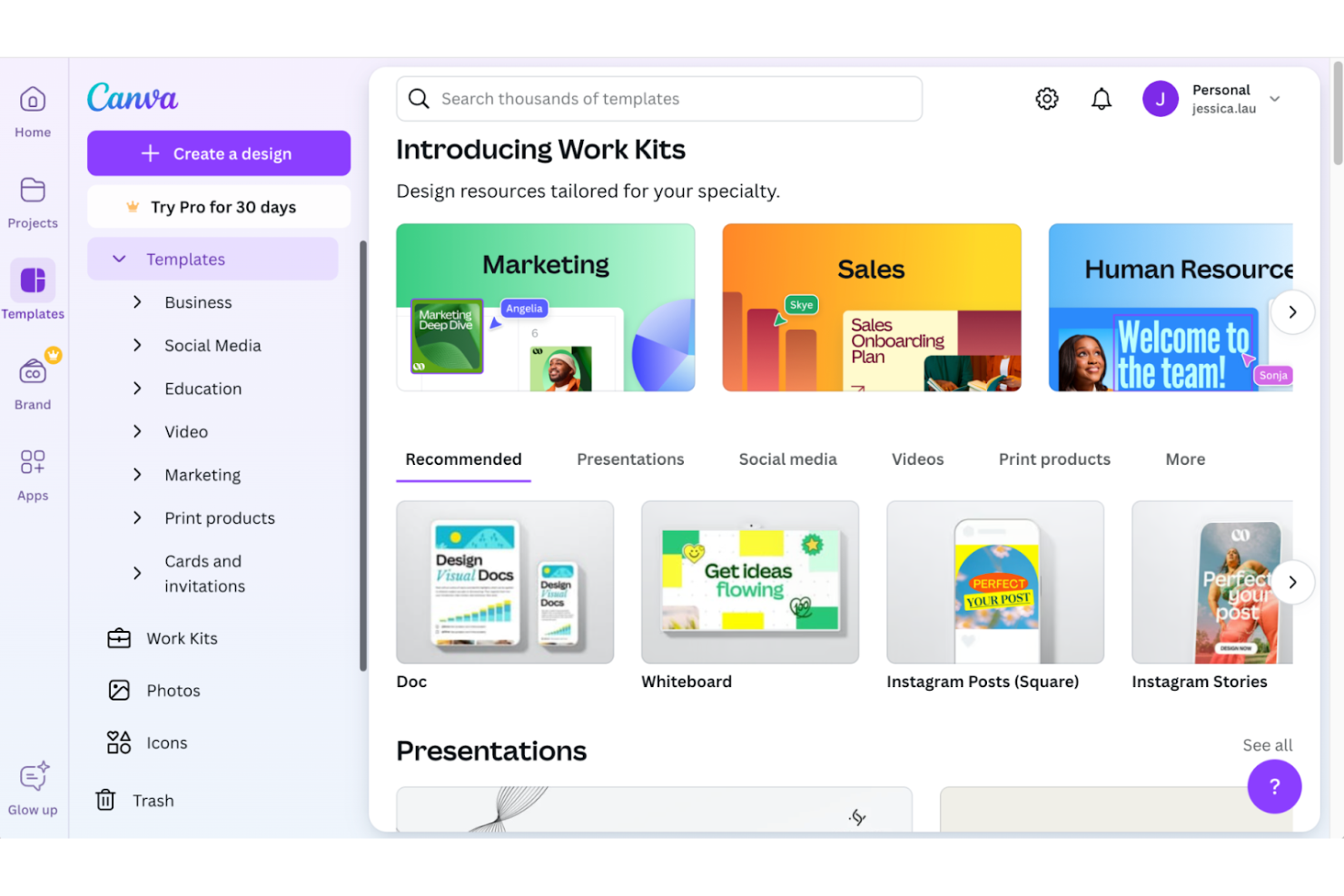
If your team needs a design platform built for real-time collaboration, Canva is worth a look. It’s especially useful for marketing teams, agencies, and distributed groups who want to co-create graphics, presentations, and documents without version control headaches. Canva stands out from other Visme alternatives by making it easy to comment, share, and edit designs together in one place.
Why Canva Is a Good Visme Alternative
When I look for a Visme alternative that supports team-based design, Canva stands out for its collaborative features. You can invite teammates to edit, comment, and review designs in real time, which helps keep everyone aligned on projects. Canva’s shared folders and brand kit tools make it easy to manage assets and maintain consistency across your team’s work. These features are especially useful for groups that need to work together on presentations, infographics, and marketing materials without version confusion.
Canva Key Features
Some other Canva features that may interest teams looking for Visme alternatives include:
- Magic Resize: Instantly adjust your design to fit different social media or print dimensions with one click.
- Content Planner: Schedule and publish your designs directly to multiple social media platforms from within Canva.
- Stock Media Library: Access a large collection of free and premium photos, videos, and audio tracks for use in your projects.
- Presentation Recording: Record yourself presenting slides with video and audio, then share the recording with your team or audience.
Canva Integrations
Integrations include Google Drive, Dropbox, OneDrive, Slack, Mailchimp, HubSpot, and more.
Pros and Cons
Pros:
- Magic Resize for quick format adaptation
- Extensive template library for diverse content types
- Real-time collaborative whiteboarding
Cons:
- Some premium assets require additional payment
- No offline editing for desktop users

Best for social media graphic templates

For teams focused on social media content, PosterMyWall offers a huge library of ready-to-use graphic templates. It’s a strong fit for marketers, agencies, and small businesses that need to produce eye-catching posts, ads, and stories quickly. Unlike many Visme alternatives, PosterMyWall specializes in social media formats and makes it easy to customize graphics for every major platform.
Why PosterMyWall Is a Good Visme Alternative
If your main goal is to create social media graphics quickly, PosterMyWall is built for that purpose. The platform offers thousands of pre-sized templates for platforms like Instagram, Facebook, and LinkedIn, so you don’t have to worry about formatting. I appreciate how you can add animations, videos, and music directly to your designs, making posts more engaging. For anyone who needs to produce high-volume, platform-specific content, PosterMyWall’s template library and media editing tools make it a strong Visme alternative.
PosterMyWall Key Features
Some other PosterMyWall features worth noting include:
- One-Click Resize Tool: Instantly adjust your design to fit different print and digital sizes.
- Collaboration and Commenting: Invite team members to review and comment on designs in real time.
- Direct Publishing to Social Media: Post completed graphics directly to Facebook, Twitter, and other platforms from within the tool.
- Custom Video Templates: Access and edit video templates for animated posts and ads.
PosterMyWall Integrations
Integrations are available via an API.
Pros and Cons
Pros:
- Built-in stock photo and video assets
- One-click resizing for multiple platforms
- Extensive library of social media templates
Cons:
- No native integrations with third-party apps
- Limited brand management and asset control

Infogram
Best for interactive chart creation

For teams that need to build interactive charts and data visualizations, Infogram offers a level of interactivity that most Visme alternatives don’t match. It’s a strong fit for marketers, analysts, and educators who want to embed live charts, maps, and dashboards into presentations or web pages. Infogram stands out with its drag-and-drop editor and real-time data integration, making it easier to turn complex data into engaging visuals.
Why Infogram Is a Good Visme Alternative
When interactive chart creation is your top priority, Infogram is a strong Visme alternative. The platform lets you build charts, maps, and dashboards that update in real time with live data sources. I appreciate how you can embed these interactive visuals directly into websites or presentations, giving viewers a more engaging experience. Infogram’s chart animation and hover effects also help you highlight key data points in ways that static visuals can’t match.
Infogram Key Features
Some other Infogram features worth noting include:
- Template Library: Access a wide range of templates for infographics, reports, and slides.
- Team Collaboration: Invite colleagues to edit and comment on projects in real time.
- Custom Branding: Apply your organization’s colors, fonts, and logos to all visual assets.
- Multiple Export Formats: Download projects as PNG, PDF, GIF, or interactive HTML files.
Infogram Integrations
Integrations include Google Drive, YouTube, Vimeo, Giphy, SlideShare, Flickr, Dropbox, MySQL, Amazon Redshift, and more.
Pros and Cons
Pros:
- Supports embedding visuals in web pages
- Clickable legends for data toggling
- Live data source integration capabilities
Cons:
- No built-in video editing tools
- Limited print-specific export options
Best for creating data-driven infographics
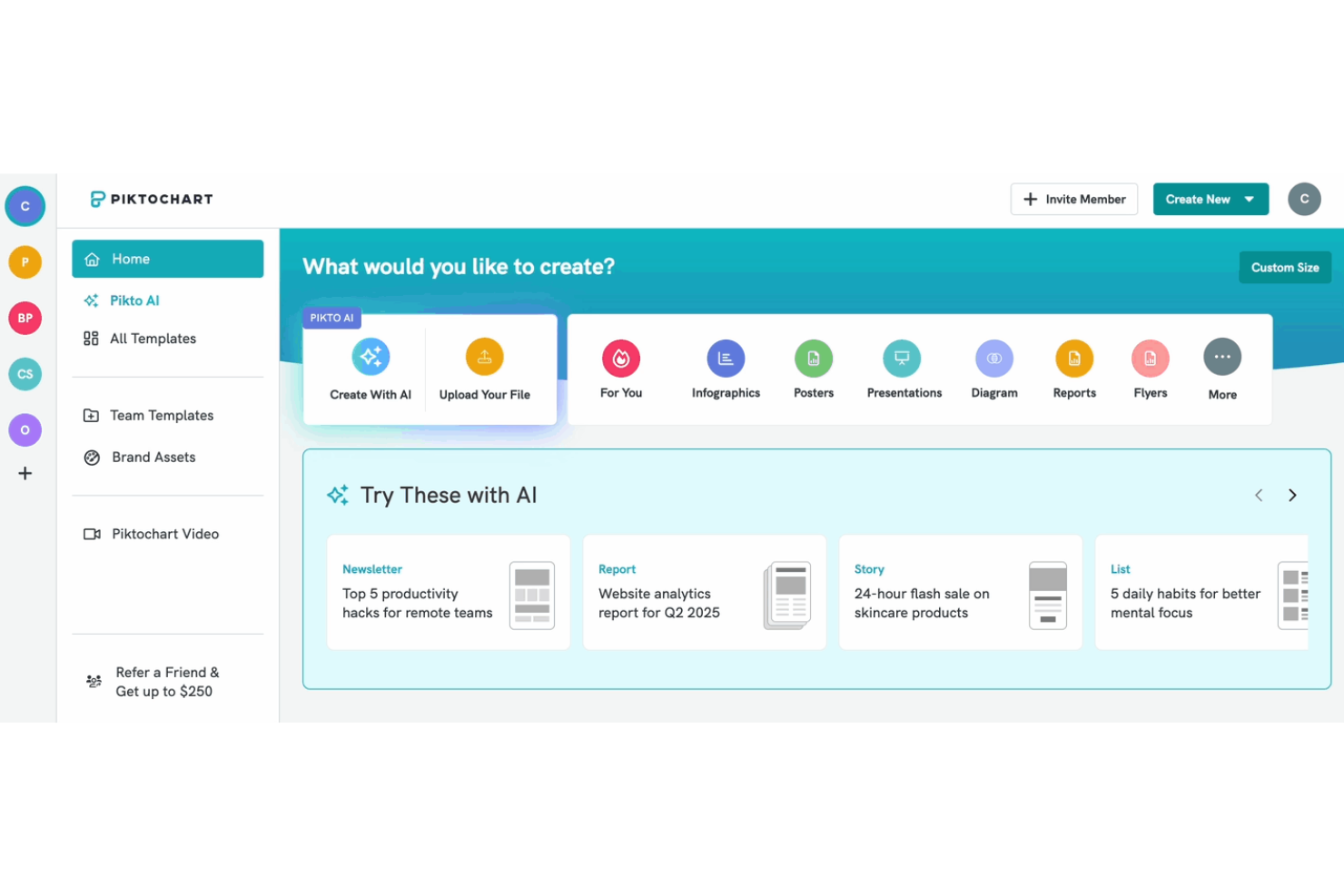
If you need to turn complex data into clear visuals, Piktochart is designed for that purpose. It’s a strong fit for marketing teams, educators, and analysts who want to create infographics, reports, and presentations that highlight data insights. Piktochart stands out from other Visme alternatives by offering specialized tools for importing data and building charts that make information easy to understand.
Why Piktochart Is a Good Visme Alternative
For teams focused on visualizing data, Piktochart offers specialized tools that make it a strong Visme alternative. You can import spreadsheets directly and turn them into charts, graphs, and infographics with just a few clicks. I appreciate how Piktochart’s chart editor lets you customize colors, labels, and data points to match your brand or message. These features are especially useful if your projects require clear, data-driven visuals that go beyond basic graphic design.
Piktochart Key Features
Some other Piktochart features that may interest you include:
- Drag-and-Drop Editor: Arrange and customize elements on your canvas without any design experience.
- Template Library: Choose from a wide range of professionally designed templates for infographics, reports, and presentations.
- Team Collaboration: Invite team members to edit, comment, and review projects in real time.
- Brand Assets Manager: Store and apply your organization’s logos, colors, and fonts across all your designs.
Piktochart Integrations
Integrations include Zoom and Google Drive.
Pros and Cons
Pros:
- Extensive geographical interactive map library
- AI tools to generate image from documents
- Direct spreadsheet import for chart creation
Cons:
- No native social media scheduling
- Limited photo editing tools
Best with Adobe Creative Cloud integration
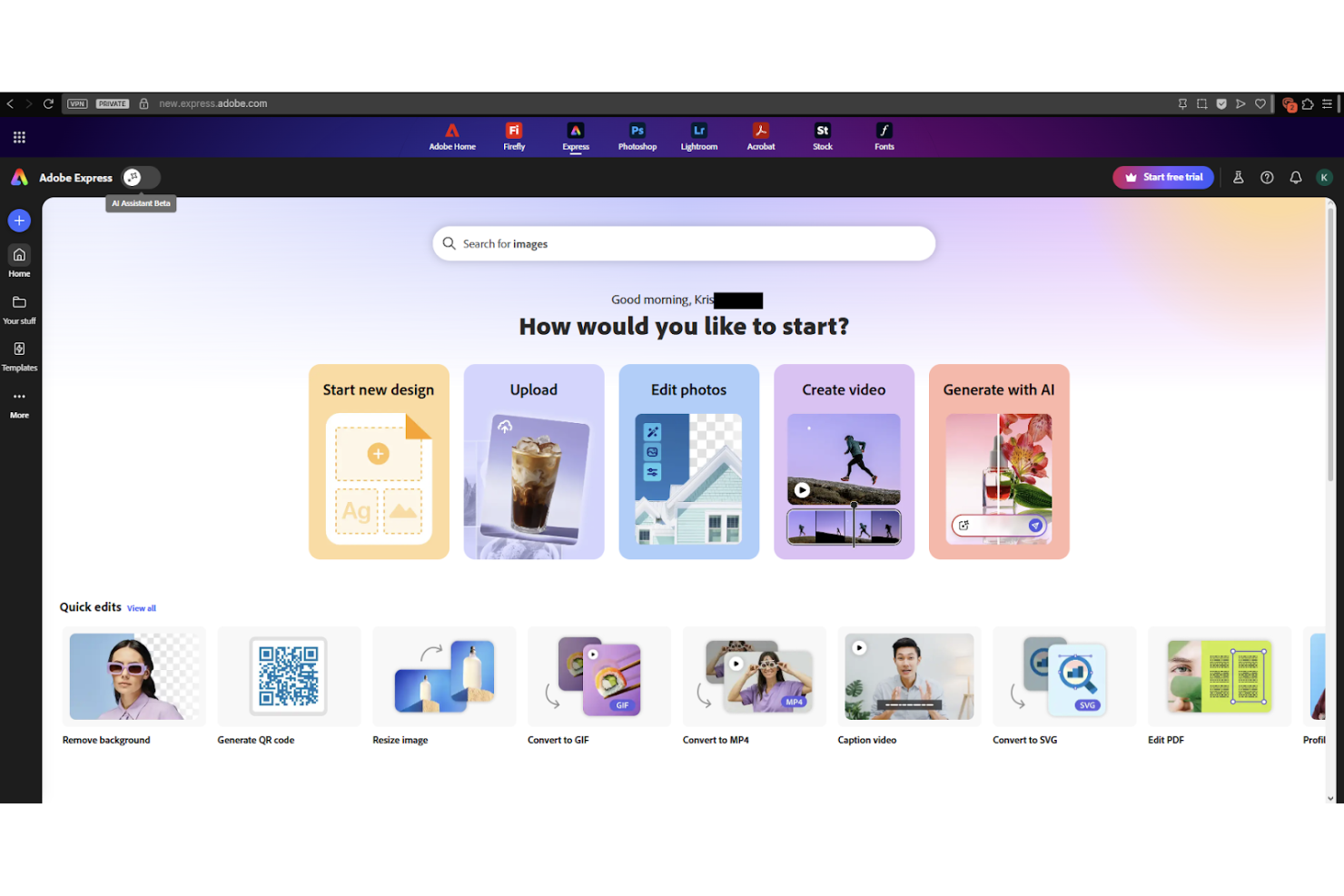
If your team already uses Adobe Creative Cloud, Adobe Express offers a direct way to create branded graphics, videos, and documents with access to your existing Adobe assets. It’s especially useful for marketing teams, designers, and content creators who want to move quickly from concept to finished visuals without leaving the Adobe ecosystem. Adobe Express stands out from other Visme alternatives by letting you pull in Photoshop and Illustrator files, fonts, and libraries right into your projects.
Why Adobe Express Is a Good Visme Alternative
For teams already invested in Adobe Creative Cloud, Adobe Express is a natural Visme alternative because of its deep integration with Adobe’s suite of creative tools. You can import assets directly from Photoshop, Illustrator, and Adobe Fonts, making it easy to maintain brand consistency across all your projects. I like that you can access shared libraries and templates, which helps teams collaborate and reuse design elements efficiently. This level of integration is something Visme doesn’t offer, especially for organizations that rely on Adobe’s creative workflow.
Adobe Express Key Features
Some other Adobe Express features worth highlighting include:
- Quick Actions: Perform tasks like background removal, image resizing, and PDF conversion in a single click.
- Video Creation Tools: Build short videos and animations using drag-and-drop editing.
- Brand Kit: Store and apply your brand’s colors, logos, and fonts across all projects.
- Content Scheduler: Plan and publish social media posts directly from the platform.
Adobe Express Integrations
Integrations include Adobe Photoshop, Adobe Illustrator, Adobe InDesign, Adobe Lightroom, Adobe Acrobat, Adobe Firefly, Vimeo, Google Drive, Microsoft OneDrive, and more.
Pros and Cons
Pros:
- Video and animation tools for social content
- Quick Actions automate repetitive design tasks
- Direct import of Photoshop and Illustrator files
Cons:
- Some features require separate Adobe subscriptions
- Limited advanced data visualization options

Venngage
Best for customizable report templates

When you need to create highly customized reports, Venngage gives you more control over layout and branding than most Visme alternatives. It’s especially useful for consultants, agencies, and business teams who want to tailor every detail of their reports and proposals. Venngage stands out with its flexible template editor and advanced branding tools that help you match your organization’s style.
Why Venngage Is a Good Visme Alternative
If you’re looking for more flexibility in report design, Venngage is a strong Visme alternative because of its customizable report templates. You can adjust layouts, swap out visual elements, and fine-tune every section to fit your brand or client requirements. I like that Venngage’s Brand Kit feature lets you save and apply your organization’s colors, fonts, and logos across all your reports. These customization options make it easier to create polished, on-brand documents for a range of business needs.
Venngage Key Features
Some other Venngage features that may be useful include:
- Infographic Maker: Build infographics from scratch or use pre-built templates for visual storytelling.
- Data Visualization Tools: Insert charts, graphs, and maps directly into your designs using built-in editors.
- Collaboration Mode: Invite team members to edit and comment on projects in real time.
- Export Options: Download your designs as PNG, PDF, or interactive HTML files for sharing or publishing.
Venngage Integrations
Native integrations are not currently listed.
Pros and Cons
Pros:
- Built-in chart and map creation tools
- Specialized professional business templates
- WCAG compliant accessibility checker built-in
Cons:
- Longer initial account onboarding process
- Charts hidden under elements tab

PowToon
Best for animated presentation videos
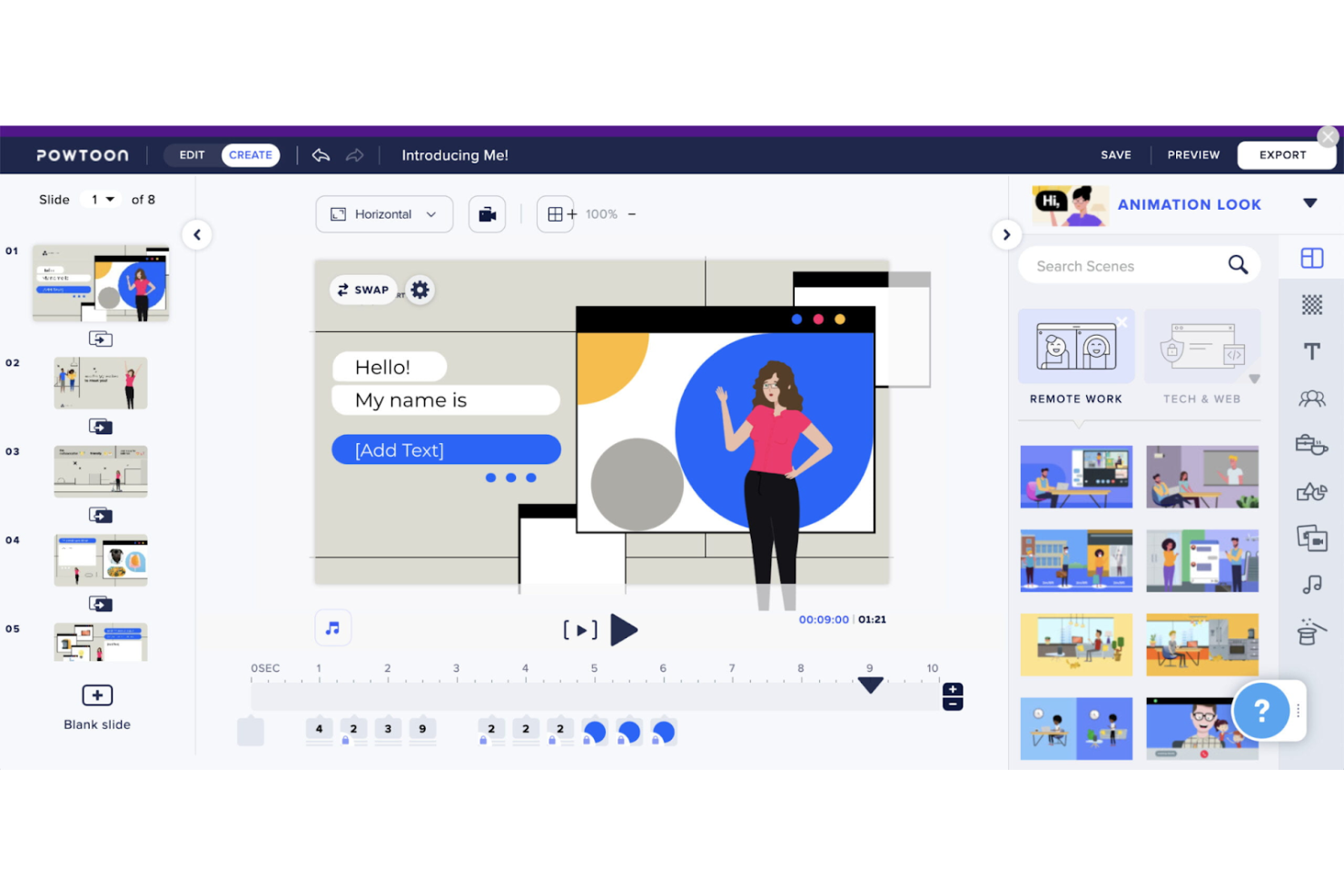
If you need to create animated presentation videos, Powtoon gives you a focused platform for turning ideas into engaging visual stories. It’s a strong fit for marketing teams, educators, and trainers who want to move beyond static slides and add animation, characters, and motion to their content. Powtoon stands out from other Visme alternatives by specializing in animation tools and templates designed specifically for video-based presentations.
Why Powtoon Is a Good Visme Alternative
Unlike most presentation tools, Powtoon is built specifically for creating animated videos rather than static slides. This focus means you get access to a wide range of animation effects, character libraries, and scene transitions that help bring your presentations to life. I appreciate how Powtoon lets you combine voiceovers, music, and dynamic visuals to create content that’s more engaging than traditional slide decks. For anyone looking to move beyond static visuals, Powtoon offers animation capabilities that Visme doesn’t match.
Powtoon Key Features
Some other Powtoon features worth noting include:
- Template Library: Access a wide range of pre-built templates for different presentation and video styles.
- Collaboration Tools: Invite team members to review, comment, and edit projects in real time.
- Custom Branding: Upload your own logos, fonts, and color palettes to maintain brand consistency.
- Direct Export Options: Publish videos directly to YouTube, Facebook, or download in multiple formats.
Powtoon Integrations
Integrations include HubSpot, Wistia, Kaltura, Vimeo, Microsoft Teams, and Canvas.
Pros and Cons
Pros:
- Direct publishing to YouTube and social media
- Built-in voiceover recording and editing
- Extensive library of animated characters
Cons:
- Watermarks on videos with the free version
- Limited interactive elements for presentations

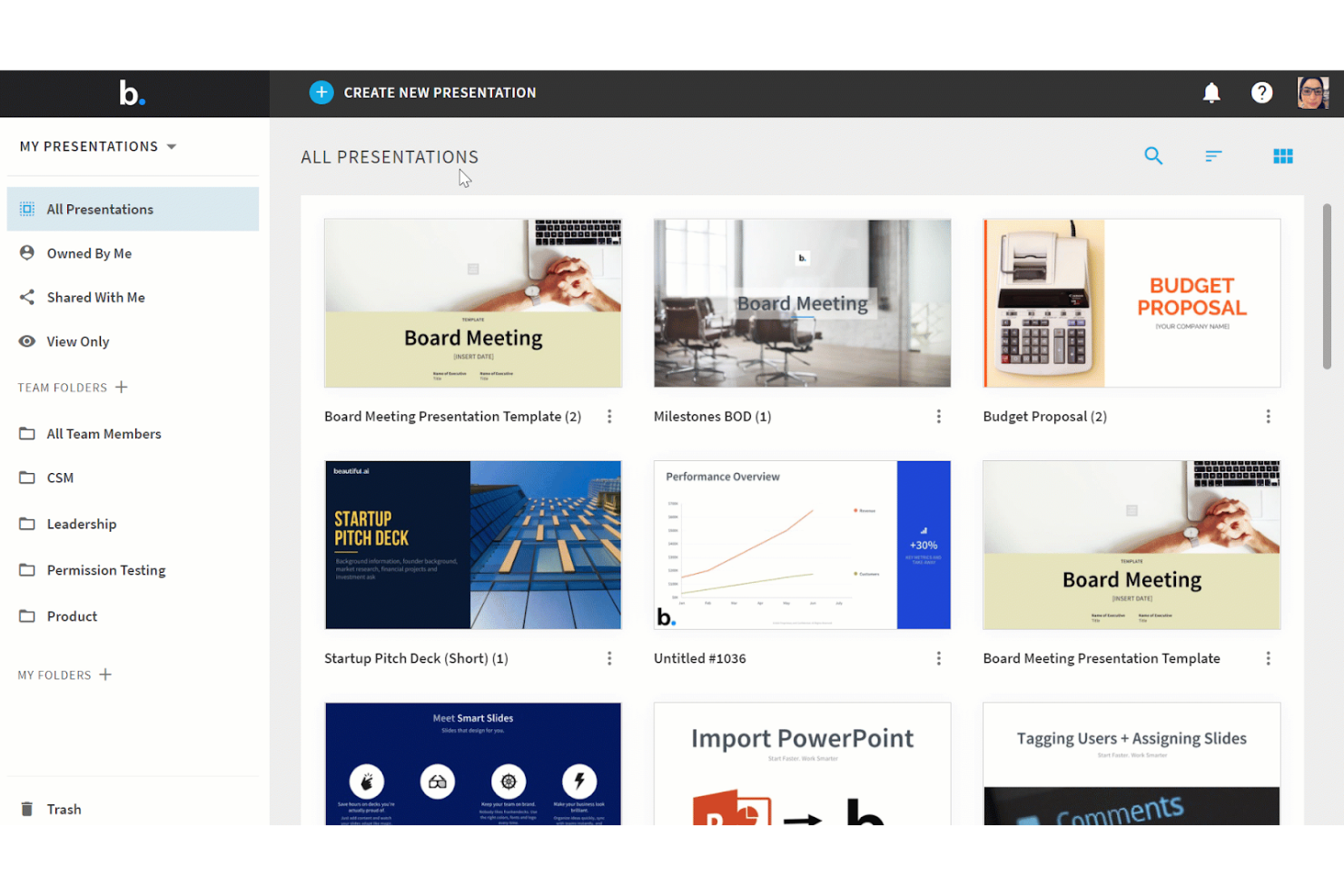
If you want to speed up slide creation with AI, Beautiful.ai is designed for that exact need. It’s especially useful for teams, consultants, and business professionals who need to build polished presentations without spending hours on formatting. Unlike most Visme alternatives, Beautiful.ai uses AI-powered design rules to automatically adjust layouts, so your slides always look clean and consistent.
Why Beautiful.ai Is a Good Visme Alternative
For anyone looking to automate slide design, Beautiful.ai stands out with its AI-powered approach. The platform automatically applies design best practices as you add content, so you don’t have to manually adjust layouts or spacing. I like that you can choose from a wide range of smart templates, which adapt in real time as you edit text, images, or charts. If you want presentations that look polished with minimal manual effort, Beautiful.ai offers a unique alternative to Visme’s more hands-on design tools.
Beautiful.ai Key Features
Some other Beautiful.ai features worth highlighting include:
- Team Collaboration Tools: Multiple users can edit, comment, and review presentations together in real time.
- Brand Control Settings: Lock in brand colors, fonts, and logos to ensure every slide stays on-brand.
- Analytics Dashboard: Track presentation views, engagement, and sharing activity from a central dashboard.
- PowerPoint Export: Export presentations directly to PowerPoint format for further editing or sharing.
Beautiful.ai Integrations
Integrations include Slack, ChatGPT, Salesforce, monday.com, PowerPoint, and Webex.
Pros and Cons
Pros:
- PowerPoint export preserves slide formatting
- Brand controls lock colors and fonts
- AI auto-adjusts layouts as you edit
Cons:
- No interactive web-based content embedding
- Limited infographic and charting options
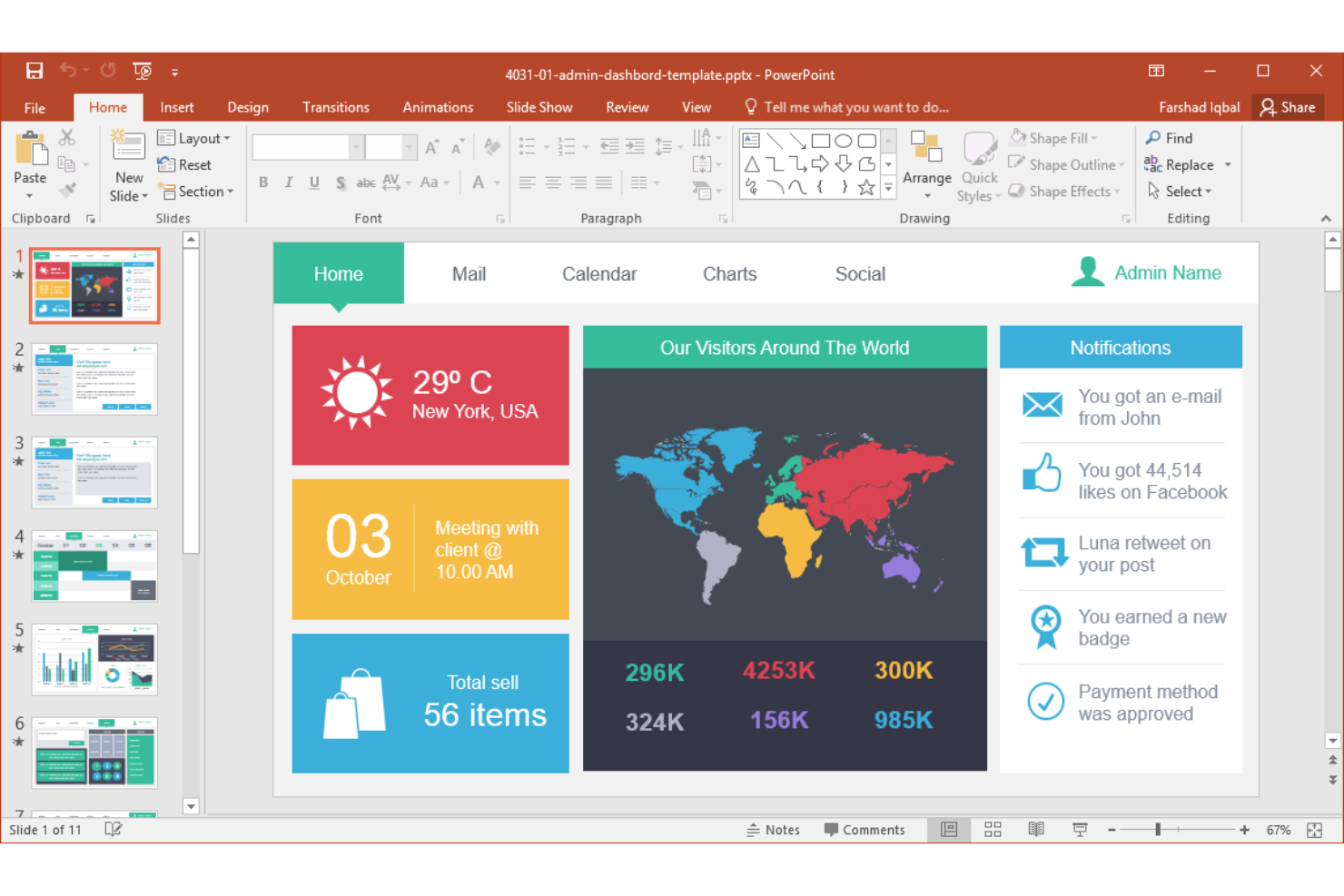
For teams that need advanced features and tight integration with enterprise tools, Microsoft PowerPoint is a familiar choice. It’s especially suited for organizations that rely on Microsoft 365, need granular control over slide content, or require advanced collaboration and security options. Unlike most Visme alternatives, PowerPoint offers deep customization, extensive template libraries, and compatibility with enterprise IT environments.
Why Microsoft PowerPoint Is a Good Visme Alternative
When you need enterprise-grade presentation capabilities, Microsoft PowerPoint offers a level of control and flexibility that’s hard to match. I picked PowerPoint for its advanced slide master tools, which let you enforce brand standards and manage complex templates across large teams. The platform also supports detailed permissions, version history, and co-authoring, making it a strong fit for organizations with strict collaboration and compliance needs. If your team works in a Microsoft 365 environment and needs to manage presentations at scale, PowerPoint is a practical alternative to Visme.
Microsoft PowerPoint Key Features
Some other Microsoft PowerPoint features worth noting include:
- Designer Tool: Instantly suggests layout and design improvements as you build slides.
- Morph Transition: Creates smooth, animated transitions between slides for dynamic storytelling.
- Embedded Media Support: Lets you add videos, audio, and interactive elements directly to slides.
- Presenter Coach: Uses AI to provide real-time feedback on pacing, filler words, and delivery during practice sessions.
Microsoft PowerPoint Integrations
Integrations include Microsoft Teams, OneDrive, SharePoint, Excel, Word, Outlook, and more.
Pros and Cons
Pros:
- Supports offline editing and file access
- Deep integration with Microsoft 365 ecosystem
- Morph transition enables advanced slide animations
Cons:
- No built-in stock photo or icon library
- Collaboration features require Microsoft 365 subscription

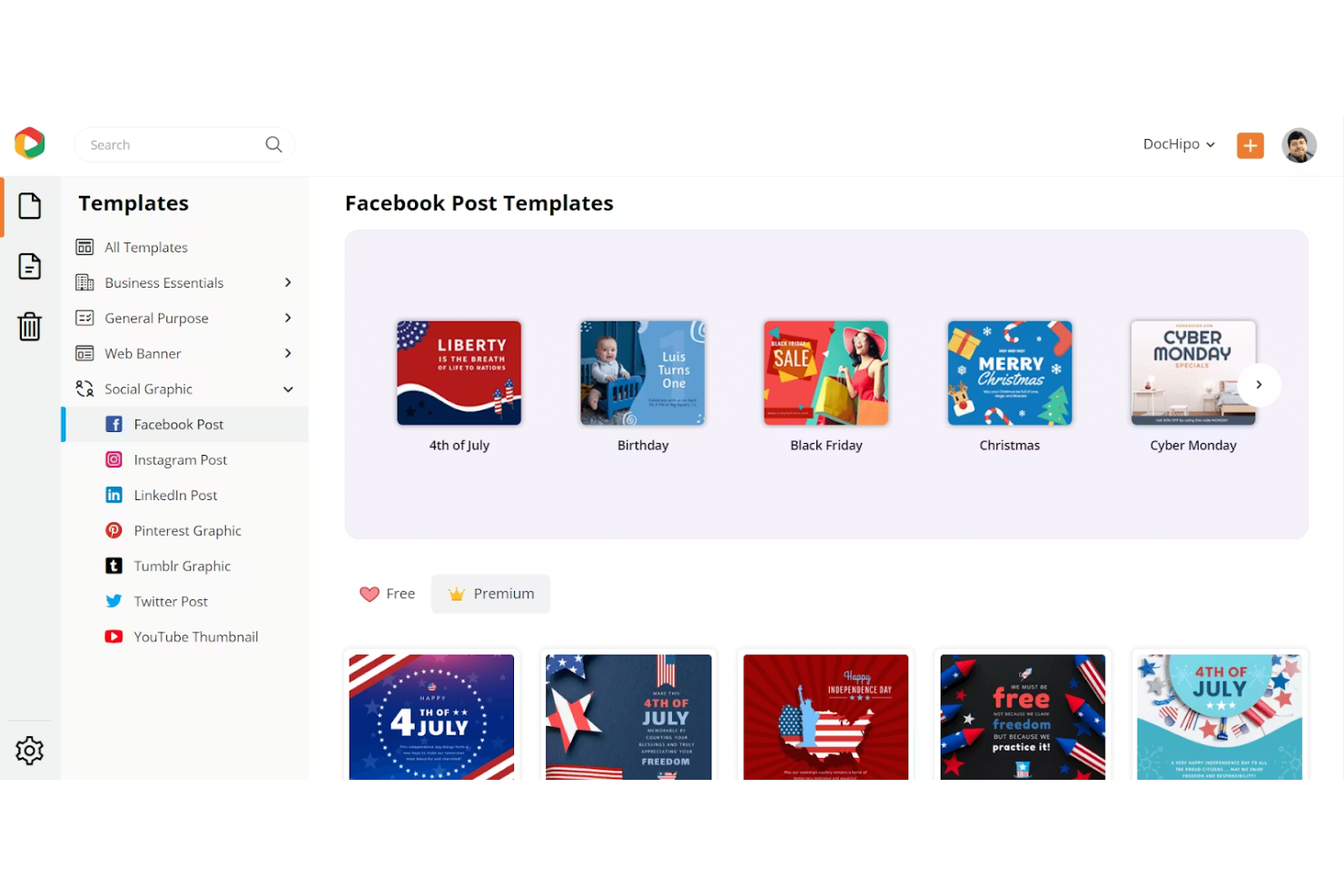
If you want a tool that makes drag-and-drop editing fast and simple, DocHipo is worth a look. It’s especially useful for non-designers, small businesses, marketers, and content creators who need to design graphics and documents without a steep learning curve. DocHipo stands out from Visme alternatives by focusing on quick, template-driven editing and an interface that helps you create polished visuals in minutes.
Why DocHipo Is a Good Visme Alternative
DocHipo takes a different approach from many Visme alternatives by prioritizing quick drag-and-drop editing for visual content. The platform offers a large collection of ready-made templates and a simple editor that lets you move, resize, and customize elements with just a few clicks. I like that you can swap out images, icons, and text instantly without navigating complex menus or settings. For anyone who needs to create professional-looking graphics on tight timelines, DocHipo’s editing tools make it a strong alternative to Visme.
DocHipo Key Features
Some other DocHipo features that caught my attention include:
- Multi-Page Document Support: Create and manage multi-page documents for reports, brochures, and eBooks.
- Integrated Stock Asset Library: Access a built-in library of stock photos, illustrations, and icons for your designs.
- Customizable Brand Kits: Set up and apply your brand colors, fonts, and logos across all your projects.
- Download in Multiple Formats: Export your finished designs as PNG, JPG, PDF, or GIF files.
DocHipo Integrations
Integrations include YouTube, Mailchimp, Jotform, Pexels, and Unsplash.
Pros and Cons
Pros:
- Download designs as PNG, JPG, PDF, or GIF
- Animated text and sticker elements included
- Direct access to Unsplash and Pexels assets
Cons:
- Lacks numeric input for positioning
- No mobile application available
Other Visme Alternatives
Here are some additional Visme alternatives options that didn’t make it onto my shortlist, but are still worth checking out:
- Zoho Show
For cloud-based slide collaboration
- Marq
For brand asset management
- Prezi
For dynamic zooming presentations
- Xtensio
For business strategy templates
- Google Slides
For real-time team collaboration
- Animaker
For animated video presentations
- Gamma
For interactive document creation
- RELAYTO
For multimedia-rich pitch decks
- Simplified
For AI-powered content generation
- Pitch
For modern presentation analytics


How I Evaluate Visme Alternatives
I evaluate tools against two layers: baseline criteria like roadmap templates and real-time co-editing, and differentiators like AI design and PM tool integrations.
Core Functionality (Table Stakes For This List)
When I'm selecting tools for my list, I rank each one on a scale from 0 (does not offer the functionality) to 5 (excels in this area) for each core functionality listed below. Then, I calculate the tool's total score into a percentage. Each tool needs to achieve a minimum total score of 65% to be considered for inclusion.
- Visual Content Creation: I look for tools that let you build presentations, infographics, and reports from a drag-and-drop editor rather than forcing you into rigid slide decks.
- Project-Focused Templates: A strong library includes pre-built roadmaps, Gantt charts, status reports, and milestone timelines you can customize for sprint reviews or exec updates.
- Real-Time Collaboration: I evaluate whether multiple team members can co-edit, comment, and resolve feedback in the same file without version conflicts.
- Brand & Asset Management: Teams reusing logos, fonts, and color palettes across deliverables need centralized brand kits and shared asset libraries to stay consistent.
- Data Visualization: I check for chart types, data import options, and the ability to link live sources like Google Sheets to keep project dashboards current.
- Multi-Format Export & Sharing: Stakeholders expect different formats, so I look for PDF, PNG, PPT, and shareable link options alongside embed or interactive publishing.
Once I have a list of tools that meet this criteria, I consider what sets each platform apart.
Differentiating Factors (What Sets Vendors Apart)
Here's how I compare and contrast different vendors:
Standout Features
AI-powered design is a big differentiator. I look for tools that generate layouts or copy from a prompt, which saves hours when you're building a deck the night before a steering committee. PM tool integrations also matter. Pulling live data from Jira or Asana into a visual report beats manual screenshots every time. I also check for engagement tracking on shared links, so you can see whether leadership actually opened your status update or skipped to the budget slide.
Beyond Features
Pricing model matters when you're rolling a tool out across a PMO. I evaluate whether per-seat costs stay reasonable at scale or if team-based plans offer better value for larger groups. Learning curve is another key factor. Most PMs aren't trained designers, so I look for platforms where someone can produce a polished roadmap visual within their first session. Scalability also comes into play. Tools that support multiple workspaces, admin dashboards, and role-based permissions make it far easier to govern usage as adoption grows beyond a single team.
Why Look for a Visme Alternative?
While Visme is a good choice of Visme alternatives, there are a number of reasons why some users seek out alternative solutions. You might be looking for a Visme alternative because…
- You need more advanced brand asset management
- Your team requires deeper template permission controls
- You want built-in data automation or live data linking
- You need better animation or interactive features
- Your organization needs centralized control over distributed teams
If any of these sound like you, you’ve come to the right place. My list contains several Visme alternatives options that are better suited for teams facing these challenges with Visme and looking for alternative solutions.
Visme Key Features
Here are some of the key features of Visme, to help you contrast and compare what alternative solutions offer:
- Drag-and-drop presentation and infographic builder
- Extensive template and theme library
- Built-in stock photo, icon, and video assets
- Interactive elements like pop-ups and animations
- Real-time team collaboration tools
- Data visualization with charts and graphs
- Customizable brand kits for consistent branding
- Multi-format export options including PDF, PPTX, and HTML5
- Analytics to track viewer engagement
- Password protection and privacy controls for shared content