
24 Best Simple Time Trackers Reviewed in 2026

10 Best Simple Time Trackers Shortlist
Here's my pick of the 10 best software from the 24 tools reviewed.


Managing a project can feel like juggling too many tasks at once. You want your team to be productive, but tracking time can be tedious and distracting. That's where simple time trackers come in. They help you keep tabs on hours without adding extra hassle.
In my experience, choosing the right tool can make a big difference. I've reviewed a range of time trackers to find the best ones for you. You'll get unbiased insights into features, usability, and benefits.
In this listicle, I'll guide you through the top picks. You'll learn how each tool can fit your team's needs and improve your project management. Let's dive in and find the perfect solution for you.
Why You Can Trust Us
Best Simple Time Trackers Summary
This comparison chart summarizes pricing details for my top simple time tracker selections to help you find the best one for your budget and business needs.
| Tool | Best For | Trial Info | Price | ||
|---|---|---|---|---|---|
| 1 | Best for AI time tracking | Free 14-day trial + free demo available | From $9/user/month (billed annually) | Website | |
| 2 | Best for payroll integration | Free trial + free demo available | From $20/month + $8/user/month (billed annually) | Website | |
| 3 | Best for automatic time tracking | 14-day free trial + free plan + free demo available | From $2.49/user/month (billed annually) | Website | |
| 4 | Best for project-based tracking | Free 14-day trial + free plan + free demo available | From $4/user/month (billed annually) | Website | |
| 5 | Best for browser extension support | Free 7-day trial + free plan + free demo available | From $5.49/user/month (billed annually) | Website | |
| 6 | Best for remote teams | Free plan + free demo + 14-day free trial available | From $3.75/user/month (billed annually) | Website | |
| 7 | Best for productivity insights | Free 14-day trial + free demo available | From $7/month (billed annually) | Website | |
| 8 | Best for team collaboration | Free plan + free demo + 30-day free trial available | From $9/user/month (billed annually) | Website | |
| 9 | Best for passive time tracking | Free demo + 30-day free trial available | From $12/user/month (billed annually) | Website | |
| 10 | Best for expense tracking | Free 30-day trial + free plan available | From $9/seat/month (billed annually) | Website |
-

Accelo
Visit WebsiteThis is an aggregated rating for this tool including ratings from Crozdesk users and ratings from other sites.4.4 -
Forecast
Visit WebsiteThis is an aggregated rating for this tool including ratings from Crozdesk users and ratings from other sites.4.6 -
Wrike
Visit WebsiteThis is an aggregated rating for this tool including ratings from Crozdesk users and ratings from other sites.4.2





Best Simple Time Trackers Review
Below are my detailed summaries of the best simple time trackers that made it onto my shortlist. My reviews offer a detailed look at the key features, pros and cons, integrations, and ideal use cases of each tool to help you find the best one for you.

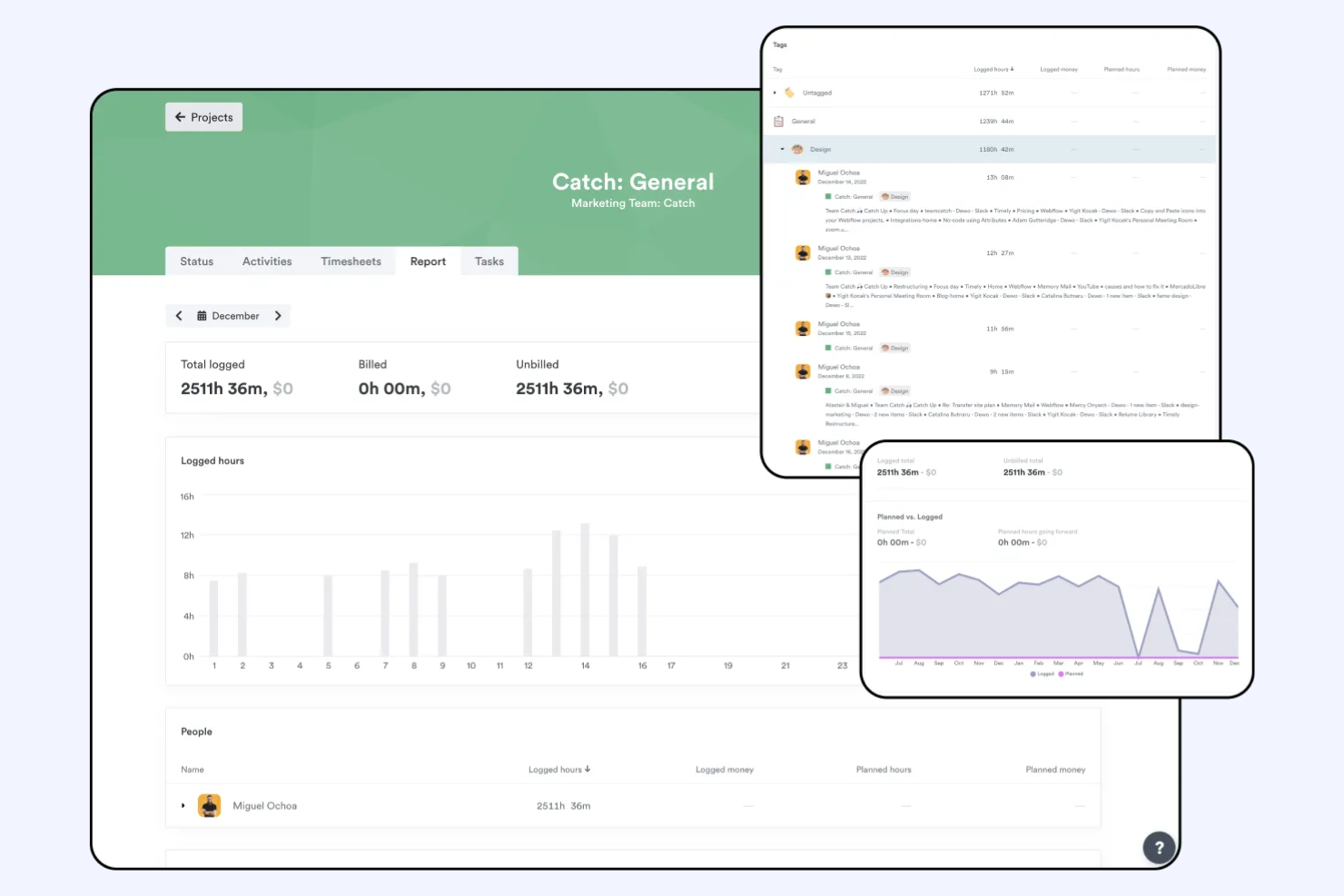
Timely is a time tracking app that uses AI to help teams and individuals accurately log work hours and manage productivity. It's aimed at businesses and professionals wanting to minimize manual time entry and maximize focus on their tasks.
Why I picked Timely: AI time tracking is a core feature, reducing the need for manual entries and ensuring accurate time logs. This helps your team focus more on work and less on tracking hours. Timely provides automatic activity tracking, capturing time spent on different tasks. You can also review project timelines to see where time is allocated and adjust as needed.
Standout Features and Integrations:
Features include AI-assisted timesheets and reporting, as well as a project dashboard to help you monitor project performance, utilization, and profitability. It also includes project and team management tools that aid collaboration and workload allocation. Additionally, Timely is a desktop app as well as a mobile app, increasing flexibility.
Integrations include Google Calendar, Outlook, Zapier, Asana, Trello, and more.
Pros and Cons
Pros:
- Occasional sync delays
- Automatic activity tracking
- Reduces manual time entry
- AI-driven time tracking
Cons:
- AI memory can be inaccurate


QuickBooks Time is a time tracking solution tailored for businesses that need to efficiently manage employee hours and payroll processes. It serves small to medium-sized businesses looking to improve their time management and reduce payroll errors.
Why I picked QuickBooks Time: Payroll integration is a key feature, making it simple to sync employee hours directly with payroll systems. This helps reduce manual entry and minimizes errors in your payroll process. You can track time using GPS location, which is beneficial for teams on the move. Additionally, QuickBooks Time offers customizable alerts to ensure your team stays on schedule.
Standout Features and Integrations:
Features include flexible time tracking with mobile clock-ins, scheduling and shift management tools, and intuitive scheduling with powerful real-time reporting and payroll integrations to help manage teams and projects efficiently.
Integrations include Salesforce, Procore, ADP, Square Payroll, Paychex, Google Drive, and more.
Pros and Cons
Pros:
- No credit card needed for free trial
- GPS tracking for mobile teams
- Efficient payroll integration
Cons:
- Requires an active QuickBooks Online subscription
- Charges a monthly base fee


TimeCamp is a time tracking tool designed for freelancers and businesses seeking to automate their time management. It helps users monitor work hours and improve productivity with minimal manual input.
Why I picked TimeCamp: Automatic time tracking software is a standout feature, letting you capture time spent on tasks without constant manual entry. This ensures accurate data and saves your team time. You can categorize time entries by project, making it easy to see where efforts are focused. Additionally, TimeCamp offers visual timesheets to help you quickly review logged hours.
Standout Features and Integrations:
Features include manual and automatic time tracking, detailed reports and dashboards for analyzing productivity, team performance, and project costs, and reporting tools for performance insights.
Integrations include Trello, Asana, Slack, QuickBooks, Jira, and more.
Pros and Cons
Pros:
- Easy project categorization
- Visual timesheets available
- Automatic time tracking
Cons:
- Complicated time-off requests
- Geofence doesn't work


My Hours is a time tracking tool tailored for project managers and small teams. It helps users track work hours and manage projects with precision.
Why I picked My Hours: Project-based tracking is a key feature, allowing you to organize tasks by project and client. This makes it easier for your team to allocate time efficiently. Additionally, My Hours provides detailed reports to help you track project performance and allows you to set and monitor budgets for each project.
Standout Features and Integrations:
Features include the ability to set hourly rates and project budgets, and to assign tasks to team members to organize and manage work efficiently. You can also create recurring tasks for ongoing work and export timesheets in multiple formats for easy reporting and billing.
Integrations include QuickBooks, Asana, Microsoft Teams, Google Calendar, and more.
Pros and Cons
Pros:
- Budget setting for projects
- Detailed performance reports
- Effective project-based tracking
Cons:
- No overtime and break tracker
- No automatic start/stop triggers

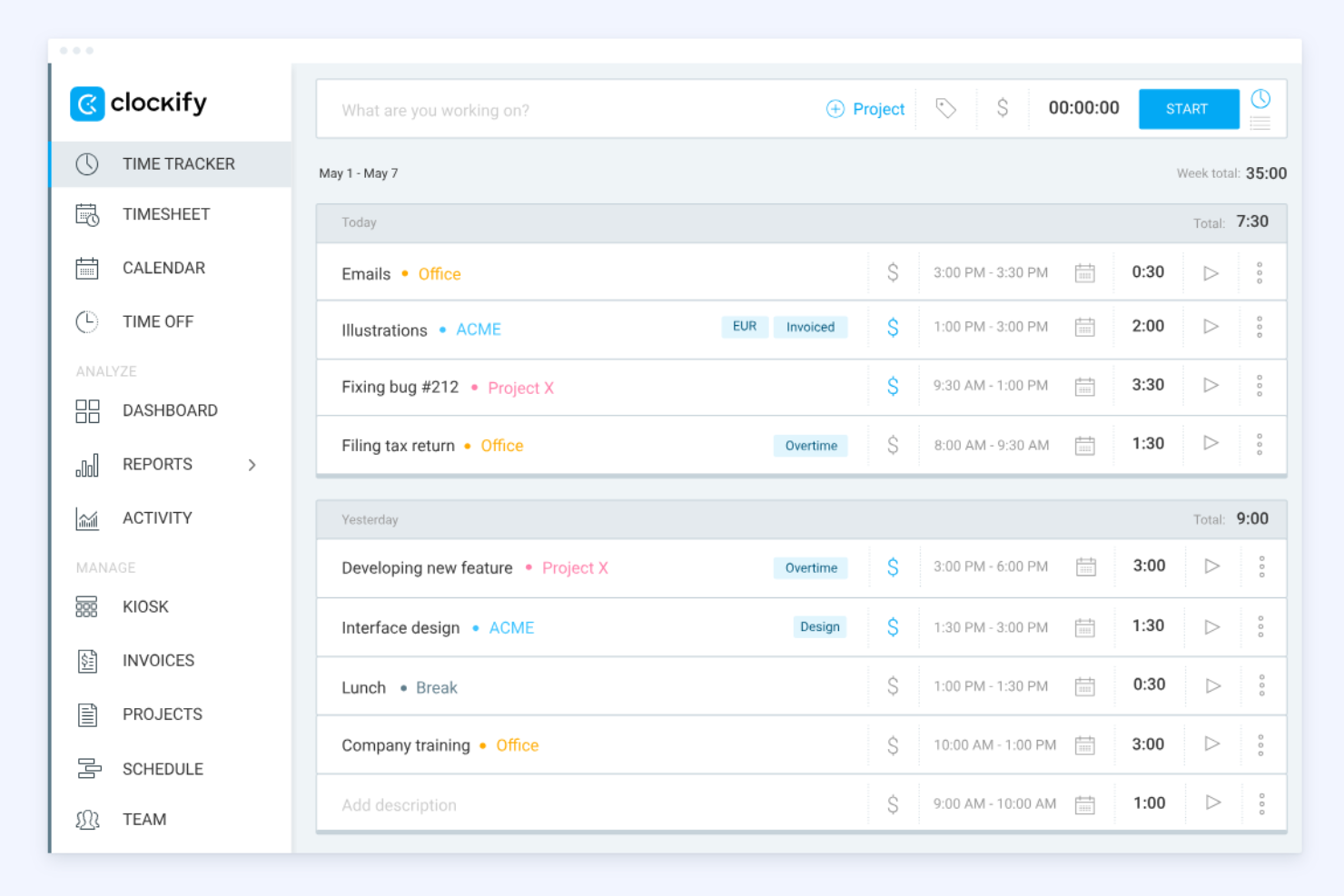
Clockify is a time tracking tool widely used by freelancers and businesses of all sizes. It helps users track billable hours and manage projects efficiently.
Why I picked Clockify: The browser extension support is a standout feature, letting you track time directly from your browser without switching web apps. It's perfect for those who work across multiple web applications and need quick access. Clockify offers detailed reporting tools to analyze time usage effectively. You can also set up reminders to help your team log their hours consistently.
Standout Features and Integrations:
Features include easy time tracking through timers and timesheets, plus project and billing tools that let you set rates and generate reports or invoices. It also supports team management with features such as attendance tracking, scheduling, and timesheet approvals.
Integrations include Trello, Asana, Atlassian Jira, Slack, and more.
Pros and Cons
Pros:
- Unlimited users with free plan
- Mobile tracking capabilities
- Strong browser extension support
Cons:
- Limited project and task management
- No auto-scheduling or shift swaps

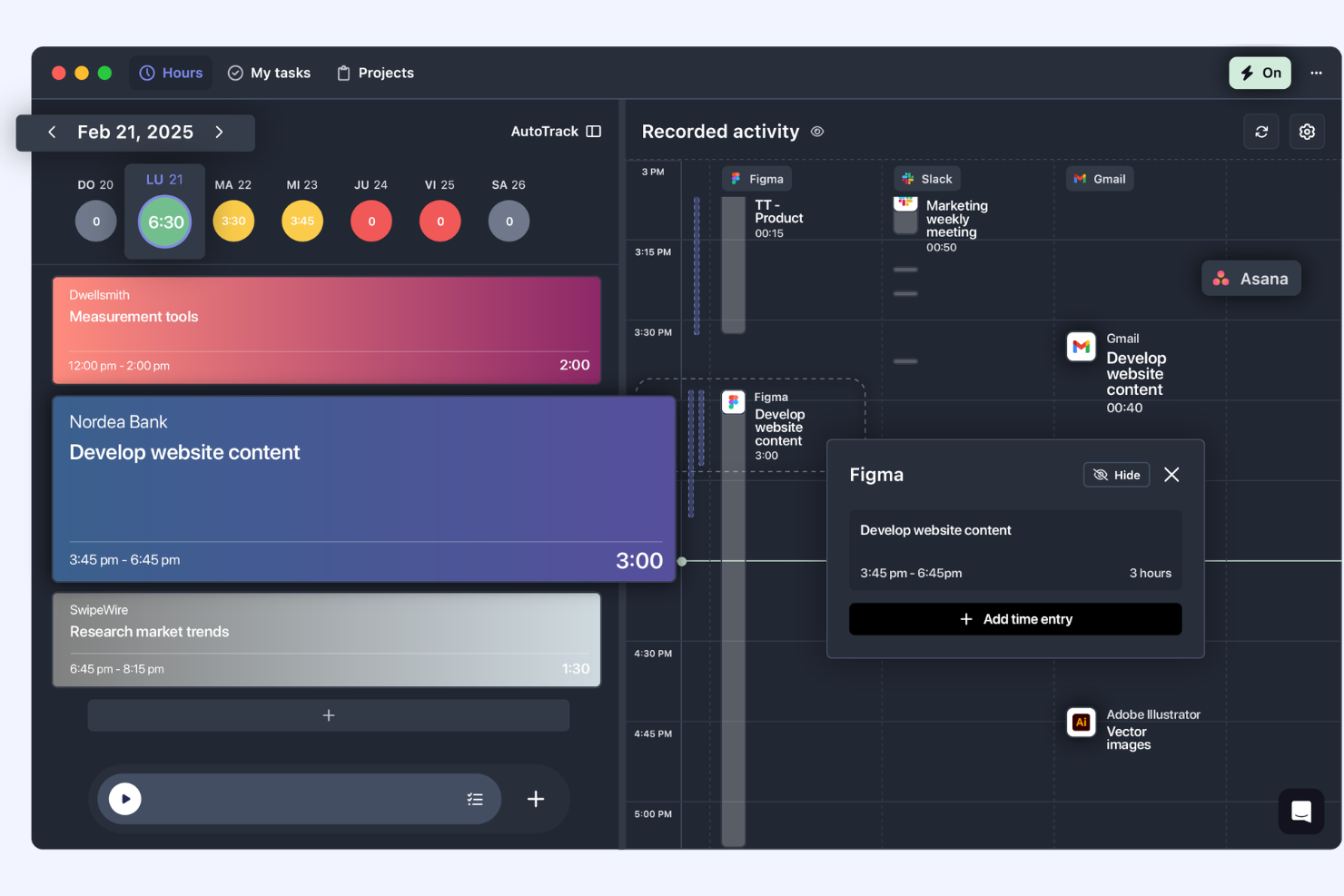
TrackingTime is a time management tool designed to help remote teams track work hours and manage projects more effectively. It caters to businesses and freelancers needing to keep track of billable hours and improve productivity across distributed teams.
Why I picked TrackingTime: Remote teams benefit from its ability to track time across different projects and clients smoothly. You can monitor team productivity and performance from anywhere. The tool offers real-time updates, making it easier to coordinate with your team. Additionally, TrackingTime provides detailed reports to help you analyze work patterns, adjust strategies, and save your team's time.
Standout Features and Integrations:
Features include real-time updates for employee monitoring, automatic background tracking to capture work accurately, the ability to manage employee time off and attendance, and set budgets and billing rates.
Integrations include Asana, Trello, Slack, Google Calendar, Microsoft Teams, and more.
Pros and Cons
Pros:
- Detailed reporting features
- Real-time performance updates
- Effective for remote team management
Cons:
- No PTO tracking
- No offline mode

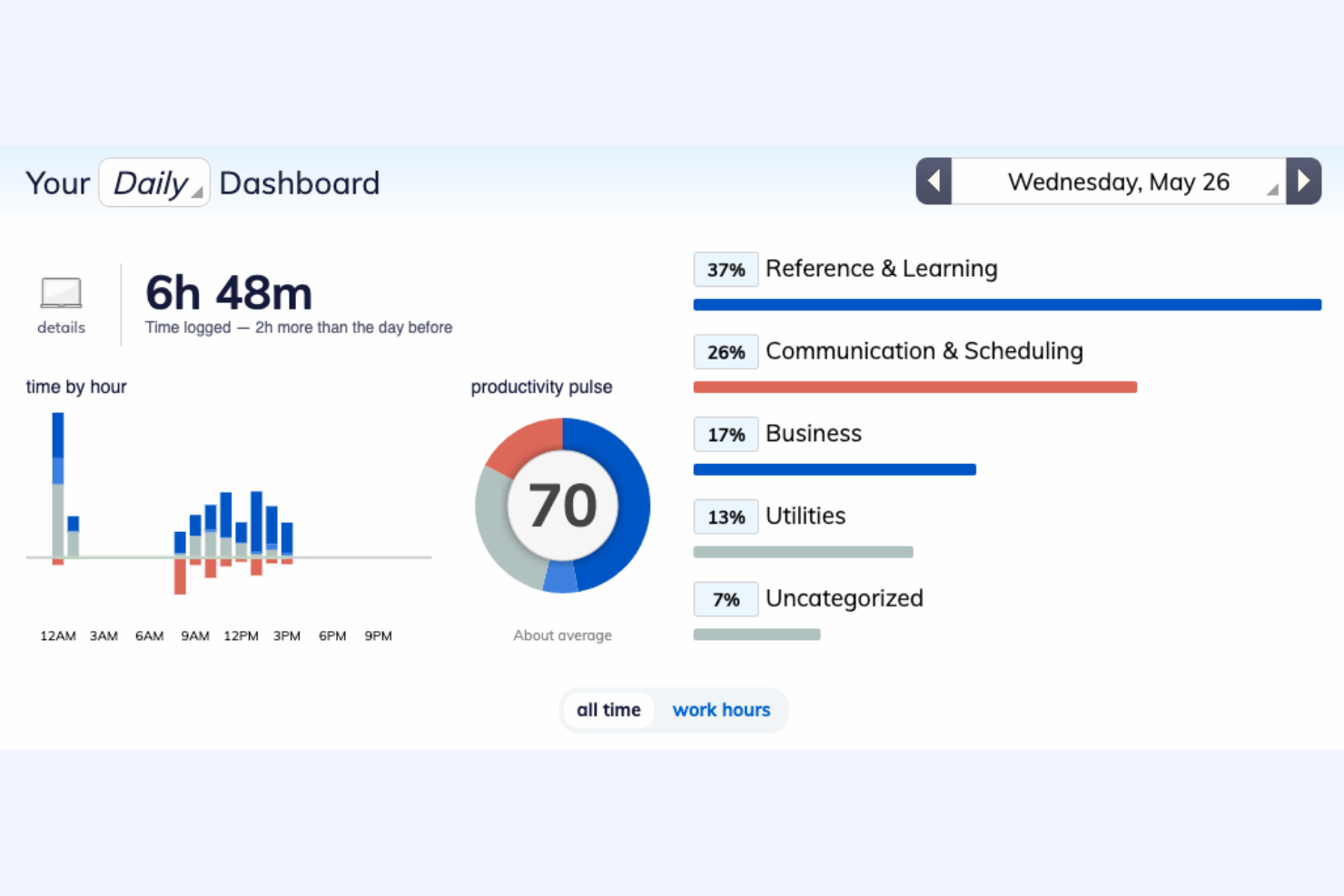
RescueTime is a time management tool that helps users understand their daily habits and improve productivity. It is designed for individuals and teams who want to track their focus and optimize work efficiency.
Why I picked RescueTime: Productivity insights are a key feature, allowing you to see detailed reports on how you spend your time. This helps you identify distractions and focus on what matters most. You can set goals to improve your work habits and receive notifications when you're off track. Additionally, RescueTime provides a distraction-free mode to help you concentrate better.
Standout Features and Integrations:
Features include activity tracking in the background across apps and websites, turning that time tracking data into detailed productivity insights and reports with goals and alerts. It also offers Focus Sessions to block distractions and advanced analytics to optimize your workflow.
Integrations include Slack, Google Calendar, Outlook, Trello, Asana, GitHub, and more.
Pros and Cons
Pros:
- Distraction-free mode
- Goal-setting capabilities
- Detailed productivity insights
Cons:
- No geolocation tracking
- Automatic categorization is imperfect

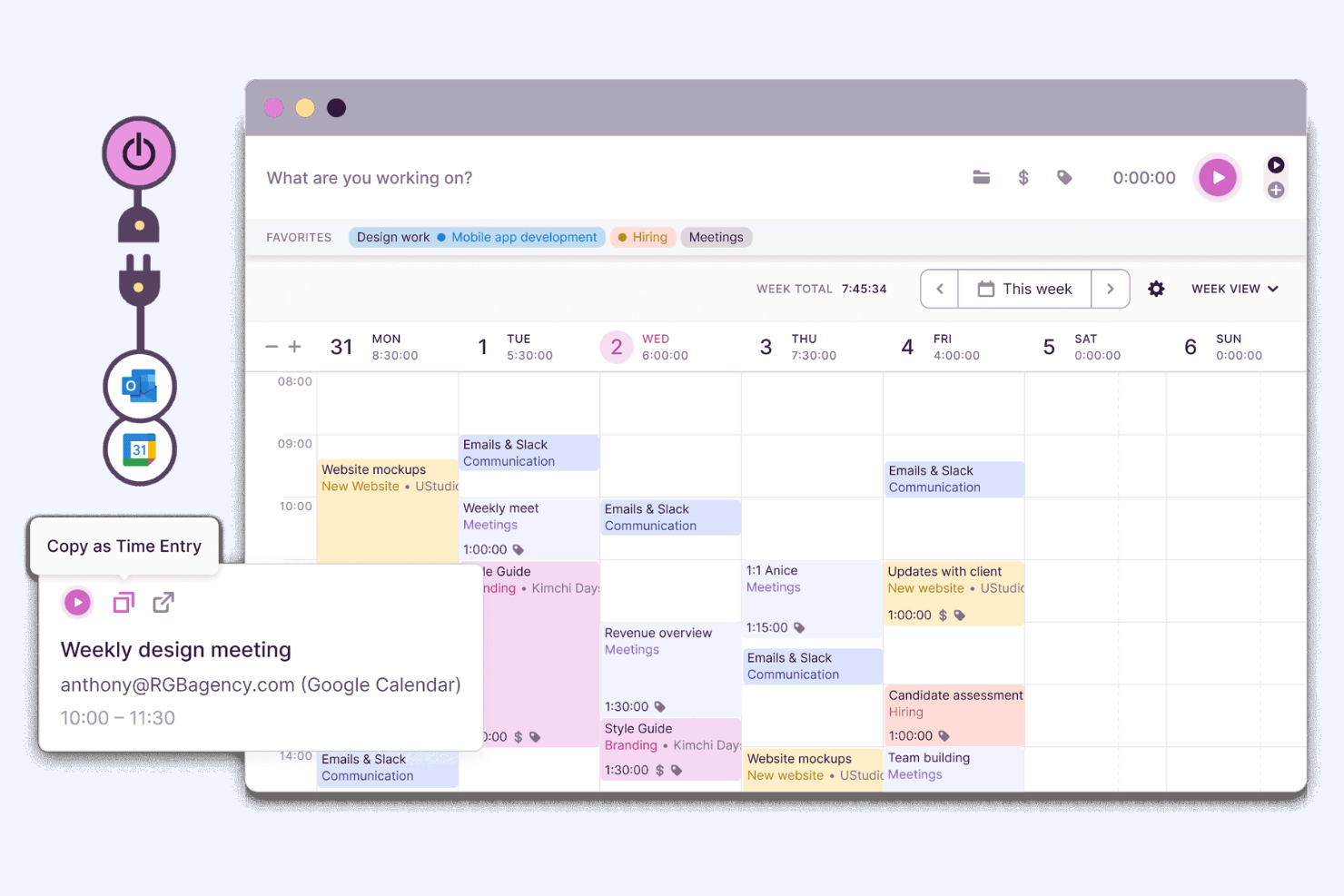
Toggl Track is a versatile time tracking tool designed for teams of all sizes. It helps users track work hours and manage projects with ease.
Why I picked Toggl Track: Team collaboration is at the heart of Toggl Track, making it easy for your team to log time collectively. The tool offers shared reporting, allowing everyone to see project progress. You can set up reminders to ensure no one forgets to track their time.
Standout Features and Integrations:
Features include a Pomodoro timer to improve focus, detailed reporting tools for insights, and offline time entry so you can track work without an internet connection.
Integrations include Asana, Trello, Slack, Atlassian Jira, GitHub, and more.
Pros and Cons
Pros:
- Flexible project management
- Includes Pomodoro timer
- Shared reporting capabilities
Cons:
- No custom role permissions
- Lacks direct payroll integrations


Chrometa is a passive time tracking tool designed for professionals who want to automatically screenshot how they spend their time on the computer. It is ideal for freelancers, consultants, and small business owners who need detailed insights into their work habits.
Why I picked Chrometa: Passive time tracking is at the core of Chrometa, allowing you to automatically record every second spent on various tasks without manual input. This ensures no billable time is missed, which is important for freelancers and consultants. The tool categorizes activities based on applications and keywords, giving you a clear view of your productivity. Additionally, Chrometa allows you to assign time entries to specific clients and projects with ease.
Standout Features and Integrations:
Features include automatic time capture across apps, documents, emails, and websites without manual timers. The tool can categorize time entries to specific clients or projects and generate ready-to-review timesheets. Additionally, Chrometa offers project monitoring, reporting, and integrations.
Integrations include QuickBooks, Xero, FreshBooks, Clio, Asana, Trello, and more.
Pros and Cons
Pros:
- Assign time to clients
- Clear activity categorization
- Automatic time capture
Cons:
- Not ideal for team collaboration
- Manual adjustments may be needed

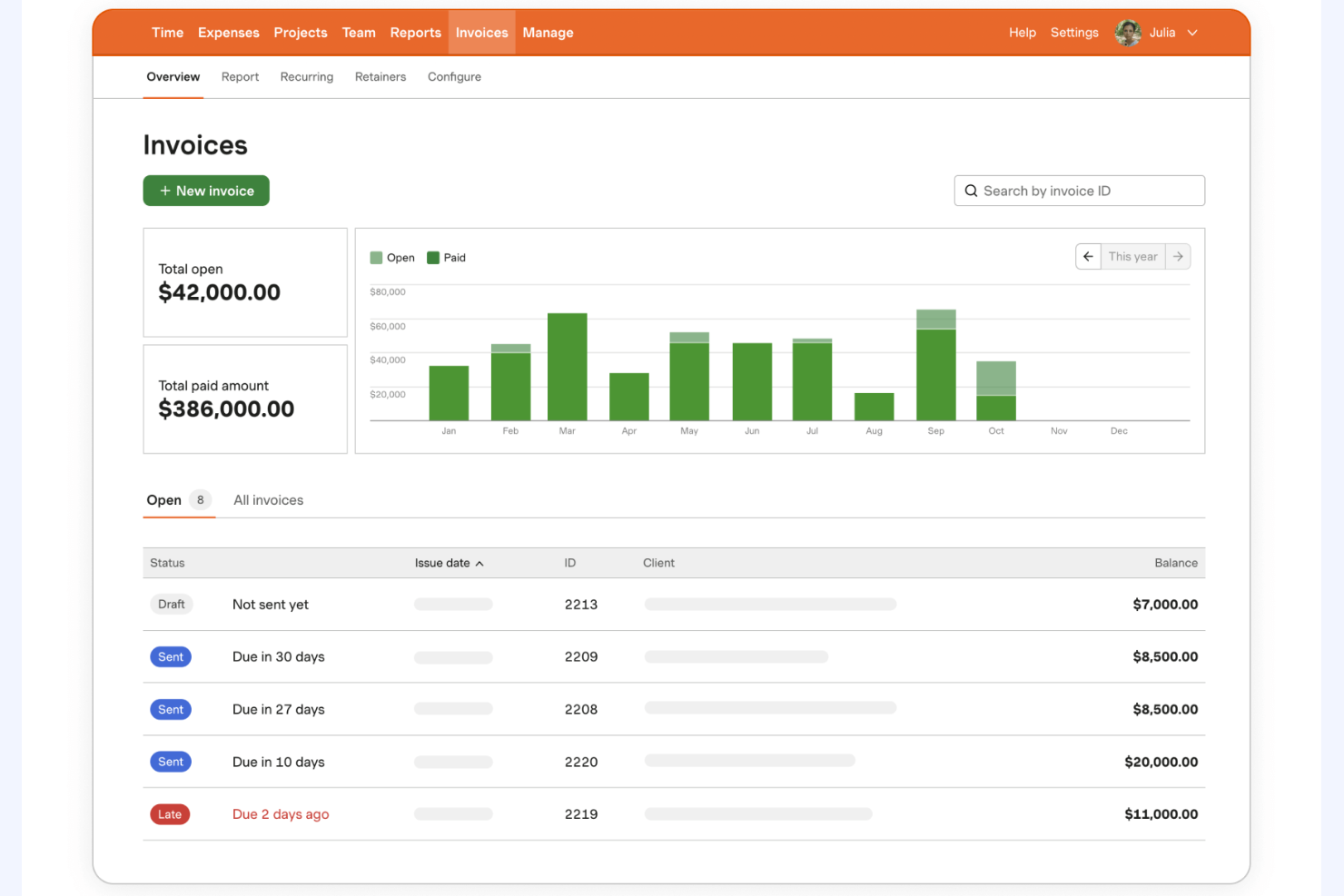
Harvest is a time tracking and expense management tool designed for small to medium-sized businesses. It helps users track billable hours and manage project budgets efficiently.
Why I picked Harvest: Expense tracking is a highlight of Harvest, allowing you to capture and manage costs alongside your time entries. This feature is particularly useful for teams needing detailed financial oversight. You can attach receipts to expenses and generate detailed reports for better budget management. Additionally, Harvest offers invoicing capabilities to streamline your billing process.
Standout Features and Integrations:
Features include user-friendly timers and timesheets that work across web and mobile. It also generates professional invoices from tracked time and expenses and provides visual reporting and analytics so you can see project budgets, team capacity, and profitability at a glance.
Integrations include QuickBooks, Xero, Asana, Slack, Trello, Basecamp, and more.
Pros and Cons
Pros:
- Invoicing capabilities included
- In-depth budget management
- Effective expense tracking
Cons:
- Basic project management features
- Notifications are easily missed
Other Simple Time Trackers
Here are some additional simple time tracker options that didn’t make it onto my shortlist, but are still worth checking out:
- ATracker
For mobile users
- Simple Time Tracker
For daily time logs
- Paymo
For project invoicing
- Timesheets.com
For HR features
- Buddy Punch
For employee scheduling
- Jibble
For attendance monitoring
- Scoro
For all-in-one solutions
- ClockShark
For field teams
- Deputy
For shift planning
- Memtime
For memory aids
- EARLY
For focus tracking
- TimeTrace
For freelancers
- Replicon
For compliance tracking
- Easy Time Clock
For small businesses


Simple Time Tracker Selection Criteria
When selecting the best simple time tracker to include in this list, I considered common buyer needs and pain points such as ease of use and accurate time logging. I also used the following framework to keep my evaluation structured and fair:
Core Functionality (25% of total score)
To be considered for inclusion in this list, each solution had to fulfill these common use cases:
- Time tracking
- Reporting and analytics
- Project management integration
- Mobile access
- Billing and invoicing
Additional Standout Features (25% of total score)
To help further narrow down the competition, I also looked for unique features, such as:
- Automatic time capture
- GPS location tracking
- AI-driven insights
- Customizable alerts
- Offline functionality
Usability (10% of total score)
To get a sense of the usability of each system, I considered the following:
- Intuitive interface
- Minimal learning curve
- Customization options
- Consistent updates
- Aesthetic design
Onboarding (10% of total score)
To evaluate the onboarding experience for each platform, I considered the following:
- Availability of training videos
- Interactive product tours
- Access to templates
- Webinars for new users
- Responsive chatbots
Customer Support (10% of total score)
To assess each software provider's customer support services, I considered the following:
- 24/7 support availability
- Response time
- Access to a knowledge base
- Live chat support
- Email and phone support
Value for Money (10% of total score)
To evaluate the value for money of each platform, I considered the following:
- Competitive pricing
- Feature set relative to cost
- Flexible subscription plans
- Free trial availability
- Discounts for annual billing
Customer Reviews (10% of total score)
To get a sense of overall customer satisfaction, I considered the following when reading customer reviews:
- Positive feedback on functionality
- Satisfaction with customer support
- Ease of use comments
- Overall reliability
- Value for money perception
How To Choose a Simple Time Tracker
It's easy to get bogged down in long feature lists and complex pricing structures. To help you stay focused as you work through your unique software selection process, here's a checklist of factors to keep in mind:
| Factor | What To Consider |
| Scalability | Can the tool grow with your team? Consider if it supports an increasing number of users and projects without a drop in performance. |
| Integrations | Does it connect with your existing tools? Check for compatibility with your project management, accounting, and communication platforms to improve workflows. |
| Customizability | Can you tailor the tool to your needs? Look for options to adjust dashboards, reports, and user permissions to fit your team's processes. |
| Ease of use | Is the interface intuitive? Ensure team members at all tech levels can navigate it without extensive training or confusion. |
| Implementation and onboarding | How quickly can you get started? Evaluate the setup process, available training resources, and support during the initial implementation phase. |
| Cost | Does it fit your budget? Compare pricing plans and consider the total cost of ownership, including any additional fees for features or support. |
| Security safeguards | How secure is your data? Look for encryption standards, data backup procedures, and compliance with privacy regulations such as GDPR. |
| Support availability | Can you get help when needed? Check if the vendor offers 24/7 support, live chat, or a dedicated account manager for assistance. |
What Is a Simple Time Tracker?
A simple time tracker is a tool that helps users log and manage their work hours efficiently. Professionals such as freelancers, project managers, and remote teams use these tools to increase productivity and track billable hours. Features such as time logging, reporting, and project management support users in organizing tasks and optimizing their workflow. Overall, these tools provide clarity on time allocation and improve time management.
Features
When selecting a simple time tracker, keep an eye out for the following key features:
- Time logging: Automatically or manually record work hours to ensure accurate tracking of billable time.
- Reporting: Generate detailed reports to analyze productivity and time allocation across projects.
- Project management integration: Sync with existing project management tools to refine workflow and task management.
- Mobile access: Track time on-the-go with mobile apps, ensuring flexibility for remote or traveling team members.
- Billing and invoicing: Create invoices based on tracked time to simplify the billing process for clients.
- Customizable alerts: Set reminders to log time or notify users of upcoming deadlines to keep projects on track.
- GPS location tracking: Monitor the location of mobile teams to ensure accurate time tracking for fieldwork.
- Visual timesheets: Provide a clear overview of logged hours to help users quickly assess their time usage.
- Automatic activity tracking: Capture time spent on tasks without manual input to minimize errors and save time.
- Security safeguards: Protect user data with encryption and compliance with privacy regulations such as GDPR.
Benefits
Implementing a simple time tracker provides several benefits for your team and your business. Here are a few you can look forward to:
- Improved productivity: By tracking work hours and activities, teams can identify time-wasting tasks and focus on what truly matters.
- Accurate billing: Automated time logging and invoicing features help ensure clients are billed correctly for the hours worked.
- Better project management: Integration with project management tools allows for efficient task coordination and deadline management.
- Greater accountability: Time tracking promotes transparency and responsibility among team members, encouraging them to stay on task.
- Informed decision-making: Detailed reports and analytics provide insights into time allocation, helping managers make data-driven decisions.
- Flexible work arrangements: Mobile access and GPS tracking support remote work and field teams by allowing them to log time from any location.
- Cost savings: By optimizing time management, businesses can reduce overtime costs and improve overall efficiency.
Costs and Pricing
Selecting a simple time tracker requires an understanding of the various pricing models and plans available. Costs vary based on features, team size, add-ons, and more. The table below summarizes common plans, their average prices, and typical features included in simple time tracker solutions:
Plan Comparison Table for Simple Time Trackers
| Plan Type | Average Price | Common Features |
| Free Plan | $0 | Basic time tracking, limited projects, and basic reporting. |
| Personal Plan | $2.99-$12/month | Time tracking, project management integration, mobile access, and basic reporting. |
| Business Plan | $15-$30/month | Advanced reporting, invoicing, customizable alerts, and priority support. |
| Enterprise Plan | $30-$50/month | Custom integrations, dedicated account manager, advanced security features, and extensive analytics. |
Simple Time Tracker FAQs
Here are some answers to common questions about simple time trackers:
How do I choose the right simple time tracker for my team?
Start by evaluating your team’s needs, such as project management integration or mobile access. Consider the size of your team and the level of reporting you require. Test a few tools with free trials to see which interface your team prefers. Don’t forget to compare pricing plans based on your budget.
Can simple time trackers integrate with my current software?
Yes, many simple time trackers offer integrations with popular tools such as project management and accounting software. Check the tool’s website for a list of supported integrations. If it doesn’t integrate with your software, consider using a tool such as Zapier to create custom connections.
Is data security a concern with simple time trackers?
Yes, data security should be a priority. Look for tools that offer encryption, regular data backups, and compliance with privacy regulations such as GDPR. Ask vendors about their security measures and read reviews to see how they handle data protection.
Do simple time trackers work offline?
Some simple time trackers offer offline functionality, allowing you to log hours without an internet connection. Once you reconnect, the data syncs automatically. Check the tool’s features list to ensure offline access is available, especially if your team works in areas with limited connectivity.
How long does it take to implement a simple time tracker?
Implementation time varies depending on the tool and your team’s size. Some tools offer quick setup with interactive product tours and templates. Most vendors provide training resources to help you get started. Expect a few days to a week for full implementation, including training your team.
What's Next:
If you're in the process of researching simple time trackers, connect with a SoftwareSelect advisor for free recommendations.
You fill out a form and have a quick chat where they get into the specifics of your needs. Then you'll get a shortlist of software to review. They'll even support you through the entire buying process, including price negotiations.