

10 Best SEO Client Management Software Reviewed in 2026

Best SEO Client Management Software Shortlist


Managing SEO clients can be tough. You juggle deadlines, track progress, and keep everyone in the loop. That's where SEO client management software and supporting tools agencies use to deliver and report SEO work come in. They help you organize projects, communicate with clients, and track results, all in one place.
I've tested and reviewed these tools independently. I know the ins and outs of project management and the software market. My goal is to give you an unbiased look at the best options available.
In this article, you'll find my top picks. I'll cover features, pros and cons, and pricing. You can make an informed decision that suits your team's needs. Let's dive in and find the right tool for you.
Why Trust Our Software Recommendations
Our team has been testing and reviewing software since 2012. As project managers ourselves, we know how difficult—and important—it is to choose the right software.
For this guide, we evaluated tools using hands-on testing and independent research, scoring tools using our selection criteria. We also draw on insights from industry thought leaders and practicing project management experts.
Our reviews reflect our human editorial judgment, not a sales pitch.
Expert reviewers:
SEO Client Management Software Comparison Table
This comparison table summarizes pricing details for my top SEO client management software selections.
| Tool | Best For | Trial Info | Price | ||
|---|---|---|---|---|---|
| 1 | Best for keyword tracking | 14-day free trial + free demo available | From $103.20/month (billed annually) | Website | |
| 2 | Best for backlink analysis | Free plan available | From $29/month | Website | |
| 3 | Best for reporting dashboards | 14-day free trial | From $20/month (billed annually) | Website | |
| 4 | Best for competitor research | 14-day free trial | From $139/month | Website | |
| 5 | Best for team collaboration | Free plan available | From $9.99/user/month (billed annually) | Website | |
| 6 | Best for SEO benchmarking | 7-day free trial | From $79/month (billed annually) | Website | |
| 7 | Best for data privacy | Free plan available | From $20/month | Website | |
| 8 | Best for local SEO | 7-day free trial available | From $99/month | Website | |
| 9 | Best for client billing | 14-day free trial + free demo available | From $99/month (billed annually) | Website | |
| 10 | Best for workflow management | Free demo available | From $3/user/month (billed annually) | Website |
Best SEO Client Management Software Reviews
Below are my detailed summaries of the best SEO client management software that made it onto my shortlist. My reviews offer a detailed look at the key features, pros and cons, integrations, and ideal use cases of each tool to help you find the best one for you.

Best for keyword tracking
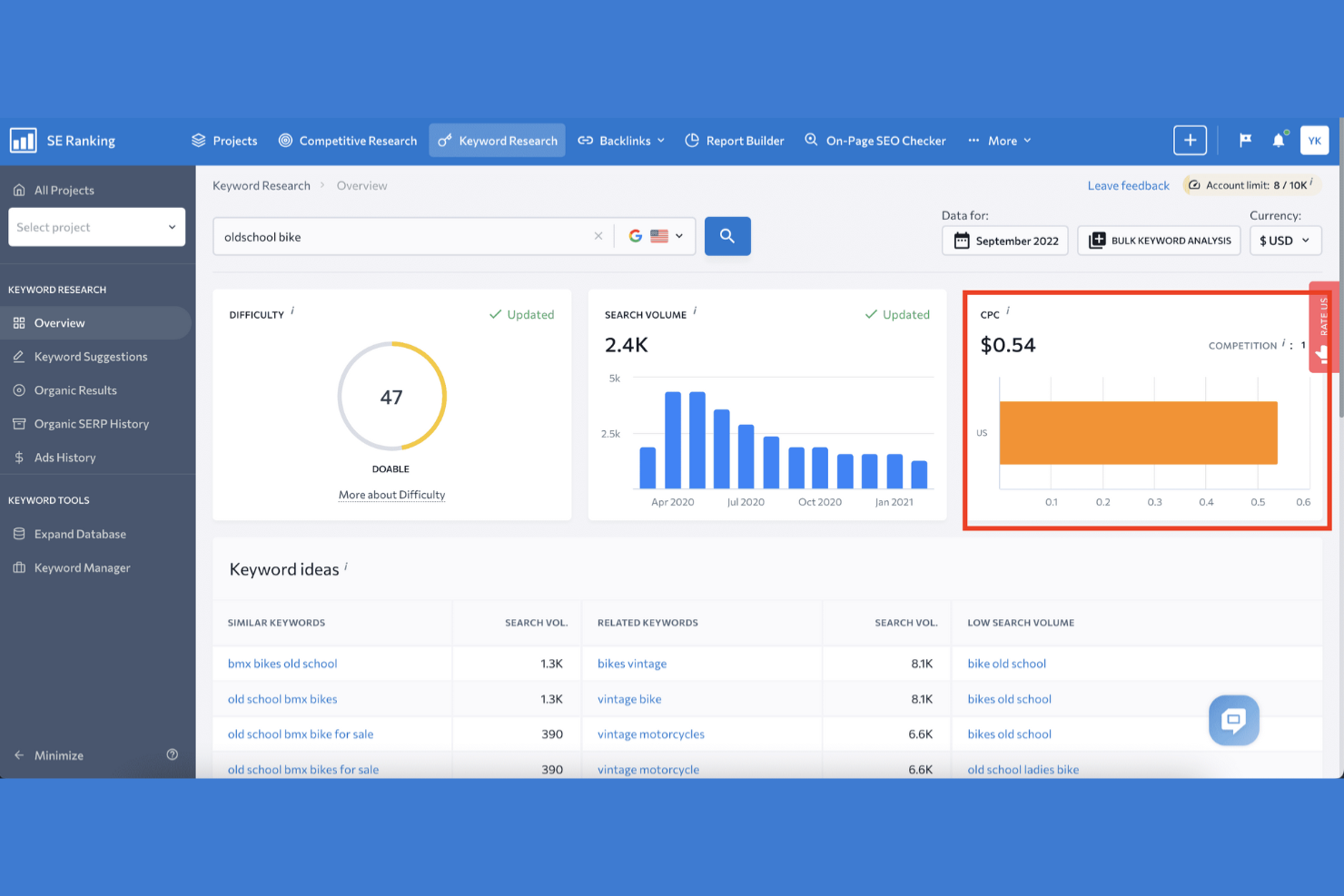
SE Ranking is an all-in-one SEO agency software designed for digital marketing professionals and agencies. It focuses on keyword tracking, competitor analysis, and website audit functions.
Why I picked SE Ranking: Its keyword-tracking capabilities provide precise updates on rankings and visibility. The tool provides a competitor analysis feature to help you stay ahead in the SEO game. Detailed website audits identify potential issues and suggest improvements. SE Ranking's focus on keyword tracking makes it a valuable tool for optimizing SEO strategies.
Standout Features and Integrations:
Features include social media analytics tools that track engagement and performance across platforms. The Marketing Plan feature offers a step-by-step guide for your SEO strategy. The on-page SEO checker analyzes page performance and provides optimization tips.
Integrations include Zapier, Google Looker Studio, Reportz, and more.
Pros and Cons
Pros:
- User-friendly dashboard
- Customizable reporting
- Detailed competitor analysis
Cons:
- Restricted historical data
- Limited social media features

Ahrefs
Best for backlink analysis
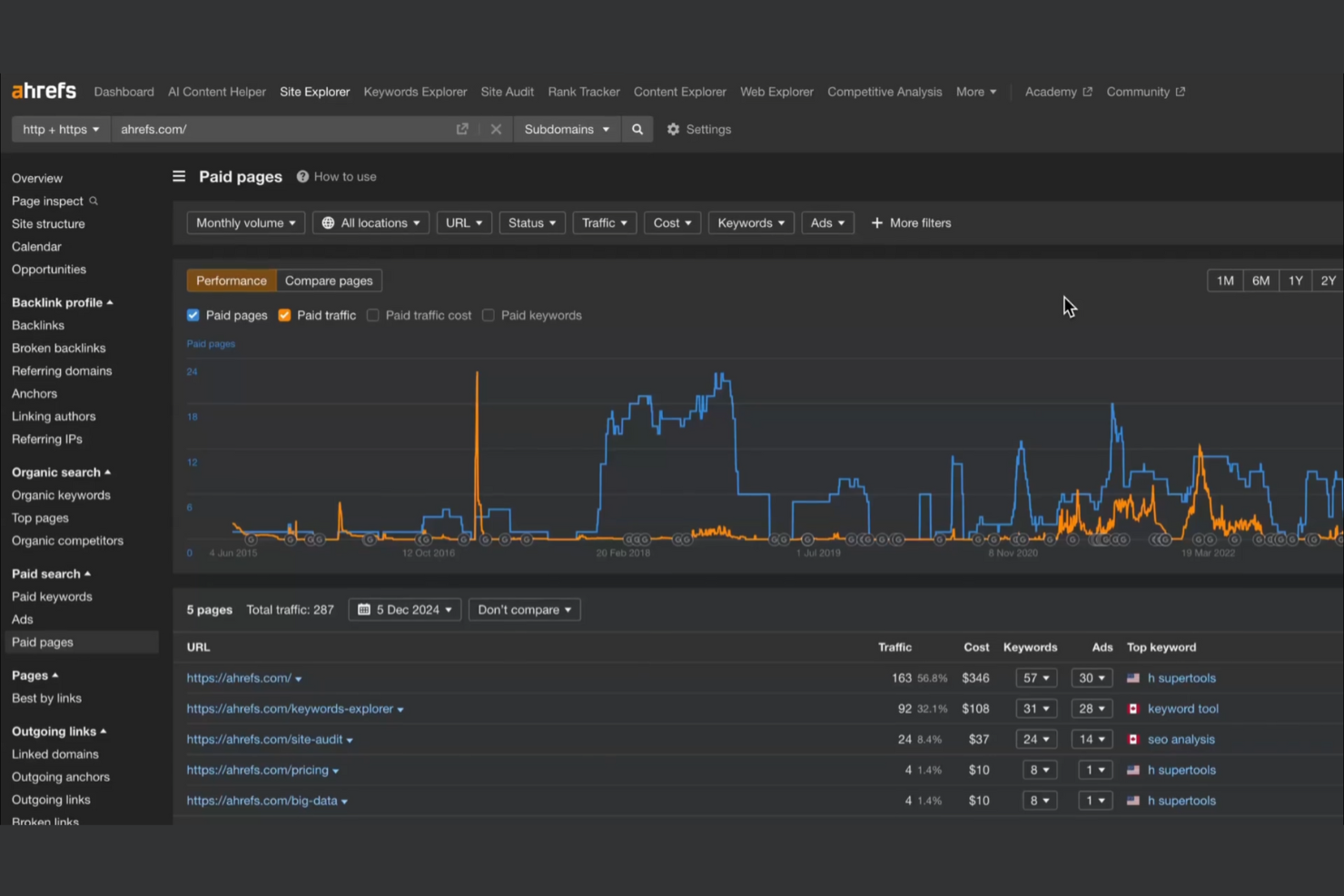
Ahrefs is a powerhouse SEO toolset widely regarded as the industry standard for backlink analysis, keyword research, and competitive intelligence. While it is built for deep data exploration, it functions as a central hub for SEO managers who need to oversee multiple client accounts and translate complex data into actionable strategies.
Why I picked Ahrefs: It excels in backlink intelligence, offering the deep insights needed to justify link-building ROI to clients, while its site audit features help managers identify and fix technical issues that could hinder performance. By utilizing these tools to track competitive gaps and automate reporting, SEO managers can effectively manage multiple accounts and demonstrate tangible value to their clients.
Standout Features and Integrations:
Features include a content explorer that helps you find top-performing content in your niche. The rank tracker lets you monitor keyword rankings over time. A site explorer feature provides an in-depth look at a website's organic search traffic and backlink profile.
Integrations include Google Sheets, BuzzStream, Databox, Linkio, and more.
Pros and Cons
Pros:
- Accurate rank tracking
- Broad keyword research
- Detailed backlink analysis
Cons:
- Higher price point
- Limited real-time data updates

Best for reporting dashboards
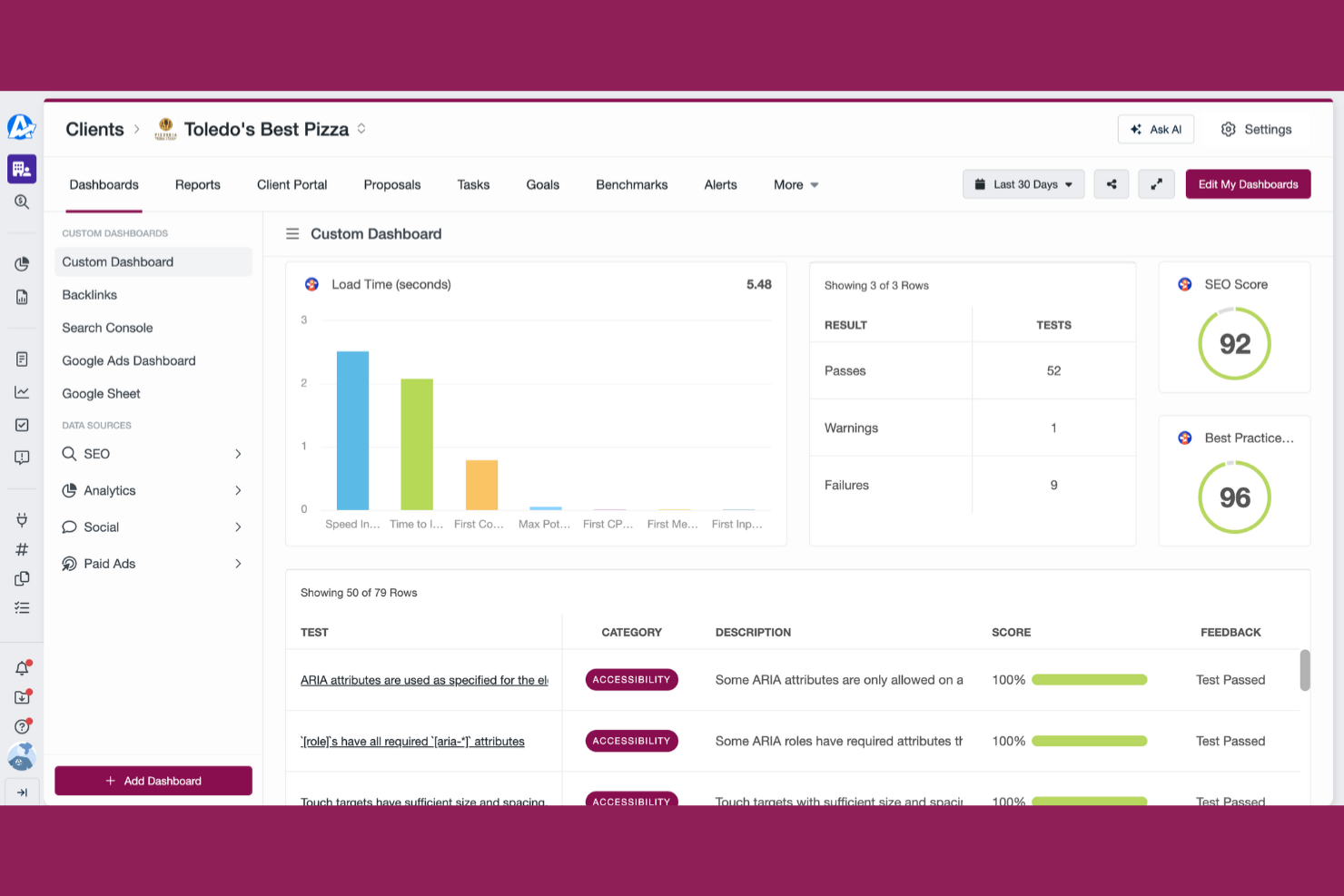
AgencyAnalytics is a reporting platform designed for digital marketing agencies and SEO professionals. It helps users create extensive reports and dashboards to visualize data and monitor SEO performance.
Why I picked AgencyAnalytics: The tool offers customizable dashboards that allow you to tailor reports to your clients' needs. Automated reporting saves time by scheduling regular updates. The drag-and-drop editor makes it easy to build reports without technical expertise. AgencyAnalytics focuses on reporting dashboards, making it ideal for agencies needing detailed insights.
Standout Features and Integrations:
Features include a white-label option that lets you brand reports with your logo. The rank tracker feature monitors keyword performance across multiple search engines. An SEO audit tool identifies issues and suggests improvements for your site.
Integrations include Google Analytics 4, Google Ads, Facebook, Instagram, LinkedIn, Shopify, and more.
Pros and Cons
Pros:
- Drag-and-drop report builder
- White-label dashboard options
- Automated report scheduling
Cons:
- Limited raw data access
- Data update frequency limitations

Semrush
Best for competitor research
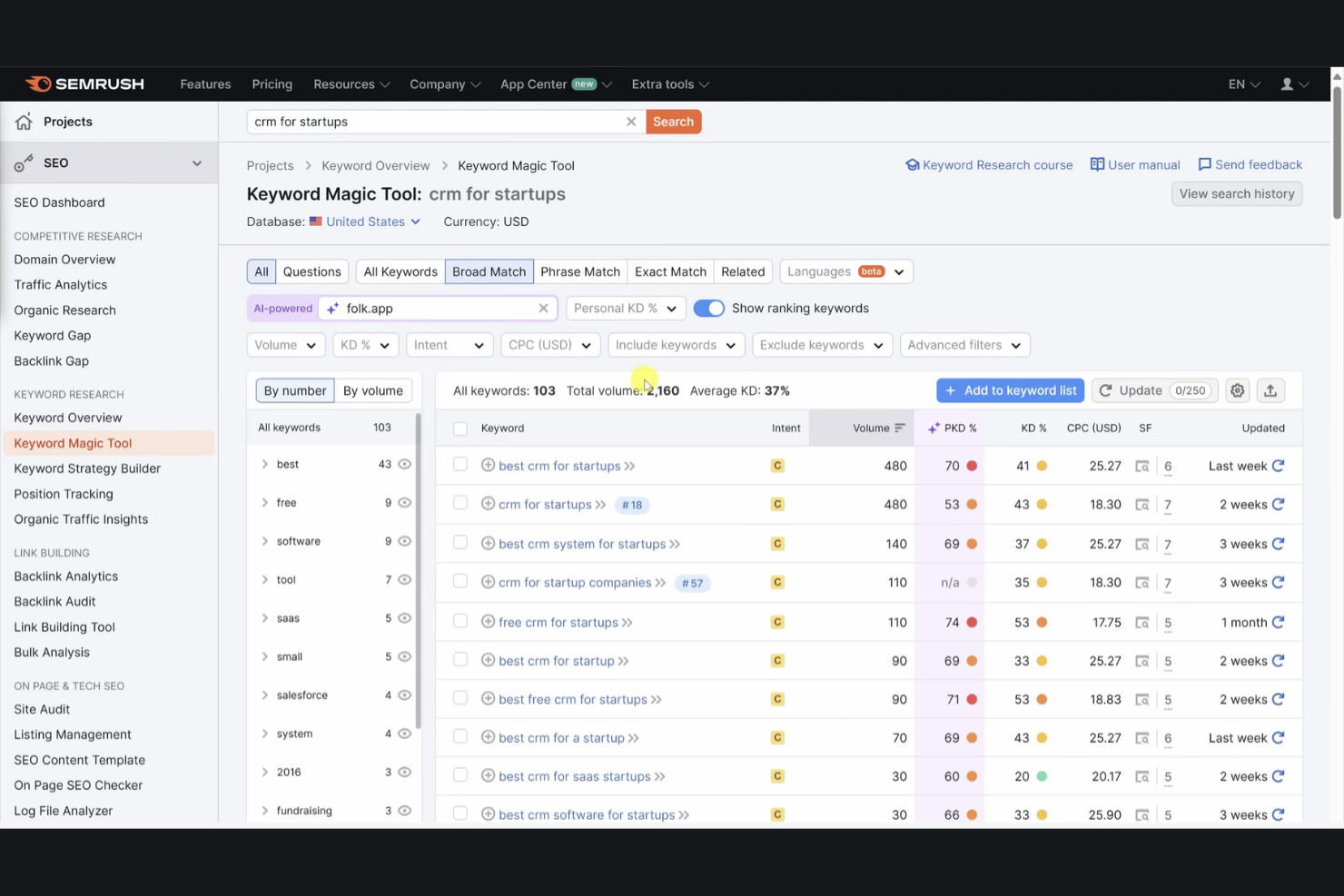
Semrush is an all-in-one digital marketing tool used by marketers and SEO professionals for competitor research, keyword analysis, and site audits. It helps users improve their online visibility and gain insights into market trends.
Why I picked Semrush: The competitor research capabilities provide in-depth insights into your competitors' strategies. The keyword magic tool helps you discover untapped keyword opportunities. Site audit features identify technical issues that could affect performance. Semrush's focus on competitor analysis makes it a valuable tool for staying ahead in the SEO landscape.
Standout Features and Integrations:
Features include a PPC keyword tool that helps you optimize paid search campaigns. The content analyzer lets you assess your content's performance. The brand monitoring feature tracks online mentions and reputation.
Integrations include Google Analytics, Google Search Console, Trello, monday.com, WordPress, Wix, and more.
Pros and Cons
Pros:
- Effective PPC management features
- Detailed site audit reports
- Extensive competitor analysis tools
Cons:
- Cluttered multi-project view
- Expensive add-ons

Best for team collaboration

Teamwork.com is a project management software designed to support collaboration and efficiency in managing client projects. It is particularly beneficial for teams looking to improve project planning and resource management.
Why I picked Teamwork.com: It offers tools for managing client projects, gathering requests, and delivering projects efficiently. Resource management capabilities help you plan resources and track team performance. Profitability improvement features allow cost management and budget monitoring. More than 150 integrations with CRM, accounting, productivity, and reporting tools support workflows.
Standout Features and Integrations:
Features include project health monitoring to track budget status and task completion rates. It has project management tools commonly used for SEO. Client collaboration is elevated with unlimited free Client Users, reducing approval delays.
Integrations include Slack, HubSpot, Harvest, ChatGPT, Success.co, BugHerd, and more.
Pros and Cons
Pros:
- Customizable data hosting
- Mobile app accessibility
- Flexible project templates
Cons:
- Limited native rank tracking
- Limited built-in SEO automation

Moz
Best for SEO benchmarking
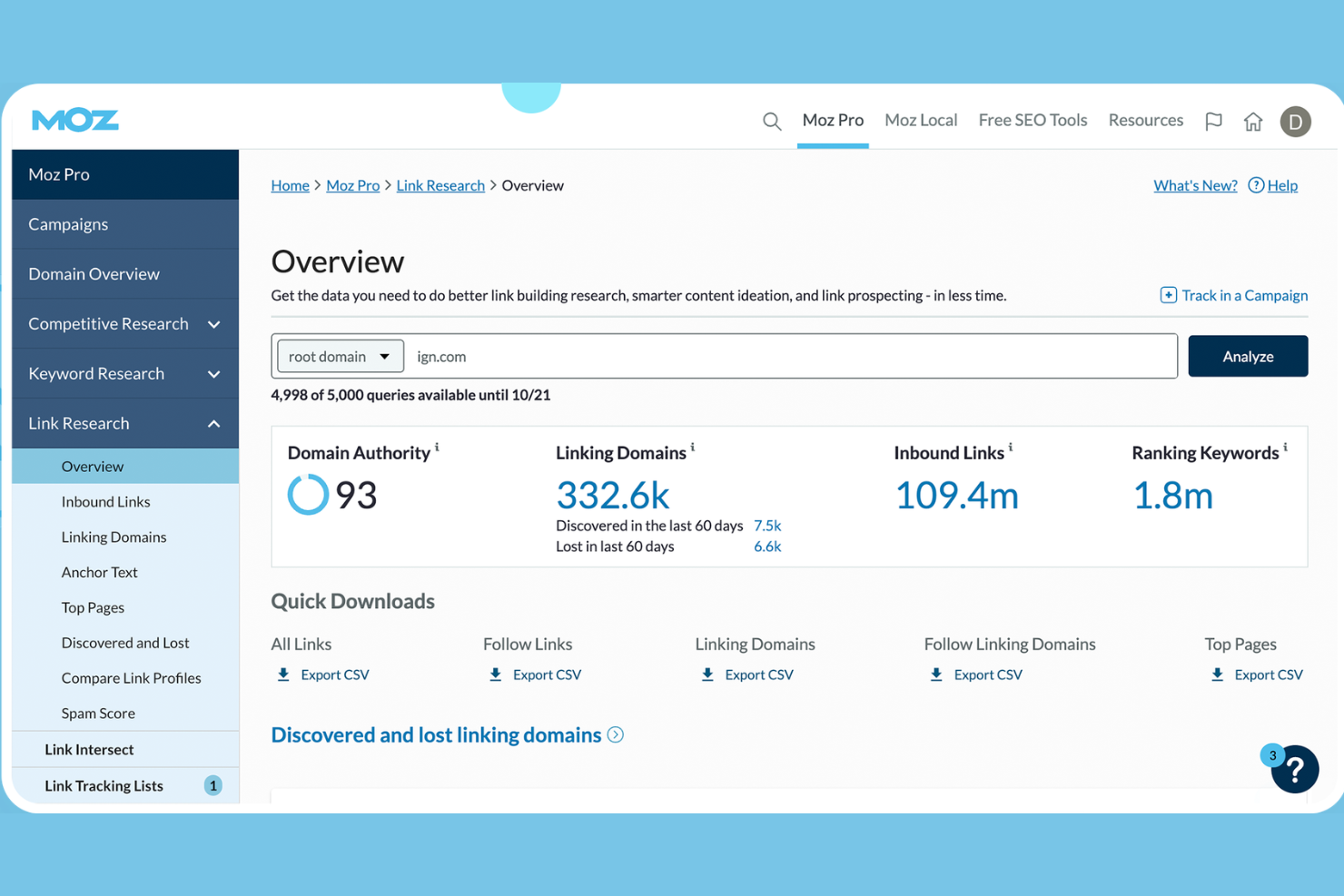
Moz is a specialized SEO platform built for digital marketers and agencies to measure and compare their organic performance against the broader market. It excels at establishing baseline metrics, allowing teams to track how their sites stack up against competitors over time.
Why I picked Moz: It is a premier choice for SEO benchmarking because its Moz Pro suite provides stable, long-term data for analyzing keywords and content performance relative to industry standards. Moz Local boosts local SEO visibility, STAT enables deep SERP tracking, and the Moz API unlocks extensive data for custom strategies.
Standout Features and Integrations:
Features include access to a vast index of over 44 trillion links, educational resources through Moz Academy, and free tools like Keyword Explorer. You can manage business listings and monitor customer reviews with Moz Local. The platform also provides actionable content briefs for content optimization.
Integrations include AgencyAnalytics, AirOps, Screaming Frog SEO Spider, and more.
Pros and Cons
Pros:
- Extensive keyword research tools
- Educational resources available
- Customizable API access
Cons:
- Complex interface for beginners
- Requires regular updates
DAXRM
Best for data privacy

DAXRM is a CRM solution tailored for SEO, PPC, and advertising agencies, focusing on client management and project management. It serves marketing professionals by providing marketing dashboards, SEO tools, and customizable client reporting.
Why I picked DAXRM: It emphasizes data privacy, ensuring your client information is handled securely. The platform includes a drag-and-drop dashboard builder for easy report customization. Real-time keyword tracking offers actionable insights for SEO campaigns. These features highlight its commitment to data security and privacy.
Standout Features and Integrations:
Features include interactive project management tools that help you optimize your workflow. The platform offers client management capabilities, including invoicing and financial reporting. DAXRM also provides an all-in-one SEO tools platform for audits and competitor analysis.
Integrations include Google Analytics 4, Google Ads, Facebook Page Insights, Xero, Looker Studio, and more.
Pros and Cons
Pros:
- Customizable reporting tools
- Real-time keyword tracking
- Strong focus on data privacy
Cons:
- Limited third-party connectors
- Niche SEO data depth

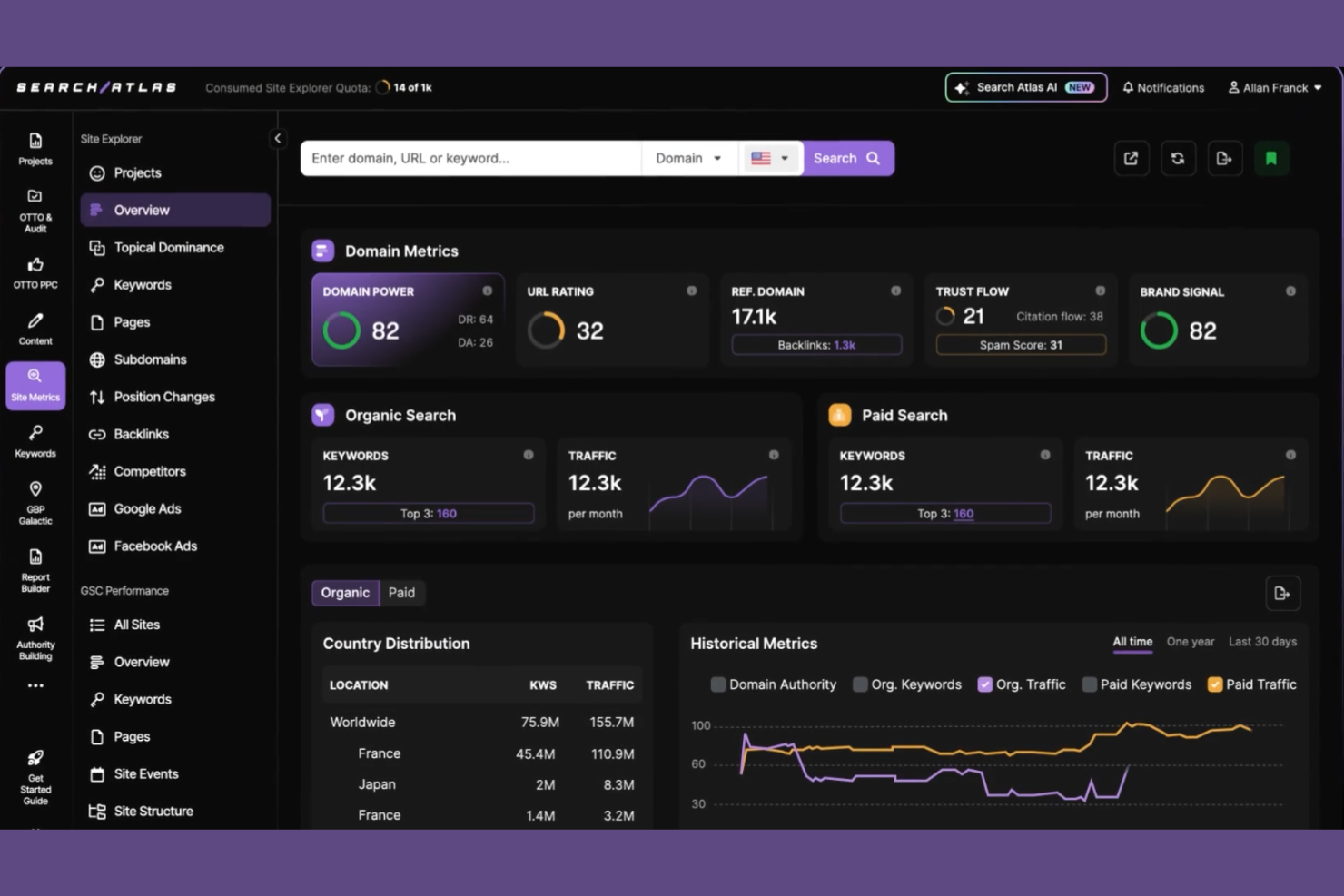
Search Atlas is an AI-powered SEO automation platform tailored for digital marketing agencies and brands, focusing on improving website traffic and ROI. It specializes in SEO automation, content creation, and local SEO management.
Why I picked Search Atlas: It offers OTTO SEO, an automated optimization tool that can be used to boost local SEO efforts. The GBP management tools help manage Google Business Profiles effectively. LLM visibility tracking lets you monitor brand mentions and visibility across AI-powered search results and summaries. These features make it a strong choice for optimizing local search performance.
Standout Features and Integrations:
Features include an extensive SEO audit tool that identifies technical issues on your site. Content generation tools help create SEO-friendly content. Local SEO management features help improve your visibility in location-based searches.
Integrations include Shopify, WordPress, and more.
Pros and Cons
Pros:
- Combines multiple tools in one solution
- Strong brand visibility tracking
- Automated SEO optimizations
Cons:
- Fewer native integrations
- Initial setup complexity

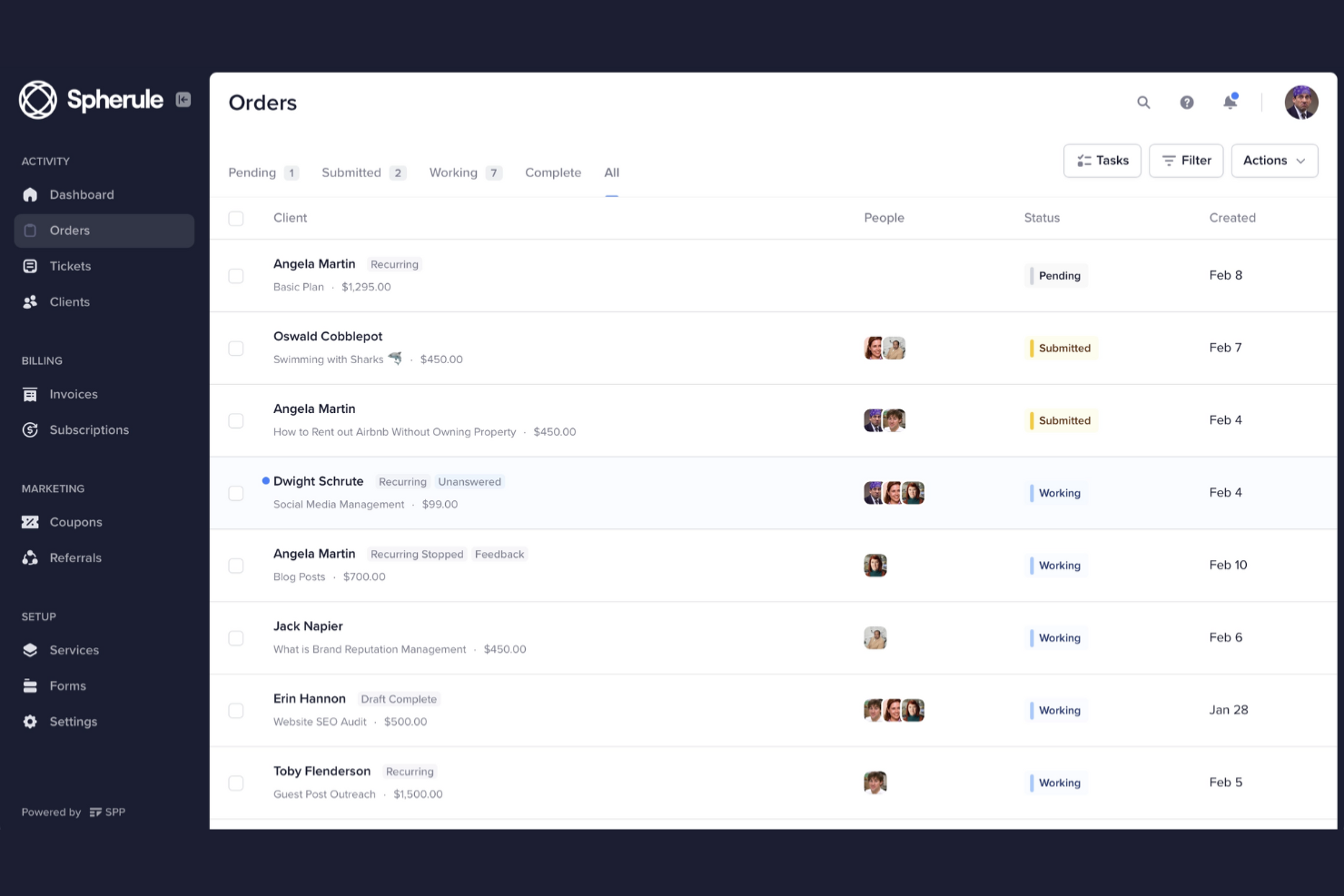
SPP.co is a client management platform designed for digital marketing agencies, focusing on billing, project management, and customer relationship management. It serves a user base of SEO, content, link-building, and social media management agencies.
Why I picked SPP.co: It stands out for billing management, offering automated invoicing and flexible payment options. The platform offers a branded client portal for a professional look. Agencies can also customize order forms to fit their needs. SPP.co's emphasis on client billing makes it a standout choice for agencies managing multiple client accounts.
Standout Features and Integrations:
Features include a drag-and-drop form builder for easy customization of client forms. The helpdesk feature allows you to manage customer support effectively. A built-in referral program helps you expand your client base.
Integrations include ActiveCampaign, Mailchimp, Zapier, Stripe, Google Analytics, PayPal, Google Drive, Make, and more.
Pros and Cons
Pros:
- Secure payment processing
- Automated invoicing
- Customizable client portals
Cons:
- Basic reporting depth
- No native mobile app

Assembly
Best for workflow management
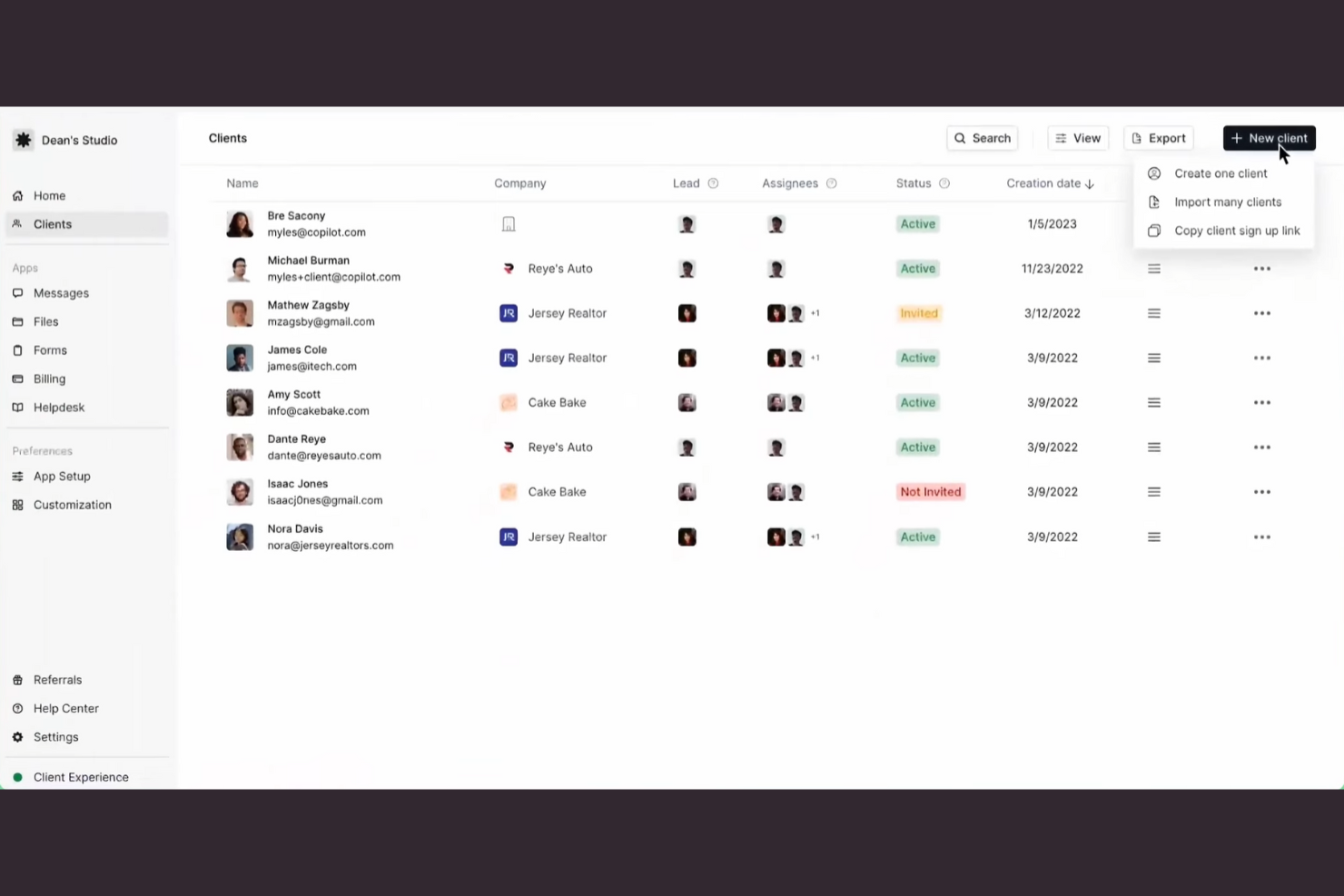
Assembly is a workflow management platform designed for teams looking to strengthen productivity and collaboration. It helps users track tasks, manage projects, and automate workflows efficiently.
Why I picked Assembly: Its workflow management capabilities allow you to create and customize workflows that suit your team's needs. The platform provides tools for task tracking and project management, ensuring projects stay on schedule. Automated reminders and notifications keep your team updated on deadlines. Assembly's focus on workflow management makes it ideal for teams seeking to improve operational efficiency.
Standout Features and Integrations:
Features include a task assignment tool that lets you allocate responsibilities. The platform offers a calendar view for tracking project timelines. A reporting feature provides insights into team performance and project progress.
Integrations include Airtable, Calendly, Miro, Power BI, Google Sheets, Notion, Figma, Trello, and more.
Pros and Cons
Pros:
- Strong project timeline tracking
- Automated task notifications
- Customizable workflow templates
Cons:
- Requires setup time for workflows
- Minimum SEO-specific tools
Other SEO Client Management Software
Here are some additional SEO client management software options that didn’t make it onto my shortlist, but are still worth checking out:
- Resource Guru
For resource scheduling
- Scoro
For agency management


How I Evaluate SEO Client Management Software
I split my evaluation into two layers: the baseline features every tool needs—like multi-client dashboards and white-labeled reporting—and the differentiators that set them apart.
Core Functionality (Table Stakes For This List)
When I'm selecting tools for my list, I rank each one on a scale from 0 (does not offer the functionality) to 5 (excels in this area) for each core functionality listed below. Then, I calculate the tool's total score into a percentage. Each tool needs to achieve a minimum total score of 65% to be considered for inclusion.
- Multi-Client Project Management: I look for dedicated client workspaces, campaign timelines, and task boards that let you run dozens of SEO accounts without mixing up deliverables.
- SEO Performance Tracking: Rank tracking, backlink monitoring, and site audits should be native or tightly integrated so you can spot drops across client portfolios fast.
- Client Reporting & Dashboards: I evaluate whether reports can be automated, customized, and white-labeled so your team spends less time building decks and more time on strategy.
- Client Portal & Collaboration: A client-facing portal for approvals, file sharing, and campaign visibility matters—especially when you're managing content sign-offs across multiple accounts.
- SEO Tool Integrations: I check for native connections to Google Analytics, Search Console, and major SEO platforms like Ahrefs, SEMrush, or Moz to consolidate campaign data.
- Workflow & Task Automation: Recurring task templates and trigger-based automations tailored to SEO workflows—like monthly audit checklists or content publishing sequences—are what I look for here.
Once I have a list of tools that meet this criteria, I consider what sets each platform apart.
Differentiating Factors (What Sets Vendors Apart)
Here's how I compare and contrast different vendors:
Standout Features
White-label branding is a major differentiator. I look for tools that let you apply custom domains, logos, and colors across client portals and reports so your agency presence stays consistent. Competitor benchmarking also matters—tracking a client's rankings alongside their competitors in one dashboard saves hours of manual comparison. I evaluate time tracking and billing features too, especially when logged hours tie directly to retainers or invoices.
Beyond Features
Agency size matters a lot here. A solo consultant managing five accounts has very different needs than a 50-person agency juggling hundreds. I evaluate whether pricing scales predictably with client volume so you're not hit with surprise costs as you grow. Data security is another big consideration—handling client analytics and keyword data means I check for role-based access controls, SOC 2 compliance, and secure portal authentication to keep sensitive data compartmentalized.
How To Choose SEO Client Management Software
It’s easy to get bogged down in long feature lists and complex pricing structures. To help you stay focused as you work through your unique software selection process, here’s a checklist of factors to keep in mind:
| Factor | What to Consider |
|---|---|
| Scalability | Will the software grow with your business? Look for tools that can handle more clients, projects, and data as you expand. Avoid tools that could limit future growth. |
| Integrations | Does the software connect with your existing tools? Ensure it integrates with CRM, analytics, and project management systems to avoid data silos. |
| Customizability | Can you tailor the software to fit your workflows? Look for flexible settings and options to match your team's processes. |
| Ease of use | Is the software intuitive for your team? Choose tools with a user-friendly interface to minimize training time and errors. |
| Implementation and onboarding | How quickly can you get started? Consider tools with easy setup, helpful onboarding resources, and support to ensure a smooth transition. |
| Cost | How does the pricing fit your budget? Compare costs against your needs and avoid hidden fees. Look for flexible plans that match your usage. |
| Security safeguards | Does the software protect your data? Ensure it has encryption, regular backups, and compliance with data protection standards such as GDPR or CCPA. |
| Support availability | Is help available when you need it? Check for 24/7 support, response times, and available channels such as chat, email, or phone. |
What Is SEO Client Management Software?
SEO client management software is a tool designed to help agencies and professionals manage and optimize their SEO campaigns for clients. Marketing agencies, SEO specialists, and digital marketers typically use these tools alongside other SEO agency software to strengthen client communication and track SEO performance. Reporting, keyword tracking, and campaign management features support efficient project handling and data-driven decision-making. These tools offer immense value by improving workflow efficiency and delivering better SEO results for clients.
Features of SEO Client Management Software
When selecting SEO client management software, keep an eye out for the following key features:
- Client reporting: Provides detailed reports to clients about SEO performance and progress, boosting transparency and communication.
- Keyword tracking: Monitors keyword rankings and performance over time, helping users optimize their SEO strategies.
- Campaign management: Organizes and manages multiple SEO campaigns efficiently, ensuring deadlines and goals are met.
- Data privacy: Ensures client data is protected and complies with data protection standards, building trust and security.
- Customizable dashboards: Allow users to tailor dashboards to display the most relevant data for their specific needs.
- Automated reporting: Generates regular performance updates automatically, saving time and ensuring consistent communication.
- Task management: Helps teams assign and track work across campaigns, improving organization and accountability.
- Local SEO tools: Improves visibility in local search results, essential for businesses targeting specific geographic areas.
- Integration capabilities: Connects with other tools such as CRM and analytics platforms, ensuring smooth data flow.
- Onboarding support: Offers resources such as training videos and product tours to help new users get started quickly.
Benefits of SEO Client Management Software
Implementing SEO client management software provides several benefits for your team and your business. Here are a few you can look forward to:
- Improved communication: Improves transparency with clients through detailed reporting and regular updates, keeping everyone informed.
- Efficiency boost: Automates repetitive tasks such as reporting and data collection, freeing up time for strategic planning.
- Better organization: Manages multiple campaigns and tasks in one place, helping teams stay organized and meet deadlines.
- Data-driven insights: Provides valuable analytics and tracking, enabling informed decisions and targeted SEO strategies.
- Upgraded security: Protects client data and ensures compliance with privacy standards, building trust with clients.
- Increased local visibility: Uses local SEO tools to boost search presence in specific areas, attracting more local customers.
- Customizable experience: Allows users to tailor custom dashboards and workflows to their needs, improving user experience and satisfaction.
Costs and Pricing of SEO Client Management Software
Selecting SEO client management software requires an understanding of the various pricing models and plans available. Costs vary based on features, team size, add-ons, and more. The table below summarizes common plans, their average prices, and typical features included in SEO client management software solutions:
Plan Comparison Table for SEO Client Management Software
| Plan Type | Average Price | Common Features |
|---|---|---|
| Free Plan | $0 | Basic reporting, limited keyword tracking, and basic task management. |
| Personal Plan | $5-$25/month | Advanced reporting, keyword tracking, campaign management, and email support. |
| Business Plan | $50-$150/month | Customizable dashboards, local SEO tools, integration capabilities, and analytics. |
| Enterprise Plan | $150-2000+/month | Dedicated account management, advanced security features, API access, and premium support. |
SEO Client Management Software FAQs
Here are some answers to common questions about SEO client management software:
What is the primary purpose of SEO client management software?
The primary purpose is to help agencies manage and optimize their clients’ SEO campaigns. It allows you to track performance, manage tasks, and generate reports using an all-in-one platform. You can keep everything organized in one place, making it easier to communicate progress and results with your clients. This can be a huge time-saver and improve client satisfaction.
How can SEO client management software help me track and report on client campaigns?
SEO client management software lets you centralize client data, automate progress tracking, and generate white-label reports. You can quickly view keyword rankings, backlink changes, and SEO reporting, making it easy to share results with clients and keep stakeholders in the loop.
Can SEO client management software integrate with other tools?
Yes, most SEO platforms can integrate with other tools. Look for software that connects with your CRM, content marketing, and project management tools. This ensures a smooth flow of data across your systems, saving you time and reducing the risk of errors. Check the software’s integration toolkit before purchasing to ensure compatibility.
Can SEO client management platforms help with client communication?
Yes, most platforms have built-in messaging, task assignments, and progress dashboards for clients and team members. This transparency means your clients always know project status, reducing back-and-forth emails and building trust through outreach.
Is training required to use SEO client management software?
Yes, some training might be needed, depending on the software’s complexity. Many providers offer resources such as tutorials, webinars, and freelancer support to help you and your team get up to speed. It’s important to allocate time for learning the new system to maximize its potential and ensure a smooth transition.
How can I evaluate user permissions and data privacy features?
Check if the software offers role-based access, audit trails, and data encryption. This lets you control who can change or view sensitive client information, essential for agencies handling multiple brands and campaigns.