
13 Best Pomodoro Timer Apps Reviewed in 2026

Best Pomodoro Timer Apps Shortlist
Here’s my shortlist of the best Pomodoro timer apps:


Feeling overwhelmed by endless tasks and looming due dates? You're not alone. As a project manager, balancing priorities and maintaining team focus can be a real challenge. That's where a Pomodoro timer app comes in handy. Italian Francesco Cirillo invented the Pomodoro Technique using a tomato-shaped kitchen timer. It helps you break work into manageable chunks, boosting productivity and reducing burnout.
In my experience, finding the right tool can make a world of difference. I've independently tested and reviewed various Pomodoro apps to give you an unbiased look at the best options available.
In this article, you'll discover top picks that cater to different needs and preferences. Whether you're looking for simplicity or advanced features, there's something here for you and your team.
Why You Can Trust Us
Best Pomodoro Timer App Summary
This comparison chart summarizes pricing details for my top Pomodoro timer app selections to help you find the best one for your budget and business needs.
| Tool | Best For | Trial Info | Price | ||
|---|---|---|---|---|---|
| 1 | Best for gamified productivity | Free plan available | Free forever | Website | |
| 2 | Best for simple and clean design | 7-day free trial + free plan available | From $3/month | Website | |
| 3 | Best for Android users | Free plan available | From $0/month | Website | |
| 4 | Best for iOS device compatibility | Free plan available | From $1.99 | Website | |
| 5 | Best for browser-based use | Free plan available | Free forever | Website | |
| 6 | Best for Chrome integration | Free plan available | Free forever | Website | |
| 7 | Best for focus and mindfulness | 7-day free trial + free plan available | From $4.99/month | Website | |
| 8 | Best for task management integration | Free plan available | From $2.16/month (billed annually) | Website | |
| 9 | Best for personalized dashboards | Free plan available | From $0.10/day | Website | |
| 10 | Best for timeline visualization | 14-day free trial available | From $5/month | Website | |
| 11 | Best for time tracking integration | 15-day free trial + free plan + free demo available | From $5.90/user/month (billed annually) | Website |
-

Accelo
Visit WebsiteThis is an aggregated rating for this tool including ratings from Crozdesk users and ratings from other sites.4.4 -
Forecast
Visit WebsiteThis is an aggregated rating for this tool including ratings from Crozdesk users and ratings from other sites.4.6 -
Wrike
Visit WebsiteThis is an aggregated rating for this tool including ratings from Crozdesk users and ratings from other sites.4.2





Best Pomodoro Timer Apps Review
Below are my detailed summaries of the best Pomodoro timer apps that made it onto my shortlist. My reviews offer a detailed look at the key features, pros and cons, integrations, and ideal use cases for each tool to help you find the best one for you.

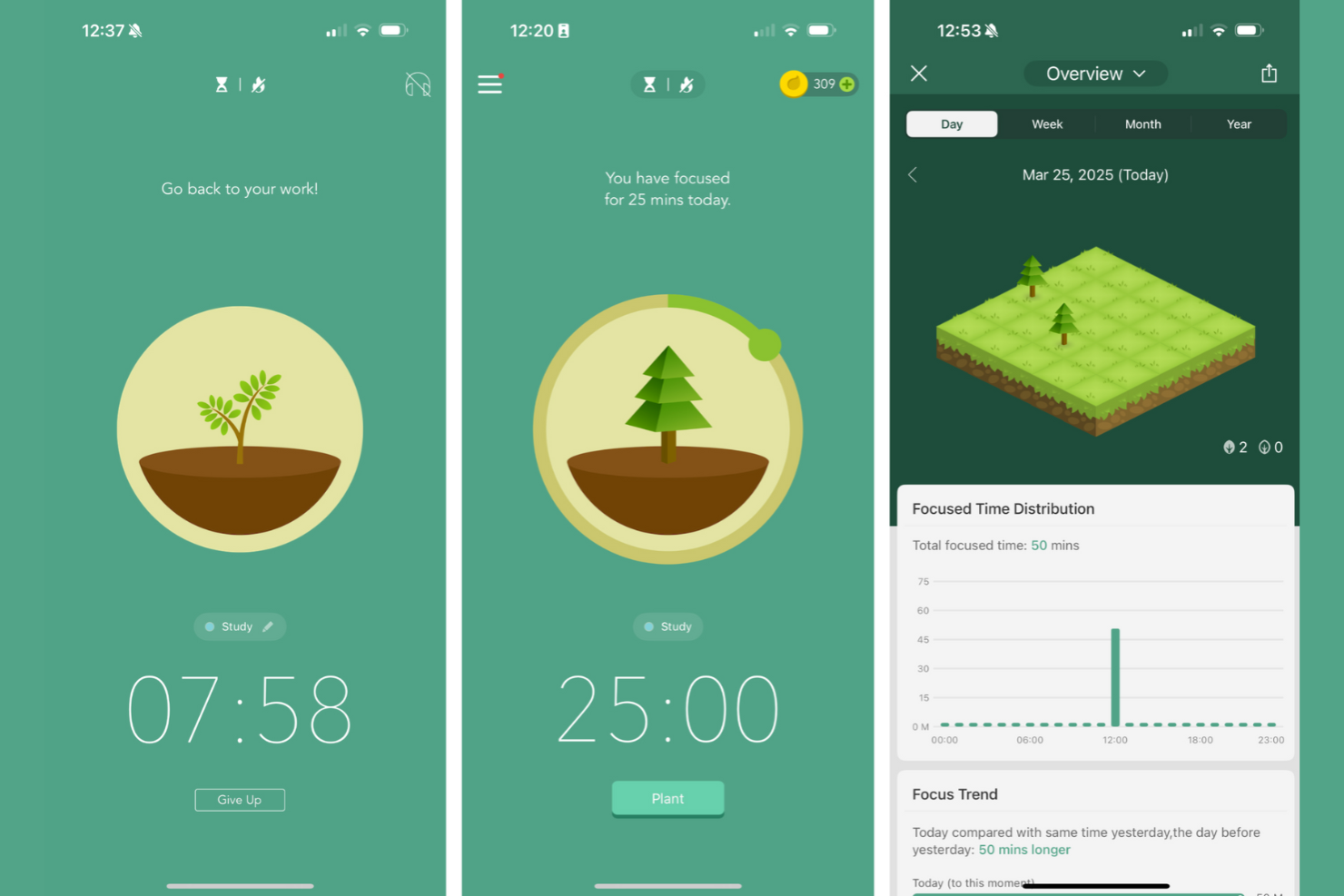
Forest is a productivity app and Chrome extension that uses gamification to help users stay focused. It's designed for individuals and teams who want to increase concentration through a fun and engaging approach.
Why I picked Forest: It combines the Pomodoro technique with a unique gamified experience, where you plant virtual trees that grow as you stay focused. If you leave the app, your tree dies, encouraging you to remain on task. This playful method makes time management enjoyable and rewarding.
Standout Features and Integrations:
Features include a virtual tree planting system that grows as you focus, adding a fun element to productivity that can be particularly beneficial for those with ADHD. Users can collect virtual coins, which they can spend to plant real trees through Forest's partnership with tree-planting organizations. The app also offers a whitelist feature, allowing you access to necessary apps without disrupting your tree growth.
Integrations are not publicly listed.
Pros and Cons
Pros:
- Includes visual progress tracking
- Supports real tree planting
- Encourages focus with gamification
Cons:
- Not highly customizable
- Can be distracting for some


Pomofocus is an online Pomodoro timer designed to boost productivity by dividing work into timed intervals. It's popular among individuals and teams looking for a straightforward time management tool.
Why I picked Pomofocus: The clean and simple user interface makes it ideal for users who want a no-frills experience. It features a customizable timer, where you can adjust Pomodoro sessions and break lengths.
Standout Features and Integrations:
Features include customizable timers for Pomodoro sessions, short and long breaks, and task management options such as adding and clearing tasks. You can also import tasks from Todoist, making it easier to manage your to-do list. It offers downloadable reports to help you track your focus time over different periods.
Integrations include Todoist and webhooks for connections with Slack, Toggl, and more.
Pros and Cons
Pros:
- Includes visual reports for tracking
- Offers integration with Todoist
- Simple and user-friendly interface
Cons:
- Alarm sound issues on iOS
- Has limited free features

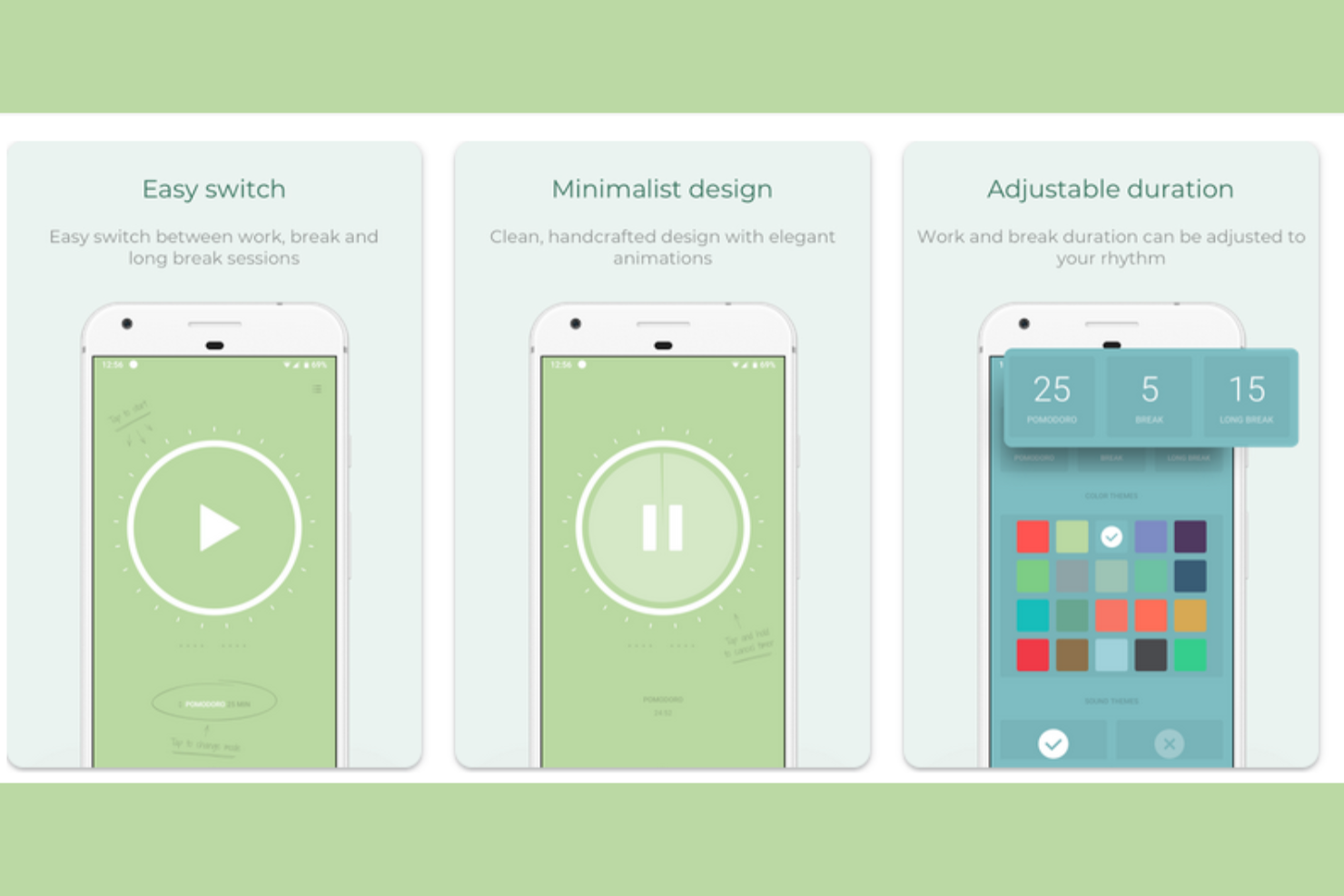
Pomodoro Timer is a productivity app designed for Android users who want to be focused, using the Pomodoro technique. It's ideal for individuals and teams seeking structured work intervals and breaks to improve concentration.
Why I picked Pomodoro Timer: It is tailored for Android users with a clean mobile interface and customizable themes. Notifications keep you on track, ensuring you don't miss breaks or work sessions. The ad-free experience further improves usability, making it a top choice for Android users.
Standout Features and Integrations:
Features include customizable themes that let you personalize the interface to your taste, including a dark mode option. You can set daily goals to measure progress and stay motivated. The app also offers notifications to remind you of upcoming breaks and work sessions.
Integrations are not currently listed by Pomodoro Timer.
Pros and Cons
Pros:
- Ad-free experience
- Has a minimalistic design
- Includes customizable themes
Cons:
- No iOS or MacOS version
- Limited advanced features

Pomodoro - Focus Timer is a productivity app tailored for iOS users who want to improve their focus using the Pomodoro technique. It's perfect for individuals and teams seeking structured work sessions to improve concentration and efficiency.
Why I picked Pomodoro - Focus Timer: It's designed specifically for iOS devices, such as iPhones, iPads, and Apple Watches. You can customize work and break intervals, making it flexible for different routines, such as work or study sessions. The app also includes a minimalistic design that helps reduce distractions for users.
Standout Features and Integrations:
Features include interval customization, allowing you to adjust work and break times to fit your schedule. The app offers a white noise option to help increase your concentration. You can also track your productivity over time with built-in analytics, and it offers iOS 14 widget support, so you can use it from your home screen.
Integrations include Apple Health, Apple Calendar, Reminders, Siri Shortcuts, and more.
Pros and Cons
Pros:
- Supports Siri shortcuts
- Includes built-in analytics
- Includes iOS widget support
Cons:
- Not highly customizable
- No desktop or Android version

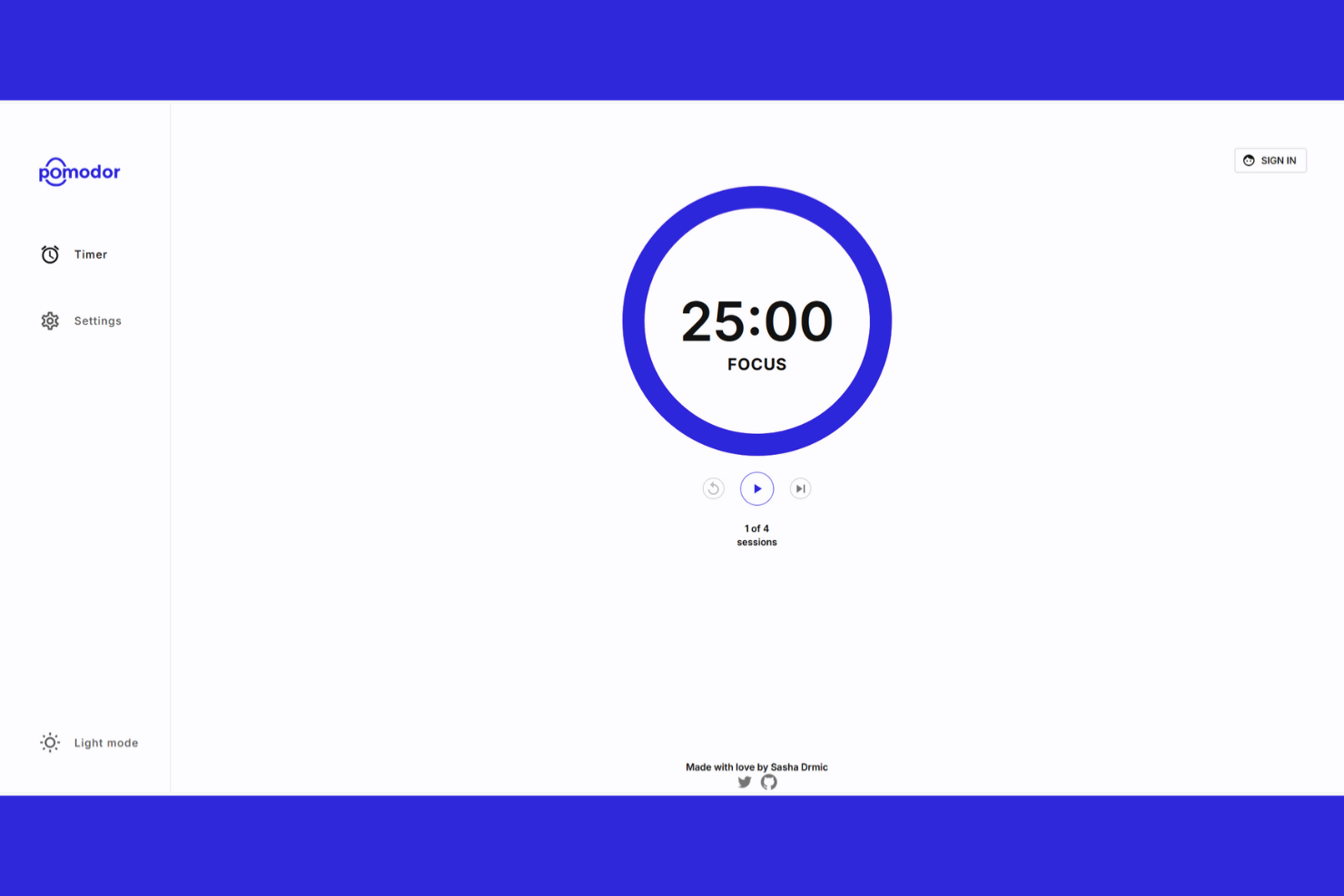
Pomodor is a web-based Pomodoro timer designed for users who prefer managing their productivity directly from their browser. It's perfect for individuals and teams looking for a straightforward, accessible tool to manage their time effectively.
Why I picked Pomodor: It provides a browser-based solution, eliminating the need for installations. You can set a custom number of Pomodoros for work sessions and longer breaks, which suits varied work styles. Its simple interface helps you stay focused without unnecessary distractions.
Standout Features and Integrations:
Features include custom durations for work sessions and breaks, allowing you to tailor the Pomodoro technique to your needs. The simple, clean interface helps minimize distractions, keeping you focused on tasks. It also offers an auto-start mode, so you don't need to start intervals manually.
Integrations are not currently listed by Pomodor.
Pros and Cons
Pros:
- Quick setup process
- Works on any browser
- No installation needed
Cons:
- No official mobile app for iOS/Android
- Very few features beyond a basic timer


Otto is a Chrome extension that adds the Pomodoro technique directly to your browser. It's designed for professionals and creatives who spend a lot of time working online and want to manage their time effectively without switching tools.
Why I picked Otto: It integrates with Chrome, making it ideal for users who prefer working within their browser. The timer is accessible, so you can start and stop sessions without interrupting your workflow.
Standout Features and Integrations:
Features include a customizable timer that lets you adjust work and break intervals to suit your schedule. You can access the timer quickly from the Chrome toolbar, which is great for people with ADHD or wandering minds who don't want to open separate apps. The extension also provides scheduled website blocking to help you limit distractions while working.
Integrations are not publicly listed.
Pros and Cons
Pros:
- Includes scheduled website blocking
- Lightweight design
- Easy to access in Chrome
Cons:
- Only includes customer support on its Pro plan
- Limited offline use

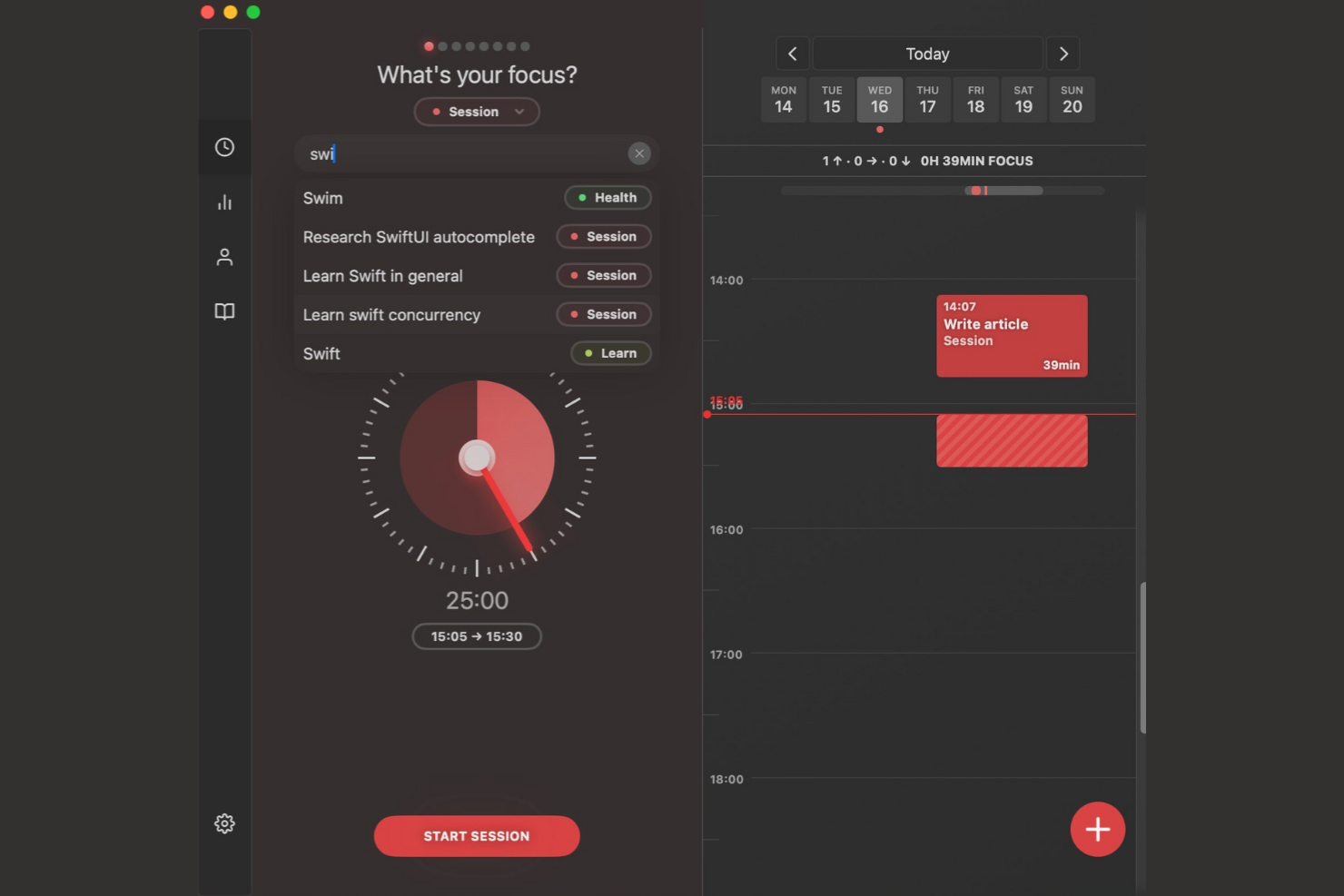
Session is a productivity and mindfulness iOS app designed for users who want to improve their focus while incorporating relaxation techniques. It's ideal for individuals and teams looking to balance productivity with mental well-being.
Why I picked Session: It combines traditional Pomodoro techniques with mindfulness practices, offering a unique approach to time management. It encourages you to work while also reminding you to rest, helping you maintain mental clarity.
Standout Features and Integrations:
Features include customizable focus and relaxation sessions, allowing you to tailor your work routine to fit your needs. You can track both productivity and mindfulness activities, with session reviews that ask you to summarize what you learned. The app also allows you to mute platforms such as Slack to help you maintain focus.
Integrations include Google Calendar, Apple Calendar, Slack, Trello, Todoist, and more.
Pros and Cons
Pros:
- Promotes work-life balance
- Syncs across Apple devices
- Combines focus with mindfulness
Cons:
- Strictly limited free version
- Subscription model for core features


RoundPie is a time management and productivity tool designed to help people organize focused work sessions and breaks. It's built for individuals and teams wanting to track workflows using the Pomodoro technique on top of their current task management services. The product combines time tracking, planning, and shared visibility into how work gets done.
Why I picked RoundPie: RoundPie lets you track your work alongside your team. You can see shared work sessions, understand who's focusing on what, and feel a sense of accountability without constant check-ins. The visual pie-style timeline makes it easy for your team to grasp how the day is structured at a glance.
Standout Features and Integrations:
Features include a visual schedule that shows your day in clear time blocks. Its simple setup means you can quickly plan focus sessions, breaks, and tasks in one place without switching between tools. Its integration with several team collaboration tools allows you to understand shared working patterns and facilitate team focus.
Integrations include Slack, Trello, Asana, Jira, Todoist, and more.
Pros and Cons
Pros:
- Integrates with various collaboration platforms
- Easy to learn and use
- Encourages quiet team focus time
Cons:
- Pricing details aren't transparent
- Limited offline use


Momentum Dash is a productivity extension for Chrome designed for individuals and teams who want a visually engaging way to manage tasks and stay focused. It transforms your browser into a personalized dashboard that combines task management with motivational features.
Why I picked Momentum Dash: It offers a unique approach by turning your new tab into a productivity hub, which keeps your tasks front and center. You can customize the dashboard with personal quotes, to-do lists, and Pomodoro focus timers, creating a motivational workspace where you can set daily goals and reflect on your progress.
Standout Features and Integrations:
Features include customizable backgrounds and quotes that help create a personal and motivating workspace. It also allows you to stash your tabs to reopen them later, keeping your browser clean while you work. The focus timer feature helps you maintain concentration and manage your time effectively.
Integrations include Trello, Todoist, Google Tasks, Asana, and more.
Pros and Cons
Pros:
- Encourages goal setting
- Displays your to-do list on your homepage
- Inspiring visual design
Cons:
- The Pomodoro timer isn't available in the free plan
- Can be slow on older computers

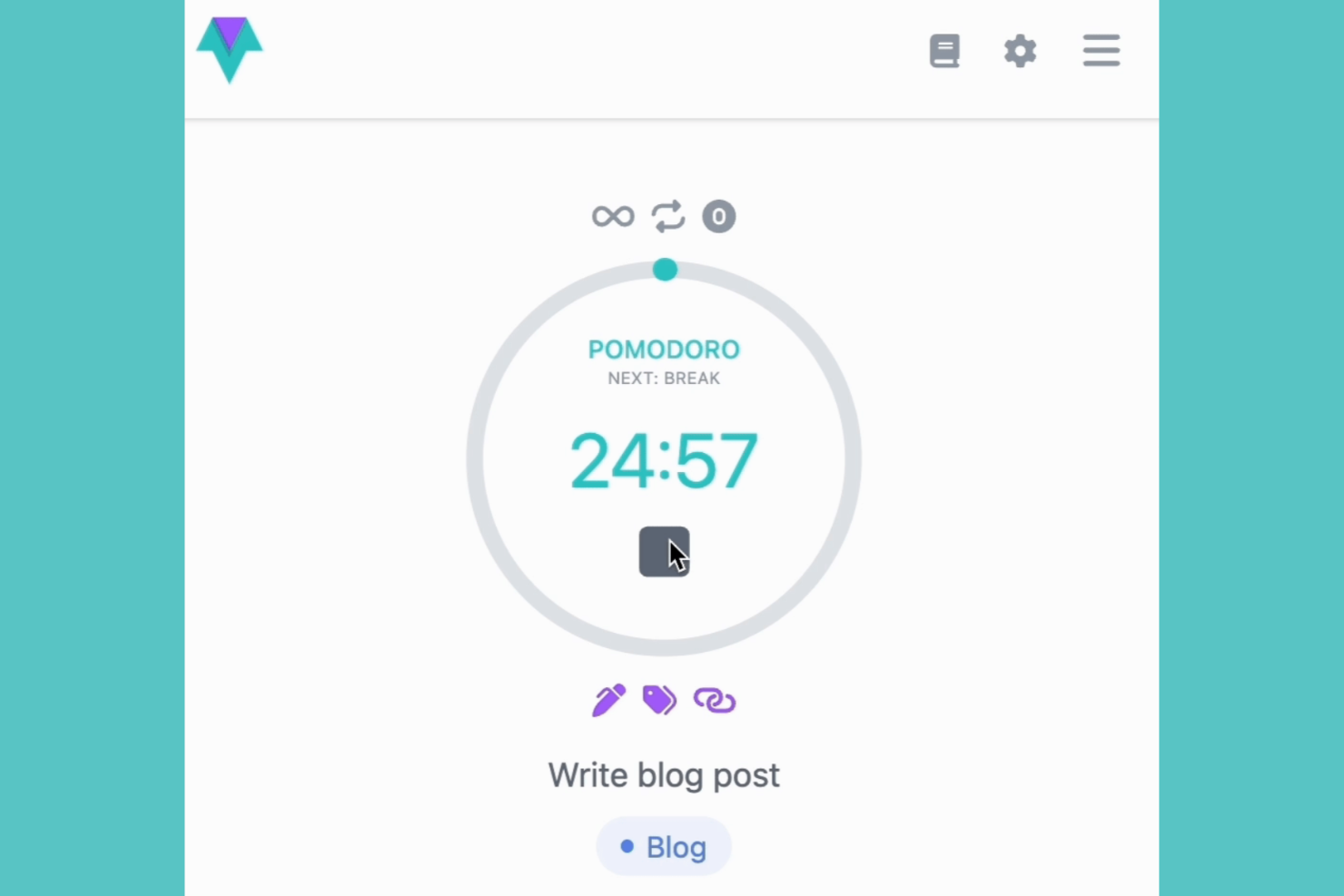
Time Stream is a time management and productivity tool built around visual timelines of your workday. It helps you plan, track, and review focused work sessions in a structured way.
Why I picked Time Stream: Time Stream displays your work as a continuous timeline rather than isolated sessions. It tracks your Pomodoro sessions so that you can see how your focus periods, breaks, and task switches connect throughout your day.
Standout Features and Integrations:
Features include a chronological timeline that maps your focus sessions across the day. You can review past Pomodoro sessions to see how long you stayed focused and when interruptions happened, helping you reflect on and take steps to improve your focus habits. It also offers a simple planning interface to help you organize your day.
Integrations include Apple Calendar, Google Calendar, Things, Todoist, and more.
Pros and Cons
Pros:
- Data stays secure with local-only storage
- Helps you reflect on your focus habits
- Provides a clear visual history of your work
Cons:
- No free plan is available
- Limited team features

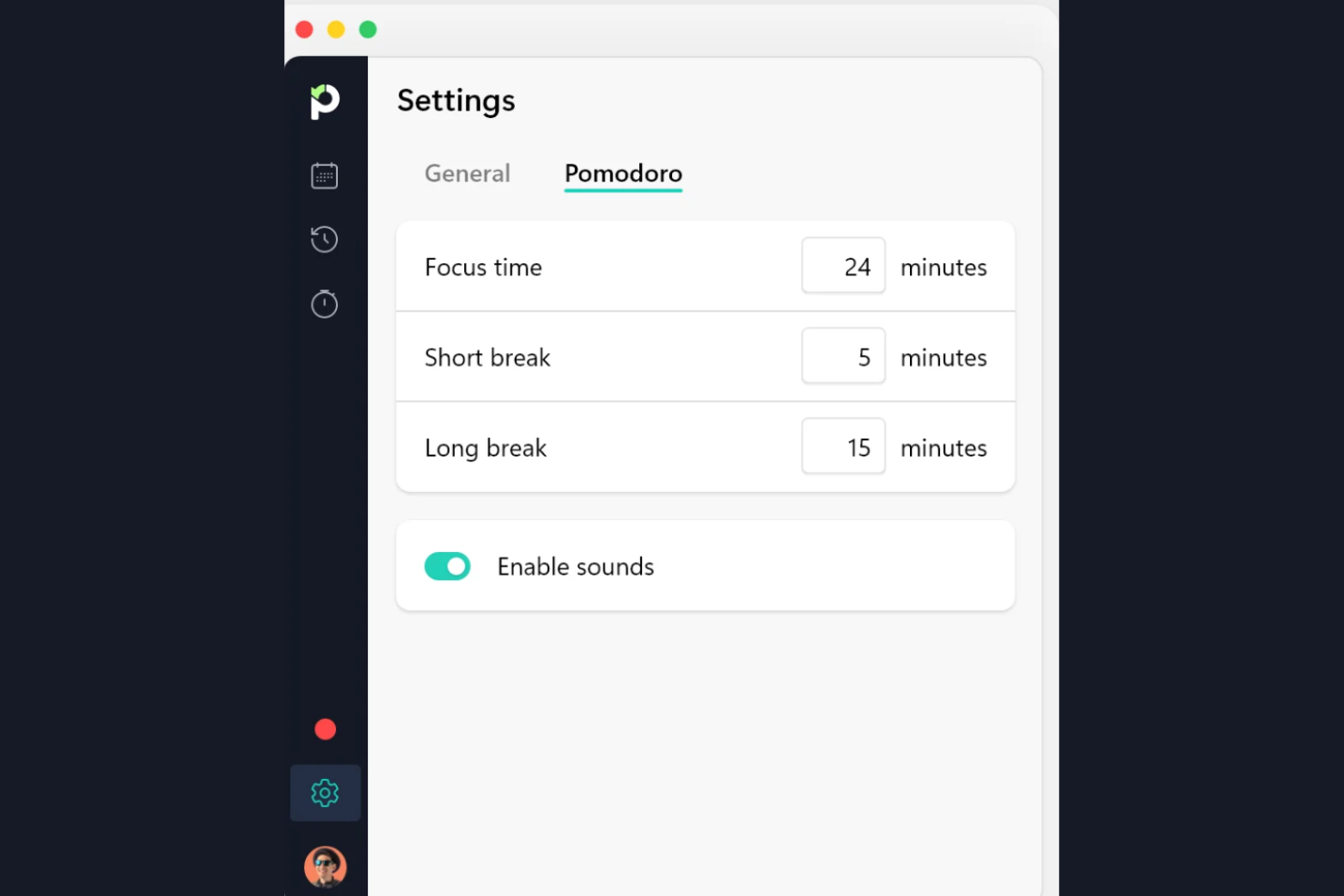
Paymo is a time tracking tool with a Pomodoro timer function aimed at freelancers and small teams needing to monitor their work hours efficiently. It helps users manage their time and projects by providing detailed tracking and reporting features.
Why I picked Paymo: It integrates the Pomodoro technique into a broader workflow, making it ideal for freelancers and teams who need various time tracking and productivity functionalities in one tool. You can track and record your work hours, which helps with accurate billing and productivity analysis.
Standout Features and Integrations:
Features include real-time time tracking, so you can see how much time you spend using your desktop apps. The app offers detailed reporting that ties Pomodoro sessions to team tasks and projects, allowing you to analyze productivity and build an accurate record of time spent. You can also set up invoicing directly from tracked hours, simplifying billing processes.
Integrations include Slack, QuickBooks, Xero, Zapier, Google Calendar, and more.
Pros and Cons
Pros:
- Simplifies invoicing processes
- Facilitates team collaboration
- Includes real-time tracking
Cons:
- No subtask assignments to many users
- Gantt charts locked behind paywall
Other Pomodoro Timer App
Here are some additional Pomodoro tracker app options that didn’t make it onto my shortlist but are still worth checking out:
- Reclaim.ai
For automated scheduling
- Pomodoro Grande
For advanced customization


Pomodoro Timer App Selection Criteria
When selecting the best Pomodoro timer app to include in this list, I considered common buyer needs and pain points such as maintaining focus and managing time effectively. I also used the following framework to keep my evaluation structured and fair:
Core Functionality (25% of total score)
To be considered for inclusion in this list, each solution had to fulfill these common use cases:
- Track work sessions and breaks
- Customize session lengths
- Provide notifications for session changes
- Offer basic reporting on productivity
- Sync across multiple devices
Additional Standout Features (25% of total score)
To help further narrow down the competition, I also looked for unique features, such as:
- Gamification elements
- Integration with task management tools
- Support for team collaboration
- Advanced analytics and insights
- Customizable themes and sounds
Usability (10% of total score)
To get a sense of the usability of each system, I considered the following:
- Intuitive interface design
- Ease of navigation
- Minimal learning curve
- Clear and concise instructions
- Aesthetic appeal of the layout
Onboarding (10% of total score)
To evaluate the onboarding experience for each platform, I considered the following:
- Availability of training videos
- Interactive product tours
- Access to templates for quick setup
- Live webinars for user guidance
- Step-by-step onboarding guides
Customer Support (10% of total score)
To assess each software provider's customer support services, I considered the following:
- Availability of live chat support
- Access to an extensive knowledge base
- Responsiveness of email support
- Availability of phone support
- User community forums
Value for Money (10% of total score)
To evaluate the value for money of each platform, I considered the following:
- Pricing compared to similar tools
- Features offered at each price level
- Availability of free trials or demos
- Discounts for annual subscriptions
- Overall cost-effectiveness
Customer Reviews (10% of total score)
To get a sense of overall customer satisfaction, I considered the following when reading customer reviews:
- Consistency of positive feedback
- Frequency of feature requests
- Reports of technical issues
- Overall user satisfaction
- Recommendations by current users
How To Choose a Pomodoro Timer App
It's easy to get bogged down in long feature lists and complex pricing structures. To help you stay focused as you work through your unique software selection process, here's a checklist of factors to keep in mind:
| Factor | What To Consider |
|---|---|
| Scalability | Will the tool grow with your team? Consider if it supports increasing users and complex workflows as your needs expand. |
| Integrations | Does it connect with your existing tools? Check for compatibility with your task managers and calendars to ensure a smooth workflow. |
| Customizability | Can you tailor it to your needs? Look for adjustable settings that let you change session lengths and notifications to fit your work style. |
| Ease of Use | Is it intuitive for everyone? Ensure the interface is user-friendly so your team can start using it without a steep learning curve. |
| Implementation and Onboarding | Will your team get up to speed quickly? Look for tools offering tutorials and support to help with the initial setup and adoption. |
| Cost | Does it fit your budget? Compare pricing plans and check for hidden fees to ensure it aligns with your financial constraints. |
| Security Safeguards | Are your data protected? Verify that the app uses encryption and complies with security standards to keep your information safe. |
| Support Availability | Will help be there when needed? Consider the availability of customer support channels such as chat, email, or phone to resolve issues promptly. |
What Is a Pomodoro Timer App?
A Pomodoro timer app is a digital tool that helps users manage their time using the Pomodoro technique, which involves breaking work into intervals with short breaks. Professionals such as project managers, writers, and students can use these tools to boost focus and productivity. Customizable timers, notifications, and reporting features help users track their work sessions and maintain concentration. Overall, these tools provide a structured approach to managing tasks and improving work efficiency.
Features of Pomodoro Timer Apps
When selecting a Pomodoro timer app, keep an eye out for the following key features:
- Customizable timers: Set work and break intervals to fit your unique workflow and preferences.
- Notifications: Get notified when it's time to switch between work and break sessions, helping you stay on track.
- Task management: Organize and prioritize tasks within the app, simplifying your workflow.
- Progress tracking: See reports and analytics on your productivity, helping you understand your focus patterns.
- Integration capabilities: Connect with other tools, such as calendars and task managers, to boost overall productivity.
- Focus mode: Minimize distractions by blocking certain apps or notifications during work sessions.
- Gamification elements: Feel motivated to consistently engage through fun and rewarding activities.
- User-friendly interface: Navigate with ease with an intuitive, user-friendly design.
- Security safeguards: Protect your data with encryption and compliance with security standards, ensuring privacy.
Benefits of Pomodoro Timer Apps
Implementing a Pomodoro timer app provides several benefits for your team and your business. Here are a few you can look forward to:
- Improved focus: You can break tasks into manageable intervals, helping maintain concentration and reduce procrastination.
- Increased productivity: Encourage efficient work habits by setting structured work and break periods.
- Better time management: You can gain insight into how your time is spent, allowing for more effective scheduling and planning.
- Reduced burnout: You can schedule regular breaks to help prevent fatigue, promoting a healthier work-life balance.
- Improved task prioritization: Integrate with task management features to help organize and prioritize your work effectively.
Costs and Pricing of Pomodoro Timer App
Selecting a Pomodoro timer app requires an understanding of the various pricing models and plans available. Costs vary based on features, team size, add-ons, and more. The table below summarizes common plans, their average prices, and typical features included in Pomodoro time tracker app solutions:
Plan Comparison Table for Pomodoro Timer App
| Plan Type | Average Price | Common Features |
|---|---|---|
| Free Plan | $0 | Basic timers, simple task management, and limited reporting. |
| Personal Plan | $5-$10/user/month | Customizable timers, integration options, and basic analytics. |
| Business Plan | $10-$25/user/month | Advanced reporting, team collaboration tools, and security features. |
| Enterprise Plan | $25-$50/user/month | Extensive analytics, priority support, and full customization capabilities. |
Pomodoro Timer App FAQs
Here are some answers to common questions about Pomodoro timer apps:
Can I use a Pomodoro timer app offline?
Yes, some Pomodoro timer apps offer offline functionality, but it varies by app. If offline use is important for you, check whether the app stores data locally and syncs once you’re back online. This is useful if you’re working in areas with poor internet connectivity or if you want to conserve data usage.
Are Pomodoro timer apps suitable for team use?
Yes, many Pomodoro timer apps are designed for both individual and team use. Look for features such as shared task lists, team reporting, and collaborative tools. These capabilities can help teams coordinate their work sessions and breaks, improving overall productivity and communication.
How can a Pomodoro timer app boost my team's productivity?
A Pomodoro timer app helps your team stay focused by breaking work into short bursts, usually 25 minutes, with planned breaks in between. This keeps everyone energized and reduces distractions. These focused sessions allow you to move through tasks faster and manage your team’s time more effectively.
How do Pomodoro timer apps integrate with other tools?
Pomodoro timer apps often integrate with task management tools, calendars, and communication platforms. These integrations help simplify workflows by allowing you to track time directly within your existing software ecosystem. Check the app’s integration options to ensure compatibility with your current tools.
How do Pomodoro timer apps help prevent burnout during long projects?
Pomodoro timers encourage regular breaks, which help prevent mental fatigue. By reminding your team to step away and recharge, these apps lower stress and keep everyone motivated for the duration of the project.
Is data security a concern with Pomodoro timer apps?
Yes, data security should be a consideration when choosing a Pomodoro timer app. Ensure that the app uses encryption and follows security best practices to protect your data. Check for compliance with standards like GDPR, especially if you’re handling sensitive information.
What's Next:
If you're in the process of researching a Pomodoro timer app, connect with a SoftwareSelect advisor for free recommendations.
You fill out a form and have a quick chat where they get into the specifics of your needs. Then, you'll get a shortlist of software to review. They'll even support you through the entire buying process, including price negotiations.