
14 Best Egnyte Alternatives in 2026

Egnyte Alternatives Shortlist
Here's my pick of the 10 best software from the 14 tools reviewed.


A strong Egnyte alternative gives your team a secure file sharing solution, flexible collaboration, and granular data protection—without sacrificing easé of use or compliance. If you’re searching for Egnyte alternatives, you’re likely weighing cost-effective options to optimize your organization’s workflows, security needs, or integration requirements. With so many ai-powered cloud content collaboration tools available, it’s tough to know which scalable platforms actually deliver on reliability, active directory user management, and productivity. This list will help you quickly compare the top Egnyte alternatives for 2026, so you can find the right solution for your smb or enterprise team’s unique needs and priorities.
What Is Egnyte?
Egnyte is a cloud-based file server and collaboration tool that lets teams securely store, share, and manage files across devices and locations. It combines centralized file access without the need for a vpn, alongside file locking, advanced permission controls, single sign-on authentication, and api integration options for popular productivity apps like excel and powerpoint. Egnyte is used by organizations that need to balance collaboration with strict data security and regulatory requirements, making it a common choice for industries like healthcare, finance, and professional services.
Best Egnyte Alternatives Summary
This comparison chart summarizes pricing details for my top Egnyte alternative selections to help you find the best one for your budget and business needs.
| Tool | Best For | Trial Info | Price | ||
|---|---|---|---|---|---|
| 1 | Best with native productivity app integration | Free trial available | From $7/user/month | Website | |
| 2 | Best with built-in video conferencing | Free trial + free plan available | From $4/user/month (billed annually) | Website | |
| 3 | Best with advanced compliance options | Free trial + free demo available | From $7/month (billed annually) | Website | |
| 4 | Best for enterprise-grade workflow automation | 14-day free trial + free demo available | From $17.30/user/month (billed annually) | Website | |
| 5 | Best for integrated messaging and file sharing | Free demo available | From $20/user/month (billed annually) | Website | |
| 6 | Best for collaborative document editing | Free Dropbox plan available | From $9.99/person/month (billed annually) | Website | |
| 7 | Best for on-premises data control | Free trial + free demo available | From €42/user(billed annually) | Website | |
| 8 | Best for real-time team communication | Free plan + free demo available | From $4.38/user/month | Website | |
| 9 | Best for internal knowledge management | Free demo available | Pricing upon request | Website | |
| 10 | Best for task-centric collaboration | 14-day free trial + free plan available | From $10/user/month (billed annually) | Website |

Why You Can Trust Us
We’ve been testing and reviewing project management software since 2012. As project managers ourselves, we know how critical and difficult it is to make the right decision when selecting software.
We invest in deep research to help our audience make better software purchasing decisions. We’ve tested more than 2,000 tools for different project management use cases and written over 1,000 comprehensive software reviews. Learn how we stay transparent & our software review methodology.
-

Accelo
Visit WebsiteThis is an aggregated rating for this tool including ratings from Crozdesk users and ratings from other sites.4.4 -
Wrike
Visit WebsiteThis is an aggregated rating for this tool including ratings from Crozdesk users and ratings from other sites.4.2 -
Forecast
Visit WebsiteThis is an aggregated rating for this tool including ratings from Crozdesk users and ratings from other sites.4.6



Egnyte Alternatives Reviews
Below are my detailed summaries of the best Egnyte alternatives that made it onto my shortlist. My reviews offer a detailed look at the features, integrations, and best use cases of each platform to help you find the best one for your team.

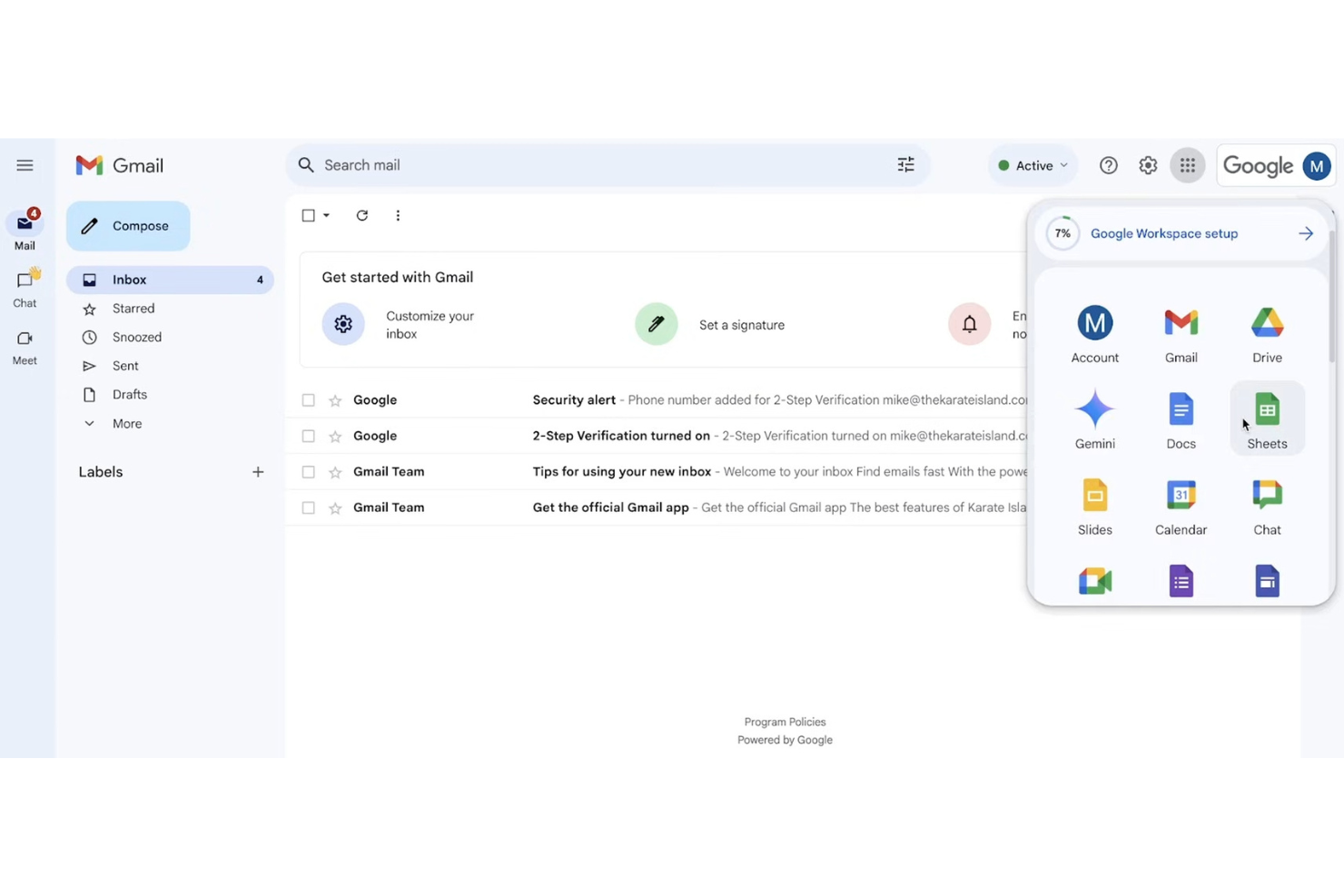
Teams that rely on Google’s productivity apps for daily work often choose Google Workspace for content collaboration. The platform brings together Docs, Sheets, Slides, and Drive, making it easy to co-edit, share, and organize files without leaving the Google ecosystem. If your workflows depend on real-time editing and seamless integration with native productivity tools, Google Workspace offers a unified experience that stands apart from Egnyte and similar solutions.
Why Google Workspace Is a Good Egnyte Alternative
For teams that want content collaboration tightly woven into their productivity apps, Google Workspace is a natural fit. I picked Google Workspace because it lets you create, edit, and share Docs, Sheets, and Slides directly from Drive, so your files and workflows stay in sync. Real-time co-authoring and built-in commenting keep feedback and version history right where the work happens. If your team values seamless transitions between content creation and collaboration, Google Workspace delivers a unified experience that Egnyte doesn’t match.
Google Workspace Key Features
Some other features in Google Workspace that support content collaboration and productivity include:
- Shared Drives: Organize files by team or project with shared storage spaces.
- Admin Console: Manage users, permissions, and security settings from a centralized dashboard.
- Google Meet Integration: Launch video meetings directly from calendar events or documents.
- Mobile Apps: Access, edit, and share files from Android and iOS devices.
Google Workspace Integrations
Integrations include Salesforce, DocuSign, Asana, Zoom, Slack, Trello, Box, Dropbox, Adobe Acrobat, and Smartsheet.
Pros and Cons
Pros:
- Excellent search engine
- Built-in video meetings
- Highly scalable storage
Cons:
- Weaker compliance tools
- Messy shared drives UI
New Product Updates from Google Workspace

Google Workspace Enhances Email Proofreading In Gmail
Google Workspace introduces enhanced email proofreading in gmail. This update uses gemini to refine drafts for clarity, tone, and conciseness before sending. For more information, visit Google Workspace’s official site.
 .
.
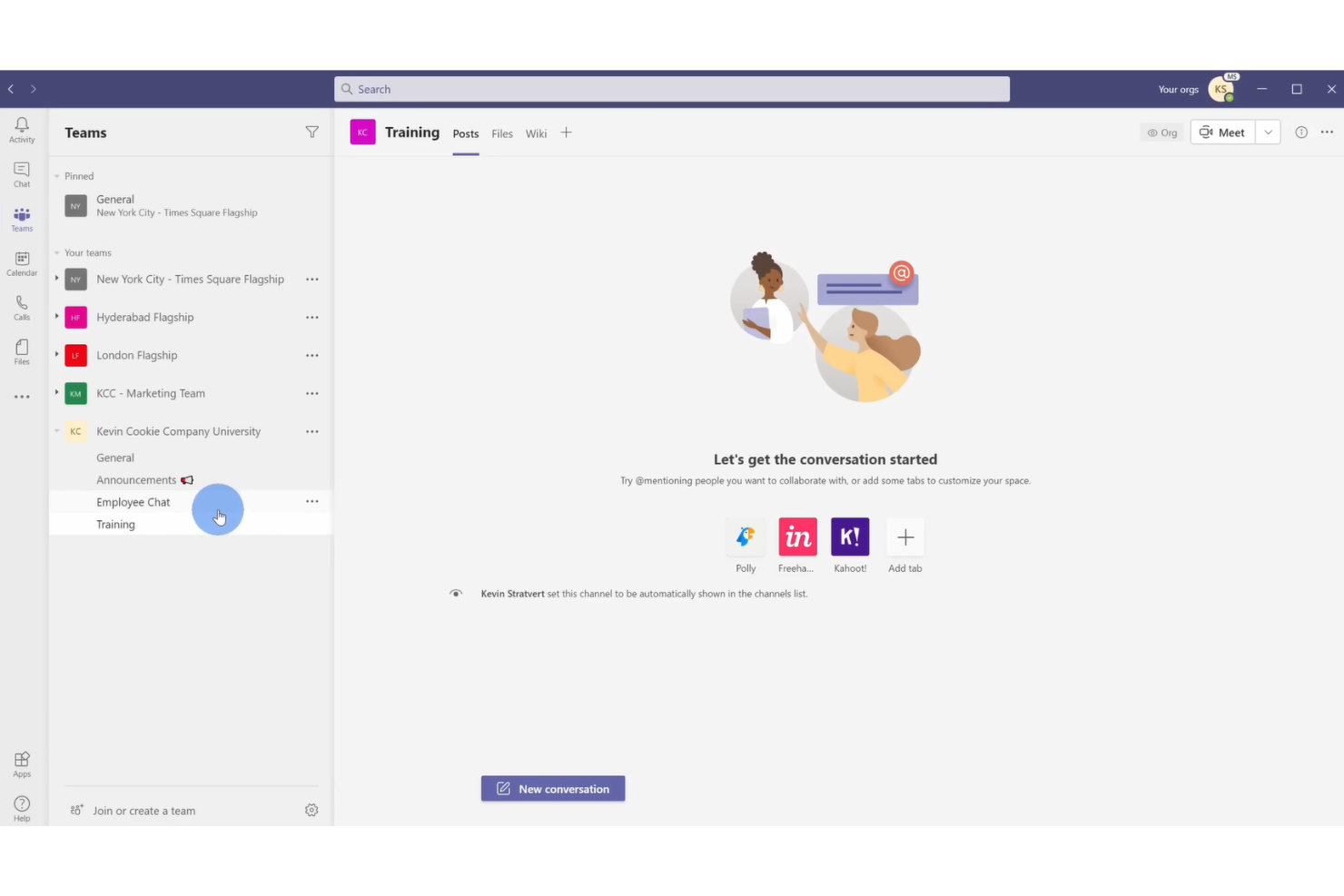
For organizations that need real-time collaboration with integrated video meetings, Microsoft Teams brings chat, file sharing, and video conferencing into one workspace. It’s a strong fit for distributed teams, especially those already using Microsoft 365, who want to manage documents and meetings without switching platforms. Teams stands out from other collaboration tools by making video calls, chat, and document co-authoring available in a single, unified interface.
Why Microsoft Teams Is a Good Egnyte Alternative
Unlike traditional file storage platforms, Microsoft Teams puts built-in video conferencing at the center of its collaboration experience. I picked Teams because it lets users launch video meetings directly from chat or document collaboration spaces, making it easy to move from discussion to action. Teams also supports real-time document co-authoring during meetings, so your team can edit files together while talking face-to-face. If your projects rely on frequent video calls and live collaboration, Teams offers a unified environment that goes beyond what Egnyte provides.
Microsoft Teams Key Features
Some other features in Microsoft Teams that support collaboration and content management include:
- Channel-Based Organization: Group conversations, files, and meetings by project or topic in dedicated channels.
- Integrated Task Management: Assign, track, and manage tasks within Teams using built-in tools like Planner and To Do.
- File Sharing with Version History: Share documents and access previous versions directly within chat or channels.
- Customizable Tabs: Add apps, files, or web pages as tabs in any channel for quick access to key resources.
Microsoft Teams Integrations
Integrations include Microsoft 365, SharePoint, Salesforce, Trello, and Zoom.
Pros and Cons
Pros:
- Massive user ecosystem
- Co-authoring natively
- Live video and chat
Cons:
- Clunky external sharing
- Hard to govern access

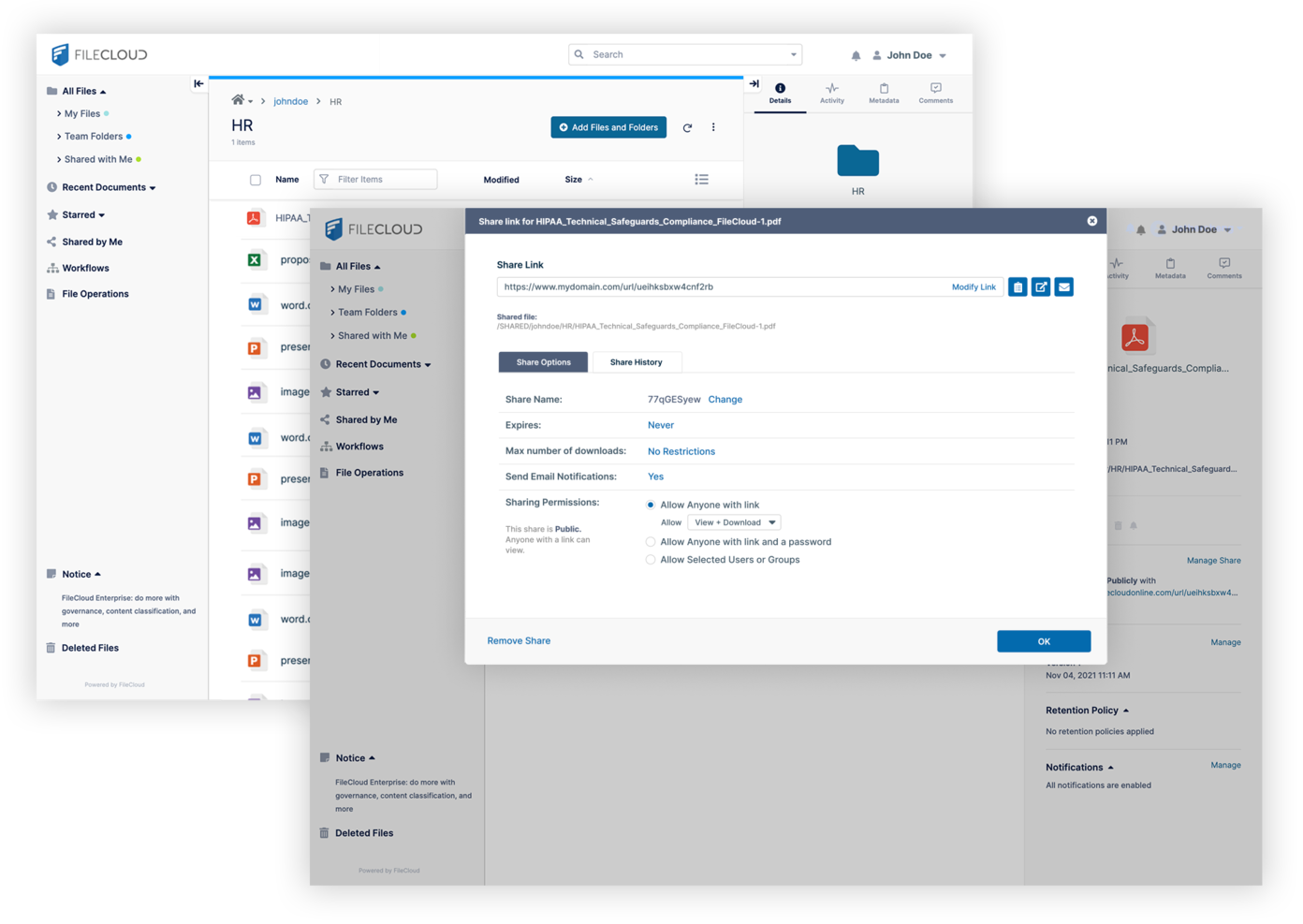
If your organization needs to meet strict regulatory requirements, FileCloud offers advanced compliance features that go beyond most cloud collaboration tools. It’s especially useful for legal, healthcare, and financial teams that handle sensitive or regulated data. FileCloud stands out by providing built-in support for frameworks like HIPAA, GDPR, and ITAR, making it easier to manage compliance directly within your file sharing environment.
Why FileCloud Is a Good Egnyte Alternative
For teams that need advanced compliance options, FileCloud offers a level of control that’s hard to match. I picked FileCloud because it includes built-in compliance templates for HIPAA, GDPR, and ITAR, which help organizations automate and document their regulatory processes. Its data residency controls and audit logging features make it easier to prove compliance during audits. If your business faces strict regulatory scrutiny, FileCloud provides the tools to manage sensitive data with confidence.
FileCloud Key Features
Some other features in FileCloud that are valuable for collaboration include:
- Granular User Role Management: Assign specific permissions and access levels to users and groups.
- Custom Branding: Personalize the interface with your organization’s logo, colors, and domain.
- Integrated File Versioning: Track changes and restore previous versions of documents as needed.
- Secure File Sharing Links: Generate password-protected and time-limited links for external sharing.
FileCloud Integrations
Integrations include Microsoft Office, Google Workspace, Active Directory, Salesforce, and Microsoft Teams.
Pros and Cons
Pros:
- White-labeling support
- Granular access controls
- Endpoint backup options
Cons:
- Weaker third-party sync
- Smaller user community

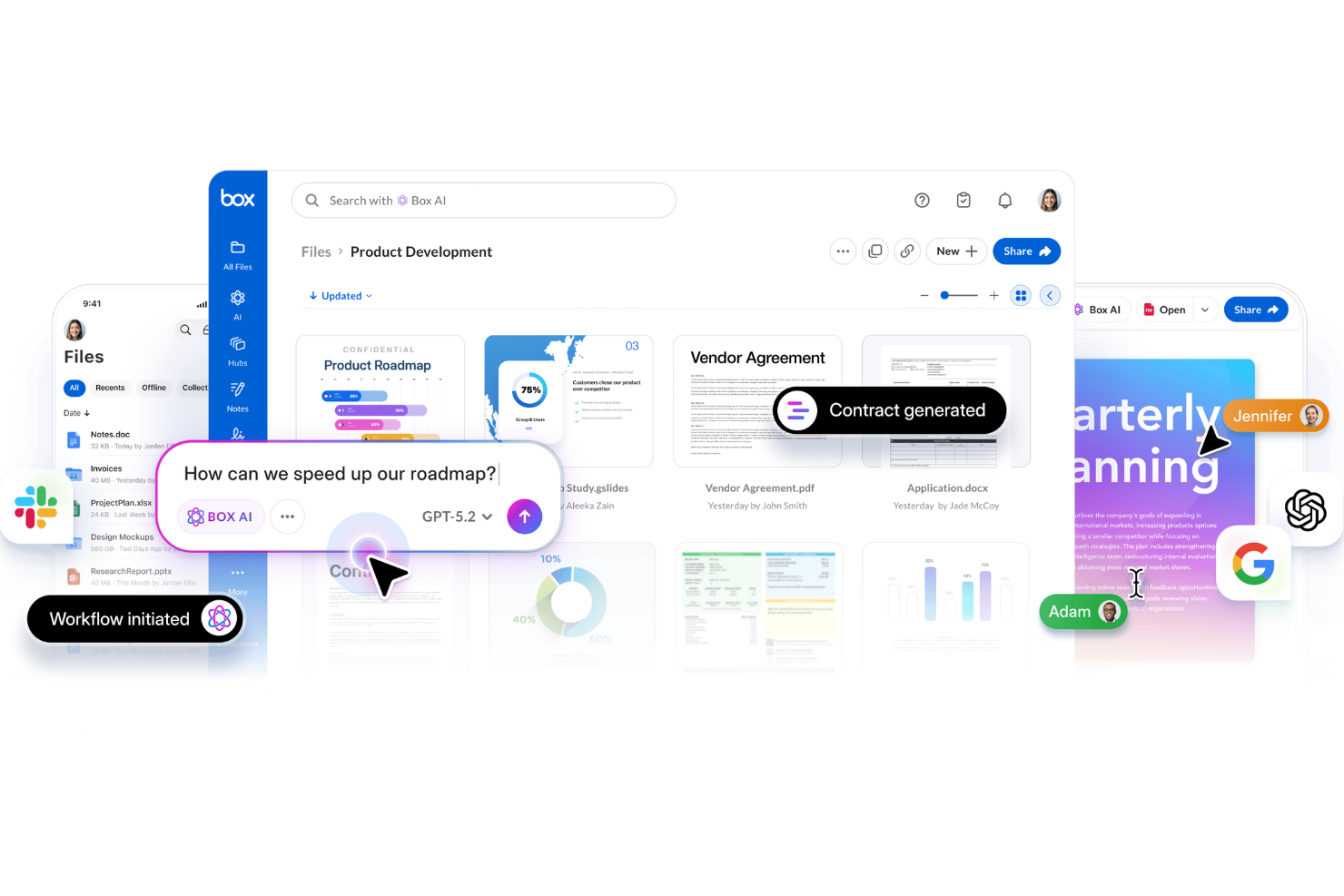
For organizations that need to automate complex content workflows at scale, Box offers a platform built for enterprise demands. Its workflow automation tools appeal to IT teams, legal departments, and regulated industries that require strict control over document processes. Box stands out from other collaboration tools by letting you design, automate, and monitor multi-step workflows directly within your content repository.
Why Box Is a Good Egnyte Alternative
Box is a strong choice if your team needs advanced workflow automation built into your content management system. I picked Box because its Box Relay feature lets you create custom, multi-step workflows for document approvals, reviews, and routing—all without leaving the platform. You can automate repetitive processes and set up triggers based on file activity, which is especially useful for teams with strict compliance or audit requirements. For organizations that want to move beyond simple file sharing, Box’s automation capabilities offer a clear advantage.
Box Key Features
Some other features in Box that help teams manage content include:
- Granular Access Controls: Set detailed permissions for users, groups, and external collaborators.
- Document Watermarking: Apply visible watermarks to sensitive files for added security.
- Version History: Track and restore previous versions of documents as needed.
- eSignature Integration: Collect legally binding electronic signatures directly within Box.
Box Integrations
Integrations include Salesforce, Slack, Microsoft 365, Google Workspace, and Zoom.
Pros and Cons
Pros:
- Excellent mobile apps
- Massive app integrations
- Top enterprise compliance
Cons:
- Complex metadata rules
- Strict storage limits

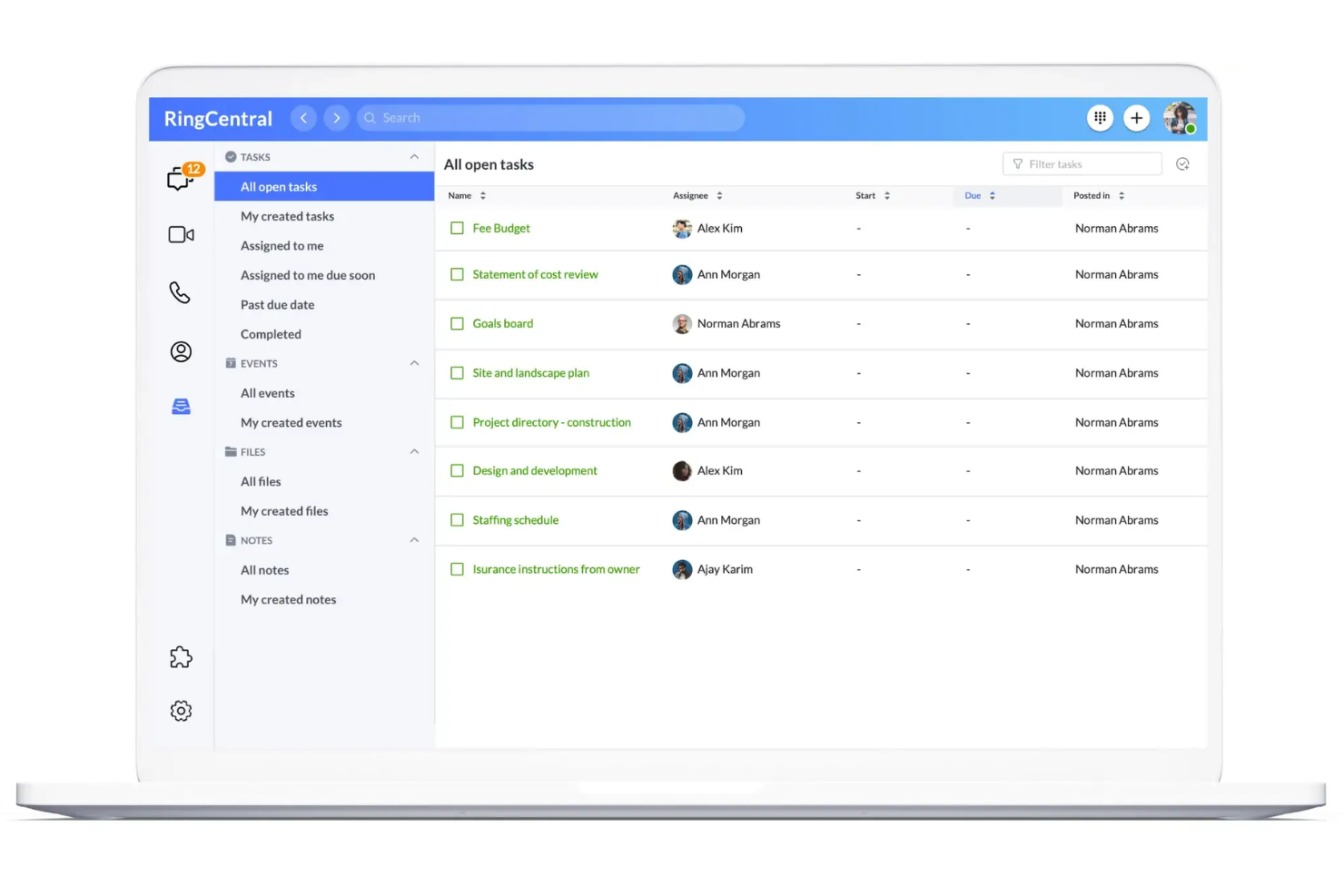
Teams looking for a unified space to message, call, and share files often turn to RingCentral. This platform is especially useful for distributed organizations that want to keep conversations and documents in one place without switching between multiple apps. Unlike many other collaboration tools, RingCentral combines persistent chat, video meetings, and file sharing in a single interface.
Why RingCentral Is a Good Egnyte Alternative
If your team needs messaging and file sharing in one place, RingCentral is worth considering. I picked RingCentral because it lets users chat, share files, and launch video meetings without leaving the platform. Its persistent team messaging keeps conversations organized alongside shared documents, so you don’t have to juggle separate tools for communication and collaboration. For teams that want to reduce context switching, RingCentral’s integrated approach is a strong fit.
RingCentral Key Features
Some other features in RingCentral that help teams collaborate include:
- Task Assignment: Assign tasks to team members directly within conversations.
- Calendar Integration: Sync meetings and events with Google Calendar or Microsoft Outlook.
- Screen Sharing: Share your screen during calls or video meetings for real-time collaboration.
- Team Workspaces: Create dedicated spaces for projects, departments, or topics.
RingCentral Integrations
Integrations include Microsoft Teams, Salesforce, Google Workspace, HubSpot, Zendesk, AWS, Slack, ServiceNow, Okta, and Box.
Pros and Cons
Pros:
- Unified comms platform
- Easy external sharing
- Great video meetings
Cons:
- No strict data residency
- Lacks hybrid deployment

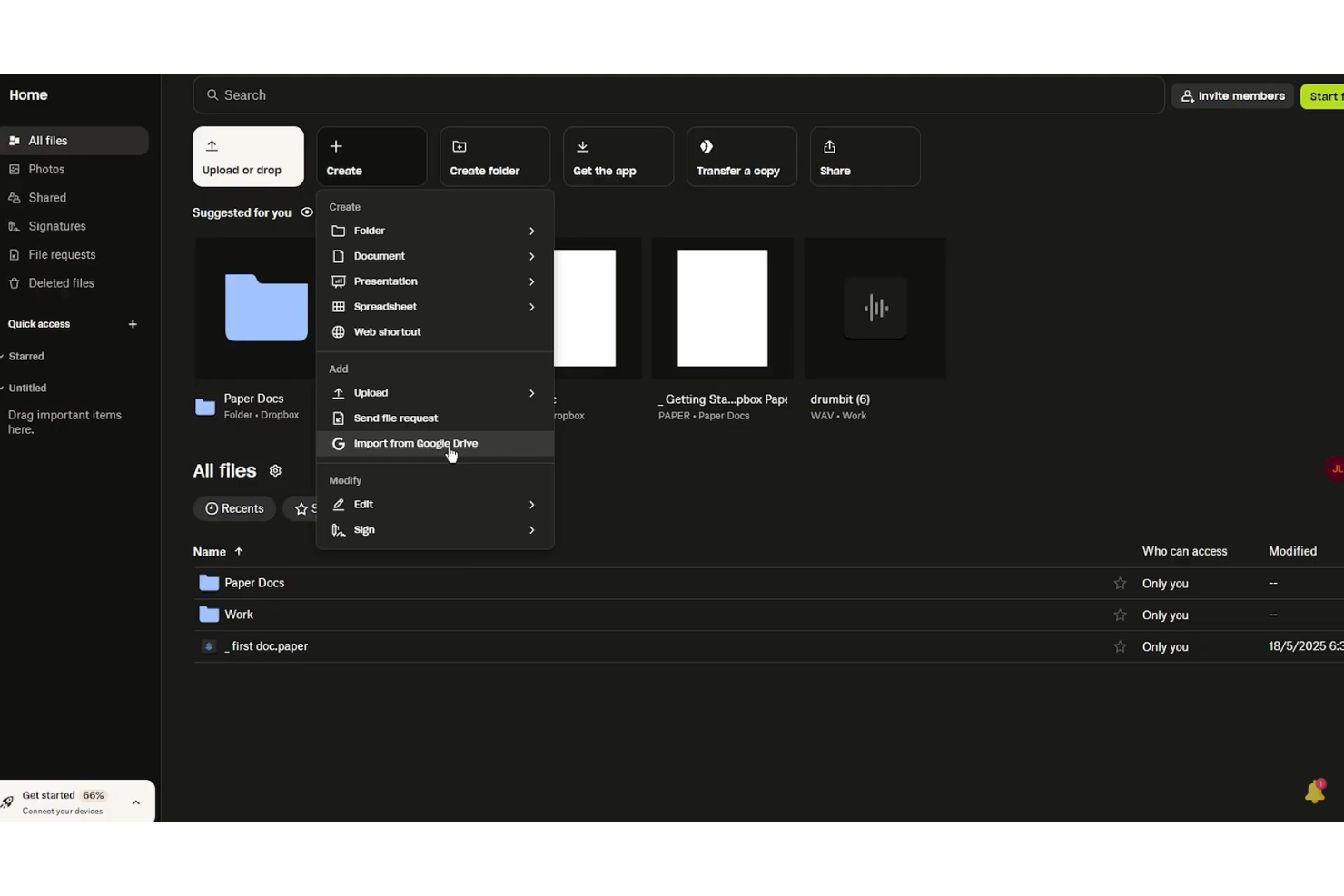
If your team needs a workspace for real-time document editing and feedback, Dropbox Paper is worth a look. The platform combines collaborative writing, task assignment, and media embedding in a single document, making it useful for creative teams and project groups. Unlike Egnyte, Dropbox Paper centers on live co-editing and in-document discussions, so your team can keep conversations and content together.
Why Dropbox Paper Is a Good Egnyte Alternative
When your team’s top priority is collaborative document editing, Dropbox Paper offers a focused solution that stands apart from Egnyte. I picked Dropbox Paper because it lets multiple users co-edit documents in real time, with instant updates and in-line comments that keep feedback visible and actionable. You can embed images, videos, and even code snippets directly into documents, supporting a wide range of project needs. For teams that want to keep content creation and discussion in one place, Dropbox Paper delivers a streamlined, interactive workspace.
Dropbox Paper Key Features
Some other Dropbox Paper features that support collaborative work include:
- Task Assignment: Assign tasks to team members directly within documents.
- Calendar Integration: Connect Paper docs to calendar events for meeting notes and agendas.
- Document Templates: Use pre-built templates for meeting notes, project plans, and brainstorming.
- Version History: Track changes and restore previous versions of documents.
Dropbox Paper Integrations
Integrations include Google Workspace, Microsoft Office, Adobe, HubSpot, Autodesk, Canva, AWS, Slack, Zoom, and Trello.
Pros and Cons
Pros:
- Links to Dropbox files
- Fast team brainstorming
- Great media embeds
Cons:
- Weak compliance controls
- No hybrid cloud setup

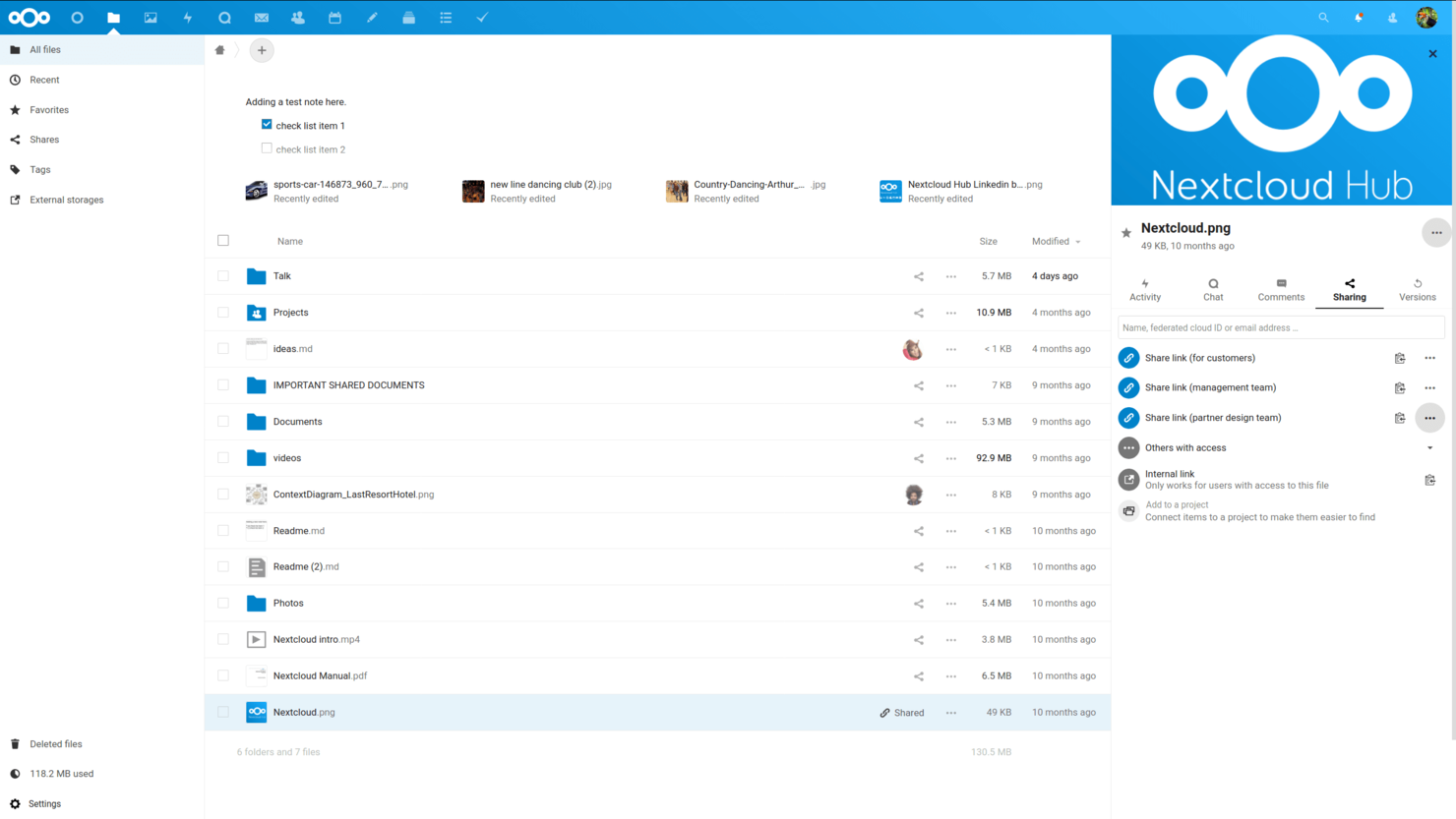
Nextcloud is designed for organizations that need full control over their data and infrastructure. It’s a strong fit for IT teams in regulated industries or any business that wants to keep files on-premises rather than in the public cloud. Nextcloud stands out by letting you customize your collaboration environment while meeting strict security and compliance requirements.
Why Nextcloud Is a Good Egnyte Alternative
Nextcloud stands out for teams that need on-premises data control, which is something Egnyte doesn’t offer natively. I picked Nextcloud because it lets you host your own servers, giving you direct oversight of where and how your files are stored. Its granular permission settings and built-in auditing tools help organizations meet strict compliance and privacy requirements. For businesses that can’t use public cloud storage, Nextcloud provides a flexible and secure collaboration environment.
Nextcloud Key Features
Some other features in Nextcloud that are useful for content collaboration include:
- Integrated Document Editing: Collaborate on documents in real time using built-in editors for text, spreadsheets, and presentations.
- File Versioning: Automatically keep track of file changes and restore previous versions when needed.
- Mobile and Desktop Sync Apps: Access and sync files across devices with dedicated apps for Windows, macOS, Linux, iOS, and Android.
- Workflow Automation: Set up custom rules to automate file handling, approvals, and notifications within your workspace.
Nextcloud Integrations
Integrations include Collabora Online, ONLYOFFICE, Microsoft Teams, Outlook, and Matrix.
Pros and Cons
Pros:
- Open-source transparency
- Custom branding options
- Lower per-user costs
Cons:
- Support costs are extra
- Lacks native hybrid sync

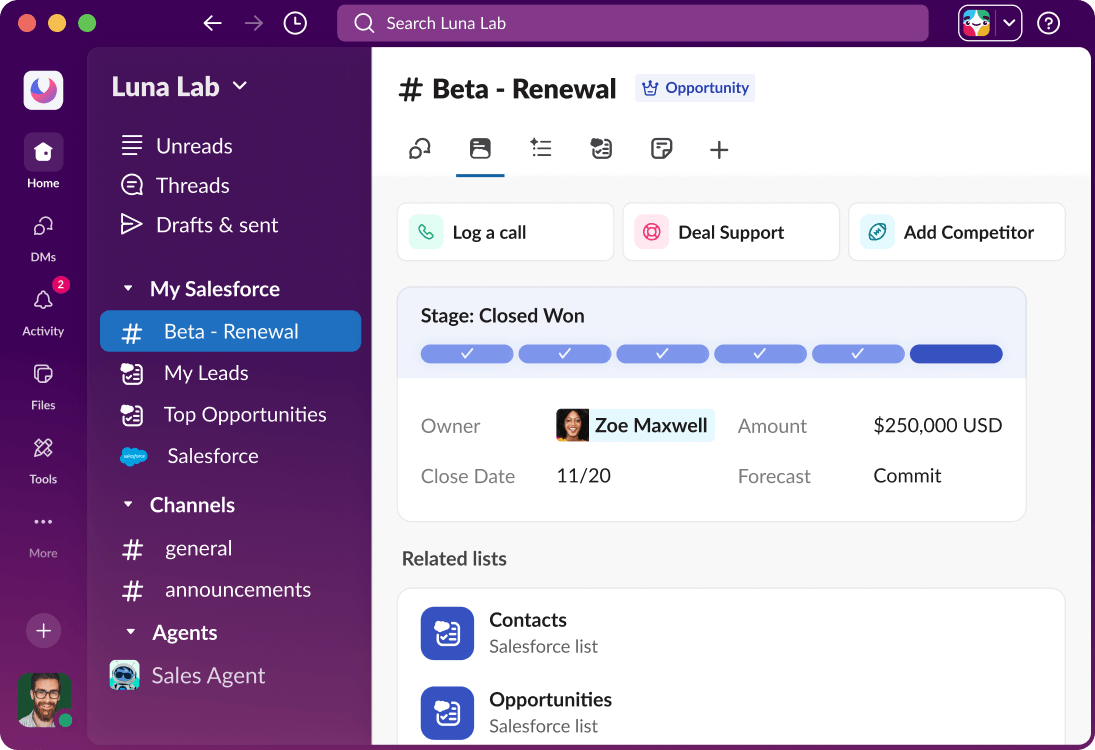
If your team needs fast, organized communication alongside file sharing, Slack is worth a close look. It’s especially useful for tech companies and distributed teams that rely on real-time messaging and searchable conversations to keep projects moving. Slack stands apart from other collaboration tools by making chat, file uploads, and app integrations instantly accessible in one place.
Why Slack Is a Good Egnyte Alternative
For teams that need instant communication tied to their content, Slack offers a different approach than traditional file storage platforms. I picked Slack because it centers collaboration around real-time messaging, letting users discuss files, projects, and updates in dedicated channels. Slack also supports threaded conversations and searchable message history, so your team can quickly find past discussions and shared documents. If your workflow depends on fast responses and ongoing dialogue, Slack brings chat and content together in a way that Egnyte doesn’t.
Slack Key Features
Some other features in Slack that support content collaboration and team productivity include:
- Workflow Builder: Automate routine tasks and processes directly within Slack channels.
- File Previews: View documents, images, and other files without leaving the conversation.
- Customizable Notifications: Set notification preferences by channel, keyword, or time to manage focus.
- App Directory: Add tools like Google Drive, Asana, and Trello to centralize work in one place.
Slack Integrations
Integrations include Asana, Box, ChatGPT, Claude, GitHub Enterprise Server, Google Drive, Linear, Notion, Outlook Calendar, and Zoom.
Pros and Cons
Pros:
- Connects with everything
- Channel-based access
- Fast file search speed
Cons:
- Lacks local drive sync
- Weak data compliance
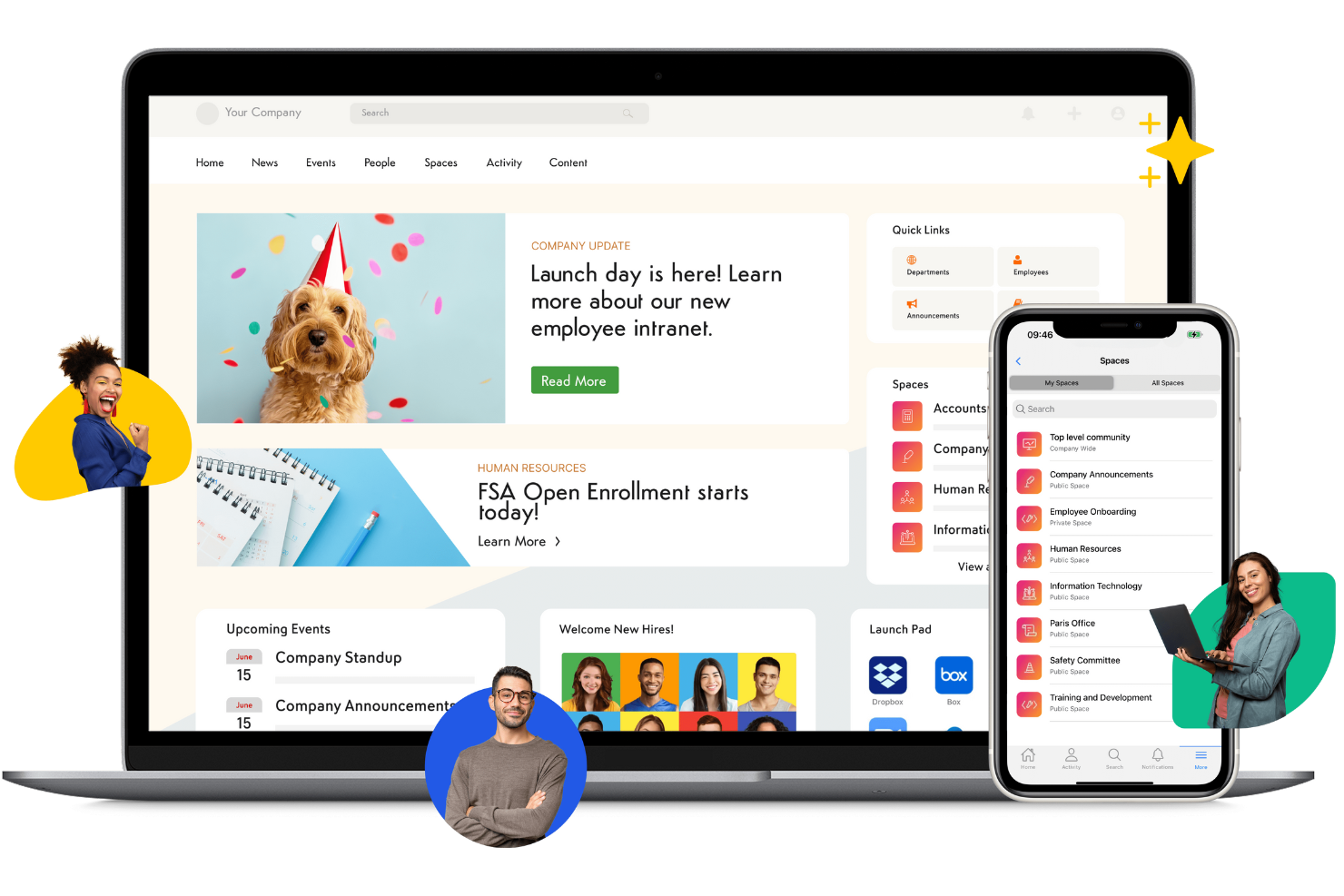
If your organization needs a central hub for internal knowledge, Axero is designed to help teams capture, organize, and share information across departments. It’s especially useful for HR, IT, and operations teams that want to build searchable knowledge bases, manage policies, and facilitate employee communication. Unlike other collaboration tools, Axero combines document management with social intranet features to support ongoing knowledge sharing and engagement.
Why Axero Is a Good Egnyte Alternative
For teams focused on building a strong internal knowledge base, Axero offers a different approach than traditional file storage platforms. I picked Axero because it combines document management with wiki-style content creation, making it easy to capture and organize institutional knowledge. Its advanced search and tagging features help employees quickly find policies, procedures, and best practices. If your priority is knowledge sharing and internal communication, Axero’s intranet-style platform stands out as a focused alternative to Egnyte.
Axero Key Features
Some other features in Axero that support collaboration and knowledge management include:
- Customizable Workspaces: Create dedicated spaces for teams, projects, or departments with tailored permissions.
- Discussion Forums: Enable threaded discussions for ongoing team conversations and Q&A.
- Document Version Control: Track changes and maintain a full history of document edits.
- Employee Directory: Maintain a searchable directory with profiles, roles, and contact information.
Axero Integrations
Integrations include Google Workspace, Microsoft 365, Slack, Zoom, Microsoft Teams, OneDrive, Dropbox, Box, ServiceNow, and Salesforce.
Pros and Cons
Pros:
- Custom portal branding
- Easy content publishing
- Good wiki knowledge base
Cons:
- Poor folder governance
- Lacks hybrid local cache

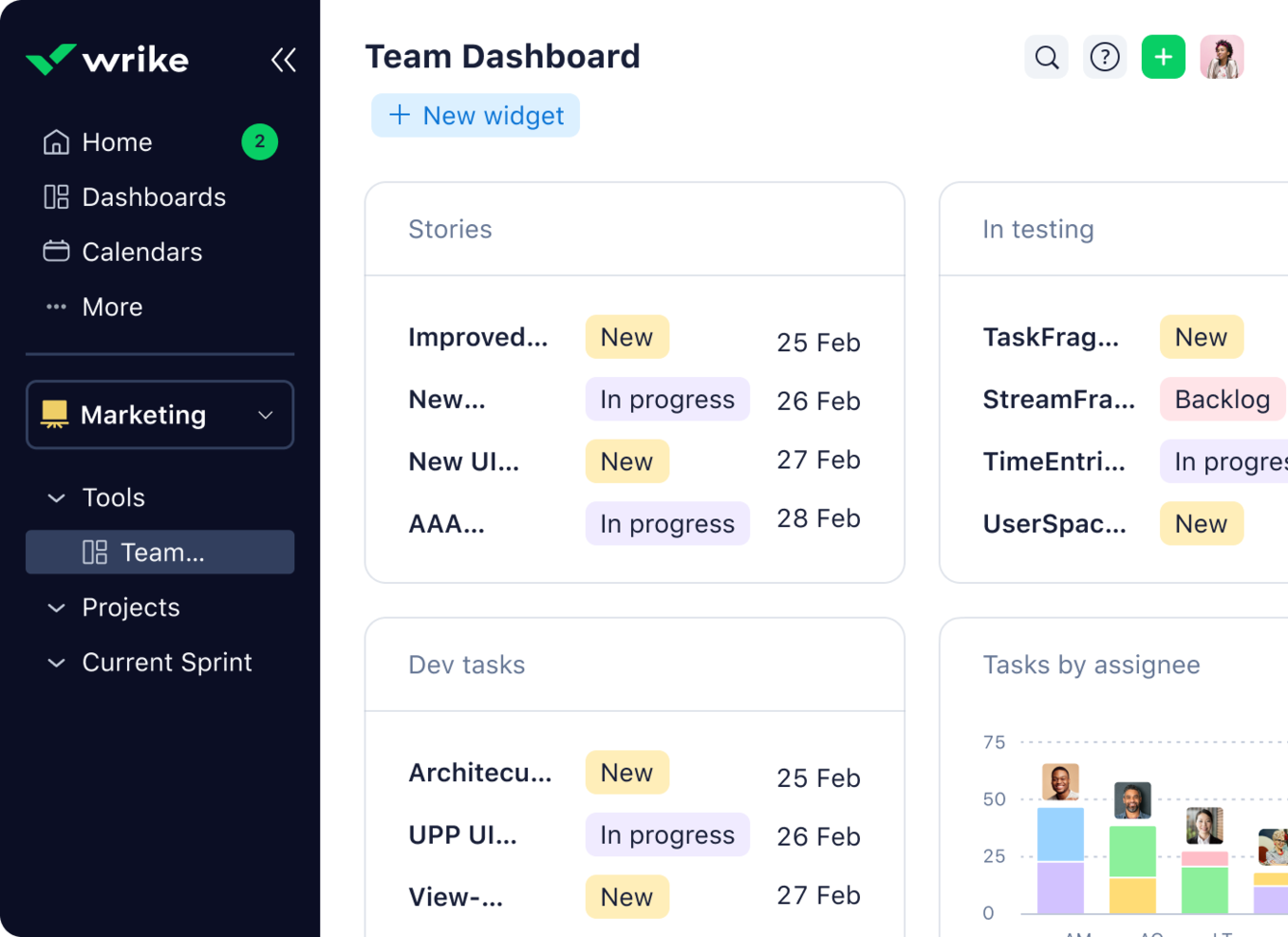
Project managers looking for a workspace that puts tasks at the center of collaboration often turn to Wrike. The platform is designed for teams that need to coordinate complex projects, track deliverables, and manage content in context with tasks. Wrike stands out from other cloud collaboration tools by tightly linking files, discussions, and approvals directly to actionable work items.
Why Wrike Is a Good Egnyte Alternative
Unlike traditional file storage platforms, Wrike puts tasks at the core of every collaboration. I picked Wrike because it lets teams attach files, comments, and approvals directly to tasks, so content always stays connected to actionable work. Wrike’s dynamic task lists and real-time activity streams help teams track progress and keep everyone aligned on deliverables. If your projects depend on clear task ownership and content tied to specific work items, Wrike offers a structure that Egnyte doesn’t.
Wrike Key Features
Some other features in Wrike that support content collaboration and project management include:
- Custom Workflows: Build and modify workflows to match your team’s unique processes.
- Document Versioning: Track changes and maintain a history of file updates within tasks.
- Gantt Chart View: Visualize project timelines and dependencies for better planning.
- Request Forms: Collect project requests and intake information using customizable forms.
Wrike Integrations
Integrations include Salesforce, HubSpot, Jira, GitHub, Microsoft Teams, Zoom, Slack, Dropbox, Outlook, and Tableau.
Pros and Cons
Pros:
- Strong timeline views
- Automates workflows well
- Great proofing tools
Cons:
- Confusing for basic sync
- Lacks hybrid deployment
Other Egnyte Alternatives
Here are some additional Egnyte alternatives options that didn’t make it onto my shortlist, but are still worth checking out:
- Miro
For visual collaboration on shared boards
- Confluence
For structured documentation
- OneHub
With granular user permission controls
- ClickUp
For customizable workspace views


Egnyte Alternatives Selection Criteria
When selecting the best Egnyte alternatives to include in this list, I considered common buyer needs and pain points related to Cloud Content Collaboration Tool products, like managing secure file sharing and supporting real-time team collaboration. I also used the following framework to keep my evaluation structured and fair:
Core Functionality (25% of total score)
To be considered for inclusion in this list, each solution had to fulfill these common use cases:
- Store and organize files in the cloud
- Share files and folders with team members
- Set user permissions and access controls
- Collaborate on documents in real time
- Sync files across devices
Additional Standout Features (25% of total score)
To help further narrow down the competition, I also looked for unique features, such as:
- Built-in workflow automation
- Advanced document version control
- Integrated project management tools
- Customizable workspace views
- In-app chat or messaging
Usability (10% of total score)
To get a sense of the usability of each system, I considered the following:
- Simple and intuitive navigation
- Clean and modern interface design
- Minimal clicks to complete common tasks
- Responsive performance with large files
- Accessibility for distributed teams
Onboarding (10% of total score)
To evaluate the onboarding experience for each platform, I considered the following:
- Availability of training videos and tutorials
- Pre-built templates for quick setup
- Interactive product tours for new users
- Guided migration tools for importing data
- Access to live webinars or onboarding sessions
Customer Support (10% of total score)
To assess each software provider’s customer support services, I considered the following:
- 24/7 support availability
- Multiple support channels like chat and email
- Fast response times to inquiries
- Access to a searchable help center
- Community forums for peer support
Value For Money (10% of total score)
To evaluate the value for money of each platform, I considered the following:
- Transparent and flexible pricing plans
- Features included at each pricing tier
- Free plan or trial availability
- Discounts for annual billing
- No hidden fees or surprise charges
Customer Reviews (10% of total score)
To get a sense of overall customer satisfaction, I considered the following when reading customer reviews:
- Positive feedback on collaboration features
- Reports of reliable uptime and performance
- Comments on ease of adoption
- Critiques of customer support experiences
- Insights on integration with other tools
Why Look For an Egnyte Alternative?
While Egnyte is a good choice of Cloud Content Collaboration Tool, there are a number of reasons why some users seek out alternative solutions. You might be looking for an Egnyte alternative because…
- You need more flexible workspace customization
- You want built-in project management features
- You require unlimited storage on lower-tier plans
- You need better real-time document collaboration
- You want more affordable pricing for small teams
- You require native integrations with specific tools
If any of these sound like you, you’ve come to the right place. My list contains several Cloud Content Collaboration Tool options that are better suited for teams facing these challenges with Egnyte and looking for alternative solutions.
Egnyte Key Features
Here are some of the key features of Egnyte, to help you contrast and compare what alternative solutions offer:
- Centralized cloud file storage and organization
- Granular user and folder permission controls
- Real-time file synchronization across devices
- Secure external file sharing with custom links
- Advanced ransomware and malware detection
- Detailed audit logs and activity tracking
- Native integrations with Microsoft 365 and Google Workspace
- Automated file versioning and recovery
- Hybrid deployment options for cloud and on-premises
- Mobile access with dedicated iOS and Android apps