

10 Microsoft Forms Alternatives for Surveys in 2026

Microsoft Forms Alternatives Shortlist


A strong Microsoft Forms alternative offers flexible survey design, advanced data collection features, and integrations that fit your team’s workflow. If you’re searching for Microsoft Forms alternatives, you’re likely looking for tools that handle more complex surveys, offer better analytics, or support collaboration beyond what Microsoft Forms provides.
With so many options available, it’s tough to know which platform will actually meet your needs—especially when requirements shift or stakeholders expect more from your data. This list will help you quickly compare the top Microsoft Forms alternatives for 2026, so you can find the right fit for your projects, teams, and reporting needs.
What is Microsoft Forms?
Microsoft Forms is an online form builder that allows users to create surveys, quizzes, and registration forms for collecting data. As part of the Microsoft 365 ecosystem, it connects with tools like Excel and Power Automate, making it useful for teams already working within a Microsoft account environment.
It’s commonly used by educators, project teams, and businesses that need a simple way to gather form responses, run polls, or collect feedback without a steep learning curve. While it covers basic survey needs, it’s best suited for straightforward data collection rather than complex workflows.
Best Microsoft Forms Alternatives Summary
This comparison chart summarizes pricing details for my top Microsoft Forms alternatives selections to help you find the best one for your budget and business needs.
| Tool | Best For | Trial Info | Price | ||
|---|---|---|---|---|---|
| 1 | Best for interactive surveys and live audience polling | Free plan available | From $14/user/month (billed annually) | Website | |
| 2 | Best for advanced survey logic and analytics | Free plan available | From $30/user/month (billed annually) | Website | |
| 3 | Best for conversational forms with a user-friendly interface | Free plan available | From $28/month (billed annually) | Website | |
| 4 | Best for enterprise-grade survey and experience management | Free demo available | Pricing upon request | Website | |
| 5 | Best for simple, free form creation with Google integration | Free plan available | Free plan available; from $7/user/month (billed annually) for Google Workspace | Website | |
| 6 | Best for unlimited no-code form responses | Free plan available | From $24/month (billed annually) | Website | |
| 7 | Best for an open-source survey platform with flexible question types | Free plan available | From $36/month (billed annually) | Website | |
| 8 | Best for unlimited surveys and responses on all plans | Free plan available | From $20/month | Website | |
| 9 | Best for advanced calculations and conditional logic for forms | 14-day free trial + free plan available | From $19/month | Website | |
| 10 | Best for drag-and-drop form builder with extensive integrations | Free plan available | From $34/month (billed annually) | Website |
Why Trust Our Software Recommendations
Our team has been testing and reviewing software since 2012. As project managers ourselves, we know how difficult—and important—it is to choose the right software.
For this guide, we evaluated tools using hands-on testing and independent research, scoring tools using our selection criteria. We also draw on insights from industry thought leaders and practicing project management experts.
Our reviews reflect our human editorial judgment, not a sales pitch.
Expert reviewers:
Microsoft Forms Alternatives Reviews
Below are my detailed summaries of the Microsoft Forms alternatives that made it onto my shortlist. My reviews offer a detailed look at the features, integrations, and pricing of each platform to help you find the best one for you.

Best for interactive surveys and live audience polling
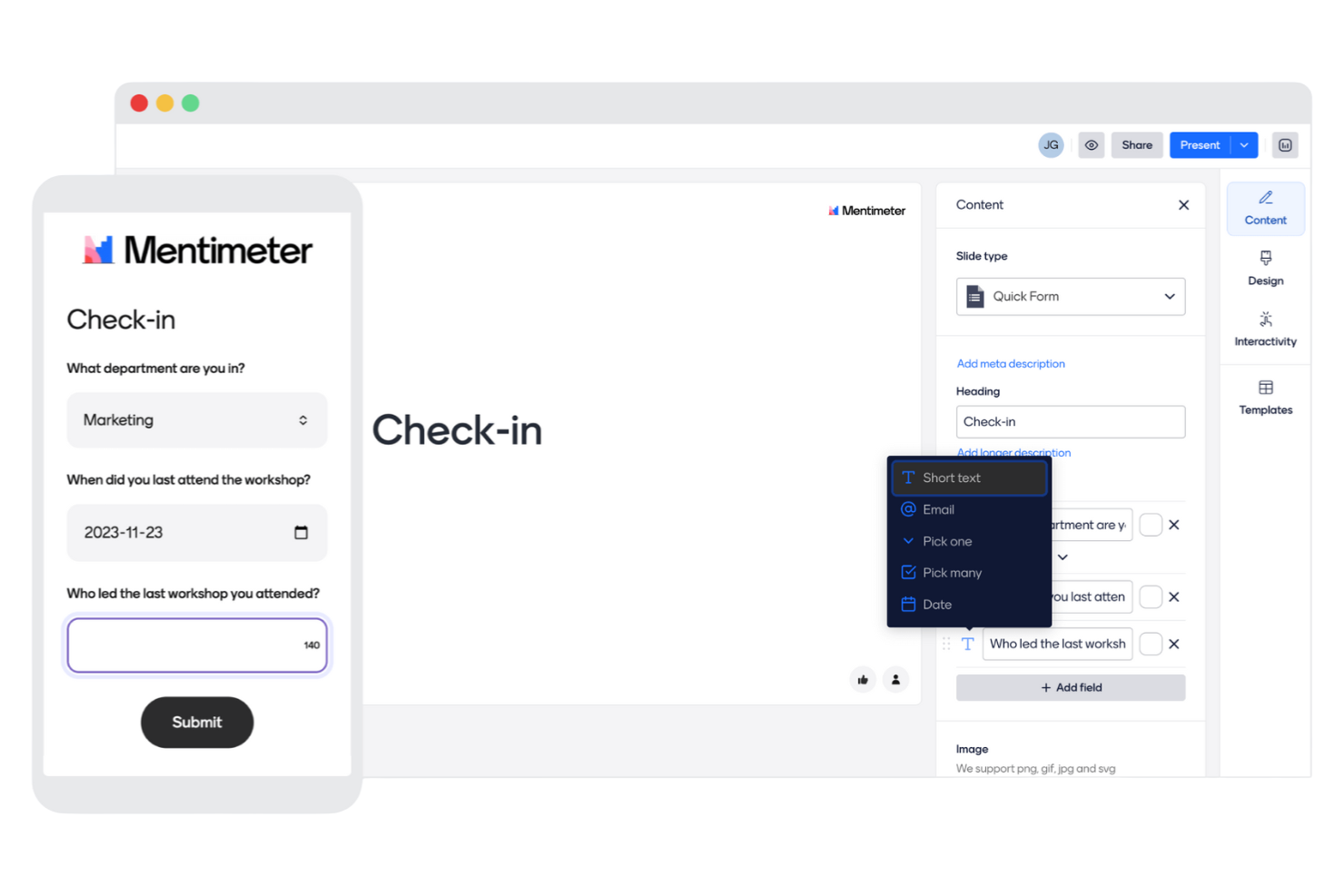
Presenters and facilitators who want to make surveys part of live, interactive sessions often turn to Mentimeter. This tool is designed for anyone running meetings, workshops, or classes where real-time audience engagement and instant feedback matter. Mentimeter stands out from Microsoft Forms by letting you display live survey results on screen and use interactive question types that keep participants involved throughout your session.
Why Mentimeter Is a Good Microsoft Forms Alternative
Unlike most survey tools, Mentimeter is built specifically for live audience engagement, which makes it a strong choice if you want to collect feedback in real time during meetings or presentations. I picked Mentimeter because it lets you display survey results instantly on screen, so everyone can see responses as they come in. The tool also offers interactive question types like word clouds, polls, and quizzes that keep participants actively involved. If you need a survey tool that goes beyond static forms and supports dynamic, in-the-moment feedback, Mentimeter is a compelling alternative to Microsoft Forms.
Mentimeter Key Features
Some other features make Mentimeter a flexible choice for interactive survey needs:
- Template Library: Access a collection of pre-built templates for meetings, workshops, and classes.
- Audience Q&A: Let participants submit questions anonymously during your session.
- Custom Branding: Add your organization’s logo and colors to presentations and surveys.
- Export Results: Download survey data and presentation results in Excel or PDF format.
Mentimeter Integrations
Integrations include Microsoft Teams, Zoom, Slack, PowerPoint, Google Meet, Webex, Microsoft Office 365, Google Slides, Canva, and Trello.
Pros and Cons
Pros:
- Audience Q&A supports anonymous input from participants
- Interactive question types increase participation during sessions
- Live polling enables real-time audience engagement
Cons:
- Free plan restricts the number of questions per session
- Survey logic is limited compared to dedicated survey tools

Best for advanced survey logic and analytics

SurveyMonkey is a web-based survey platform designed for teams that need advanced question logic and in-depth analytics. It’s a strong fit for project managers, researchers, and organizations that want more control over survey design and data analysis than Microsoft Forms provides. If you need to run complex surveys or gather detailed feedback for reporting, SurveyMonkey offers the flexibility and features to support those needs.
Why SurveyMonkey Is a Good Microsoft Forms Alternative
SurveyMonkey stands out for its advanced survey logic and analytics, which go far beyond what Microsoft Forms offers. I picked it for teams that need features like skip logic and question branching to create dynamic, personalized surveys. The platform also provides detailed analytics dashboards, making it easier to interpret and act on survey data. If you’re looking for deeper insights and more control over survey flow, SurveyMonkey is a strong choice.
SurveyMonkey Key Features
Some other features that make SurveyMonkey a versatile survey platform include:
- Question Bank: Access a library of pre-written questions to speed up survey creation and maintain consistency.
- Custom Branding: Add your organization’s logo, colors, and themes to surveys for a professional look.
- Response Quotas: Set limits on the number of responses to control data collection and manage survey participation.
- Export Options: Download survey results in multiple formats, including CSV, XLS, and PDF, for further analysis or sharing.
SurveyMonkey Integrations
Integrations include Salesforce, Mailchimp, HubSpot, Slack, Microsoft Teams, Google Drive, Zapier, Zendesk, Eventbrite, and Shopify.
Pros and Cons
Pros:
- Wide range of question types for flexible survey design
- Detailed analytics dashboards support deeper data interpretation
- Advanced logic enables dynamic and personalized survey flows
Cons:
- Collaboration features can be restrictive for larger teams
- Design customization feels limited compared to newer tools
Typeform
Best for conversational forms with a user-friendly interface

If you want to create interactive, visually engaging surveys that feel more like conversations, Typeform is worth a look. Marketing teams, product managers, and UX researchers often choose Typeform for its advanced logic, branching, and design flexibility. Unlike Microsoft Forms, Typeform lets you build highly personalized, on-brand experiences that adapt to each respondent’s answers.
Why Typeform Is a Good Microsoft Forms Alternative
Typeform takes a different approach by focusing on conversational forms that guide respondents one question at a time. I picked Typeform because its advanced logic and branching let you create highly personalized survey flows that adapt to each user’s answers. The platform also offers extensive design customization, so you can match your survey’s look and feel to your brand. If you want to move beyond basic forms and create interactive, engaging experiences, Typeform offers flexibility that Microsoft Forms doesn’t provide.
Typeform Key Features
Some other features make Typeform a strong choice for building web-based surveys:
- Question Library: Choose from a wide range of pre-built question types for quick survey setup.
- File Upload Field: Allow respondents to attach files directly within the form.
- Custom Thank You Screens: Personalize the end-of-survey experience with tailored messages.
- Real-Time Response Notifications: Get instant alerts when someone completes your survey.
Typeform Integrations
Integrations include Google Sheets, Slack, Mailchimp, HubSpot, Salesforce, Zapier, Google Analytics, Trello, Airtable, and Microsoft Teams.
Pros and Cons
Pros:
- Strong design customization enables branded experiences
- Advanced branching supports personalized survey paths
- Conversational format improves engagement and completion rates
Cons:
- Collaboration features are relatively basic
- Response limits restrict large-scale data collection

Best for enterprise-grade survey and experience management
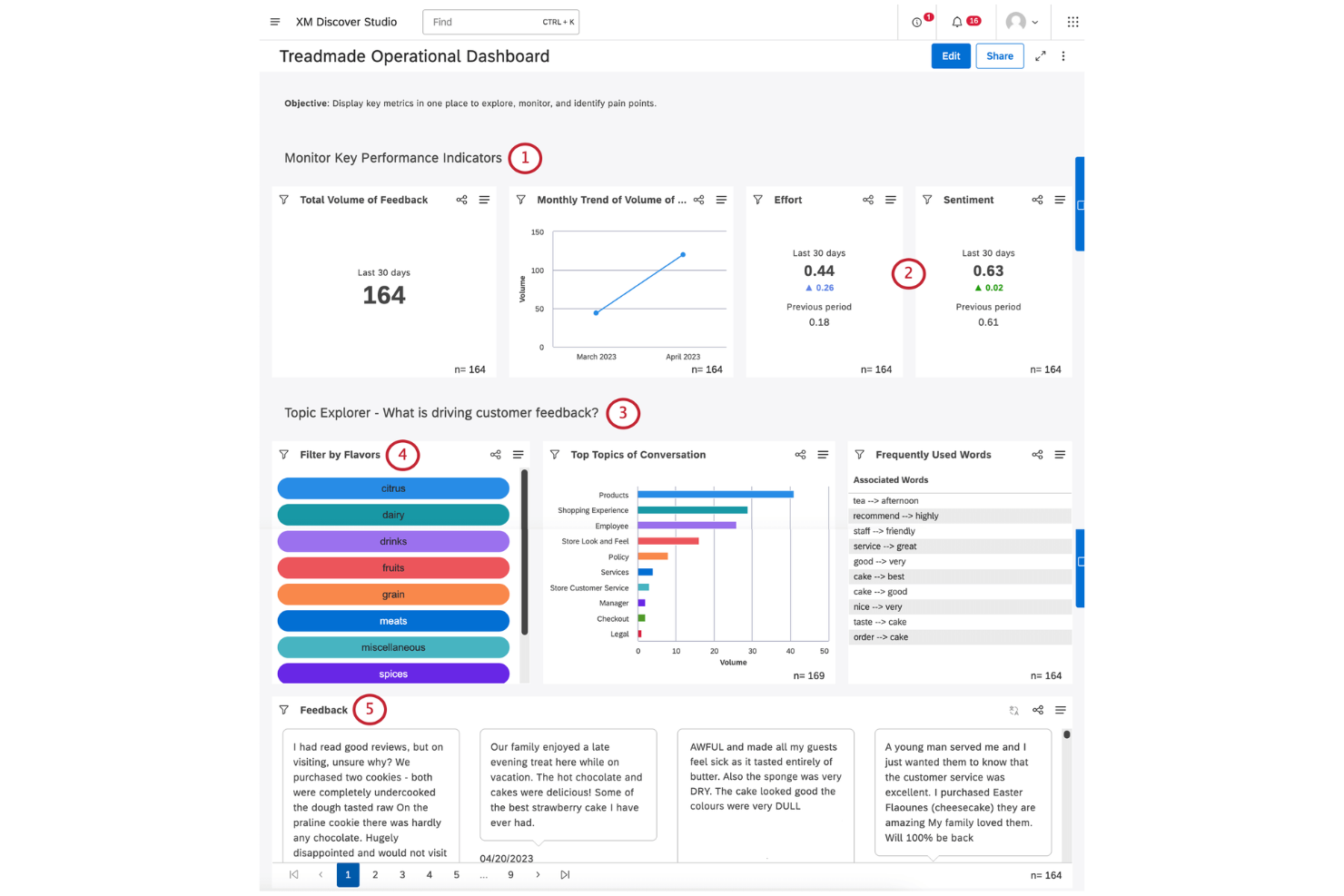
Qualtrics is built for organizations that need advanced survey customization and enterprise-level analytics. It’s especially useful for research teams, HR departments, and customer experience professionals who require granular control over survey logic and data security. If you’re looking for a platform that supports complex workflows and integrates with enterprise systems, Qualtrics offers capabilities that go far beyond Microsoft Forms.
Why Qualtrics Is a Good Microsoft Forms Alternative
When you need enterprise-grade survey customization and analytics, Qualtrics is a clear step up from Microsoft Forms. I picked it for its ability to support advanced question logic, custom workflows, and detailed reporting that large organizations often require. Qualtrics lets you design highly tailored surveys with features like display logic, embedded data, and automated triggers. If your team needs to manage complex survey projects and analyze results at scale, Qualtrics delivers the depth and flexibility that Microsoft Forms lacks.
Qualtrics Key Features
Some other features that make Qualtrics a strong choice for web-based surveys include:
- Multi-Channel Distribution: Send surveys via email, SMS, social media, or embedded web links to reach respondents wherever they are.
- Role-Based Access Controls: Assign permissions and manage access for different team members to protect sensitive data.
- Survey Translation Tools: Translate surveys into multiple languages and manage localization from a single dashboard.
- Automated Alerts: Set up notifications to trigger when specific responses or thresholds are met.
Qualtrics Integrations
Integrations include Salesforce, Marketo, Tableau, Slack, Microsoft Teams, Adobe Experience Cloud, Google Analytics, Zendesk, Workday, and ServiceNow.
Pros and Cons
Pros:
- Multi-language tools support global survey distribution
- Role-based permissions help manage access across large teams
- Granular survey logic supports highly customized research workflows
Cons:
- Design flexibility is limited compared to modern tools
- Interface can feel complex for simple survey use cases
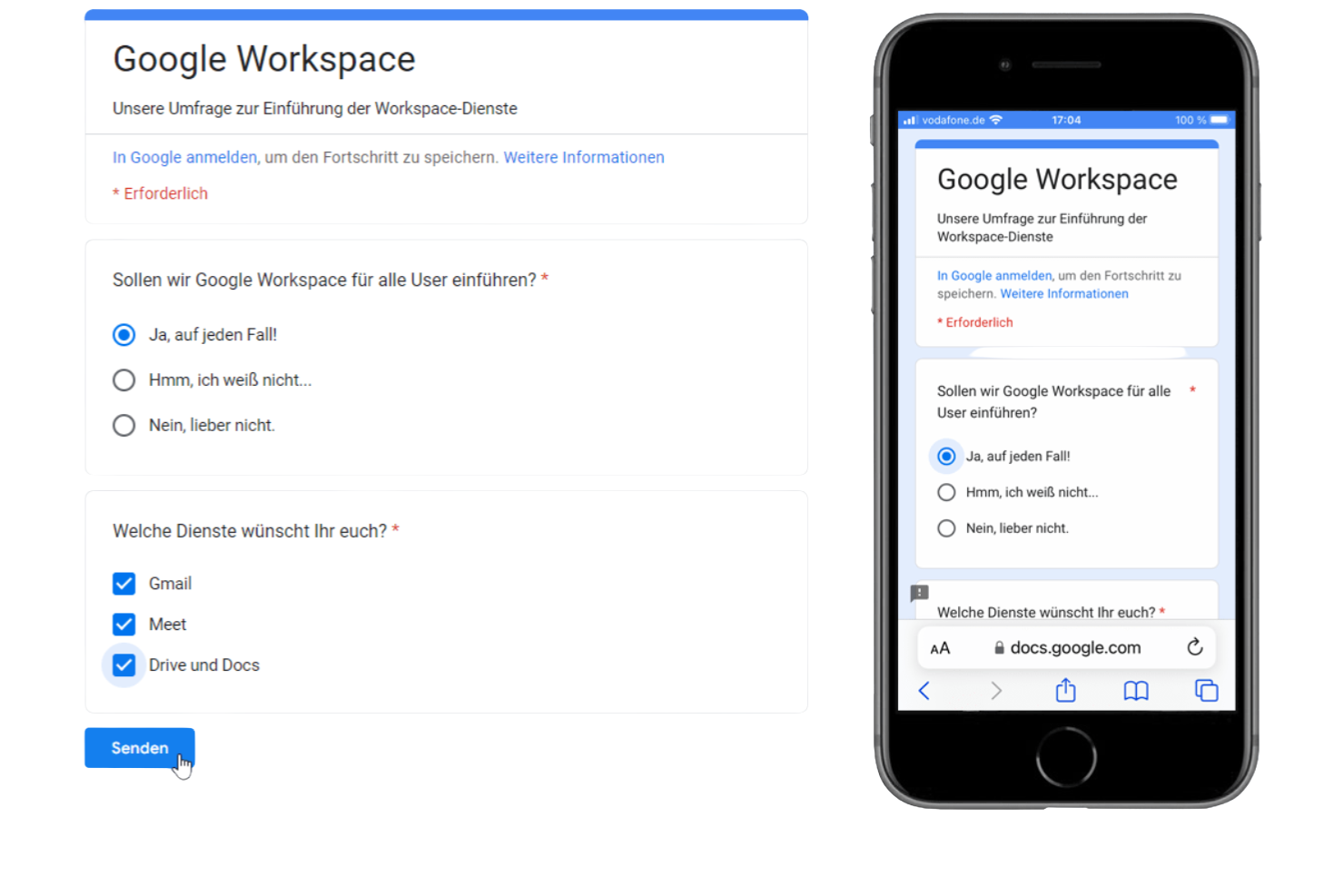
If you’re looking for a survey tool that fits naturally into your existing Google Workspace, Google Forms is worth considering. It’s especially useful for teams and organizations that already rely on Google Drive, Sheets, and Gmail for collaboration and data management. Google Forms stands out from Microsoft Forms by offering instant syncing with Google Sheets and simple sharing options that make it easy to collect and analyze responses within your existing workflows.
Why Google Forms Is a Good Microsoft Forms Alternative
What sets Google Forms apart is how it works natively within the Google Workspace ecosystem, making it a strong choice for teams already using Google’s productivity tools. I picked Google Forms because it automatically syncs survey responses to Google Sheets, so you can analyze data in real time without extra steps. The tool also lets you share surveys instantly with anyone who has a Google account, which simplifies collaboration and response collection. If your team relies on Google Drive and wants a survey tool that fits right in, Google Forms is a practical alternative to Microsoft Forms.
Google Forms Key Features
Some other features make Google Forms a flexible option for survey projects:
- Multiple Question Types: Choose from short answer, multiple choice, checkboxes, dropdowns, and more.
- Response Validation: Set rules to require specific formats or values in responses.
- File Uploads: Allow respondents to upload files directly through the form.
- Custom Themes: Personalize forms with custom colors, images, and fonts.
Google Forms Integrations
Integrations include Google Workspace, Slack, Jira, Salesforce, Trello, and more.
Pros and Cons
Pros:
- Simple interface makes survey creation fast and accessible
- Collaboration features allow multiple editors to work simultaneously
- Real-time response syncing supports quick data analysis
Cons:
- Logic and branching capabilities are fairly basic
- Limited customization restricts branding flexibility

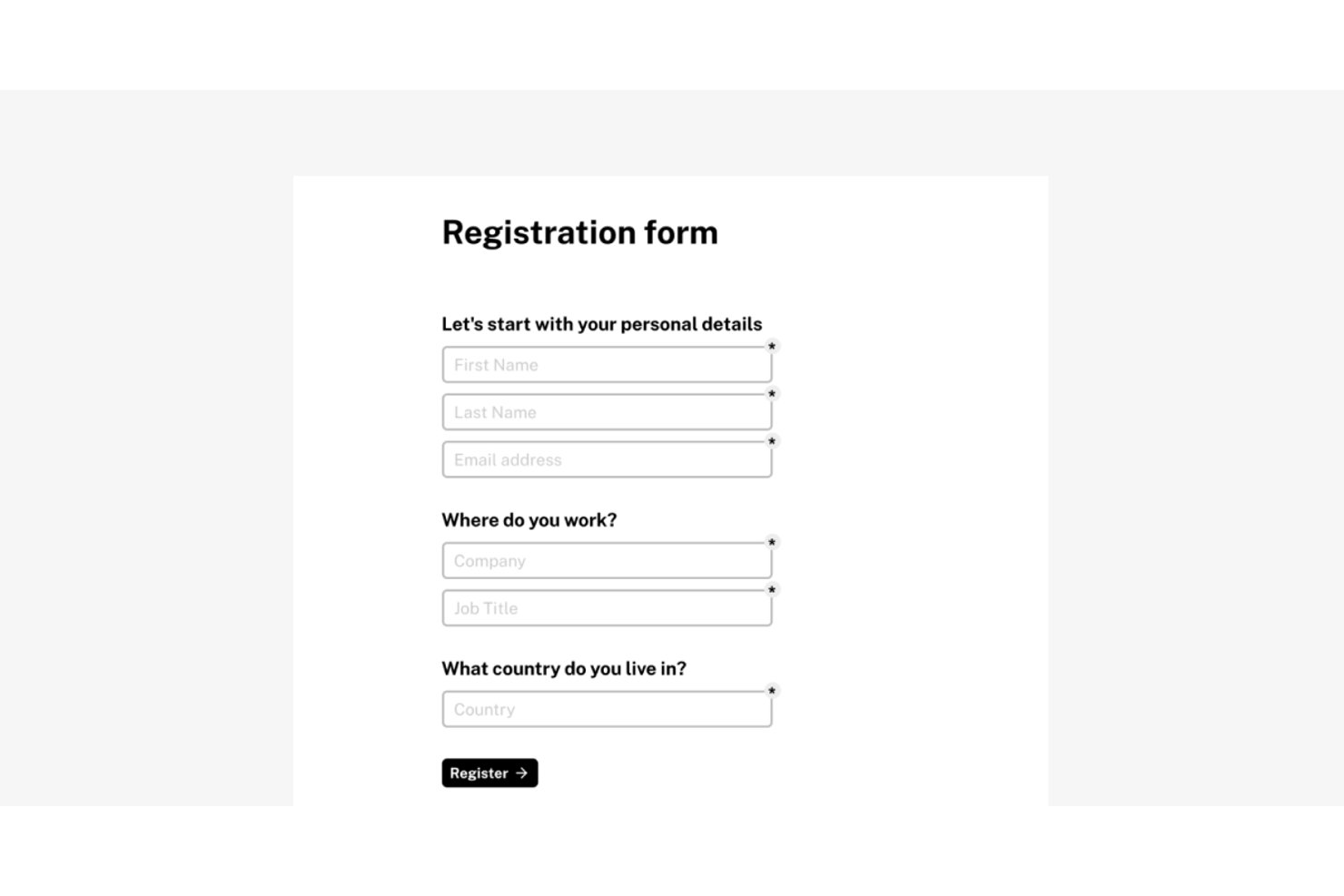
Tally is a no-code form builder built for teams who want to create and publish forms fast, without the paywalls that typically limit free tools like Microsoft Forms.
Who Is Tally Best For?
Tally is a strong fit for small teams, freelancers, and early-stage businesses that need a capable form builder without committing to an expensive monthly plan.
Why Tally Is a Good Top Microsoft Forms Alternative
I picked Tally as one of the best because it removes the submission caps and Microsoft 365 dependency that make Forms frustrating to scale. On the free plan, you get unlimited forms, unlimited responses, conditional logic, and answer piping — features most tools gate behind paid tiers. Building a form feels like writing in Notion: you type a question, select a block type, and publish, with no drag-and-drop setup required.
Tally Key Features
- Native Notion and Airtable integrations: Connect form submissions directly to Notion databases or Airtable bases with pre-built integrations.
- Custom CSS and branding controls: Tailor forms to your brand with custom themes, fonts, logos, and stylesheet support on paid plans.
- Multi-language and RTL support: Publish forms in over 50 languages, including right-to-left formats for broader accessibility.
- Payment collection with Stripe integration: Accept payments via built-in Stripe fields for order forms, registrations, or donations.
Tally Integrations
Tally offers native integrations with Notion, Airtable, Google Sheets, Slack, and Coda, Piepdream, and connects with Make and Zapier. An API is available for custom integrations.
Pros and Cons
Pros:
- No submission caps on any paid tier
- Notion-like block editor speeds up form building
- Unlimited responses on the free plan
Cons:
- Collaboration and permissions lack granular role controls
- Reporting dashboard is basic compared to competitors
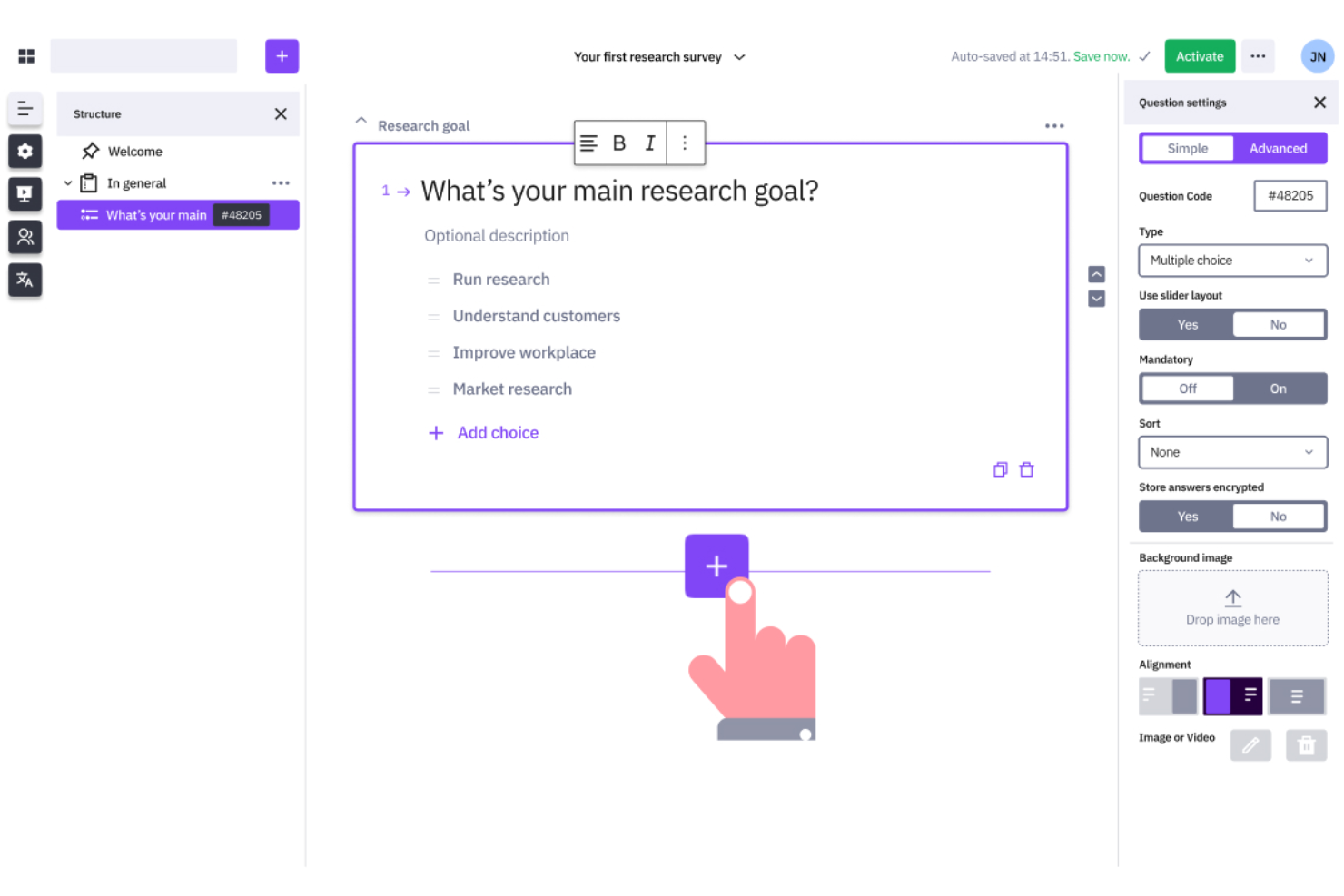
Organizations that need full control over survey design and data often choose LimeSurvey. This open-source platform appeals to research teams, universities, and businesses with complex survey requirements or strict data privacy needs. Unlike Microsoft Forms, LimeSurvey offers advanced customization, self-hosting options, and support for intricate survey logic.
Why LimeSurvey Is a Good Microsoft Forms Alternative
If you need a survey tool that supports advanced customization and control, LimeSurvey is worth considering. I picked LimeSurvey because it’s open-source, so you can self-host and tailor the platform to your organization’s specific requirements. The tool supports complex survey logic, custom question types, and detailed branching, which are features not available in Microsoft Forms. For teams that need to manage sensitive data or build highly specialized surveys, LimeSurvey offers flexibility that goes far beyond standard web-based survey tools.
LimeSurvey Key Features
Some other features make LimeSurvey a flexible option for survey creation and management:
- Multilingual Surveys: Create surveys in multiple languages to reach diverse audiences.
- Question Import and Export: Move questions and surveys between projects using CSV or Excel files.
- Participant Management: Organize, invite, and track survey participants within the platform.
- Extensive Question Types: Choose from over 25 question formats, including ranking, matrix, and file upload.
LimeSurvey Integrations
Integrations include R, SPSS, Microsoft Excel, Google Sheets, Tableau, Power BI, Salesforce, HubSpot, Zapier, and WordPress.
Pros and Cons
Pros:
- Multilingual support enables global data collection
- Advanced logic supports complex survey structures
- Open-source model allows full control over customization
Cons:
- Setup requires technical knowledge for full use
- Interface feels outdated compared to modern platforms

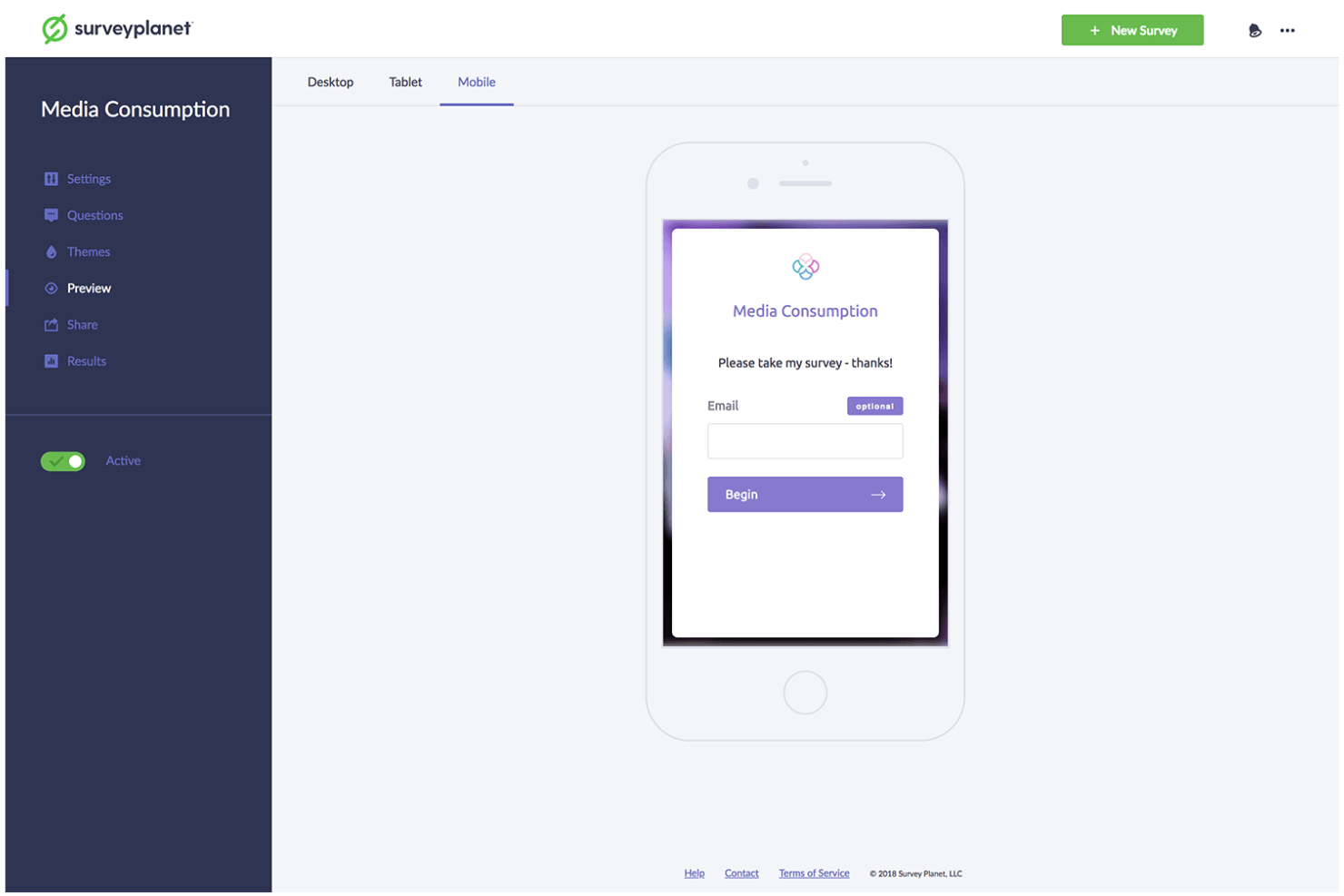
Teams that need to run unlimited surveys without worrying about response caps often turn to SurveyPlanet. This platform is a strong fit for educators, nonprofits, and businesses that handle high-volume feedback or frequent polling. Unlike Microsoft Forms, SurveyPlanet offers unlimited surveys and responses on all plans, making it ideal for organizations with ongoing or large-scale data collection needs.
Why SurveyPlanet Is a Good Microsoft Forms Alternative
SurveyPlanet stands out for anyone who needs to collect unlimited survey responses without hitting restrictive limits. I picked SurveyPlanet because every plan, including the free version, allows you to create as many surveys and gather as many responses as you need. This is especially useful for organizations running ongoing research, frequent event feedback, or large-scale polling. If you’re looking for a web-based survey tool that won’t cap your data collection, SurveyPlanet offers flexibility that Microsoft Forms doesn’t match.
SurveyPlanet Key Features
Some other features make SurveyPlanet a versatile choice for survey creation:
- Pre-written Question Templates: Access a library of ready-made questions to speed up survey design.
- Custom Themes: Apply custom colors, fonts, and backgrounds to match your brand.
- Anonymous Survey Option: Collect responses without capturing identifying information.
- Mobile-Responsive Surveys: Ensure surveys display correctly on smartphones and tablets.
SurveyPlanet Integrations
Integrations include Google Sheets, Microsoft Excel, Slack, Zapier, Salesforce, Dropbox, Mailchimp, Trello, Asana, and HubSpot.
Pros and Cons
Pros:
- Anonymous response options support privacy-focused use cases
- Pre-built templates speed up survey creation
- Unlimited surveys support high-volume data collection
Cons:
- Logic options lack flexibility for complex surveys
- Reporting features are limited compared to competitors
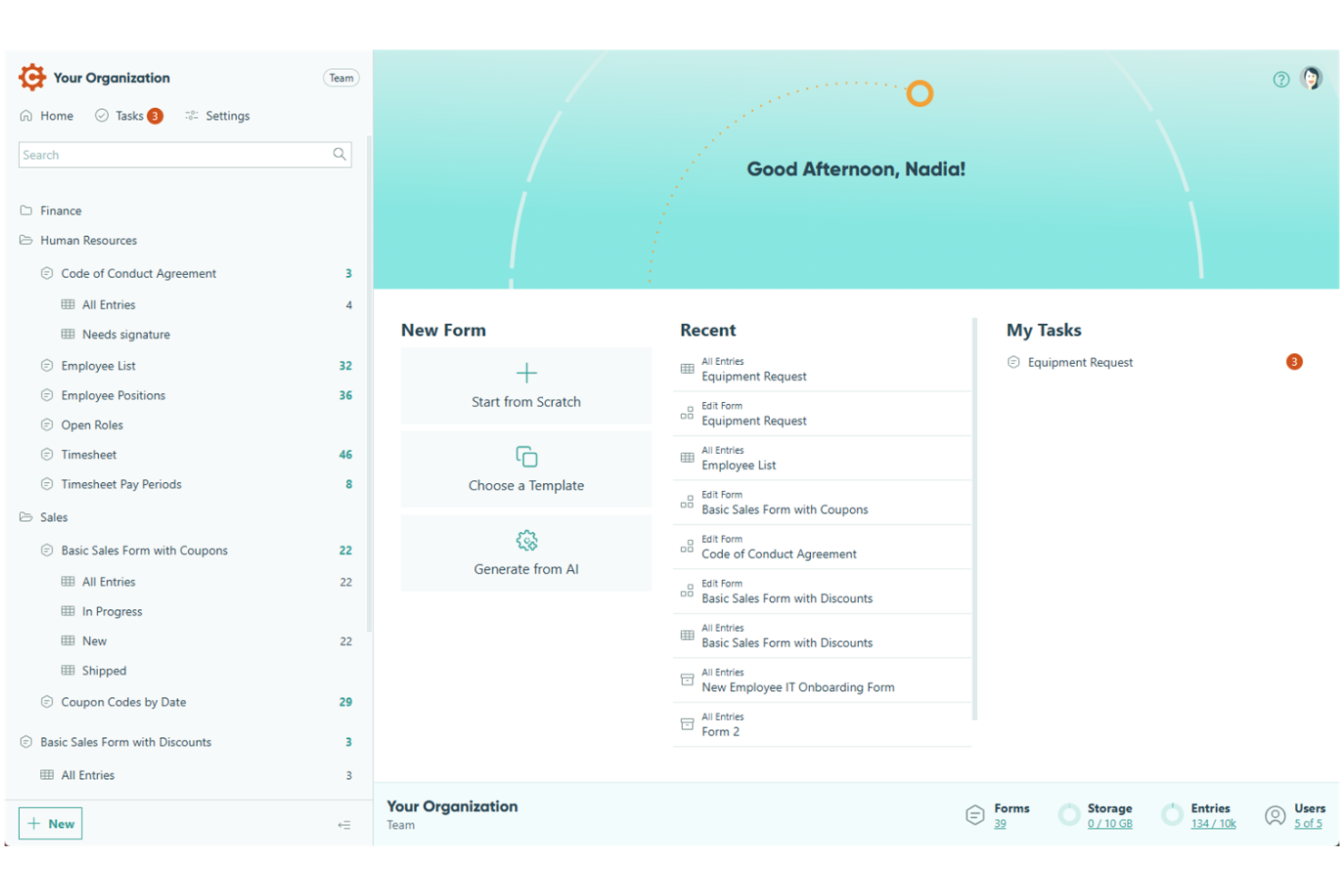
If you need forms that adapt to user input and handle complex calculations, Cognito Forms is worth a look. It’s designed for teams in finance, education, and operations that need dynamic forms with advanced logic and data validation. Unlike Microsoft Forms, Cognito Forms lets you build surveys that perform real-time calculations and show or hide fields based on user responses.
Why Cognito Forms Is a Good Microsoft Forms Alternative
Cognito Forms stands out for teams that need forms with advanced calculations and dynamic logic. I picked Cognito Forms because it lets you build surveys that automatically perform calculations, such as scoring or pricing, right within the form. You can also set up conditional logic to show or hide questions based on previous answers, making each survey highly responsive to user input. For anyone who needs more than just static forms, Cognito Forms offers flexibility that Microsoft Forms doesn’t match.
Cognito Forms Key Features
Some other features make Cognito Forms a strong option for web-based survey creation:
- File Uploads: Collect documents, images, or other files directly through your forms.
- Data Encryption: Protect sensitive form data with built-in encryption options.
- Repeating Sections: Allow respondents to add multiple entries for a set of questions within a single form.
- Payment Collection: Accept payments through integrations with Stripe, PayPal, and Square.
Cognito Forms Integrations
Integrations include Microsoft Flow, Zapier, PayPal, Stripe, Square, QuickBooks, Google Sheets, Dropbox, OneDrive, and Mailchimp.
Pros and Cons
Pros:
- Data encryption supports secure information handling
- Conditional logic enables responsive form behavior
- Calculation fields support complex data collection scenarios
Cons:
- Mobile design may require manual adjustments
- Reporting features are less advanced than those of competitors
Jotform
Best for drag-and-drop form builder with extensive integrations
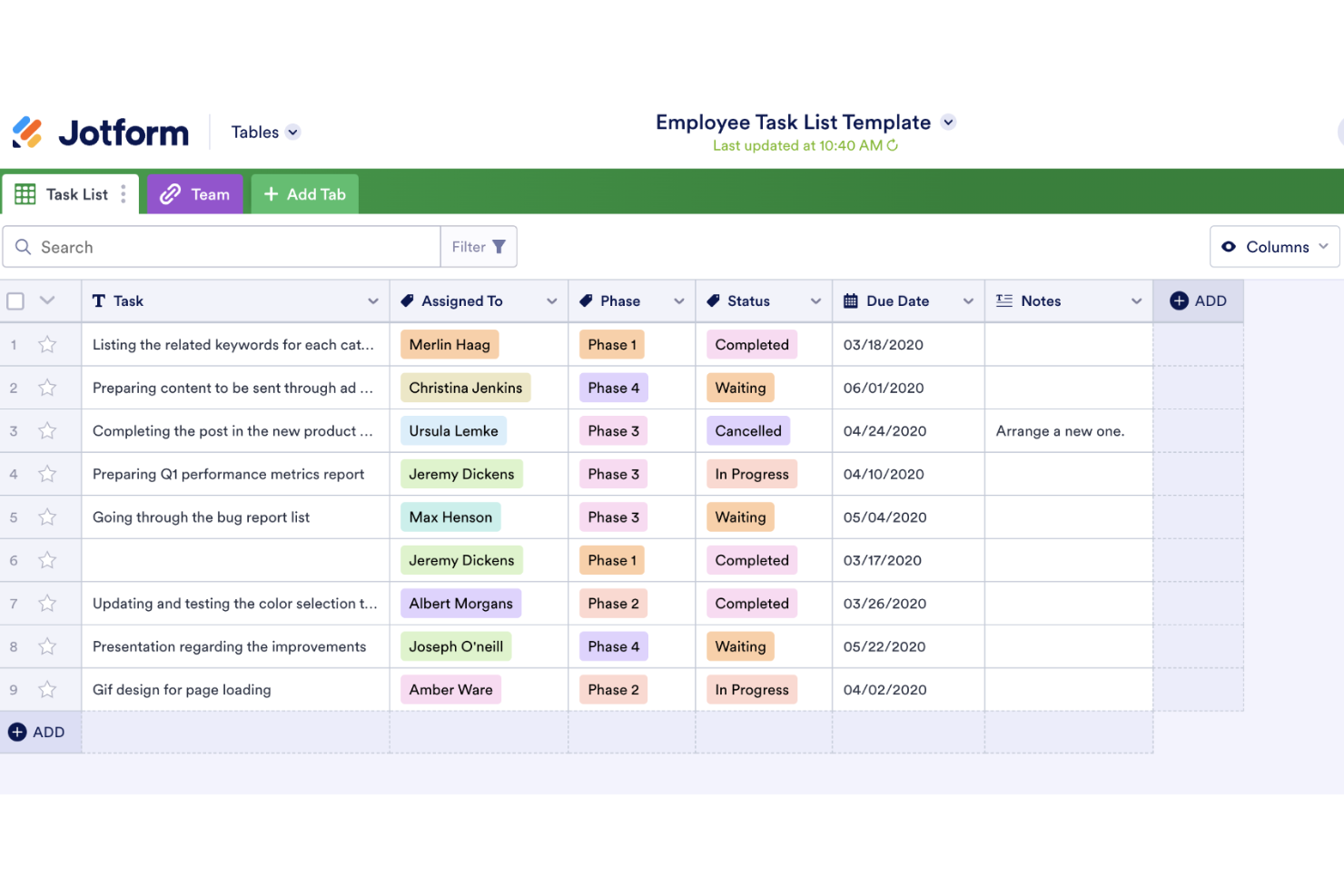
Jotform Enterprise stands out for organizations that need advanced workflow automation and secure data management in their survey processes. It’s a strong fit for IT, HR, and operations teams in regulated industries that require custom approval flows and granular access controls. Unlike Microsoft Forms, Jotform Enterprise offers enterprise-grade features like single sign-on, custom domains, and advanced compliance options.
Why Jotform Is a Good Microsoft Forms Alternative
Jotform Enterprise brings advanced workflow automation and enterprise controls that go far beyond what Microsoft Forms offers. I picked Jotform for teams that need to automate multi-step approval processes and manage complex data collection securely. With features like custom approval flows and granular user permissions, you can design surveys that fit strict organizational requirements. For businesses that need more than basic form building, Jotform’s enterprise-ready approach is a clear advantage.
Jotform Key Features
Some other features make Jotform Enterprise a flexible choice for web-based survey needs:
- Custom Domains: Use your own branded domain for all forms and surveys.
- Single Sign-On (SSO): Control user access with enterprise authentication systems.
- HIPAA Compliance: Collect and store sensitive health data securely.
- Advanced PDF Generation: Automatically create and share PDFs from form submissions.
Jotform Integrations
Integrations include Google Drive, Dropbox, PayPal, Stripe, Salesforce, Mailchimp, Google Sheets, Slack, Zoom, and HubSpot.
Pros and Cons
Pros:
- PDF generation enables document creation from responses
- Access controls support structured team management
- Workflow automation supports multi-step approval processes
Cons:
- Advanced setup may require technical involvement
- Performance may slow with large datasets
Other Microsoft Forms Alternatives
Here are some additional Microsoft Forms alternative options that didn’t make it onto my shortlist, but are still worth checking out:
- Sogolytics
For secure, customizable surveys with detailed reporting
- Alchemer
For advanced customization and workflow automation
- SmartSurvey
For UK-based survey platform with advanced compliance features
- QuestionPro
For enterprise-grade survey tool with robust analytics and reporting
- BlockSurvey
For end-to-end encrypted surveys for privacy-focused data collection


How I Evaluate Microsoft Forms Alternatives
I split my evaluation into two layers: the core functionality every tool must offer to make the list, and the differentiators—like PM sync and approval flows—that separate good fits from great ones.
Core Functionality (Table Stakes For This List)
When I'm selecting tools for my list, I rank each one on a scale from 0 (does not offer the functionality) to 5 (excels in this area) for each core functionality listed below. Then, I calculate the tool's total score into a percentage. Each tool needs to achieve a minimum total score of 65% to be considered for inclusion.
- Custom Form Builder: I look at the variety of field types available—things like file uploads for project briefs, date pickers for milestone requests, and rating scales for retro surveys.
- Conditional Logic: Good alternatives let you branch a project intake form so a creative request routes differently than a dev ticket, based on how the submitter answers.
- Workflow & Task Integration: I check whether submissions can flow into PM tools like Asana or Jira as new tasks or tickets without manual copy-pasting.
- Response Management & Reporting: The tool should let you filter, visualize, and export responses—for example, pulling a summary dashboard of all intake requests received this sprint.
- Sharing & Distribution Options: I evaluate how forms reach respondents, from embedded forms in a Confluence wiki to password-protected links sent to external clients for feedback.
- Collaboration & Permissions: Project teams need shared editing and role-based access so a PMO lead can own form templates while coordinators manage day-to-day submissions.
Once I have a list of tools that meet this criteria, I consider what sets each platform apart.
Differentiating Factors (What Sets Vendors Apart)
Here's how I compare and contrast different vendors:
Standout Features
Approval workflows are a big differentiator—when a project intake form can automatically route a change request through a chain of reviewers, it saves PMs from chasing sign-offs over email. I also look at AI-assisted form creation, which speeds up building intake templates from scratch. Prefill capabilities matter for recurring stakeholders who shouldn't have to re-enter project details every time they submit a request.
Beyond Features
Since you're moving away from Microsoft Forms, I check how well each tool connects with your existing workspace—whether that's Microsoft 365, Google Workspace, or both. A smooth transition depends on it. Integration ecosystem depth also matters; I evaluate whether the tool connects to PM platforms natively or only through iPaaS tools like Zapier. Finally, pricing and scalability deserve attention. Some tools cap response volume or charge per form, which can become a problem when your PMO scales intake across multiple teams.
Why Look For a Microsoft Forms Alternative?
While Microsoft Forms is a decent web-based survey tool, there are a number of reasons why some users seek out alternative solutions. You might be looking for an alternative because…
- You need advanced logic or calculation fields in your forms
- You want to collect payments or file uploads directly through surveys
- You require more robust data privacy or encryption controls
- You need deeper analytics or reporting features
- You work outside the Microsoft 365 ecosystem
- You want more customization options for branding and design
If any of these sound like you, you’ve come to the right place. My list contains several web-based survey tool options that are better suited for teams facing these challenges with Microsoft Forms and looking for alternative solutions.
Microsoft Forms Key Features
Here are some of the key features of Microsoft Forms, to help you contrast and compare what alternative solutions offer:
- Multiple question types, including choice, text, rating, and date
- Real-time response tracking and basic analytics dashboards
- Integration with Microsoft 365 apps like Excel and Teams
- Branching logic for simple conditional workflows
- Automatic data export to Excel for further analysis
- Mobile-friendly form design and response collection
- Built-in sharing options via link, QR code, or email
- Response limits and settings for privacy and permissions
- Collaboration features for co-authoring forms with colleagues
- Support for quizzes with automatic grading and feedback