

17 Best Box Alternatives in 2026

Box Alternatives Shortlist


A strong Box alternative gives your team secure file sharing, flexible team collaboration, and reliable content management—without locking you into Box’s ecosystem. If you no longer want to use Box, you’re likely weighing data security, integration, and workflow needs against cost, ease of use, or compliance requirements.
The right solution should fit your organization’s structure, support your preferred tools, and adapt as your needs change. In this list, backed by top user reviews on Capterra, you’ll find a range of Box alternatives for 2026, each with distinct features to help you manage documents, control access, and keep your projects moving.
What is Box?
Box is a cloud-based content management platform and digital asset management solution that lets teams store, share, and collaborate on files securely from anywhere. It offers centralized document management, granular access controls, and integration with popular productivity tools.
Box is used by organizations to manage workflows, maintain compliance, and support distributed teams. Its features are designed for large enterprises and businesses that need secure file storage, version control, and collaboration across departments or external partners.
Best Box Alternatives Summary
This comparison chart summarizes pricing details for my top Box alternative selections to help you find the best one for your budget and business needs.
| Tool | Best For | Trial Info | Price | ||
|---|---|---|---|---|---|
| 1 | Best for real-time document collaboration | 14-day free trial available | From $7/user/month (billed annually) | Website | |
| 2 | Best for automated workflow management | Free demo available | Pricing upon request | Website | |
| 3 | Best for simple file sharing workflows | Free trial + free plan available | From $9.99/user/month (billed annually) | Website | |
| 4 | Best for enterprise intranet solutions | 30-day free trial available | From $5.00/user/month (billed annually) | Website | |
| 5 | Best for self-hosted deployment flexibility | Free trial + free demo available | From $7/month (billed annually) | Website | |
| 6 | Best for granular data governance controls | 15-day free trial + free demo available | From $22/user/month (billed annually) | Website | |
| 7 | Best with Microsoft 365 integration | 1-month free trial | From $6.00/user/month (billed annually) | Website | |
| 8 | Best for small business team organization | 15-day free trial + free demo available | From $2.50/user/month (billed annually) | Website | |
| 9 | Best for open-source customization options | Free trial + free demo available | From €42/user(billed annually) | Website | |
| 10 | Best for regulated industry compliance | Free demo available | Pricing upon request | Website |
Why You Can Trust Us
We’ve been testing and reviewing project management software since 2012. As project managers ourselves, we know how critical and difficult it is to make the right decision when selecting software.
We invest in deep research to help our audience make better software purchasing decisions. We’ve tested more than 2,000 tools for different project management use cases and written over 1,000 comprehensive software reviews. Learn how we stay transparent & our software review methodology.
-

Accelo
Visit WebsiteThis is an aggregated rating for this tool including ratings from Crozdesk users and ratings from other sites.4.4 -
Wrike
Visit WebsiteThis is an aggregated rating for this tool including ratings from Crozdesk users and ratings from other sites.4.3 -
Monitask
Visit WebsiteThis is an aggregated rating for this tool including ratings from Crozdesk users and ratings from other sites.4.8




Box Alternatives Reviews
Below are my detailed summaries of the Box alternatives that made it onto my shortlist. My reviews offer a detailed look at the features, best use cases, and integrations of each platform to help you find the best one for you.

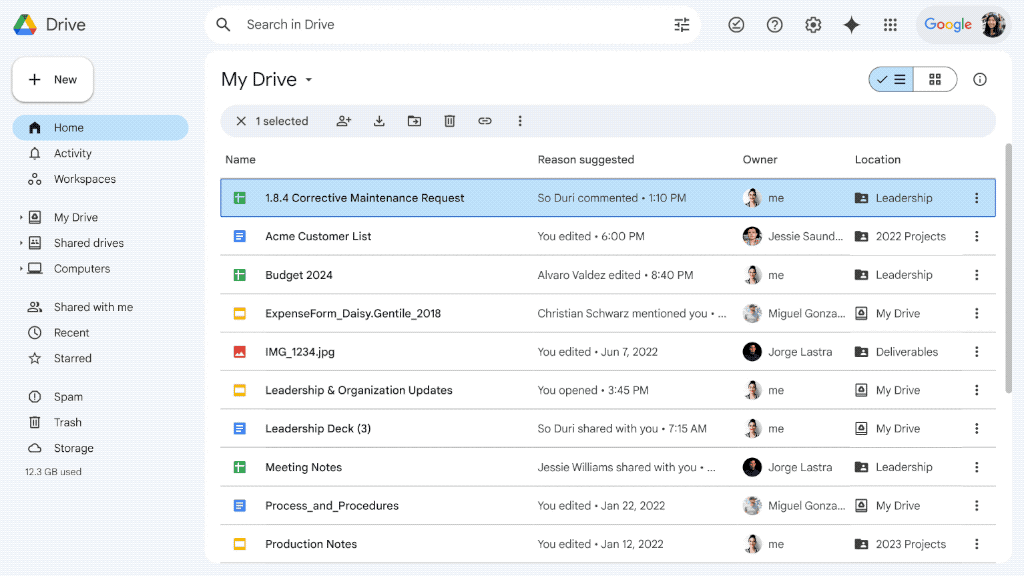
Google Drive is worth considering if your team relies on real-time collaboration and close integration with Google Workspace. The platform appeals to organizations that prioritize live document editing and easy sharing across distributed teams. Its connection with Docs, Sheets, and Slides sets it apart from Box, making it a strong choice for teams that need fast, interactive content management.
Why It’s a Good Box Alternative
Google Drive stands out for teams that need real-time document collaboration as a core part of their workflow. I picked it because its live editing in Docs, Sheets, and Slides lets multiple users work together on the same file without version conflicts.
The platform’s commenting and suggestion tools make feedback and approvals fast and transparent. For organizations that value instant updates and collaborative editing, Google Drive offers a clear advantage over Box.
Google Drive Key Features
Some other features make Google Drive a flexible option for content management beyond real-time collaboration:
- Shared Drives: Create team-based folders with customizable permissions for organizing and managing group files.
- Advanced Search: Use keyword, file type, and owner filters to quickly locate documents across your organization’s storage.
- File Version History: Access and restore previous versions of files to track changes and recover older content when needed.
- Offline Access: Work on files without an internet connection, with changes syncing automatically once you’re back online.
Google Drive Integrations
Integrations include Gmail, Google Meet, Google Chat, Google Calendar, Google Docs, Google Sheets, Google Slides, Salesforce, Slack, and Zoom.
Pros and Cons
Pros:
- Very intuitive interface
- Incredible search functions
- Deep Google Workspace sync
Cons:
- No robust workflow automation
- Sharing links can get messy

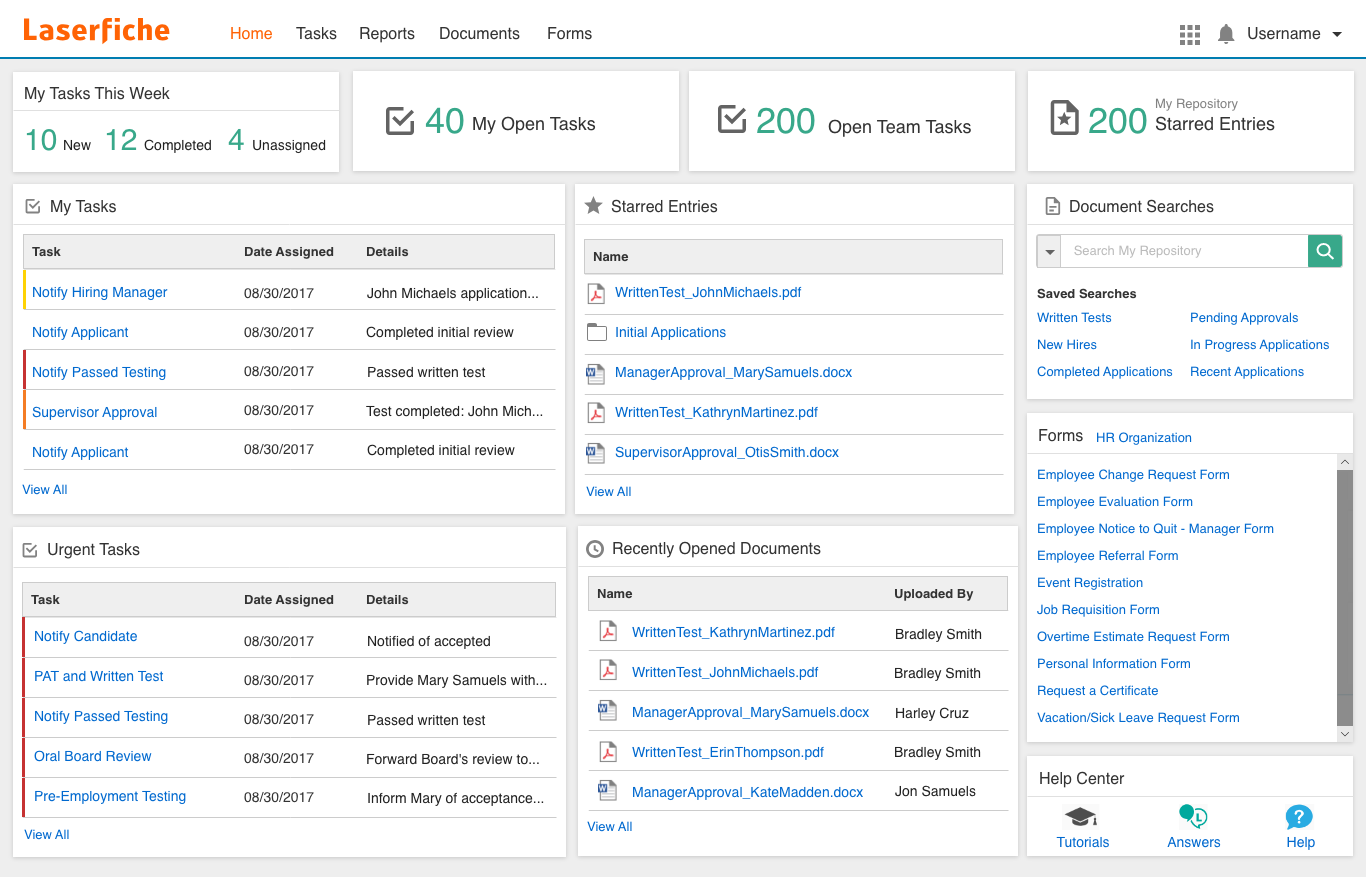
Laserfiche is often considered by teams looking to automate complex document workflows through its process automation capabilities. The platform is a strong fit for organizations that need to digitize forms, route approvals, and orchestrate multi-step processes across departments. Unlike Box, Laserfiche offers built-in workflow design tools and advanced automation features that help reduce manual intervention in content management.
Why It’s a Good Box Alternative
For teams that need to automate document-driven processes, Laserfiche offers workflow management tools that go beyond what Box provides. I picked Laserfiche because it lets you design custom workflows using a visual drag-and-drop builder, making it easier to automate approvals, notifications, and document routing.
The platform also supports electronic forms and process mapping, so you can digitize and streamline multi-step tasks across your organization. If your priority is reducing manual work in content management, Laserfiche’s automation features are a strong fit.
Laserfiche Key Features
Some other features that stood out to me include:
- Granular Permission Controls: Set detailed access rights for users and groups at the folder or document level.
- Version Control: Track changes and maintain a full history of document edits and updates.
- Optical Character Recognition (OCR): Convert scanned documents and images into searchable, editable files.
- Records Management: Apply retention schedules and automate compliance with regulatory requirements.
Laserfiche Integrations
Integrations include Microsoft 365, Salesforce, SAP, DocuSign, Adobe Sign, OneSpan, Workday, Oracle Cloud ERP, Esri ArcGIS, and Ellucian.
Pros and Cons
Pros:
- Highly customizable metadata
- Deep regulatory compliance
- Powerful electronic forms
Cons:
- Overkill for basic file sync
- UI feels a bit old-fashioned

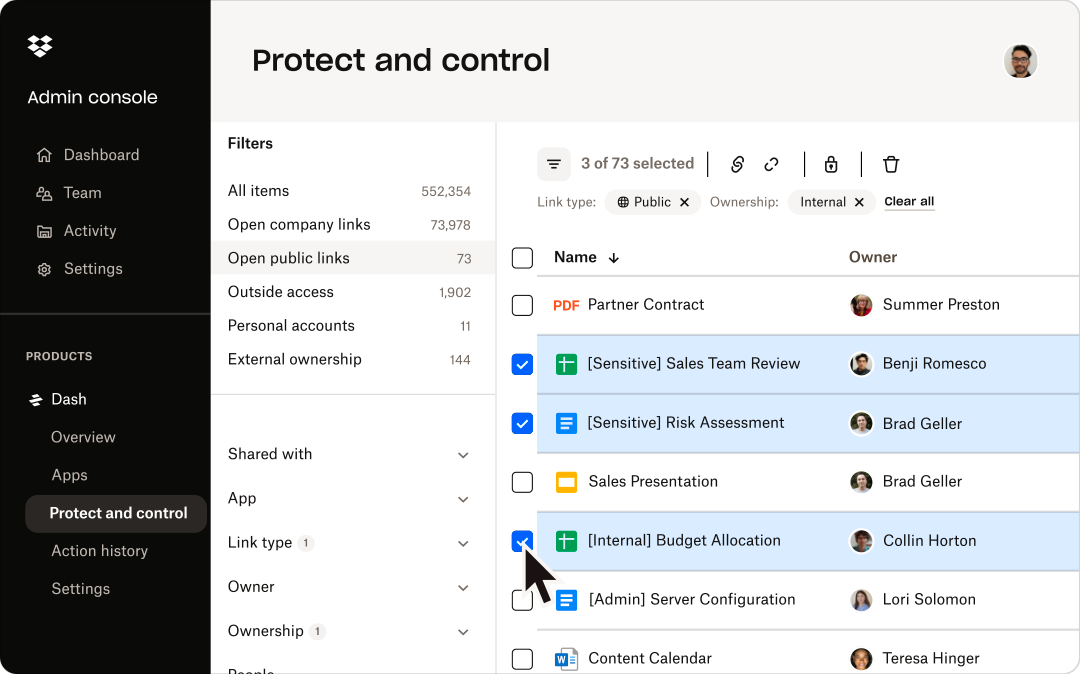
Dropbox is a strong fit for teams that need a straightforward way to share and organize files without extra complexity. It appeals to businesses and creative professionals who want fast, reliable file syncing and sharing across devices. Unlike Box, Dropbox keeps its workflows simple, making it easy to manage content without navigating advanced configuration or layered permissions.
Why It’s a Good Box Alternative
For teams that want to avoid complicated content management setups, Dropbox offers a streamlined approach to file sharing. I picked Dropbox because its core features focus on fast file uploads, simple folder organization, and reliable syncing across devices.
The file request tool lets you collect documents from anyone, even if they don’t have a Dropbox account. If your priority is straightforward file sharing without advanced workflow layers, Dropbox is a practical alternative to Box.
Dropbox Key Features
Some other features make Dropbox a versatile option for content management:
- Dropbox Paper: Create, edit, and collaborate on documents directly within Dropbox.
- File Recovery and Version History: Restore deleted files and access previous versions for up to 180 days.
- Smart Sync: Access all files from your desktop without taking up local storage space.
- Team Folder Management: Organize and control access to shared folders for different groups or projects.
Dropbox Integrations
Integrations include Google Workspace, Microsoft, Adobe, HubSpot, Autodesk, Canva, AWS, Slack, Zoom, and Trello.
Pros and Cons
Pros:
- Familiar UI for most users
- Great external file requests
- Massive third-party app list
Cons:
- Tiny free storage allocation
- Bloated desktop application

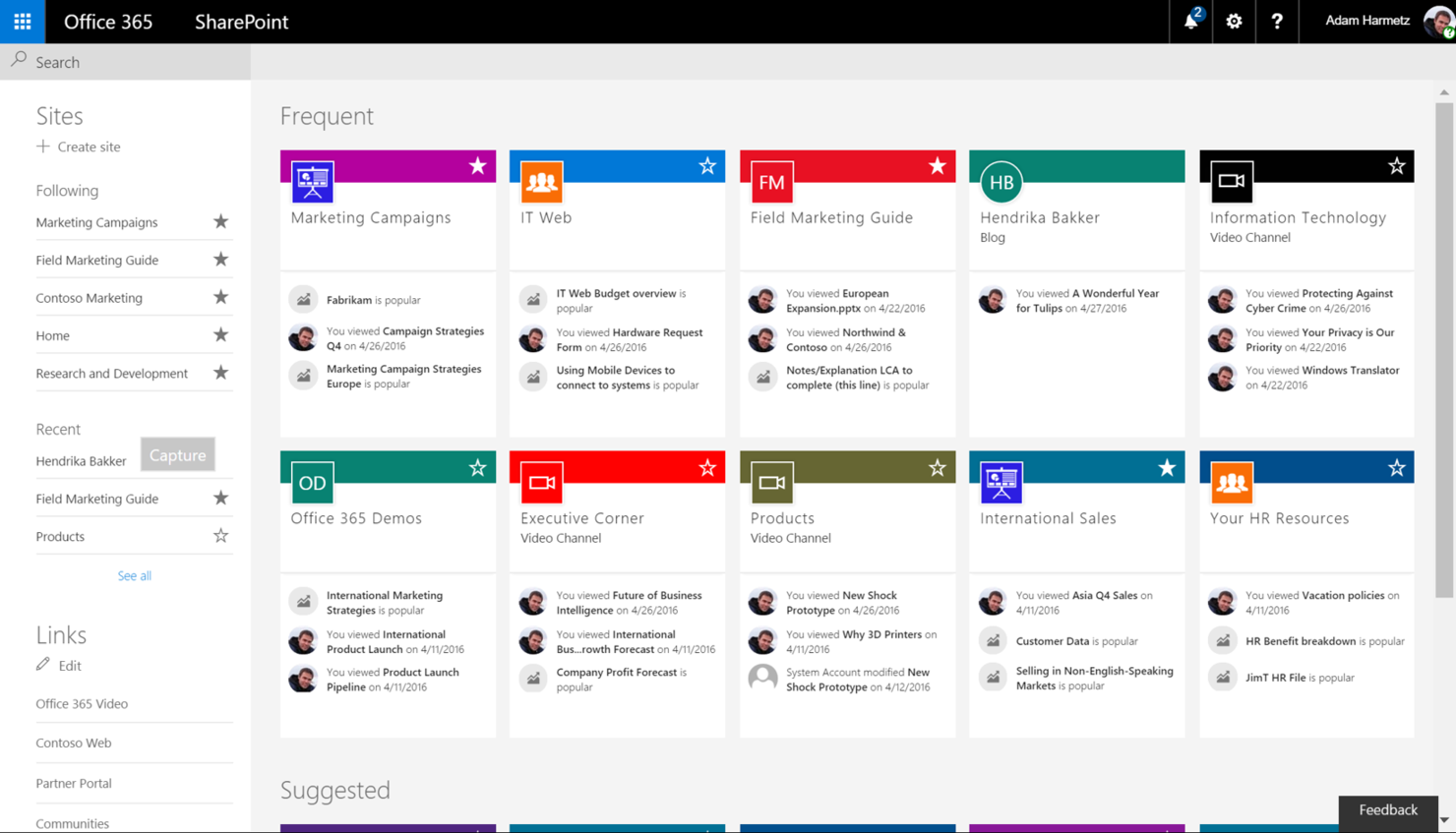
Microsoft SharePoint is built for organizations that need a content management platform that also functions as a secure, customizable intranet. Enterprise IT teams and large companies often choose SharePoint for its integration with Microsoft 365, advanced permission controls, and scalable site management. Unlike Box, SharePoint lets you create internal portals, automate workflows, and manage documents within a single environment.
Why It’s a Good Box Alternative
When you need a content management platform that can also serve as a full-featured enterprise intranet, SharePoint is a strong choice. I picked SharePoint because it lets you build custom internal sites, manage document libraries, and set granular access controls for different teams or departments.
Its workflow automation tools help streamline business processes directly within your intranet environment. For organizations that want more than just file storage, SharePoint offers a unified space for collaboration, communication, and knowledge sharing.
Microsoft SharePoint Key Features
Some other features make SharePoint a versatile platform for enterprise content management:
- Version History: Track and restore previous versions of documents within libraries.
- Metadata Tagging: Organize and search files using custom metadata fields.
- Co-Authoring: Edit documents simultaneously with colleagues in real time.
- Mobile Access: Use dedicated mobile apps to access sites and files on the go.
Microsoft SharePoint Integrations
Integrations include Microsoft Teams, Microsoft OneDrive, Microsoft Outlook, Microsoft Word, Microsoft Excel, Microsoft Forms, and Microsoft Viva.
Pros and Cons
Pros:
- Strong access control lists
- Massive enterprise scalability
- Highly custom document flows
Cons:
- High training barrier for staff
- Sync issues with large folders

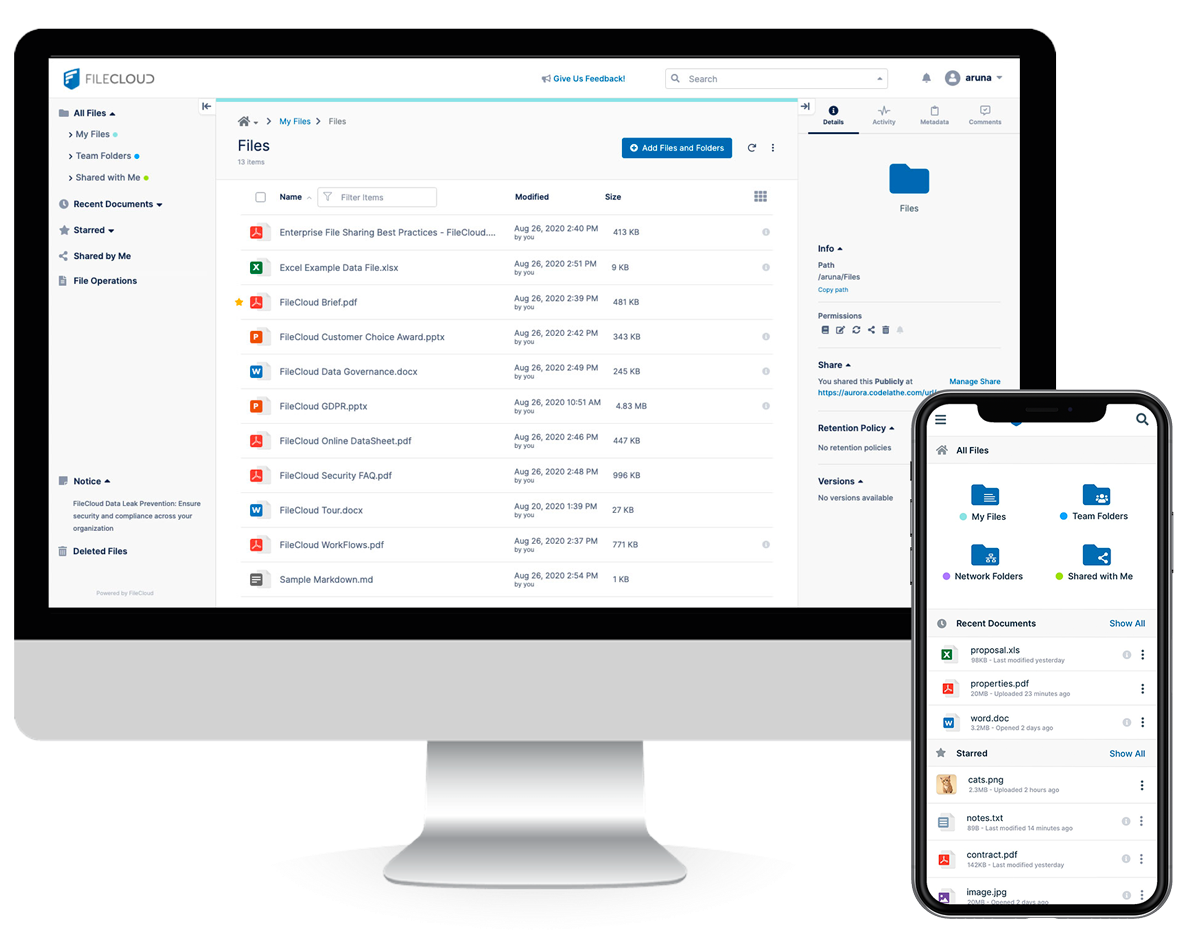
FileCloud is a strong fit for organizations that want full control over their data and infrastructure. It’s especially appealing to IT teams and regulated industries that need to deploy content management on their own servers or private cloud. With flexible self-hosting options and granular admin controls, FileCloud addresses security, compliance, and customization needs that Box and most cloud-only platforms can’t match.
Why It’s a Good Box Alternative
Unlike most cloud-first platforms, FileCloud gives you the option to fully self-host your content management environment. I picked FileCloud because it lets you deploy on-premises, in a private cloud, or in a hybrid setup, which is ideal for organizations with strict data residency or compliance requirements.
Its admin console offers granular control over user access, storage locations, and encryption settings. If your team needs deployment flexibility that Box doesn’t offer, FileCloud is built for that level of control.
FileCloud Key Features
Some other features make FileCloud appealing for content management teams:
- Custom Branding: Apply your organization’s logo, colors, and domain to the user interface.
- Integrated Workflow Automation: Build and manage document approval and review workflows directly in the platform.
- Advanced DLP (Data Loss Prevention): Set rules to detect and prevent unauthorized sharing or downloads of sensitive files.
- Comprehensive Audit Logs: Track all user activity and file access for compliance and security monitoring.
FileCloud Integrations
Integrations include Microsoft 365, Microsoft Teams, Outlook, OnlyOffice, Google Workspace, Okta, Active Directory, ClamAV, ICAP, and reCaptcha.
Pros and Cons
Pros:
- Excellent custom branding
- Deep endpoint backup options
- High compliance for healthcare
Cons:
- UI lacks modern polish
- Complex initial configuration

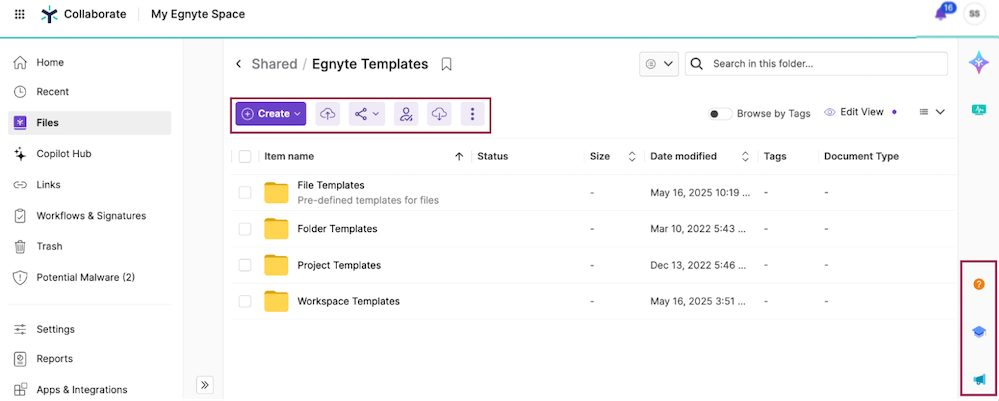
Egnyte stands out for organizations that need advanced control over sensitive files and regulatory compliance. It’s especially useful for IT leaders and security-focused teams in industries like healthcare, finance, and architecture. With its granular data governance features, Egnyte helps you manage permissions, monitor file activity, and enforce policies that go beyond what Box and many other platforms provide.
Why It’s a Good Box Alternative
When you need more than basic file sharing, Egnyte delivers advanced data governance controls that set it apart from Box. I picked Egnyte because it lets you set highly specific permissions at the folder, subfolder, and even file level, which is essential for regulated industries.
Its built-in content classification and real-time threat detection help you identify sensitive data and respond to risks quickly. If your team needs to enforce strict compliance and security policies, Egnyte offers the granular oversight that Box often lacks.
Egnyte Key Features
Some other features make Egnyte a strong choice for content management:
- Hybrid Cloud Storage: Store and access files both on-premises and in the cloud for flexible deployment.
- Document Collaboration Tools: Edit and comment on documents directly within the platform.
- Mobile Access App: Manage and share files securely from iOS and Android devices.
- Automated File Lifecycle Management: Set retention, archival, and deletion policies for files based on your organization’s needs.
Egnyte Integrations
Integrations include Google Workspace, Microsoft 365, Salesforce, Google Cloud, Microsoft Azure, AWS, and Adobe.
Pros and Cons
Pros:
- Deep data governance controls
- Handles large CAD files well
- Built-in ransomware detection
Cons:
- Setup requires IT expertise
- Heavy desktop sync client

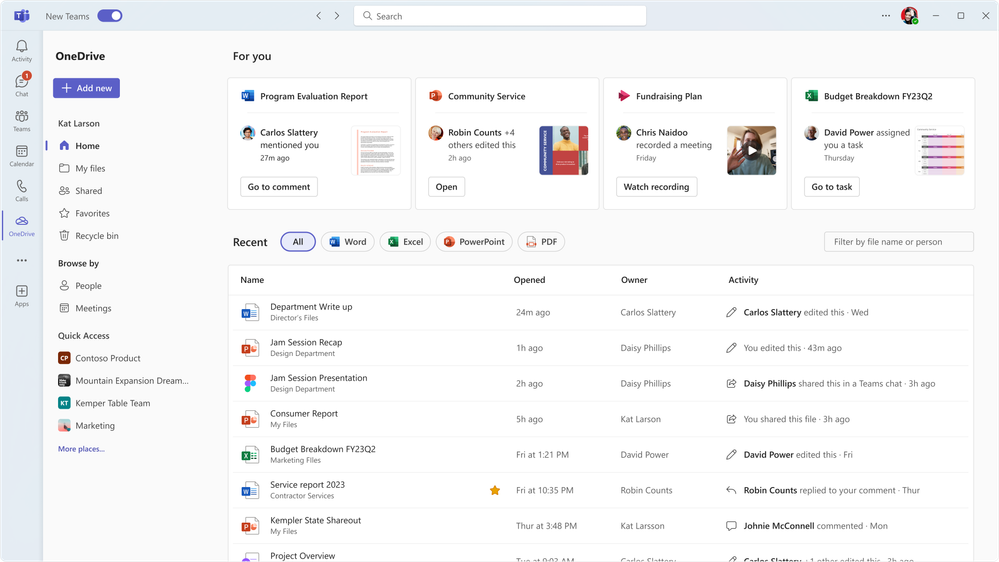
Microsoft OneDrive offers a tightly integrated content management experience for organizations already invested in Microsoft 365. It’s especially useful for teams that rely on Word, Excel, and Teams for daily collaboration and document sharing. Unlike Box, OneDrive’s direct connection to Microsoft’s productivity suite makes it a natural fit for organizations looking to centralize files and manage workflows within the Microsoft ecosystem.
Why It’s a Good Box Alternative
If your team already uses Microsoft 365, OneDrive offers a level of integration that Box can’t match. I picked it because files stored in OneDrive are accessible directly from Word, Excel, PowerPoint, and Teams, making document management and collaboration feel seamless within the Microsoft environment.
OneDrive also supports real-time co-authoring and automatic file syncing across devices, which helps teams stay aligned on shared projects. For businesses that want to keep everything within the Microsoft ecosystem, OneDrive is a practical alternative to Box.
Microsoft OneDrive Key Features
Some other features make OneDrive a strong choice for content management beyond its Microsoft 365 integration:
- Personal Vault: Store sensitive files in a protected area with identity verification for extra security.
- File Request: Collect files from anyone by sending a secure upload link, even if they don’t have a Microsoft account.
- Automatic Photo and Video Backup: Sync photos and videos from mobile devices directly to OneDrive for easy access and organization.
- Granular Sharing Controls: Set permissions for viewing, editing, or downloading files and folders at a detailed level.
Microsoft OneDrive Integrations
Integrations include Microsoft Teams, Outlook, SharePoint, Word, Excel, PowerPoint, Power BI, Dynamics 365, Windows, and Samsung.
Pros and Cons
Pros:
- Strong offline file access
- Excellent Windows integration
- Personal Vault for security
Cons:
- Slower upload speeds at times
- Lacks granular Box governance


Zoho WorkDrive is appealing for small businesses looking for a content management platform that’s easy to organize and manage. The platform is designed for teams that need shared workspaces, granular folder permissions, and simple onboarding without heavy IT involvement. Unlike Box, Zoho WorkDrive emphasizes team-based file structures and built-in collaboration tools tailored for growing organizations.
Why It’s a Good Box Alternative
For small businesses that want to keep teams organized without extra complexity, Zoho WorkDrive offers a team-focused approach that stands out from Box. I like that you can create Team Folders with role-based access, so everyone knows exactly where to find and store files.
The built-in activity timeline lets you track document changes and team contributions at a glance. If your business needs a content management platform that’s structured for collaboration and clarity, Zoho WorkDrive is built for that.
Zoho WorkDrive Key Features
Some other features make Zoho WorkDrive a strong option for content management:
- Document Versioning: Access and restore previous versions of files directly from the platform.
- Built-in File Preview: View documents, images, and videos without downloading them.
- Granular Admin Controls: Set storage limits, manage user roles, and monitor activity from a central dashboard.
- Zoho Office Suite Integration: Edit documents, spreadsheets, and presentations within the same workspace.
Zoho WorkDrive Integrations
Integrations include Zoho CRM, Zoho Projects, Zoho Cliq, Zoho Mail, Microsoft Office, Microsoft Outlook, Gmail, Bigin, WorkDrive Genie, and Zoho Sheet.
Pros and Cons
Pros:
- Clean and simple dashboard
- Good team folder structure
- Built-in office suite apps
Cons:
- Smaller enterprise footprint
- Mobile app can be clunky

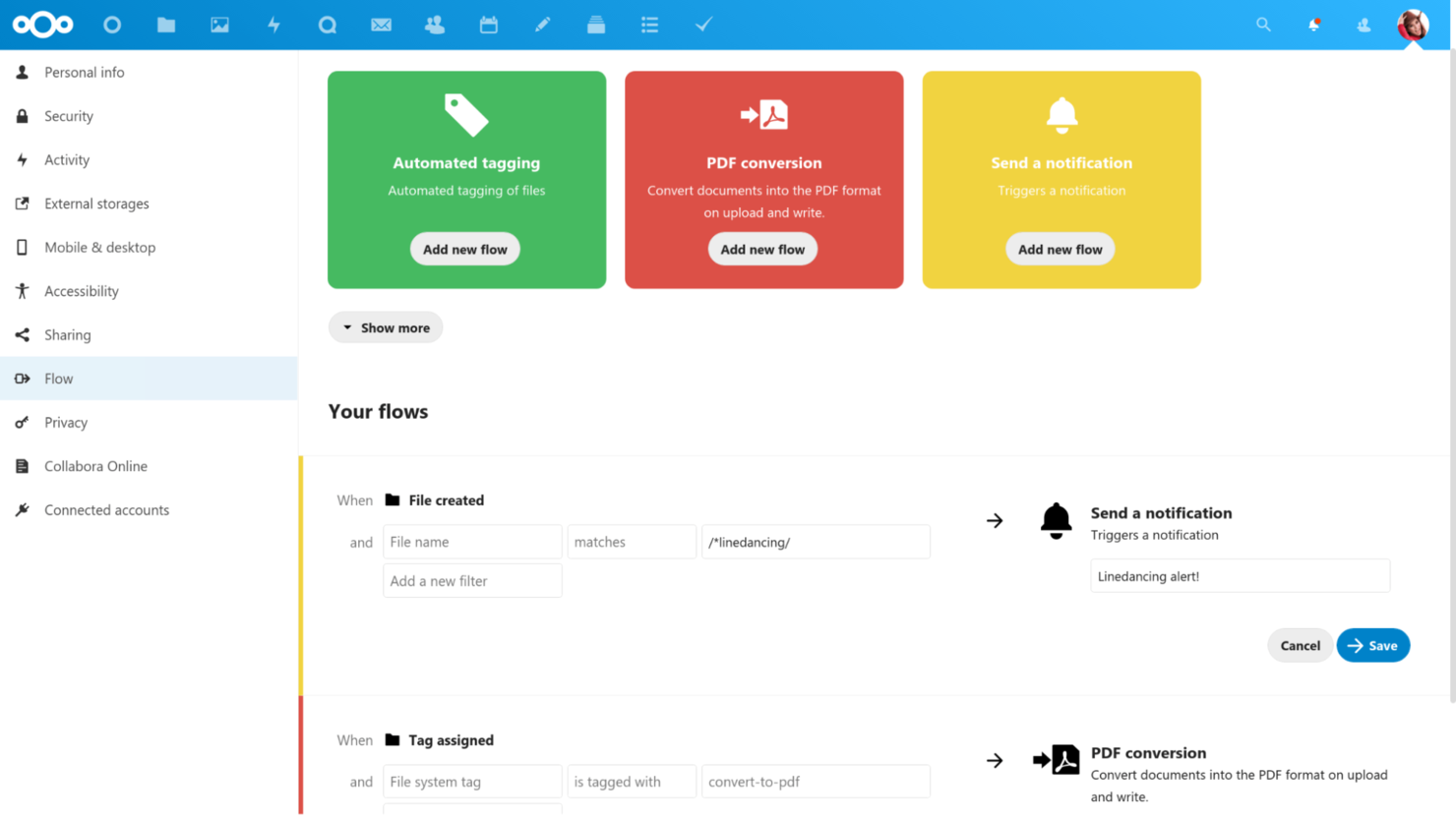
Nextcloud is worth a close look if you need a content management platform that you can fully control and customize. This open-source solution is ideal for IT teams, privacy-focused organizations, and groups with unique compliance or integration needs. Unlike Box, Nextcloud lets you self-host, modify, and extend every aspect of your file management environment.
Why It’s a Good Box Alternative
For teams that want full control over their content management platform, Nextcloud stands out with its open-source customization options. I appreciate that you can self-host Nextcloud on your own infrastructure, giving you direct control over data privacy and compliance.
The platform also supports a wide range of community-built apps, so you can tailor workflows, security, and collaboration features to your exact needs. If you’re looking for a solution that adapts to your organization’s unique requirements, Nextcloud offers flexibility that Box can’t match.
Nextcloud Key Features
Some other features make Nextcloud a flexible choice for content management:
- End-to-End Encryption: Protect files with client-side encryption for sensitive data.
- Integrated Video and Audio Calls: Host meetings and calls directly within the platform.
- Granular File Access Controls: Set detailed permissions for users and groups on folders and files.
- Collaboration Tools: Use built-in chat, comments, and collaborative document editing.
Nextcloud Integrations
Integrations include Collabora, OnlyOffice, Moodle, Zimbra, BigBlueButton, and Microsoft Outlook.
Pros and Cons
Pros:
- Great European data compliance
- Massive community plugin hub
- No monthly storage limits
Cons:
- Not an out-of-the-box setup
- Sync clients can be buggy

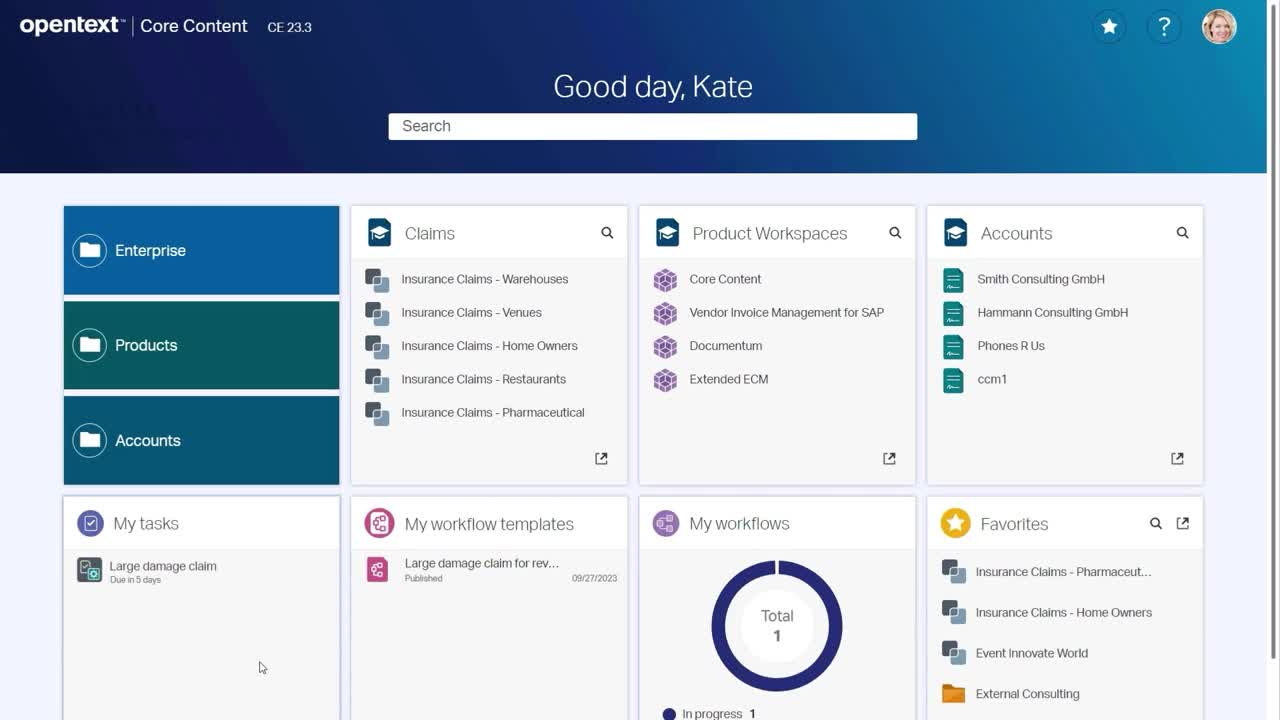
OpenText Content Cloud is often used by organizations in highly regulated industries for its compliance-focused content management capabilities. The platform is designed for teams in sectors like healthcare, finance, and energy that need to meet strict data governance and audit requirements. Unlike Box, OpenText Content Cloud offers advanced records management, policy enforcement, and industry-specific compliance tools built into its core platform.
Why It’s a Good Box Alternative
If your business operates in a highly regulated environment, OpenText Content Cloud offers compliance controls that go beyond what Box provides. I picked this platform because it includes built-in records management, audit trails, and policy enforcement features designed for strict regulatory standards.
You can automate retention schedules and ensure that sensitive documents are handled according to industry-specific rules. For teams that need to demonstrate compliance during audits, OpenText Content Cloud delivers the specialized tools required to manage risk and meet legal obligations.
OpenText Content Cloud Key Features
In addition to its compliance-focused capabilities, I also found these features worth noting:
- Document Collaboration Workspaces: Create secure, project-based spaces for teams to share and manage files.
- Automated Workflow Routing: Set up rules to automatically route documents for review, approval, or escalation.
- Advanced Search and Discovery: Use metadata and full-text search to quickly locate documents across repositories.
- Mobile Content Access: Access, review, and manage documents from dedicated mobile apps.
OpenText Content Cloud Integrations
Integrations include SAP, SAP SuccessFactors, Salesforce, Microsoft 365, Google Workspace, Guidewire, Oracle, Amazon Web Services, Microsoft Azure, and Google Cloud.
Pros and Cons
Pros:
- Advanced legal e-discovery
- Strong lifecycle management
- Deep SAP and legacy IT sync
Cons:
- Not for small or mid-size teams
- Requires heavy IT involvement
Other Box Alternatives
Here are some additional box alternatives options that didn’t make it onto my shortlist, but are still worth checking out:
- Hyland OnBase
For document-centric process automation
- Progress ShareFile
For secure client file exchange
- IDrive
For multi-device file backup
- Tresorit
For zero-knowledge security
- Clinked
For client portal collaboration
- Proton Drive
For end-to-end encrypted storage
- Oodrive
For European data residency needs


Box Alternatives Selection Criteria
When selecting the best Box alternatives to include in this list, I considered common buyer needs and pain points related to content management platform products, like secure external file sharing and granular permission controls. I also used the following framework to keep my evaluation structured and fair:
Core Functionality (25% of total score)To be considered for inclusion in this list, each solution had to fulfill these common use cases:
- Store and organize digital files
- Share files and folders with others
- Set user and group permissions
- Search and retrieve documents quickly
- Track file version history
Additional Standout Features (25% of total score)To help further narrow down the competition, I also looked for unique features, such as:
- Built-in e-signature workflows
- Custom branded client portals
- End-to-end encryption
- Automated document request workflows
- Advanced compliance and audit reporting
Usability (10% of total score)To get a sense of the usability of each system, I considered the following:
- Clean and intuitive user interface
- Logical folder and file navigation
- Responsive design for mobile and desktop
- Minimal clicks to complete common tasks
- Clear labeling and helpful tooltips
Onboarding (10% of total score)To evaluate the onboarding experience for each platform, I considered the following:
- Availability of step-by-step product tours
- Access to training videos and documentation
- Pre-built templates for common workflows
- Guided data migration tools
- Live chat or onboarding webinars
Customer Support (10% of total score)To assess each software provider’s customer support services, I considered the following:
- Multiple support channels like chat, email, and phone
- Fast response times to inquiries
- Access to a searchable help center
- Availability of onboarding specialists
- Community forums or user groups
Value For Money (10% of total score)To evaluate the value for money of each platform, I considered the following:
- Transparent and flexible pricing plans
- Features included at each pricing tier
- Discounts for annual billing or volume
- No hidden fees or surprise charges
- Free trial or demo availability
Customer Reviews (10% of total score)To get a sense of overall customer satisfaction, I considered the following when reading customer reviews:
- Positive feedback on reliability and uptime
- Reports of responsive customer support
- Comments on ease of adoption and training
- User satisfaction with security features
- Feedback on integration with other tools
Why Look For a Box Alternative?
While Box is a good choice of content management platform, there are a number of reasons why some users seek out alternative solutions. You might be looking for a Box alternative because…
- You need more advanced client portal features
- Your industry requires stricter compliance controls
- You want end-to-end encryption for all files
- You need better integration with industry-specific tools
- Your team finds Box’s permission settings too complex
- You require data residency in a specific country
If any of these sound like you, you’ve come to the right place. My list contains several content management platform options that are better suited for teams facing these challenges with Box and looking for alternative solutions.
Box Key Features
Here are some of the key features of Box, to help you contrast and compare what alternative solutions offer:
- Granular user and group permission controls
- Real-time document collaboration with Box Notes
- Automated workflow creation with Box Relay
- Native e-signature capabilities with Box Sign available as an add-on
- Integration with Microsoft 365 and Google Workspace
- Detailed file version history and activity tracking
- Advanced content security, password protection, and watermarking tools
- Centralized admin console for user management
- Mobile apps for iOS and Android
- Extensive API for custom integrations