

10 Best Free Time Tracking Apps for Freelancers Reviewed in 2026

Best Free Time Tracking Apps for Freelancers Shortlist


As a freelancer, managing your time efficiently is critical. You're juggling multiple projects, and keeping track of hours can be a challenge. That's where free freelancer time tracking apps come in handy, helping you log your work without adding to your expenses.
In my experience testing these tools, I've seen how they can help you stay organized and ensure accurate billing. You need a solution that fits your needs without breaking the bank.
In this article, I'll share my top picks for free time tracking apps. I've done the research, so you can focus on your work. Let's find the right tool for you and your team.
Why Trust Our Software Recommendations
Our team has been testing and reviewing software since 2012. As project managers ourselves, we know how difficult—and important—it is to choose the right software.
For this guide, we evaluated tools using hands-on testing and independent research, scoring tools using our selection criteria. We also draw on insights from industry thought leaders and practicing project management experts.
Our reviews reflect our human editorial judgment, not a sales pitch.
Expert reviewers:
Comparison Table: Free Time Tracking Apps for Freelancers
Here are the base costs for each of the tools that made it onto my shortlist:
| Tool | Best For | Trial Info | Price | ||
|---|---|---|---|---|---|
| 1 | Best for automatic productivity analysis | 14-day free trial + free demo available | From $6.42/user/month (billed annually) | Website | |
| 2 | Best for browser extension tracking | Free plan available | From $4.99/user/month | Website | |
| 3 | Best for project management | Free plan + 14-day free trial + free demo available | From $4/user/month (billed annually) | Website | |
| 4 | Best for mobile access | Free plan + free demo available | Pricing upon request | Website | |
| 5 | Best for automated tracking | 14-day free trial + free plan + free demo available | From $3.99/user/month (billed annually) | Website | |
| 6 | Best for integration options | Free plan available | From $8.50/user/month (billed annually) | Website | |
| 7 | Best for unlimited users | Free plan + free demo + 14-day free trial available | From $3.75/user/month (billed annually) | Website | |
| 8 | Best for invoicing tools | Free plan available | From $11.95/month | Website | |
| 9 | Best for simplicity | 14-day free trial | From $14/month (billed annually) | Website | |
| 10 | Best for freelancers | Free demo + 7-day free trial | From $9/user/month (billed annually) | Website |
Best Free Time Tracking Apps for Freelancers Reviews
Below are my detailed summaries of the best free time tracking apps for freelancers that made it onto my shortlist. My reviews offer a detailed look at the key features, pros and cons, integrations, and ideal use cases of each tool to help you find the best one for you.
While some of these tools offer a completely free version, others offer a free trial period. I’ve added a note about what’s free in each of my reviews.

DeskTime
Best for automatic productivity analysis
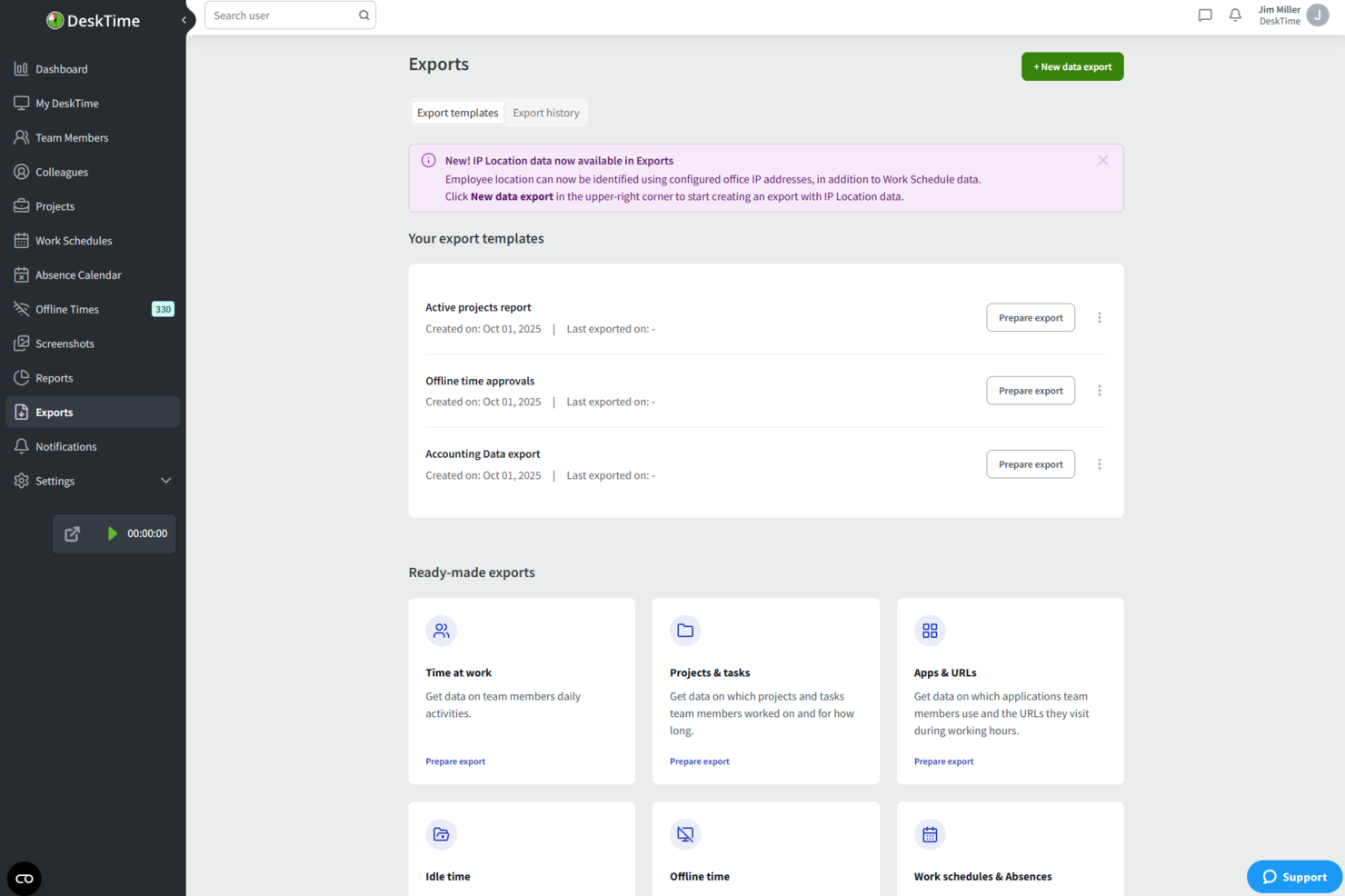
DeskTime is an automatic time tracking tool that monitors app, website, and document usage, logs offline time, and tracks hours across projects—all without requiring manual input.
Who Is DeskTime Best For?
DeskTime is a good fit for freelancers and small teams who want hands-off time tracking without logging hours manually.
Why I Picked DeskTime
DeskTime earns its spot on my shortlist because I love how its productivity analysis runs without any manual setup. The app automatically categorizes every app and URL you use as productive, unproductive, or neutral, then calculates a real-time productivity percentage for your workday. I find the document title tracking especially useful: it logs which specific files you're working in, not just which app is open, giving you a granular view of where your hours actually go.
DeskTime Key Features
- Project time tracking: Log hours against specific projects and tasks directly from the desktop app.
- Offline time tracking: Manually record time spent on non-computer activities, like calls or meetings.
- Time reports: Generate detailed reports of tracked hours, filterable by date, project, or team member.
- Pomodoro timer: Use the built-in timer to structure work into focused intervals with scheduled breaks.
DeskTime Integrations
DeskTime offers native integrations with Google Calendar, Outlook Calendar, Trello, GitLab, Asana, and Jira, and it connects with Zapier. An API is also available for custom integrations.
What's Free?
DeskTime doesn't offer a free-forever plan, but it does provide a 14-day free trial. Paid plans start at $6.42 per user per month (billed annually) on the Pro plan.
Pros and Cons
Pros:
- Built-in Pomodoro timer for focus sessions
- Categorizes apps as productive or unproductive
- Tracks time automatically without manual input
Cons:
- Dashboard interface feels visually dated
- Free plan limited to one user

Clockify
Best for browser extension tracking
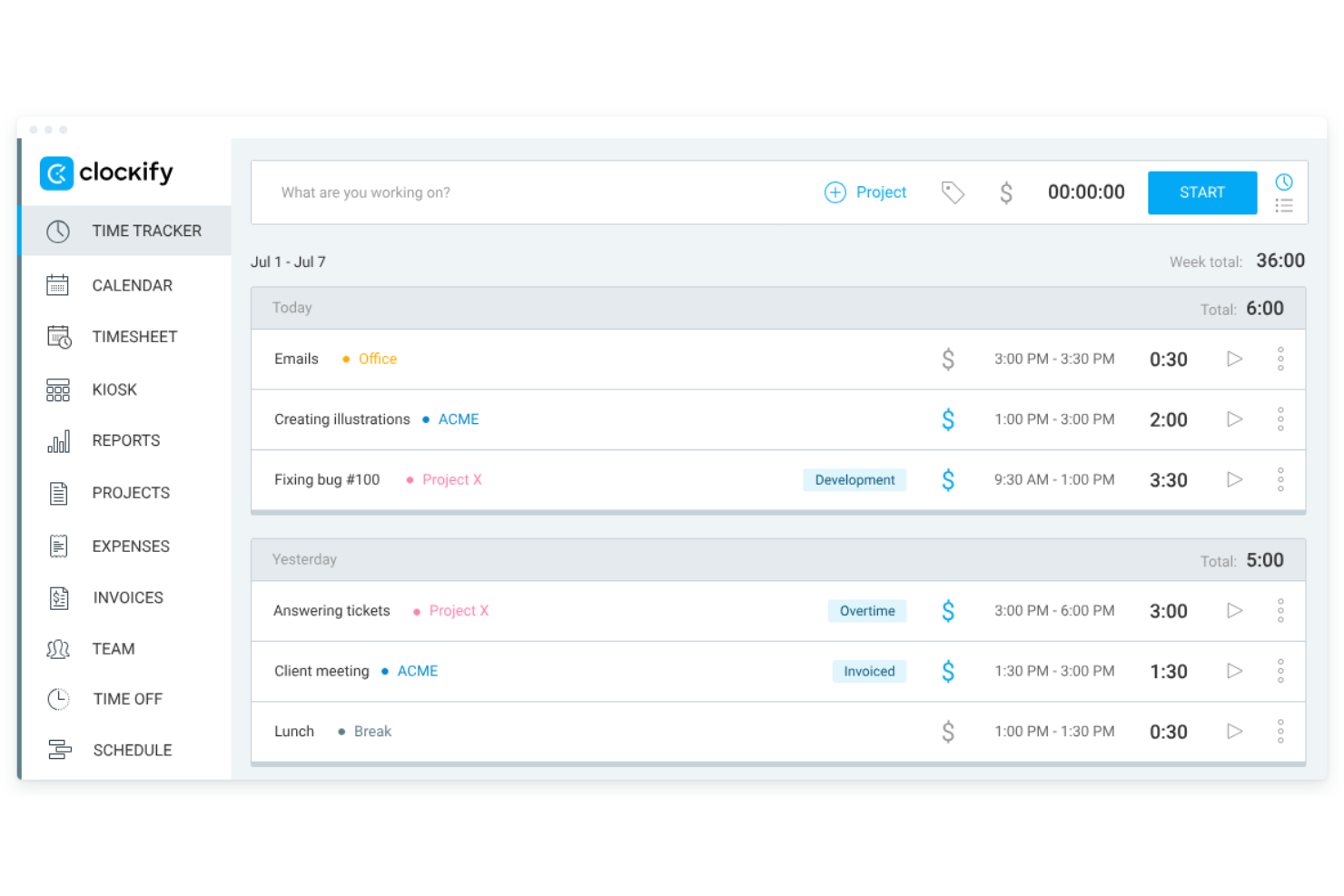
Clockify is a time tracking app designed for freelancers and contractors. It allows users to track billable hours, manage budgets, and create invoices. This tool is ideal for freelancers who need to organize their projects and assess productivity without additional costs.
Why I picked Clockify: I selected Clockify because its browser extension allows freelancers to log hours directly inside their existing toolstack without interrupting daily workflows. The extension embeds a quick-start timer straight into web apps, preventing manual tracking friction. This makes it ideal for independent contractors who need to track project time on the fly while keeping administrative setup minimal.
Standout Features and Integrations:
Features include timekeeping through timers and timesheets, invoicing capabilities, and detailed reporting on weekly activity. You can also manage budgets and assess productivity levels efficiently. The app's straightforward setup process helps you get started quickly.
Integrations include Asana, Trello, Jira, monday.com, QuickBooks, Zapier, Notion, Google Calendar, and more.
What's free? Clockify offers a free-forever plan that includes core time-tracking, timesheet management, and reporting tools for up to 5 users, though advanced administrative controls, billing features, and custom approvals require a paid plan.
Pros and Cons
Pros:
- Broad cross-platform device and extension support
- Allows easy-to-set hourly rates
- Offers timer button in web browsers
Cons:
- Clunky mobile app
- Limited free features

My Hours
Best for project management

My Hours is a project management tool tailored for freelancers and small teams. It allows users to track time, manage tasks, and oversee projects efficiently. This tool is perfect for those who want to organize their project workflows and boost productivity.
Why I picked My Hours: The free plan provides essential project management features that cater to freelancers' needs. You can manage unlimited projects and tasks, making it flexible for various work scenarios. The tool includes project time tracking with detailed reporting, helping you understand where time is spent. Its user-friendly interface simplifies the process of setting up and managing projects.
Standout Features and Integrations:
Features include task management, where you can break down projects into smaller tasks and allocate time. You can also generate detailed reports to analyze project performance and profitability. The invoicing feature helps you bill clients accurately based on tracked hours.
Integrations include Google Calendar, QuickBooks, Asana, Zapier, Basecamp, and more.
What's free? My Hours offers a free-forever plan that supports unlimited projects and tasks, with some limitations on advanced features.
Pros and Cons
Pros:
- Task management
- Detailed reporting
- Unlimited projects
Cons:
- Mobile app can be sluggish
- Limited free plan features

Jibble
Best for mobile access
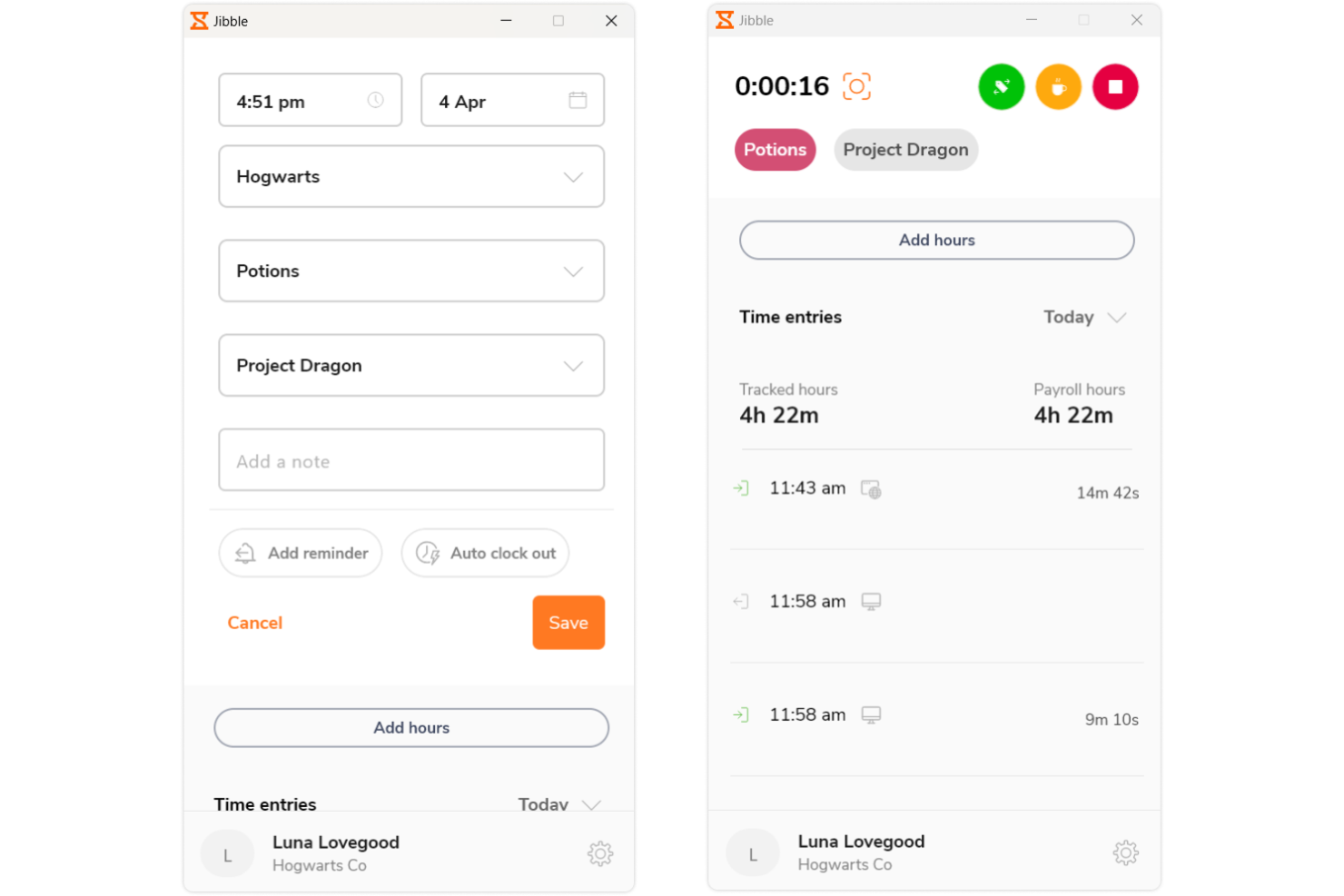
Jibble is a time tracking and attendance software tailored for teams and freelancers. It provides easy clock-in and clock-out functionality, ideal for managing work hours on the go. This tool serves users who need a mobile-friendly solution for tracking time efficiently.
Why I picked Jibble: The free version offers mobile access, allowing you to track time from anywhere. You can clock in and out using your smartphone, making it convenient for remote work. The app includes facial recognition for secure and accurate attendance tracking. With the ability to manage multiple teams, it's a flexible solution for freelancers and small businesses.
Standout Features and Integrations:
Features include facial recognition, which ensures secure clock-ins, and GPS tracking for location-based attendance management. You can also access timesheets for detailed work hour analysis. The tool provides activity tracking to monitor productivity levels effectively.
Integrations include Slack, Microsoft Teams, Google Calendar, Zapier, and more.
What's free? Jibble offers a free-forever plan with mobile access and attendance tracking features, without major restrictions.
Pros and Cons
Pros:
- Detailed timesheet
- Facial recognition security
- Mobile clock-in and out
Cons:
- No offline functionality
- Basic dashboard flexibility

TimeCamp
Best for automated tracking
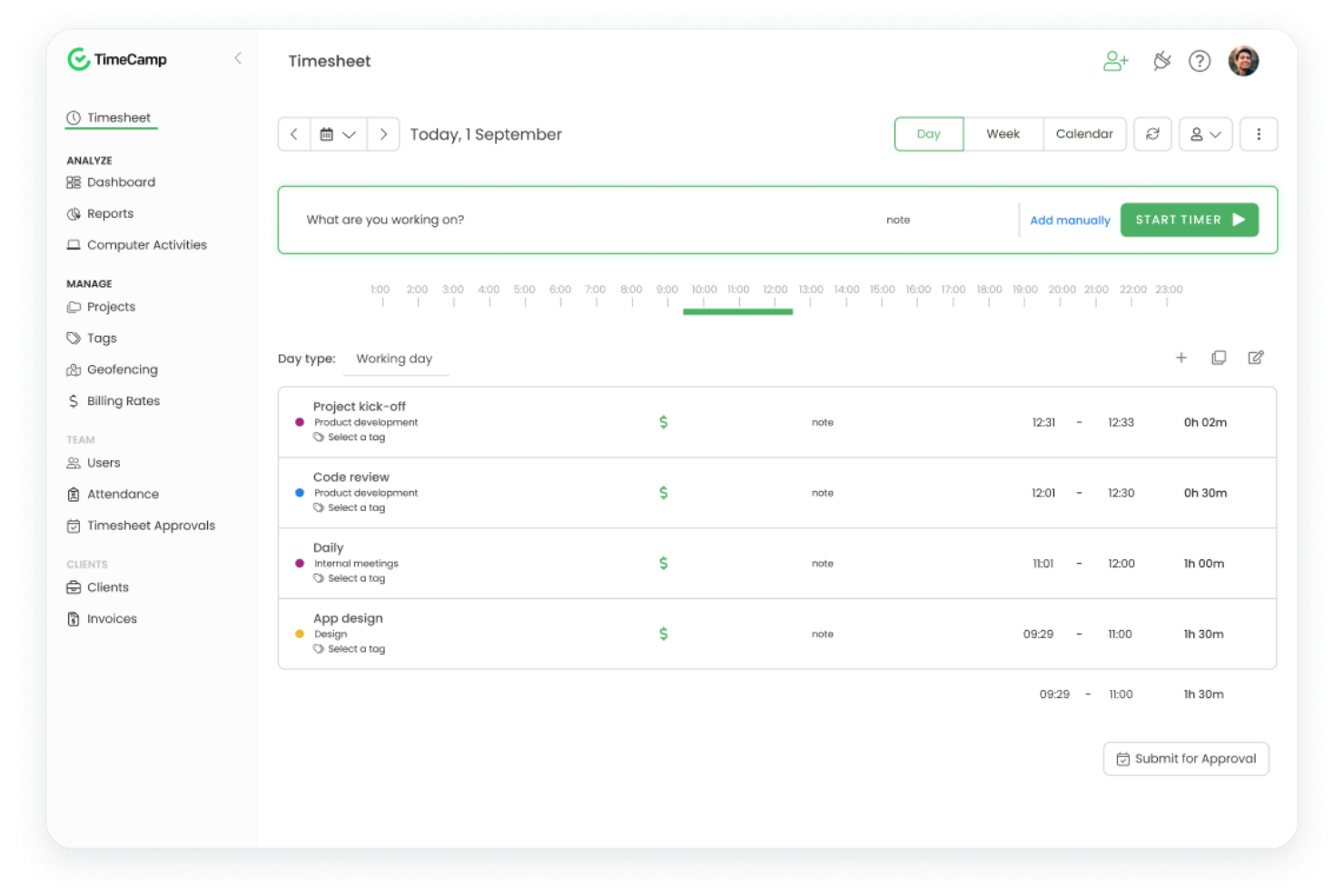
TimeCamp is a time tracking software tailored for freelancers and small businesses. It provides automatic time tracking and reporting, making it easier to manage projects and billing. This tool is ideal for users who want to automate time management tasks and increase productivity.
Why I picked TimeCamp: The free version features automated tracking, which eliminates the need for manual time entries. You can benefit from the tool's ability to categorize activities automatically, saving you time and effort. It offers detailed reports that help you analyze how time is spent across different projects. The tool also includes a single-user plan, allowing freelancers to access its capabilities without cost.
Standout Features and Integrations:
Features include the ability to track time automatically based on user activity, which helps reduce manual errors. You can also set goals and monitor project progress with visual dashboards. The reporting feature allows you to create custom reports for better insights into your work patterns.
Integrations include Asana, Trello, Jira, Slack, QuickBooks, Zapier, and more.
What's free? TimeCamp offers a free-forever plan with automated tracking and reporting features for unlimited users.
Pros and Cons
Pros:
- Custom report creation
- Visual dashboards
- Automated time tracking
Cons:
- Busy user interface
- Occasional sync lag

Everhour
Best for integration options
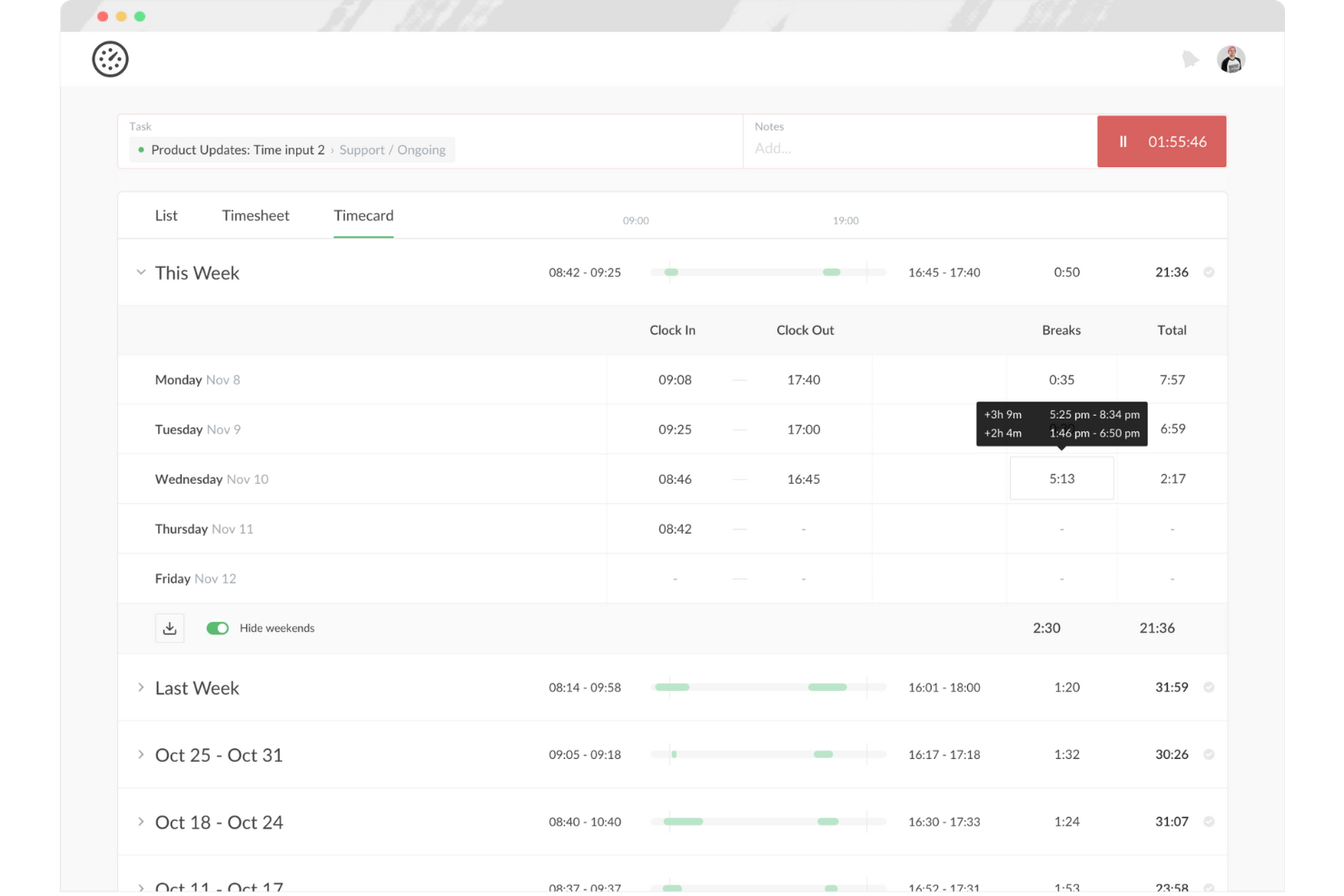
Everhour is a time tracking and project management tool tailored for teams and freelancers. It helps users track time, manage budgets, and generate reports, making it ideal for those who need detailed insights into project performance. This tool is particularly beneficial for teams that rely on smooth integration with other software.
Why I picked Everhour: The free offering includes integration options that allow you to connect with various project management tools. You can track time directly within the platforms you already use, boosting productivity without switching between apps. The tool provides detailed reporting features, helping you analyze your time usage effectively. With budget management tools included, it's a wide-ranging solution for freelancers managing multiple projects.
Standout Features and Integrations:
Features include budget tracking, which helps you manage project costs efficiently. You can also create custom reports to gain insights into your team's performance. The tool offers real-time dashboards that provide an overview of ongoing projects and tasks.
Integrations include Asana, Trello, Jira, Slack, Basecamp, and more.
What's free? Everhour offers a free plan for up to five seats, which is useful for small teams.
Pros and Cons
Pros:
- Custom report creation
- Real-time dashboards
- Extensive integration options
Cons:
- Manual entry can be tedious
- Basic reporting capabilities

Best for unlimited users
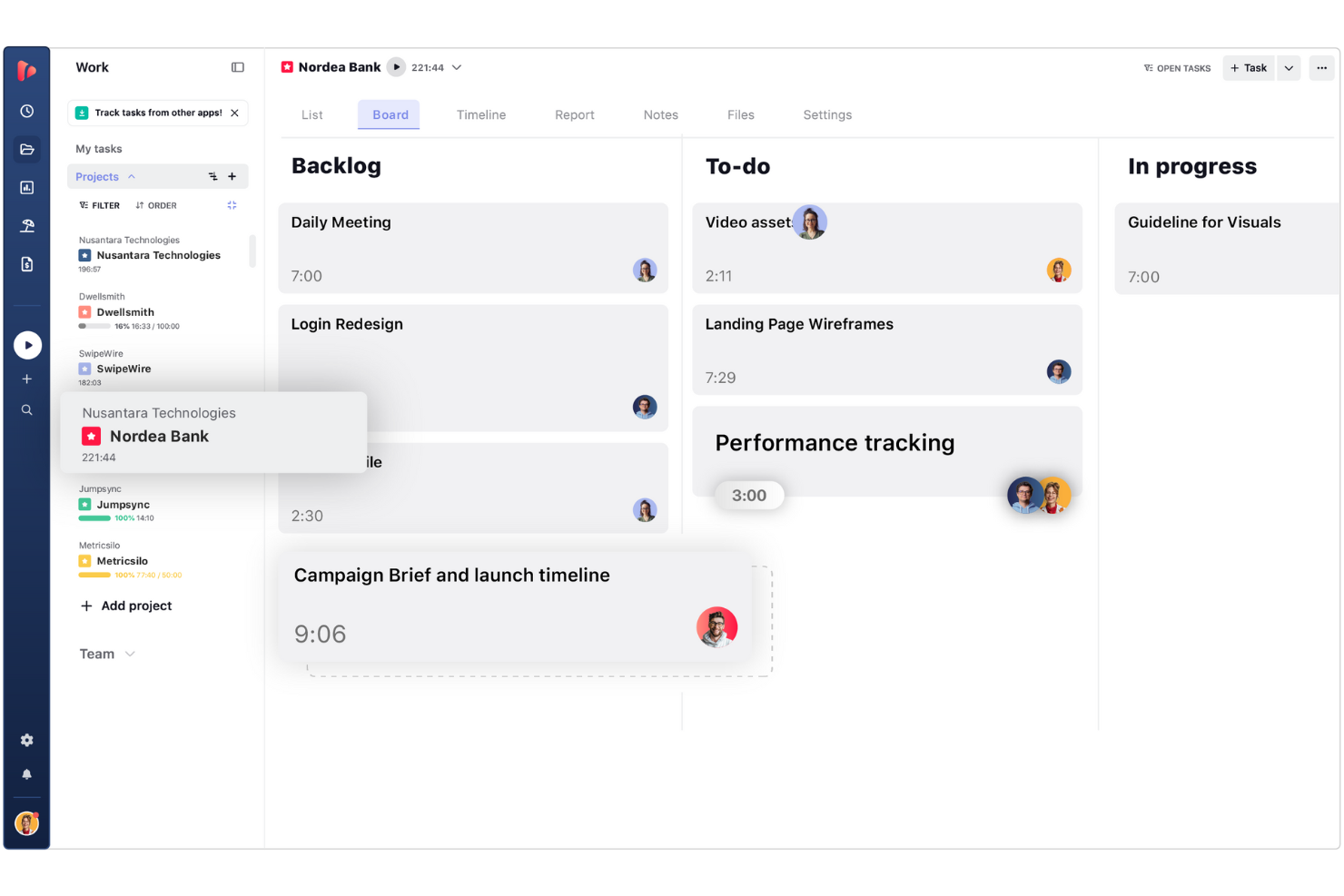
TrackingTime is a web-based time tracking app designed to help freelancers, digital project managers, and growing remote teams log hours across daily tasks. It enables users to monitor project progress, measure productivity, and generate time reports without restrictive seat limits.
Why I picked TrackingTime: I selected TrackingTime because its free plan allows you to add unlimited team members without incurring per-user fees. Unlike competitors that lock free access behind small seat caps, it lets freelancers bring on subcontractors, clients, or collaborators to log time on shared projects for free. This makes it ideal for project leads who need to coordinate time logs across flexible, growing project teams while keeping software expenses down.
Standout Features and Integrations:
Features include task management, where you can assign tasks and track progress. You can also use the calendar view to plan and schedule work effectively. The tool provides reporting capabilities that offer insights into project timelines and team performance.
Integrations include Asana, Trello, Slack, Basecamp, GitHub, and more.
What's free? TrackingTime offers a free-forever plan that supports unlimited users, tasks, and projects with basic real-time tracking, though export options to CSV/Excel and billable rate calculations require a paid tier.
Pros and Cons
Pros:
- Calendar view for scheduling
- Task comments and notifications
- Real-time team activity tracking
Cons:
- Desktop app can be glitchy
- Reporting lacks deep customization
Avaza
Best for invoicing tools
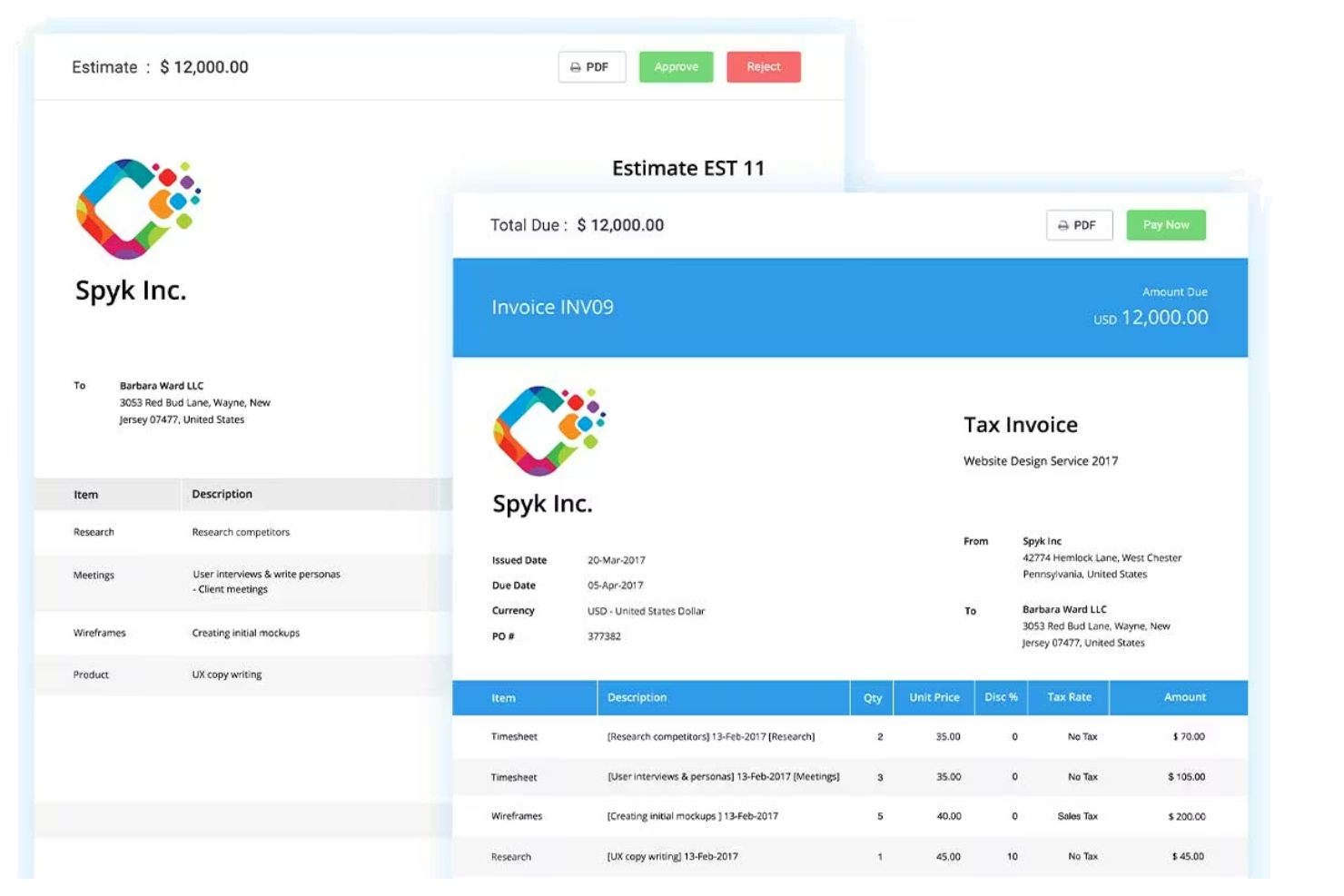
Avaza is a project management and time tracking tool designed for freelancers and small businesses. It offers features such as task management, time tracking, and invoicing, which help simplify business operations. This tool is ideal for those who need an all-in-one solution to manage projects and finances.
Why I picked Avaza: The free version includes invoicing capabilities, allowing you to create and send invoices with ease. You can track billable hours and convert them directly into invoices, simplifying your billing process. The tool provides project management features that support unlimited tasks and projects. With its user-friendly interface, managing your work and finances becomes straightforward.
Standout Features and Integrations:
Features include expense tracking, which helps you monitor and manage project costs efficiently. You can also schedule resources to optimize project timelines. The tool offers detailed reports that provide insights into project performance and financial health.
Integrations include Xero, QuickBooks, Slack, Zapier, Google Drive, and more.
What's free? Avaza offers a free-forever plan with invoicing and project management features, limited to one user.
Pros and Cons
Pros:
- Expense tracking features
- Unlimited tasks and projects
- Invoicing and billing capabilities
Cons:
- High cost for adding more users
- Complex UI can feel overwhelming

Memtime
Best for simplicity
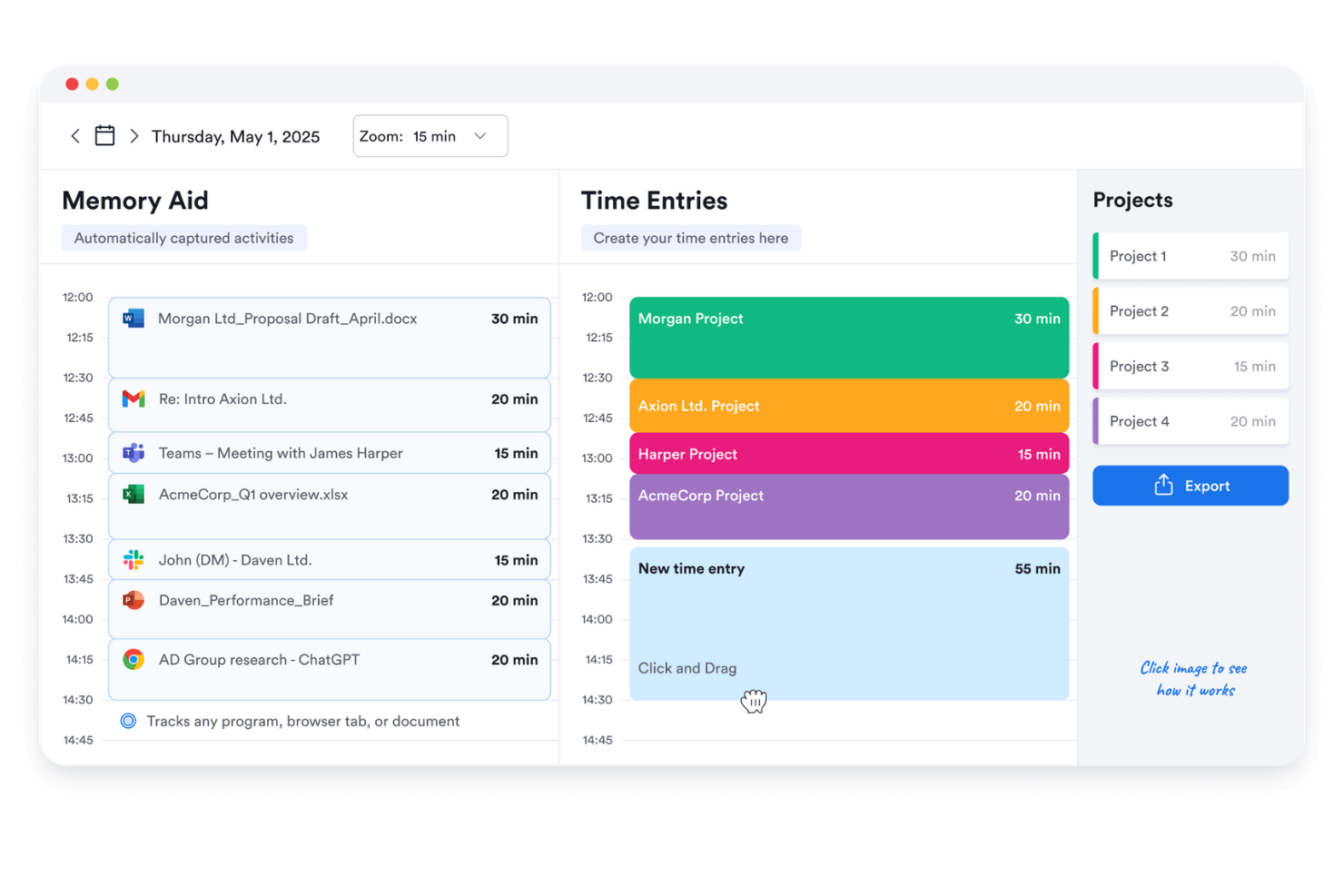
Memtime is a straightforward time tracking tool designed for freelancers and small teams. It helps users track their work hours with minimal setup, making it ideal for those who value simplicity and efficiency. This tool is perfect for anyone looking to keep track of their time without the complexity of additional features.
Why I picked Memtime: The free version focuses on simplicity, offering a user-friendly interface that requires little to no learning curve. You can automatically track your time without manually starting or stopping timers. The tool provides basic reports that help you understand how you spend your time. It's a good option for those who want a no-frills approach to time management.
Standout Features and Integrations:
Features include automatic time tracking, which records your activity without any manual input. You can review your logged time with simple reports that highlight your productivity trends. The tool offers a distraction-free interface, allowing you to focus on your work.
Integrations include Asana, Google Calendar, Microsoft Teams, Zapier, QuickBooks, Xero, and more.
What's free? Memtime offers a 14-day free trial with automatic time tracking and basic reporting features, suitable for individual users.
Pros and Cons
Pros:
- Minimal learning curve
- Automatic time tracking
- Simple to use
Cons:
- No real-time tracking view
- Privacy concerns with logging

Bonsai
Best for freelancers
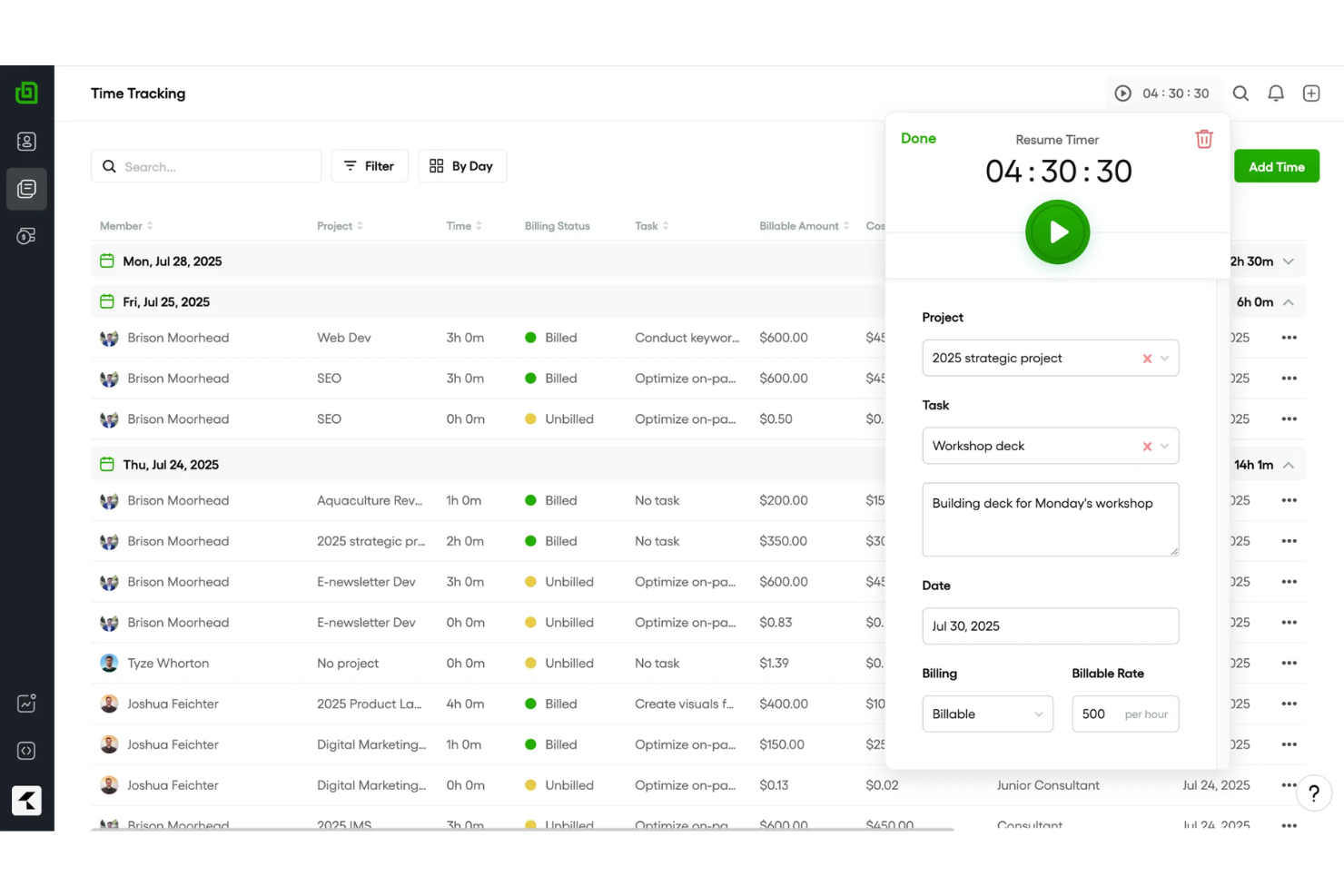
Bonsai is an extensive tool designed primarily for freelancers and small businesses, offering features such as contract management, invoicing, and time tracking. It helps users manage their projects and finances efficiently, making it a go-to solution for independent professionals.
Why I picked Bonsai: The free offering is tailored for freelancers, providing essential tools to manage contracts and invoices. You can track your time and generate professional reports. The tool offers contract templates, making it easy to formalize agreements with clients. Its user-friendly interface ensures that you can manage your projects without any hassle.
Standout Features and Integrations:
Features include task management, which allows you to organize and prioritize your work. You can also use the proposal feature to create and send proposals to potential clients. The tool offers expense tracking, helping you keep an eye on your project costs.
Integrations include QuickBooks, Xero, Zapier, Calendly, HiBob, and more.
What's free? Bonsai offers a limited-time free trial with access to its core features, suitable for freelancers looking to explore its capabilities.
Pros and Cons
Pros:
- Easy time tracking
- Proposal creation feature
- Extensive contract management
Cons:
- Limited time tracking insights
- Limited customization options
Other Free Time Tracking Apps for Freelancers
Here are some additional time tracking apps for freelancers that also offer free plans or trials. While these tools didn’t make it onto my shortlist, they’re still worth checking out:
- Harvest
For expense tracking
- TopTracker
For privacy focus
- Hubstaff
For GPS tracking
- QuickBooks Time
For payroll integration
- Timely
For automatic time logging
- Apploye
For remote team monitoring
- Deltek Replicon Time
For enterprise scalability
- TimeTrack for Freelancers
App for mobile freelancers


How I Evaluate Free Time Tracking Apps for Freelancers
I split my evaluation into baseline criteria—like a real free tier with billable rate tracking for client projects—and the differentiators that set one tool apart from the rest.
Core Functionality (Table Stakes For This List)
When I'm selecting tools for my list, I rank each one on a scale from 0 (does not offer the functionality) to 5 (excels in this area) for each core functionality listed below. Then, I calculate the tool's total score into a percentage. Each tool needs to achieve a minimum total score of 65% to be considered for inclusion.
- Time Tracking Timer: I check whether a tool offers both a live start/stop timer and manual entry, since freelancers often need to log hours after the fact when switching between client calls and deep work.
- Genuinely Free Plan: The free tier has to be usable long-term for a solo freelancer—I look for whether core tracking features stay accessible without a forced upgrade after a trial window.
- Project & Client Organization: Freelancers juggle multiple clients at once, so I evaluate whether each tool lets you tag and separate time entries by client, project, and task.
- Billable Hours & Rate Support: I look for a billable toggle and the ability to assign hourly rates, since freelancers need accurate totals when sending invoices to different clients at different rates.
- Reporting & Data Exports: Clear weekly or per-project reports that export to CSV or PDF matter here—tools like Toggl Track and Clockify handle this differently, so I compare format options and filtering.
- Cross-Device Access: Freelancers track time from laptops, phones, and tablets throughout the day, so I check for native apps on iOS and Android alongside the web experience.
Once I have a list of tools that meet this criteria, I consider what sets each platform apart.
Differentiating Factors (What Sets Vendors Apart)
Here's how I compare and contrast different vendors:
Standout Features
Built-in invoice generation is a big one—freelancers who can turn tracked hours into a sendable invoice skip the step of exporting data into a separate billing tool. I also look for automatic time capture, which logs the apps and sites you work in so you can recover billable time you forgot to track manually. Calendar integration matters too, especially when client meetings in Google Calendar or Outlook can sync directly into time entries without double data entry.
Beyond Features
I pay close attention to how generous a free plan really is—some tools cap the number of clients or projects, which becomes a problem fast when you're juggling five or six active contracts. Integrations also weigh heavily in my evaluation. Freelancers rely on tools like Trello, Asana, QuickBooks, and FreshBooks, so native connections to these platforms reduce manual data shuffling. Data portability is another factor I check, because you want full CSV or PDF exports of your time history if you ever decide to switch tools.
How To Choose a Free Time Tracking App for Freelancers
Complex feature lists and pricing structures can make it hard to figure out what you’re really getting from a free time tracking app for freelancers. To help you stay focused as you work through your software selection process, here are some factors to keep in mind:
| Factor | What To Consider |
|---|---|
| Free Offer Scope | Examine what features are included in the free plan. Ensure it covers your basic needs without requiring immediate upgrades. |
| Scalability | Consider whether the tool can grow with you. If your team expands, will the app support additional users and projects? |
| Integrations | Check compatibility with tools you already use. Straightforward integrations can save you time and improve workflow efficiency. |
| Ease of Use | Evaluate the interface and navigation. A user-friendly design minimizes the learning curve and helps you get started quickly. |
| Reporting | Look for detailed reporting capabilities. Can you quickly generate insights on your productivity and project timelines? |
| Mobile Access | Determine if the app offers a mobile version. This ensures you can track time and manage tasks on the go. |
| Customer Support | Assess the level of support available. Quick and helpful responses can be critical when you encounter issues. |
What Is a Free Time Tracking App for Freelancers?
A time tracking app for freelancers is a tool that helps professionals monitor and record their work hours. These tools often offer free plans or trials, allowing users to access basic features without immediate cost.
Freelancers, contractors, and small business owners typically use these apps to manage billable hours and invoices efficiently. Features such as time tracking, invoicing, and reporting help freelancers stay organized, manage their projects, and ensure accurate billing.
Features
Let’s go over the features commonly found in time tracking apps for freelancers, and which ones are usually included in free vs. paid plans.
Typically Free Time Tracking App for Freelancers Features
- Time tracking: Allows users to log work hours accurately, essential for billing and productivity analysis.
- Basic reporting: Provides simple reports to help users understand how they spend their time on different projects.
- Manual time entry: Enables users to input time worked manually, useful for correcting missed or forgotten entries.
- Project management: Supports organizing tasks and projects, helping freelancers stay on top of deadlines and deliverables.
- Invoicing: Generates invoices based on tracked hours, simplifying the billing process for freelancers.
- Mobile access: Offers the ability to track time using mobile devices, ensuring flexibility for remote work.
- Single-user support: Typically allows one user per account, catering to individual freelancers.
Typically Paid Time Tracking App for Freelancers Features
- Advanced reporting: Delivers detailed insights and analytics, aiding in wide-ranging performance reviews and decision-making.
- Team collaboration: Facilitates communication and task sharing among team members, improving project coordination.
- GPS tracking: Monitors location for fieldwork, ensuring accurate workday time logging for mobile teams.
- Offline tracking: Allows time tracking without an internet connection, useful for areas with limited connectivity.
- Integrations: Connect with other software tools, such as accounting and project management apps, boosting workflow efficiency.
- Customizable features: Offer the ability to tailor the tool to specific business needs, adding flexibility for diverse projects.
- Multiple-user support: Supports several users within a single account, ideal for growing teams or small businesses.
Benefits
Implementing a free time tracking app for freelancers provides several benefits for your team and your business. Here are a few you can look forward to:
- Cost savings: Using a free tool helps you manage time and projects without financial investment, making it accessible for freelancers on a budget.
- Improved billing accuracy: Time tracking features ensure you bill clients accurately for the hours worked, reducing disputes and errors.
- Improved productivity: Basic reporting allows you to analyze how time is spent, helping you identify and eliminate inefficiencies.
- Flexibility: Mobile access means you can track time from anywhere, supporting remote work and on-the-go professionals.
- Simplified invoicing: Free invoicing features let you generate invoices directly from tracked hours, simplifying the billing process.
- Easy setup: User-friendly interfaces and simple onboarding mean you can start using the tool quickly, with minimal hassle.
- Task organization: Project management features help you keep tasks and deadlines organized, improving workflow and time management.
Costs and Pricing
I realize you came to this article looking for the best time tracking app for freelancers options that are available for free. However, since free plans only offer limited features, there's a good chance you'll need to scale your plan up in the future.
Plan Comparison Table for Time Tracking App for Freelancers
| Plan Type | Average Price | Common Features |
|---|---|---|
| Free Plan | $0 | Track time, generate basic reports, and manage projects. |
| Personal Plan | $3.99-$14/user/ month | Track time, create invoices, access mobile apps, and manage multiple projects. |
| Business Plan | $10-$48/user/ month | Track time, advanced reporting, team collaboration tools, and integration with other software. |
| Enterprise Plan | $25-$50/user/ month | Track time, custom reporting, dedicated account manager, advanced security features, and unlimited users. |
Free Time Tracking Apps for Freelancers FAQs
Here are some answers to common questions about free time tracking apps for freelancers:
How do freelancers count hours?
Freelancers often use time-tracking tools to accurately count and categorize hours. These tools help track project-specific hours and provide clients with transparent reports on time spent. Recurring invoices can also be set up to simplify the billing process.
How to keep track of hours as an independent contractor?
Independent contractors use timesheets or time-tracking apps to log billable hours spent on projects. Whether using a simple spreadsheet or a full-featured app, these tools automate tracking and invoicing, ensuring accurate billing for clients.
Can I use time tracking software for billing?
Yes, many time tracking apps include invoicing features that allow you to bill clients directly from tracked hours. This simplifies the billing process and ensures that you are paid accurately for the time you work.
What are the limitations of free time tracking apps?
Free time tracking apps often have limitations such as fewer features, limited reporting and project tracking capabilities, or restrictions on the number of users or projects. However, they still offer essential tools for freelancers to manage their time and tasks effectively.
Are free time tracking apps secure?
Most free time tracking apps prioritize security, using encryption and secure servers to protect your data. It’s important to review the security measures of any app you choose to ensure your information remains safe.