

10 Best File Sync Software Reviewed In 2026

Best File Sync Software Shortlist


The best file sync software automatically keeps your files up-to-date and accessible across all your devices, reduces version control headaches, and makes teamwork on your projects smoother. Without the right tool, you'll struggle to keep documents consistent, maintain accurate data, and work efficiently with remote teams.
I’ve used my experience in project management and 3+ years of testing software to review dozens of tools and curate my list of the best file sync software. Each of my recommendations will sync smoothly with your workflows so you and your team can focus on productive collaboration, reduce file confusion, and deliver impactful projects.
Why Trust Our Software Recommendations
Our team has been testing and reviewing software since 2012. As project managers ourselves, we know how difficult—and important—it is to choose the right software.
For this guide, we evaluated tools using hands-on testing and independent research, scoring tools using our selection criteria. We also draw on insights from industry thought leaders and practicing project management experts.
Our reviews reflect our human editorial judgment, not a sales pitch.
Expert reviewers:
File Sync Software Comparison Table
This comparison table summarizes pricing details for my top file sync software selections:
| Tool | Best For | Trial Info | Price | ||
|---|---|---|---|---|---|
| 1 | Best with multi-protocol transfer support | 25-day free trial | Pricing upon request | Website | |
| 2 | Best for end-to-end encrypted cloud storage | 14-day free trial | From $19/user/month (billed annually) | Website | |
| 3 | Best for zero-knowledge encryption | Free plan available | From $3.80/month (billed annually) | Website | |
| 4 | Best for legal document management | Free demo available | Pricing upon request | Website | |
| 5 | Best for automated enterprise file syncing | 7-day free trial available | From $199/month | Website | |
| 6 | Best for desktop cloud integration | Free demo + 15-day free trial available | From CAD $3/user/month (billed annually) | Website | |
| 7 | Best for secure cloud storage | 30-day free trial | From CAD $6/user/month (billed annually) | Website | |
| 8 | Best for Microsoft ecosystem integration | Free plan available | From $1.99/month | Website | |
| 9 | Best for decentralized file synchronization | Not available | Free to use | Website | |
| 10 | Best for automatic file syncing | 30-day free trial available | From $7.49/month | Website |
Best File Sync Software Reviews
This section provides an in-depth analysis and overview of each file sync software. Below, I will review each tool’s pros and cons, features, and best use cases.

Best with multi-protocol transfer support
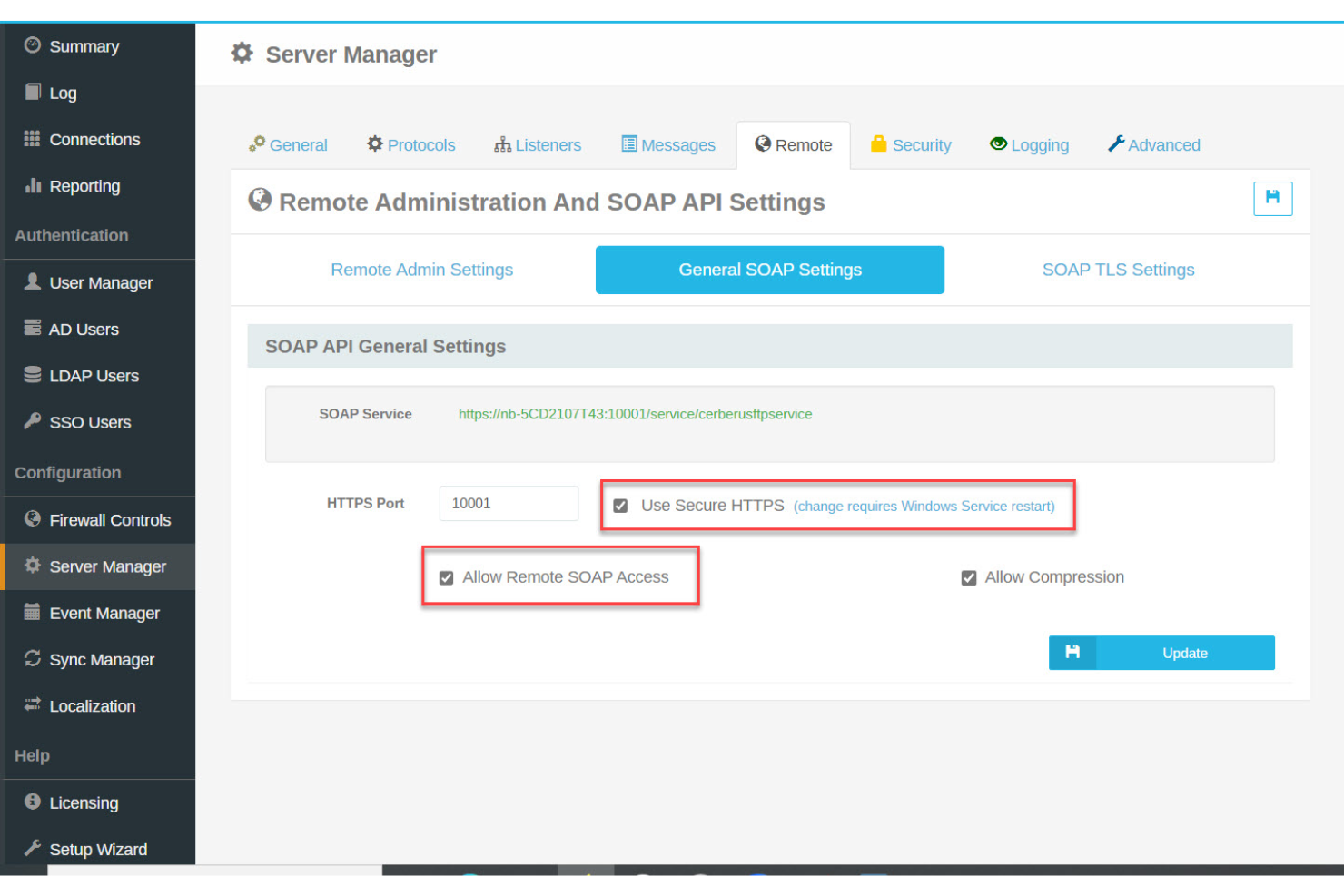
Cerberus FTP Server is a secure file transfer and sync platform designed for organizations that need strict control over data movement. It’s well-suited for IT teams, regulated industries, and businesses handling sensitive files across distributed environments. Cerberus addresses challenges like protocol compatibility, compliance, and centralized management for complex file transfer workflows.
Who Is Cerberus FTP Server Best For?
Cerberus FTP Server is a strong choice for IT administrators and security-focused teams in regulated industries that require secure, auditable file transfers and granular access controls.
Why I Picked Cerberus FTP Server
For teams that need to sync files across different systems and protocols, Cerberus FTP Server stands out for its multi-protocol transfer support. I picked it because it handles FTP, FTPS, SFTP, and HTTPS natively, which means you can connect legacy systems and modern cloud workflows without extra middleware. This flexibility is especially useful for organizations with mixed environments or external partners using different standards. The ability to automate transfers and manage them securely across protocols makes Cerberus a practical choice for complex file sync needs.
Cerberus FTP Server Key Features
Some other features that make Cerberus FTP Server a strong option for file sync and transfer include:
- Automated file retention policies: Set rules for automatic deletion or archiving of files based on age or activity to support compliance and storage management.
- Web-based administration console: Manage users, monitor activity, and configure settings from any browser without needing local software.
- Two-factor authentication: Add an extra layer of security for user logins to help protect sensitive file transfers.
- Active directory and LDAP integration: Connect user authentication and permissions directly to your organization’s existing directory services.
Cerberus FTP Server Integrations
Integrations include Microsoft Entra ID (formerly Azure Active Directory), Okta, Amazon Web Services (AWS), Microsoft Azure, Active Directory, and LDAP. Cerberus FTP Server also offers an API for custom integrations.
Pros and Cons
Pros:
- Integrates with Active Directory and LDAP
- Includes browser-based file management interface
- Provides detailed audit logs and reporting
Cons:
- Limited collaboration tools for team workflows
- Lacks built-in file versioning features

Tresorit
Best for end-to-end encrypted cloud storage
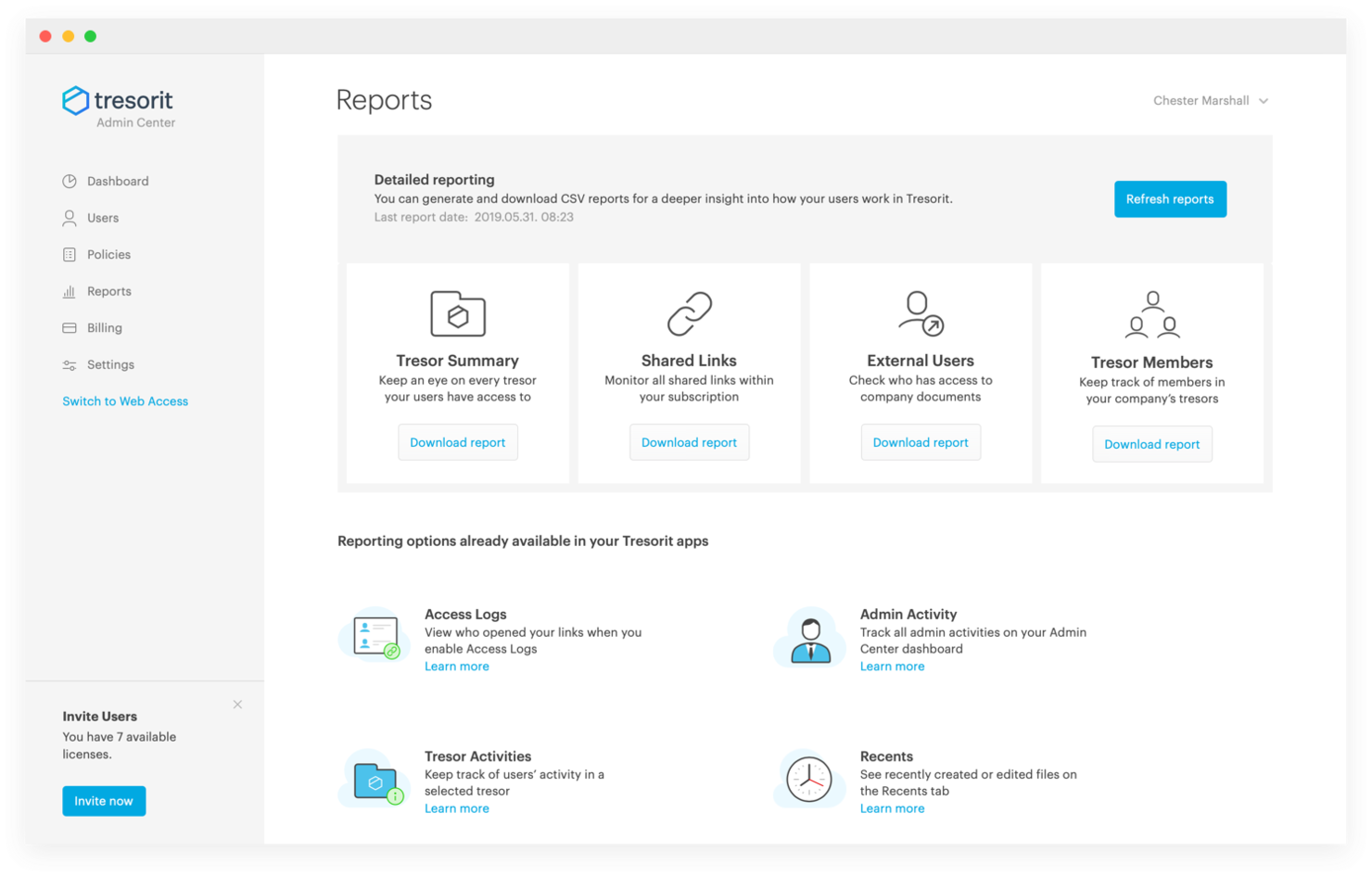
Tresorit is a cloud storage and file-sharing platform. It offers secure cloud workspaces, file sharing with permission control, digital signature solutions, and email encryption.
Why I picked Tresorit: Tresorit offers strong end-to-end encryption, which ensures that data is protected from creation to sharing and signing. This makes it stand out from other cloud storage solutions that may not offer the same level of security. Additionally, its zero-knowledge encryption model means only the user can access the encryption keys, making it the best choice for secure cloud storage.
Standout features & integrations:
Features include end-to-end encryption, secure file sharing with permission control, digital signature solutions, and email encryption.
Integrations include Microsoft Outlook, Google Drive, Dropbox, Box, Nextcloud, ownCloud, Egnyte, Boxcryptor, Gmail, and Swiss Post.
Pros and Cons
Pros:
- Digital signature solutions
- Secure file sharing
- End-to-end encryption
Cons:
- Setup can be tricky for non-tech users
- Higher cost than some alternatives

MEGA
Best for zero-knowledge encryption
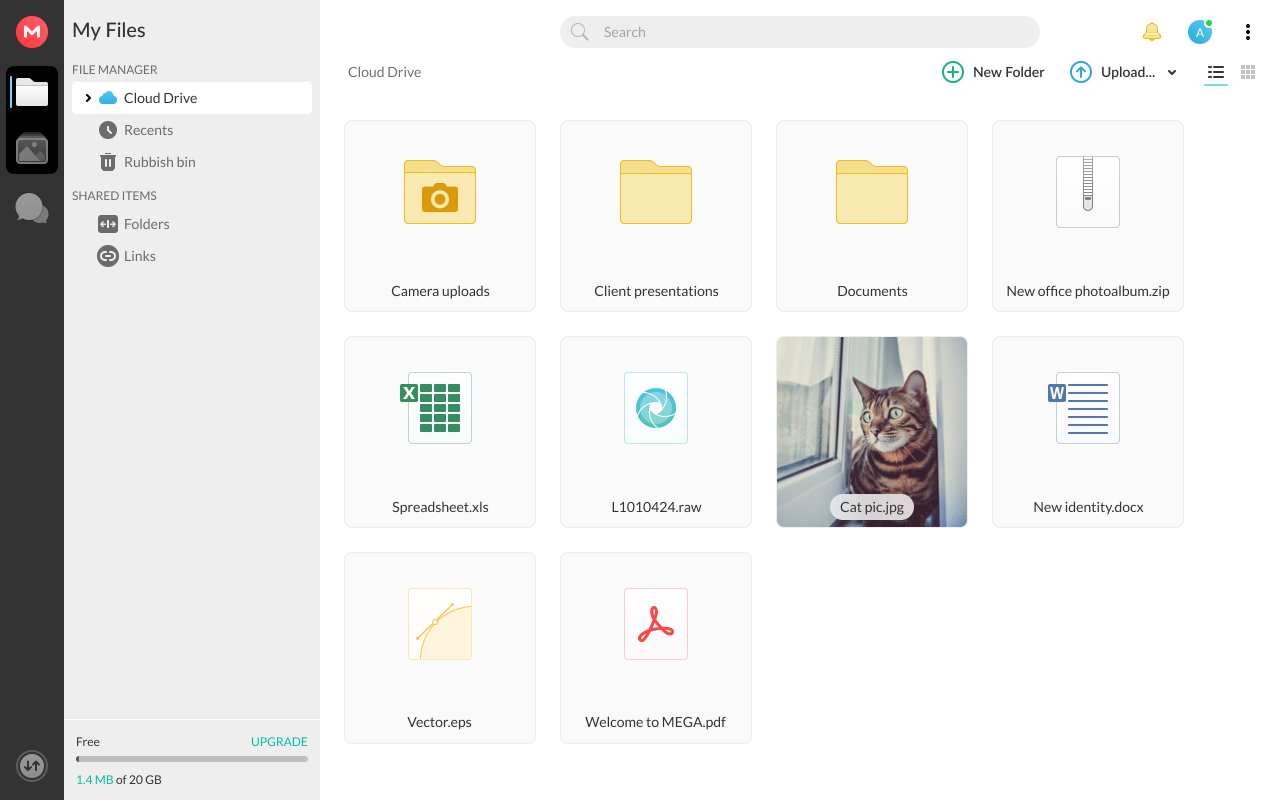
MEGA is file sync software that provides secure cloud storage and file synchronization. It also offers zero-knowledge encryption, ensuring only users can access their data.
Why I picked MEGA: MEGA’s advanced security features and commitment to user privacy help make it a top file sync software option. Unlike other file sync tools, MEGA's zero-knowledge encryption ensures that only the user can access their data, making it stand out in terms of security.
Standout features & integrations:
Features include secure file sharing, media file organization, and scalable S3-compatible object storage.
Integrations include Windows, macOS, and Linux.
Pros and Cons
Pros:
- Secure file sharing
- Multi-device sync
- Strong encryption
Cons:
- Limited customer support
- Bandwidth limitations

iManage
Best for legal document management

iManage is a knowledge work platform designed to help organizations manage documents and emails efficiently. It provides advanced features tailored for the legal industry, including document and email management, security and governance, risk and compliance, and legal transaction management.
Why I picked iManage: iManage offers strong capabilities in managing legal documents and emails, which are important for law firms and legal departments. Its focus on security, compliance, and productivity makes it stand out from other file sync solutions. Additionally, the software offers specialized tools that cater to the unique needs of legal professionals, ensuring secure and efficient handling of sensitive information.
Standout features & integrations:
Features include document and email management, security and governance, risk and compliance, legal transaction management, and task and workflow management.
Integrations include Microsoft Office, Outlook, Adobe Sign, Salesforce, Docusign, NetDocuments, Worldox, HighQ, Relativity, and Clio.
Pros and Cons
Pros:
- Integration with popular legal tools
- Strong security features
- Comprehensive legal document management
Cons:
- Complex setup for non-legal use cases
- Requires minimum seats

Best for automated enterprise file syncing

Files.com is a cloud-based platform for managed file transfer and secure file sharing. It unifies multiple file systems into a single namespace, giving you centralized visibility and control across storage environments. With support for over 50 cloud connectors, the platform makes it easier to manage your organization’s files without switching between different providers.
Why I picked Files.com: I picked Files.com because it allows you to manage all your file workflows in one place. Instead of juggling multiple sync tools, you get a unified fabric that integrates with nearly every major storage platform and protocol. I also like that Files.com includes built-in workflows, so you can automate file transfers and reduce repetitive IT tasks while keeping compliance requirements covered. These features are especially useful for enterprises wanting seamless syncing for high-volume file management.
Files.com standout features & integrations:
Features include secure file orchestration, universal protocol support (FTP, SFTP, WebDAV), built-in human workflows, and enterprise-grade encryption.
Integrations include Amazon S3, Google Drive, Microsoft OneDrive, SharePoint, Box, Dropbox, Slack, Zapier, MuleSoft, and Okta.
Pros and Cons
Pros:
- Enterprise-grade security features
- Built-in workflow automation
- Broad cloud integration support
Cons:
- Higher cost than alternatives
- Minimum 10 user requirement

Best for desktop cloud integration
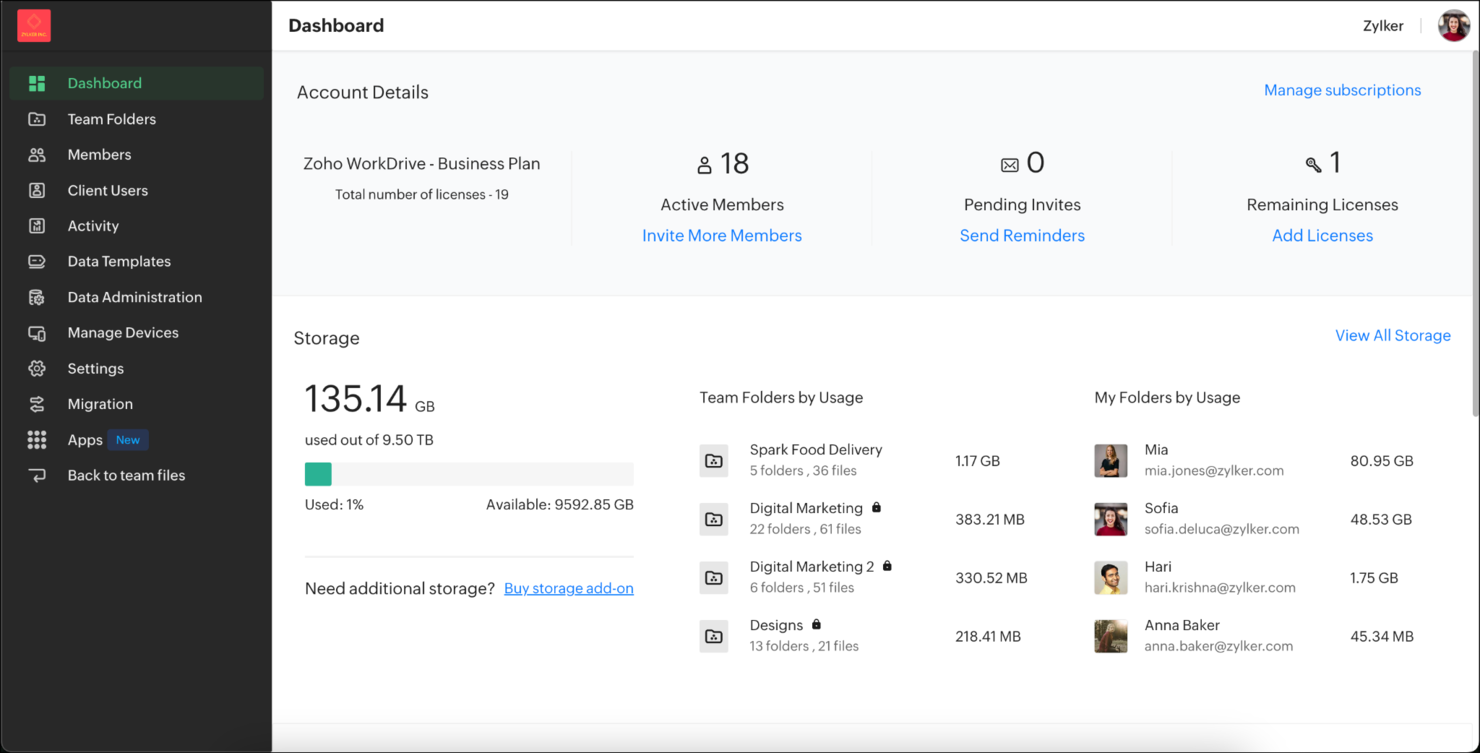
Zoho WorkDrive is an advanced file sync software that enhances team collaboration and productivity. Its TrueSync feature allows for seamless synchronization between desktop and cloud storage.
Why I picked Zoho WorkDrive: Zoho WorkDrive’s strong desktop cloud integration capabilities stand out compared to other file sync tools. The software’s TrueSync feature ensures that users can access and manage their files online and offline without consuming local storage space, making it the best option for users who need efficient and reliable desktop cloud integration.
Standout features & integrations:
Features include team folders for collaborative work, advanced search with OCR and object detection, unlimited file versions, Zoho applications, and third-party tools.
Integrations include Zoho CRM, Zoho Projects, and Zoho Mail.
Pros and Cons
Pros:
- Granular access controls
- Unlimited file versions
- Advanced search capabilities
Cons:
- Potential learning curve
- Limited offline access

Sync
Best for secure cloud storage

Sync is a file storage and document collaboration platform that keeps teams in the cloud safe, secure, and connected.
Why I picked Sync: Sync provides an exceptional focus on security and privacy, which sets it apart from other cloud storage solutions. The software’s end-to-end encryption and compliance with regulations like GDPR and HIPAA make it a top solution for teams who require more collaborative file syncing with strong security measures for the utmost protection.
Standout features & integrations:
Features include end-to-end encryption, real-time backup, file recovery, custom-branded client file portals, and advanced sharing controls.
Integrations include Microsoft Office 365, Google Workspace, Slack, Trello, Asana, Zoom, Salesforce, Dropbox, Box, and iCloud.
Pros and Cons
Pros:
- Custom-branded portals
- Real-time backup
- End-to-end encryption
Cons:
- Sync delays during busy times
- Few app integrations

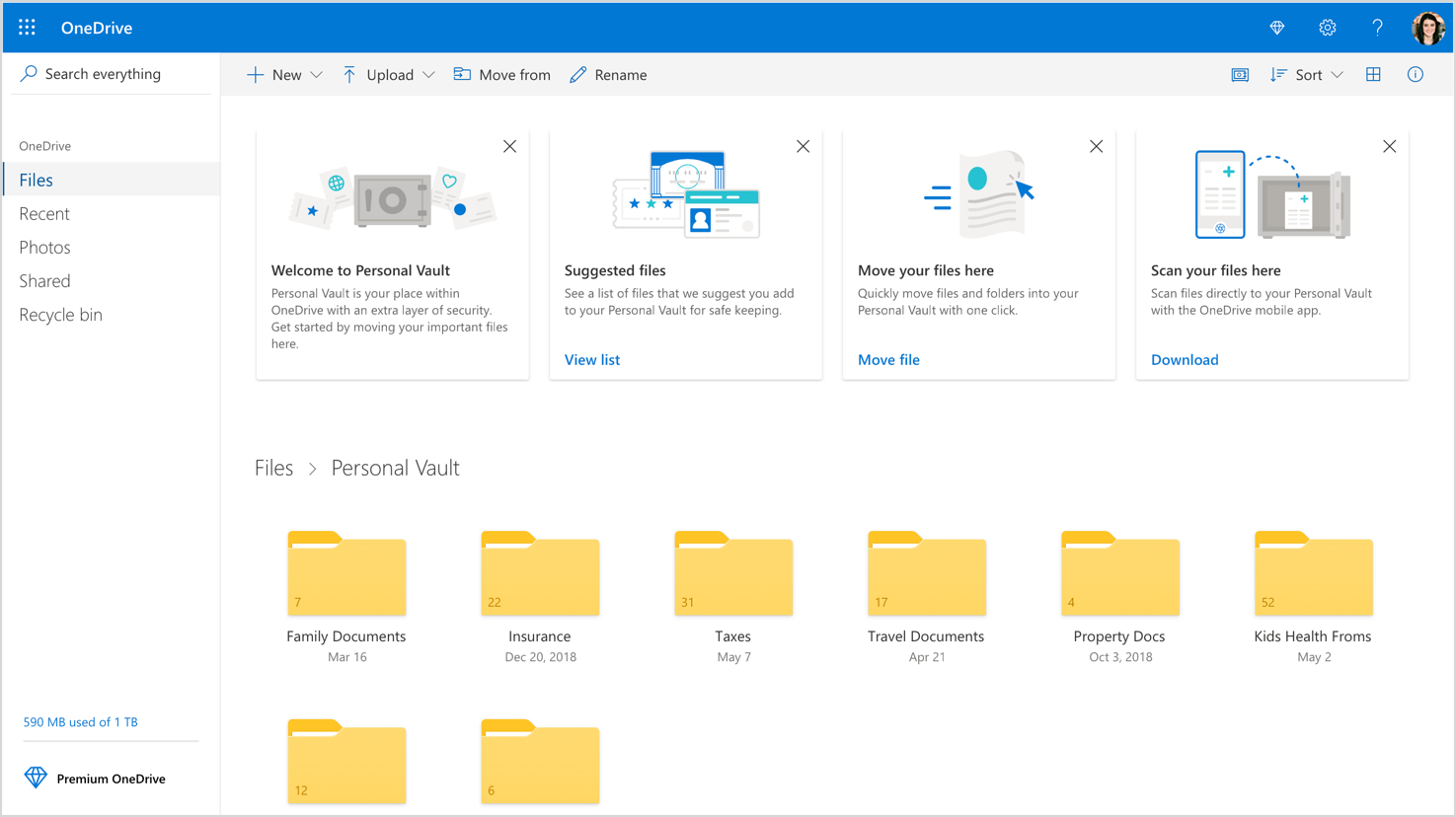
Microsoft OneDrive is a cloud-based file storage and synchronization service. Its simple file synchronization features help teams store, manage, and create documentation to share across several Microsoft software.
Why I picked Microsoft OneDrive: Microsoft OneDrive’s unparalleled integration with the Microsoft ecosystem make it a standout choice for users already invested in Microsoft products. Its seamless compatibility with Microsoft 365 applications like Word, Excel, and PowerPoint makes it the best option for those who rely on these tools for daily tasks.
Standout features & integrations:
Features include automatic file backup, cross-device access, secure file sharing, and advanced security options like ransomware detection and recovery.
Integrations include Microsoft 365, Outlook, Teams, SharePoint, OneNote, Excel, PowerPoint, Word, Windows, and Microsoft Edge.
Pros and Cons
Pros:
- Cross-device access
- Advanced security features
- Seamless Microsoft 365 integration
Cons:
- Requires Microsoft 365 for full features
- Limited free storage


Syncthing is a continuous file synchronization software that syncs files between devices in real time. It operates without a central server, ensuring data privacy and security.
Why I picked Syncthing: Syncthing eliminates the need for a central server, making it a top choice for a file sync software. This decentralized model ensures your data remains private and secure, as it’s never stored on third-party servers. Additionally, the software offers a strong emphasis on privacy, security, and user control over data.
Standout features & integrations:
Features include real-time synchronization, strong encryption, and cross-platform compatibility with macOS, Windows, Linux, FreeBSD, Solaris, and OpenBSD.
Integrations include GitHub, UPnP, TLS, Kastelo, macOS, Windows, Linux, FreeBSD, Solaris, and OpenBSD.
Pros and Cons
Pros:
- Cross-platform compatibility
- Strong encryption
- Decentralized synchronization
Cons:
- Requires manual setup
- No central server

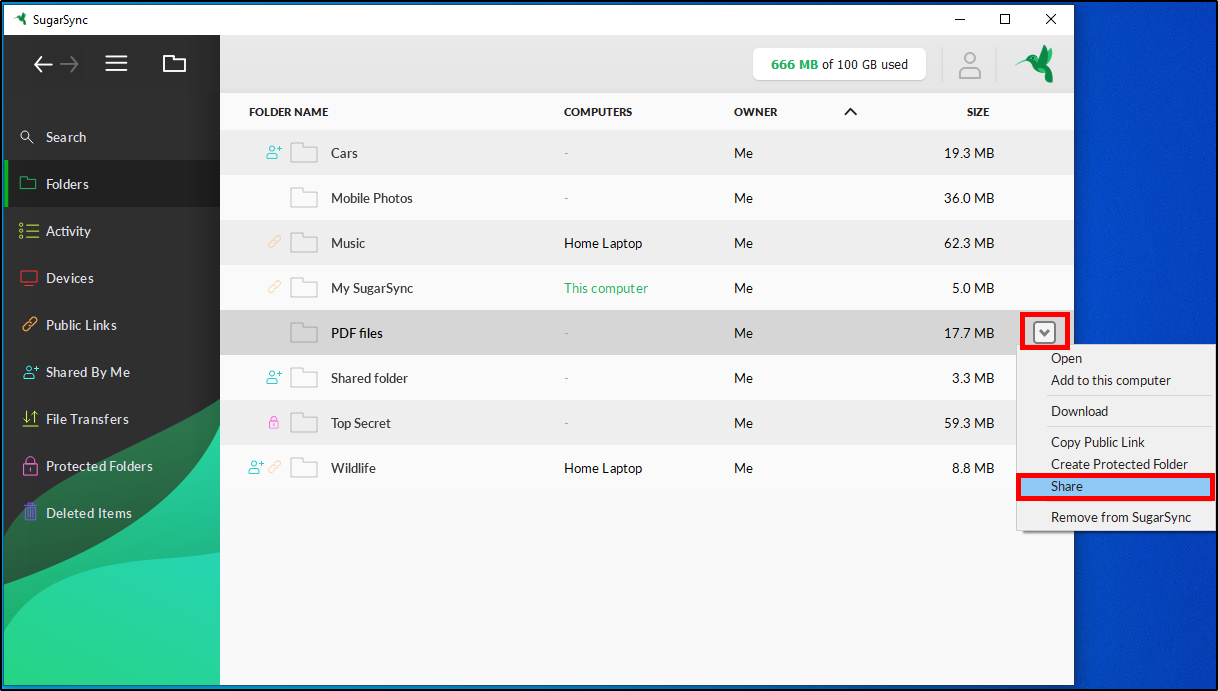
SugarSync is a file-syncing service that allows users to access and share their files from any device. It enables users to configure auto-sync for multiple folders, ensuring that changes are instantly applied across all devices.
Why I picked SugarSync: SugarSync offers strong automatic file syncing capabilities, which stand out from other file sync tools. Its ability to easily auto-sync multiple folders and easily access files from any device makes it a top choice. Additionally, the software’s automatic syncing ensures that users always have the latest version of their files, making it the best for automatic file syncing.
Standout features & integrations:
Features include automatic file syncing across multiple devices, seamless access to manage and copy files, strong encryption for secure data protection, and cross-platform compatibility for macOS, Windows, and mobile devices.
Integrations include Microsoft Outlook, Microsoft Office, Adobe Acrobat, Google Drive, Dropbox, Box, OneDrive, Slack, Salesforce, and Trello.
Pros and Cons
Pros:
- Mobile access
- Remote data wipe
- Automatic file syncing
Cons:
- Limited storage options
- A minimum of three users is required
Other File Sync Software
Below is a list of additional file sync software. While they didn’t make my shortlist, they’re worth checking out if you didn’t find what you’re looking for above.
- SyncBack
For customizable backup solutions
- Resilio
For P2P file syncing
- Syncplicity
For hybrid cloud storage
- FreeFileSync
For open-source file management
- Fivetran
For automated data pipelines
- GoodSync
For reliable file backup
- Files.com
For secure file sharing and storage
- Syncovery
For versatile sync and backup options
- IBM Aspera
For high-speed data transfer
- ViceVersaPRO
For real-time file synchronization
- Layer2
For seamless cloud integration
- CData
For comprehensive data connectivity


Related Project Management Software Reviews
If you still haven't found what you're looking for here, check out these other related tools that we've tested and evaluated:
- Project Management Software
- Resource Management Software
- Workflow Automation Software
- Time Tracking Software
- Task Management Software
- Collaboration Tools
- Gantt Chart Maker
- Productivity Tools
- Project Tracking Software
- Project Scheduling Software
- File Syncing Software
How I Evaluate File Sync Software
When a contractor pulls the wrong blueprint or a sprint review stalls over a stale file, sync breaks down—I evaluate tools across two layers: core requirements and key differentiators.
Core Functionality (Table Stakes For This List)
When I'm selecting tools for my list, I rank each one on a scale from 0 (does not offer the functionality) to 5 (excels in this area) for each core functionality listed below. Then, I calculate the tool's total score into a percentage. Each tool needs to achieve a minimum total score of 65% to be considered for inclusion.
- Real-Time File Syncing: I check how quickly file changes propagate across connected devices—when a PM updates a project schedule, the rest of the team should see it within seconds.
- Multi-Device & Cross-Platform Support: Project teams work from laptops, phones, and tablets across different operating systems, so I look for native apps with consistent functionality on each.
- Version Control & File History: I evaluate how far back version history extends and how easy it is to restore a previous file—say, rolling back a deliverable a client rejected last week.
- Selective Sync & Folder Management: Teams syncing hundreds of gigabytes of project assets need granular control over what lives locally, so I look for folder- and file-level sync choices.
- Conflict Resolution Handling: When two team members edit the same document offline, I check whether the tool flags the conflict, creates copies, or offers side-by-side comparison for merging.
- Secure Sharing & Access Controls: I evaluate permission granularity and encryption standards, especially for sharing sensitive project files with external stakeholders like clients or vendors.
Once I have a list of tools that meet the criteria, I consider what sets each platform apart.
Differentiating Factors (What Sets Vendors Apart)
Here's how I compare and contrast different vendors:
Standout Features
Block-level sync matters when your team works with large deliverables like CAD files or video assets—only the changed bytes transfer, so sync completes in seconds instead of minutes. I also look for offline access, since distributed teams often work from job sites or during travel where connectivity drops. Native integrations with PM tools like Jira or Asana keep files linked to specific tasks, preserving project context without manual folder organization.
Beyond Features
Security and compliance certifications like SOC 2, ISO 27001, and GDPR readiness are worth checking early—especially if your projects touch regulated industries or involve external client data. Pricing models vary widely too; some vendors charge per user while others charge by storage, which changes the math depending on whether your team is large or your files are. I also evaluate storage scalability for teams syncing heavy project assets like design files or construction documents that can outgrow entry-tier limits fast.
How to Choose a File Sync Software
As you work through your unique software selection process, keep the following points in mind:
- Security Features: Unauthorized access to data can compromise the confidentiality of your organization's vital information, meaning that ensuring the security of your data is paramount. Look for file sync software that offers high-end security features such as data encryption, virus scanning, and two-factor authentication.
- Cross-Platform Compatibility: Your chosen software should be able to operate seamlessly across different operating systems such as Windows, macOS, and Linux. This is particularly important for businesses with diverse IT environments.
- Scalability: As your business grows, so will your data and user base. As a result, the file sync software you choose should support unlimited data and users to accommodate this growth.
- File Recovery and Versioning: It’s important your software has the ability to recover old versions of files or restore deleted files. This feature helps maintain data integrity and avoid the loss of important information.
- Integration Capabilities: The software should integrate well with other applications and tools used within your organization. This ensures a smooth workflow and reduces the need for manual data transfers.
Trends for File Sync Software
Here are some trends I’ve noticed for file sync software, plus what they might mean for the future. I sourced countless product updates, press releases, and release logs to tease out the most important insights.
- AI-Powered Syncing: AI is being integrated to predict and prioritize file syncing to help reduce latency and improve efficiency. This is important because it enhances user productivity.
- Zero-Knowledge Encryption: Zero-knowledge encryption ensures that only users can access their data. This trend is vital for privacy and security, successfully addressing growing concerns over data breaches.
- Cross-Platform Compatibility: File sync software increasingly supports multiple operating systems, allowing seamless access across devices. This is significant for users who work on various platforms.
- Real-Time Collaboration: Real-time collaboration features are becoming standard as they enable multiple users to work on files simultaneously. This trend is vital for remote and hybrid work environments to help boost productivity.
- Bandwidth Optimization: New algorithms optimize bandwidth usage during file syncing. This minimizes data transfer costs and speeds up the process, which is essential for users with limited internet resources.
What is File Sync Software?
File sync software is a tool that automatically keeps files consistent and up to date across multiple devices or storage locations. It synchronizes changes in real time, so users always access the latest version, and supports seamless collaboration, improves productivity, and reduces the risk of version conflicts or data loss.
Project managers, IT teams, remote workers, and other professionals that need to share files use it so everyone can work from the latest version and not worry about losing changes or making messy duplicates.
Features
Here are some the top features your chosen file sync software should have to make it a good fit:
- Automatic Syncing: This feature ensures that files are updated automatically without manual intervention, which is important for maintaining up-to-date data across all devices.
- Real-Time Syncing: Real-time syncing updates files instantly as changes are made, ensuring that the most current version is always available, which is essential for collaborative work environments.
- Multi-Device and Platform Support: The ability to sync files across various devices and operating systems ensures flexibility and accessibility, allowing users to work from anywhere.
- Versioning and Backup: This feature tracks different versions of files and allows users to revert to previous versions if needed, providing an additional layer of data protection.
- Security and Encryption: Strong encryption protocols protect data during transfer and storage, which is important for maintaining data privacy and preventing unauthorized access.
- Ease of Use: The software's user-friendly interface and simple setup make it accessible to users of all technical levels, ensuring it can be effectively utilized without extensive training.
- Conflict Detection: This feature identifies and resolves conflicts when files are modified in multiple locations, preventing data loss and ensuring consistency.
- Selective Sync: Allows users to choose specific files or folders to sync, saving bandwidth and storage space by not syncing unnecessary data.
- Remote Wipe: In case of device loss or theft, remote wipe capabilities can delete synced data from the device, protecting sensitive information.
- Collaboration Tools: Features like user access management and permissions control facilitate secure file sharing and collaboration, which is essential for team projects.
Benefits
File sync software ensures that files are consistently updated and accessible across multiple devices, enhancing productivity and collaboration. But these aren’t the only benefits associated with file sync software. Here are some other perks you may experience.
- Enhanced Accessibility: Users can access their files from any device anytime, ensuring that important documents are always within reach, whether in the office or on the go.
- Improved Collaboration: Teams can work on the same documents simultaneously, with changes updated in real-time, streamlining workflows and reducing the risk of version conflicts.
- Data Security: File sync software often includes strong security features such as encryption and secure access controls, protecting sensitive information from unauthorized access and data breaches.
- Automatic Backup: Files are automatically backed up to the cloud, reducing the risk of data loss due to hardware failures or accidental deletions and ensuring that critical information is always recoverable.
- Increased Efficiency: File sync software automates the synchronization process, eliminating the need for manual file transfers, saving time, and reducing the likelihood of errors.
Costs and Pricing
File sync software is essential for businesses and individuals to synchronize their data across multiple devices and locations. However, it’s important to be aware of the different pricing and plans available when shopping for a new software.
Below, I explore various plan options and their pricing to help you make an informed decision.
Plan Comparison Table for File Sync Software
| Plan Type | Average Price | Common Features |
|---|---|---|
| Free | $0 | Basic file syncing, limited storage, and basic security features |
| Basic Plan | $5/user/month | Increased storage, basic collaboration tools, and basic security features |
| Standard Plan | $10/user/month | Moderate storage, advanced collaboration tools, and enhanced security features |
| Premium Plan | $20/user/month | High storage, comprehensive collaboration tools, and advanced security features |
| Enterprise Plan | Custom pricing | Unlimited storage, enterprise-level collaboration, and security, and dedicated support |
FAQs
Here are some commonly asked questions I’ve received about file sync software.
Is file sync software secure?
Security is a critical aspect of file sync software. Most reputable file sync services offer robust security features, including end-to-end encryption, two-factor authentication, and secure data centers. However, the level of security can vary between providers. Reviewing the security features of any file sync software you are considering to ensure it meets your security requirements is essential.
Can I use file sync software for backup purposes?
Yes, many file sync software options also offer backup features. While file sync ensures that your files are updated across devices, backup features provide an additional layer of protection by saving copies of your files in case of accidental deletion or data loss. Some services offer versioning, which allows you to restore previous versions of a file.
Can file sync software be used for team collaboration?
Absolutely. File sync software is an excellent tool for team collaboration. It allows multiple users to access and edit files in real-time, ensuring everyone works with the most up-to-date information. Features such as file sharing, commenting, and version control make it easier for teams to collaborate efficiently and effectively.
Can file sync software handle large files and volumes of data?
Yes, many file sync software solutions are designed to handle large files and significant volumes of data. Features like differential sync, which only updates the parts of files that have changed, and optimized storage management help manage large data efficiently.
What are the disadvantages of file syncing?
Disadvantages of file syncing include potential data conflicts from simultaneous edits, security risks if files aren’t encrypted, reliance on internet connectivity, and limited storage depending on the provider.
What is the best way to sync files between computers?
The best way to sync files between computers is to use a reliable cloud-based file sync service like Dropbox, Google Drive, or OneDrive, which offers real-time syncing, cross-device access, and automatic backups.