

10 Best E-Invoicing Software in 2026

E-Invoicing Software Shortlist


E-invoicing software lets you create, send, and manage digital invoices so your team can ditch manual paperwork and reduce billing errors. If you’re searching for the best e-invoicing software, you’re likely looking to simplify accounts payable, stay compliant with tax regulations, and keep your cash flow predictable.
With so many options out there, it’s tough to know which tools actually deliver on their promises. This guide breaks down the top e-invoicing platforms, so you can quickly compare features and find the right fit for your business in 2026.
Why Trust Our Software Recommendations
Our team has been testing and reviewing software since 2012. As project managers ourselves, we know how difficult—and important—it is to choose the right software.
For this guide, we evaluated tools using hands-on testing and independent research, scoring tools using our selection criteria. We also draw on insights from industry thought leaders and practicing project management experts.
Our reviews reflect our human editorial judgment, not a sales pitch.
Expert reviewers:
Best E-Invoicing Software Summary
This comparison chart summarizes pricing details for my top e-invoicing software selections to help you find the best one for your budget and business needs.
| Tool | Best For | Trial Info | Price | ||
|---|---|---|---|---|---|
| 1 | Best for multilingual document processing | Free demo available | Pricing upon request | Website | |
| 2 | Best for simple invoicing and expenses | Free demo + 30-day free trial available | From $12/month (billed annually) | Website | |
| 3 | Best for small business invoicing | 30-day free trial | From $38/month | Website | |
| 4 | Best for compliant e-invoicing at scale | Free demo available | Pricing upon request | Website | |
| 5 | Best for automated invoice processing | Free demo available | Pricing upon request | Website | |
| 6 | Best for global e-invoicing networks | Free demo available | Pricing upon request | Website | |
| 7 | Best for enterprise e-invoicing | Free demo available | Pricing upon request | Website | |
| 8 | Best for AI invoice automation | Free demo available | Pricing upon request | Website | |
| 9 | Best for tax-compliant invoicing | Free demo available | Pricing upon request | Website | |
| 10 | Best for real-time e-invoicing | Free demo available | Pricing upon request | Website |
E-Invoicing Software Reviews
Below are my detailed summaries of the e-invoicing software that made it onto my shortlist. My reviews offer a detailed look at the features, integrations, and pricing of each platform to help you find the best one for you.
Best for multilingual document processing
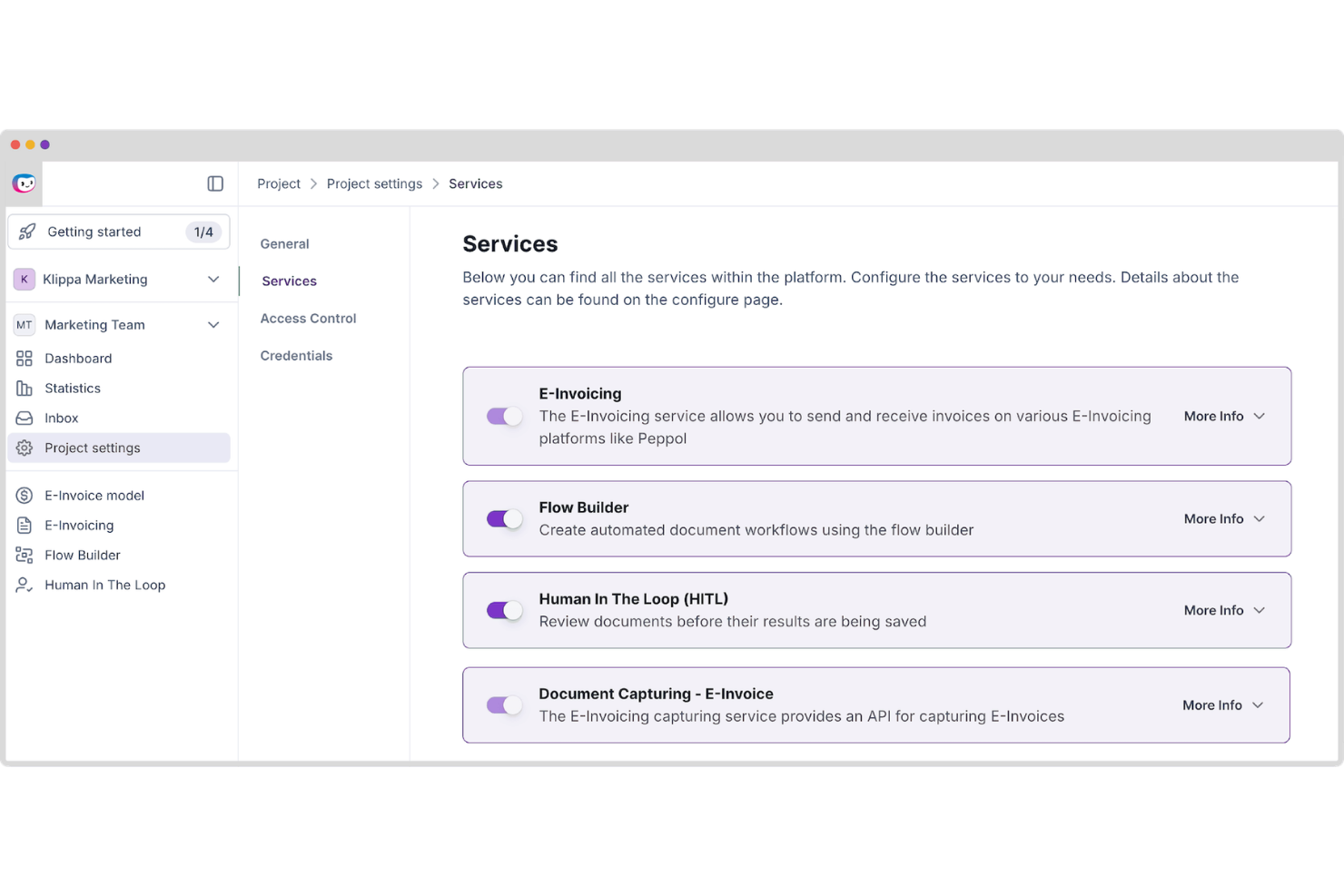
Doxis AI.dp is an AI-powered intelligent document processing platform that automates document classification, OCR-based data extraction, validation, and conversion across invoices and other business documents, including e-invoicing formats such as UBL and XML.
Who Is Doxis AI.dp. Best For?
Doxis AI.dp is a good fit for mid-size to enterprise finance and operations teams that need to process multilingual invoices and other business documents across multiple formats and regions.
Why I Picked Doxis AI.dp.
I've included Doxis AI.dp in my top picks because its multilingual OCR engine can extract structured data from invoices across multiple languages and formats. In practice, that means your team can feed invoices from European, Asian, and Latin American suppliers into the same pipeline and get clean, validated output. It also supports country-specific e-invoicing formats such as Factur-X, Peppol BIS, and UBL, which are valuable for organizations processing cross-border invoices at scale.
Doxis AI.dp. Key Features
- Invoice matching: Compare invoice data against related business documents to identify discrepancies before approval.
- Fraud detection: Identify potentially altered, duplicate, or suspicious invoices before they enter downstream workflows.
- Data validation: Check extracted invoice fields against configurable rules to verify completeness and accuracy.
- Digital archiving: Store processed invoices in a searchable archive to support audits and compliance requirements.
Doxis AI.dp. Integrations
Doxis AI.dp integrates with Oracle NetSuite, SAP, Microsoft Dynamics, Odoo, and Sage, and provides APIs and SDKs for custom integrations. It also supports workflow automation through platforms such as Make and Workato.
Pros and Cons
Pros:
- Built-in document fraud detection tools
- No-code drag-and-drop workflow builder
- Handles UBL, XML, and other e-invoicing formats
Cons:
- Enterprise-focused platform may exceed small business needs
- Setup may be complex for custom workflows
New Product Updates from Doxis AI.dp.
Doxis AI.dp Improves Dataset Validation and API Controls
Doxis AI.dp improves dataset editing with real-time type validation, better field controls, and save prevention on invalid values, plus new API capabilities. These updates help teams maintain cleaner dataset values and manage rows more reliably. For more information, visit Doxis AI.dp’s official site.
 .
.
Best for simple invoicing and expenses

FreshBooks is a cloud-based invoicing and accounting platform for small businesses that lets you create, customize, and send digital invoices, accept online payments, and automate recurring billing.
Who Is FreshBooks Best For?
FreshBooks is a good fit for freelancers and small business owners who need simple, automated invoicing and payment tracking.
Why I Picked FreshBooks
I picked FreshBooks because I rely on its automated late payment reminders to keep cash flow predictable without manual follow-up. I like that I can set up recurring invoices for retainer clients and track when invoices are viewed.
The platform also lets me add billable hours and expenses directly to invoices, which saves time when billing for project work.
FreshBooks Key Features
- Customizable invoice templates: Create branded invoices with your logo, colors, and personalized fields.
- Multi-currency support: Send invoices and accept payments in multiple currencies.
- Client portal: Let clients view, print, and pay invoices online.
- Invoice status tracking: Monitor when invoices are sent, viewed, and paid.
FreshBooks Integrations
FreshBooks offers native integrations with Stripe, PayPal, Gusto, Shopify, HubSpot, Trello, Bench, G Suite, and Slack. It also connects with Zapier and provides an API for custom integrations.
Pros and Cons
Pros:
- Offers automation for recurring invoices and payments
- Allows detailed invoice customization and branding
- Tracks invoice views and payment status precisely
Cons:
- No end-to-end procurement integrations available
- Lacks supplier-side invoice submission features

Best for small business invoicing
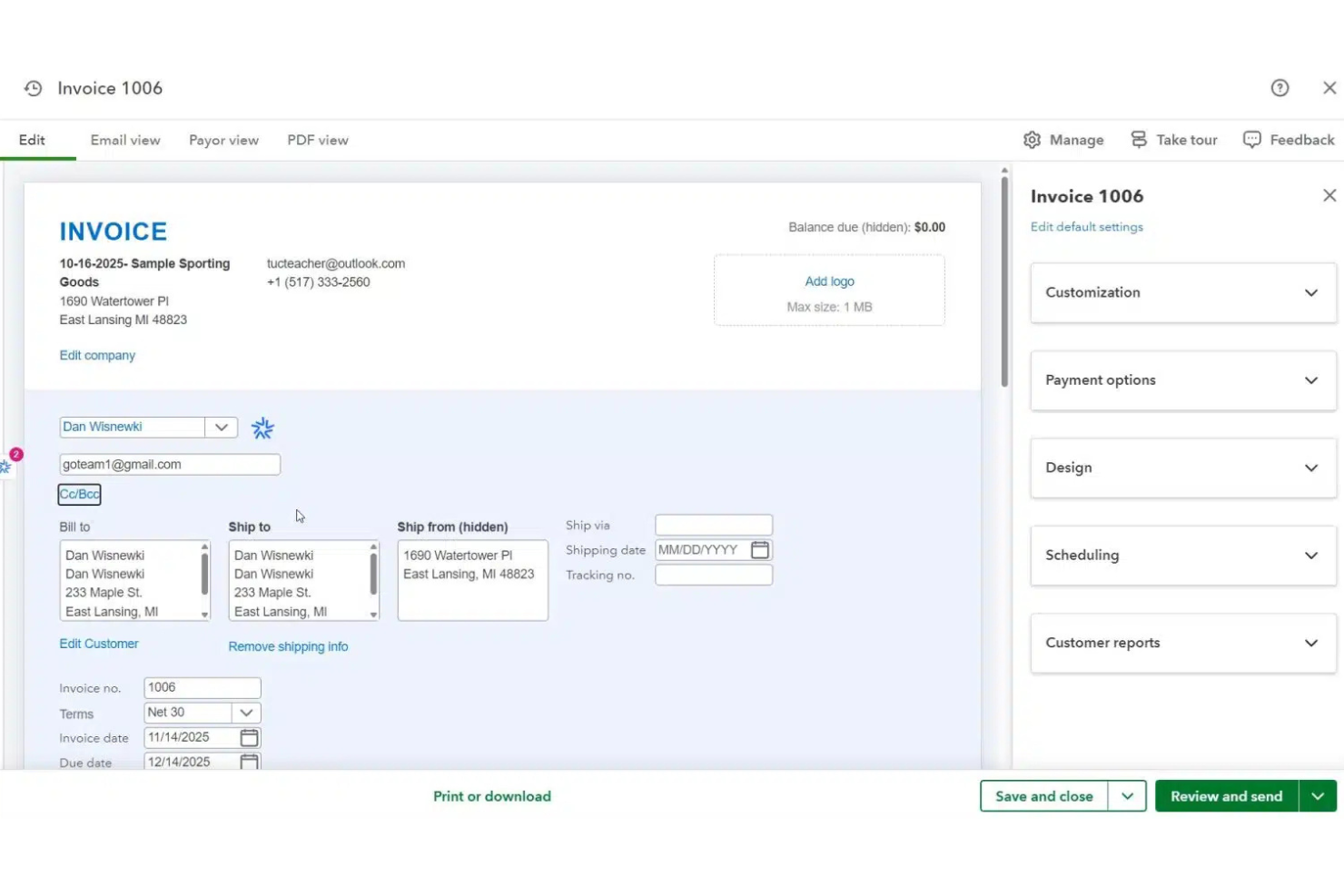
QuickBooks is an accounting and e-invoicing platform that lets you create, send, and track digital invoices, manage payments, and automate tax compliance within a unified system.
Who Is QuickBooks Best For?
QuickBooks is a good fit for small businesses and accountants who need integrated e-invoicing and accounting in one platform.
Why I Picked QuickBooks
I picked QuickBooks because its built-in e-invoicing is tightly integrated with accounting, so I can generate, send, and track invoices directly from my financial dashboard. I like that my team can automate tax calculations and compliance checks as part of the invoicing process.
The platform also lets us manage payments and reconcile transactions without switching between tools.
QuickBooks Key Features
- Recurring invoices: Set up and schedule automatic recurring invoices for repeat customers.
- Multi-currency support: Create and send invoices in multiple currencies for international clients.
- Invoice status tracking: Monitor when invoices are viewed, paid, or overdue in real time.
- Customizable invoice templates: Personalize invoice layouts with your business logo and branding.
QuickBooks Integrations
QuickBooks offers native integrations with PayPal, Shopify, Square, Stripe, HubSpot, Salesforce, and Google Workspace, and provides an API for custom integrations.
Pros and Cons
Pros:
- Tracks invoice status and payment in real time
- Offers recurring invoice scheduling and automation
- Built-in e-invoicing with accounting integration
Cons:
- Some integrations require third-party connectors
- Limited invoice design flexibility compared to peers

OpenText
Best for compliant e-invoicing at scale
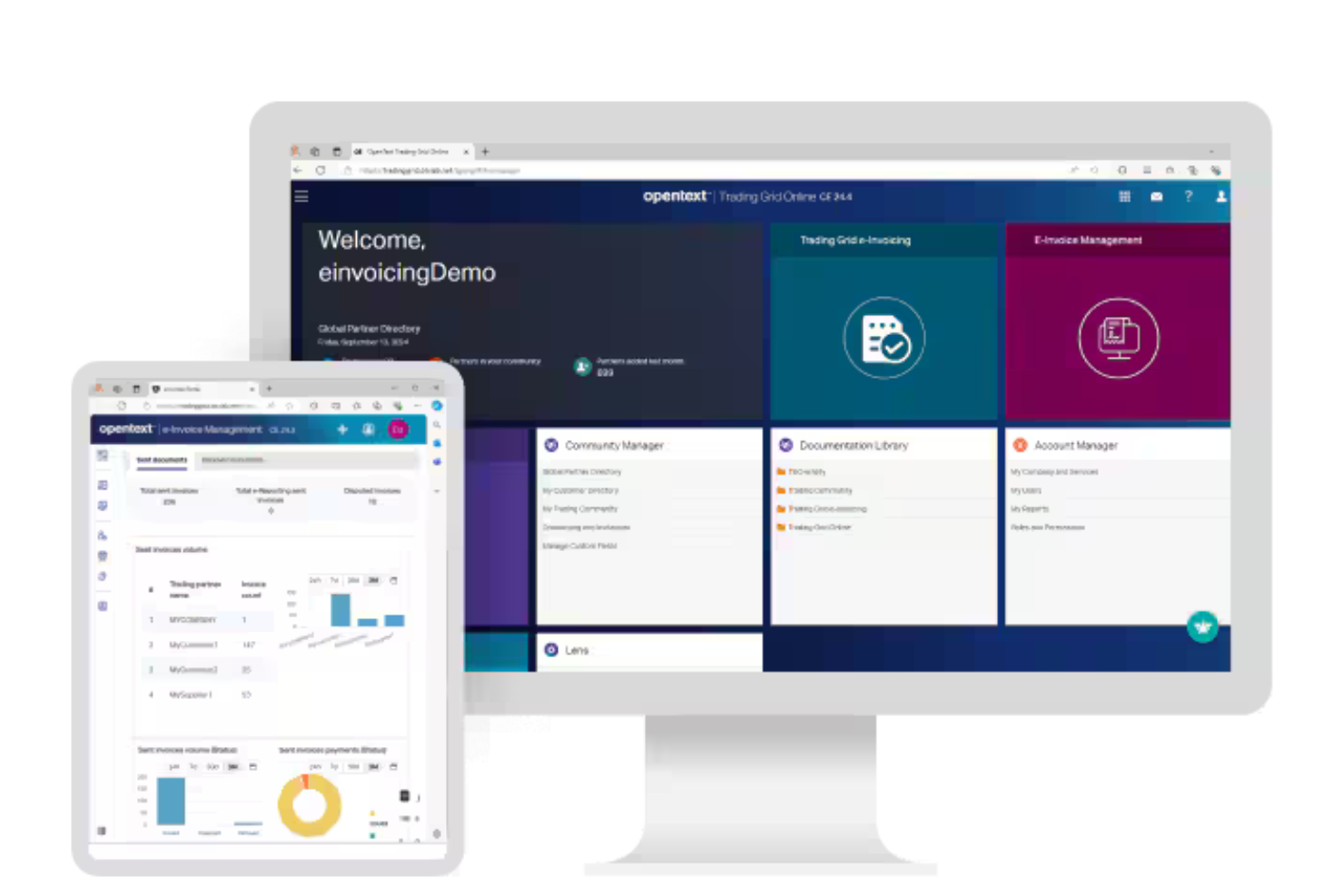
OpenText is an e-invoicing management platform that centralizes invoice capture, validation, compliance, and digital archiving for businesses handling global electronic invoicing requirements.
Who Is OpenText Best For?
OpenText is a strong fit for multinational enterprises and finance teams managing complex, cross-border e-invoicing and compliance requirements.
Why I Picked OpenText
I picked OpenText as one of the best because I can manage global e-invoice compliance and validation in a single platform. My team uses OpenText to automate invoice capture, apply country-specific tax rules, and archive documents for audit readiness. I like that it supports integration with government e-invoicing networks and handles complex cross-border requirements.
OpenText Key Features
- Invoice workflow automation: Routes invoices through configurable approval and exception workflows.
- Supplier portal: Lets suppliers submit and track invoices online.
- Duplicate invoice detection: Flags and prevents duplicate invoice entries automatically.
- Audit trail: Maintains a detailed log of all invoice actions and approvals.
OpenText Integrations
OpenText offers native integrations with SAP, Oracle, Microsoft Dynamics 365, NetSuite, and Salesforce, and provides an API for custom integrations.
Pros and Cons
Pros:
- Supports invoice compliance in multiple countries
- Offers supplier self-service invoice portal
- Automates two and three-way invoice matching
Cons:
- Workflow modifications require technical support
- Dashboard widgets for invoices are limited

Coupa
Best for automated invoice processing
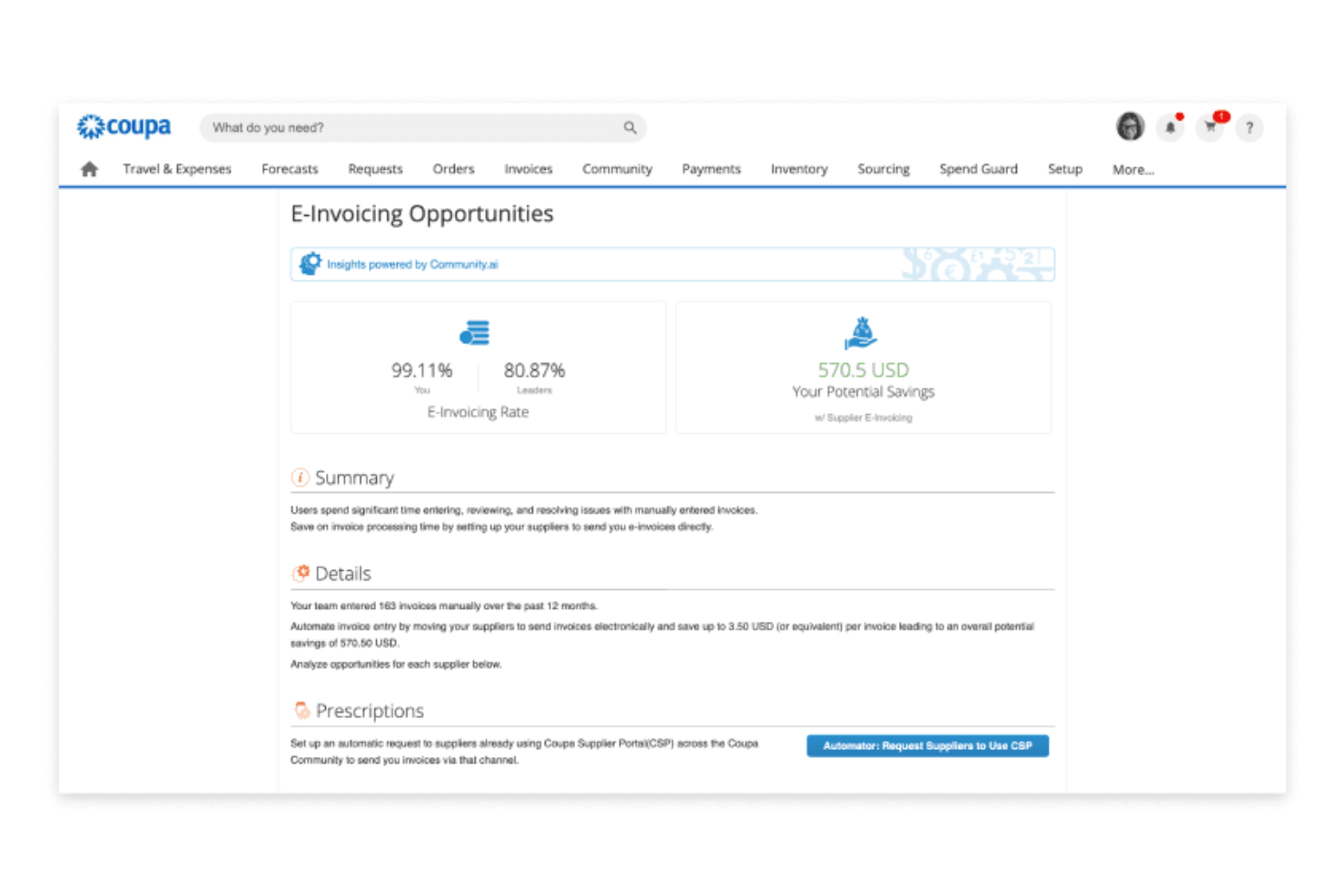
Coupa is an AP automation and e-invoicing platform that centralizes invoice capture, digital approvals, supplier management, and spend analytics for finance and procurement teams.
Who Is Coupa Best For?
Coupa is a strong fit for large enterprises and global finance teams managing complex accounts payable and spend processes.
Why I Picked Coupa
I picked Coupa as one of the best because I can manage AP automation and e-invoicing in one unified platform. My team uses Coupa to capture invoices from multiple channels and automate digital approvals. I like that we can track spend and compliance in real time, all within the same system.
Coupa Key Features
- Supplier portal: Lets suppliers submit and track invoices online.
- Duplicate invoice detection: Flags and prevents duplicate invoice entries automatically.
- Tax compliance engine: Applies global tax rules to invoices for regulatory accuracy.
- Audit trail: Maintains a detailed log of all invoice actions and approvals.
Coupa Integrations
Coupa offers native integrations with SAP, Oracle, NetSuite, Microsoft Dynamics, QuickBooks, and Xero, and provides an API for custom integrations.
Pros and Cons
Pros:
- Detects invoice duplicates and data anomalies
- Adapts to country-specific e-invoicing mandates
- Supports true-touchless invoice processing automation
Cons:
- Charges transaction fees for e-invoice exchange
- Invoice search and filtering is sometimes sluggish

Basware
Best for global e-invoicing networks
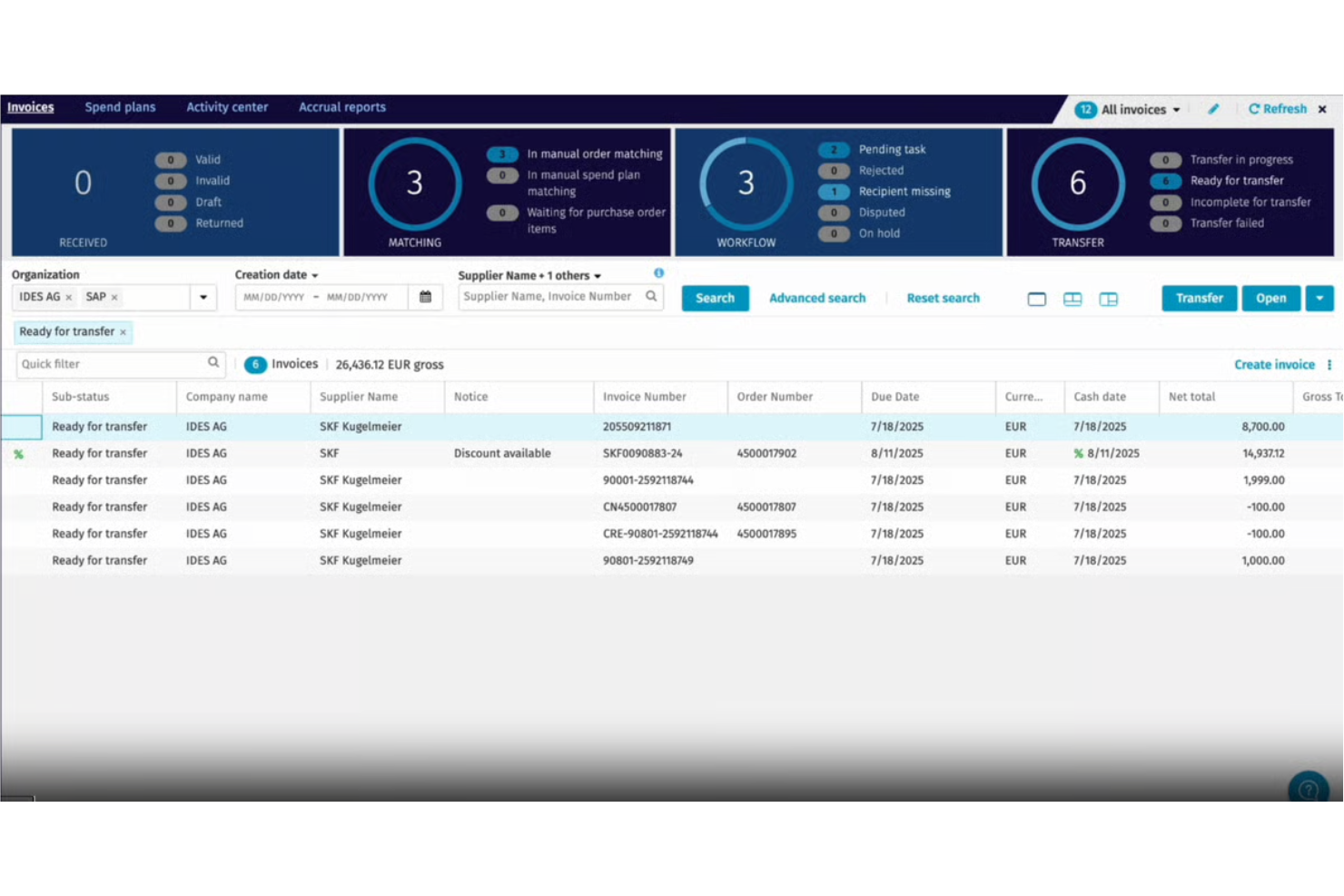
Basware is an e-invoicing software platform that connects buyers and suppliers through a global open network, offering automated invoice capture, validation, compliance, and multi-format document exchange.
Who Is Basware Best For?
Basware is a strong fit for multinational enterprises and finance teams managing high invoice volumes across multiple countries and suppliers.
Why I Picked Basware
I picked Basware because I rely on its open e-invoicing network to connect with suppliers worldwide, regardless of their platform or format. I like that my team can automate invoice validation and compliance checks across multiple countries.
The platform’s multi-format document exchange lets us handle everything from XML to PDF without manual intervention.
Basware Key Features
- Touchless invoice processing: Automatically processes invoices without manual intervention.
- Purchase-to-pay analytics dashboard: Visualizes spend and invoice data in real time.
- Supplier portal: Lets suppliers submit and track invoices online.
- Automated PO matching: Matches invoices to purchase orders and receipts for validation.
Basware Integrations
Native integrations are not currently listed. An API is available for custom integrations.
Pros and Cons
Pros:
- Supports detailed audit trails for all transactions
- Offers advanced supplier onboarding capabilities
- Handles global e-invoicing compliance requirements
Cons:
- Platform navigation for invoicing is complex
- Supplier network access fees can be high

Best for enterprise e-invoicing
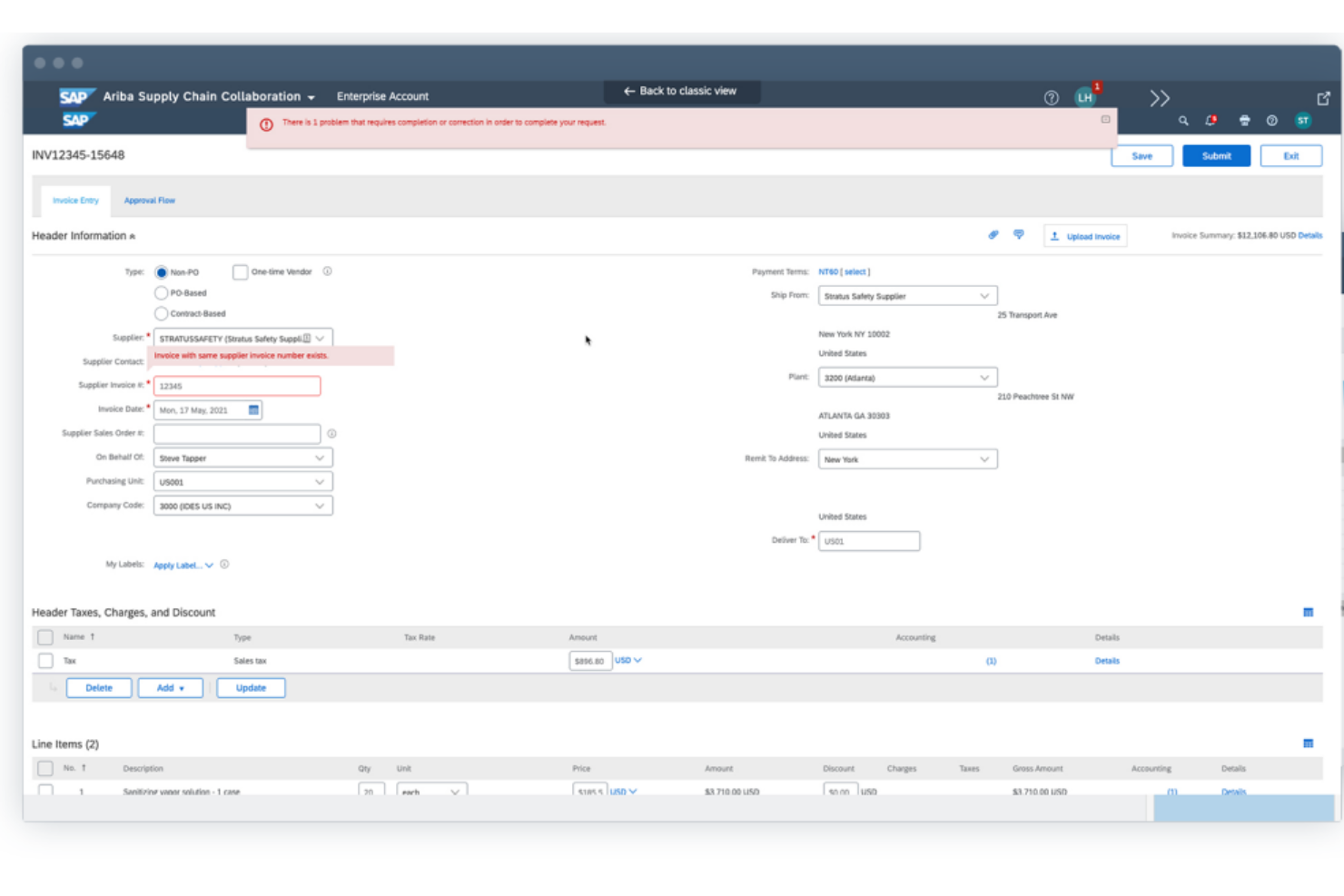
SAP Ariba is a cloud-based e-invoicing and procurement platform that connects buyers and suppliers, automates invoice processing, and supports compliance with global tax and regulatory requirements.
Who Is SAP Ariba Best For?
SAP Ariba is a strong fit for large enterprises and multinational procurement teams managing complex supplier networks and compliance requirements.
Why I Picked SAP Ariba
I picked SAP Ariba as one of the best because I rely on its global supplier network to connect with vendors in dozens of countries and automate compliance with local tax regulations. I like that my team can set up advanced procurement controls and audit trails for every invoice.
The platform’s built-in supplier risk management tools help us monitor compliance and performance across our entire procurement process.
SAP Ariba Key Features
- Invoice reconciliation workflows: Automates matching of invoices to purchase orders and receipts.
- Electronic document exchange: Supports sending and receiving invoices in multiple electronic formats.
- Tax validation engine: Checks invoices for compliance with global tax rules.
- Supplier onboarding tools: Simplifies adding and managing new suppliers in the network.
SAP Ariba Integrations
SAP Ariba offers native integrations with SAP S/4HANA, SAP ERP, Oracle, Microsoft Dynamics 365, and Workday, and provides an API for custom integrations.
Pros and Cons
Pros:
- Offers configurable invoice approval workflows
- Supports multi-currency and multi-language invoicing
- Connects to a global supplier network
Cons:
- Onboarding suppliers can be time-consuming
- User interface can feel complex and dated

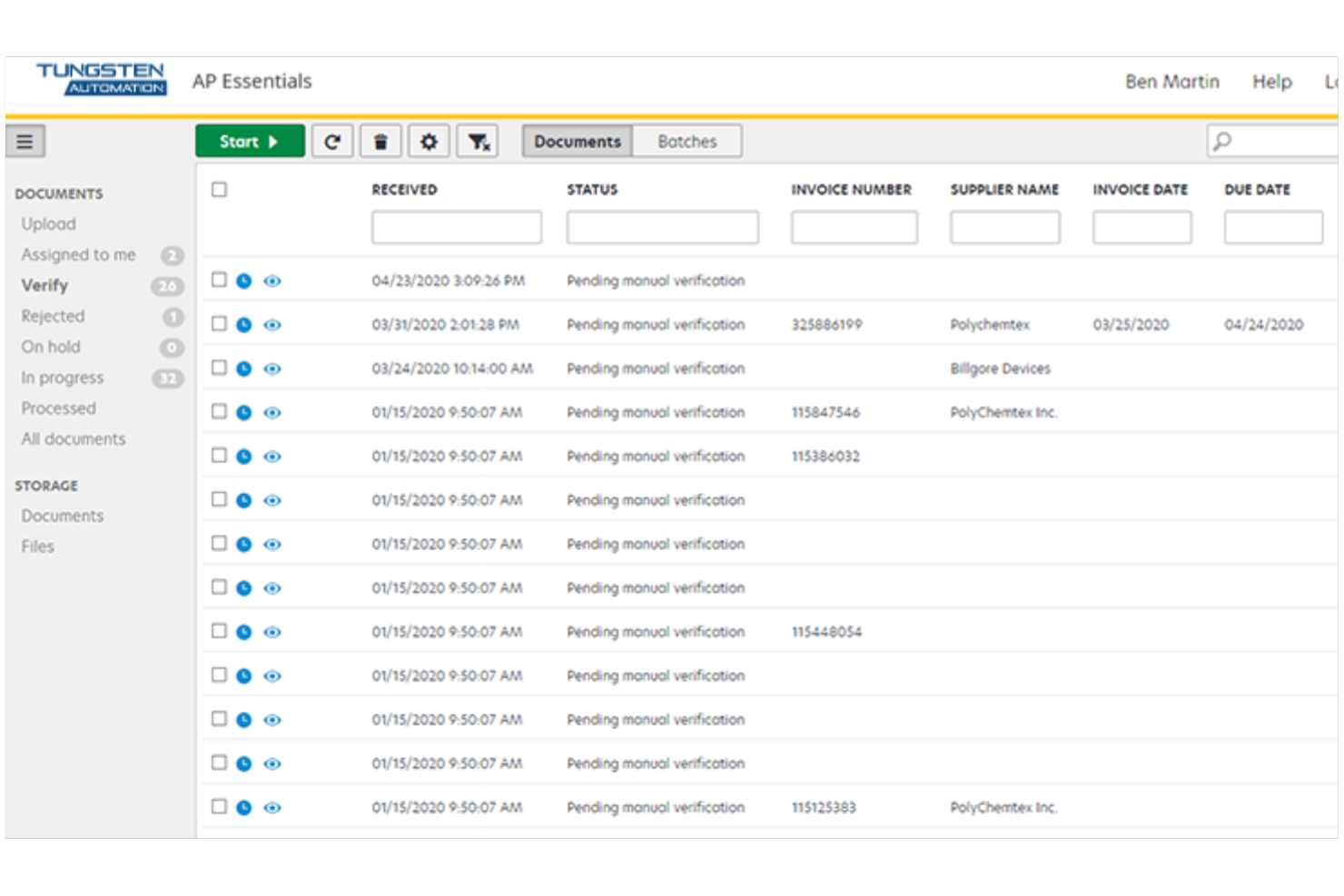
Tungsten Automation InvoiceAgility is an e-invoicing software platform that uses AI-driven data capture, workflow automation, and invoice validation to manage digital invoice processing and approvals.
Who Is Tungsten Automation Best For?
Tungsten Automation is a strong fit for enterprise finance teams and shared service centers that process high volumes of invoices across multiple business units.
Why I Picked Tungsten Automation
I picked Tungsten Automation because I can automate invoice capture and validation using AI-powered data extraction. My team uses its workflow engine to route invoices for multi-level approvals and exception handling.
I like that it supports touchless processing and integrates with ERP systems for end-to-end automation.
Tungsten Automation Key Features
- Supplier portal: Lets suppliers submit and track invoices online.
- Duplicate invoice detection: Flags potential duplicate invoices before processing.
- Audit trail: Records every action taken on each invoice.
- Multi-language support: Allows users to work in several languages.
Tungsten Automation Integrations
Native integrations are not currently listed. The tool supports integrations with any ERP system and offers an API for custom integrations.
Pros and Cons
Pros:
- Offers automated invoice approval workflows
- Provides compliance tools for cross-border invoicing
- Supports complex PO and non-PO invoices
Cons:
- Custom invoice field mapping is limited
- OCR accuracy can fluctuate with poor scans
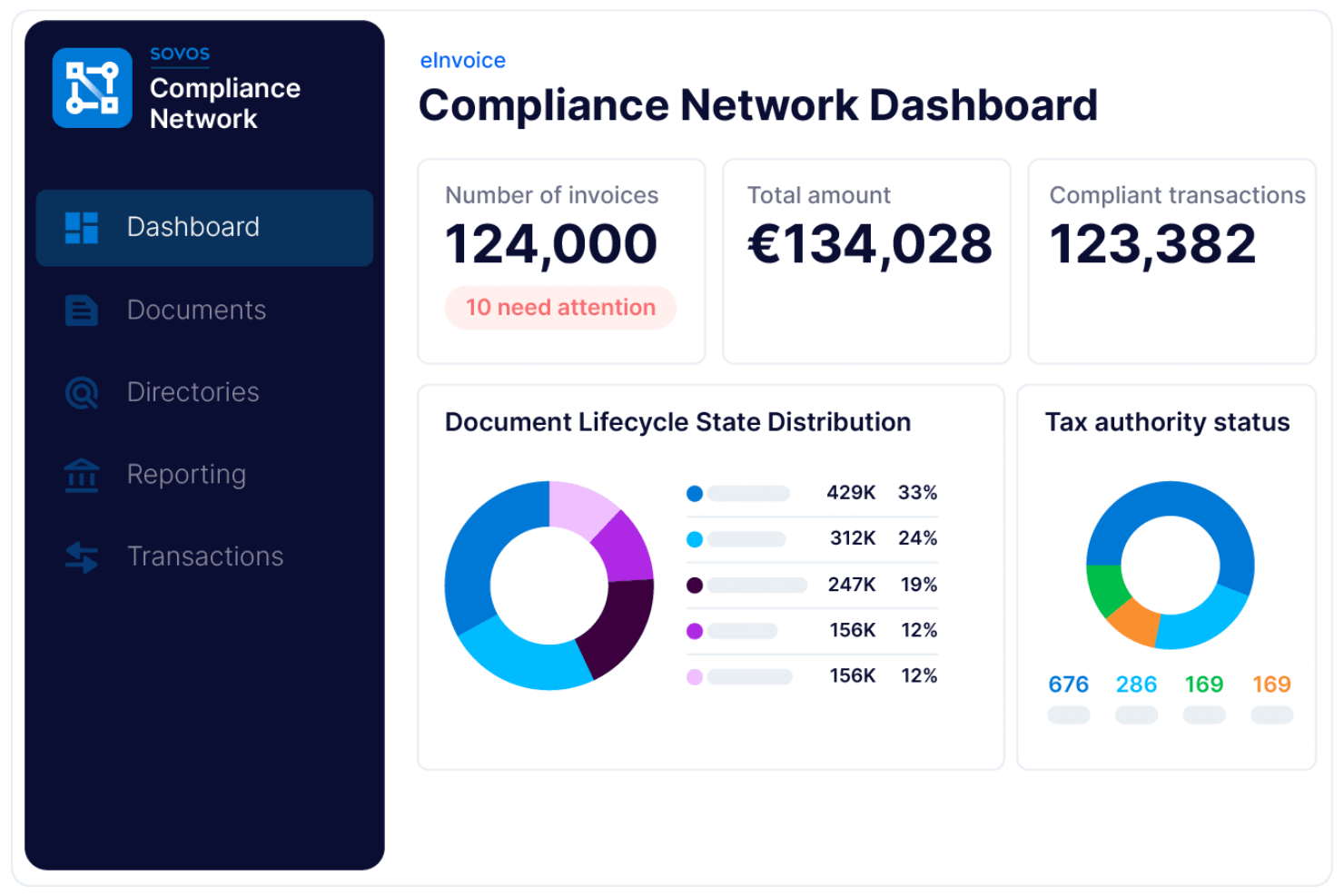
Sovos is a global e-invoicing compliance platform that centralizes electronic invoice creation, validation, tax reporting, and digital archiving for businesses operating across multiple jurisdictions.
Who Is Sovos Best For?
Sovos is a strong fit for multinational corporations and tax teams managing e-invoicing compliance across multiple countries.
Why I Picked Sovos
I picked Sovos as one of the best because I can manage global e-invoicing compliance and tax reporting in one place. My team uses Sovos to automate invoice validation against country-specific regulations and submit real-time reports to tax authorities.
I like that Sovos supports digital archiving and audit trails for multi-jurisdictional operations.
Sovos Key Features
- Supplier onboarding tools: Lets you invite and manage suppliers directly within the platform.
- Automated invoice delivery: Sends electronic invoices to customers and partners in required formats.
- Multi-language interface: Supports users working in different languages across regions.
- Custom workflow configuration: Allows you to set up approval and routing workflows for invoices.
Sovos Integrations
Sovos is built to integrate with ERP and business process automation systems, but native integrations are not currently listed. An API is available for custom integrations.
Pros and Cons
Pros:
- Monitors regulatory changes and updates processes
- Offers automated invoice status tracking features
- Covers complex VAT and global compliance
Cons:
- Supplier onboarding features are not extensive
- No built-in invoice approval workflows

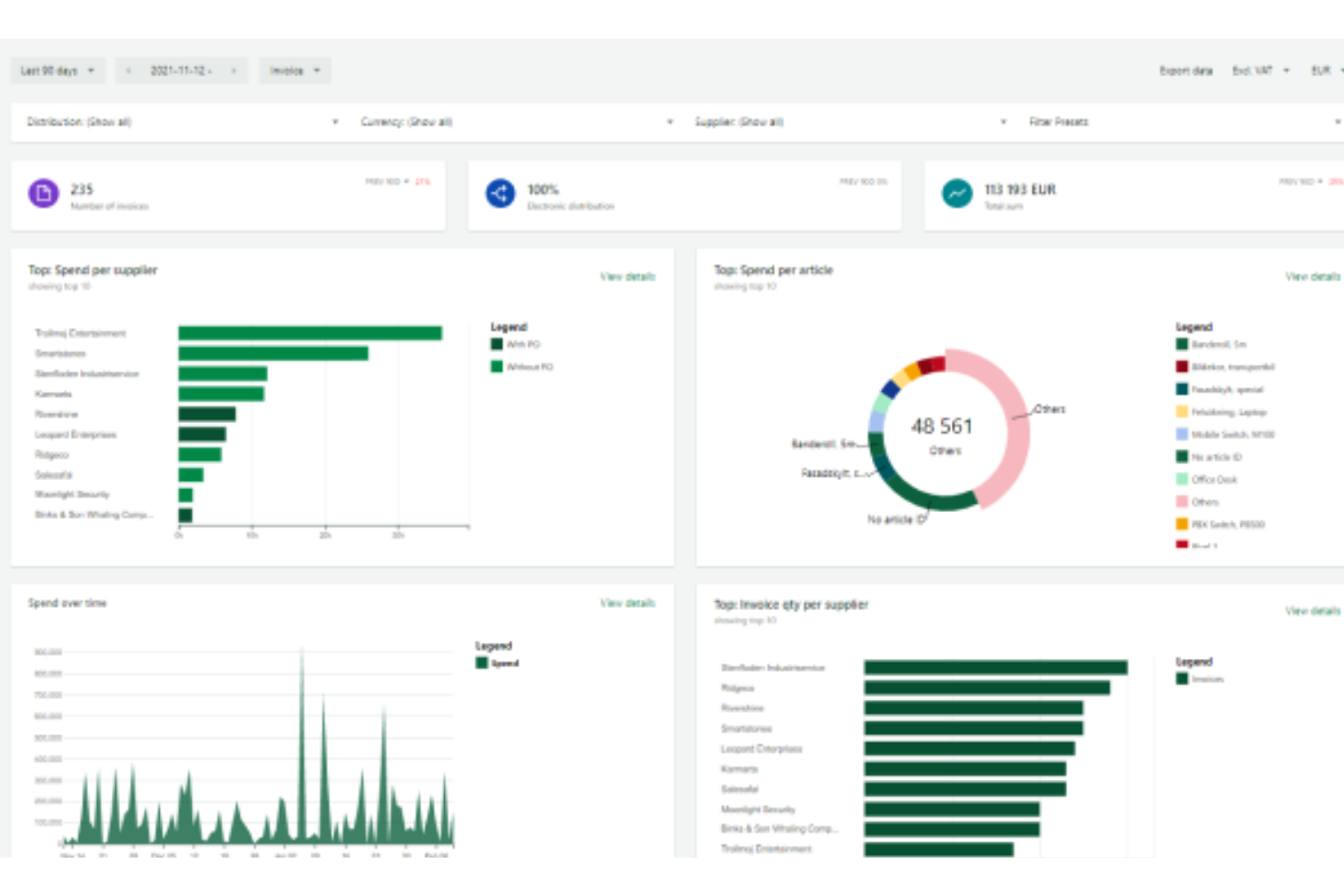
Pagero is a global e-invoicing and tax compliance platform that connects businesses to a digital network for exchanging electronic invoices, automating tax reporting, and meeting country-specific regulatory requirements.
Who Is Pagero Best For?
Pagero is a strong fit for multinational enterprises and finance teams managing cross-border e-invoicing and tax compliance.
Why I Picked Pagero
I picked Pagero as one of the best because I can connect to a global compliance network and automate e-invoicing in over 140 countries. My team uses Pagero to validate invoices against local tax rules and exchange documents with trading partners worldwide.
I like that it handles real-time tax reporting and supports digital signature requirements for cross-border transactions.
Pagero Key Features
- Supplier onboarding tools: Lets you invite and manage suppliers directly within the platform.
- Automated invoice delivery: Sends electronic invoices to customers and partners in required formats.
- Multi-language interface: Supports users working in different languages across regions.
- Custom workflow configuration: Allows you to set up approval and routing workflows for invoices.
Pagero Integrations
Pagero offers native integrations with SAP, Oracle, Microsoft Dynamics 365, Infor, and IFS, and provides an API for custom integrations.
Pros and Cons
Pros:
- Real-time invoice tracking with audit features
- Automated invoice translation to local formats
- Connects buyers and suppliers automatically worldwide
Cons:
- Manual intervention needed for some rejected invoices
- Customer-specific onboarding processes can be slow
Other E-Invoicing Software
Here are some additional e-invoicing software options that didn’t make it onto my shortlist, but are still worth checking out:
- Xero
For invoice tracking and management
- Payhawk
For spend and invoice management
- Wave
For free invoicing tools
- Zoho Invoice
For small business invoicing
- Tipalti
For end-to-end AP automation
- Sage
For compliant business invoicing
- Tradeshift
For supplier collaboration
- Esker
For cloud document automation
- Odoo
For integrated invoicing and apps
- Vertex
For global tax compliance
- HighRadius
For AI receivables automation


How I Evaluate E-Invoicing Software
I evaluate tools against two layers: baseline acceptance criteria—like PEPPOL compliance and project-based billing—and differentiating factors that separate good options from great ones.
Core Functionality (Table Stakes For This List)
When I'm selecting tools for my list, I rank each one on a scale from 0 (does not offer the functionality) to 5 (excels in this area) for each core functionality listed below. Then, I calculate the tool's total score into a percentage. Each tool needs to achieve a minimum total score of 65% to be considered for inclusion.
- Electronic Invoice Generation: I check whether a tool produces invoices in structured formats like UBL or PEPPOL XML—not just basic PDFs—so recipients can process them automatically.
- Tax & Regulatory Compliance: Each tool needs to handle region-specific tax rules, whether that's VAT reverse charges, GST, or mandate-specific formats like SdI or ZATCA.
- Project-Based Billing: I look for the ability to tie invoices directly to milestones, time logs, or deliverables rather than forcing your team to rebuild billing context manually.
- Payment Tracking & Reminders: Automated dunning sequences and real-time payment status dashboards matter here—manual "mark as paid" workflows don't cut it for busy PMs.
- Client & Contact Management: A solid client database should store payment terms, billing preferences, and full invoice history so you're not hunting for details across tools.
- Accounting & PM Integrations: I evaluate native connections to platforms like QuickBooks, Xero, Jira, and Asana, plus whether an open API or Zapier support fills any gaps.
Once I have a list of tools that meet the criteria, I consider what sets each platform apart.
Differentiating Factors (What Sets Vendors Apart)
Here's how I compare and contrast different vendors:
Standout Features
Custom approval workflows are a key differentiator—I look for tools that route draft invoices through internal review chains before dispatch, which prevents billing errors on complex multi-phase projects. A client self-service portal adds real value by giving clients direct access to view, download, and pay invoices without constant email threads. I also evaluate project-level profitability dashboards that break down billed versus unbilled amounts, helping PMs catch margin issues early.
Beyond Features
I evaluate how well each vendor keeps pace with evolving e-invoicing mandates, since a tool that's compliant today but slow to update leaves your team exposed. The integration ecosystem matters just as much—I check for native connectors to tools like Jira, Asana, QuickBooks, and Xero so billing data flows without manual re-entry. Pricing transparency is another factor I weigh carefully, especially whether plans scale fairly from a solo consultant to a growing agency without surprise fees for compliance modules.
How to Choose E-invoicing Software
It’s easy to get bogged down in long feature lists and complex pricing structures. To help you stay focused as you work through your unique software selection process, here’s a checklist of factors to keep in mind:
| Factor | What to Consider |
|---|---|
| Scalability | Will the software handle your invoice volume as your business grows or expands into new markets? |
| Integrations | Does it connect natively to your ERP, accounting, and procurement systems without custom workarounds? |
| Customizability | Can you tailor workflows, approval rules, and templates to match your organization’s processes? |
| Ease of use | Will your team and suppliers adopt it quickly, or will training and support be a constant need? |
| Implementation and onboarding | How long will it take to get up and running, and what resources or support does the vendor provide? |
| Cost | Are all fees clear up front, including setup, transaction, and support costs? |
| Security safeguards | Does the tool meet your data privacy, encryption, and access control requirements? |
| Compliance requirements | Will it help you meet local and international e-invoicing, tax, and audit regulations? |
What Is E-invoicing Software?
E-invoicing software is a digital invoicing system that automates the creation, delivery, and processing of an online invoice between buyers and suppliers. It replaces paper invoices with structured digital workflows, helping businesses optimize billing and reduce manual errors.
These tools often integrate with accounting software to manage financial data, support payment processing methods like credit card, and connect with functions such as time tracking and supply chain operations.
They also improve data protection, ensure compliance with e-invoicing regulations, and highlight the key benefits of e-invoicing, including faster approvals and cost savings.
Features
When selecting e-invoicing software, keep an eye out for the following key features:
- Invoice capture: Digitizes and imports invoices from email, uploads, or supplier portals, reducing manual data entry and errors.
- Approval workflows: Routes invoices through customizable approval chains, ensuring compliance with internal controls and speeding up processing.
- Duplicate detection: Flags potential duplicate invoices before payment, helping prevent overpayments and fraud.
- Tax compliance tools: Applies local and international tax rules automatically, supporting accurate calculations and regulatory reporting.
- Multi-currency support: Handles invoices in different currencies, converting amounts and supporting global business operations.
- Supplier portal: Lets suppliers submit, track, and manage invoices online, improving communication and reducing status inquiries.
- ERP integration: Connects directly to accounting or ERP systems, syncing invoice data and automating financial recordkeeping.
- Audit trail: Records every action taken on each invoice, providing transparency and supporting audit requirements.
- Reporting and analytics: Offers dashboards and exportable reports to monitor invoice status, cycle times, and spend patterns.
- Document archiving: Stores invoices and related documents securely for easy retrieval and compliance with retention policies.
Common E-invoicing Software AI Features
Beyond the standard e-invoicing software features listed above, many of these solutions are incorporating AI with features like:
- Smart invoice data extraction: Uses AI to recognize and extract key fields from invoices, even when layouts vary, reducing manual entry and improving accuracy.
- Automated anomaly detection: Flags unusual invoice amounts, patterns, or vendor behaviors by learning from historical data, helping teams catch fraud or errors early.
- Predictive payment scheduling: Analyzes payment histories and cash flow trends to recommend optimal payment dates, supporting better working capital management.
- AI-driven supplier risk scoring: Assesses supplier reliability and risk by analyzing invoice patterns, payment delays, and external data sources, helping teams make informed decisions.
- Natural language query: Lets users ask questions about invoices or spend data in plain language, with AI interpreting and surfacing relevant insights instantly.
Benefits
Implementing e-invoicing software provides several benefits for your team and your business. Here are a few you can look forward to:
- Faster invoice processing: Automated capture, routing, and approvals help your team move invoices from receipt to payment much more quickly.
- Improved compliance: Built-in tax rules, audit trails, and regulatory checks help you meet local and international requirements with less manual oversight.
- Reduced manual errors: Automated data extraction and duplicate detection minimize mistakes that can lead to overpayments or disputes.
- Greater visibility: Real-time dashboards and reporting give you a clear view of invoice status, spend patterns, and bottlenecks.
- Improved supplier relationships: Supplier portals and transparent workflows make it easier for vendors to submit and track invoices, reducing inquiries and delays.
- Lower operational costs: Digitizing and automating invoicing reduces paper, postage, and manual labor expenses.
- Stronger security: Centralized document storage and access controls help protect sensitive financial data from unauthorized access or loss.
Costs and Pricing
Selecting e-invoicing software requires an understanding of the various pricing models and plans available. Costs vary based on features, team size, add-ons, and more. The table below summarizes common plans, their average prices, and typical features included in e-invoicing software solutions:
Plan Comparison Table for E-invoicing Software
| Plan Type | Average Price | Common Features |
|---|---|---|
| Free Plan | $0 | Basic invoice creation, limited invoice volume, email support, and simple reporting. |
| Personal Plan | $5-$25/user/month | Unlimited invoices, multi-currency support, basic approval workflows, and integration with accounting tools. |
| Business Plan | $25-$75/user/month | Advanced approval workflows, tax compliance tools, supplier portal access, and custom reporting. |
| Enterprise Plan | $75-$200/user/month | Custom integrations, global compliance, advanced analytics, dedicated support, and improved security controls. |
E-invoicing Software FAQs
Here are some answers to common questions about e-invoicing software:
How does e-invoicing software help with tax compliance?
E-invoicing software applies local and international tax rules automatically, generates compliant invoice formats, and maintains audit trails. This reduces manual errors and helps your business meet regulatory requirements in different regions.
Can e-invoicing software integrate with my existing accounting system?
Yes, most e-invoicing software solutions offer integrations with popular accounting and ERP systems. This allows you to sync invoice data, automate recordkeeping, and avoid duplicate data entry.
What should I consider when switching from paper to e-invoicing?
Plan for data migration, staff training, and supplier onboarding. Make sure the software supports your required formats and workflows, and check that it meets your security and compliance needs.
Is e-invoicing software suitable for small businesses?
Yes, many e-invoicing solutions offer affordable plans and simple interfaces designed for small businesses. Look for options with easy setup, basic automation, and essential integrations.
How secure is e-invoicing software?
Most reputable e-invoicing software uses encryption, access controls, and secure cloud storage to protect your financial data. Always review a vendor’s security certifications and data privacy policies before making a decision.