

10 Bitrix24 Alternatives for Project Management in 2026

Bitrix24 Alternatives Shortlist


A strong Bitrix24 alternative offers flexible CRM features, reliable workflow management, and integrations that fit your team’s unique processes. If you’re searching for Bitrix24 alternatives, you’re likely facing limits with customization, collaboration, or scaling your CRM as your business grows.
The right replacement should help you manage contacts, automate sales, and support cross-functional teamwork without the friction you’re trying to leave behind. In this list, you’ll find CRM platforms that address these challenges, so you can compare options and choose the best fit for your team’s needs in 2026.
What Is Bitrix24?
Bitrix24 is a CRM software platform that combines contact management, sales automation, project collaboration, and communication tools in one system. Teams use Bitrix24 to track leads, manage pipelines, coordinate tasks, and monitor time tracking across departments. The platform also offers document sharing, chat, and workflow automation features. Bitrix24 is popular with businesses looking for an all-in-one platform to manage customer relationships and internal processes from a single interface.
Bitrix24 Alternatives Comparison Table
This comparison table summarizes pricing details for my top Bitrix24 alternative selections:
| Tool | Best For | Trial Info | Price | ||
|---|---|---|---|---|---|
| 1 | Best for action-focused sales pipelines | 21-day free trial | From $9.95/user/month (billed annually) | Website | |
| 2 | Best for automated lead generation | Free trial available | From $37.6/month | Website | |
| 3 | Best with Microsoft 365 ecosystem compatibility | 30-day free trial | From $65/user/month (billed annually) | Website | |
| 4 | Best for task and project collaboration | Free plan available | From $7/user/month (billed annually) | Website | |
| 5 | Best for integrated marketing automation | Free plan available | From $20/user/month | Website | |
| 6 | Best for sales process visualization | 14-day free trial | Pricing upon request | Website | |
| 7 | Best for simple contact management | 15-day free trial | From $19.99/month per 1,000 contacts | Website | |
| 8 | Best for large-scale enterprise customization | 30-day free trial | From $25/user/month | Website | |
| 9 | Best for customer support ticketing integration | Free trial + free demo available | From $19/agent/month (billed annually) | Website | |
| 10 | Best for customizable business apps | 14-day free trial + free demo available | From $15/user/month (billed annually) | Website |
Why Trust Our Software Recommendations
Our team has been testing and reviewing software since 2012. As project managers ourselves, we know how difficult—and important—it is to choose the right software.
For this guide, we evaluated tools using hands-on testing and independent research, scoring tools using our selection criteria. We also draw on insights from industry thought leaders and practicing project management experts.
Our reviews reflect our human editorial judgment, not a sales pitch.
Expert reviewers:
Bitrix24 Alternatives Reviews
Below are my detailed summaries of the best Bitrix24 alternatives that made it onto my shortlist. My reviews offer a detailed look at the features, best use cases, and integrations of each platform to help you find the best one for you.
Best for action-focused sales pipelines
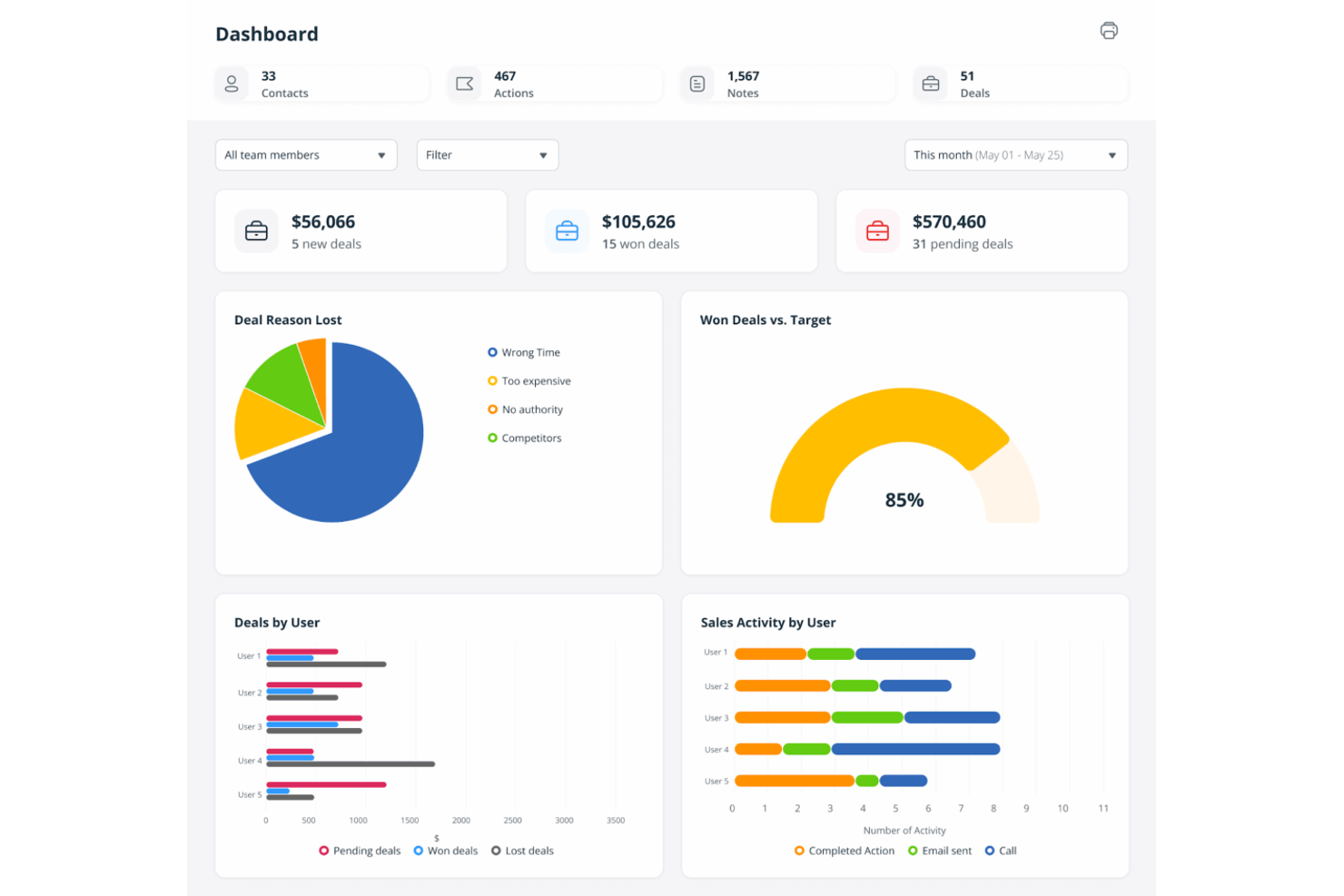
Sales teams looking for a CRM that prioritizes action and follow-up will find OnePageCRM especially appealing. Unlike Bitrix24 and other CRMs that focus on data storage or complex workflows, OnePageCRM centers its interface around a dynamic sales pipeline and next-action reminders. This approach helps users keep deals moving forward and ensures no lead falls through the cracks.
Why OnePageCRM Is a Good Bitrix24 Alternative
If you want a CRM that keeps your sales team focused on taking action, OnePageCRM is worth considering. I picked OnePageCRM because its interface is built around a prioritized sales pipeline, where every contact has a clear next step assigned. The tool’s action stream and follow-up reminders help sales reps maintain momentum and prevent leads from stalling. For teams that value a proactive, task-driven approach over complex project management, OnePageCRM offers a focused alternative to Bitrix24.
OnePageCRM Key Features
Some other features that make OnePageCRM appealing for sales-focused teams include:
- Lead Clipper: Lets you capture leads directly from web pages and add them to your CRM in one click.
- Sales Email Templates: Provides customizable templates for sending and tracking sales emails.
- Mobile Apps: Offers dedicated mobile apps for iOS and Android to manage contacts and actions on the go.
- Bulk Actions: Allows you to update, assign, or tag multiple contacts at once for faster workflow management.
OnePageCRM Integrations
Integrations include Mailchimp, Xero, QuickBooks, Google Workspace, Outlook, Zapier, Evernote, Skype, and more.
Pros and Cons
Pros:
- Mobile apps for pipeline management
- Sales email templates for outreach consistency
- Action stream keeps sales tasks prioritized
Cons:
- Lacks internal team chat
- Limited reporting customization options

Best for automated lead generation
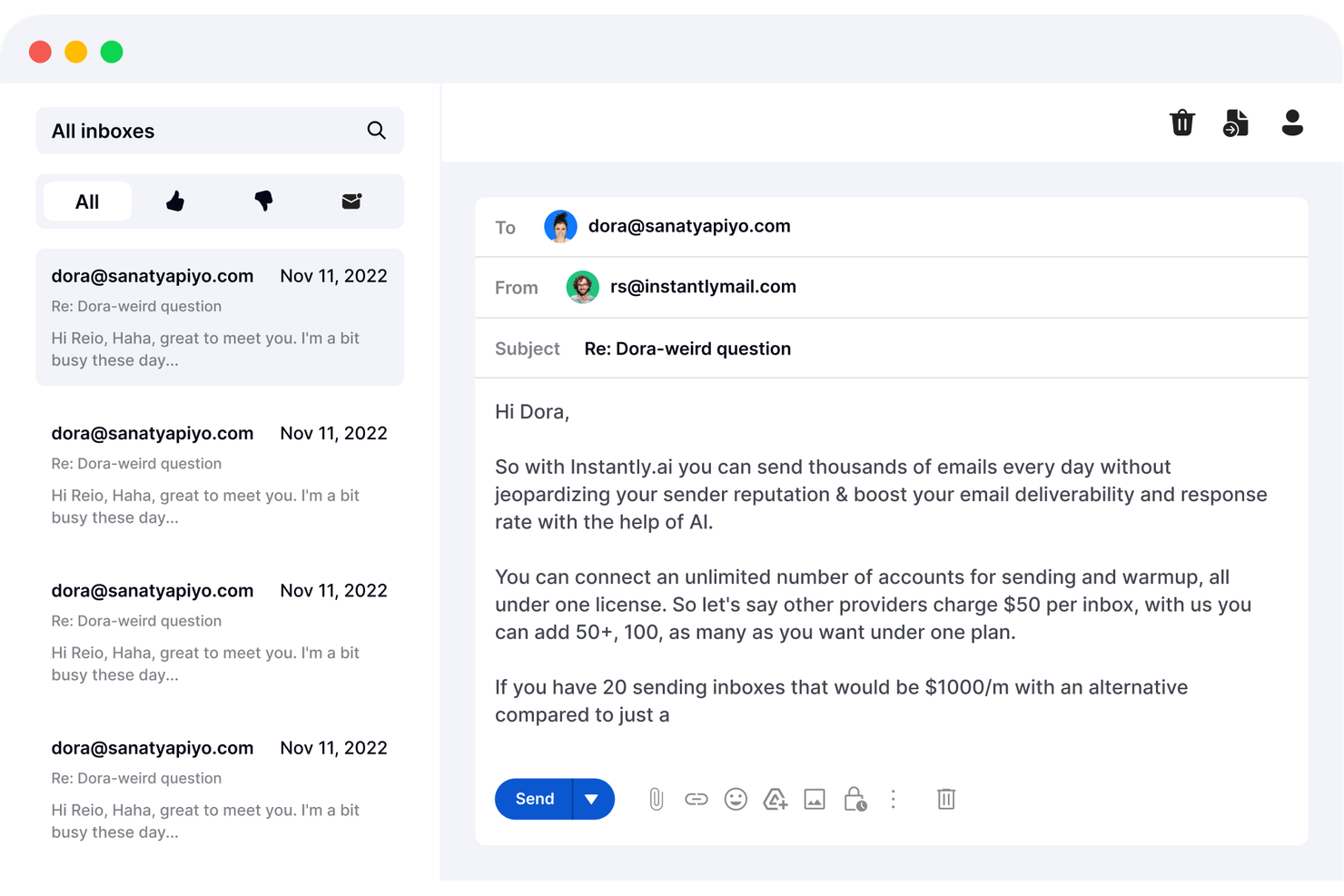
If your team needs to automate outbound lead generation at scale, Instantly offers a focused solution. Sales and marketing professionals who rely on cold outreach can use Instantly to build targeted lists and launch automated email campaigns from one platform. Unlike Bitrix24, Instantly specializes in high-volume email sending and deliverability tools designed for rapid prospecting.
Why Instantly Is a Good Bitrix24 Alternative
For teams focused on outbound lead generation, Instantly brings automation and resource management that Bitrix24 doesn’t match. I picked Instantly because it lets you create targeted lead lists and send high-volume cold email campaigns with built-in deliverability tools. The platform includes automated follow-ups and inbox rotation, so you can maximize outreach without manual effort. If your CRM needs center on filling the pipeline with new leads, Instantly’s specialized features make it a strong alternative.
Instantly Key Features
Some other features that make Instantly appealing for CRM buyers include:
- Email Warmup Tool: Gradually increases sending volume to improve deliverability and avoid spam filters.
- Team Collaboration: Lets multiple users manage campaigns and share access to lead lists.
- Campaign Analytics Dashboard: Tracks open rates, reply rates, and other key metrics in real time.
- Lead Scoring: Automatically assigns scores to leads based on engagement and campaign activity.
Instantly Integrations
Integrations include Zapier, HubSpot, Pipedrive, Salesforce, Slack, and more.
Pros and Cons
Pros:
- Unlimited email account connections per user
- Built-in lead scoring for prospect prioritization
- High-volume cold email sending capabilities
Cons:
- Limited contact management
- No built-in CRM pipeline management
Best with Microsoft 365 ecosystem compatibility
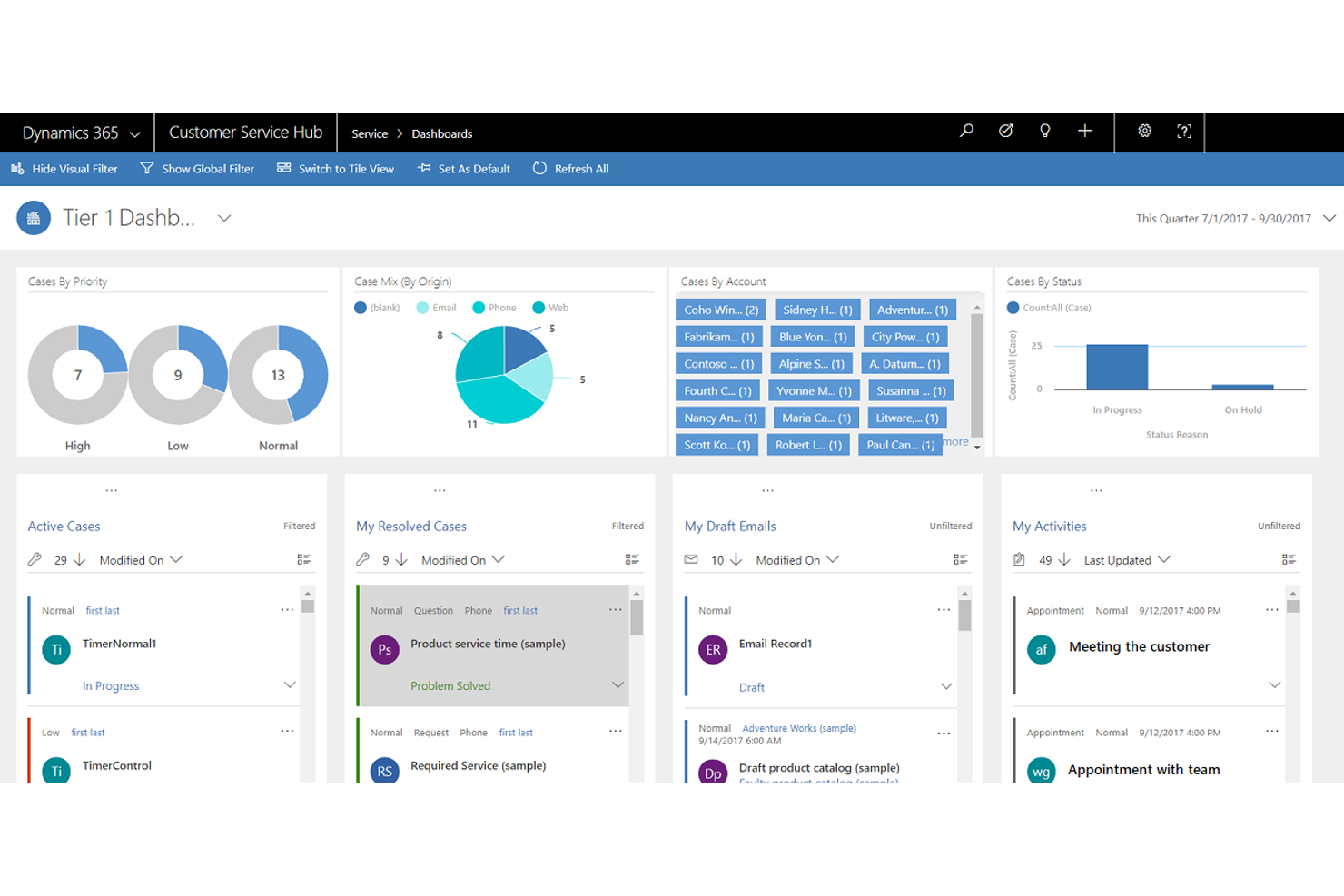
For teams already using Microsoft 365, Microsoft Dynamics 365 offers CRM capabilities that fit right into your existing workflows. It’s especially useful for organizations that want to connect sales, marketing, and customer data with familiar Microsoft tools like Outlook, Teams, and Excel. Unlike Bitrix24, Dynamics 365 stands out for its deep integration with the Microsoft ecosystem and its advanced data automation features.
Why Microsoft Dynamics 365 Is a Good Bitrix24 Alternative
When your team relies on Microsoft 365 tools, Microsoft Dynamics 365 offers CRM features that work natively with Outlook, Teams, and Excel. I picked Dynamics 365 because it lets you automate workflows and sync customer data directly within the Microsoft environment. The platform’s AI-driven insights and sales forecasting tools help teams make data-backed decisions without leaving familiar apps. For organizations that want a CRM deeply embedded in their Microsoft stack, Dynamics 365 is a strong alternative to Bitrix24.
Microsoft Dynamics 365 Key Features
Some other features that make Dynamics 365 appealing for CRM buyers include:
- Customizable Dashboards: Create visual dashboards tailored to different roles and departments.
- Lead and Opportunity Management: Track, score, and nurture leads through the entire sales pipeline.
- Case Management: Manage customer service cases with automated routing and escalation rules.
- Mobile App Access: Access CRM data and tools from iOS and Android devices.
Microsoft Dynamics 365 Integrations
Integrations include Microsoft Teams, Outlook, Excel, SharePoint, Power BI, LinkedIn, OneDrive, Azure, Microsoft Power Platform, and more.
Pros and Cons
Pros:
- Advanced security and compliance controls
- AI-driven sales and customer insights
- Deep integration with Microsoft 365 apps
Cons:
- Complex setup for non-Microsoft environments
- Requires separate licensing for each module

ClickUp
Best for task and project collaboration
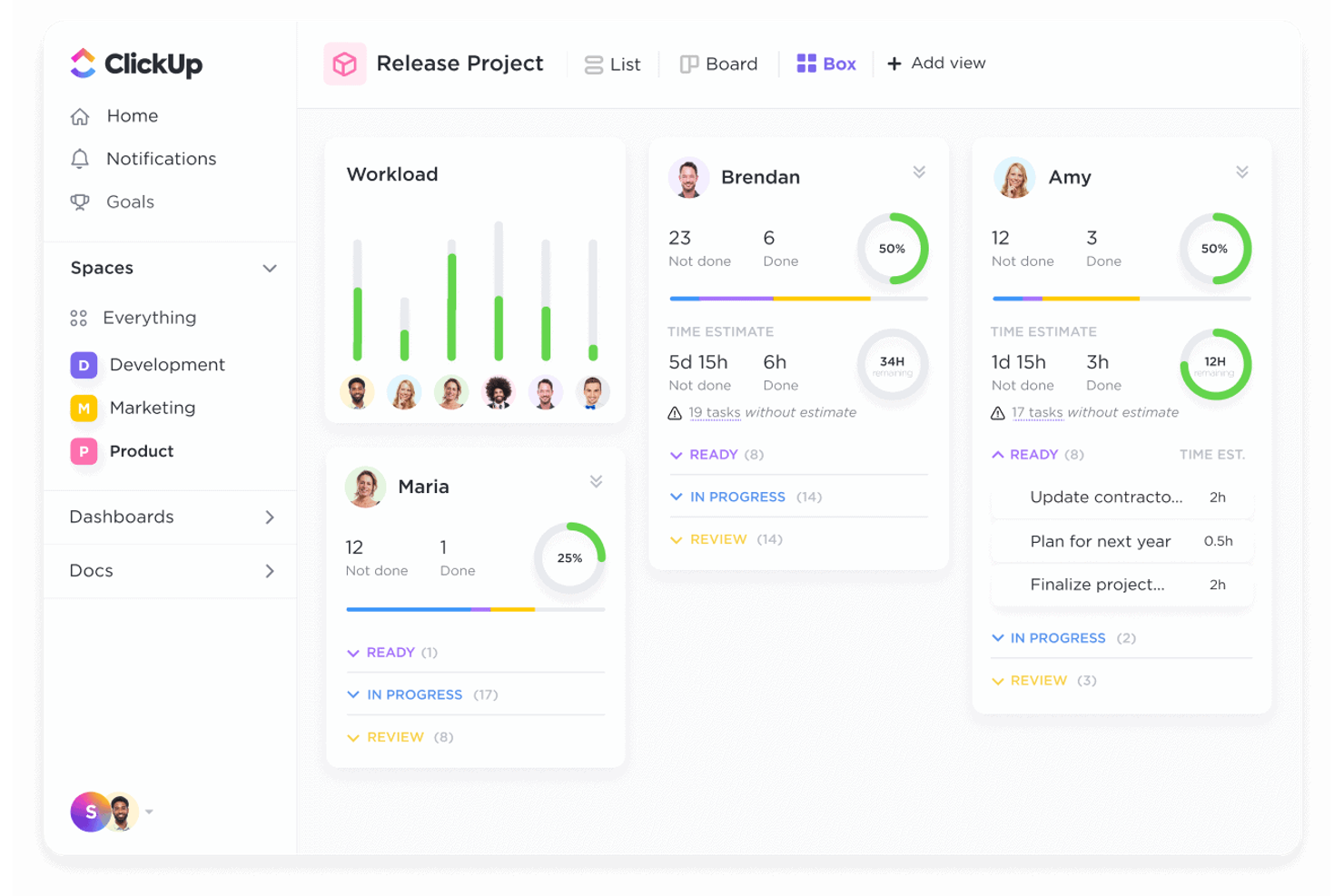
If your team needs a CRM that doubles as a flexible project management software, ClickUp is worth a look. It’s especially appealing to teams that want to manage sales pipelines, customer relationships, and project tasks all in one place. Unlike Bitrix24, ClickUp stands out for its highly customizable task views and collaborative features that support both CRM and project workflows.
Why ClickUp Is a Good Bitrix24 Alternative
For teams that want to blend CRM with project collaboration, ClickUp offers a unique approach. I picked ClickUp because it lets you manage customer pipelines alongside tasks, docs, and conversations in a single workspace. Its customizable task views, like Kanban boards and Gantt charts, help sales and support teams track deals and projects together. If you’re looking for a Bitrix24 alternative that puts collaboration and task management at the center of your CRM, ClickUp is a strong choice.
ClickUp Key Features
Some other features that make ClickUp appealing for CRM buyers include:
- Custom Fields: Add custom data fields to tasks and lists to track CRM-specific information.
- Email Integration: Send and receive emails directly from within tasks to keep communication organized.
- Automations: Set up rule-based automations to handle repetitive CRM workflows.
- Form View: Collect leads and customer data through customizable forms that feed directly into your workspace.
ClickUp Integrations
Integrations include Slack, Wrike, GitHub, GitLab, HubSpot, Everhour, Toggl, Google Drive, OneDrive, Outlook, and more.
Pros and Cons
Pros:
- Multiple task views for pipeline management
- Form view for direct lead capture
- Unlimited custom fields for CRM data
Cons:
- Complex permissions for large teams
- Limited native invoicing and billing tools

HubSpot
Best for integrated marketing automation
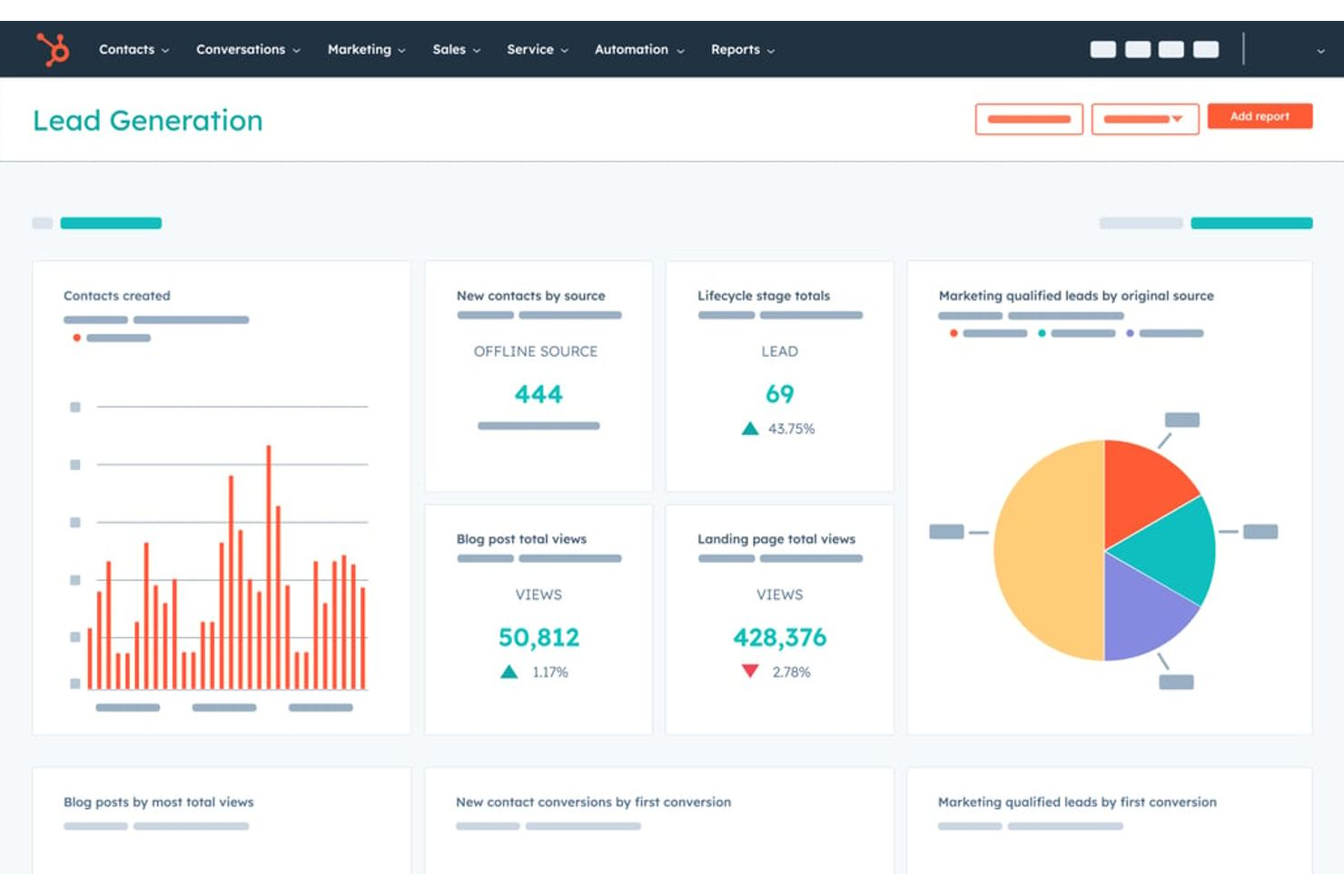
If you’re looking for a CRM that brings sales, marketing, and customer service together in one place, HubSpot is worth considering. It’s especially useful for marketing teams or businesses that want to automate campaigns, manage leads, and track customer journeys without juggling multiple tools. HubSpot stands out from Bitrix24 by offering built-in marketing automation and a unified platform for nurturing prospects from first touch to closed deal.
Why HubSpot Is a Good Bitrix24 Alternative
For teams that want marketing automation built directly into their CRM, HubSpot offers a unified approach that Bitrix24 doesn’t match. I picked HubSpot because it lets you create automated email campaigns, score leads based on engagement, and track every interaction across the sales funnel. The visual workflow builder makes it easy to design and launch multi-step marketing journeys without coding, even in the free version. If your business relies on nurturing leads and aligning sales with marketing, HubSpot’s integrated automation tools are a strong fit.
HubSpot Key Features
Some other HubSpot features that CRM buyers often look for include:
- Contact Management: Stores and organizes detailed records for every lead, customer, and company in your database.
- Live Chat Widget: Lets you add real-time chat to your website for instant customer communication.
- Sales Pipeline Visualization: Provides a drag-and-drop interface to track deals through every stage of your sales process.
- Knowledge Base Builder: Allows you to create and manage a searchable library of help articles for customers.
HubSpot Integrations
Integrations include Gmail, Outlook, Google Calendar, Slack, Zoom, Salesforce, WordPress, Meta Ads, Microsoft Teams, and Google Meet.
Pros and Cons
Pros:
- Native live chat and chatbot functionality
- Visual sales pipeline with drag-and-drop stages
- Built-in marketing automation for email campaigns
Cons:
- No built-in telephony or PBX system
- Custom reporting requires paid plans

Best for sales process visualization
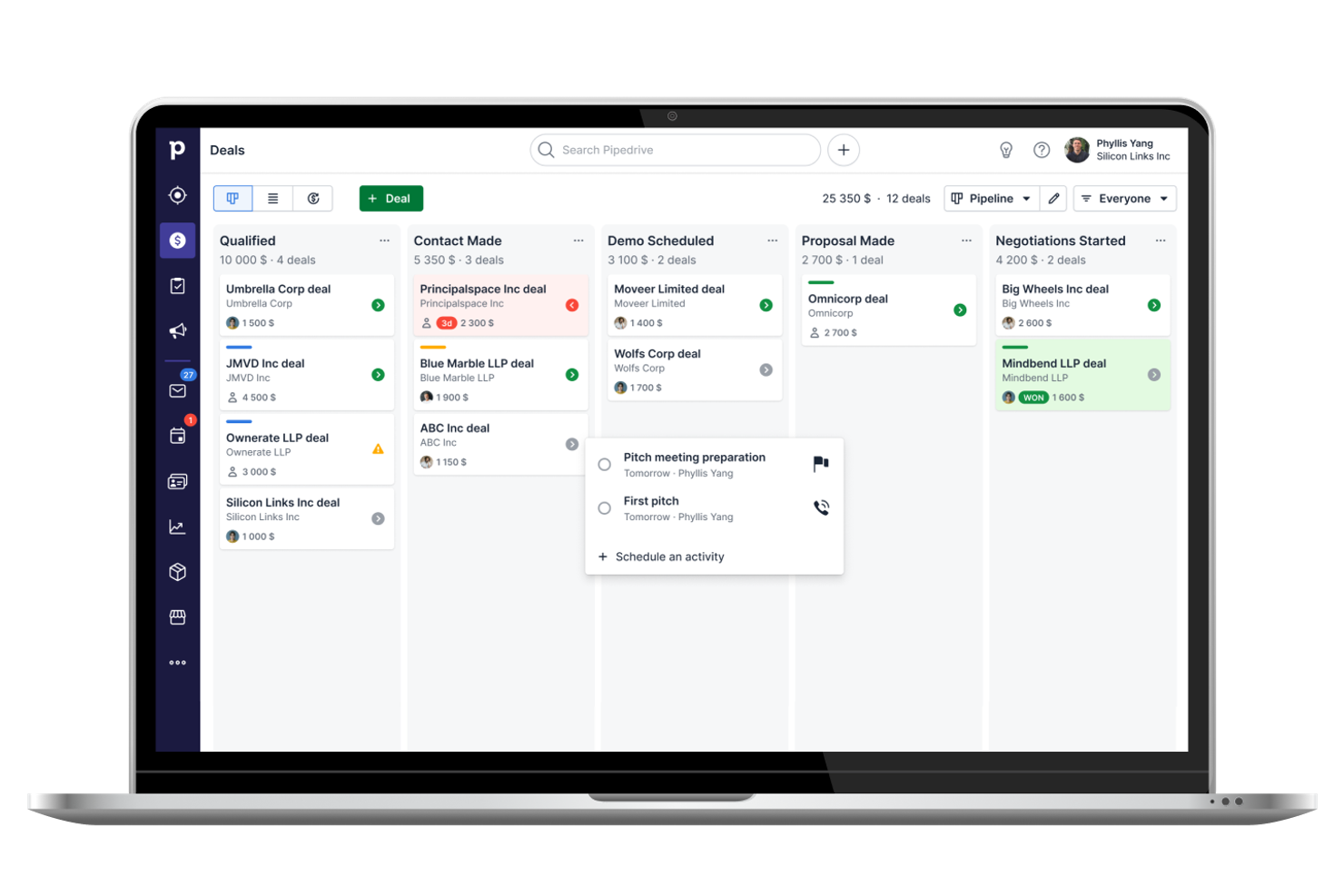
If your team needs a CRM that puts visual sales pipelines front and center, Pipedrive is worth a close look. Sales-focused organizations and revenue teams will appreciate how it turns deal stages into a clear, drag-and-drop workflow. This cloud-based approach helps you spot bottlenecks, prioritize leads, and keep your sales process moving in a way that’s more hands-on than Bitrix24.
Why Pipedrive Is a Good Bitrix24 Alternative
Unlike many CRMs that bury sales activities in complex menus, Pipedrive puts your entire sales process on a visual pipeline board. I picked Pipedrive for teams that want to manage deals with drag-and-drop simplicity and see every stage at a glance. You can customize pipeline stages, track deal progress visually, and use color-coded cues to highlight stalled opportunities. This focus on sales process visualization makes Pipedrive a strong alternative for teams that want more clarity and control than Bitrix24 offers.
Pipedrive Key Features
Some other features that make Pipedrive appealing for CRM buyers include:
- Email Integration: Syncs with your email provider to track conversations and send messages directly from the CRM.
- Activity Scheduler: Lets you schedule calls, meetings, and tasks linked to specific deals or contacts.
- Customizable Reports: Generates sales and activity reports that you can tailor to your team’s metrics.
- Lead Capture Forms: Allows you to create web forms to collect leads and automatically add them to your pipeline.
Pipedrive Integrations
Integrations include Slack, QuickBooks, Trello, Gmail, Microsoft Teams, PandaDoc, JustCall, and more.
Pros and Cons
Pros:
- Built-in email tracking with open notifications
- Customizable sales activity and deal fields
- Visual pipeline board for tracking deal stages
Cons:
- No native customer support ticketing system
- Limited document storage compared to Bitrix24

Best for simple contact management
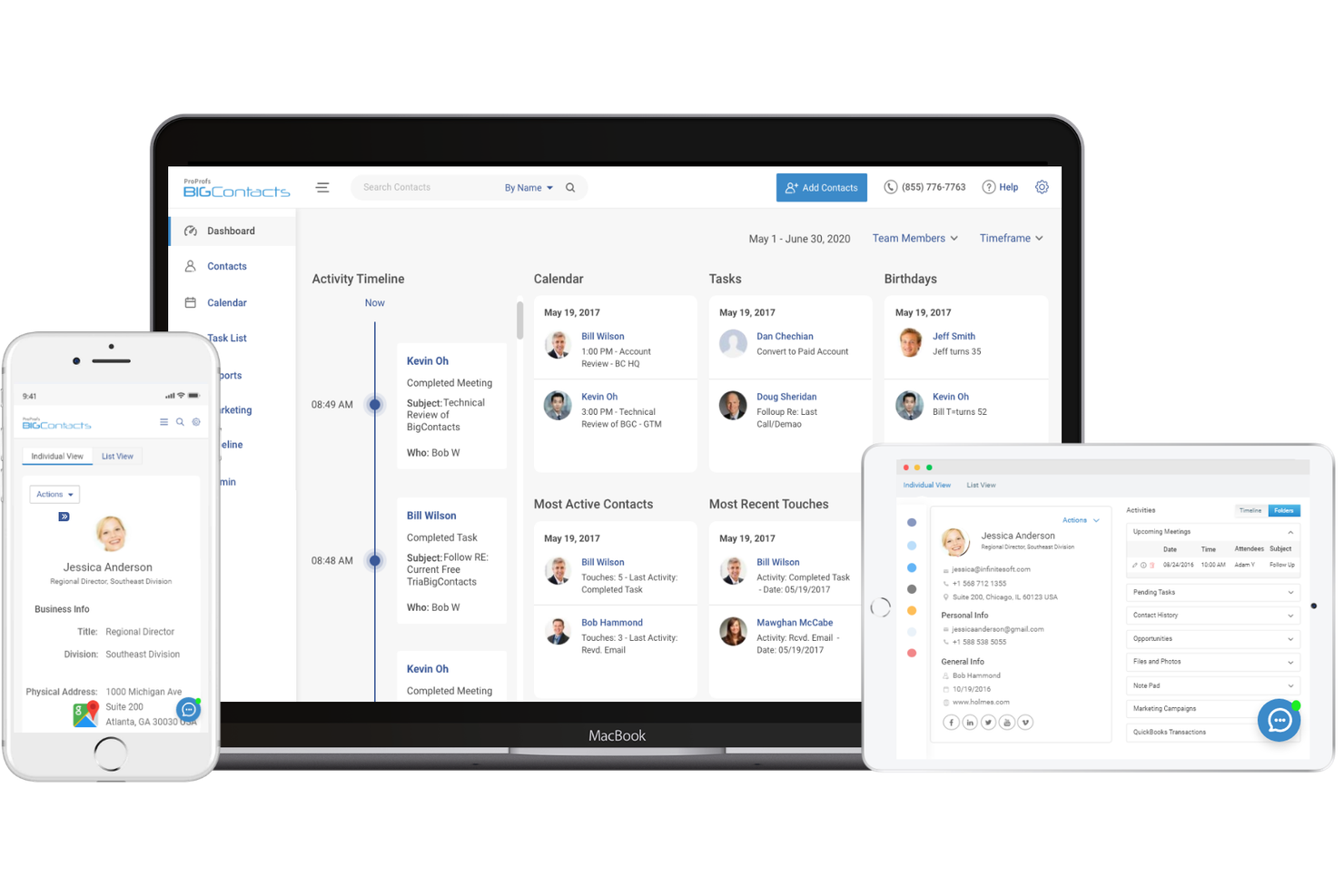
BIGContacts is designed for teams and small businesses that want a straightforward way to manage contacts and track communications. If you’re looking for a Bitrix24 alternative that keeps things simple, BIGContacts focuses on contact management without the clutter of advanced project or workflow features. It’s a good fit for users who need an easy-to-use CRM to organize client details, follow up on tasks, and maintain clear records.
Why BIGContacts Is a Good Bitrix24 Alternative
When you want a CRM that keeps contact management front and center, BIGContacts is a strong option. I picked BIGContacts because it offers a clean interface for storing detailed contact records, tracking every interaction, and setting follow-up reminders. Its activity timeline and task management tools help you stay on top of client communications without extra complexity. For teams that don’t need advanced project or workflow modules, BIGContacts delivers focused functionality that’s easy to adopt.
BIGContacts Key Features
Some other features that make BIGContacts useful for CRM buyers include:
- Email Marketing Integration: Connects with email marketing tools to send campaigns and track responses.
- Custom Fields: Lets you tailor contact records with fields specific to your business needs.
- Document Storage: Upload and organize files directly within contact profiles.
- Calendar Sync: Syncs with Google Calendar and Outlook for unified scheduling.
BIGContacts Integrations
Integrations include ActiveCampaign, Skype, Mailchimp, Campaign Monitor, HubSpot, QuickBooks, Outlook, Google Contacts, Shopify, and more.
Pros and Cons
Pros:
- Document storage within each contact profile
- Task reminders linked to contact records
- Simple contact database with activity tracking
Cons:
- No native mobile app
- No workflow management modules

Best for large-scale enterprise customization

Salesforce is a CRM platform designed for teams that need deep customization and advanced automation across complex sales processes. It’s a strong fit for large enterprises or organizations with unique workflows that outgrow standard CRM templates. If your business requires tailored integrations, granular reporting, or scalable customer relationship management solutions beyond what Bitrix24 offers, Salesforce stands out as a flexible choice.
Why Salesforce Is a Good Bitrix24 Alternative
When you need a CRM that adapts to complex business requirements, Salesforce offers customization options that go far beyond what Bitrix24 provides. I picked Salesforce for its ability to let teams build custom objects, automate multi-step workflows, and design detailed approval processes. The platform’s AppExchange marketplace also gives you access to thousands of add-ons for industry-specific needs. If your organization demands a CRM that molds to your processes rather than the other way around, Salesforce is a strong choice.
Salesforce Key Features
Some other Salesforce features that CRM buyers often look for include:
- Lead Scoring: Assigns values to leads based on engagement and likelihood to convert, helping prioritize sales efforts.
- Opportunity Management: Tracks deals through every stage of the sales pipeline with customizable fields and views.
- Case Management: Manages customer service requests, file storage, and support tickets within the same platform as your sales data.
- Mobile App: Lets users access CRM data, update records, and communicate with team members from any device.
Salesforce Integrations
Integrations include Slack, Outlook, Gmail, Mailchimp, Docusign, LinkedIn, and more.
Pros and Cons
Pros:
- Large marketplace of industry-specific add-ons
- Highly customizable dashboards and reports
- Extensive automation for complex processes
Cons:
- Add-ons and integrations often cost extra
- Requires a dedicated admin for management

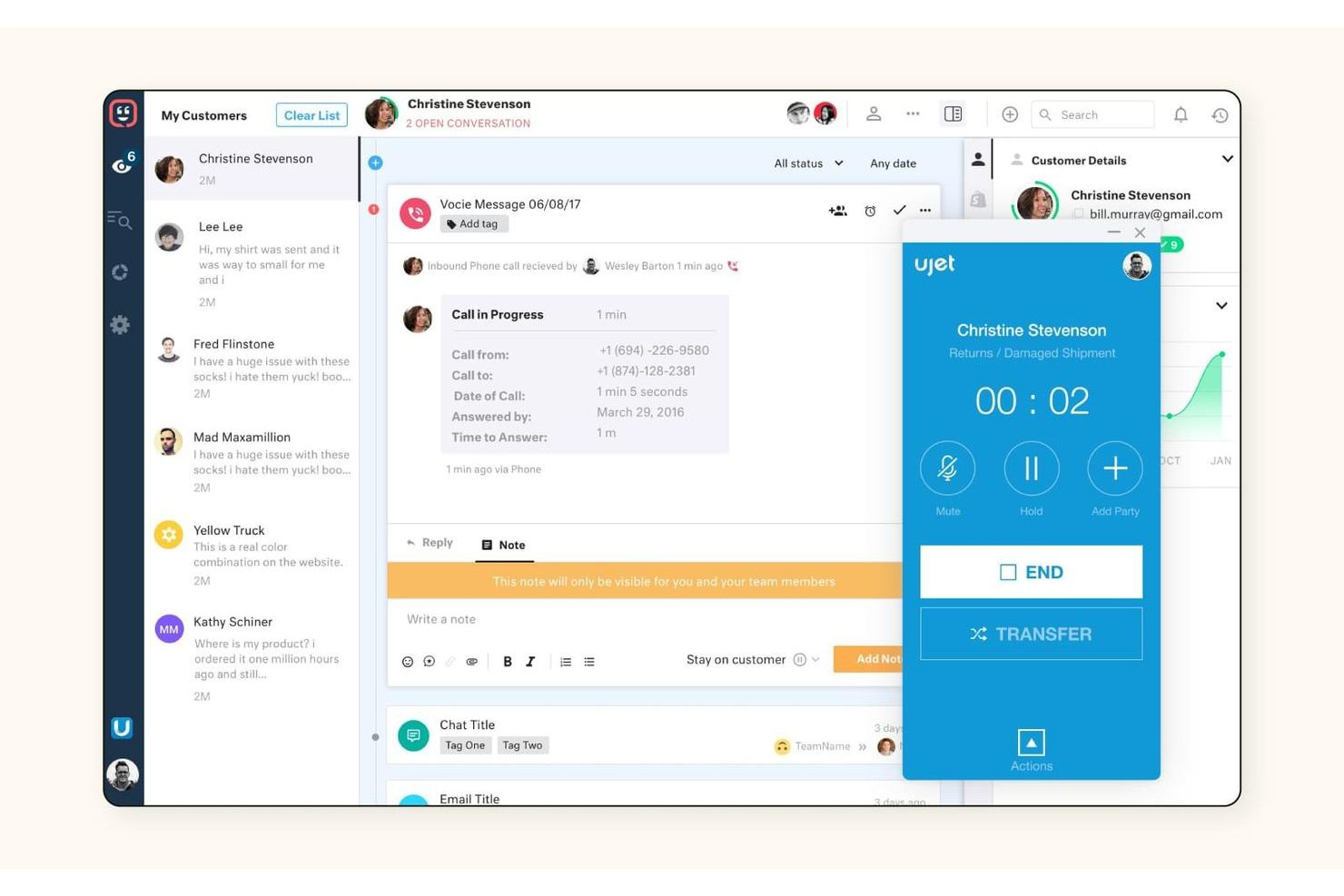
When your team needs advanced customer support ticketing alongside CRM capabilities, Zendesk is worth a close look. It’s designed for support teams and businesses that want to unify customer conversations, automate ticket routing, and integrate support data with sales workflows. Unlike Bitrix24, Zendesk specializes in omnichannel ticket management and deep support automation for high-volume customer interactions.
Why Zendesk Is a Good Bitrix24 Alternative
If your CRM priorities include customer support ticketing, Zendesk offers specialized tools that Bitrix24 doesn’t provide. I picked Zendesk because it centralizes support requests from email, chat, phone, and social channels into a single ticketing system. The platform’s automated ticket routing and customizable workflows help support teams respond faster and track every customer interaction. For businesses that need to integrate customer service deeply with their CRM, Zendesk’s focus on omnichannel support makes it a strong alternative.
Zendesk Key Features
Some other features that make Zendesk appealing for CRM buyers include:
- Customizable Ticket Fields: Tailor ticket forms to capture the exact information your team needs.
- Knowledge Base Management: Build and maintain a self-service help center for customers and agents.
- Customer Satisfaction Surveys: Collect feedback directly after support interactions to monitor service quality.
- Role-Based Access Controls: Set permissions and access levels for different team members and departments.
Zendesk Integrations
Integrations include Salesforce, Slack, Shopify, Jira, Mailchimp, HubSpot, Trello, Google Analytics, and more.
Pros and Cons
Pros:
- Large marketplace of native app integrations
- Extensive reporting and analytics dashboards
- Ticket automation for high-volume support
Cons:
- Restricted bulk data export options
- No built-in project management tools

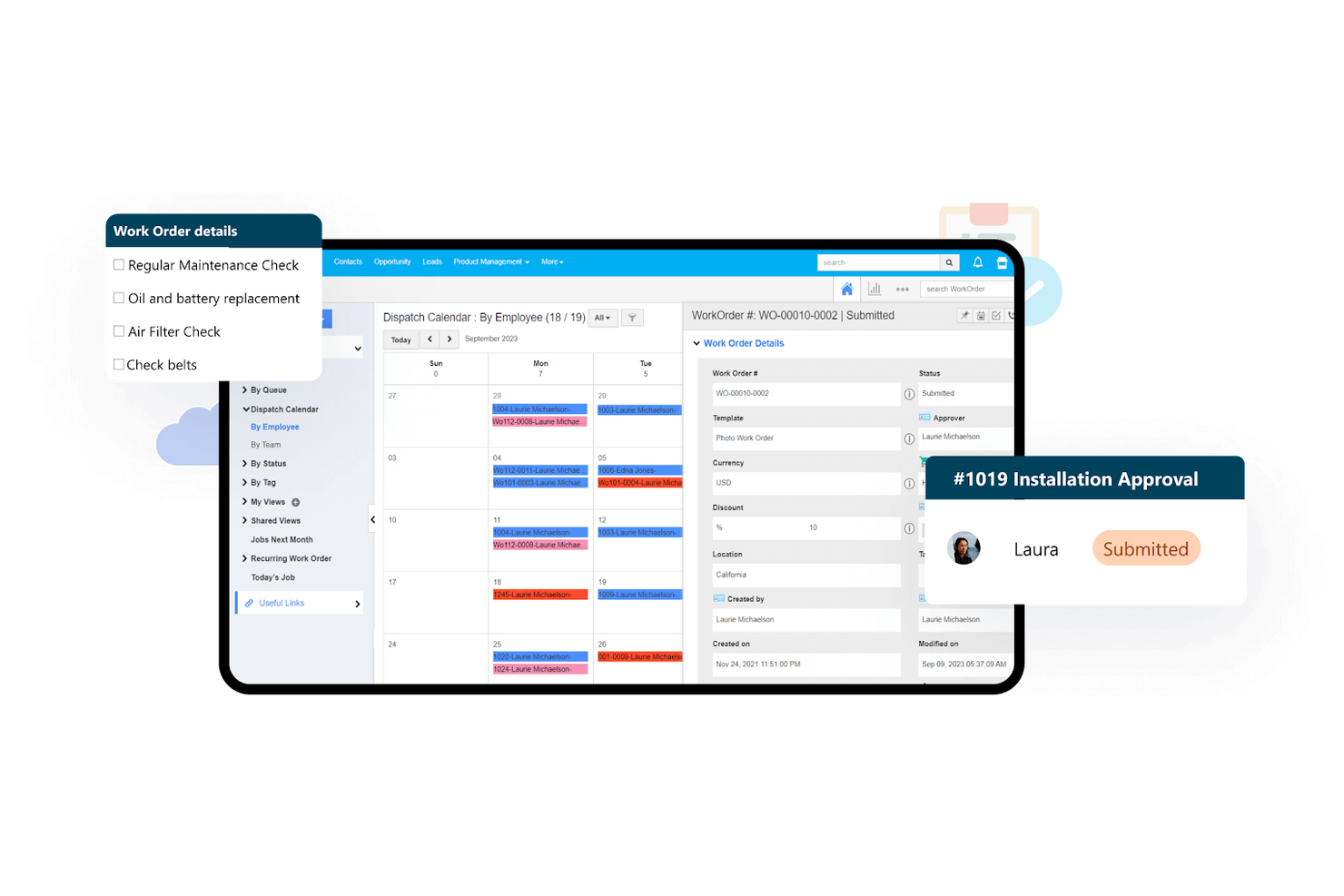
For teams that want a CRM they can tailor to fit unique workflows, Apptivo offers a suite of highly customizable business apps. Unlike Bitrix24, Apptivo lets you build out custom modules and adapt fields, layouts, and automations to match your exact processes. This flexibility makes it a strong choice for businesses with specialized requirements or evolving operational needs.
Why Apptivo Is a Good Bitrix24 Alternative
What sets Apptivo apart is its deep focus on customization across its suite of business apps. I picked Apptivo for teams that need to tailor their CRM to fit unique sales, support, or project workflows. You can create custom modules, adjust fields and layouts, and automate open-source processes to match your business requirements. This level of flexibility makes Apptivo a strong alternative to Bitrix24 for organizations with specialized or evolving needs.
Apptivo Key Features
Some other features that make Apptivo appealing for CRM buyers include:
- Email Sync: Connects your email accounts to track conversations directly within the CRM.
- Sales Pipeline Management: Visualizes and manages deals through customizable sales stages.
- Customer Support Ticketing: Lets you track, assign, and resolve customer issues from a dedicated support module.
- Expense Tracking: Allows you to log and manage business expenses alongside your CRM data.
Apptivo Integrations
Integrations include Google Workspace, Microsoft 365, QuickBooks Online, Xero, Slack, Dropbox, PayPal, RingCentral, and more.
Pros and Cons
Pros:
- Multi-currency support for global sales teams
- Built-in project management linked to CRM records
- Custom modules adapt to your business workflows
Cons:
- Fewer prebuilt templates than competitors
- Lack advanced email segmentation
Other Bitrix24 Alternatives
Here are some additional Bitrix24 alternative options that didn’t make it onto my shortlist, but are still worth checking out:
- Zoho CRM
For multi-channel communication tracking
- monday.com
For visual workflow management
- Wrike
For project management-focused teams
- Agile CRM
For integrated telephony features
- Salesmate
For built-in sales automation tools
- Asana
For user-friendly task management
- Bigin
For pipeline management in small teams


How I Evaluate Bitrix24 Alternatives
I evaluate Bitrix24 alternatives on two levels: whether they cover the project and collaboration basics, and whether differentiators like CRM depth, pricing, or self-hosting options justify the switch.
Core Functionality (Table Stakes For This List)
When I'm selecting tools for my list, I rank each one on a scale from 0 (does not offer the functionality) to 5 (excels in this area) for each core functionality listed below. Then, I calculate the tool's total score into a percentage. Each tool needs to achieve a minimum total score of 75% to be considered for inclusion.
- Task & Project Management: I check for task hierarchies, dependencies, and milestone tracking that can handle running multiple client projects or product sprints at once.
- Multiple Project Views: Each tool should offer Kanban, Gantt, list, and calendar views so teams can switch between planning a sprint backlog and presenting a timeline to stakeholders.
- Team Collaboration Tools: Real-time chat, threaded comments, file sharing, and activity feeds matter here—especially for distributed teams replacing Bitrix24's built-in social intranet.
- Workflow Automation: I look at whether you can set up trigger-based rules, like auto-assigning a QA reviewer when a task moves to "Ready for Review," without writing code.
- Time & Resource Management: Workload views and time tracking are key for agencies and services teams who need to monitor capacity across projects and track billable hours.
- Integrated Business Tools: Since Bitrix24 bundles CRM, docs, and HR features, I evaluate whether each alternative offers comparable native modules or deep integrations with tools like HubSpot, Google Workspace, or Slack.
Once I have a list of tools that meet this criteria, I consider what sets each platform apart.
Differentiating Factors (What Sets Vendors Apart)
Here's how I compare and contrast different vendors:
Standout Features
A native CRM module is a big differentiator—teams managing client projects can track deals and deliverables in the same workspace instead of bouncing between tools. Client portals matter too, especially for agencies sharing progress updates or collecting approvals from external stakeholders. I also evaluate AI features like task summarization and project forecasting, which are showing up in tools like monday.com and ClickUp, and can save real time during sprint planning or status reporting.
Beyond Features
Pricing structure matters a lot when switching from Bitrix24, since its bundled flat-rate model means per-user pricing from competitors can scale up fast for larger teams. I also evaluate deployment flexibility—some teams need self-hosted or on-premise options for data sovereignty, and only a handful of alternatives like Nextcloud or open-source tools offer that. Integration depth is another key factor; I check for native connectors to the tools teams already rely on, like Slack, Google Workspace, or HubSpot, plus API and Zapier support for custom workflows.
Why Look For A Bitrix24 Alternative?
While Bitrix24 is a good choice of CRM software, there are a number of reasons why some users seek out alternative solutions. You might be looking for a Bitrix24 alternative because…
- You need more advanced sales pipeline visualization
- You want a simpler interface for smaller teams
- You require deeper integrations with industry-specific tools
- You need more flexible reporting and analytics
- You want better support for mobile or remote work
- You need a CRM with stronger automation features
If any of these sound like you, you’ve come to the right place. My list contains several customer relationship management software options that are better suited for teams facing these challenges with Bitrix24 and looking for alternative solutions.
Bitrix24 Key Features
Here are some of the key features of Bitrix24, to help you contrast and compare what alternative solutions offer:
- Visual sales pipeline and deal tracking
- Built-in telephony for calls and SMS
- Task and project management modules
- Internal chat and video conferencing
- Document management and file sharing
- Automated workflow and business process designer
- Customizable CRM fields and pipelines
- Integrated calendar and scheduling tools
- Lead capture forms and web-to-lead automation
- Role-based access controls and permissions