

10 Best BIM Project Management Software Reviewed in 2026

Best BIM Project Management Software Shortlist


Managing construction projects is tough. You face constant challenges with coordination, time management, and cost control. BIM project management software can help you overcome these hurdles by improving collaboration and efficiency.
I've tested and reviewed several BIM tools to find the best options for you and your team. In my experience, choosing the right software can make a big difference in how smoothly your projects run.
This article will guide you through my top picks, focusing on each tool's strengths and how they can meet your specific needs. My goal is to provide you with unbiased, well-researched insights, so you can make informed decisions as you select your next tool.
Why Trust Our Software Recommendations
Our team has been testing and reviewing software since 2012. As project managers ourselves, we know how difficult—and important—it is to choose the right software.
For this guide, we evaluated tools using hands-on testing and independent research, scoring tools using our selection criteria. We also draw on insights from industry thought leaders and practicing project management experts.
Our reviews reflect our human editorial judgment, not a sales pitch.
Expert reviewers:
Best BIM Project Management Software Summary
This comparison chart summarizes pricing details for my top BIM project management software selections to help you find the best one for your budget and business needs.
| Tool | Best For | Trial Info | Price | ||
|---|---|---|---|---|---|
| 1 | Best for large construction firm BIM workflows | Free demo available | From $10,000/year (billed annually) | Website | |
| 2 | Best for ISO 19650-certified CDE compliance | Free demo available | From $58/user/month | Website | |
| 3 | Best for structural steel detailing workflows | Free demo available | Pricing upon request | Website | |
| 4 | Best for model-linked cost tracking | Free demo available | Pricing upon request | Website | |
| 5 | Best for Trimble ecosystem BIM coordination | Free plan available OR 30-day free trial | From $29.08/user/month (billed annually) | Website | |
| 6 | Best for architects doing BIM authoring | Free demo available | Pricing upon request | Website | |
| 7 | Best for 5D BIM cost and schedule analysis | Free demo available | Pricing upon request | Website | |
| 8 | Best for ISO 19650-compliant infrastructure CDEs | 10-day free trial | From $312/user/year (billed annually) | Website | |
| 9 | Best for AR-assisted BIM verification on site | Free plan available OR Free demo available | From DKK 49/user/month | Website | |
| 10 | Best for cloud-native automated clash detection | Not available | From $70/user/month | Website |
Best BIM Project Management Software Review
Below are my detailed summaries of the best BIM project management software that made it onto my shortlist. My reviews offer a detailed look at the key features, pros & cons, integrations, and ideal use cases of each tool to help you find the best one for you.

Procore
Best for large construction firm BIM workflows

My Evaluation Score
- 3D Model Management
- Strong
- Model Version Control
- Strong
- Multi-User Collaboration
- Excels
- Project Management Tools
- Excels
- Common Data Environment (CDE)
- Strong
- Clash Detection & Coordination
- Adequate
Procore is a construction project management platform that combines BIM coordination, document management, RFIs, submittals, scheduling, and financial tracking in a single cloud environment.
Who Is Procore Best For?
Procore fits large construction firms managing complex, multi-discipline projects where unified BIM coordination, field operations, and financial tracking need to live in one place.
Why I Picked Procore
Procore earns its spot on my list because no other platform combines BIM coordination and full construction project management at this scale. I love that RFIs, submittals, and coordination issues can be pinned directly to model elements, keeping field teams and project managers working from the same source. Its unlimited-user model means every subcontractor and site crew member can access live models without extra licensing costs, which is a real advantage on large, multi-discipline builds.
Procore Key Features
- Augmented reality field overlay: Field teams can superimpose 3D BIM models onto the physical jobsite through iOS devices to verify as-built conditions and log coordination issues on the spot.
- 4D/5D BIM simulation: Model elements link directly to construction schedules and cost data, letting teams visualize build sequencing and track budget impact over time.
- Automated clash grouping: The Procore BIM Plugin intelligently groups related clash issues and attaches multiple viewpoints to a single coordination issue, reducing duplicate entries.
- Offline mobile model access: Native iOS and Android apps cache models and project data locally, syncing all changes automatically once connectivity is restored.
Procore Integrations
Procore offers native BIM integrations with Autodesk Revit, Navisworks, Civil 3D, AutoCAD, and Inventor, plus Primavera P6 connectivity. Its marketplace includes QuickBooks, Sage, Viewpoint, Microsoft Project, Smartsheet, OpenSpace, and Matterport, while its open API supports custom integrations.
Pros and Cons
Pros:
- AR-based field model visualization for site teams
- ISO 19650-aligned CDE workflows built in
- Unlimited users and mobile access included
Cons:
- No native BIM authoring or design tools
- Clash detection depends on Navisworks plugin

Aconex
Best for ISO 19650-certified CDE compliance
My Evaluation Score
- 3D Model Management
- Strong
- Model Version Control
- Strong
- Multi-User Collaboration
- Strong
- Project Management Tools
- Excels
- Common Data Environment (CDE)
- Excels
- Clash Detection & Coordination
- Strong
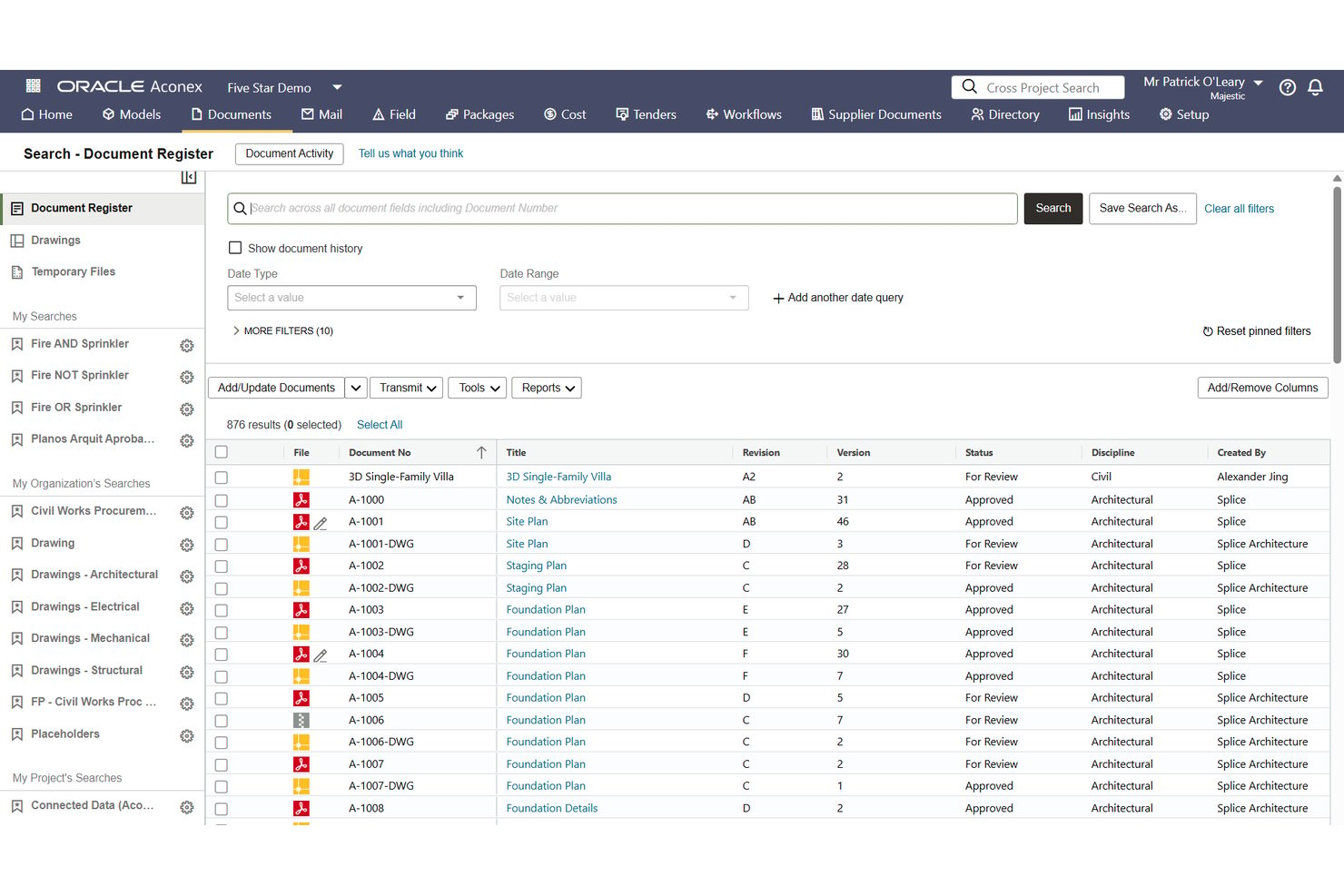
Oracle Aconex is an enterprise BIM project management platform built around a certified common data environment, offering document control, model coordination, clash detection, RFIs, submittals, and field inspection tools across large-scale, multi-organization construction projects.
Who Is Aconex Best For?
Aconex is a strong fit for enterprise construction teams on large, multi-organization projects where ISO 19650 CDE compliance and contractual-grade audit trails are non-negotiable.
Why I Picked Aconex
Aconex earns its spot on my list because its BSI-certified CDE is one of the few formally verified against both ISO 19650 and DIN SPEC 91391, which matters on projects where contractual-grade compliance isn't optional. I particularly value its unalterable audit trail: every document action, correspondence, and approval is permanently logged, so nothing gets disputed after the fact. Its Clash in the Cloud feature auto-reruns clash detection every time a model updates, keeping federated coordination current without manual intervention.
Aconex Key Features
- Automated Review Matrix: Routes documents to the correct approvers automatically based on document metadata, removing the need for manual review assignment.
- Aconex Field mobile app: Lets site teams run safety walks, quality checks, punch lists, and daily reports from iOS and Android devices.
- BCF issue exchange: Supports BCF 2.0, 2.1, and 3.0 for two-way issue sync with Revit, Navisworks, and Solibri.
- Oracle Primavera Cloud integration: Links Aconex document packages directly to Primavera Cloud schedule activities for bi-directional project controls data sharing.
Aconex Integrations
Aconex offers native integrations with Oracle Primavera Cloud, Primavera P6, Primavera Unifier, Oracle Fusion Cloud ERP, Textura, Revit, Navisworks, and Solibri. It also supports BCF 2.0, 2.1, and 3.0, plus a REST API for custom integrations.
Pros and Cons
Pros:
- Automated document approval routing with metadata
- Unalterable audit trail for all project data
- Certified ISO 19650 and DIN SPEC 91391 CDE
Cons:
- No native side-by-side model comparison
- No automatic model update notifications

My Evaluation Score
- 3D Model Management
- Excels
- Model Version Control
- Excels
- Multi-User Collaboration
- Excels
- Project Management Tools
- Adequate
- Common Data Environment (CDE)
- Adequate
- Clash Detection & Coordination
- Adequate
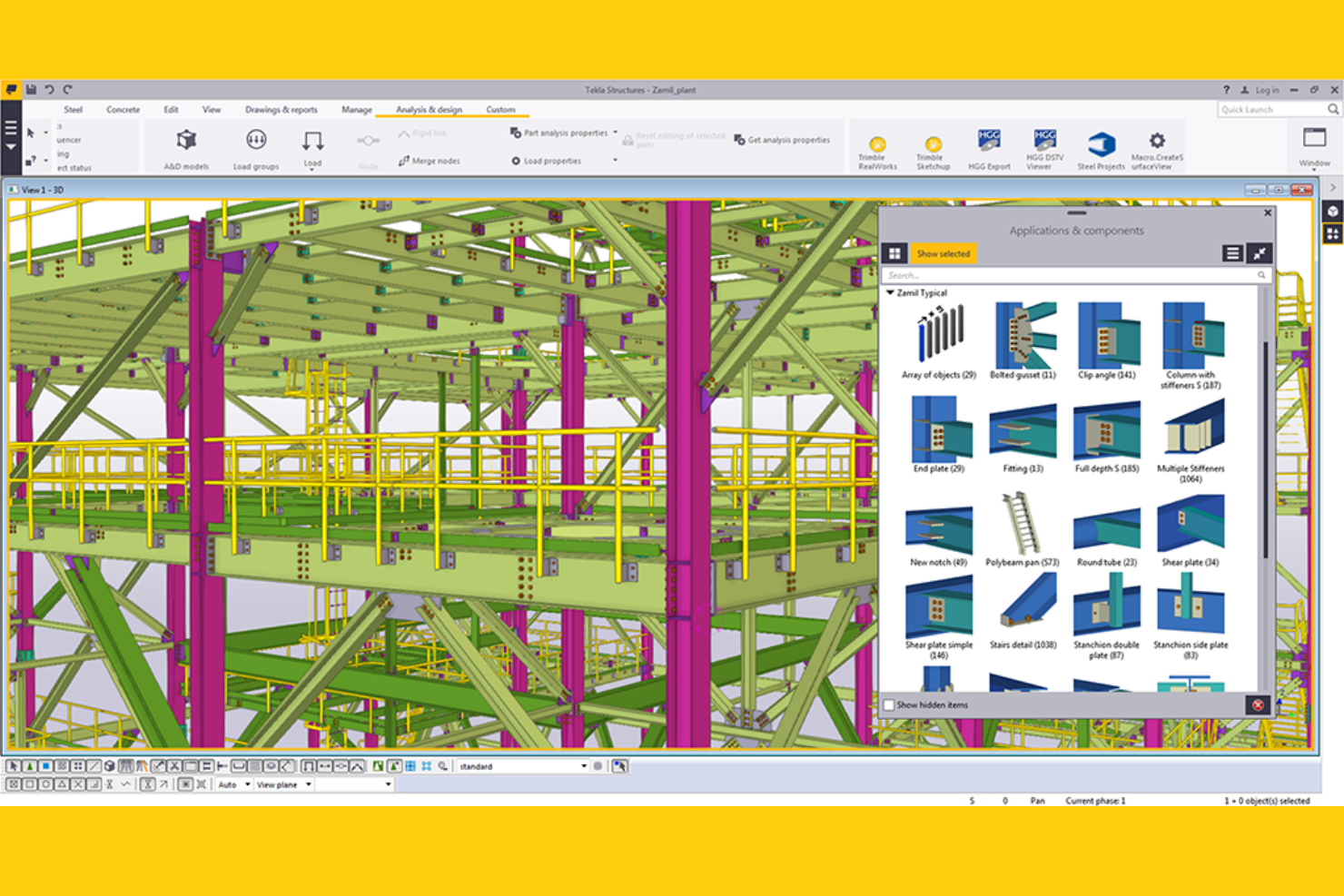
Tekla Structures is a structural BIM platform from Trimble that combines high-LOD 3D modeling, model version control, multi-user collaboration, and fabrication-ready detailing outputs across steel, concrete, timber, and light metal framing.
Who Is Tekla Structures Best For?
Tekla Structures is a strong fit for structural engineers, steel detailers, and fabricators who need fabrication-ready BIM outputs and precise, multi-user model collaboration across complex structural projects.
Why I Picked Tekla Structures
Tekla Structures earns its spot on my shortlist because no other tool I've tested comes close to its fabrication-ready structural detailing, particularly for steel. I love how the Diamond tier produces CNC-ready outputs that go directly to machines from Ficep, Voortman, and Peddinghaus, cutting out manual translation steps between design and the shop floor. Tekla Model Sharing's patented sync also lets distributed detailing teams work offline and merge changes without conflicts, which I've found invaluable on projects spanning multiple fabrication yards.
Tekla Structures Key Features
- Trimble Connect CDE: A cloud-based common data environment bundled with every subscription, supporting 45+ file types, unlimited project creation, and role-based access across browser, mobile, and desktop.
- 4D sequencing and logistics planning: Carbon and Graphite tiers let you define erection sequences, visualize construction phases, and plan site logistics directly from the structural model.
- Live Collaboration (Preview): A 2025 feature that enables real-time, model-based progress reviews within Trimble Connect or Tekla Structures, replacing drawing-based coordination.
- AI Cloud Fabrication Drawing Service: An AI-powered tool that automates fabrication drawing creation by cloning from thousands of stored project drawings, reducing manual drafting time.
Tekla Structures Integrations
Integrations include Autodesk Revit, Tekla PowerFab, Trimble ProjectSight, Trimble Viewpoint, Asta, Bentley STAAD.Pro, SAP2000, and ArchiCAD. Tekla Open API supports custom integrations, while IFC and formats such as SDNF and CIS/2 support model exchange.
Pros and Cons
Pros:
- Direct fabrication-ready modeling for CNC machines
- Patented offline-capable multi-user model collaboration
- Industry-leading steel and precast detailing outputs
Cons:
- Core project management tools require additional platforms
- Limited native RFI and submittal workflows

My Evaluation Score
- 3D Model Management
- Strong
- Model Version Control
- Strong
- Multi-User Collaboration
- Strong
- Project Management Tools
- Excels
- Common Data Environment (CDE)
- Excels
- Clash Detection & Coordination
- Adequate
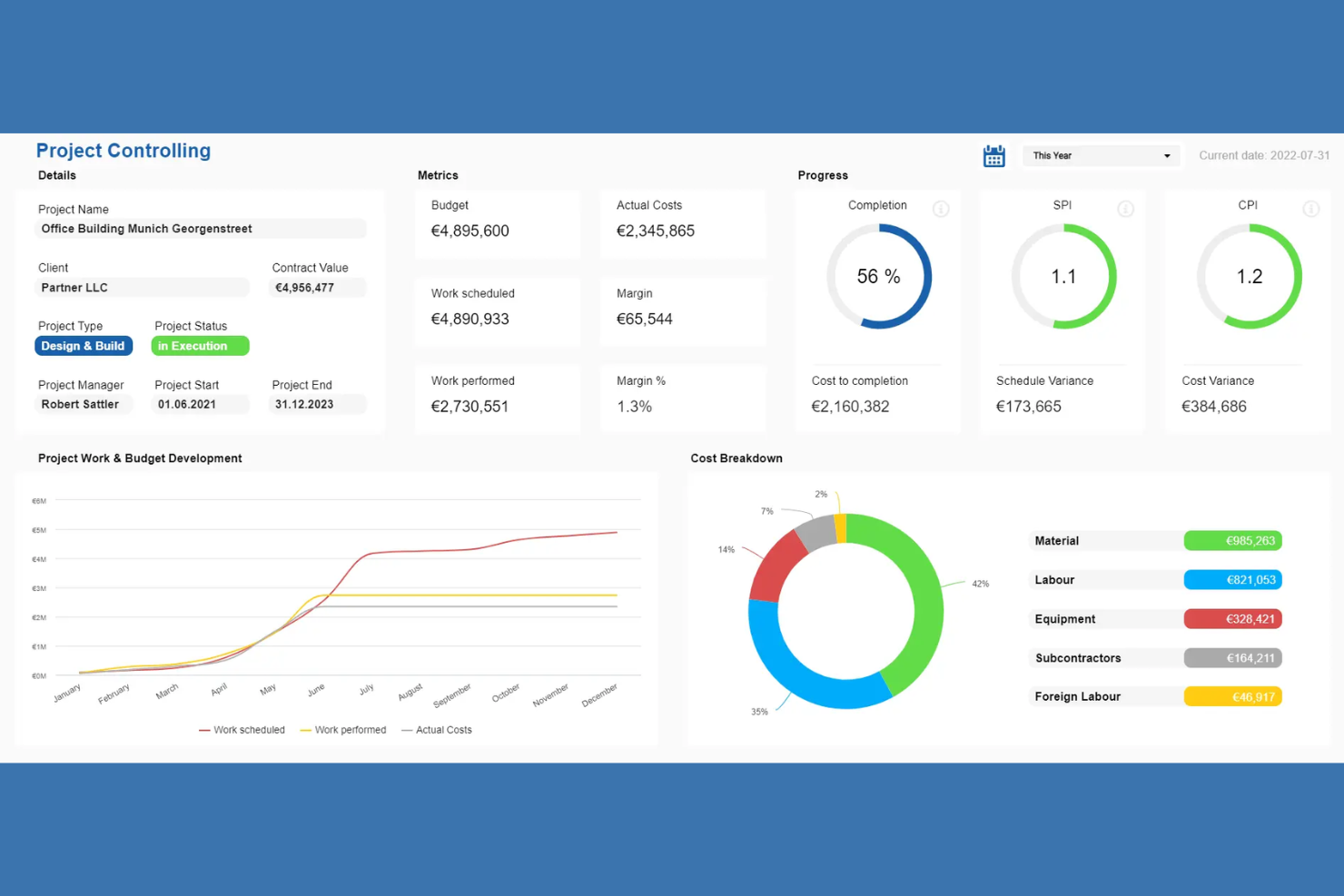
RIB BIM Manager is a suite of integrated BIM and construction project management tools spanning 3D model management, cost estimating, clash detection, document control, and field collaboration across its CostX, CX, Connex, and Project products.
Who Is RIB Best For?
RIB is a strong fit for construction project managers and VDC engineers who need cost, schedule, and 3D model data connected in a single platform.
Why I Picked RIB
I picked RIB because its 5D BIM capabilities genuinely connect 3D models to live cost estimates and scheduling data in a way most BIM platforms don't. CostX's auto-revisioning automatically detects design changes and updates cost estimates in real time, so when a structural revision hits mid-project, the budget impact is visible immediately. I also like that RIB 4.0's browser-based 5D visualization ties procurement and resource planning directly to the model.
RIB Key Features
- 6D BIM carbon calculator: Estimates embodied carbon across project phases using the EC3 carbon rate library from Building Transparency.
- Digital handover module: Collects and validates O&M data during construction, centralizing warranties and maintenance schedules for export to facilities management software.
- BCF-based issue collaboration: Links model issues to specific BIM elements across disciplines using the open BIM Collaboration Format standard.
- Configurable quality inspection plans: Builds inspection and test plans with customizable checklists, due dates, and documented proof of completion via RIB CX.
RIB Integrations
RIB supports documented connectivity with Autodesk Revit, Power BI, and Tableau, plus ERP and CRM systems through the CostX REST API. RIB 4.0 also supports IFC and BCF interoperability, while RIB Connex provides open APIs for custom integrations.
Pros and Cons
Pros:
- True 5D BIM connects models, cost, scheduling
- Supports embodied carbon tracking and reporting
- Auto-revisioning instantly updates cost estimates
Cons:
- Delays when processing large project files
- Complex navigation across separate product modules

My Evaluation Score
- 3D Model Management
- Excels
- Model Version Control
- Excels
- Multi-User Collaboration
- Excels
- Project Management Tools
- Adequate
- Common Data Environment (CDE)
- Strong
- Clash Detection & Coordination
- Strong
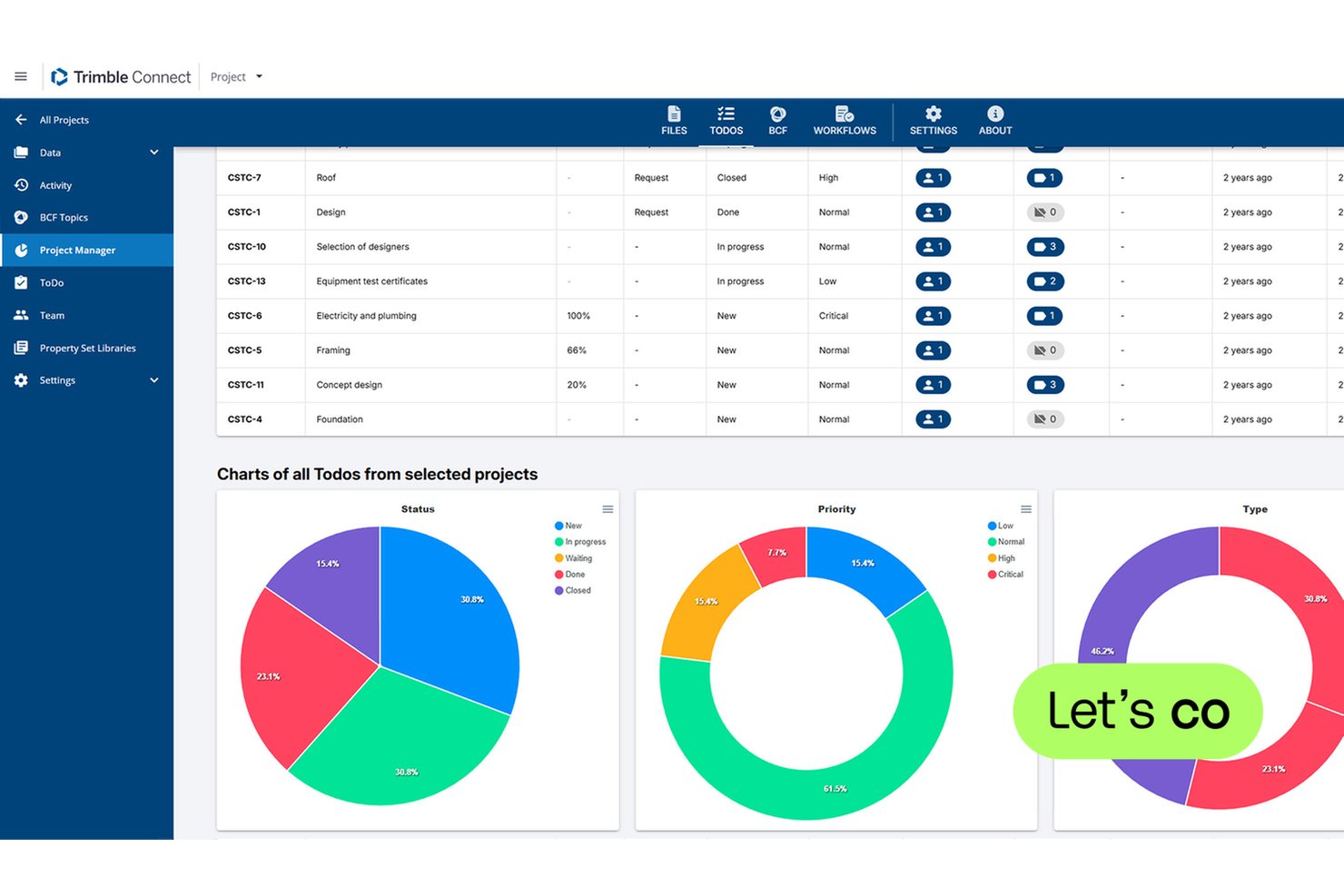
Trimble Connect is a cloud-based BIM common data environment (CDE) that supports multi-discipline model federation, clash detection, BCF-based issue tracking, version control, and AR/MR visualization across 45+ file formats.
Who Is Trimble Connect Best For?
Trimble Connect is the right fit for BIM managers and VDC engineers working within organizations already running Tekla Structures, SketchUp, or other Trimble tools.
Why I Picked Trimble Connect
Trimble Connect earns its spot on my shortlist because it's the most purpose-built BIM coordination environment for teams already running Tekla Structures or SketchUp. I love how Clashsets let you run automated clash detection across federated multi-discipline models and link every identified clash directly to a BCF Topic tied to exact model geometry. On top of that, Connect AR lets field teams overlay live BIM models onto the physical site using a mobile device, turning coordination issues into something you can literally see in place.
Trimble Connect Key Features
- BCF Topics: Create, assign, and track model-based issues with status, priority, and direct links to specific 3D model views and objects.
- Reality capture integration: Stream point cloud data and run scan-to-BIM comparisons with visual heatmaps to verify as-built conditions against the design model.
- Role-based access control: Set granular project-level permissions for internal team members and invite external collaborators at no additional cost.
- Property Sets and Data Table: Attach and query custom metadata attributes on individual BIM model objects directly within the platform.
Trimble Connect Integrations
Trimble Connect offers native integrations with Tekla Structures, SketchUp, Trimble ProjectSight, Trimble Business Center, Trimble Access, Trimble SiteVision, and Trimble RealWorks. Its Connect API, Topics API, and Property Set API support custom integrations, while Trimble Marketplace adds partner extensions.
Pros and Cons
Pros:
- Deep Tekla Structures and SketchUp integration
- BCF Topics link issues to 3D model geometry
- Native AR/MR visualization for on-site review
Cons:
- Storage capped on Pro and Innovate plans
- No offline access for field users

My Evaluation Score
- 3D Model Management
- Excels
- Model Version Control
- Excels
- Multi-User Collaboration
- Excels
- Project Management Tools
- Adequate
- Common Data Environment (CDE)
- Strong
- Clash Detection & Coordination
- Strong
Autodesk Revit is a parametric BIM authoring platform built for architecture, structural, and MEP engineering teams, combining 3D model management, cloud worksharing, documentation automation, and integration with clash detection and construction management tools.
Who Is Autodesk Revit Best For?
Revit is the go-to choice for architecture firms and multidisciplinary AEC teams that need a parametric BIM authoring environment at the center of their design and documentation workflow.
Why I Picked Autodesk Revit
Autodesk Revit earns its spot on my shortlist because no other BIM authoring tool matches its parametric modeling depth for architectural teams. When you change a wall thickness in the model, every associated plan, section, elevation, and schedule updates automatically, which eliminates a whole category of documentation errors. I also rate its Cloud Worksharing highly: multiple architects and MEP engineers can co-author the same central model simultaneously, with Worksets handling element ownership in real time.
Autodesk Revit Key Features
- Generative design: An AI-powered tool that produces multiple design alternatives based on your defined goals and constraints.
- Total carbon analysis: Tracks embodied and operational carbon from early-stage through detailed design via Autodesk Insight.
- Sheet collections: Organizes and searches project sheets within a single structured view for faster document navigation.
- Model Analytics Essentials: Surfaces near real-time Revit model health data in the cloud without opening the model locally.
Autodesk Revit Integrations
Autodesk Revit integrates with Autodesk Docs, Navisworks, Autodesk Build, Autodesk Forma, Autodesk ReCap Pro, AutoCAD, Civil 3D, Plant 3D, Twinmotion, and Autodesk Tandem. Autodesk Platform Services supports custom integrations, with IFC and BCF for openBIM exchange.
Pros and Cons
Pros:
- Parametric changes update all documentation instantly
- Automated multi-discipline clash detection workflows
- Real-time cloud worksharing for design teams
Cons:
- Windows-only application with no Mac support
- Project management features require additional subscriptions

Best for 5D BIM cost and schedule analysis
My Evaluation Score
- 3D Model Management
- Excels
- Model Version Control
- Excels
- Multi-User Collaboration
- Strong
- Project Management Tools
- Excels
- Common Data Environment (CDE)
- Strong
- Clash Detection & Coordination
- Excels
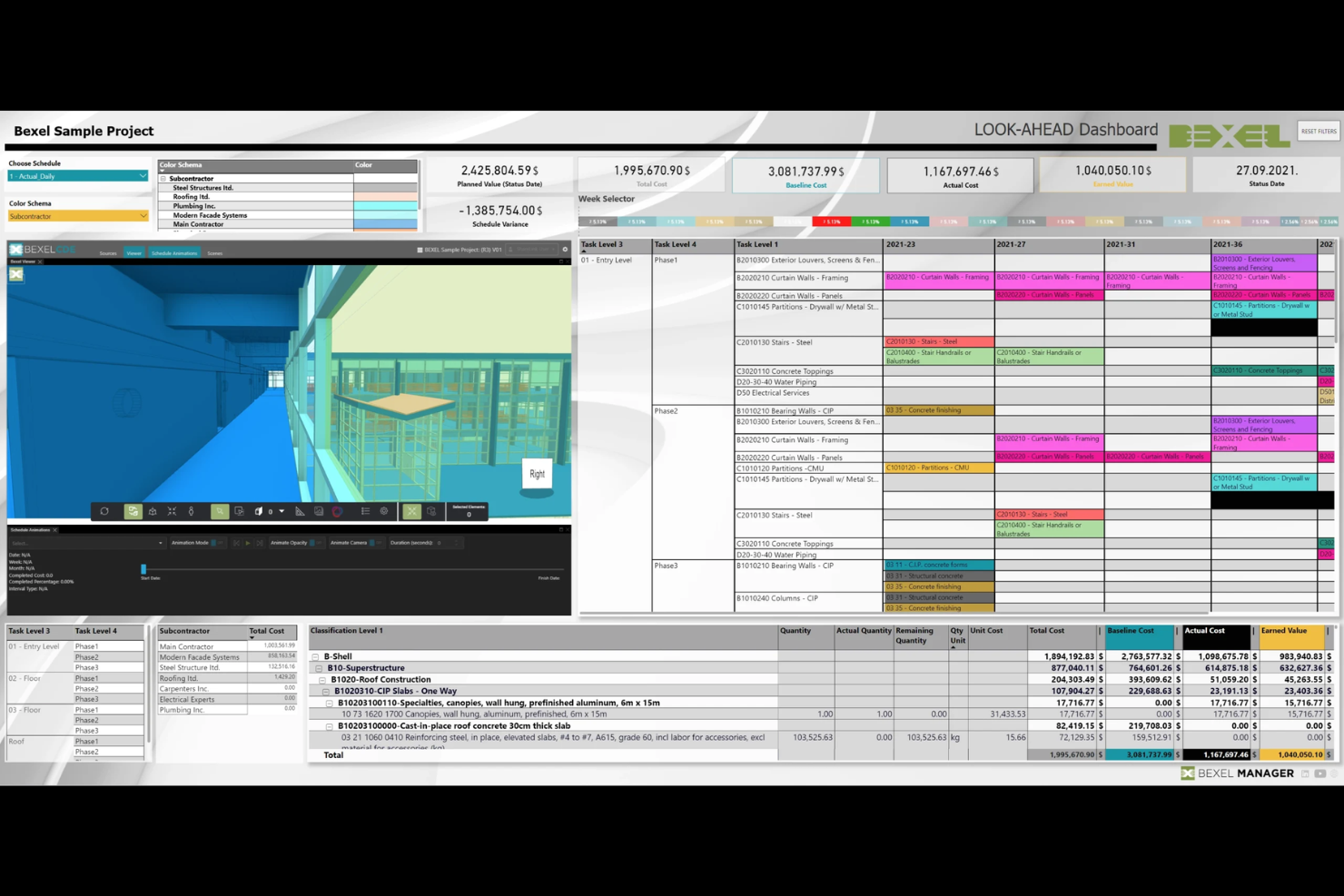
BEXEL Manager is a BIM project management platform that integrates 3D model federation, clash detection, smart scheduling, and 5D cost simulation into a single openBIM environment.
Who Is BEXEL Manager Best For?
BEXEL Manager is a strong fit for construction project managers and VDC engineers who need native 5D cost simulation built directly into their BIM coordination workflow.
Why I Picked BEXEL Manager
BEXEL Manager earns its spot on my shortlist because its 5D BIM capability is genuinely built in, not bolted on. I'm talking about automated cost classification that maps directly to model elements, a live bill of quantities, and cash flow analysis that updates as the schedule shifts. That kind of native cost-to-model integration is rare. The smart scheduling engine, which auto-generates LOB and Takt plans from BIM data, makes it especially valuable on complex construction projects where plan changes ripple across both time and budget.
BEXEL Manager Key Features
- Federated model management: Assemble and manage BIM models from hundreds of separate IFC or BX3 files across multiple disciplines in a single environment.
- Version Compare tool: View model revisions side by side to identify exactly what changed between iterations.
- BCF issue workflows: Create, import, and export BCF-formatted issues directly from clash detection and coordination reviews.
- IDS data checks: Validate BIM model data automatically against predefined Information Delivery Specification rules before handover or review.
BEXEL Manager Integrations
BEXEL Manager offers documented integrations with Autodesk Revit, Autodesk Navisworks, Primavera P6, Microsoft Project, Power BI, Google Earth, IFC, BCF, and IDS. Its API and add-in system support custom ERP and database integrations.
Pros and Cons
Pros:
- Advanced openBIM and multi-format model support
- Automated scheduling directly from BIM models
- Deep native 5D BIM analysis built in
Cons:
- Small base of public user reviews
- Desktop-first experience, not browser-based

My Evaluation Score
- 3D Model Management
- Excels
- Model Version Control
- Excels
- Multi-User Collaboration
- Strong
- Project Management Tools
- Strong
- Common Data Environment (CDE)
- Excels
- Clash Detection & Coordination
- Strong
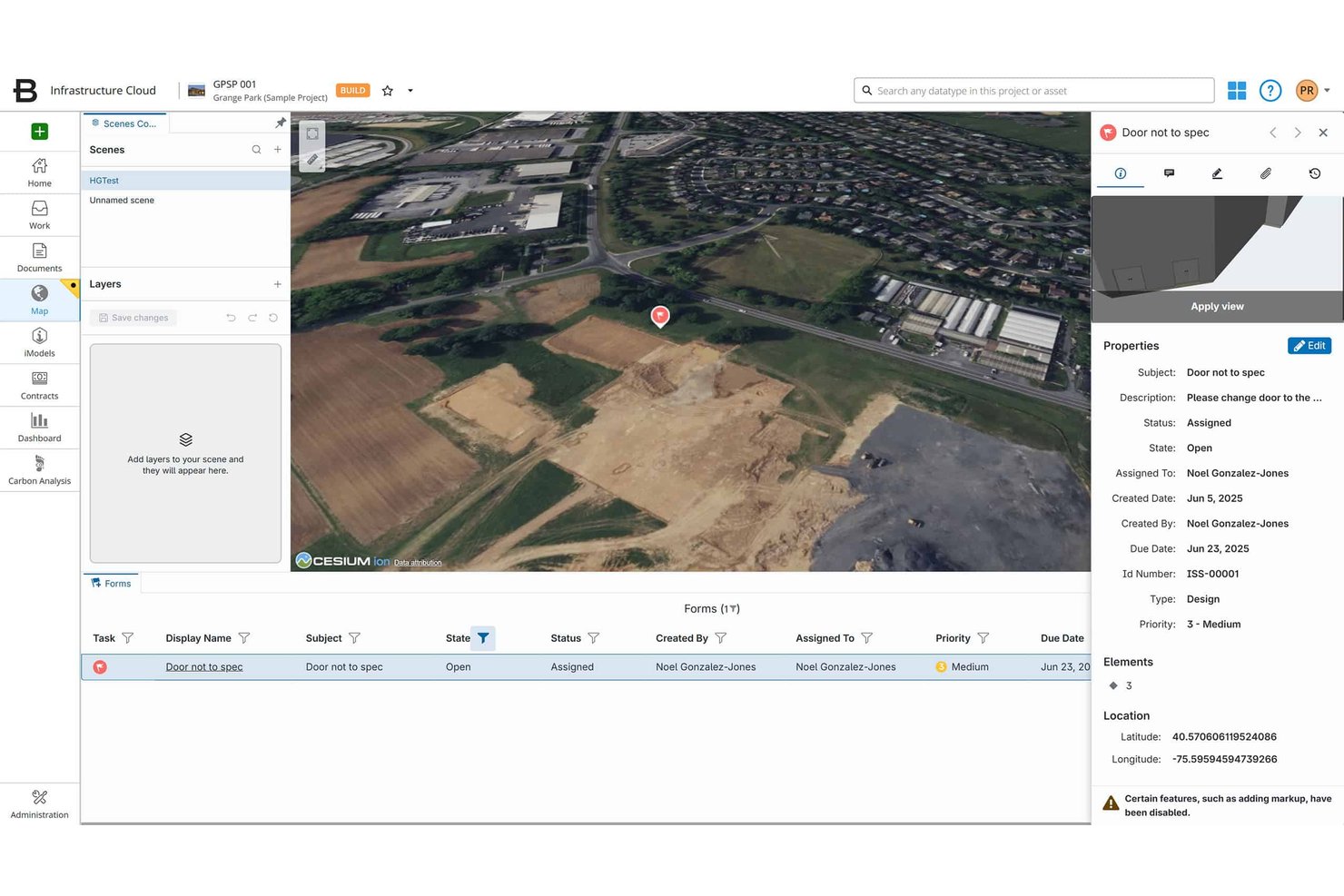
Bentley ProjectWise is a BIM common data environment (CDE) and project collaboration platform built for infrastructure and engineering teams, offering federated model management, ISO 19650-compliant document control, clash detection, and deliverables management across multi-discipline projects.
Who Is Bentley ProjectWise Best For?
ProjectWise is a strong fit for infrastructure and civil engineering teams—think transportation agencies, DOTs, and tier-1 engineering firms—that need a standards-compliant CDE to manage large, multi-discipline project environments.
Why I Picked Bentley ProjectWise
Bentley ProjectWise earns its spot on my list because it's one of the few CDEs genuinely built around ISO 19650 compliance, not just compatible with it. I'm particularly impressed by how the CDE enforces structured workflow states (work-in-progress, shared, published) with automated approvals and granular role-based access, which is exactly what a DOT or tier-1 engineering firm needs when managing multi-discipline deliverables across a federated model environment. The Version Compare tool also stands out to me: it lets teams diff model revisions side-by-side, so coordination issues get caught before they become costly field problems.
Bentley ProjectWise Key Features
- AI-powered search: Surfaces files instantly by extracting title block data, flagging revision documents, and summarizing content without opening individual files.
- Deliverables management: Handles transmittals, submittals, and RFIs within the CDE, linking documentation to project milestones and review/approval cycles.
- Multi-format model support: Accepts 50+ CAD and BIM file formats, including IFC, RVT, DWG, and DGN, for consolidated multi-discipline model storage.
- Project Insights dashboards: Provides interactive KPIs and analytics tracking deliverable status, issue resolution, and overall project progress across teams.
Bentley ProjectWise Integrations
Bentley ProjectWise supports integrations with Revit, AutoCAD, Civil 3D, Microsoft 365, Microsoft Teams, Bluebeam Revu, Primavera P6, and Asta Powerproject. It also supports IFC, BCF, an API/SDK, PowerShell scripting, and Microsoft Power Automate for custom integrations.
Pros and Cons
Pros:
- AI tools flag revisions and extract metadata
- Supports 50+ BIM and CAD file formats
- Excels at ISO 19650-compliant document workflows
Cons:
- Interface setup needs dedicated platform expertise
- Advanced BIM features require separate licenses
My Evaluation Score
- 3D Model Management
- Excels
- Model Version Control
- Excels
- Multi-User Collaboration
- Excels
- Project Management Tools
- Adequate
- Common Data Environment (CDE)
- Excels
- Clash Detection & Coordination
- Strong
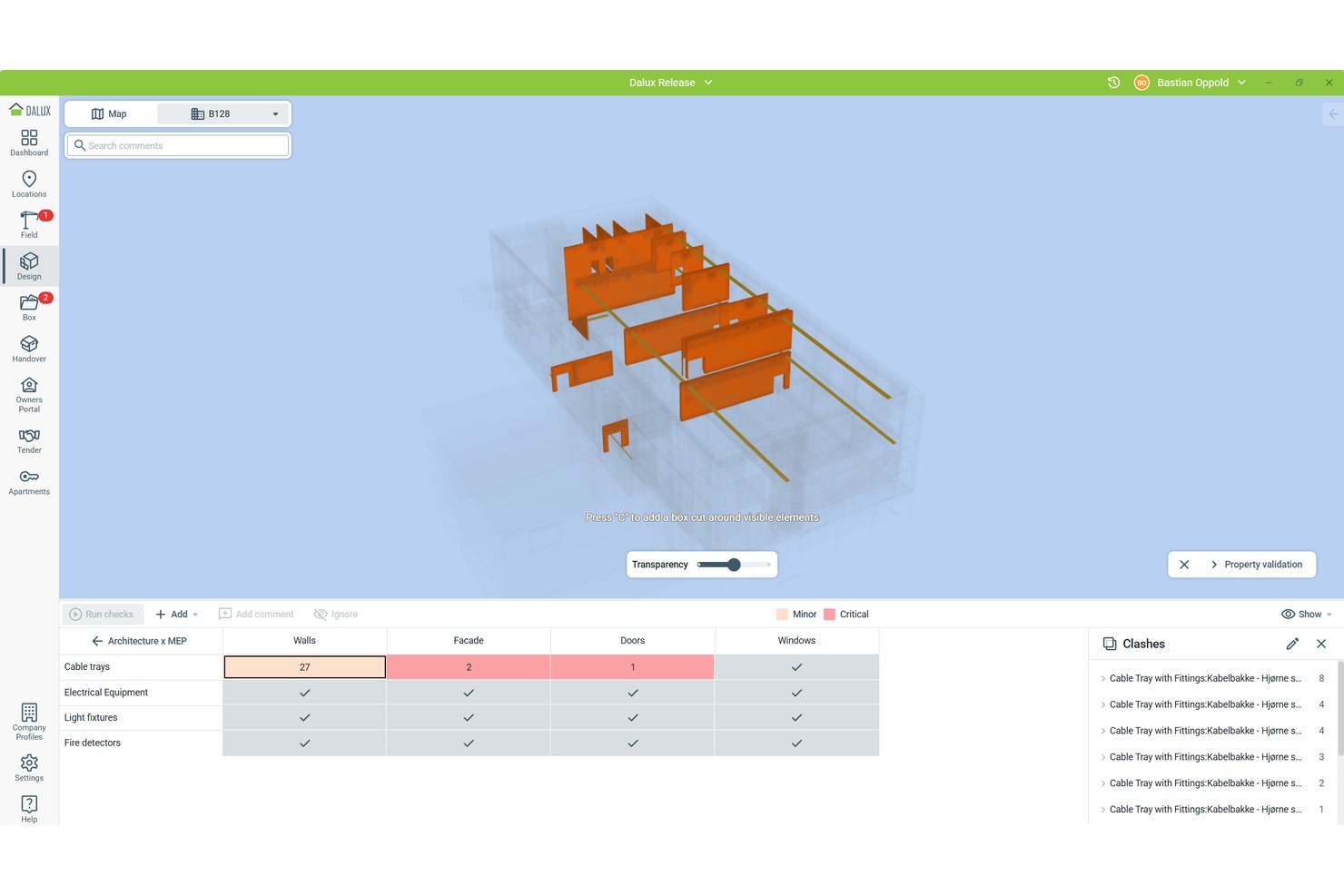
Dalux is a BIM project management platform that combines a high-performance BIM viewer, a CDE, AR-assisted site verification, clash detection, and field issue tracking across desktop and mobile.
Who Is Dalux Best For?
Dalux fits construction project managers and BIM coordinators who need field-ready model access, AR-assisted site verification, and ISO 19650-aligned document control in one platform.
Why I Picked Dalux
I picked Dalux as one of the best because its TwinBIM AR feature does something I haven't seen matched at scale: it lets site workers overlay live BIM models onto the physical environment through a mobile device, so they can see what's behind a wall or above a ceiling before cutting into it. AF Gruppen deployed this across 35,000 workers in Norway, which tells you this isn't a demo feature. Paired with SiteWalk's 360° reality capture, my team can compare as-built conditions against the model without leaving the Dalux environment.
Dalux Key Features
- Model validation: Run automated clash and clearance checks between discipline-based object groups, with configurable tolerances and auto-reprocessing on every new model upload.
- ISO 19650-aligned CDE: Dalux Box enforces file naming conventions, custom metadata, and Shared/Published area workflows to keep document control audit-ready.
- Version comparison tool: Color-coded 2D and 3D side-by-side comparisons highlight additions, removals, and modifications across model revisions.
- Offline field capture: Dalux Field lets site workers log issues, complete inspections, and document tasks without a connection, then syncs automatically when back online.
Dalux Integrations
Dalux offers native integrations with Revit, Navisworks, Tekla, ArchiCAD, Solibri via BCF, Microsoft 365, and Microsoft Entra. Its Open API supports custom integrations, while Project Connect syncs folders between Dalux projects.
Pros and Cons
Pros:
- Unlimited users and tasks in free tier
- Handles very large federated BIM models
- Built-in AR overlays BIM on site
Cons:
- Workflows feel rigid for custom needs
- No built-in 4D schedule simulation
My Evaluation Score
- 3D Model Management
- Excels
- Model Version Control
- Excels
- Multi-User Collaboration
- Strong
- Project Management Tools
- Strong
- Common Data Environment (CDE)
- Excels
- Clash Detection & Coordination
- Strong
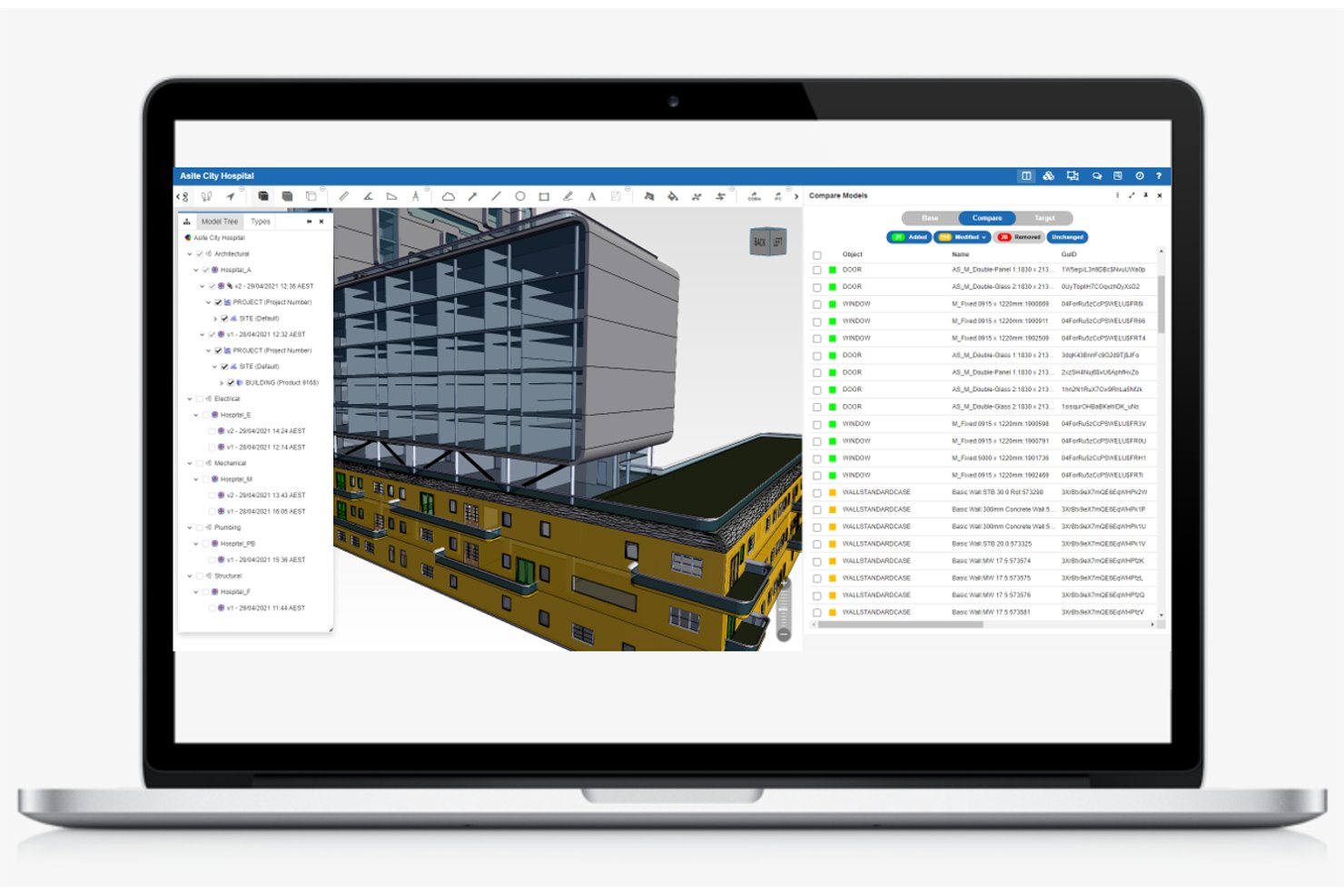
Asite is a cloud-based BIM project management platform that combines a ISO 19650-certified common data environment, 3D model federation, automated clash detection, RFI and submittal tracking, contract management, and a BIM-enabled mobile field app.
Who Is Asite Best For?
Asite is a strong fit for construction project managers and BIM coordinators on large infrastructure or capital projects where ISO 19650 compliance and automated clash detection are non-negotiable.
Why I Picked Asite
Asite earns its spot on my shortlist because its cloud-native automated clash detection sets it apart from tools that still require local model downloads. Cloud Clash runs automatically whenever a new model revision is uploaded, so coordination tickets get generated without anyone manually triggering a rerun. It also delivers ±1mm precision across large infrastructure models, which matters on projects where a small error compounds fast.
Asite Key Features
- ISO 19650-compliant CDE: A cloud-hosted common data environment that enforces ISO 19650 workflow states, including work-in-progress, shared, published, and archived, with mandatory approval sign-offs between transitions.
- Asite Field mobile app: A native iOS and Android app that gives field teams offline access to site tasks, digital forms, snag management, and 3D BIM models, with auto-sync on reconnection.
- Project Financials module: Integrated budget tracking, contract management, commercial change management, and supplier invoice approval workflows with real-time cost visibility against baselines.
- BCF issue management: Full Building Collaboration Format support for encoding and communicating model-based issues across disciplines, with a Revit plugin available via the Autodesk App Store.
Asite Integrations
Asite supports an Autodesk Revit plugin with BCF exchange, Microsoft Power BI, Microsoft Power Platform connectors, and GIS integration. Its public RESTful API supports custom connections using XML or JSON.
Pros and Cons
Pros:
- Mobile app enables offline BIM model access
- Cloud-native clash detection auto-runs on upload
- Holds rare ISO 19650 Kitemark certification
Cons:
- Document search often requires knowing file locations
- No native 4D schedule-linked BIM visualization
Other BIM Project Management Software
Here are some additional BIM project management software options that didn’t make it onto my shortlist, but are still worth checking out:
- usBIM
For openBIM-certified CDE workflows
- Allplan Bimplus
For Nemetschek-stack openBIM coordination
- Revizto
For clash-to-issue automation across all trades
- Newforma
For unified project email and BIM coordination
- BIMcollab
For open-standards BCF issue coordination
- Catenda Hub
For unlimited-user openBIM coordination
- Solibri
For rule-based BIM model quality checks


How I Evaluate BIM Project Management Software
I split my evaluation into two layers: the baseline capabilities a tool must have—like federated model viewing and clash detection—and the differentiators that separate one platform from another.
Core Functionality (Table Stakes For This List)
When I'm selecting tools for my list, I rank each one on a scale from 0 (does not offer the functionality) to 5 (excels in this area) for each core functionality listed below. Then, I calculate the tool's total score into a percentage. Each tool needs to achieve a minimum total score of 65% to be considered for inclusion.
- 3D Model Management: I verify that the platform supports uploading, viewing, and managing common BIM file formats such as IFC and RVT, allowing for smooth navigation, sectioning, and querying of model elements within a centralized repository.
- Clash Detection & Coordination: I assess how well the tool enables federated model overlays and automated clash detection, focusing on rule-based filters, issue grouping, and assignment workflows to streamline multi-discipline coordination.
- Common Data Environment: I ensure the platform provides a robust centralized environment for storing, sharing, and controlling access to all BIM project files, including folder structures, permission settings, and workflow states according to standards like ISO 19650.
- Project Management Tools: I look for integrated features that track RFIs, submittals, issues, and schedules, all directly linked to model elements, avoiding separation between project management and BIM data.
- Model Version Control: I evaluate how the platform manages model revisions with automatic version history, rollback options, comparison tools, and audit trails to maintain a clear record of changes throughout the project lifecycle.
- Multi-User Collaboration: I check that the software supports concurrent multi-discipline collaboration with real-time markups, comments, notifications, and role-based permissions, enabling seamless teamwork across architects, engineers, and contractors.
Once I have a list of tools that meet this criteria, I consider what sets each platform apart.
Differentiating Factors (What Sets Vendors Apart)
Here's how I compare and contrast different vendors:
Standout Features
4D scheduling links model elements to construction sequences, which helps teams visualize build order and spot conflicts before they reach the field. I also look for mobile access that lets superintendents pull up models, log issues, and capture photos on-site from a tablet. Reality capture support is another separator—overlaying drone scans or point clouds onto the BIM model gives you fast as-built verification without manual measurement.
Beyond Features
Integration depth matters a lot here. I evaluate whether a platform connects natively with authoring tools like Revit or ArchiCAD and syncs with scheduling software like Primavera P6. Support for open standards like IFC and BCF is equally telling. I also consider industry fit—some platforms cater to general contractors coordinating trades, while others suit design firms managing model delivery. Compliance with ISO 19650 and security certifications like SOC 2 round out my evaluation, especially for teams handling sensitive infrastructure projects.
How to Choose BIM Project Management Software
It’s easy to get bogged down in long feature lists and complex pricing structures. To help you stay focused as you work through your unique software selection process, here’s a checklist of factors to keep in mind:
| Factor | What to Consider |
|---|---|
| Scalability | Will the software grow with your team? Consider future project sizes and user numbers. Look for tools that can handle increased data and complexity without slowing down. |
| Integrations | Does the software connect with tools you already use? Check for compatibility with your existing systems to avoid workflow disruptions. |
| Customizability | Can you tailor the tool to fit your processes? Look for options to adjust workflows, dashboards, and reports to match your team’s needs. |
| Ease of use | Is the software intuitive for your team? Consider the learning curve and whether your team will need extensive training or if they can pick it up quickly. |
| Implementation and onboarding | How long will it take to get started? Evaluate the setup time, availability of tutorials, and support during the initial phase to ensure a smooth transition. |
| Cost | Does the pricing fit your budget? Compare the cost against the features offered and consider any hidden fees. Look for flexible pricing plans that match your financial limits. |
| Security safeguards | Are your data and projects secure? Check for encryption, access controls, and compliance with industry standards to protect sensitive information. |
What Is BIM Project Management Software?
BIM project management software is a tool used to manage and coordinate building information modeling processes in construction projects. Architects, engineers, and construction managers generally use these tools to improve collaboration and efficiency. Features like 3D modeling, document management, and cost estimation help with project planning and execution.
Overall, these tools enhance communication and reduce errors in construction projects.
Features of BIM Project Management Software
When selecting BIM project management software, keep an eye out for the following key features:
- 3D modeling: Enables the creation and manipulation of digital representations of physical structures, aiding in visualization and design accuracy.
- Document management: Organizes and stores project documents, ensuring easy access and version control for all team members.
- Cost estimation: Provides tools to calculate and predict project expenses, helping in budget planning and financial management.
- Collaboration tools: Facilitates communication and teamwork among project stakeholders, improving coordination and reducing errors.
- Scheduling: Allows for the creation and management of project timelines, ensuring that milestones and deadlines are met.
- Clash detection: Identifies and resolves conflicts in designs before construction, preventing costly rework and delays.
- Mobile access: Offers the ability to access project data and tools on-site via mobile devices, ensuring information is available anywhere.
- Reporting: Generates detailed reports on project progress and performance, aiding in decision-making and transparency.
- Security safeguards: Protects sensitive project data with encryption and access controls, ensuring compliance with industry standards.
- Customization: Provides options to tailor workflows and interfaces to fit specific team needs and processes.
Benefits of BIM Project Management Software
Implementing BIM project management software provides several benefits for your team and your business. Here are a few you can look forward to:
- Improved collaboration: Enhances teamwork by providing tools for real-time communication and coordination among project stakeholders.
- Reduced errors: Minimizes mistakes in construction projects by using clash detection and 3D modeling to identify issues early.
- Cost savings: Helps manage budgets effectively with accurate cost estimation and financial planning tools.
- Enhanced decision-making: Provides detailed reporting and data analysis to support informed decision-making throughout the project lifecycle.
- Increased efficiency: Streamlines project workflows with features like scheduling and document management, ensuring timely completion of tasks.
- Accessibility: Offers mobile access to project data, allowing team members to retrieve information on-site or remotely.
- Data security: Protects sensitive project information with security safeguards like encryption and access control.
Costs and Pricing of BIM Project Management Software
Selecting BIM project management software requires an understanding of the various pricing models and plans available. Costs vary based on features, team size, add-ons, and more. The table below summarizes common plans, their average prices, and typical features included in BIM project management software solutions:
Plan Comparison Table for BIM Project Management Software
| Plan Type | Average Price | Common Features |
|---|---|---|
| Free Plan | $0 | Basic 3D modeling, limited document management, and basic collaboration tools. |
| Personal Plan | $10-$30/user/month | Enhanced 3D modeling, document management, scheduling, and basic reporting. |
| Business Plan | $30-$70/ user/month | Advanced 3D modeling, comprehensive document management, scheduling, reporting, and mobile access. |
| Enterprise Plan | $70-$150/ user/month | Full 3D modeling capabilities, extensive document management, advanced reporting, and data security features. |
BIM Project Management Software FAQs
Here are some answers to common questions about BIM project management software:
How does BIM software improve project scheduling?
BIM software enhances project scheduling by integrating time data into models, allowing you to create 4D schedules. This helps coordinate resources and visualize project timelines more effectively, reducing the likelihood of delays and improving overall project efficiency.
Can BIM software lead to cost savings?
Yes, BIM software can lead to significant cost savings by minimizing rework, reducing material waste, and providing accurate cost estimates. By identifying potential issues early in the design phase, you can avoid costly changes during construction.
How does BIM software facilitate collaboration?
BIM software fosters real-time collaboration by providing a shared cloud-based model for all stakeholders. This ensures everyone has access to the latest project information, streamlining communication and reducing errors.
What role does BIM software play in facility management?
BIM software integrates with facility management systems, providing essential data for building operations and maintenance. This helps you manage facilities more efficiently by offering insights into building systems and maintenance schedules.
How does BIM software assist in fire protection design?
BIM software improves fire protection design by identifying flaws early in the planning process. It optimizes fire protection systems and enhances communication among design teams, reducing costs and improving safety.
Is training required for using BIM software?
Yes, implementing BIM software typically requires training on the software itself and collaborative workflows. This ensures your team can effectively use the tools and maximize the benefits of BIM in your projects.
What’s Next:
If you're in the process of researching BIM project management software, connect with a SoftwareSelect advisor for free recommendations.
You fill out a form and have a quick chat where they get into the specifics of your needs. Then you'll get a shortlist of software to review. They'll even support you through the entire buying process, including price negotiations.