

10 Best AI Virtual Assistants in 2026

Best AI Virtual Assistants Shortlist


AI virtual assistants are digital tools that handle tasks, answer questions, and automate workflows using artificial intelligence. If you’re looking for ways to save time and keep projects on track, finding the right option can make all the difference. This guide cuts through hype and complexity to help you compare today’s best AI virtual assistants—so you can choose smarter and keep your team focused on what matters most.
Why Trust Our Software Recommendations
Our team has been testing and reviewing software since 2012. As project managers ourselves, we know how difficult—and important—it is to choose the right software.
For this guide, we evaluated tools using hands-on testing and independent research, scoring tools using our selection criteria. We also draw on insights from industry thought leaders and practicing project management experts.
Our reviews reflect our human editorial judgment, not a sales pitch.
Expert reviewers:
AI Virtual Assistant Comparison Table
This comparison table summarizes pricing details for my top enterprise AI virtual assistant selections.
| Tool | Best For | Trial Info | Price | ||
|---|---|---|---|---|---|
| 1 | Best for governed meeting recordings | Free plan available | From $7/user/month (billed annually) | Website | |
| 2 | Best for drafting from workspace context | Free plan available | From $20/user/month | Website | |
| 3 | Best for AI inside Workspace apps | 14-day free trial | From $7/user/month | Website | |
| 4 | Best for live meeting transcription | Free plan available | From $16.99/user/month | Website | |
| 5 | Best for AI across Office apps | 1-month free trial | From $30/user/month (billed annually) | Website | |
| 6 | Best for voice-driven task creation | Free plan available | From $9/user/month | Website | |
| 7 | Best for automatic daily time-blocking | Free trial available | From $19/user/month (billed annually) | Website | |
| 8 | Best for predicting project delivery risks | 14-day free trial | From $10/user/month (billed annually) | Website | |
| 9 | Best for role-based collaborative AI agents | Free demo available | Pricing upon request | Website | |
| 10 | Best for context-aware workspace actions | 14-day free trial | From $9/user/month (billed annually) | Website |
Best AI Virtual Assistants Reviews
Below are my detailed summaries of the best AI virtual assistants that made it onto my shortlist. My reviews offer a detailed look at the features, capabilities, and best use cases of each tool to help you find the best one for you.

Fellow
Best for governed meeting recordings
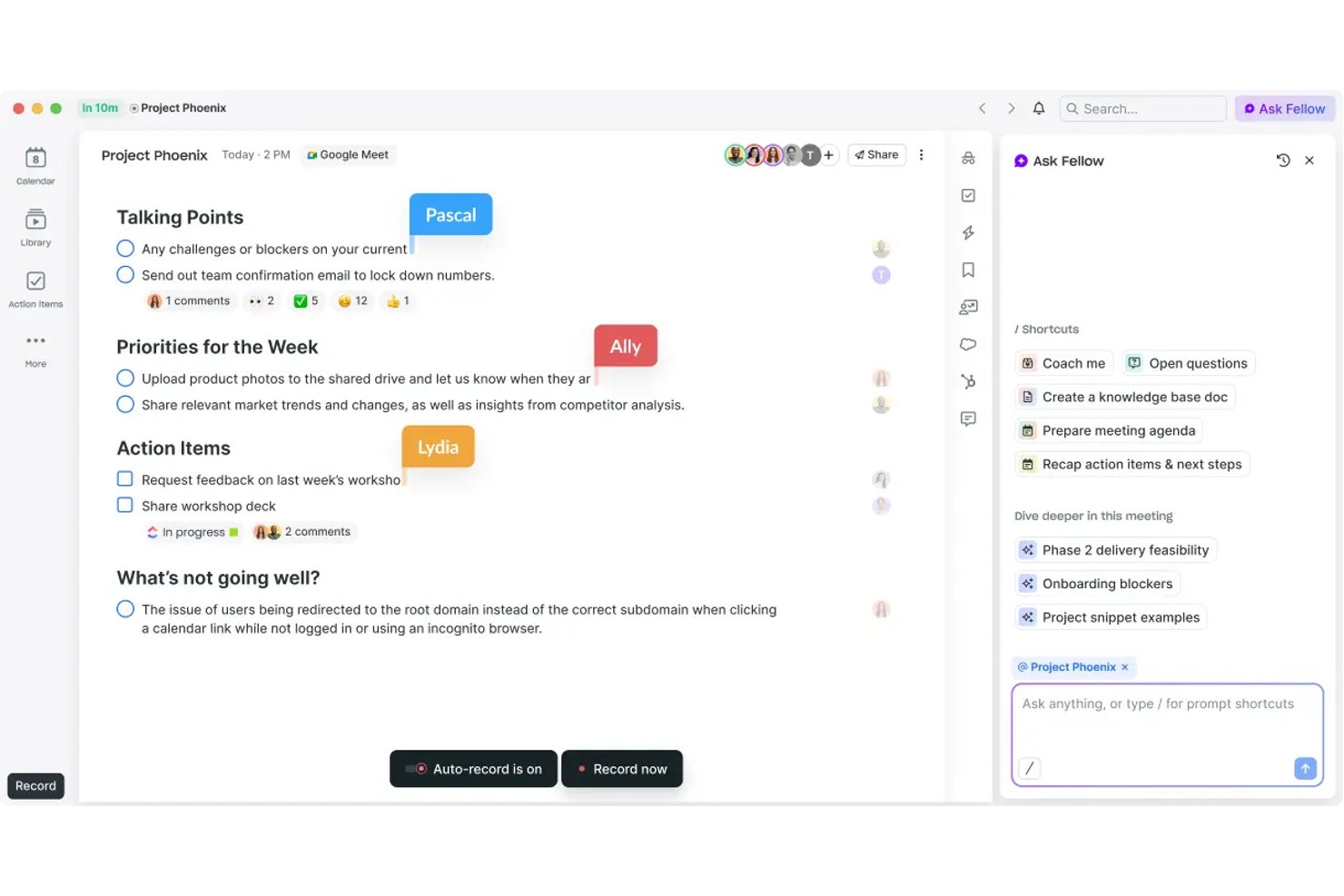
Fellow is an AI meeting assistant built for governance-first teams, offering bot and botless recording, transcription in 99 languages, action-item capture, and a searchable meeting library across Zoom, Microsoft Teams, and Google Meet.
Who Is Fellow Best For?
Fellow is a strong fit for enterprise teams in regulated industries—finance, healthcare, and legal—where meeting compliance, audit trails, and data governance aren't optional.
Why I Picked Fellow
Fellow earns its spot as one of the best on my shortlist because of how seriously it treats governed meeting recordings. I can pause and resume recording mid-call, with paused segments deleted entirely, and apply MNPI redaction to transcripts before they're distributed. Features like consent capture, zero-day retention, and a SEC Rule 17a-4-ready audit trail set it apart from every other AI meeting assistant I've used.
Fellow Key Features
- Ask Fellow conversational AI: Lets you query past meetings and notes using natural language.
- AI meeting agenda drafting: Automatically generates structured agendas from invite details or prior threads.
- Project management integrations: Connects natively with tools like Asana, Jira, Linear, and ClickUp for direct action item sync.
- Workspace analytics dashboard: Tracks meeting volume, attendance, and note-taking activity across teams.
Fellow Integrations
Fellow offers over 50 native integrations, including Asana, Jira, Linear, ClickUp, Monday.com, Trello, GitHub, Slack, Microsoft Teams, Google Workspace, and Salesforce. An API is available for custom integrations.
Pros and Cons
Pros:
- Botless recording avoids uninvited participants joining calls
- Ask Fellow answers natural-language meeting queries
- MNPI redaction keeps sensitive transcripts audit-ready
Cons:
- Mobile app functionality lags behind desktop version
- AI limited to meeting workflows only
Best for drafting from workspace context
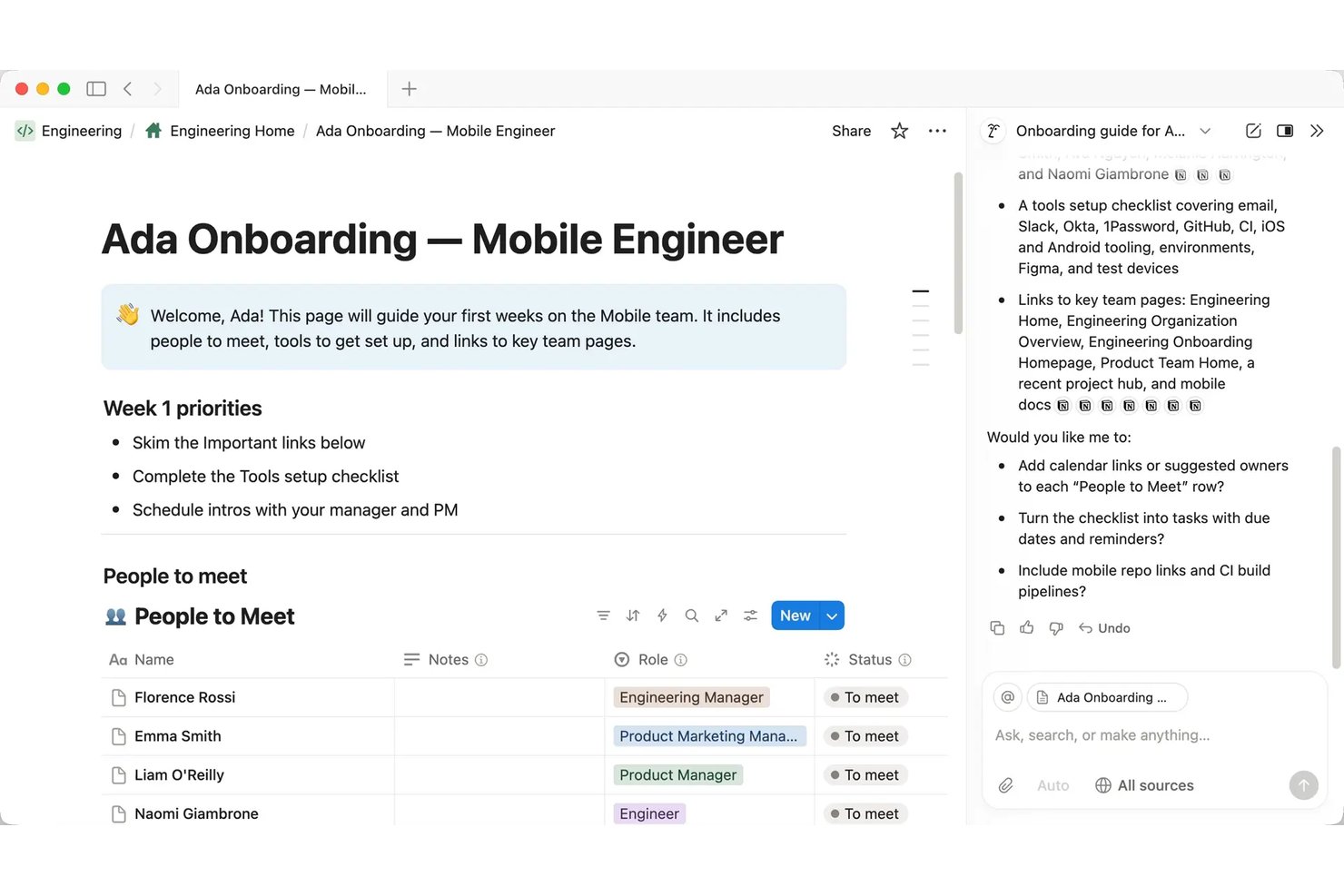
Notion AI is a workspace-native AI assistant embedded inside Notion that handles document drafting, meeting transcription and summarization, multi-step task automation, and cross-app knowledge retrieval through a conversational interface.
Who Is Notion AI Best For?
Notion AI is a strong fit for project managers and cross-functional teams that already run their documentation, wikis, and project tracking inside Notion.
Why I Picked Notion AI
I picked Notion AI as one of the best because the AI drafts from your actual workspace content, not a blank slate. When I ask it to write a project status report, it pulls from the meeting notes, task databases, and briefs already living in my workspace. AI Meeting Notes handles transcription automatically, so the context I need is already captured before I start drafting. The Autofill feature extends this by populating database fields like project status, owner, and priority directly from documented content.
Notion AI Key Features
- Enterprise Search (beta): Lets you query Slack, Google Drive, GitHub, Microsoft Teams, Jira, and more from within Notion.
- Custom Agents: Automates multi-step team workflows with scheduled or triggered agent actions in your workspace.
- Research mode (beta): Delivers lengthy, source-cited workspace and web research without leaving Notion.
- Model-agnostic architecture: Gives you the ability to change AI models or providers for any agent workflow.
Notion AI Integrations
Notion AI offers native integrations with Slack, Google Drive, GitHub, Microsoft Teams, Jira, Box, OneDrive, and Salesforce. It also connects with Zapier and provides an API for custom integrations.
Pros and Cons
Pros:
- AI agents run multi-step workflows autonomously
- Summarizes meeting notes without leaving Notion
- Drafts from existing workspace content automatically
Cons:
- No voice interface for hands-free interaction
- Weaker outside the Notion workspace ecosystem
Best for AI inside Workspace apps
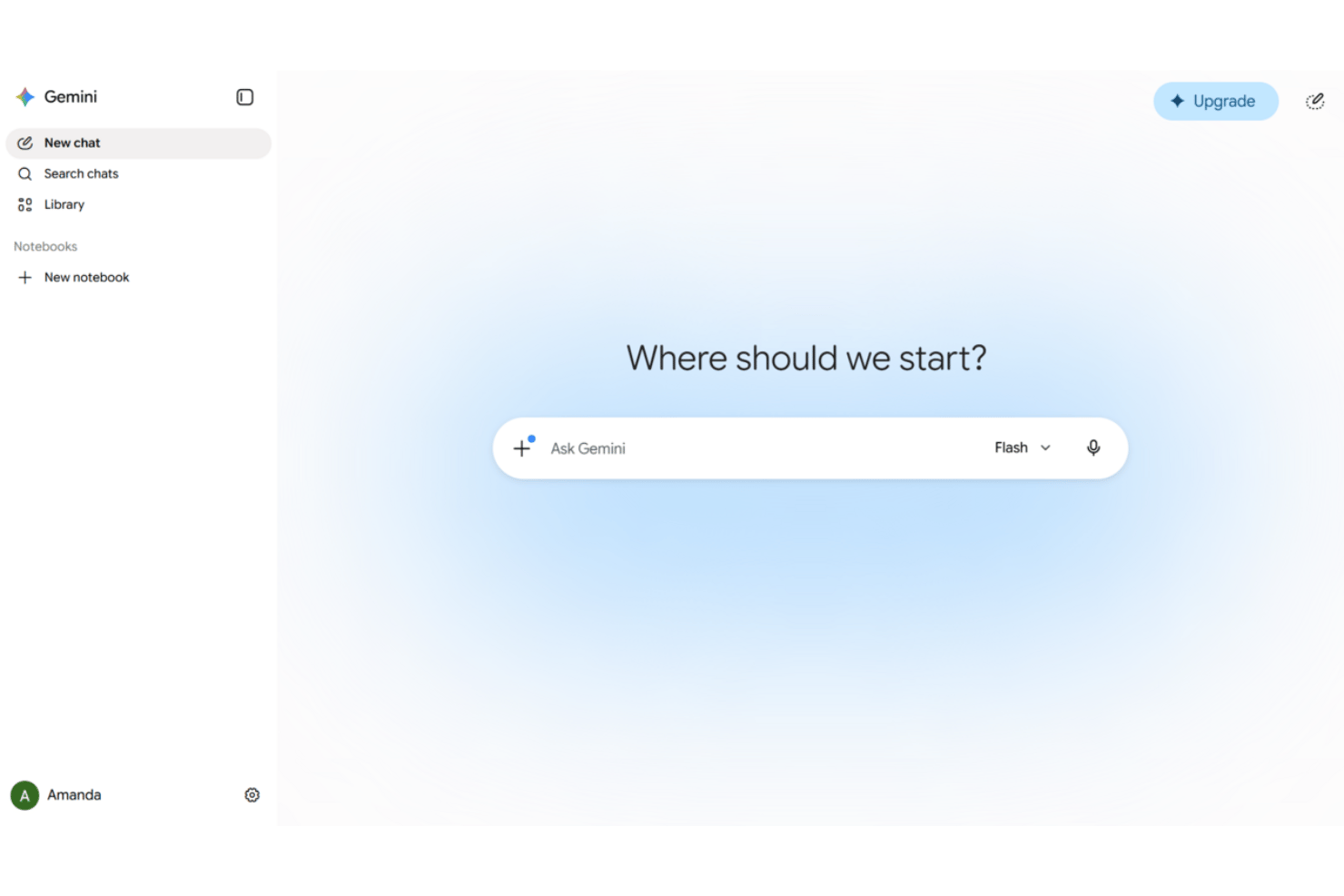
Google Gemini is an AI virtual assistant embedded across Google Workspace apps—Gmail, Docs, Sheets, Meet, and Drive—offering conversational chat, document drafting, meeting note-taking, and agentic automation across connected business tools.
Who Is Google Gemini Best For?
Google Gemini is a strong fit for project teams already running their work inside Google Workspace who want AI assistance without switching tools.
Why I Picked Google Gemini
Google Gemini earns its spot on my shortlist because of how naturally it works as an AI assistant inside the tools project teams already use. I use Gemini in Meet to auto-capture notes and action items without a third-party add-on, and in Gmail I can query Drive and my calendar from the same sidebar while composing a reply. Workspace Studio is where it becomes genuinely useful for PM workflows: I've built flows that automate meeting prep and route follow-up emails without writing any code.
Google Gemini Key Features
- Multimodal input and output: Accepts and processes voice, text, images, and video in supported Workspace apps.
- Gemini Notebook for research synthesis: Lets you gather, organize, and summarize information from multiple sources in one AI-assisted workspace.
- Agentic automation with pre-built connectors: Connects to platforms like Salesforce, Jira, SAP, and Microsoft 365 for automated data actions.
- Built-in compliance and data loss prevention: Includes advanced privacy safeguards and DLP controls aligned with enterprise standards.
Google Gemini Integrations
Google Gemini offers native integrations with Gmail, Google Drive, Google Calendar, Google Meet, Salesforce, Jira, SAP, and Microsoft 365. An API is available for custom integrations.
Pros and Cons
Pros:
- Summarizes long email threads and Drive documents
- Captures meeting notes and action items automatically
- Deeply embedded across all Workspace apps
Cons:
- Agentic features require higher-tier paid plans
- Less useful outside the Google ecosystem

Otter.ai
Best for live meeting transcription
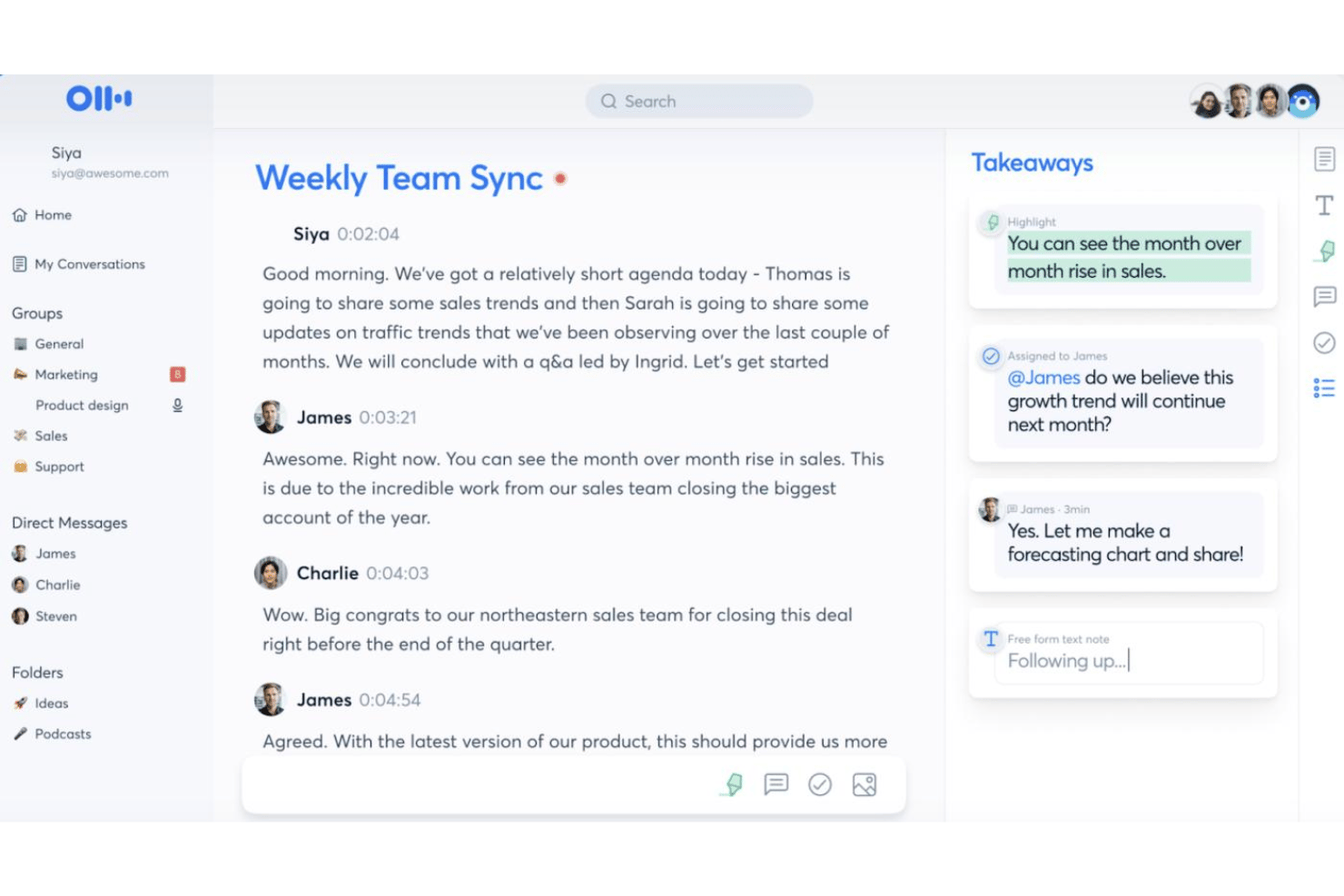
Otter.ai is an AI meeting assistant that combines live transcription, automated meeting summaries, action item capture, and an AI chat interface that lets you query across your full meeting history.
Who Is Otter.ai Best For?
Otter.ai is a natural fit for teams that run high volumes of meetings and need accurate, searchable transcripts without manual note-taking.
Why I Picked Otter.ai
Otter.ai earns its spot on my shortlist because its live transcription goes beyond just capturing words. The AI Meeting Agent joins calls and answers questions in real time using your full meeting history, so you're not just recording a meeting, you're building a searchable knowledge base. I also like the automated slide capture, which syncs presenter slides directly into the transcript so the full context of any meeting is preserved in one place.
Otter.ai Key Features
- AI-powered meeting chat: Interact with meeting transcripts using a conversational interface to query details or request summaries.
- Custom vocabulary: Add industry terms, acronyms, and unique names for improved transcription accuracy.
- Workspace collaboration: Share transcripts and meeting notes with teammates in real time within a shared workspace.
- Third-party integrations: Connect with apps like Slack, Salesforce, HubSpot, Notion, and Google Workspace for extended workflow support.
Otter.ai Integrations
Otter.ai offers native integrations with Zoom, Microsoft Teams, Google Meet, Slack, Salesforce, HubSpot, and Google Workspace. It also integrates with Notion and connects with Zapier. An API is available for custom integrations.
Pros and Cons
Pros:
- Automated action item capture during live meetings
- AI chat queries across full meeting history
- Real-time transcription accuracy is consistently high
Cons:
- AI responses confined to meeting content only
- Limited project management workflow automation

Best for AI across Office apps
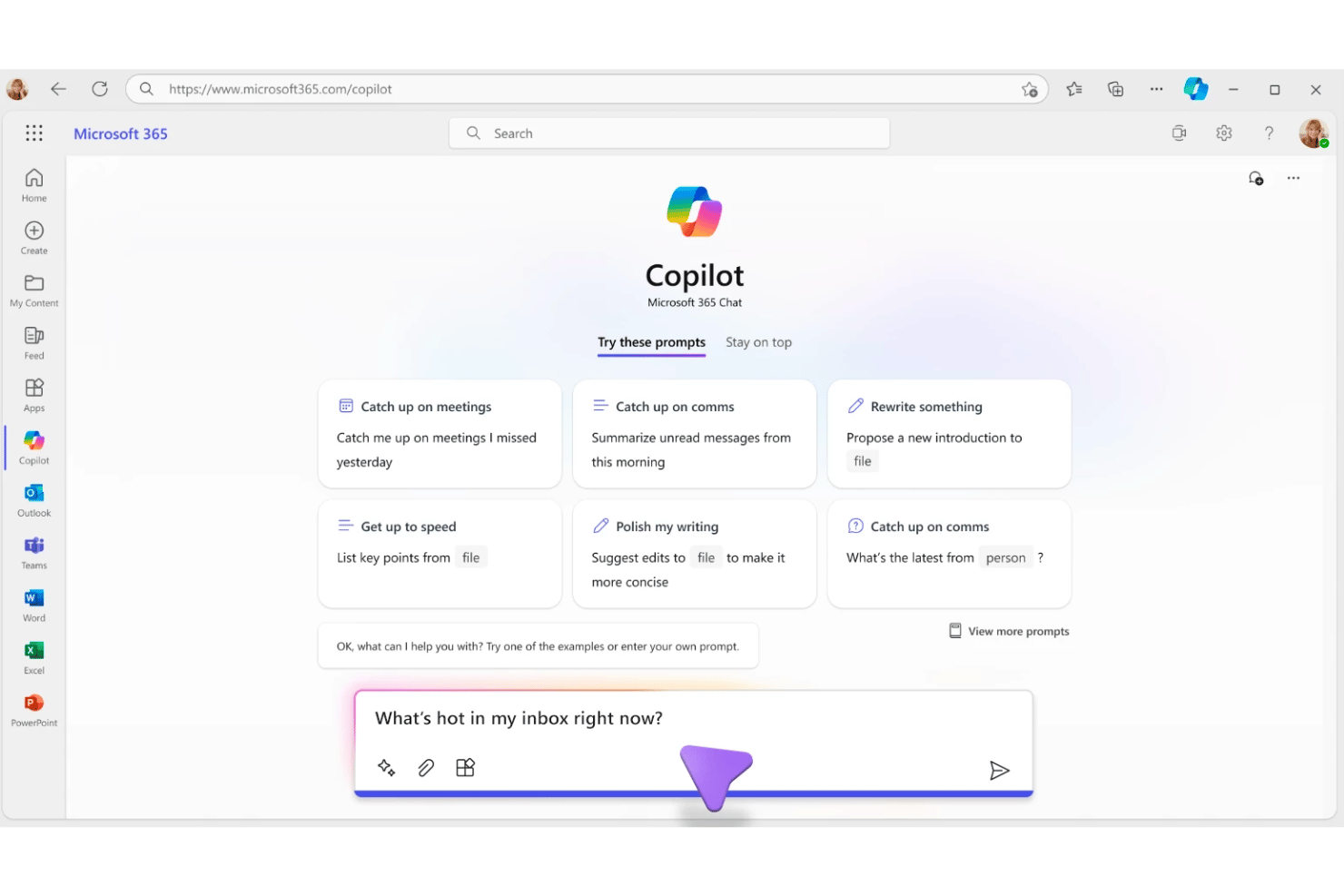
Microsoft 365 Copilot is a generative AI assistant built into the Microsoft 365 suite that combines natural-language chat, document drafting, meeting summarization, and task automation across Word, Excel, PowerPoint, Outlook, and Teams.
Who Is Microsoft 365 Copilot Best For?
It's a natural fit for enterprise and mid-market teams already operating within the Microsoft 365 ecosystem who want AI embedded directly into their existing workflows.
Why I Picked Microsoft 365 Copilot
I picked Microsoft 365 Copilot as one of the best because no other AI assistant is as deeply embedded in the apps where project work actually happens. I use Work IQ to pull context from emails, meeting transcripts, and files simultaneously, then query it all in a single Copilot Chat thread. Intelligent Model Routing automatically selects the right LLM per task, so I get reasoning-level output for complex requests and fast responses for quick lookups.
Microsoft 365 Copilot Key Features
- Universal enterprise search: Instantly locates information across your emails, files, meetings, and conversations.
- Copilot Notebooks: Aggregates files, chats, and notes, letting you generate summaries or recaps on demand.
- Agent Store integration: Lets you deploy ready-made AI agents from Microsoft and partners or build custom ones.
- Role-aware personalization: Adapts contextual suggestions and answers based on your job function and project activity.
Microsoft 365 Copilot Integrations
Microsoft 365 Copilot has native integrations across the Microsoft ecosystem, including Microsoft 365, Teams, Outlook, Word, Excel, PowerPoint, SharePoint, and Azure. It also offers a catalog of partner integrations through Agent Store and provides an API for custom integrations.
Pros and Cons
Pros:
- Drafts documents and emails without switching tools
- Summarizes Teams meetings and action items instantly
- Deep context across all Microsoft 365 apps
Cons:
- Limited voice interaction compared to standalone assistants
- Responses can feel generic without project context
Best for voice-driven task creation
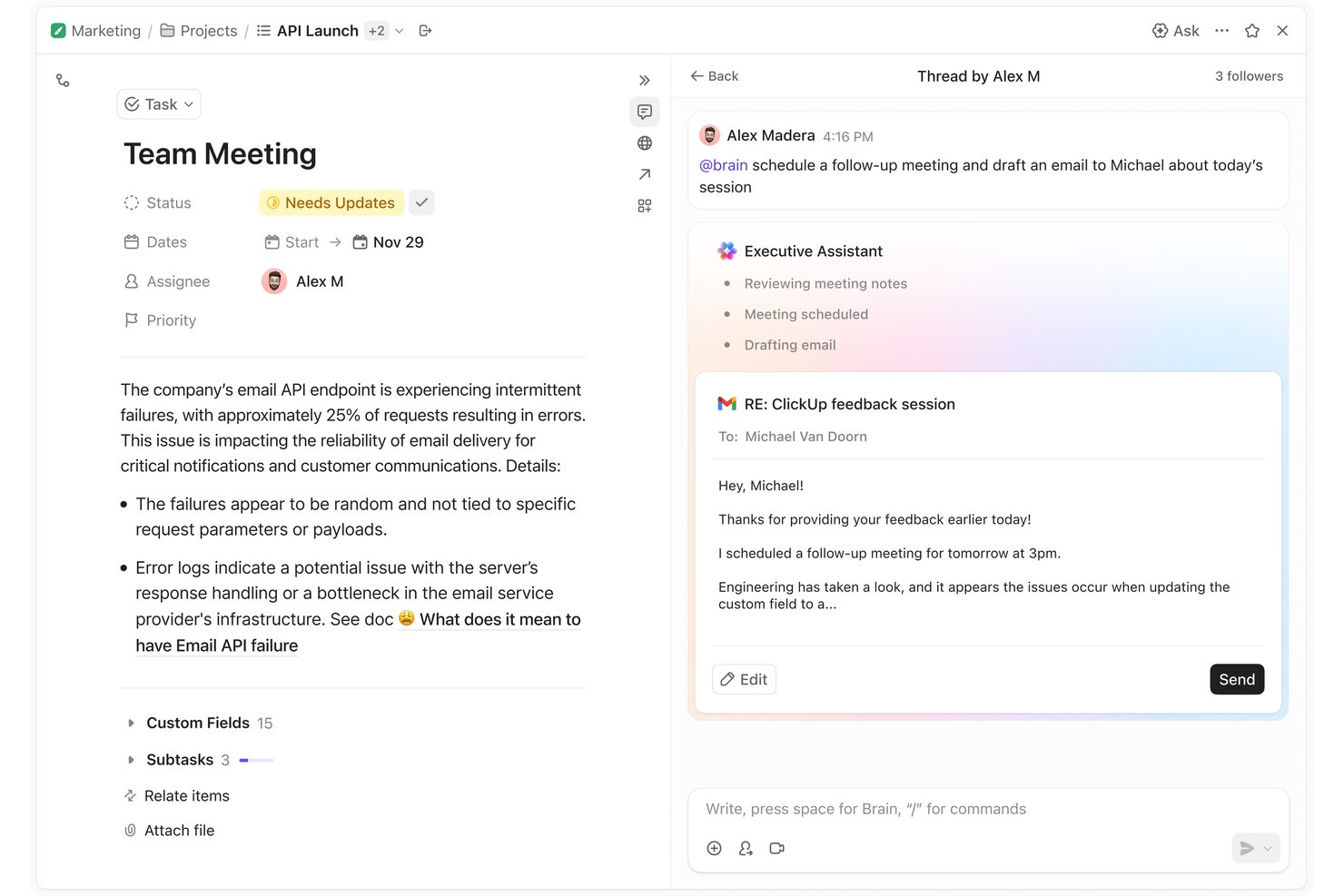
ClickUp Brain is an AI virtual assistant built into ClickUp's work management platform, combining multi-model AI (GPT, Claude, Gemini), voice input, autonomous agents, contextual memory, and document drafting.
Who Is ClickUp Brain Best For?
It's a strong fit for project managers and cross-functional teams who already run their work in ClickUp and want AI that can act directly on live project data.
Why I Picked ClickUp Brain
I picked ClickUp Brain as one of the best because its Talk-to-Text voice input on the desktop app is built to replace the keyboard entirely, not just supplement it. I can dictate a new task, add context, and assign it to a teammate without typing a single word. Because Brain² holds live context across my entire workspace, those voice-created tasks land in the right project with the right details already attached.
ClickUp Brain Key Features
- Super Agents: AI coworkers that can be assigned tasks, scheduled, and mentioned directly within your workspace.
- Self-updating company brain: Persistent memory that captures and adapts to your team’s workflows, communication style, and project context.
- Multi-model AI engine: Instantly routes queries to GPT, Claude, or Gemini for optimized responses on every interaction.
- Connected search: Queries workspace data and integrated platforms like Slack, Google Drive, Jira, and Confluence in real time.
ClickUp Brain Integrations
ClickUp Brain offers native integrations with Slack, Google Drive, Jira, GitHub, Confluence, Dropbox, Box, OneDrive, Microsoft Teams, and Gmail. An API is available for building custom integrations.
Pros and Cons
Pros:
- Summarizes docs and threads inside ClickUp
- Queries live project data without switching apps
- Voice-driven task creation directly in workspace
Cons:
- Response speed lags on complex workspace queries
- Brain only works within the ClickUp ecosystem

Motion
Best for automatic daily time-blocking
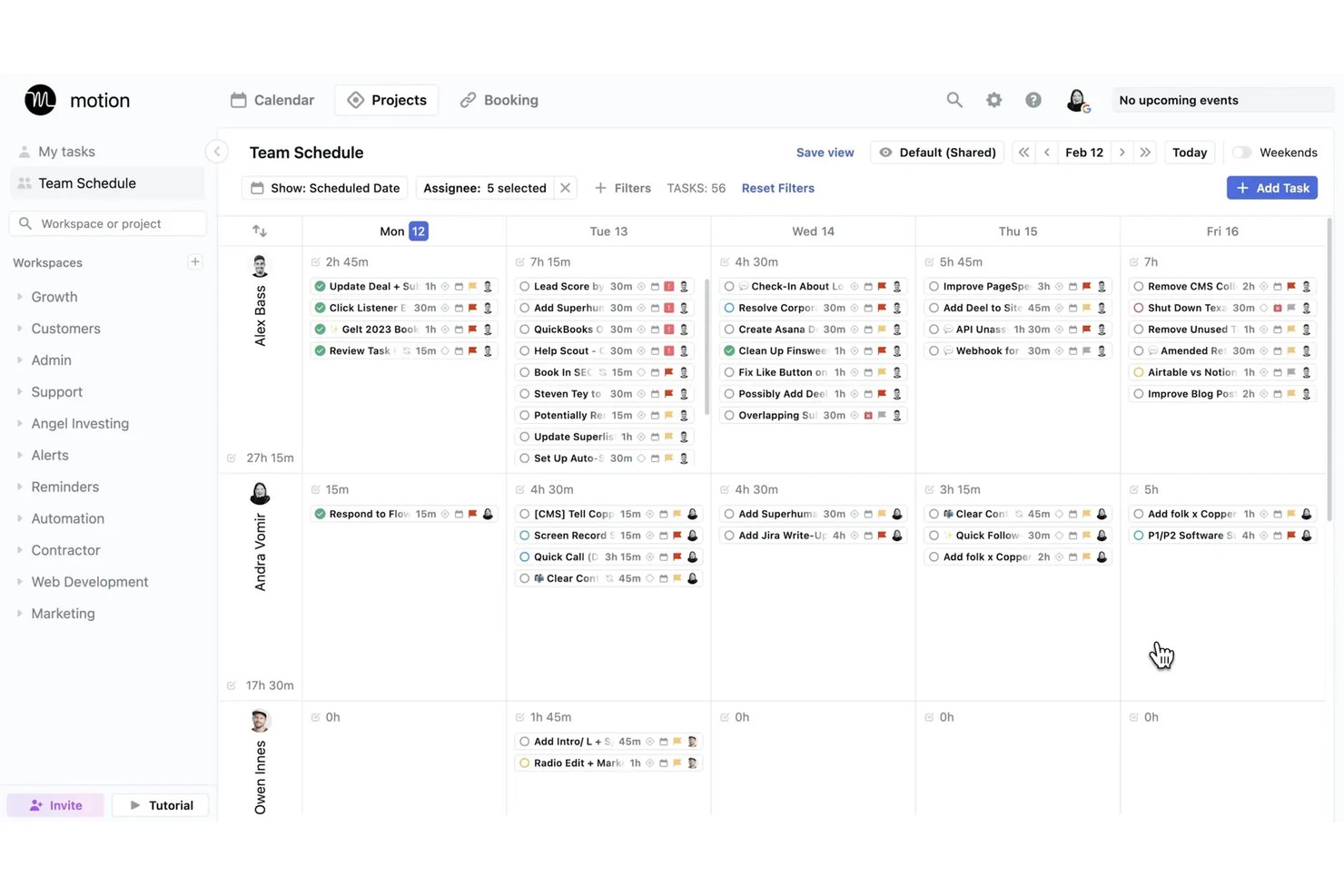
Motion is an AI virtual assistant platform that auto-schedules tasks, manages calendars, transcribes meetings, and generates projects and documents through a suite of role-specific AI agents.
Who Is Motion Best For?
Motion is a strong fit for project managers and small teams who need AI to handle the daily prioritization and scheduling decisions that eat into focused work time.
Why I Picked Motion
I picked Motion as one of the best because its automatic time-blocking engine genuinely removes the daily overhead of deciding what to work on and when. When a new meeting lands on my calendar or a deadline shifts, Motion recalculates my entire schedule in seconds rather than leaving me to manually reshuffle tasks. I also rely on the AI Notetaker to capture action items during meetings, which then feed directly back into my scheduled task plan.
Motion Key Features
- AI Docs assistant: Convert notes and project documentation into tasks, projects, or shareable links.
- AI meeting notetaker: Transcribes and summarizes meetings, then generates action items automatically.
- AI employees: Deploy specialized AI agents for tasks like executive assistance, sales, or project management.
- Gantt view: Visualize project timelines, dependencies, and progress across all active projects.
Motion Integrations
Motion offers native integrations with Google Calendar, Outlook, Office 365, iCloud, Zoom, Google Meet, Microsoft Teams, Slack, HubSpot, and Salesforce. It also supports Zapier and provides an API for custom integrations.
Pros and Cons
Pros:
- Dedicated AI agents for role-specific work
- AI meeting notes capture action items automatically
- Auto-reschedules tasks when priorities shift
Cons:
- AI scheduling works best for individual users
- Limited mobile app experience compared to desktop
Best for predicting project delivery risks
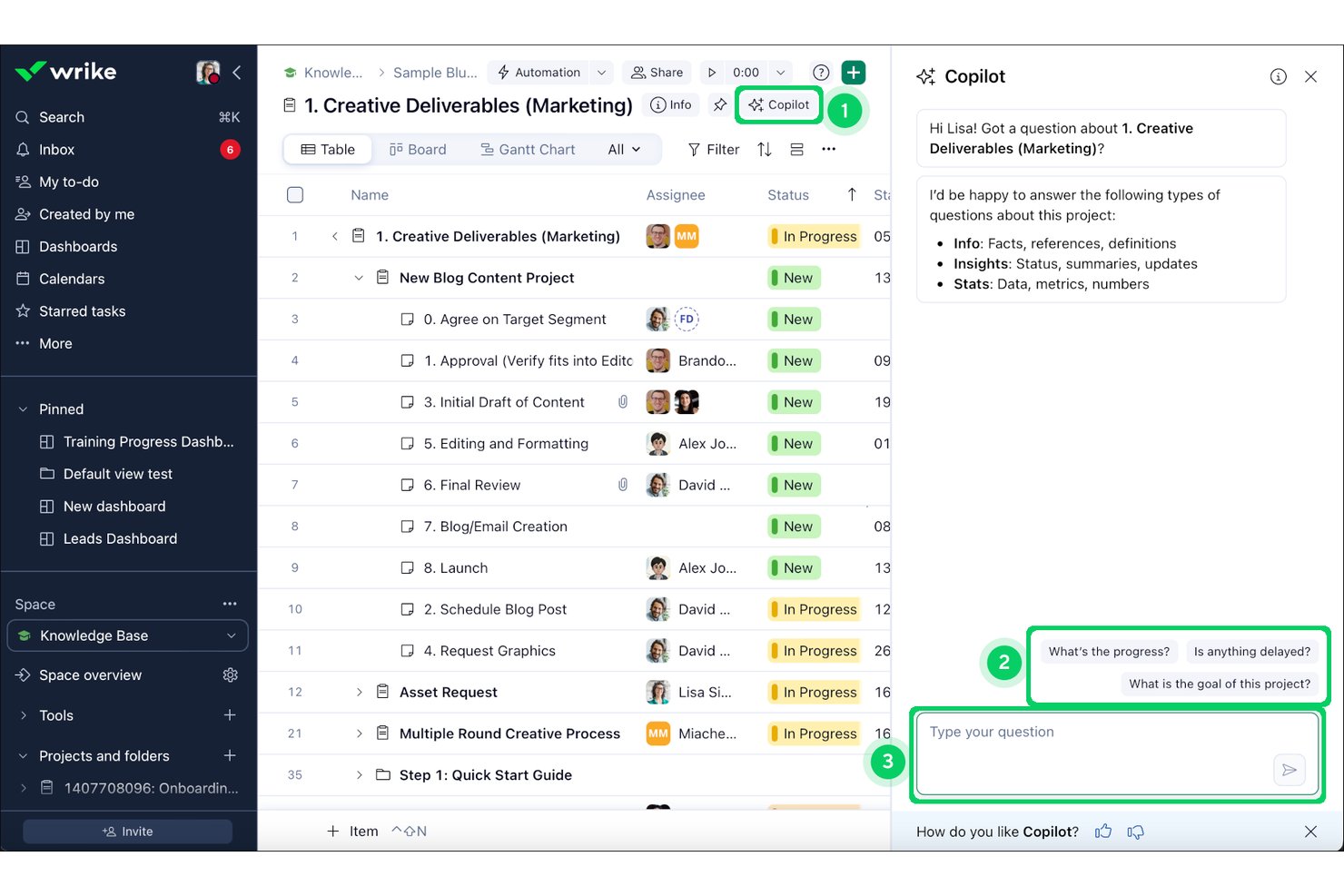
Wrike Copilot is an AI assistant embedded in the Wrike platform that lets project teams query live project data, summarize comment threads, generate status updates, and surface risks through natural-language conversation.
Who Is Wrike Copilot Best For?
It's a strong fit for enterprise PMO teams and program directors managing complex, multi-team portfolios inside the Wrike ecosystem.
Why I Picked Wrike Copilot
I picked Wrike Copilot as one of the best because of how it uses the Work Intelligence Graph, built on 500 billion historical data points, to proactively flag at-risk milestones before they become blockers. When I query Copilot about sprint risks, it surfaces overloaded resources, stalled dependencies, and slipping milestones in real time. That level of proactive scanning is what separates it from AI assistants that only respond to what you already know to ask.
Wrike Copilot Key Features
- Multi-turn natural language chat interface: Lets you interact with project data and updates in real time within Wrike.
- AI-powered document and comment summarization: Summarizes lengthy threads and documents directly inside tasks and projects.
- Native project management integrations: Connects with tools like Slack, Teams, Google Workspace, Salesforce, and more for cross-platform project operations.
- Role-based contextual memory: Delivers responses and insights based on the specific folder, project, or user context you select.
Wrike Copilot Integrations
Wrike Copilot offers hundreds of native integrations through Wrike’s built-in integrations and marketplace, including Google Workspace, Microsoft 365, Salesforce, Slack, Jira, GitHub, Adobe Creative Cloud, Zoom, Box, and Dropbox. It also supports Zapier and provides an API for custom integrations.
Pros and Cons
Pros:
- Drafts status updates from live project data
- Summarizes long comment threads inside tasks
- Predicts delivery risks using historical project data
Cons:
- No voice input for AI queries
- Locked to the Wrike platform only
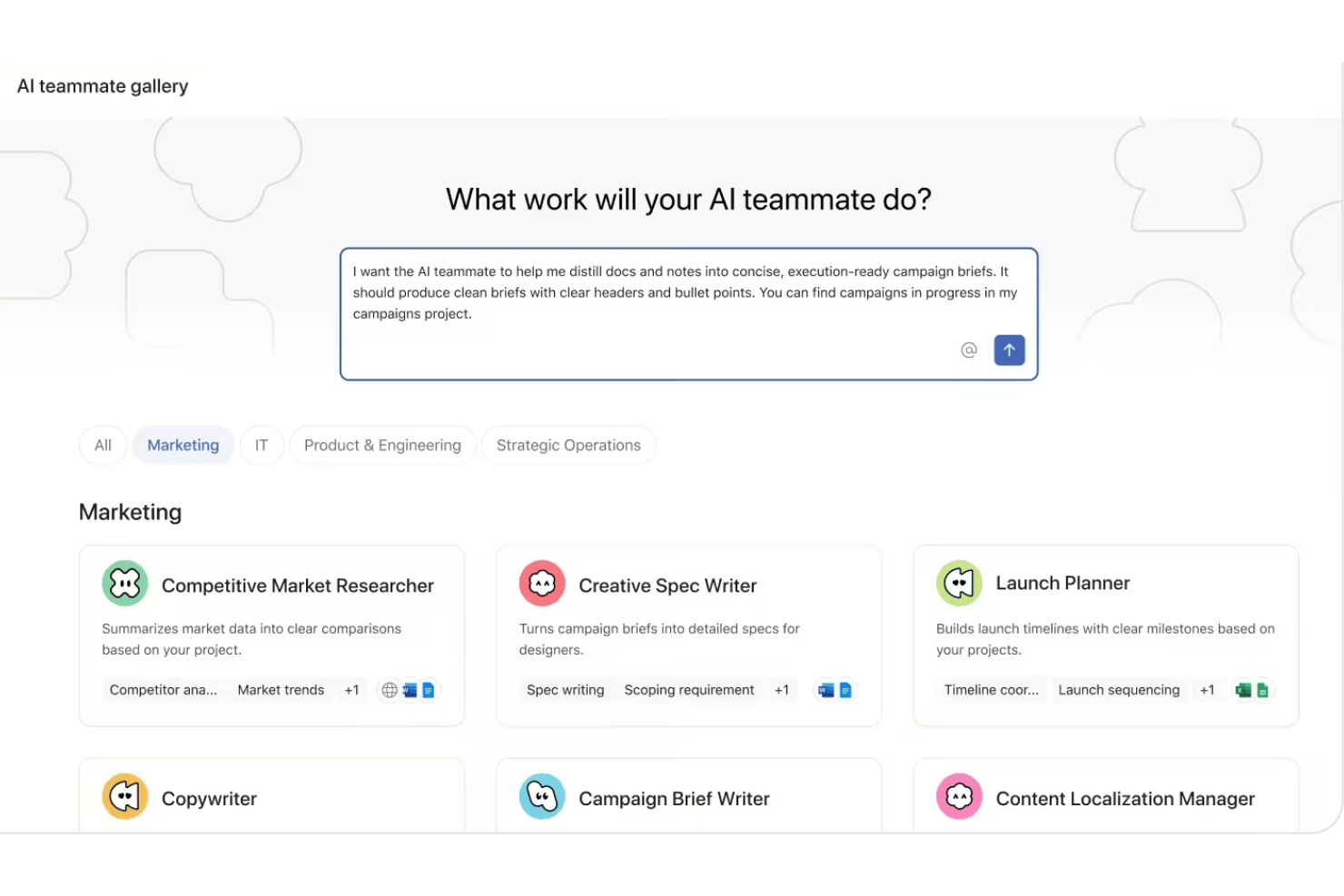
Asana AI Teammates is a role-based AI agent layer built into Asana's work management platform that lets project teams assign work to AI agents, automate project admin tasks, and draft and summarize project documentation.
Who Is Asana AI Teammates Best For?
It's a strong fit for mid-market and enterprise teams with established PMO structures that need AI agents operating across multiple functions simultaneously.
Why I Picked Asana AI Teammates
Asana AI Teammates earns its spot on my shortlist because of how the agents are structured around actual job functions rather than generic task types. I particularly like the Sprint Coach and Status Reporter agents, which my team can assign work to directly inside Asana projects, just like a human team member. What makes it genuinely different is the Work Graph, which gives each agent persistent context across all connected projects, so it's not starting from scratch every interaction.
Asana AI Teammates Key Features
- Custom Teammate builder: Create tailored AI agents for unique workflows using a simple no-code interface.
- Work Graph context: AI agents access structured project, goal, and team data, drawing from Asana's Work Graph for context.
- Attachment reading: Agents can read and process document attachments to summarize or extract project details.
- Enterprise-grade governance: Admins control data access, permissions, and audit logs across all AI teammate actions.
Asana AI Teammates Integrations
Asana AI Teammates offers native integrations with Jira, Microsoft 365, Google Workspace, Slack, Salesforce, Tableau, and Power BI. An API is available for custom integrations.
Pros and Cons
Pros:
- Human checkpoints keep AI actions under review
- Role-specific agents cover distinct project functions
- Agents operate inside live Asana projects natively
Cons:
- Still in beta with general availability not confirmed
- Currently limited to AI Studio Pro plan subscribers

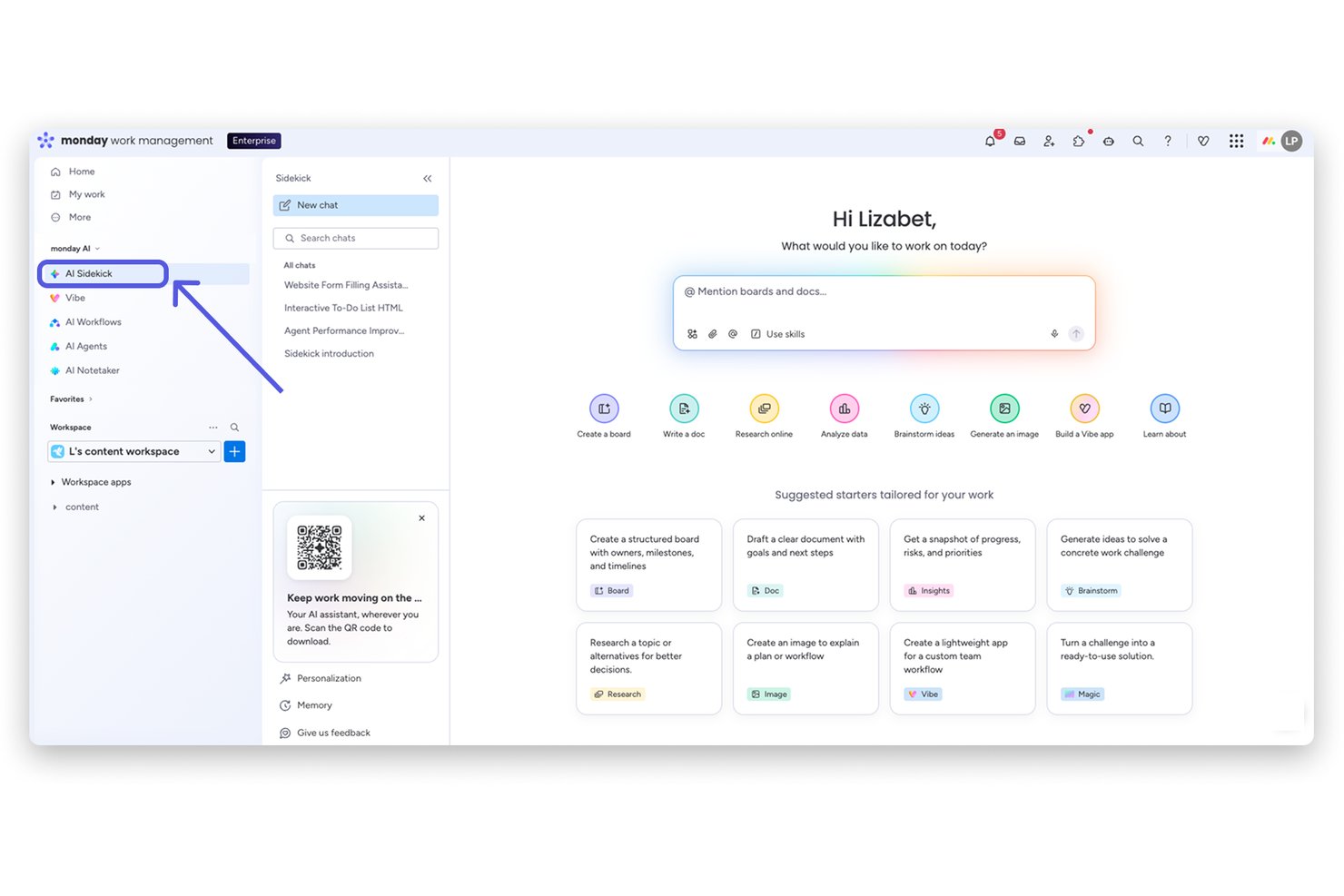
monday sidekick is an AI assistant built directly into the monday.com platform that lets you create workflows, automate tasks, generate documents, and surface project insights through natural-language conversation inside your workspace.
Who Is monday sidekick Best For?
monday sidekick is a strong fit for project managers and cross-functional teams already running their work inside monday.com who want AI embedded in their existing workflows.
Why I Picked monday sidekick
monday sidekick earns its spot on my shortlist because it doesn't just answer questions, it acts directly on your workspace data. I particularly like the Routines feature, which lets me schedule recurring AI tasks like weekly board summaries or status checks without any manual prompting. When I ask Sidekick to build a project plan, it creates items, assigns owners, and sets deadlines inside my actual boards, not a separate document disconnected from where the work lives.
monday sidekick Key Features
- Multi-model AI engine: Lets users tap into Claude, GPT, Gemini, and other top AI models for project queries and outputs.
- Mobile AI assistant: Offers conversational AI features and voice input on mobile for on-the-go project management.
- Scheduled AI routines: Automates recurring tasks like board summaries, status updates, or data pulls on a set cadence.
- Workspace-aware Canvas panel: Provides an editable document alongside the chat for drafting, summarizing, and organizing project content.
monday sidekick Integrations
monday sidekick offers native integrations with Slack, Google Workspace, Microsoft Teams, Salesforce, HubSpot, Zoom, GitHub, Zendesk, and Trello. It also supports Zapier and provides an API for custom integrations.
Pros and Cons
Pros:
- Runs scheduled AI routines without manual prompting
- Lets you choose between multiple AI models
- Acts directly on live board data
Cons:
- Complex multi-step queries sometimes produce errors
- Cannot pull context from external tools
Other AI Virtual Assistants
Here are some additional AI virtual assistant options that didn’t make it onto my shortlist, but are still worth checking out:
- Fireflies.ai
For conversation intelligence analytics
- Atlassian Rovo
For cross-app enterprise knowledge search
- Fathom
For customizable meeting summaries
- Granola
For bot-free collaborative note refinement
- Zoom AI Companion
For in-platform meeting assistance


How I Evaluate AI Virtual Assistants
An AI virtual assistant needs to do more than surface a chatbot—it should handle things like drafting status updates, capturing action items, or flagging blockers without you having to dig for answers. I split my evaluation into two layers: the core functionality a tool must have to qualify, and the differentiating factors that separate one option from another.
Core Functionality (Table Stakes For This List)
When I'm selecting tools for my list, I rank each one on a scale from 0 (does not offer the functionality) to 5 (excels in this area) for each core functionality listed below. Then, I calculate the tool's total score into a percentage. Each tool needs to achieve a minimum total score of 65% to be considered for inclusion.
- Conversational Interface: I evaluate whether you can ask things like "What's overdue on Project X?" and get useful, contextual answers in a multi-turn exchange.
- Generative AI Engine: The AI should produce contextual outputs—like sprint summaries or risk assessments—not just template-based responses from a library.
- Task & Meeting Automation: I look for tools that create tasks from meeting notes, send follow-up reminders, and handle scheduling without manual input.
- Project Tool Integrations: Connections to platforms like Jira, Slack, and Google Calendar matter so the assistant can pull and act on real project data.
- Contextual Memory: I check whether the assistant remembers past interactions and project details across sessions, so you're not re-explaining context each time.
- Summarization & Drafting: The tool should condense meeting transcripts or long threads into briefs and draft artifacts like status reports or stakeholder updates.
Once I have a list of tools that meet the criteria, I consider what sets each platform apart.
Differentiating Factors (What Sets Vendors Apart)
Here's how I compare and contrast different vendors:
Standout Features
Proactive intelligence is a big differentiator—I look for assistants that flag at-risk tasks or nudge you about approaching deadlines before you have to ask. Custom workflow automation also matters, especially tools that let you build multi-step flows like auto-assigning tasks when a sprint kicks off, without needing engineering support. I also evaluate how well an assistant retains context across sessions so it can reference past project decisions without you repeating yourself.
Beyond Features
Integration ecosystem is one of the first things I evaluate—an assistant that can't pull data from your existing stack (Jira, Confluence, Slack, Google Calendar) will create more busywork than it eliminates. Security and compliance controls also deserve close attention, especially LLM data usage policies and audit logging, since these tools often process sensitive project data. I also consider time-to-value: how quickly your team can get a working setup without weeks of fine-tuning or heavy vendor onboarding.
How to Choose AI Virtual Assistants
It’s easy to get bogged down in long feature lists and complex pricing structures. To help you stay focused as you work through your unique software selection process, here’s a checklist of factors to keep in mind:
| Factor | What to Consider |
|---|---|
| Scalability | Does the assistant handle your current and future project volumes, teams, and departments? Watch for cost or lag increases as you add users or projects. |
| Integrations | How deeply does it connect with your PM, chat, calendar, and document tools? Native, robust integrations reduce manual work and disconnected workflows. |
| Customizability | Can you adapt automations, workflows, and responses to fit your team's routines and reporting needs? Look for flexible rules and low-code/no-code options. |
| Ease of use | Will your team actually use it, or does the interface frustrate onboarding? Prioritize options with intuitive setup, clear menus, and helpful guidance. |
| Implementation and onboarding | How long before you see value? Check for template bots, training resources, or dedicated support to accelerate ramp-up without overloading your admins. |
| Cost | Does pricing scale with actual usage or team size? Factor in add-ons, minimums, and whether advanced features are gated by higher tiers. |
| Security safeguards | Will sensitive project data stay protected? Look for encryption, role-based access, audit logs, and controls on LLM data use. |
| Support availability | If issues come up, can you reach support easily? Confirm SLA times, in-app help, or live chat to avoid project delays if the tool runs into problems. |
What Are AI Virtual Assistants?
AI virtual assistants are digital tools that use artificial intelligence to automate tasks, answer questions, and manage workflows through natural language. These assistants handle everything from meeting scheduling and note-taking to drafting project updates—helping teams work more efficiently without constant manual input. They connect with your core apps, understand project context, and personalize their support to your needs.
Features of AI Virtual Assistant
When selecting AI virtual assistant, keep an eye out for the following key features:
- Conversational interface: Lets you interact using chat or voice commands, making it easy to get updates, assign tasks, or ask project-related questions in plain language.
- Generative AI responses: Uses a large language model to create summaries, draft project documents, and provide recommendations tailored to your context.
- Task automation: Automatically creates tasks, sets reminders, sends follow-ups, and schedules meetings, all triggered from your conversations or project activity.
- Project tool integrations: Connects seamlessly with platforms like Jira, Asana, Slack, and Google Workspace to surface and update project information directly within your workflow.
- Contextual memory: Remembers key details from past interactions, letting it deliver more relevant suggestions, avoid redundant questions, and adapt to your ongoing projects.
- Document summarization: Condenses long documents, messages, or meeting notes into concise summaries, saving you time when reviewing updates or preparing reports.
- Personalization: Learns your communication style, preferences, and recurring projects, customizing its responses and suggestions to fit your unique way of working.
- Action item extraction: Identifies and captures decisions, next steps, and action items from conversations, making it easier to follow up and ensure accountability.
- Security safeguards: Protects sensitive data with encryption, access controls, and compliance options so your project information stays secure.
- Mobile accessibility: Offers mobile apps or responsive design so you can use the assistant on the go, ensuring support wherever you’re working.
Benefits of AI Virtual Assistants
Implementing AI virtual assistants provides several benefits for your team and your business. Here are a few you can look forward to:
- Reduced administrative burden: Automates routine tasks like meeting notes, follow-ups, and status updates, so teams spend less time on manual admin work.
- Faster project decisions: Surfaces key project data, blockers, and action items instantly through natural language queries and document summarization.
- Consistent task tracking: Captures and organizes assignments and decisions from conversations, keeping teams aligned and minimizing missed action items.
- Personalized project support: Learns your team’s workflow and communication preferences, tailoring suggestions and responses for each user or project.
- Improved collaboration: Connects with your core project tools and communicates updates across channels, making it easier for distributed teams to stay in sync.
- On-the-go accessibility: Offers mobile and voice options so project managers and stakeholders get support wherever and whenever work happens.
- Enhanced data security: Protects project and business information through encryption, access controls, and compliance-ready safeguards.
Costs and Pricing of AI Virtual Assistants
Selecting AI virtual assistants requires an understanding of the various pricing models and plans available. Costs vary based on features, team size, add-ons, and more. The table below summarizes common plans, their average prices, and typical features included in AI virtual assistant solutions:
Plan Comparison Table for AI Virtual Assistants
| Plan Type | Average Price | Common Features |
|---|---|---|
| Free Plan | $0 | Basic chat functionality, limited task automation, and standard support. |
| Personal Plan | $5–$25/user/month | Multi-turn chat, document summarization, simple integrations, and personal task automation. |
| Business Plan | $20–$60/user/month | Team collaboration tools, project tool integrations, workflow automation, and admin controls. |
| Enterprise Plan | $50–$150/user/month | Advanced security, compliance support, custom workflows, API access, dedicated onboarding, and priority support. |
AI Virtual Assistant FAQs
Here are some answers to common questions about ai virtual assistant:
How do AI virtual assistants integrate with existing project management tools?
Most AI virtual assistants connect directly with project platforms like Jira, Asana, or Trello using built-in integrations or APIs. This lets them fetch project data, update status, and automate tasks as you work—minimizing disruption to your workflows.
Can AI virtual assistants handle confidential or sensitive information?
Yes, provided the solution offers security safeguards like encryption, compliance options, and access controls. It’s important to check each tool’s privacy policies and security certifications to ensure they fit your business requirements.
What kinds of tasks can AI virtual assistants automate?
AI virtual assistants handle meeting scheduling, action item capture, reminder notifications, report drafting, and status updates—all triggered from your natural language input or ongoing project changes.
Do AI virtual assistants require a lot of setup or training?
No, most modern assistants offer low-code/no-code setup and come with onboarding guides or templates. Some tools even personalize suggestions as they learn your processes over time, reducing manual configuration.
Are AI virtual assistants suitable for teams working in different locations?
Yes, these assistants are designed to support distributed teams. They sync across devices, communicate updates in real time, and work with your core messaging and collaboration platforms.