

10 Best Slack Alternatives for Team Messaging in 2026

Best Slack Alternatives Shortlist


Slack is a popular choice for team communication, but it is not the perfect fit for every workflow. As teams grow, channels multiply, messages get buried, and important decisions can disappear in fast-moving threads. Some organizations also need stronger structure, better project visibility, tighter governance, or a tool that supports more focused collaboration beyond chat.
From my experience testing team communication platforms, the best Slack alternatives solve specific pain points rather than simply recreating the same experience. That is why I’ve reviewed a range of options, looking closely at features like async communication, collaboration tools, integrations, security controls, and ease of adoption.
In this article, you’ll find my top picks for Slack alternatives, along with clear insights into what each tool does best and who it is best suited for. The goal is to help you choose a solution that supports better communication and more productive teamwork.
What Is Slack?
Slack is a team communication and collaboration software designed to facilitate group messaging, file sharing, and more. It's commonly used by professionals in tech, marketing, and project management to keep teams connected and projects on track. Channels, direct messaging, and app integrations help with organizing conversations, simplifying workflows, and enhancing productivity. Overall, Slack provides a central hub for your team's communication and collaboration needs.
Best Slack Alternatives Summary
This comparison chart summarizes pricing details for my top Slack alternative selections to help you find the best one for your budget and business needs.
| Tool | Best For | Trial Info | Price | ||
|---|---|---|---|---|---|
| 1 | Best for unlimited message history | 7-day free trial + free plan + free demo available | From $2.49/seat/month (billed annually) | Website | |
| 2 | Best for private team messaging | Free trial + demo available | From $6/month | Website | |
| 3 | Best for task management integration | Free plan + free demo available | From $3/user/month (billed annually) | Website | |
| 4 | Best for project management tools | 14-day free trial + free demo available | From $45/month (billed annually) | Website | |
| 5 | Best for video conferencing integration | Free trial available | From $4.00/user/month (billed annually) | Website | |
| 6 | Best for secure communication | Free plan + free demo available | Pricing upon request | Website | |
| 7 | Best for asynchronous communication | Free plan available | From $6/user/month (billed annually) | Website | |
| 8 | Best for organizing team communication | 5 free licenses available | From $29/user/month | Website | |
| 9 | Best for on-premise deployment control | 30-day free trial | Pricing upon request | Website | |
| 10 | Best for multi-modal collaboration (text, voice, video) | Free plan available | From $2.99/user/month | Website |
Why Trust Our Software Recommendations
Our team has been testing and reviewing software since 2012. As project managers ourselves, we know how difficult—and important—it is to choose the right software.
For this guide, we evaluated tools using hands-on testing and independent research, scoring tools using our selection criteria. We also draw on insights from industry thought leaders and practicing project management experts.
Our reviews reflect our human editorial judgment, not a sales pitch.
Expert reviewers:
Best Slack Alternatives Reviews
Below are my detailed summaries of the best Slack alternatives that made it onto my shortlist. My reviews offer a detailed look at the key features, pros and cons, integrations, and ideal use cases of each tool to help you find the best one for you.
Pumble
Best for unlimited message history
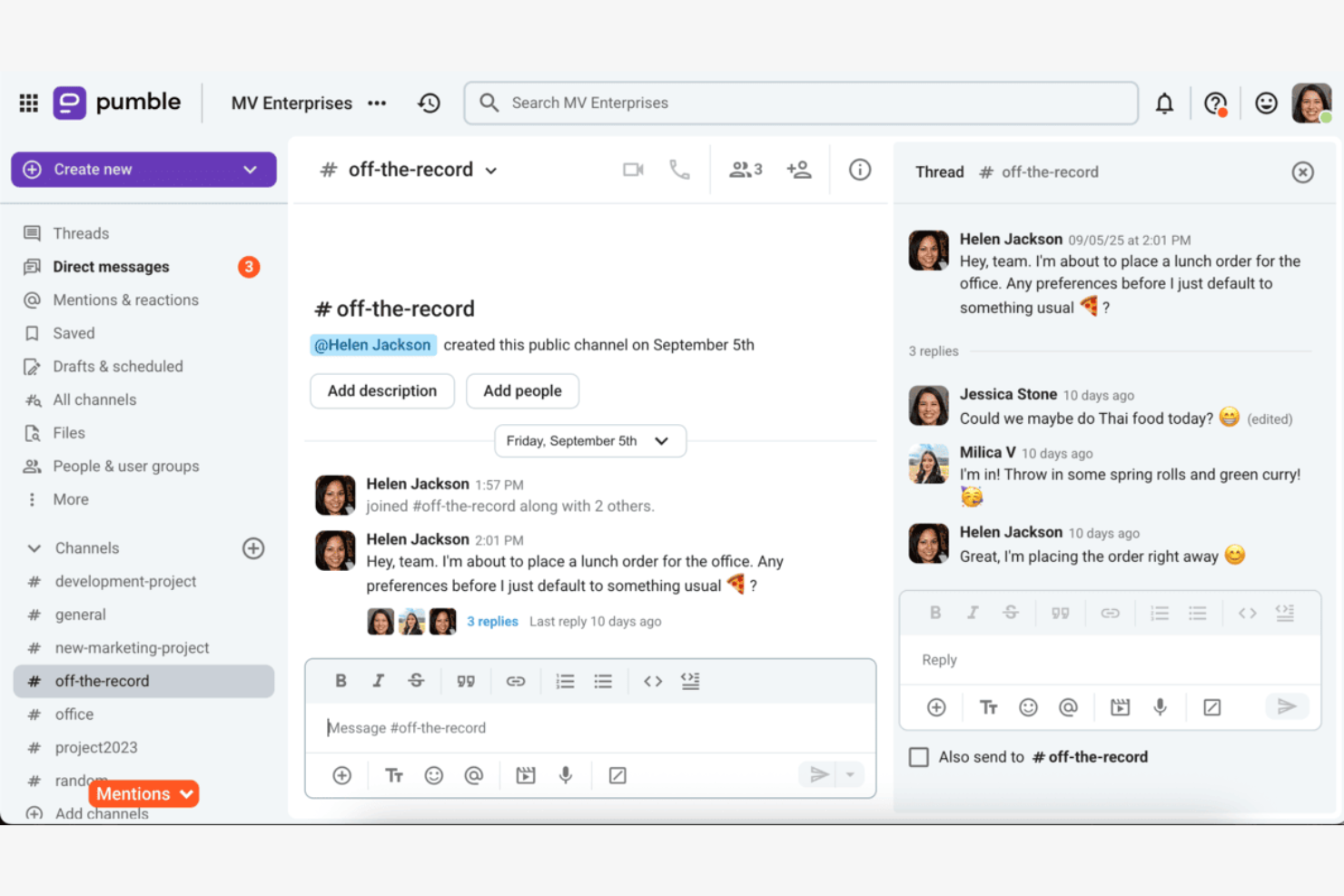
Pumble is a team communication tool designed for small to medium-sized businesses seeking efficient messaging and collaboration. It provides a platform for teams to connect and share information.
Why it's a good Slack alternative: Pumble offers unlimited message history, allowing your team to access past conversations without restrictions. This feature ensures that important information is never lost. With its simple and intuitive interface, Pumble makes communication straightforward and efficient. The platform also provides collaboration tools such as channels and direct messaging to keep your team connected.
Standout features and integrations:
Features include file sharing, which allows your team to quickly exchange documents and resources. Pumble's notification settings help you stay informed without being overwhelmed. The platform's search functionality makes finding past messages and files easy.
Integrations include Google Calendar, GitHub, Google Drive, and more.
Pros and Cons
Pros:
- Easy message and file search
- Simple and intuitive interface
- Unlimited message history
Cons:
- Not ideal for complex projects
- Focused primarily on communication
Brosix
Best for private team messaging
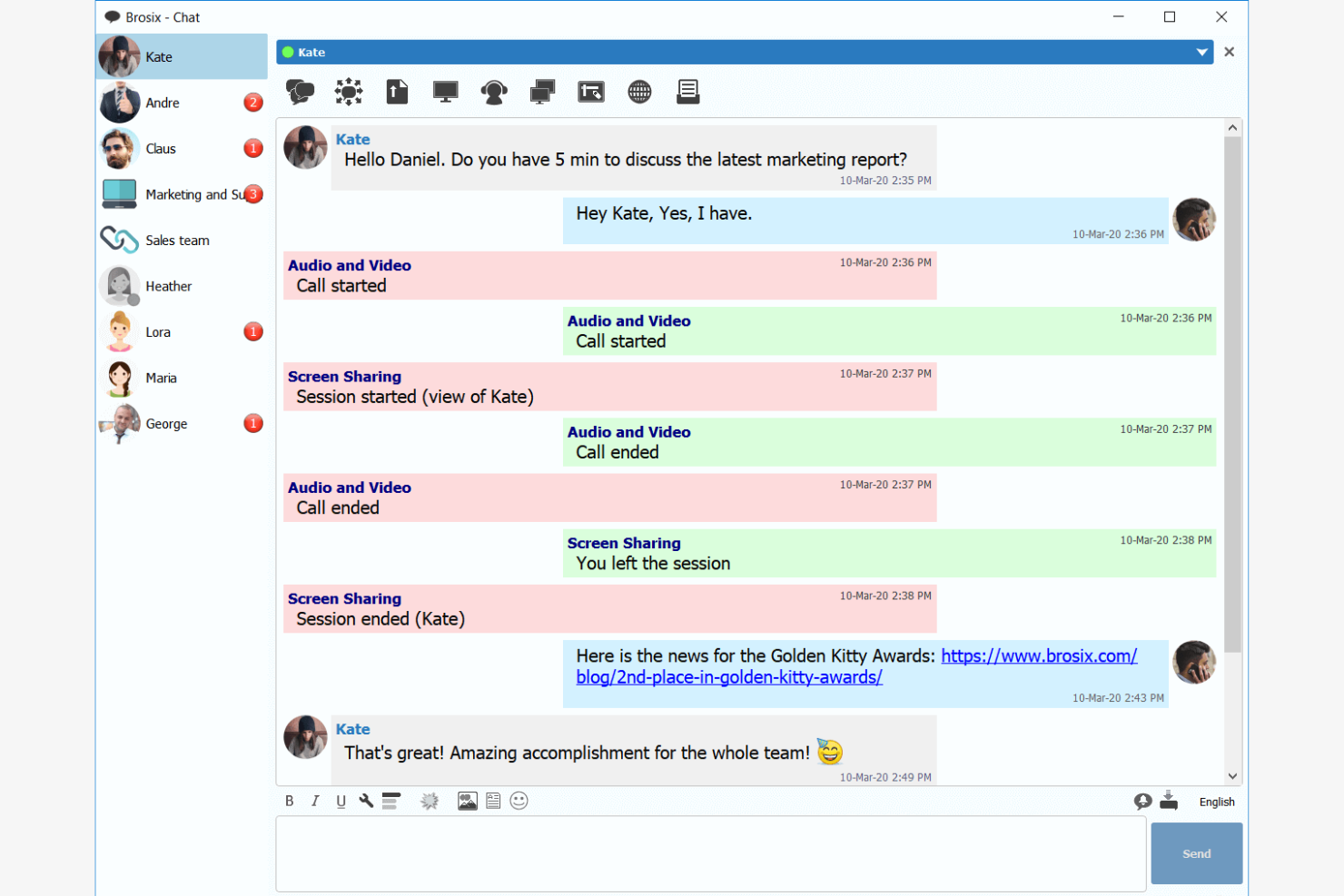
Brosix is a secure team communication platform designed for businesses that need a private messaging solution. It's ideal for teams looking to enhance internal communications without the complexity of IT management.
Why it's a good Slack alternative: Brosix offers encrypted communications, ensuring your team's messaging app conversations remain confidential. Its user-friendly interface requires minimal setup, making it accessible to all team members. The web-based control panel matrix allows for easy management of users and permissions. Brosix's focus on privacy and simplicity makes it a strong alternative to Slack for teams needing a secure SAAS communication app.
Standout features and integrations:
Features include easy file sharing, screen sharing capabilities, and a web-based control panel for user management. Brosix also provides HIPAA compliance, ensuring that your team's communications meet industry security standards. The platform's intuitive interface allows for quick onboarding without the need for IT expertise.
Integrations include Google Sheets, YouTube, Shopify, HubSpot, and more.
Pros and Cons
Pros:
- Quick onboarding and responsive customer support
- High security with encrypted communications
- Easy to use with a familiar interface
Cons:
- Limited advanced functionalities compared to larger platforms
- Lacks public chat features

Chanty
Best for task management integration

Chanty is a team communication and collaboration software designed to facilitate messaging, video calling, and task management. Its main user base includes sectors such as healthcare, retail, marketing, education, and IT, focusing on improving productivity and teamwork.
Why it's a good Slack alternative: Chanty offers task management with Kanban views, allowing your team to organize and track tasks efficiently. Its 4K video calling feature ensures clear communication during virtual meetings. With unlimited group chats and secure file sharing, Chanty focuses on facilitating internal communication. The platform's user-friendly interface makes it accessible for teams across various industries.
Standout features and integrations:
Features include task creation and management with Kanban views, which help keep your projects organized. Chanty also provides secure file sharing, ensuring your data remains protected. The platform supports unlimited group chats, allowing your team to collaborate without restrictions.
Integrations include Zapier, Google Drive, Dropbox, Trello, Asana, GitHub, Bitbucket, Mailchimp, HubSpot, and more.
Pros and Cons
Pros:
- Suitable for diverse industries
- User-friendly interface
- Secure file sharing options
Cons:
- Focused primarily on internal use
- Basic customization options

ProofHub
Best for project management tools
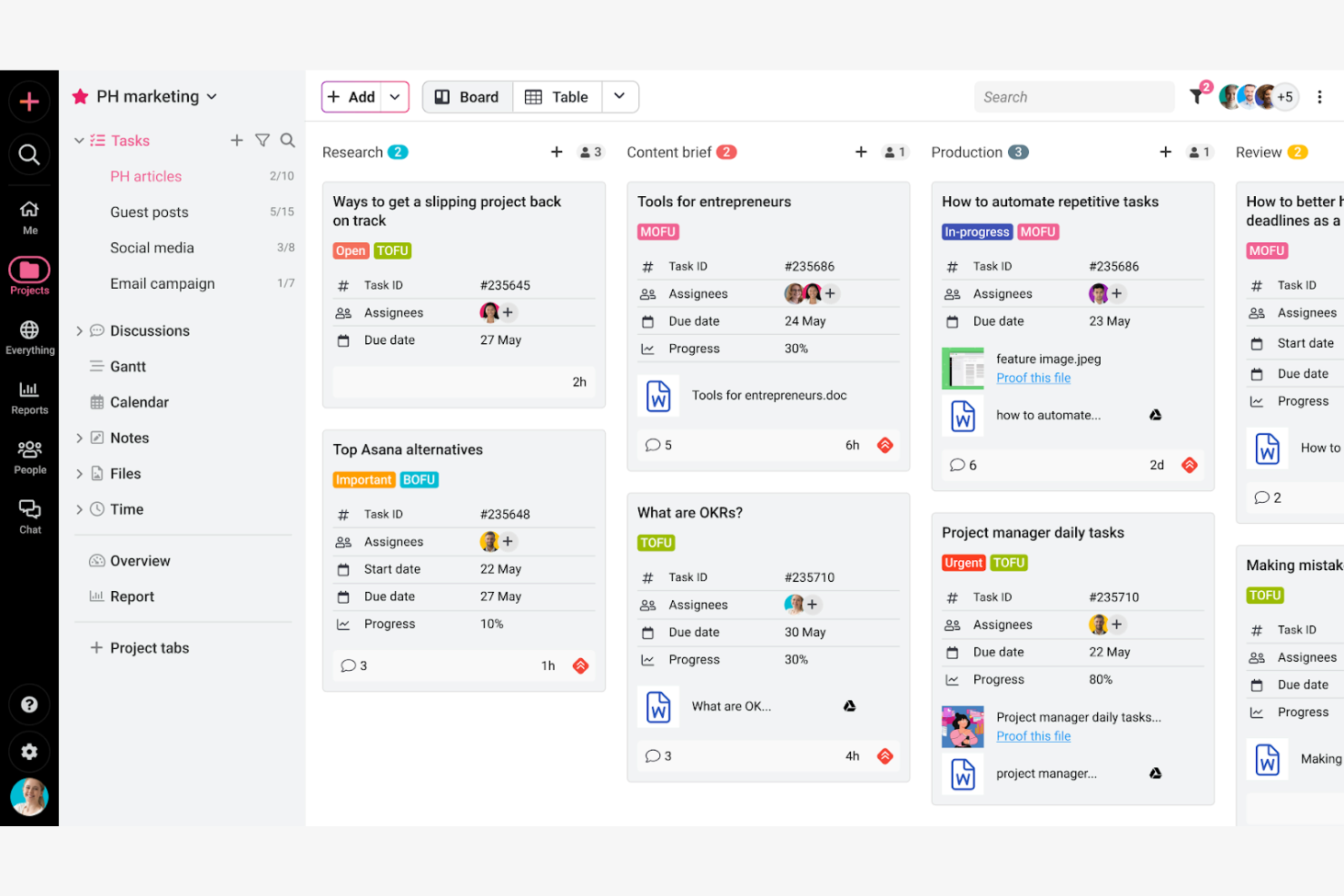
ProofHub is a project management and collaboration software that caters to teams needing a centralized platform for planning, collaboration, and task management. It's widely used by project managers, creative teams, and businesses looking to improve their workflow.
Why it's a good Slack alternative: ProofHub offers project management tools, including task management, time tracking, and Gantt charts, which are not available in Slack. Its custom workflows allow your team to tailor processes to fit specific project needs. The chat feature keeps your communication centralized, reducing the need for multiple applications. ProofHub's focus on project management makes it a valuable alternative for teams looking to consolidate tools.
Standout features and integrations:
Features include custom roles, which allow you to define access levels for team members. The project templates feature helps you save time by reusing successful project structures. ProofHub also provides detailed reports for tracking progress and productivity.
Integrations include Google Drive, Dropbox, OneDrive, Box, FreshBooks, QuickBooks, Google Calendar, iCal, Slack, and more.
Pros and Cons
Pros:
- Detailed progress and productivity reports
- Suitable for diverse industries and teams
- Custom workflows for tailored processes
Cons:
- Limited focus on non-project communication
- May be complex for small teams

Best for video conferencing integration
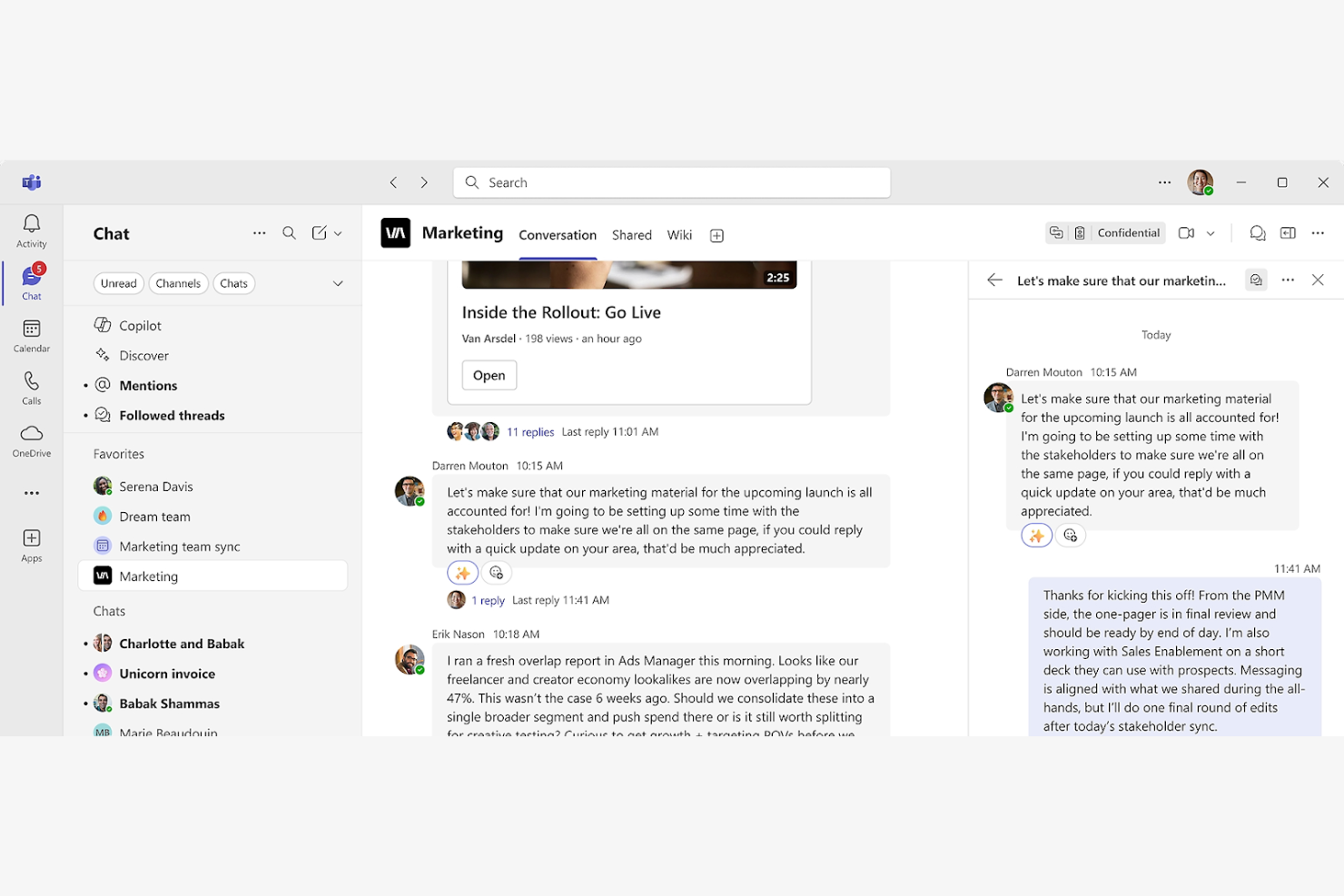
Microsoft Teams is a collaboration platform primarily used by businesses and educational institutions for communication and teamwork. It facilitates chat, video conferencing, and file sharing to enhance productivity and connectivity among teams.
Why it's a good Slack alternative: Microsoft Teams provides integrated video conferencing with features such as screen sharing and meeting recording, which Slack lacks. The platform supports collaboration through a chat app, audio calls, shared files, and real-time editing in Office apps. With its built-in calendar, you can schedule meetings easily and keep track of team activities. Microsoft Teams offers a cohesive environment for communication and project management, making it a strong choice for large and small businesses.
Standout features and integrations:
Features include task management tools that help your team organize and prioritize work efficiently. Microsoft Teams also offers customizable team channels to keep conversations focused and organized. The platform's built-in whiteboard feature allows for creative brainstorming sessions.
Integrations include Microsoft 365, SharePoint, OneDrive, Power BI, GitHub, Trello, Asana, Zoom, Salesforce, Adobe Creative Cloud, and more.
Pros and Cons
Pros:
- Built-in task management tools
- Customizable team channels
- Supports large video conferences
Cons:
- May be overwhelming for small teams
- Heavy reliance on the Microsoft ecosystem

Best for secure communication
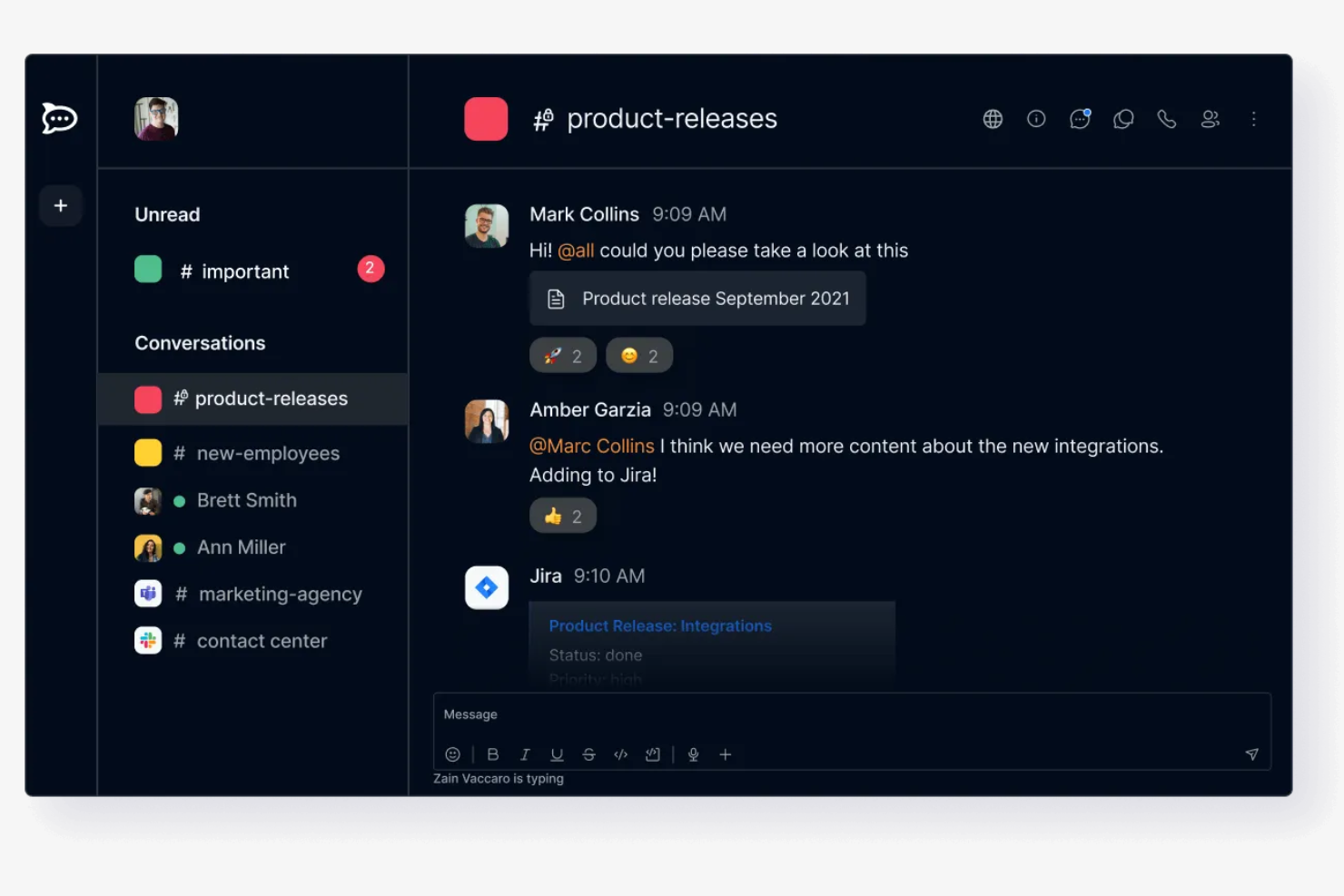
Rocket.Chat is an open-source communication platform designed for businesses and developers who require secure messaging and collaboration. It caters to organizations that value privacy and data control.
Why it's a good Slack alternative: Rocket.Chat offers self-hosting options, ensuring your data remains within your control, unlike Slack's cloud-based approach. It supports E2EE in selected rooms, which provides an extra layer of security for your team's communications. With customizable permissions, you can manage access and ensure only authorized users view sensitive information. Rocket.Chat's focus on security makes it ideal for organizations concerned about data privacy.
Standout features and integrations:
Features include real-time translation, which allows your team to communicate across language barriers. Rocket.Chat also offers a feature-rich API, enabling developers to build custom solutions. The platform's white-labeling options let you tailor the interface to match your brand.
Integrations include GitHub, GitLab, Jitsi, Google Drive, Dropbox, Zapier, Trello, and more.
Pros and Cons
Pros:
- Suitable for privacy-conscious organizations
- Customizable permissions and access
- High level of data control
Cons:
- Not ideal for small teams
- Can be complex to set up

Twist
Best for asynchronous communication
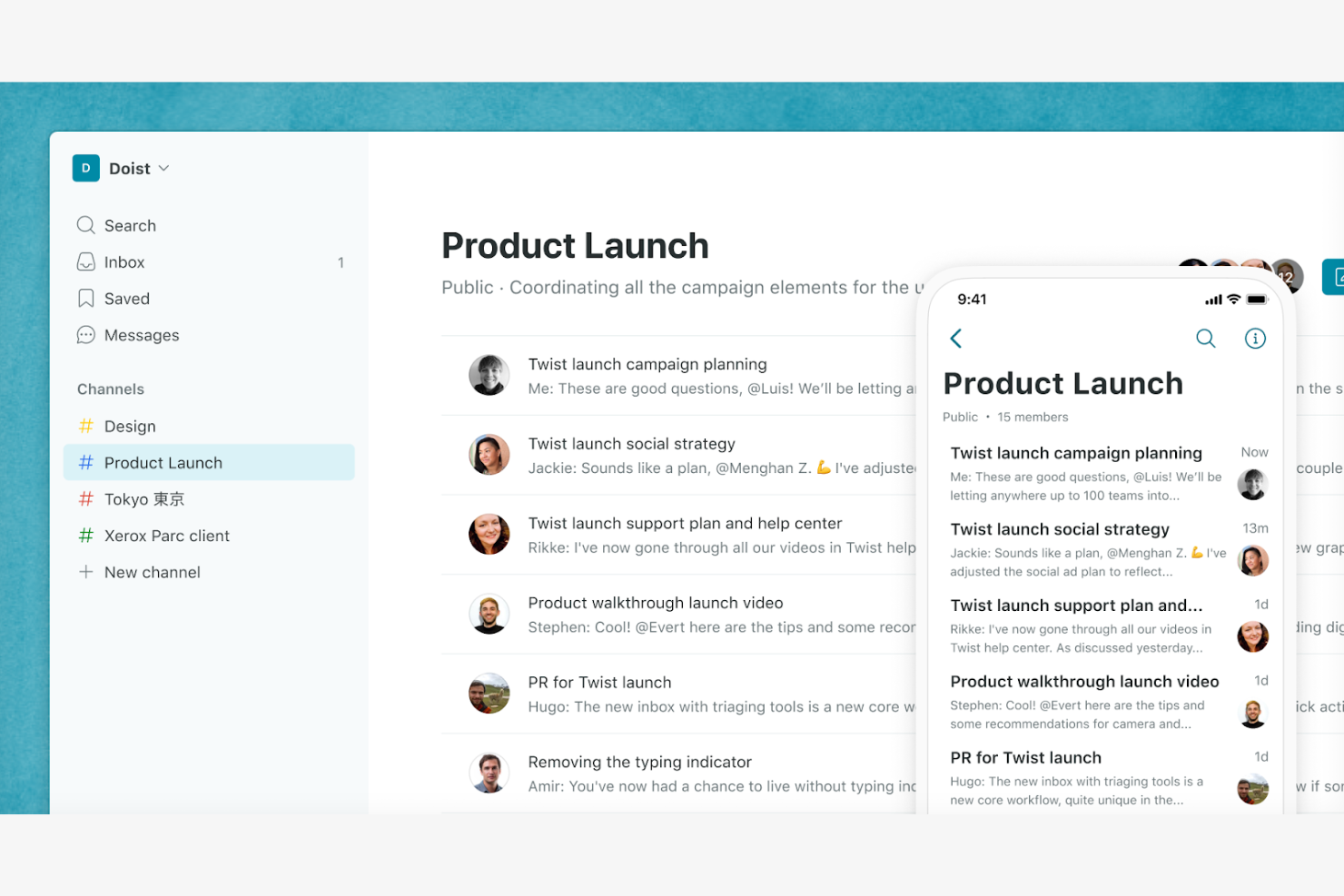
Twist is a team communication tool designed for organizations that prioritize focused and thoughtful work. Its main user base includes remote teams and companies that value deep work without constant interruptions.
Why it's a good Slack alternative: Twist emphasizes asynchronous communication, allowing your team to work at their own pace without the pressure of immediate responses. The platform organizes conversations into threads, making it easier to follow discussions and find information. With a distraction-free interface, Twist helps your team concentrate on tasks without the noise of constant notifications. This approach promotes a more balanced and productive work environment.
Standout features and integrations:
Features include the ability to create and manage threads for organized discussions. Twist also offers a distraction-free mode, allowing your team to focus on work without interruptions. The platform provides a searchable history, so finding past conversations and information is straightforward.
Integrations include Asana, Trello, GitHub, Zapier, Todoist, Google Calendar, Google Drive, and more.
Pros and Cons
Pros:
- Distraction-free interface
- Threaded conversation organization
- Asynchronous communication model
Cons:
- Lack of built-in video/audio calls
- Learning curve for new users

Clariti
Best for organizing team communication
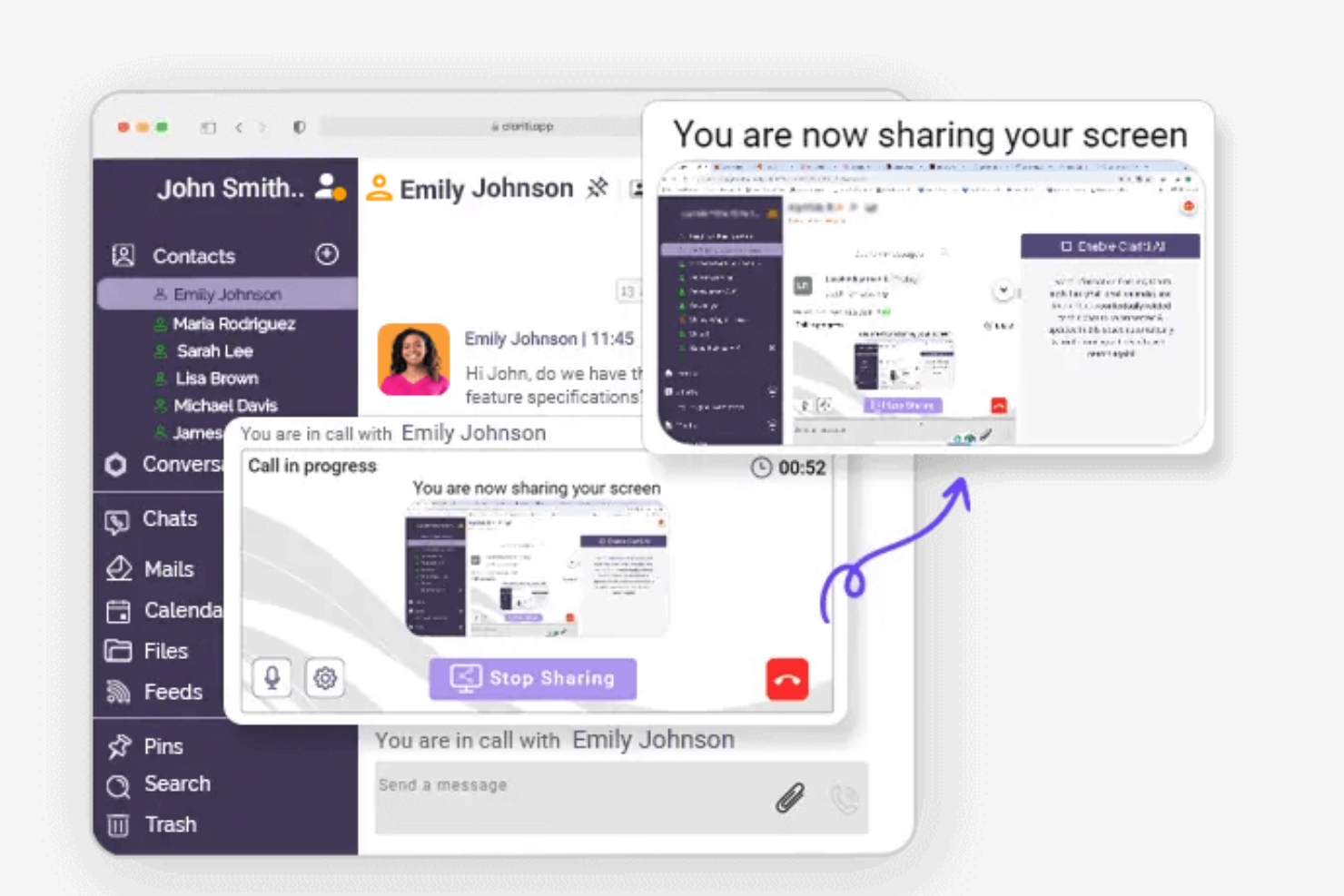
Clariti is a communication and collaboration tool aimed at businesses looking to organize their conversations and tasks efficiently. Its main users include teams that need a cohesive approach to managing emails, chats, and documents in one place.
Why it's a good Slack alternative: Clariti offers the ability to connect related emails, chats, and documents into threads, which Slack does not provide. This feature helps your team keep all relevant information together, reducing the time spent searching for past communications. Clariti also supports voice calling and screen sharing, supporting collaboration within your team. Its focus on organization and integration of various communication forms makes it a valuable tool for teams needing a holistic communication solution.
Standout features and integrations:
Features include the ability to organize conversations and content into connected threads, which keeps your team focused and reduces clutter. Clariti's built-in voice calling feature ensures you can communicate verbally without leaving the platform. The tool also supports screen sharing, which facilitates remote collaboration and presentations.
Integrations include Salesforce, Stripe, Tableau, Power BI, and more.
Pros and Cons
Pros:
- Built-in voice calling
- Fluid communication organization
- Connects emails, chats, and documents
Cons:
- Limited customization options
- May not suit real-time demands


Mattermost is an open-source messaging platform designed for organizations that need secure and customizable communication solutions. Its main users include IT professionals, developers, and teams focused on privacy and data control.
Why it's a good Slack alternative: Mattermost provides self-hosting options, ensuring your data remains within your control, unlike Slack's cloud-based approach. The platform supports private and group chat functionalities, allowing your team to collaborate effectively. It supports self-hosting and enterprise security controls, prioritizing the protection of your communications. Its open-source nature also allows for extensive customization, making it adaptable to your team's specific needs.
Standout features and integrations:
Features include threaded conversations that help organize discussions and keep topics clear. Mattermost also offers multi-language support, which is beneficial for global teams. The platform's customizable interface allows you to tailor the look and feel to match your organization's brand.
Integrations include GitLab, Jira, Jenkins, GitHub, Zoom, Zendesk, and more.
Pros and Cons
Pros:
- Suitable for IT and developer teams
- Strong focus on security
- High level of customization
Cons:
- Limited video/calling features, often requiring third-party integrations
- May require technical expertise

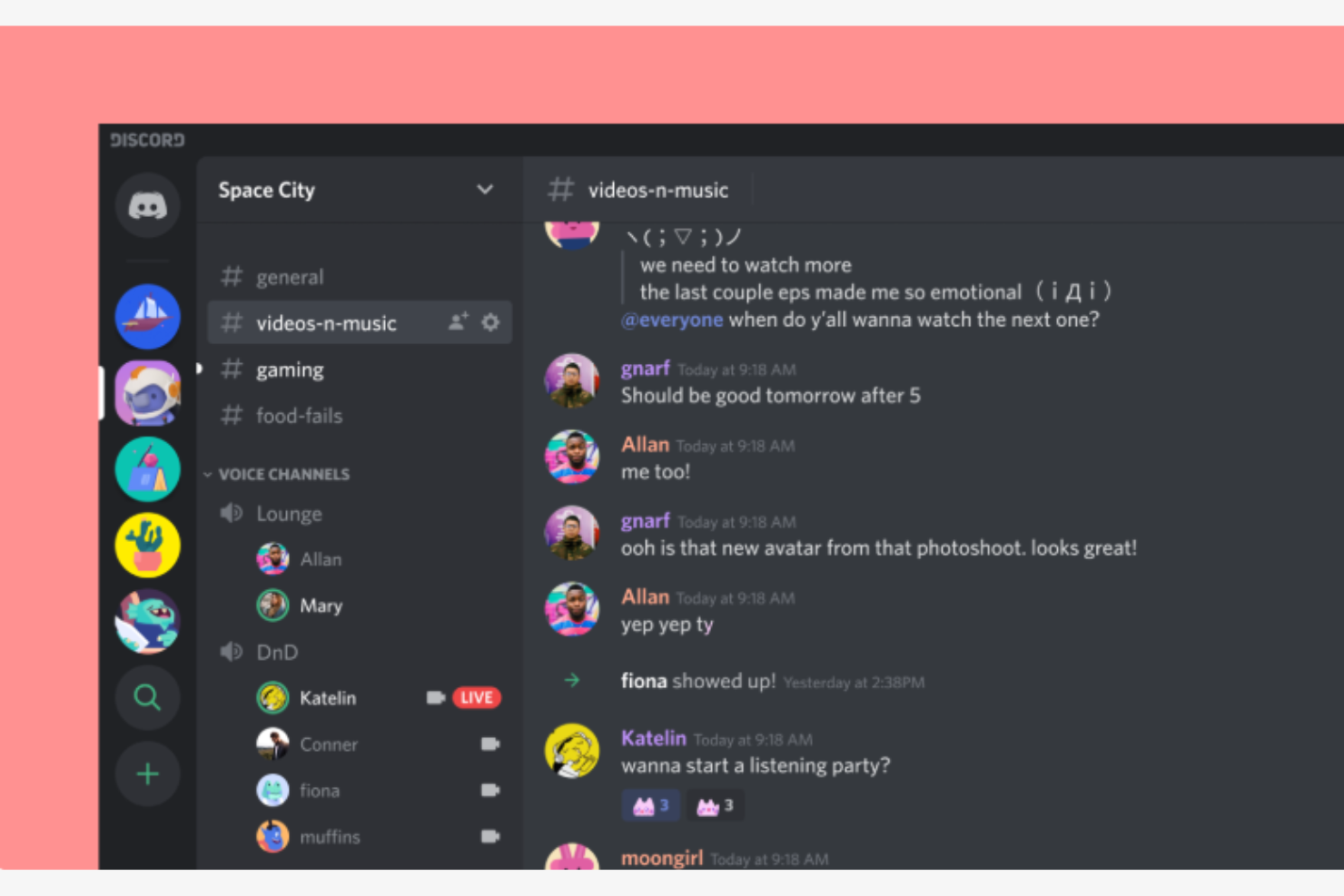
Discord is a communication platform widely used by gamers for voice, video, and text chat. It is also popular among professionals as a communication hub, enabling real-time interaction and collaboration.
Why it's a good Slack alternative: Discord offers voice channels for spontaneous voice communication, which is particularly beneficial for collaborative work sessions. The platform's customizable server setup lets you create dedicated spaces for different topics or groups. With high-quality audio and video capabilities and community-building features, such as roles and permissions, it also supports organized and efficient group management.
Standout features and integrations:
Features include screen sharing, which allows you to share your screen or presentations with your team. Discord's push-to-talk functionality ensures clear and controlled voice communication. The platform also provides text channels for focused discussions and information sharing.
Integrations include YouTube, Spotify, Twitch, Reddit, Twitter, PayPal, Steam, Nightbot, MEE6, and more.
Pros and Cons
Pros:
- Suitable for non-gaming communities
- Spontaneous voice communication
- Community-building tools
Cons:
- Can be overwhelming for business use, may require a slight learning curve
- Primarily focused on gaming
Other Slack Alternatives
Here are some additional Slack alternatives that didn’t make it onto my shortlist, but are still worth checking out:
- Zoom
For video conferencing features
- TeamSnap
For sports team management
- Blink
For frontline worker communication
- Staffbase
For employee engagement
- Workvivo
For a social-first employee experience
- Connecteam
For deskless workforce management
- Beekeeper
For mobile workforce communication
- Coast
For team scheduling and chat
- TeamReach
For a simple team communication and coordination app


How I Evaluate Slack Alternatives
I evaluate Slack alternatives in two layers: the baseline every tool needs to make the list, and the differentiators that actually matter for teams managing projects across channels and time zones.
Core Functionality (Table Stakes For This List)
When I'm selecting tools for my list, I rank each one on a scale from 0 (does not offer the functionality) to 5 (excels in this area) for each core functionality listed below. Then, I calculate the tool's total score into a percentage. Each tool needs to achieve a minimum total score of 65% to be considered for inclusion.
- Real-Time Messaging: I look for persistent channels, group DMs, and guest access so project teams can separate conversations by workstream, client, or sprint.
- Threaded Conversations: Threads keep standups, blockers, and design feedback from getting buried in a fast-moving channel. I check how visible and searchable threads are.
- File Sharing & Search: I evaluate whether you can drop a requirements doc or mockup into a channel and actually find it weeks later through full-text or filtered search.
- Voice & Video Calls: Quick huddles replace the "can we hop on a call?" cycle. I look for native audio/video with screen sharing for ad-hoc syncs and sprint reviews.
- Project Tool Integrations: Connecting chat to tools like Jira, Asana, or Monday means status updates flow into channels automatically. I check for native connectors and API depth.
- Notifications & Presence: I evaluate how granular notification controls are—whether you can mute channels during focus time, set custom statuses, and configure per-channel alert rules.
Once I have a list of tools that meet this criteria, I consider what sets each platform apart.
Differentiating Factors (What Sets Vendors Apart)
Here's how I compare and contrast different vendors:
Standout Features
AI-powered summaries are a big differentiator—I look for tools that let a PM catch up on overnight channel activity without scrolling through hundreds of messages. Workflow automation matters too, especially the ability to convert a chat message into a task or trigger an approval sequence without leaving the conversation. I also evaluate whether a platform includes native project management features like task boards or timelines, since that can eliminate an entire tool from your stack.
Beyond Features
Pricing and licensing models vary widely across this category, so I check how free plans handle message history limits and guest seats—both are deal-breakers for project teams collaborating with external contractors. Security and compliance certifications like SOC 2 and ISO 27001 matter when your projects involve sensitive deliverables. I also evaluate scalability, particularly whether a tool supports multi-workspace structures and shared channels, since growing PMOs often need to segment by portfolio without spinning up entirely separate instances.
Why Look for a Slack Alternative?
While Slack is a good choice of team communication and collaboration software, there are a number of reasons why some users seek out alternative solutions. You might be looking for a Slack alternative because:
- You need more collaboration features
- Your team requires advanced security
- You want better integration with existing CRM tools
- Your budget doesn't fit Slack's paid plan pricing
- Your team needs offline access capabilities
If any of these sound like you, you’ve come to the right place. My list contains several team communication and all-in-one software options that are better suited for teams facing these challenges with Slack and looking for alternative solutions.
Slack Key Features
Here are some of the key features of Slack, to help you contrast and compare what alternative solutions offer:
- Channels: Organize your team's communication by creating dedicated spaces for different projects, to-do lists, or topics.
- Slack Connect: Collaborate securely with external partners, replacing traditional email communication.
- Audio/Video Huddles: Host quick, real-time meetings with your team using audio or video calls.
- Workflow Builder: Automate routine tasks and processes with bots to save time and reduce manual work.
- Integrations: Connect with more than 2,600 apps to centralize docs, workflows, and enhance productivity.
- Templates: Use pre-built templates for efficient project management and task initiation.
- Canvas: Create scalable documents and collaborate in real-time with your team.
- Enterprise Security: Protect your data with security features and compliance tools.
- Salesforce Integration: Bring Salesforce insights into Slack for improved team alignment and faster workflows.
What’s Next:
If you're in the process of researching team communication and collaboration software, connect with a SoftwareSelect advisor for free recommendations.
You fill out a form and have a quick chat where they get into the specifics of your needs. Then you'll get a shortlist of software to review. They'll even support you through the entire buying process, including price negotiations.