

10 Best AI Tools for Consultants Reviewed in 2026

10 Best AI Tools for Consultants Shortlist


As a project manager, you're constantly juggling multiple tasks and deadlines. The pressure to deliver quality results on time is relentless. AI tools for consultants can help lighten your load by automating repetitive tasks and providing insights that save you time and effort.
In my experience, these tools can significantly enhance your team's productivity and decision-making. I've independently tested and reviewed numerous software solutions to bring you an unbiased list of the best options available.
In this article, you'll find a well-researched review of top AI tools that cater to the unique challenges you face. Whether you're looking to improve data analysis, communication, or client interactions, this guide has got you covered.
Why Trust Our Software Recommendations
Our team has been testing and reviewing software since 2012. As project managers ourselves, we know how difficult—and important—it is to choose the right software.
For this guide, we evaluated tools using hands-on testing and independent research, scoring tools using our selection criteria. We also draw on insights from industry thought leaders and practicing project management experts.
Our reviews reflect our human editorial judgment, not a sales pitch.
Expert reviewers:
Comparison Table: AI Tools for Consultants
This comparison table summarizes pricing details for my top AI tool selections for consultants.
| Tool | Best For | Trial Info | Price | ||
|---|---|---|---|---|---|
| 1 | Best for client collaboration | Free demo available | From $5,000/year (billed annually) | Website | |
| 2 | Best for no-code automation tools | Free plan available; 14-day free trial | From $10/user/month (billed annually) | Website | |
| 3 | Best with multilingual AI agent support | 7-day free trial + free plan + free demo available | From $32/month (billed annually) | Website | |
| 4 | Best for strategic insights | 14-day free trial | From $69/month (billed monthly) | Website | |
| 5 | Best for AI-generated slides | Free plan available | From $8.33/month (billed annually) | Website | |
| 6 | Best for virtual assistance | 7-day free trial + free demo available | From $30/user/month (billed annually) | Website | |
| 7 | Best for slideshow templates | 14-day free trial + free demo available | From $12/month (billed annually) | Website | |
| 8 | Best for interactive proposals | 14-day free trial | From $35/user/month (billed annually) | Website | |
| 9 | Best for transcription services | Free plan available | From $8.17/month (billed annually) | Website | |
| 10 | Best for CRM integration | Free demo available | Pricing upon request | Website |


Best AI Tools for Consultant Reviews
Below are my detailed summaries of the best AI tools for consultants that made it onto my shortlist. My reviews offer a detailed look at the key features, pros & cons, integrations, and ideal use cases of each tool to help you find the best one for you.

Moxo
Best for client collaboration

Moxo is a collaborative platform designed for consultants and businesses that require efficient client engagement and project management. It facilitates communication and document sharing, helping teams stay connected with clients and manage tasks effectively.
Why I picked Moxo: It excels in client collaboration, making it perfect for teams that need to maintain strong client relationships. Moxo offers features like secure messaging and video conferencing, which keep communication open and transparent. The platform's task management tools help you track project progress and ensure deadlines are met. Its document sharing capabilities allow you to exchange files easily, enhancing collaboration with clients.
Standout features & integrations:
Features include secure messaging for confidential communication, video conferencing for face-to-face meetings, and task management tools to track project progress. The platform also offers document sharing, audit trails, client portals, and workflow automation, allowing you to coordinate deliverables and approvals more efficiently.
Integrations include Salesforce, Microsoft Teams, Slack, Zoom, Box, Dropbox, Google Drive, OneDrive, Outlook, and Gmail.
Pros and Cons
Pros:
- Enhances task management
- Facilitates document sharing
- Supports secure client communication
Cons:
- Internet-dependent for full functionality
- Slight learning curve for advanced features

Wrike
Best for no-code automation tools
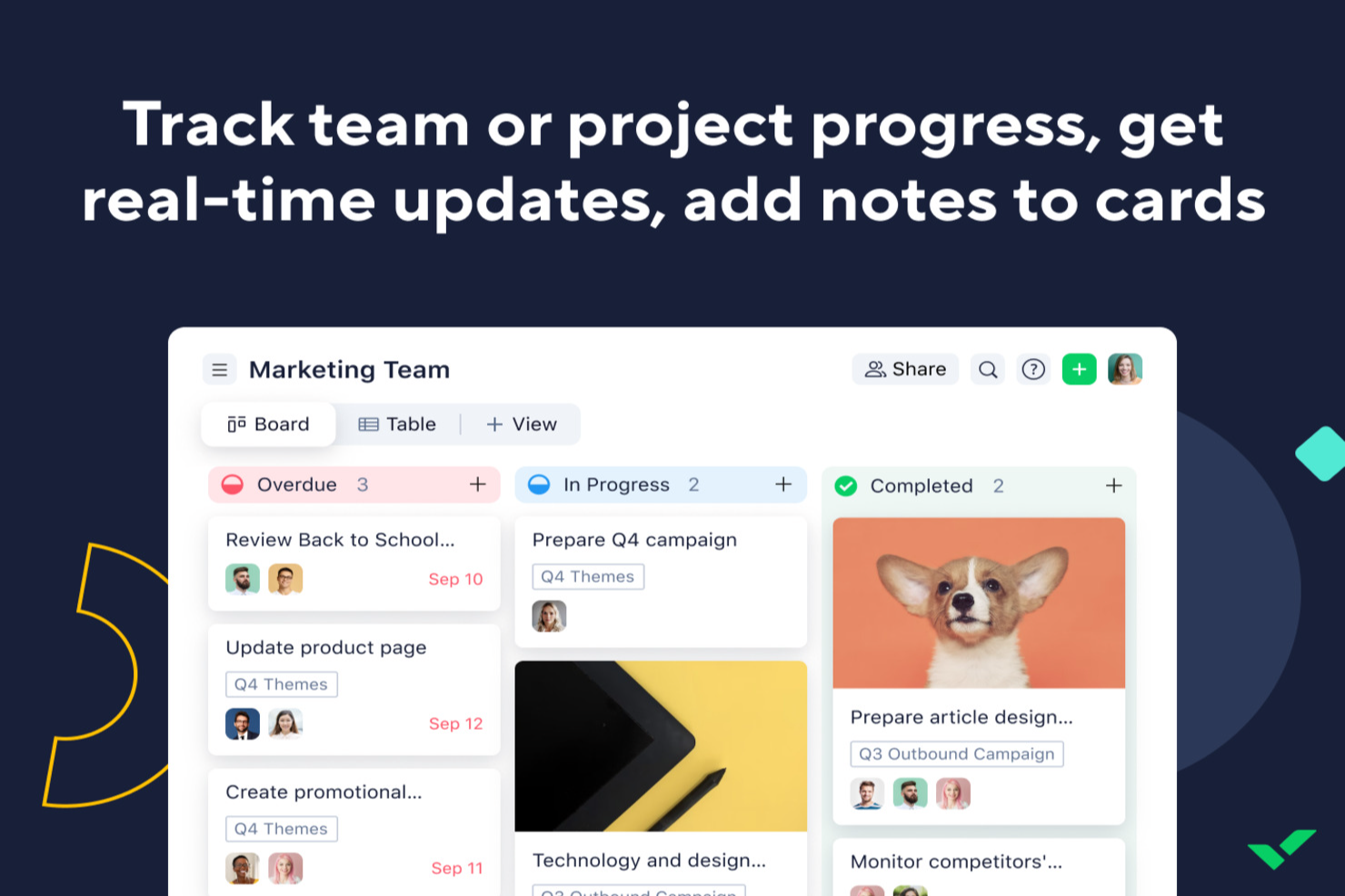
For consultants looking for an AI tool to improve project management, Wrike offers a practical option. The platform helps streamline workflows so you can spend more time delivering value to clients. Whether you’re handling complex engagements or coordinating with external stakeholders, Wrike’s automation and AI features support task prioritization and risk management in day-to-day project work.
Why I Picked Wrike
I picked Wrike for its AI-driven features that align well with consulting needs. Wrike Copilot helps with project prioritization and risk identification, both essential for keeping projects on track. The no-code automation tools also make it easier to reduce routine manual work, freeing up time for higher-level planning and decision-making. Together, these features address common consulting challenges like time management and resource allocation.
Wrike Key Features
In addition to its AI capabilities, I also found several other features valuable for consultants:
- Mind Mapping: A tool that helps visualize project plans and ideas, facilitating better strategic planning.
- Customizable Request Forms: Allows you to create tailored forms for client inputs, ensuring you capture all necessary information efficiently.
- Real-Time Dashboards: Provides instant insights into project status and performance, helping you make informed decisions.
- Multiple Project Views: Offers Gantt charts and Kanban boards to suit diverse project management styles and preferences.
Wrike Integrations
Integrations include Microsoft Teams, Google Workspace, Zoom, Slack, Dropbox, Outlook, Salesforce, Adobe Creative Cloud, Jira, and QuickBooks. An API is available for custom integrations.
Pros and Cons
Pros:
- Customizable real-time dashboards
- No-code workflow automation tools
- AI-powered task prioritization
Cons:
- Pricing may challenge small teams
- Advanced features require higher tiers
New Product Updates from Wrike
Wrike Adds Klaxoon MCP Integration
Wrike’s Klaxoon MCP integration is now generally available, enabling AI agents to navigate between Wrike tasks and attached whiteboards, read task context, and manage whiteboard attachments via API. For more information, visit Wrike's official site.

Chatbase
Best with multilingual AI agent support
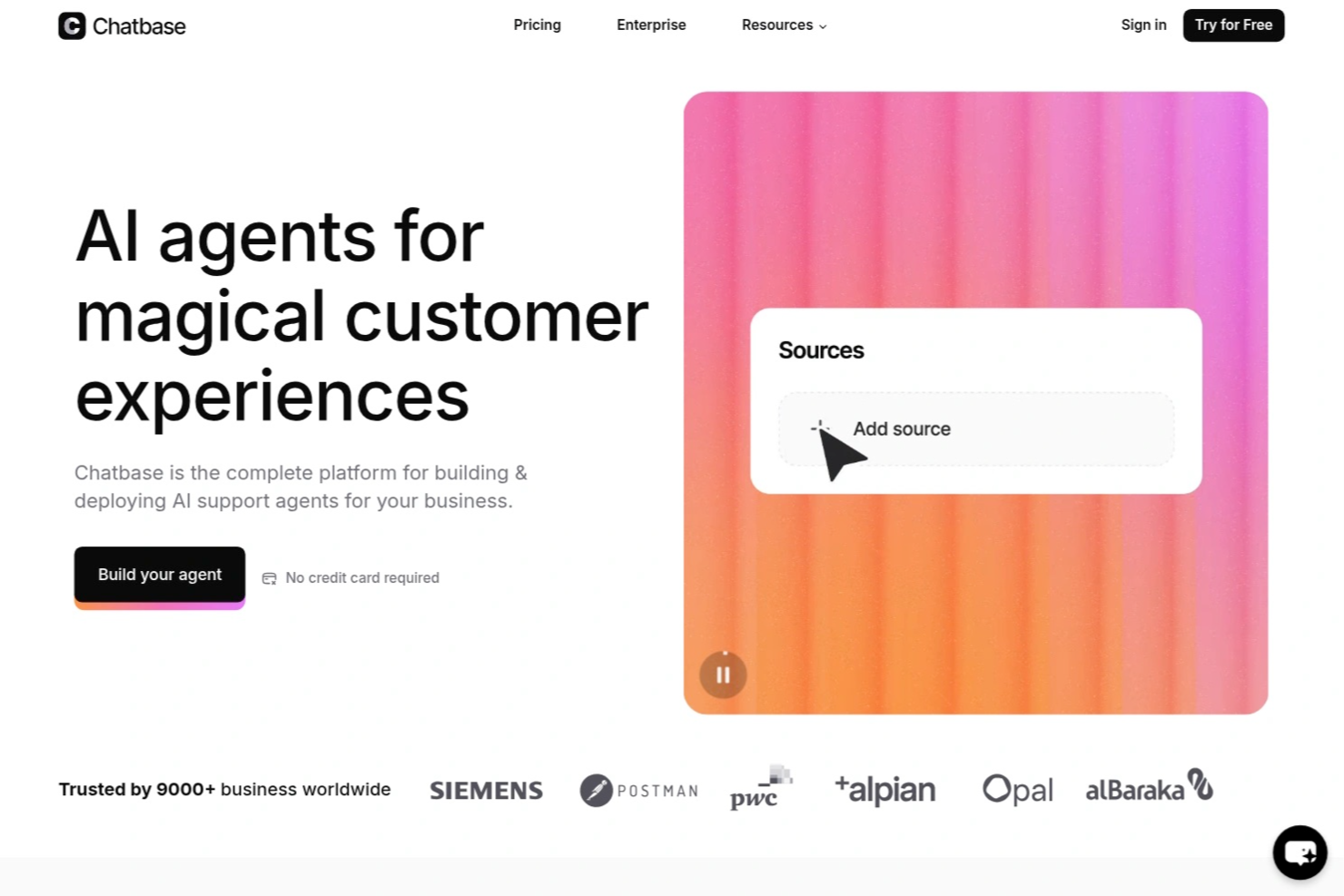
Chatbase is an AI chatbot builder designed for consultants who want to create, deploy, and manage custom chatbots that connect to multiple data sources and integrate with external systems.
Who Is Chatbase Best For?
Chatbase suits consultants and small teams who need to build custom AI chatbots that connect with diverse data sources and client systems.
Why I Picked Chatbase
I picked Chatbase as one of the best because I can build AI chatbots that handle conversations in multiple languages without extra setup. My team uses its multilingual agent support to serve clients across different regions. I also like that I can upload documents in various languages and the chatbot responds accurately, making it easy to support global consulting projects.
Chatbase Key Features
- Custom chatbot builder: Create AI chatbots tailored to your consulting workflows and branding.
- Data source integration: Connect chatbots to websites, pdfs, or text files for dynamic knowledge delivery.
- Conversation analytics: Track user interactions and chatbot performance with built-in analytics tools.
- API access: Integrate Chatbase with your existing systems using its API for advanced automation.
Chatbase Integrations
Chatbase offers native integrations with Zendesk, Notion, Slack, Stripe, Salesforce, Cal.com, Calendly, WhatsApp, Messenger, and Make. It also connects with Zapier and provides an API for custom integrations.
Pros and Cons
Pros:
- Includes analytics for tracking chatbot performance
- Provides API access for workflow automation
- Allows custom chatbot training on unique data
Cons:
- Limited branding customization for chat widgets
- No built-in live chat handoff to humans

Best for strategic insights

Pointerpro is a digital assessment platform designed for consultants, coaches, HR professionals, and marketers. It enables users to create online assessments and automatically generate tailored PDF reports for various evaluations, like client and employee assessments.
Why I picked Pointerpro: It offers strategic insights through its automated assessment features. The platform includes a questionnaire builder and report generator, allowing you to create interactive assessments and detailed reports. Its benchmarking feature helps you compare results against industry standards. Multi-user management enables your team to collaborate efficiently on projects.
Standout features & integrations:
Features include advanced report logic (formulas, conditional visibility), distribution options for sharing assessments, and support for over 50 languages. The platform also provides extensive training and ISO 27001:2022 certification for data security.
Integrations include Zapier, Google Sheets, HubSpot, Salesforce, Mailchimp, Slack, Microsoft Teams, ActiveCampaign, WordPress, and Dropbox.
Pros and Cons
Pros:
- Benchmarking and advanced logic capabilities
- Supports multiple languages
- Highly customizable automated reporting
Cons:
- Automation and team features require higher-tier plans
- Advanced setup can have a learning curve

SlidesAI
Best for AI-generated slides

SlidesAI is an AI-powered presentation tool designed for educators, professionals, and students. It helps users create engaging presentations quickly in Google Slides and PowerPoint by generating slide outlines and themes without the need for design skills.
Why I picked SlidesAI: It excels in generating AI solutions for your slides, allowing you to quickly create presentations. You can input topics or documents, and the platform generates slide outlines in over 100 languages. Theme editing and content rearrangement enhance the presentation's appeal. These features make it a go-to tool for quick and effective presentation creation.
Standout features & integrations:
Features include the ability to edit themes for a fresh look, rearrange content easily, and integrate images from AI-generated options or stock. The platform also offers content shortening for conciseness and translation features for global reach. These capabilities are strengthened by generative AI and machine learning algorithms, helping you produce polished presentations quickly.
Integrations include Google Slides and PowerPoint.
Pros and Cons
Pros:
- No design skills required
- Quick slide generation
- Supports over 100+ languages
Cons:
- Requires Google Slides or PowerPoint
- Learning curve for some features


Fyxer is an AI-powered email assistant tailored for consultants who need to manage communication efficiently. It focuses on automating inbox management, allowing consultants to prioritize client interactions and reduce administrative tasks.
Why I picked Fyxer: It offers virtual assistance (similar to AI chatbots and AI models) by automating email responses and organizing your inbox. The tool drafts replies using your past email history, saving you time on writing. It labels emails by priority and filters out distractions, helping you focus on important tasks. These features make it an ideal AI assistant for consultants who want to enhance productivity.
Standout features & integrations:
Features include automatic email drafting that uses your tone and style, priority labeling for efficient inbox management, and spam filtering to eliminate distractions. The platform also provides detailed meeting summaries and follow-up emails, ensuring no important details are missed.
Integrations include Outlook and Gmail.
Pros and Cons
Pros:
- Provides detailed AI-powered meeting summaries
- Organizes inbox by priority
- Automates email responses
Cons:
- Relies on email platform integration
- Limited offline functionality


Beautiful.ai is a presentation software designed for professionals across various industries who need to create visually appealing slides. It automates the slide design process, allowing users to focus on content rather than formatting.
Why I picked Beautiful.ai: It offers AI-driven slideshow templates that automatically adjust as you add content, ensuring your slides always look polished. The tool provides a wide range of customizable themes and layouts to fit your presentation needs. It also includes a library of images and icons to enhance your slides visually. You can even integrate ChatGPT to generate slide content or outlines instantly. Its DesignerBot feature can generate slide content. These features simplify the creation process, making it a favorite for those who want professional-looking presentations without the hassle.
Standout features & integrations:
Features include an intuitive drag-and-drop interface for easy content placement, a real-time collaboration feature that allows your team to work together on presentations, and automatic slide updates to keep your designs consistent. The platform also offers a library of stock images and icons for visual enhancement, helping you create high-quality presentations with less effort.
Integrations include Slack, Microsoft Teams, PowerPoint, Keynote, Google Slides, Dropbox, Box, Google Drive, and Salesforce.
Pros and Cons
Pros:
- Real-time team collaboration
- Extensive template library
- Automates slide design
Cons:
- Advanced branding and collaboration features require higher-tier plans
- Less granular design control compared to full presentation tools


Qwiler is a proposal software aimed at sales teams and freelancers who need to create interactive and visually appealing proposals. It allows users to build dynamic proposals that engage clients and facilitate faster decision-making.
Why I picked Qwiler: It excels in creating interactive proposals, making it ideal for teams that want to impress clients with engaging content. The platform offers customizable templates that help you design proposals tailored to your brand. It includes analytics that provide insights into how clients interact with your proposals. These features give your team a clear competitive advantage by making proposals both compelling and data-driven.
Standout features & integrations:
Features include a drag-and-drop builder for easy content creation, customizable templates that align with your brand identity, and analytics that track client interactions. The platform also offers e-signature functionality to speed up the approval process.
Integrations include Salesforce, HubSpot, Xero, QuickBooks, Slack, Zapier, Stripe, PayPal, Google Analytics, and Microsoft Teams.
Pros and Cons
Pros:
- Offers e-signature and payment functionality
- Provides client interaction insights
- Customizable templates available
Cons:
- Internet-dependent for full functionality
- Limited offline access


Notta is a transcription tool designed for consultants, educators, and business professionals who need accurate and fast transcriptions of meetings, interviews, and lectures. It converts audio into text in real time, helping users save time on manual note-taking and ensuring nothing is missed during discussions.
Why I picked Notta: It excels in providing reliable transcription services, making it perfect for those who need quick and accurate text conversion. The platform supports 58+ languages, allowing for diverse use cases. It offers real-time transcription, which means you can follow along as words are spoken, like real-time GenAI. You can also edit and export transcriptions, which adds flexibility to your workflow.
Standout features & integrations:
Features include speaker identification to distinguish between different voices, the ability to search within transcriptions for specific keywords, and text editing capabilities for refining the output. The platform also supports exporting transcriptions in various formats, which is useful for sharing. These capabilities are powered by advanced AI technology, making the tool both accurate and efficient.
Integrations include Zoom, Google Meet, Microsoft Teams, Slack, Dropbox, Google Drive, Evernote, Notion, Trello, Asana, and Microsoft OneNote.
Pros and Cons
Pros:
- Offers text editing features
- Real-time transcription available
- Supports 58+ languages
Cons:
- Can be resource-intensive
- Accuracy depends on audio quality


Introhive is a relationship intelligence and revenue acceleration platform tailored for consulting firms, focusing on enhancing client relationships and driving growth through data automation and insights. It automates client data entry and offers AI-driven relationship mapping to help you identify cross-selling opportunities and monitor client risk.
Why I picked Introhive: It integrates with CRM systems, making it ideal for firms looking to optimize their client engagement strategies. The platform's AI-powered features map relationships to uncover hidden opportunities for cross-selling. It also provides insights into client risk and retention, helping you maintain strong client connections, which is vital for social media presence. These capabilities contribute to increased internal referrals and revenue growth.
Standout features & integrations:
Features include automated client contact and activity capture that reduces manual work, AI-driven relationship mapping to identify business opportunities, and client risk monitoring to ensure retention. The platform also offers insights on leveraging extended networks for new business.
Integrations include Salesforce, Microsoft Dynamics 365, HubSpot, LinkedIn, Outlook, and Gmail.
Pros and Cons
Pros:
- Maps cross-selling opportunities
- Automates data entry processes
- Enhances client relationship insights
Cons:
- Requires CRM integration
- Pricing details not transparent
Other AI Tools for Consultants
Here are some additional AI tools for consultants’ options that didn’t make it onto my shortlist but are still worth checking out:
- Olive
For scaling services
- Sally
For AI-driven data analysis
- cloudsquid
For secure knowledge centralization
- monday AI Workspace
For customizable AI-driven workflows
- Fireflies.ai
For meeting transcription accuracy
- ClickUp
For customizable task views


How I Evaluate AI Tools for Consultants
Every tool on this list needs to go beyond slapping an AI label on basic features—I look for platforms that actually save consultants time on deliverables, project plans, or client reporting. I split my evaluation into core functionality every tool must deliver to qualify and differentiating factors that separate a solid option from the best fit for your workflow.
Core Functionality (Table Stakes For This List)
When I'm selecting tools for my list, I rank each one on a scale from 0 (does not offer the functionality) to 5 (excels in this area) for each core functionality listed below. Then, I calculate the tool's total score into a percentage. Each tool needs to achieve a minimum total score of 65% to be considered for inclusion.
- AI Document Generation: I look for tools that produce consulting-grade deliverables—SOWs, project charters, status reports—from a prompt, not just generic text blocks.
- AI-Assisted Project Planning: The tool should help build schedules, estimate timelines, or break down workstreams, like scoping a 12-week digital transformation engagement.
- AI Meeting Intelligence: I check whether the tool transcribes client calls, pulls out action items, and links them back to project tasks or deliverables automatically.
- AI-Driven Data Analysis: Tools earn higher marks here when they can ingest a client dataset or survey export and surface patterns, summaries, or visual insights worth presenting.
- Client Engagement Management: I evaluate how well a tool separates work by client—dedicated workspaces, permissioned access, and deliverable tracking per engagement matter here.
- AI Workflow Automation: Repetitive consulting tasks like sending weekly status updates or logging time entries should be automatable with AI-triggered rules or agents.
Once I have a list of tools that meet this criteria, I consider what sets each platform apart.
Differentiating Factors (What Sets Vendors Apart)
Here's how I compare and contrast different vendors:
Standout Features
I pay close attention to whether a tool can be trained on your own frameworks and past deliverables, so AI outputs reflect your methodology instead of generic boilerplate. Client-facing portals also matter—being able to share branded dashboards or status updates directly with stakeholders saves hours of formatting. Billable time intelligence is another separator, especially for consultants juggling multiple engagements who need automatic tracking tied to profitability insights.
Beyond Features
Data security is a top concern—I check whether a vendor isolates client data and confirms it won't be used to train shared AI models, since consultants routinely handle sensitive business information. Pricing structure matters too, especially for solo practitioners or small firms who need flexible, per-seat plans that scale as they take on more engagements. I also evaluate integration depth with tools like Slack, Jira, and Google Workspace, because a tool that doesn't connect to your clients' tech stacks creates more manual work than it saves.
How to Choose AI Tools for Consultants
It’s easy to get bogged down in long feature lists and complex pricing structures. To help you stay focused as you work through your unique software selection process, here’s a checklist of factors to keep in mind:
| Factor | What to Consider |
| Scalability | Can the tool grow with your business? Consider future needs and ensure the tool can handle increased data and users without performance issues. |
| Integrations | Does the tool integrate with your existing software? Check for compatibility with CRM, email, and project management tools to avoid data silos and workflow disruptions. |
| Customizability | Can you tailor the tool to fit your workflows? Look for customizable dashboards, workflows, and reporting options to match your team's needs. |
| Ease of use | Is the tool intuitive for your team? Test the interface for simplicity and ensure the learning curve isn't steep, which can reduce adoption rates. |
| Implementation and onboarding | How quickly can your team get started? Consider the time and resources needed for setup, including training materials like videos and support from the vendor. |
| Cost | Does the pricing fit your budget? Compare costs against features offered and check for hidden fees. Consider long-term costs and potential ROI. |
| Security safeguards | Does the tool protect your data? Ensure it complies with industry standards like encryption and offers features like two-factor authentication. |
| Support availability | What support options are available? Assess the vendor's support hours, channels (like chat or phone), and user reviews on support quality. |
What Are AI Tools for Consultants?
AI tools for consultants are software solutions that use artificial intelligence to enhance consulting services by automating tasks and providing data-driven insights. Consultants, business analysts, and project managers often use these tools to improve efficiency and decision-making. Features like data analysis, automated reporting, and client communication support consultants in managing complex projects and delivering value to clients. These tools ultimately help users save time, reduce manual work, and make informed decisions.
Features of AI Tools for Consultants
When selecting AI tools for consultants, keep an eye out for the following key features:
- Data analysis: Provides insights through automated data processing, helping consultants make informed decisions.
- Automated reporting: Generates detailed reports quickly, saving time and ensuring accuracy in client communications.
- Client communication: Facilitates secure and efficient interaction with clients, enhancing relationship management.
- Customizable dashboards: Allow users to tailor their interface for better visibility and control over projects.
- Task automation: Reduces manual work by automating repetitive tasks, increasing overall productivity.
- Multi-language support: Enables global teams to collaborate effectively by supporting dozens of languages.
- Integration capabilities: Connects with existing tools like CRM and project management software, ensuring smooth workflows.
- Performance tracking: Monitors team and project performance, providing insights for continuous improvement.
- Secure data handling: Ensures data protection with encryption and compliance with industry standards.
- Real-time collaboration: Supports teamwork by allowing multiple users to work together on projects simultaneously.
Benefits of AI Tools for Consultants
Implementing AI tools for consultants provides several benefits for your team and your business. Here are a few you can look forward to:
- Increased efficiency: Automating repetitive tasks frees up time, allowing your team to focus on strategic activities.
- Improved decision-making: Data analysis features provide insights that help your team make informed decisions quickly.
- Enhanced client communication: Secure and efficient communication tools strengthen client relationships and trust.
- Time savings: Automated reporting reduces the time spent on manual report creation, speeding up project delivery.
- Global collaboration: Multi-language support enables teams from different regions to work together without language barriers.
- Better project management: Customizable dashboards and performance tracking offer better control and oversight of projects.
- Data security: Secure data handling ensures that sensitive information is protected, giving you peace of mind.
Costs and Pricing of AI Tools for Consultants
Selecting AI tools for consultants requires an understanding of the various pricing models and plans available. Costs vary based on features, team size, add-ons, and more. The table below summarizes common plans, their average prices, and typical features included in AI tools for consultants’ solutions:
Plan Comparison Table for AI Tools for Consultants
| Plan Type | Average Price | Common Features |
| Free Plan | $0 | Basic data analysis, limited automation, and essential reporting. |
| Personal Plan | $5-$25/user/month | Data analysis, task automation, customizable dashboards, and email support. |
| Business Plan | $30-$70/user/month | Advanced reporting, client communication tools, team collaboration, and support. |
| Enterprise Plan | $75-$150/user/month | Full customization, priority support, integration options, and enhanced security. |
AI Tools for Consultants FAQs
Here are some answers to common questions about AI tools for consultants:
How do AI tools for consultants integrate with existing software?
Yes, most AI tools for consultants integrate with popular software like CRMs, project management tools, and communication platforms. Integration allows for data flow, improving efficiency and collaboration. Before purchasing, check the tool’s compatibility with your current systems and whether it supports necessary integrations, such as Salesforce, Slack, or Google Workspace. This ensures a smooth transition and maximizes the tool’s utility in your workflow.
Can AI tools for consultants be customized for different industries?
Yes, many AI tools for consultants offer customization options to suit various industries. You can often tailor dashboards, reports, and workflows to fit specific industry needs, such as finance or healthcare. Customization enhances relevance and effectiveness, so consider tools that allow you to adapt features to your industry’s unique requirements.
What kind of technical support is available for AI tools for consultants?
Technical support varies by vendor but often includes resources like online help centers, email support, and live chat. Some providers offer 24/7 support or dedicated account managers for higher-tier plans. Check the support options available to ensure your team can get help when needed, especially during implementation and onboarding.
Are AI tools for consultants secure?
Yes, reputable AI tools for consultants prioritize security by implementing measures like data encryption, two-factor authentication, and regular security audits. It’s to assess the tool’s security features and ensure compliance with industry standards, especially if you handle sensitive client data. Look for certifications like ISO 27001 or GDPR compliance as indicators of security practices.