

10 Best AI Project Analytics Tools Reviewed in 2026

Best AI Project Analytics Tool Shortlist


Managing projects isn’t easy. You’ve got deadlines, resource gaps, and shifting priorities — and somehow you’re supposed to keep everyone aligned and happy. AI project analytics tools can lighten that load by turning messy data into insights you can actually use.
I’ve tested and reviewed a range of options to help you find one that fits your workflow (and your budget). Below, you’ll find what each tool does well, where it might fall short, and who it’s best for.
Whether you’re running a small team or managing a complex pipeline, there’s a tool here that can help you work smarter — not harder. Let’s get into it.
Why Trust Our Software Recommendations
Our team has been testing and reviewing software since 2012. As project managers ourselves, we know how difficult—and important—it is to choose the right software.
For this guide, we evaluated tools using hands-on testing and independent research, scoring tools using our selection criteria. We also draw on insights from industry thought leaders and practicing project management experts.
Our reviews reflect our human editorial judgment, not a sales pitch.
Expert reviewers:
AI Project Analytics Tools Comparison Table
This comparison table summarizes pricing details for my top AI project analytics selections.
| Tool | Best For | Trial Info | Price | ||
|---|---|---|---|---|---|
| 1 | Best for enterprise agencies | Free demo available | Pricing upon request | Website | |
| 2 | Best for Microsoft integration | Free trial available | From $10/user/month (billed annually) | Website | |
| 3 | Best for database projects | Free plan + free demo + 14-day trial available | From $20/user/month | Website | |
| 4 | Best for resource management | Free demo available | Pricing upon request | Website | |
| 5 | Best for client management | 14-day free trial | From $9.99/user/month (billed annually) | Website | |
| 6 | Best for task management | Free plan available | From $7/user/month (billed annually) | Website | |
| 7 | Best for flexible organization | Free plan + free demo available | From $10/member/month (billed annually) | Website | |
| 8 | Best for team collaboration | Free plan available | From $10.99/user/month (billed annually) | Website | |
| 9 | Best for software teams | Free plan + 14-day free trial available | From $7.91/user/month (billed annually) | Website | |
| 10 | Best for AI-powered risk detection | Free plan available | From $9/user/month (billed annually) | Website |


Best AI Project Analytics Tool Reviews
Below are my detailed summaries of the best AI project analytics that made it onto my shortlist. My reviews offer a detailed look at the key features, pros & cons, integrations, and ideal use cases of each tool to help you find the best one for you.

Best for enterprise agencies
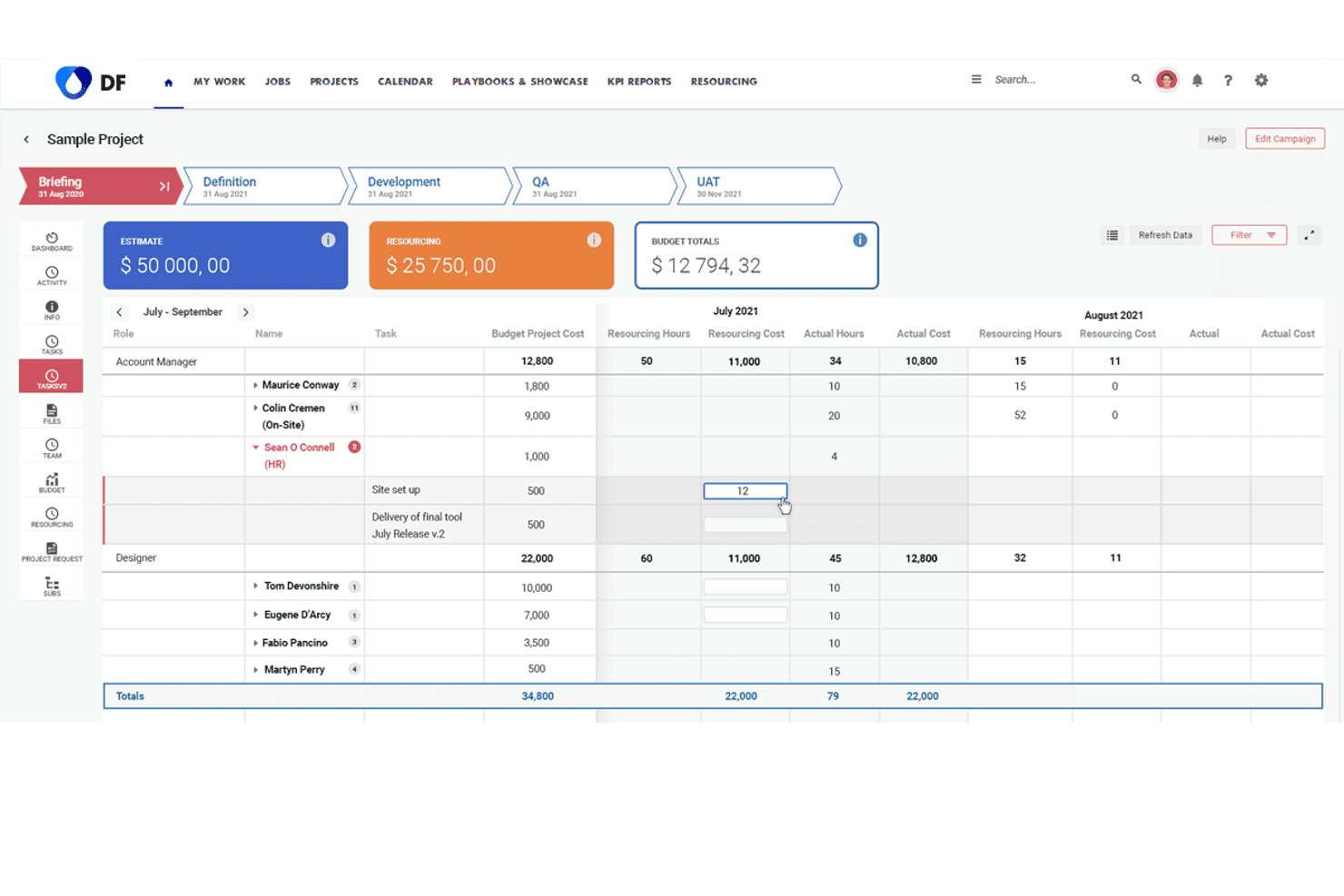
Screendragon is an enterprise work management platform that combines AI-powered workflow orchestration, predictive resource forecasting, and real-time operational analytics for marketing and agency teams.
Who Is Screendragon Best For?
Screendragon suits enterprise marketing and creative agencies managing high volumes of complex projects, approvals, and cross-functional teams at scale.
Why I Picked Screendragon
I picked Screendragon as one of the best because its built-in AI Agents surface real-time capacity, resourcing, and performance insights directly inside live workflows. For enterprise agencies running dozens of concurrent campaigns, the ML-based resource forecasting projects demand 3 to 6 months ahead, keeping planning grounded in data. I also like that every AI agent operates within defined governance rules and audit trails, which matters when you're managing compliance-heavy approval processes at scale.
Screendragon Key Features
- No-code workflow builder: Build and customize project workflows without development using visual templates and drag-and-drop steps.
- Centralized review and approval hub: Manage creative, marketing, and compliance approvals in one place with audit trails and annotation support.
- Dynamic forms: Capture project, resource, and budget data at intake using forms that adapt fields, layout, and language as needed.
- Native integrations with ERP and PM tools: Connect directly to platforms like Jira, Salesforce, SAP, Microsoft Dynamics, and Google Drive for unified project data.
Screendragon Integrations
Screendragon offers native integrations with HubSpot, Microsoft Power BI, Ziflow, Brandfolder, Workato, and Smartsheet. An API is available for custom integrations.
Pros and Cons
Pros:
- Real-time capacity analytics across concurrent campaigns
- AI governance with audit trails built in
- ML-based resource forecasting spans months ahead
Cons:
- Setup requires significant configuration time
- AI features skew toward marketing over PMO
New Product Updates from Screendragon
Screendragon Unveils New AI Hub
Screendragon introduced AI Hub, a new capability that lets teams build and manage AI agents directly within workflows. The update helps marketing teams automate tasks, maintain governance controls, and scale AI-driven operations more efficiently. For more information, visit Screendragon's official site.
Best for Microsoft integration

Microsoft Planner is a project management solution ideal for teams that heavily use Microsoft products. It helps with planning, scheduling, and tracking projects, providing tools to improve productivity.
Why I picked Microsoft Planner: It integrates with other Microsoft products with ease, making it a natural fit for teams already using Office 365. The tool provides Gantt charts for detailed project scheduling and task dependencies to manage project timelines effectively. Its resource management features help allocate resources efficiently, and the reporting capabilities offer insights into project progress. These features make it perfect for teams that want to use Microsoft integration.
Standout Features & Integrations
Features include a timeline view for visualizing project schedules, a task board to track tasks visually, and customizable templates to get started quickly. The project portfolio management feature helps you oversee multiple projects, and the collaboration tools enable teams to work together efficiently.
Integrations include Microsoft Teams, SharePoint, OneDrive, Outlook, Excel, Power BI, Azure DevOps, Dynamics 365, Yammer, and Planner.
Pros and Cons
Pros:
- Detailed reporting tools
- Customizable project templates
- Strong resource management
Cons:
- Requires access to the Microsoft ecosystem
- Can be complex for small teams

Airtable
Best for database projects

Airtable is a no-code work and data management platform that combines spreadsheet familiarity with database structure. It helps teams organize projects, manage structured data, and build custom workflows supported by artificial intelligence tools such as AI agents and natural-language prompts.
Why I picked Airtable: It offers a flexible database-style design that supports structured project information while enabling AI-powered workflows. Teams can use natural language processing to generate app components, connect data across tables, and automate actions without technical expertise. Its AI agents help analyze data analytics outputs, surface relationships within large datasets, and support complex workflows at scale, making it useful for teams handling data-heavy projects.
Standout Features & Integrations
Features include form, grid, calendar, and gallery views; linked records for modeling relationships; and rich field types for advanced data analysis. AI capabilities include app generation, AI agents that can interpret thousands of records, and access to machine learning models from OpenAI, Llama, Gemini, Anthropic, and others. Automation tools allow teams to orchestrate workflows using natural language commands.
Integrations include Slack, Google Drive, Dropbox, Zapier, Trello, Asana, Evernote, Box, Microsoft Teams, and Jira.
Pros and Cons
Pros:
- Multiple adaptable project views
- AI agents for complex workflows
- Flexible no-code data modeling
Cons:
- Occasional performance issues
- Limited advanced reporting

Forecast
Best for resource management

Forecast is an AI-powered project and resource management platform built for teams that need structured scheduling, capacity planning, and workload visibility. It unifies financials, resourcing, and project delivery with artificial intelligence that analyzes performance and helps teams plan more effectively.
Why I picked Forecast: It has a strong focus on resource allocation supported by ai analytics that assess capacity, match skills to project needs, and highlight risks before they affect timelines or budgets. Its AI-driven utilization summaries and predictive alerts help teams understand data analytics tied to billable hours, demand, and workload. These capabilities make Forecast a fit for teams that need accurate resource planning supported by data-informed insights.
Standout Features & Integrations
Features include a project timeline for reviewing schedules, budget management for tracking financial performance, and AI-powered task prediction that anticipates workload changes. Risk alerts highlight potential overruns, and intelligent resource matching analyzes algorithms to recommend the right people for upcoming tasks. Real-time dashboards provide data analysis across utilization, timelines, and financials.
Integrations include Slack, Google Drive, Dropbox, Microsoft Teams, Zapier, Jira, QuickBooks, Xero, HubSpot, and Trello.
Pros and Cons
Pros:
- Helpful risk prediction alerts
- Clear utilization insights
- AI resource matching
Cons:
- Limited integration capabilities
- Requires training for full utilization

Best for client management

Teamwork.com is a project and client-delivery platform built for teams managing billable work across multiple accounts. It supports task coordination, resource planning, and workload visibility, with artificial intelligence features that help analyze project data and improve decision-making.
Why I picked Teamwork.com: Its ability to support client-focused projects through structured permissions, billing tools, and resource visibility. Its TeamworkAI features—such as AI utilization summaries, smart filtering, and AI project setup—help surface data analytics tied to billable hours, workloads, and profitability. These capabilities make it useful for teams handling client relationships while needing clearer insight into project performance.
Standout Features & Integrations
Features include workload management for balancing assignments, project portfolio views, billing and invoicing tools, and collaboration options for shared communication. TeamworkAI supports AI project wizards, smart assignment suggestions, and fast filtering using natural language prompts. Dashboards provide data analysis on utilization and budget performance.
Integrations include Slack, Google Drive, Dropbox, Microsoft Teams, Zapier, Trello, HubSpot, QuickBooks, Xero, and FreshBooks.
Pros and Cons
Pros:
- Strong billing and invoicing
- Project templates available
- Client permissions feature
Cons:
- Faulty and unreliable notifications
- Complex and cumbersome interface


ClickUp is a work and task management platform designed for teams needing structured task organization, multiple view options, and unified workspace tools. It supports teams across industries and now includes AI-driven features through ClickUp Brain and AI agents that help teams interpret work data and automate routine steps.
Why I picked ClickUp: Its strong focus on detailed task organization supported by task types, priorities, custom fields, and multiple view modes. Its AI-assisted features, such as automated scheduling, task summaries, and performance insights, help teams manage raw data tied to deadlines, workload, and progress. These capabilities support teams that want flexible task structures improved by actionable insights and automation for day-to-day task management.
Standout Features & Integrations
Features include time tracking, recurring tasks, mind maps for visual planning, and a document editor for creating or updating project content. ClickUp Brain offers AI-powered summaries, automated time-blocking, and natural-language task creation, while AI agents can assist with prioritization and information retrieval.
Integrations include Slack, Google Drive, Dropbox, Microsoft Teams, Zoom, GitHub, Zapier, Trello, Asana, and Evernote.
Pros and Cons
Pros:
- Strong task organization features
- AI tools for summaries and scheduling
- Multiple task view options
Cons:
- Frequent updates can disrupt workflow
- Occasional lag with complex projects

Notion is an all-in-one workspace platform that combines documents, databases, and task management into one customizable environment. Its artificial intelligence features, including AI agents and natural-language actions, help teams structure information, automate work, and analyze project data from a single location.
Why I picked Notion: Its adaptable structure, which allows teams to design custom databases, pages, and workflows supported by AI features. Notion’s AI agents assist with summarizing project updates, generating content from raw data, and helping interpret data analytics stored across linked databases. Its flexibility allows teams to build project hubs, task dashboards, and documentation systems that align with evolving project needs.
Standout Features & Integrations
Features include AI agents that automate tasks, AI search across workspace content, and natural-language tools for drafting documents or generating task updates. Teams can use databases, Kanban boards, and calendars to organize work, while integrations with connected apps help consolidate project data analysis. Collaboration tools support shared editing and cross-team visibility.
Integrations include Slack, Google Drive, Dropbox, Microsoft Teams, Zapier, Trello, Asana, Evernote, GitHub, and Typeform.
Pros and Cons
Pros:
- Strong knowledge-management features
- AI tools for workspace automation
- Flexible database-driven structure
Cons:
- Limited advanced analytics
- Requires training for full utilization

Asana is a project and work management platform designed to help teams coordinate tasks, timelines, and collaborative workflows. It supports teams of all sizes and now includes AI Teammates, which assist with complex work and generate data-driven insights for project analysis.
Why I picked Asana: It’s focus on collaboration-supported work management combined with AI-driven capabilities that assist teams in handling project data, tasks, and dependencies. Its AI Teammates can analyze raw data, summarize updates, flag risks, and support smarter decisions, aligning well with team-centered project execution. These AI-supported workflows complement Asana’s structure of task assignments, timelines, and visual boards, making it well-suited for collaborative teams needing actionable insights without relying on technical skills.
Standout Features & Integrations
Features include AI Teammates that can coordinate deliverables, analyze performance data, surface risks, and generate summaries across projects. Additional features include timeline views for planning, task dependencies, custom fields for tracking metrics, and mobile access for managing tasks on the go. Asana AI Studio also supports creating custom AI assistants for specific roles within a team.
Integrations include Slack, Microsoft Teams, Google Drive, Dropbox, Salesforce, Zapier, Trello, Zendesk, GitHub, and Adobe Creative Cloud.
Pros and Cons
Pros:
- User-friendly interface
- AI Teammates for data insights
- Structured collaboration tools
Cons:
- Limited advanced analytics
- Some features require higher-tier plans

Jira
Best for software teams

Jira is an AI project management tool tailored for software development teams. It helps manage software projects with features like bug tracking, Agile project management, and issue tracking.
Why I picked Jira: It’s equipped with features specifically designed for software teams, such as Scrum and Kanban boards that help visualize work in progress. Its Atlassian Intelligence features assist with generating actionable insights, creating JQL filters using natural language, and helping teams interpret metrics from development pipelines. This combination of structured Agile tooling and AI-assisted analytics makes Jira a strong fit for software teams needing visibility across complex projects.
Standout Features & Integrations
Features include backlog prioritization, sprint planning tools, dependency mapping, customizable templates, and AI-supported JQL generation. Reporting tools provide summaries and dashboards that help teams review cycle times, deployments, and other software delivery metrics. The drag-and-drop interface makes it easy to manage tasks, and the detailed permission settings ensure secure data access within your team.
Integrations include Slack, Microsoft Teams, GitHub, Bitbucket, Confluence, Trello, Google Drive, Dropbox, Zendesk, and Salesforce.
Pros and Cons
Pros:
- Scalable for large teams
- Detailed reporting options
- Customizable workflows
Cons:
- Requires regular maintenance
- Complex setup process

Best for AI-powered risk detection
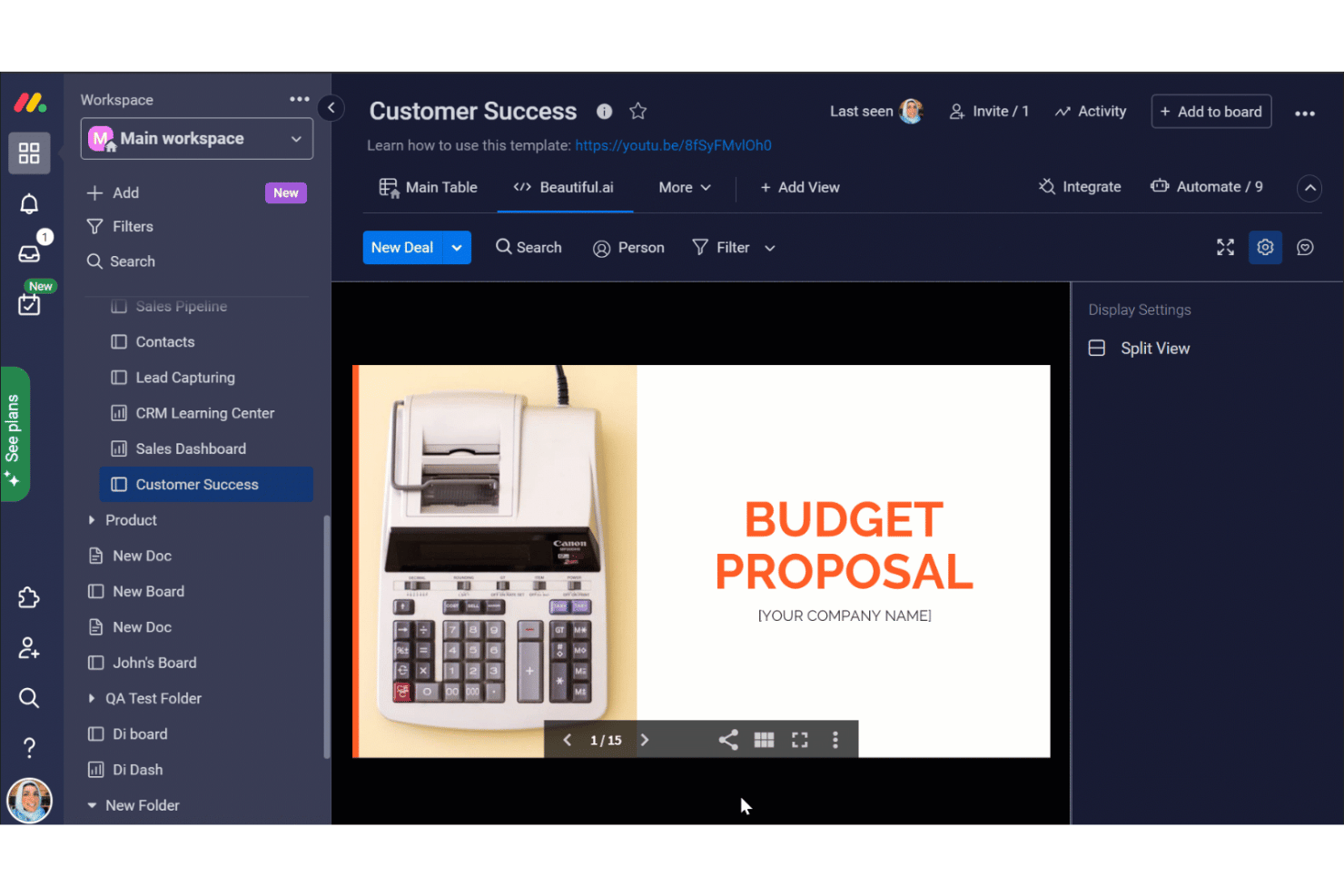
monday AI Workspace is an AI work platform that combines project and portfolio management with predictive risk detection, real-time dashboards, and AI-generated status summaries across teams and workstreams.
####Who Is monday AI Workspace Best For?
It's a strong fit for PMO directors and portfolio managers at mid-to-large organizations who need AI-driven risk visibility across multiple concurrent projects.
Why I Picked monday AI Workspace
monday AI Workspace earns its spot on my shortlist because of how it handles portfolio-wide risk detection. I like that the AI Risk Insights feature scans every linked project board daily, reviewing task statuses, update threads, and activity logs to assign low, medium, or high risk scores with plain-language explanations attached. On top of that, the Project Analyzer agent monitors projects in real time, flagging dependencies and surfacing risks before they turn into blockers.
monday AI Workspace Key Features
- AI workflow builder: Lets you design and automate custom workflows using natural language prompts and AI logic.
- Sidekick AI assistant: Provides contextual project updates, summaries, and answers to natural language queries about your data.
- Portfolio management view: Allows you to track dozens or hundreds of projects in a single workspace with flexible reporting and filters.
- Native integrations hub: Connects out-of-the-box with tools like Jira, Salesforce, HubSpot, and Google Workspace for unified data across sources.
monday AI Workspace Integrations
monday AI Workspace offers hundreds of native integrations through its built-in integrations and marketplace, including Jira, Salesforce, HubSpot, Slack, GitHub, Zendesk, Google Workspace, Microsoft 365, Teams, and Zoom. It also supports Zapier and provides an API for custom integrations.
Pros and Cons
Pros:
- Portfolio dashboards support deep drill-downs by workstream
- Sidekick generates plain-language project status summaries instantly
- AI risk scoring updates across all projects daily
Cons:
- Historical benchmarking lacks cross-organization pattern analysis
- AI features limited to higher-tier paid plans
New Product Updates from monday AI Workspace
monday AI Workspace Adds Human Approval Routing
monday AI Workspace adds a human-in-the-loop approval block to AI Workflows, sending approval requests and routing workflow paths based on responses. For more information, visit monday AI Workspace's official site.
Other AI Project Analytics Tools
Here are some additional AI project analytics options that didn’t make it onto my shortlist, but are still worth checking out:
- Smartsheet
For spreadsheet users
- Wrike
For custom workflows
- Zoho Projects
For budget tracking
- Adobe Workfront
For marketing teams
- Kantata
For professional services
- Scoro
For business management


How I Evaluate AI Project Analytics Tools
I only include tools that deliver real AI value—like flagging a schedule slip weeks out—not platforms with an AI label on static charts. I split my evaluation into core functionality a tool must have to qualify and differentiating factors that separate the best fit for different PMO needs.
Core Functionality (Table Stakes For This List)
When I'm selecting tools for my list, I rank each one on a scale from 0 (does not offer the functionality) to 5 (excels in this area) for each core functionality listed below. Then, I calculate the tool's total score into a percentage. Each tool needs to achieve a minimum total score of 65% to be considered for inclusion.
- AI-Driven Predictive Forecasting: I look for ML models that predict delivery dates, budget trajectories, and resource demand—not just trendlines drawn from a two-week sprint.
- Automated Risk Detection: The tool should surface at-risk work items using AI scoring or anomaly detection, like flagging a creeping dependency chain before it delays a release.
- Real-Time Project Analytics: Live dashboards with drill-down capability matter here. I evaluate whether a PMO leader can move from portfolio health down to task-level bottlenecks in a few clicks.
- AI-Generated Insights & Summaries: I check whether the platform produces natural language summaries—things like weekly stakeholder updates or sprint retrospectives—pulled directly from project data.
- Data Integration & Connectivity: Tools need solid connectors to platforms teams already use, like Jira, Asana, monday.com, or MS Project, so analytics reflect real work and not stale imports.
- Historical Benchmarking & Trends: I evaluate whether the tool lets you compare current project performance against past baselines, helping PMOs spot patterns like recurring estimation gaps across similar initiatives.
Once I have a list of tools that meet this criteria, I consider what sets each platform apart.
Differentiating Factors (What Sets Vendors Apart)
Here's how I compare and contrast different vendors:
Standout Features
Scenario simulation is a big differentiator—I look for tools that let you model a scope change or resource shift and see the predicted ripple across your portfolio before making a call. A conversational AI assistant adds real value when a program manager can ask "which projects are likely to miss Q3 targets?" and get an answer without building a custom report. I also evaluate whether a tool goes beyond flagging risks to recommending specific actions, like suggesting task reprioritization when a critical path shifts.
Beyond Features
AI governance matters more here than in most software categories. I evaluate whether vendors are transparent about how project data trains their models and whether you can opt out. Time-to-value is another factor I weigh—some platforms need months of historical data ingestion before predictions become useful, while others deliver insights within weeks. I also consider how well a tool scales across portfolios, especially for enterprise PMOs managing hundreds of concurrent projects across distributed teams.
How to Choose AI Project Analytics Tools
It’s easy to get bogged down in long feature lists and complex pricing structures. To help you stay focused as you work through your unique software selection process, here’s a checklist of factors to keep in mind:
| Factor | What to Consider |
|---|---|
| Scalability | Will the tool grow with your team? Check if it supports increasing project sizes and user numbers without extra costs. Consider whether it can handle more complex projects as you expand. |
| Integrations | Does it connect with your existing tools? Ensure it integrates with your current software to avoid workflow disruptions. Look for native integrations with your most-used apps. |
| Customizability | Can you tailor it to fit your needs? Look for customizable fields, dashboards, and reports. Avoid tools that limit flexibility in adapting to your workflows. |
| Ease of use | Is it user-friendly for your team? Make sure the interface is intuitive and requires minimal training. Test the tool's navigation and layout with a demo if possible. |
| Implementation and onboarding | How long does it take to get started? Assess the time and resources needed for setup. Check for available support, training materials, and onboarding assistance. |
| Cost | Is it within your budget? Compare pricing plans and consider the total cost of ownership, including hidden fees. Evaluate cost against the features you actually need. |
| Security safeguards | Does it protect your data? Look for encryption, user permissions, and compliance with data regulations. Ensure the vendor prioritizes data security. |
| Support availability | Is help available when you need it? Check for 24/7 support and multiple contact methods. Consider the quality and responsiveness of their support team. |
What Are AI Project Analytics Tools?
AI project analytics tools are tools that help teams analyze project data to improve decision-making and efficiency. These tools are generally used by project managers, team leads, and data analysts who benefit from data-driven insights. Features like predictive analytics, real-time reporting, and resource management help with planning, tracking, and optimizing projects. Overall, these tools provide valuable insights that improve project outcomes and resource allocation.
Features
When selecting AI project analytics software, keep an eye out for the following key features:
- Predictive analytics: Analyzes data trends to forecast project outcomes, helping teams make informed decisions.
- Real-time reporting: Provides up-to-date insights into project status, enabling quick adjustments and responses.
- Resource management: Allocates resources efficiently to optimize team workload and project timelines.
- Customizable dashboards: Allow users to tailor views and reports to match their specific needs and preferences.
- Task automation: Automates repetitive tasks to save time and reduce manual errors.
- Data visualization: Transforms complex data into easy-to-understand visual formats for better comprehension.
- Gantt charts: Offer a visual timeline to track project progress and dependencies using AI-assisted Gantt chart tools.
- Collaboration tools: Facilitate team communication and information sharing within the platform.
- Budget tracking: Monitors project expenses to ensure financial goals are met.
- Security safeguards: Protects sensitive data through encryption and compliance with data regulations.
Benefits
Implementing AI project analytics provides several benefits for your team and your business. Here are a few you can look forward to:
- Improved decision-making: Access to predictive analytics and real-time data helps your team make informed choices quickly.
- Improved efficiency: Task automation reduces manual work, allowing your team to focus on high-priority tasks.
- Better resource allocation: Resource management features ensure that your team is neither overburdened nor underutilized.
- Increased transparency: Real-time reporting and customizable dashboards provide clear insights into project status for everyone involved.
- Cost control: Budget tracking keeps expenses in check, helping your team meet financial goals.
- Stronger collaboration: Built-in collaboration tools facilitate communication and information sharing among team members.
- Data security: Security safeguards protect sensitive project data, ensuring compliance with data regulations.
Costs and Pricing
Selecting an AI project analytics tool requires an understanding of the various pricing models and plans available. Costs vary based on features, team size, add-ons, and more. The table below summarizes common plans, their average prices, and typical features included in AI project analytics solutions:
Plan Comparison Table for AI Project Analytics
| Plan Type | Average Price | Common Features |
|---|---|---|
| Free Plan | $0 | Basic task management, limited reporting, and collaboration tools. |
| Personal Plan | $7-$20/user/month | Task management, basic analytics, custom dashboards, and limited integrations. |
| Business Plan | $10-$50/user/month | Advanced analytics, resource management, automation features, and improved security safeguards. |
| Enterprise Plan | $60-$125/user/month | Extensive analytics, unlimited integrations, priority support, and full customization. |
AI Project Analytics FAQs
Here are some answers to common questions about AI project analytics:
What are the 5 steps of the AI project cycle?
The AI project cycle includes Problem Scoping, Data Acquisition, Data Exploration, Modeling, and Evaluation. Each step is important in structuring the AI development process. Understanding these stages helps you develop effective and goal-oriented AI solutions that meet your project objectives.
What questions need to be addressed before starting an AI project?
Before starting an AI project, ask what problem you’re trying to solve. Be clear about your goals, whether it’s speeding up responses or predicting demand. This clarity helps you stay focused and choose the right AI methods, ensuring the project aligns with your business needs.
How can AI improve project management?
AI improves project management by providing predictive analytics, automating routine tasks, and offering real-time insights. These capabilities help project managers make informed decisions, allocate resources efficiently, and keep projects on track, ultimately improving overall productivity and outcomes.
What industries benefit most from AI project analytics?
Industries like finance, healthcare, and manufacturing benefit greatly from AI project analytics. These sectors use AI to analyze large data sets, optimize operations, and predict trends. AI tools help them make data-driven decisions, improve efficiency, and maintain a competitive edge.
How do you ensure data privacy in AI projects?
Ensuring data privacy involves implementing strong security measures like encryption and access controls. It’s important to comply with data protection regulations like GDPR. Regular audits and monitoring help maintain data integrity and protect sensitive information within AI projects.