

18 Best Workflow Courses to Upskill in 2026


Finding workflow courses that go beyond surface-level tool walkthroughs is harder than it should be. I sifted through the options to surface training that covers process design, automation, and cross-functional handoffs—so you can find a course that fits your role and actually changes how you work.
DPM School Spotlights
Customizing Your Project Approach - DPM School
Best for: Project leads adapting delivery methods to their work

Our DPM School mini course helps project leads adapt methodologies to fit project needs. It offers practical guidance for shaping ways of working rather than applying a single approach to every project.
What you’ll learn: Decide when to tailor a methodology, apply tailoring steps and rules, address resistance, and build a methodology playbook.
Course details:
- Format: Prerecorded, on-demand online video lesson with downloadable resources
- Duration: 1 to 1.5 hours; 12 months’ access with individual purchase
- Level/prerequisites: Advanced; no prerequisites required
- Price: $89 USD per course
- Assessment: An optional quiz, requested by email after course completion, is required for the DPM microcredential
- Certificate/credits: Optional DPM microcredential; no course-specific pre-approved PDU count verified
Considerations: The course doesn’t confer PRINCE2, Scrum, or Agile professional certification.
Other DPM School Courses
This DPM School mini course connects workflow improvement with clearer role ownership through an on-demand video lesson and downloadable resources. You can buy it individually or access it with paid DPM membership. An optional quiz requested by email can earn a DPM microcredential.
| Mini course | Best for | Learning outcomes | Price |
|---|---|---|---|
| Master RACI Charts | Project teams clarifying roles and ownership | Read RACI charts; create responsibility matrices; optimize role assignments; compare RACI alternatives | $49 USD |
18 Best Workflow Courses
Below are my summaries of the best workflow courses. My reviews offer a look at each course’s learning objectives, best fits, cost, and more.
1. Workflow Analysis & Process Improvement - Udemy
Best for: SMB ops teams mapping and fixing workflow inefficiencies


This Udemy course by Ella teaches a structured, beginner-friendly approach to analyzing and improving business workflows in SMB environments, using hands-on workshops and real-world examples throughout.
What you'll learn: Observe and document current business processes, create process maps, perform root cause analysis, write workflow improvement recommendations, and build a practical implementation plan.
Course details:
- Format: Self-paced online course on Udemy; 37 pre-recorded video lectures with assignments and downloadable resources; accessible on mobile and TV
- Duration: 3 hours of on-demand video content; self-paced with no enrollment deadline
- Level/prerequisites: Beginner; no prior workflow analysis experience required (provider-stated); basic computer and office software knowledge is helpful
- Price: $39.99 USD individual course price; also accessible via Udemy Personal Plan subscription
- Assessment: Assignments included throughout the course
- Certificate/credits: Udemy certificate of completion awarded upon finishing the course
Considerations: The course is built specifically for SMB environments, so if you're working in an enterprise or large-scale operations context, the examples and scope may feel narrow for your needs.
2. Introduction to Workflow Management - Coursera
Best for: Intermediate professionals formalizing workflow management skills

This Coursera course by Kelley O'Connell covers workflow management in roughly one hour. It's a good fit if you already have process basics under your belt and want a fast, structured way to formalize your approach to managing and improving workflows.
What you'll learn: Analyze workflow types and management systems, evaluate digital mapping tools, identify bottlenecks and automation opportunities, and optimize workflows using KPIs and feedback loops.
Course details:
- Format: Self-paced online; prerecorded video with readings and a graded assignment
- Duration: Approx. 1 hour total (41 min video, 20 min readings, 20 min assignment); 1 module, 11 videos
- Level/prerequisites: Intermediate; basic process-management knowledge recommended
- Price: Free to enroll; shareable certificate requires Coursera Plus ($239 USD/year) or a paid Certificate experience
- Assessment: 1 graded assignment
- Certificate/credits: Shareable certificate of completion (can be added to LinkedIn); awarded by Coursera
Considerations: At roughly one hour, this course is a structured overview rather than deep-dive training—if you need workflow redesign practice, you'll want to pair it with more applied content.
3. Mastering Workflow: Collect, Process, Organise, Review & Perform - Oxford Management Centre
Best for: Analysts ready to model and redesign workflows using BPMN

Oxford Management Centre's five-day intensive covers the full workflow lifecycle—from discovery and BPMN modelling through automation and implementation. It's a strong pick if you need instructor-led, hands-on training rather than self-paced video.
What you'll learn: Model workflows using BPMN, discover and define process scope and business rules, measure workflow performance, identify bottlenecks, and build as-is and to-be models to support redesign and automation.
Course details:
- Format: Classroom (in-person, Dubai) or live online; instructor-led with presentations, workshops, case studies, and group work
- Duration: 5 days
- Level/prerequisites: Not specified by the provider
- Price: $5,950 USD per participant (classroom, Dubai); $4,950 USD per participant (online). Classroom fee includes materials, lunch, and refreshments; accommodation and transport are excluded
- Certificate/credits: Oxford Management Centre certificate of completion; CPE credits available through NASBA-registered sponsorship; online attendees receive Guided Learning Hours under ISO 9001:2015 certification
Considerations: The in-person format runs exclusively in Dubai, so if you're not based in the region, travel and accommodation costs will add significantly to the listed price—making the online option a more practical choice for most participants.
Read more about BPM and how it differs from workflows here.

4. Workflow Management Training Course - Zoe Talent Solutions
Best for: Managers wanting classroom workflow training worldwide

Zoe Talent Solutions' instructor-led course covers the full workflow lifecycle over 5, 7, or 10 days. It's worth considering if you want structured classroom training with delivery options across 47+ global venues or a live online format.
What you'll learn: Discover and design workflows, identify pain points in current-state processes, implement workflow changes, assess performance, and select workflow automation tools and governance practices.
Course details:
- Format: Classroom (in-person at global venues) or live online; instructor-led lectures, group discussions, case studies, and functional exercises
- Duration: 5, 7, or 10 days; classroom runs 7 contact hours/day; live online runs 3 contact hours/day
- Level/prerequisites: Not specified by the provider
- Price: Classroom from $5,475 USD per participant (5 days, Dubai) to $6,570 USD (5 days, New York/Singapore); live online from $3,350 USD per participant (5 days). Prices vary by duration and location
- Certificate/credits: ZTS Certificate of Training on completion; provider holds accreditations with HRCI®, PMI, CPD, IIBA, and KHDA, though specific credit hours for this course are not published
Considerations: Live online sessions run only 3 contact hours per day compared to 7 for classroom—so the same 5-day course delivers less instructional time in the online format, which may affect how much ground you can cover.
Find more options on this list of top digital project management training options.
5. Workflow Specialist Certificate - Asana Academy
Best for: Asana users building and automating team workflows

Asana Academy's Workflow Specialist Certificate teaches you to plan, build, and automate workflows directly inside Asana. Consider it if you want hands-on, platform-applied training that goes beyond theory and into real workspace practice.
What you'll learn: Map and plan workflows using process discovery questions, build and automate workflows in Asana, apply change management strategies to drive team adoption, and monitor workflow performance with dashboards.
Course details:
- Format: Self-paced online; includes demos, guided practice, knowledge checks, and three hands-on capstone projects in your own Asana workspace
- Duration: ~8–10 hours total (5 hours of lessons + capstone projects and exam); 90-day access window from registration
- Level/prerequisites: Advanced; Asana recommends completing the Asana Foundations Skill Badge first
- Price: Currently free (listed value $299 USD per learner); a paid Asana subscription is not required
- Assessment: 60-question final exam; minimum passing score of 80%; up to three attempts allowed
- Certificate/credits: Workflow Specialist Certificate issued by Asana Academy; digital credential shareable on LinkedIn; expires annually and requires recertification
Considerations: The certificate expires every year, so you'll need to recertify to keep your credential current—factor that in if you need a durable, long-term qualification.
6. monday Work Management Core Certification - monday.com
Best for: Professionals certifying their monday.com workflow skills

Work Management Core Certification is a platform-specific, assessed certification from monday.com Academy. Consider it if your team already uses monday.com and you need a credential that proves you can build and optimize workflows at an intermediate level.
What you'll learn: Set up boards and structure, configure automations, build forms, apply permissions, use reporting views, and work with monday.com's AI tools—all within the platform's 6-step workflow methodology.
Course details:
- Format: Self-paced online certification via monday.com Academy; guided study materials, lessons, and a final exam
- Duration: 90-minute timed certification exam; self-paced study period before the exam (no stated time limit)
- Level/prerequisites: Intermediate; foundational understanding of monday.com as a platform required (provider-stated)
- Price: $95 per learner, per certification attempt
- Assessment: 45-question, multiple-choice and scenario-based exam; 80% passing score required
- Certificate/credits: Digital badge and diploma awarded by monday.com Academy upon passing; shareable on LinkedIn and resumes
Considerations: This certification is built entirely around monday.com, so it won't apply if your team moves to a different platform or if you're evaluating monday.com before committing to it.
7. Using Workflow Management to Fulfill Customer Requests - Pluralsight
Best for: Managers formalizing work planning and procedures

Pluralsight's course by Paul Gadbois covers the fulfillment side of workflow management: work planning, standardized procedures, and reporting. At under 90 minutes, it's a targeted option for professionals who want focused, tool-agnostic workflow fundamentals.
What you'll learn: Document business requirements, design a work planning process, define standardized work procedures, and build a reporting capability to track workflow performance.
Course details:
- Format: Self-paced online video course on Pluralsight, organized into three modules with multiple video clips per module
- Duration: 1 hour 23 minutes of video content across three modules
- Level/prerequisites: Intermediate (provider-stated); third in a three-part series—prior workflow management knowledge assumed
- Price: Included with a Pluralsight subscription; Core Tech plan from $21/month (billed yearly); 10-day free trial available
- Certificate/credits: No course-specific certificate or credential issued; completion is tracked within the Pluralsight platform
Considerations: The course is marked as retired on Pluralsight, meaning it's no longer maintained and may be removed from the platform without notice—check availability before enrolling.
8. Process Improvement with Automation: Certification - Udemy
Best for: Automating and improving processes without a specific tool

Robert Chapman's Udemy course walks you through process improvement and automation deployment as one end-to-end discipline—tool-agnostic and scenario-driven, so the approach transfers across platforms and tools.
What you'll learn: Map current-state and future-state processes, assess automation fit, deploy automated workflows, and build a go-live plan covering piloting, change communications, and organizational readiness.
Course details:
- Format: Self-paced online video course on Udemy; 4 sections and 33 lectures with downloadable resources
- Duration: 3 hours 7 minutes of on-demand video; lifetime access
- Level/prerequisites: No level stated by provider; no prior RPA or automation experience required
- Price: Included with a Udemy Personal Plan from $13/month; individual course purchase also available from $49.99 for new learners
- Certificate/credits: Udemy certificate of completion issued upon finishing the course; no external accreditation or CPE/CPD credits listed
Considerations: The word "Certification" in the course title refers to Udemy's standard completion certificate—not an external professional credential or accredited qualification.
9. Workflow Automation using Generative AI - Simplilearn (via Coursera)
Best for: Teams automating workflows with Zapier and AI

Simplilearn's Coursera course pairs Zapier with OpenAI's APIs to teach you how to build AI-powered automated workflows. It's a beginner-friendly option that skips workflow theory and focuses on practical, no-code automation you can apply across hundreds of apps.
What you'll learn: Configure Zapier triggers and multi-step Zaps, integrate OpenAI APIs to automate content tasks like email and blog generation, apply conditional logic, and monitor and optimize automated workflow performance.
Course details:
- Format: Self-paced online course on Coursera; 2 modules with 34 video lectures and 7 assignments
- Duration: 6 hours of content; flexible, self-paced with no fixed access window specified
- Level/prerequisites: Beginner (provider-stated); basic familiarity with workflow tools and web applications recommended
- Price: Included with Coursera Plus ($239/year); no standalone purchase price listed
- Assessment: 7 graded assignments, including quizzes and assessments, spread across 2 modules
- Certificate/credits: Shareable Coursera certificate of completion; requires Coursera Plus or a separate Certificate experience purchase
Considerations: The certificate requires a paid Coursera Plus subscription or a separate Certificate purchase—if a free audit option is available to you, it won't include the credential.
10. AI-Driven Workflow Optimization - Simplilearn SkillUp
Best for: Beginners exploring AI workflow automation for free

Simplilearn's free SkillUp course pairs Zapier with ChatGPT and the OpenAI API to teach practical, no-code workflow automation. It's a low-commitment entry point for exploring AI-powered automation before committing to a longer paid course.
What you'll learn: Set up Zapier triggers and multi-step Zaps, integrate the OpenAI API with ChatGPT, automate content tasks like email responses, and monitor AI-powered workflow performance.
Course details:
- Format: Self-paced online video course on Simplilearn SkillUp; 1 lesson with 9 video clips
- Duration: Approximately 3 hours 12 minutes of video; 90-day access from enrollment
- Level/prerequisites: Beginner (provider-stated); no prior AI knowledge or coding required
- Price: Free; no payment or subscription required
- Certificate/credits: Simplilearn completion certificate issued upon finishing the course; shareable on LinkedIn; no external accreditation or CPE/CPD credits listed
Considerations: Access expires 90 days after enrollment, so you'll need to complete the course within that window rather than returning to it at your own pace indefinitely.
11. Enhance Business Workflows with AI - Microsoft Learn
Best for: Microsoft 365 users building Copilot-powered workflows

Microsoft's free learning path on Microsoft Learn teaches you to use Copilot across Word, Excel, Outlook, and Teams to handle real workflow tasks—without any coding required. It's a practical fit if your team already lives inside Microsoft 365.
What you'll learn: Draft and refine content in Word and Outlook, analyze data in Excel, automate meeting summaries in Teams, and delegate multi-step tasks to Copilot using natural language.
Course details:
- Format: Self-paced online learning path on Microsoft Learn; 4 modules with video content, readings, exercises, and knowledge checks
- Duration: 4 hours 30 minutes; no fixed access window or enrollment deadline
- Level/prerequisites: Beginner (provider-stated); basic functional experience with Microsoft 365 services required; Module 4 also recommends familiarity with Copilot Chat
- Price: Free; no payment or subscription required
- Assessment: Knowledge checks included within each module; no separate graded exam required for completion
- Certificate/credits: Microsoft Learn achievement trophy and 3,200 XP on your learner profile; no standalone completion certificate issued for this learning path alone
Considerations: This path doesn't issue a shareable certificate on its own—to earn the Microsoft Certified: AI Business Professional credential, you'd also need to complete a companion learning path and pass the separate, paid AB-730 exam.
12. Automation for Business: Boost Productivity & Drive Growth - Starweaver (via Coursera)
Best for: Managers planning a tool-agnostic automation approach

Starweaver's Coursera course takes a strategy-first look at business automation—covering tools, ROI, compliance, and emerging AI trends—without locking you into a single platform. It's worth considering if you need the big picture before committing to a specific tool.
What you'll learn: Identify automation opportunities, configure workflows, evaluate and select automation tools, measure ROI, and apply ethical AI principles to automation decisions.
Course details:
- Format: Self-paced online course on Coursera; 23 videos, 6 readings, 6 assignments, and 4 discussion prompts
- Duration: Approximately 4 hours; no fixed access window or enrollment deadline
- Level/prerequisites: Beginner (provider-stated); basic business and technology knowledge is helpful but not required
- Price: Included with Coursera Plus ($239/year); no standalone purchase price listed
- Assessment: 6 assignments (some AI-graded) and 4 discussion prompts
- Certificate/credits: Shareable Coursera completion certificate; requires a paid Certificate experience or active Coursera Plus subscription
Considerations: Accessing course materials for free via audit is possible, but earning the completion certificate requires a Coursera Plus subscription or a separate paid Certificate purchase.
13. Design Simple Workflow - Professionals in the Industry (via Coursera)
Best for: New Asana users designing their first project workflow

Professionals in the Industry's Coursera micro-course teaches workflow design in Asana from first setup through a complete lifecycle-mapped workflow. At roughly one hour, it's a focused starting point if you want to build real Asana workflows without committing to a full specialization.
What you'll learn: Set up an Asana project, design workflow stages and transitions, use Kanban boards for progress tracking, apply workflow templates, and configure status updates for automation.
Course details:
- Format: Self-paced online course on Coursera; 6 videos, 1 reading, and 3 assignments across 2 modules
- Duration: Approximately 1 hour; no fixed access window or enrollment deadline
- Level/prerequisites: Beginner (provider-stated); basic project management concepts and access to an Asana account required
- Price: Included with Coursera Plus ($239/year); no standalone purchase price listed
- Assessment: 3 assignments included across the 2 modules
- Certificate/credits: Shareable Coursera career certificate; requires a paid Certificate experience or active Coursera Plus subscription
Considerations: This is Course 10 of a larger Asana specialization, so the certificate it issues covers only this single module—earning the full specialization certificate requires completing all courses in the series.
14. How to Organise Your Workflow to Maximise Productivity - Skillshare
Best for: Project managers building a personal workflow system
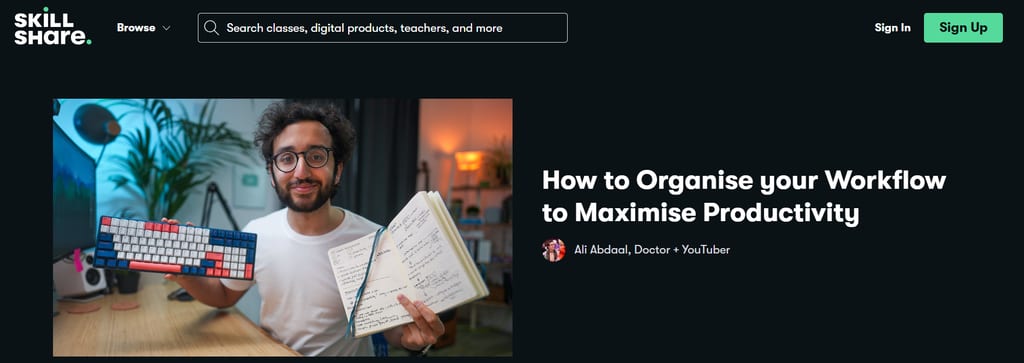
Ali Abdaal's Skillshare class teaches a framework-driven approach to personal workflow—the Pilot, Plane, Engineer model—drawing from GTD, Deep Work, and Make Time. It's worth considering if you want a methodology before adopting workflow tools.
What you'll learn: Schedule and time-block tasks, prioritize daily work using structured decision rules, manage distractions, apply the GTD methodology, and conduct daily, weekly, and annual reviews to optimize your workflow.
Course details:
- Format: Self-paced online class on Skillshare; 26 video lessons across 3 sections, with exercises and a class project
- Duration: 2 hours 38 minutes of video content; self-paced with no fixed access window or enrollment deadline
- Level/prerequisites: All levels (community-determined); no prerequisites required
- Price: Included with a Skillshare membership at $13.99/month (billed annually at $167.88/year); free trial available for new members
- Certificate/credits: Skillshare does not issue formal completion certificates or credits; learners can share a class project within the Skillshare community
Considerations: Because Skillshare doesn't issue completion certificates, this class isn't a good fit if you need a verifiable credential to show employers or clients.
For more on improving your personal productivity, try this list of productivity courses.
15. Process Optimization Course: COO System, KPIs, 4700+ Tools - Udemy
Best for: Operations managers needing ready-made process templates

PapaHR's Udemy course pairs process mapping and workflow redesign with 4,700+ ready-to-use templates. It's worth considering if you need a practical reference library for ongoing process improvement—not just a one-time learning experience.
What you'll learn: Map and analyze workflows using flowcharts and value-stream mapping, apply Lean and GTD methods, build KPI scorecards, manage process change, and redesign workflows for AI.
Course details:
- Format: Self-paced online course on Udemy; on-demand video with 582 lectures, 1 practice test, assignments, and 813 downloadable resources
- Duration: Approximately 359 hours of video content; lifetime access with no enrollment deadline
- Level/prerequisites: Beginner; no prior process improvement training required; intermediate English and access to a spreadsheet and document editor needed
- Price: From $19.99 for new learners (sale pricing); also available via Udemy Personal Plan subscription
- Assessment: 1 practice test and assignments included across the course
- Certificate/credits: Udemy Certificate of Completion upon finishing; no external accreditation or CPD credits
Considerations: At nearly 360 hours of content, you won't realistically complete this course in a single learning push—the instructor recommends treating the later sections as an ongoing reference library rather than required viewing.
16. Create a Custom Workflow in Wrike - Coursera
Best for: Wrike users building custom workflows hands-on

This Coursera Guided Project by Angelo Paolillo is a hands-on, browser-based session where you build real Wrike workflows in a live workspace—no installation needed. Consider it if you want practical Wrike experience fast.
What you'll learn: Set up a Wrike workspace, create custom workflows with tailored statuses, apply workflows to tasks, and build dashboards that display tasks filtered by workflow and status.
Course details:
- Format: Self-paced Guided Project on Coursera; split-screen browser interface with pre-recorded video and a live Wrike workspace; desktop only
- Duration: 2 hours; self-paced with no fixed access window or enrollment deadline
- Level/prerequisites: Beginner; no prior Wrike or project management experience required (provider-stated)
- Price: Included with Coursera Plus ($239/year); no standalone purchase price listed
- Certificate/credits: Shareable Coursera completion certificate, addable to LinkedIn; requires a paid certificate experience or active Coursera Plus subscription
Considerations: The project runs in a browser-based cloud desktop that isn't supported on mobile devices, so you'll need a laptop or desktop computer to complete it.
If you're interested in project management specifically, try these PM training courses.
17. Jira: Managing Custom Workflows - LinkedIn Learning
Best for: Jira admins building custom workflows from scratch

Rachel Wright's LinkedIn Learning course is entirely dedicated to Jira workflow customization—from stakeholder interviews to building, extending, and maintaining workflows. It's a focused choice if you're a Jira admin who needs depth, not a broad intro.
What you'll learn: Plan and design custom Jira workflows, create statuses and transitions, add triggers and validators, and apply workflow governance best practices.
Course details:
- Format: Self-paced online course on LinkedIn Learning; on-demand video with practice challenges, an exercise file, and quizzes
- Duration: 1 hour 41 minutes of video content; self-paced with no fixed access window
- Level/prerequisites: Beginner (provider-stated); no advanced Jira administration experience required
- Price: Included with LinkedIn Learning subscription at $39.99/month or $19.99/month billed annually; one-month free trial available
- Assessment: 5 quizzes and practice challenges, including a workflow scavenger hunt
- Certificate/credits: LinkedIn Learning Certificate of Completion; displayable on LinkedIn profile; continuing education units (CEUs) noted on the course page
Considerations: Access to course content and the certificate both depend on an active LinkedIn Learning subscription, so there's no one-time purchase option if you only need this course.
18. Workflow, Time Management and Productivity for Creatives - CreativeLive
Best for: Freelancers building a workflow system without software

Lisa Congdon's CreativeLive class teaches a no-software workflow system built around Google Sheets, rolling to-do lists, and time-blocking—methods she uses to manage 75+ client relationships as a working illustrator and artist.
What you'll learn: Build a workflow tracking document, set up a rolling to-do list, apply time-blocking to your schedule, and manage distractions to stay on top of multiple projects at once.
Course details:
- Format: Self-paced online class on CreativeLive; 9 pre-recorded video lessons; accessible on desktop and mobile browsers
- Duration: 2 hours 41 minutes of video content; self-paced with no enrollment deadline
- Level/prerequisites: Beginner; no prior productivity or organizational training required (provider-stated)
- Price: $149 per course; or included with Creator Pass at $299/year (access to 2,100+ classes)
- Certificate/credits: No certificate of completion mentioned on the course page
Considerations: This course has no certificate or credential, so if you need something to show on a resume or LinkedIn profile, you won't get that here.
How to Choose a Workflow Course
Start by naming the specific problem you're trying to solve. Are you configuring a tool for your team, building a personal productivity system, or learning to automate processes between apps?
- Match the course to your tool or method. Workflow courses vary widely in scope—some teach a specific platform (Jira, Wrike), others focus on no-code automation (Zapier, Make), and others teach tool-agnostic systems. If your team runs on Jira, a generic productivity course won't help you configure statuses and transitions.
- Check whether you need hands-on practice or conceptual grounding. Some courses drop you into a live workspace to build real workflows; others walk you through concepts with quizzes and reading. If you need to apply skills immediately on the job, prioritize courses with exercises, practice challenges, or live environments.
- Factor in the full cost. Several courses here require an active subscription (LinkedIn Learning, Coursera Plus) rather than a one-time purchase. If you only need one course, a subscription may cost more than a standalone buy.
- Consider the time commitment honestly. A 2-hour guided project and a multi-week certification course both have value, but they serve different goals. If you need a credential for a promotion or job application, verify whether a completion certificate actually carries that weight—most don't function as professional certifications.
- Check format compatibility. Some courses are desktop-only; others support mobile. If you learn during commutes or travel, confirm the course works on your device before purchasing.
Workflow Course FAQ
What's the difference between workflow management and workflow automation?
Workflow management is about designing and coordinating the steps, responsibilities, and decisions in a process. Automation uses software to perform some of those steps automatically. A course may cover one or both, so check its learning objectives before enrolling—don’t assume a workflow management course will teach you how to build automated triggers, or vice versa.
Do workflow skills transfer between different tools?
Many core skills—like mapping steps, clarifying responsibilities, and identifying bottlenecks—apply across platforms. Tool-specific settings and features are a different story, though. If you switch from Jira to Asana, for example, expect to learn the new tool’s configuration separately. I’d focus first on the transferable fundamentals, then layer in the platform-specific mechanics.
How can I tell whether a course teaches skills I can use on the job?
Look for practice that asks you to build or improve a workflow, not just explain terms. Exercises using realistic processes are a good signal that you’ll be able to apply the material to your own work. If the course only offers multiple-choice quizzes at the end of each section, you’re probably getting more theory than practice.
What should I do after completing a workflow course?
Pick a real, manageable process and apply what you learned. Then check whether the new workflow improves clarity, timing, or handoffs—and ask the people involved for feedback. Adjusting based on that feedback is where the actual learning happens. Finishing a course is a starting point, not the finish line.
Workflow Software
Whether you need a tool to train with or you feel ready to try some workflow management for real, there are lots of different kinds of workflow software to explore. Here are some listicles we offer to help you find the best workflow software for you:
- Free Workflow Software
- Open-Source Workflow Software
- Workflow Diagram Software
- Project Workflow Software
- Enterprise Workflow Software
- Document Workflow Software
What’s Next?
Want to connect with other digital project managers and share resources and best practices? Join our membership community for access to 100+ templates, samples, and examples, plus a Slack community of hundreds of digital project managers.

