

11 Top Benefits of Workflow Automation for Productivity

Workflow Automation Benefits: Workflow automation standardizes tasks, ensuring consistency, reducing errors, and saving time across your business processes.
Improve Communication: Automation tools simplify collaboration by connecting tasks, software, and people, keeping everyone aligned and informed.
Eliminate Bottlenecks: Automating your processes can also help you spot slowdowns in your workflows and fix them effortlessly, creating a smoother and faster process overall.
Boost Customer Satisfaction: Efficient workflows lead to quicker responses and higher-quality service, directly improving the customer experience.
Save Time: By automating repetitive tasks, your team can shift their energy to high-impact work that drives results and innovation.
The main benefits of workflow automation software include proactive issue identification and optimized workload distribution. If you’re juggling shifting priorities, dependencies, and deadlines, these tools help you catch problems before they escalate and keep work balanced across your team.
This article breaks down how workflow automation can help you deliver projects with fewer surprises and more predictability.
What Is Workflow Automation Software?
Workflow automation software is a digital tool that automates repetitive tasks, routes work between team members, and enforces process steps. You use it to reduce manual effort, minimize errors, and keep projects moving without constant oversight.

These platforms help teams standardize processes, track progress, and respond quickly to changes. By automating routine work, you free up time for higher-value tasks and improve overall project visibility.
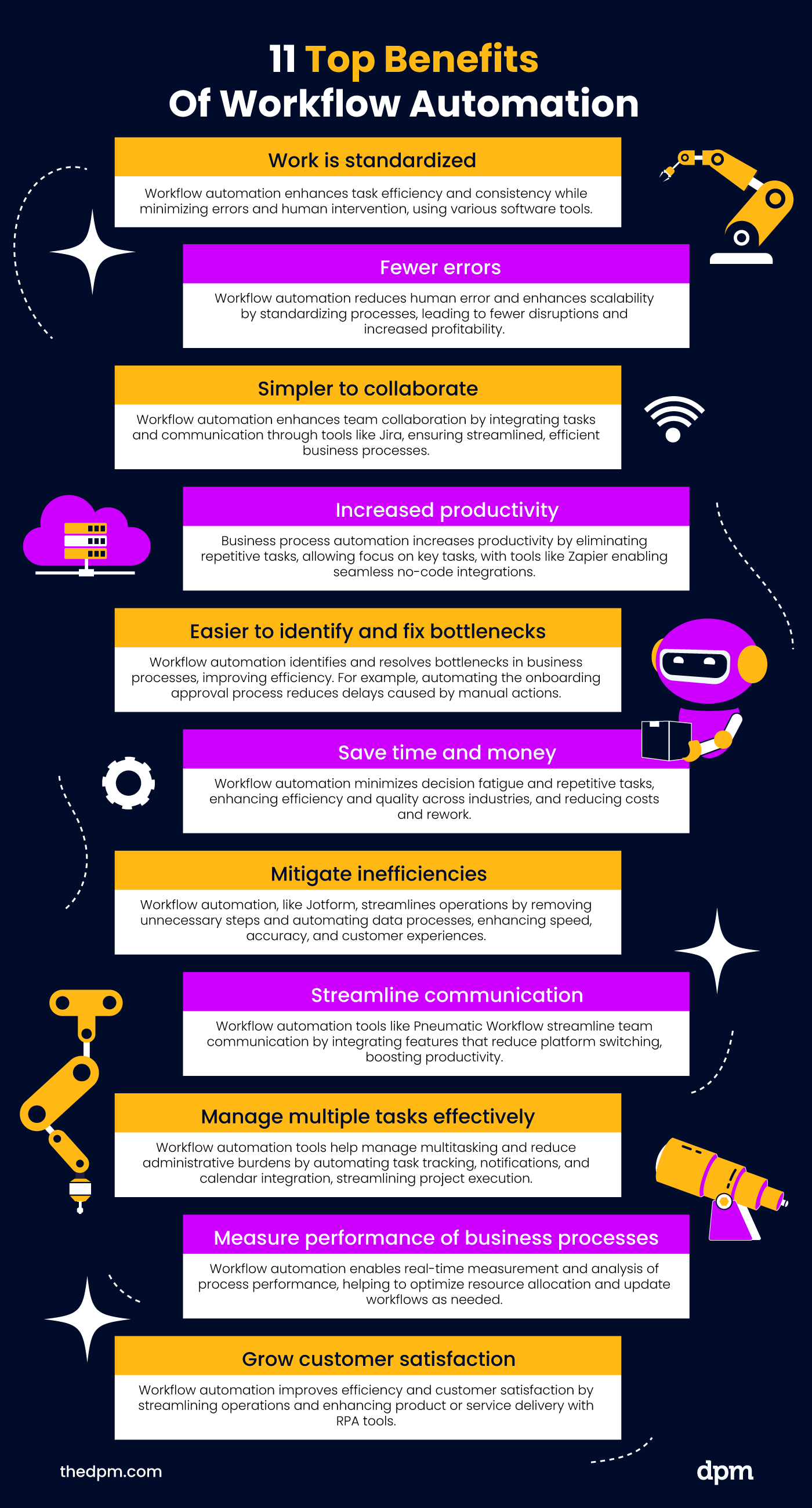
Top 11 Benefits of Workflow Automation Software
Here are the key benefits of workflow automation software:
1. Work Is Standardized
Workflow automation can streamline workflows by standardizing the various processes for certain tasks. It clearly defines the steps of the process for all users, optimizes processes by reducing variability, ensures consistent quality, and allows for the process to be infinitely repeatable.
Workflow automation reduces the amount of human error and enforces a predefined process of best practices for completing tasks. When work is standardized, you can accomplish more in less time with less human intervention, making your overall business workflows smoother.

2. Fewer Errors
Manual processes are notorious for leading to mistakes—it’s just part of being human. One of the benefits of workflow automation is that it can significantly reduce errors caused by uninformed decisions or simple slip-ups.
Think about data entry: it’s repetitive, tedious, and full of opportunities for things to go wrong. But it’s not just data entry—errors can creep into any part of your business operations, and if they’re not caught, they can snowball into major disruptions that impact your bottom line and derail your projects.
One of the biggest advantages of AI in workflow automation is its ability to identify potential mistakes, such as missing information or inconsistent data, before they disrupt a process. However, human oversight is still important for reviewing exceptions and ensuring accuracy.
3. Simpler to Collaborate
Another top benefit of workflow automation is how it streamlines the process of collaborating as a team. Using a process automation tool can connect multiple entities—people, software, and tasks—without having to manually enter every data point.
Process automation software does more than allow communication between employees. It can provide views of things like task completion, CRM updates, human resource operations, and a variety of other useful metrics. This means everyone is working from the same set of information.
Integrating workflow automation solutions allows your entire project management process to operate smoothly while incorporating the most important people with their relevant tasks. This means you can simply collaborate without bogging people down with parts of the process that don't concern them.
Jira Software, as an example, allows you to communicate and collaborate in real-time and is an effective management tool for all of your business processes.
4. Increased Productivity
Workflow automation should make your life and job easier—if it’s not boosting productivity and cutting out repetitive tasks, what’s the point?
For example, in a content approval workflow, a draft can automatically move from the writer to the editor and then to the final approver. Instead of manually assigning each step or chasing updates, team members receive notifications when it's their turn. This reduces administrative work and frees up time for higher-value tasks.
Teams can choose from low-code, no-code, and open-source workflow software to streamline processes and digitize workflows. Zapier, for example, connects apps such as ChatGPT, Asana, and Outlook to automate repetitive actions between them, without requiring traditional robotic process automation (RPA).
5. Easier to Identify and Fix Bottlenecks
Every business process has its slow spots—tasks that take longer than they should or don’t get done as effectively as possible. That’s where workflow automation really shines: it helps you spot those bottlenecks and fix them before they cause bigger problems.
Consider this workflow automation example: A new team member can't begin work because they're waiting for access to project documents. Instead of manually chasing approvals, an automated workflow routes the request to the right person, sends reminders if it stalls, and tracks when access is granted.
By automating steps in the document approval process, project managers can identify delays sooner and prevent routine approvals from blocking progress.
6. Save Time and Money
Workflow automation saves time by reducing repetitive tasks such as assigning work, chasing approvals, and correcting errors. These improvements can lower operational costs, especially when teams handle high volumes of similar tasks.
To calculate potential savings, estimate the hours saved each month, multiply them by the team's hourly labor cost, and compare the result with the pricing of workflow automation tools. Include setup, training, and maintenance costs to get a more realistic picture of the return on investment.
Choosing the right workflow management tools can also reduce rework and improve consistency. Start by measuring one recurring process before and after automation to determine whether you're improving workflow efficiency and reducing costs.
7. Mitigate Inefficiencies
Another important benefit of workflow automation is its ability to address inefficiencies in your business processes. Often, workflow systems include extra steps that might appear useful on paper but end up wasting time, increasing costs, or subtly diminishing the customer experience. Automation helps streamline these processes so that every step adds real value.
Stakeholders might notice the follow up process for onboarding clients, for example, might take several hours or even days when some of the process could be automated entirely.
While a special interaction may be needed at some point, onboarding clients as quickly as possible and giving them as much information as possible may be the difference between a positive customer experience and a negative one.
Jotform is a great example of a workflow app at its best when it comes to mitigating inefficiencies. Jotform specializes in reducing manual tasks by automating the data collection and data entry process from start to finish. This means employees have the information they need, when they need it, without having to double check any of the data.
8. Scale Operations Without Increasing Manual Work
As your business grows, managing more projects, tasks, and approvals can quickly overwhelm your team. Workflow automation helps you scale operations without adding the same amount of administrative work.
For example, when a new client project begins, automated workflows can assign tasks, notify stakeholders, and route approvals based on predefined rules. Project managers no longer need to coordinate every step manually, even as the number of active projects increases.
By keeping processes consistent across multiple projects and teams, workflow automation makes it easier to handle growing workloads while maintaining quality and meeting deadlines.
9. Manage Multiple Tasks Effectively
Managing tasks across multiple projects means constantly reviewing requests, assigning owners, and tracking deadlines. Workflow automation reduces this administrative burden by moving tasks forward based on predefined rules.
For example, when a new design request arrives, an automated workflow can create a task, assign it to the appropriate team member, and notify the reviewer when the work is ready. An AI workflow automation tool may also help categorize or prioritize incoming requests.
This keeps tasks organized, reduces manual follow-ups, and helps project managers focus on higher-value decisions instead of routine coordination.
10. Measure Performance of Business Processes
Workflow automation makes it easier to track performance by collecting data as tasks move through a process. Useful metrics include average approval time, overdue tasks, error rates, and the time employees spend on manual handoffs.
By comparing these metrics before and after automation, project managers can identify which processes are improving and where bottlenecks remain. For example, if approvals still take several days despite automated reminders, the team may need to adjust responsibilities or escalation rules.
Tracking these results over time helps teams make informed decisions, allocate resources effectively, and continuously improve their workflows.
Want to dig deeper into how to monitor, evaluate, and improve performance using automation? Business process automation courses can teach you how to interpret workflow data and apply process optimization techniques that drive results.
11. Grow Customer Satisfaction
When your work is consistent, communication flows smoothly, and tasks are handled efficiently, your customers will notice the difference. Workflow automation helps you eliminate delays, deliver better products or services, and create a smoother experience overall.
One of the biggest perks of workflow automation is how it boosts customer satisfaction—and makes it scalable. By improving your team's workflows with tools like RPA (robotic process automation), you can steadily enhance the experience you’re offering.
If tracking customer satisfaction is part of your process, consider tools like Qntrl. Its machine learning features collect feedback and use it to suggest improvements for your workflows, ensuring your customer experience keeps getting better over time.
What's Next?
If you want to dive deeper into how automation can save time, reduce errors, and keep your projects moving, check out this detailed guide on what workflow automation software is for practical tips and real-world examples.


