

10 beste verktøy for prosjektporteføljestyring for virksomheter i 2026

10 Kortliste over programvare for styring av prosjektporteføljer i virksomheter


Det er ikke enkelt å velge riktig programvare for styring av prosjektporteføljer i virksomheter. Med så mange alternativer der ute er det vanskelig å vite hvilket verktøy som faktisk vil hjelpe prosjektene dine med å samsvare med virksomhetens mål. Men ikke stress – jeg hjelper deg! I dette innlegget deler jeg mine egne erfaringer med å teste dusinvis av verktøy hos store selskaper, og gir deg mine beste anbefalinger for å gjøre valget mye enklere. La oss finne det perfekte alternativet for deg!
Why Trust Our Software Recommendations
Our team has been testing and reviewing software since 2012. As project managers ourselves, we know how difficult—and important—it is to choose the right software.
For this guide, we evaluated tools using hands-on testing and independent research, scoring tools using our selection criteria. We also draw on insights from industry thought leaders and practicing project management experts.
Our reviews reflect our human editorial judgment, not a sales pitch.
Expert reviewers:
Sammenligningstabell for programvare for styring av prosjektporteføljer i virksomheter
Denne sammenligningstabellen oppsummerer prisopplysningene for mine beste anbefalinger av programvare for styring av prosjektporteføljer i virksomheter:
| Tool | Best For | Trial Info | Price | ||
|---|---|---|---|---|---|
| 1 | Best with AI and machine learning | 14-day free trial | Pricing upon request | Website | |
| 2 | Best for portfolio decisions at scale with AI | Free demo available | Pricing upon request | Website | |
| 3 | Best for PMO-native resource What-If scenario planning | Free demo available | Pricing upon request | Website | |
| 4 | Best enterprise solution with on-premise deployment options | 14-day free trial + free demo available | From $10/user/month (billed annually) | Website | |
| 5 | Best enterprise PPM tool for NPD and innovation | Free trial + demo | From $15/user/month | Website | |
| 6 | Best with AI resource capacity optimization | 30-day free trial + free demo available | From €22.5/month (billed annually) | Website | |
| 7 | Best for scalable PPM with broad integrations | Free plan available | From $9/user/month (billed annually) | Website | |
| 8 | Best enterprise PPM software with CRM functionality | Free plan + 15-day free trial + free demo available | From $4/user/month (billed annually) | Website | |
| 9 | Best for full lifecycle service delivery | Free demo available | Pricing upon request | Website | |
| 10 | Fully featured with high level of security through encryption and two-factor authentication. | Free plan available | From $9/user/month (billed annually) | Website |


Oversikt over de 10 beste programvarene for styring av prosjektporteføljer i virksomheter
Her er en kort beskrivelse av hvert verktøy for styring av prosjektporteføljer i virksomheter, med informasjon om funksjoner, sikkerhetsspesifikasjoner og integrasjoner. De fleste verktøyene oppgir priser på forespørsel, men du kan få en idé om kostnadene for programvare for prosjektstyring i virksomheter her.

Wrike
Best with AI and machine learning
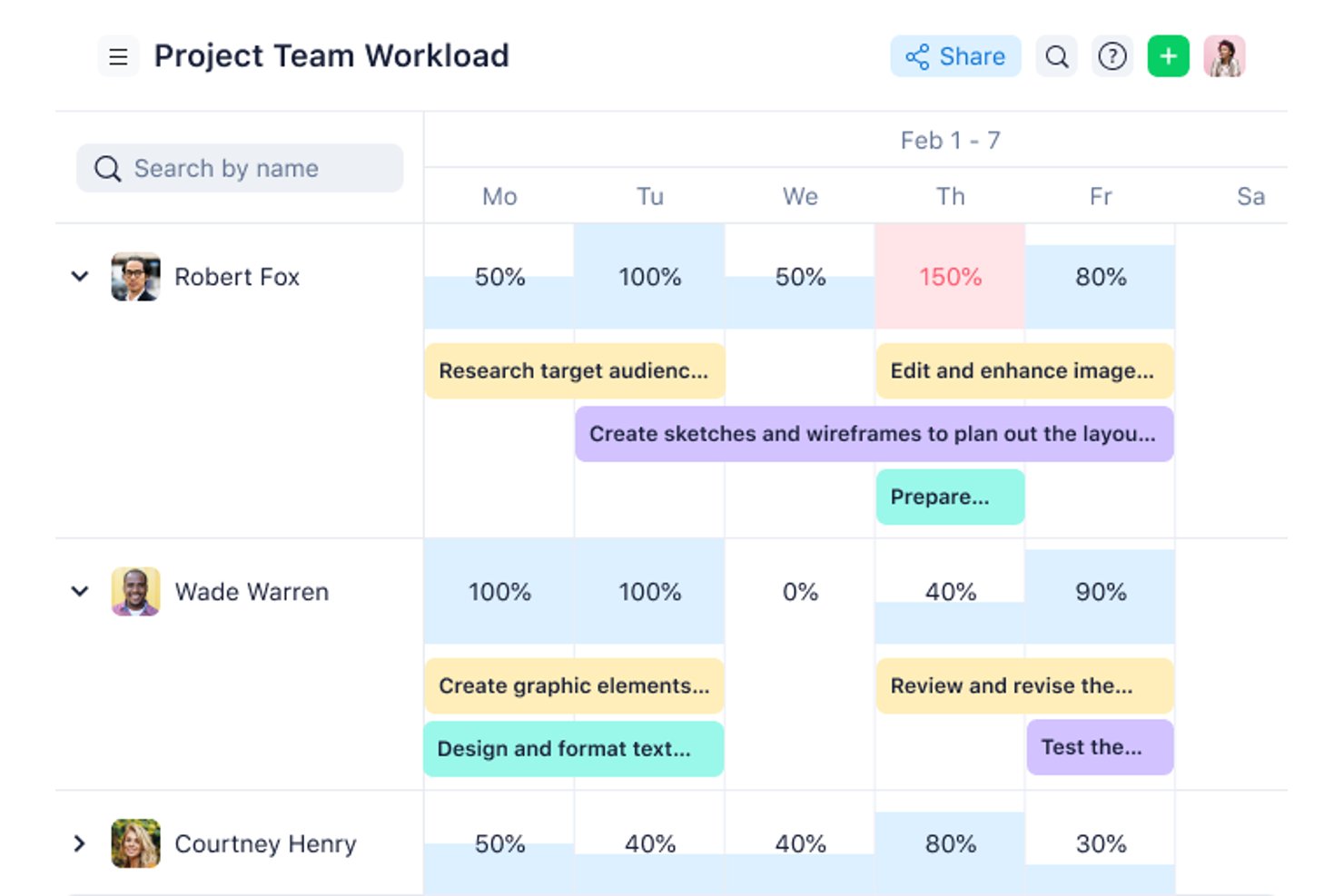
Wrike is a collaborative work management platform built for enterprise teams that combines cross-project portfolio visibility, AI-driven risk prediction, resource and capacity planning, demand intake with dynamic request forms, and dependency tracking across initiatives.
Who Is Wrike Best For?
Wrike is a strong fit for PMO directors and resource capacity planners in mid-to-large organizations who need cross-project visibility, demand intake governance, and AI-assisted risk flagging in a single platform.
Why I Picked Wrike
Wrike earns its spot as one of the best on my shortlist because its AI and machine learning capabilities actively surface which projects need your attention before things go sideways. I'm particularly impressed by AI Project Risk Prediction, which uses machine learning to rate each project's deadline risk as low, medium, or high and gives plain-language reasons why. Paired with Wrike Copilot, which answers natural-language questions about portfolio status and priorities, my team can cut through noise across hundreds of concurrent projects.
Wrike Key Features
- Resource bookings: Allocate team members to projects by priority and availability before individual tasks exist.
- Dynamic request forms: Automatically generate projects or workflows from form submissions, with conditional routing based on answers.
- Portfolio roll-up reporting: Aggregate tasks, financials, and project progress in real time and link them to OKRs and KPIs.
- Cross-project dependency tracking: Manage task and project dependencies across initiatives using four dependency types on the Gantt chart.
Wrike Integrations
Wrike offers 400+ documented prebuilt integrations, including Jira, Azure DevOps, Salesforce, Microsoft Teams, Slack, Google Sheets, Power BI, Tableau, NetSuite, and QuickBooks. Wrike Sync adds paid two-way connections with 22 systems and is included in Apex.
Pros and Cons
Pros:
- Resource bookings expose capacity conflicts early
- AI risk flags prioritize troubled projects
- Cross-project rollups clarify portfolio status
Cons:
- Financial forecasting lacks EVM and ROI
- No native weighted portfolio scoring
New Product Updates from Wrike
Wrike Adds Klaxoon MCP Integration
Wrike’s Klaxoon MCP integration is now generally available, enabling AI agents to navigate between Wrike tasks and attached whiteboards, read task context, and manage whiteboard attachments via API. For more information, visit Wrike's official site.

Best for portfolio decisions at scale with AI

Planisware is a project portfolio management (PPM) solution designed for enterprises that need a single platform to plan, track, and manage complex projects. It consolidates project data into one place, enabling teams to collaborate effectively and make informed decisions based on real-time portfolio insights.
Why I Picked Planisware: I picked Planisware because it uses AI to give you complete visibility into your project portfolios while helping you align investments with your business goals. Its centralized data model makes it easier to track progress, monitor budgets, and allocate resources efficiently. You can also manage project lifecycles with defined workflows and switch between waterfall, agile, or hybrid methodologies based on your team’s needs. This flexibility makes it especially useful for making portfolio decisions at scale.
Planisware Standout Features & Integrations
Features include AI-powered forecasting for project outcomes, professional services automation to streamline delivery, centralized resource management for better workload balancing, customizable dashboards for real-time reporting, and portfolio scoring to prioritize investments based on business value.
Integrations include NetSuite, Salesforce, HubSpot, Slack, ChatGPT (OpenAI), Microsoft Dynamics CRM, Microsoft Teams, Zendesk, Jira Software Cloud, Google Sheets, Google Drive, and Airtable.

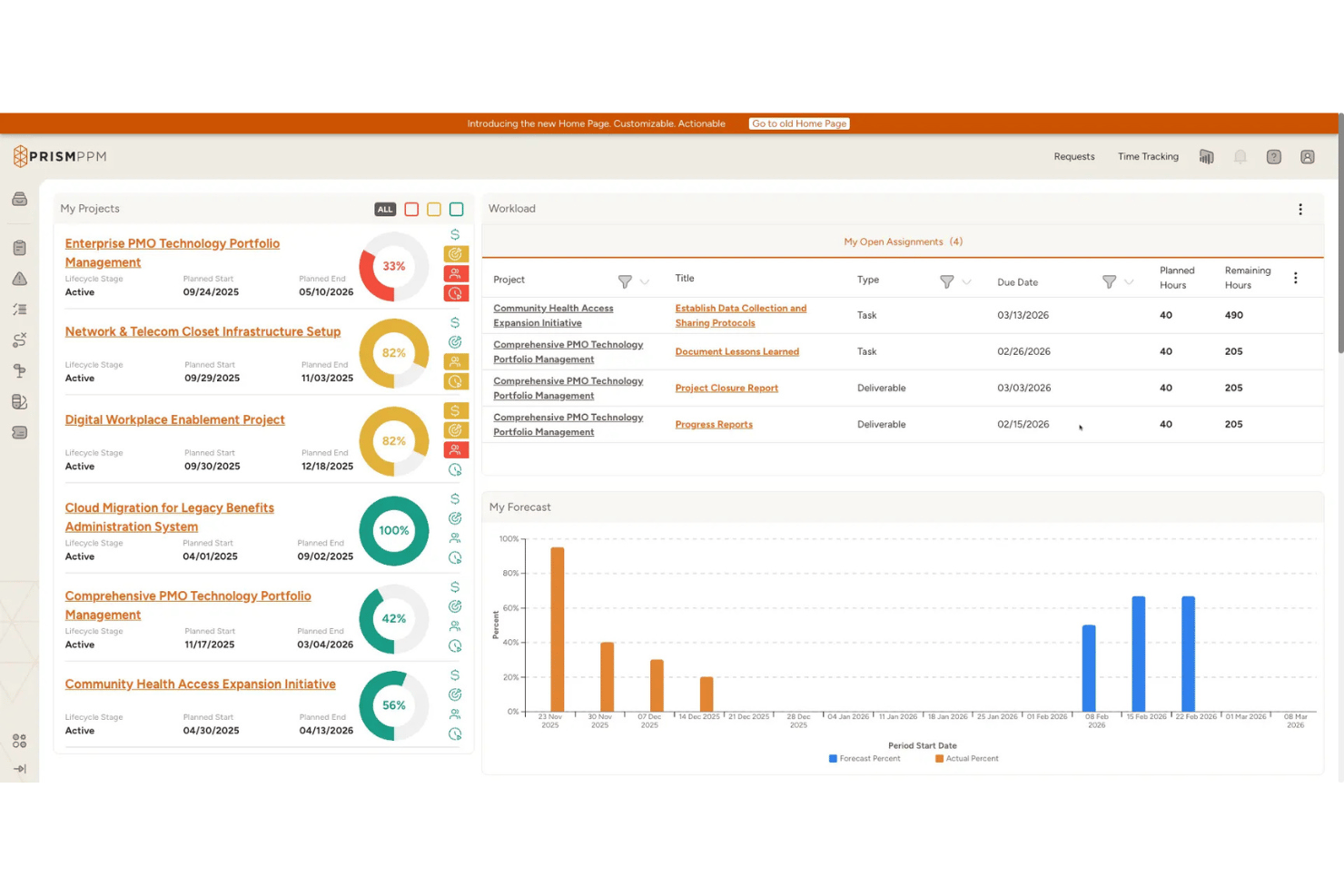
Prism PPM is a PMO-native project portfolio management platform built around resource management, strategic alignment, and portfolio-level visibility, with What-If scenario planning, Agentic AI, and flexible BI integrations at its core.
Who Is Prism PPM Best For?
Prism PPM is a strong fit for PMO directors and portfolio managers who need structured, PMBOK-aligned governance with serious resource capacity planning built in.
Why I Picked Prism PPM
Prism PPM earns its spot on my shortlist because resource What-If scenario planning is genuinely central to how the platform works, not a bolt-on feature. I like that you can model staffing changes across the portfolio before committing, using skills-based and availability-based leveling alongside capacity forecasting to see downstream impact in real time. Pair that with a PMBOK-aligned data model built specifically for PMOs, and you get portfolio-level governance that's hard to replicate in a general-purpose tool.
Prism PPM Key Features
- Business Value Assessment: A weighted scoring tool to evaluate and prioritize project requests against configurable business criteria before converting them to active work.
- Agentic AI: An AI layer that takes multi-step actions within workflows, including generating portfolio health briefs, scoring initiatives, and drafting workplans.
- Visual Workflow: A pipeline management view that maps projects across configurable lifecycle stages, giving PMOs a structured overview of all active and planned work.
- RAID log: A project-level log for capturing risks, assumptions, issues, and dependencies, with AI-generated composite risk scores and mitigation recommendations at the program level.
Prism PPM Integrations
Prism PPM offers documented integrations with Jira, Microsoft Power BI, Azure Databricks, Outlook, SharePoint, OneDrive, Google Drive, Box, and Dropbox. Its open API supports custom integrations.
Pros and Cons
Pros:
- Agentic AI automates multi-step project actions
- PMBOK-aligned governance and portfolio structure
- What-If scenario planning for resource management
Cons:
- No on-premise or hybrid deployment option
- No native ERP or finance system integrations

Celoxis
Best enterprise solution with on-premise deployment options
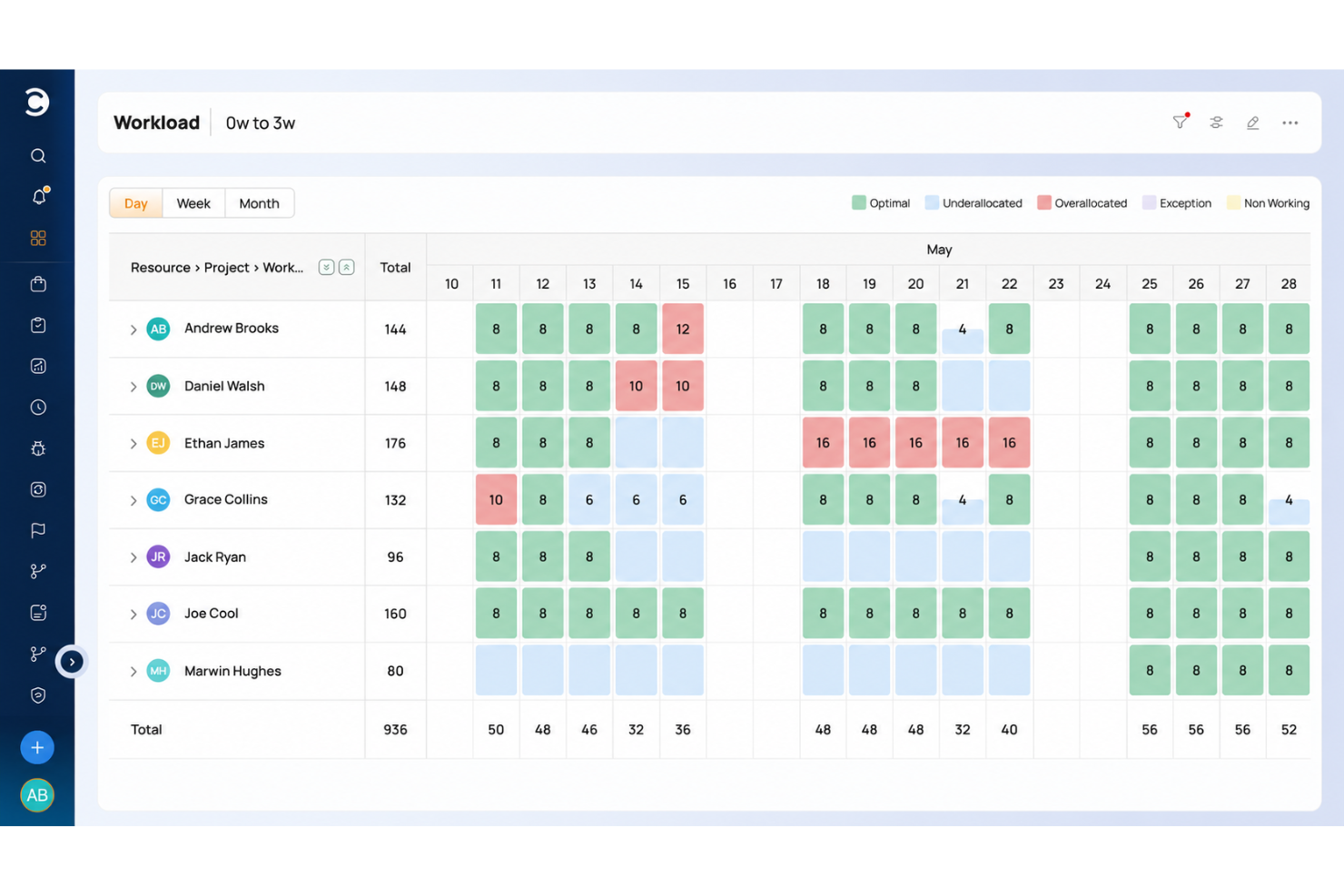
Celoxis is a PPM tool designed to help businesses with project execution and resource allocation. Its platform integrates project management, financials, and reporting into a single, comprehensive solution, making it ideal for enterprise-level project oversight. It also has cloud and on-premise deployment options.
Why I picked Celoxis: As an enterprise PPM software, Celoxis excels with its comprehensive project planning and tracking tools. It offers features like interactive Gantt charts, cross-project dependencies, and critical path analysis, ensuring that large-scale projects remain on schedule. The platform’s ability to centralize financial management further enhances its value for enterprises, as it helps teams manage budgets, track expenses, and ensure financial alignment with organizational goals.
For enterprises managing multiple teams and departments, its resource allocation tools allow for better planning and capacity management. The platform also provides real-time insights into potential risks for proactive issue resolution and automated and configurable workflows help drive process consistency.
Celoxis Standout Features & Integrations
Features include reporting, variance tracking, proactive issue and change management, cross-project workload management, automated intake workflows, centralized request management, strategic demand evaluation, advanced resource scheduling, roadmap visualization, dependency management, and automated alerts and notifications.
Integrations include critical platforms like Jira, Salesforce, QuickBooks Online, Excel, Slack, and Google Apps. You can also build custom integrations using its available API.
Celoxis is one of the few tools that offer SaaS and on-premise deployment options.
Best enterprise PPM tool for NPD and innovation
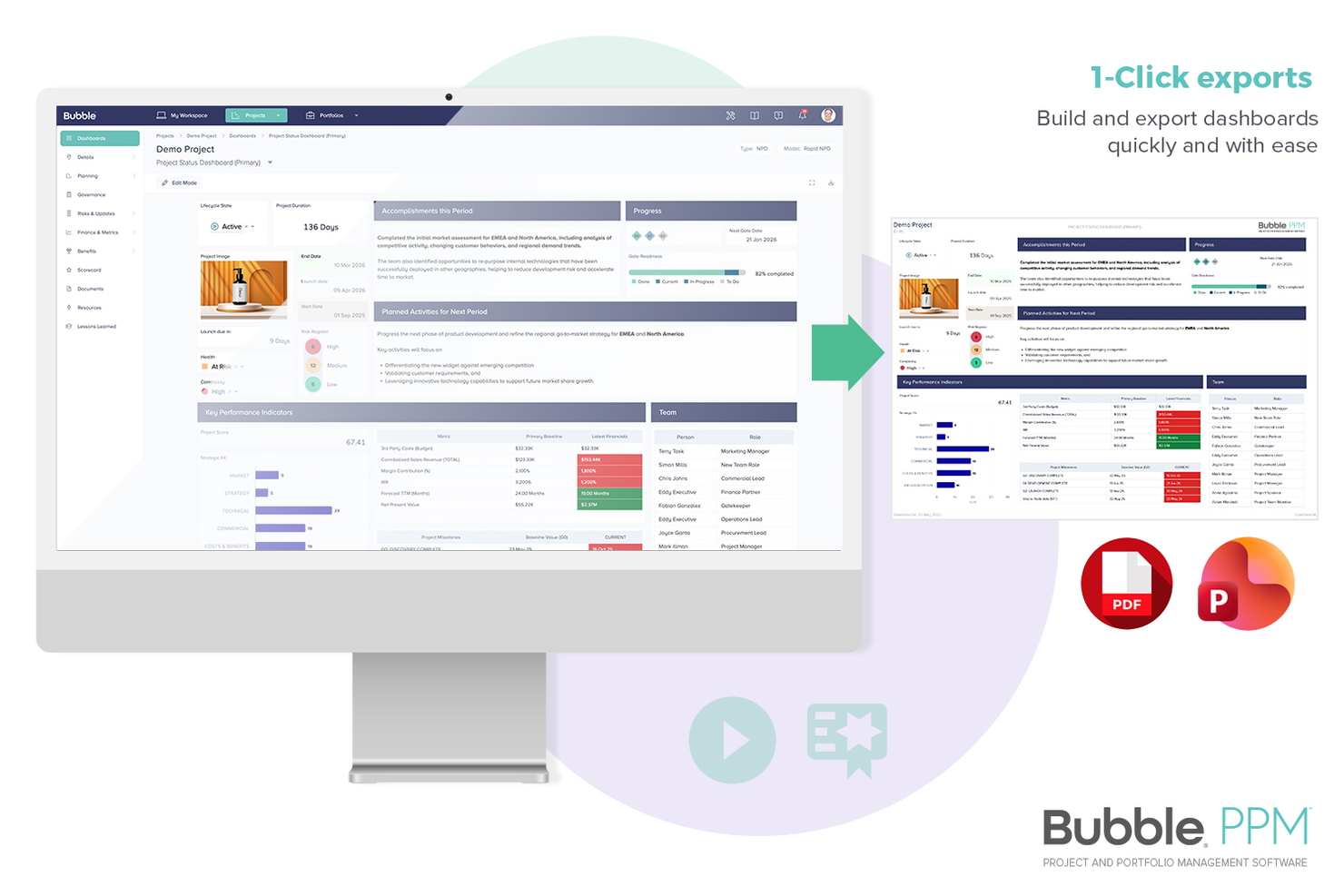
Bubble PPM is a project portfolio management tool that provides real-time insights and a full suite of reporting tools.
Why I picked Bubble PPM: This tool provides you with a real-time view of portfolios for informed decision-making. Its in-built process governance and best practices help you have complete control of your portfolios and the projects within them.
Bubble PPM's interface is highly configurable and has tons of colorful elements that help you identify things like risks, overdue tasks and delayed projects at a glance. Finally, its reporting feature allows you to create reports from scratch, access one-click reports, and even automate them so you can focus on other tasks.
Bubble PPM Standout Features & Integrations
Features include scoring projects based on importance, financial planning tools to align investments with strategy, what-if scenarios of alternate portfolios, roadmaps, resource planning, workload views, and dozens of reports from one-click to complex ones.
Integrations include personalized help with technical questions through Bubble PPM's dedicated in-house technical support team.

Epicflow
Best with AI resource capacity optimization
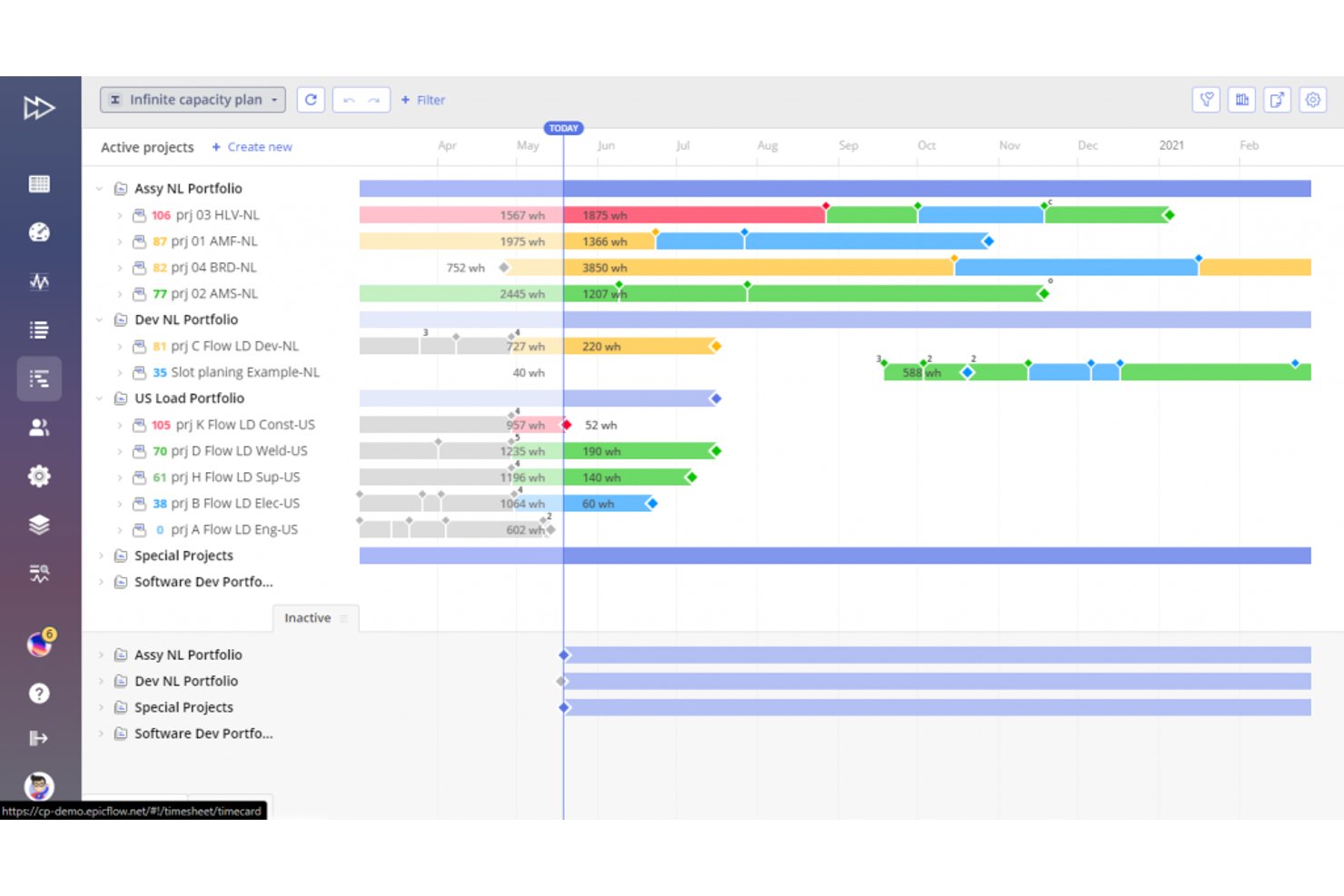
Epicflow is an enterprise portfolio management platform built around AI-driven resource optimization, multi-project scheduling, capacity planning, and dynamic task prioritization across large, resource-shared project environments.
Who Is Epicflow Best For?
Epicflow suits enterprise PMOs in defence, manufacturing, healthcare, and IT that manage large pools of shared specialist resources across many concurrent projects.
Why I Picked Epicflow
Epicflow earns its spot as one of the best on my shortlist because its AI-Driven Portfolio Optimizer sequences the entire portfolio based on value per constrained resource hour, not just deadlines. I like that the Future Load Graph surfaces upcoming capacity crunches before they become delivery problems. The what-if scenario sandbox lets me model the impact of adding a project or losing a key specialist, giving me real foresight into how resource shifts ripple across active workstreams.
Epicflow Key Features
- Multi-project pipeline view: Shows all ongoing and upcoming projects with real-time progress and changing priorities.
- Integration with MS Project, Jira, and SAP: Keeps all project, resource, and task data synced with external platforms.
- Competence and skill management: Maps team members by specific skills to enable fast, precise task assignments.
- Advanced project buffer and risk management: Uses buffer tracking and risk flagging based on Critical Chain Project Management.
Epicflow Integrations
Epicflow offers native integrations with Microsoft Project, Jira, and SAP. An API is available for custom integrations.
Pros and Cons
Pros:
- Real-time resource load visibility across projects
- Critical Chain-based buffer management built in natively
- AI-driven capacity optimization across multi-project portfolios
Cons:
- Reporting customization options are restricted
- Limited financial and budget management

Best for scalable PPM with broad integrations
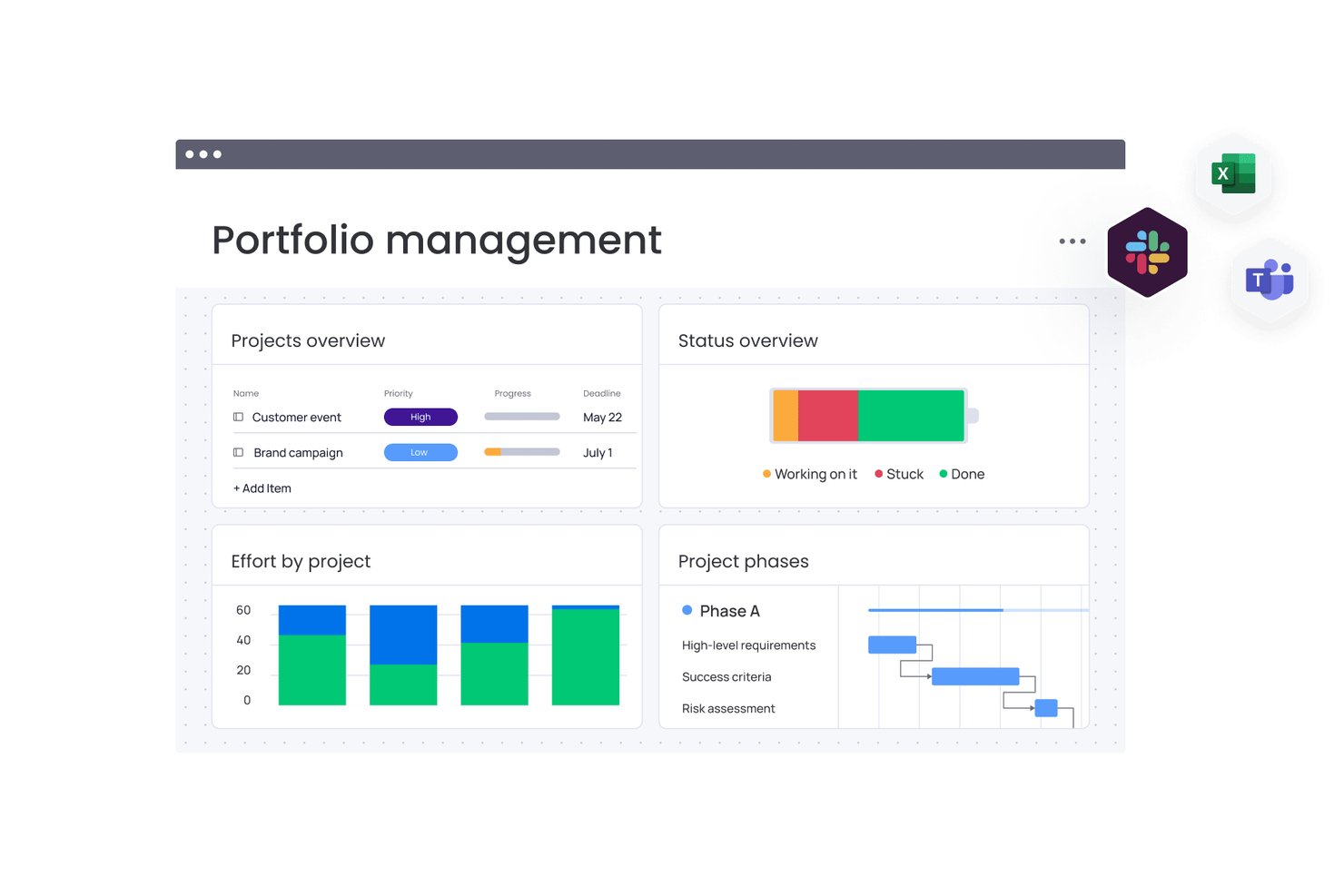
monday AI Workspace is a configurable work management platform that combines AI-powered project planning, portfolio oversight, resource management, and cross-tool integrations to support enterprise-scale program execution.
Who Is monday AI Workspace Best For?
It's a strong fit for PMO directors and portfolio managers at mid-to-large organizations running multiple concurrent projects across cross-functional teams.
Why I Picked monday AI Workspace
monday AI Workspace earns its spot on my shortlist because its Enterprise portfolio layer is genuinely built for scale. I can consolidate hundreds of active project boards into a single portfolio view with real-time health snapshots, and monday sidekick surfaces AI-spotted risks and dependency conflicts before they escalate. The two-way sync with tools like Salesforce and Jira means portfolio data stays connected to the systems my teams already work in, rather than living in a silo.
monday AI Workspace Key Features
- Configurable intake forms: Teams can build custom project intake and governance workflows for new initiative approvals.
- Skills-based resource allocation: Assign people to projects using skill tags and real-time availability data.
- Integrated time tracking: Capture actual working hours on projects and tie them to portfolio cost data.
- Multi-board automations: Set up automated actions and triggers spanning multiple project boards across the organization.
monday AI Workspace Integrations
monday AI Workspace offers native integrations with Jira, Salesforce, Slack, HubSpot, GitHub, Google Workspace, Microsoft 365, Trello, Zoom, and Zendesk. It also supports Zapier and provides an API for custom integrations.
Pros and Cons
Pros:
- Scales across large, complex project volumes
- AI flags risks and dependencies proactively
- Highly configurable portfolio-level dashboards
Cons:
- Portfolio reporting requires significant manual setup
- Advanced PPM features locked to Enterprise tier
New Product Updates from monday AI Workspace
monday AI Workspace Adds Human Approval Routing
monday AI Workspace adds a human-in-the-loop approval block to AI Workflows, sending approval requests and routing workflow paths based on responses. For more information, visit monday AI Workspace's official site.

Best enterprise PPM software with CRM functionality

Zoho Projects is a cloud-based project portfolio management software that enterprises can use to plan and manage their projects. This solution offers a wide range of features to help manage projects, especially with the Enterprise plan’s portfolio dashboard, allowing users to manage portfolios effectively.
Why I picked Zoho Projects: Enterprises can effectively manage their project portfolios with Zoho Projects’ intuitive and easy-to-use UI. It is also possible to remotely manage portfolios and managers and employees can collaborate easily and efficiently, especially when considering the resource utilization chart. Using the Zoho Projects Enterprise plan gives enterprises the necessary tools to manage project portfolios effectively.
The enterprise PPM software also comes with a resource utilization chart that can be used to give users a clear view of a team’s workload and availability. Enterprises will be able to use color codes, taskbars, and views to monitor employee schedules and availability at a glance. The heatmap view functionality checks disconnected schedules to show how occupied people are during business hours.
Zoho Projects Standout Features & Integrations
Features include task management, time management, collaboration, automation, charts and reports, and user administration features.
Integrations include everything within the Zoho ecosystem, such as Zoho Books and Zoho’s finance suite. The new Zoho marketplace allows 3rd party integrations as well, like Microsoft Office 365, Microsoft Teams, Google Drive, Zapier, Zendesk, and ServiceNow. Integrations via Zapier and Zoho Flow are also supported.
The portfolio dashboard necessary to manage project portfolios is exclusive to the Enterprise plan, allowing enterprises to use Zoho Projects as a project portfolio management software.
New Product Updates from Zoho Projects
Zoho Projects Adds CodeX Scripts for Custom Modules
Zoho Projects now supports CodeX Scripts for custom modules, enabling conditional logic and rules for creating, updating, and deleting records. For more information, visit Zoho Projects' official site.
 .
.
Kantata
Best for full lifecycle service delivery

Kantata is an enterprise project portfolio management solution designed for professional services organizations. It helps your team manage complex projects, align resources, and maintain visibility across your portfolio so you can keep everything on track and profitable.
Why I picked Kantata: What makes Kantata stand out is how it supports the full lifecycle of professional services delivery. From a single dashboard, you can see key metrics like profit margins, budget burn, and portfolio health, while also drilling down into the details of individual projects. I particularly like its people-centric approach to resource planning ensures your team is staffed effectively and that workloads are balanced—something many traditional PPM tools don’t handle as well.
Kantata also combines project delivery tools with financial management and business intelligence, giving you the ability to track project burn, forecast demand, and analyze profitability in real time. By unifying projects, resources, and financials, it eliminates silos and empowers your team to make data-driven decisions with confidence.
Kantata Standout Features & Integrations
Features include dynamic dashboards, portfolio health views, scenario-specific reports, resource capacity and staffing tools, project delivery collaboration, and financial tracking. Kantata also offers pulse surveys to capture team and client sentiment, adding a human-centered layer to portfolio oversight.
Integrations include PayPal, Slack, Gmail, Google Workspace, Microsoft 365, Salesforce Sales Cloud, Jira, BambooHR, Gigasheet, and Hubstaff.
New Product Updates from Kantata

Kantata Adds Access Group Change History
Kantata adds Access Groups History, letting account administrators track changes to group details, membership, and permissions in Recent History. The update also makes these events available through the Subscribed Events API for broader monitoring. For more information, visit Kantata’s official site.
 .
.
ClickUp
Fully featured with high level of security through encryption and two-factor authentication.
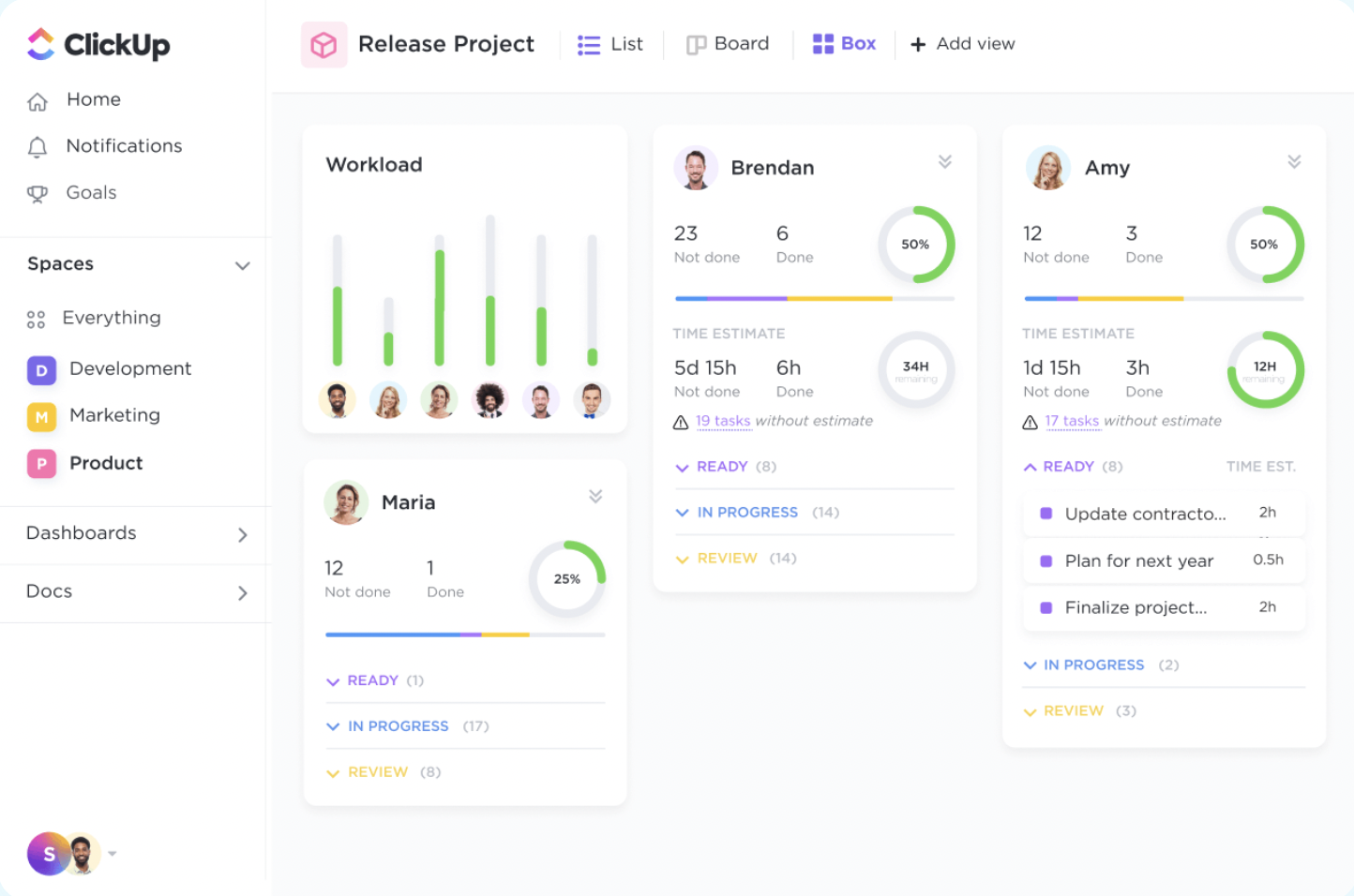
ClickUp, one of the project management powerhouses, offers resource management, task management, team collaboration through documents, built-in comms, reporting, and much more. A feature they offer at this level is the white label solution to make you feel you own this wonderful product.
We all want our information protected, and ClickUp knows that. All data uses a AES-256 encryption at rest, the software is HIPAA and GDPR compliant, and every account in the enterprise tier has two-factor authentication and single-sign-on features for increased security.
Other things that caught my eye are the dedicated success manager and the granularity of permissions within the platform. You will control who clicks where and with which finger.
ClickUp integrates with cloud storage, calendars, messaging, and more with 1,000+ native
and third-party integrations. It has a Tableau web connector, and also makes its API available if your IT guys want to set up their own integrations.
Pricing is available upon request. You will have to fill out a form and specify the number of users you intend to onboard.
New Product Updates from ClickUp
ClickUp Adds Meetings Hub, Super Agent Templates, and ZoomInfo Integration
ClickUp adds a searchable Meetings Hub, new ways to clone and template Super Agents, and a ZoomInfo integration through the App Center. These updates improve meeting retrieval, agent reuse, and access to sales intelligence. For more information, visit ClickUp’s official site.
Andre alternativer
Jeg vil gjerne vite hvilke verktøy du bruker i hverdagen for å håndtere prosjekter på virksomhetsnivå. Det finnes så mange verktøy der ute at jeg umulig kan dekke dem alle i løpet av et liv. Jeg legger gjerne til ditt verktøy i denne delen! Fortell meg om det i kommentarfeltet.
- Teamwork.com
Platform add-ons integrate helpdesk, and CRM into an already powerful tool.
- Adobe Workfront
Security program built upon AICPA’s Trust Services Principles and ISO 27000 suite.
- Planview AdaptiveWork
Featured in Gartner’s 2022 Magic Quadrant for strategic portfolio management.
- ProjectManager
For real-time insights across your project portfolio
- Planview Vantage
For coordinating all aspects of project portfolios in one platform
- Tempo Portfolio Manager
Enterprise solution with predictive scheduling and task range-estimation features.
- OnePlan
For scenario and financial planning
- Ravetree
With integrated CRM and resource planning tools
- Acuity PPM
For quick PPM software adoption
- ESPMI
Comprehensive enterprise-level project portfolio management software with advanced risk and financial tracking features
- GanttPRO
Enterprise project portfolio view that mixes project and resource information in one
- Smartsheet
No-code app builder and enhanced IT governance and administration
- Productive
For agency PPM and profitability tracking
- Scoro
For project portfolio visibility
- Hive
Enterprise project management platform with ongoing training and support
- TaskRay
For Salesforce-native project management
- Asana
Flexible work management platform with extensive privacy and data protection.


How I Evaluate Enterprise Project Portfolio Management Software
I evaluate these tools in two layers: baseline capabilities every enterprise PPM tool must have, and differentiators—like scenario modeling or ERP integration—that separate the best.
Core Functionality (Table Stakes For This List)
When I'm selecting tools for my list, I rank each one on a scale from 0 (does not offer the functionality) to 5 (excels in this area) for each core functionality listed below. Then, I calculate the tool's total score into a percentage. Each tool needs to achieve a minimum total score of 65% to be considered for inclusion.
- Portfolio Visibility & Dashboards: I look for real-time, roll-up dashboards that let a PMO director see status across dozens of programs without opening individual projects.
- Strategic Alignment & Prioritization: Weighted scoring models and goal mapping matter here—I check whether you can rank competing initiatives against strategic objectives.
- Resource & Capacity Management: Enterprise teams juggle shared resources across portfolios, so I evaluate demand vs. supply views, skills-based allocation, and utilization heatmaps.
- Financial & Budget Management: I look at how each tool tracks budgets, forecasts, and actuals at the portfolio level, including CapEx/OpEx splits and multi-currency support.
- Demand Intake & Governance: Stage-gate workflows and configurable intake forms are what I evaluate here—how new project requests move from idea through approval matters.
- Risk & Dependency Management: Cross-project dependencies cause the biggest delays, so I check for portfolio-level risk registers and dependency mapping across programs.
Once I have a list of tools that meet this criteria, I consider what sets each platform apart.
Differentiating Factors (What Sets Vendors Apart)
Here's how I compare and contrast different vendors:
Standout Features
Scenario planning is a big differentiator—I look for what-if modeling that lets you simulate budget cuts or resource changes before committing. AI-driven predictive analytics adds another layer, flagging at-risk projects early so you can act before a quarterly review surfaces the problem. I also evaluate hybrid methodology support, since most enterprise portfolios mix Agile squads with Waterfall programs and need a tool that handles both natively.
Beyond Features
Enterprise integrations matter just as much as the tool itself. I check for native connectors to ERP systems like SAP or Oracle and bi-directional sync with Jira or Azure DevOps, since portfolio data is only useful when it reflects what's happening at the execution layer. Security and compliance posture is another priority—SOC 2, ISO 27001, and role-based access controls are table stakes for regulated enterprises. I also evaluate implementation support, because a full PPM rollout across a global PMO can stall without dedicated solution architects and structured onboarding.
Hva er programvare for styring av prosjektporteføljer i virksomheter?
Programvare for styring av prosjektporteføljer i virksomheter (EPPM) er et verktøy som organisasjoner bruker til å administrere og føre tilsyn med en samling prosjekter. Den bidrar til å tilpasse disse prosjektene til virksomhetens strategier og mål, og gjør det mulig å fordele ressurser effektivt og følge med på de samlede prosjektresultatene. EPPM-programvare integrerer mange av de samme grunnleggende funksjonene som finnes i programvare for prosjektstyring, fra budsjettering og ressursfordeling til risikovurdering og fremdriftssporing.
Fordelene med EPPM-programvare omfatter bedre strategisk samsvar mellom prosjekter og virksomhetens mål, bedre beslutningsgrunnlag gjennom datadrevet innsikt og økt synlighet i helsen og resultatene til hele prosjektporteføljen. Dette fører til bedre ressursoptimalisering, risikostyring og økonomisk kontroll på tvers av flere prosjekter. Det er særlig verdifullt for store organisasjoner med komplekse prosjektmiljøer, fordi det bidrar til å sikre at hvert prosjekt effektivt støtter de overordnede virksomhetsmålene.
Vanlige spørsmål om programvare for styring av prosjektporteføljer i virksomheter
Finn svar på vanlige spørsmål andre stiller om dette emnet.