

10 beste alternativer til Airtable for prosjekter i 2026

10 De beste Airtable-alternativene


De beste Airtable-alternativene er mer intuitive å navigere i, tilbyr flere automatiseringer og integrasjoner og inkluderer bedre rapportering og oversikt over prosjektene dine. Med det riktige alternativet til Airtable vil du oppdage at verktøyene støtter arbeidsflytene dine bedre, og at det blir enklere å organisere og planlegge prosjekter, følge fremdriften og fullføre arbeidet i tide og innenfor budsjettet.
Jeg har brukt mine over 15 års erfaring med prosjektledelse til å teste en rekke Airtable-alternativer og finne de beste alternativene for å hjelpe deg og teamet ditt med å håndtere prosjektene bedre. I vurderingene nedenfor fremhever jeg styrker og viktige forskjeller, fordeler og ulemper samt ideelle bruksområder.
Hva er Airtable-alternativer?
Airtable-alternativer er programvareverktøy som tilbyr mer avansert rapportering, automatiseringer for tilbakevendende oppgaver samt innebygde verktøy for budsjettering og ressursstyring som Airtable ikke tilbyr. De kan ha et grensesnitt som passer bedre til måten teamet ditt jobber på (for eksempel oppgavelister og tavler i stedet for Airtables databasetilnærming).
Alternativer til Airtable inkluderer vanligvis også mange av de samme funksjonene for prosjektstyring som Airtable, for eksempel en rekke visninger, egendefinerte felt, KI-funksjoner og en app for mobiltilgang. De kan tilby disse funksjonene til en lavere pris som passer bedre til budsjettet ditt, eller i en pakke som passer bedre til behovene dine.

Sammenligningstabell for Airtable-alternativer
Denne sammenligningstabellen oppsummerer prisopplysningene for mine beste Airtable-alternativer.
Score legend (out of 5)
- Excellent 4.5–5
- Good 4–4.4
- Average 3–3.9
- Below average 2–2.9
- Poor 1–1.9
| Tool | Starting Price | Website | |||||||
|---|---|---|---|---|---|---|---|---|---|
| Best for versatile project management | 3.0 out of 5 | 3 | 3 | 3 | 4 | 3 | 2 | $10/user/month Free plan + 14-day trial available | Book Demo |
| Best for AI-powered project insights | 3.8 out of 5 | 3 | 5 | 4 | 4 | 4 | 3 | $9/user/month Free plan + 14-day free trial available | Book Demo |
| Best for advanced resource allocation | 3.0 out of 5 | 3 | 3 | 2 | 4 | 4 | 2 | $10/user/month 14-day free trial | Website |
| Best for task automation and tracking | 3.2 out of 5 | 3 | 3 | 4 | 4 | 3 | 2 | Pricing upon request Free plan + 15-day trial + demo available | Website |
| Best for no-code workflow management | 3.3 out of 5 | 3 | 4 | 4 | 4 | 4 | 1 | Pricing upon request Not available | Book Demo |
| Best for Gantt-driven relational databases | 3.8 out of 5 | 4 | 5 | 3 | 3 | 4 | 4 | $15/user/month 14-day free trial + free demo available | Website |
| Good for all-in-one workspace solutions | 4.0 out of 5 | 4 | 5 | 3 | 4 | 4 | 4 | $10/user/month Free plan + trial available | Website |
| Best for self-hosted open database work | 3.8 out of 5 | 4 | 4 | 3 | 4 | 4 | 4 | $12/user/month Free plan + free trial + free demo available | Website |
| Best for building client-facing data portals | 4.2 out of 5 | 4 | 4 | 4 | 4 | 4 | 5 | $50/month 14-day free trial | Website |
| Best for docs-plus-database in one workspace | 3.8 out of 5 | 4 | 4 | 3 | 5 | 3 | 4 | $12/user/month Free plan available | Website |


Hvorfor du kan stole på våre programvareanbefalinger
Teamet vårt har testet og anmeldt programvare siden 2012. Vi er selv prosjektledere, så vi vet hvor vanskelig og hvor viktig det er å velge riktig programvare.
I denne guiden har vi vurdert verktøyene gjennom praktisk testing og uavhengig research og gitt dem poeng ut fra våre utvelgelseskriterier. Vi bygger også på innsikt fra ledende eksperter i bransjen og erfarne prosjektledere.
Anmeldelsene våre bygger på vår egen redaksjonelle vurdering. De er ikke et salgsargument.
Ekspertanmeldere:
Vurderinger av de beste Airtable-alternativene
Nedenfor finner du mine detaljerte sammendrag av de beste Airtable-alternativene som kom med på kortlisten. Vurderingene mine gir et detaljert innblikk i de viktigste funksjonene, fordeler og ulemper, integrasjoner og ideelle bruksområder for hvert verktøy, slik at du kan finne det beste alternativet for deg.

Wrike
Best for versatile project management
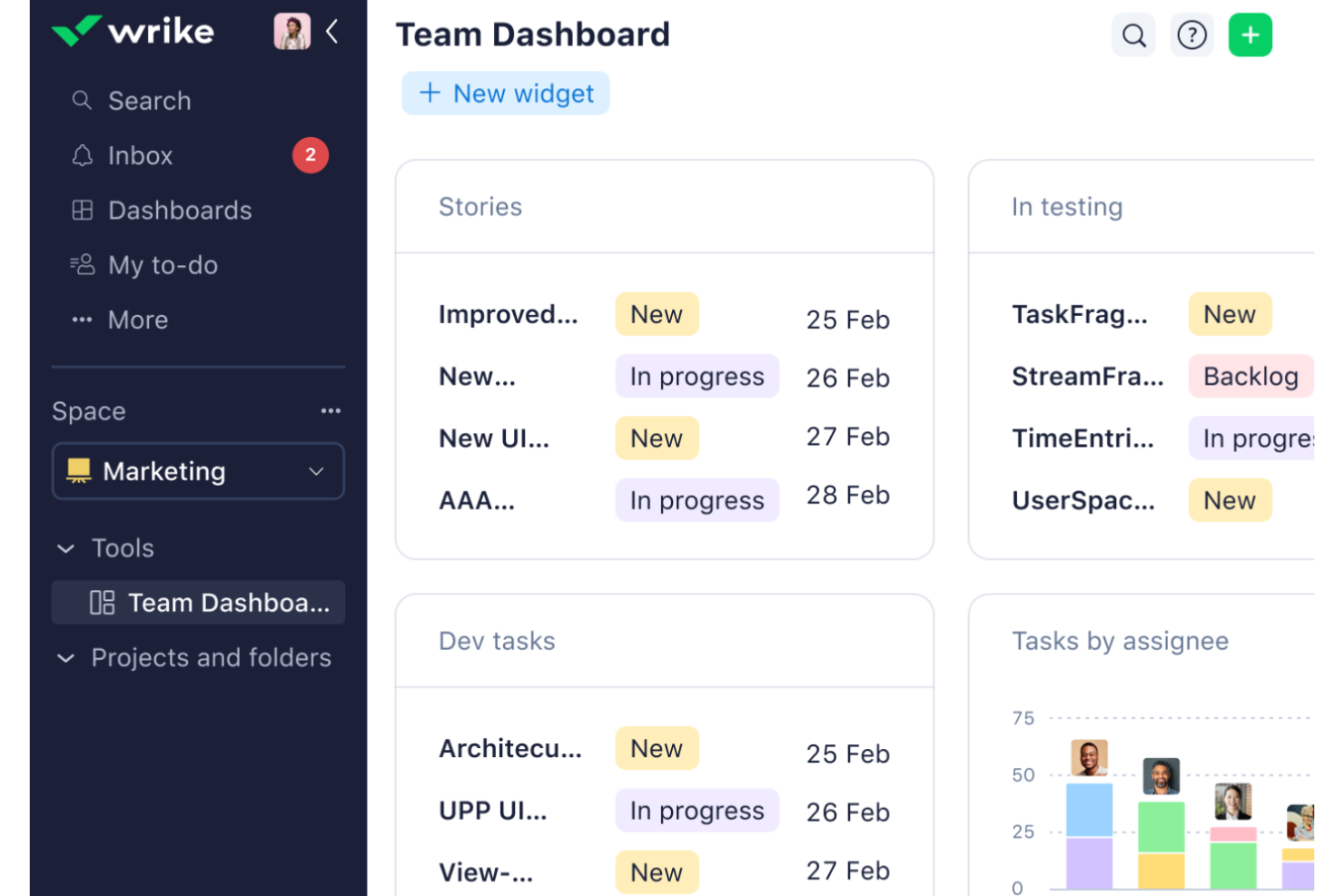
Wrike is project management software for tech and digital teams that need to coordinate cross-functional work, adapt to shifting priorities, and keep tasks, timelines, and dependencies visible.
Who Is Wrike Best For?
Wrike suits project managers coordinating varied projects and workflows across multiple departments.
Why I Picked Wrike
I picked Wrike as a Best Airtable Alternatives - DPM option, with “Best for versatile project management” capturing its appeal. I like how Gantt charts show task dependencies and deadline changes, while custom workflows and request forms route work across product, design, and engineering teams.
Wrike Key Features
- Dashboards: Build views that display project and task data.
- Workload charts: View team capacity and assigned work.
- Time tracking: Log time on tasks, available from the Business plan.
- Integrations: Connect tools through 400+ pre-built native integrations.
Wrike Integrations
Wrike offers 400+ pre-built native integrations, including Slack, Microsoft Teams, Google Drive, Adobe Creative Cloud, Salesforce, Jira, Zoom, GitHub, Dropbox, and HubSpot. It also provides an open REST API for custom integrations and Wrike Integrate.
Pros and Cons
Pros:
- Workload charts show team capacity
- Request forms route cross-team work
- Dependencies clarify schedule and deadline changes
Cons:
- Navigation and search can feel cluttered
- Workflow setup can take substantial time
New Product Updates from Wrike

Wrike Adds Advanced Filters to Chart View
Wrike introduces new default filters in Chart view, including relative dates, exclusion conditions, multiple filters per field, and status group filtering. These updates help teams refine project data and reporting. For more information, visit Wrike’s official site.

Best for AI-powered project insights
For product and delivery teams managing shifting priorities, monday AI Workspace is a project management platform that helps coordinate cross-functional work, track timelines, and clarify ownership.
Who Is monday AI Workspace Best For?
monday AI Workspace suits project managers and team leads who need AI-assisted insights to spot project trends and guide decisions across workstreams.
Why I Picked monday AI Workspace
I picked monday AI Workspace as an Airtable alternative because it fits “Best for AI-powered project insights.” Its AI-assisted insights surface project trends across workstreams, while timeline tracking helps me see where shifting priorities could affect delivery.
monday AI Workspace Key Features
- Live dashboards: Build customizable dashboards and reports for projects or portfolios.
- Custom workflows: Create workflows to match your team’s project processes.
- Integrations: Connect monday.com with other tools your team uses.
- Requests and approvals: Manage incoming requests and approval workflows on the platform.
monday AI Workspace Integrations
monday.com offers 850+ integrations and apps, including Slack, Salesforce, HubSpot, GitHub, GitLab, Google Calendar, Outlook, Microsoft Teams, and Zapier. Its APIs and SDKs support custom integrations.
Pros and Cons
Pros:
- Custom workflows suit changing team processes
- Live dashboards consolidate cross-board project status
- AI flags delivery risks across project dependencies
Cons:
- Reporting depth trails specialist project tools
- Complex boards can become cluttered quickly
New Product Updates from monday AI Workspace
monday AI Workspace Adds Human Approval Routing
monday AI Workspace adds a human-in-the-loop approval block to AI Workflows, sending approval requests and routing workflow paths based on responses. For more information, visit monday AI Workspace's official site.

Celoxis
Best for advanced resource allocation

Celoxis is a project and portfolio management platform for PMOs and delivery teams that need to coordinate plans, dependencies, budgets, and execution reporting across complex work.
Who Is Celoxis Best For?
Celoxis suits PMOs and delivery leaders coordinating shared staff across multiple projects who need clear visibility into capacity and workloads.
Why I Picked Celoxis
I picked Celoxis because its advanced resource allocation suits Airtable alternative searches where specialists share work across projects. I value its capacity and workload views for spotting overbooked staff before setting dates, while linked plans and dependencies help me see how reassignment affects delivery.
Celoxis Key Features
- Timesheets and approvals: Log work with timers or weekly timesheets and route entries for approval.
- Project budgets: Set project- or task-level budgets and compare planned costs with actuals.
- Portfolio dashboards: Build dashboards with report widgets, charts, and drill-downs to records.
- Risk and issue tracking: Manage risks, issues, change requests, and RAID logs in built-in workflow apps.
Celoxis Integrations
Celoxis offers 21 native integrations, including Jira, Azure DevOps, Microsoft Project, Microsoft 365, Google Drive, Google Sheets, Slack, Salesforce, and QuickBooks Online. It also connects with Zapier and provides a REST API for custom integrations.
Pros and Cons
Pros:
- Portfolio dashboards unite budgets and delivery status
- Dependencies recalculate schedules across linked plans
- Cross-project capacity views expose overloaded specialists
Cons:
- Custom workflows require substantial upfront configuration
- Dense navigation slows routine project updates

Best for task automation and tracking
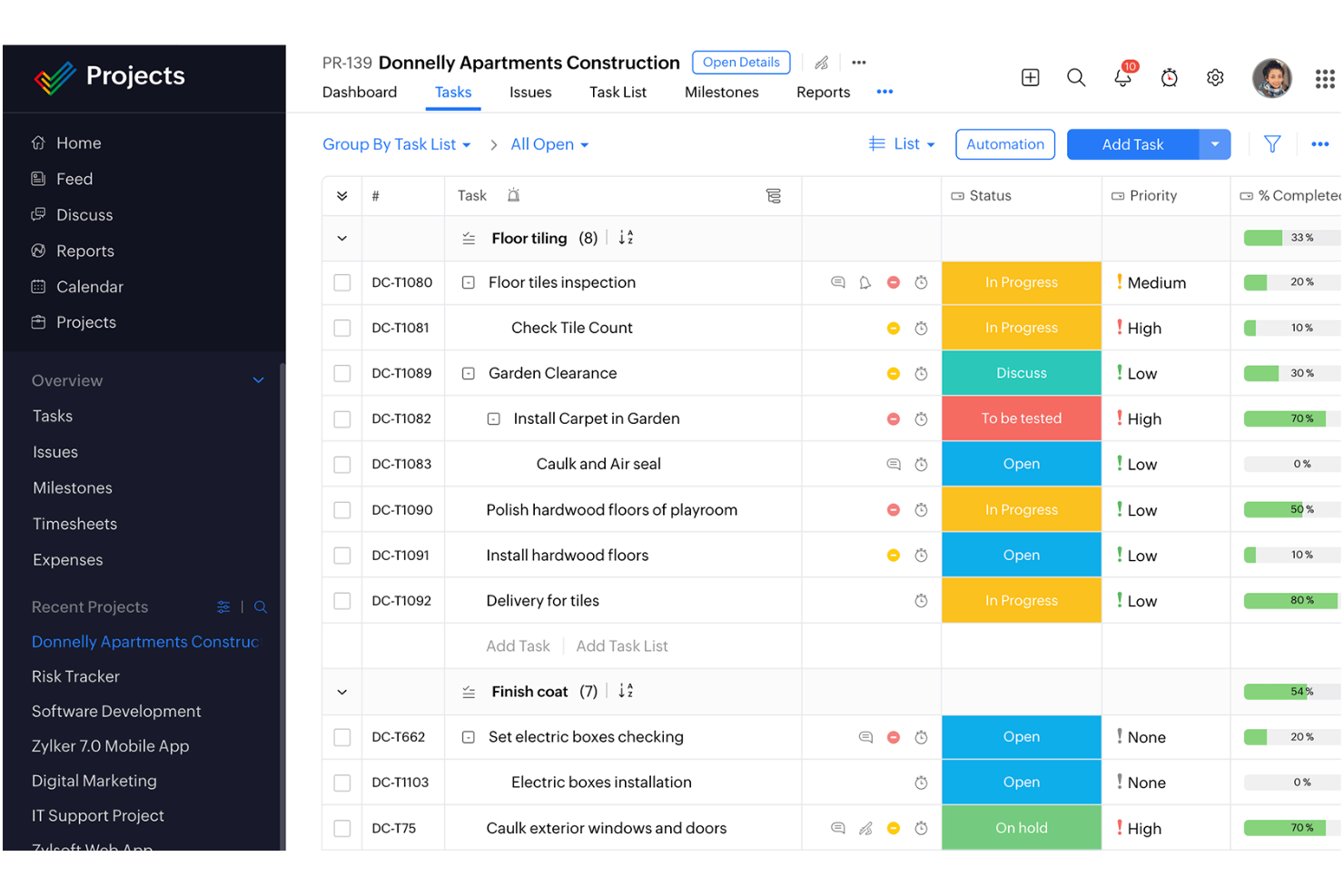
Zoho Projects gives product, engineering, and delivery teams a shared workspace to plan work, coordinate dependencies, and keep project updates visible as requirements change.
Who Is Zoho Projects Best For?
Zoho Projects suits project managers coordinating task-heavy work who need to automate routine processes and track progress across teams.
Why I Picked Zoho Projects
I picked Zoho Projects as an Airtable alternative and rate it “Best for task automation and tracking.” Workflow rules can trigger task updates or notifications when conditions change, while Gantt charts show dependencies and deadlines. I use that combination to spot when a delayed engineering task puts a release milestone at risk.
Zoho Projects Key Features
- Kanban views: Group tasks into cards by status.
- Timesheets: Log task and issue hours manually or with timers.
- Shared documents: Store project files with version control.
- Project calendar: Schedule meetings and events alongside project activities.
Zoho Projects Integrations
Zoho Projects documents integrations with Zoho CRM, Zoho Desk, Microsoft Teams, Slack, GitHub, Dropbox, Google Drive, and Zendesk, and it connects with Zapier. It also provides a REST API for custom integrations.
Pros and Cons
Pros:
- Milestones and task ownership improve progress tracking
- Gantt charts make dependencies and deadlines visible
- Workflow rules automate routine task updates
Cons:
- Mobile notifications may not sync in real time
- Advanced reporting customization can feel limited
- Less suited to relational database-style project data
New Product Updates from Zoho Projects

Zoho Projects Adds QuickBooks Online and Xero Integrations
Zoho Projects now connects with QuickBooks Online and Xero, bringing project work and accounting workflows closer together. Manage project-related billing and financial tasks with fewer app switches. For more information, visit Zoho Projects’ official site.
 .

Best for no-code workflow management
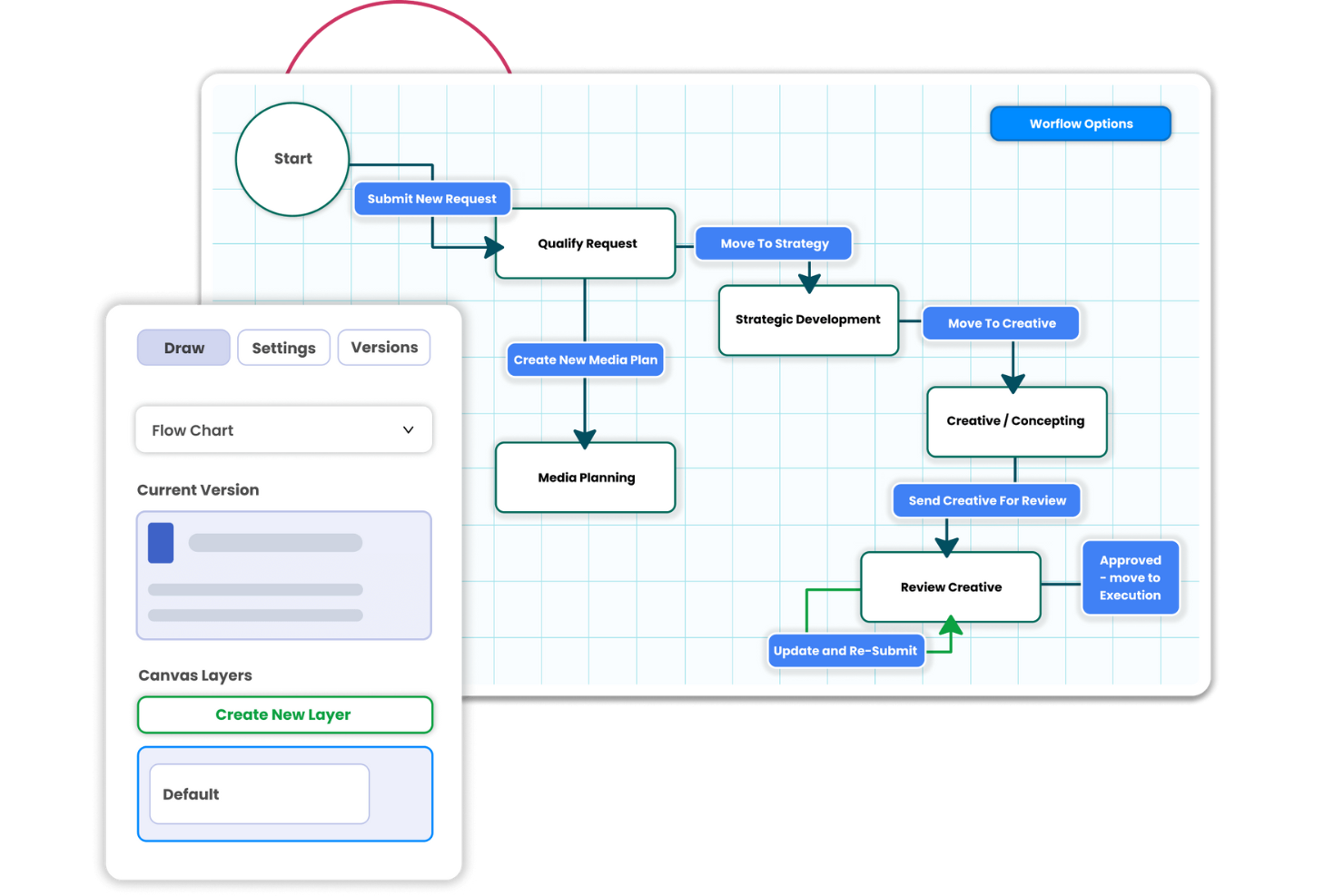
Screendragon is a work management platform for marketing and creative teams that coordinates campaign intake, asset reviews, approvals, and delivery across brands, regions, and partners.
Who Is Screendragon Best For?
Screendragon is a good fit for marketing operations teams that need to design and adapt cross-functional workflows without relying on developers.
Why I Picked Screendragon
I picked Screendragon because its no-code workflow management lets marketing operations teams adapt cross-functional processes without developer help. I like how campaign intake, asset reviews, and approvals connect in workflows that coordinate delivery across brands, regions, and partners. That makes it a focused Airtable alternative for managing creative work with defined review steps.
Screendragon Key Features
- Capacity forecasting: Compare resource demand with availability across project timelines.
- Skills-based assignment: Match people to work by their skills, roles, and availability.
- Timesheets: Record time against project work and resource plans.
- Budget tracking: Monitor project costs against budgets and flag overruns.
Screendragon Integrations
Screendragon offers 13 pre-built integrations, including Aprimo, HubSpot, Slack, Microsoft Teams, Microsoft Power BI, Smartsheet, Sitecore, Ziflow, and Brandfolder, and connects with Zapier. It also provides a REST API and a Universal API Connector for custom connections.
Pros and Cons
Pros:
- Resource forecasts connect capacity to project demand
- Centralized briefs, proofs, and approval histories
- No-code approval workflows adapt across teams
Cons:
- Feature breadth makes workflows harder to navigate
- Large projects with many approvals feel slow

Best for Gantt-driven relational databases
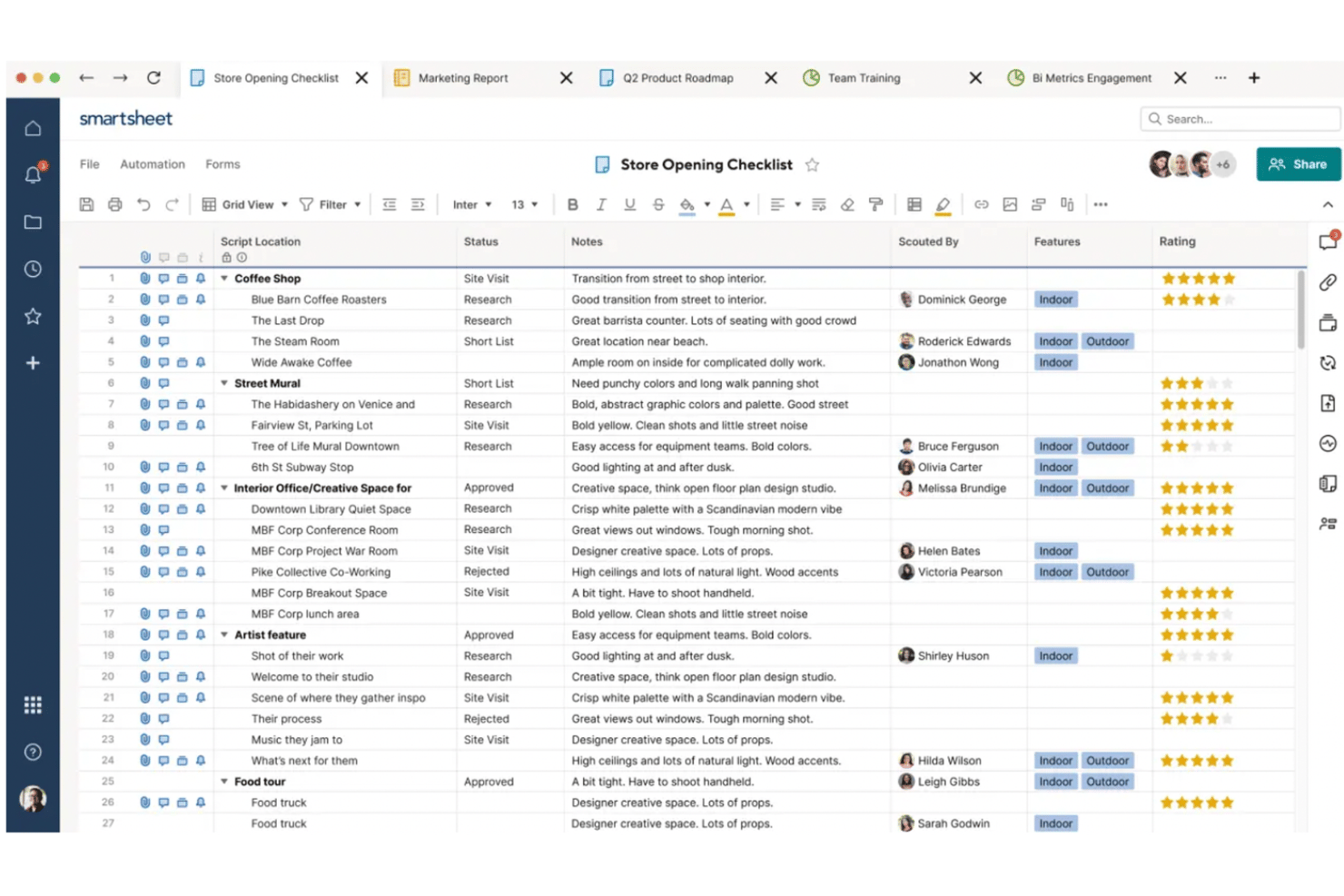
SmartSuite gives product and delivery teams a configurable work management platform to coordinate cross-functional projects, track shifting priorities, and keep tasks and project information connected.
Who Is SmartSuite Best For?
SmartSuite suits project managers in product and operations teams who need Gantt schedules linked to records across complex workstreams.
Why I Picked SmartSuite
I picked SmartSuite because its Gantt-driven relational databases connect schedules with project records, keeping timelines tied to delivery details. I use that structure to follow cross-functional work and see which records need attention when priorities shift.
SmartSuite Key Features
- Kanban view: Move tasks across customizable status columns.
- RAID logs: Track risks, assumptions, issues, and dependencies with owners and mitigation plans.
- Workflow automation: Trigger assignments, reminders, approvals, and status changes.
- Intake forms: Collect project requests and route them through scoring and approval workflows.
SmartSuite Integrations
SmartSuite lists 16 native integrations, including Microsoft Teams, Gmail, Outlook, Google Drive, Google Sheets, Google Docs, Google Calendar, Box, Dropbox, and OneDrive, and connects with Zapier. It also offers a REST API and webhooks for custom integrations.
Pros and Cons
Pros:
- Kanban, forms, and automations cover delivery workflows
- RAID logs keep risks beside delivery work
- Gantt timelines stay tied to linked records
Cons:
- Automations can run slowly or unpredictably
- Formula library trails spreadsheet-level calculations
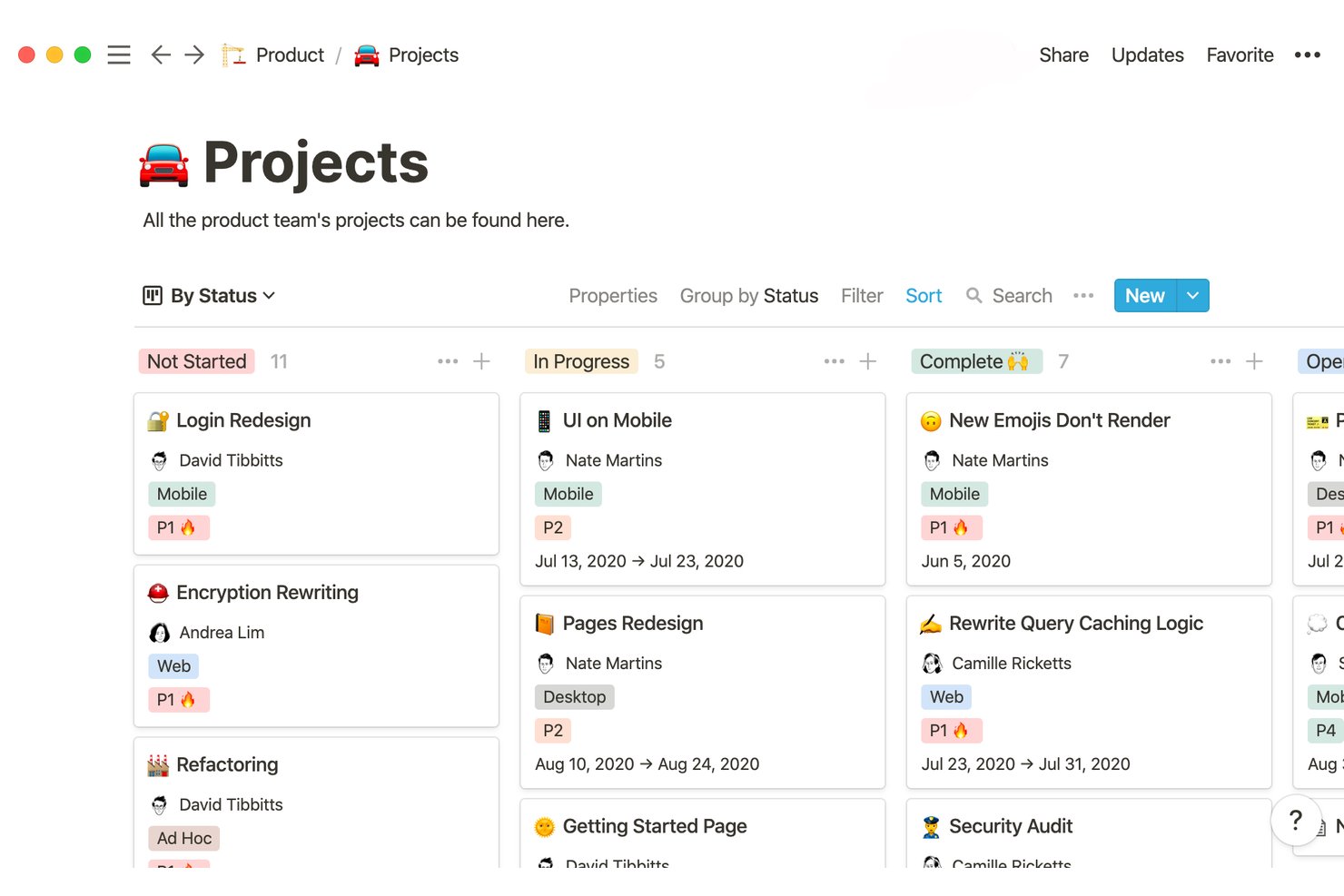
Notion is a flexible workspace for tech and digital project teams to organize plans, documentation, and cross-functional work in one place—Good for all-in-one workspace solutions.
Who Is Notion Best For?
Notion suits product and engineering teams that want project documentation, decisions, and lightweight workflows alongside their daily work.
Why I Picked Notion
I picked Notion because its “Good for all-in-one workspace solutions” approach keeps project plans beside the documentation and decisions behind them. I use pages for briefs and decision logs, then database views to track tasks and statuses across product and engineering.
Notion Key Features
- Subtasks and dependencies: Break work into subtasks and link tasks to show what must happen first.
- Database automations: Trigger actions when database properties change or items meet set conditions.
- Forms: Collect project requests and feedback directly into a database.
- Charts: Visualize database data with bar, line, or donut charts.
Notion Integrations
Notion’s connections include Slack, Google Drive, GitHub, Jira, Salesforce, and Figma; managed database syncs are available for GitHub, Jira, and Salesforce, with plan requirements. Notion also supports custom integrations through its API and connects with Zapier.
Pros and Cons
Pros:
- Forms route requests into trackable databases
- Relations connect tasks across database views
- Project plans sit beside team documentation
Cons:
- Automations lack branching and cross-database triggers
- Large, complex databases can load slowly

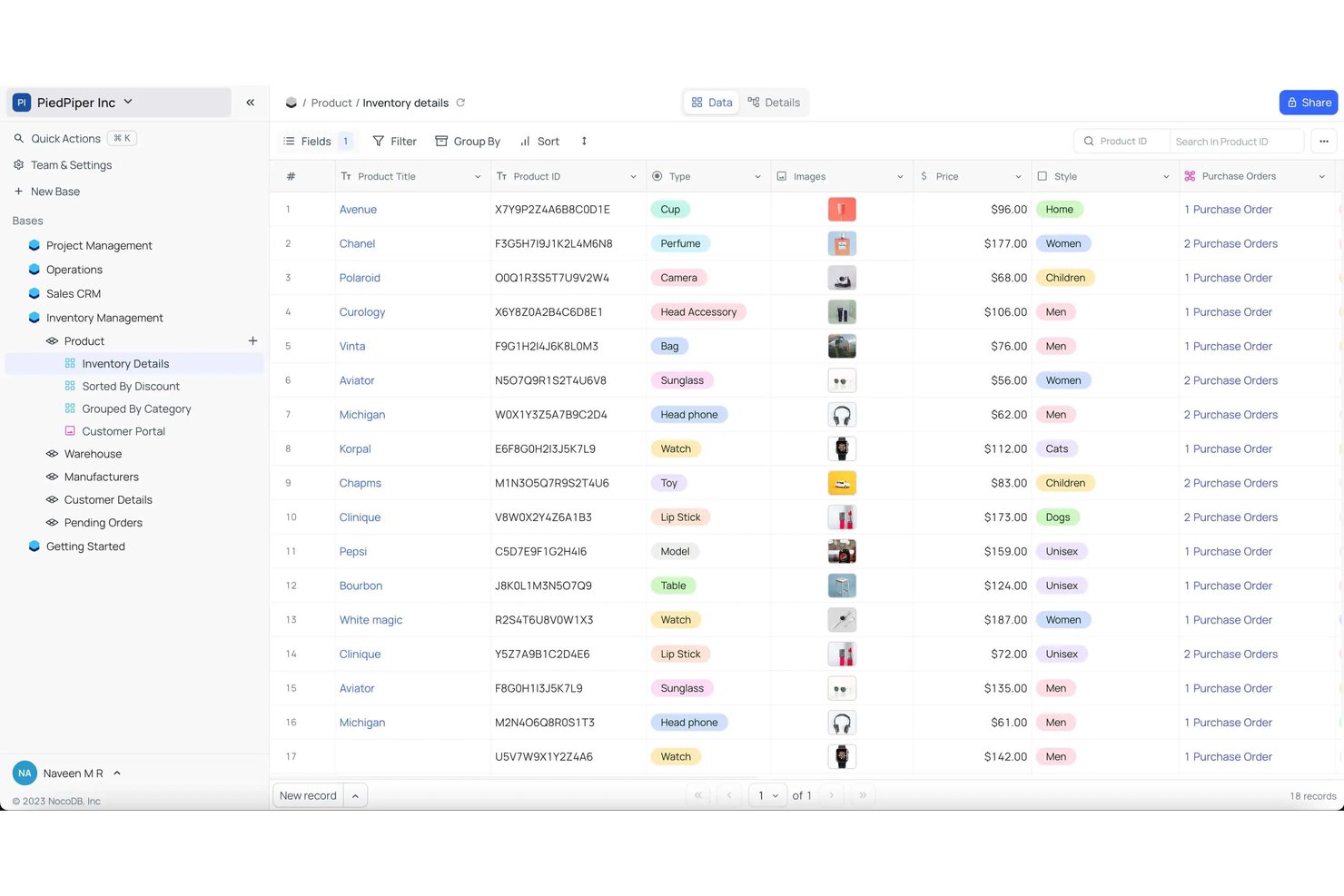
NocoDB is a no-code database platform for product and engineering teams that need customizable project tracking, shared data, and clearer visibility across workstreams.
Who Is NocoDB Best For?
NocoDB suits technical teams that want to self-host a no-code database for internal tools, data management, and custom workflows.
Why I Picked NocoDB
I picked NocoDB as Best for self-hosted open database work because it gives teams a spreadsheet-style interface to their SQL databases. I like how linked tables and multiple views can help product and engineering teams track initiatives, owners, and dependencies in one project workspace. Self-hosting keeps that data within your own infrastructure.
NocoDB Key Features
- Data APIs: Create and use APIs to access project records programmatically.
- Webhooks: Send event-based notifications when records change.
- Data imports: Bring in existing records from CSV, Excel, or Airtable.
- Project sharing: Invite teammates to projects and collaborate on shared data.
NocoDB Integrations
NocoDB lists integrations with Make and Zapier; NocoSync supports data syncing from GitHub, GitLab, Bitbucket, Linear, Google Calendar, Outlook, CalDAV, and custom sources. It also provides REST APIs for custom integrations.
Pros and Cons
Pros:
- Auto-generated REST APIs expose records
- Self-hosting keeps project data in-house
- Connects to existing SQL databases without migration
Cons:
- Visual automation needs external tools
- Changes don't appear until refresh
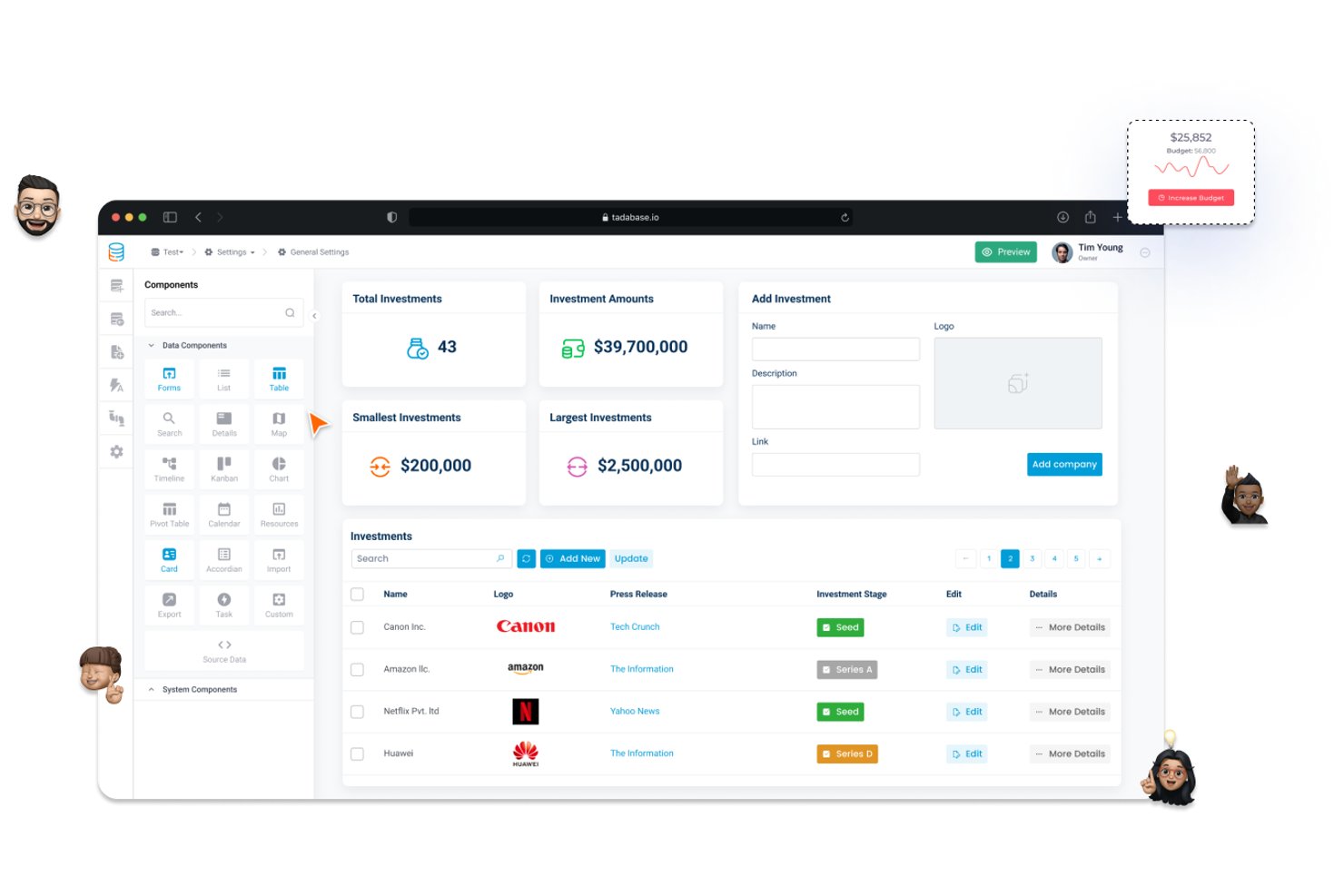
Tadabase is a no-code application platform for project teams and service businesses that need custom workflows to organize project data, track work, and give stakeholders clearer visibility.
Who Is Tadabase Best For?
Tadabase suits service businesses and operations teams that need to give clients a tailored portal for viewing and managing shared data.
Why I Picked Tadabase
I picked Tadabase because it’s built for client-facing data portals, a useful alternative to sharing Airtable views. I like that role-based permissions can limit clients to relevant records, while custom portal pages and forms let them review deliverables or update project details.
Tadabase Key Features
- Relational data tables: Link project records across tables, such as tasks, milestones, and resources.
- Equation fields: Calculate values from data stored in other fields.
- Record history: Review changes made to project data over time.
- CSV imports and exports: Transfer structured project data using custom templates.
Tadabase Integrations
Tadabase documents native connections to Amazon S3, Dropbox, Twilio, and custom SMTP servers, and it supports Zapier. It also offers REST API access, incoming and outgoing webhooks, and Pipes for connecting to other services.
Pros and Cons
Pros:
- Build custom workflows without code
- Relational tables connect project data
- Portals give clients tailored record access
Cons:
- Large schemas can become hard to organize
- Reporting and charting options remain limited

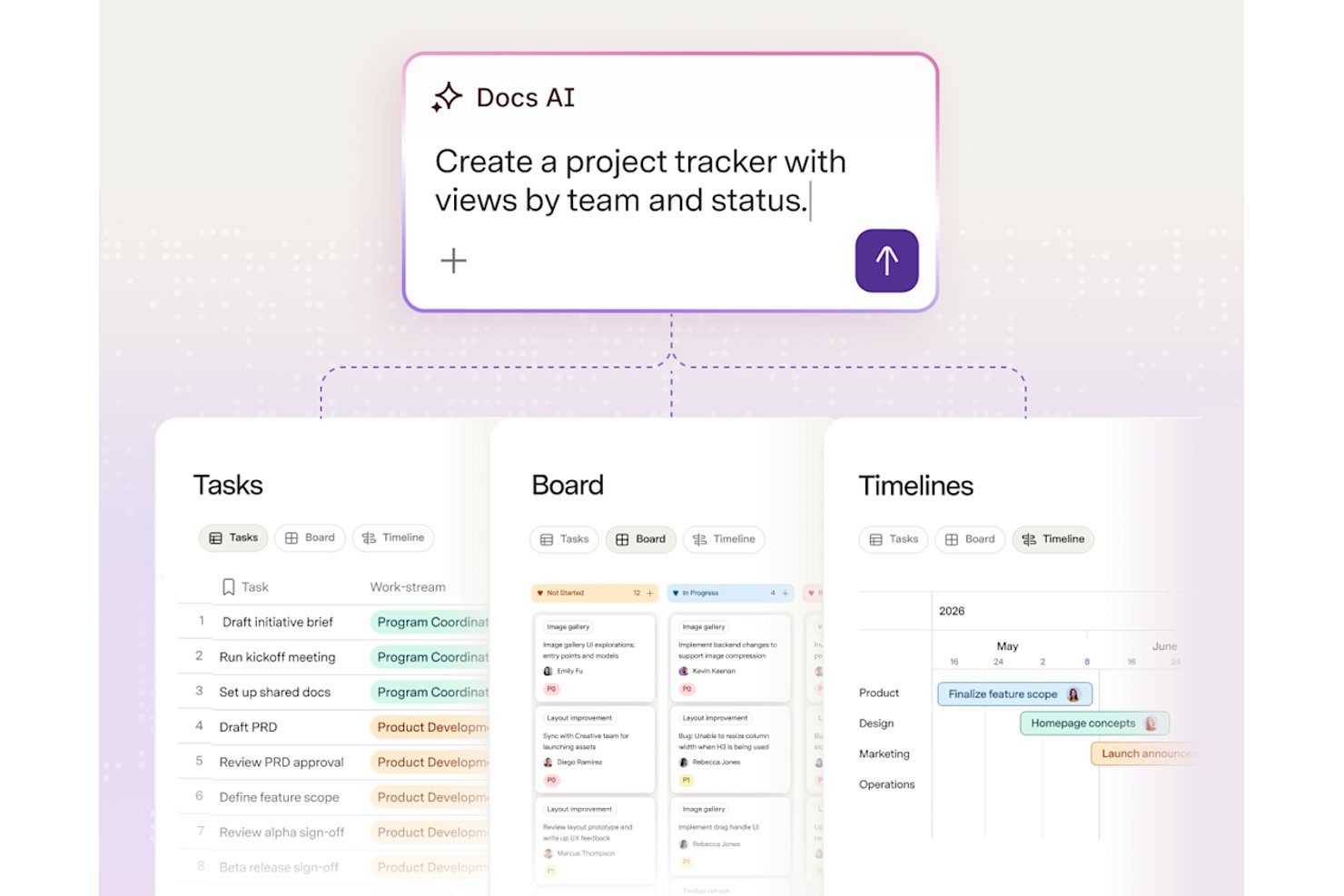
Superhuman Docs is a collaborative workspace where product and project teams can document plans, organize project information, and keep decisions connected to the work they guide.
Who Is Superhuman Docs Best For?
Product and project managers on cross-functional tech teams can use Superhuman Docs to keep product specs, decisions, and project records organized together.
Why I Picked Superhuman Docs
I picked Superhuman Docs for the “Best for docs-plus-database in one workspace” use case. I can keep a product spec beside a table of launch tasks, then collect updates through forms and use buttons or automations to move work forward. That keeps project records close to the plans and decisions they support.
Superhuman Docs Key Features
- AI plan generation: Create project plans, briefs, and proposals from prompts.
- Collaborative components: Add voting, reactions, and charts to shared documents.
- Two-way integrations: Sync data with tools such as Jira, Salesforce, and Asana.
- Knowledge hubs: Organize team knowledge and get AI answers from hub content.
Superhuman Docs Integrations
Superhuman Docs supports 800+ integrations, including direct Docs Packs for Slack, Jira, Google Calendar, and Salesforce; it documents two-way sync with Jira, Salesforce, and Asana. Zapier and MCP connections to ChatGPT, Claude, and Cursor are also supported.
Pros and Cons
Pros:
- Forms collect updates directly into project tables
- Buttons and formulas turn records into workflows
- Relational tables live beside project documentation
Cons:
- Table views offer fewer display controls
- Large databases can strain document performance
Andre Airtable-alternativer
Her er noen flere Airtable-alternativer som ikke kom med på kortlisten min, men som likevel er verdt å se nærmere på:
- Teable
For open-source database teams
- ClickUp
For Gantt and dependency tracking
- Quickbase
For custom app development
- Smartsheet
For Excel-to-spreadsheet PM migration
- Asana
For timeline-driven task tracking
- Knack
For no per-seat database app building
- Pipefy
For repeatable process workflows
- Zoho Creator
For Zoho ecosystem app building
- Baserow
For DIY database enthusiasts
- SeaTable
For GDPR-conscious database builders


Finn flere alternative verktøy på denne listen over Coda-alternativer.
How I Evaluate Airtable Alternatives
I split my evaluation into three parts. First, core functionality: an alternative must let you link records across tables and navigate data through multiple view types—this carries the most weight. Second, I look for standout features like interface design layers or dependency mapping. Third, I consider pricing value and onboarding quality.
Core Functionality (Table Stakes For This List)
When I'm selecting tools for my list, I score each one on a scale from 0 (does not offer the functionality) to 5 (excels in this area) for each core functionality listed below. I then convert the total into a percentage to help assess each tool's overall fit, with extra weight on any functionalities I’ve deemed essential.
- Relational Data (Essential): I look for linked tables, lookups, and rollups that can connect project tasks, owners, and deliverables without relying on manual cross-references.
- Multiple Views (Essential): I check whether teams can switch between grid, kanban, calendar, gallery, or timeline views to plan work and review the same records.
- Custom Fields: I assess whether field types such as attachments, formulas, checkboxes, and dropdowns can capture project details in a useful structure.
- Workflow Automation: I look for native triggers and actions that update records or notify owners when a task’s status or data changes.
- Permissions & Sharing: I consider whether teams can share work with appropriate roles, so stakeholders can review project information without unnecessary edit access.
- Integrations & API: I check for connections and API access that can link project data with communication, planning, or reporting tools.
Once I have a list of tools that meet the criteria, I consider what sets each platform apart.
Differentiating Factors (What Sets Vendors Apart)
Here's how I compare and contrast different vendors:
Standout Features
I check whether a tool offers native Gantt charts with dependency mapping, since spotting critical-path conflicts early prevents schedule surprises on multi-workstream projects. I also evaluate interface or portal builders that let you present filtered data to clients or leadership without exposing the underlying tables. A built-in scripting environment or extension marketplace matters too—when a project manager can add custom logic without filing a dev ticket, turnaround on workflow changes drops from days to minutes.
Beyond Features
Pricing models vary widely—per-seat costs can double your budget fast when you onboard contractors or cross-functional reviewers mid-project. I check whether free or lower tiers cap records at levels that force premature upgrades. Onboarding quality matters just as much: good templates and guided setup cut weeks off adoption, especially for non-technical teammates building their own bases. I also look for SOC 2 compliance and field-level permissions, since client-facing project data often demands tighter access controls than a default shared workspace provides.
Hvorfor se etter et Airtable-alternativ?
Selv om Airtable er et godt valg av programvare for prosjektstyring, finnes det flere grunner til at noen brukere ser etter alternative løsninger. Du ser kanskje etter et Airtable-alternativ fordi …
- Du trenger mer avansert rapportering og analyse
- Teamet ditt synes databaseoppsettet er for komplekst
- Du trenger bedre automatisering av tilbakevendende oppgaver
- Prosjektene dine krever bedre verktøy for budsjettering og ressursstyring
- Du foretrekker et enklere, regnearklignende grensesnitt
- Du trenger en løsning med mer fordelaktige priser for større team
Hvis noe av dette høres kjent ut, har du kommet til rett sted. Listen min inneholder flere alternativer for prosjektstyringsprogramvare som passer bedre for team som møter disse utfordringene med Airtable, og som ser etter alternative løsninger.
Airtables viktigste funksjoner
Her er noen av de viktigste funksjonene i Airtable, slik at du kan sammenligne hva de alternative løsningene tilbyr:
- Tilpassbare felt: Definer felttyper som tekst, tall, datoer eller vedlegg for å dekke databehovene dine.
- Koblede poster: Koble relaterte data på tvers av tabeller for å få funksjonalitet som i relasjonsdatabaser.
- Visninger: Opprett ulike visninger av dataene dine, for eksempel rutenett-, kalender-, galleri- eller Kanban-visninger, for å visualisere informasjon effektivt.
- Samarbeidsredigering: Jobb med teamet ditt i sanntid, med endringer som gjenspeiles umiddelbart for alle brukere.
- Integrasjoner: Koble Airtable til andre verktøy som Slack, Google Drive og Salesforce for å støtte arbeidsflyter.
- Automatiseringer: Konfigurer utløsere og handlinger for å automatisere repetitive oppgaver i basene dine.
- Grensesnittdesigner: Bygg tilpassede grensesnitt skreddersydd for arbeidsflytene til teamet ditt, slik at samhandling med data blir mer intuitiv.
- Rapportering: Generer rapporter for å analysere og dele innsikt fra dataene dine.
- AI-funksjoner: Bruk innebygde AI-funksjoner til å kategorisere informasjon, generere innhold og avdekke innsikt.
- Mobiltilgang: Bruk Airtables mobilapper for å få tilgang til og oppdatere dataene dine mens du er på farten.